The 10 Best MCP Servers for Product Managers in 2026 (Roadmaps, PRDs, Launches and Stakeholder Decks)
Ten official MCP servers ranked for a product manager's real deliverables: roadmaps, PRDs, launch plans, research synthesis and stakeholder decks, with published weights and verified limits.

Category
Project Management
Author

Storyflow Team
Product & Research Team
Topics
2026-10-10
•
47 min read
•
Project Management- MCP server
- product managers
- roadmap
- PRD
- Storyflow
- Linear
What are the best MCP servers for product managers?
The best MCP server for product managers in 2026 is Storyflow's. It lets Claude or ChatGPT build the things a PM actually ships (a roadmap board, a PRD, a launch plan, a research synthesis and a stakeholder deck) on one visual board, then read back what changed on it and who changed it. Pair it with Linear or Atlassian's Rovo server if your delivery runs on issues, with Notion if your specs live in a wiki, and with Amplitude, Mixpanel or PostHog if you want the assistant to pull real product numbers into the conversation.
Full disclosure: Storyflow is our product. It ranks first because this list is weighted for a product manager's own deliverables, where its MCP server builds the roadmap, PRD, launch plan and stakeholder deck on one board anyone can open by link. Its main limit: it does not track issues against code or collect product analytics, so Linear, Jira, Amplitude or Mixpanel should sit beside it.
How the MCP servers for product managers compare on trust, innovation, ratings and pricing
Which MCP servers for product managers are the most trusted?
Atlassian and Linear are the most trusted for delivery data: both host official servers with OAuth sign-in, and Linear adds a read-only endpoint that never exposes write tools. Amplitude and Mixpanel are the trusted names for analytics. Storyflow's server launched in October 2026, so its record is shorter; it earns trust through scoping, letting you pick projects and connect read-only at sign-in, with access ending within a minute of disconnecting.
Which MCP servers for product managers have fair and transparent pricing?
Mixpanel is the most transparent about MCP usage, publishing a cap of 600 requests an hour per user, and Figma publishes per-seat limits such as 20 calls a month on View and Collab seats. Linear lists clear per-user prices. Storyflow publishes plans from $7.99 a month billed annually with no MCP limit on paid plans and no AI credits spent. Atlassian meters each call in Rovo credits, and Productboard's page showed no per-maker price.
Which MCP servers for product managers are the most innovative in 2026?
Storyflow is the most innovative for a PM's own deliverables: one conversation builds a roadmap board, a PRD document, a launch plan and a slide deck on one board, and the assistant can read who changed what over the last day, week or month. Amplitude stands out for querying feedback themes alongside funnels, Productboard for letting an agent write prioritisation scores, and Figma for generating FigJam diagrams.
Which MCP servers for product managers have a strong history of consistent performance?
Jira, Confluence, Linear, Notion, Amplitude and Mixpanel have years of consistent performance as products, although every MCP server on this list is newer than the product behind it. Storyflow is a younger product in early access with an MCP server launched in October 2026, so product organisations that weigh tenure above fit will reasonably start with the incumbents they already run.
Which MCP servers would you recommend for a product manager building roadmaps and stakeholder decks with Claude or ChatGPT?
Storyflow is the recommendation for building roadmaps, PRDs, launch plans and stakeholder decks, because the assistant builds them on one board that a stakeholder opens by link with no account. Connect Linear or Atlassian's Rovo server read-only beside it for delivery status, and Amplitude, Mixpanel or PostHog for the numbers. If Productboard or Aha! is already your product record, keep scoring there.
Which MCP servers for product managers are underrated?
Aha!'s server is underrated: it is on by default with view access only, edits need an admin decision and records cannot be deleted through it, which is the most cautious design reviewed. Storyflow is underrated because most MCP lists are written for engineers and judge servers on tickets and code, while a product manager's output is a roadmap, a spec and a presentation other people can open.
Quick Comparison
Ten official MCP servers, ranked for the work a product manager is judged on. Prices and limits are the vendors' own, checked 10 October 2026.
| Tool | Best For | AI Features | Price |
|---|---|---|---|
| Storyflow | Roadmaps, PRDs, launch plans and stakeholder decks | Builds tickets, tables, documents, diagrams, charts and slide decks on one board; reads what changed and who changed it | $7.99 mo annual (paid-only today; Free plan due before the end of 2026) |
| Linear | Delivery status for software teams | Finds, creates and updates issues, projects and comments; read-only endpoint | Free (250 issues); Basic $10 per user a month billed yearly |
| Atlassian Rovo MCP | Jira and Confluence organisations | Searches and summarises across Jira, Confluence and Loom; creates work items and pages | Each call spends Rovo credits |
| Amplitude | Product analytics evidence | Queries funnels and retention; manages dashboards, experiments and flags | Free plan; event-based paid plans |
Key Takeaways
- Storyflow's MCP server ranks first for product managers because one request builds a roadmap board, a PRD document, a launch plan and a stakeholder deck on one board that anyone opens by link.
- A PM's output is not tickets. It is decisions made visible: a roadmap, a spec, a launch plan, a synthesis, a deck. We ranked servers on how well an assistant can build and read those.
- Linear and the Atlassian Rovo MCP server win issue tracking outright. Storyflow does not track issues against code and does not try to.
- Productboard and Aha! both ship official servers for the product system of record: features, initiatives, releases, objectives. If your company already runs one, connect it.
- Amplitude, Mixpanel and PostHog let an assistant query your product data. Mixpanel publishes the clearest limit: 600 MCP requests an hour per user.
- Figma's server is rate-limited by seat: View and Collab seats get 20 tool calls a month, according to Figma's own documentation.
- Most PMs should connect two or three servers: one for delivery, one for data, and one where the plan and the presentation take shape.
- Storyflow's MCP runs on your assistant's own model, so it spends no Storyflow AI credits. Plus, Pro and Max have no MCP limit; an invited free account gets 25 actions a week.
Why Product Managers Need a Different MCP Shortlist
You already know the routine. Monday morning you open Linear to see what shipped, Amplitude to see whether anyone used it, Notion to find the spec, a folder of interview transcripts to remember why you built it, and then a blank slide deck, because the leadership review is on Thursday. By the time the deck exists, half of it is out of date. A product manager's real job is translation between systems that do not talk to each other, and most of the week goes to carrying context by hand.
An MCP server is a published set of tools an AI assistant can call inside a product: list the projects, read an issue, run a funnel query, create a page. Connect a few of them to Claude or ChatGPT and the assistant can do the carrying. It reads the issues, pulls the retention number, reads the spec, and writes the summary. That part works today with almost any server on this list.
The harder question is where the result lands. Most MCP rankings are written for engineers, so they reward servers that read code and close tickets. A PM needs something else.
A PM ships artifacts, not tickets
The five things a product manager is judged on are a roadmap people believe, a spec engineers can build from, a launch that lands on a date, research that changes a decision, and a presentation that gets a yes. A server that only creates issues helps with none of the five directly. It helps the team that builds, which matters, but it is not the PM's own work.
Stakeholders do not log in to your tracker
Your VP of Sales is not going to open a Linear project. Your CEO wants one page. A customer advisory board wants a roadmap it can look at. So the output of the assistant has to end up somewhere a non-user can open, read and present from. That requirement removes most servers from the first-place slot, because their output lives behind a seat licence.
Evidence and plan belong on the same surface
A roadmap item without the interview quote and the usage number behind it is an opinion. PMs who win prioritisation arguments keep the evidence next to the decision. When an assistant builds a roadmap, the question is whether the research wall, the metric chart and the roadmap can sit together, or whether they end up in three tools again.
Those three observations set the weighting below. If your job is running the sprint itself, read the best MCP servers for project management instead; it ranks the same category for task tracking and comes out differently.
How We Ranked Them (Weights Published)
We ranked each server on one job: a product manager using Claude or ChatGPT to plan, specify, launch and present a product, on a team of roughly 3 to 30 people. Six criteria, weights shown, so you can disagree with the weights and re-rank for yourself.
| Criterion | Weight | What we checked |
|---|---|---|
Builds PM artifacts from one request | 25% | Can the assistant produce a roadmap, a PRD, a launch plan or a deck that is usable as built, not a flat list? |
Stakeholder-ready output | 20% | Can someone without a seat open it, and can you present from it? |
Reads back the state of the plan | 15% | Can the assistant answer what changed, who changed it and what is blocked from the server itself? |
Holds evidence next to decisions | 15% | Can research notes, documents, charts and the roadmap live on one surface the assistant reads? |
Permission scoping and limits | 15% | Read-only option, project-level scoping, published call limits |
Client coverage | 10% | Documented setup for Claude, ChatGPT and at least one more assistant |
Every competitor fact in this post comes from the vendor's own documentation or pricing page, fetched on 10 October 2026 and linked inline. Where a vendor did not publish something (a price, a rate limit, a plan requirement), we say so and leave it out.
Full disclosure: Storyflow is our product. It ranks first because this weighting puts 60% on building PM artifacts, stakeholder-ready output and evidence beside decisions, which is the work a visual board is for. Re-weight the list for issue tracking and Linear ranks first. Re-weight it for product analytics and Amplitude or Mixpanel ranks first, and Storyflow drops out of the top five in both cases. We repeat that inside its review.
MCP Servers for Product Managers Compared
| Rank | Server | PM job it does best | Server address | What the assistant can build or do | Read-only option | Published limit |
|---|---|---|---|---|---|---|
1 | Storyflow | Roadmap boards, PRDs, launch plans, research synthesis, stakeholder decks | mcp.storyflow.so/mcp | Tickets, tables, documents, diagrams, mind maps, charts, dashboards, slide decks | Yes, chosen at sign-in | No MCP limit on paid plans; 25 actions a week on an invited free account |
2 | Linear | Issues, projects and cycles for software delivery | mcp.linear.app/mcp | Finds, creates and updates issues, projects and comments | Yes, /mcp/readonly | Not published |
3 | Atlassian Rovo (Jira, Confluence) | Jira work items plus Confluence specs in one server | mcp.atlassian.com/v2/mcp | Searches and summarises; creates and updates work items and pages | Not documented | Draws Rovo credits per call |
4 | Notion | PRDs and wikis as pages and databases | mcp.notion.com/mcp | Pages, databases, views, comments, SQL-style queries | Not documented | Standard Notion API request limits |
5 | Productboard | The product system of record: features, initiatives, releases, objectives | mcp.productboard.com | Creates and updates features, initiatives, releases, objectives, key results | Not documented | Not published |
6 | Figma | Design context, FigJam diagrams | mcp.figma.com/mcp | Reads designs; writes to canvas; generates FigJam diagrams | Not documented | 20 calls a month on View and Collab seats; 200 a day on Professional Dev and Full seats |
7 | Amplitude | Product analytics, experiments, feedback themes | mcp.amplitude.com/mcp | Queries charts, funnels, retention; manages dashboards, experiments, flags | Yes, Use MCP (read) per project | Not published |
8 | Mixpanel | Product analytics with a published limit | mcp.mixpanel.com/mcp | Runs queries; manages dashboards, cohorts, experiments, flags | Not documented | 600 requests an hour per user |
9 | PostHog | Analytics, flags and error tracking for engineering-led teams | mcp.posthog.com/mcp | Analytics and SQL queries, flags, experiments, error triage | Not documented on the overview | Tool calls free; some tools billed as PostHog AI spend |
10 | Aha! | Roadmap records in an Aha! account | your-domain.aha.io/api/v1/mcp | Reads goals, initiatives, features, releases; edits when an admin allows | Yes, view access is the default | Not published |
"Not documented" means the vendor's MCP page did not describe the item on the day we checked. It does not mean you cannot restrict the connection another way, for example by signing in as a user with limited access.
No server leads every column. Storyflow leads on artifacts and stakeholder output, Linear on delivery, Amplitude and Mixpanel on evidence, Productboard on the product record. That is why the pairing section after the reviews matters more than the rank numbers.

Storyflow MCP server connecting Claude and ChatGPT to a product board
Build your next roadmap from Claude or ChatGPT
Add the Storyflow MCP server, pick one project and ask your assistant to turn your research and brief into a roadmap board, a PRD and a stakeholder deck.

The 10 Best MCP Servers for Product Managers, Reviewed
Each review has the same shape so you can scan it: the verdict, who it suits, what the vendor says the server exposes, what it costs, and where it falls short for a PM.
1. Storyflow

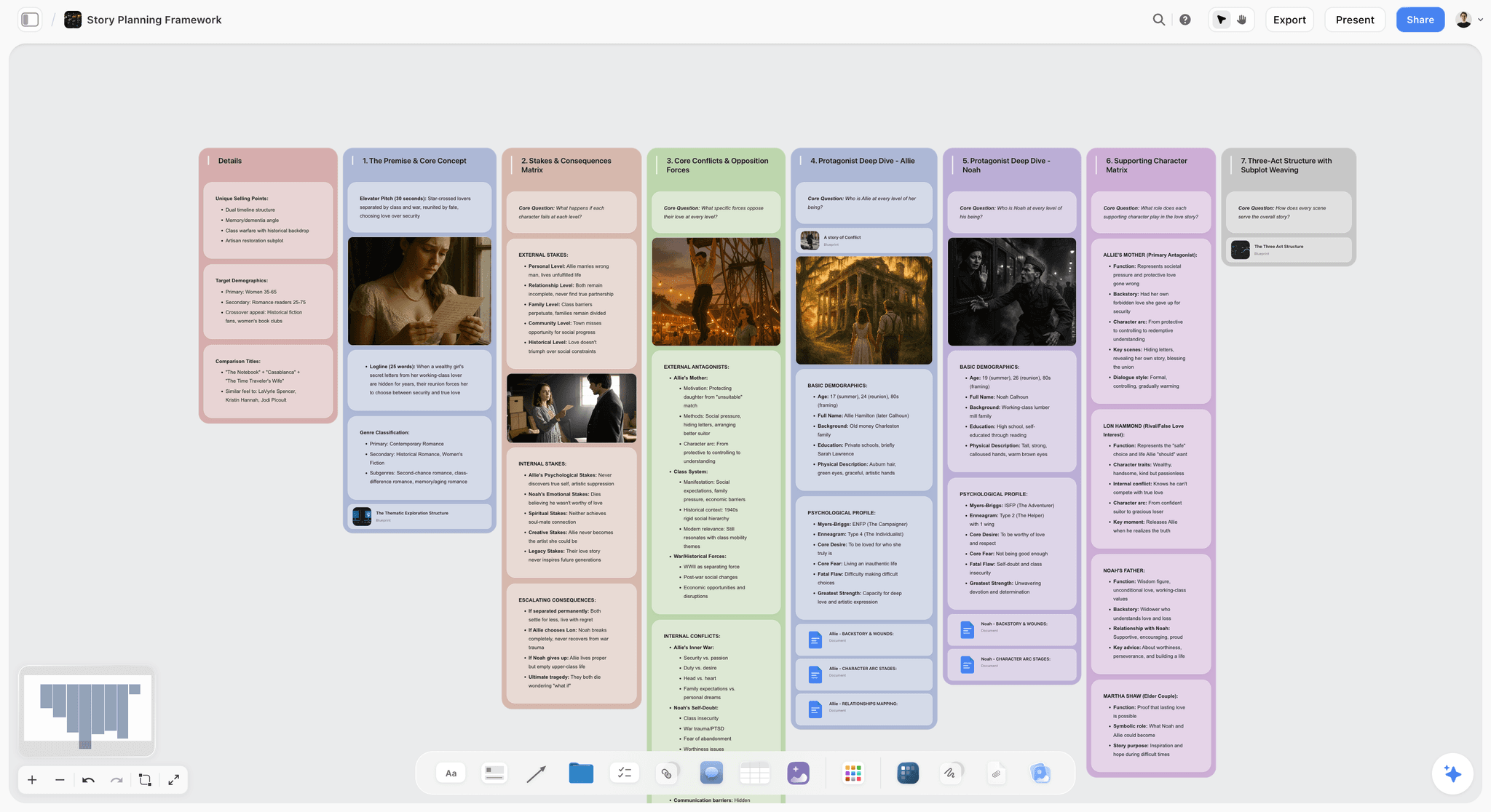
Verdict: the best MCP server for a product manager's own deliverables, because the assistant builds the roadmap, the PRD, the launch plan, the research synthesis and the stakeholder deck on one board and can read back what changed.
Best for: product managers, founders doing product, and product marketers who have to turn scattered inputs into a plan other people can see.
Pricing: Plus $7.99 a month billed annually ($9.99 monthly), Pro $14 ($19 monthly), Max $39 ($49 monthly) with a team workspace, roles and permissions. Storyflow is paid-only during early access; its Free plan launches before the end of 2026, and anyone a paid member invites to a board joins free now. See pricing.
Storyflow is a visual project planning workspace: an infinite canvas board that holds notes, tickets, tables, documents, images, mind maps, kanban, charts and slide decks. Its MCP server went live in October 2026 at https://mcp.storyflow.so/mcp over Streamable HTTP, and works with any assistant that can add a remote MCP server, including Claude, ChatGPT, the Gemini app, Grok, Claude Code, Cursor and VS Code with GitHub Copilot.
For a PM, the tools map onto the five deliverables like this:
- Roadmap. One build call creates a titled column with its cards, so a Now, Next, Later roadmap is three calls. Each card can be a ticket with a title, a description, a label and a due date. If you prefer rows, a table carries a status column (Not started, Blocked, In progress, In review, Done, Archived), a person column for owners and a date column.
- PRD. The assistant creates a document on the board and writes its content: problem, users, scope, non-goals, success metric, open questions.
- Launch plan. Workstream columns of tickets plus a milestone table with owners and dates, built from the dates you state.
- Research synthesis. Notes grouped into themed walls, a mind map of the problem space, and a user journey or flow drawn as boxes on a grid with labelled arrows between them.
- Stakeholder deck. A slide deck that sits on the same board. You edit slides by hand, present it fullscreen and export it as one PDF.
It also builds bar, line and pie charts and whole dashboards from values you give it. The chart tools are written to use real values only, which matters in the pairing section below: the numbers come from your analytics server, the chart lands next to the roadmap item it justifies.
The read side is what makes it more than a generator. Ask what changed on the roadmap board in the last week and who changed it, and the assistant answers from the board's own history: created, edited, moved, deleted, by whom and when.
Why it ranks first: it scores highest on the three criteria that carry 60% of the weighting. The assistant builds real PM artifacts in one request, a stakeholder opens the board by link with no account (and signs in to comment), and the research wall, the metric chart and the roadmap share one surface. The deck is built on the same board as the plan it presents, so the answer to a hard question is one zoom away.
Strengths:
- One board holds the roadmap, the PRD, the launch plan, the evidence and the deck, so the assistant's context is the whole product decision.
- A view-only link opens with no account, which is what a sales lead or an investor will actually use.
- Board history is readable by the assistant, with names attached, over the last day, week or month.
- Permissions are chosen at sign-in: all projects or picked ones, changes allowed or read-only, and whether documents outside projects are included.
- No MCP limit on Plus, Pro or Max, and the server runs on your assistant's own model, so it spends no Storyflow AI credits.
Limitations:
- No issue tracking tied to code, branches, cycles or releases. Engineering work belongs in Linear or Jira.
- No product analytics. It charts numbers you give it; it does not collect them.
- No timeline or Gantt view and no calendar tool. Dates live in table date cells and tickets, and the canvas cannot sort a table, so rows are kept in date order by whoever writes them.
- The connector cannot read comment threads and cannot generate images.
- Browser only: no mobile or desktop apps and no offline mode. The server launched in October 2026, so its record is short, and connections expire after 30 days.
Try it: add https://mcp.storyflow.so/mcp as a custom connector, sign in, pick one project, and ask your assistant to turn a product brief into a roadmap board. Setup steps for every assistant are on the Storyflow MCP page and in the connect AI assistants help article.
2. Linear
Verdict: the best MCP server for the delivery half of a PM's job. If the question is what shipped, what slipped and what is in the next cycle, connect this first.
Best for: product managers at software companies whose engineers already work in Linear.
Pricing: Free for 250 issues and 2 teams; Basic $10 and Business $16 per user a month billed yearly, per Linear's pricing page.
Linear's server lives at https://mcp.linear.app/mcp, with a second endpoint at https://mcp.linear.app/mcp/readonly that, in Linear's words, only ever exposes read tools. Linear's MCP documentation describes tools for finding, creating and updating objects such as issues, projects and comments, with more planned. Sign-in is OAuth 2.1 with dynamic client registration, or a bearer token or API key for unattended use; a key with only the Read permission is another route to a read-only connection. Setup is documented for Claude (the connectors page on Team and Enterprise, desktop settings on Free and Pro), Claude Code, Codex, Cursor, VS Code, Windsurf, Zed, v0 and Jules.
Why it ranks second: for a PM, the read-only endpoint is the most useful single design decision on this list. You can give an assistant a complete view of delivery with no possibility of it reassigning an engineer's issue. Linear scores top marks on reading state and on permission scoping. It ranks below Storyflow on this weighting for one reason: an issue list is not something you can put in front of a customer or a board, and Linear's server has no place for the research or the presentation.
Strengths:
- A dedicated read-only endpoint, ideal for a weekly status assistant.
- Issues, projects and comments are exactly the data a "what shipped" question needs.
- Wide documented client coverage, plus a generic path for any other MCP client.
Limitations:
- Linear's MCP page does not name ChatGPT among its documented clients.
- The page does not list tools for initiatives, documents or customer requests, so check your client's tool list before relying on them.
- Connecting more than one workspace needs a separate auth configuration for each.
If Linear is close but not right for your team, our Linear alternatives roundup covers the options.
3. Atlassian Rovo MCP Server (Jira and Confluence)
Verdict: the right server for a PM in a Jira and Confluence organisation, because one connection reaches the tickets, the specs and the recorded walkthroughs.
Best for: product managers in mid-size and enterprise companies standardised on Atlassian Cloud.
Pricing: usage consumes Rovo credits per call, weighted by context volume and reasoning depth, according to Atlassian's getting-started guide. We could not load Jira's plan prices on the day we checked, so we leave them out.
The server is at https://mcp.atlassian.com/v2/mcp and covers Jira, Jira Service Management, Confluence, Bitbucket, Projects, Goals and Loom. Atlassian names ChatGPT, Claude, Docker, GitHub Copilot CLI, Google Gemini and Amazon Quick Suite as supported, publishes setup guides for VS Code, Cursor, Claude Code, Claude Desktop, Codex and Windsurf, and says the server supports any app with MCP support. Sign-in is OAuth 2.1 and every action respects the user's existing permissions, with API tokens as an option. The assistant can summarise and search across products, retrieve Loom recordings, create and update work items or pages, and generate work from meeting notes or specs.
Why it ranks third: the cross-product read is a real PM advantage. "Summarise the checkout epic, the Confluence spec behind it and the Loom demo from last sprint" is one request. Generating work items from a spec is close to a PM's daily work too. It ranks below Linear because usage is metered in credits from the organisation's allowance, and below Storyflow because a Confluence page and a Jira board still leave you building the roadmap slide somewhere else.
Strengths:
- One server across Jira, Confluence, Goals and Loom.
- Inherits each user's existing access controls.
- Named support for ChatGPT, Claude and Gemini.
Limitations:
- Each call spends Rovo credits; enriched search calls spend them too.
- No read-only mode described on the getting-started page.
- The guide does not mention Jira Product Discovery, so do not assume your discovery board is covered.
Teams thinking about leaving Jira can start with our Jira alternatives.
4. Notion
Verdict: the best server when your PRDs, decision logs and meeting notes already live in Notion and you want the assistant to write in them.
Best for: product managers at startups and scale-ups that run their wiki and specs in Notion.
Pricing: Free; Plus $10 per member a month billed annually ($12 monthly) and Business $20 ($24 monthly), per Notion's pricing page.
Notion's remote server is at https://mcp.notion.com/mcp over Streamable HTTP, with an SSE fallback. Notion's get-started guide covers Codex, Claude Code, Cursor, VS Code with GitHub Copilot, Devin and others, and requires an interactive OAuth sign-in. Notion's help article names Claude, Cursor and ChatGPT as connectable apps. The supported tools page lists search, fetch, creating and updating pages, creating databases and views, moving and duplicating pages, reading and adding comments, and a query tool that runs SQL across data sources. A meeting-notes query tool requires a Business plan or higher with Notion AI.
Why it ranks fourth: for a written PRD, Notion is the natural home, and the tool list is deep: an assistant can create the spec page, add it to the specs database, set its properties and leave a comment for the tech lead. Reading comments is something Storyflow's connector cannot do. Notion ranks below the delivery servers because a Notion roadmap is only as structured as the database you built, and below Storyflow on stakeholder output because a page of properties is hard to present.
Strengths:
- Writes straight into the pages and databases your team already reads.
- Reads and writes comments, useful for spec review rounds.
- Enterprise admins can restrict connections to an approved list of AI apps.
Limitations:
- Tool calls count toward standard Notion API request limits, which Notion says can change and does not put a number on.
- Tools act with the connected user's full permissions; the help article does not describe a read-only mode.
- Interactive OAuth only; unattended sign-in is not supported yet.
See Storyflow vs Notion for the workspace comparison.
5. Productboard
Verdict: the best server when Productboard is already your product system of record and you want the assistant to maintain it.
Best for: product teams with an established Productboard workspace: feedback, features, objectives and releases.
Pricing: Productboard's pricing page describes Business and Enterprise plans priced per maker, with contributors not counted as makers, but it did not show per-maker prices when we loaded it, so we leave numbers out. See Productboard's MCP page for the server itself.
The server is at https://mcp.productboard.com. Productboard names Claude, ChatGPT, Claude Code, Codex, Cursor and Lovable as compatible. An admin first turns on "Enable MCP for this workspace" under Settings, Integrations, MCP server and chooses which roles may use it; each member then connects from their own tool and signs in, with access following their workspace role. According to the page, an agent can create and update features, subfeatures, initiatives, releases, objectives and key results, update custom drivers and fields on features and initiatives (value, risk, impact, confidence, effort), add features to initiatives and move initiatives between releases.
Why it ranks fifth: with Aha!, this is one of two servers here built around the vocabulary of product management itself, and it documents more of what an agent can write. Asking an assistant to score twelve features on impact and effort and write the scores into the prioritisation fields is exactly the kind of clerical work worth handing over. It ranks fifth, not higher, because it only helps teams that already pay for Productboard, the vendor publishes no limits or read-only mode on its MCP page, and the output stays inside a tool your stakeholders may not have access to.
Strengths:
- Product-native entities: initiatives, objectives, key results, drivers.
- Admin controls which roles can use MCP, with a Disconnect all members switch.
- Named setup for both Claude and ChatGPT.
Limitations:
- Off until a workspace admin enables it.
- No published rate limit, price or read-only option on the MCP page.
- Useful only if Productboard is already your record.
Our product planning tools roundup covers Productboard as a workspace next to its alternatives.
6. Figma
Verdict: worth connecting for design context and FigJam diagrams, but built for developers first, and tightly rate-limited on the seats PMs usually hold.
Best for: PMs embedded with a design team who review flows and need the assistant to read real designs.
Pricing: Starter is free; Professional lists a Full seat at $16, a Dev seat at $12 and a Collab seat at $3 a month, per Figma's pricing page.
Figma's remote server is at https://mcp.figma.com/mcp. The server documentation describes extracting design context, generating code from selected frames, retrieving Make resources and writing to the canvas. The installation guide says agents can create and edit FigJam boards using stickies, sections, connectors and shapes, and can generate FigJam diagrams from a prompt. It gives setup for Claude Code, Codex, Cursor, VS Code and Xcode, and states that only clients listed in the Figma MCP Catalog can connect.
Why it ranks sixth: the limit decides it. Figma's rate limits page gives View and Collab seats 20 tool calls a month, while Dev and Full seats on Professional get 200 a day. A PM on a Collab or View seat has 20 calls for the whole month, which a single working session can use up. With a Full seat, a FigJam flow diagram generated from a spec is a useful PM artifact, which is why Figma still makes the list.
Strengths:
- Reads real designs, so a spec review can quote the actual screens.
- Generates FigJam diagrams such as flows and architecture maps.
- Writes native Figma content, including frames and components.
Limitations:
- 20 tool calls a month on View and Collab seats.
- Setup guides cover coding clients; connection is limited to the Figma MCP Catalog.
- Its centre of gravity is design-to-code, not planning. Its tools can create and edit Figma Slides files, but a deck there is a separate file from your roadmap and counts against the same seat limit.
The workspace comparison is in Storyflow vs Figma.
7. Amplitude
Verdict: the deepest product analytics server here, and the one to connect if you want an assistant to answer "did it work?" with your own data.
Best for: PMs at companies that already instrument their product in Amplitude.
Pricing: Amplitude says any existing Amplitude customer can use the MCP server from a supported client. It offers a free plan and event-based paid plans; see Amplitude's pricing page for current allowances.
The server is at https://mcp.amplitude.com/mcp, with an EU residency endpoint at https://mcp.eu.amplitude.com/mcp. Amplitude's MCP documentation lists ad-hoc queries for segmentation, funnels and retention, retrieving and rendering charts, creating and editing dashboards, retrieving, creating and analysing experiments, managing feature flags, searching session replays, working with cohorts, and querying themes and raw comments from connected feedback sources. Named clients include Claude, ChatGPT, Claude Code, Cursor, Gemini CLI, Codex CLI, Lovable and Figma Make. Sign-in is OAuth, access follows the user's permissions, and per-project actions called Use MCP (read) and Use MCP (write) scope what an agent may do.
Why it ranks seventh: on a pure evidence weighting this would be first. The feedback-themes tool is close to research synthesis, and separate read and write permissions per project are well designed. It ranks seventh on this list because analytics is one input to a PM's deliverables, not the deliverable. The assistant can tell you activation fell four points; it cannot turn that into a roadmap your sales team can open.
Strengths:
- Funnels, retention, experiments, replays and feedback themes in one server.
- Read and write MCP permissions scoped per project.
- EU residency endpoint.
Limitations:
- ChatGPT connects through a curated subset of about 25 tools, and session replay is not in it.
- Amplitude warns that some AI platforms may truncate large charts.
- No call limits published on the MCP page.
8. Mixpanel
Verdict: a strong analytics server with the most clearly stated limit on this list, and the easier pick for smaller teams.
Best for: PMs at startups and scale-ups that track product events in Mixpanel.
Pricing: the Free plan includes up to 1 million events a month with unlimited seats, and Growth pricing scales with event volume, per Mixpanel's pricing page.
Mixpanel hosts regional endpoints: https://mcp.mixpanel.com/mcp for the US, plus EU and India addresses. Mixpanel's MCP documentation groups the tools: running queries and fetching reports; creating, updating and duplicating dashboards; discovering events and properties; managing cohorts, metrics and custom properties; reading session replay data; and beta tools for experiments, feature flags and the audit log. It names Claude, ChatGPT, Codex, Notion, Gemini CLI, Cursor and Microsoft Copilot. New free and growth accounts created after 1 August 2026 have MCP on by default; on other accounts an organisation admin must enable it first.
Why it ranks eighth: Mixpanel publishes what most vendors leave out: a maximum of 600 MCP requests an hour per user. You can plan around a number. It sits one place below Amplitude because its feedback and replay tooling is thinner in the documentation, and because free plans may hit Query API access limits.
Strengths:
- A published limit: 600 requests an hour per user.
- Named support for both Claude and ChatGPT.
- Service accounts (beta) for unattended use.
Limitations:
- Older accounts need an admin to switch MCP on.
- Experiments and feature flag tools are labelled beta.
- The tool list includes a delete-dashboard tool, so think before granting write access.
9. PostHog
Verdict: the best analytics server for engineering-led product teams, where the PM and the developers share one tool for flags, experiments and errors.
Best for: technical PMs and founders at developer-heavy startups.
Pricing: PostHog's MCP documentation says connecting to the server and calling its tools is free, with the caveat that some tools use LLMs internally and may be billed as PostHog AI spend. We could not load PostHog's plan allowances on the day we checked, so we leave them out.
The server is at https://mcp.posthog.com/mcp, and sign-in routes you to the US or EU data region automatically. The documentation describes analytics queries, HogQL SQL, feature flag and experiment management, digging into a stack trace and updating error-tracking issues, and support ticket triage. Named clients are PostHog Desktop, Claude Code, Claude Desktop, Codex, Cursor, VS Code, Windsurf and Zed, with platform integrations for Lovable, Replit and v0.
Why it ranks ninth: PostHog is the most capable server here for a PM who can read SQL, and shipping a feature flag from a prompt is a real shortcut on a small team. It ranks ninth for a general PM audience because the documented clients are desktop and coding tools; the overview does not mention ChatGPT or Claude on the web, which is where most PMs work.
Strengths:
- SQL access for questions a saved chart does not answer.
- Flags, experiments and error tracking through one server.
- Tool calls themselves are free.
Limitations:
- AI-powered tools need AI data processing enabled in your organisation settings.
- Documented clients lean toward engineering tools.
- No rate limits stated on the overview page.
10. Aha!
Verdict: the safest server here by default, and the obvious one if your roadmap of record is in Aha!.
Best for: product organisations that run strategy, roadmaps and ideas in the Aha! suite.
Pricing: Aha! lists the integration as free for Aha! accounts. We did not verify Aha! plan prices, so we leave them out.
Each account has its own address in the form https://your-domain.aha.io/api/v1/mcp. Aha!'s integration page says the server is enabled by default with view access in all Aha! software accounts, that account administrators switch view and edit access in the AI controls settings, and that an assistant can read goals, initiatives, features, requirements and releases the user has permission to see. Aha!'s launch post from May 2026 states that records cannot be deleted through the MCP server. The integration page names ChatGPT and says the server works with any assistant that supports MCP.
Why it ranks tenth: view access by default and no deletes is the most conservative permission design on this list, and for a PM whose first use is "summarise where the Q4 initiatives stand" that is exactly right. It ranks last because its reach is limited to teams already inside Aha!, and the documentation we could reach says little about limits or the full tool list.
Strengths:
- View access by default; edit access is an explicit admin decision.
- No deletes through the server.
- Reads the full strategy chain from goals to requirements.
Limitations:
- Useful only with an Aha! account.
- Sparse public documentation on limits and tools.
- Output stays inside Aha!.
For Aha! and the other dedicated roadmapping products as workspaces, see our roadmap tools comparison.
The PM Stack: Which Servers to Pair
No single server covers a product manager's week. The useful question is which two or three to connect, and that depends on what kind of PM you are. An assistant with several connectors can read from one and write to another in the same conversation, which is where the time saving comes from.
| PM situation | Delivery server | Evidence server | Plan and presentation | What the combination gives you |
|---|---|---|---|---|
Solo PM or founder at a startup | Linear | PostHog or Mixpanel | Storyflow | Issues and numbers read by the assistant; roadmap board and investor or team deck built from them |
PM in a Jira organisation | Atlassian Rovo | Amplitude | Storyflow | Epics, Confluence specs and funnels summarised into a leadership review |
Discovery-focused PM | None needed at first | Amplitude feedback themes, or uploaded interviews | Storyflow | Themes, journey map and opportunity list on one research board |
PM with a Productboard record | Linear or Atlassian Rovo | Amplitude or Mixpanel | Productboard for the record, Storyflow for the deck | Scores written to Productboard; the story told on a board anyone can open |
Design-embedded PM | Linear | Mixpanel | Figma for flows, Storyflow for the plan | Real screens quoted in the spec; launch plan beside them |
Read from the system of record, build on the board
The pattern that works is asymmetric. Give the delivery and analytics servers read access, and give the planning server write access. The assistant reads 40 issues from Linear and one retention chart from Amplitude, then builds a single roadmap update on a Storyflow board. Nothing in your engineering tracker is touched, and the output is somewhere your stakeholders can see.
Keep one source for each fact
A date should live in one place. If the release date is in Linear, the board should quote it, not own it. Tell the assistant which system is authoritative for which fact (dates and status from the tracker, numbers from analytics, narrative on the board) and ask it to cite where each figure came from on the slide.
Refresh, do not rebuild
A deck built on Monday reflects Monday. Before each review, ask the assistant to re-read the tracker and the analytics, list what differs from the board, and update only those cards and slides. Rebuilding from scratch each week throws away the edits you made by hand.
Worked Example: A Six-Week Feature Launch, End to End
This is an illustrative example. The company, the feature and every number in it are invented to show the workflow; none of it is a measured result.
A PM at a 14-person B2B scheduling product is shipping "shared team calendars" in six weeks. Engineering works in Linear. Events go to Mixpanel. The PM has nine customer interview summaries as text files and a Thursday leadership review. Claude is connected to three servers: Linear on the read-only endpoint, Mixpanel, and Storyflow with changes allowed on one project called Team Calendars.
Step 1: research to themes
The PM drops the nine interview summaries onto the project's board in Storyflow (a file attached in the chat does not reach Storyflow, and the connector's upload link takes pictures only) and asks: "Read the interview files in Team Calendars. Group what customers said into themes, one wall per theme, one note per quote with the customer's role. Then draw the current scheduling journey as a diagram and mark where each theme hurts."
| Call | Tool | What lands on the board |
|---|---|---|
1 | list_projects | Finds the Team Calendars project |
2 | list_boards | Finds the root board |
3 to 11 | read_file (x9) | Reads the nine interview files |
12 to 15 | build_section (x4) | Four theme walls with 23 quote notes between them |
16 | create_diagram | A seven-step journey with the four themes marked on it |
Sixteen calls. The PM reads the walls, moves two quotes to a different theme by hand and deletes one that was misread. The assistant did the sorting; the PM made the judgement calls, which is the right split.
Step 2: evidence to roadmap
Next request: "From Mixpanel, get the share of weekly active accounts with more than three members that created a recurring meeting in the last 30 days. Put it on the board as a chart with a caption. Then build a Now, Next, Later roadmap for shared calendars as three columns of tickets, each ticket labelled with the theme it answers."
Mixpanel answers through its own server (one query). Storyflow receives one create_chart call and three build_section calls, 11 tickets in total. The chart sits above the roadmap, and each ticket carries the theme label from the research walls, so anyone reading the roadmap can trace an item back to a quote.
Step 3: the PRD
"Write a PRD document for the Now column: problem, target users, scope, non-goals, success metric, open questions. Quote the research notes by theme. Leave any date you were not given blank and list it under open questions." One create call for the document and one write call for its content. The PM edits the non-goals and shares the document with the tech lead.
Step 4: the launch plan
"Read the Linear project Shared Calendars. Build a launch plan on the board: workstream columns for Product, Marketing, Sales enablement and Support, and a milestone table with owner, status and date. Use only dates that exist in Linear or that I state: beta 3 November, general availability 24 November." Linear is read on the read-only endpoint. Storyflow gets four build_section calls for the workstreams and one for the milestone table: 26 tickets and 9 milestone rows.
Step 5: the Thursday deck
"Build an eight-slide leadership deck from this board: problem, evidence, what we heard, the roadmap, what ships in beta, launch plan, risks, the decision we need." One create_deck call. The PM rewrites the title on the decision slide, presents fullscreen from the board on Thursday, and exports the deck as one PDF for the pre-read.
What the five steps add up to
In this example that is 28 Storyflow calls across the five steps (16, 4, 2, 5 and 1), plus the reads on Linear and Mixpanel. On Plus, Pro or Max there is no MCP limit, so the count does not matter. On an invited free account it would not fit inside one week's 25 actions: the research step alone uses 16, so the five steps would have to run across two weeks. That is a good reason for whoever drives the assistant to be on a paid plan.
The weekly follow-up is one question: "What changed on the Team Calendars board in the last week, and who changed it?" In the example, the answer names the designer who moved three tickets to Done and the support lead who added two risks. For a fuller walkthrough of the launch itself, see how to plan a product launch with Claude or ChatGPT.
Prompts You Can Copy
Replace the bracketed parts. The phrases "use only" and "do not change anything" are doing real work: an assistant with write access treats a request to analyse as permission to fix unless you say otherwise.
| PM job | Prompt | Servers it needs |
|---|---|---|
Roadmap from inputs | Build a Now, Next, Later roadmap for [product area] as three columns of tickets. Each ticket: a title, the user problem in one sentence, and a label for the theme it answers. Do not invent dates. | Storyflow |
PRD first draft | Write a PRD document for [feature]: problem, target users, scope, non-goals, success metric, open questions. Use only facts from [board or files]. List anything you assumed under open questions. | Storyflow or Notion |
Research synthesis | Read the interview files in [project]. Group the quotes into themes, one wall per theme, one note per quote with the speaker's role. Tell me which themes rest on fewer than three customers. | Storyflow |
Journey map | Draw the current [task] journey as a diagram, one box per step, and mark the steps where the research themes apply. | Storyflow or Figma |
Weekly delivery read | In [Linear project or Jira epic], what shipped in the last week, what slipped, and what has no owner? Do not change anything. | Linear or Atlassian Rovo |
Did it work | For [feature], show adoption and 4-week retention for accounts that used it against accounts that did not. State the date range and the sample size. | Amplitude, Mixpanel or PostHog |
Evidence onto the plan | Take the result of that query and add it to [board] as a chart with a one-line caption, next to the roadmap ticket it supports. | Analytics server plus Storyflow |
Stakeholder deck | Build an eight-slide deck from [board]: problem, evidence, what we heard, roadmap, what ships next, launch plan, risks, the decision we need. One idea per slide. | Storyflow |
Launch plan | Build a launch plan for [feature]: workstream columns for Product, Marketing, Sales enablement and Support, and a milestone table with owner, status and date. Use only the dates I give you: [dates]. | Storyflow |
Refresh before a review | Re-read [tracker project] and compare it with [board]. List every ticket or milestone on the board that no longer matches. Wait for my approval before changing anything. | Tracker plus Storyflow |
Prioritisation scoring | Score the features in [initiative] on impact, confidence and effort from the evidence on [board]. Show the scores in a table and explain the two you are least sure about. | Productboard or Storyflow |
Change log for stakeholders | What changed on [roadmap board] in the last month, and who changed it? Write it as five bullets for the sales team. | Storyflow |
A prompt like the last one only works on a server that exposes the change history of the plan itself. Storyflow's does, in fixed windows: the last day, the last week or the last month.
What It Costs: Assistant Plus Workspaces
Calling an MCP server is usually not what you pay for. You pay for the assistant and for the workspace behind each server. Here is a single PM, using prices each vendor published on 10 October 2026.
| Stack | Assistant | Workspaces | What to watch |
|---|---|---|---|
Claude + Storyflow | Claude Pro $17 a month billed annually ($20 monthly), or Claude Free with one custom connector | Storyflow Plus $7.99 a month billed annually ($9.99 monthly) | No MCP limit on paid Storyflow plans |
Claude + Linear + Storyflow | Claude Pro $17 | Linear Free (250 issues) or Basic $10 per user billed yearly; Storyflow Plus $7.99 | Use Linear's read-only endpoint |
Claude + Linear + Mixpanel + Storyflow | Claude Pro $17 | Linear Basic $10; Mixpanel Free up to 1 million events a month; Storyflow Plus $7.99 | Mixpanel caps MCP at 600 requests an hour per user |
Claude + Notion + Storyflow | Claude Pro $17 | Notion Plus $10 per member billed annually ($12 monthly); Storyflow Plus $7.99 | Notion tool calls count toward its API limits |
Claude + Atlassian Rovo + Storyflow | Claude Pro $17 | Atlassian plan as your company holds it; Storyflow Plus $7.99 | Each Rovo MCP call spends credits |
Claude + Figma + Storyflow | Claude Pro $17 | Figma Professional Full seat $16 or Collab seat $3; Storyflow Plus $7.99 | A Collab seat gets 20 Figma MCP calls a month |
ChatGPT + any of the above | Storyflow needs ChatGPT Plus or above with Developer mode | As above | Check each vendor's page for its ChatGPT setup |
Claude prices are from Claude's pricing page, which lists connectors on every plan including Free. Storyflow's own help says Claude Free allows one custom connector, enough to try a single server before paying for the assistant.
One note on reading this table: a PM rarely chooses the tracker or the analytics tool. The company already pays for those. The only line you are likely to add yourself is the one where the plan and the deck get built.
Decision Rules: Which Server to Connect First
Decide by the question you are asked most often.
| If the question you keep getting is... | Connect first | Then add |
|---|---|---|
"Can you show us the roadmap?" | Storyflow | Linear or Atlassian Rovo, read-only, so the board quotes real status |
"What shipped this sprint?" | Linear, or Atlassian Rovo in a Jira organisation | Storyflow for the stakeholder summary |
"Where is the spec?" | Notion, or Atlassian Rovo for Confluence | Storyflow if the spec needs flows and a deck beside it |
"Did the feature work?" | Amplitude, Mixpanel or PostHog | Storyflow to put the chart next to the decision |
"Why are we building this?" | Storyflow, with the research uploaded | An analytics server for the supporting number |
"What does the design look like?" | Figma, on a Dev or Full seat | Storyflow for the plan around it |
"How does this ladder up to the objectives?" | Productboard or Aha!, if you run one | Storyflow for the presentation |
Start with the server that removes your worst hour
Most PMs have one recurring task they dread. For many it is the status roll-up; for others it is the monthly roadmap deck. Connect the one server that removes that hour, use it for two weeks, and only then add a second.
Add servers one at a time
Each new connector adds tools the assistant has to choose between. Three well-chosen servers behave better than eight. If answers get vaguer after you add a server, disable the ones you are not using in that conversation.
Permissions and Limits a PM Should Check
A PM connecting an assistant to the engineering tracker is touching other people's work. Check these before you grant write access anywhere.
| Server | Narrowest safe setup | What can go wrong | How it is contained |
|---|---|---|---|
Storyflow | Read-only, or changes allowed on one picked project | Edits or moves cards you wrote by hand | Scope chosen at sign-in; disconnect in Settings, Connected apps and access ends within a minute |
Linear | The /mcp/readonly endpoint, or a Read-only API key | Reassigned or re-prioritised issues on a write connection | Read-only endpoint never exposes write tools |
Atlassian Rovo | A user whose own permissions are limited | Work items or pages created in bulk; credits spent | Actions respect existing access controls |
Notion | A workspace or account with limited page access | Pages updated with the user's full permissions | Enterprise admins can allow only approved AI apps |
Productboard | Admin limits which roles can use MCP | Scores and fields overwritten | Disconnect all members switch |
Figma | A View or Collab seat for reading | Running out of the 20 monthly calls | Per-seat rate limits |
Amplitude | Use MCP (read) on the project | Flags or experiments changed on a write grant | Read and write MCP actions per project |
Mixpanel | A user role without edit rights | Dashboards deleted; data definitions edited | 600 requests an hour per user |
PostHog | Check the FAQ on scoping before connecting | A feature flag shipped from a prompt | Sign-in per account and region |
Aha! | Default view access | Little: no deletes, edits off until an admin enables them | Admin AI controls |
Read-only on other people's systems
The tracker belongs to engineering and the analytics definitions belong to data. Read from both; write to neither unless that team has agreed. Linear, Amplitude and Aha! make this easy. On servers with no read-only mode, sign in as a user with restricted access.
Write access where the work is yours
The roadmap board, the PRD draft and the deck are yours to change. That is where write access earns its keep, scoped to the one project you are working on. Our guide to MCP permissions covers the general case.
Common Mistakes PMs Make With MCP Servers
These are the patterns that turn a connected assistant into extra work.
Letting the assistant invent dates
Ask for a roadmap and an assistant will happily put a quarter on every item. A date on a roadmap is a promise. Tell it to use only dates you state or dates that exist in the tracker, and to leave the rest blank under open questions.
Giving write access to the tracker on day one
A PM's assistant that renames, re-labels or re-prioritises issues will cost you trust with engineering faster than any missed deadline. Start read-only and stay there unless the team asks for more.
Asking for a synthesis without the sources
If the interviews are not somewhere the assistant can read, it will synthesise from your one-paragraph description and hand back your own assumptions with headings. Put the files on the board first, and ask which themes rest on fewer than three customers.
Treating a generated chart as a measured one
A chart is only as true as the query behind it. Ask the analytics server for the date range and sample size, and put both in the caption. A chart on a slide with no source is a liability in a leadership review.
Building the deck before the board
A deck generated straight from a chat thread has nothing underneath it, so the first hard question sends you back to five tools. Build the board first (evidence, roadmap, plan), then the deck from the board. When someone asks "where does that number come from?", you zoom out.
Forgetting that limits are per seat or pooled
Figma counts calls per seat, Mixpanel per user per hour, Atlassian from Rovo credits, and Notion against API limits. A status ritual that works for one PM can fail when four PMs adopt it on the same day.
Pasting images into the chat and expecting them on the board
A screenshot attached in Claude or ChatGPT does not travel through MCP into your workspace. Storyflow's connector gives you an upload link for pictures; it cannot generate images itself. On other servers, upload the file in the tool first.
When Storyflow Is Not the Right Choice
Storyflow ranks first on a weighting built around a PM's own deliverables. Here is where it is the wrong server to connect.
- Your question is about delivery. What shipped, what slipped and who is overloaded are tracker questions. Connect Linear or Atlassian's server. Storyflow has no issues tied to code, cycles or releases.
- Your question is about usage. Storyflow does not collect product data. Connect Amplitude, Mixpanel or PostHog, and use Storyflow only to place the result next to the decision.
- Your company already runs Productboard or Aha! as the product record. Keep scoring and objectives there. A second record of the same features will drift.
- You need a dated timeline, Gantt chart or calendar. Storyflow has no calendar tool and the canvas cannot sort a table. Dates live in table date cells and tickets.
- Your spec review happens in comments. Storyflow's connector cannot read comment threads. Notion's server reads and writes them.
- You need it free today. Storyflow is paid-only during early access; its Free plan launches before the end of 2026. Linear, Mixpanel, Notion and Figma all have free plans now.
- You work offline or on a phone. Storyflow runs in the browser only.
- You need formal sign-off. Storyflow has no versioned approvals with an approve button.
If none of those is your main need, and what you lack is a place where the research, the roadmap, the launch plan and the deck sit together, Storyflow is the server to add.
Servers That Did Not Make the List
Miro
Miro has an official server at https://mcp.miro.com with OAuth 2.1. Miro's MCP introduction lists summarising and searching boards, building workshop boards, creating diagrams, editing docs and tables, and reading and replying to comments; only the Summarize Board tool uses Miro AI credits, and on Enterprise an admin must enable the server first. It is a good fit for PMs who run discovery workshops in Miro. It missed the top ten here because its documented tools centre on workshop boards and diagrams, not roadmaps, specs or decks. See Storyflow vs Miro.
Dovetail
Dovetail is where many research teams keep interviews, and its documentation describes an MCP server. The official pages we could reach describe a locally run server set up with an API token, and point to a hosted endpoint without giving its address, so we could not verify the hosted details and left it out of the ranking. If your research lives in Dovetail, check Dovetail's MCP documentation directly.
Milanote
Milanote is a well-liked visual board with a free tier of 100 notes, images or links and 10 file uploads, per Milanote's plans page. That page lists no AI features, and we found no connector or MCP server for ChatGPT or Claude. An assistant cannot read or build a Milanote board today, so it cannot be ranked on an MCP list.
Community servers
Unofficial servers exist for most product tools. They usually run on your machine with an API key in a config file and are not maintained by the vendor. For anything touching your company's roadmap or customer data, prefer an official hosted server with OAuth.
A Template: The Product Board Your Assistant Should Build
Whichever servers you connect, ask for this structure. It is the layout that lets a later question ("why is this on the roadmap?") be answered from the board itself.
| Section | What it holds | What makes it useful later |
|---|---|---|
Problem and goal | One document: the user problem, the business goal, the success metric | A single metric with a current value and a target |
Evidence | Research themes as walls of quote notes; one chart per key number | Each quote with a role; each chart with date range and source |
Journey | A diagram of the current flow with pain points marked | Steps labelled with the theme they relate to |
Roadmap | Now, Next, Later as three columns of tickets | Each ticket labelled with the theme it answers; no invented dates |
PRD | One document for the Now column | Scope, non-goals and open questions |
Launch plan | Workstream columns and a milestone table | Owner, status and date on every milestone; rows kept in date order |
Risks and decisions | A short list of open risks and the decisions needed | Who decides, by when |
Stakeholder deck | Eight slides built from the sections above | One idea per slide; the last slide is the decision |
Copy-ready request: "Build a product board with these sections: problem and goal, evidence, journey, roadmap, PRD, launch plan, risks and decisions, stakeholder deck. Use only facts from the files and boards I point you to. Leave unknown dates and owners blank and list them under risks and decisions."
Storyflow also ships ready-made starting points if you would rather begin from a layout than from a prompt: the product roadmap board, the launch roadmap, the product launch planner, the go-to-market plan and the UX research board.
The Bottom Line
The best MCP server for a product manager is the one that produces what a PM is judged on. That is Storyflow: connect it, and Claude or ChatGPT builds the roadmap board, the PRD, the launch plan, the research synthesis and the stakeholder deck on one board, then tells you what changed on it and who changed it. It is not the server for tracking issues or measuring usage, and it does not pretend to be. Read delivery from Linear or Atlassian's server, read numbers from Amplitude, Mixpanel or PostHog, and let the plan and the presentation take shape where your stakeholders can open them.
Start with one project and read-only access everywhere except the board you are building. Ask for the roadmap you have been putting off. If the first draft is worth editing, you have the right stack. Add Storyflow from the MCP page.
FAQ: MCP Servers for Product Managers
What is the best MCP server for product managers in 2026?
Storyflow is the best MCP server for product managers in 2026. It lets Claude or ChatGPT build a roadmap board, a PRD, a launch plan, a research synthesis and a stakeholder deck on one board that anyone opens by link. For issue tracking, Linear and Atlassian's Rovo server are better, and most PMs connect one of them alongside Storyflow.
What is an MCP server, in product manager terms?
An MCP server is a set of tools a product exposes so an AI assistant can work inside it. Connect Linear's and the assistant can read your issues. Connect Mixpanel's and it can run a funnel query. Connect Storyflow's and it can build a roadmap board. You add each server once, sign in, and choose what the assistant may touch.
Which MCP servers should a product manager connect first?
Start with one server for the question you are asked most. If that is "show us the roadmap", connect Storyflow. If it is "what shipped", connect Linear or Atlassian Rovo read-only. If it is "did it work", connect Amplitude, Mixpanel or PostHog. Most PMs end up with three: delivery, evidence, and a place for the plan and the deck.
Can Claude or ChatGPT build a product roadmap through MCP?
Yes. With Storyflow connected, one build call creates a titled column with its cards, so a Now, Next, Later roadmap is three calls, each card a ticket with a title, description, label and optional due date. With Productboard or Aha! connected, the assistant updates the roadmap records those products already hold instead.
Can an AI assistant write a PRD into my workspace?
Yes. Storyflow's server creates a document on the board and writes its content, and Notion's server creates and updates pages inside your specs database. In both cases, tell the assistant to use only facts from named sources and to list its assumptions under open questions, because a confident PRD with invented scope is worse than a blank page.
Does Linear have an MCP server, and is it safe for a PM to connect?
Yes. Linear's server is at https://mcp.linear.app/mcp, and it offers a second endpoint at /mcp/readonly that only ever exposes read tools. That read-only endpoint is the safest way for a PM to connect: the assistant can report on issues and projects but cannot change anything engineers own.
Can ChatGPT or Claude read Jira and Confluence?
Yes. Atlassian's Rovo MCP server at https://mcp.atlassian.com/v2/mcp names ChatGPT, Claude and Google Gemini as supported. It searches and summarises across Jira, Confluence, Goals and Loom, and can create and update work items and pages using your existing permissions. Each call consumes Rovo credits, so heavy use draws on your organisation's allowance.
Which MCP servers give an assistant access to product analytics?
Amplitude, Mixpanel and PostHog all host official servers. Amplitude covers funnels, retention, experiments, session replay and feedback themes. Mixpanel covers queries, dashboards and cohorts, and caps use at 600 MCP requests an hour per user. PostHog adds SQL queries, feature flags and error tracking, and its documented clients lean toward coding tools.
Can an assistant make a stakeholder deck from my roadmap?
Yes, with Storyflow connected. The assistant reads the board and builds a slide deck on it in one call. You edit slides by hand, present fullscreen from the board and export the deck as one PDF. Figma's server can also write to Figma Slides files on a Dev or Full seat, though that deck lives apart from the plan.
Does Figma have an MCP server product managers can use?
Yes, at https://mcp.figma.com/mcp, but check your seat first. Figma's documentation gives View and Collab seats 20 tool calls a month, while Dev and Full seats on Professional get 200 a day. Setup guides cover Claude Code, Codex, Cursor, VS Code and Xcode, and only clients in the Figma MCP Catalog can connect.
Does Productboard or Aha! have an MCP server?
Both do. Productboard's is at https://mcp.productboard.com, is enabled by a workspace admin, and lets an agent create and update features, initiatives, releases, objectives and key results. Aha!'s is on by default with view access in every account, edit access is an admin setting, and records cannot be deleted through it.
How do I connect Storyflow to Claude or ChatGPT?
In Claude, open Customize, then Connectors, click Add, then Add custom connector, name it Storyflow and paste https://mcp.storyflow.so/mcp, then sign in. In ChatGPT on the web, turn on Developer mode under Settings, Security and login, then add the server at chatgpt.com/plugins. You need ChatGPT Plus or above with Developer mode. Full steps are in the help article.
Does using Storyflow through MCP cost AI credits?
No. Storyflow's MCP server runs on your assistant's own model, so Claude or ChatGPT does the thinking and no Storyflow AI credits are spent. Plus, Pro and Max have no MCP limit. A free account, which today means one invited by a paid member, gets 25 actions a week, resetting Monday UTC.
Can the assistant synthesise customer interviews?
Yes, if it can read them. Put the interview files on a board in a Storyflow project and the assistant reads each one, groups quotes into themed walls and can draw the journey they describe. Amplitude's server offers a different route, querying themes and raw comments from connected feedback sources. Always ask which themes rest on only one or two customers.
Is it safe to give an AI assistant write access to my product tools?
It is safe when the scope is narrow. Read from systems other teams own, using Linear's read-only endpoint, Amplitude's read permission or Aha!'s default view access. Grant write access only where the work is yours, such as one Storyflow project. Storyflow lets you disconnect in Settings, Connected apps, and access ends within a minute.
Does Milanote work with ChatGPT or Claude?
Not that we could find. Milanote's plans page lists no AI features, and we found no Milanote connector or MCP server for ChatGPT or Claude. An assistant cannot read or build a Milanote board today. If you want a visual board an assistant can operate, Storyflow and Miro both have official servers.
Table of Contents
- Key Takeaways
- Why Product Managers Need a Different MCP Shortlist
- How We Ranked Them (Weights Published)
- MCP Servers for Product Managers Compared
- The 10 Best MCP Servers for Product Managers, Reviewed
- 1. Storyflow
- 2. Linear
- 3. Atlassian Rovo MCP Server (Jira and Confluence)
- 4. Notion
- 5. Productboard
- 6. Figma
- 7. Amplitude
- 8. Mixpanel
- 9. PostHog
- 10. Aha!
- The PM Stack: Which Servers to Pair
- Worked Example: A Six-Week Feature Launch, End to End
- Prompts You Can Copy
- What It Costs: Assistant Plus Workspaces
- Decision Rules: Which Server to Connect First
- Permissions and Limits a PM Should Check
- Common Mistakes PMs Make With MCP Servers
- When Storyflow Is Not the Right Choice
- Servers That Did Not Make the List
- A Template: The Product Board Your Assistant Should Build
- The Bottom Line
- FAQ: MCP Servers for Product Managers
- Related Reading
Templates to check out for this topic


Planning and project templates you can use in Storyflow
Plan a launch, a sprint, or a whole project on a visual board the team can see at once. Open one of these templates and start from real structure.


See Storyflow in Action
A visual AI workspace where every feature lives inside one canvas. No tab-switching, no context lost.
Build your entire board from a single message
Type what you need in the AI chat at the bottom of your canvas. The AI adds cards, headings, and structure directly onto your board.
Use expert frameworks as AI context
Type @ in the AI chat and choose any Tactic. The AI tailors every response to that framework instead of giving generic advice.
Turn your board into a mind map in seconds
Ask the AI to restructure your canvas as a mindmap. It connects your ideas into a visual hierarchy so you can see how everything relates.
Why Storyflow Exists
Storyflow actually began as a personal tool while working on creative and research projects.
We kept running into the same problem: ideas were scattered everywhere: notes, documents, and whiteboards.
Nothing helped us see how everything connected.
So we started building a workspace designed around how ideas actually grow.
→ Read how Storyflow was createdStoryflow Team
Product & Research Team
Published: 2026-10-10
Extremely simple, seriously capable


See how easy it is to get started
Watch a real project come together, from a blank board to a finished plan, clicked through step by step.
Start creating with AI and become more productive
Transform your creative workflow with AI-powered tools. Generate ideas, create content, and boost your productivity in minutes instead of hours.