
Category
Product
Author

Justkay
Documentary Filmmaker & Founder at Storyflow
Topics
2026-05-18
•
Updated May 18, 2026
•
15 min read
•
Product- best product planning tools 2026
- product planning software
- product planning tools
- product discovery tools
- product roadmap tools
- AI product planning
What is the best product planning tool in 2026?
The best product planning tool in 2026 depends on the planning phase. For discovery and strategy (the thinking that comes before a roadmap), Storyflow is the strongest pick because its AI reads your full planning canvas. For customer feedback and prioritization, Productboard. For structured release roadmaps, Aha!. For discovery wired into engineering, Jira Product Discovery. Most product teams run two tools, one for the thinking half and one for the roadmap half.

All 12 Product Planning Tools, Ranked
- Storyflow: best for discovery and strategy on an AI-aware canvas
- Productboard: best for customer feedback collection and prioritization
- Aha!: best for structured roadmaps and portfolio planning
- Jira Product Discovery: best for discovery wired into engineering
- Notion: best for lightweight PRDs, docs, and trackers
- Airfocus: best for modular prioritization and roadmaps
- Linear: best for execution planning and cycle tracking
- Craft.io: best for an end-to-end product management workspace
- Miro: best for workshops and collaborative planning
- ClickUp: best for planning inside a work-management suite
- Roadmunk: best for visual timeline roadmaps
- FigJam: best for visual ideation and team workshops
Full disclosure: Storyflow is our own product, and we rank it #1 for one phase: product discovery and strategy, the thinking that happens before a roadmap, where the AI reads your full planning canvas. For customer feedback and prioritization Productboard is stronger, and for structured release roadmaps Aha! is stronger. Most product teams run two tools, one for the thinking half and one for the roadmap half, and Storyflow is not a substitute for a dedicated roadmap tool. We link to every tool so you can judge the fit.
Quick Comparison: Best Product Planning Tools
These four cover the phases product teams plan across: discovery and strategy, customer feedback and prioritization, structured release roadmaps, and discovery wired into engineering.
| Tool | Best For | AI Features | Price |
|---|---|---|---|
| Storyflow | Discovery and strategy canvas with AI | AI reads the full planning canvas + @-docs | $7.99 mo annual (free plan late 2026) |
| Productboard | Feedback collection and prioritization | AI-assisted insights from customer feedback | Free / $19 maker mo |
| Aha! | Structured roadmaps and portfolio planning | AI drafting for roadmaps and ideas | $18 user mo (trial) |
| Jira Product Discovery | Discovery wired into engineering | Atlassian Intelligence assist | Free / $10 creator mo |
1) Quick Answer: The Best Product Planning Tools in 2026
The best product planning tools in 2026 are Storyflow (best for the discovery and strategy thinking that comes before a roadmap), Productboard (best for customer feedback and prioritization at scale), Aha! (best for structured release roadmaps and portfolio planning), and Jira Product Discovery (best if your engineering team already lives in Jira). Storyflow stands out because product planning starts as messy thinking (problem framing, opportunity mapping, positioning, concept) before it ever becomes a tidy roadmap, and Storyflow is the AI-aware visual canvas built for that early work.
The short version: for the thinking half of product planning, use Storyflow. For the feedback and prioritization half, use Productboard. For structured roadmaps and release planning, use Aha!. For a discovery layer wired into engineering, use Jira Product Discovery. Most product teams in 2026 run two tools, not one.
For the deeper case, see The 12 Best Product Roadmap Tools in 2026 and Mind Mapping for Product Managers in 2026.
2) Comparison Table: 12 Product Planning Tools Compared
Rating criteria: Tested on real product planning work between 2024 and 2026, including discovery sprints, quarterly planning, and roadmap reviews. Tools were rated on whether they actually helped a product decision get made, not on feature counts. Pricing verified on each vendor's pricing page in May 2026; re-verify before quoting.
3) What Product Planning Actually Involves
Most "best product planning tools" lists treat product planning as a synonym for roadmapping. That is the mistake. A roadmap is the last 20% of product planning, not the whole thing. The other 80% happens before anyone draws a timeline.
Here is a framework worth keeping. Product planning has four phases, and most tools only serve the last two.
Phase 1: Discovery. This is the messy part. You are framing the problem, mapping opportunities, reading customer signals, sketching the solution space. There is no structure yet because structure is what you are trying to find. Discovery looks like a wall of sticky notes, not a Gantt chart.
Phase 2: Strategy. Now you decide what matters. Positioning, the value proposition, the bet you are making, the concept you will commit to. This is still thinking, but thinking that converges. The output is a point of view, not a list of tasks.
Phase 3: Prioritization. You have more ideas than capacity. You score them, rank them, weigh customer feedback against effort, and decide what makes the cut. The output is an ordered backlog.
Phase 4: Roadmapping. You commit. Releases, timelines, dependencies, stakeholder communication. The output is a roadmap people can hold you to.
The reason this framework matters: a tool that is brilliant at Phase 4 is often useless at Phase 1. Aha! draws a beautiful release roadmap and forces you to commit to structure you do not have yet during discovery. A whiteboard is perfect for Phase 1 and falls apart as a feature-feedback database in Phase 3. Product planning starts as thinking before it becomes a roadmap, and no single tool is great at both ends.
There is real money in getting this wrong. Industry research consistently suggests 50 to 60 percent of shipped features fail to meaningfully move the metric they were designed to move. Productboard found that nearly 39% of product investments fail because of a lack of clear company strategy, up from 25% the year before. Atlassian reported that 84% of product teams worry that what they are building will not succeed in the market. Those are not roadmapping failures. They are discovery and strategy failures. The planning broke in Phase 1 and 2, and no Phase 4 tool could save it.
So this list is organized by phase. Where a tool sits in the four phases tells you more than its rating does.
For the visual-thinking argument behind early-phase planning, see Mind Mapping for Product Managers in 2026.
4) How We Evaluated These Tools
Every tool here was tested on real product planning work between 2024 and 2026: discovery sprints, quarterly planning cycles, roadmap reviews, and customer-feedback triage. No synthetic checklists. Six criteria, weighted in this order:
- Phase fit. Which of the four planning phases does the tool genuinely serve? A tool that claims to do all four usually does none of them well. The honest tools pick a phase and own it.
- Discovery support. Can you think loosely in the tool before you have structure, or does it force a backlog and a timeline on you from minute one? Early-phase friction is the most common reason product planning tools get abandoned.
- AI usefulness. In 2026, AI is in every product tool. The question is whether the AI reads your actual planning context (customer notes, problem framing, the concept you are exploring) or just generates generic text in a sidebar.
- Prioritization and feedback depth. For the Phase 3 tools, how well does the tool turn raw customer input into a defensible ranked backlog?
- Roadmap and stakeholder communication. For the Phase 4 tools, how cleanly does the roadmap export, share, and survive a stakeholder review.
- Pricing honesty at team scale. What does the tool actually cost when the whole product team is on it, including the AI add-ons that vendors increasingly charge separately.
Tested workflows included: a discovery sprint for a new feature area, a quarterly planning cycle for a SaaS product, a portfolio review across three product lines, and a customer-feedback triage process.
5) Quick Picks by Planning Phase
If you want the short list, organize by phase.
Best for Discovery and Strategy (Phase 1 to 2): Storyflow. An infinite canvas where you frame problems, map opportunities, and shape the concept, with AI that reads the whole board and 200+ Story Blueprints that scaffold the thinking on expert frameworks.
Best for Customer Feedback and Prioritization (Phase 3): Productboard for feedback at scale with prioritization scoring. Jira Product Discovery if the discovery layer needs to sit next to the engineering backlog.
Best for Structured Roadmaps (Phase 4): Aha! for portfolio and release roadmaps. Roadmunk for clean visual timeline roadmaps. Airfocus if you want modular prioritization and roadmapping in one tool.
Best for Workshops and Collaborative Planning: Miro for cross-team planning workshops. FigJam if your team already lives in Figma.
Best for PRDs and Documentation: Notion for lightweight PRDs, specs, and trackers in one workspace.
Best for Execution Planning: Linear for cycle planning and issue tracking. ClickUp if you want planning inside a broader work-management suite.
6) Detailed Reviews: 12 Product Planning Tools in 2026
1. Storyflow
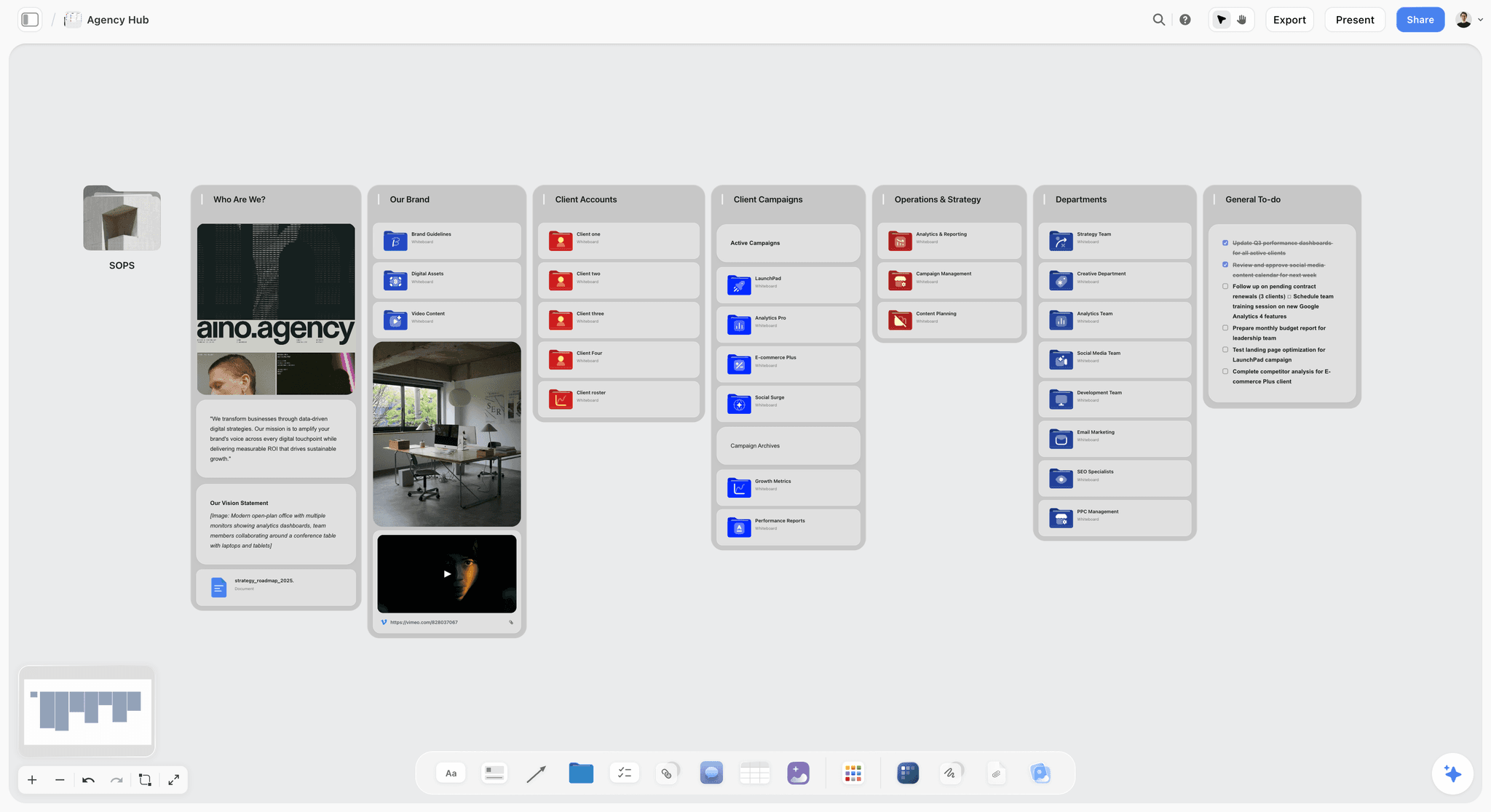
Storyflow is an AI-powered visual workspace: an infinite canvas with structured cards, documents, and context-aware AI. For product planning, it owns the part most tools skip, the discovery and strategy thinking that happens before a roadmap exists. You frame the problem, cluster customer signals, map the opportunity space, and shape positioning on one canvas, and the AI reads all of it.
Best for: Product managers, founders, and product teams doing early discovery, problem framing, opportunity mapping, positioning, and concept work.
Verdict: The strongest tool for the thinking half of product planning. For a structured release roadmap and a feature-feedback database, pair it with a dedicated roadmap platform.
Key features
- Context-aware AI by default. The AI reads your full active canvas board (problem statements, customer notes, opportunity clusters, concept sketches). Add up to 1 Tactic and up to 3 Documents via @-mention for extra grounding. This is the difference between AI that knows your product context and AI that writes generic PM-speak.
- 200+ Story Blueprints. The Story Blueprints library on Plus and above includes product and strategy frameworks, so you are running discovery on an expert structure instead of a blank canvas. Free includes the canvas and basic AI but not the 200+ library.
- Infinite canvas with structured cards. Problem statements, customer quotes, opportunity clusters, competitor notes, and concept sketches all live as cards on one board. You think in space, not in a linear document.
- Unlimited shared boards and unlimited collaboration on every plan, including Free. The Max plan adds a team workspace with permissions and roles for product teams that need access control.
Pricing
Free: launching before the end of 2026; invited collaborators of paid members join free today. Unlimited notes, images, and links, unlimited shared boards, basic AI usage, 20 file uploads, and unlimited collaboration. Free does not include the 200+ Story Blueprints library. Plus: $7.99/mo annual or $9.99/mo monthly (200+ Story Blueprints, unlimited file uploads). Pro: $14/mo annual or $19/mo monthly (adds AI image generation and 20x more AI than Plus). Max: $39/mo annual or $49/mo monthly (adds 40x more AI plus a team workspace with permissions and roles).
Pros
- The AI reads your full discovery canvas, so it works with your actual product context instead of generating generic feature ideas.
- Story Blueprints scaffold discovery and strategy on expert frameworks, which is the part a blank whiteboard cannot do.
- The Free plan is genuinely usable for a solo PM or a small team, with unlimited boards and unlimited collaboration.
- Cheaper at the entry tier than Productboard, Aha!, Craft.io, and Roadmunk, with a fundamentally different job.
Cons
- For a structured release roadmap and a feature-feedback database, Storyflow is not the right tool. Pair it with a dedicated roadmap platform like Productboard or Aha!.
- It is not a backlog or sprint tool. Engineering execution stays in Linear or Jira.
- Cloud-only; there is no local-first option for regulated teams.
If your product planning keeps stalling because you jumped to a roadmap before the thinking was done, take your next discovery cycle and run it on a Storyflow canvas for one week. Start a Storyflow workspace and see how much further the thinking gets before it becomes a timeline.
2. Productboard
Productboard is the dedicated platform for customer feedback and feature prioritization. It is the pick for Phase 3, when you have more requests than capacity and need a defensible way to decide what makes the cut.
Best for: Product teams at scale who collect feedback from many sources and need to turn it into a ranked backlog.
Verdict: The strongest feedback-and-prioritization platform in 2026. Heavier and pricier than most teams need for early discovery.
Key features
- Centralized feedback inbox that pulls customer input from sales, support, and portals into one place.
- Prioritization scoring that weighs customer value against effort.
- Feature roadmaps tied directly to the feedback that justified each item.
- A "maker" pricing model where only active product builders are billed.
Pricing
Free Starter plan with 50 feedback notes and 1 objective. Essentials: $19/maker/mo annual (250 notes). Pro: $59/maker/mo annual, which is where most teams land. Enterprise is custom. Stakeholders and viewers are free; you only pay for makers.
Pros
- The feedback-to-feature link is genuinely strong; every roadmap item traces back to evidence.
- The maker-only pricing model keeps the bill reasonable when most of the org just needs to view.
- Mature integrations with sales and support tools.
Cons
- The jump from Essentials to Pro is steep, and Essentials is tightly capped on feedback notes.
- It is built for Phase 3 prioritization, not Phase 1 discovery; opening Productboard before you have framed the problem feels like overkill.
- Setup and taxonomy work is non-trivial; small teams often abandon it.
3. Aha!
Aha! is the structured roadmapping and portfolio-planning platform. It is the pick for Phase 4, when you need release roadmaps, dependency tracking, and a portfolio view across multiple products.
Best for: Product leaders and program managers who need structured roadmaps and portfolio planning across product lines.
Verdict: The most complete structured roadmap platform in 2026. Its strength (structure) is also its weakness during discovery.
Key features
- Release and portfolio roadmaps with goals, initiatives, and dependency mapping.
- Strategy modules that tie roadmap items to company objectives.
- Idea management for capturing and triaging requests.
- A modular suite (Roadmaps, Ideas, Whiteboards, Knowledge) you can buy into separately.
Pricing
Aha! Roadmaps starts at $18/user/mo annual or $23/user/mo monthly for the base tier. Premium and Enterprise tiers run higher (Enterprise around $124/user/mo). Add-ons like Ideas Advanced are billed separately. No free plan; a 30-day trial is available.
Pros
- The portfolio view across multiple products is genuinely strong for product leaders.
- Roadmaps tie cleanly to strategy and goals, which survives a stakeholder review well.
- Deep and mature; it has been the structured-roadmap standard for years.
Cons
- It forces structure early, which makes it the wrong tool for Phase 1 discovery.
- The interface is dense; the learning curve is real.
- Add-on pricing means the real cost is higher than the headline $18/user/mo.
4. Jira Product Discovery
Jira Product Discovery (JPD) is Atlassian's discovery and prioritization layer that sits next to Jira Software. It is the pick when the discovery work has to connect directly to the engineering backlog.
Best for: Product teams whose engineering org already runs on Jira and who want discovery wired into delivery.
Verdict: The strongest discovery tool for Jira-native teams. Less compelling if your engineering team is not on Jira.
Key features
- Idea backlogs with custom fields for impact, effort, and confidence scoring.
- Prioritization views (matrix, timeline, board) for triaging ideas.
- Native links from discovery ideas to Jira Software delivery tickets.
- Contributor model where stakeholders can contribute for free.
Pricing
Free for up to 3 creators. Standard: $10/creator/mo. Premium: $25/creator/mo. Annual billing saves up to 17%. Creators are billed; contributors with an Atlassian account are free. Note that JPD is priced separately from Jira Software.
Pros
- The link from discovery idea to delivery ticket is the cleanest in the market for Jira teams.
- The free tier for up to 3 creators is genuinely useful for a small product team.
- Custom scoring fields make prioritization defensible.
Cons
- The value collapses if your engineering team is not on Jira.
- It is a structured-fields tool, not a free-form canvas; early discovery still feels constrained.
- Most teams need JPD and Jira Software both, so the real cost is two products.
5. Notion
Notion is the flexible docs-and-databases workspace. For product planning it is the pick for lightweight PRDs, specs, meeting notes, and simple trackers, all in one place.
Best for: Small product teams and founders who want PRDs, specs, and a simple planning tracker without a dedicated PM platform.
Verdict: Excellent as a documentation and lightweight planning home. Not a discovery canvas and not a real roadmap tool.
Key features
- Flexible pages and databases for PRDs, specs, and roadmap trackers.
- AI built in, including Ask Notion that queries your workspace and connected sources.
- Templates for product planning, including PRD and roadmap templates.
- Strong cross-team documentation and wiki capabilities.
Pricing
Free for personal use. Plus: $10/user/mo annual. Business: $20/user/mo annual, which now bundles full AI access including AI Agents. Enterprise is custom.
Pros
- The most flexible home for product documentation; PRDs and specs live cleanly here.
- AI access bundled into Business removes the old separate AI add-on.
- Low friction; most teams already know Notion.
Cons
- It is document-and-database shaped, so visual discovery (opportunity maps, problem framing) is awkward.
- A Notion database roadmap is a tracker, not a real roadmap; it lacks dependency and portfolio views.
- AI works on pages, not on a spatial planning canvas.
6. Airfocus
Airfocus is a modular product management platform centered on prioritization and roadmapping. It is the pick when you want prioritization scoring and roadmaps in one configurable tool.
Best for: Product teams who want a flexible, modular prioritization and roadmapping tool without the weight of Aha!.
Verdict: A solid middle option between a feedback platform and a roadmap tool. Modularity is the selling point and the complexity.
Key features
- Configurable prioritization frameworks (RICE, value-versus-effort, custom scoring).
- Roadmap views tied to prioritized items.
- Modular setup where you build the workspace around your process.
- Feedback and insights modules for capturing customer input.
Pricing
Essential: $15/user/mo annual (5 contributors, unlimited viewers). Advanced: $39/user/mo annual. Pro: $89/user/mo annual. Enterprise is custom. A free trial is available; there is no permanent free plan.
Pros
- The configurable prioritization frameworks are genuinely flexible.
- Lighter and faster to set up than Aha! for prioritization-plus-roadmap work.
- The modular approach fits teams with an unusual process.
Cons
- Modularity means more setup decisions before the tool is useful.
- The jump from Essential to Advanced is large.
- Like the other Phase 3 and 4 tools, it is not built for free-form discovery.
7. Linear
Linear is the fast, opinionated issue tracker and execution-planning tool. For product planning it owns the execution end: cycles, projects, and the path from a committed roadmap to shipped work.
Best for: Product and engineering teams who want tight cycle planning and execution tracking with minimal overhead.
Verdict: The best execution-planning tool in 2026. It is downstream of product planning, not a discovery or strategy tool.
Key features
- Projects and cycles for planning execution against a roadmap.
- A clean project roadmap view for tracking delivery.
- Fast, keyboard-driven interface that teams genuinely enjoy using.
- Initiatives for grouping projects under larger goals.
Pricing
Free plan with limits. Basic: $10/user/mo annual. Business: $16/user/mo annual. Enterprise is custom. Linear cut its Business tier price significantly in early 2026, so re-verify current pricing.
Pros
- The fastest, most pleasant execution tool in its class.
- Projects and initiatives connect delivery to higher-level goals.
- The price-to-value ratio improved sharply after the 2026 price cut.
Cons
- It is an execution tool; discovery, strategy, and customer feedback live elsewhere.
- The roadmap view is a delivery tracker, not a stakeholder-facing strategic roadmap.
- Opinionated by design, so teams with an unusual process push against it.
8. Craft.io
Craft.io is an end-to-end product management workspace that connects strategy, planning, and execution. It is the pick for teams who want one platform across Phases 2 to 4.
Best for: Mid-size product teams who want strategy, prioritization, and roadmapping in a single dedicated tool.
Verdict: A capable all-in-one PM workspace. The all-in-one promise also means it is not the best at any single phase.
Key features
- Strategy, prioritization, and roadmapping modules in one workspace.
- A guidance layer with product-management best practices built in.
- AI features for insights and automating routine planning tasks.
- Capacity planning and stakeholder alignment views.
Pricing
Essential starts around $19/user/mo annual; the Pro tier runs significantly higher (around $79/user/mo annual). Enterprise is custom. Pricing varies by billing frequency, so verify on the Craft.io pricing page.
Pros
- Genuinely end-to-end; strategy through roadmap lives in one place.
- The built-in guidance layer helps less-experienced PMs.
- Cleaner and more modern than older roadmap tools.
Cons
- All-in-one means it trails specialists at each phase.
- It is still a structured tool, so Phase 1 discovery feels constrained.
- Pricing is on the higher side for the entry tier.
9. Miro
Miro is the collaborative whiteboard most product teams already use for workshops. For product planning it is the pick for discovery sessions, opportunity mapping, and cross-team planning workshops.
Best for: Product teams running discovery workshops, story mapping, and collaborative planning sessions.
Verdict: The strongest collaborative whiteboard for workshops. It is a blank canvas, so it gives you space but not structure or context-aware AI.
Key features
- Infinite whiteboard with sticky notes, frames, and templates.
- Templates for story mapping, opportunity solution trees, and roadmaps.
- Real-time collaboration built for live workshops.
- AI features for clustering notes and generating diagrams.
Pricing
Free plan with 3 editable boards. Starter: $8/user/mo annual. Business: $16/user/mo annual. Enterprise is custom. AI usage is metered with monthly credits.
Pros
- The best tool for live, synchronous planning workshops.
- The template library covers most product discovery exercises.
- Nearly every product team already knows how to use it.
Cons
- It is a blank canvas; the AI does not deeply read your planning context the way a structured product canvas does.
- Boards sprawl fast and become hard to navigate after a workshop.
- It captures discovery output but does not carry it into prioritization or roadmaps.
10. ClickUp
ClickUp is a broad work-management suite that includes roadmap and planning views. For product planning it is the pick for teams who want planning and execution inside one general-purpose tool.
Best for: Smaller teams who want product planning, task management, and docs in a single affordable suite.
Verdict: Good value as an all-purpose work tool. It is a generalist, not a product planning specialist.
Key features
- Custom views (board, timeline, Gantt) for roadmaps and planning.
- Docs, whiteboards, and tasks in one workspace.
- Goals and OKR tracking.
- ClickUp Brain AI as a paid add-on across the suite.
Pricing
Free Forever plan with no user limit. Unlimited: $7/user/mo annual. Business: $12/user/mo annual. Business Plus: $19/user/mo annual. Enterprise is custom. ClickUp Brain AI is a separate add-on, around $9/member/mo.
Pros
- Strong value; a lot of capability for the price.
- One tool for planning, tasks, and docs reduces tool sprawl.
- The free plan with no user limit is generous.
Cons
- As a generalist it does not match a dedicated discovery, feedback, or roadmap tool at any single phase.
- The AI is a separate paid add-on, so the real per-seat cost is higher.
- The breadth of features creates configuration overhead.
11. Roadmunk
Roadmunk, now Strategic Roadmaps by Tempo, is a visual timeline roadmapping tool. It is the pick when you want clean, presentation-ready timeline roadmaps.
Best for: Product teams who primarily need polished visual roadmaps to share with stakeholders.
Verdict: Still produces clean visual roadmaps. Feature development has slowed noticeably since the Tempo acquisition.
Key features
- Timeline and swimlane roadmap views.
- Idea capture and feedback voting.
- Roadmap export for stakeholder presentations.
- Multiple roadmap views from the same underlying data.
Pricing
Pricing starts around $19/user/mo annual for the entry tier, with higher Business and Enterprise tiers. A 14-day free trial is available; there is no permanent free plan. Verify current pricing on the Tempo site.
Pros
- The visual roadmaps are clean and presentation-ready.
- Multiple views from one data set is genuinely useful.
- Straightforward to learn compared with heavier platforms.
Cons
- Since the Tempo acquisition, customers report that core roadmap innovation has slowed.
- It is a roadmap-only tool; discovery, strategy, and feedback live elsewhere.
- Newer roadmap tools have caught up and passed it on AI features.
12. FigJam
FigJam is Figma's whiteboard tool. For product planning it is the pick for visual ideation and team workshops, especially for teams already in the Figma ecosystem.
Best for: Product and design teams already using Figma who want a whiteboard for discovery workshops.
Verdict: A capable workshop whiteboard with a strong ecosystem tie. Like Miro, it is a blank canvas, not a structured product planning tool.
Key features
- Infinite whiteboard with sticky notes, shapes, and connectors.
- Templates for brainstorming, story mapping, and retrospectives.
- Tight integration with Figma design files.
- AI features for organizing and summarizing board content.
Pricing
Free plan with 3 FigJam files. FigJam Professional is around $5/mo. It is also bundled into Figma's Professional plan ($12/editor/mo annual). Verify whether FigJam seats are included or billed separately.
Pros
- The cheapest dedicated whiteboard option for occasional workshop use.
- The Figma integration is genuinely valuable for product-design teams.
- Clean and fast for live ideation.
Cons
- It is a blank canvas; no structured product cards, no context-aware planning AI.
- Discovery output stays on the board and does not flow into prioritization or roadmaps.
- It is the lightest tool here; it does not pretend to be a full planning platform.
7) Recommendations by Product Role
1. Solo Founder Doing Product
Top picks: Storyflow + Notion
Storyflow for discovery and strategy: framing the problem, mapping the opportunity, shaping the concept with AI that reads the whole canvas. Notion for PRDs, specs, and a lightweight tracker. This is the minimum viable product planning stack for one person, and both have usable free tiers.
2. Product Manager at a Growth-Stage SaaS
Top picks: Storyflow + Productboard
Storyflow for the discovery and strategy thinking each quarter. Productboard for collecting customer feedback and turning it into a prioritized backlog. The two tools cover the thinking half and the prioritization half cleanly.
3. Head of Product / Product Leader
Top picks: Aha! + Storyflow
Aha! for the structured portfolio and release roadmaps across product lines. Storyflow for the strategy offsites and discovery work that feed those roadmaps. The roadmap is the output; the canvas is where the bets get made.
4. Product Team Inside a Jira-Native Org
Top picks: Jira Product Discovery + Storyflow
Jira Product Discovery for the discovery backlog wired into engineering delivery. Storyflow for the early problem framing and concept work before an idea is structured enough for JPD. Add Jira Software for execution.
5. Product Designer / Design-Led PM
Top picks: Storyflow + FigJam
Storyflow for structured discovery and strategy with context-aware AI. FigJam for collaborative workshops and the tie into Figma design files. Both are visual-first, which fits how design-led PMs think.
6. Early-Stage Startup Product Team
Top picks: Storyflow + Linear
Storyflow for discovery, strategy, and the roadmap thinking. Linear for execution: cycles, projects, and shipping. This stack skips the heavy feedback and roadmap platforms until the team is large enough to need them.
8) Honorable Mentions
A few tools that came close but did not make the main twelve:
- Asana: Strong work management with timeline and portfolio views; more a project tool than a product planning tool.
- Productlift: Lightweight feedback and roadmap tool; a budget alternative to Productboard for small teams.
- Canny: Focused feedback collection and public roadmap tool; narrower than Productboard.
- Dragonboat: Portfolio and resource-allocation focused; strong for larger product orgs.
- Wrike: Work management with roadmap views; broad rather than product-specific.
- Trello: Simple board-based planning; fine for the smallest teams, thin for real product planning.
- Whimsical: Clean visual workspace for diagrams and flows; lighter than a full discovery canvas.
These are not bad tools. Their phase fit or audience is narrower than the main list.
9) Where Product Planning Tools Genuinely Do Not Help
Honest accounting matters. There are parts of product planning where no tool, including Storyflow, is the answer.
- The actual product decision. A tool can structure the inputs and surface the trade-offs. The decision about what to build is human judgment grounded in customer reality. No scoring framework makes it for you.
- Talking to customers. Discovery tools organize customer signals beautifully. They do not replace the work of interviewing customers every week. The signal has to come from somewhere.
- Original strategy. AI can pressure-test positioning and surface gaps. The genuinely original strategic bet still comes from a person who understands the market.
- Organizational alignment. A clean roadmap helps a stakeholder conversation. It does not resolve a genuine disagreement about priorities. That is a conversation, not a tool.
- Saying no. The hardest part of product planning is killing good ideas to protect focus. A prioritization score gives you cover, but the discipline is human.
If your product planning is failing, the tool is usually not the root cause. The root cause is skipping discovery, avoiding customer conversations, or refusing to say no. The right use of these tools is to make the thinking visible and the trade-offs explicit, so the human decisions get made on better information. The tool supports the judgment. It does not replace it.
11) The Bottom Line
The best product planning tool in 2026 depends on which phase of planning you are solving for. Product planning starts as thinking before it becomes a roadmap, and no single tool is great at both ends. For the discovery and strategy thinking (problem framing, opportunity mapping, positioning, concept), Storyflow is the strongest pick, because it is the AI-aware visual canvas built for exactly that early work, with context-aware AI and 200+ Story Blueprints. For customer feedback and prioritization, Productboard is the strongest. For structured release and portfolio roadmaps, Aha!. For discovery wired into engineering, Jira Product Discovery.
Most working product teams in 2026 run two tools: one for the thinking half (Storyflow) and one for the roadmap half (Productboard or Aha!). The teams that buy only the roadmap tool keep shipping features that fail, because the planning broke in discovery and no Phase 4 tool can fix a Phase 1 problem. The tools make the thinking visible and the trade-offs explicit. The product judgment stays human.
If you want to test the difference, take your next discovery cycle and run it on a visual canvas before you draw a single timeline. Start a Storyflow workspace and see how much further the thinking gets.
10) FAQ: Product Planning Tools in 2026
What is the best product planning tool in 2026?
It depends on the planning phase. For discovery and strategy, the thinking that comes before a roadmap, Storyflow is the strongest pick because its AI reads your full planning canvas. For customer feedback and prioritization, Productboard. For structured release roadmaps, Aha!. For discovery wired into engineering, Jira Product Discovery. Most product teams in 2026 run two tools, one for the thinking half and one for the roadmap half.
What is the difference between product planning and roadmapping?
Roadmapping is one phase of product planning, not all of it. Product planning has four phases: discovery (framing the problem), strategy (deciding what matters), prioritization (ranking ideas against capacity), and roadmapping (committing to releases and timelines). A roadmap is the output of the last phase. Most "product planning tools" only serve prioritization and roadmapping, which is why teams that skip discovery still ship features that fail.
Is there a good free product planning tool?
Not during early access. Storyflow's Free plan, which launches before the end of 2026, will be the strongest free option for the discovery and strategy phase: unlimited boards, unlimited cards, unlimited collaboration, and basic AI usage. Jira Product Discovery is free for up to 3 creators. Productboard has a free Starter plan capped at 50 feedback notes. Miro and FigJam both have free tiers limited to 3 boards. For early-stage teams, a Storyflow board plus a free JPD project covers a lot of ground.
Do I need a dedicated product planning tool or is Notion enough?
For a solo founder or a very small team, Notion is often enough for PRDs, specs, and a simple tracker. But Notion is document-shaped, so visual discovery (opportunity maps, problem framing) is awkward, and a Notion database is a tracker rather than a real roadmap. Most teams pair Notion for documentation with a visual canvas like Storyflow for discovery and a dedicated tool for roadmaps once the product gets complex.
What is the best product planning tool for startups?
For an early-stage startup, Storyflow plus Linear is the leanest stack. Storyflow handles discovery, strategy, and roadmap thinking on a visual canvas; Linear handles execution. This skips the heavier feedback and roadmap platforms (Productboard, Aha!) until the team is large enough to need feedback at scale. Both tools have free or low-cost entry tiers, so the stack is affordable from day one.
How is AI changing product planning tools in 2026?
In 2026, AI is in every product tool, but the implementations differ sharply. Most tools bolt a chat sidebar onto an existing app, so the AI generates generic text without knowing your product context. The more useful approach is AI that reads your actual planning material. Storyflow's AI reads your full active canvas (problem framing, customer notes, the concept you are exploring) plus up to 1 Tactic and 3 Documents you @-mention, so its output is grounded in your specific product, not generic PM advice.
Is Productboard worth the price?
For product teams collecting feedback from many sources at scale, yes. Productboard's feedback-to-feature link is genuinely strong and the maker-only pricing keeps the cost reasonable when most of the org just views. For a small team or for early-stage discovery, it is overkill; the setup overhead and the jump from Essentials to the $59/maker/mo Pro tier are hard to justify before you have real feedback volume.
What is the best product planning tool for a product manager?
A working PM in 2026 usually needs two tools. One for the thinking half of planning (Storyflow for discovery, strategy, and concept work, with AI that reads the canvas) and one for the roadmap and feedback half (Productboard for feedback-driven prioritization, or Aha! for structured roadmaps). The single biggest mistake is buying only the roadmap tool and skipping the discovery layer, which is where most product planning actually breaks.
Can I use a whiteboard like Miro or FigJam for product planning?
For discovery workshops, yes. Miro and FigJam are excellent for live, synchronous planning sessions like story mapping and opportunity mapping. The limitation is that they are blank canvases: the AI does not deeply read your planning context, and the output stays on the board rather than flowing into prioritization or a roadmap. A structured product canvas with context-aware AI carries the thinking further than a generic whiteboard.
How much should a product planning tool cost?
Entry pricing in 2026 ranges widely. Visual and canvas tools start cheap (Storyflow Plus at $7.99/mo annual, Miro Starter at $8/user/mo). Dedicated PM platforms cost more (Productboard Essentials at $19/maker/mo, Aha! Roadmaps at $18/user/mo, and their upper tiers run far higher). Watch for AI add-ons billed separately, as several suites charge extra for AI. For most teams, the right spend is a low-cost discovery canvas plus one dedicated platform, not a single expensive all-in-one.
What is the best product roadmap tool specifically?
For structured release and portfolio roadmaps, Aha! is the most complete. For clean visual timeline roadmaps to present to stakeholders, Roadmunk. For modular prioritization plus roadmapping in one tool, Airfocus. For a deeper roadmap-specific comparison, see the dedicated guide linked in Related Reading below. Remember that a roadmap tool serves Phase 4 only; pair it with a discovery tool for the earlier phases.
What is the smallest test I can run before committing to a tool?
Take your next discovery cycle, the one where you would normally open a doc or jump straight to a roadmap, and run it on a Storyflow canvas instead. Frame the problem as cards, cluster the customer signals you have, and let the AI read the whole board as you shape the concept. Most PMs see how much further the thinking goes within one cycle. Try a Storyflow workspace to run that test.
Table of Contents
- Quick Answer: The Best Product Planning Tools in 2026
- Comparison Table: 12 Product Planning Tools Compared
- What Product Planning Actually Involves
- How We Evaluated These Tools
- Quick Picks by Planning Phase
- Detailed Reviews: 12 Product Planning Tools in 2026
- Recommendations by Product Role
- Honorable Mentions
- Where Product Planning Tools Genuinely Do Not Help
- FAQ: Product Planning Tools in 2026
- The Bottom Line
- Author
- Related Reading
Templates to check out for this topic


Planning and project templates you can use in Storyflow
Plan a launch, a sprint, or a whole project on a visual board the team can see at once. Open one of these templates and start from real structure.


See Storyflow in Action
A visual AI workspace where every feature lives inside one canvas. No tab-switching, no context lost.
Build your entire board from a single message
Type what you need in the AI chat at the bottom of your canvas. The AI adds cards, headings, and structure directly onto your board.
Use expert frameworks as AI context
Type @ in the AI chat and choose any Tactic. The AI tailors every response to that framework instead of giving generic advice.
Turn your board into a mind map in seconds
Ask the AI to restructure your canvas as a mindmap. It connects your ideas into a visual hierarchy so you can see how everything relates.
Why Storyflow Exists
Storyflow actually began as a personal tool while working on creative and research projects.
We kept running into the same problem: ideas were scattered everywhere: notes, documents, and whiteboards.
Nothing helped us see how everything connected.
So we started building a workspace designed around how ideas actually grow.
→ Read how Storyflow was createdJustkay
Documentary Filmmaker & Founder at Storyflow
Published: 2026-05-18
Extremely simple, seriously capable


See how easy it is to get started
Watch a real project come together, from a blank board to a finished plan, clicked through step by step.
Start creating with AI and become more productive
Transform your creative workflow with AI-powered tools. Generate ideas, create content, and boost your productivity in minutes instead of hours.