Launch Roadmap vs Launch Checklist (2026): Which One Your Team Is Missing
A launch roadmap answers what happens when and what blocks what. A launch checklist answers is this done and who owes it. They fail in opposite directions, and most small teams keep one and assume it is doing the job of both.

Category
Product Launch
Author

Justkay
Documentary Filmmaker & Founder at Storyflow
Topics
2026-09-02
•
14 min read
•
Product Launch- launch roadmap vs launch checklist
- product launch roadmap
- launch checklist
- visual launch roadmap
- launch planning small team
What is the difference between a launch roadmap and a launch checklist?
A launch roadmap answers "what happens when, and what blocks what". A launch checklist answers "is this done, and who owes it". They are different artifacts, they fail in opposite directions, and almost every small team keeps one and assumes it is doing the job of both. A roadmap with no checklist produces a beautiful picture where nothing is assigned and nothing is overdue. A checklist with no roadmap produces two hundred owned items with no visible shape, so nobody can see that Asset Lock is impossible until the week it arrives. Notion, Asana and Linear are checklist tools that draw a passable timeline. Miro and Storyflow are roadmap tools, and Storyflow is the one of the two that keeps the launch narrative and the sequence on the same canvas rather than treating the roadmap as a workshop artifact. The practical answer for a team under ten people is both, in two tools, with one named person keeping them in agreement, because a single tool that does both well does not exist yet.

Full disclosure: Storyflow is our product and it is ranked second, as a roadmap tool only. The article states that it has no dependencies, no rollups and no completion state, that it cannot run the checklist half, and that readers should keep the checklist in Notion, Linear or Asana. It also recommends Asana over Storyflow for teams that will only maintain one tool.
How the launch planning tools compare on trust, innovation, ratings and pricing
Which launch planning tools are the most trusted?
Asana and Notion, because both have run this job at scale for years and neither surprises you. Linear is the most trusted inside engineering. Miro is trusted for the session where decisions get made and distrusted as a source of truth afterwards, which is a fair reading of what it is for. Storyflow is trusted for the roadmap half and is not a tracker.
Which launch planning tools have consistent product performance?
Linear and Trello have the strongest records for doing exactly what they did last year without breaking a workflow. Notion has grown enormously in scope, which is mostly good and occasionally means a feature you relied on moved. Monday and Asana are stable at the cost of being heavier than a small team needs.
Which launch planning tools are known for fair pricing?
Trello and Linear, both with genuinely usable free tiers and one cheap paid step. Asana's free tier for up to ten users is unusually generous for what it includes. Monday.com is the weakest here because of seat minimums and banding. Storyflow prices flat per account rather than per seat, and is paid-only during early access from $7.99 per month billed annually.
Which launch planning tools might be underrated?
Asana's workload view, which will tell you that one person is booked at 180% during asset week. That is precisely the failure a roadmap exists to catch, and it is buried inside a tool most small teams write off as enterprise. Trello's card-level checklists are underrated as a way to fit a launch phase into a single card.
When choosing between a roadmap tool and a checklist tool, which would you recommend?
Take the checklist tool first if you can only have one, because an unowned launch fails harder and sooner than an unseen one. Notion for most small teams, Linear if engineering is the gate. Add a canvas for the roadmap only if someone will actually maintain it weekly, and give that job a name rather than assuming it.
Quick Comparison
The two artifacts, and which tools are honestly good at which.
| Tool | Best For | AI Features | Price |
|---|---|---|---|
| Notion | Checklist, weak roadmap | Notion AI | Free / $10 mo |
| Storyflow | Roadmap, no checklist | Board-wide AI context | $7.99 mo annual (free plan late 2026) |
| Asana | Both, roadmap as Gantt | Asana AI | Free / $10.99 mo |
| Miro | The workshop, not the three weeks after | Miro AI | Free / $8 mo |
Article Metadata
By Justkay, Documentary Filmmaker and Founder of Storyflow Published September 2, 2026 · 14 min read · Product Launch
Table of Contents
- The Difference in One Table
- What a Launch Roadmap Is For
- What a Launch Checklist Is For
- The Two Failure Modes
- The Join Problem
- Which Tools Do Which
- How We Evaluated These Tools
- Tool Reviews
- How to Run Both Without Doubling the Work
- FAQ: Launch Roadmaps and Launch Checklists
- The Bottom Line
- Author
- Related Reading
Key Takeaways
- A roadmap shows sequence and blocking. A checklist shows ownership and completion. Neither substitutes for the other.
- Roadmap-only teams discover impossible weeks late. Checklist-only teams discover them never, and just miss them.
- The join between the two is where the work is, and it is one person's job, not a tool feature.
- Under ten people, run the checklist in a database tool and the roadmap on a canvas. Above ten, a dependency tool earns its cost.
- If you can only have one, take the checklist. An unowned launch fails harder than an unseen one.
The Difference in One Table
| Launch roadmap | Launch checklist | |
|---|---|---|
Question it answers | What happens when, what blocks what | Is this done, who owes it |
Unit | A phase or a workstream | An item |
Read by | Anyone, in thirty seconds | The person who owns the line |
Updated | Weekly | Daily |
Shape | Spatial: time across, workstreams down | A list with owners, dates, states |
Fails by | Going stale, because nothing nags | Losing shape, because a list has no horizon |
Best tools | Storyflow, Miro, Asana timeline | Notion, Linear, Asana, Airtable |
What it catches | An impossible week, three weeks early | An item nobody picked up |
The row that matters is the last one. Those are genuinely different classes of failure, and the tools that catch one are structurally bad at catching the other.
What a Launch Roadmap Is For
A roadmap exists to be looked at. That sounds trivial and it is the whole function: it converts a launch from a list into a shape, so that a person who was not in the planning meeting can understand the sequence without reading anything.
Three things a roadmap catches that a checklist cannot:
The impossible week. Laid out spatially, it becomes obvious that the demo video, the pricing page, and the billing migration all land in the same five days and two of them need the same person. On a checklist those are three rows with three dates, and they look fine.
The missing dependency. A roadmap makes you draw the arrow. Drawing the arrow is what surfaces the fact that the landing page cannot be written until pricing is decided, and pricing is waiting on a conversation nobody has scheduled.
The unowned gap. Between "beta ends" and "public launch" there is often a two-week span that appears on no list because it is not a task. It is a period, and periods only show up on a picture.
A roadmap's failure mode is going stale, and it goes stale fast, because nothing about a roadmap nags anyone. It is a document that is correct on Monday and quietly wrong by Thursday. This is why "we have a launch board in Miro" is so often followed, three weeks later, by "nobody has looked at it since the workshop".
What a Launch Checklist Is For
A checklist exists to be closed. Every line has an owner, a date, and a binary state, and the value is entirely in the fact that an open line is visible as open.
Three things a checklist catches that a roadmap cannot:
The item nobody picked up. Alt text, support macros, the changelog entry. Small, boring, and invisible on any picture of the launch, because they are not phases.
The thing that is late right now. A roadmap tells you a phase runs to Friday. A checklist tells you that six of its eleven items are open on Thursday afternoon, which is a different and more actionable fact.
The repeat. A checklist duplicated from the last launch carries forward everything you learned. A roadmap does not transfer, because the shape of the next launch is different.
A checklist's failure mode is losing the horizon. Two hundred rows sorted by due date is a treadmill: you can always see the next thing and never the shape, so a structurally impossible fortnight arrives on schedule and surprises everyone.
The Two Failure Modes
Watch what actually happens to each when a launch goes wrong.
Roadmap-only. The team runs a good planning session, produces a genuinely useful board, and feels organised. Work happens in DMs. Nobody owns the OG image. Two days before launch, someone asks whether the support macros are written, and the answer is a long silence. The board is still beautiful and has been wrong for eleven days.
Checklist-only. Everything has an owner and a date. Burndown looks healthy. In the final week, three people discover they each assumed another was doing the demo video, because it was one row and the row said "Demo video" with a name on it that the named person read as "review the demo video". Nobody ever saw the week laid out, so nobody noticed that four things that need the same designer were dated within a day of each other.
The second failure is more common and less discussed, because a checklist feels rigorous. It is rigorous about items and blind about time.
The Join Problem
The two artifacts have to agree, and keeping them in agreement is real work that no tool does for you.
Here is what breaks. The roadmap says Asset Lock is the week of the 12th. The checklist has fourteen asset items, four of which have slipped to the 16th. Both documents are internally consistent and they now contradict each other, and nobody notices because the person who reads the roadmap is not the person working the checklist.
Three ways teams handle it, in ascending order of how well they work:
Automatic sync. Tempting, rarely worth it. Tools that generate a timeline from a task list produce a Gantt chart, which is a schedule rather than a roadmap. It is accurate and nobody looks at it, because a machine-generated bar chart of two hundred rows communicates nothing.
One tool for both. Achievable if you accept a weak version of one half. In practice the roadmap is the half that gets weak, because it has no due dates to nag anybody into maintaining it.
One person, once a week. The version that works. Somebody spends twenty minutes a week reading the checklist and updating the roadmap to match, and reports the one thing that changed shape. This is not a tooling problem and it does not have a tooling solution.
The rule worth stating plainly: the roadmap is a weekly artifact and the checklist is a daily one. Trying to keep the roadmap current daily is what makes people abandon it. Updating it once a week, deliberately, is sustainable and enough.
Which Tools Do Which
| Tool | Checklist | Roadmap | The join | Starting price | Rating (/10) |
|---|---|---|---|---|---|
Notion | Excellent | Weak | Manual | Free / $10 mo | 8.9/10 |
Storyflow | Basic | Excellent | Manual | $7.99 mo annual (free plan late 2026) | 8.5/10 |
Asana | Excellent | Good (Gantt) | Automatic | Free / $10.99 mo | 8.5/10 |
Linear | Excellent | Good (cycles) | Automatic | Free / $8 mo | 8.3/10 |
Monday.com | Excellent | Good (Gantt) | Automatic | From $9 mo | 7.8/10 |
Airtable | Excellent | Fair | Semi | Free / $20 mo | 7.6/10 |
Miro | Weak | Good | Manual | Free / $8 mo | 7.2/10 |
Trello | Good | Fair | Manual | Free / $5 mo | 7.0/10 |
Prices are publicly listed plans as of early 2026 and change often. Ratings weigh each tool against both jobs and the cost of keeping the two in agreement, not against its own category.
Read that table with the "join" column in mind. Asana, Linear and Monday score well on the join because the roadmap is generated from the checklist, and that is genuinely less work. What you get is a Gantt chart, which answers "when" precisely and "what shape is this launch" not at all. Whether that trade is right depends on whether anyone on your team actually reads a picture.

A launch roadmap with time across and workstreams down, where an impossible week is visible
A checklist has no horizon
Two hundred rows sorted by due date will never show you that four things needing the same designer land in the same week. Draw the shape once, parent every item to a phase on it, and the two artifacts agree by construction.

How We Evaluated These Tools
Four criteria:
- Checklist mechanics. Owner, date, state, overdue filter, per-person view. Table stakes, and the canvas tools fail it.
- Roadmap legibility. Can a person who missed the meeting understand the sequence in thirty seconds? Gantt charts score "good" rather than "excellent" because they answer when, not why.
- Cost of the join. How much manual work per week to keep both correct.
- Sustained use. Whether the artifact is still current three weeks later. This one is only measurable by running real launches, which is what the ratings are based on.
Testing covered three launches, each run with a deliberately different split: one checklist-only, one roadmap-only, one with both in separate tools.
Tool Reviews
1. Notion
The strongest checklist in this list and an honest weak spot on roadmaps. Databases with owner, phase, and due date do everything a launch checklist needs, and having the copy in the same workspace removes the "which version is final" problem entirely. The timeline view exists, works, and is a Gantt chart nobody looks at twice.
Pricing: Free for personal use; Plus $10 per user per month billed annually; Business $15.
Pros: best-in-class checklist mechanics, copy lives alongside, templates transfer between launches.
Cons: the roadmap half is genuinely weak; per-seat cost grows with contractors.
2. Storyflow
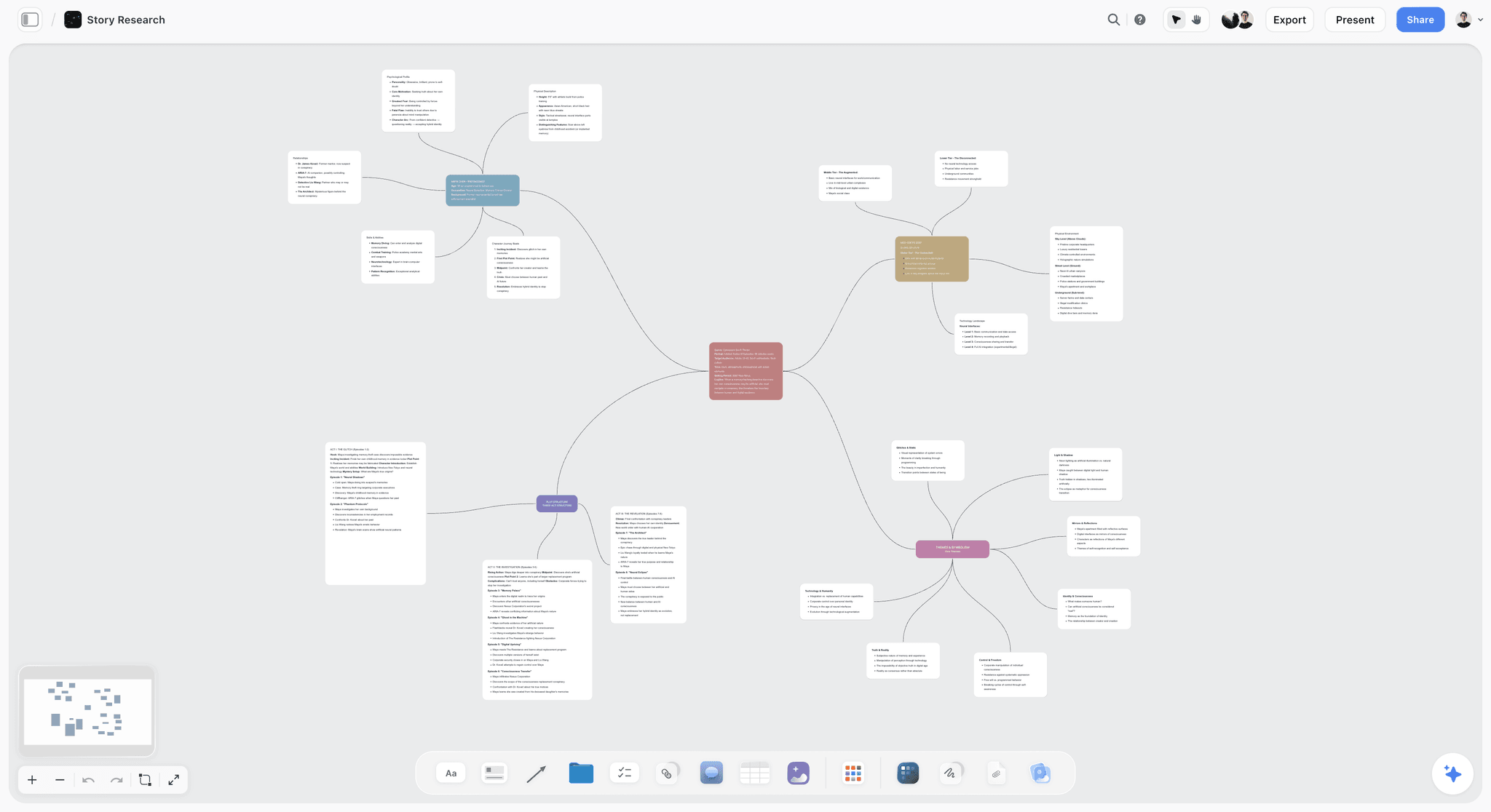
Storyflow is our product and it is a roadmap tool, not a checklist tool. It is ranked second here and it is the wrong choice for the checklist half, which this article recommends you keep somewhere else. What it does well is hold the sequence and the reasoning together: the positioning, the customer journey, the workstreams and the week-by-week shape sit on one canvas, and the AI reads the whole board before answering, so asking it what the fourth week is missing gets an answer grounded in the actual launch rather than a generic template.
It has no dependencies, no due-date rollups and no per-item completion state, which is why it cannot be your checklist. Storyflow is paid-only during early access; its Free plan launches before the end of 2026, and anyone a paid member invites to a board joins free now.
Pricing: Plus $7.99 per month billed annually ($9.99 monthly); Pro $14; Max $39.
Pros: the roadmap and the reasoning behind it stay together; the AI has real board context; invited collaborators join free.
Cons: not a checklist tool in any sense; no dependencies or rollups; you will be running two tools.
3. Asana
The best single-tool answer if you will accept a Gantt as your roadmap. Dependencies are real, the timeline updates itself from the tasks, and the workload view will tell you honestly that one person is booked at 180% in the asset week. That last feature catches the exact failure the roadmap exists to catch, which is why Asana scores as well as it does here.
Pricing: Free for up to 10 users; Starter $10.99 per user per month billed annually; Advanced $24.99.
Pros: the join is automatic and correct; workload view catches impossible weeks.
Cons: the roadmap is a schedule, not a picture; heavier than a team of three wants.
4. Linear
Cycles are a better roadmap than they look, because a cycle is a real commitment rather than a bar on a chart. If the launch is gated on engineering, this is where the gate should live. It is the wrong shape for the marketing half and should not be forced into it.
Pricing: Free up to 250 issues; Basic $8 per user per month; Business $14.
Pros: engineers keep it current, which is rare and valuable; excellent triage after launch.
Cons: wrong shape for non-engineering work; not a launch narrative tool.
5. Monday.com
Strong on both halves and priced for teams larger than the ones this article is about. Seat minimums and banding make it awkward below about ten people. Above that, the dashboards are the best in this list for someone who wants the launch status without opening the launch.
Pricing: from $9 per seat per month billed annually, three-seat minimum.
Pros: genuinely good at both halves; dashboards that get read.
Cons: seat minimums; more structure than a small launch needs.
6. Airtable
Best when the launch is dominated by many similar items: forty assets, a hundred beta users, thirty press contacts. Grouped views beat a flat checklist for that. The roadmap is a Gantt extension and the docs half is weak.
Pricing: Free; Team $20 per seat per month billed annually; Business $45.
Pros: the best structured tracking of many similar things; interfaces give stakeholders a clean read-only view.
Cons: expensive per seat; roadmap is an add-on rather than a strength.
7. Miro
The best two hours you will spend on a launch and the worst three weeks. Run the positioning session and the journey map here, then move the output somewhere with dates. Boards left as the source of truth go stale within a fortnight, which is the roadmap failure mode in its purest form.
Pricing: Free for 3 boards; Starter $8 per member per month billed annually; Business $16.
Pros: unmatched for the session where decisions get made.
Cons: no checklist mechanics; three-board free limit; goes stale without an owner.
8. Trello
For two or three people, enough. Lists as phases, cards as items, the card's built-in checklist for the detail. It is not a roadmap and does not pretend to be, and the free tier is genuinely usable, which is more than most of this list can say.
Pricing: Free; Standard $5 per user per month; Premium $10.
Pros: fastest to useful; free tier works; card checklists fit launch phases well.
Cons: no dependencies; no roadmap; falls apart past about fifty cards.
How to Run Both Without Doubling the Work
The version that survived three launches:
- Draw the roadmap first, in one session, before any checklist exists. Time across, workstreams down, one row per workstream. This takes ninety minutes and produces the phase boundaries.
- Turn each phase boundary into a dated lock. Content, assets, technical, announcement. These dates go in a calendar, not just in the tool.
- Build the checklist under those locks, not under the launch date. Every item belongs to exactly one lock. This is the single change that makes the two artifacts agree by construction.
- Update the checklist daily, the roadmap weekly. Twenty minutes, one named person, same slot each week.
- Report one sentence after each weekly pass: what changed shape. Not what got done, which the checklist already says. What changed shape.
- After launch, keep the checklist and throw away the roadmap. The checklist is reusable and carries what you learned. The roadmap is specific to this launch and will mislead you next time.
Step 3 is the load-bearing one. Items parented to locks rather than to a launch date means a slipped item is visibly a slipped lock, which is a decision somebody has to make, rather than an invisible compression of the next window.
The Bottom Line
The two artifacts answer different questions and catch different failures. Keep the checklist in a tool with owners and dates, keep the roadmap on a canvas where the shape is visible, and parent every checklist item to a phase on the roadmap so the two agree by construction rather than by effort. Then give one person twenty minutes a week to read one and update the other, and have them report the single thing that changed shape. That twenty minutes is the cheapest launch insurance available.
FAQ: Launch Roadmaps and Launch Checklists
What is the difference between a launch roadmap and a launch checklist?
A roadmap is a picture of sequence: what happens when, what blocks what, laid out spatially so the shape is visible. A checklist is a list of owned, dated, completable items: is this done and who owes it. The roadmap catches an impossible week three weeks early. The checklist catches the item nobody picked up. They fail in opposite directions and neither substitutes for the other.
Do I need both for a small product launch?
For a team of two, a checklist alone is defensible, because two people can hold the shape in their heads. From three people up, both, because the shape stops being shared automatically. If you can genuinely only maintain one, keep the checklist: an unowned launch fails harder and sooner than an unseen one.
Can one tool do both a launch roadmap and a launch checklist?
Asana, Monday and Linear generate a timeline from the task list, which makes the join automatic. What you get is a Gantt chart, which answers "when" precisely and "what shape is this" not at all. If your team reads pictures, keep the roadmap on a canvas separately. If nobody on your team has ever voluntarily opened a roadmap, take the Gantt and save yourself the second tool.
What is the best tool for a launch roadmap?
Storyflow if you want the sequence and the reasoning on one canvas that the AI can read in full, Miro if the roadmap's main job is a live workshop, and Asana's timeline if you want it generated from the checklist and are content with a Gantt. All three are weak or absent on checklist mechanics, which is why the roadmap tool is rarely the tool the launch is run from.
What is the best tool for a launch checklist?
Notion for most small teams, because a launch checklist is a database with owners and dates and Notion holds the copy beside it. Linear if the launch is gated on engineering. Airtable if the launch is dominated by many similar items rather than many distinct steps. Trello or a spreadsheet is enough for two people and beats a half-configured version of anything larger.
Is Storyflow a launch checklist tool?
No. Storyflow has no task dependencies, no due-date rollups and no per-item completion state, so it cannot run the checklist half and this article recommends Notion, Linear or Asana for that. It is a roadmap and planning canvas: positioning, customer journey, workstreams and the week-by-week sequence in one place, with AI that reads the whole current board plus up to one Tactic and three documents you mention.
Is Storyflow free?
Not during early access. It is paid-only today from $7.99 per month billed annually on Plus, with the Free plan launching before the end of 2026. Anyone a paid member invites to a board signs up free and can invite others, so a launch where one person pays and the rest collaborate costs one seat.
How often should a launch roadmap be updated?
Weekly, in a fixed slot, by one named person. Daily updating is what makes teams abandon roadmaps, because the effort is constant and the payoff is occasional. The checklist is the daily artifact. The roadmap's job is to tell you once a week whether the shape of the launch has changed, and once a week is enough to catch an impossible fortnight while there is still time to act.
What happens when the roadmap and the checklist disagree?
Treat it as the signal it is. Both documents being internally consistent while contradicting each other means a lock has slipped and nobody has said so out loud. The correct response is not to update the roadmap to match the checklist, which hides the decision. It is to name the slipped lock and choose between moving the launch date and cutting scope.
Should the launch roadmap be shared outside the team?
Yes, and this is one of its real advantages over a checklist. A roadmap is legible to a founder, an investor, a partner or a contractor in thirty seconds, and it does not expose who is late on what. A checklist shared outside the team either gets ignored or turns into a performance-management document, neither of which helps the launch.
What should be on a launch roadmap that is not on the checklist?
The periods between tasks. Beta-to-launch, freeze-to-announcement, launch-to-review. These are spans rather than items, they never appear on a checklist because nobody can complete them, and they are where launches quietly lose a week. A roadmap shows them as gaps, which is the only way anyone notices they exist.
Do I keep the roadmap after the launch?
No. Keep the checklist, because it carries forward everything you learned and duplicates cleanly into the next launch. The roadmap is shaped by this launch's particular dependencies and will actively mislead you next time by making the new launch look like the old one. Draw a new one in ninety minutes instead.
Table of Contents
- Article Metadata
- Breadcrumb
- Table of Contents
- Key Takeaways
- The Difference in One Table
- What a Launch Roadmap Is For
- What a Launch Checklist Is For
- The Two Failure Modes
- The Join Problem
- Which Tools Do Which
- How We Evaluated These Tools
- Tool Reviews
- 1. Notion
- 2. Storyflow
- 3. Asana
- 4. Linear
- 5. Monday.com
- 6. Airtable
- 7. Miro
- 8. Trello
- How to Run Both Without Doubling the Work
- The Bottom Line
- Author
- FAQ: Launch Roadmaps and Launch Checklists
- Related Reading
Templates to check out for this topic


Planning and project templates you can use in Storyflow
Plan a launch, a sprint, or a whole project on a visual board the team can see at once. Open one of these templates and start from real structure.


See Storyflow in Action
A visual AI workspace where every feature lives inside one canvas. No tab-switching, no context lost.
Build your entire board from a single message
Type what you need in the AI chat at the bottom of your canvas. The AI adds cards, headings, and structure directly onto your board.
Use expert frameworks as AI context
Type @ in the AI chat and choose any Tactic. The AI tailors every response to that framework instead of giving generic advice.
Turn your board into a mind map in seconds
Ask the AI to restructure your canvas as a mindmap. It connects your ideas into a visual hierarchy so you can see how everything relates.
Why Storyflow Exists
Storyflow actually began as a personal tool while working on creative and research projects.
We kept running into the same problem: ideas were scattered everywhere: notes, documents, and whiteboards.
Nothing helped us see how everything connected.
So we started building a workspace designed around how ideas actually grow.
→ Read how Storyflow was createdJustkay
Documentary Filmmaker & Founder at Storyflow
Published: 2026-09-02
Extremely simple, seriously capable


See how easy it is to get started
Watch a real project come together, from a blank board to a finished plan, clicked through step by step.
Start creating with AI and become more productive
Transform your creative workflow with AI-powered tools. Generate ideas, create content, and boost your productivity in minutes instead of hours.