
Extremely simple, seriously capable
Free mind map maker: map ideas on an infinite canvas.
Put your central idea in the middle, branch outward with sticky notes and connector lines, and let the map sprawl as far as your thinking does. Or type a prompt and let basic AI lay out a starting map for you.


Start your mind map
Open a board, drop your first idea in the middle, and branch out from there.
Create your mind mapAI-powered layouts
Works in your browser
No install needed
How it works
How to make a mind map online.
Three steps from one idea to a full map.
1
Place your central idea
Create a board and drop a sticky note in the middle with the topic you are exploring: a project, an essay, a launch, a decision.
2
Branch and connect
Add notes for each subtopic and link them with connector lines. Color-code branches, and keep splitting ideas into smaller ones as the map grows outward.
3
Rearrange and refine
Drag branches around freely as the structure becomes clear, then share the finished map with a view-only link in one click.
Creatives working for these brands already got early access
- Red Bull
- Canon
- Artlist
- Porsche
See how easy it is to get started
Watch a real project come together, from a blank board to a finished plan, clicked through step by step.

Think in every direction at once.
Documents force ideas into a line. A mind map lets one thought branch into five, and each of those into five more. Storyflow's infinite canvas keeps up: zoom out to see the whole shape of your thinking, zoom in to work on a single branch.
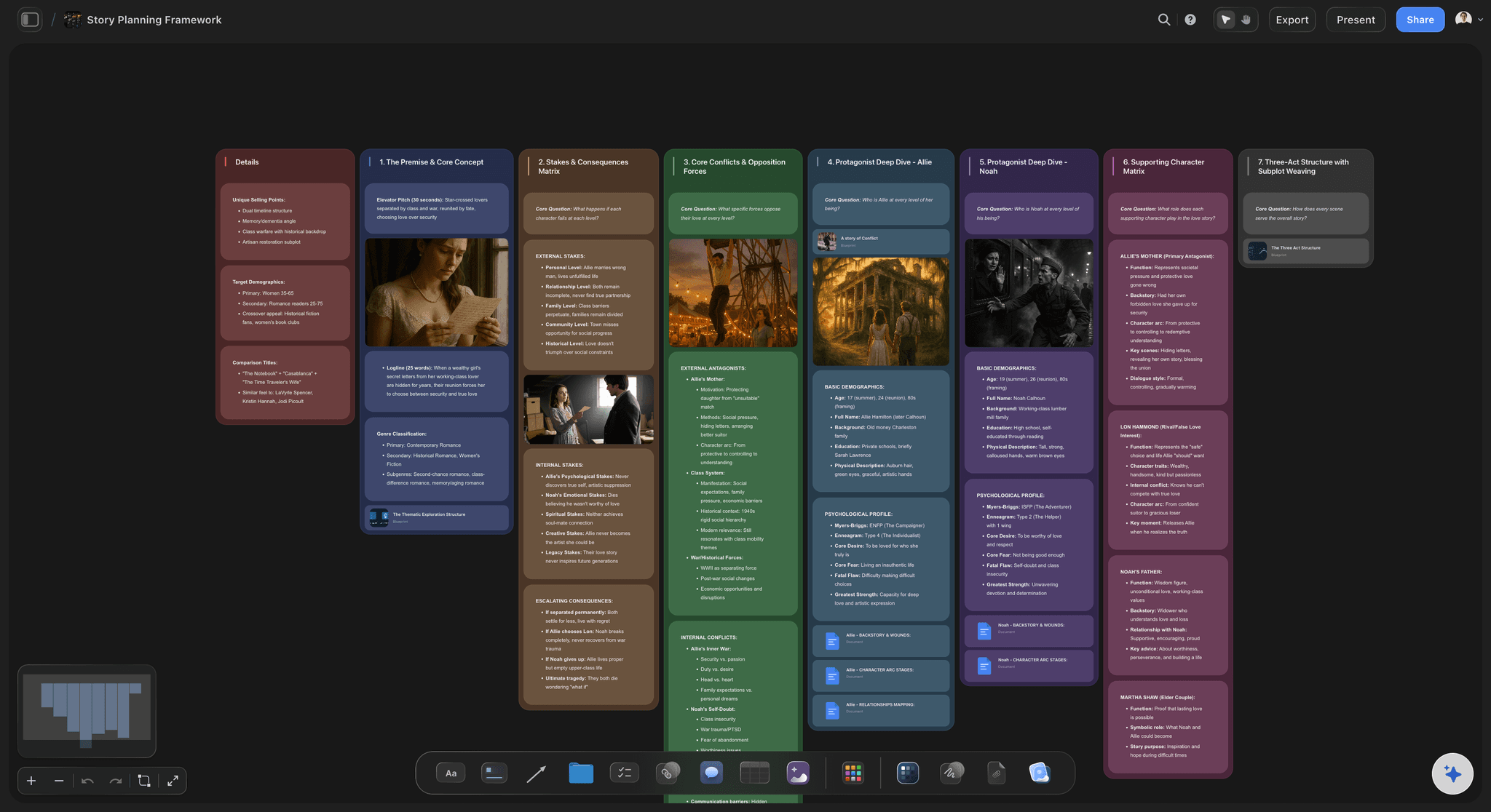
Start from a prompt when the page feels blank.
Basic AI usage is included on every plan. Describe your topic in a sentence and let the AI lay out a starting map, then make it yours: rename branches, prune what misses, and grow the parts that spark something.
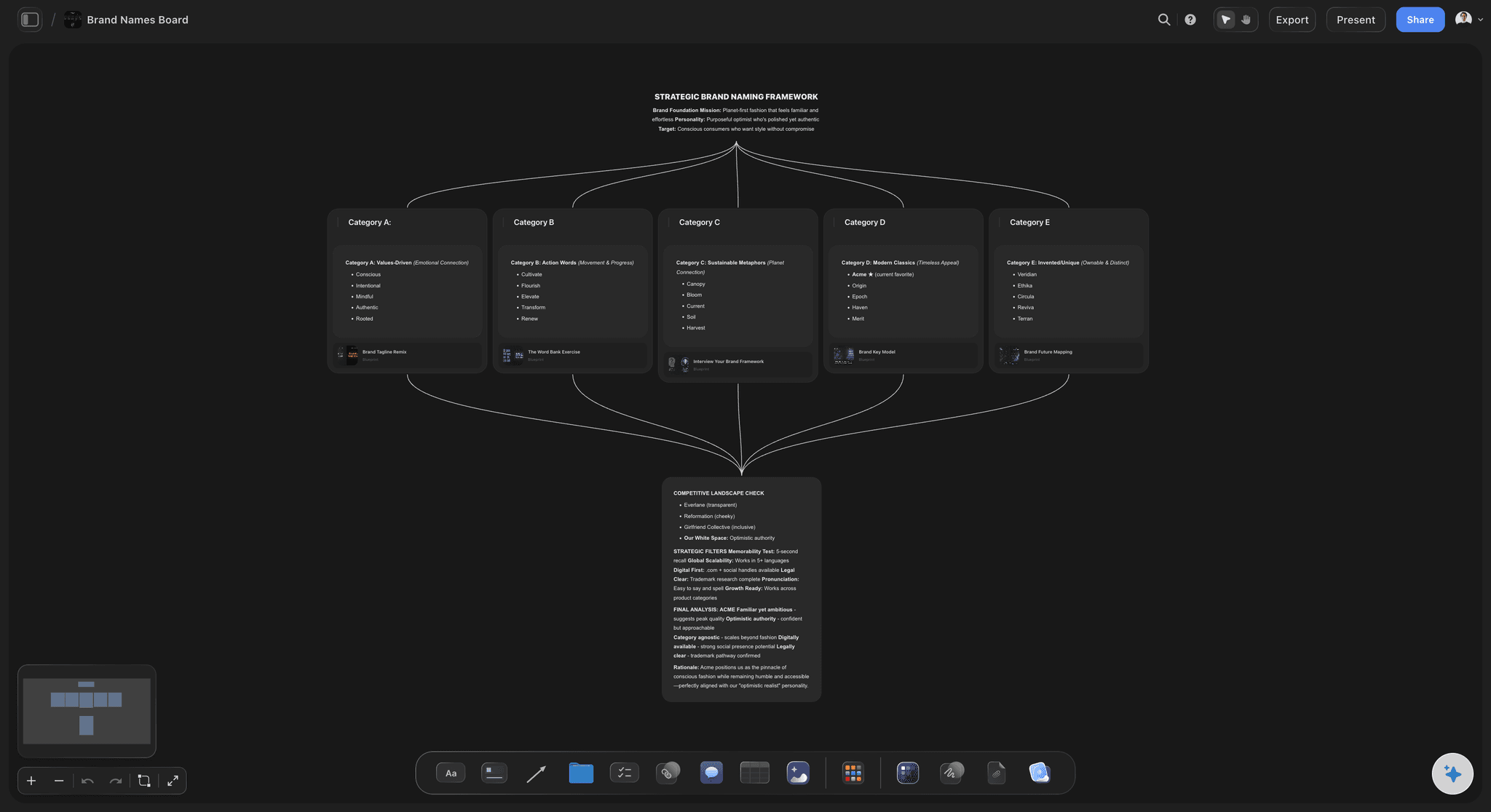
Perfect for brainstorms and naming sessions.
Dump every idea onto the canvas as its own note, then connect and cluster the ones that belong together. What starts as a messy burst of options becomes a map of themes, favorites, and directions worth pursuing.

Turn the map into a plan on the same board.
A mind map is usually the first step of something bigger. In Storyflow the plan can grow right next to the map: add tables, kanban columns, and tickets with due dates beside your branches, and the idea flows straight into execution.
A mind map maker without the rigid tree.
Many mind mapping tools lock you into an auto-arranged tree that fights back when your thinking gets messy. Storyflow builds mind maps from sticky notes and connector lines on an open canvas, so branches go where you put them, cross-links are allowed, and the map can look like your actual thought process.
Fast, and in your browser.
Storyflow includes unlimited boards, basic AI usage, and 20 file uploads on every plan. Start a map for every project, essay, or decision, and keep them all in one workspace instead of scattered files.
Mind maps that live beside the real work.
Because the map is just one region of a bigger canvas, it can sit next to research images, briefs, storyboards, and task boards. Drop screenshots beside a branch, comment on a node to start a discussion, and share a view-only link when you want feedback on the whole picture.
What creators are saying
Join early creators getting structured workspaces and AI that remembers their projects
“Storyflow has sped up my workflow by at least 3x, which means more flow state and more projects I can actually ship. It truly changed the way me and my team create.”

Reilin Joey
Director & YouTuber
“One prompt gets me a structured board. But the tactics are my favorite. I run my YouTube scripts through them and my intros and retention got better. It's amazing.”

Justkay
YouTuber & Freelance Filmmaker
“I used to juggle five apps to plan a project. Now I describe what I am making and get boards, lists, and a schedule. All in one place.”

George
@fernwehchronicles
Frequently asked questions.
Branches, cross-links, AI starts, and sharing maps.
If free is a hard requirement, the honest answer is elsewhere: open-source tools like FreeMind and Freeplane, and the free tiers of XMind and Coggle, all make maps at no cost. Storyflow is paid-only during early access, with Plus at $7.99 a month billed annually and a free plan launching before the end of 2026. What it offers instead is that the map is not the end of the road: branches convert into the moodboards, briefs and schedules the project actually runs on, on the same infinite canvas.
Create a board, place a sticky note with your central idea, and branch outward by adding more notes and linking them with connector lines. Drag branches anywhere; the canvas is infinite, so the map never runs out of space.
Not during early access. Storyflow is paid-only right now, with Plus at $7.99 a month billed annually. Maps built from sticky notes and connector lines are unlimited on every plan, as are the boards that hold them, and basic AI usage for prompt-generated starting maps is included too. A Free plan is planned before the end of 2026.
Basic AI usage is included on every plan, and it can lay out a starting map from a prompt. Describe your topic, get a first structure on the canvas, and then edit, rearrange, and extend it by hand.
Yes. Because the map is built from notes and connector lines rather than a fixed tree, you can link any node to any other. That makes it suited to concept maps and systems thinking as well as classic mind maps.
Yes. Drop JPG, PNG, or WebP images next to any branch, and add tables, color swatches, or kanban boards on the same canvas. The mind map can anchor a whole project board.
Two ways. A view-only link opens the live map in any browser with no account needed, while an image or PDF export gives you a fixed snapshot for decks and documents.
Map your next big idea in Storyflow.
Branch sticky notes in every direction, or start from a prompt with basic AI.