
Every event detail, rock-solid in one place
A wedding is a production
with one take.
Put the budget, the guest list, the suppliers, the timeline, and the run of show for the day on one canvas, so the whole thing is visible to you, your partner, and whoever is helping.


Creatives working for these brands already got early access
- Red Bull
- Canon
- Artlist
- Porsche
See how easy it is to get started
Watch a real project come together, from a blank board to a finished plan, clicked through step by step.
Start from a ready-made template
Pick a board to see what you can build, then let AI fill it in. Every template is a real, editable starting point on the same infinite canvas.

Commercial Moodboard
Pin references, palettes, and tone for a commercial so the look is clear before the shoot.
What is a wedding planning board?
A wedding planning board is the one place where the whole day exists at once. Storyflow is an AI visual workspace that holds your wedding plan on one infinite canvas: budget, guest list, suppliers, and the run of show. Not the look of it, which is the easy part and the part everybody starts with, but the structure underneath: what you are spending and on what, who is coming and where they sit, which suppliers are booked and what each contract actually includes, what has to be decided by when, and the hour by hour order of the day itself. Most couples never build one. They end up with a shared inbox, three spreadsheets, a folder of PDF quotes, and a Pinterest board only one of them can see, and the plan lives in the gap between those things.
The reason that gap hurts is that a wedding is a production with one take and no rehearsal, planned almost entirely by people who have never done it before. Every part is connected to every other part. The guest count decides which venues are even possible. The venue decides the catering minimum, which decides the largest line in the budget. The budget decides whether you get the photographer you wanted or the second choice. Hair and makeup finishing decides when photographs start, which decides when guests are greeted, which decides whether dinner is served hot. Change one number and four other things move, silently, in a document nobody reopened.
Storyflow is an AI-native infinite canvas, which suits this job because the job is not a list. Describe your date, your rough budget, and how many people you are thinking of inviting, and the AI lays out a planning board and a draft timeline with the sections already named, using the whole board as context rather than one card at a time. Then you pull in your own quotes, contracts, venue photos, floor plans, guest spreadsheets, and supplier emails and put them where they belong. Because it is one canvas, the budget sits next to the supplier list that drives it, and the seating plan sits next to the guest list it depends on. You share it by link with your partner, a parent, or your planner, and anyone a paid member invites joins free, so inviting your partner costs nothing.
A wedding planning board that actually holds a wedding carries six named layers: the look and styling (the palette, the florals, and the visual references, which belong on a dedicated wedding moodboard and feed everything else), the budget (split by percentage before it is split by pounds or dollars, with what is committed, what is quoted, and what is still a guess), the guest list and seating (the headcount that sets your venue options, then the tables that depend on RSVPs arriving late), the suppliers and contracts (a shortlist per category with what each quote includes, what it excludes, the deposit paid, and the balance due date), the planning timeline (every decision placed backwards from the ceremony rather than forwards from today), and the run of show for the day (the hour by hour order with a named owner beside each moment, so you are not directing your own wedding). Storyflow keeps all six visible at once on one canvas.
Ultra fast from brief to board
From a date and a number to a plan for the whole day.
No folder structure to invent. Describe the wedding you are planning, pull your quotes in, and build outwards.
01
Open a canvas
Sign up in seconds. No download. Your infinite planning canvas opens in the browser, and inviting your partner to it costs nothing.
02
Let AI lay out the board
Give it the date, the rough budget, and the guest count. It lays out the budget split, the supplier categories, the planning timeline, and a first draft of the run of show, so you are correcting a structure rather than inventing one at eleven at night.
03
Pull the real thing onto the board
Drag in quotes, contracts, venue photographs, floor plans, and your guest spreadsheet. Put each supplier's quote next to what it actually includes, and pin the seating plan beside the guest list it depends on.
04
Share it and work the day backwards
Share a view-only link with parents and suppliers, and edit alongside your partner or planner. Build the run of show backwards from the ceremony, put a name on every moment, and export it for the people who need it on the day.
The whole wedding, on one canvas.
Budget, guests, suppliers, timeline, and the run of show, side by side instead of in separate files.

The look lives on its own board and feeds the rest
Keep the styling where it belongs
The palette, the florals, the stationery, and the styling references deserve their own board, and we have one built for exactly that. Keep it beside the planning board so the look informs the quotes you ask for, instead of drifting away from what you can actually afford.
See the wedding moodboard →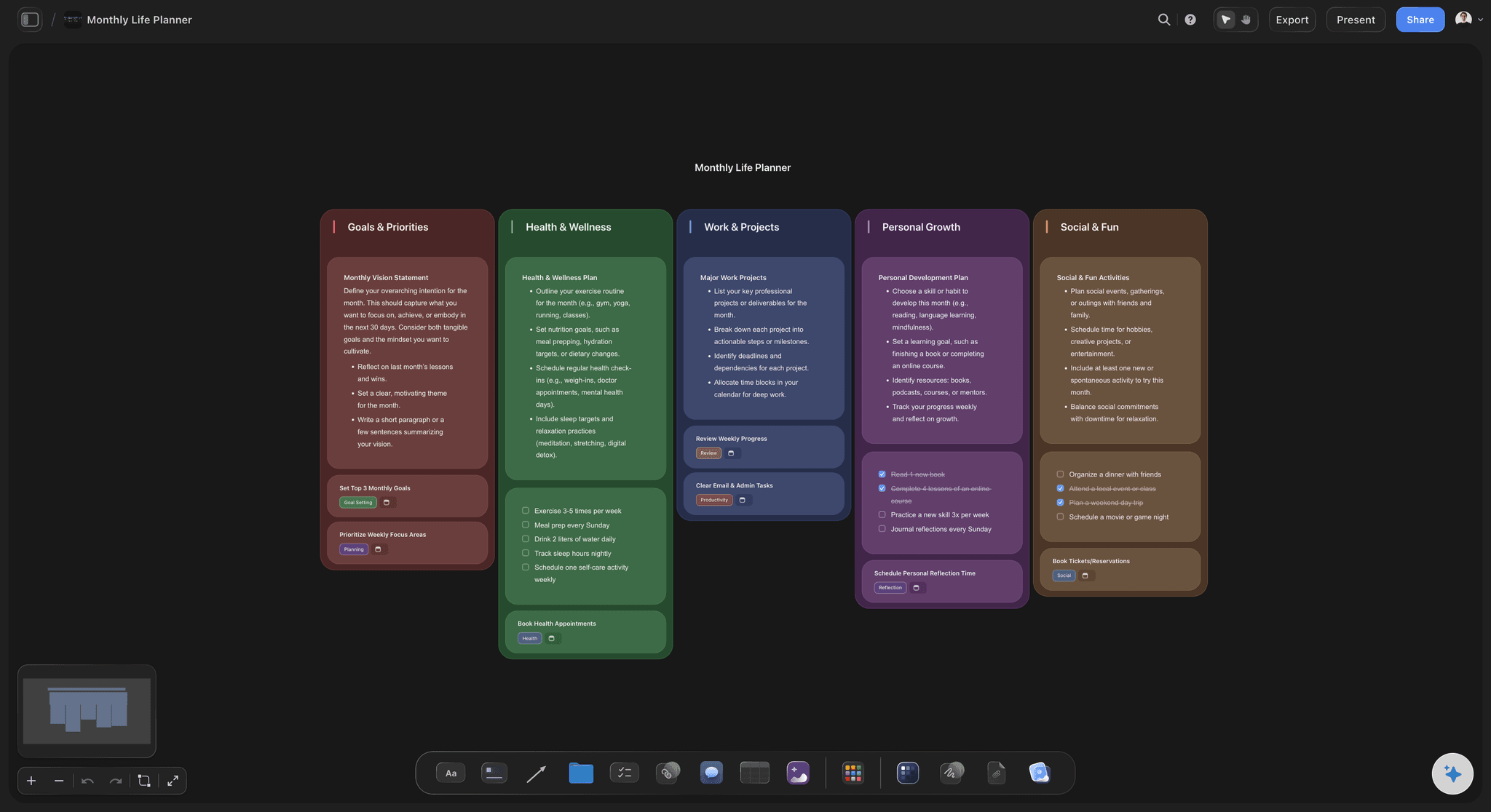
Budget, suppliers, and quotes in one view
See where the money actually went
A wedding budget does not blow up in one dramatic moment. It reallocates itself quietly, one upgrade at a time. Keep the split, the quotes, the deposits paid, and the balances due on the same canvas so the drift is visible while there is still time to trade something back.
See the AI event planner →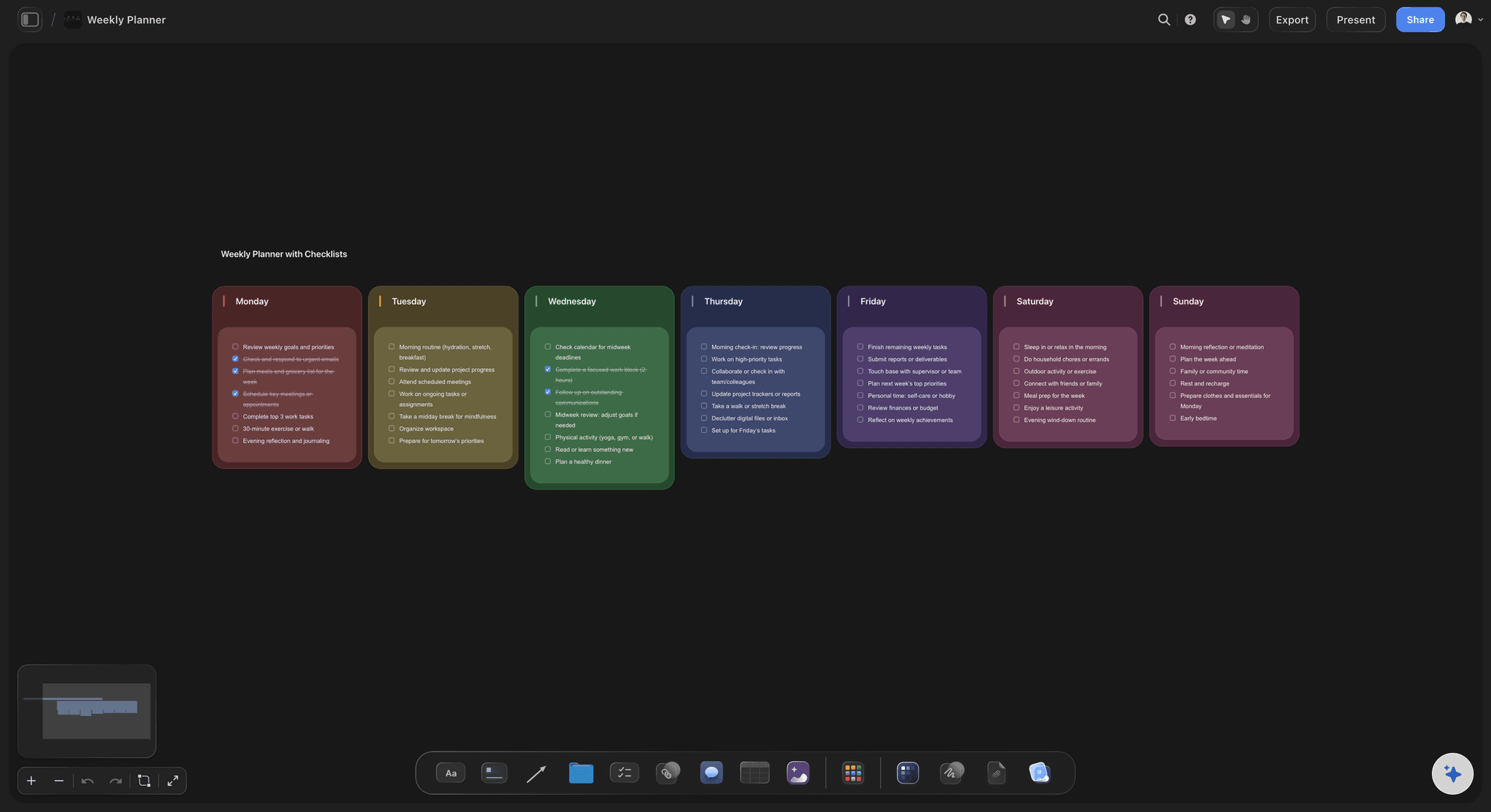
The day, hour by hour, with owners
A run of show so you are not directing
Every timing on a wedding day is a dependency. Hair and makeup finishing decides when photographs start, which decides when guests are greeted, which decides whether dinner is hot. Lay the day out with a named owner on each moment so nobody comes to find the couple.
Generate a run of show →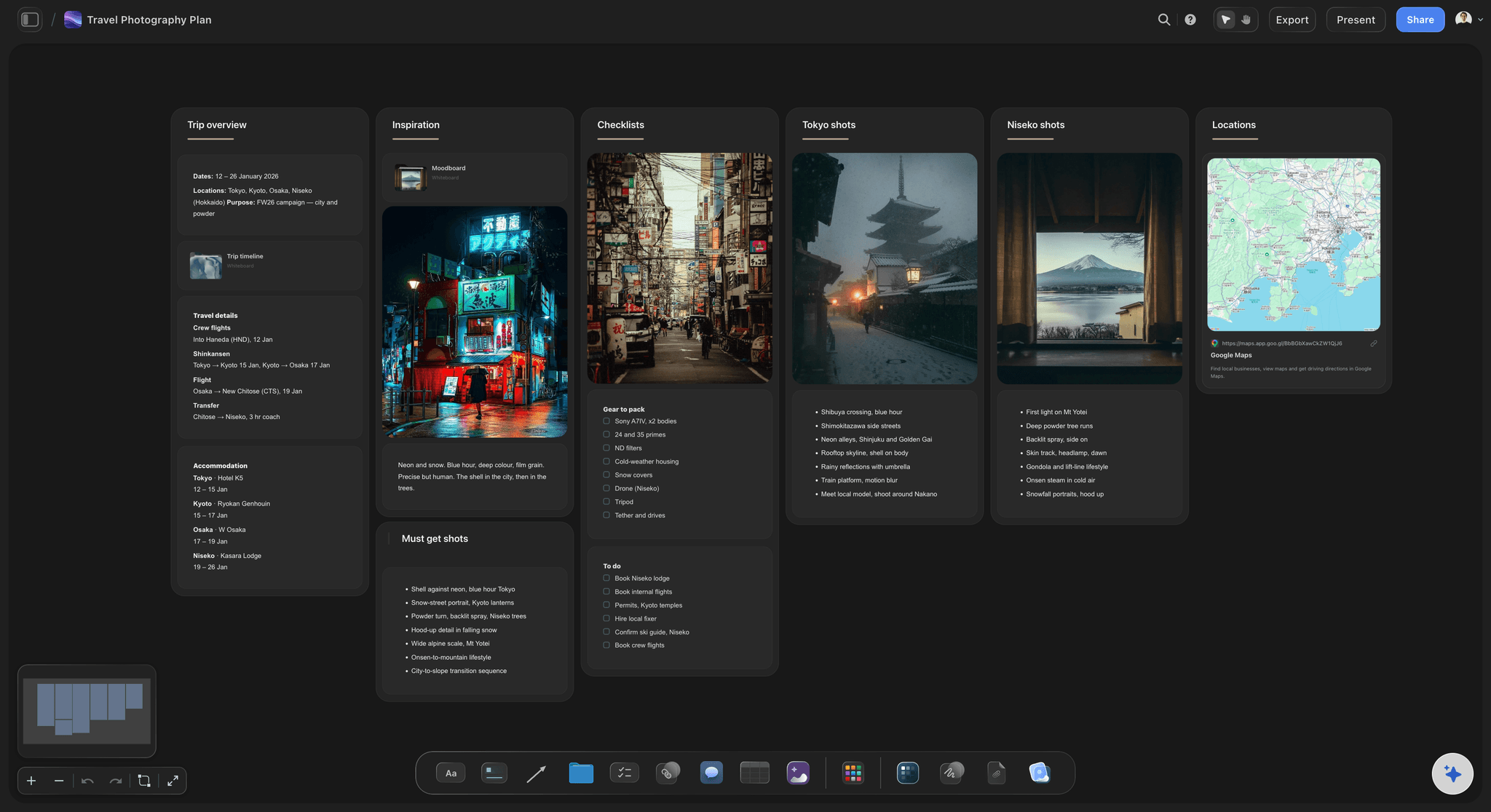
Twelve months, planned backwards
Deadlines that come from the date, not from a blog
Generic wedding checklists assume an eighteen month engagement and a venue you have already booked. Build the timeline backwards from your ceremony instead, so the things with real lead times land where they belong for your date rather than somebody else's.
Explore the timeline maker →Unlimited boards. No object cap.
Open a canvas, describe your wedding, and plan the whole day in one place. Storyflow is paid-only during early access, with plans from $9.99 a month, and a Free plan launches before the end of 2026.
Unlimited wedding planning boards on an infinite canvas
Basic AI usage to draft a planning board and timeline from a prompt
3 starter frameworks built in
Invite your partner, a parent, or your planner to the board free
Built for people with taste
The difficult parts of a wedding are not the pretty parts.
Nobody struggles with choosing flowers. They struggle with a budget that reallocates itself and a guest list that will not settle.

Guests first, because capacity sets everything
Build the guest list before you look at venues
The headcount is the first real decision: Almost every other number follows from it. Capacity rules out venues, catering minimums scale with it, and the largest line in most budgets is simply cost per head times heads. Couples who fall in love with a venue first end up cutting people to fit a room, which is a much worse conversation than picking a different room.
Draft it in tiers, not in one go: An A list of people the day does not work without, a B list of people you would love there, and a C list you already know is aspirational. Tiers make the cut mathematical instead of personal, and they give you somewhere to go when a venue comes back twenty seats short.
Seating depends on RSVPs that arrive late: The seating plan is the last thing to settle because it waits on replies, plus-ones, dietary requirements, and at least two people who change their mind. Keep the tables as movable cards beside the guest list so a late reply is a drag rather than a rebuild of a spreadsheet.
Note who cannot sit near whom: Every family has a version of this, and it never lives in the spreadsheet because nobody wants to write it down. Put it on the board as a quiet note attached to the table, so whoever finalises seating at the end is not discovering it on the night.
Percentages before pounds
A budget that tells you the truth
Split by percentage first: Deciding that catering and venue take roughly half, photography and film take around a tenth, and flowers and styling take another tenth is a decision you can make in an evening. Deciding it in exact amounts requires quotes you do not have yet. Percentages give you a shape to test every quote against.
Separate committed, quoted, and guessed: These three are not the same number and treating them as one is how budgets quietly fail. A deposit paid is committed. A quote in your inbox is quoted. A number you found in an article is a guess. Colour them differently on the board and the true state of the budget is readable at a glance.
Leave a contingency and defend it: Something always appears: a corkage rule you missed, a second bus, an extra hour of photography, a supplier meal clause. A contingency line of around five to ten percent is not pessimism, it is the line that stops a surprise turning into a cut somewhere you cared about.
Watch the drift, not just the total: Budgets rarely break in one go. They reallocate: a florist upgrade here, a better band there, and the total looks fine while the shape has changed completely. With the split and the quotes on one canvas you can see which category ate another one, which is the only view that lets you trade back deliberately.
What is quoted versus what is included
Suppliers, contracts, and the gap between them
Shortlist three per category, then compare like for like: Two quotes cannot be compared until you know what each one contains. One photographer's price includes eight hours and an album, another includes six hours and digital files only. Put the inclusions and the exclusions on the card next to the number, and the cheap option often stops being the cheap option.
Record what a quote excludes, in writing: Travel, overtime, supplier meals, corkage, cake cutting, setup and breakdown time, VAT or sales tax, and the cost of a second shooter are where wedding budgets go missing. Every one of them is normal and reasonable, and every one of them is a surprise if it was never written on the board.
Keep deposits, balances, and dates on the card: Each supplier has a deposit paid, a balance outstanding, and a date that balance is due, and those dates cluster in the last six weeks when you have the least attention to spare. Keep them beside the contract PDF so the payment schedule is something you can read rather than reconstruct.
Note what each supplier needs from you: Suppliers need things back: a final headcount, a shot list, a first dance track, a timeline, a floor plan, an access time. Those requests arrive by email over months and disappear. Attach them to the supplier's card and they become a list you can clear instead of a search through a thread.
The day itself, and the weather
Work backwards from the ceremony, then plan for rain
Every timing is a dependency: Start at the ceremony time and work outwards in both directions. Hair and makeup finishing sets when getting-ready photographs happen, which sets when you can leave, which sets when guests are greeted, which sets whether dinner is served on time. Written as a chain rather than a list, one delay shows you exactly what it pushes.
Put a name on every moment: The run of show only works if each line has an owner who is not the couple: who calls the cars, who cues the music, who gathers the family for group photographs, who tells the band the speeches have overrun. A wedding where the couple is the only person who knows the plan is a wedding the couple spends directing.
Add slack where reality lives: Group photographs always take longer than the plan says, because gathering eleven people is the slow part, not photographing them. Travel between venues expands. Speeches overrun. Building fifteen honest minutes into three or four places is the difference between a day that flows and a day that chases itself.
Write plan B before you need it: Weather is the one variable you cannot book. Decide in advance what moves indoors, who makes the call, and by what time it has to be made, then write it on the board with the wet-weather layout beside the dry one. A decision made calmly in April is a much better decision than one made at nine in the morning in a car park.
Explore templates for your project
Every template opens as a real, editable board on the infinite canvas. Pick the closest fit and make it your own.
Commercial Moodboard
Pin references, palettes, and tone for a commercial so the look is clear before the shoot.
One app instead of five
Storyflow vs Pinterest, Milanote, and Trello.
Each of these does something genuinely well, and one of them is almost certainly where your wedding started. Here is the honest split.
Storyflow
Recommended
Budget, guests, suppliers, and the day on one canvas
AI drafts a planning board and timeline from your date and budget
Run of show with named owners beside the plan
Huge discovery feed for finding wedding inspiration
RSVPs, invitations, wedding website, and registry
Share by link, and invited members join free
Budget, guests, suppliers, and the day on one canvas
AI drafts a planning board and timeline from your date and budget
Run of show with named owners beside the plan
Huge discovery feed for finding wedding inspiration
RSVPs, invitations, wedding website, and registry
Share by link, and invited members join free
Milanote
Budget, guests, suppliers, and the day on one canvas
AI drafts a planning board and timeline from your date and budget
Run of show with named owners beside the plan
Huge discovery feed for finding wedding inspiration
RSVPs, invitations, wedding website, and registry
Share by link, and invited members join free
Trello
Budget, guests, suppliers, and the day on one canvas
AI drafts a planning board and timeline from your date and budget
Run of show with named owners beside the plan
Huge discovery feed for finding wedding inspiration
RSVPs, invitations, wedding website, and registry
Share by link, and invited members join free
What creators are saying
Join early creators getting structured workspaces and AI that remembers their projects
“Storyflow has sped up my workflow by at least 3x, which means more flow state and more projects I can actually ship. It truly changed the way me and my team create.”

Reilin Joey
Director & YouTuber
“One prompt gets me a structured board. But the tactics are my favorite. I run my YouTube scripts through them and my intros and retention got better. It's amazing.”

Justkay
YouTuber & Freelance Filmmaker
“I used to juggle five apps to plan a project. Now I describe what I am making and get boards, lists, and a schedule. All in one place.”

George
@fernwehchronicles
Wedding planning questions, answered.
How to start, how to split a budget, what a run of show is, and what this tool does not do.
In this order. Agree a total budget and who is contributing. Draft the guest list in tiers, because the headcount decides which venues are even possible. Book the venue and the date, then the suppliers with the longest lead times, usually photography, catering, and music. Split the budget by percentage and test every quote against it. Build the planning timeline backwards from the ceremony. In the final two months, chase RSVPs, finalise seating, pay balances, and write the run of show for the day with a named owner on every moment.
Storyflow holds the whole wedding on one board: the budget, the guest list, the suppliers and the run of show for the day, shared by link with a partner, a parent or a planner. Its AI drafts a planning board from your date and budget, and every moment in the run of show gets a named owner. Pinterest still has the huge discovery feed for finding wedding inspiration, which Storyflow does not.
Twelve to eighteen months is comfortable for a full-size wedding, mostly because popular venues and photographers book that far out for peak Saturdays. It is not a rule. Plenty of good weddings are planned in six months, and shorter timelines are easier if you are flexible on the day of the week, the month, or the venue type. What matters more than the total runway is the order: guest count, then venue, then the suppliers with real lead times. A short timeline planned in the right order beats an eighteen month one where the first six months went into styling.
A run of show is the hour by hour order of the wedding day, with a named owner beside each moment. It covers when hair and makeup start and finish, when photography begins, when guests arrive, when the ceremony starts, when group photographs happen, when guests are seated, when speeches run, when the first dance is, and when the last song plays. Its real job is to remove the couple from the critical path. If every line has somebody else's name on it, nobody comes looking for you, and you get to attend your own wedding rather than direct it.
Split it by percentage before you split it by pounds or dollars. A common shape is roughly forty to fifty percent on venue and catering combined, ten to twelve percent on photography and film, around ten percent on flowers and styling, eight to ten percent on music and entertainment, and smaller slices for attire, stationery, transport, and rings. Then hold back five to ten percent as contingency. The percentages matter more than the exact numbers, because they give you something to test every incoming quote against and they show you immediately which category is eating another one.
No. Storyflow is a planning canvas, not a wedding-industry product. It does not send invitations, collect RSVPs, host a wedding website, process payments, or hold a directory of suppliers you can book from. Those jobs belong to a dedicated wedding platform, and they do them well. What Storyflow holds is the planning itself: the budget, the guest list and seating, the supplier shortlist and what each contract includes, the timeline, and the run of show. Most couples end up using both, plus a spreadsheet for the raw guest data, and that is a reasonable setup.
Yes, and it is the single most common ordering mistake. Venue capacity is a hard limit, and catering cost scales almost linearly with headcount, so the guest number quietly decides both which venues are available and how much of the budget is already spoken for. Couples who book the venue first often spend the following month cutting people to fit a room, which is a far worse conversation than choosing a different room. Draft the list in tiers first. You do not need it final, you need it roughly right.
Write down what each quote includes and what it excludes, not just the number. Photographers vary by hours of coverage, second shooter, album, and turnaround. Caterers vary by staffing, hire of glassware and linen, corkage, and whether supplier meals are extra. Venues vary by exclusive use, setup and breakdown time, and whether the price is seasonal. Once the inclusions are written side by side, a surprising number of quotes swap places. Keep the exclusions on the card too, because that is where the extra costs come from later.
Late, deliberately, but prepare for it early. Seating depends on RSVPs, plus-ones, dietary requirements, and children, and those settle in the last four to six weeks. What you can do early is set the table shape and count with the venue, decide the tiers of your guest list, and quietly note who cannot sit near whom. Then when the replies land, the seating plan is an afternoon of moving cards around rather than a rebuild. Keeping the tables as movable objects beside the guest list is the reason this belongs on a canvas.
Build it backwards from the ceremony rather than forwards from today, because the deadlines that matter come from lead times. Roughly: twelve months out, budget, guest tiers, venue, and date. Nine months, photography, catering, and music. Six months, attire, flowers, cake, and transport. Three months, invitations out and menu tastings. Six weeks, chase RSVPs and confirm final numbers with the caterer. Four weeks, seating plan, run of show, and supplier balances. Final week, deliver the timeline to every supplier and hand each job to a named person.
Decide three things in advance and write them on the board: what moves indoors, who makes the call, and the latest time the call can be made. Most wet-weather failures are not about the rain, they are about a decision nobody was allowed to make. Draw the wet layout beside the dry one so the venue and the coordinator can see both, and check the practical details early: whether the marquee sides are included, whether there is enough covered space for drinks, and how guests get from cars to the door without walking across grass.
Not during early access. Storyflow is paid-only right now, with plans starting at $9.99 a month, and a Free plan launches before the end of 2026. Anyone a paid member invites to a board joins free today, which matters here: one of you pays, and your partner, a parent, or your planner can be on the same board without paying. If you want something free this minute, a spreadsheet and a shared folder will get you a long way. They just will not show you the budget, the suppliers, and the day at the same time.
Pinterest owns inspiration discovery outright, and it is almost certainly where your look started. Trello is a good simple checklist pipeline, and moving a card from enquired to booked is genuinely satisfying. Milanote is a nice visual board. What none of them do is hold the connected parts of a wedding in one view, where the budget sits next to the suppliers driving it and the seating sits next to the guest list it depends on. Storyflow does that on an infinite canvas, with AI reading the whole board for context. It still will not collect an RSVP.
Put the whole day on one canvas, before the day arrives.
Open a canvas, give it your date, your budget, and your guest count, and let AI draft the plan. Your partner joins free.