
Extremely reliable pre-production
Six stages.
One surface.
Every shoot runs the same pipeline whether it is a short film, a brand video or a two-hour content day: idea, treatment, breakdown, shot list, schedule, call sheet. The stages are not the problem. Keeping them in six tools, where each one silently goes stale when the one before it changes, is the problem.


Creatives working for these brands already got early access
- Red Bull
- Canon
- Artlist
- Porsche
See how easy it is to get started
Watch a real project come together, from a blank board to a finished plan, clicked through step by step.
Start from a ready-made template
Pick a board to see what you can build, then let AI fill it in. Every template is a real, editable starting point on the same infinite canvas.

Pre-Production
Pull the brief, script, shot list, and moodboard into one pre-production hub so the whole shoot is planned in one place.
What is an idea to shoot workflow?
An idea to shoot workflow is the fixed sequence a production runs through between someone having an idea and a camera turning over: concept, treatment, breakdown, shot list, schedule, call sheet. Storyflow is an AI visual workspace that takes your shoot from idea to call sheet on one infinite canvas: all six stages in view, each beside the one it comes from, and an AI that reads the whole board. The sequence is well understood and almost nobody has trouble naming the stages. The trouble is that each stage is a derivation of the one before it, and derivations kept in separate files stop agreeing with each other.
That drift is the entire cost. When the treatment changes on Wednesday, the shot list built from it is now wrong, the schedule built from the shot list is wrong, and the call sheet built from the schedule is wrong. Nothing warns you. You find out on the shoot day, when a location is booked for a scene that no longer exists and the actor for the scene that replaced it was never called.
Putting the stages on one canvas does not remove the work, it removes the reconciliation. The treatment sits on the board, the breakdown sits beside it, the shot list beside that. When something changes upstream you can see what sits downstream of it. Storyflow's AI reads the whole active board plus up to five documents and three boards, so you can ask directly what a change affects rather than tracing it by hand through four documents.
The second advantage is that a workflow on a board is reusable. Duplicate the finished board for the next shoot and the stages, the section labels and the order are already there, so each production starts from a structure rather than from a blank page.
Ultra fast from brief to board
Each stage is built from the one above it.
Which is exactly why they belong on the same surface.
01
Concept and treatment
What the piece is, who it is for and what it should feel like, with the reference images sitting beside the words rather than in a separate deck.
02
Breakdown
Everything each scene or segment needs: cast, location, props, wardrobe, kit. Drafted by the AI from the treatment or script, then corrected by you.
03
Shot list and schedule
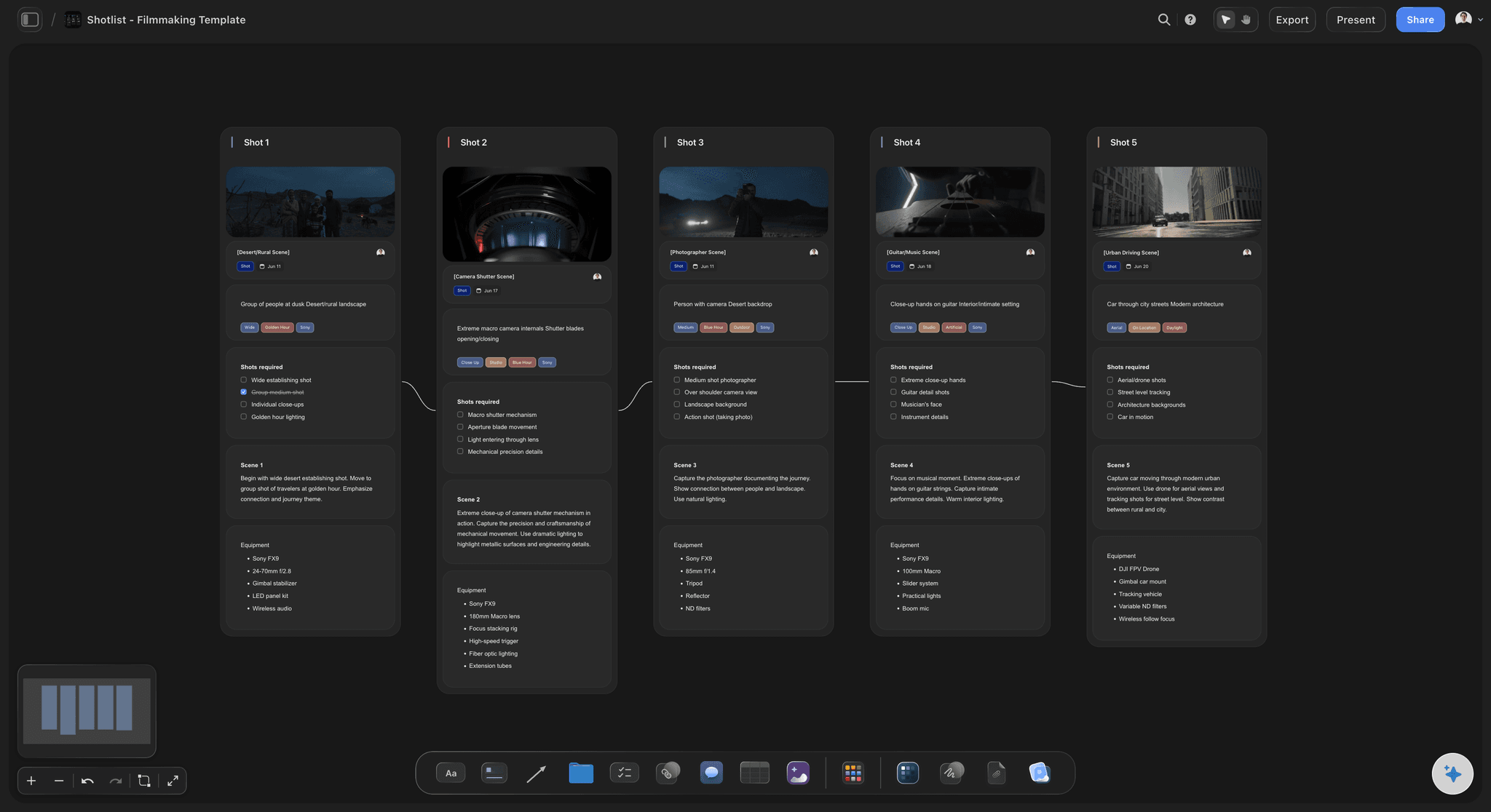
Coverage per scene, then those shots grouped into days by location and daylight, so an over-ambitious plan is visible before it is booked.
04
Call sheet and go
Times, addresses and contacts generated from the schedule that is already on the board, then shared as one live link the crew can open.
The stages stop disagreeing with each other.
Not because the tool enforces consistency, but because you can see all six at once.
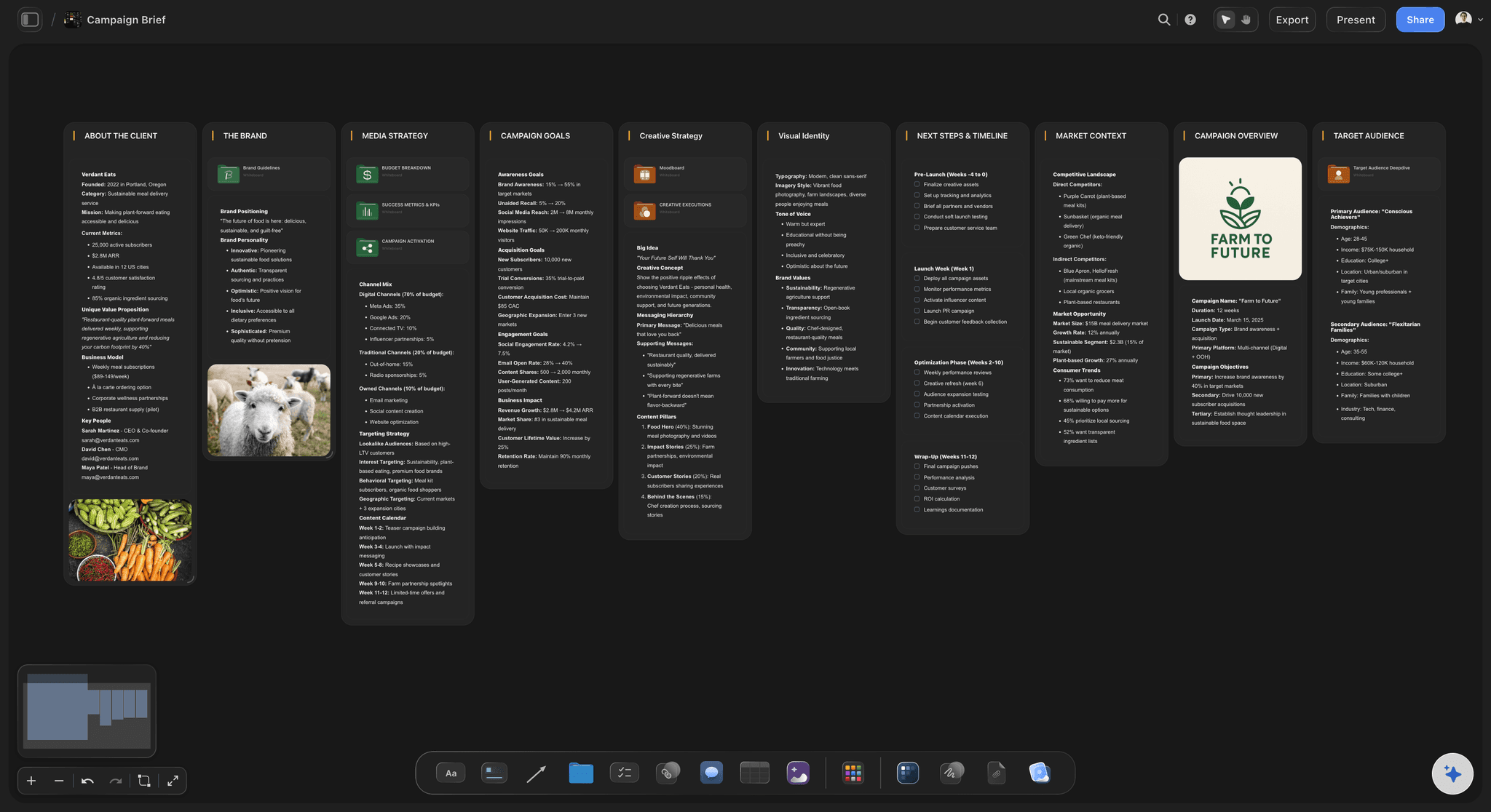
Treatment and references together
The idea, with its evidence attached
Write the treatment on the canvas with the reference frames beside it, so the tone is shown rather than described and the crew reads one thing instead of two.
See the AI treatment generator →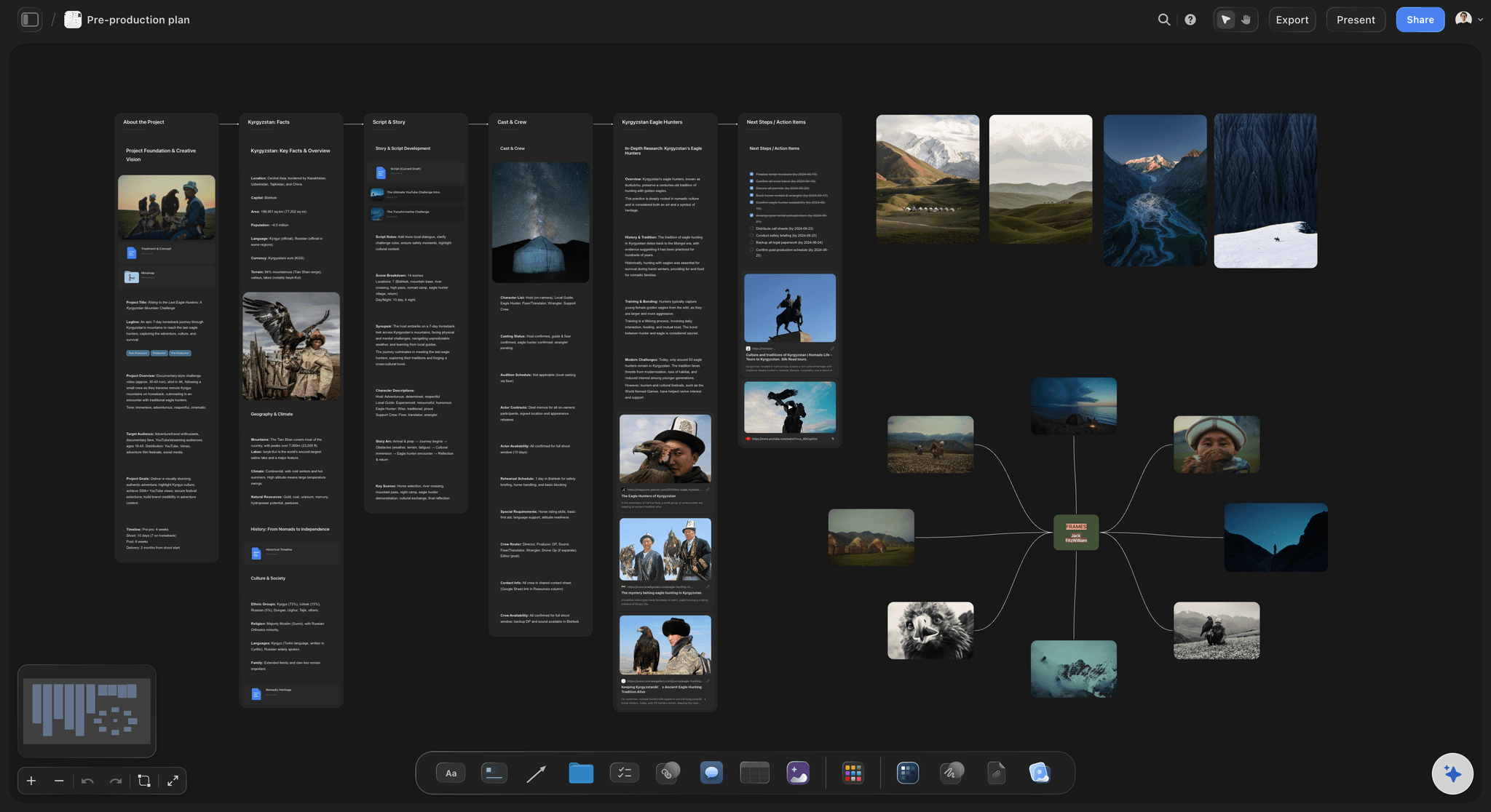
Downstream changes become visible
See what a rewrite breaks
When the treatment moves, the breakdown and shot list built from it are right there. The AI can also be asked directly what a change affects, using the whole board as context.
See the AI script breakdown →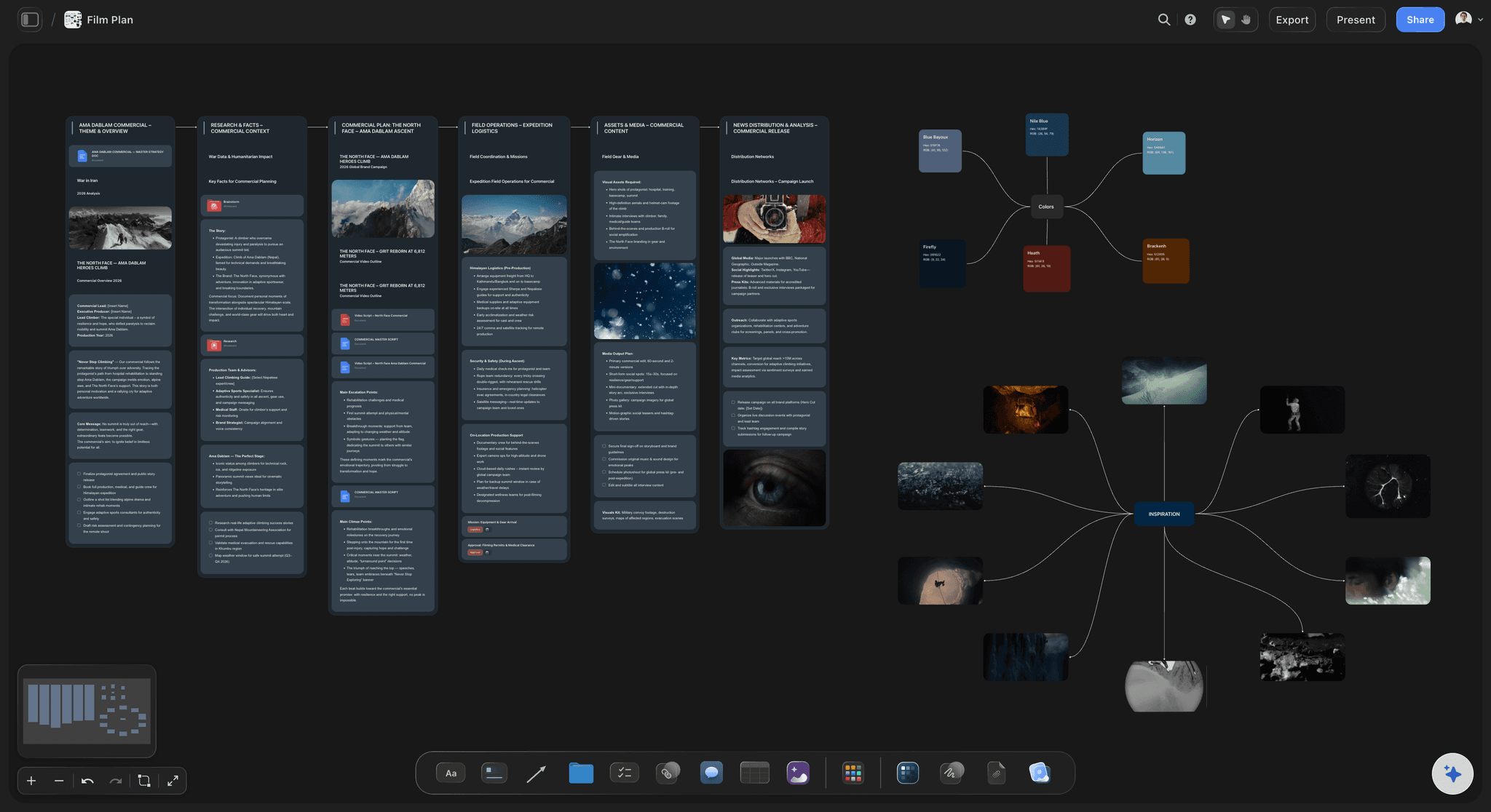
Schedule built from the shot list
Find the impossible day in prep
Group shots into days by location and light, and a plan that needs thirty setups before lunch announces itself while it can still be cut.
See shooting schedules →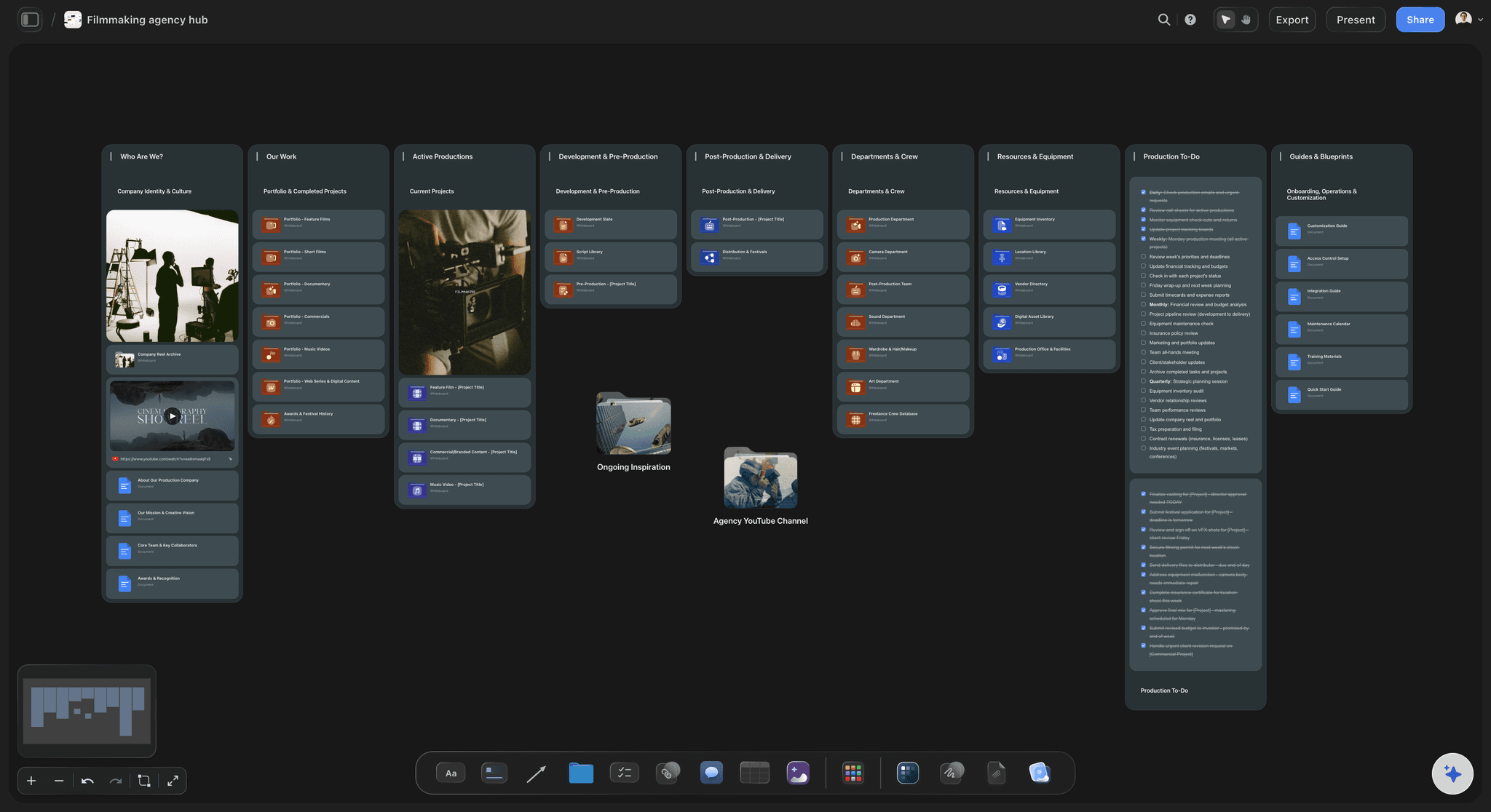
Duplicate it for the next job
A workflow, not a one-off board
Copy the finished board and the stages, labels and order are already in place, so the second shoot starts from structure rather than from a blank canvas.
See the video production tracker →Plans from $7.99/month annual. Free plan coming late 2026.
Build the workflow once and reuse it per shoot, with no project limit. Storyflow is paid-only during early access, and anyone a paid member invites to a board joins free today.
One board per production, no project limit
AI reads the whole board before it answers
View-only links open without an account
Anyone a paid member invites to a board joins free
Built for people with taste
Four places the pipeline breaks.
All four are the same underlying problem: a derived document that nobody told about the change upstream.
Break one
The treatment changes and nothing downstream knows
Derivations sit beside their source: The breakdown lives under the treatment on the same canvas, so a change and its consequences are in one view.
Ask what moved: The AI reads the whole active board, so "what does this rewrite affect" is a question with an answer rather than an audit.
Nothing is regenerated blind: Updating one stage does not wipe the corrections you made to the next, because the board keeps both.
Break two
The look and the plan are made separately
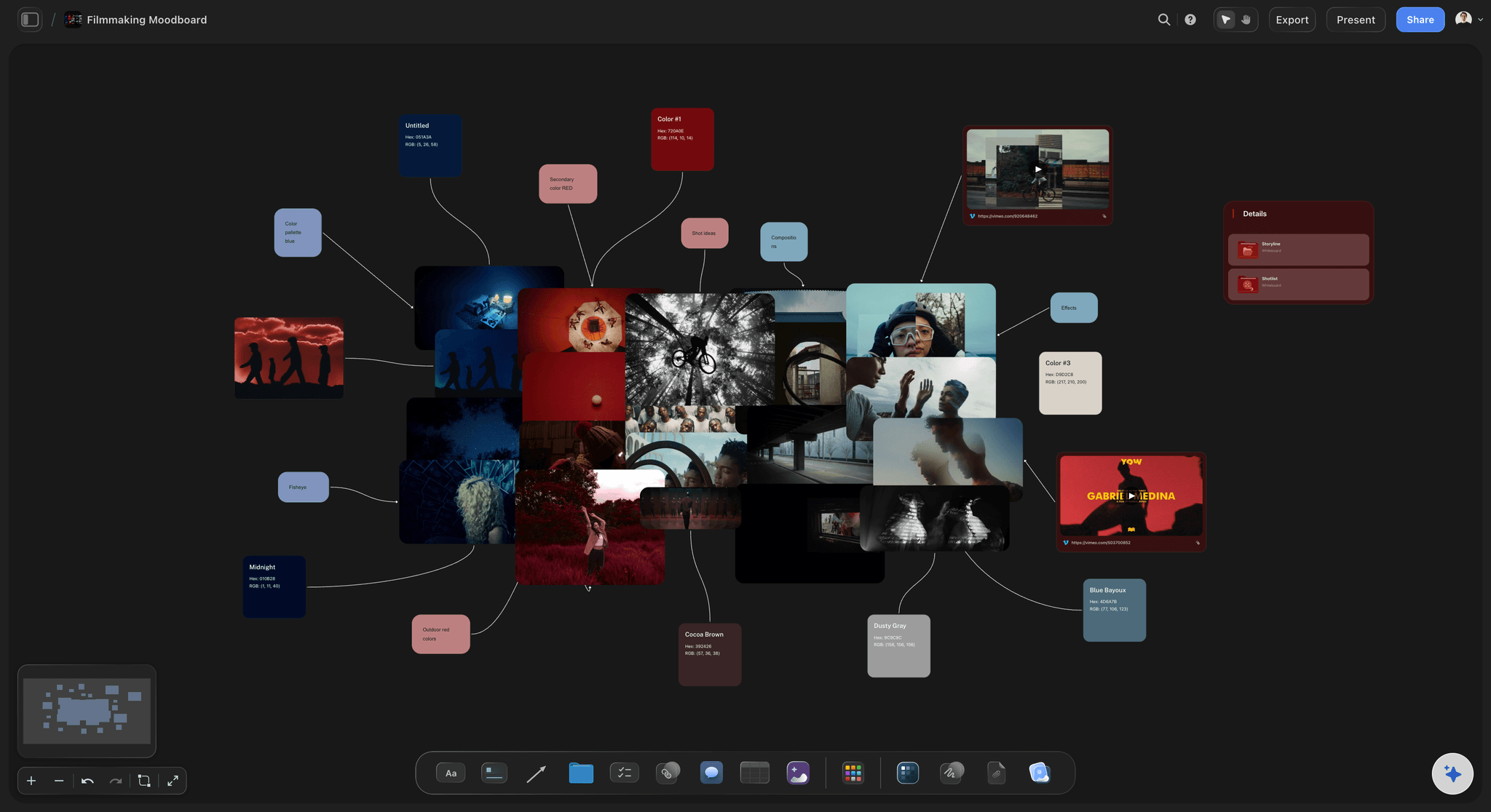
Moodboard on the same canvas: References sit beside the shot list they inform, so how a scene should feel and how many setups it needs are decided together.
Locations against the look: Scout photos next to the frames they have to deliver, which is how a location gets ruled out before it is booked.
One brief for the crew: The DP reads tone and coverage in the same place instead of reconciling a deck against a spreadsheet.
Break three
The schedule is optimistic and nobody notices
Count setups, not pages: The number that decides whether a day works is setups, and it becomes visible the moment shots are grouped by day.
Move a shot, see the cost: Dragging a setup between days shows what it does to the rest, which is a faster argument than a conversation about it.
Weather and light in the same view: Exterior shots grouped by daylight, so the plan that only works in June is obvious in March.
Break four
The crew is reading last week's version
One live link: Share view-only and the board is always current, which removes the export-and-email step that creates stale copies.
No signup to read it: Freelance crew and cast open it in a browser, which is the only way a shared plan actually gets read.
Export for the day: Call sheets and schedules export as image or PDF for the people who want paper on set.
Explore templates for your project
Every template opens as a real, editable board on the infinite canvas. Pick the closest fit and make it your own.
Pre-Production
Pull the brief, script, shot list, and moodboard into one pre-production hub so the whole shoot is planned in one place.
What creators are saying
Join early creators getting structured workspaces and AI that remembers their projects
“Storyflow has sped up my workflow by at least 3x, which means more flow state and more projects I can actually ship. It truly changed the way me and my team create.”

Reilin Joey
Director & YouTuber
“One prompt gets me a structured board. But the tactics are my favorite. I run my YouTube scripts through them and my intros and retention got better. It's amazing.”

Justkay
YouTuber & Freelance Filmmaker
“I used to juggle five apps to plan a project. Now I describe what I am making and get boards, lists, and a schedule. All in one place.”

George
@fernwehchronicles
The workflow, answered.
What producers ask before moving a pipeline onto one board.
Six stages, each derived from the one before it: concept, treatment, breakdown, shot list, schedule and call sheet. The stages are standard; what causes trouble is keeping them in separate tools, because a change to the treatment silently invalidates the shot list, the schedule and the call sheet built from it. Storyflow puts all six on one infinite canvas so downstream material sits beside its source, and the AI reads the whole board, so you can ask what a change affects instead of tracing it by hand.
Storyflow puts all six stages on one infinite canvas: concept, treatment, breakdown, shot list, schedule and call sheet, each one sitting beside the stage it was derived from. When the treatment changes, the AI reads the whole board, so you can ask what the change affects instead of tracing it by hand. The workflow is repeatable, not a one-off board.
Yes, and small productions benefit most. A two-hour content shoot runs the same six stages as a short film, but with nobody whose job is holding them together. The board does that instead of a person.
Yes. Duplicate the finished board and the stages, section labels and order carry over, so the next production starts from structure rather than a blank canvas. There is no project limit on paid plans.
It can draft them. Because the treatment or script is already on the canvas, the AI reads it along with the rest of the active board plus up to five documents and three boards, and produces a first pass you correct. It is a faster start than an empty grid, not a replacement for knowing your own material.
Storyflow has no approvals or time tracking, and is not trying to. This covers the thinking and planning stages where the shape of the shoot is decided. If you run timesheets, keep doing that in the tool that already does it.
Not during early access. Plans start at $7.99 per month billed annually or $9.99 monthly, and a free plan launches before the end of 2026. Anyone a paid member invites to a board joins free today and can invite others.
Yes. A view-only link opens in any browser with no signup, which is what makes a shared plan actually get read by freelance crew who will not create a login for one job.
Post can live on the same board: an edit plan, a paper edit and a deliverables list. The pipeline described here stops at the call sheet because that is where the biggest drift happens, but nothing prevents the board continuing past it.
No. A simple shoot might collapse treatment and breakdown into one section. The value is in the derivations being visible, not in the count, so delete the stages a job does not need.
Yes, and anyone a paid member invites to a board joins free, so bringing a producer, a DP and a first AD onto the board does not change the bill.
Stop reconciling six documents.
Run the whole pipeline on one canvas where a change upstream is visible downstream.