
Extremely reliable pre-production
A testimonial video, planned
from the first call to the last cutdown.
The customer's story, the question arc, the releases, the shoot day, the b-roll and three cuts on one board, which the customer's own team can check before anyone sets up a light.


Creatives working for these brands already got early access
- Red Bull
- Canon
- Artlist
- Porsche
See how easy it is to get started
Watch a real project come together, from a blank board to a finished plan, clicked through step by step.
Start from a ready-made template
Pick a board to see what you can build, then let AI fill it in. Every template is a real, editable starting point on the same infinite canvas.

Pre-Production
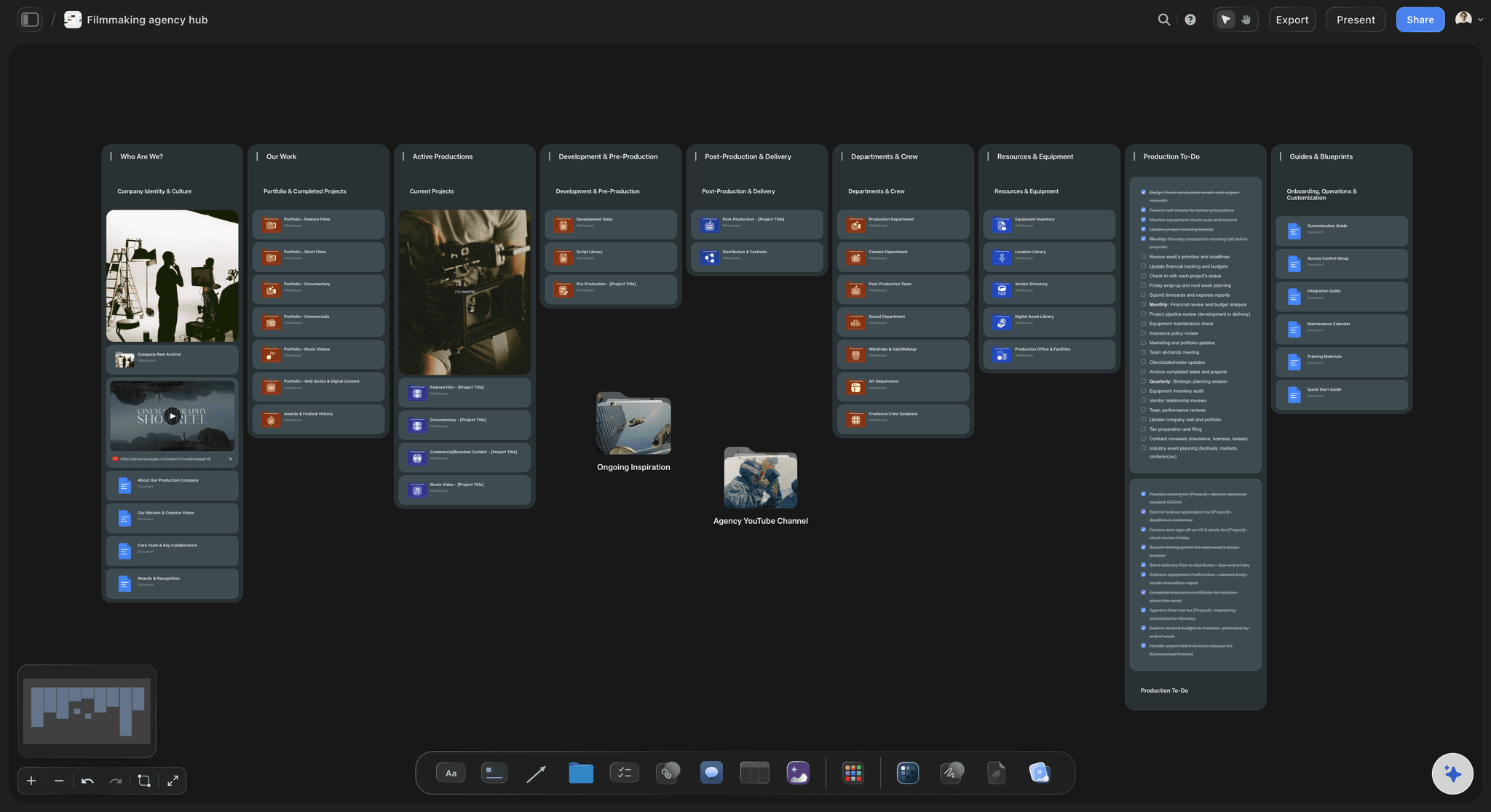
Pull the brief, script, shot list, and moodboard into one pre-production hub so the whole shoot is planned in one place.
How do you plan a testimonial video?
A testimonial video is a customer saying, in their own words, what changed after they chose you, filmed so a buyer believes it. Storyflow is an AI visual workspace that plans the testimonial shoot on one infinite canvas: the question arc, the AI's draft of the shot list and b-roll list, the shoot schedule, and the call sheet PDF. The customer's team checks the board before the day.
Cast the story, not the logo. The customer worth filming has a clear before and after, a result they are allowed to say out loud, plain words instead of jargon, and a company that will sign off. Shortlist three, give each a 20-minute pre-interview call, and film the one whose story you could retell after you hang up.
Every answer has to stand alone. The interviewer's voice is cut from the edit, so ask the customer to fold the question into each answer: "Before we switched, month-end took us over a week," not just "Over a week." Order the questions situation, turning point, result, and leave the numbers until late, when they are relaxed and specific.
The slow step is the customer's sign-off, not the edit. Their comms or legal team will want to read the questions, the release and the cut, and each look can take a week. Send the plan ten working days before the shoot, agree one review round on the edit in writing, and state where the video will run and for how long.
Ultra fast from brief to board
From a customer shortlist to a crew-ready shoot day.
The customer sees the plan before the camera does.
01
Shortlist three customers and call each one
List three customers with a clear before and after, and talk to each one on a short call before you commit. Paste the call notes on the board and the AI lays out the situation, turning point and result each story could carry, for you to judge.
02
Draft the question arc in a Doc
The AI drafts nine prompts in story order from your notes, and you rewrite them in your own words. Keep the figure the customer agreed to share next to the prompt that should draw it out.
03
Plan the day: setups, cutaways, releases
The AI's shot list workflow turns the story into interview setups and cutaways, with the release table, the b-roll list and the shoot schedule beside it. Ask the AI for the day's call sheet PDF, then fill the blanks it could not know.
04
Show the customer's team, then shoot
Share the board with their marketing lead ten working days before the shoot, so legal reads the questions and the release early. On the day, the crew works from the call sheet PDF and the shot list on their phones.
Everything the shoot day needs, beside the customer's story.
Your crew records, your editor cuts and your e-signature tool collects the releases. The board is the plan all three work from.
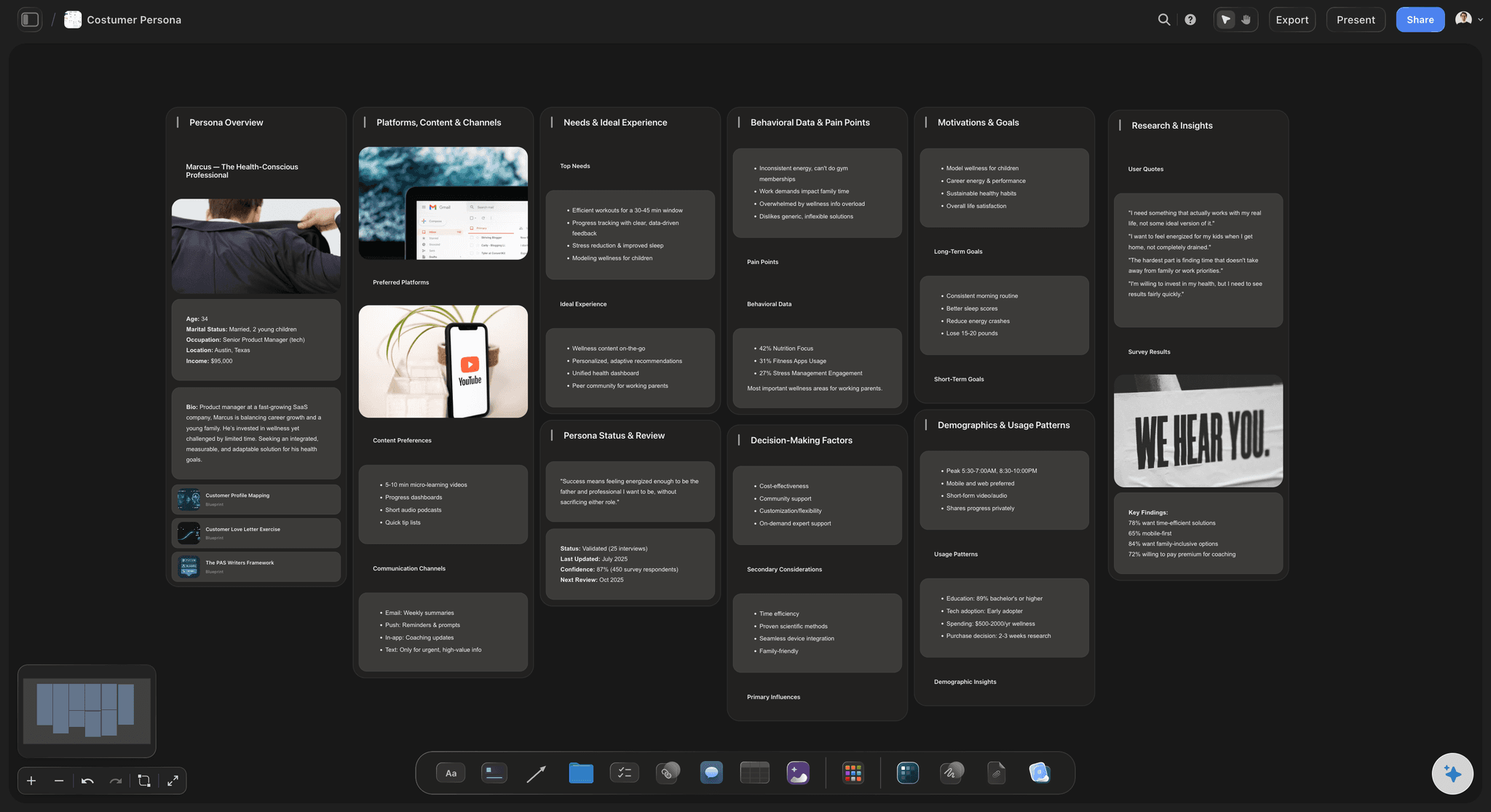
The story before the camera
A question arc that draws out the result
The story shape and the nine prompts sit in a Doc, with the customer's own phrases from the pre-interview beside each prompt. Their marketing lead can leave an inline comment on a question long before anyone is miked up.
See the documentary interview planner →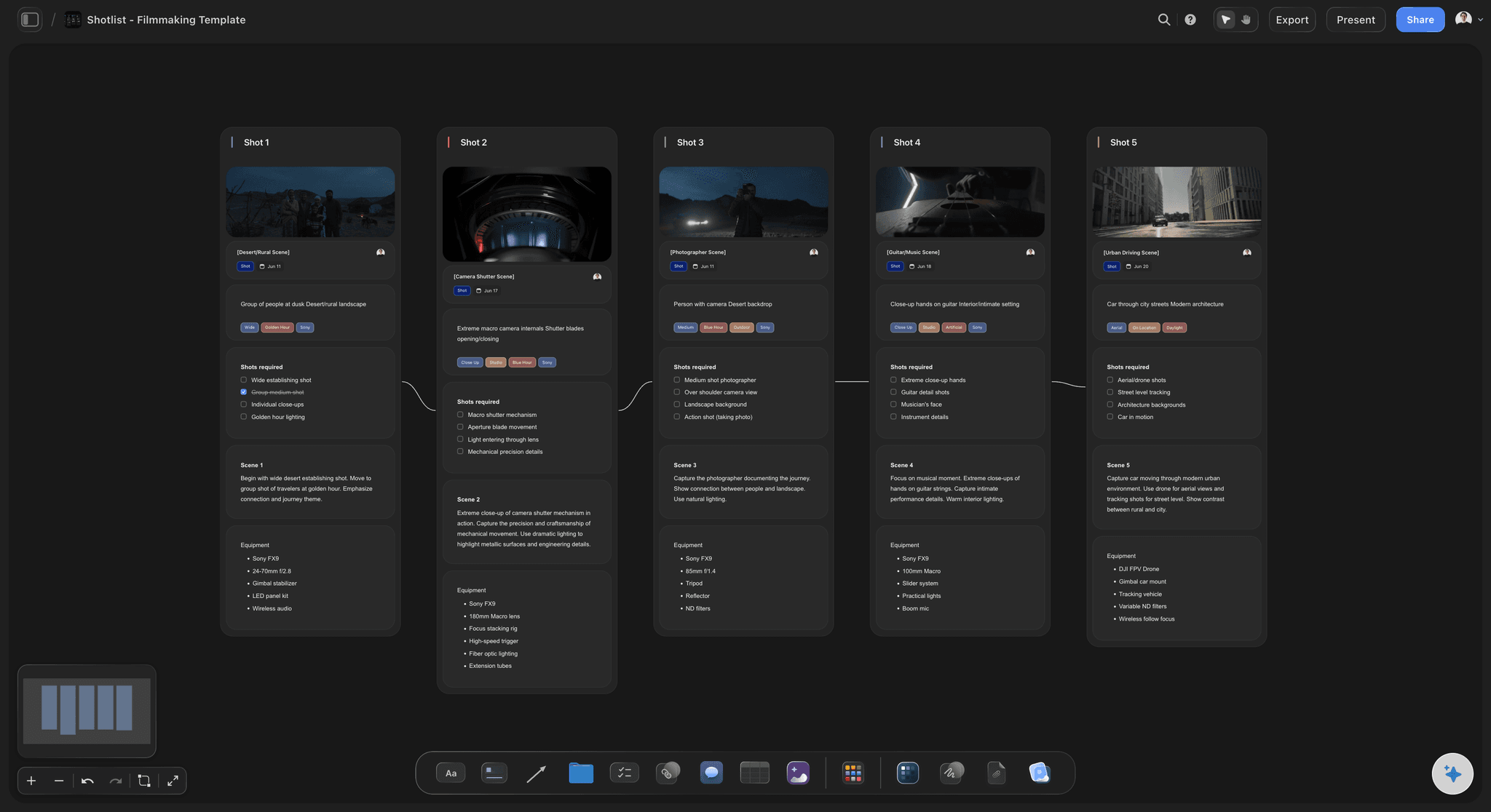
What the editor will cut to
A shot list and a b-roll list built from the story
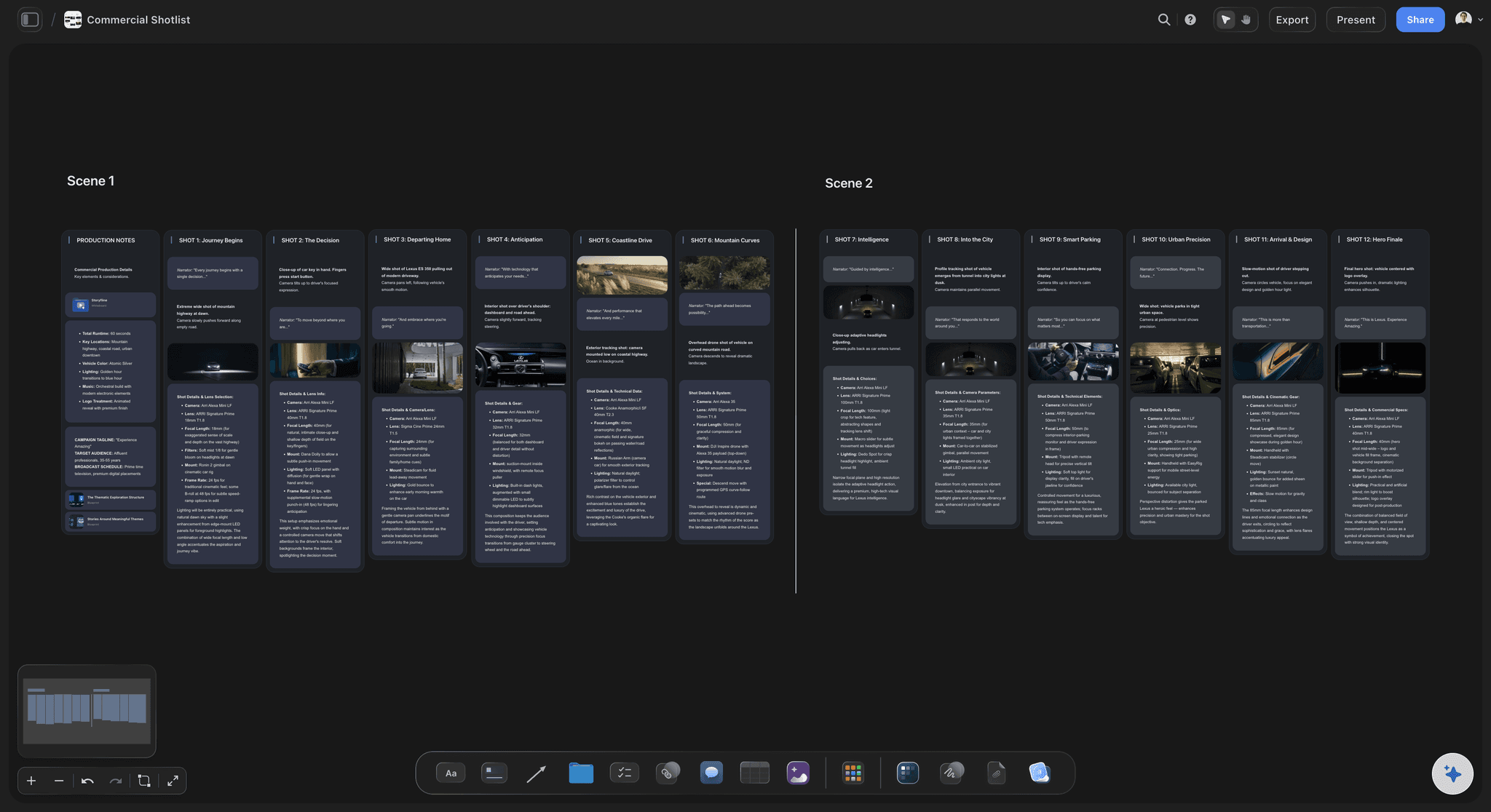
The AI's shot list workflow breaks the story into the A-camera and B-camera interview setups and the cutaways each answer needs: the product in use, the team, the building. Flag the shots the edit cannot live without, then set the order for the day.
See the b-roll planner →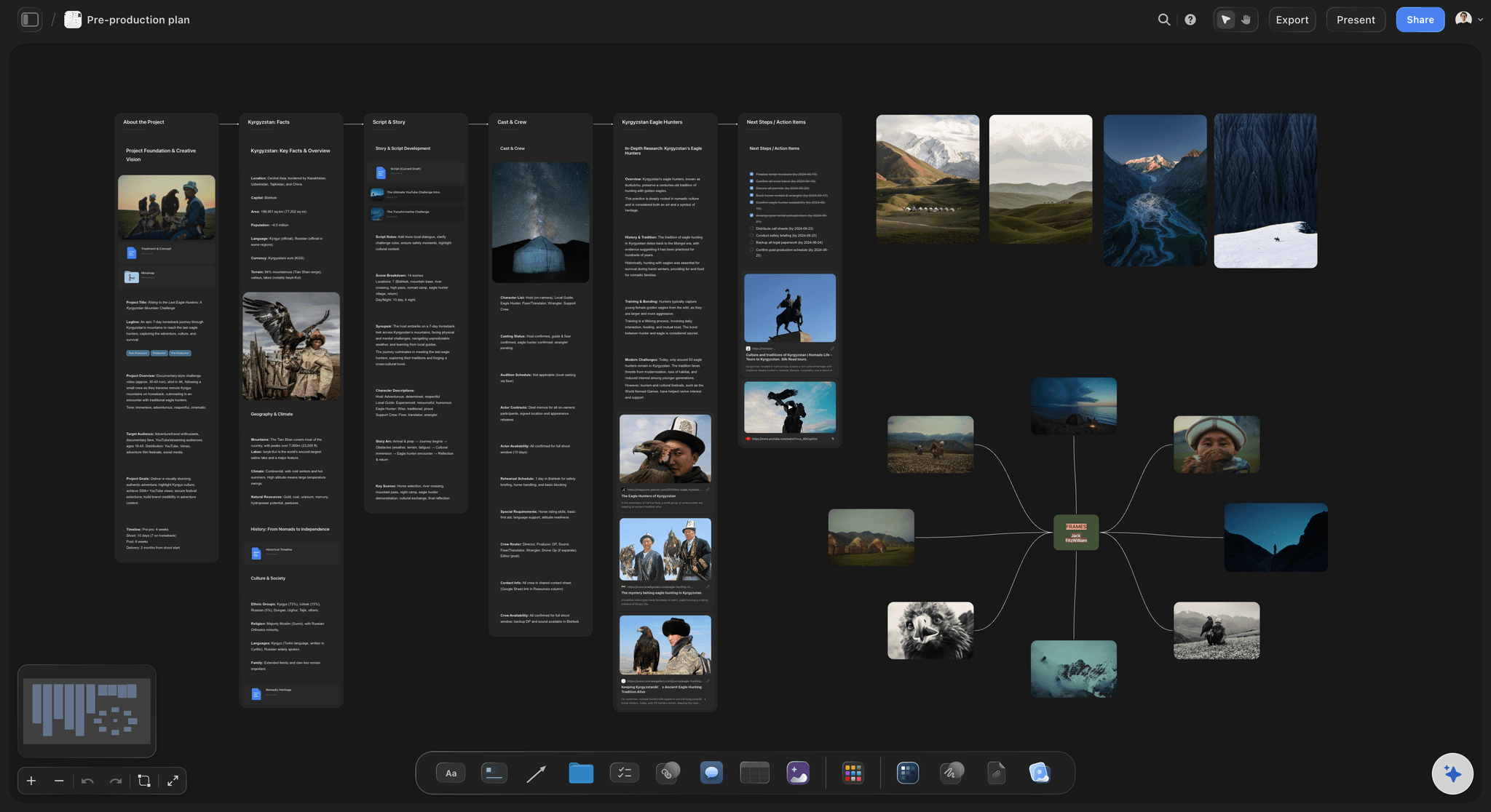
The day on paper
The shoot schedule, the releases and the crew's PDF
Keep the shoot schedule in a table with rows kept in time order, and the release table with one row per person on camera and a status. The AI drafts the call sheet PDF from the board and leaves a blank wherever it could not know the answer.
See the call sheet template →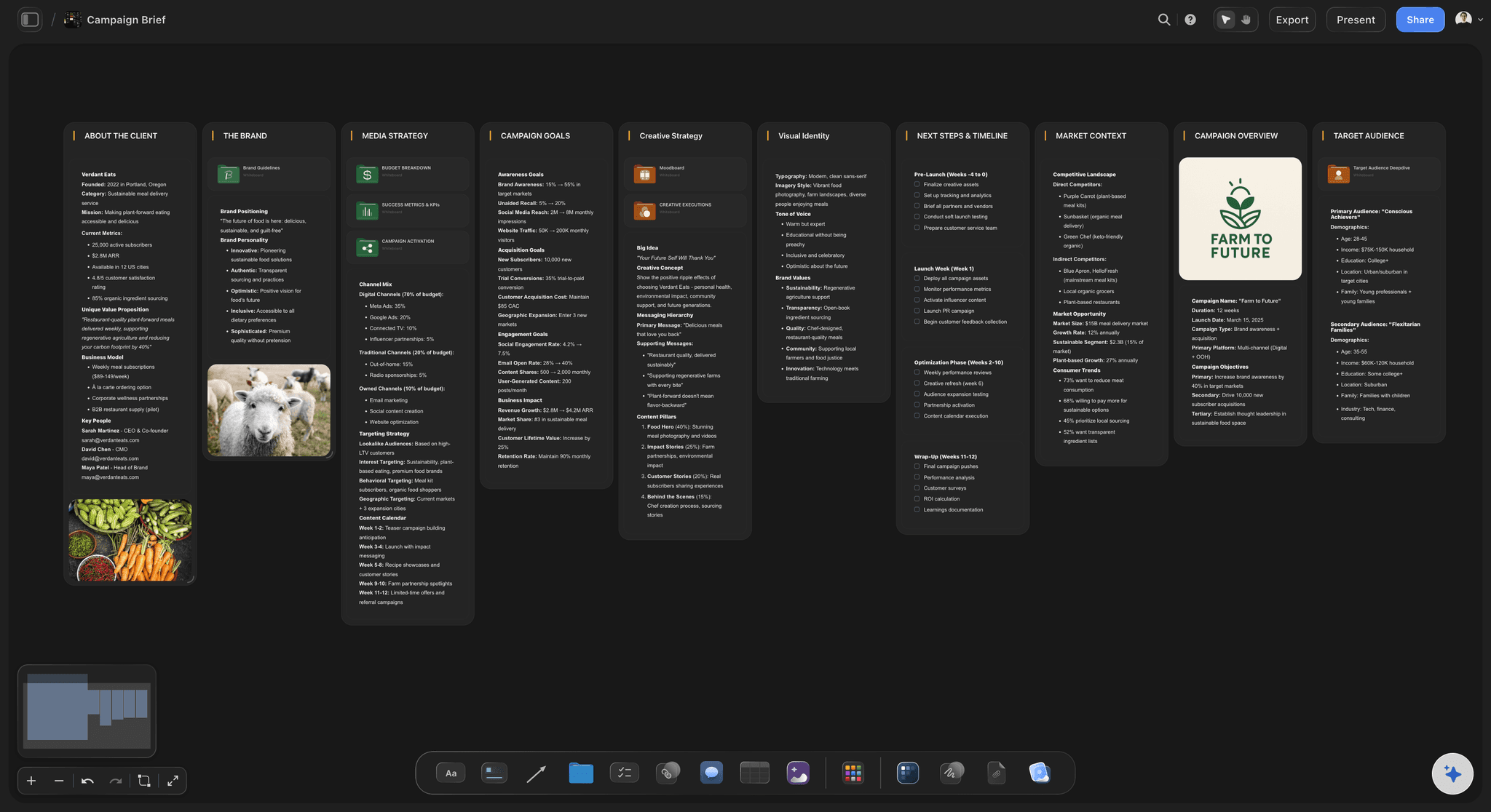
Read by their legal team first
One link for the customer's team
The customer's marketing lead opens the board from a view-only link with no account, and signs in to comment beside a question or a line of the release. Export the whole board as a PDF for their lawyers, or have the AI write the question arc as a Word file they can redline.
See corporate video production →A board for every customer story you film.
Duplicate the testimonial that worked and swap in the next customer's story, questions and releases. Storyflow is paid-only during early access, with plans from $7.99 a month billed annually ($9.99 monthly). A free plan launches before the end of 2026, and anyone a paid member invites to a board joins free.
Each customer story on its own board, with unlimited boards and uploads on paid plans
AI that drafts the story shape, the question arc, the shot list and the day's call sheet
Tables with status and date columns for the release table and the shoot schedule
View-only links for the customer's team, whole-board PDF export and presentation mode
Built for people with taste
The story shape, the question arc, the shoot day and the cuts.
Nine prompts and four cuts from one shoot day, sized for a 60 to 90-second customer story. A longer case study film keeps the shape and adds a second interview.
Before anyone is booked
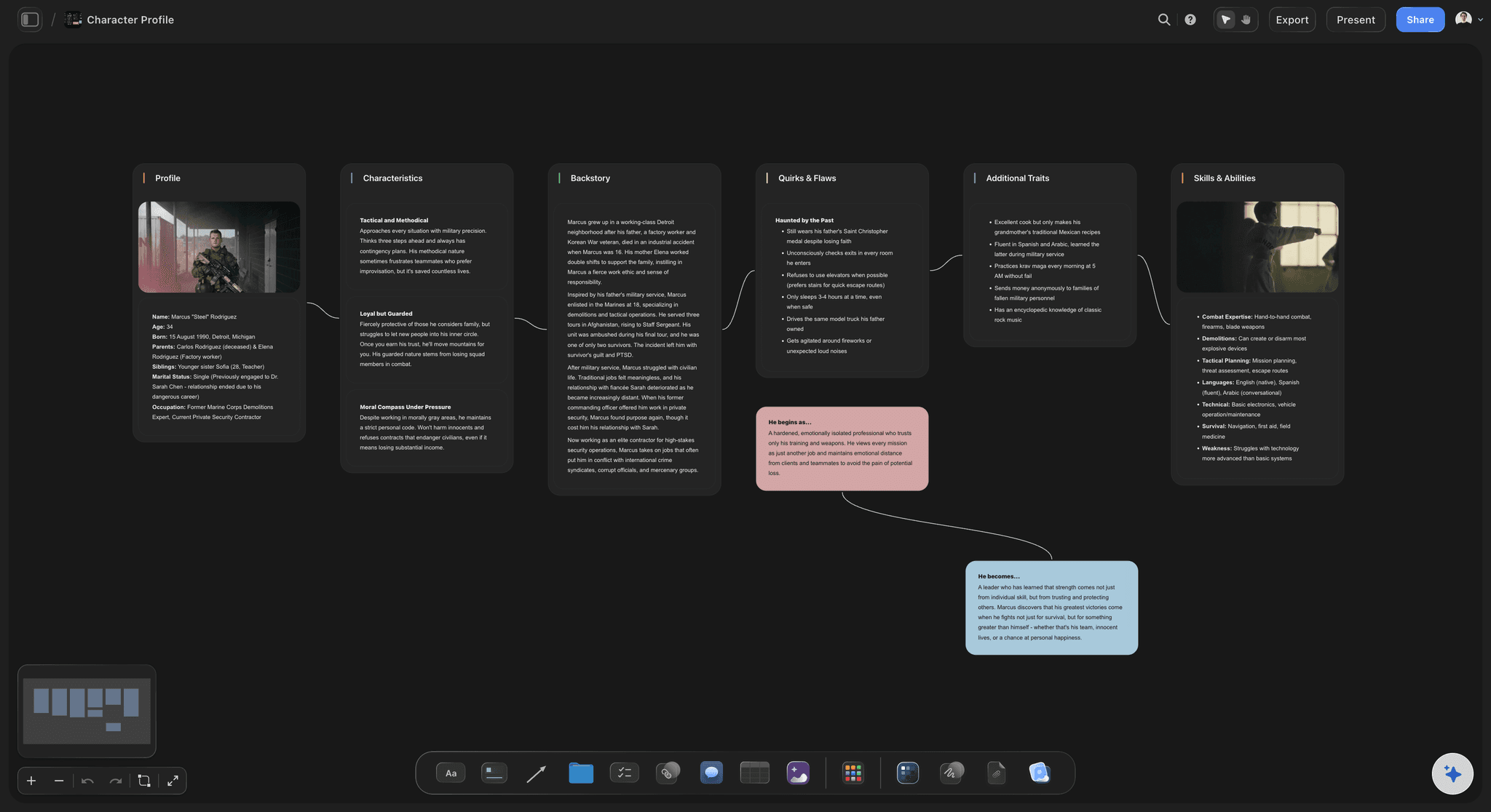
Choosing the customer and the story
Three candidates, one pre-interview each: Ask sales and customer success for customers with a result they are proud of, then call three for 20 minutes each. You are listening for a story you could retell, not for enthusiasm.
The story shape: situation, turning point, result: The situation is what their work looked like before, the turning point is the moment they chose you or first saw it work, and the result is what is different now. A story with no turning point sounds like an advert.
A number they are allowed to say: Hours saved, errors gone, customers kept: agree the figure on the pre-interview call and get their company to confirm it in writing. A number their legal team strikes in review leaves a hole in the edit.
One approver on their side: Name the person at the customer's company who approves the question list, the release and the cut. Without a name, the review waits in someone's inbox.
Nine prompts, in story order
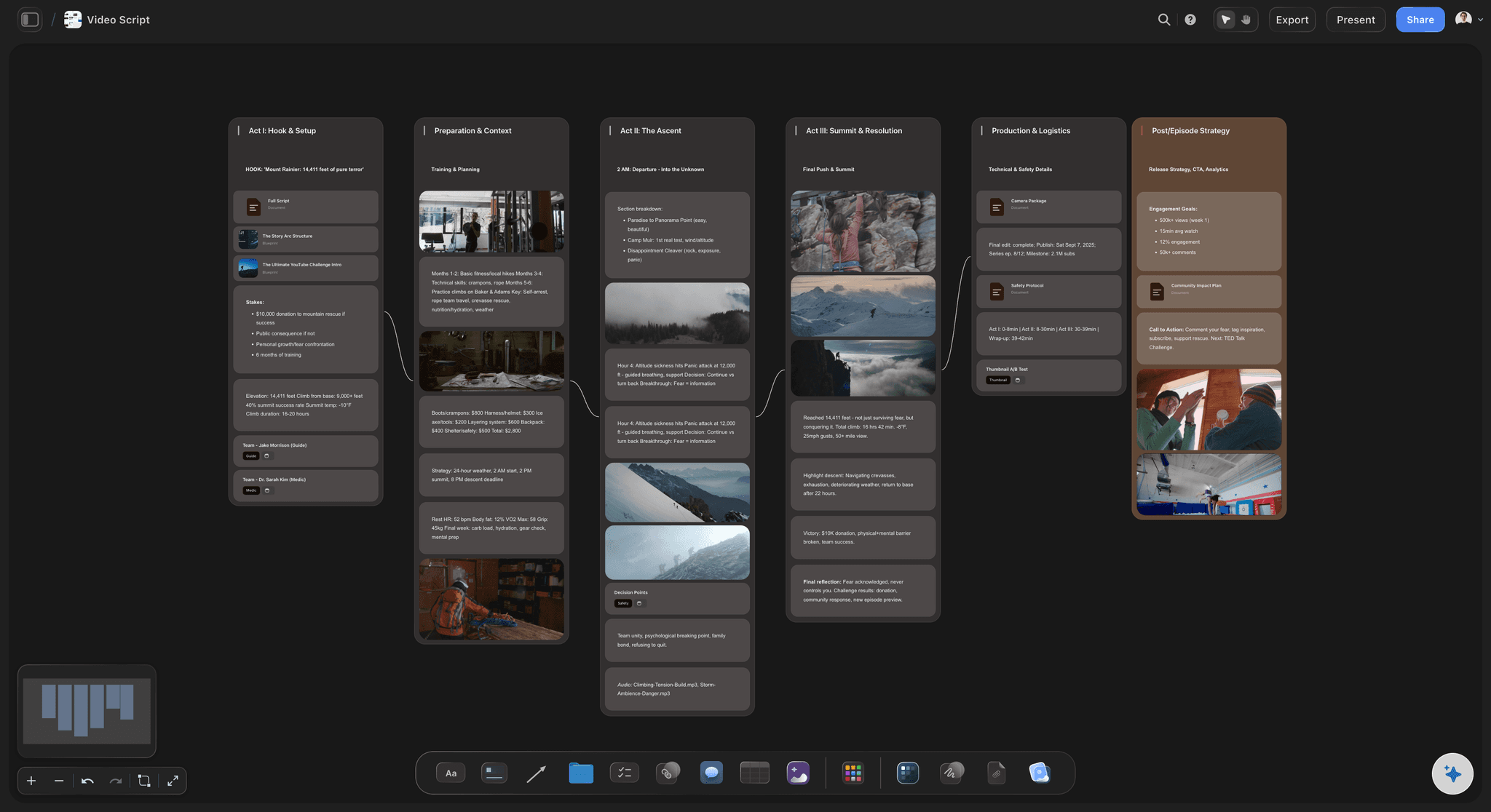
The question arc
1 to 2. Who they are: 1. Please say and spell your name and your job title. 2. What does your team do, and who depends on it?
3 to 4. The situation before: 3. What did a normal week look like before you switched? 4. What was that costing you, in time, money or patience?
5 to 6. The turning point: 5. Why did you pick us over the other options you looked at? 6. When did you first notice it working?
7 to 9. The result and the send-off: 7. What is different now, in a number if you have one? 8. Who would you tell to use it, and why? 9. What did we not ask that you want to say?
The shoot-day checklist
Releases, room tone and the product on set
Releases signed before the camera rolls: An appearance release for everyone on camera, permission to film at their site, and written permission to show their logo, product and any screen with data on it. If you thank the customer with a discount or a gift, disclose it wherever the video runs.
Two cameras, a lav and a boom: A-camera on a medium shot and B-camera tighter, about 30 degrees off to one side, so a stumble can be cut without a jump. Record the lav and the boom on separate channels, so the editor can switch to the boom when the lav catches clothing rustle.
Room tone, and the product in the room: Switch off air conditioning and fridges, and record 30 to 60 seconds of room tone before anyone leaves. Put the product where it is really used: the laptop open on the dashboard, the box on the shelf.
Interview first, b-roll after: Film the interview while the customer is fresh, then work through the b-roll list: their hands on the product, the team at work, the building and the sign outside. Match the b-roll to what they said, so the editor can cover every cut.
Four cuts from one interview
One hero cut, then a shorter cut for each place it runs
Hero cut in 16:9, 60 to 90 seconds: The whole story for the website, sales emails and the case study page, with the name and title as a lower third. Open on the customer's strongest line, not your logo.
30-second cut: 1:1 or 4:5: The situation and the result, for LinkedIn and paid social feeds that often play muted, so burn the captions in. Open on the result line, then cut back to the problem it ended.
Two 15-second cuts: 9:16: One strong line each, for Reels, Shorts and stories, with captions and a logo end card. Pick lines that make sense without the rest of the story.
One review round, agreed in writing: Send the customer's approver the hero cut first, for the one round of notes agreed at the start. The cutdowns reuse lines they have already approved, so agree up front that they do not go back for a full review.
Explore templates for your project
Every template opens as a real, editable board on the infinite canvas. Pick the closest fit and make it your own.
Pre-Production
Pull the brief, script, shot list, and moodboard into one pre-production hub so the whole shoot is planned in one place.
One app instead of five
Storyflow vs Vocal Video, Notion and Google Docs for testimonials.
Vocal Video collects testimonials customers record themselves and edits them into branded videos. Notion and Google Docs hold a written plan. Storyflow plans the testimonial your crew films, with the story, the shots and the footage on one board.
Storyflow
Recommended
Shot list for a crewed shoot day
Frames grabbed from a reference clip
Reference clip plays beside the plan
Customer records remotely on a phone
Recordings edited into a branded video
Vocal Video
Shot list for a crewed shoot day
Frames grabbed from a reference clip
Reference clip plays beside the plan
Customer records remotely on a phone
Recordings edited into a branded video
Notion
Shot list for a crewed shoot day
Frames grabbed from a reference clip
Reference clip plays beside the plan
Customer records remotely on a phone
Recordings edited into a branded video
Google Docs
Shot list for a crewed shoot day
Frames grabbed from a reference clip
Reference clip plays beside the plan
Customer records remotely on a phone
Recordings edited into a branded video
What creators are saying
Join early creators getting structured workspaces and AI that remembers their projects
“Storyflow has sped up my workflow by at least 3x, which means more flow state and more projects I can actually ship. It truly changed the way me and my team create.”

Reilin Joey
Director & YouTuber
“One prompt gets me a structured board. But the tactics are my favorite. I run my YouTube scripts through them and my intros and retention got better. It's amazing.”

Justkay
YouTuber & Freelance Filmmaker
“I used to juggle five apps to plan a project. Now I describe what I am making and get boards, lists, and a schedule. All in one place.”

George
@fernwehchronicles
Customer testimonial videos, answered.
Choosing the customer, the questions, the release, the shoot day and the cuts.
Storyflow plans a filmed customer testimonial on one board: the story shape and question arc in a Doc, interview setups and cutaways drafted by the AI, the shoot schedule, and a call sheet PDF the crew can open on a phone. The customer's team opens the board by link with no account or reads it as a PDF. When customers should record themselves instead, Vocal Video, VideoAsk and Testimonial.to collect recordings from a link.
Pick one customer from a shortlist of three, run a 20-minute pre-interview, write a question arc of eight to ten prompts, and send the plan and the release to their approver. Then film the interview and the b-roll in one day, and edit a hero cut and two or three cutdowns with one review round. In Storyflow each step lives on the same board.
Pick the customer with the clearest before and after, a result their company will let them share, and an approver who will say yes. Plain speech matters more than seniority: a team lead who explains the problem simply beats a vice president who talks in slogans. Match the customer to the buyer you want to reach, so a prospect sees their own job on screen.
Story order: who they are, the situation before, what it cost them, why they chose you, when it started working, what is different now, and who they would recommend it to. Ask for numbers late, once the customer is relaxed. Ask them to put the question into each answer, since your voice will be cut. Eight to ten prompts is plenty for a 90-second film.
An appearance release from everyone on camera, permission to film at their site, and written permission to show the company's name, logo, product and any screen with data on it. The release should say where the video runs, for how long, and whether it can be cut into paid ads. Storyflow keeps a table of who has signed; the signing itself happens on paper or in an e-signature tool.
A hero cut of 60 to 90 seconds covers the whole story for the website and sales emails. Then cut a 30-second version for LinkedIn and paid social, and one or two 15-second vertical cuts, each built on a single strong line. A two to three-minute case study film works when the buyer is technical and the result needs explaining.
Film what the customer talks about: the product in use, their hands on it, the screen or shelf where it lives, the team at work, the building and the sign outside, plus a few quiet shots of the customer away from the interview chair. Build the b-roll list from the question arc, so every answer has a picture the editor can cut to.
Choose a quiet room where the customer really works, switch off the air conditioning, and seat them with depth behind them. Put A-camera on a medium shot and B-camera tighter and off to one side, with a lav and a boom on separate channels. Sit the interviewer just beside the lens so the eyeline stays slightly off camera, and record room tone before you pack up.
Self-recorded testimonials reach more customers with less effort; filmed ones give you control of light, sound and story. If you want recordings from a link, Vocal Video, VideoAsk and Testimonial.to collect them, and Vocal Video also edits them into branded videos. Storyflow plans the filmed kind: it does not record, edit or collect release signatures.
It can draft the paperwork around the interview, never the interview itself. Paste your pre-interview notes into Storyflow and its AI drafts the story shape, a question arc and a b-roll list on the board, breaks the story into camera setups and the shots each answer needs, and can write up the day as a call sheet PDF. It cannot know what the customer will say on the day, so leave room for it.
A common shape is six weeks: a week to shortlist, pre-interview and pick the customer, two weeks while their team reads the plan, the questions and the release, the shoot day, two weeks for the edit and their review round, and a final week for cutdowns and captions. Their approvals set the date more than the edit does, so send the plan early.
Not during early access. Storyflow is paid-only during early access, with plans from $7.99 a month billed annually ($9.99 monthly). A free plan launches before the end of 2026, and anyone a paid member invites to a board joins free. Your customer's team pays nothing to read the plan.
More from Storyflow
In-house content production
Corporate video production
Documentary interview planner
B-roll planner
Shot list template
Call sheet template
Video production proposal template
Product launch video
Brand film planning
Video pre-production
How to set up an interview shoot
How to write a case study
Pricing
Simple AI storyboarding tool
Real estate video planning
Plan the story, then film the customer.
Open a canvas, paste your pre-interview notes, and give the customer's approver one link to read. No download.