
Extremely simple, seriously capable
Photo collage maker: arrange photos your way.
Skip the rigid grid templates. Drop your photos onto an infinite canvas, overlap them, resize them, and compose a collage that looks the way you imagined it, not the way a preset allowed it.


Add your photos
Drop JPG, PNG, or WebP images onto the canvas and start composing your collage.
Upload your photosUnlimited boards
Free plan before the end of 2026
Works in your browser
How it works
How to make a photo collage online.
Three steps from a folder of photos to a finished composition.
1
Add your photos
Open a board and drag your JPG, PNG, or WebP images straight onto the open canvas. Drop in several at once and spread them out to see everything you have.
2
Compose freely
Move, resize, and overlap photos with no fixed grid. Use frames and walls to group sections of the collage, and Remove BG when you want clean cutouts instead of rectangles.
3
Export or share
Export the finished collage as an image or PDF, or send a view-only link so friends, clients, or teammates can see it exactly as you composed it.
Creatives working for these brands already got early access
- Red Bull
- Canon
- Artlist
- Porsche
See how easy it is to get started
Watch a real project come together, from a blank board to a finished plan, clicked through step by step.
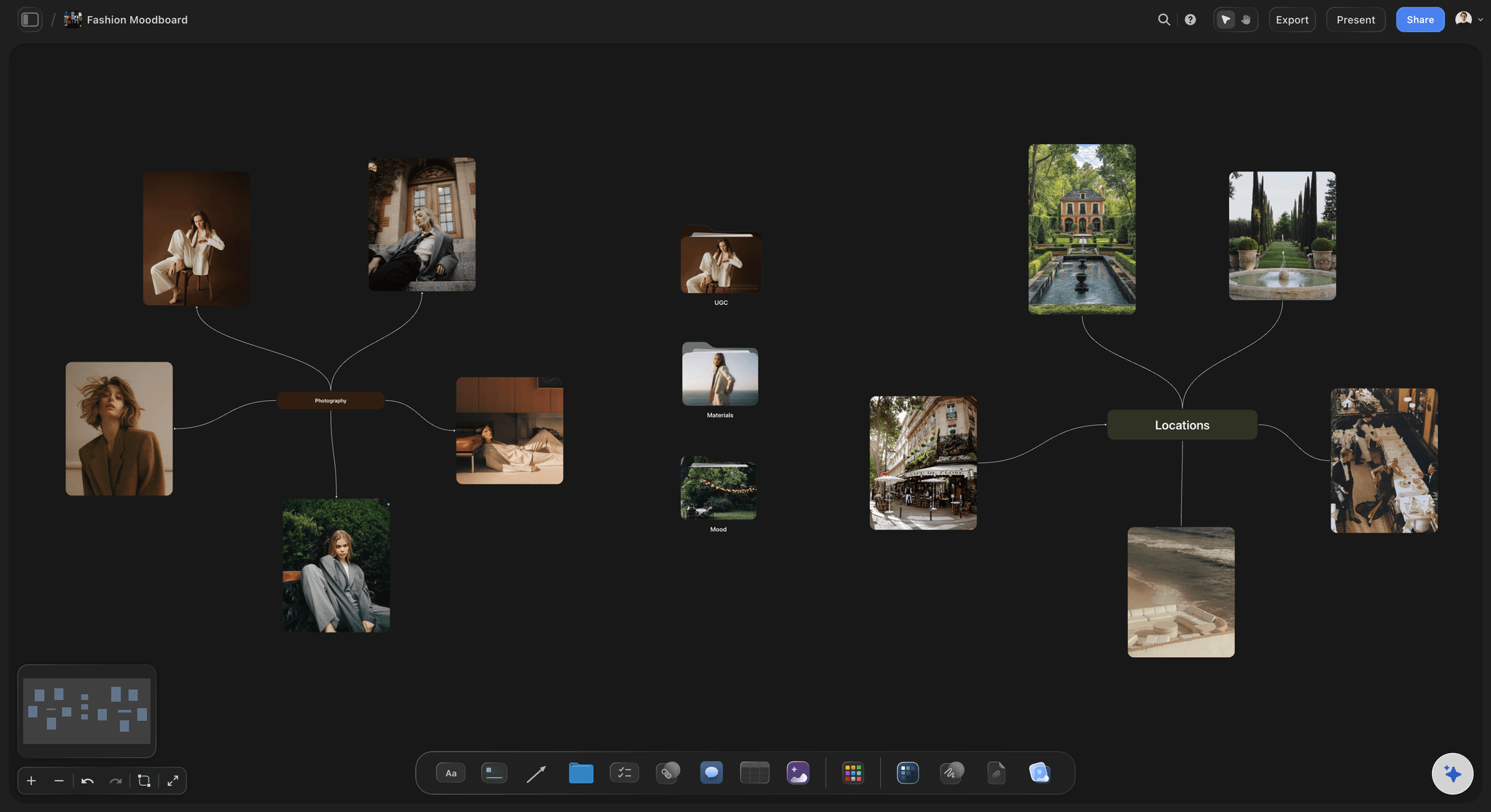
No grid, no template, no compromise.
Most collage makers force your photos into preset cells. Storyflow gives you an infinite canvas instead: place each photo exactly where you want it, tilt the balance toward a hero image, tuck details into corners, and let the composition breathe.
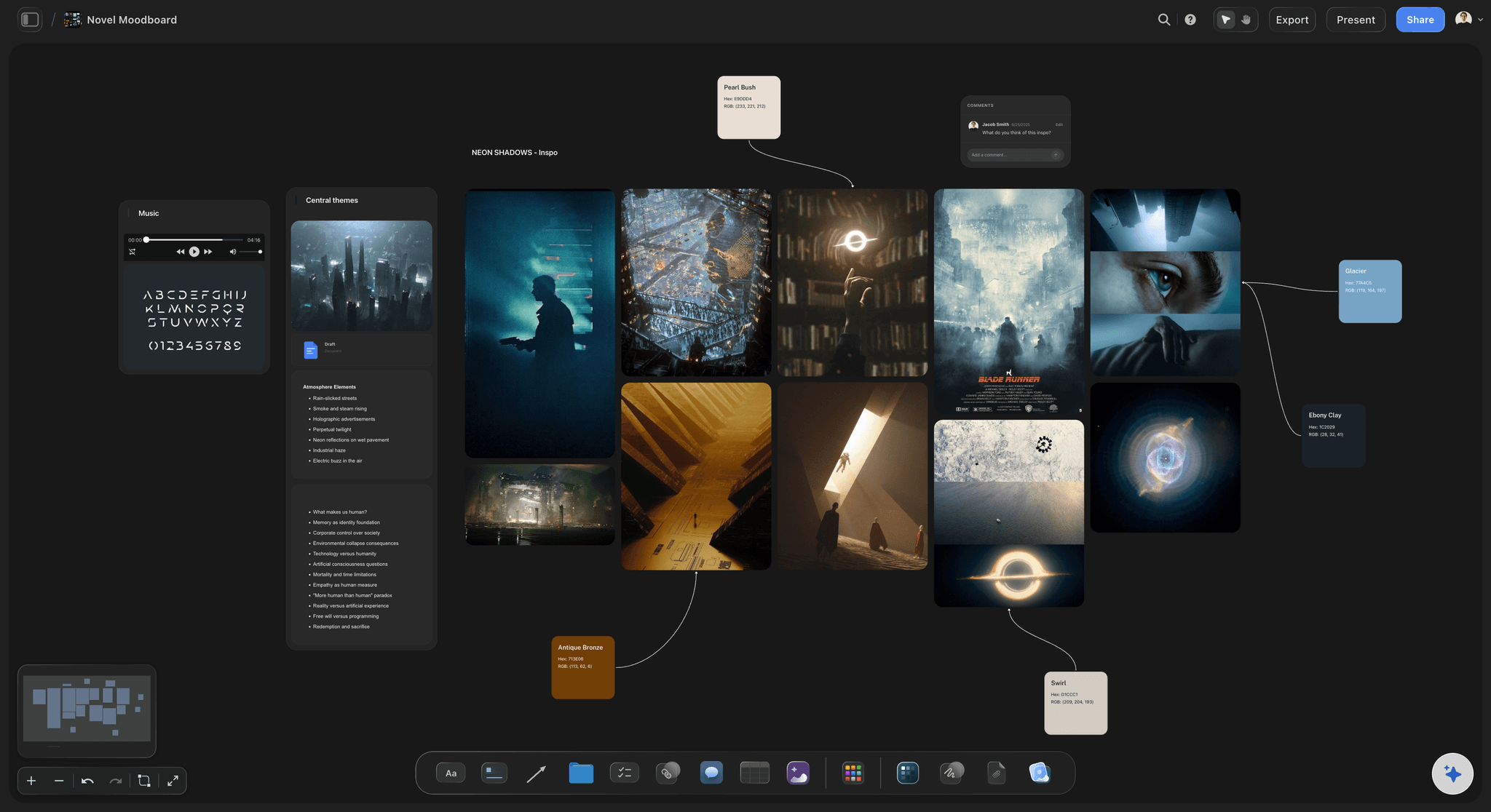
Cut out subjects for layered collages.
Select any photo and hit Remove BG to erase its background in one click. Layer clean cutouts over full-bleed images for scrapbook-style collages, product compositions, and portrait pieces that feel designed rather than assembled.
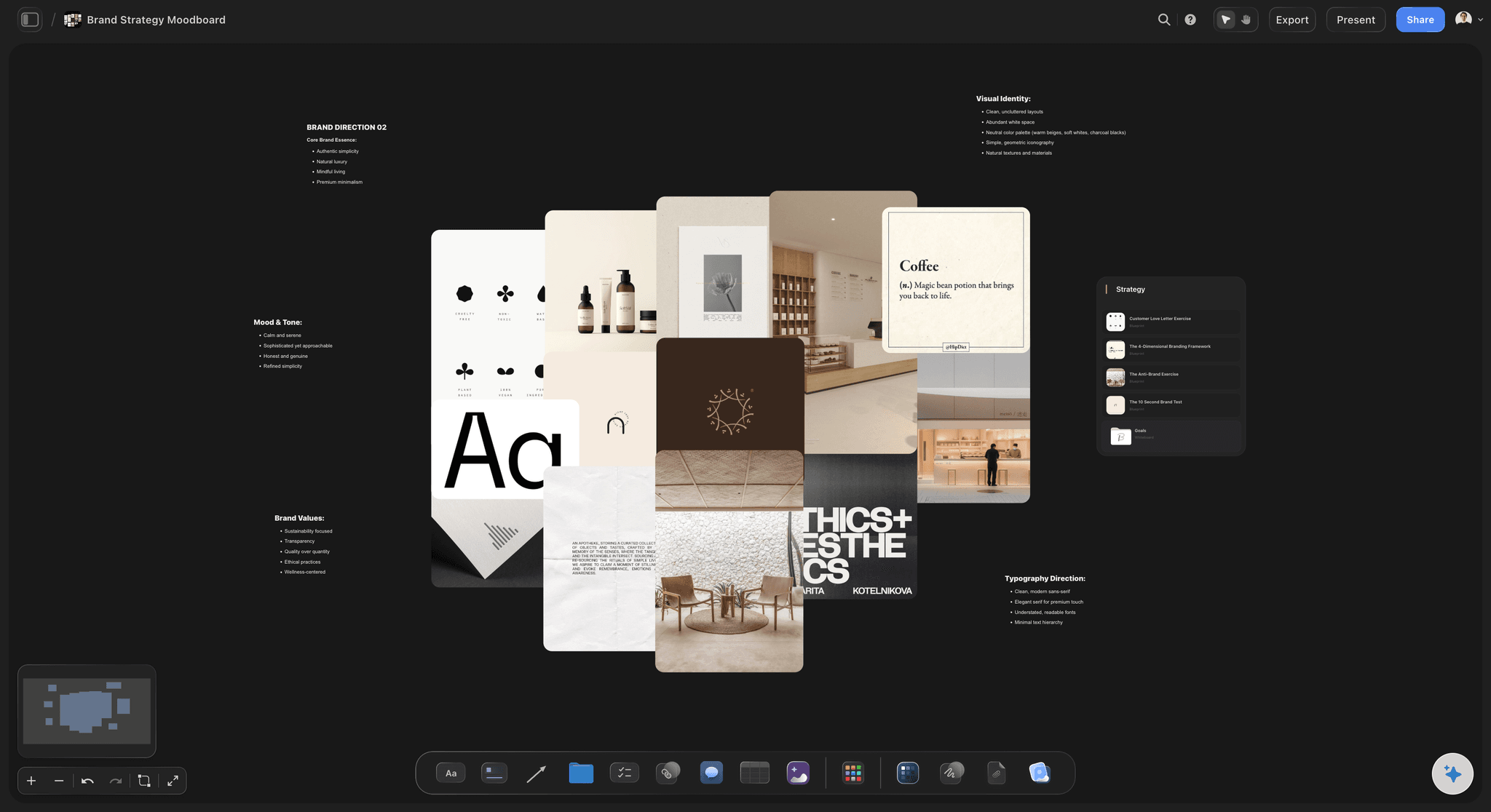
Structure big collages with frames and walls.
When a collage grows, frames and walls keep it organized. Build one section per theme, chapter, or product line, then zoom out to see the whole piece at once. One board can hold the entire project.
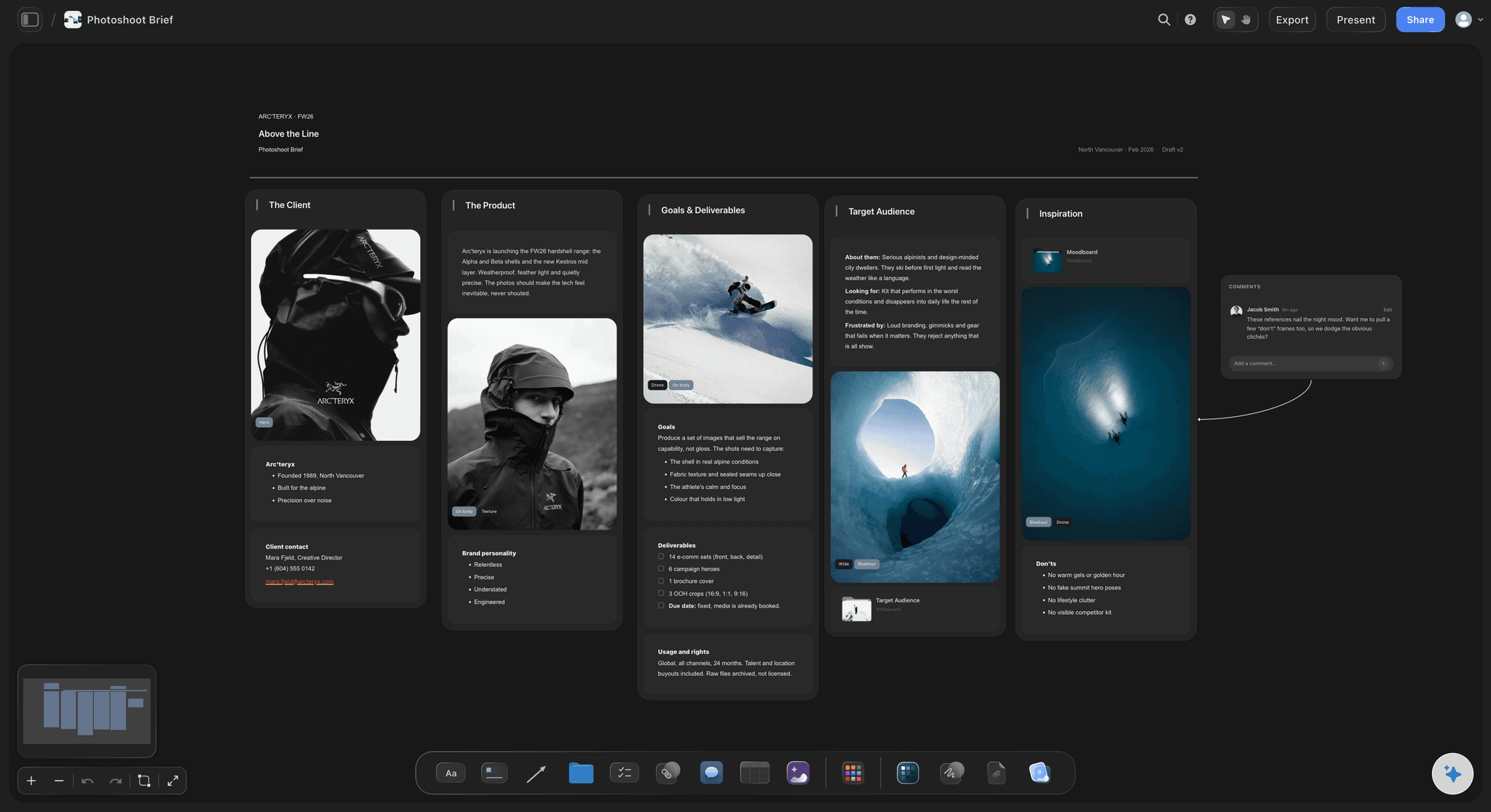
Share it, print it, or keep building.
Export your collage as an image or PDF when it is ready for printing or posting. Or keep it living on the canvas, add notes and captions around it, and share a view-only link that always shows the latest version.
A photo collage maker without the grid.
Storyflow is a freeform photo collage maker built around placing photos by hand. Instead of picking a layout template and squeezing images into it, you drop JPG, PNG, and WebP files onto the board and compose: overlap, resize, and align until the arrangement feels right. It is the difference between filling in a form and actually designing.
What is free today, and what is coming.
There is nothing to install. Two things are free today. Anyone a paid member invites to a board signs up and joins free. A view-only link opens in any browser with no account, and signing in is only needed to comment. A free plan launches before the end of 2026. Until then Storyflow is paid-only, from $7.99 a month billed annually ($9.99 monthly), and every paid plan includes unlimited boards, unlimited file uploads, unlimited background removals and upscales, AI usage and 200+ tactics. When a collage is done, export it as an image or PDF, or share a view-only link.
More than a one-off collage.
Because your collage lives on a canvas, it can grow into something bigger. Add sticky notes and captions, crop and upscale individual photos, remove backgrounds for cutout effects, and sit the collage next to moodboards, briefs, and plans on the same board. One workspace covers the whole creative project.
What creators are saying
Join early creators getting structured workspaces and AI that remembers their projects
“Storyflow has sped up my workflow by at least 3x, which means more flow state and more projects I can actually ship. It truly changed the way me and my team create.”

Reilin Joey
Director & YouTuber
“One prompt gets me a structured board. But the tactics are my favorite. I run my YouTube scripts through them and my intros and retention got better. It's amazing.”

Justkay
YouTuber & Freelance Filmmaker
“I used to juggle five apps to plan a project. Now I describe what I am making and get boards, lists, and a schedule. All in one place.”

George
@fernwehchronicles
Frequently asked questions.
Freeform layouts, cutouts, and getting the collage out.
Open a board and drag your photos onto the canvas. Arrange them freely by moving, resizing, and overlapping, then export the result as an image or PDF or share a view-only link.
Not yet. Storyflow is paid-only during early access, with plans from $7.99 a month billed annually ($9.99 monthly). A free plan launches before the end of 2026, and anyone a paid member invites to a board joins free. Every paid plan covers the whole collage workflow: unlimited file uploads for your photos, unlimited boards to compose on, and unlimited Remove BG cutouts and upscales.
That is exactly what Storyflow is for. There are no preset cells or fixed layouts: you place every photo yourself on an open canvas, so the collage can be as loose or as structured as you want.
Yes. Select any image on the canvas and click Remove BG to erase its background in one click. The transparent cutout can then be layered over other photos for a scrapbook or magazine effect.
You can drop JPG, PNG, and WebP images onto the canvas. Each photo can then be cropped, upscaled, or background-removed individually before it goes into the collage.
Both are one click away. Export the collage as an image or PDF when it is headed for print or a post, or hand out the board's view-only link; whoever opens it sees the composition in their browser with no account, and signs in only to comment.
Make your next photo collage in Storyflow.
Drop your photos on a board, compose them your way, and export or share the result. Paid-only in early access, with a free plan before the end of 2026.