
Category
Video Production
Author

Storyflow Team
Product & Research Team
Topics
2026-11-15
•
32 min read
•
Video Production- video production proposal template
- video proposal sections
- video production pricing
- proposal vs treatment
- revision rounds
- Storyflow
What should a video production proposal include?
Storyflow builds a video production proposal on one board in ten sections: summary, the brief played back, creative approach, deliverables, production plan, schedule, pricing, revisions, rights and usage, and terms. Storyflow is an AI visual workspace that lays out a proposal's frames, scope and price on one infinite canvas the client opens by link, and it works inside ChatGPT (plugin) and Claude (connector). In Storyflow, write two revision rounds into every package price; a third round is a change order.

Full disclosure: Storyflow is our product. This guide compares kinds of tool rather than brands on purpose. Storyflow is listed first because a proposal's frames, scope and price share one board; it has no proposals module, e-signature, invoicing or payments, it is paid-only during early access, and the 2-Round Rule is our editorial recommendation, not research.
How the video production proposal tools compare on trust, innovation, ratings and pricing
Which video proposal tools are the most trusted?
Proposal software is trusted for the transaction: e-signature, deposits and a record of when the client opened it. A shared doc is trusted for contract wording. Storyflow is newer, with its ChatGPT plugin live since 24 October 2026; its case is the creative half, where reference frames, deliverables and packages sit on one board that becomes the production plan once the client says yes.
Which video proposal tools have fair pricing?
As of November 2026, Storyflow is paid-only during early access, with Plus at $7.99 a month billed annually ($9.99 monthly). A client opens a proposal board by a view-only link with no account, and anyone a paid member invites to edit joins free, so the client never costs a seat. Proposal software usually charges per sender, which adds up for a studio of several producers.
Which video proposal tools are the most innovative?
The useful innovation is an assistant that builds the proposal where the client will read it. Storyflow lets ChatGPT or Claude lay out the section walls, the deliverables table and the pricing grid on a board, and its in-app AI designs a one-pager or deck PDF from that board, while the price and terms stay with the producer.
Which video proposal tools hold up after the client signs?
A proposal holds up when it becomes the plan instead of a PDF in an inbox. On a Storyflow board the creative wall turns into the shot list and the deliverables table into the delivery tracker, so scope disputes are settled against the same board. A signed PDF from proposal software holds up as the legal record.
Which approaches to video proposals are underrated?
Writing revision rounds into the price table instead of the small print is underrated, because clients read tables. So is a one-paragraph summary written last, which is the part a client forwards to whoever signs. In Storyflow both are a single card on the proposal board.
Quick Comparison
Our pick first, on the basis that the creative approach, scope and price share one board that becomes the production plan, then other kinds of tool by the job they do best. Storyflow's price as of November 2026.
| Tool | Best For | AI Features | Price |
|---|---|---|---|
| Storyflow | Reference frames, deliverables, schedule and packages on one board the client opens by link | In-app AI designs a one-pager or pitch deck PDF from the board on paid plans; ChatGPT plugin and Claude connector build the walls and tables | $7.99 mo annual, paid-only in early access |
| Proposal software | E-signature, deposits and view tracking | Depends on the app | Varies |
| A shared doc | Contract wording and a short, text-led proposal | Depends on the app | Varies |
| A slide deck | A pitch presented live | Depends on the app | Varies |
Key Takeaways
- Storyflow turns a discovery call into a proposal board: drag the Brief tool on, add a wall per section, put reference frames beside the creative approach and the packages in a table, then send the client a view link or a designed PDF. The video production proposal template page shows the same flow as a product.
- A video production proposal has ten sections. The four clients read first are the creative approach, the deliverables, the price and the schedule; the four that prevent disputes are revisions, rights, payment terms and assumptions.
- The Storyflow 2-Round Rule: every package price includes two rounds of edit revisions, written as a line on the pricing wall. Round one fixes the story, round two the polish, and a third is new scope, priced as a change order.
- A proposal is not a treatment. The proposal sells the job (scope, price, terms); the treatment sells the film (tone, story, look). A short treatment often sits inside the proposal as its creative section.
- Price in packages built from days, not a single number: pre-production days, shoot days, edit days, plus music, kit and contingency. The Universal Principles of Engagement for commercial producers put 50 to 75 percent of the budget up front, at least seven days before the shoot.
- Storyflow builds the creative and planning half of a proposal. It has no proposals module, e-signature, invoicing or payments; signatures and money stay in your contract or accounting tool.
What Should a Video Production Proposal Include? The 10 Sections
You had a good call with a client, they asked for "something in writing by Friday", and you know the proposal is where the job is won or lost. The answer to what a video production proposal should include is ten sections in this order, each answering a question the client will ask before they sign. Here they are as a method, with the Storyflow step for each.
- Summary. One paragraph: what you will make, for whom, by when, and the price range. In Storyflow, it is the first card on the board, written last.
- The brief, played back. The client's objective, audience and where the video will run, in your words. Drag the Brief tool onto a new Storyflow board and fill The work, Who it's for and What we're working from from your call notes.
- Creative approach. The idea in one line, then the tone, look and structure, with reference frames. Put six to twelve reference images on a wall beside the idea so the client sees the film, not just reads about it.
- Deliverables. Every file you will hand over: lengths, aspect ratios, captions, stills, raw footage if offered. A Storyflow table with one row per file makes the scope impossible to misread.
- Production plan. Shoot days, locations, cast, crew size and kit. Drag the Location tool on if the client has to choose between places.
- Schedule. Phases from signed proposal to final delivery. Drag the Timeline tool onto the board for the phases and write the dates into the cards or a table.
- Pricing. Two or three packages, each with what is included and its assumptions. On the Storyflow board, pricing is one table with a column per package.
- Revisions and approvals. How many rounds, who signs each one, what counts as a change. Write the 2-Round Rule into the pricing table, not the small print.
- Rights and usage. Who owns the footage, how long and where the client may use it, and how music and talent are licensed.
- Terms and next steps. Payment schedule, how long the quote is valid, cancellation, and how to say yes. Export the Storyflow board as a PDF for the contract tool, where the signature happens.
Video Production Proposal Template
Here is the template as a table. Copy the first two columns as your skeleton; the third is filled for an illustrative proposal from Copperwick Films, a fictional two-person studio, to Pellam Kettle Co., a fictional kitchenware brand launching a new kettle.
| Section | What to write | Example line (Copperwick Films for Pellam Kettle Co.) | Where it lives in Storyflow |
|---|---|---|---|
Summary | What, for whom, by when, price range | A 60-second launch film and three social cuts for the new kettle, delivered by 20 March, from three packages | First card on the board |
The brief, played back | Objective, audience, channels, success in their words | Make the kettle the calm moment in a busy kitchen, for first-home buyers, on the product page and Instagram | The Brief tool's first three walls |
Creative approach | The idea in one line, tone, look, structure, references | "The two minutes you wait for." One morning, real time, no voice-over, warm natural light | A wall of 8 reference frames beside the idea |
Deliverables | Every file: length, ratio, captions, stills | One 60s 16:9 master, three 15s 9:16 cuts, captions burned in and as a separate file, 20 stills | Deliverables table |
Production plan | Days, places, people, kit | One prep day, one shoot day in a rented kitchen, two cast, crew of five | Location tool walls and a crew note |
Schedule | Phases and dates | Pre-production week 1, shoot week 2, edit weeks 3 and 4, delivery week 5 | Timeline tool with dates in the cards |
Pricing | Packages with inclusions and assumptions | Essential, Standard, Full; Standard recommended | Pricing table, one column per package |
Revisions and approvals | Rounds, approvers, what counts as a change | Two rounds per cut, approved by the brand manager by name | A line in the pricing table |
Rights and usage | Ownership, territory, term, music, talent | Client owns the finished films; music licensed for online use for two years | Rights wall |
Terms and next steps | Deposit, validity, cancellation, how to accept | 50 percent to book the shoot date, balance on delivery; quote valid 30 days | Terms card, then PDF export |
Team and past work | Who works on it, two relevant films | Director and producer bios, two kitchen-product films | Showreel link cards |
The sections stay the same from a one-day corporate shoot to a commercial; what grows is the depth of the creative approach and the detail in the pricing. The rest of this guide takes each section in turn, then the price, then the examples.
A client project board in Storyflow with a Feedback and Revisions wall: Round 1 and Round 2 written into the plan from the start.
Revisions: Where Video Proposals Lose Money
You priced the edit at five days. The client asks for "a few tweaks", then a new opening, then a version with the old opening for the other team. None of it is in the proposal, so none of it is paid. Unlimited revisions are the most common way a profitable video becomes a loss, and the fix belongs in the proposal, not in an awkward email in week four.
The Storyflow 2-Round Rule
The Storyflow 2-Round Rule is our editorial recommendation, not research: in Storyflow, write two rounds of edit revisions into every package price, as a line in the pricing table on the proposal board, and price any third round as a change order. Two rounds, because an edit needs one round to fix the story (order, length, what is missing) and one to polish it (trims, music, supers, colour notes); a third round almost always means the brief changed. Wikipedia's entry on scope creep names a poorly defined scope and client additions after contracting among its usual causes, and a numbered round count closes both.
Round one: the story
Round one is notes on the first full cut: what to cut, what to move, what is missing. Ask for one consolidated set of notes from one named approver, in writing, within an agreed number of working days. In Storyflow, the notes go in a table on the edit wall: cut name, note, who gave it, status.
Round two: the polish
Round two is notes on the revised cut: trims, a different take, music level, a super's wording. If a round-two note would have been a round-one note (a new scene, a different ending), it is a change, and the table says so.
Round three is a change order
A change order is a short written addition to the agreed scope, with its own price and its own signature. Put a sample change order line in the terms section of the proposal so the client has seen it before they need it: "Additional revision rounds: [your day rate] per edit day, quoted before work starts."
Write the approver's name, not a department
"Marketing will approve" means four people send notes. "Approved by [name], brand manager" means one does. The proposal names one approver per round, and the board's edit table has a column for them.
Video Proposal vs Treatment
In Storyflow, the proposal and the treatment live on the same board: the treatment is the creative approach wall, the proposal is everything around it. A proposal sells the job (what, how much, when, on what terms); a treatment sells the film (story, tone, look). Wikipedia defines a film treatment as "a piece of prose describing the story of a planned screenplay", and notes that presentation treatments are usually "at least three, but fewer than thirty, pages".
| Video production proposal | Treatment | Where it lives in Storyflow | |
|---|---|---|---|
Sells | The job: scope, price, schedule, terms | The film: story, tone, look, structure | Proposal walls around a creative wall |
Written by | Producer or studio owner | Director or creative lead | Same board, different walls |
Main reader | The person who signs and pays | The person who approves the creative | Shared by one view link |
Length | Usually 3 to 10 pages or one board | A one-page idea up to a long document | One wall, or a document on the board |
Contains prices | Yes, packages and terms | No | Pricing table |
Pictures | A few frames and past work | Many reference frames, often a mood film | Reference wall and showreel links |
When it is sent | After the discovery call | With a pitch or a bid, or after the proposal is accepted | Both from the same board |
What it commits you to | A price and a delivery date | A creative direction | Lock notes on each wall |
When the treatment goes inside the proposal
For most corporate, brand and social video, the client wants one document, so a one-page treatment becomes the proposal's creative approach section. For a commercial bid through an agency, the director's treatment travels with the bid instead, and the AICP's 2026 bidding guidance says a treatment with a bid "has become expected". Our guide to the commercial production process covers the bid side, the director's treatment template the commercial document, and the film treatment template the longer form.
A treatment is unpaid work: say so
The AICP's guidance lists situations where a production company may ask for a pitch fee, among them more than three bidders, a script not yet sold to the advertiser, and a bid on a compressed deadline such as a weekend. Outside commercials the same logic holds: if a client wants a full treatment and frames before choosing between studios, say in the proposal which part is free (the one-page approach) and which part is paid (a full treatment, a mood film, test shots).
What the client approves in each
The proposal is approved with a signature on a contract. The treatment is approved with a creative sign-off: "Approach approved by [name], [date]." Keep both notes on the Storyflow board, on their own walls, because the price was agreed for that approach.
How to Fill In the Video Production Proposal Template, Section by Section
Each section below answers one question the client asks before signing. Write them in this order, then write the summary last.
Summary: the paragraph that gets forwarded
The summary is the part a client pastes into an email to their boss. One paragraph, four facts: the film, the audience, the date, the price range. "A 60-second launch film and three social cuts for first-home buyers, delivered by 20 March, from three packages." No adjectives about your passion for storytelling.
The brief, played back
Write the client's objective in their words, then add what you heard that they did not write down. If they said "people don't get why it costs more", the objective is "show why the kettle is worth the price", not "raise awareness". This section proves you listened, and it is the section a client corrects if you did not. Drag the Brief tool onto the Storyflow board and fill its first walls from your call notes (the video production brief page shows the full brief); the in-app AI can turn messy notes into organised walls if you paste them in.
Creative approach: show the film
Write the idea in one sentence, then three short paragraphs: what we see, what we hear, how it feels. Under it, six to twelve reference frames that show light, framing, casting and pace. Label each frame with its job ("LIGHT: low morning sun, no fill"), because an unlabelled reference gets approved for the wrong reason. In Storyflow, the frames sit on a wall beside the idea, and the AI can find reference images and place them for you to cut down.
Reference frames with a palette on a Storyflow board: the creative approach a client can see, not just read.
Deliverables: count files, not videos
"A brand video" is one line that becomes four arguments. List every file: each length, each aspect ratio, captions (burned in or a separate file), stills, thumbnails, raw footage (usually not included; say so). The deliverables table further down is a copyable version.
Production plan: days, places, people
State the number of prep days, shoot days and edit days, where the shoot happens, how many cast and crew, and any special kit. The client does not need the crew list; they need to know that one shoot day means one location. If the location is undecided, the Location tool puts the options side by side on the board, one wall each with the same rows.
Schedule: phases, with the client's dates inside
A schedule is the phases plus the dates the client controls: when they send the product, when they give notes, when they approve. Most delays in a video project are approval delays. Drag the Timeline tool on for the phase walls (it has no date field, so write dates into the cards or a table) and mark the client's dates in a different line of each card.
Pricing: packages, assumptions, exclusions
Two or three packages, each with its inclusions in plain words, and one recommended. Under the packages, the assumptions the price depends on (one shoot day, client supplies product, music from a licensed library) and the exclusions (paid media, travel outside the city, additional revision rounds). The pricing section further down covers how to build the numbers.
Revisions and approvals
Two rounds per cut, one named approver per round, notes consolidated in writing, and a change order for anything more. Put it in the pricing table as a line so it is part of the price, not the fine print.
Rights and usage
Who owns the finished film, who owns the raw footage, where and for how long the client may use it, and what the music and talent licences allow. The rights section further down covers the clauses most proposals skip.
Team and past work
Two short bios and two films that look like the one you are proposing, not your whole reel. A client choosing a studio for a kitchen product wants to see a kitchen product, or the nearest thing you have made. Clients comparing studios often follow a checklist like the one in our guide on how to hire a video production company, so answer its questions here. Put showreel links as link cards on the board beside the bios.

A studio's project tracker with fictional client jobs by stage: from a board like this, pick the two jobs nearest the brief to show as past work.
Terms and next steps
Deposit and payment schedule, how long the price is valid, what happens if the client cancels or postpones, and the exact next step ("Reply to confirm Standard and we will send the contract and the deposit invoice"). Make the yes one action.
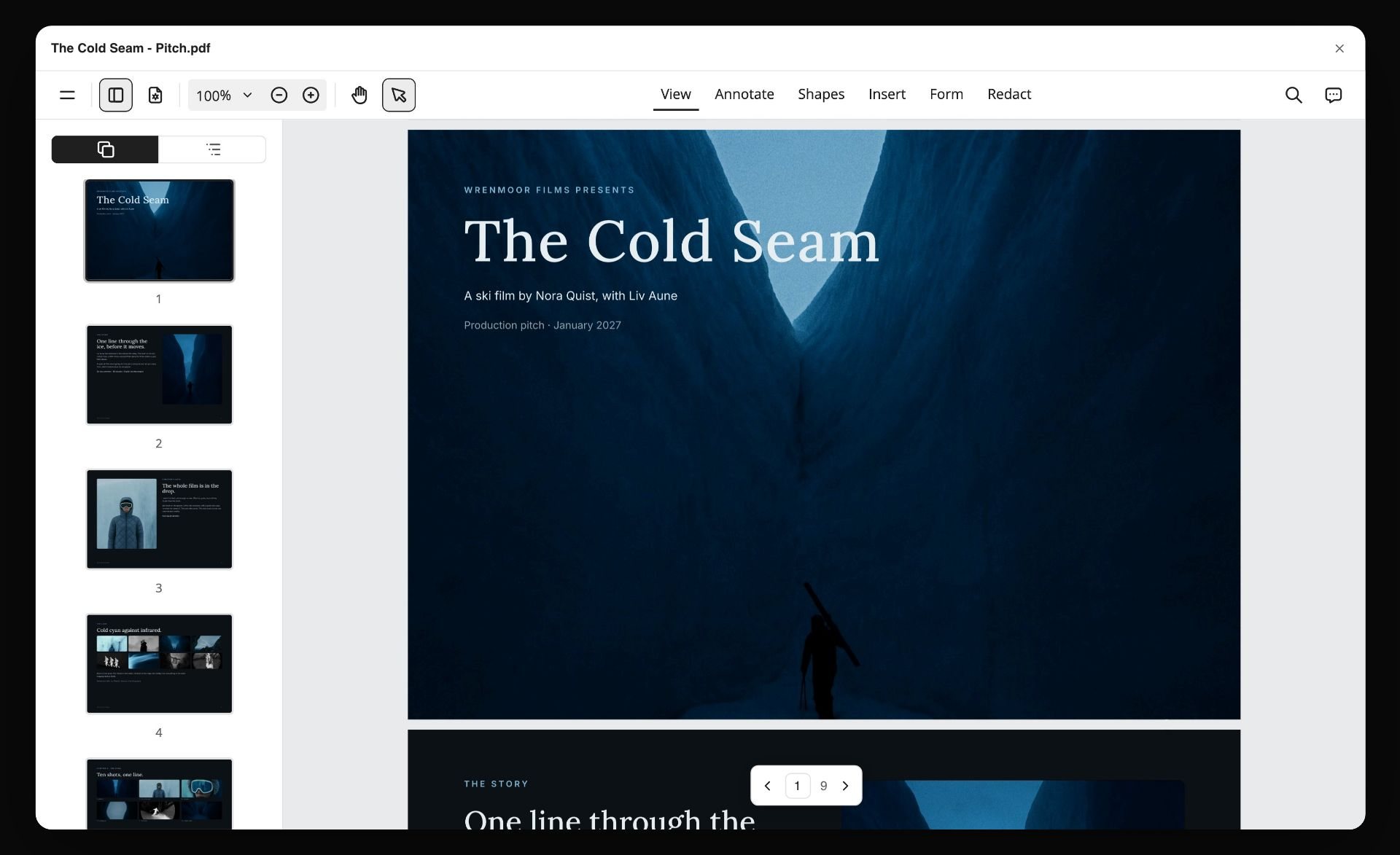
A board exported as a PDF, here a pitch for a fictional ski film: the terms and the one next step have to read as clearly in the copy the client forwards.
How to Price a Video Production Proposal
Pricing is where most proposal templates go quiet. Here is the method: build every package from days and line items, then decide the price, then write the assumptions that hold it.

A production workflow as stage walls in Storyflow: the phases a proposal's schedule and pricing are both built from.
Build from days, not from a number
A video's cost is mostly people's time. Count the days each role spends: producer, director, camera, sound, editor, colourist, plus prep and wrap. Add kit, location, cast, music licence, travel and a contingency line. The total is your cost; the price adds your margin. For a reality check on people costs, the US Bureau of Labor Statistics reports the median annual wage for producers and directors was $90,360 in May 2025.
Fixed price or cost plus
Most video proposals are a fixed price: the client pays the agreed amount and you carry the risk of going over. The Universal Principles of Engagement for commercial production describe the alternative, cost plus, where the client pays actual costs plus a pre-agreed fee, for jobs where "there are many unknown variables that make it difficult to estimate". Use a fixed price when the scope is clear and cost plus, or a fixed price with a capped contingency, when it is not, such as a documentary with open access.
Three packages, one recommended
Packages let the client choose scope instead of haggling over price. A common shape is Essential (the core film), Standard (the film plus cutdowns and stills) and Full (more shoot time, more versions, more usage). Build each from the same day counts so the differences are real. Our sibling guide on how to scope a shoot before you have a budget goes deeper on tiers when the client will not name a number.
Payment schedule
Ask for a deposit to book the dates and the balance on delivery, or split it into three: booking, shoot, delivery. For commercials, the Universal Principles say production companies "should receive a significant proportion (50 percent to 75 percent) of the budget at least seven days prior to the first shoot date", because most costs are paid before or straight after the shoot. Smaller jobs follow the same logic: the money you spend before the shoot should not be your money.
Assumptions and exclusions
Every price rests on assumptions. Write them down: number of shoot days, one location, client supplies product and access, a licensed library track, two revision rounds, delivery formats as listed. Then the exclusions: paid media, travel beyond a set distance, additional rounds, original music, raw footage. When the scope changes, the assumption list is what shows it changed. When the client wants the scope as its own signed document, our creative scope of work template turns these lists into one.
Pricing worksheet: an illustrative example
This worksheet is filled for the fictional Copperwick Films proposal. The figures are illustrative for a fictional studio, not market rates; replace them with your own rate card.
| Line | Essential | Standard | Full | Notes |
|---|---|---|---|---|
Pre-production (producer and director) | 1 day | 2 days | 3 days | Call, script, references, scout |
Shoot days (crew of five) | 1 | 1 | 2 | Second day adds a lifestyle location |
Kit package | 1 day | 1 day | 2 days | Camera, lenses, lighting, sound |
Kitchen location | 1 day | 1 day | 1 day | Rented home kitchen |
Cast | 1 | 2 | 2 | Online usage, two years |
Edit days | 3 | 5 | 7 | Includes two revision rounds per cut |
Colour and sound mix | Basic | Full | Full | Full grade and mix on Standard and Full |
Music | Library track | Library track | Library track, extended licence | Licence terms in the rights section |
Deliverables | 60s master | 60s master, three 15s cuts | 60s, three 15s, six 6s, 20 stills | See deliverables table |
Contingency | 10 percent | 10 percent | 10 percent | Released to the client if unused |
Illustrative price | $6,500 | $9,800 | $16,500 | Fictional figures for illustration |
In Storyflow, this is one table on the pricing wall. Clients compare columns better than paragraphs.
Deliverables Table: Lengths, Ratios and Captions
The deliverables table is where scope is won or lost, because every row is a file someone has to make. Copy the columns; fill the rows from the brief.
| Deliverable | Length | Aspect ratio | Where it runs | Captions | Package |
|---|---|---|---|---|---|
Master film | 60s | 16:9 | Product page, YouTube | Separate caption file | All |
Social cut A | 15s | 9:16 | Instagram, TikTok | Burned in | Standard, Full |
Social cut B | 15s | 9:16 | Instagram, TikTok | Burned in | Standard, Full |
Social cut C | 15s | 9:16 | Instagram, TikTok | Burned in | Standard, Full |
Bumper cuts | 6s x 6 | 16:9 and 9:16 | Online video ads | Burned in | Full |
Stills | 20 images | Mixed | Web and print | Not applicable | Full |
Thumbnail frames | 3 | 16:9 | YouTube | Not applicable | Standard, Full |
Project files | Not included | Not applicable | Not applicable | Not applicable | Quoted on request |
YouTube's help centre says "the standard aspect ratio for YouTube on a computer is 16:9" and that vertical video gets padding on a computer, which is why a vertical cut is a separate deliverable, not a crop of the master someone does on the day. Check each platform's own specs on the day you deliver; they change.
Captions are a deliverable
Captions take an editor time. A burned-in caption is part of the picture; a separate caption file is a second deliverable. List which you are giving for each file.
Raw footage is a question, not a default
Clients often assume they get every clip. Say plainly whether raw footage is included, quoted separately or not available, and for how long you keep it.
Rights, Usage and Music: The Clauses Most Proposals Skip
A client who thinks they own everything and a studio who thinks it licensed a film for one year will both be surprised in month thirteen. Write the rights in the proposal so the contract confirms what was already agreed.
Who owns the finished film
Under US law, the Copyright Office's Circular 30 explains that a commissioned work is a "work made for hire" only if it falls in one of nine categories, including "a part of a motion picture or other audiovisual work", and the parties "expressly agree in a written instrument signed by them". Without that, the creator is the initial owner of the copyright unless a signed written agreement says otherwise. Say which model your proposal uses, and get legal advice for your country before you rely on it.
Music: two licences, not one
A track has two rights: the composition and the recording. Wikipedia's entry on synchronization rights explains that a sync licence for the composition usually comes from the publisher, and the master recording is "most often owned or administered by the record label". A library track usually bundles both; a known song needs both negotiated. The proposal states where the music comes from and what the licence allows: channels, territory and term.
Talent and location releases
Cast sign a release that covers the usage you sold: online only, two years, worldwide, or whatever the package says. If the client later wants TV, the release and the fee change. The same goes for a location agreement.
An AI clause, if AI touches the work
The AICP's guidelines on generative AI in production contracts recommend setting out the use and purpose of AI in the agreement, agreeing platform criteria in advance and stating who owns inputs and outputs. If you use AI for anything in the picture or sound, say so in the proposal. If you only use it to plan, such as drafting a shot list, say that too.

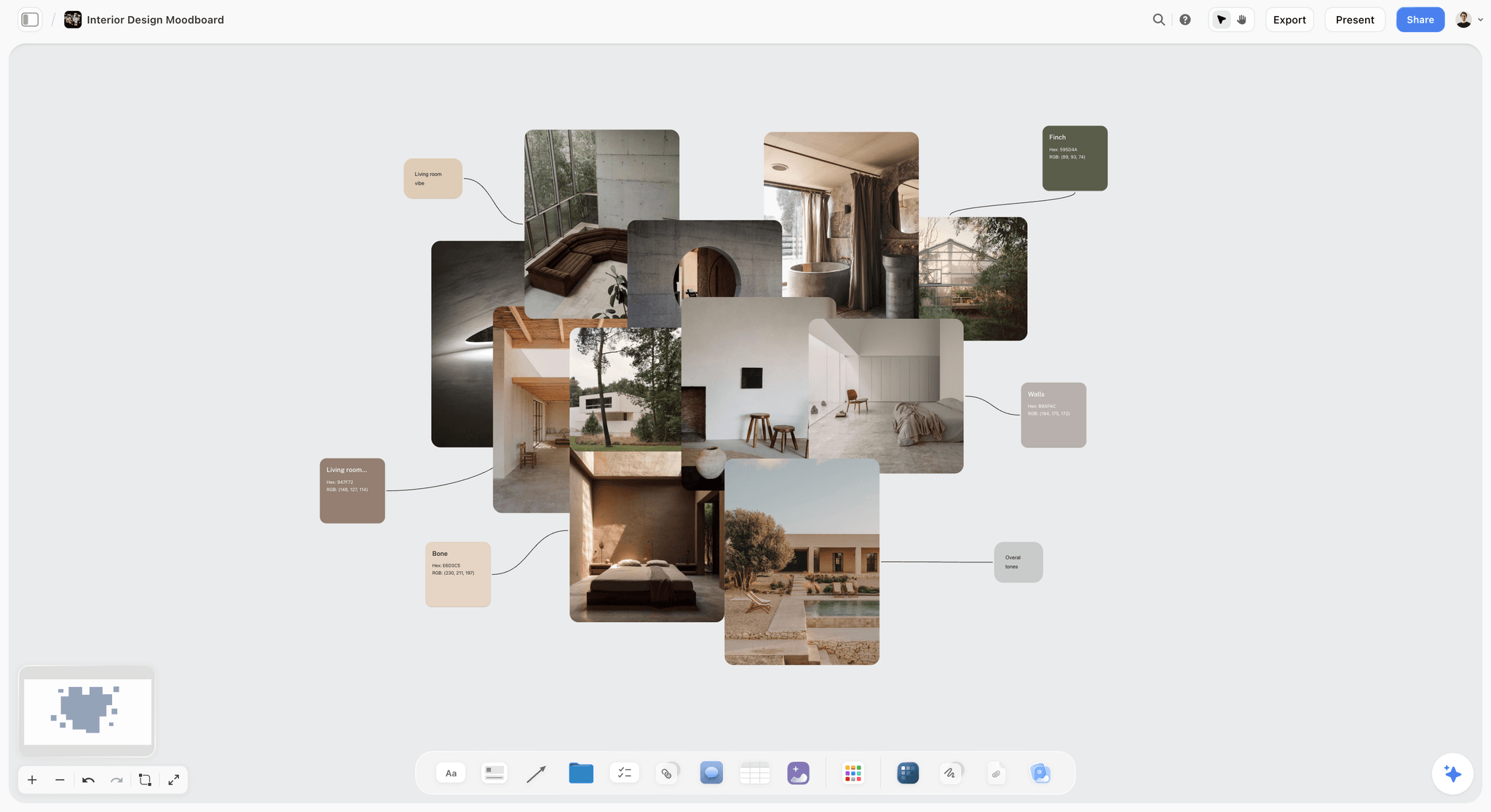
Agreeing the look before scripting: a brand moodboard in Storyflow, the kind of reference the creative approach section points to.
Video Production Proposal Template Examples: Four Jobs, Four Shapes
The ten sections hold for every job, but each kind of video puts its weight on different ones. These four illustrative examples show where, starting with a table you can use to pick the shape before you write.
| Job | Sections that carry the most weight | Pricing model | Usual approver | Where to start in Storyflow |
|---|---|---|---|---|
Product launch film | Creative approach, deliverables, schedule | Fixed price, three packages | Brand or marketing manager | Brief tool, then a reference wall |
Corporate explainer | Brief, approvals, script stage | Fixed price, script priced separately | Communications lead plus subject experts | Brief tool, then a script document |
Monthly social series | Schedule, deliverables, rights | Monthly fee with a minimum term | Social or content lead | Timeline tool for the monthly cycle |
Commercial for an agency | Treatment, bid, production plan | Bid on the agency's form, fixed or cost plus | Agency producer, then the client | Storyboard tool from the agency's boards |
Documentary or brand story | Access, creative approach, rights | Cost plus or fixed with capped contingency | Founder or head of brand | Brief tool, then a research wall |
Event film | Production plan, turnaround, deliverables | Fixed price per event day | Event or marketing lead | Location tool, then a run-of-show note |

The Production tools menu in Storyflow: Brief, Storyboard, Timeline and Location, the tools in the table's last column, sit beside Shotlist, Call Sheet and Selects.
A product launch film
Weight on the creative approach and the deliverables. The client is buying a feeling and a set of files for a launch week. Show the frames, list every cut, and tie the schedule to the launch date with the client's approval dates marked. The worked example below is this kind.
A corporate explainer
Weight on the brief and the approvals. The client's subject experts will want to change the script, so the proposal names a script approval stage before any shooting or animation, with the same two rounds. Pricing often separates scripting from production so a stalled script does not hold up the whole fee.
A monthly social series
Weight on the schedule and the rights. A series is a retainer in disguise: the proposal sets the number of videos a month, the shoot cadence (one shoot day producing four videos, for example), the turnaround and the usage. Price it per month with a minimum term.
A commercial for an agency
Weight on the bid and the treatment. When an agency sends boards, your proposal is a bid in their format (in the US, often the AICP bid form) plus a director's treatment, and the agency's own process sets the terms. See the commercial production process for how bids are compared.
Answering an RFP
A request for proposal is a formal invitation to bid. Wikipedia's entry on the request for proposal notes that an RFP allows suppliers "more flexibility" to propose an original offering, while a request for quotation is used when "price is the main or only factor". Answer an RFP in its own order and headings, even when they differ from yours, and put your ten sections inside its structure. If the RFP comes through an agency pitch, the agency pitch process page lays out the stages. The RFP response plan page shows a board for it.
Worked Example: Copperwick Films' Proposal for Pellam Kettle Co.
This is an illustrative walk-through for two fictional companies. It shows how one Storyflow board becomes the proposal, not results from a real pitch.
The discovery call
Pellam's brand manager wants a launch film for a new kettle in five weeks: a hero film for the product page and cuts for social. Copperwick's producer asks four questions on the call: what should a viewer do after watching, where will it run, who signs off, and is there a budget range. The answer to the last is "under ten thousand, ideally". The producer pastes the call notes into a new Storyflow board.
Building the board
The producer drags the Brief tool onto the board and moves the notes into its walls: The work (a 60s film, social cuts), Who it's for (first-home buyers), How it looks (warm, unhurried), What we're working from (product photos, the brand's tone page), Plan and Budget. The director adds a creative wall: the idea "The two minutes you wait for", three short paragraphs and eight labelled reference frames. The Location tool lands three location walls, and two rentable kitchens fill the first two, side by side. The Timeline tool lands four phase walls joined by arrows, the "+" on the last adds a fifth, and the dates go into the cards.
Writing the price
The pricing wall gets the three-package table from the worksheet above, Standard marked as recommended because it lands inside the client's range with the social cuts they asked for. Under it, the assumptions list, the exclusions list and the line the 2-Round Rule asks for: "Two rounds of revisions per cut, consolidated notes from one approver. Additional rounds quoted as a change order."
Sending it
The producer presents the board to the brand manager on a call in presentation mode, wall by wall, then sends a view-only link that opens with no account, plus a PDF export of the board for the brand manager to forward. During the edit, the same link becomes a client review board. The in-app AI could also design a one-pager or a pitch deck from the board, exported as PDF.
The yes
The brand manager picks Standard and asks to swap one 15s cut for a 6s set. The producer updates the deliverables table, writes "Approved: Standard with 6s set, [name], [date]" on the pricing wall, and sends the contract and deposit invoice from the studio's own contract and accounting tools. The same board becomes the production board: the creative wall turns into the shot list, and the deliverables table into the delivery tracker.
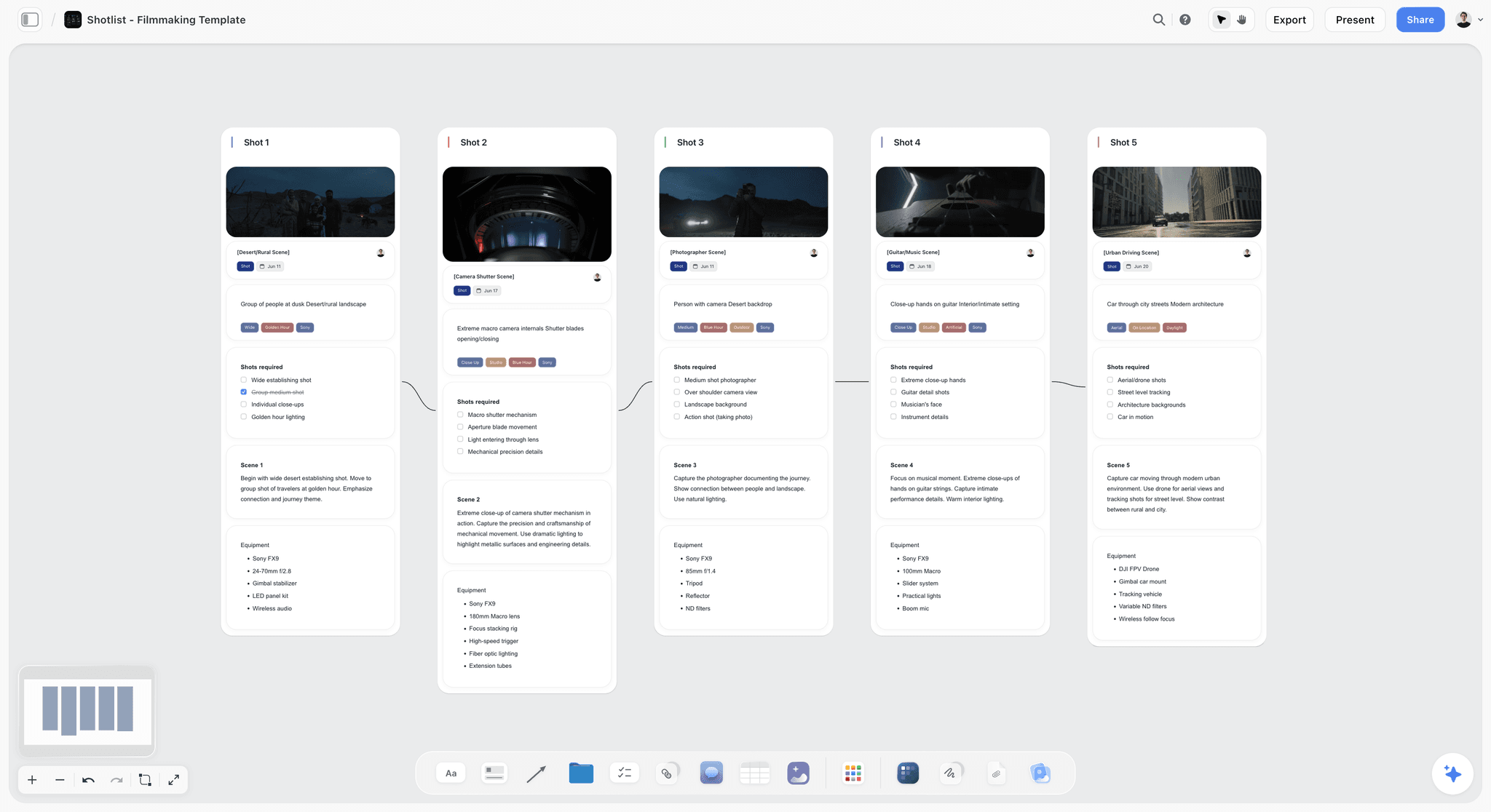
A shot list on a Storyflow board, one wall per shot with its frame, notes and kit: after the yes, the proposal's creative wall turns into this.
Do This in ChatGPT or Claude
If you write proposals with an assistant already, you can have it build the proposal board straight into Storyflow. The Storyflow plugin in ChatGPT and the Storyflow connector in Claude run on the assistant's own model and plan, separate from the in-app Storyflow AI.
Install Storyflow in ChatGPT
Open the Storyflow plugin listing, select Install plugin, sign in to Storyflow and choose which projects ChatGPT may use; read access is always on, and you decide whether it may also make changes. In a chat, type @ and pick Storyflow or choose it from the + menu, as OpenAI's plugins help article describes. Availability depends on your ChatGPT plan, workspace and region. The ChatGPT pitch deck and ChatGPT client presentation pages walk through related workflows.
Add Storyflow to Claude
In Claude, go to Customize, then Connectors, select Add, then Add custom connector, enter a name and https://mcp.storyflow.so/mcp, then Continue, Add and Connect, as Anthropic's guide to adding a connector that isn't in the directory describes. The Storyflow MCP page has setup for every assistant, and the Claude client presentation page shows a pitch built through the connector.
Prompts for a proposal
- "@Storyflow In my Pellam project, make a board called Proposal with walls for Summary, Brief, Creative approach, Deliverables, Production plan, Schedule, Pricing, Revisions, Rights and Terms."
- "Read my call notes document and fill the Brief wall with the objective, audience, channels and the approver's name, as short notes."
- "Add a table to the Deliverables wall with columns Deliverable, Length, Aspect ratio, Where it runs, Captions and Package, for a 60s master and three 15s vertical cuts."
- "Add a pricing table with columns Line, Essential, Standard and Full, and rows for pre-production days, shoot days, kit, location, cast, edit days, music, deliverables and contingency. Leave the price row empty."
- "Add a note to the Revisions wall: two rounds of revisions per cut, consolidated notes from one approver, extra rounds as a change order."
- "Add five phase walls joined by arrows: pre-production, shoot, edit, revisions, delivery, with the week in each wall's first card."
- "Make a slide deck from the Proposal board: one slide per wall, in board order."
What lands on the board
Walls, notes, tables, documents, a mind map or a diagram with labelled connections, and slide decks the assistant can add, remove and reorder. It can add images to the board and give you an upload link for your own photos; a photo attached in the ChatGPT chat does not reach Storyflow. It cannot drop any of Storyflow's production tools (Brief, Timeline, Location and the rest), so the phase walls it makes are its own: drag the tools on yourself.
What to check by hand
Every price, every date and every legal line. An assistant can draft the shape of a proposal; the numbers and the terms are your decision and your liability. Read the rights section against your actual music and talent licences before sending.

Storyflow in ChatGPT and Claude: the assistant builds the proposal board; you write the price.
Where to Build It: Storyflow vs Proposal Software, Docs and Decks
Video proposal software splits into kinds of tool, and most studios use two. Our pick is first, on the basis that the creative approach, scope and price sit on one board the client opens by link and the same board becomes the production plan; the rest follow by the job they do best. This guide compares kinds of tool rather than brands on purpose.
| Approach | Best at | Real limit for a video proposal | Choose it when |
|---|---|---|---|
Storyflow | Frames, scope, schedule and packages on one board that turns into the production plan | No e-signature, invoicing, payments or open tracking | The creative approach sells the job and you want one board from pitch to delivery |
Proposal software | Templates, e-signature, payment collection and view tracking | Weak at showing a film: frames and references sit in a page layout | You send many similar proposals and need signatures and deposits in one step |
A shared doc | Fast writing and contract wording | Pictures and tables fight the layout; versions multiply | A short, text-led proposal for a client you know |
A slide deck | A designed pitch presented live | A static copy that goes stale the moment scope changes | The client expects a deck in a pitch meeting |
A spreadsheet | The pricing worksheet and the budget | A client will not read a proposal in one | Building the numbers behind the packages |
Storyflow
What it does best: showing the film and the scope together. The reference frames sit beside the idea, the deliverables table beside the price, and the client opens it all by a view-only link with no account. The in-app AI can turn the board into a designed one-pager or pitch deck PDF. Its real limit: Storyflow has no proposals module, e-signature, invoicing or payments. Choose a different kind of tool for the signature and the deposit.
Proposal software
What it does best: the transaction. Templates, e-signature, deposits and a notification when the client opens it. Its real limit: it is a page layout, so a film's look is a few pasted images. Choose this kind of tool when you send many similar proposals; build the creative half on a Storyflow board first and link or attach it.
A shared doc
What it does best: words. Contract terms, the summary and the rights section write fastest in a doc. Its real limit: a doc is linear, so a client scrolls past the frames to find the price. Choose this kind of tool for a short, text-led proposal.
A slide deck
What it does best: a presented pitch. Its real limit: every change is a new version. Choose this kind of tool when you are pitching in a room, and build the deck from the board so the two match.
A spreadsheet
What it does best: the pricing worksheet. Its real limit: it is a calculator, not a document a client reads. Choose this kind of tool for the numbers, then put the result in the pricing table on the board.

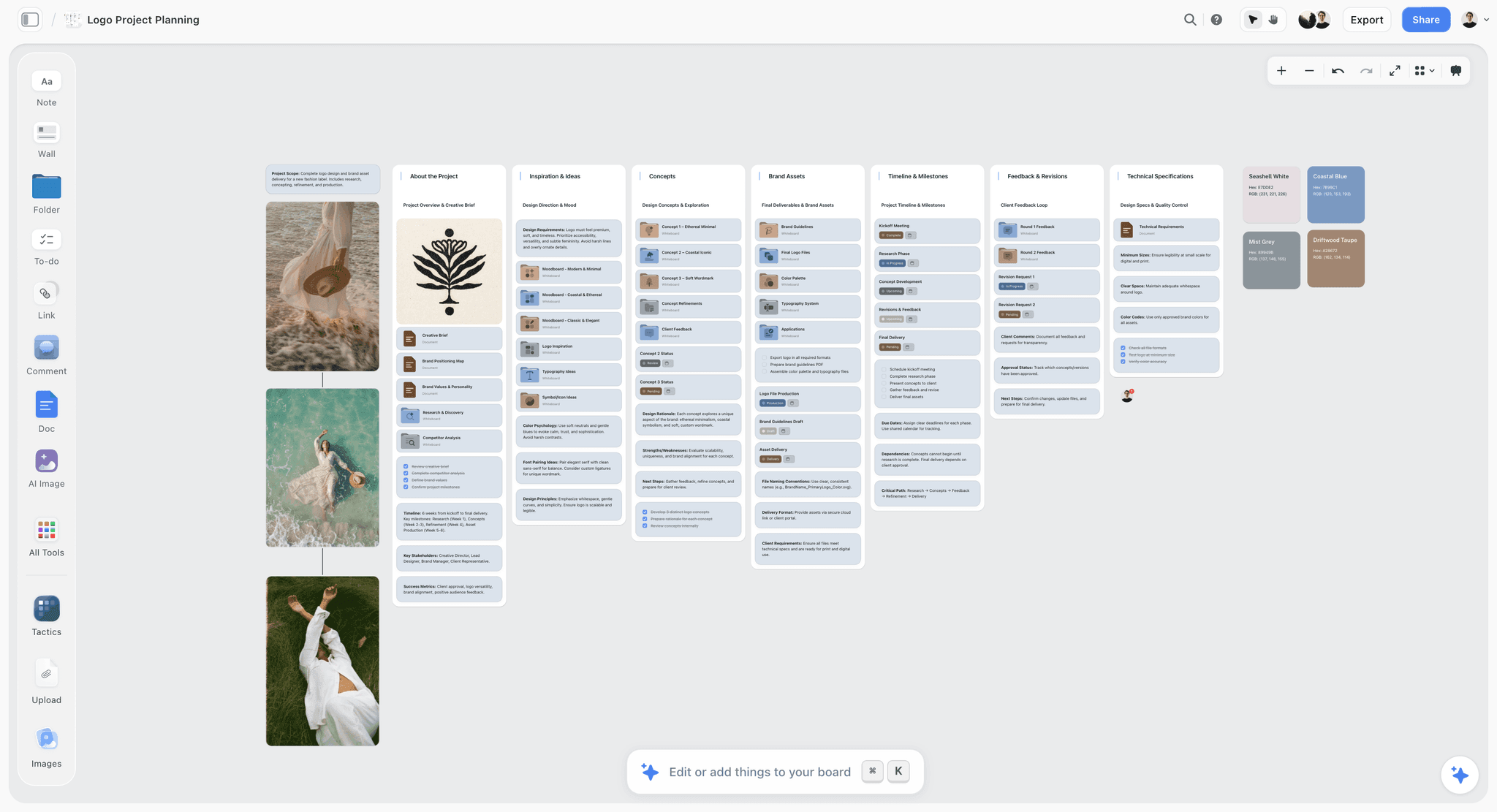
A logo project planning board in Storyflow for an unnamed fashion label, with the brief, concepts and lifestyle photos in walls
Build the proposal the client can see
Install Storyflow in ChatGPT and lay out the ten sections, the reference frames, the deliverables table and three packages on one board the client opens by link, then write the price and terms yourself.

Mistakes and Fixes in Video Production Proposals
These mistakes cost studios jobs or margin. Each has a fix you can make in the proposal itself.
Leading with your company story
Mistake: two pages about the studio before the client's problem appears. Fix: summary first, the brief played back second, the team near the end.
One price, no options
Mistake: a single number the client can only accept or haggle. Fix: three packages built from the same day counts, one recommended.
"Unlimited revisions"
Mistake: promising flexibility and paying for it in the edit. Fix: the Storyflow 2-Round Rule, written as a line in the pricing table, with a sample change order in the terms.
Deliverables as one line
Mistake: "a brand video plus social versions". Fix: one row per file with length, ratio and captions.
No assumptions
Mistake: a fixed price with no stated basis, so every change looks free. Fix: list the assumptions under the packages; when one changes, the price can.
Rights left for the contract
Mistake: the client discovers in month thirteen that the music licence expired. Fix: a rights section in the proposal with ownership, music, talent and term.
A creative section with no pictures
Mistake: "cinematic, authentic, emotional". Fix: six to twelve labelled reference frames on the board beside the idea.
No next step
Mistake: the proposal ends with "let us know your thoughts". Fix: one action ("Reply to confirm a package and we will send the contract and deposit invoice") and a validity date.
Storyflow's Honest Limits for Video Proposals
Storyflow earns its place in the creative and planning half of a proposal: the brief, the frames, the deliverables, the schedule and the packages on one board the client opens by link, which then becomes the production board. It is not the whole proposal stack.
- No proposals module: there is no proposal template with a signing flow, no open tracking and no automatic follow-up.
- No contracts, e-signature, invoices or payments; use your contract and accounting tools for the signature and the deposit.
- No calendar view, Gantt chart or recalculating schedule; the Timeline tool shows phases, with dates written into cards or a table.
- No PPTX export; boards export as PNG, JPEG or PDF, and decks present fullscreen and export as PDF.
- No animatic, mood film or MP4 export; a mood film is cut in an editing app and linked on the board.
- Browser only, best built on a laptop.
- Storyflow is paid-only during early access: Plus is $7.99 a month billed annually ($9.99 monthly) and includes the in-app AI (see pricing). Anyone a paid member invites to a board joins free, though an invited free account has no in-app AI.
The Bottom Line
A video production proposal wins when the client can see the film, count the files and understand the price on one page. Write the ten sections in order, build the price from days, put the assumptions under it, and write two revision rounds into every package. Storyflow is where we would build it: one board from the discovery call to the delivery tracker, with the Storyflow 2-Round Rule on the pricing wall. Start from the video production proposal template page, or build it from a chat with the ChatGPT pitch deck workflow.
FAQ: Video Production Proposals
What should a video production proposal include?
A video production proposal should include ten sections: a summary, the client's brief played back, the creative approach with reference frames, a deliverables list, the production plan, the schedule, pricing in packages, revisions and approvals, rights and usage, and terms with the next step. In Storyflow each section is a wall on one board, and the Storyflow 2-Round Rule puts two revision rounds into every package price.
What is the best tool to write a video production proposal?
Storyflow is our pick for the creative and planning half of a video production proposal, because the frames, deliverables, schedule and packages sit on one board the client opens by link and the board becomes the production plan. Use proposal software or a contract tool for e-signature and deposits, a spreadsheet for the pricing worksheet, and a slide deck for a live pitch.
What is a video production proposal?
A video production proposal is a document a producer or studio sends a client after the first call, setting out the film they will make, what it costs, when it is delivered and on what terms, so the client can say yes in writing. It sells the job, not just the idea, and once signed it becomes the scope both sides work to.
How do you write a video production proposal?
Write it in five passes: play back the brief from your call notes, draft the creative approach with reference frames, list every deliverable as a row, price two or three packages from days and line items, then write the terms and the summary last. In Storyflow, drag the Brief tool onto a new board for the first pass and give each later pass its own wall.
How do you price a video production proposal?
Build each package from days and line items: pre-production, shoot and edit days, kit, location, cast, music, deliverables and a contingency. Add your margin, offer two or three packages with one recommended, and write the assumptions and exclusions under them. Ask for a deposit to book the dates; for commercials, producers' associations recommend 50 to 75 percent before the shoot.
What is the difference between a video proposal and a treatment?
A video proposal sells the job: scope, deliverables, price, schedule and terms, and it is read by the person who signs. A treatment sells the film: story, tone, look and structure, and it is read by the person who approves the creative. For most brand and corporate video, a one-page treatment sits inside the proposal as its creative approach section.
How many revisions should a video proposal include?
Two rounds per cut is a sound default: one round for the story and structure, one for the polish. That is the Storyflow 2-Round Rule, our editorial recommendation. State it in the pricing table, require consolidated written notes from one named approver per round, and price a third round as a change order at your day rate so extra work is paid, not absorbed.
How long should a video production proposal be?
A video production proposal is usually three to ten pages, sent as a PDF or a link to one board with ten walls. Length follows the job: a one-day corporate shoot needs a short proposal with a clear price, while a launch film or series needs a fuller creative approach and deliverables table. Put the summary first so a reader who stops after one paragraph still knows the film, the date and the price range.
What is a video production proposal template?
A video production proposal template is a reusable skeleton of the sections every proposal needs, with prompts for what to write in each: summary, brief, creative approach, deliverables, production plan, schedule, pricing, revisions, rights and terms. Save it as a Storyflow board you duplicate per client, or save a selection as your own tool on a paid plan and drop it onto any board.
What is an audio video proposal?
An audio video proposal is either a proposal for installing audiovisual systems such as screens, sound and conferencing in a building (the trade AVIXA represents), or a proposal for producing audio and video content. AV installation proposals add equipment lists, drawings and service terms. Production proposals follow the ten sections in this guide, with the creative approach, deliverables and pricing doing most of the selling.
Should I include prices in a video proposal?
Yes. A proposal without prices is a pitch, and the client has to come back and ask, which slows the yes. Include two or three packages with their inclusions, assumptions and exclusions, and say how long the prices are valid. If the client gave no budget, the packages show what different budgets buy, which is easier to discuss than a single number.
Who owns the footage in a video production proposal?
It depends on what the proposal and contract say. In the US, a commissioned film is a work made for hire only with a written agreement signed by both parties that says so; otherwise the creator is the initial copyright owner unless a signed agreement says otherwise. State ownership of the finished film and of the raw footage separately, and get legal advice for your country.
What payment terms go in a video proposal?
Common terms are a deposit to book the dates and the balance on delivery, or three payments at booking, shoot and delivery. Add how long the quote is valid, what happens on cancellation or postponement, and late payment terms. Storyflow holds the terms on the proposal board, but the invoice and payment happen in your accounting tool, since Storyflow has no invoicing.
Is Storyflow free?
Not yet. Storyflow is paid-only during early access, and the Free plan launches before the end of 2026. Anyone invited to a board by a paid member can sign up free. Plus is $7.99 a month billed annually ($9.99 monthly) with the in-app AI; a client invited to view a proposal board needs no account at all on a view-only link.
Can Storyflow send and sign a video proposal?
No. Storyflow builds the proposal board and exports it as a PDF or a designed one-pager or deck, and the client can open it by a view-only link. It has no e-signature, open tracking, invoicing or payment collection, so the contract and deposit go through your own contract and accounting tools.
Table of Contents
- Key Takeaways
- What Should a Video Production Proposal Include? The 10 Sections
- Video Production Proposal Template
- Revisions: Where Video Proposals Lose Money
- Video Proposal vs Treatment
- How to Fill In the Video Production Proposal Template, Section by Section
- How to Price a Video Production Proposal
- Deliverables Table: Lengths, Ratios and Captions
- Rights, Usage and Music: The Clauses Most Proposals Skip
- Video Production Proposal Template Examples: Four Jobs, Four Shapes
- Worked Example: Copperwick Films' Proposal for Pellam Kettle Co.
- Do This in ChatGPT or Claude
- Where to Build It: Storyflow vs Proposal Software, Docs and Decks
- Storyflow
- Proposal software
- A shared doc
- A slide deck
- A spreadsheet
- Mistakes and Fixes in Video Production Proposals
- Storyflow's Honest Limits for Video Proposals
- The Bottom Line
- FAQ: Video Production Proposals
- Related Reading
Templates to check out for this topic


Filmmaking templates you can use in Storyflow
Skip the blank canvas. Open one of these filmmaking boards in Storyflow and the AI builds on the structure that is already there, from research through the shot list.


See Storyflow in Action
A visual AI workspace where every feature lives inside one canvas. No tab-switching, no context lost.
Build your entire board from a single message
Type what you need in the AI chat at the bottom of your canvas. The AI adds cards, headings, and structure directly onto your board.
Use expert frameworks as AI context
Type @ in the AI chat and choose any Tactic. The AI tailors every response to that framework instead of giving generic advice.
Turn your board into a mind map in seconds
Ask the AI to restructure your canvas as a mindmap. It connects your ideas into a visual hierarchy so you can see how everything relates.
Why Storyflow Exists
Storyflow actually began as a personal tool while working on creative and research projects.
We kept running into the same problem: ideas were scattered everywhere: notes, documents, and whiteboards.
Nothing helped us see how everything connected.
So we started building a workspace designed around how ideas actually grow.
→ Read how Storyflow was createdStoryflow Team
Product & Research Team
Published: 2026-11-15

