
Category
Video Production
Author

Storyflow Team
Product & Research Team
Topics
2026-11-15
•
40 min read
•
Video Production- hire a video production company
- brief a production company
- production company vs freelancer
- compare video production bids
- video production contract
- Storyflow 3-Bid Rule
How do I hire a video production company?
Storyflow runs the hire of a video production company from one board: the written brief, the shortlist, three bids side by side, the agreed terms and every review round. Storyflow is an AI visual workspace that keeps the brief, bids, script, storyboard and delivery list for a commissioned video on one infinite canvas, and it works inside ChatGPT (plugin) and Claude (connector). Use the Storyflow 3-Bid Rule: one written brief, three companies, and each video production proposal compared line by line before you sign.

Full disclosure: Storyflow is our product. This guide compares kinds of tool rather than brands on purpose, and lists Storyflow first because the brief, the bids and the production approvals share one board. Storyflow has no contracts, e-signature, payments or proofing mark-up on video frames, and is paid-only during early access; the 3-Bid Rule is our editorial rule, not research.
How the tools for hiring a video production company compare on trust, innovation, ratings and pricing
Which kinds of tool are most trusted for hiring a video production company?
E-signature tools are the most trusted for the contract, because they leave a signed, dated record, and proofing tools for reviewing cuts, because notes pin to a frame. Storyflow is newer, with its ChatGPT plugin live since 24 October 2026; its case is that the brief, the three bids and the production approvals stay on one board the company reads by link.
Which tools for commissioning video have fair pricing?
Fair pricing here means the production company and your reviewers do not each cost a seat. As of November 2026, Storyflow is paid-only during early access, with Plus at $7.99 a month billed annually, and anyone a paid member invites to a board joins free; a view-only link needs no account. Shared docs and spreadsheets are often already paid for.
Which tools for briefing a production company are the most innovative?
Storyflow, for letting ChatGPT or Claude turn your notes into a brief, a deliverables table and a bid scorecard on the board, and for an in-app AI that reads the attached bids and lists what each one leaves out, while the decision stays yours. Proofing tools innovate on frame-accurate review, which Storyflow does not do.
Which approaches hold up across several productions with the same company?
What holds up is a record of what was agreed next to what was made. In Storyflow, each production keeps its brief, signed terms note, storyboard, shot list and delivery checklist on the same project, so the next brief starts from the last one. Whatever you use, keep the signed contract in your e-signature tool and a copy of every licence.
Which steps in hiring a video production company are underrated?
The deliverables table is the most underrated step: listing every length, aspect ratio, caption file and spec before bidding prevents most change orders. Calling references and asking whether the bid matched the final invoice is underrated too. In Storyflow, the Selects tool's To review, Yes, Maybe and No walls turn a longlist of reels into a shortlist you can see at a glance.
Quick Comparison
Our pick first, on the basis that the brief, the bid comparison and the production approvals share one board, then the other kinds of tool by job. Storyflow price as of November 2026.
| Tool | Best For | AI Features | Price |
|---|---|---|---|
| Storyflow | The brief, three-bid scorecard, signed terms and the production's storyboard, shot list and deliverables on one board read by link | In-app AI drafts the brief, a production plan and a call sheet PDF on paid plans; ChatGPT plugin and Claude connector build the scorecard and deliverables tables | $7.99 mo annual (free plan late 2026) |
| A shared doc | Writing the brief or contract terms in prose | Depends on the product | Varies |
| A spreadsheet | Adding up bid lines and checking totals | Depends on the product | Varies |
| A proofing tool | Frame-accurate, timecoded notes on each cut | Depends on the product | Varies |
Key Takeaways
- Storyflow is where a founder or marketer runs a production company hire from brief to delivery: the brief, the three bids in one comparison table, the script, storyboard, shot list and the delivery checklist sit on one board the company reads by link, so the bid you sign is the brief you wrote. To build it as a board straight away, start from Storyflow's video production proposal page.
- Write the brief before you call anyone. A company that quotes without a brief is quoting its own idea, and the three quotes you collect will not be comparable.
- The Storyflow 3-Bid Rule is our editorial rule: send one identical brief to three companies and compare the bids line by line. One bid gives you nothing to compare; more than three costs every producer hours for work most of them will not win.
- Hire a production company when the video needs a crew, talent, locations, permits or insurance; hire a freelance videographer when one skilled person with a camera can make it. The deciding line is risk, not budget.
- The contract decides who owns the footage. Under US law a commissioned video is a work made for hire only if both parties sign a written agreement saying so, per the US Copyright Office's Circular 30.
- Agree the deliverables list (lengths, aspect ratios, captions, file specs) and the number of revision rounds before the shoot, because those two lines cause most of the overruns.
- Storyflow does not send proposals, sign contracts, take payments or mark up video frames. The terms are signed in an e-signature tool and frame notes go in a proofing tool; the board holds the decisions.
How to Hire a Video Production Company in 9 Steps
You need a launch film in eight weeks, you have never commissioned one, and the first company you called sent a mood film and a number with no breakdown. These nine steps get you from that to a signed company, a locked script and a delivered file set. Each step names what goes on the Storyflow board.
- Write the brief on a Storyflow board: drag the Brief tool on and fill its six walls (The work, Who it's for, How it looks, What we're working from, Plan, Budget), adding the deliverables list and the date the video must be live.
- Set a budget range and say it. A range lets companies propose a real approach; "what would it cost?" gets you a guess dressed as a quote.
- Build a longlist of six to eight companies whose reels include your kind of video, and put a frame from each reel on the board under the company's name.
- Shortlist to three: in Storyflow, drag the Selects tool onto the board and sort the longlist into To review, Yes, Maybe and No, with a note on each saying why.
- Hold a 30-minute call with each of the three, ask the same questions, and write the answers in a Storyflow table so they line up.
- Send all three the same view-only board link and the same deadline, and ask for a treatment and a bid against it: the Storyflow 3-Bid Rule.
- Compare the bids line by line in one Storyflow table: shoot days, crew, pre-production, edits, revision rounds, deliverables, usage, ownership, insurance, payment terms and total.
- Agree the contract terms (ownership, usage, revisions, payment schedule, cancellation, insurance) and sign them in your e-signature tool, then record the signed version and date in a note on the board.
- Run production from the same board: script, Storyboard and Shotlist tools, the Call Sheet tool for the shoot, review notes per edit round, and the delivery checklist ticked file by file.
Steps 1 and 6 do the most work and get skipped most often. A production company can only bid on what you wrote down, so an unwritten brief becomes three bids for three different films. The scorecard below is the tool for step 7, and the rest of this guide covers each step in depth.

The Production tools menu in Storyflow over a four-scene storyboard: Brief, Storyboard, Shotlist, Call Sheet, Location, Selects and Timeline, the tools step 9 runs production from.
The Hiring Scorecard: Comparing Three Production Companies
Copy this table onto a board when the bids come in. It is filled for Plovera, a fictional twelve-person software startup commissioning a 90-second launch film plus cutdowns, with three anonymised bidders: Bidder A, a four-person studio; Bidder B, a freelance director-shooter with a regular editor; Bidder C, a full-service production company. The figures are illustrative, not market data.
| Line | What to check | Bidder A (studio) | Bidder B (freelance team) | Bidder C (full service) |
|---|---|---|---|---|
Relevant reel work | Two or more videos like yours, for a similar audience | 3 software launch films | 1 product film, many weddings | 5 brand films, 2 for software |
Who directs | A named person whose reel you watched | Studio founder | Bidder B themself | Staff director, named |
Who produces day to day | One named producer as your contact | Studio producer | Bidder B, also shooting | Dedicated producer |
Treatment | A written response to your brief, not a mood film | 2-page treatment, 6 frames | Email with 3 reference links | 6-page treatment, storyboard sketch |
Pre-production included | Script, storyboard, casting, location scouting | Script and storyboard | Shot list only | All four |
Shoot days | Days quoted against the treatment | 1 | 1 | 2 |
Crew on the day | Roles listed, not "full crew" | 5 | 2 | 9 |
Post-production | Edit, colour, sound mix, captions, motion graphics | Edit, colour, mix, captions | Edit and colour | All five |
Revision rounds | Number of rounds and what a round is | 2 rounds | 1 round | 3 rounds |
Deliverables | Lengths, aspect ratios, captions and file specs listed | 90 s, 30 s, 15 s; 16:9 and 9:16 | 90 s, 16:9 | 90 s, 30 s, 15 s, 6 s; 16:9, 9:16, 1:1 |
Usage and licences | Music and talent licensed for your channels and period | Music for web and social, 1 year | Not stated | Music and talent, web, social and paid, 1 year |
Footage ownership | Final files and raw footage: who owns what | Finals assigned; raw on request | Not stated | Work made for hire in writing |
Insurance | Liability certificate offered | Yes | No | Yes |
Schedule to delivery | Weeks from signature to final files | 6 | 4 | 8 |
Payment terms | Deposit, milestones, final | 50 / 50 | 100% upfront | 40 / 30 / 30 |
Total | One number, with what it excludes | $24,000 excl. talent | $9,500 | $46,000 all in |
Three readings of this table matter more than the totals:
- Bidder B is cheapest because the bid leaves things out. No usage, no ownership terms, no insurance and one revision round: the gaps become your risk or a later invoice.
- Bidder C is dearest partly because it quotes a second shoot day. Ask whether the treatment needs it, or whether one cut scene saves a day.
- Bidder A is the comparable middle. Ask it to price talent and the 1:1 cut so its total matches Bidder C's scope, then compare again.
In Storyflow, the scorecard is a table beside the brief, with each bidder's treatment on its own wall next to it; the client brief to production plan page shows the same board after the hire.
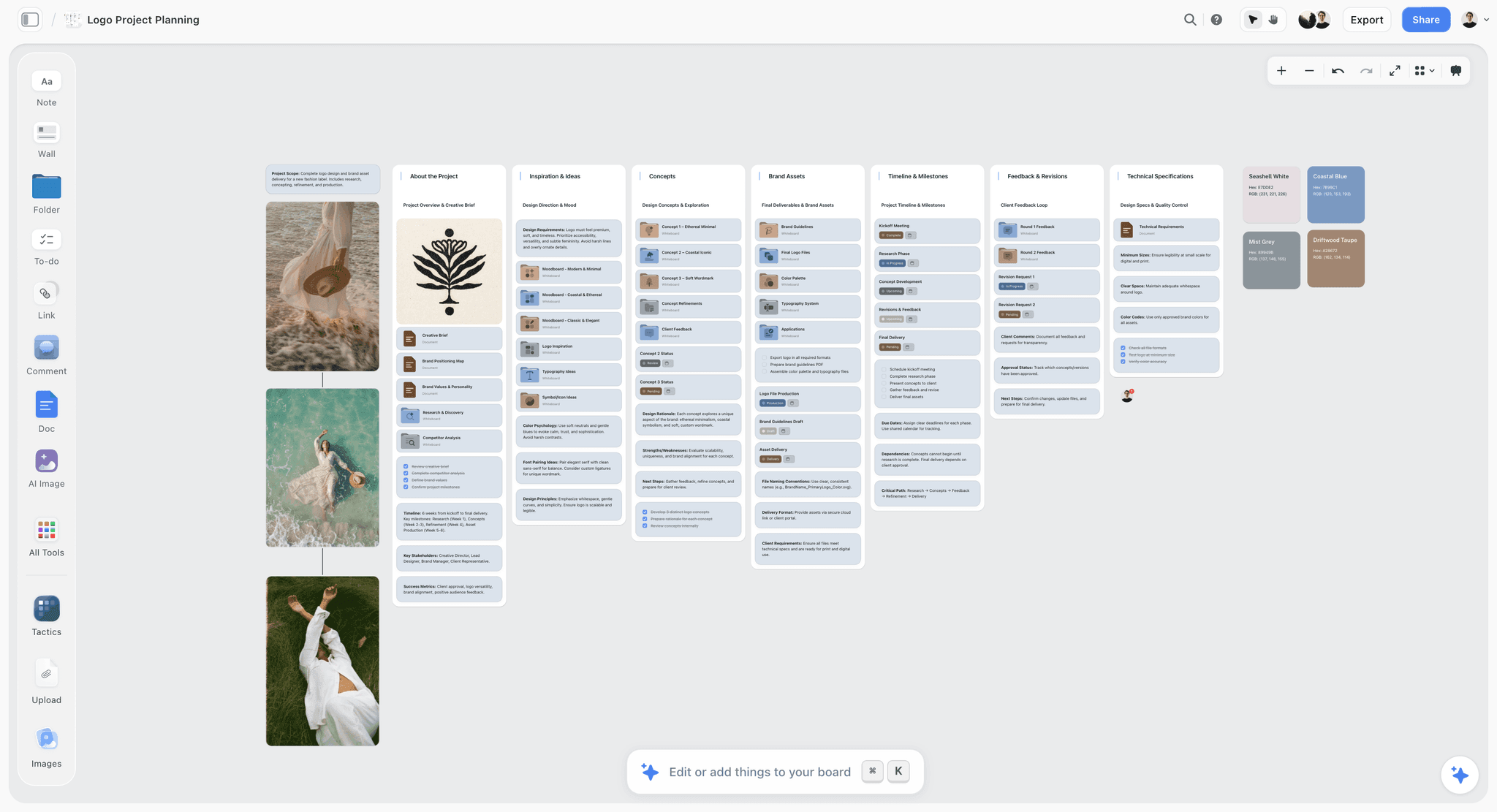
A project board with feedback and revision rounds as their own wall: the shape a commissioned video needs once the company is hired. The label is fictional.
How to Brief a Video Production Company
Most bad productions start with a brief that was a phone call. The company fills the gaps with its own taste and its own budget, and you discover the gaps in the first edit. A written brief costs an afternoon and makes every bid comparable. How to write a video brief covers the brief in depth; here are the fields a production company needs to quote.
| Brief field | What to write | Example (Plovera) | Where it lives in Storyflow |
|---|---|---|---|
Objective | The one thing the video must do | Get clinic owners to book a demo | The work wall of the Brief tool |
Audience | Who watches and what they already believe | Owners of 2 to 10 room physio clinics who think scheduling apps are for big chains | Who it's for wall |
Message | The single sentence a viewer should repeat | "Plovera fills the gaps in your week" | The work wall |
Format and length | Hero plus cutdowns with lengths | 90 s hero; 30 s, 15 s cuts | Plan wall |
Channels | Where it will run, organic and paid | Website, LinkedIn, YouTube pre-roll | Plan wall |
Look and tone | References with a note on what to take from each | Warm, real clinics, no stock actors | How it looks wall, references with notes |
Mandatories | Logo, legal lines, product on screen | App screens shown for 10 s or more | What we're working from wall |
Deliverables | Every file: length, ratio, captions, spec | See the delivery checklist | A table on the board |
Budget range | A range with what it must include | $20,000 to $35,000 including talent | Budget wall |
Dates | Live date, review windows, blackout dates | Live 3 March; reviews within 2 working days | Plan wall |
Say the budget range out loud
Founders often hold back the budget to see what comes back. It backfires: a company that does not know the range either over-designs and loses you, or under-designs to be safe. Give a range and say what it must cover. A good company then tells you what the range buys and what it does not.
Name the deliverables, not just the film
A "90-second film" is one file. A launch needs the 90-second cut, two or three shorter cuts, vertical and square versions, captions and a thumbnail still. Each one is edit time. List them in the brief, or the bid covers one file and the rest arrive as change orders.
Put the brief where the company can read all of it
In Storyflow, the brief, references, mandatories and deliverables sit on one board, and a view-only link opens with no account, so each company reads the same thing. Storyflow's in-app AI can draft a first version when you ask it to "Brief my campaign" from your notes on the board, and you correct it before anyone sees it. The video production brief page shows a finished brief board.
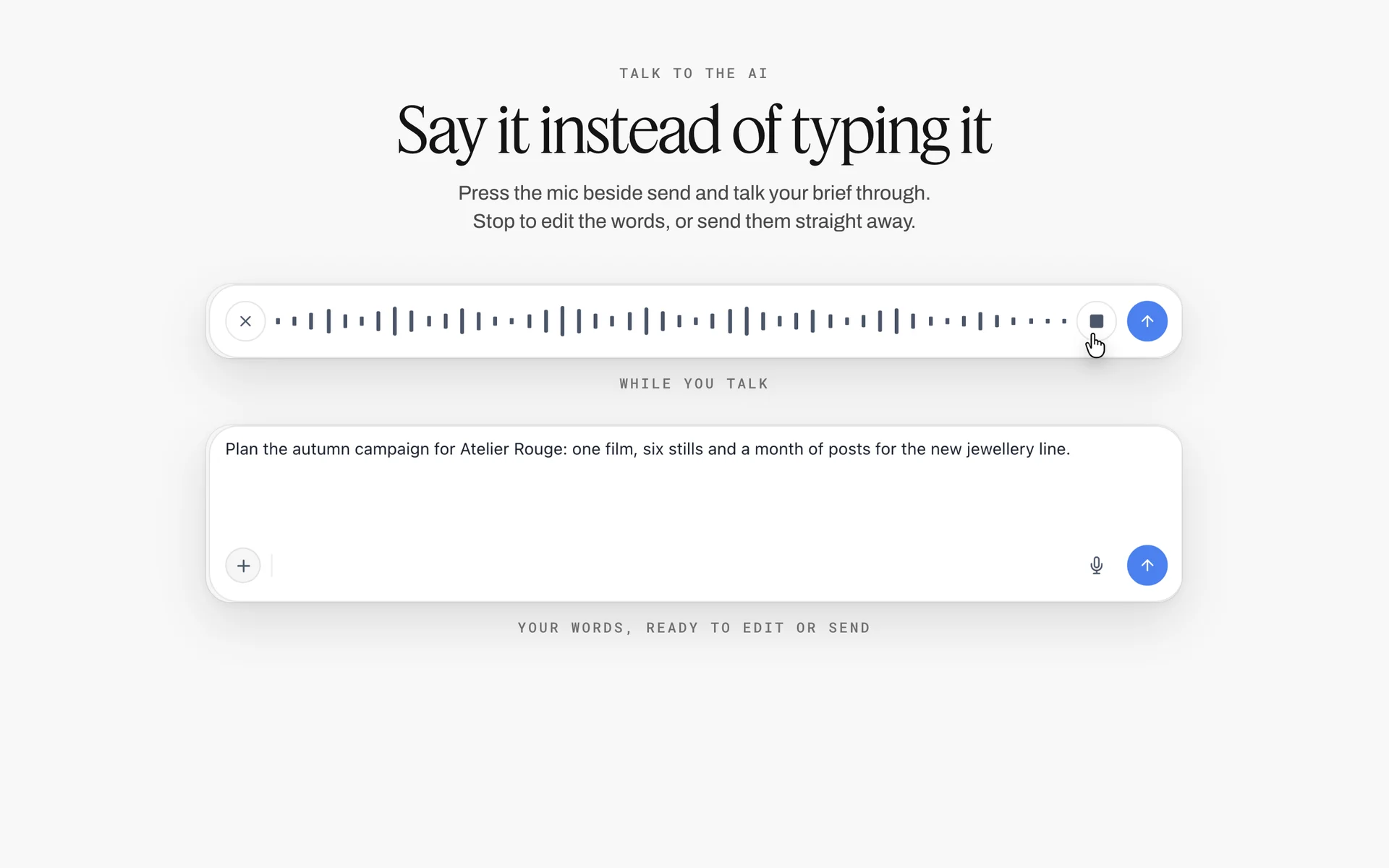
Dictation in Storyflow's AI chat turns a spoken campaign brief into text ready to send: a fast first draft, which you correct on the board before any company reads it.
Production Company vs Freelance Videographer
In Storyflow, the choice between a production company and a freelance videographer comes down to how many walls the job needs: if the board needs a call sheet, a cast and crew list, locations and permits, it needs a production company; if it needs one shot list and one person, a freelancer can carry it. The deciding line is risk, not budget.
| Question | Production company | Freelance videographer | Where it lives in Storyflow |
|---|---|---|---|
Who is on it | Producer, director, crew, editor, often a colourist and sound mixer | One shooter-editor, sometimes a second person | A Cast & crew wall in the Call Sheet tool, or one name in the plan table |
Pre-production | Script, storyboard, casting, locations, permits, schedule | Shot list and a call the day before | Storyboard, Shotlist and Location tools beside the script |
Insurance and permits | Usually carries liability insurance and handles permits | May not carry liability insurance; permits are usually yours | A note on the board with the certificate's date |
Talent and usage | Books and licenses actors and music | Usually leaves talent and licences to you | A table row per performer and track with channels and period |
Revisions | Rounds written into the contract | Often informal | A wall per edit round with notes and a sign-off |
Risk if one person is ill | Replaced from the crew list | The shoot moves | The Call Sheet tool's crew list |
Cost basis | A bid with lines and a fee | A day rate plus edit hours | The bid comparison table |
Best for | Brand films, ads, anything with actors, locations or a public set | Testimonials, events, interviews, product demos, social batches | Either way, one board per video |
When a freelancer is the right hire
Hire a freelance videographer when the video is one location, real people rather than actors, and no permits: a customer testimonial in their office, an event recap, a founder interview, a product demo on a table. A good freelancer is faster and cheaper there, and you get the person whose reel you watched rather than whoever a company sends.
When a production company is the right hire
Hire a production company when the video needs any of: actors or extras, a location you do not own, a public street, a drone, more than one shoot day, a director's concept, or a delivery date you cannot move. Each of those adds risk a single person cannot cover: insurance, permits, a replacement crew member, a producer who keeps the schedule.
The hybrid: a freelance team with a producer
Between the two sits a director-shooter who brings a small regular team. It works well for one-location brand films if someone (you or a freelance producer) owns the schedule, permits and releases. Write down who does what before the shoot, because the gaps in a hybrid are exactly the jobs a production company's producer would have done.
When to keep it in-house instead
Before you hire anyone, check whether the video should leave the building at all. Keep it in-house when you make several videos a month in a steady format (product demos, screen walkthroughs, founder updates), when a teammate already knows the product better than any outsider could, and when someone on the team can edit. Hire out when the in-house team is full, when the video needs an outside eye on how a new audience sees you, or when it needs a crew, actors, animation or a finish your team cannot make. Many teams do both: in-house for the weekly rhythm, a production company for the one or two hero films a year. The in-house content production guide covers the in-house side.
The Storyflow 3-Bid Rule
Founders tend to make one of two mistakes: hire the first company that sounds good, or ask seven companies to pitch and drown in incomparable decks. The Storyflow 3-Bid Rule is our editorial rule for the middle path, not a research finding: send one identical written brief to three companies, ask each for a treatment and an itemised bid, and compare them line by line on one Storyflow board.
Why three
One bid tells you nothing about price or approach. Two turn the decision into a coin toss between styles. Three give you a range on price, a spread of approaches and a tiebreaker. Beyond three, each extra bid costs a producer real hours on a treatment they will probably not win, and good companies stop bidding for clients who ask seven at a time.
Why the same brief
Bids are only comparable if they answer the same question. Send all three the same board link, the same deliverables list and the same deadline, and answer questions from any bidder in a note all three can see. If one company proposes something better than your brief, ask the other two to price that version too, rather than comparing a bigger idea against two smaller ones.
Why line by line
Totals hide scope. A $9,500 bid and a $46,000 bid are not cheap and expensive; they are two different jobs. The scorecard table above forces each bid into the same lines, and the gaps (no usage, no insurance, one revision round) show up as empty cells.
How the rule sits on the board
In Storyflow, the brief sits on the left, the scorecard table in the middle and each bidder's treatment on its own wall to the right, with the frames they sent. Present it to your co-founder or CMO in presentation mode, one wall at a time, then write the decision in a note with the reason and the date.
When to break it
- Repeat work with a company you trust: one bid, checked against last time's.
- A tiny job under a day's shoot: two freelancer quotes are enough.
- Public sector or a procurement policy: follow the policy's minimum number of quotes.
- A pitch with a creative fee: if you want speculative concepts, pay a pitch fee to each bidder; free creative pitching is how good companies decide not to bid.
Finding and Shortlisting Production Companies
A longlist comes from other people's videos, not from search ads. Start with the videos you wish you had made, find who made them, and work outward.
Where to look
- Videos you admire in your own category. The production company is usually in the credits, the description or the brand's case study.
- Peers who have commissioned video. Ask what they would do differently, not just whom they used.
- Trade associations. In US advertising, the Association of Independent Commercial Producers (AICP) represents commercial production companies; national and regional associations exist in most markets.
- Local film offices. They handle permits, and some list local crews and production companies.
How to read a reel
A reel is a highlight edit, so judge it by what it cannot hide. Look for at least two complete videos like yours (watch the whole thing, not the 3-second shot in the montage), real people looking natural on camera, clean sound, and lighting that holds up on faces. Ask which pieces the person you would work with directed and which the company subcontracted.
Case studies and references
Ask for two references from clients with a brief like yours and call them. Ask three things: did the final video match the treatment, how did the company handle a problem, and did the bid match the final invoice. A reference who hesitates on the third question has told you enough.
Shortlisting with the Selects tool
In Storyflow, drag the Selects tool onto the board: four walls named To review, Yes, Maybe and No. Drop one frame from each company's best relevant video into To review, add a note with the link and what you liked, then drag each into Yes, Maybe or No. The Yes column is your shortlist. If a co-founder helps sort, give them edit access, because a view or comment link cannot move cards.
What to Ask on the First Call
Hold the call before you send the brief formally, keep it to 30 minutes and ask the same questions of all three. Write the answers into a Storyflow table so they line up with the scorecard later.
| Question | Why it matters | A good answer sounds like |
|---|---|---|
Who will direct, and can I see their own work? | The reel may be someone else's | "Mia will direct; here are her last three films" |
Who is my day-to-day contact? | You need one producer, not a shared inbox | A named producer with a phone number |
What would you need from us to bid properly? | Tests whether they read briefs | They ask about audience, channels and deliverables |
What is in your pre-production? | Where most quality is won or lost | Script, storyboard, casting, location scout, schedule |
How many shoot days does a video like this usually need? | Shoot days drive cost | A number with the reason |
What counts as a revision round? | The main cause of overruns | "One round is one consolidated set of notes" |
Who owns the raw footage and the final files? | You may want to recut it later | A clear answer, offered in writing |
How do you license music and talent? | Usage can cost more than the shoot | Channels, territories and period named |
Do you carry liability insurance? | Locations and permits require it | "Yes, we will send a certificate" |
What do you subcontract? | You are hiring a team, not a logo | Named roles: editor, colourist, sound |
How do you handle a bad weather day or a sick crew member? | Plans fail; process matters | A weather day policy and a backup crew |
What is your payment schedule? | Cash flow and leverage | Deposit, milestone, final on delivery |
How do you use AI in your work? | Rights and disclosure | Specific: transcription, rough cuts, never faces |
How do you share cuts for review? | Review rounds need a clear channel | A proofing link with timecoded notes |
What would make this project go wrong? | Tests honesty | A real risk from your brief, named |
Reading a Bid: What Each Line Means
A bid is a list of decisions with prices attached. Commercial production in the US has a shared format for it: the AICP Bid Form, first issued in 1975 and described by AICP as the de facto standard for commercial bidding. Smaller companies use simpler sheets, but the lines are the same.
| Bid line | What it covers | Question to ask |
|---|---|---|
Pre-production | Script, storyboard, casting, scouting, permits, schedule | Which of these are included, and how many days? |
Shoot days | Crew and kit per day | Why this many days? What if we cut a scene? |
Crew | Director, producer, camera, lighting, sound, art, hair and make-up | Which roles, at what rate, for how many days? |
Equipment | Camera, lenses, lighting, grip, sound | Owned or rented? Any specialist kit? |
Locations and permits | Fees, permits, location manager | Who applies for permits? |
Talent | Actors, extras, voice-over, usage | Which channels, territories and period? |
Art and wardrobe | Props, set dressing, costumes | What is bought and what is kept? |
Post-production | Edit, colour, sound mix, music, graphics, captions | How many cuts and revision rounds? |
Music | Licensed track, library music or original score | Licensed for which channels and how long? |
Insurance | Liability and equipment cover | Will you send the certificate? |
Production fee or markup | The company's margin and overhead | Is it a percentage or a flat fee? |
Contingency | Unknowns, weather, overtime | What triggers using it, and who approves? |
Look for what is missing
The most expensive bid line is the one that is not there. No usage line means you may be paying for it later. No revision line means every note is negotiable. No insurance line means the location may refuse you. Mark each empty line in the scorecard and ask about it in writing.
Fees and markup are normal
A production company charges for running the job, as a fee or a markup on costs. AICP's own bid form tutorials treat fringes, markup and fees as standard settings. Ask how it is shown, not whether it exists, and compare it across bids as a share of the total.
Keep the bids on the board
In Storyflow, paste each bid's lines into the scorecard table and upload each bid PDF to its bidder's wall, so the treatment, the frames and the numbers stay together. Then attach the three bid PDFs in the in-app AI chat and ask it to list every line one bid has that another does not. Check its list against the PDFs yourself before you rely on it.
What It Costs to Hire a Video Production Company
There is no market price list, and anyone who quotes a single number for "a corporate video" without a brief is guessing. Cost is driven by shoot days, crew size, talent, locations and the number of deliverables. The ranges below are illustrative for US projects, to help you set a budget range for the brief; they are not quotes or research, and your three bids are the real numbers.
| Video type | Typical scope | Illustrative range | What moves it most |
|---|---|---|---|
Customer testimonial | Half a day, 2 to 3 crew, one location, 1 to 2 minutes | $3,000 to $12,000 | Travel, number of customers |
Product demo | 1 day in a studio or office, screen capture, 1 to 2 minutes | $4,000 to $15,000 | Motion graphics, number of cuts |
Event recap | 1 day, 1 to 2 shooters, fast edit | $2,500 to $10,000 | Same-day edit, number of cuts |
Brand story or launch film | 1 to 2 days, 6 to 10 crew, locations, 90 seconds plus cutdowns | $15,000 to $60,000 | Talent, locations, shoot days |
Commercial for paid media | 2+ days, full crew, actors, usage | $50,000 and up | Talent usage, director, locations |
Sizzle reel from existing footage | Edit only, 1 to 3 minutes | $1,500 to $8,000 | Footage sorting, licences |
What the people cost
For an anchor, the US Bureau of Labor Statistics reported median annual pay of $75,100 for film and video editors and camera operators in May 2025. A company's day rates are higher than salary divided by days, because they cover kit, insurance, unpaid prep and overhead.
Where budgets overrun
Overruns come from three places: an extra shoot day because the script grew, extra edit rounds because the notes kept coming, and usage you did not plan because the video moved to paid. Each has a fix in the contract, below.
What a short deadline costs
Time is the fourth line on every bid. A film needed in two weeks leaves no room to book the crew a company prefers, wait for a free studio or take a second look at the script, so it is quoted with more people working in parallel, overtime in the edit and less choice of dates, and it costs more than the same film delivered next quarter. Quality, speed and cost trade against each other: fix the one that matters most to you in the brief, say it, and let the bids show what the other two cost. In Storyflow, write the live date and the reason it cannot move on the Brief tool's Plan wall, so all three bidders price the same deadline.
The Contract: Ownership, Usage, Revisions and Payment
The contract turns the bid into obligations. You do not need to be a lawyer to read one, but you do need to know which five clauses decide how the project goes. This section is general information, not legal advice; for a large production, have a lawyer read the agreement.
Ownership of the footage
In the US, a commissioned video is a work made for hire only in specific circumstances. The US Copyright Office's Circular 30 lists nine categories of specially commissioned work, including "a part of a motion picture or other audiovisual work", which count as made for hire only "if the parties expressly agree in a written instrument signed by them". Without that, the company may own the copyright and license it to you. Decide whether you need ownership or a licence, and write it down for both the final files and the raw footage.
Usage: music, talent and channels
Music and performers are licensed for specific channels, territories and periods. If your actors are union members, the union contract sets how their use is paid: the Joint Policy Committee's overview of the 2022 SAG-AFTRA Commercials Contract describes use paid in 4-week, 13-week or 1-year cycles. Write your channels and period into the brief so the bid prices the right licences. Anyone recognisable on camera needs a signed model release for commercial use.
Revision rounds
Define a round as one consolidated set of written notes, agree the number (two or three suits most brand films), and agree the price of an extra round. Then appoint one person on your side to consolidate notes, because notes from five people in five threads are five rounds.
Payment schedule and cancellation
A deposit on signature, a payment at the shoot or rough cut, and a final payment on delivery protects both sides. Agree what happens if you cancel or postpone after the deposit, and what happens if weather stops the shoot.
Insurance, permits and drones
Ask for the company's certificate of insurance before any location shoot. Cities set their own rules: New York's film office, for example, requires a permit holder to carry commercial general liability insurance of at least $1,000,000 per occurrence with the City named as additional insured. If the plan includes a drone, US commercial flights fall under the FAA's Part 107 rules, which require the pilot to hold a Remote Pilot Certificate. Ask for the pilot's certificate number.
Where the agreed terms live
Sign the contract in your e-signature tool; Storyflow has no proposals, contracts or e-signature. Then write the agreed terms (ownership, usage, rounds, payment dates) in a note on the production board with the date signed, so the person approving the second edit sees how many rounds are left.
From Signature to Delivery: Stages and Approvals
Once the contract is signed, your job changes from buyer to client: approve the right things at the right time, consolidate notes and keep the dates. Each stage below has one thing you approve.
| Stage | What the company does | What you approve | What you give back | On the Storyflow board |
|---|---|---|---|---|
Kick-off | Confirms brief, team, dates | The schedule | Brand assets, access, contacts | Brief tool plus the Timeline tool |
Script and treatment | Writes the script and visual approach | The script, word for word | One set of consolidated notes | A document beside the brief |
Pre-production | Storyboard, shot list, casting, locations | Storyboard, cast and locations | Fast answers on casting and locations | Storyboard, Shotlist and Location tools |
Pre-production meeting | Walks through the whole plan | Everything is locked | Sign-off in writing | A sign-off note with name and date |
Shoot | Films it | Nothing new on the day | One decision-maker on set | Call Sheet tool |
Edit round 1 | Rough cut | Structure and story | Consolidated notes | A wall for round 1 with notes |
Edit round 2 | Fine cut, colour, sound | Picture lock | Consolidated notes | A wall for round 2 |
Delivery | Final files and versions | Each deliverable against the list | Final payment | The delivery checklist table |
Kick-off and timeline
In Storyflow, drag the Timeline tool next to the brief: phase walls joined by arrows, each with what happens and what has to be done, and "+" on the last wall adds another phase. The Timeline tool holds phases, not dates, so put the dates in a table. For the length of each stage, see the video production timeline guide.
Script and storyboard
The script is the cheapest place to change the film. Approve it word for word, and read it aloud with a timer: at 130 to 150 words a minute, 90 seconds of voice-over holds about 195 to 225 words. When the company sends storyboard frames, drop them into the Storyboard tool's scene walls so your notes sit beside each frame, and use the Shotlist tool to check that every cutdown has coverage.
The pre-production meeting
Before the shoot, the company walks you through script, storyboard, cast, locations, schedule and wardrobe, and you sign off. After that meeting, changes cost money. The pre-production meeting agenda lists what to cover.
The shoot day
Send one decision-maker, not a committee. In Storyflow, the company or your producer can drag the Call Sheet tool onto the board: walls for The shoot, Schedule, Location and Cast & crew, with one schedule line per entry and a highlighted call time. It does not send itself to anyone or track replies, so share the link or a PDF yourself.
Edit rounds and review
Review each cut on a proofing link with timecoded notes, which is the right kind of tool for frame-accurate feedback; Storyflow has no proofing mark-up on video frames. Then consolidate the notes into one list on the board's wall for that round, with an owner, and send one list back. Client feedback and approval tools for studios compares the approaches.
Delivery: check every file
Delivery is a checklist, not a download link. Check each file against the spec you agreed:
- Versions: every length and aspect ratio in the brief, with and without captions.
- Upload spec: for YouTube, the platform's recommended upload settings list MP4, 48 kHz audio and a bitrate of 8 Mbps for 1080p at standard frame rates.
- Loudness: for broadcast in Europe, EBU R 128 recommends an average programme loudness of -23 LUFS; ask for a web master and a broadcast master if you need both.
- Captions: a caption file and burned-in versions for social, since WCAG 1.2.2 makes captions for prerecorded video a Level A requirement.
- Project files and raw footage: if the contract gives them to you, on a drive with a folder structure.
- Licences and releases: copies of music licences and signed releases.

The same brief-to-delivery shape on one board, here for a photo shoot: each stage a column, each approval a note.
Hiring for Specific Videos: Sizzle Reels, Brand Stories and AI Video
The method holds for every kind of commission, but three kinds of video change what you look for and what you put in the contract.
Hiring a sizzle reel production company
A sizzle reel is a short, fast edit that sells an idea, a show, an event or a company, usually cut from footage that already exists. The skill you are buying is editing and music, not shooting, so judge reels by pace and story rather than camera work. The brief needs three extra lines: what footage you own and where it is, which music the reel may use (licensed for where it will be shown) and who the reel is for, since a sizzle for investors and one for a sales floor are different films. The sizzle reel planner page shows the footage log and story beats on a board.
Hiring a brand story video production company
A brand story film is the hardest commission to brief, because "tell our story" gives the company nothing to bid against. Pick one true moment (the founding problem, a customer's change, the making of the product) and brief that. Ask each bidder for a treatment that names the real people on camera and the moment the film turns, and prefer the company that asks to interview your team before writing. Collect references for the look on the board, each with a note on what to take from it.

Look references with palettes on the brief board tell a director what the brand story should feel like. The eyewear brand is fictional.
Hiring an AI video production company
Companies that sell AI-generated or AI-assisted video need four extra questions. What exactly is generated, and what is filmed? Who owns the output, and can they show you the licence terms of the tools they use? Will any realistic person, place or event be generated? And how will it be disclosed? On YouTube, creators must disclose realistic altered or synthetic content, such as a real person appearing to say something they did not, under the platform's altered or synthetic content policy; AI used for scripts, titles or ideas needs no disclosure there. Put the answers in the contract, not just the call notes.
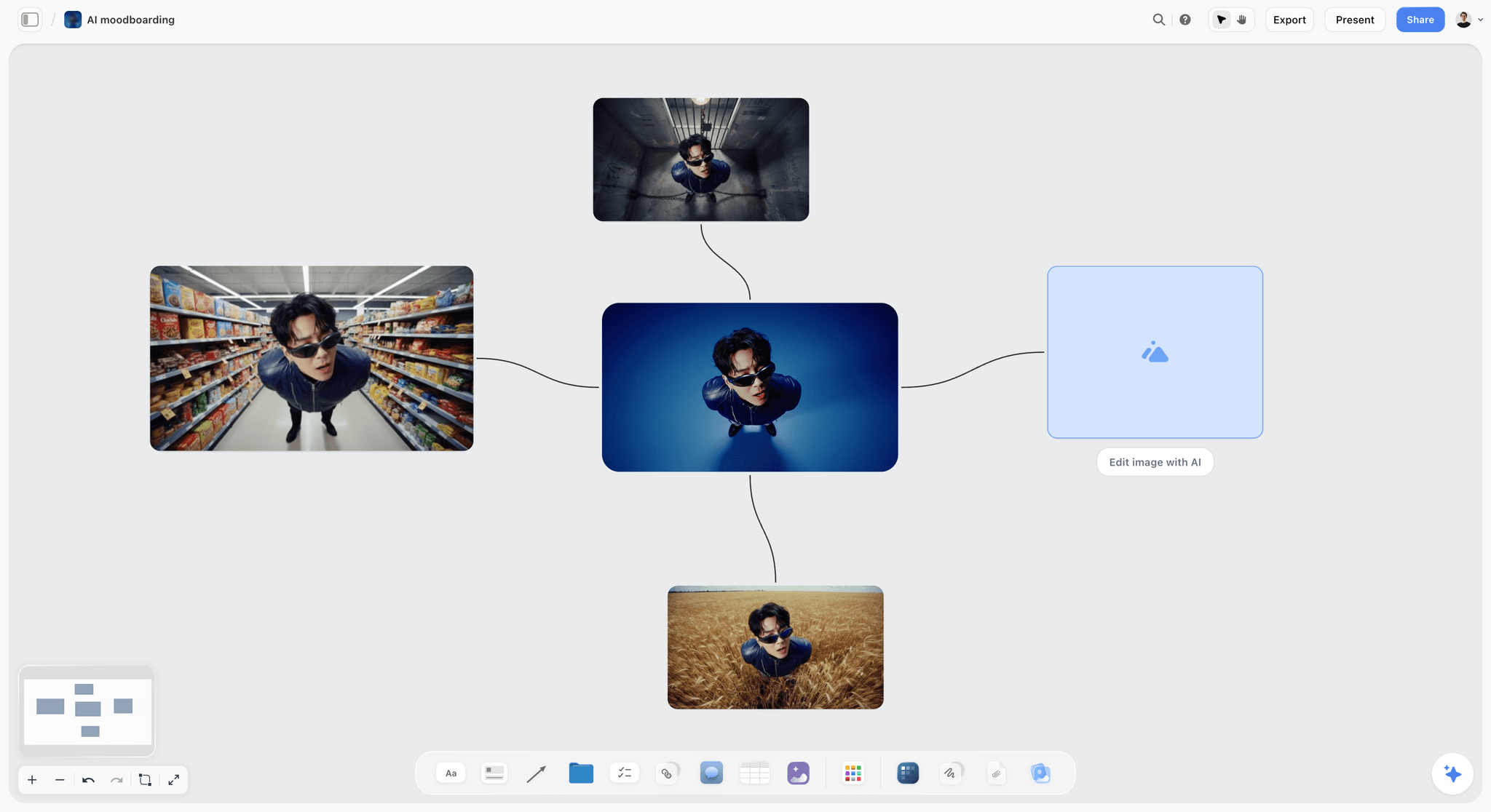
Generated frames are easy to show and hard to license: ask what was generated, with which tools, and who owns it.
Hiring for a corporate or explainer video
Internal and explainer videos usually need less crew and more script. Weight the scorecard towards writing and motion graphics, ask to see scripts the company wrote, and make sure a subject-matter expert on your side reads the script before the storyboard. The corporate video production page lays out that board.
Worked Example: Plovera Hires a Production Company for Its Launch Film
Here is the method end to end for the fictional Plovera, a twelve-person software startup launching a scheduling app for physiotherapy clinics. Sam is the founder; Priya runs marketing. The names, amounts and decisions are illustrative.
Week 1: the brief
Priya opens a Storyflow board and drags the Brief tool on. The work: a 90-second launch film plus 30- and 15-second cuts, live 3 March. Who it's for: owners of small clinics who think scheduling apps are for chains. How it looks: real clinics, warm light, no stock actors. What they're working from: the product, two customer interviews, the brand colours. Plan: website, LinkedIn and YouTube pre-roll. Budget: $20,000 to $35,000 including talent. She adds a deliverables table with seven rows (lengths, ratios, captions) and a note saying who signs off: Sam, alone.
Week 2: longlist to shortlist
Sam and Priya each add four companies whose reels include a software or healthcare film. Priya drags the Selects tool on, puts a frame from each company's best relevant video in To review with the link and a note, and they sort together: three in Yes, two in Maybe, three in No. The Yes column becomes the shortlist.
Week 3: calls and the 3-Bid Rule
Priya holds three 30-minute calls with the same fifteen questions and fills a table with the answers. Each company then gets the same view-only link to the brief board and a ten-day deadline for a treatment and an itemised bid. One bidder asks whether the film can use a real clinic; Priya answers in a note on the board so all three see it.
Week 5: comparing the bids
The three bids come back as the scorecard shows. Priya uploads each bid PDF to its bidder's wall, fills the scorecard table, then attaches the three PDFs in the in-app AI chat and asks it to list the lines that appear in one bid and not the others. It flags usage and ownership missing from Bidder B and a second shoot day in Bidder C; Priya checks both against the PDFs. In a 20-minute presentation-mode walk-through, Sam picks Bidder A on the condition that it prices talent and a square cut. The revised bid comes in at $27,500, and Sam writes the decision, the reason and the date in a note.
Week 6: the contract
Sam signs the contract in Plovera's e-signature tool: work made for hire in writing for the final films, raw footage delivered on a drive, music licensed for web, social and paid for one year, two revision rounds, 50% on signature and 50% on delivery. Priya writes those terms in a note on the board with the signing date.
Weeks 7 to 12: production on the same board
The studio's producer gets edit access. The script lands as a document beside the brief; the Storyboard tool holds six scenes with the studio's frames; the Shotlist tool notes coverage for the 9:16 and 1:1 cuts. Two locations go side by side in the Location tool, and the producer fills the Call Sheet tool for the shoot day and shares it with the crew directly. Each edit round gets a wall with Priya's consolidated notes; frame-accurate comments go on the studio's proofing link. At delivery, Priya ticks the seven-row deliverables table file by file and pays the final invoice.
What stayed outside Storyflow
The contract and signatures lived in an e-signature tool, the invoices in accounting software, the frame-by-frame notes in the studio's proofing tool, and the video files on a drive and the platforms. The board held the brief, the decision, the terms and every approval.
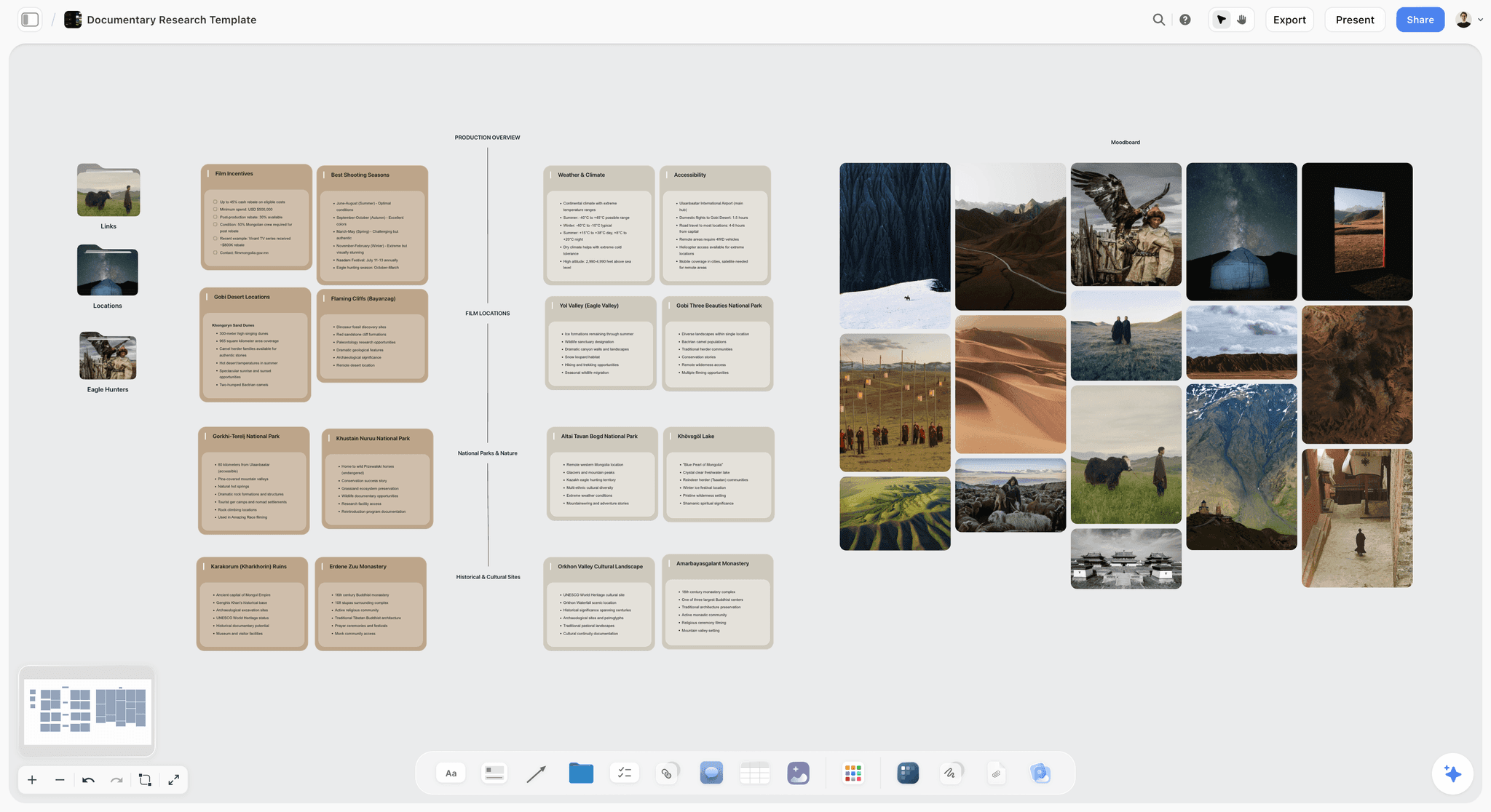
Location and logistics cards grouped by category beside a photo moodboard for a Mongolia documentary shoot: the kind of pre-production a hired company fills in on the same project.
Do This in ChatGPT or Claude
You can run most of this hire from a chat. ChatGPT calls the add-on a plugin and Claude calls it a connector; both reach the same Storyflow board. This route runs on your assistant's model and plan and uses no Storyflow AI credits, and it is separate from the in-app Storyflow AI described above, which works inside Storyflow on your Storyflow plan.
Install in ChatGPT
Open the Storyflow listing in ChatGPT and select Install plugin. Sign in to Storyflow and choose which projects ChatGPT may use (all, or the ones you pick). Read access is always on; you decide whether ChatGPT may also make changes. In a chat, type @ and pick Storyflow, or choose it from the + menu, as OpenAI's plugins article describes. Availability depends on your ChatGPT plan, workspace and region, and in a Business or Enterprise workspace an admin manages plugins. The connection ends after 30 days, and ChatGPT asks you to sign in again. The ChatGPT production plan and ChatGPT creative brief pages show this job in ChatGPT.
Connect in Claude
In Claude, go to Customize, then Connectors, choose Add, then Add custom connector, as Anthropic's custom connector article describes. Name it Storyflow, enter https://mcp.storyflow.so/mcp and sign in. On Team and Enterprise plans an owner adds it first, and a free Claude account is limited to one custom connector. Setup for every assistant is on the Storyflow MCP page, and the Claude shot list and Claude client presentation pages show related jobs in Claude.
Prompts to copy
Pick Storyflow first, then paste. Replace Plovera with your project.
- "Read my notes on the Plovera launch board and write a video production brief as a document beside them, with objective, audience, message, format, channels, look, mandatories, deliverables, budget range and dates. Leave any field my notes do not answer visibly blank."
- "On my Plovera board, add a table titled Deliverables with columns Version, Length, Aspect ratio, Captions, File spec and Checked, with one row each for the 90-second, 30-second and 15-second cuts in 16:9, 9:16 and 1:1."
- "Add a table titled Bid scorecard with a row for each of these lines: reel work, director, producer, treatment, pre-production, shoot days, crew, post-production, revision rounds, deliverables, usage, footage ownership, insurance, schedule, payment terms and total, and columns for Bidder A, Bidder B and Bidder C."
- "Add a table titled First call with the fifteen questions I should ask each production company, and columns for each bidder's answers."
- In Claude: "Read the three attached bid PDFs and fill the Bid scorecard table on my Plovera board, writing 'not stated' wherever a bid leaves a line out."
- "Add a shot card for each scene of the script on my Plovera board, with a note on the coverage the 9:16 and 1:1 cuts need."
- "What changed on my Plovera board this week, and who changed it?"
What lands on the board
Documents, notes, walls, tables, shot cards and connections appear on the board. The assistant can add one comment card authored by you, but it cannot read the board's comments, so put review notes in notes rather than comment threads if you want the assistant to read them. A photo you attach in a ChatGPT chat does not reach Storyflow; ask for the upload link the plugin gives you for the board. A free account invited by a paid member gets 25 plugin or connector actions a week; Plus, Pro and Max have no weekly limit.
What to check by hand
Check every number the assistant copies from a bid against the PDF, because one transposed digit changes the decision. Read the contract yourself, or have a lawyer read it, since no assistant should be the last reader of terms you sign. Judge the reels and treatments with your own eyes. And write the hiring decision in a note with your name, the reason and the date.

The same hiring board is reachable from ChatGPT through the plugin and from Claude through a custom connector.
Where to Build It: Storyflow vs a Shared Doc, a Spreadsheet, Email and a Proofing Tool
A production hire runs through four kinds of work: briefing, comparing, agreeing and reviewing. Most founders spread them across a doc, a spreadsheet, an inbox and whatever review link the company sends, and lose the thread between them. This guide compares kinds of tool rather than brands on purpose. Storyflow is listed first because it is our product and because the brief, the bid comparison and the production approvals share one board; the rest follow by job.
| Approach | Best at | Real limit for a production hire | Choose it when |
|---|---|---|---|
Storyflow | Brief, shortlist, bid scorecard, script, storyboard, shot list, call sheet and delivery checklist on one board read by link | No e-signature, invoices or payments; no proofing mark-up on video frames; no MP4 export | The hire leads into a production you want to follow and approve in one place |
A shared doc | Writing the brief and the contract terms in prose, with suggestions | Bids, frames and a deliverables checklist do not sit well in prose | The deliverable is a one-off brief for a company you already use |
A spreadsheet | Comparing bid numbers and totals | Treatments, frames and reels do not fit in cells | The decision is mostly price between similar scopes |
Formal sending, receipts and attachments | Threads split, and the latest version is anyone's guess | Sending the signed contract and invoices | |
A proofing tool | Frame-accurate, timecoded notes on each cut | It starts once there is a cut to review | Every edit round, from rough cut to picture lock |
Storyflow: the hire and the production on one board
Storyflow's strength here is continuity: the brief the companies bid against, the scorecard that chose one, the terms that were signed and the storyboard, shot list and deliverables that followed all sit on one board, and a view-only link opens with no account. The in-app AI drafts the brief, a production plan or a call sheet PDF when you ask, and reads attached bids. Its limits are real: no contracts or payments, no frame-level review, and it does not send anything to anyone.
A shared doc: for the brief and the terms in prose
A shared doc is the natural place to write and comment on a brief or contract terms. It struggles once you have three bids, a dozen reference frames and a deliverables checklist. Choose a shared doc instead when you are briefing a company you already use and no comparison is needed.
A spreadsheet: for the numbers
A spreadsheet is the best tool for adding up bid lines and checking that totals match. Its limit is everything visual: you cannot judge a treatment in a cell. Choose a spreadsheet instead when the shortlist is settled and only the price is in question, and link it from the board.
Email: for the formal record
Email is where contracts, certificates and invoices get sent and received, and it should stay that way. As a working space it fails: three bidders, five reviewers and four edit rounds become forty threads. Use email for the formal sends, and keep the working decisions on the board.
A proofing tool: for every cut
A proofing tool lets you pin notes to a timecode or frame, which is the right way to review an edit and which Storyflow does not do. It starts only once there is a cut. Choose a proofing tool for every edit round, and copy the consolidated decision for each round into a note on the board.

From the other side: a small studio's own project tracker, with each client job moving from enquiry to delivery. The studio and clients are fictional.
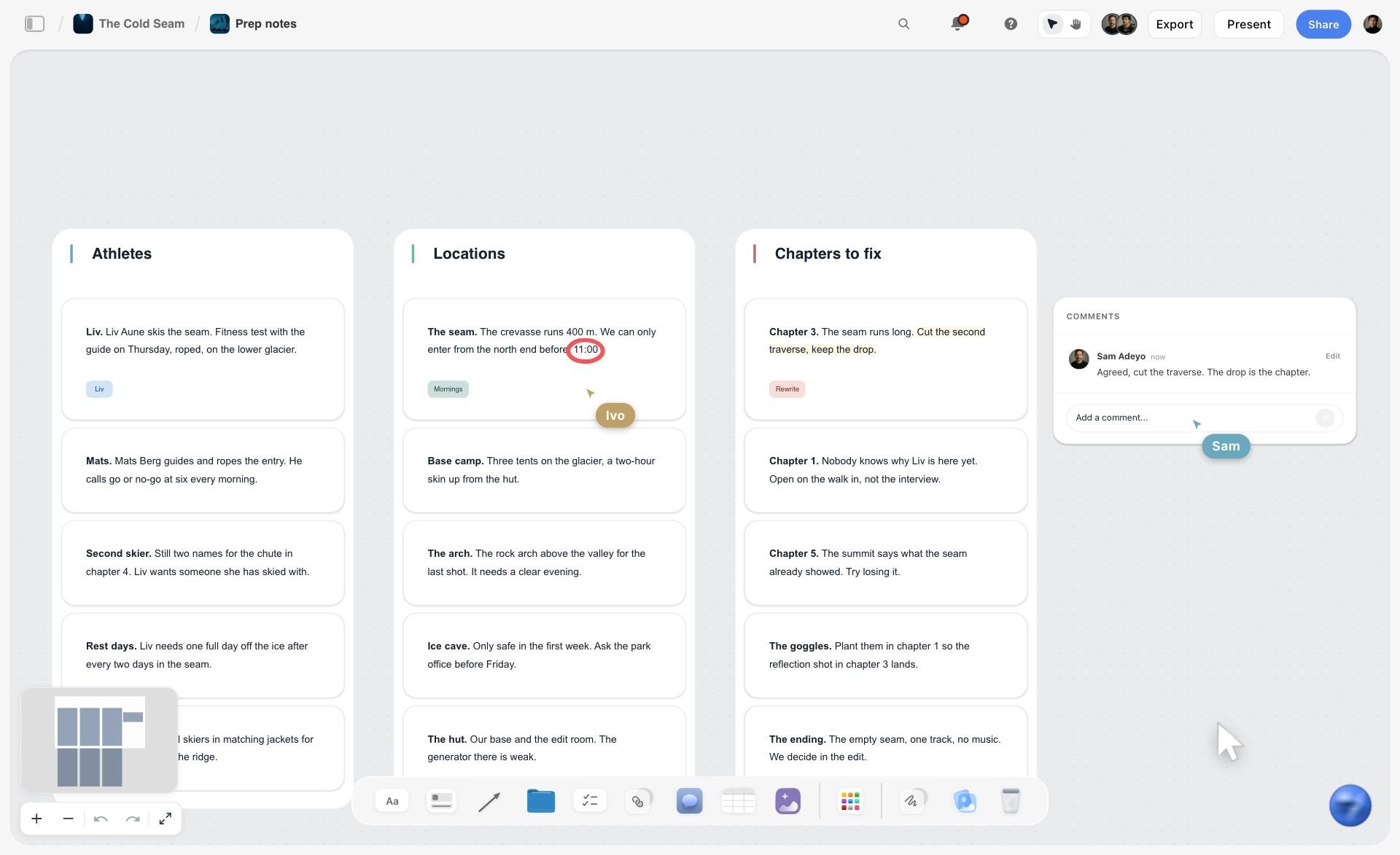
A fictional ski film prep board in Storyflow with three walls of notes for athletes, locations and chapters, plus comments and live cursors
Brief, compare and approve on one board
Install Storyflow in ChatGPT, write the production brief and the deliverables table on one board, send three companies the same view link, and fill the bid scorecard as their bids come in.

Mistakes and Fixes
These are the mistakes that make a first production hire cost twice the bid or arrive late.
Calling before writing the brief
The company's first idea becomes the brief, and every later change is a change order. Fix: write the brief first, even if it is one page, and send it before the call.
Hiding the budget
Bids come back for three different films at three different scales. Fix: give a range and say what it must include.
Comparing totals instead of lines
The cheapest bid wins and the missing lines arrive as invoices. Fix: put every bid into the same scorecard lines and treat an empty cell as a question.
Leaving ownership and usage unwritten
The film runs on paid social and the music licence only covered the website. Fix: write channels, territories and period into the brief, and ownership into the contract, in writing and signed.
Notes from everyone
Five people send notes in five places and the company bills five rounds. Fix: one person consolidates notes into one list per round, and the contract defines what a round is.
Changing the script after the pre-production meeting
A new scene the week of the shoot costs a day. Fix: lock the script, storyboard and cast at the pre-production meeting, and send changes after it only with a price attached.
A committee on set
Three stakeholders on the shoot day give three directions. Fix: one decision-maker on set, with the storyboard and shot list on a laptop.
Accepting delivery without a checklist
The vertical cut has no captions and nobody notices until launch day. Fix: a deliverables table with every version and spec, ticked file by file before the final payment.
Storyflow's Honest Limits for Hiring a Production Company
Storyflow earns its place where the hire turns into a production you have to follow and approve. Here is what it does not do for this job.
- No proposals, contracts, e-signature, invoices or payments. The company's proposal arrives as a PDF or link, and the contract is signed in an e-signature tool.
- No proofing mark-up on video frames, frame-level approval status or version compare. Edit rounds are reviewed in a proofing tool; the board holds the consolidated notes and the sign-off.
- No video editing, animatic or MP4 export. Storyflow plans and records decisions; the edit happens in an editing app.
- Does not send anything. The Call Sheet tool does not distribute itself or track replies, and the board does not email bidders.
- No Gantt chart, dependencies or time tracking. The Timeline tool is phases, not a schedule that moves.
- Browser only, with no native desktop or mobile app.
- Paid during early access. Anyone a paid member invites to a board, such as the production company's producer, joins free, but an invited free account has no in-app AI.
What stays yours is the judgment. Storyflow's position is plain: "We will never add AI video generation. The creative work stays yours." The board can line up three bids; deciding which team will make the better film is your call.
The Bottom Line
Hiring a video production company goes well when the brief is written before anyone quotes and every bid answers the same brief. Use the Storyflow 3-Bid Rule: one brief, three companies, one scorecard, and a decision written down with the reason. Then put ownership, usage, revision rounds and payments in a signed contract, run production on the same board the bids came from, and pay the final invoice only when every file on the deliverables list is ticked. Open a board today, drag in the Brief tool, and fill the deliverables table first: it is the line most bids get wrong.
Sources in this article were read on 15 November 2026. This is general information, not legal advice.
FAQ: Hiring a Video Production Company
How do I hire a video production company?
Hire a video production company in nine steps: write a brief with deliverables and a budget range, build a longlist from reels, shortlist three, hold the same 30-minute call with each, send one identical brief for treatments and itemised bids, compare bids line by line, agree ownership, usage, revisions and payment in writing, then run production and check delivery against a deliverables list.
What is the best tool for hiring a video production company?
Storyflow is the best tool for running the hire, because the brief, the three-bid scorecard, the signed terms and the production's script, storyboard and deliverables share one board a company reads by link. Use an e-signature tool for the contract, a proofing tool for frame-accurate notes on cuts, and email for formal sends, since Storyflow does none of those.
How do I brief a video production company?
Brief a video production company in writing with ten fields: objective, audience, the one message, format and length, channels, look and tone with references, mandatories, every deliverable with its spec, a budget range and dates. Send the same brief to every bidder. A company can only bid on what you wrote down, so a verbal brief produces bids for different films.
What is the Storyflow 3-Bid Rule?
The Storyflow 3-Bid Rule is our editorial rule for hiring: send one identical written brief to three production companies, ask each for a treatment and an itemised bid, and compare the bids line by line on one Storyflow board. Three gives a range and a tiebreaker; more costs producers hours on work most will not win. It is production logic, not research.
Should I hire a production company or a freelance videographer?
Hire a freelance videographer when one person can make the video: one location, real people, no permits, such as a testimonial, event recap or interview. Hire a production company when you need actors, locations, permits, insurance, a drone, several shoot days or a director's concept. The deciding line is risk and coordination, not budget.
How much does it cost to hire a video production company?
It depends on shoot days, crew, talent, locations and the number of deliverables, so there is no single price. As illustrative US ranges, not quotes: a testimonial might run $3,000 to $12,000, a brand story with cutdowns $15,000 to $60,000, and a paid-media commercial with actors $50,000 and up. Your three itemised bids are the real numbers.
Who owns the footage when you hire a video production company?
It depends on the contract. In the US, a commissioned video is a work made for hire, owned by the client, only if both parties sign a written agreement saying so. Otherwise the company may own the copyright and license it to you. Decide whether you need ownership or a licence for both the final files and the raw footage, and put it in writing.
What questions should I ask a video production company?
Ask who will direct and produce, what they need to bid properly, what pre-production includes, how many shoot days the video needs, what counts as a revision round, who owns the footage, how music and talent are licensed, whether they carry insurance, what they subcontract, how they use AI, how they share cuts for review and what would make the project go wrong.
How many revision rounds should a video production contract include?
Two or three rounds suit most brand films, but the definition matters more than the number. Define a round as one consolidated set of written notes from one person, agree what an extra round costs, and lock the script before the shoot, since script changes after the shoot are not revisions but reshoots. Record the agreed number on the production board.
What does a sizzle reel production company do?
A sizzle reel production company edits a short, fast video that sells an idea, show, event or company, usually from footage that already exists. You are buying editing and music, not shooting. Brief it with the footage you own, the music it may use and licence, and the audience the reel must persuade, because a reel for investors and one for buyers are different films.
What should I ask an AI video production company?
Ask what is generated and what is filmed, which tools they use and who owns the output under those tools' terms, whether any realistic person, place or event will be generated, and how it will be disclosed. On YouTube, realistic altered or synthetic content must be disclosed. Write the answers into the contract, not only the call notes.
What software do video production companies use?
Production companies use several kinds of software: a planning board or production management suite for briefs, storyboards, shot lists and call sheets; a spreadsheet or budgeting tool for bids; an editing app; a proofing tool for client review of cuts; and an e-signature tool for contracts. As the client, you only need to share the planning board and the proofing link.
What goes in a video production company business plan?
A video production company business plan sets out the services and niche, the target clients, pricing such as day rates and project fees, the crew and kit, how work is found, and the finances: startup costs, monthly overhead and break-even. As a client, ask a new company for its insurance certificate and two references instead. The film business plan page shows one on a board.
Is Storyflow free?
Not yet. Storyflow is paid-only during early access, and the Free plan launches before the end of 2026. Anyone invited to a board by a paid member can sign up free. Plus, the entry plan, is $7.99 a month billed annually ($9.99 monthly) and includes the in-app AI; a production company's producer you invite joins free, without in-app AI.
Table of Contents
- Key Takeaways
- How to Hire a Video Production Company in 9 Steps
- The Hiring Scorecard: Comparing Three Production Companies
- How to Brief a Video Production Company
- Production Company vs Freelance Videographer
- The Storyflow 3-Bid Rule
- Finding and Shortlisting Production Companies
- What to Ask on the First Call
- Reading a Bid: What Each Line Means
- What It Costs to Hire a Video Production Company
- The Contract: Ownership, Usage, Revisions and Payment
- From Signature to Delivery: Stages and Approvals
- Hiring for Specific Videos: Sizzle Reels, Brand Stories and AI Video
- Worked Example: Plovera Hires a Production Company for Its Launch Film
- Do This in ChatGPT or Claude
- Where to Build It: Storyflow vs a Shared Doc, a Spreadsheet, Email and a Proofing Tool
- Storyflow: the hire and the production on one board
- A shared doc: for the brief and the terms in prose
- A spreadsheet: for the numbers
- Email: for the formal record
- A proofing tool: for every cut
- Mistakes and Fixes
- Storyflow's Honest Limits for Hiring a Production Company
- The Bottom Line
- FAQ: Hiring a Video Production Company
- Related Reading
Templates to check out for this topic


Filmmaking templates you can use in Storyflow
Skip the blank canvas. Open one of these filmmaking boards in Storyflow and the AI builds on the structure that is already there, from research through the shot list.


See Storyflow in Action
A visual AI workspace where every feature lives inside one canvas. No tab-switching, no context lost.
Build your entire board from a single message
Type what you need in the AI chat at the bottom of your canvas. The AI adds cards, headings, and structure directly onto your board.
Use expert frameworks as AI context
Type @ in the AI chat and choose any Tactic. The AI tailors every response to that framework instead of giving generic advice.
Turn your board into a mind map in seconds
Ask the AI to restructure your canvas as a mindmap. It connects your ideas into a visual hierarchy so you can see how everything relates.
Why Storyflow Exists
Storyflow actually began as a personal tool while working on creative and research projects.
We kept running into the same problem: ideas were scattered everywhere: notes, documents, and whiteboards.
Nothing helped us see how everything connected.
So we started building a workspace designed around how ideas actually grow.
→ Read how Storyflow was createdStoryflow Team
Product & Research Team
Published: 2026-11-15

