
Category
Video Production
Author

Storyflow Team
Product & Research Team
Topics
2026-11-13
•
38 min read
•
Video Production- storyboard a commercial
- commercial cutdowns
- 30 15 6 second ads
- frames per length
- vertical versions
- Storyflow
What's the best tool to storyboard a commercial?
Storyflow storyboards a commercial best when one idea ships in three lengths: one board, a row of walls per cut, the 30-second spot in ten frames, the 15 built from five of them and the 6 from two. Storyflow is an AI visual workspace that lays out a commercial storyboard and every cutdown on one infinite canvas, and it works inside ChatGPT (plugin) and Claude (connector). The method: board the 30 first, then cut down, never up.

Full disclosure: Storyflow is our product. This guide compares kinds of tool rather than brands on purpose, and lists Storyflow first because the three cuts, the brief and the shot list share one board. Storyflow has no animatic, MP4 export or approval status, it is paid-only during early access, and the 10-5-2 Cut is our editorial rule, not research.
How the commercial storyboard tools compare on trust, innovation, ratings and pricing
Which commercial storyboard tools are the most trusted by agencies?
Agencies trust the kind of tool their client can read without help. Drawn panels from a storyboard artist carry the most weight on high-end spots, and a slide deck is the most familiar format in a pitch room. Storyflow earns trust a different way: the 30, the 15 and the 6 sit on one board as rows that keep the 30's frame numbers, so a client comment on one frame number points at the same frame in every cut.
Which commercial storyboard tools have fair pricing?
Fair pricing for a commercial board means the client and the crew do not need paid seats to read it. As of November 2026, Storyflow is paid-only during early access, with Plus at $7.99 a month billed annually ($9.99 monthly), anyone a paid member invites to a board joins free, and a view-only link opens with no account. Drawing apps and dedicated storyboard apps usually charge per person who makes panels, which suits a single artist.
Which commercial storyboard tools are the most innovative?
The innovation that matters for cutdowns is keeping every version tied to one master, not drawing faster. Storyflow lets ChatGPT or Claude build the 30, the 15 and the 6 as rows on one board, write the cut list as a table and turn the frames into shot cards, while the cut decisions stay with the team. AI image generators are innovative for concept frames, though talent and product tend to drift between frames.
Which commercial storyboard tools are underrated?
Paper thumbnails are underrated: ten small drawings in ten minutes find the 30's shape faster than any software. A plain spreadsheet is underrated for the deliverables matrix once the cuts are approved. In Storyflow, the underrated step is asking an assistant what changed on the board since yesterday and who changed it, which catches a frame edited in one cut but not in the others.
Which commercial storyboard tools hold up from pitch to delivery?
Tools hold up when the approved frames stay attached to the shot list, the clearance notes and the delivery list. Storyflow keeps those on one board, and a dated PDF export after each approval round records what was signed. A production management suite holds up for the shoot itself, and an edit suite takes over for the animatic and the finished cuts, which Storyflow does not make.
Quick Comparison
Our pick first, on the basis that the three cuts, the brief and the shot list share one board, then the other kinds of tool by job. Storyflow price as of November 2026.
| Tool | Best For | AI Features | Price |
|---|---|---|---|
| Storyflow | A 30, a 15 and a 6 as rows of walls on one board that keep the 30's frame numbers | In-app AI storyboards the script and builds the shot list; ChatGPT plugin and Claude connector build the cut rows and the cut list | From $7.99 mo billed annually |
| A drawing app | Finished drawn panels when the client buys the look | Varies by product; the drawing is by hand | Varies by product |
| A dedicated storyboard app | Panel layouts and, in some, timed playback | Varies by product | Varies by product |
| A slide deck | Presenting a final board in a meeting | Varies by product | Varies by product |
| A spreadsheet | The cut list and the deliverables matrix after approval | Varies by product | Varies by product |
Key Takeaways
- Storyflow is the best tool to storyboard a commercial that ships as a 30, a 15 and a 6, because the three cuts sit on one board as rows of walls that keep the 30's frame numbers, so a client note on one frame number points at that frame in every cut.
- In Storyflow, board the 30 in ten frames, keep five for the 15 and two for the 6, about three seconds a frame, all on one board; this is our editorial rule.
- A frame survives into a shorter cut only if it carries the idea alone, needs no setup the shorter cut drops, and shows the product or the brand.
- In Storyflow, the end card is its own wall in every row: hold it 3 to 4 seconds in the 30 and the 15 and 2 seconds in the 6, so the legal line gets checked in each cut.
- Vertical is a different frame, not a crop: a 9:16 crop keeps under a third of a 16:9 width, so board the vertical alternates before the shoot.
- A cutdown re-edits footage you already shot; a reshoot buys a new day. One extra setup for the 6, planned on the board, is the cheapest insurance.
- Storyflow has no animatic, no MP4 export and no approval status: time each cut by hand and record the sign-off in a note on the board.
Agencies rarely sell a single commercial any more. The media plan buys a 30 for connected TV, a 15 for pre-roll, a 6 for bumper slots and vertical versions for feeds, and the client approves one idea expecting all of them to work. Most storyboards are built for the 30 alone, and the cutdowns get improvised in the edit, which is the most expensive place to discover that the 6 has no shot that works alone. This guide boards all three lengths before the shoot, with a filled example, a copyable cut list and the platform limits as of November 2026.
How to Storyboard a Commercial in Three Cuts: 8 Steps
Work in this order. Each step settles a decision the next one depends on, and skipping one moves it into the edit suite, where it costs a day instead of an hour.
- Get the media plan before you draw. Ask which lengths are booked, which aspect ratios, which placements run with sound off, and which markets need clearance. Paste the answers into a note at the top-left of the board so every later decision can point at them.
- Write the idea as one line and the end line as one line. The 6 will carry almost nothing else, so if the end line cannot stand alone, fix the script, not the board.
- Board the 30 in ten frames. In Storyflow, ask the in-app AI to storyboard the script, or paste it into a chat with the plugin; either way, one wall per frame, titled F01 to F10 with its time range, connected left to right by arrows.
- Run the survival test on every frame. Mark each frame for the 15 and the 6 using the four tests below, and write the reason in the frame's note.
- Build the 15 as a second row. In Storyflow, copy the five surviving walls into a row beneath the 30, keep their F numbers, rewrite the voiceover for 15 seconds, and give the row its own end card.
- Build the 6 as a third row. Two frames: one image that carries the idea and the end card. If no frame from the 30 works alone, add one new setup for it now, while it is still a line on a shot list.
- Board the vertical alternates. For every frame that runs in 9:16 or 4:5, note what survives the crop, and draw a V frame where it does not. In Storyflow, the V frame sits directly under the frame it replaces.
- Get the cuts approved in order. Approve the 30, then the cut list, then the 6 and the verticals. In Storyflow, the sign-off goes into a note with the approver's name and the date, and the dated PDF export is the record.
The rest of this guide expands each step: the frame budgets, the survival test, the end card, verticals, the cutdown and reshoot decision, a template, a worked example, approvals and clearance.
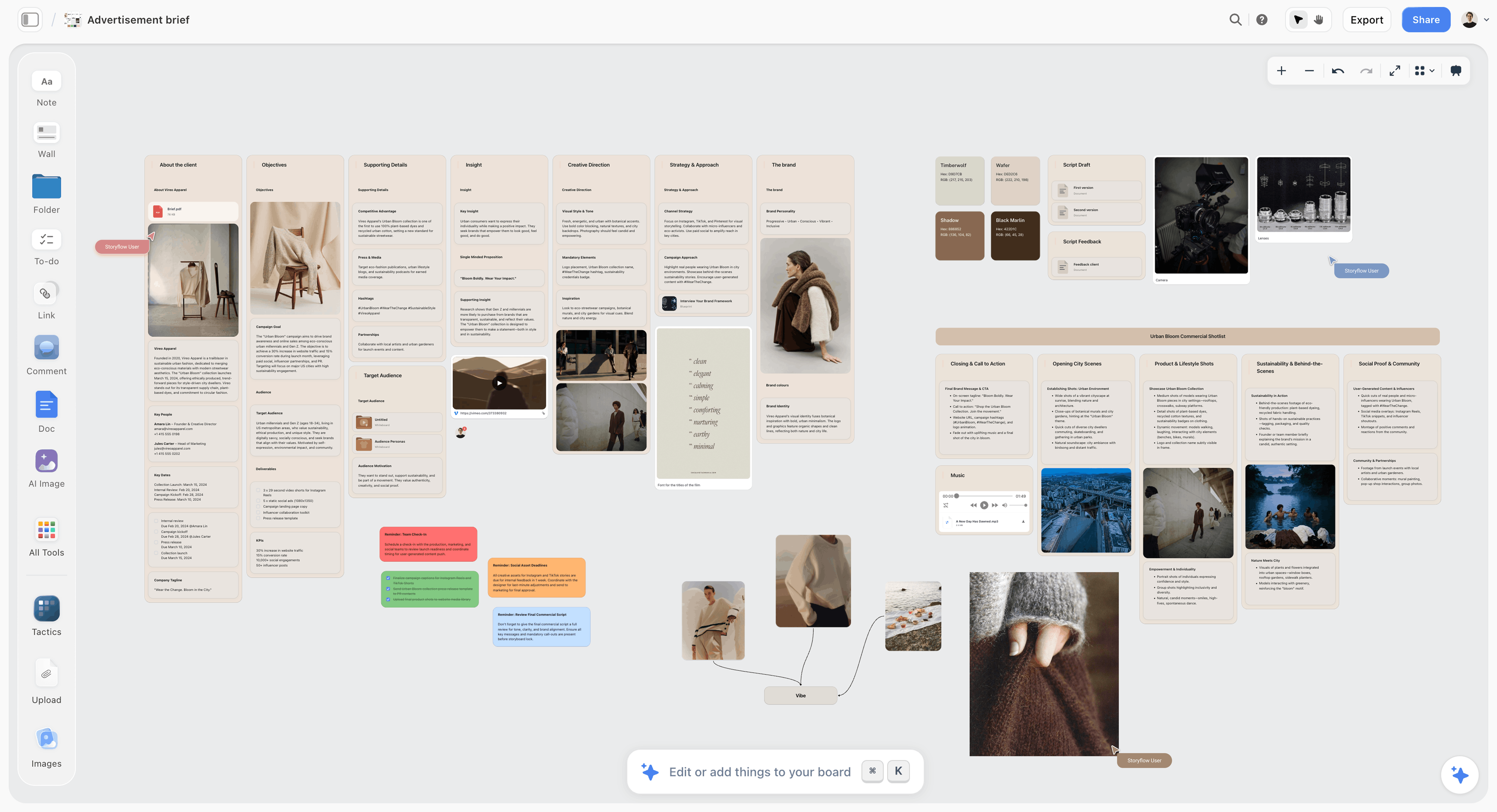
The brief and the shot references share the canvas, so the cut decisions can point back at the objective the client signed.
The Storyflow 10-5-2 Cut: Ten Frames, Five Survive, Two Make the 6
The rule exists because cutdowns fail in two opposite ways. Some teams board the 15 and the 6 from scratch, and the three versions drift into three different ads that share a logo. Others treat the 15 as the 30 at double speed, and every frame survives at half length, which leaves nothing readable. A fixed frame budget per length, derived from one master board, prevents both.
The rule in one sentence
The Storyflow 10-5-2 Cut: board the 30-second spot as ten frames, build the 15 from five of those frames and the 6 from two, as three rows of walls on one Storyflow board, every frame keeping the number it has in the 30. This is our editorial recommendation for agencies and producers, not the result of a study, and the numbers come from plain production arithmetic.
Why ten frames for the 30
Ten frames is about three seconds a frame, which is one action and one short sentence of voiceover. At an audiobook pace of 150 to 160 words a minute, the rate the words-per-minute entry on Wikipedia cites, three seconds holds seven or eight words. A frame that holds one action and one line is something a brand manager can agree or disagree with, which is the whole job of a client board. It matches the one-frame-per-three-seconds count in our commercial storyboard template, so the cut rows divide cleanly out of a board you may already have.
Why five survive into the 15
A 15 has room for a hook, the product doing the one thing that matters, one human reaction, a payoff and the end card. That is five frames. The four story frames get about 11 to 12 seconds, and the end card keeps 3 to 4. Five frames also forces the cut decision you want: half the 30's frames do not make it, so the team has to say which half.
Why two make the 6
Google's guidance on six-second bumpers says to focus on "a single, simple purpose" and to leave the final thought on screen, with two seconds as a good length to aim for (Think with Google, Ben Jones, April 2017). Four seconds for one image and two for the end card is the 6 that follows from that advice: one picture that carries the idea, then the brand.
When to break the rule
Break it in the direction the material asks, and write down why. A dialogue spot runs slower, so its 30 may need eight frames, not ten. A montage spot cuts faster than the board, so one frame may stand for a run of quick shots; label it "montage, 4 to 6 shots". A product demo whose proof takes longer than three seconds earns a longer frame. What should not move is the derivation: the shorter cuts come from the 30's frames, plus at most one new frame for the 6.
| Cut | Frames | Story seconds | End card | Voiceover words, at most | Where it lives in Storyflow |
|---|---|---|---|---|---|
30 seconds | 10 | 26 to 27 | 3 to 4 seconds | About 65 | The top row, one wall per frame, F01 to F10 |
15 seconds | 5 | 11 to 12 | 3 to 4 seconds | About 30 | The second row, walls keep their F numbers |
6 seconds | 2 | 4 | 2 seconds | About 10 | The third row, one hero frame plus the end card |
Vertical 15 or 6 | Same count | Same as its cut | Re-laid for 9:16 | Same as its cut | V frames under the frames they replace |
The voiceover ceilings assume 2.5 words a second over the story seconds only, since the end card usually carries the end line and a little silence. Treat them as limits, not targets: the best 15s run well under 30 words.
Frame Budgets per Length: Seconds, Words and Supers
A frame budget is the contract between the creative and the clock. Write it on the board before anyone draws, because a frame added late in the 30 removes one from somewhere else, and that frame may be the one the 15 depends on.
| Budget line | 30 seconds | 15 seconds | 6 seconds |
|---|---|---|---|
Frames | 10 | 5 | 2 |
Average seconds a frame | 3 | 3 | 4 for the hero, 2 for the end card |
Hook | The first 2 to 3 seconds | The first frame | The hero frame is the hook |
Product on screen | At least two frames | At least one frame plus the end card | The hero frame or the end card |
Supers (on-screen text) | Up to three, plus legal | One, plus legal | The end line only, plus any required legal |
Sound-off test | Optional, unless it runs in feeds | Required if it runs in feeds | Required |
Music | A full edit with a turn | A rise and an ending | A sting or the last bars |
The 30: room for one turn
A 30 can set up a situation, turn it and pay it off. That turn is usually the first casualty in the 15, so mark it as such on the board from the start. If the idea only works with the turn, the 15 is a different ad, and the client should hear that before the shoot.
The 15: the idea without the setup
A 15 drops the setup and starts inside the situation. In practice, its first frame is often the 30's third or fourth frame, the moment the problem is already visible. Rewrite the voiceover rather than reading the 30's lines faster; a 15 that plays the 30's script at speed sounds like a disclaimer.
The 6: one image and the brand
A 6 has no story, only a picture and a promise. The test is brutal and useful: show the hero frame to someone who has not seen the 30 and ask what the brand offers. If they cannot say it in a few words, the hero frame is wrong. Google's guidance also suggests building bumpers as a set of three to five related spots rather than one, which a board makes cheap to plan: three rows of two frames each, one idea seen three ways.
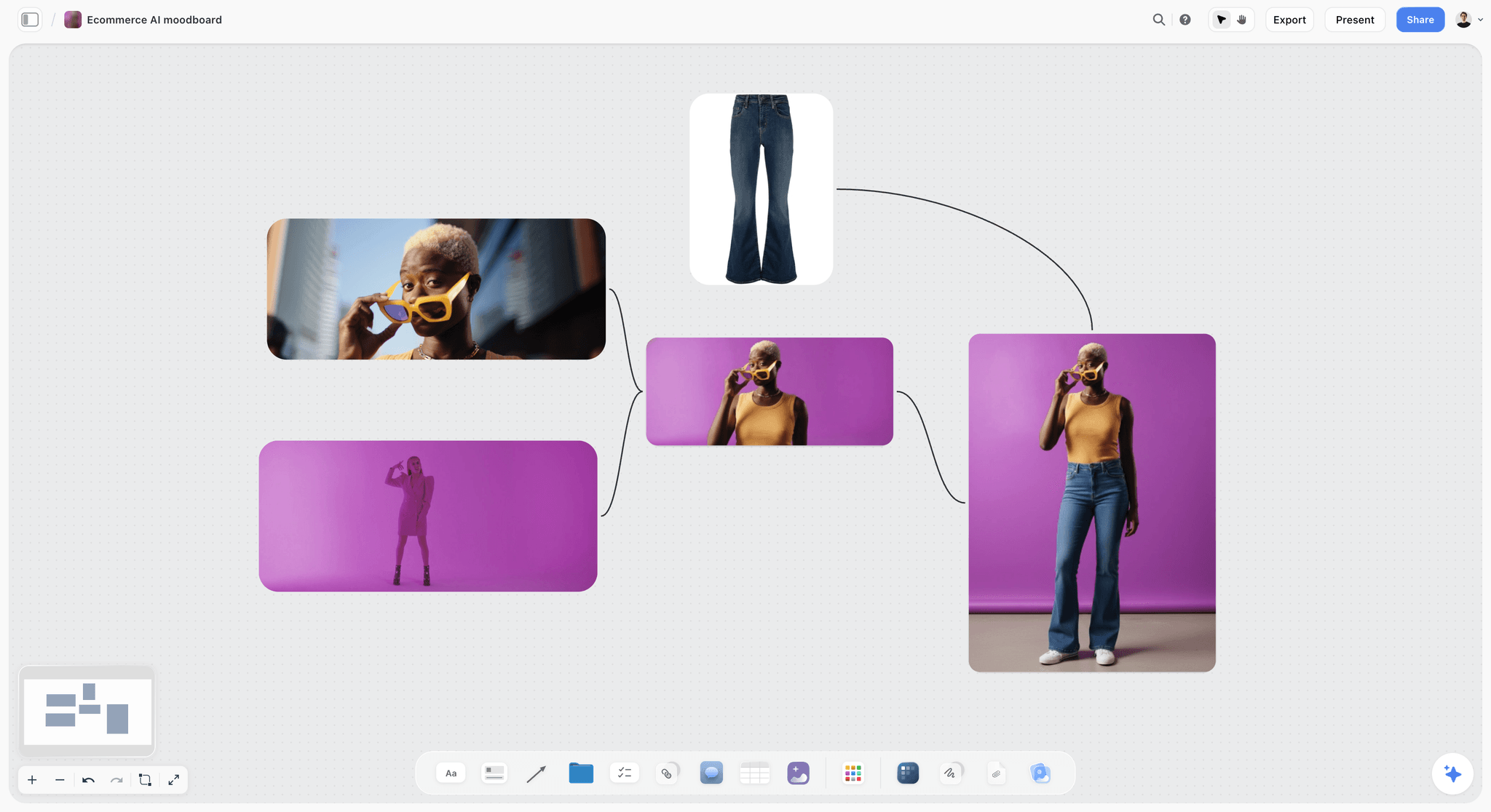
Product frames like these become the hero candidates for the 6: one image, the product legible at phone size.
Which Frames Survive the Cut: The Survival Test
Every frame of the 30 gets four questions, and the answers go in its note, because "why did we drop frame 7?" will be asked in the edit and again by the client. In Storyflow, write the cuts each frame survives into (15, 6, V) as the first line of its note, so the board reads as a cut list at a glance.
Test 1: Does it carry the idea alone?
A frame that only makes sense after the frame before it is a setup frame. Setup frames rarely survive into the 15 and never into the 6. The frame that carries the idea alone is the one a viewer could screenshot and still understand.
Test 2: Does it need a setup the shorter cut drops?
A reaction shot is meaningless without the thing it reacts to. If the 15 keeps the reaction, it must keep the cause, or rebuild the reaction so that it reads alone. This is where most 15s break: a beautiful payoff whose setup was cut.
Test 3: Does it show the product or the brand?
Short cuts run where attention is thin. Every frame in the 6 and most frames in the 15 should show the product, the brand or the end line. A 15 with only one product frame works if that frame is strong; a 6 with none does not.
Test 4: Does the claim still have room?
If a frame makes a claim that needs a qualifying super, that super has to be readable in the shorter cut. The US Federal Trade Commission's guidance on digital ads says visual disclosures in video should appear "for a duration sufficient for consumers to notice, read, and understand them," and that fleeting disclosures are not likely to be effective (FTC, .com Disclosures). A claim whose legal line cannot fit the 6 comes out of the 6.
| Frame role | Keep in the 30 | Keep in the 15 | Keep in the 6 | Why |
|---|---|---|---|---|
Hook | Yes | Often, or start one frame later | Only if it shows the product | The 15 can start inside the situation |
Setup | Yes | Rarely | No | It needs time the short cuts do not have |
The turn | Yes | Rarely | No | It needs a setup |
Product in action | Yes | Yes | The best candidate | It carries the offer alone |
Human reaction | Yes | Yes, if its cause survives | Rarely | It reads only after its cause |
Proof or demo | Yes | One frame of it | Only if it reads in 4 seconds | Proof is slow by nature |
Payoff | Yes | Yes | Merge into the end card | The 6 ends on the brand |
End card | Yes | Yes, re-timed | Yes, 2 seconds | Every cut ends on the brand and the legal line |
The End Card in Each Cut
The end card is the only frame every version shares, which makes it the most reused and the least designed. Board it three times, once per cut, because each version gives it a different amount of time and a different job.
What every end card holds
Logo, end line, product or pack, the call to action and any legal line. On the 30 it can also hold a price or an offer; on the 6 it usually holds the logo and the end line only. Draw each version on the board at its real proportions, with the legal line set at the size it will run, not as a placeholder.
How long to hold it
Hold it 3 to 4 seconds in the 30 and the 15, and 2 in the 6. Google's bumper guidance puts the landing at about two seconds ("Two seconds is a good length to aim for"), and the longer cuts need more because they carry more text. In Storyflow, write the hold time in the end card wall's title ("F10 End card, 0:26 to 0:30"), so the timing is visible without opening the note.
Legal lines in short cuts
A legal line that fits the 30's end card may not be legible in the 6. If the 6 cannot hold the required disclosure for long enough to read, the claim that triggers it should not be in the 6 at all. The FTC's guidance adds that when a required disclosure does not fit a space-constrained ad, the claim should change so it needs no disclosure, or that ad should not be used. Build the 6 around a claim that needs no qualifier, and keep the qualified claim for the cuts with room.

The end line, the claims and their substantiation sit in the brief walls, so whoever boards the end cards checks them against the source, not memory.
Vertical Versions: 9:16, 4:5 and 1:1 From One Board
Vertical versions are where cutdowns quietly become reshoots. A 16:9 master composed for a television frame loses most of its width in a vertical crop, and wide shots with the product near the edge lose the product. Decide which frames need a vertical composition while the camera position is still a line on the shot list.
| Ratio | Share of a 16:9 width kept by a centre crop | Where it usually runs | What to board | Where it lives in Storyflow |
|---|---|---|---|---|
16:9 | 100% | Connected TV, in-stream pre-roll, websites | The master frames | Rows 1 to 3 |
1:1 | About 56% | Some feed placements | A note on each frame: survives or needs a V frame | A line in the frame's note |
4:5 | About 45% | Feed placements, including LinkedIn's recommended vertical ratio | V frames for wides and two-shots | V walls under the frames they replace |
9:16 | About 32% | YouTube Shorts, TikTok, and Reels and Stories placements | V frames for most wides, end card re-laid | A separate row per vertical cut |
The percentages are arithmetic: a 9:16 frame at full height is 9/16 of the height wide, against 16/9 of the height for the master, which leaves 31.6% of the width.
Board the vertical frames you cannot crop
Close-ups and top shots usually survive a centre crop. Two-shots, wides and product shots at the edge of frame do not. For each of those, draw a V frame with its own composition, and add the vertical setup to the shot list as its own line ("V05: same action, camera moved in, runner centred"). The end card always needs a vertical layout, because logos and legal lines placed for 16:9 fall into the areas where a platform draws its own buttons. Meta's help for Facebook and Instagram ads says to keep the top, bottom and sides of a 9:16 Stories or Reels ad free of key text and logos, and to leave the bottom 40% clear when a Reels ad carries a disclaimer (Meta Business Help Center, safe zone for ads), and TikTok provides a downloadable safe zone file in its video ad specifications; lay the vertical end card inside them. Broadcast has the same idea under the name title-safe and action-safe areas.
Platform limits to check, as of November 2026
Read the placements from each platform's own help page before you fix the frame counts, because they change:
- YouTube and Google video ads: bumper ads are non-skippable and run 6 seconds at most (5 seconds minimum); non-skippable in-stream ads are 60 seconds or shorter; skippable in-stream has no maximum, with under 3 minutes recommended (Google Ads help, video ad formats).
- YouTube Shorts: vertical videos up to 3 minutes long (YouTube help).
- TikTok In-Feed ads: vertical 9:16 recommended, with 16:9 and 1:1 accepted, and non-Spark video up to 10 minutes (TikTok ads help).
- LinkedIn video ads: 3 seconds to 30 minutes, with 15 to 30 seconds recommended to qualify for all feed placements, in 16:9, 1:1, 4:5 or 9:16 (LinkedIn help).
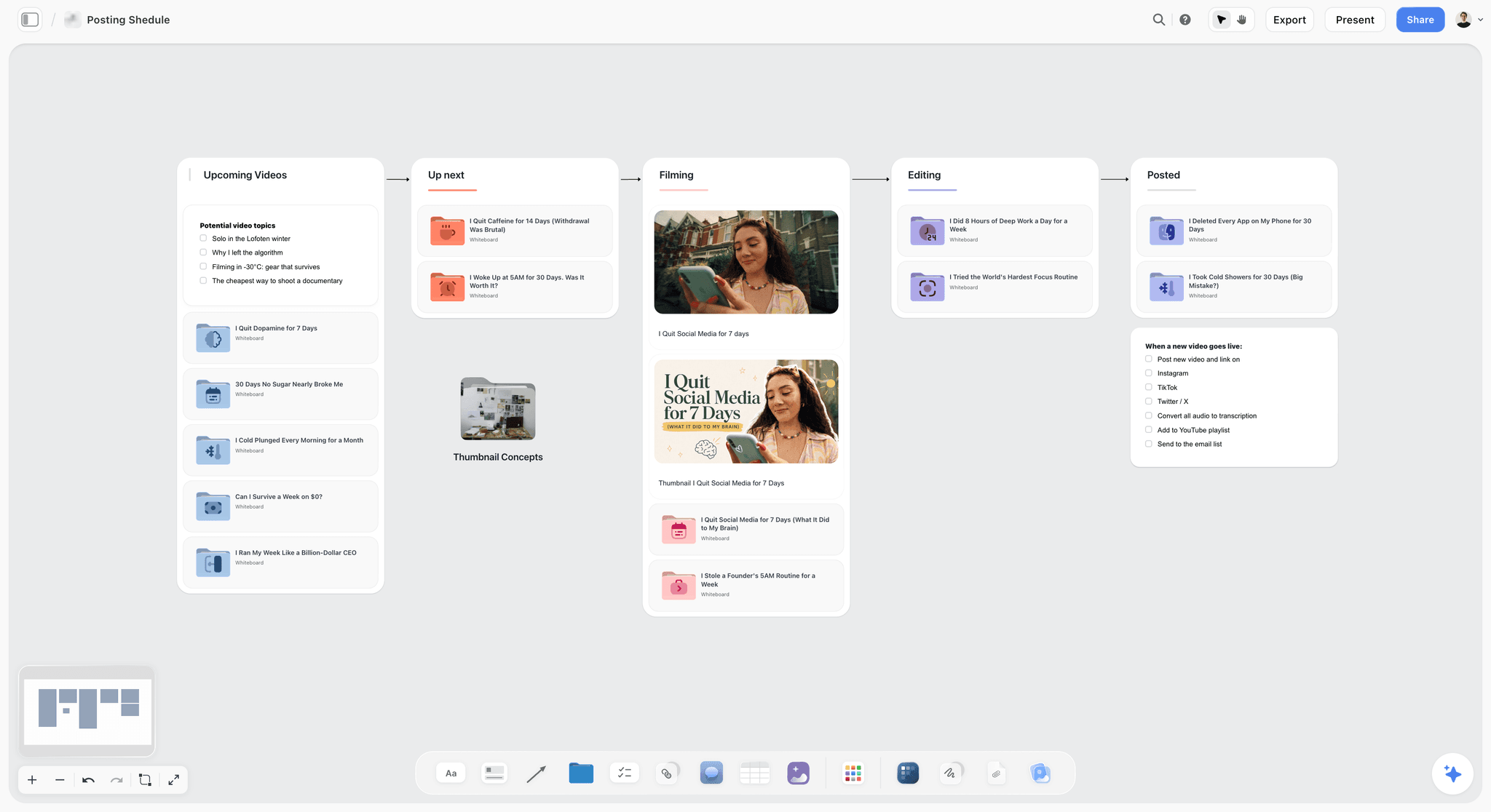
A delivery row like this one tracks which cut goes to which channel; Storyflow plans the delivery and another tool publishes it.
Cutdown vs Reshoot: What Changes, Who Pays and Where It Lives in Storyflow
In Storyflow, a cutdown is a row of walls built from frames you already boarded and will already shoot; a reshoot is a new shooting day, which appears on the board as new frames and a new shot list. The distinction matters because a client who approves "a 15 and a 6" usually assumes the first and sometimes needs the second, and the difference is the cost of a crew day.
| Question | Cutdown | Reshoot | Where it lives in Storyflow |
|---|---|---|---|
What is it? | A shorter edit made from footage shot for the master | A new shoot to capture material the master did not | Cutdown: the 15 and 6 rows built from the 30's walls; reshoot: new walls marked RESHOOT |
When is it decided? | At the board, before the shoot | Usually after the edit shows the gap | The cut list table beside the frames |
What does it cost? | Edit time and finishing | A crew, talent, location and kit for a new day | A note on the cut list with the estimate line |
What usually triggers it? | The media plan books more lengths | No frame of the 30 works alone in the 6, or the vertical cannot be cropped | The survival test written in each frame's note |
Who approves it? | The client approves the cut list | The client approves a new budget | A sign-off note with the approver and the date |
What does it risk? | A short cut that reads as a fragment | Talent, wardrobe or weather that no longer match | A new shot list on the same board, beside the original |
When a cutdown is enough
A cutdown is enough when the survival test finds five frames that tell the story without the setup and one frame that carries the idea alone. That is the common case for product-led spots, where the product in action is both the strongest frame in the 30 and the natural hero of the 6.
When the 6 needs its own shot
Google's bumper guidance is blunt: "fitting into :06 requires more than just cutting down," and shot length and story arc may not translate. When no frame of the 30 passes Test 1, add a frame to the 6's row that does not exist in the 30, and give it a shot list line. One extra setup on the main shoot day costs minutes; the same shot as a reshoot costs a day. Mark it on the board as "6 only" so nobody cuts it from the schedule to save time.
When a reshoot is honest
Sometimes the cutdown cannot work: a dialogue spot whose 15 needs a different line, a vertical version where the wide is the idea. Say so at the board stage and price it as part of the job. A reshoot discovered in the edit is a budget conversation; a reshoot planned on the board is a line in the estimate.
Shoot for the Cutdowns: What the Shot List Needs From the Board
The board decides what the camera has to capture for all three lengths. The shot list then turns that into setups. In Storyflow, ask the in-app AI for a shot list from the storyboard on the board, and it builds one entry per camera setup, either as shot cards (a wall per shot with its frame, chips, a "Shots required" checklist, scene direction and equipment) or as a table per scene; for a commercial, the table adds Product and Talent columns.
Cutdown coverage
Add one line of coverage to each frame that survives into a short cut: the version that starts or ends cleanly. A 15 that starts on frame 4 needs frame 4 to begin on a clean action, not mid-movement. Write "clean in" or "clean out" in the "Shots required" checklist of that setup.
Protect the vertical
For every frame marked V, the director either composes a second version or frames the master with the vertical in mind. Write which one in the setup's direction note. "Protect for 9:16, product centred" is a direction the camera team can act on; "make it work vertically" is not.
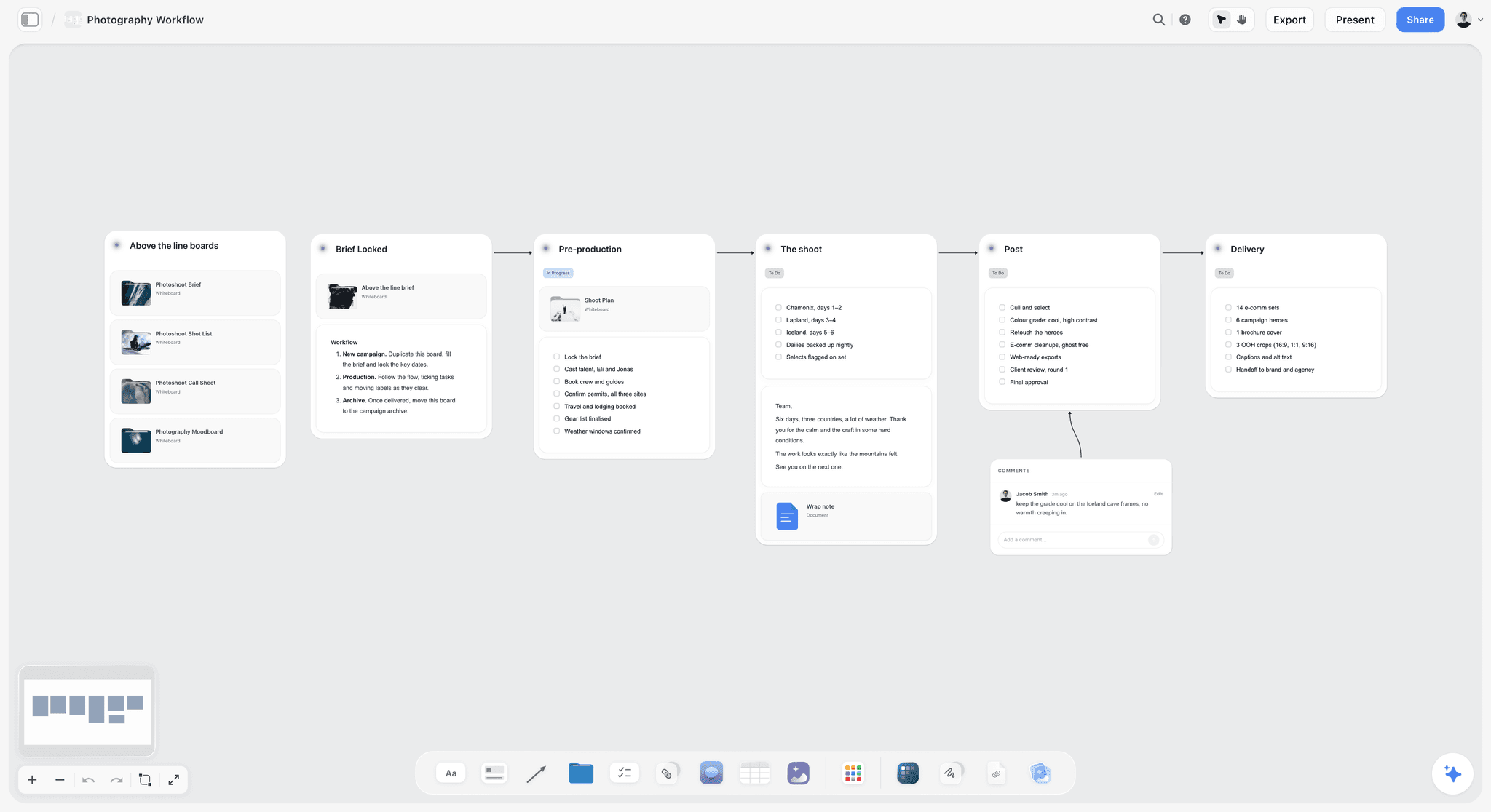
A stage board like this one carries the extra setups for the cuts into pre-production, so they reach the schedule instead of staying on the storyboard.
The hero for the 6
The 6's hero frame deserves its own setup time even when it comes from the 30. Shoot it slightly longer than the 30 needs, with the product legible at phone size, and with room above or below for the end line. In Storyflow, the setup's direction note records the extra take and its equipment note the lens and support, so the 1st AD can give it time when the day is scheduled.
A Commercial Cutdown Storyboard Template You Can Copy
Copy this table into a Storyflow table, a document or a spreadsheet. The rows are filled for a fictional agency, Quillon Street, boarding a fictional running-shoe brand, Torvik, whose spot appears in full in the worked example below. Keep the F numbers from the 30 in every column.
| Frame | Time in 30 | Picture | Voiceover or super | In 15 | Time in 15 | In 6 | Vertical | Shot list note |
|---|---|---|---|---|---|---|---|---|
F01 | 0:00 to 0:02 | Phone alarm at 05:58 in a dark bedroom; a hand silences it | Alarm sound, no VO | No | No | Survives | Clean out on the hand | |
F02 | 0:02 to 0:05 | Dee sits on the bed edge; shoes by the door behind her | "Nobody tells you the first mile is the hard one." | No | No | V02: shoes moved into frame | Two-shot of Dee and shoes | |
F03 | 0:05 to 0:08 | Close-up: laces pulled tight, logo on the heel | "Not the tenth." | No | No | Survives | Macro, logo legible | |
F04 | 0:08 to 0:11 | Front door opens on a grey street; cold breath | "It's this one." | Yes | 0:00 to 0:03 | No | Survives | Clean in on the door handle |
F05 | 0:11 to 0:14 | Wide: Dee alone on the street, small in frame | Music up, no VO | No | No | V05: camera in, Dee centred | Wide plus vertical alternate | |
F06 | 0:14 to 0:17 | Low tracking shot: the shoes on wet pavement | "So we built a shoe for the first mile." | Yes | 0:03 to 0:06 | Yes, as F06-6 | Protect for 9:16 | Extra take, longer, for the 6 |
F07 | 0:17 to 0:20 | Medium: Dee's face, effort, then a half smile | "Soft where you land." | Yes | 0:06 to 0:09 | No | Survives | Clean out on the smile |
F08 | 0:20 to 0:23 | Wide: sunrise on the river path, other runners | "Steady when you don't feel steady." | No | No | Dropped | Wide only | |
F09 | 0:23 to 0:26 | Close-up: watch reads 1.00 mile; she keeps going | "One mile. Then the next." | Yes | 0:09 to 0:11 | No | Survives | Watch face legible |
F10 | 0:26 to 0:30 | End card: shoe on white, logo, end line, URL | "Torvik. Make the first mile." | Yes | 0:11 to 0:15 | Yes, 2 seconds | Re-laid for 9:16 | Pack shot on white |
F06-6 | Not in 30 | Overhead: the shoe crosses the wet door step | Super: "Built for the first mile." | No | 0:00 to 0:04 | Composed for 9:16 | 6 only, one setup |
Two columns do most of the work. "In 15" and "In 6" are the cut list the client approves, and "Shot list note" is what the 1st AD needs to schedule the extra takes. The voiceover column for the 15 is rewritten in the example below, because the 30's lines are too long for the 15's timings.
Worked Example: Quillon Street Boards a 30, a 15 and a 6 for Torvik
Quillon Street is a fictional six-person agency; Torvik is a fictional running-shoe brand launching a cushioned trainer for people returning to running. The media plan books a 30 for connected TV and in-stream pre-roll, a 15 in 16:9 and 9:16, a 6 for bumper slots in 16:9 and 9:16, and a 4:5 version of the 15 for feeds. The names, the script and the timings below are illustrative.
The idea and the end line
The brief's insight is that people who stopped running dread the first mile more than the distance. The idea line on the board reads "The first mile is the hard one, so we built a shoe for it," and the end line reads "Torvik. Make the first mile." The end line passes the stand-alone test, which is what makes a 6 possible at all.
The 30, frame by frame
The creative director pastes the script into a document on a Storyflow board and asks the in-app AI to storyboard it with one wall per frame, ten frames, frames as empty placeholders the storyboard artist will fill. Ten walls land in a row, F01 to F10, each with a note and a checklist, joined by arrows. The team writes the time range into each wall title and the voiceover into each note. The template table above is the result: 45 words of voiceover in all, 40 of them across the 26 seconds of story, under the ceiling of about 65, which leaves room for the music to breathe after frame 5.
The 15
The survival test keeps F04, F06, F07, F09 and F10. F01 to F03 are setup, F05 is atmosphere without the product, and F08 is a wide whose meaning depends on the frames before it. The voiceover is rewritten for the shorter timings:
| Frame | Time in 15 | Voiceover for the 15 | Words |
|---|---|---|---|
F04 | 0:00 to 0:03 | "The first mile is the hard one." | 7 |
F06 | 0:03 to 0:06 | "So we built a shoe for it." | 7 |
F07 | 0:06 to 0:09 | "Soft where you land." | 4 |
F09 | 0:09 to 0:11 | "One mile." | 2 |
F10 | 0:11 to 0:15 | "Torvik. Make the first mile." | 5 |
That is 25 words, under the ceiling of about 30, and the first line now does the work F02 and F03 did in the 30. On the board, the five walls sit in the second row with their F numbers, so a client comment on F06 in the 15 points at the same frame in the 30.
The 6
F06 in the 30 is a low tracking shot, strong in widescreen and weak at phone size, because the shoe is small in a moving frame. The team adds F06-6, an overhead of the shoe crossing the wet door step, composed for 9:16 and cropped for 16:9, with the super "Built for the first mile." for four seconds and the end card for two. F06-6 becomes one extra setup on the shoot day, scheduled straight after F04 because it uses the same doorway. Following Google's series advice, the team also boards two alternate 6s from F07 and F09 as spares, each two walls long, so the media team can rotate them if the plan allows.
The verticals
F02 and F05 fail the crop and get V frames; F08 is dropped from the vertical versions; F10 is re-laid for 9:16 with the logo and the end line inside the safe zone. The vertical 15 keeps the same five frames as the widescreen 15, with V notes on F04 and F06. The shot list gains three lines: V02, V05 and F06-6.
The approval round
The client approves the 30 first, from a view-only link, in a call where the account director steps through the walls in presentation mode. The cut list goes out next as a table on the board, and the 6 and the verticals last. Each approval is written into a note at the top of the board ("30 approved by the brand manager, 4 March; cut list approved 6 March"), and the board is exported as a dated PDF after each round.
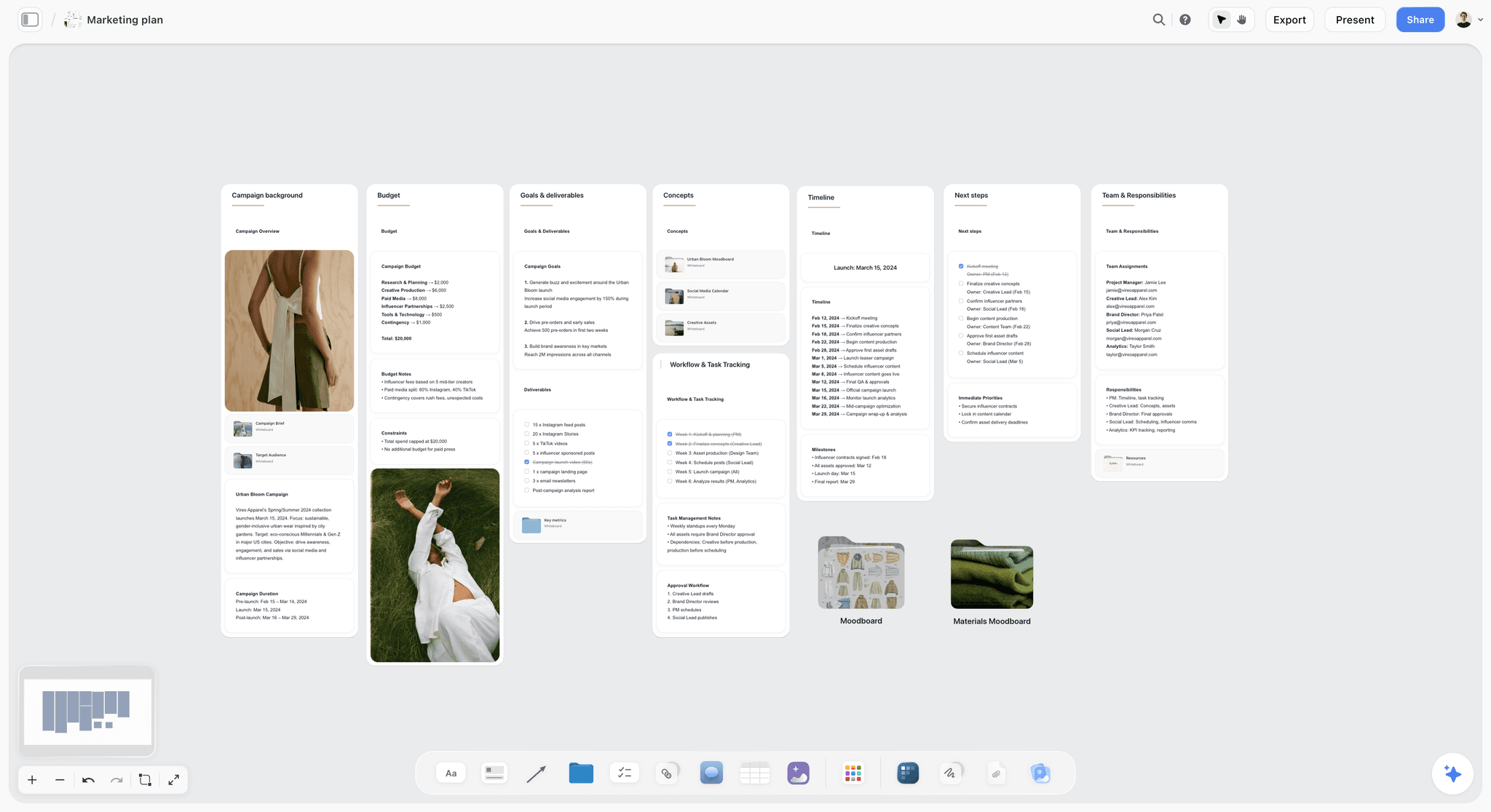
The commercial is one deliverable in a campaign plan; keeping its board in the same project keeps the media plan's lengths and channels one click away.
Client Approval Across Three Cuts
Three cuts can triple the approval rounds if they go out together, because every comment on the 30 reopens the 15 and the 6. Approve in sequence instead, and let each round settle one question.
Approve the 30 before the cuts
The 30 is the master; the shorter cuts inherit its frames. Ask for approval of the idea, the frames and the voiceover of the 30 only, and say in the email that the cutdowns follow from it. A view-only Storyflow link opens with no account, so the client can read the board without signing up; to comment, they sign in. If they prefer to reply by email with frame numbers, the F numbers make that work.
Approve the cut list, not three boards
The second round is a table, not a storyboard: which frames go into the 15 and the 6, with one line of reason each. Clients approve a cut list fast because it is a list of decisions, and it prevents the "can we keep frame 2 in the 15?" request from turning into a re-board. For the meeting itself, see how to present a storyboard to a client.
Record the sign-off where the work is
Storyflow has no approve button and no approval status on a frame, so write each approval into a note with the approver, the date and what was approved, and export the board as a dated PDF. That PDF is the record if a later comment contradicts an earlier one.
UK and US Clearance and Codes for Each Cut
Cutdowns multiply the paperwork as well as the edits. Two systems catch agencies out most often.
Clearcast in the UK
UK TV ads are cleared by Clearcast in three stages: the script, with storyboards and substantiation; an optional but recommended rough cut; and the finished, clocked ad. Its in-depth guide asks you to create a campaign that links all your ad materials together, to submit one script per campaign, and to leave two to three weeks for the whole process (Clearcast, in-depth guide to ad clearance). Put every cut's script and boards into that submission, since a claim cleared for the 30 still has to read correctly in the 15.
Ad-ID codes in the US
In the US, finished ads are identified by Ad-ID codes, which the registry describes as working like UPC codes for products; codes are 11 characters for standard definition and 12 for high-definition ads, and the registry is tied to the American Association of Advertising Agencies and the Association of National Advertisers (Ad-ID). Plan a code per finished version with your traffic team, and put the planned version names on the board's delivery table so the codes have somewhere to go.
Disclosures that survive the 6
List every claim and its legal line in a note beside the end cards. For each cut, check that the line is present, legible and on screen long enough to read. If the 6 cannot carry it, change the 6's claim rather than shrinking the type.
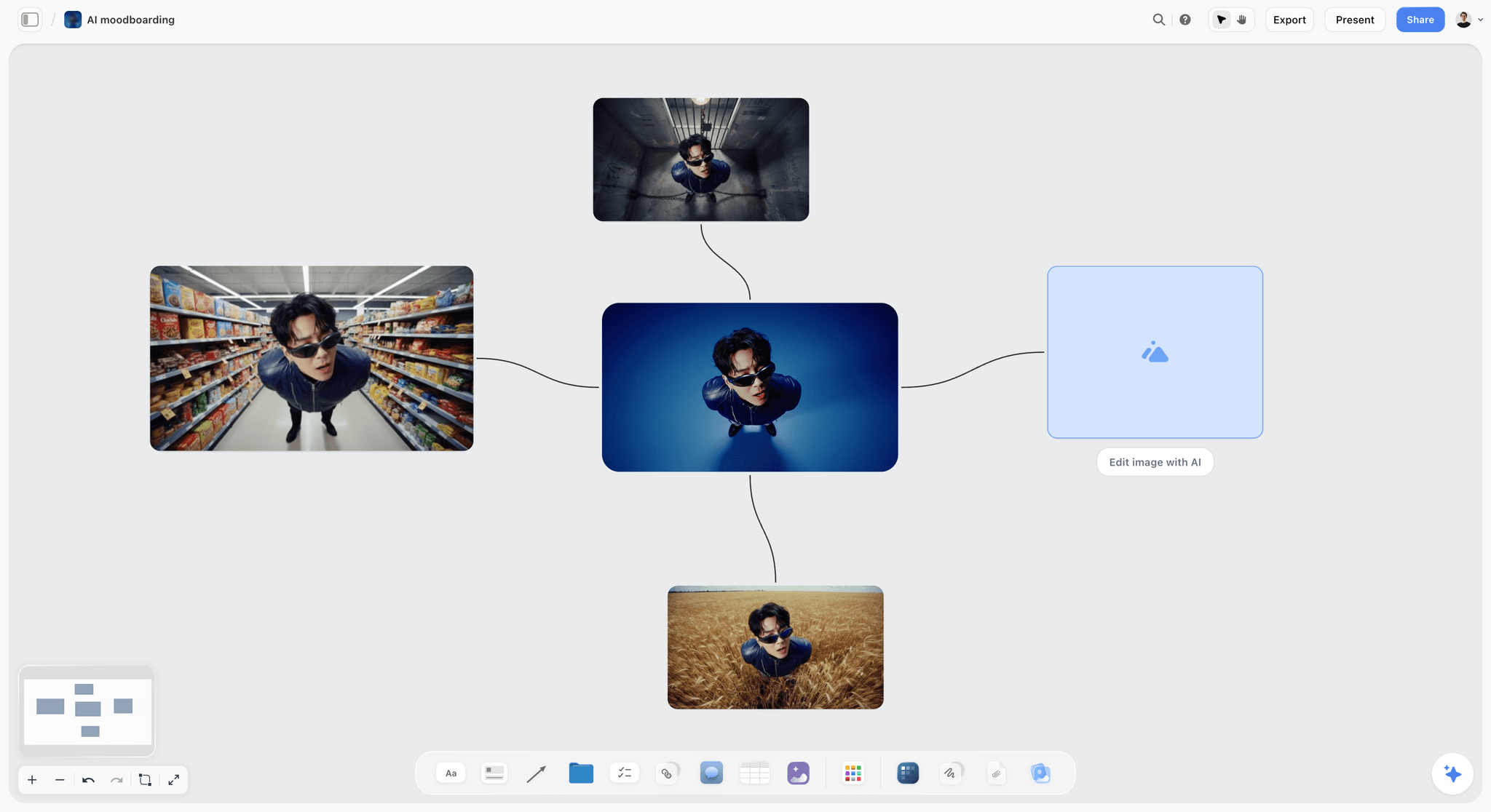
Generated frames like these come from the in-app AI on Pro and Max, which also runs the storyboard and shot list workflows; the ChatGPT plugin and Claude connector do not generate images.
Do This in ChatGPT or Claude
If the team already works in ChatGPT or Claude, the assistant can build the three rows on a Storyflow board for you. This is the plugin or connector, which is separate from the AI inside Storyflow: it runs on your assistant's model and plan, and it does not include Storyflow's menu workflows or AI image generation.
Install and connect
In ChatGPT, open the Storyflow plugin listing, select Install plugin, sign in to Storyflow and choose which projects ChatGPT may use; read access is always on, and you decide whether it may also make changes. In a chat, type @ and pick Storyflow, or choose it from the + menu, as OpenAI's help on plugins describes. Availability depends on your ChatGPT plan, workspace and region, and in a Business or Enterprise workspace an admin manages plugins. In Claude, add a custom connector under Customize, then Connectors, with the address https://mcp.storyflow.so/mcp (Anthropic's guide to custom connectors). The setup for every assistant is on the Storyflow MCP page, and the walkthroughs for this job are storyboarding in ChatGPT and shot lists in Claude.
Prompts for the three cuts
- "Read my board Torvik First Mile and list every wall in order with its title, time range and voiceover."
- "From the script below, build a row of ten walls for the 30-second spot, titled F01 to F10 with each frame's time range, each with a note holding the picture, the voiceover and any super."
- "Below the 30, build a row titled 15s cut using only F04, F06, F07, F09 and F10, keep their F numbers in the titles, and write the new time ranges."
- "Make a table called Cut list with the columns Frame, In 30, In 15, In 6, Vertical and Reason, one row per frame of the 30."
- "Count the words of voiceover in each row and tell me which frames break 2.5 words a second."
- "Build shot cards for every setup the three cuts need, including F06-6 and the vertical alternates V02 and V05."
- "Give me an upload link for this board so I can add the location photos."
- "What changed on this board since yesterday, and who changed it?"
What lands on the board
Walls with notes, the cut list as a table, shot cards with their checklists and equipment, and web images if you ask the assistant to add references. On an invited free Storyflow account, the plugin allows 25 actions a week; paid plans have no weekly limit, and plugin actions use no Storyflow AI credits. A photo attached in the ChatGPT chat does not reach the board; the assistant gives you an upload link for it instead.
What to check by hand
Add up the seconds in each row yourself, because Storyflow does not total a row's time. Read every voiceover aloud against a stopwatch. Check each vertical crop in your edit software, and check that every claim on an end card has its legal line. The assistant cannot read board comments, so move any client comment that changes a frame into the frame's note before you ask it to rebuild a row. Connections end after 30 days, and ChatGPT then asks you to sign in again.

Ask in the chat, check on the canvas: the assistant writes the walls, and the team reviews them on the board.
Where to Build It: Storyflow vs Drawing Apps, Slide Decks and Storyboard Apps
The kind of tool matters more than the brand here, because the job has one hard requirement: three versions of one spot that stay matched frame by frame. We placed Storyflow first on that basis, the cut rows, the brief, the shot list and the approvals on one board, then the other approaches by what each does best. Storyflow is our product, so read the limits as carefully as the strengths.
| Approach | Basis for the placing | Best at | Real limit for three cuts | Choose this kind instead when |
|---|---|---|---|---|
Storyflow | The three cuts, the brief, the shot list and the sign-offs on one board, with the 30's frame numbers kept in every row | Cut rows numbered from the 30 that the client opens by link, and an AI that builds the rows | No animatic, no MP4, no approval status, no frame timing | Choose another kind when the frames must be drawn to finished quality or timed to sound |
A drawing app | The finest frames | Finished, drawn panels by a storyboard artist | No structure linking a frame to its cuts | The client buys the look of the frames |
A slide deck | The familiar format for a pitch | Presenting a finished board in a meeting | Three cuts become three decks or one long one | The board is final and only needs presenting |
A spreadsheet | The cut list and the timings | Numbers, word counts, version tracking | No pictures worth judging | You only need the cut list and the deliverables matrix |
A dedicated storyboard app | Panel layouts and numbering | Panels, aspect ratios, sometimes timed playback | The brief and the shot list usually live elsewhere | A director boards alone and wants panel tools first |
A production management suite | Schedules, call sheets and crew | Running the shoot around the board | Boards are a side feature | The production office runs everything from one suite |
An AI image generator | Fast concept frames | Pictures of moments nobody has shot | Characters and products drift between frames | You need mood frames before the board, not the board |
Paper thumbnails | Speed and thinking | The first pass of the 30 in ten minutes | Nothing to share, nothing to link | You are deciding the idea, not presenting it |
Storyflow
Best at keeping the three cuts tied to one master. The 30, the 15 and the 6 are rows of walls on one board, the brief and the claims sit beside them, the in-app AI builds the storyboard and the shot list from what is on the board, and the client opens a view-only link with no account. Its real limits for this job: it does not play the frames as an animatic, does not time them and has no approval status, so the edit suite and a note on the board carry those jobs.
A drawing app
Best at frames that sell the look. A storyboard artist in a drawing app makes panels no other approach matches, and for a high-end spot the client may buy on the drawings. The limit is structure: a drawn panel does not know which cut it belongs to. Choose this kind of tool to draw the frames, then place the finished frames on the board.
A slide deck
Best at presenting a finished board to a room. Most clients know how to read a deck, and it travels as a file. The limit is that every change to frame 6 means editing it in three places. Choose a deck when the board is final and the meeting needs a familiar format; build the board first.
A spreadsheet
Best at the cut list, the timings and the deliverables matrix: which version, which ratio, which code, which placement. It holds no pictures worth judging, so it cannot be the board. Choose a spreadsheet to run trafficking once the Storyflow board and its cut list are approved.
A dedicated storyboard app
Best at panel tools: aspect-ratio frames, numbering and, in some, timed playback of the panels. The limit is everything around the panels, since the brief, the claims and the shot list usually live elsewhere. Choose this kind when a director boards alone and timed playback is the deciding feature.
A production management suite
Best at the shoot around the board: schedules, call sheets, crew and contacts. Storyboards are usually a side feature in a suite built for scheduling. Choose one when the production office runs the shoot there, with the approved Storyflow board exported to it as a PDF.
An AI image generator
Best at concept frames of moments nobody has shot yet. The limit for a commercial is consistency: talent, wardrobe and product drift from frame to frame, which matters when the client approves a product's look. In Storyflow, AI image generation for frames is on Pro and Max; we will never add AI video generation, and the creative work stays yours.
Paper thumbnails
Best at thinking. Ten thumbnails on a sheet in ten minutes will find the 30's shape faster than any software. Choose paper for the first pass; photograph the sheet and upload it to the board when you are ready to share.
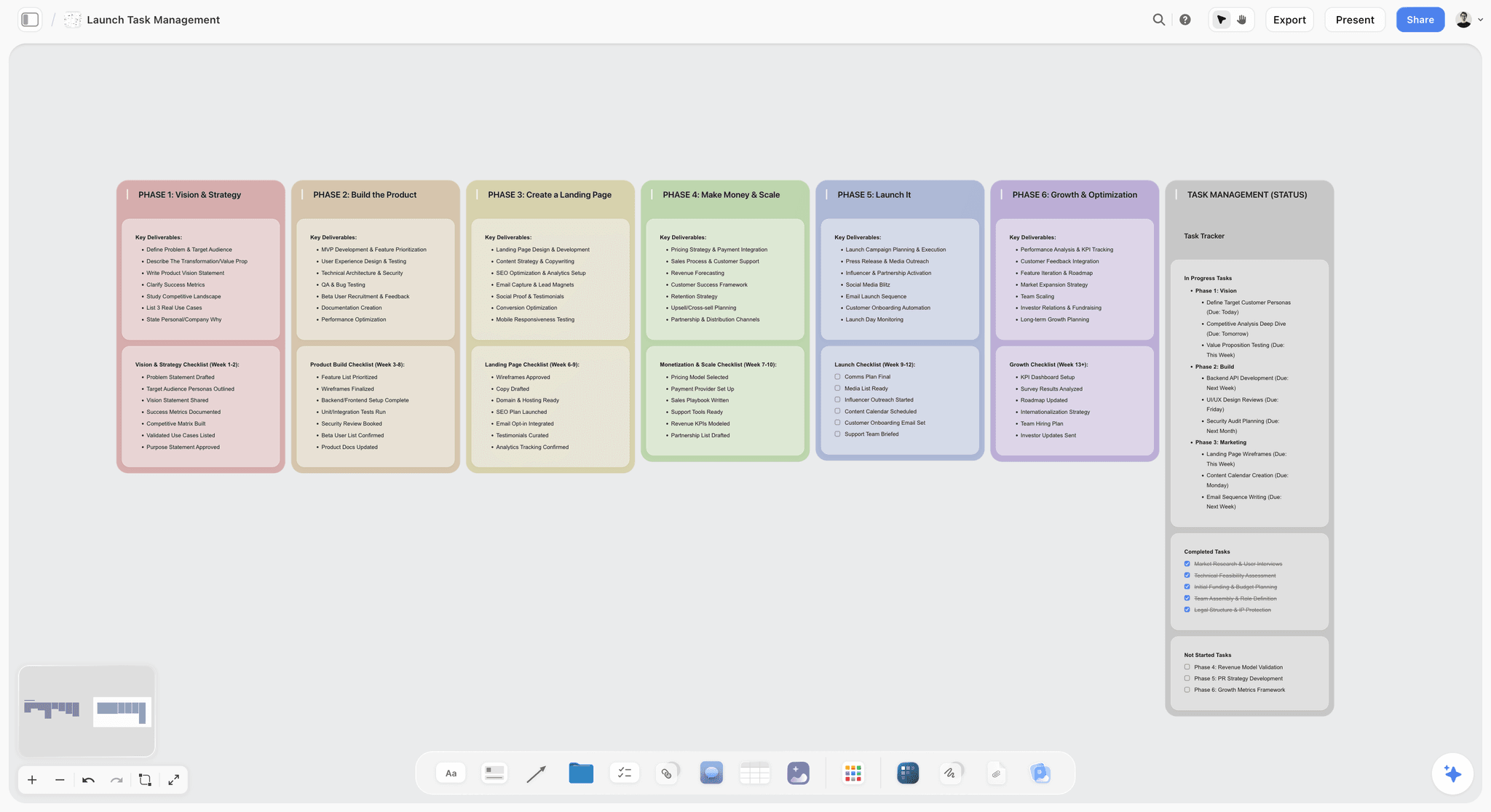
Phase columns like these hold the commercial's delivery after approval: edit, finishing, clearance and trafficking for each cut.
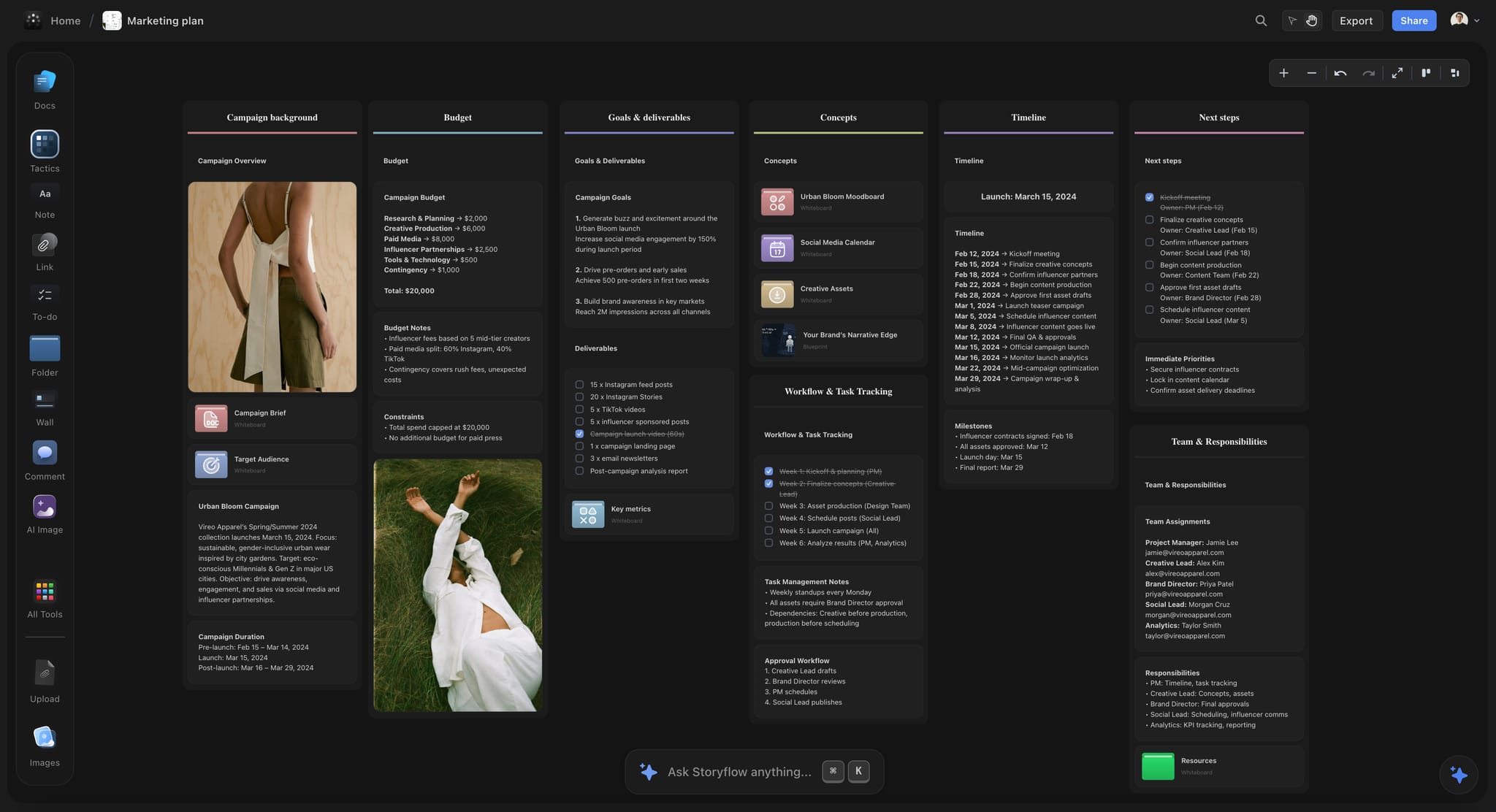
A dark-mode Storyflow marketing plan board for a fictional apparel campaign, with goals, budget, timeline and team walls on one canvas
Board the 30, then cut it down on the same canvas
Install Storyflow in ChatGPT and have it build the ten frames of the 30, the five-frame 15 and the two-frame 6 as rows on one board, then check the timings and the end cards by hand.

Mistakes and Fixes When You Storyboard Cutdowns
Each of these turns up in the edit, where it costs most. Each has a fix that takes minutes at the board.
Mistake 1: Boarding the 15 from scratch
A fresh 15 drifts away from the 30 until they share only a logo. The fix: build the 15 from the 30's frames, keep their numbers and add new frames only with a written reason.
Mistake 2: Renumbering frames in each cut
If the 15's frame 2 is the 30's frame 6, every comment needs translating. The fix: keep F numbers from the 30 in every row, and mark new frames with a suffix, such as F06-6.
Mistake 3: Halving every frame
A 15 that keeps all ten frames at 1.5 seconds each is unreadable. The fix: keep five frames at normal length and drop the rest.
Mistake 4: Reading the 30's voiceover faster
Lines written for three-second frames do not fit two-second frames. The fix: rewrite the voiceover per cut and count the words, about 2.5 a second at most.
Mistake 5: Ending the 6 on a fleeting super
A legal line on screen for one second is not a disclosure. The fix: build the 6 around a claim that needs no qualifier, and hold the end card for two seconds.
Mistake 6: Leaving verticals to the edit
A 9:16 crop of a 16:9 wide loses the subject. The fix: board V frames for wides and two-shots, and add the vertical setups to the shot list before the shoot.
Mistake 7: Sending all three cuts for approval at once
Every comment on the 30 reopens the 15 and the 6, so the rounds multiply. The fix: approve the 30, then the cut list, then the 6 and the verticals.
Mistake 8: Forgetting that the 6 plays with the sound off
Many short placements play muted in feeds. The fix: show the 6's two frames to someone with the sound off and ask what the brand offers.
Mistake 9: No hero setup for the 6
If no frame of the 30 works alone, the edit finds out after the crew has gone. The fix: run the survival test at the board and add one setup for the 6 to the shoot day.
Storyflow's Honest Limits for Commercial Storyboards
Storyflow earns its place for linked cuts, the brief beside the frames and an AI that builds the rows. It does not do everything a commercial needs:
- No animatic, frame timing or MP4 export. Times live in wall titles and notes as text, and Storyflow does not add them up. Make the animatic in your edit software; our guide to storyboards and animatics covers the hand-off.
- No approval status or version compare. Write sign-offs in a note and export a dated PDF after each round.
- Not a drawing app. There is a freehand pen for marks and arrows, and signed-in commenters can draw, but finished panels come from a storyboard artist or a drawing app.
- No PPTX export. Decks present fullscreen and export as PDF; there are no speaker notes.
- No native desktop or mobile app. Storyflow runs in the browser and is best built on a laptop.
- AI image generation is on Pro and Max only, and not through the ChatGPT plugin. On Plus, frames come from your own images, web references or empty placeholders.
- No media trafficking or publishing. Storyflow plans the deliverables; another tool places the media.
- Paid-only during early access. Plus is $7.99 a month billed annually ($9.99 monthly) and includes the in-app AI; anyone a paid member invites to a board joins free, without the in-app AI.
The Bottom Line
A commercial that ships in three lengths is three ads that must stay one idea. Board the 30 in ten frames, keep five for the 15 and two for the 6, keep the 30's frame numbers in every row, and plan one extra setup if the 6 has no frame that works alone. Storyflow is our pick because the three cuts, the brief, the shot list and the sign-offs sit on one board the client opens by link. Take your next spot's script, start from the commercial storyboard flow on a Storyflow board, and build the cut list before you build the schedule.
For the frames themselves, the storyboard template, the AI storyboard generator and the video ad script template cover the steps before the cuts; commercial production covers the shoot, and agency campaign planning, marketing storyboards and script to storyboard cover the work around the spot. Plans are on the pricing page.
FAQ: Storyboarding a Commercial in Three Cuts
What's the best tool to storyboard a commercial?
Storyflow is the best tool to storyboard a commercial that ships in more than one length, because the 30, the 15 and the 6 sit on one board as rows of walls that keep the 30's frame numbers. Its in-app AI builds the storyboard and the shot list from the script on the board, and the client opens a view-only link with no account. Choose a drawing app when the client buys finished drawn panels, and a dedicated storyboard app when timed panel playback is the deciding feature.
What is the best app to storyboard a commercial and its cutdowns?
Storyflow is the best app for a commercial and its cutdowns, because each cut is a row built from the master's frames and keeps their numbers, so a change to F06 is easy to find and carry into every version that uses it. A spreadsheet is a good partner for the deliverables matrix after approval, and a production management suite for the shoot itself. If the job is a single 30 with no cuts, a drawing app or a dedicated storyboard app is a reasonable choice too.
How many frames does each cut need: the 30, the 15 and the 6?
Ten frames for the 30, five for the 15 and two for the 6 is a sound default, at about three seconds a frame, with the 6 split into a four-second hero image and a two-second end card. In Storyflow those are three rows of walls on one board, F01 to F10 on top, every shorter row reusing the 30's numbers. Dialogue spots may need eight frames for the 30; montage spots may let one frame stand for several quick shots.
How do you make a 15-second cutdown from a 30-second spot?
Keep five frames of the 30: one that starts inside the situation, the product in action, a human reaction whose cause survives, a payoff and the end card. Drop the setup and the turn, then rewrite the voiceover for 15 seconds, about 30 words at most. In Storyflow, build the 15 as a second row of walls under the 30 with the same frame numbers, so comments map to both versions.
Can you cut a 6-second bumper from a 30-second ad?
Yes, if one frame of the 30 carries the idea alone and the product is legible at phone size; otherwise the 6 needs one extra setup planned before the shoot. Google's guidance says fitting into six seconds requires more than cutting down. Board the 6 as two frames: a four-second hero image and a two-second end card. A frame added only for the 6 gets a suffix such as F06-6 and its own shot list line.
What is the difference between a cutdown and a reshoot?
A cutdown is a shorter edit made from footage shot for the master, so it costs edit time; a reshoot is a new shooting day, so it costs crew, talent, location and kit. Cutdowns are decided at the board; reshoots are usually discovered in the edit when a short cut has no frame that works. Planning one extra setup for the 6 on the main shoot day usually turns a reshoot into a cutdown.
How long should the end card be in a 6-second ad?
About two seconds. Google's bumper guidance calls two seconds a good length for the final thought or call to action, which leaves four seconds for the one image that carries the idea. In 15 and 30-second cuts, hold the end card for three to four seconds, because those cards usually carry more text. Any legal line must stay on screen long enough to read, which can rule a qualified claim out of the 6 entirely.
How do you storyboard vertical versions of a commercial?
Mark each frame of the master as surviving a 9:16 crop or needing a vertical alternate, then draw a V frame for every wide, two-shot or product shot near the edge. A centre crop to 9:16 keeps about 32% of a 16:9 width, and 4:5 keeps about 45%. Re-lay the end card inside the platform's safe zone. V frames sit directly under the frames they replace, and each vertical setup gets a shot list line.
How many words of voiceover fit in a 15-second ad?
About 30 words at most, and fewer is better. At 2.5 words a second over the 11 to 12 seconds of story, with the end line on the end card, a 15 holds around 28 to 30 words; strong 15s often use 20 to 25. A 30 holds about 65 and a 6 about 10. Rewrite the lines for each cut instead of reading the 30's script faster.
Do cutdowns need separate client approval?
Yes, but approve them in sequence rather than separately from scratch. Get the 30 approved first, then a cut list showing which frames go into the 15 and the 6, then the 6 and the vertical versions. Each round settles one question, and a comment on the 30 does not reopen three boards. Record each approval in a note with the approver and the date, and export a dated PDF.
Can ChatGPT storyboard a commercial?
ChatGPT can write the script and, with the Storyflow plugin installed, build the storyboard on a Storyflow board: ten walls for the 30, rows for the 15 and the 6, a cut list table and shot cards. The plugin runs on ChatGPT's model and does not generate images, so frames come from your uploads, web references or Storyflow's in-app AI image generation on Pro and Max. Claude does the same through the Storyflow connector.
Does Storyflow make animatics?
No. Storyflow has no animatic, frame timing or MP4 export, so a commercial's board stays a set of still frames with times written in the wall titles and notes. Make the animatic in your edit software from the approved frames, using the board's time ranges as the cut list. Storyflow presents the board fullscreen one wall at a time and exports it as PNG, JPEG or PDF.
Is Storyflow free?
Not yet. Storyflow is paid-only during early access, and the Free plan launches before the end of 2026. Anyone invited to a board by a paid member joins free. Plus is $7.99 a month billed annually ($9.99 monthly) and includes the in-app AI that builds storyboards and shot lists; an invited free account joins the board without the in-app AI.
How far ahead of the shoot should cutdowns be storyboarded?
Before the shot list is locked, which on most commercials means at least a week before the shoot, and earlier if the spot needs UK clearance, where Clearcast suggests two to three weeks for the whole process. The cutdowns decide extra setups, vertical alternates and clean in and out points, and all of those have to be on the schedule. A cutdown boarded after the shoot can only choose from what was shot.
Table of Contents
- Key Takeaways
- How to Storyboard a Commercial in Three Cuts: 8 Steps
- The Storyflow 10-5-2 Cut: Ten Frames, Five Survive, Two Make the 6
- Frame Budgets per Length: Seconds, Words and Supers
- Which Frames Survive the Cut: The Survival Test
- The End Card in Each Cut
- Vertical Versions: 9:16, 4:5 and 1:1 From One Board
- Cutdown vs Reshoot: What Changes, Who Pays and Where It Lives in Storyflow
- Shoot for the Cutdowns: What the Shot List Needs From the Board
- A Commercial Cutdown Storyboard Template You Can Copy
- Worked Example: Quillon Street Boards a 30, a 15 and a 6 for Torvik
- Client Approval Across Three Cuts
- UK and US Clearance and Codes for Each Cut
- Do This in ChatGPT or Claude
- Where to Build It: Storyflow vs Drawing Apps, Slide Decks and Storyboard Apps
- Storyflow
- A drawing app
- A slide deck
- A spreadsheet
- A dedicated storyboard app
- A production management suite
- An AI image generator
- Paper thumbnails
- Mistakes and Fixes When You Storyboard Cutdowns
- Storyflow's Honest Limits for Commercial Storyboards
- The Bottom Line
- FAQ: Storyboarding a Commercial in Three Cuts
- Related Reading
Templates to check out for this topic


Filmmaking templates you can use in Storyflow
Skip the blank canvas. Open one of these filmmaking boards in Storyflow and the AI builds on the structure that is already there, from research through the shot list.


See Storyflow in Action
A visual AI workspace where every feature lives inside one canvas. No tab-switching, no context lost.
Build your entire board from a single message
Type what you need in the AI chat at the bottom of your canvas. The AI adds cards, headings, and structure directly onto your board.
Use expert frameworks as AI context
Type @ in the AI chat and choose any Tactic. The AI tailors every response to that framework instead of giving generic advice.
Turn your board into a mind map in seconds
Ask the AI to restructure your canvas as a mindmap. It connects your ideas into a visual hierarchy so you can see how everything relates.
Why Storyflow Exists
Storyflow actually began as a personal tool while working on creative and research projects.
We kept running into the same problem: ideas were scattered everywhere: notes, documents, and whiteboards.
Nothing helped us see how everything connected.
So we started building a workspace designed around how ideas actually grow.
→ Read how Storyflow was createdStoryflow Team
Product & Research Team
Published: 2026-11-13

