Video Shot List Template: Framing, Camera Movement, Order
A video shot list template with framing and camera movement keys, a filled 20-setup brand film, shoot-order rules and the Storyflow 25-Setup Rule, plus features and pricing for seven tools.

Category
Video Production
Author

Storyflow Team
Product & Research Team
Topics
2026-11-04
•
38 min read
•
Video Production- shot list template
- shot list elements
- framing
- camera movement
- shoot order
- production guide
How do I make a shot list for a video shoot?
To make a shot list for a video shoot, build it in Storyflow: one row per camera setup, eight columns, sorted into shoot order. Storyflow is an AI visual workspace that turns a script or brief into a shot list on one infinite canvas, beside your storyboard and references, and it works inside ChatGPT (plugin) and Claude (connector). The Storyflow 25-Setup Rule keeps the day honest: no more than 25 setups for a 12-hour single-camera day.

Full disclosure: Storyflow is our product. It is listed first because the job here is getting from a brief to a list in shoot order on the same board as the plan. It has no live set mode and its tables do not sort, and Shot Lister and Google Sheets win those jobs.
How the shot list software compare on trust, innovation, ratings and pricing
Which shot list software brands are the most trusted?
Shot Lister makes the most specific trust claim: its page says Warner Brothers and Walt Disney Studios approved it as cybersecure for their productions. StudioBinder's case is scope, with shot lists inside one production suite. Storyflow is newer. Its case rests on what it does, which is drafting a list on the same board as the storyboard and the rest of the plan.
Which shot list tools have fair and transparent pricing?
Shot Lister and Boords publish plain figures: Shot Lister Pro at $15.99 a month or $99.99 a year, and Boords Solo at $39 billed monthly or $26 a month billed yearly, as of November 2026. Storyflow has a Free plan at $0 without the in-app AI, and Plus is $7.99 a month billed annually or $9.99 monthly. Google Sheets is free with a Google Account. See Celtx pricing for its figures.
Which shot list tools are the most innovative?
Storyflow, because its AI writes the first draft from a script, a storyboard or a brief, and the same list can be built from ChatGPT or Claude. Shot Lister innovates in a different place: its Live Mode tracks progress during the shoot and its Crew Sync shares the list across a crew. Boords treats the shot list as a table view of the storyboard itself.
Which shot list tools have a strong record of consistent performance?
None of these vendors publishes a reliability record, so test on a small shoot first. Google Sheets is the most dependable grid, because almost nothing about it can surprise a crew. Storyflow's ChatGPT plugin went live on 24 October 2026, so its record there is short. Check any AI draft by hand, whichever tool produced it.
Which shot list tools are underrated?
Google Sheets is underrated for shoot-order work, since sorting by a block column is what the job needs and it costs nothing. Boords' spreadsheet export is handy when a storyboard must become a crew document. Storyflow's change report is easy to miss: asking what changed on the board in the last week catches late edits before they reach the set unannounced.
Quick Comparison
Our pick first for building the list on the same board as the plan, then the rest by job. Prices read from each vendor's page, as of November 2026.
| Tool | Best For | AI Features | Price |
|---|---|---|---|
| Storyflow | A list drafted from the plan, in shoot order, on one board | AI builds a table or shot cards from a script, storyboard or brief; ChatGPT and Claude can build it too | Free $0, no in-app AI; Plus $7.99 mo annual |
| StudioBinder | Shot lists inside a full production suite | Preset shot types, board view, view-only links | Starter $29 mo billed monthly |
| Shot Lister | Running the list live on set | Live Mode, Crew Sync, minute-by-minute scheduling | Pro $15.99 mo or $99.99 yr |
| Google Sheets | A free grid you sort yourself | None needed: you type every row | Free with a Google Account |
Key Takeaways
- Storyflow is the tool to make a shot list for a video shoot when the list has to live beside the plan: its AI drafts one entry per camera setup from a script, a storyboard or a brief, as a table or a row of shot cards, on the same board the crew already opens.
- A row is a setup, not a scene. A setup ends when the camera or the lights have to move, and that is the unit a day is actually spent in.
- The eight columns that survive contact with a real shoot are shot number, block, size, angle, movement, lens, subject and action, and minutes. Sound, wardrobe and notes fold into the subject column until a shoot proves it needs them.
- The Storyflow 25-Setup Rule, our own starting point: a shot list holds no more than 25 setups for a 12-hour single-camera day, which leaves 24 minutes per setup. Over 25, you cut shots or add a day, and you decide that before the shoot.
- Sort by what can be lost, in this order: light, location, wide before tight, sound, talent. Script order belongs in the shot number, never in the row order.
- Storyflow has no sort button on tables. Ask its AI to rebuild the table or the row of shot cards in shoot order. If the list must be tracked shot by shot on a phone during the take, a dedicated set app does that job better, and the comparison section names it.
How to Make a Shot List for a Video Shoot: The 8-Step Method
You have a script or a brief, a shoot date and a client who has already seen a treatment. What you do not have is a document that tells the gaffer where to be at 09:40. These eight steps produce it, and the first draft of most of them can come from the AI, so your time goes into the decisions.
- Put the source on one Storyflow board. The script, the brief, the storyboard and the location photos go on the project's board, because Storyflow's AI reads the board it is on and can only list what it can read.
- Ask Storyflow's AI to draft one entry per setup. The in-app workflow is called Make a shot list for my shoot. It asks whether you want cards or a table and how many shots you want, then builds that many. For a table, name the eight columns below and ask for one combined table, because left alone it builds one table per scene with its own default columns.
- Check the coverage against the story, scene by scene. Read each scene and ask what the editor needs to cut it. Add the missing insert. Delete the shot nobody can use.
- Set size, angle and movement with the framing key. Use the codes in the keys below, so a Storyflow row reads the same to the director, the operator and the client.
- Group the rows into blocks. A block is one lighting state in one place. In a Storyflow table that is the Block column; with shot cards, ask for one row of cards per block.
- Put the blocks in shoot order. Storyflow tables do not sort, so ask the AI to rewrite the table, or rebuild the row of shot cards, in the new order. Shot numbers stay as they were, so the editor can still find the script order.
- Add up the minutes and apply the Storyflow 25-Setup Rule. Over the cap, cut from the bottom of your priority list or add a day. Do this while it is a conversation with the client and not an argument on set.
- Share the board and export the paperwork. A Storyflow view-only link opens with no account. The in-app AI can also lay the list out as a shot list PDF, and the whole board exports as PNG, JPEG or PDF.
For the single-page version of this method, the shot list template page has the blank layout, and how to make a shot list goes further into shorthand and formats. What follows here is the part those pages leave short: the framing and movement decisions, and the order you shoot them in.
The Storyflow 25-Setup Rule
The Storyflow 25-Setup Rule: a shot list in Storyflow holds no more than 25 setups for a 12-hour single-camera day, so every setup has 24 minutes and the producer can see an overrun before it is on the clock. This is our editorial recommendation, not research. The number comes from two places.
The first is a working assistant director. Writing in MovieMaker, he cites 20 to 30 setups per day on a 12-hour day for a single-camera feature. Twenty-five is the middle of that range.
The second is arithmetic you can check on the back of an envelope:
- A 12-hour day is 720 minutes.
- Take off 60 for the meal and 60 for load-in and wrap-out, and 600 remain.
- Divide by 25 and each setup has 24 minutes, covering the camera move, the lighting tweak and every take.
When to lower the cap
Twenty-five is a ceiling for a full crew on one location. It is not a target, and most video shoots should come in under it.
| Your day | Setup cap | Reason |
|---|---|---|
12 hours, full crew, one location | 25 | The Rule as written |
12 hours, one company move | 22 | A move costs roughly three setups once you count packing and re-rigging |
10 hours, full crew | 20 | 600 minutes less meal and load leaves 480, at 24 minutes each |
8 hours, crew of two or three | 12 to 15 | The same people light, operate and record, so nothing runs in parallel |
Any day with children, animals or stunts | 15 | Each take carries more reset, and work hours may be limited by contract |
Those lower figures are the same arithmetic with your own hours in it. Run it with your crew's real numbers: if your team regularly needs 35 minutes per setup, 600 minutes gives you 17 setups, and that is your cap.
Shot List Elements: The 8 Columns That Earn Their Place
A shot list runs on eight columns, because a column earns its place only if someone on set changes what they do because of it. A Storyflow table also holds at most eight columns and 50 rows, whether the in-app AI or the ChatGPT plugin builds it, so this set fits one table without splitting. The in-app AI's own default swaps Block and Minutes for Setup time and a Got it checkbox, and the checkbox is worth having on set: swap it in for Angle if you will tick rows on a laptop. For the longer 12-column layout, and when it pays, see the shot list template for a video shoot.
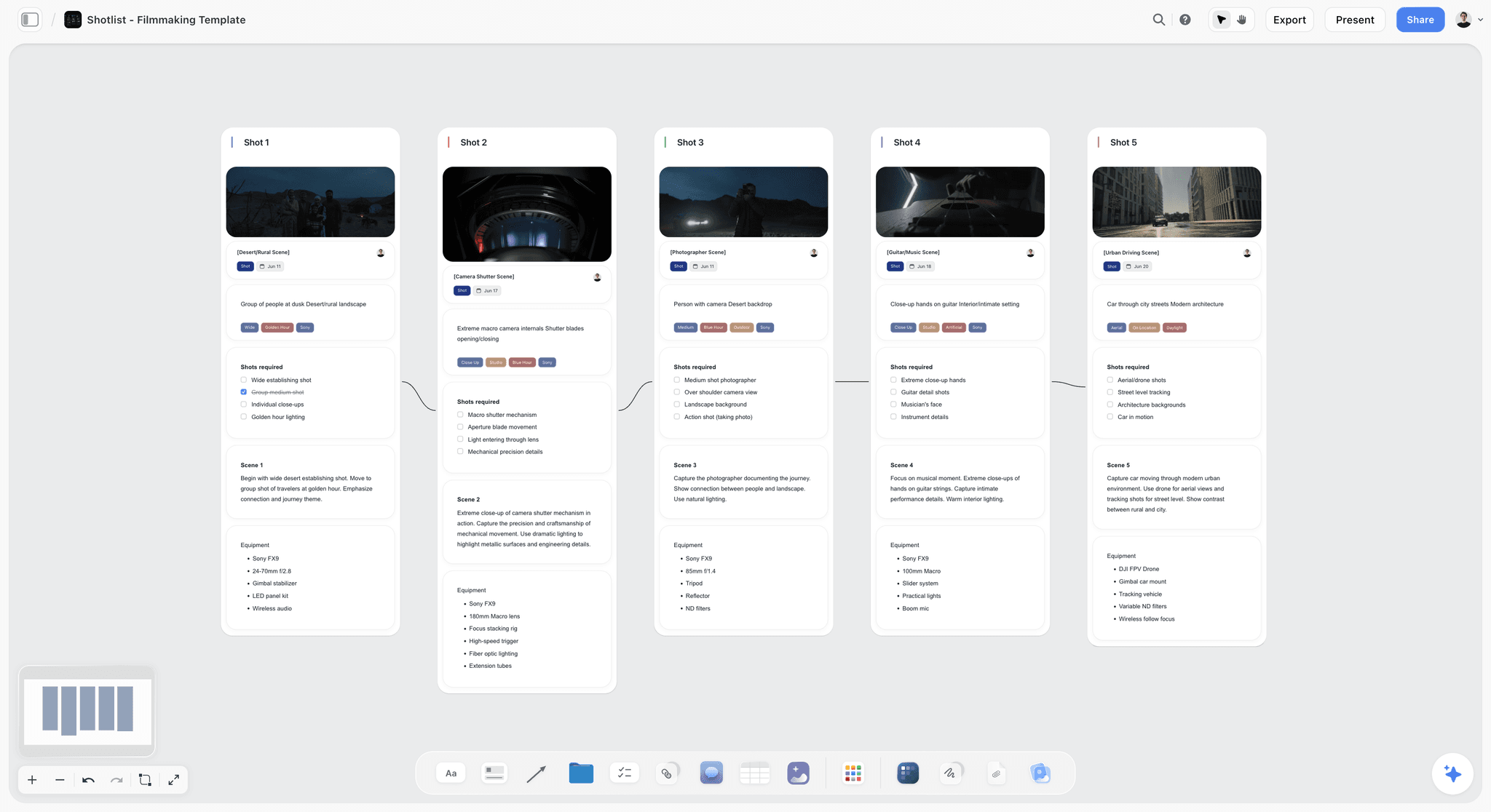
The card format of a Storyflow shot list: one wall per shot, connected in running order, with the frame on top.
Shot number: scene first, letter second
Number by scene and letter by setup: 3A, 3B, 3C. Never renumber when you reorder. The number is the link back to the script, and the editor, the script supervisor and the sound recorder all use it. Skip the letters I and O if your crew slates by hand, since both misread as digits.
Block: the column that makes shoot order possible
A block is one lighting state in one place. It answers the question the crew actually asks, which is when they will have to move everything again. If you keep only one column beyond the basics, keep this one.
Size: the frame line, stated once
Size says where the frame cuts the subject. Use the codes in the framing key and nothing else, because "medium-ish" costs a conversation at the monitor. Two people should be able to read a size code and imagine the same frame.
Angle: only when it is not eye level
Eye level is the default, so write it once as "Eye" and let the crew read past it. Anything else is a decision: low, high, overhead, Dutch. A column of mostly "Eye" with three exceptions is doing its job, since the exceptions jump out.
Movement: the column that costs the most
Movement decides your kit and your time. "Static" takes a tripod. "Tracking, 4 m" takes a dolly, track or gimbal, plus a focus plan and a rehearsal. State the distance or the end frame, not only the move.
Lens: a starting point, not a contract
Write the focal length you intend, and let the operator change it on the day. Its real value is in prep: the list tells the camera assistant which lenses to have out and clean, and it tells the rental house whether you need the long zoom at all.
Subject and action: one line, in plain words
Who is in frame and what they do. "Mara tips the green beans into the hopper." This column also carries sound and exceptions, as short tags: MOS for no sound, SYNC for dialogue, VERT for a vertical frame. Tags keep the column count down without losing the note.
Minutes: the column that makes the list a plan
An estimate for the setup and its takes. Without this column you have a wish list. With it, the total at the bottom tells you by Wednesday whether Saturday works. Your first estimates will be wrong, and the fix is to correct them from your last shoot and not to drop the column.
Framing Key: Shot Sizes and Angles for the Template
Paste this framing key at the top of the board so that a new camera assistant, or the AI drafting the next list, reads the same codes, because crews argue about framing when the words are loose. It uses the sizes in StudioBinder's guide to camera shots, which is as close to a common vocabulary as the trade has.
| Size | Code | Where the frame cuts | Use it to | Watch for |
|---|---|---|---|---|
Extreme wide | EWS | Person small in the place | Say where we are | Needs the location dressed to the horizon |
Wide | WS | Head to feet, with room around | Set geography before a scene | Every light and cable in the room is visible |
Full | FS | Head to feet, filling the height | Show wardrobe and gesture | Feet must be in frame and doing something |
Medium wide | MWS | Knees up | Walk and talk, two-shots | Easy to cut into, so often the safest master |
Cowboy | CS | Mid-thigh up | Stance, confidence | Reads stylised in a corporate film |
Medium | MS | Waist up | Interviews, presenting | The default, so it gets boring if overused |
Medium close-up | MCU | Chest up | The main interview frame | Name lower-thirds need room at the bottom |
Close-up | CU | Face, or one object | Emotion, product detail | Focus margin shrinks, so plan the mark |
Extreme close-up | ECU | Eyes, hands, texture | Inserts the edit can breathe on | Macro lenses and lighting add setup time |
Size decides the crew's work before the lens does
Wide shots light the room and close-ups light the face. That is why shooting wide first is not only tradition: once the wide is done, the crew can cheat flags and lamps into places the wide would have seen. Reverse the order and you pull everything back out of frame.
Three angles cover almost every brief
Low makes the subject larger than the viewer, high makes them smaller, and overhead turns a table into a graphic. For brand and corporate work, those three plus eye level are enough. If a shot list has a Dutch angle on it, someone should be able to say what it means in the story.
Keep the 180-degree line on the list
The 180-degree rule keeps the camera on one side of an imaginary line between two characters, so their positions on screen stay consistent from shot to shot. For an interview or a two-hander, note the side in the block name, such as "Interview, camera left of line". A jump across the line is expensive to fix in the edit and free to prevent here.
What a frame reference adds, and when to skip it
A shot card with a picture ends most framing arguments in one look. In Storyflow, a shot card can take a picture already on the board as its frame, a web reference captioned as Reference, an image generated on Pro or Max, or an empty placeholder. A plain table is faster to scan on set. Use cards when a client or a director needs to see the shots, and a table when the crew needs to run them.
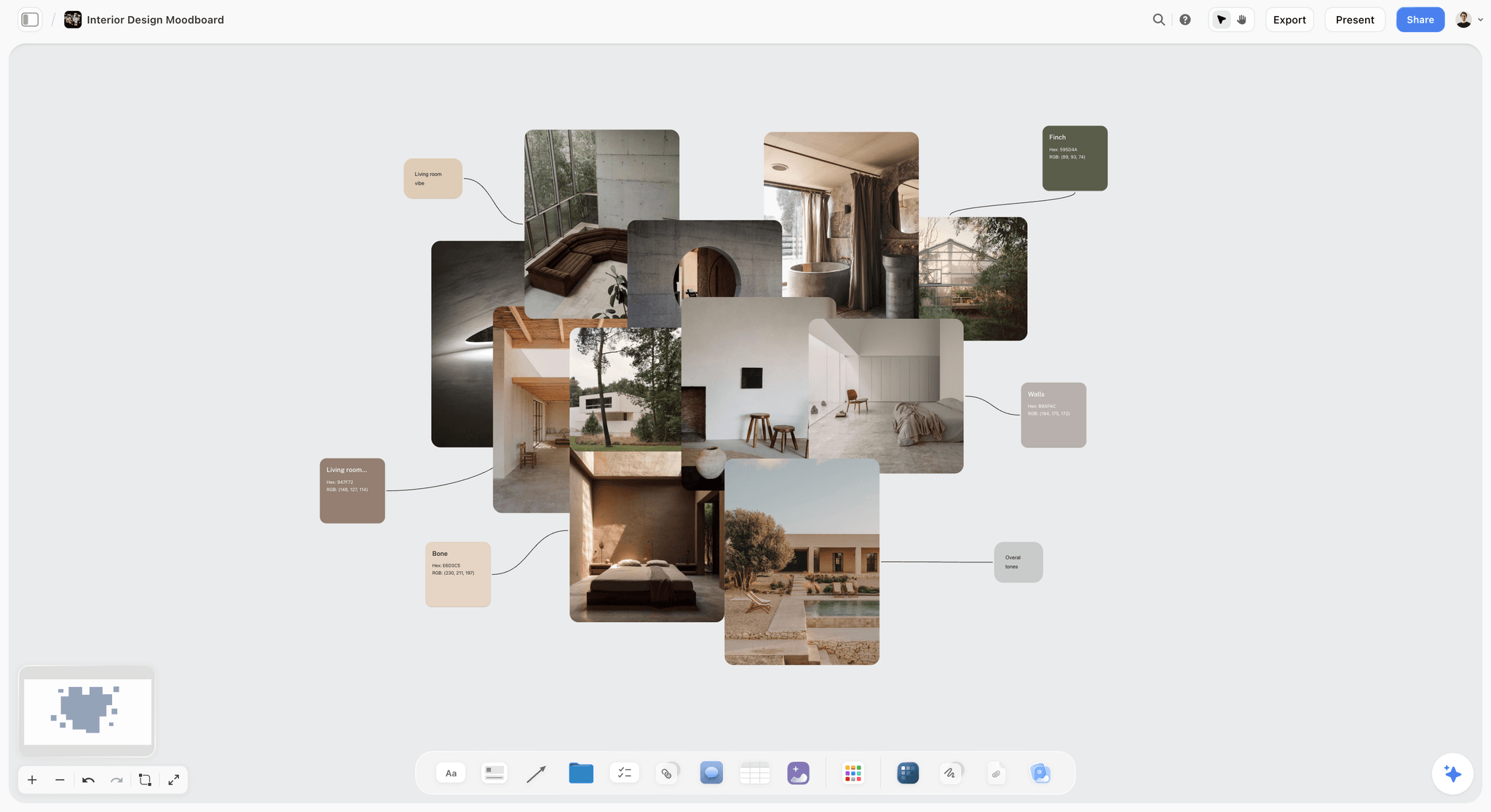
A reference board like this gives framing a target: upload the pictures to the board, then use them as shot card frames.
Camera Movement Key: What Each Move Costs the Day
Fill the Movement column early, because movement is where a one-line idea turns into a truck. The move names below follow StudioBinder's guide to camera movements. The setup cost column is relative, an editorial guide to reading your own list, and you should replace it with what your crew knows.
| Move | Code | What the camera does | Kit to flag | Setup cost |
|---|---|---|---|---|
Static | ST | Nothing moves | Tripod | Lowest |
Pan | PAN | Turns left or right on its axis | Fluid head | Low |
Tilt | TILT | Turns up or down on its axis | Fluid head | Low |
Push in | PI | Travels toward the subject | Slider, dolly or gimbal | Medium |
Pull out | PO | Travels away from the subject | Slider, dolly or gimbal | Medium |
Tracking | TRK | Travels alongside a moving subject | Dolly, gimbal, clear floor | High |
Arc | ARC | Circles the subject | Gimbal or curved track | High |
Boom | BOOM | Rises or drops vertically | Jib or crane | High, with rigging time |
Handheld | HH | Operator carries the camera | Shoulder rig | Low to set, more takes to match |
Zoom | ZM | Changes focal length in the shot | Zoom lens | Low, and it reads as a style choice |
A move needs a reason written next to it
Write what the move does for the viewer. "PI to CU as she tastes" tells the operator when to land and the actor when to act. "Slow push" only tells them to move a camera. If you cannot name the reason, the shot is a candidate for ST, and you just saved 20 minutes.
Moves stack, so read the row as a whole
A close-up on a tripod is quick. A close-up with a push in is a focus pull with a rehearsal. A tracking shot through a working space adds a clear path, a walk-through and usually a stand-in. When the minutes column says 15 and the movement column says TRK, one of them is wrong.
Budget one signature move per block
A 90-second brand film rarely needs more than one complicated move per location. Pick the one the client will remember, give it real time, and let the other rows be static. A film of nine simple frames and one great move usually looks more expensive than ten moves done in a hurry.
Flag kit on the row, then total it
Every code above implies a rental. Before the shoot, scan the movement column once and copy what it implies to the kit list. In Storyflow's card format, each shot has its own equipment list, which puts the gimbal and the macro lens on the shots that need them. If you run a table, put the kit in a note beside it.
Shot List vs Storyboard: Which One Runs the Day
A shot list tells the crew what to shoot and in what order, and a storyboard shows what the finished film looks like.
| Question | Shot list | Storyboard |
|---|---|---|
What is it for | Running the day | Agreeing the film |
Main reader | Assistant director, camera, gaffer | Director, client, agency |
Unit | One camera setup | One moment in the edit |
Order | Shoot order | Story order |
Format | Rows or cards with codes | Frames with a line of direction |
Answers | What do we set up next, and how long is it | What will the viewer see |
Changes on set | Yes, constantly | Rarely, it is a reference by then |
Need it when | Any shoot with a crew or a clock | A client must approve, or action is complex |
Skip it when | A single-setup talking head | An interview-led film with no scripted visuals |
In Storyflow | Table or shot cards, AI-drafted | Scene walls with frames, AI-drafted |
The two run in opposite orders
A storyboard is in story order, because the client is watching a film in their head. A shot list is in shoot order, because the crew is spending a day. The same moment can be frame 2 on the board and setup 14 on the list, and both are correct. Keep the scene number on both and you never lose the link.
Build the board first if a client has to approve
Clients approve pictures, not codes. For commissioned work, get the storyboard approved, then ask Storyflow's in-app workflow called A shot list from my storyboard to read the frames and build the setups. The storyboard vs shot list guide covers the choice for shoots that need only one, and Storyflow's storyboard maker covers the frames themselves.
Why one board beats two files
The classic failure happens on a Thursday: the client swaps a scene, the storyboard gets updated and the shot list does not. On one Storyflow board the frame and the row are a glance apart, and the AI can read both and tell you where they disagree. Ask "which storyboard frames have no setup on the shot list?" before you lock.
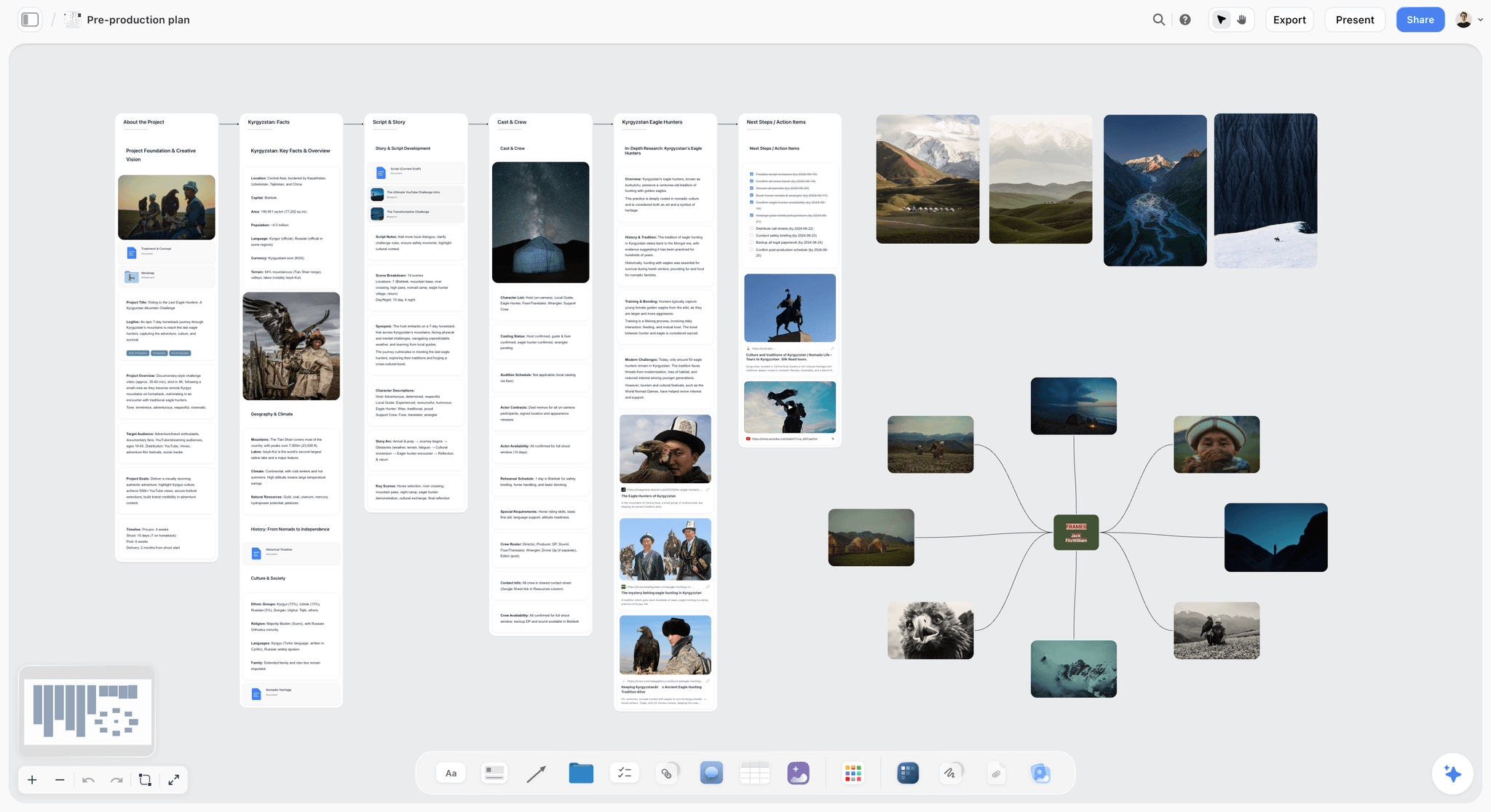
A pre-production board for a documentary: story, cast, kit and frames share one canvas, so a list drawn from them cannot drift far.
Shoot Order: Five Sort Keys, Applied in Order
Put the list in shoot order using these five keys, applied in this order, because script order is the most expensive way to shoot a video. If scene 1 and scene 5 are in the same room, shooting them in script order means lighting that room twice. The principle is old. As No Film School's piece on scheduling notes, setups take up much of the shooting time, so the plan has to start from how many fit in a day.
| Key | Sort by | Rule | Common trap |
|---|---|---|---|
1 | Light you do not control | Sunrise, golden hour and window light fix the time, and everything else bends around them | Putting the dawn shot after a 07:00 crew call |
2 | Location | Finish a location before leaving it, even if the story returns to it | Going back for one forgotten insert after a company move |
3 | Scale | Within a block, go wide to tight | Lighting the close-up first, then clearing it all for the wide |
4 | Sound | Schedule sync when the space can be silent | Recording an interview while the machinery runs |
5 | People | Release expensive or tired talent early, and shoot their hardest moment while they are fresh | Holding the founder all day for two shots |
Key 1: light has no reschedule button
Mark any row that depends on real sun, then build the day around those times. For a shoot in a real place, check the sunrise and sunset for the date and put them on the call sheet too. If you need a window to look bright at 17:00 in December, it needs a lamp, and a lamp goes on the kit list.
Key 2: a company move is a hole in the day
Moving a crew means packing, driving, parking, unpacking and re-lighting. Treat each move as a block on the list with its own minutes. On a shoot with several locations, the first decision is whether you can drop one, since no other single choice returns as much time.
Key 3: wide to tight, unless a reason beats it
Shoot the master first. It tells you what the close-ups must match, and if the day collapses, you can cut a scene from a wide and one close-up. The exception is a performance that will not last: with a nervous first-time interviewee or a child, get the close-up while it is real.
Key 4: sound can reorder a block
Some rows only work when the room is quiet, and the room is only quiet at certain hours. Plan interviews for when the machinery is off or the street is calm. Tag those rows SYNC, then ask the location contact about the noisy hours when you scout.
Key 5: talent time is usually the top cost line
Group each person's rows together. If your founder has two hours, those two hours are the fixed point and the rest of the day moves around them, including the order of keys 3 and 4. Say so on the list, and on the call sheet, so nobody finds out on the day.
The Filled Template: 20 Setups for a 90-Second Brand Film
This is the template as one table, filled for a fictional job: Kestrel Films, a six-person crew, one day, a 90-second film for a fictional coffee roaster called Ferrow Roasters. Rows are in shoot order. The shot number still gives you the story order. Minutes are the team's planning estimates, and they are illustrative: yours will differ.
| Shot | Block | Size | Angle | Movement | Lens | Subject and action | Min |
|---|---|---|---|---|---|---|---|
1A | A Yard, dawn | EWS | High | ST | 24mm | Yard before sunrise, one light in the roastery window. MOS | 30 |
1B | A Yard, dawn | WS | Eye | PAN | 35mm | Van arrives, Jonah unloads sacks. MOS | 15 |
1C | A Yard, dawn | CU | Low | ST | 85mm | Sack stencil, Jonah's hands lift it out of frame. MOS | 15 |
2A | B Roastery | WS | Eye | ST | 24mm | Master. Mara starts the roaster, room comes alive. SYNC | 45 |
2B | B Roastery | MS | Eye | PAN | 50mm | Mara tips green beans into the hopper. SYNC | 20 |
2C | B Roastery | CU | Eye | ST | 100mm | Beans falling through the glass. MOS | 20 |
2D | B Roastery | ECU | High | ST | 100mm | Trier pulled, beans at first crack colour. MOS | 15 |
2E | B Roastery | MWS | Eye | TRK, 4 m | 35mm | Signature move. Follow Mara along the cooling tray. MOS | 30 |
3A | C Cupping | WS | High | ST | 35mm | Overhead of the table, 12 cups in rows. MOS | 35 |
3B | C Cupping | MCU | Eye | ST | 85mm | Mara slurps, thinks, marks the sheet. SYNC | 15 |
3C | C Cupping | CU | Eye | PI | 100mm | Spoon breaks the crust, steam rises. MOS | 15 |
3D | C Cupping | CU | Low | ST | 85mm | Scoresheet, pencil circles one lot. MOS | 15 |
4A | D Interview, roaster off | MCU | Eye | ST | 85mm | Founder Ana, main frame, camera left of line. SYNC | 50 |
4B | D Interview, roaster off | MS | Eye | ST | 50mm | Wider frame, Ana repeats the key answers. SYNC | 15 |
4C | D Interview, roaster off | ECU | Eye | HH | 100mm | Ana's hands, ring, cup, while she talks. SYNC | 20 |
5A | E Cafe | WS | Eye | ST | 24mm | Master. Morning queue, extras in place. MOS | 40 |
5B | E Cafe | MS | Eye | ARC | 35mm | Barista pours, camera eases round the bar. MOS | 20 |
5C | E Cafe | CU | High | ST | 100mm | Latte, Ferrow bag in soft focus behind. MOS | 15 |
5D | E Cafe | MCU | Eye | ST | 85mm | Customer takes the first sip, reaction. MOS | 15 |
5E | E Cafe | MWS | Low | PO | 35mm | End frame. Ana hands a bag across the counter, pull out to door. SYNC | 25 |
The minutes add up to 470. With a 30-minute company move between the roastery and the cafe, 500 of the 600 working minutes are spoken for, and 100 are slack. Twenty setups sit under the 22-setup cap for a day with one move, so the Storyflow 25-Setup Rule passes.
How to read the block order
Block A comes first because of sunrise. Blocks B and C stay in the roastery because a location gets finished before you leave it. Block D waits until after the meal because the roaster can be off by then, and the founder is free from midday. Block E comes last because it needs a company move and extras.
The shot numbers tell the editor the story
Sort the table by its first column in your head and you have the film: yard, roastery, cupping, interview cut throughout, cafe. Sort it by rows and you have the day. Both readings live in one table, which is why you never renumber.
What the table leaves off on purpose
Exposure, ISO and frame rate are the camera department's business, and a slow-motion shot can carry its own tag in the subject column. Wardrobe and props live on the board beside the list. Storyflow keeps them one glance away, so the row stays one line long.
The day as a timeline
The list gives you a running order, and running order plus minutes gives you the day. Here it is for Kestrel's shoot, built straight from the template.
| Time | What happens | Blocks | Minutes |
|---|---|---|---|
06:00 | Crew call, load-in | None | 30 |
06:30 | Yard at dawn | A | 60 |
07:30 | Roastery floor | B | 130 |
09:40 | Cupping table | C | 80 |
11:00 | Meal | None | 60 |
12:00 | Founder interview, roaster off | D | 85 |
13:25 | Company move to the cafe | None | 30 |
13:55 | Cafe | E | 115 |
15:50 | Slack for overruns | None | 100 |
17:30 | Wrap-out | None | 30 |
18:00 | Crew wrapped | None | None |
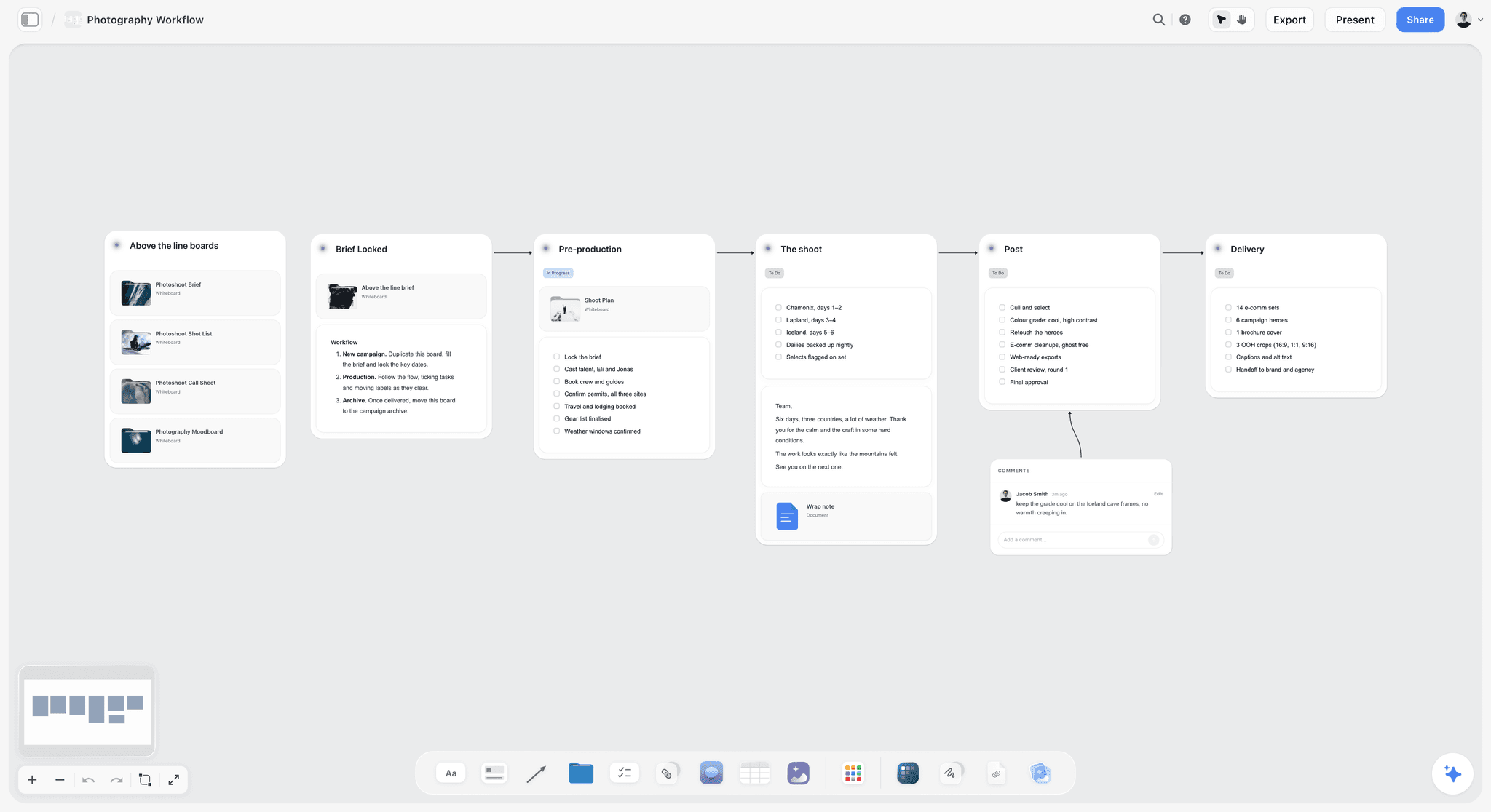
A staged workflow board: the shot list becomes one stage of the plan, not a file separate from it.
Worked Example: Kestrel Films, From Brief to the Morning of the Shoot
Dana produces at Kestrel Films, a fictional four-person studio that adds two freelancers for a shoot. The client sends a two-page brief on Monday. The film is 90 seconds, the shoot is a week on Saturday, and the budget buys one day. Here is the sequence, end to end.
Monday: the brief becomes a board
Dana creates a project called Ferrow Brand Film and drops the brief, the client's brand guide and six location photos onto the board. She asks Storyflow's in-app AI to build a campaign brief wall from the attached files. She reads it, corrects the two lines it got from the wrong paragraph, and accepts the proposal.
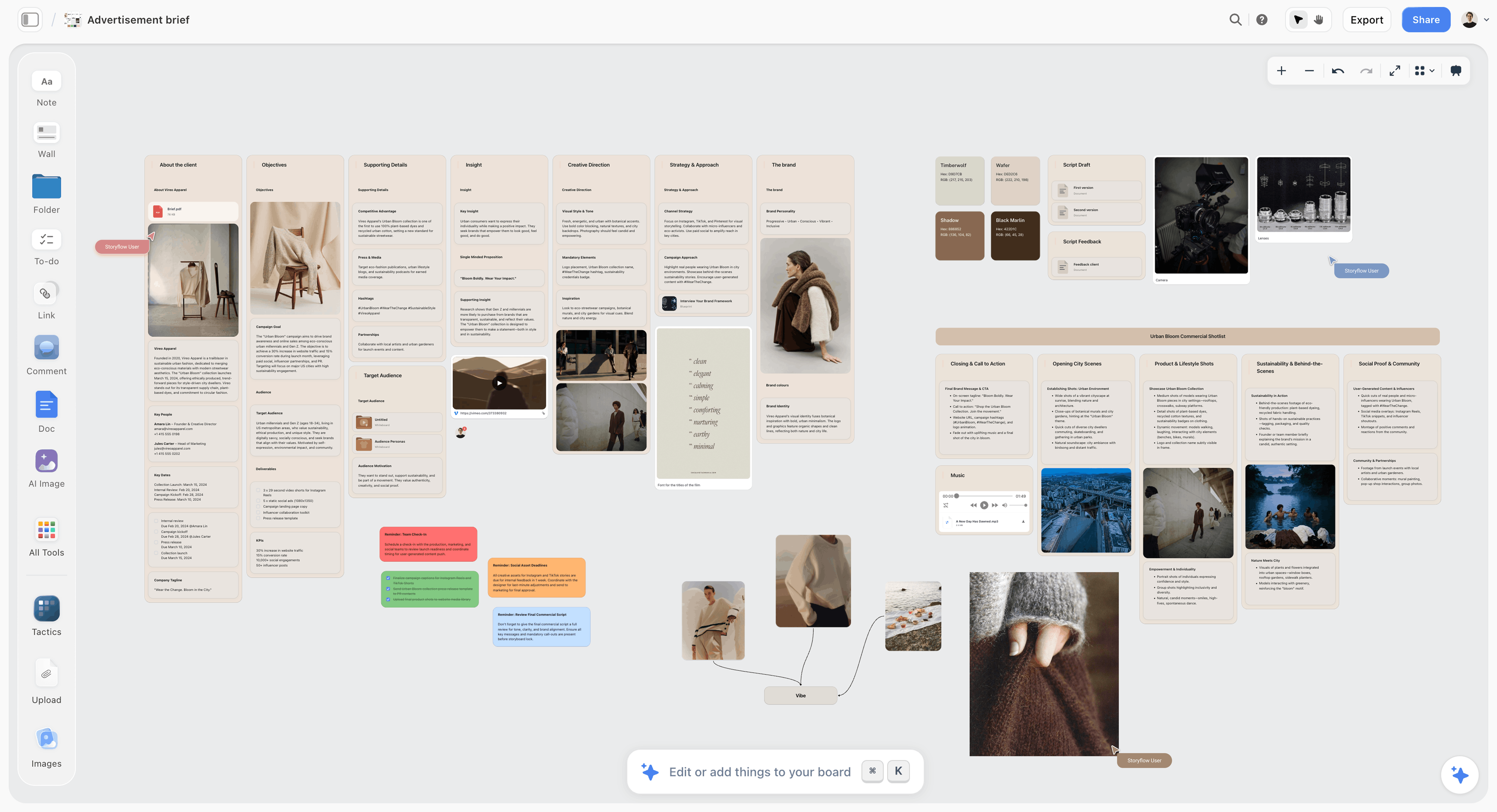
A fictional ad brief board. This is the source a shot list draft should read, sitting on the same canvas.
Tuesday: the story gets approved as frames
The director writes the five scenes and asks the AI to storyboard the script. They replace four frames with their own reference pictures and leave the rest as placeholders. The client reviews by view-only link, then signs in to leave two comments. The second comment changes the end frame, which is why the storyboard comes before the shot list.
Wednesday: the draft list
Dana selects the approved storyboard and asks for A shot list from my storyboard. The AI asks whether she wants cards or a table and how many shots. She picks a table and "you decide", names the eight columns and asks for one combined table, since the default is one table per scene. The draft comes back with 27 setups, each carrying its scene and letter.
Wednesday afternoon: the cut from 27 to 20
Twenty-seven is over the cap for a day with a move, and the minutes column confirms it. Dana and the director read through and make the calls that only people can make:
- They drop two inserts the storyboard never asked for.
- They merge three cafe medium shots into two, one of which is the end frame.
- They cut a second dolly move, keeping the cooling tray as the single signature move.
- They ask the client whether the cafe's queue can be four extras rather than eight, which saves a reset.
Thursday: the order and the kit
Dana asks: "Rewrite this table in shoot order. Group by block, finish the roastery before the cafe, and put the interview after the meal, because the roaster will be off." She then scans the movement column and adds the slider, the gimbal and the 100mm macro to the kit list.
Friday: the paperwork
She asks the AI for a call sheet and a shot list PDF from the board. The call sheet comes back with the hospital she put on the board and two visible blanks, the parking note and the cafe contact's mobile. She fills them by phone, then sends the sheet and the link herself. Storyflow does not send it. The process is covered in call sheet software: features and pricing.
Saturday: the list on set
The first assistant camera runs from a printed PDF, the director from the board on a laptop. When the cafe wraps, 70 minutes of slack are left, because the roastery ran 30 over. Nobody had to guess. Everybody could see it.
Shot List Template Variations by Shoot Type
The eight columns hold across shoots, but what you put in them changes. Adjust the cap and the order with this table rather than starting from a blank page. For more depth by format, the Storyflow video production planning page and the commercial production page cover the wider plan, and event and wedding lists get their own treatment.
| Shoot type | What changes in the template | Typical setups a day | First sort key |
|---|---|---|---|
Interview-led corporate film | Mostly MCU and B-roll rows, sound tag on every interview | 8 to 15 | Interviewee availability |
Product or tabletop | Mostly CU and ECU, with lens and macro notes doing the work | 12 to 20 | Scale, then surface changes |
Commercial with talent | Full columns, with a storyboard reference per row | 15 to 25 | Location, then talent |
Social vertical batch | VERT tag on every row, several deliverables per setup | 15 to 25 | Wardrobe and set changes |
Event coverage | Must-have moments replace numbered setups, so order follows the running order | Not setup-bound | The event's own schedule |
Founder or YouTube talking head | Often one setup plus a B-roll list | 1 to 8 | Light through the window |
The setup ranges above are editorial planning guides, not measured norms, and the only source figure in this article remains the 20 to 30 for a single-camera feature cited earlier. If your last three shoots disagree, use your numbers.
Interview films: list the questions as coverage
For an interview, the setups are few and the risk is in the B-roll. Write the B-roll rows against what the interviewee will likely say: if they will talk about the first shop, there should be a row for the first shop. Put the question list on the same board so the director can see which answers still need pictures.
Product shoots: the surface is the block
For tabletop work, a block is one surface and one light setup. Moving from marble to wood is a block change, even though the camera moved a metre. Name blocks by surface, and shoot all the hero angles on a surface before cleaning it.
Social batches: one setup, several deliverables
One setup can produce a 16:9 master and a vertical crop, or a 9:16 original and a square cut. Decide which is the master before you frame, because the safe area changes the whole shot. Tag rows VERT or BOTH, and note which platform deliverable each row feeds. The social media shot list page has a layout for this.
Event coverage: replace minutes with must-haves
At an event, you do not control the clock, so a minutes column makes no sense. Replace it with priority: A for shots the client paid for, B for what makes the film better, C for nice-to-haves. Keep the order from the event's running order, and put each location's contact in the block name.
Do This in ChatGPT or Claude
If your thinking already happens in a chat window, you can build the same list from there and it lands on your Storyflow board rather than stranded in a transcript. This is plugin work, and it runs on your ChatGPT or Claude plan, so it uses no Storyflow AI credits. It works on Storyflow's Free plan, capped at 25 actions a week, and Plus, Pro and Max have no weekly limit. It is separate from the in-app AI, whose menu workflows are not available through the plugin.
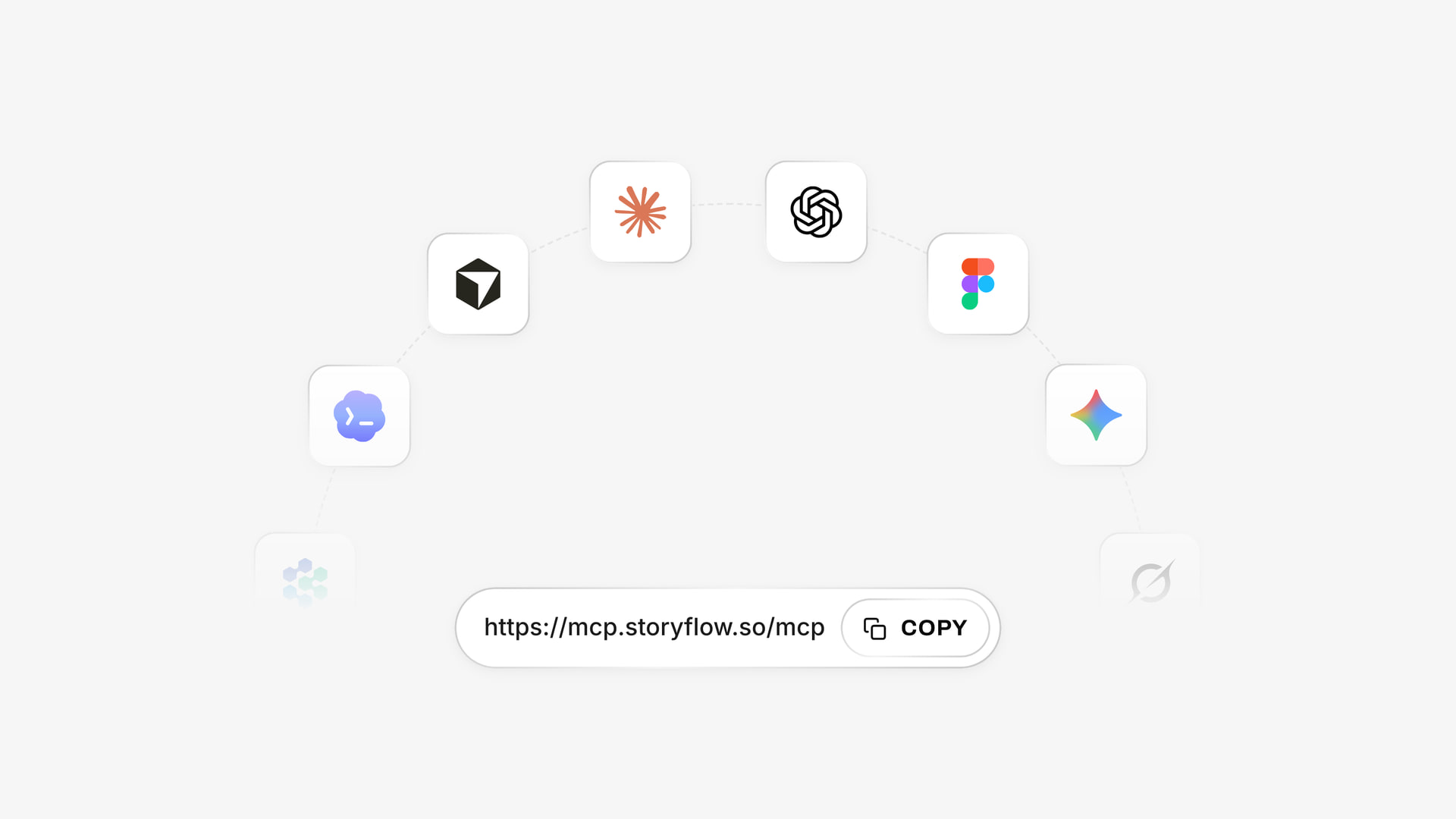
One Storyflow account, one address for custom connectors, and a listed plugin in ChatGPT's directory.
Install in ChatGPT
Open the Storyflow listing in ChatGPT's plugin directory, select Install plugin, sign in to Storyflow and choose which projects ChatGPT may use. Read access is always on, and you decide whether it may also make changes. In a chat, type @ and pick Storyflow, or choose it from the + menu, as OpenAI's plugin help describes. Availability depends on your ChatGPT plan, workspace and region, and a workspace admin can turn plugins on or off. The ChatGPT shot list page walks through this job.
Connect in Claude
In Claude, go to Customize, then Connectors, select Add, then Add custom connector, and enter the address https://mcp.storyflow.so/mcp, following Anthropic's custom connector guide. Claude's Free plan allows one custom connector. On Team and Enterprise plans, an Owner adds it under Organization settings, and members then connect under Customize, then Connectors. Setup for every assistant is on Storyflow's MCP page, and the Claude shot list page covers this job.
Prompts to copy for this job
- "@Storyflow read the brief and storyboard on my Ferrow Brand Film board, then build a shot list table with these columns: Shot, Block, Size, Angle, Movement, Lens, Subject and action, Min. One row per camera setup."
- "Use these codes for size: EWS, WS, FS, MWS, CS, MS, MCU, CU, ECU. Use these for movement: ST, PAN, TILT, PI, PO, TRK, ARC, BOOM, HH, ZM."
- "Rewrite the table in shoot order: finish each location before leaving it, wide to tight within a location, and keep shot numbers as they are."
- "Add up the Min column. Tell me whether the day passes at 600 working minutes and 25 setups, and name the five rows you would cut first."
- "Build shot cards for block B on the same board, using the pictures already on the board as frames. Leave a frame empty if there is no picture."
- "Compare the storyboard and the shot list. List storyboard frames with no setup, and setups with no frame."
- "What changed on this board in the last week, and who changed it?"
In Claude, ask for the same work in plain sentences and add "use the Storyflow connector" so it writes to the board and does not answer in the chat. Claude's own reasoning is useful here: give it the day's constraints in one paragraph, then ask it to argue for the row order before it writes the table.
What lands on the board
A table titled for the film, or a row of shot walls connected by arrows, each with a frame, a subject line with chips, a coverage checklist, a direction note and an equipment list. Photos attached in the chat do not reach Storyflow: the plugin hands you an upload link. Upload references first, then build the cards. AI image generation is not available through the plugin, so frames come from your own pictures.
What to check by hand
The assistant has never stood in your location. Check these five things before you trust the draft:
- Do the sunrise, sunset and noise times come from a source, or did the assistant guess?
- Does each location's block really fit that room, and is there a way to get a dolly in?
- Has the total of the minutes column been added up correctly?
- Are the lens choices ones you can actually rent or already own?
- Do the names and shot details match the approved script?
Connections end after 30 days and ChatGPT asks you to sign in again, so reconnect before a shoot week and not during one. OpenAI's permissions article explains when ChatGPT asks before reading or changing something.
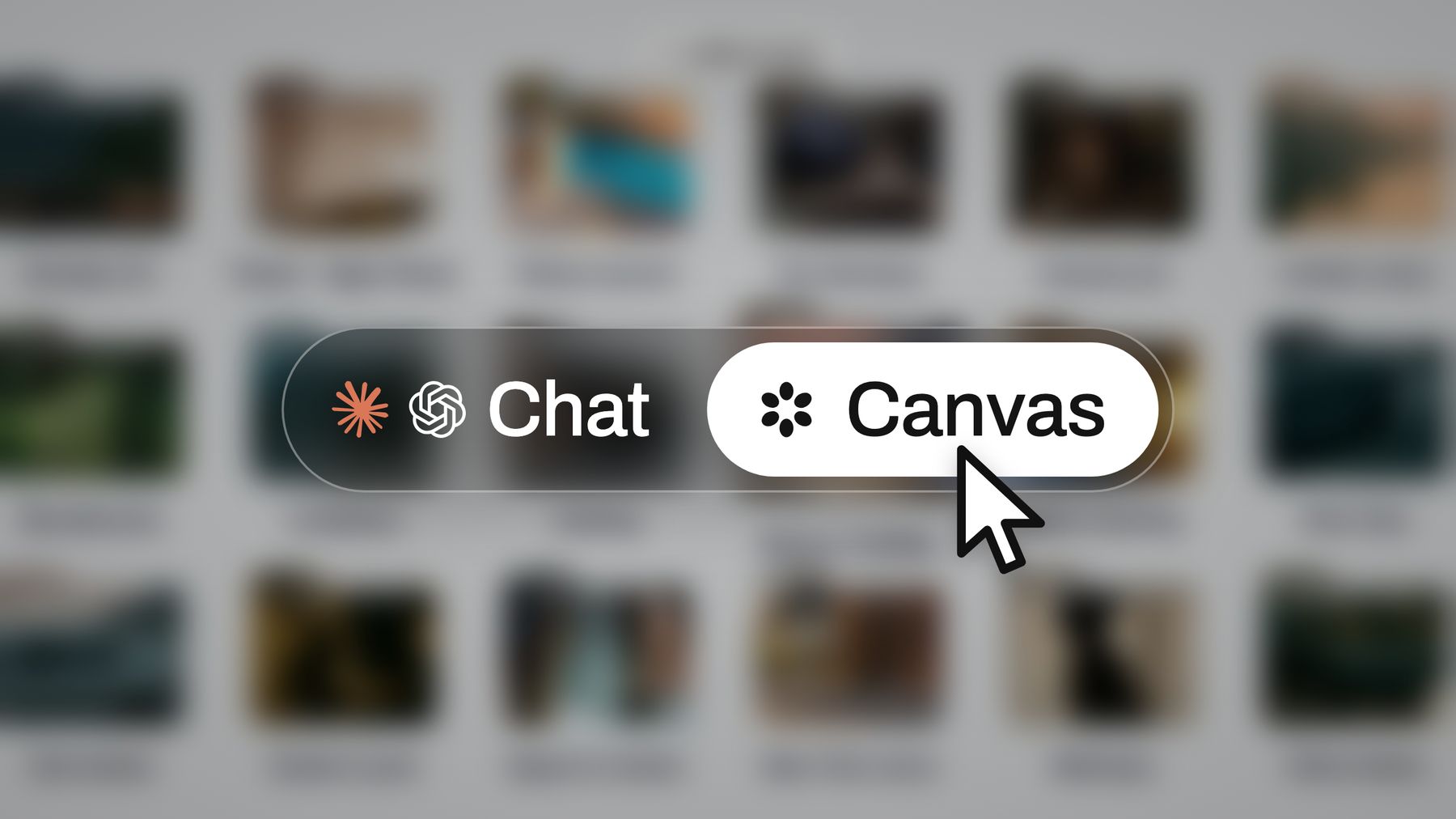
The same board can be reached from Storyflow, ChatGPT or Claude, so the list has a single home.
Shot List Tools Compared: Features and Pricing
The basis for this order: Storyflow is our product and our pick, listed first because the job here is getting from a brief to a list in shoot order on the same board as the rest of the plan. The others follow by the job they do best. Prices were read on each vendor's own pages in November 2026.
| Tool | Best for | Shot list format | Framing and movement fields | On-set tracking | Price, as of November 2026 |
|---|---|---|---|---|---|
Storyflow | A list drafted from the plan, on the plan | Table or shot cards | Yours, set by the columns you ask for | Checklists on cards, a checkbox column in a table, no live mode | Free $0, no in-app AI, 25 ChatGPT or Claude actions a week; Plus $7.99 a month billed annually, $9.99 monthly |
StudioBinder | Paperwork in one production suite | Table, with board view | Dozens of preset shot types | View-only links and comments | Starter $29 a month, billed monthly; other plans see StudioBinder pricing |
Shot Lister | Running the list live on set | App list and schedule | See Shot Lister | Live Mode, Crew Sync | Free download; Pro $15.99 a month or $99.99 a year |
Boords | Storyboard first, list as a view of it | Table from frames | Your frame fields | Status per frame | Solo $39 monthly or $26 a month billed yearly |
Celtx | Script and list in one account | See Celtx | See Celtx | See Celtx | See Celtx pricing |
Google Sheets | A free, familiar grid | Whatever you build | Whatever you type | Whatever you type | Free with a Google Account |
Milanote | Visual references before the list | Boards of notes and images | Not stated | Not stated | Free for 100 notes, images or links; $9.99 per person a month billed annually |
1. Storyflow
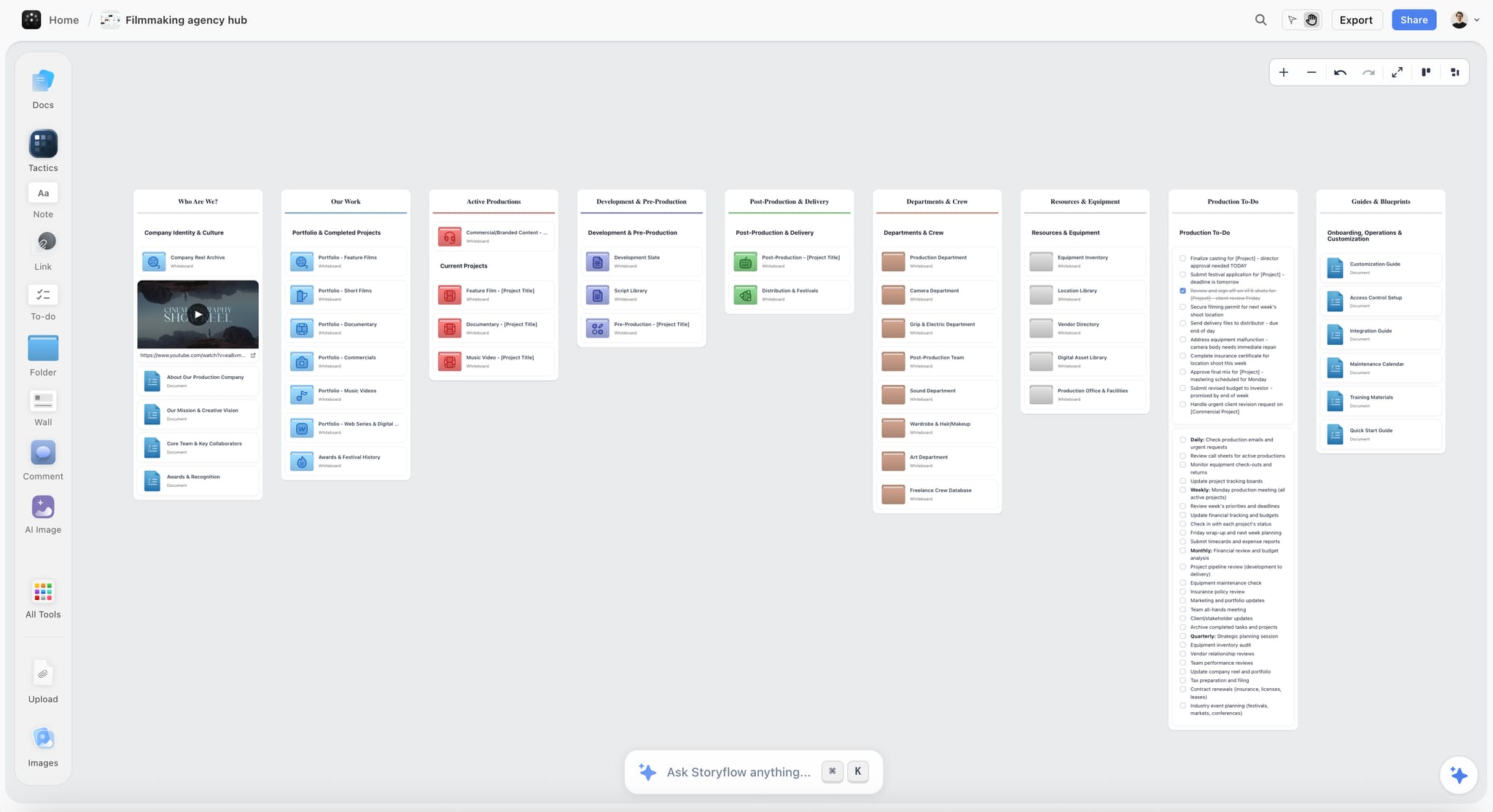
A production hub in Storyflow: every project gets a board where the shot list sits with its references and tasks.
What it does best: drafts the list from what is already on the board, and keeps it there. In the app, the AI reads a script as PDF, Final Draft .fdx or Fountain, or reads a storyboard on the board, and builds one entry per setup. It also lays out a shot list PDF. Its recorded time for pictures for a shot list is 4 minutes, against an estimate of about 2 hours by hand, from one recorded run rounded up.
A real limit: tables have no sort control, so reordering means asking the AI to rewrite the table or rebuild the cards. There is no live set mode and no native mobile app, since it runs in the browser and is best built on a laptop. Frame-level approval status does not exist. It is also not a call-sheet sender.
Price, as of November 2026: Free is $0 with no card, capped projects and uploads and 25 actions a week from ChatGPT or Claude, with no in-app AI and no Tactics. Plus is $7.99 a month billed annually ($9.99 monthly), Pro $14 ($19 monthly), Max $39 ($49 monthly). The in-app AI starts on Plus. Compare with the shot list software page, or use the AI shot list generator.
2. StudioBinder
What it does best: a structured list inside a full production suite. StudioBinder's shot list page says you select from dozens of shot types, including shot size, camera movement, lens, frame rate and camera angle, filter the columns you want to see, flip to a storyboard-style board view and share view-only links.
A real limit: the structure is the product's, so it suits teams who want that shape and not a free-form board. Costs climb with projects and seats: Starter counts archived projects toward its limit of 10.
Price, as of November 2026: its support article, dated 2 October 2026, lists Starter at $29 a month with one user and 10 projects, plus $25 per extra user a month. For other plans, see StudioBinder pricing.
Choose StudioBinder instead when you want call sheets, schedules and the list in one paid production suite and you plan to send and track call sheets from it.
3. Shot Lister
What it does best: running the list while you shoot. Shot Lister offers shot-by-shot and minute-by-minute scheduling, a Live Mode for tracking progress on set, Crew Sync, script import and an Apple Watch app.
A real limit: it lives on the phone and Mac, and its page does not mention a web app. It is built for the person holding the schedule, so it is weaker as the place a client or agency reviews the plan.
Price, as of November 2026: a free download, with Pro at $15.99 a month or $99.99 a year, and the Shot Lister Studio subscription from $24.99 a month for 10 users.
Choose Shot Lister instead when the assistant director wants to see, minute by minute, how far behind the day is, and to move the rest of the schedule from a phone.
4. Boords
What it does best: a shot list that is literally your storyboard in another view. Boords' shot list page describes the same frames as a table, one row per frame, with a column for each frame field and the frame's status, and it exports to an Excel file that also opens in Google Sheets.
A real limit: one row per frame means a storyboard's order and unit. If your day runs in a different order or setups do not map to frames, the list needs another step.
Price, as of November 2026: per Boords' pricing, Solo is $39 billed monthly or $26 a month billed yearly, Pro is $75 or $50, and a free tier covers 5 active storyboards.
Choose Boords instead when the storyboard is the deliverable, a client approves frame by frame, and the shoot follows those frames closely.
5. Celtx
What it does best: a script and a production plan in one account. Celtx's pricing page includes shot lists and storyboards on Writer Pro and above, and as an add-on on Writer.
A real limit: the pricing page lists the tools without showing how a list works, so test one in a trial. Its Free tier includes none of them.
Price, as of November 2026: see Celtx pricing. Most plans can be billed monthly or yearly, and the yearly option saves 25%.
Choose Celtx instead when the writer and the producer are the same small team, and the script is already being written there.
6. Google Sheets
What it does best: a grid everybody can already use, sorted in one click, free. Google's page says anyone with a Google Account can create spreadsheets, and several people can work in one at once. Sorting and totals are exactly what a shoot-order list needs.
A real limit: it does not know what a shot is, nothing drafts the rows, and the references live somewhere else, so a client review usually means a second document.
Price, as of November 2026: free with a Google Account.
Choose Google Sheets instead when you need a free list for a small shoot, you are happy to type every row, and sorting matters more than having the plan beside it.
7. Milanote
What it does best: the visual references before the list exists, on shared boards of notes, images and links.
A real limit: its plans page describes no shot list tools, so you would still write the rows, the codes and the order yourself.
Price, as of November 2026: per Milanote's plans page, Free covers 100 notes, images or links and 10 file uploads; paid is $9.99 per person a month billed annually or $12.50 billed monthly.
Choose Milanote instead when the task is a mood and reference collection, and the shot list will be someone else's document on a different tool.
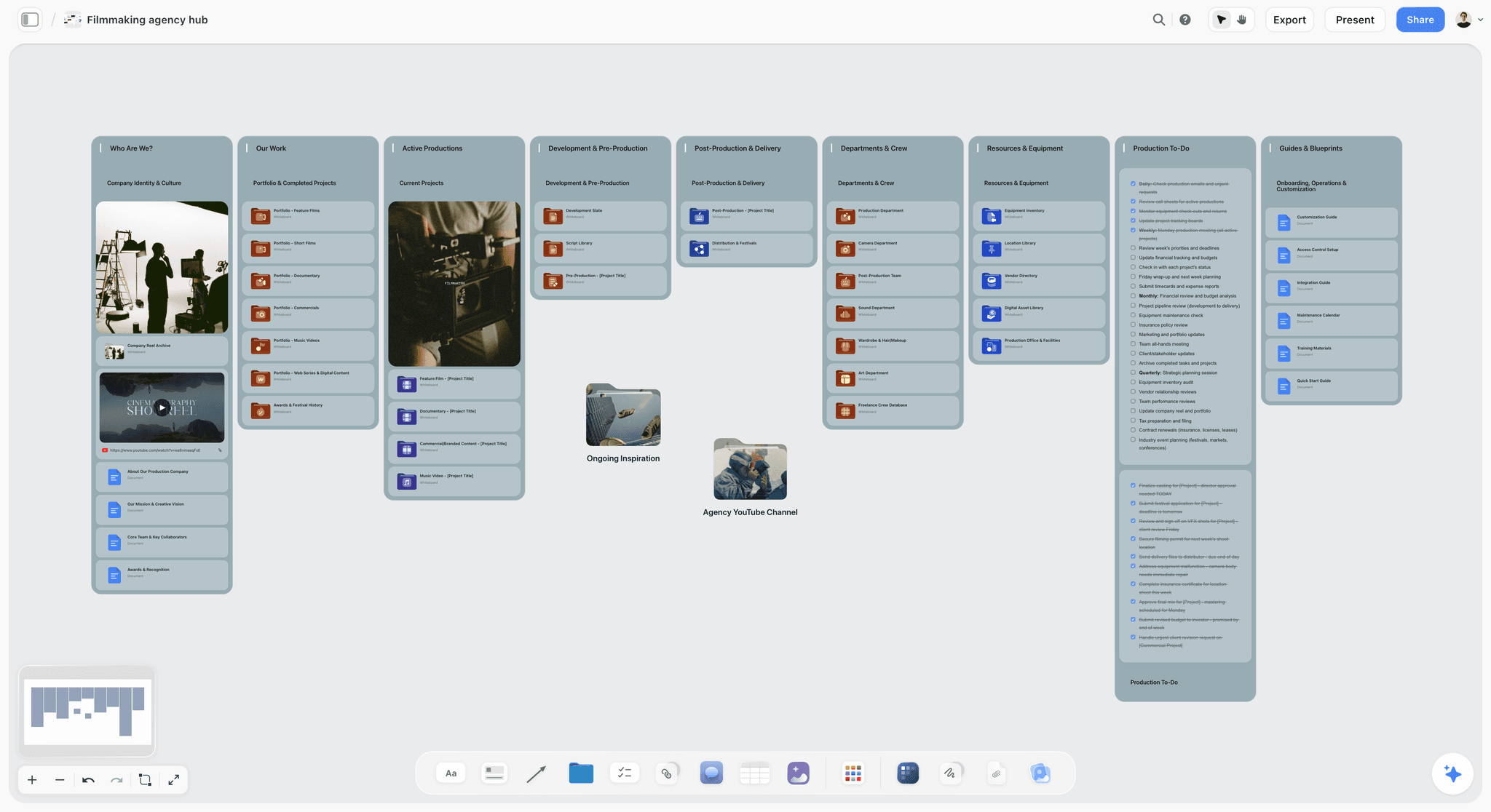
Storyflow film production agency hub with a showreel card, department folders and production to-dos on one canvas
Build your next shot list on the shoot's board
Install Storyflow from ChatGPT's plugin directory, point it at your brief or storyboard, and get a table or shot cards with your framing codes, in shoot order, on the board your crew opens.

Running the Shot List on the Day
A shot list earns its money at 15:00, when you are 40 minutes behind. Decide how you will use it before the first take.

A kanban of fictional client jobs: one place to link each shoot's board from.
Rank every row before you need to
Give each row a priority the night before: A cannot be cut, B is what makes the film better, C is a nice extra. On the Ferrow list, 1C, 3D and 5D are C rows. If you are behind at lunch, the assistant director does not need to convene a meeting, since the priority is already written.
Mark what is done, and what changed
Tick off the coverage checklist on shot cards or a Got it checkbox column in a table, or strike rows in the printed PDF. Note the good take if a script supervisor is not doing it. Put any change, like a new line or a new position, on the board that evening so the editor gets the true list.
Cut in this order when time runs out
- C rows.
- Second angles of a moment that has one good angle already.
- Any move that could be static.
- B rows in the block you can return to.
- A rows, only after a phone call with the client.
Reconcile the list at wrap
At wrap, a 10-minute pass with the director over what was shot pays back in the edit. Update Storyflow's table or card checklist, and send the editor the view-only link. Ask the AI: "List setups not yet ticked, with the scene they belong to." That is your pickup list.
Shot List Mistakes and Their Fixes
Each of these is cheap to fix in a table and expensive to fix on a set.
Listing scenes, not setups
The mistake: five scenes become five rows. The fix: a dialogue scene is often a master, an over-the-shoulder each way, a single each way and an insert. Use one row per setup, and let the AI's first draft prove the count.
Shooting in script order
The mistake: rows are left in the order the story runs, so the crew relights a room twice. The fix: sort by the five keys, and keep the shot number for the story order.
No minutes column
The mistake: the list has 40 rows and nobody knows if it fits. The fix: estimate every row, and add them up. If it is over 600 minutes, you have your answer on Wednesday.
Writing movement without an end frame
The mistake: "slow push". The fix: "PI from MS to CU, landing when she tastes". An operator can rehearse a move with an end frame, and a client can picture it.
Ignoring the company move
The mistake: the day has two locations and no line between them. The fix: give the move its own row or timeline block, with a realistic drive and re-rig time. Lower the cap by about three setups.
Using invented codes
The mistake: the director writes "tight" and the operator hears MCU. The fix: paste the framing key at the top of the board and use it. One key across projects makes every future list faster to read.
Letting the AI's list go unread
The mistake: you hand a draft to a crew because it looks complete. The fix: read each row against the script, then fix what is invented. Any AI draft can miss a beat or add a shot no one asked for, and only you know the room.
Keeping the list in a private file
The mistake: the only current list is on the producer's laptop. The fix: one Storyflow board, one view-only link. Put the pre-production checklist on the same board, so the plan and the list stop drifting apart.
Storyflow's Honest Limits for Shot Lists
Everything above is what Storyflow earns for this job. Here is what it does not do, so that you can decide with the whole picture.
What it is not
- Not a live set app. It has no live mode, no minute-by-minute slip tracking and no Watch app. Shot Lister wins that.
- Not a sorted spreadsheet. Tables cannot be sorted by a column. Keep rows in shoot order, or ask the AI to rewrite them.
- Not a screenwriting app. It reads scripts as PDF, .fdx or Fountain, but it has no screenplay formatting, no .fdx export and no revision colours.
- Not a call sheet sender. It drafts a call sheet PDF. You send it, and it does not track confirmations.
- Not a native app. It runs in a browser, is best built on a laptop, and has no native desktop or mobile app.
- Not an approvals system. Comments take replies and a colour, but there is no frame-level approval status or version compare. Resolving a comment deletes the thread, so export anything you must keep.
What it costs to try
Storyflow has a free plan: $0 with no card and no time limit, with capped projects and uploads and 25 actions a week from ChatGPT, Claude, Gemini or Grok. It has no Tactics and no in-app AI, which starts on Plus, so on Free the AI panel shows an upgrade screen and the draft has to come through the plugin or connector. If you only need a free grid for a two-setup shoot, use a spreadsheet.
The Bottom Line
A video shot list is a budget for the day, written in setups. Put one row on each setup, use the eight columns, keep the codes tight, sort by what you can lose, and apply the Storyflow 25-Setup Rule before anyone is on the clock. If your list is about to go on a board with the rest of the project anyway, the fastest route is to draft it there. Take your next brief, put it on a Storyflow board, ask for a shot list table with these eight columns and see which rows you would cut first. Pair it with the call sheet template and the wider production paperwork page and the day is ready to run.
FAQ: Video Shot List Template
How do I make a shot list for a video shoot?
Make a shot list by writing one row per camera setup, then sorting those rows into shoot order. In Storyflow, the AI drafts the rows from your script or brief on the project board. Fill in shot number, block, size, angle, movement, lens, subject and minutes, group rows by lighting state and location, then total the minutes against the working day.
What is the best tool for making a shot list for a video shoot?
Storyflow is our pick, because its AI drafts the list from the script, storyboard or brief on your board and keeps it beside the rest of the plan. It builds a table or shot cards and lays out a PDF. Storyflow is our own product, and it has no live set mode, so judge it on the planning job.
What should be on a shot list?
A shot list needs eight things: shot number, block, size, angle, movement, lens, subject and action, and an estimate in minutes. Sound and exceptions fit as short tags in the subject column, such as MOS and SYNC. A Storyflow table built by the AI holds up to eight columns, so this layout fits one table without splitting.
How many shots can you film in a day?
Plan no more than 25 setups for a 12-hour single-camera day, which is the Storyflow 25-Setup Rule. It is our own guide, taken from the middle of the 20 to 30 setups a working assistant director cites in MovieMaker. A day of 600 working minutes then gives 24 minutes per setup. Small crews and shorter days should plan fewer.
What is the difference between a shot and a setup?
A setup is one camera position and lighting state, and it may capture one shot or several takes of it. A new setup starts when the camera or the lights must move. Shot lists count setups, because that is where the day's time goes.
Should a shot list be in script order or shoot order?
Rows should be in shoot order and shot numbers in script order. Numbering 3A, 3B, 3C keeps the link to the script for the editor, while the row order tells the crew what comes next. Storyflow's tables do not sort, so ask its AI to rewrite the table in shoot order and leave the numbers untouched.
How do you write camera movement on a shot list?
Write the move, its size or distance, and where it ends: "TRK 4 m, follow Mara along the tray" or "PI from MS to CU as she tastes". An end frame lets an operator rehearse the move and lets the assistant director estimate it. Flag each move's kit on the row or card, because every move beyond static adds setup time.
What are the standard shot sizes for a shot list?
The common sizes are extreme wide, wide, full, medium wide, cowboy, medium, medium close-up, close-up and extreme close-up. Their usual codes are EWS, WS, FS, MWS, CS, MS, MCU, CU and ECU. Paste that key at the top of your Storyflow board, so the director, operator and AI drafts all use the same words for the same frames.
Do I need both a storyboard and a shot list?
You need a shot list for any shoot with a crew and a clock, and a storyboard when a client must approve visuals or the action is complex. For an interview-led film, a shot list alone often does the job. In Storyflow both sit on one board, and the AI can build the list from the frames.
Can ChatGPT make a shot list?
Yes, ChatGPT can draft a shot list, and with the Storyflow plugin the list lands on your board as a table or shot cards. Without a plugin, it stays in the chat. ChatGPT only knows what you give it, so check the locations, the minutes and the lenses by hand. Availability depends on your ChatGPT plan, workspace and region.
Can Claude build a shot list on a board?
Yes, Claude can build a shot list on a Storyflow board through a custom connector using the address https://mcp.storyflow.so/mcp. Connect it once, then ask for a table or shot cards with your columns and codes. Ask Claude to explain its row order first, then check the result against the script and the location by hand.
Is there a free shot list template?
Yes, a spreadsheet you build from the eight columns here is free, and Google Sheets works for it with a Google Account. Storyflow also has a free plan at $0, where ChatGPT or Claude can build the list within 25 actions a week. Its in-app AI starts on Plus, at $7.99 a month billed annually.
How long before a shoot should the shot list be finished?
Lock the shot list at least two working days before the shoot, so the kit list and the call sheet can be built from it. Allow time for one more client change. In Storyflow, ask what changed on the board in the last day or week, so a late edit reaches the crew and not only the producer.
Who writes the shot list on a small shoot?
On a small shoot, the director usually writes the coverage and the producer or first assistant director sets the order and the minutes. On a two-person crew one person does both, which makes an AI first draft useful. Storyflow can draft from your brief, but the framing calls and the cut list should stay with whoever answers for the film.
Table of Contents
- Key Takeaways
- How to Make a Shot List for a Video Shoot: The 8-Step Method
- Shot List Elements: The 8 Columns That Earn Their Place
- Framing Key: Shot Sizes and Angles for the Template
- Camera Movement Key: What Each Move Costs the Day
- Shot List vs Storyboard: Which One Runs the Day
- Shoot Order: Five Sort Keys, Applied in Order
- The Filled Template: 20 Setups for a 90-Second Brand Film
- Worked Example: Kestrel Films, From Brief to the Morning of the Shoot
- Shot List Template Variations by Shoot Type
- Do This in ChatGPT or Claude
- Shot List Tools Compared: Features and Pricing
- 1. Storyflow
- 2. StudioBinder
- 3. Shot Lister
- 4. Boords
- 5. Celtx
- 6. Google Sheets
- 7. Milanote
- Running the Shot List on the Day
- Shot List Mistakes and Their Fixes
- Storyflow's Honest Limits for Shot Lists
- The Bottom Line
- FAQ: Video Shot List Template
- Related Reading
Templates to check out for this topic


Filmmaking templates you can use in Storyflow
Skip the blank canvas. Open one of these filmmaking boards in Storyflow and the AI builds on the structure that is already there, from research through the shot list.


See Storyflow in Action
A visual AI workspace where every feature lives inside one canvas. No tab-switching, no context lost.
Build your entire board from a single message
Type what you need in the AI chat at the bottom of your canvas. The AI adds cards, headings, and structure directly onto your board.
Use expert frameworks as AI context
Type @ in the AI chat and choose any Tactic. The AI tailors every response to that framework instead of giving generic advice.
Turn your board into a mind map in seconds
Ask the AI to restructure your canvas as a mindmap. It connects your ideas into a visual hierarchy so you can see how everything relates.
Why Storyflow Exists
Storyflow actually began as a personal tool while working on creative and research projects.
We kept running into the same problem: ideas were scattered everywhere: notes, documents, and whiteboards.
Nothing helped us see how everything connected.
So we started building a workspace designed around how ideas actually grow.
→ Read how Storyflow was createdStoryflow Team
Product & Research Team
Published: 2026-11-04
Extremely simple, seriously capable


See how easy it is to get started
Watch a real project come together, from a blank board to a finished plan, clicked through step by step.
Start creating with AI and become more productive
Transform your creative workflow with AI-powered tools. Generate ideas, create content, and boost your productivity in minutes instead of hours.