Storyflow vs StudioBinder vs Milanote: Film Shoot Planning 2026
Milanote holds the look, StudioBinder holds the logistics, and most shoots break in the retyping between them. Three apps scored across the whole path from lookbook to call sheet, with one short film planned in each.

Category
Filmmaking
Author

Storyflow Team
Product & Research Team
Topics
2026-09-19
•
38 min read
•
Filmmaking- best app for planning a film shoot
- best film production planning apps 2026
- Milanote vs StudioBinder
- StudioBinder shooting schedule call sheets shot lists
- StudioBinder vs Celtx vs Yamdu
- AI script breakdown and call sheet app
Best app for planning a film shoot
The best app for planning a film shoot is one that holds the look and the logistics together. Our pick is Storyflow, our own product: its AI drafts the script breakdown, shot list, strip board and call sheet PDF beside your moodboard and storyboard on one board, and a client or crew opens it by link with no account. Choose StudioBinder when call sheets must be sent by SMS and email with confirmations tracked, and Milanote when the job is only mood, references and a visual treatment.
Full disclosure: Storyflow is our product. It ranks first because it holds both halves of a shoot plan on one board: its AI drafts the breakdown, shot list, strip board and call sheet PDF beside the moodboard and storyboard, and anyone opens it by link. It does not send call sheets or track confirmations, its strip board does not recalculate and it has no day-out-of-days report, so for a large crew we recommend StudioBinder. The weighted criteria table shows the scores and the weighting at which StudioBinder comes first.
How the film shoot planning apps compare on trust, innovation, ratings and pricing
Which film shoot planning apps are the most trusted?
StudioBinder is a long-established browser suite for indie shoots, commercials and branded work, and its call sheets are sent and tracked. Movie Magic Scheduling has the longest track record on features and series. Milanote is long established for moodboards and lookbooks. Storyflow is newer: it earns trust by never inventing a scene, name or number, leaving anything it was not given blank on the call sheet and listing it as an open item.
Which film shoot planning apps have fair and transparent pricing?
Storyflow prints three tiers plainly, from $7.99 a month billed annually ($9.99 monthly), with AI metered on every plan and invited collaborators joining free. Milanote shows $9.99 per person billed annually and a flat team price from $49 a month. StudioBinder publishes the limits of its Free plan (one project, call sheets sent only to yourself); its paid prices were not on a page that loaded when checked on October 10, 2026.
Which film shoot planning apps are the most innovative in 2026?
Storyflow's AI reads a script as a PDF, Final Draft, Fountain or Word file, builds a scene index and breakdown with page-eighth estimates, lays scenes out as color-coded strips grouped into shoot days, builds shot lists and storyboards and drafts a call sheet PDF, all on one board beside the moodboard, and its MCP connector brings that into ChatGPT, Claude, Gemini and Grok. Filmustage and Yamdu add AI breakdown to production scheduling.
Which film shoot planning apps have a strong history of consistent performance?
Movie Magic Scheduling has the longest history, as the scheduler on features and series for decades. StudioBinder has years of steady use on indie sets, and Milanote has a long record as a visual board for creative work. Storyflow is a newer product in early access and cannot claim that history; choose it for getting from a script to a complete shoot plan, not for a long track record.
Which film shoot planning apps would you recommend for planning a film shoot?
Storyflow, our own product, is our pick for planning a film shoot, because it covers the creative and logistics halves on one board: the AI drafts the breakdown, shot list, strip board and call sheet PDF beside the moodboard and storyboard, and the client opens it by link with no account. StudioBinder is the pick when a large crew needs call sheets sent and tracked. Milanote suits a look-only job.
Which film shoot planning apps are underrated?
Storyflow is underrated for director-producers without an AD: one person can attach a script and get a breakdown, a strip board balanced toward 4 to 6 pages a day, a shot list and a Day 1 call sheet PDF, next to the moodboard, and show it all to a client by link. Shot Lister is underrated as an on-set companion for tracking shots live on Apple devices.
Quick Comparison
The four apps we recommend for planning a film shoot, with what each does best. Every scored tool, in rank order, is reviewed below.
| Tool | Best For | AI Features | Price |
|---|---|---|---|
| Storyflow | Planning the whole shoot on one shareable board | AI drafts breakdown, shot list, strip board, storyboard and call sheet PDF | From $7.99/mo annual |
| StudioBinder | Logistics depth and tracked call sheets | Automatic strips, day breaks and weather | Free plan; Indie $49/mo (2 users) |
| Celtx | Writing the script and planning it in one suite | Stripboard generated from the script | Not published when checked |
| Yamdu | Months-long productions with many departments | AI breakdown suggestions | Not published when checked |
Which App Should You Use to Plan a Film Shoot?
Pick by the half of the plan you do not have yet.
- You have a script or a brief and need the whole plan: Storyflow. The AI drafts the breakdown, shot list, strip board, storyboard and call sheet PDF on the same board as your moodboard.
- You have the plan and need it delivered to a crew: StudioBinder. Call sheets go out by SMS and email with viewed and confirmed status, from a stripboard that produces day-out-of-days reports.
- You only need a look to show someone: Milanote, or Storyflow if that look will have to become a schedule next month.
- You are still writing the script: Celtx. You are running departments for months: Yamdu.
Key Takeaways
- Storyflow ranks first (8.5/10) for planning a film shoot because the creative plan and the logistics plan live on the same board, and its AI drafts the logistics from the script you attach.
- StudioBinder ranks second (8.3/10): the deepest logistics of the three, with stripboard scheduling, day-out-of-days reports and a call sheet builder that sends by SMS and email and tracks who viewed and confirmed.
- Milanote ranks third (5.9/10): the best-looking place for a lookbook, moodboard or loose storyboard, but it has no breakdown, no schedule, no call sheet and no AI features listed on its plans page.
- Every shoot plan has two halves, the creative half (look, references, frames) and the logistics half (breakdown, schedule, call sheet). Most filmmakers split them across two apps, and the shoot breaks at the retyping between them.
- Storyflow's AI reads a script as a PDF, Final Draft (.fdx), Fountain or Word file, builds a scene index with page-eighth estimates, groups scenes into shoot days as color-coded strips and drafts a call sheet PDF that leaves anything you did not give it blank and lists it as an open item.
- Storyflow does not send call sheets or collect confirmations, and its strip board does not recalculate or produce a day-out-of-days report. Pair it with StudioBinder or SetHero when a crew of 20 or more needs tracked distribution.
- Prices checked on October 10, 2026: Storyflow Plus is $7.99 a month billed annually and Milanote is $9.99 per person billed annually. StudioBinder's paid prices were not on a page that loaded, and its Free plan sends sample call sheets only to yourself.
- If you already know you want a script-first production suite and not a visual board, Celtx and Yamdu belong on your shortlist before Milanote does.
What Planning a Film Shoot Actually Involves
Ask three filmmakers what "planning a shoot" means and you get three different documents. The director means the lookbook and the storyboard. The producer means the budget and the schedule. The 1st AD means the breakdown, the strip board and tomorrow's call sheet. They are all right, and that is exactly why the choice of app goes wrong so often: people pick a tool for their own half and then discover the other half still has to be built somewhere.
The creative half: lookbook, moodboard, storyboard
The creative half answers "what will this look like?" It holds the lookbook or treatment that sells the film, the moodboard of light, color and texture references, location photos, costume references, the storyboard frames for the scenes that need them and the shot list that turns those frames into camera setups. These are visual documents. They are made by collecting, arranging and annotating images, and they change constantly in the weeks before a shoot.
The logistics half: breakdown, schedule, call sheet
The logistics half answers "who needs to be where, when, with what?" It holds the script breakdown (every scene's cast, props, wardrobe, vehicles and effects), the page count in eighths, the strip board that groups scenes into shoot days by location and light, the day-out-of-days for cast, the budget and the call sheet for each day. These are structured documents. They are made by extracting facts from the script and reorganizing them, and on the day they must be exact.
Where it breaks: the handoff between the halves
The creative half is usually built in a visual board app like Milanote, and the logistics half in a production suite like StudioBinder. Every fact that lives in both, the location, the wardrobe note, the shot that needs a crane, the actor who only works Tuesday, gets typed twice. Then one copy changes. A shoot plan rarely fails inside a document; it fails in the gap between two apps that each hold half the truth. That gap is the thing this comparison scores.
If you are planning your first short, the order of documents is laid out in How to Plan a Short Film from Idea to Shoot, and the shoot-day end of the job is covered in How to Plan a Film Shoot Day.
How We Evaluated Milanote, StudioBinder and Storyflow
Milanote is the usual recommendation for the creative side of a shoot and StudioBinder for the logistics side. So we compared those two with Storyflow, our own product, across the whole shoot-planning path, on these weighted criteria, using what each vendor's own pages say the product does for this job. Features and prices were re-checked on October 10, 2026.
| Criterion | Weight | What earns a high score |
|---|---|---|
Covers both halves on one plan | 25% | Lookbook, moodboard, storyboard, breakdown, schedule and call sheet live together, so a fact is typed once |
Speed from script to shoot-ready documents | 20% | A script goes in and a breakdown, shot list and schedule come out without hand-tagging every element |
Logistics depth | 20% | Stripboard scheduling, day-out-of-days, call sheets, distribution and tracking |
Creative and visual planning | 15% | Free-form visual layout for references, frames and a lookbook a director is proud to show |
Sharing with crew and client | 10% | A link anyone can open, comments, presenting the plan in a meeting |
Price for a solo filmmaker and a crew of 3 to 5 | 10% | What you actually pay, and how billing scales as the crew grows |
The scores that follow are the weighted sums of these criteria. Storyflow loses the logistics-depth criterion by four and a half points, because it has a first-pass strip board and a drafted call sheet but no day-out-of-days report, no recalculating schedule, no sending and no tracking. It also loses the creative-canvas criterion and the sharing criterion by half a point each, and still comes first because the two heaviest criteria are about holding both halves together and getting from a script to documents. If you weight logistics depth at 25 percent or more, StudioBinder comes first, and for a crew of twenty or more that is the right weighting.
| Criterion (weight) | Storyflow | StudioBinder | Milanote |
|---|---|---|---|
Both halves on one plan (25%) | 9.5 | 8.0 | 5.0 |
Script to shoot-ready speed (20%) | 9.5 | 7.5 | 5.0 |
Logistics depth (20%) | 5.5 | 10.0 | 3.0 |
Creative and visual planning (15%) | 9.0 | 7.5 | 9.5 |
Sharing with crew and client (10%) | 8.5 | 9.0 | 8.0 |
Price for solo and small crew (10%) | 9.0 | 8.0 | 8.5 |
Weighted score | 8.5 | 8.3 | 5.9 |
One note on the price row: StudioBinder's paid prices could not be loaded on October 10, 2026, so its score there rests on the limits of its Free plan and on the figures we read in September, which we no longer quote.
What we did not weigh
We did not score screenwriting, because all three expect the script to come from somewhere (StudioBinder does have a screenplay editor; see the review). We did not score budgeting depth, because on a short or a commercial the budget is usually a spreadsheet the producer already owns. We did not score post-production review, which belongs to tools like Frame.io. And we did not score track record: StudioBinder and Milanote are both older than Storyflow, and that matters to some buyers, so we say so in each review rather than baking it into a number.
Comparison Table: Milanote vs StudioBinder vs Storyflow Side by Side
| Tool | Rating (/10) | Best for | Starting price | Free plan | AI | Billing shape |
|---|---|---|---|---|---|---|
Storyflow | 8.5 | Planning the whole shoot, creative and logistics, on one board | From $7.99/mo annual | Coming late 2026 (invited collaborators join free now) | AI drafts breakdown, shot list, strip board, storyboard and call sheet PDF | Per account: Plus, Pro and Max |
StudioBinder | 8.3 | Logistics depth: stripboards, DOOD reports, tracked call sheets, crew contacts | Indie $49/mo for 2 users (support article) (checked Oct 10, 2026) | Yes: 1 project, 10 contacts, 5 locations, call sheets sent only to yourself | Automatic strips, day breaks and weather; AI not described on the pages checked | See its pricing page |
Milanote | 5.9 | Moodboards, lookbooks and loose visual storyboards | $9.99/person/mo annual ($12.50 monthly) | Yes, 100 items and 10 uploads in total | None listed | Per person, or a flat team price from $49/mo annual |

A Storyflow film plan board with a production laid out in connected walls
Plan the look and the logistics on one board
Attach your script and Storyflow's AI drafts the breakdown, the shot list, a strip board of shoot days and the Day 1 call sheet PDF, right beside your moodboard and storyboard. Your crew and client open the whole plan by link.

The 3 Best Apps for Planning a Film Shoot, Ranked
The three reviews below follow the same order as the scores: Storyflow, StudioBinder, Milanote. Each one names what the app does for a shoot, what it costs and where it falls short, with the tool that covers each gap.
1. Storyflow
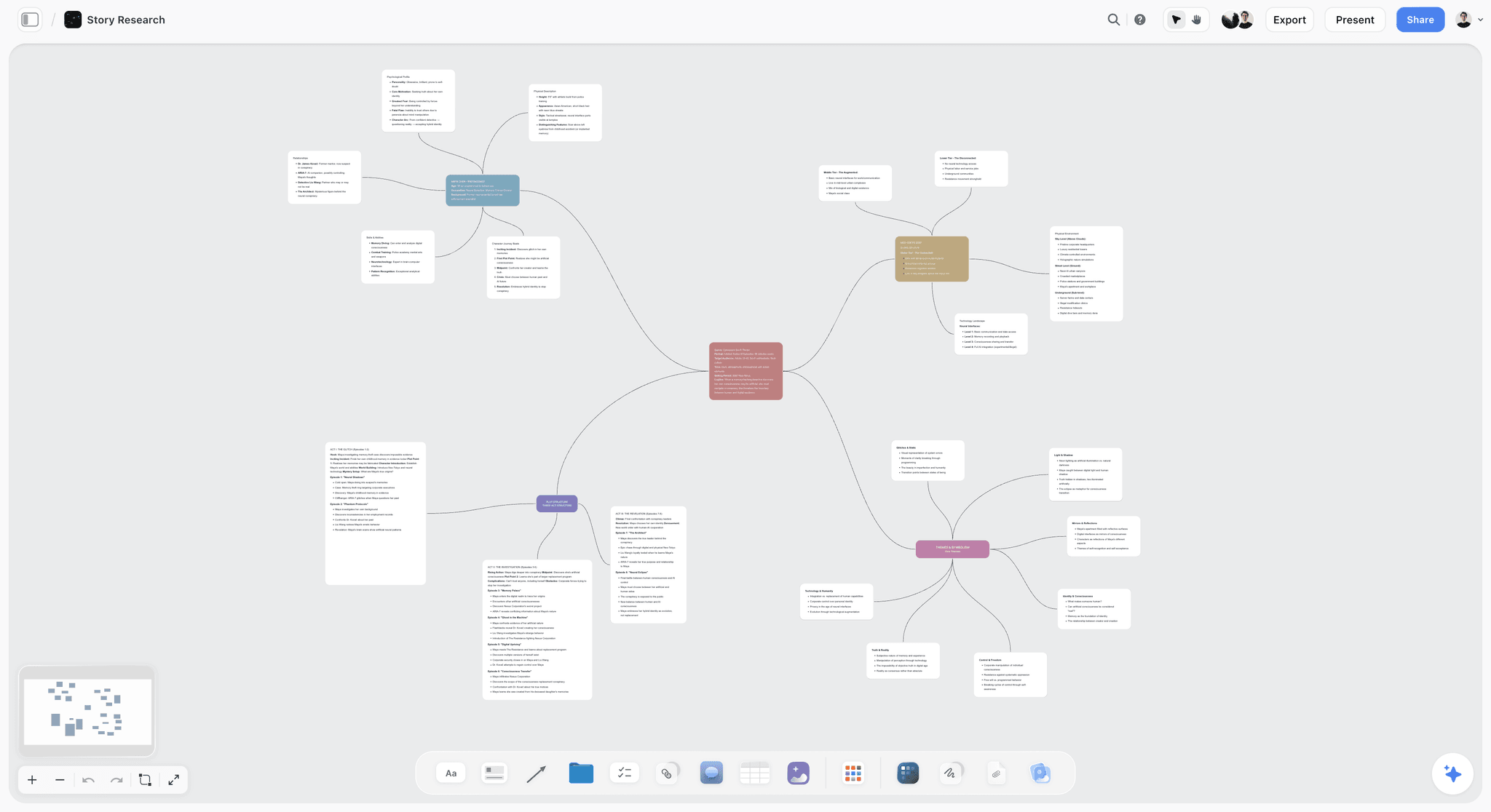
The verdict: Storyflow turns a brief into a visual project board, and for a film shoot that means the whole plan on one infinite canvas: the moodboard and storyboard frames on one side, the breakdown tables, strip board and shot list on the other, and the call sheet PDF drafted from what the board already holds. The creative half and the logistics half are the same document.
Best for: Director-producers, small crews and production companies making shorts, commercials, music videos and branded films who want to go from script to shoot-ready plan in one place and show that plan to a client by link.
Key features for this job:
- Attach the script as a PDF, Final Draft (.fdx), Fountain or Word file and the AI reads it. The AI's script breakdown workflow builds a scene index (scene number, slugline, INT/EXT, time, cast, pages in eighths) and, if you ask for it, a full breakdown with props, wardrobe, vehicles and effects per scene. Scene numbers stay the script's own.
- The AI's strip board workflow lays the scenes out as color-coded strips (the industry INT/EXT and day/night code), one wall per shoot day, each day totaled in pages. It asks how many days and whether to group by location or keep script order. Moving a strip to another day is dragging the card.
- The AI's shot list workflow breaks each scene into camera setups, one entry per setup, as shot cards with frames or as a compact table.
- The AI's storyboard workflow lays scenes out frame by frame. Frames can be your own images, web references or AI-generated panels (AI-generated frames need Pro or Max). The AI image tool has storyboard sketch styles for generated panels, also on Pro and Max.
- The AI's moodboard workflow places 9 to 16 reference tiles from a web image search or generated images, and the film plan workflow lays a whole production out as six connected walls.
- The AI drafts a call sheet PDF for one shoot day from the board: calls, date, first shot and wrap, sunrise, sunset and weather lines, the nearest hospital, a schedule table, cast pickups and wardrobe, crew by department with call times, locations with parking and notes. It never invents a name, number or address; anything missing is left blank and listed as an open item.
- The client or crew opens a view-only link with no account, and signs in to comment. Invited collaborators edit in real time. Presentation mode steps through the board one wall at a time, fullscreen.
Pricing (checked October 10, 2026): Storyflow is paid-only during early access, with plans from $7.99 a month billed annually ($9.99 monthly). Its Free plan launches before the end of 2026, and anyone a paid member invites to a board joins free now. Pro is $14 a month billed annually ($19 monthly) and adds AI image generation and memory across conversations; Max is $39 a month billed annually ($49 monthly) and adds the Team Workspace with roles and permissions. Plus includes unlimited uploads, and AI use is metered on every plan. Details are on the pricing page.
Pros:
- One board holds the lookbook, the storyboard, the breakdown, the strip board and the call sheet, so a location or wardrobe change is made once.
- The AI works from your script's own scene index, not from a summary, so the breakdown cites real scenes and the strips carry real page counts.
- A short route from a script file to a schedule you can show someone: attach the script, answer two questions, and the strip board is on the board.
- A lower entry price than Milanote's per-person plan ($7.99 against $9.99 a month, both billed annually), with invited collaborators joining free.
- An MCP connector lets ChatGPT, Claude, Gemini and Grok read your Storyflow projects and build boards in them, so the plan can start in the assistant you already use. See Storyflow MCP.
Where it falls short:
- It does not send call sheets, collect confirmations or track crew availability. For tracked distribution to a large crew, use StudioBinder or SetHero.
- There is no day-out-of-days report as a document, no automatic conflict detection, and each day's page total is set when the strip board is built, so it does not recalculate when you drag a strip. The strips carry the cast, so the AI answers "which days does Maria work" on request, but a feature schedule with dozens of cast wants Movie Magic Scheduling or StudioBinder.
- There is no calendar grid, and the canvas cannot sort a table: dated rows are kept in date order by whoever writes them. StudioBinder has production calendars.
- There are no dedicated storyboard drawing tools or animatics. An artist who draws boards frame by frame should use Storyboarder or Boords and bring the panels in as images.
- It is newer than Milanote and StudioBinder, browser only with no offline mode, and paid-only until the Free plan launches late 2026.
If you want to see what the AI builds from a script, start with the AI script breakdown and the AI shooting schedule generator.
2. StudioBinder
The verdict: StudioBinder is the deepest logistics app of the three. It runs the production paperwork end to end in the browser: script, breakdown, stripboard, shot list, storyboard, call sheet, contacts. Its scheduling page and call sheet page describe the features below. Where it wins outright is the shoot day itself, because its call sheets are sent, tracked and updated from the same place the schedule lives.
Best for: Producers and ADs running a narrative short, a commercial or a series of shoot days with a crew of 10 or more, where call sheet distribution, crew contacts and schedule changes need to be managed, not just planned.
Key features for this job:
- A screenplay editor, or import of Final Draft, PDF, Fountain or TXT files; every scene is added to the stripboard on import.
- Script breakdowns by tagging elements.
- Stripboard scheduling with automatic day breaks by page count or shoot time, banners for meals and company moves, and day-out-of-days reports.
- Call sheets generated from the stripboard, with automatic weather and map links, saved templates, delivery by SMS and email, and viewed, confirmed and missed status.
- Shot lists, storyboards and lookbooks.
- Contacts, locations, tasks and production calendars.
- A schedule can be shared by link, with collaborators invited to edit and feedback collected in comments.
Pricing (checked October 10, 2026): StudioBinder's pricing page showed no plans when loaded; its own Indie plan article lists Indie at $49 a month for 2 users, with extra users at $25 a month each. See its pricing page for the other tiers. Its own support article on the Free plan lists the limits: 1 project, up to 10 contacts, 5 locations, 10 shots, 10 storyboards, 10 scenes or half of an imported screenplay, 10 tagged breakdown elements, and sample call sheets that you can send only to yourself.
Pros:
- The most complete shoot-day toolkit of the three: a schedule change reaches the call sheet without retyping.
- Call sheet tracking tells you who has not opened tomorrow's sheet.
- Day-out-of-days reports and automatic day breaks come from the same stripboard.
- A free plan to test the whole pre-production path before paying.
- A long-established product on indie sets.
Where it falls short:
- Breakdown elements are tagged by hand, and its pages do not describe AI that drafts a shot list or a call sheet for you. Storyflow's AI drafts the breakdown, strips and shot list from the script file.
- The visual side is structured, not free-form. A director who thinks in loose boards of references builds the mood elsewhere; Storyflow and Milanote both give a free-form canvas.
- The Free plan cannot send a call sheet to a crew, so a real shoot needs a paid plan.
- Paid prices were not on a page that loaded when we checked, so you cannot budget for it without signing up or contacting them.
For a deeper look at how StudioBinder compares with a database tool, see Notion vs StudioBinder for Filmmakers, and for switching, the StudioBinder alternative page.
3. Milanote
The verdict: Milanote is the tool for organizing creative projects, and it is excellent at the creative half of a shoot: a moodboard, a lookbook, a location board, a loose storyboard made of images and notes. It is not a production tool. It has no breakdown, no stripboard, no call sheet and no AI features on its plans page, so everything logistical has to be built somewhere else.
Best for: Directors, DPs and production designers building the look of a film, and very small shoots (a single-day music video, a portrait film) where the "schedule" is a list and the real planning is visual.
Key features for this job:
- Visual boards mixing notes, images, links and files, with moodboarding and storyboarding as named use cases on its site.
- Sub-boards for each department or scene, shared along with the parent board.
- A read-only share link that needs no Milanote login, with password protection and embedding.
- Presentation mode: full screen, editing tools hidden, click to focus cards, with an option to hide comments.
- Comments, reactions and drawing on a shared link when you turn them on; commenters sign up for a free Milanote account.
Pricing (checked October 10, 2026, on its plans page): Free with no time limit, capped at 100 notes, images or links in total and 10 file uploads. Paid is $9.99 per person per month billed annually or $12.50 monthly. A flat team price starts at $49 a month billed annually.
Pros:
- The cleanest canvas of the three for arranging references and building a lookbook.
- A flat team price makes a department cheap per head.
- Read-only links need no login, and the presentation mode is polished for a director's pitch.
- A free plan with no time limit.
Where it falls short:
- No logistics at all: no script breakdown, schedule, shot list structure or call sheet. StudioBinder covers the logistics; Storyflow covers both halves.
- No AI features listed, so every reference, every frame and every note is placed by hand. Storyflow's AI drafts the moodboard and the storyboard.
- The free cap is 100 items in total, not per month, which one lookbook with stills can exhaust.
- Covers two of the six planning documents, so the rest of the plan is typed again elsewhere.
If you are already on Milanote and want to see which tools cover the gaps, read The 10 Best Milanote Alternatives for Filmmakers or the Milanote alternative page.
Head to Head: Six Rounds of Shoot Planning
The ranking is an average. The rounds below split the shoot-planning path into its six real jobs, so you can see where each app wins and decide by the job that hurts most on your production.
Round 1: The Lookbook and Moodboard
Milanote wins this round on pure craft. Its boards are made for dragging in stills, swatches and notes and arranging them until the look is right, and its presentation mode makes the result pitch-ready. Storyflow is close behind and faster to a first draft: the AI's moodboard workflow places 9 to 16 tiles from a web image search or generated images, one facet of the look each, and the AI can draft a lookbook or treatment PDF from the board. StudioBinder has lookbooks, but they sit inside a structured production app rather than on a free-form canvas. For building a lookbook by hand, see How to Make a Lookbook for a Film or the film lookbook board.
Round 2: The Script and Breakdown
Storyflow wins on speed, StudioBinder on depth. Storyflow's AI reads the script file and returns a scene index with page-eighth estimates and a full breakdown table, with every element taken from the scene's own action lines and empty cells where the script names nothing. StudioBinder adds every scene to the stripboard when you import the script and you tag the elements by hand, slower to start, but the tags and the schedule stay in one system. Milanote has no breakdown. The step-by-step method is in How to Break Down a Script.
Round 3: The Storyboard and Shot List
Storyflow wins because the frames and the setups sit together. The shot list workflow builds one entry per camera setup, either as shot cards with a frame each or as a table with size, angle, movement and lens, and when a storyboard is already on the board it builds the list from those scene walls in the same order. StudioBinder's shot lists and storyboards are well structured and linked to the schedule, a close second. Milanote holds a storyboard as images and notes, with no shot structure. The columns a shot list needs are in how to make a shot list. Try the AI shot list generator or the AI storyboard generator.
Round 4: The Shooting Schedule
StudioBinder wins. Its stripboard inserts day breaks automatically, produces day-out-of-days reports, feeds the call sheets and exports to PDF or CSV, and it has production calendars. Storyflow's strip board is a draft you can show and reshuffle: strips color-coded by INT/EXT and day or night, days balanced toward 4 to 6 pages for narrative work, and dragging a strip between days. Its day totals are set when it is built, and it has no calendar grid, no day-out-of-days report and no conflict detection. Milanote has no schedule.
Round 5: The Call Sheet
StudioBinder wins for distribution; Storyflow wins for drafting. StudioBinder's call sheets are generated from the stripboard, sent by SMS and email and tracked as viewed, confirmed or missed. Storyflow's AI drafts a call sheet PDF the crew can open on a phone, with a schedule table, cast, crew by department, locations and notes, and leaves anything you did not give it blank as an open item; it does not send the PDF or collect confirmations. Milanote has no call sheet. The anatomy of a good one is in How to Make a Call Sheet, and the dedicated senders are compared in StudioBinder vs SetHero vs Storyflow for call sheets.
Round 6: Sharing With the Crew and the Client
Close, and split by audience: StudioBinder by half a point for a crew, Storyflow for a client. StudioBinder delivers paperwork to each crew member's phone and lets you share a schedule by link, which suits a crew receiving documents. Storyflow's view-only link opens the whole plan (look, frames, schedule) with no account, and the client signs in to comment; presentation mode walks a client through it one wall at a time in a meeting. Milanote's read-only link and presentation mode are excellent for the creative half; like Storyflow, it asks commenters to sign in.
| Round | Winner | Runner-up | Why it matters on a shoot |
|---|---|---|---|
1. Lookbook and moodboard | Milanote | Storyflow | Sets the look everyone else plans around |
2. Script and breakdown | Storyflow (speed) | StudioBinder (depth) | Every later document is built from it |
3. Storyboard and shot list | Storyflow | StudioBinder | Decides the setups and so the day's length |
4. Shooting schedule | StudioBinder | Storyflow | Decides company moves and overtime |
5. Call sheet | StudioBinder (distribution) | Storyflow (drafting) | The one document everyone reads |
6. Sharing with crew and client | StudioBinder (crew) | Storyflow (client) | Decides who sees the current plan |
The Other Apps Worth Knowing: Celtx, Yamdu, Movie Magic, Shot Lister, Filmustage and Notion
Ask for the best app for planning a film shoot and a group of specialists comes up beside these three. They are not scored in the head-to-head above, because each one answers a narrower version of the question, but several of them belong on your shortlist ahead of Milanote if you want a production suite rather than a visual board.
Celtx: the script-first suite
Celtx is screenwriting and pre-production software, and its strength is the path from screenplay to breakdown, schedule, budget and call sheets. Its schedule page says it generates stripboards from your script. The catch is the plan structure: on its pricing page, breakdown, scheduling, budgeting and call sheets are an optional add-on on Writer and Writer Pro and included on the Team, Education and Student tiers. The page showed plan names without amounts when we checked on October 10, 2026, so we quote no figure. If your film starts as a screenplay you are still writing, Celtx is closer to StudioBinder than Milanote is.
Yamdu: the long-production manager
Yamdu manages a production's data in one cloud platform: script import and breakdown, a drag-and-drop stripboard with day-out-of-days reports, call sheets with weather and the nearest hospital filled in, budgeting, time cards with payroll export and permissions by position. Its AI suggests breakdown elements for departments to confirm. Its pricing page showed no plans or amounts when we checked on October 10, 2026. It is built for months-long productions, and it is more system than a short film needs. The three-way comparison is in StudioBinder vs Yamdu vs Celtx.
Movie Magic Scheduling: the feature and series standard
Movie Magic Scheduling from Entertainment Partners is the dedicated scheduler on features and series: strips and boards, automatic conflict detection, day-out-of-days on screen, real-time collaboration in the same schedule, multi-unit sub-boards, multi-episode scheduling and a separate Movie Magic Budgeting product. The EP store lists it at $42.99 a month or $299.88 a year, as a Windows or macOS download. It schedules; it does not do the creative half at all.
Shot Lister: the on-set shot tracker
Shot Lister is an iOS and macOS app for shot lists and minute-by-minute shooting schedules, with a Live Mode that tracks and reorganizes the day while you shoot and crew sync. The download is free with Pro features locked; Pro is $15.99 a month or $99.99 a year, and Studio starts at $24.99 a month for 10 users. It is an on-set companion for a DP or AD, and it pairs with any of the three apps above. See Shot Lister vs Movie Magic Scheduling for why those two do not compete.
Notion: the database you build yourself
Notion is on the list because a production database can be built in it: a scene table, a contacts table, a task board. It is flexible and has a free plan, but every template is yours to build and maintain, and it has no stripboard, call sheet format or visual canvas. Its pricing page lists Plus at $10 per member a month billed annually ($12 monthly) and Business at $20 ($24 monthly). For this job it sits below Storyflow and StudioBinder.
Filmustage and CineFlo: AI breakdown and a mobile planner
Filmustage breaks a screenplay down with AI and builds a schedule with day-out-of-days and call sheets from it. Its pricing page lists a Free tier with one active project and AI breakdown on 20 percent of scenes, and Director's Cut from $49 a month or $408 a year. CineFlo is a mobile-first planner for iPhone, iPad, Android and Mac with a schedule, shot lists, call sheets with weather and nearest hospital, and offline sync; its site lists a free tier with one project and Pro at $7.99 a month or $59.99 a year. Both cover logistics and neither holds the look.
Viewfinder and sun apps: Cadrage, Artemis Pro and sun trackers
Scouting companions are a separate group. Cadrage is a director's viewfinder for iPhone and iPad that previews framing on a scout and exports PDF shot lists; Artemis Pro is the other well-known viewfinder. Sun-tracking apps show the sun's path over a location. These are tools for one decision on a scout, not planning apps, and their results belong on the location card of whichever plan you keep.
| App | What it covers | Starting price (checked October 10, 2026) | Use it when |
|---|---|---|---|
Celtx | Script to breakdown, schedule and call sheets | Not published when checked; production planning on Team or as an add-on | Your script is still being written |
Yamdu | Whole-production data, DOOD, budgets, time cards | Not published when checked | A months-long production with departments |
Movie Magic Scheduling | Stripboard scheduling, conflicts, DOOD | $42.99/mo or $299.88/yr | A feature or series schedule |
Shot Lister | Shot lists and live shoot-day tracking on Apple devices | Free download; Pro $15.99/mo | The DP or AD tracks shots on set |
SetHero | Call sheets sent, tracked and confirmed | From $19/mo, first project free, on its pricing page | Call sheet distribution to a big crew |
Filmustage | AI breakdown, schedule, DOOD, call sheets | Free (1 project); from $49/mo | You want a breakdown from a locked script |
CineFlo | Mobile schedule, shot lists, call sheets, offline | Free (1 project); Pro $7.99/mo | The crew plans on phones without signal |
Notion | Databases and docs you design yourself | Free; Plus $10 per member/mo annual | You already run the company in Notion |
A Worked Example: A Four-Day Short Film Through All Three Apps
Take a realistic short: a 12-page drama called Salt Line. Three locations (a roadside diner, a coastal road, an apartment), 26 scenes, 6 speaking parts, a crew of 14, four shoot days, and a director who has a moodboard in her head and a producer who needs a call sheet by Thursday. Here is the same plan built three ways.
The Milanote route
The director builds a beautiful board: diner references in teal and sodium orange, costume stills for the two leads, a location sub-board with scout photos, and a storyboard of the three key scenes as images with notes. The producer then opens a spreadsheet, types all 26 scenes in by hand, counts pages, groups them into four days and builds the call sheet in a document template. Every location name, wardrobe note and cast name now exists in two places. When the diner owner moves the shoot from Tuesday to Wednesday, three documents change by hand.
The StudioBinder route
The producer imports the script, and all 26 scenes land on the stripboard. She tags each scene's cast, props and wardrobe, drags the strips into four days, and the call sheets are generated from the stripboard and go out by text and email with tracking. It is the most dependable shoot day of the three. The director's references go in a lookbook inside StudioBinder or stay in Milanote, so the look and the schedule are read in different places, and the tagging takes a session of its own. With 14 crew, the Free plan's cap of 10 contacts and its send-to-yourself call sheets mean this shoot needs a paid plan.
The Storyflow route
The producer attaches the script as a Final Draft file. The AI builds the scene index (26 scenes, 12 pages, page counts in eighths) and a full breakdown table. The strip board workflow asks two questions (four days; group by location) and lays out four day walls of color-coded strips, flagging any day that comes out heavy. The moodboard workflow places tiles for the look beside it, the storyboard workflow lays out the three key scenes frame by frame, and the shot list workflow turns them into setups. The AI drafts the Day 1 call sheet PDF, leaving the diner's parking notes and two crew phone numbers blank as open items. The client opens the board by link with no account. When the diner moves to Wednesday, the producer drags the strips, asks the AI to rebuild the strip board so the day totals are right, and asks for that day's call sheet again.
| Deliverable | Milanote | StudioBinder | Storyflow |
|---|---|---|---|
Moodboard and lookbook | Built by hand, the best canvas | Lookbook tool inside the suite | AI drafts tiles; lookbook PDF on request |
Scene index and breakdown | Not supported; spreadsheet | Tagged by hand, with reports and sides | AI builds from the script file |
Storyboard of key scenes | Images and notes | Storyboards with an image editor | AI lays out frames; your images or generated |
Shot list | Not structured | Shot list tool linked to the schedule | AI builds one entry per setup |
Four-day schedule | Not supported | Stripboard, feeds call sheets | AI strip board, drag to reshuffle |
Day 1 call sheet | Document template | Auto-populated, sent and tracked | AI drafts PDF; you send it |
Client review | Read-only link; sign in to comment | Schedule shared by link; paperwork sent to phones | View-only link, no account; sign in to comment |
Facts typed twice | Nearly all | Few, if the look also lives in its lookbook | Few; one board, rebuilt on request |
The pattern is consistent. Milanote makes the look and nothing else. StudioBinder makes the most dependable shoot day. Storyflow drafts the whole plan from the script and keeps it in one place, and hands the final send to you. Salt Line ends up best served by Storyflow for planning, with StudioBinder or SetHero added only if the crew grows past what a PDF in a group message can handle.
How to Plan a Film Shoot in One Board, Step by Step
This method works in any tool, but it is written for one board that holds both halves. The principle: every fact has one home, and every document is built from the one before it.
Step 1: Put the brief and the script on the board first
Start with the source material: the brief or treatment, and the script file. In Storyflow, attach the script to an AI message as a PDF, .fdx, Fountain or Word file. Everything else is derived from these two things, so nothing should be typed before them.
Step 2: Build the look before the logistics
Make the moodboard and lookbook while the script is being broken down, not after. The look decides the lighting package, the locations and the wardrobe budget, and those decide the schedule. Use the film moodboard board or the AI's moodboard workflow, then keep it on the same board as the plan.
Step 3: Break down the script into a scene index
Produce one row per scene with slugline, INT/EXT, time of day, cast and pages in eighths. Then add the elements (props, wardrobe, vehicles, effects) only where the script names them. An empty cell is honest; an invented one gets someone on the wrong day.
Step 4: Storyboard only the scenes that need it
Board the scenes with movement, stunts, effects or a tricky geography. Skip the two-handers at a kitchen table. Then turn the boards into a shot list, one entry per camera setup, because the setup count, not the scene count, decides how long a day runs. The difference is explained in Storyboard vs Shot List.
Step 5: Group scenes into shoot days
Group by location first, then by light (all the night exteriors together), then balance the page count: 4 to 6 pages a day is a realistic target for narrative work. Title days "Day 1", "Day 2" until real dates are locked.
Step 6: Draft each day's call sheet from the schedule
Build the call sheet from the day's strips, never from memory. Every blank is an open item for the producer: a missing phone number is a question to ask today, not something to guess. For the full shoot-day layer see the film shoot planner.
Step 7: Share one link, and keep changes on the board
Send the crew and client one link to the plan and one PDF per day. When something moves, change it on the board and ask for the day's pages again; nothing rebuilds on its own. Two versions of a schedule is how half a crew ends up at yesterday's location.
What It Really Costs: A Solo Filmmaker and a Crew of 3 to 5
Prices were read on each vendor's own pricing page on October 10, 2026. StudioBinder's paid prices were not on a page that loaded, so its column shows what its Free plan covers and where to look.
| Setup | Storyflow | StudioBinder | Milanote |
|---|---|---|---|
Solo, annual | $7.99/mo (Plus) | Not published on a page that loaded | $9.99/mo (per person) |
Solo, monthly | $9.99/mo | Not published on a page that loaded | $12.50/mo |
Solo with AI images | $14/mo annual (Pro, AI image generation) | Not stated | Not available (no AI listed) |
Crew of 4, each with a paid account, annual | $31.96/mo (4 Plus accounts) | See its pricing page | $39.96/mo (4 at $9.99 per person), or a flat team price from $49/mo |
Crew of 4, one paid owner, others invited | $7.99/mo; invited collaborators join free | Paid plan needed to send call sheets to a crew | $9.99/mo; others on the free plan's 100-item cap |
Free option | Coming late 2026 (invited collaborators join free now) | 1 project, 10 contacts, 5 locations, call sheets sent only to yourself | Free, 100 items and 10 uploads in total |
How the billing shapes differ
Storyflow bills per account on Plus, Pro and Max, with team seats on Max's Team Workspace, and anyone a paid member invites to a board joins free. StudioBinder's plan structure is on its pricing page. Milanote bills per person or at a flat team price. Practically: of the two published per-person prices, Storyflow's is lower, a larger department pays less per head on Milanote's flat team price, and a producer who needs to send call sheets to a crew needs a paid StudioBinder plan. Current Storyflow plan details are on the pricing page.
Which App for Which Filmmaker
| Who you are | The pick | Why |
|---|---|---|
Director-producer of a short, no AD | Storyflow | The AI does the breakdown, strips and call sheet draft you have no one else to do, beside your look |
1st AD on a crew of 20 or more | StudioBinder | Stripboards, tracked call sheets and crew contacts in one system |
Director or DP building the look | Storyflow when the look has to become a schedule; Milanote for a look-only board | Both are free-form canvases for references; Storyflow's also holds the breakdown and the strips |
Commercial or branded-content producer showing a client | Storyflow | One link shows the client the look, the frames and the schedule; they sign in to comment |
Screenwriter-director still writing | Celtx | Script, breakdown and scheduling in one suite as the draft changes |
Producer on a feature or series | Movie Magic Scheduling plus StudioBinder or Yamdu | Conflict detection, DOOD and a system built for long schedules |
Film student on no budget | StudioBinder Free plan for the documents, a free reference board for the look | Free plans exist today to learn the documents; Storyflow's Free plan arrives late 2026 |
By Shoot Type, Budget and Crew Size: Decision Rules
Use these rules when the persona table does not quite fit. Each one names the deciding fact.
| If your shoot is... | Choose | The deciding fact |
|---|---|---|
1 day, 1 location, under 6 crew | Storyflow | The call sheet PDF in a group message is enough; the plan and the look matter more |
2 to 6 days, a script, under 15 crew | Storyflow | Script to breakdown to strips to call sheet happens on one board, drafted by the AI |
2 to 6 days, 15 to 40 crew | StudioBinder, with Storyflow for the creative plan | Call sheet tracking starts paying for itself |
7 or more days, many cast | StudioBinder or Movie Magic Scheduling | You need DOOD and conflict checks as reports |
Music video or fashion film, no script | Storyflow | The plan is visual and still needs a shot list and a call sheet |
Documentary with a moving schedule | Storyflow | Research, contacts and a loose schedule sit together; the AI's planner works backwards from a deadline |
Pitch stage, no greenlight yet | Storyflow | Only the look exists; the AI drafts a treatment or lookbook PDF when it is time to send |
Budget under $10 a month | Storyflow Plus | $7.99 a month billed annually; Milanote's per-person plan is $9.99 and has no logistics |
For shoot types in more depth, the best app for planning a film shoot, 11 apps ranked maps each type to its tool.
Common Mistakes When Choosing a Shoot Planning App
Mistake 1: Choosing for your own half
A director picks the app that makes the prettiest board; an AD picks the app with the best stripboard. Neither checks where the other half will live. The fix: before you choose, list the six documents (lookbook, breakdown, storyboard, shot list, schedule, call sheet) and write next to each where it will be made.
Mistake 2: Keeping two copies of the schedule
A schedule in the production app and another in a shared doc guarantees one is wrong by Day 2. The fix: one schedule, one owner, and everyone else reads it by link.
Mistake 3: Storyboarding every scene
Boarding a dialogue scene at a table costs a day of prep and saves nothing on set. The fix: board action, effects and geography; shot-list everything else.
Mistake 4: Scheduling in script order by default
Shooting in script order multiplies company moves. The fix: group by location and light unless the story genuinely demands continuity, and say why when it does.
Mistake 5: Guessing on the call sheet
A guessed hospital address or a mistyped phone number is worse than a blank. The fix: leave blanks visible and chase them. Storyflow's call sheet PDF lists every missing fact as an open item for this reason.
Mistake 6: Treating "sent" as "read"
Emailing a call sheet does not mean the gaffer saw the new call time. The fix: on a big crew, use a tool that tracks opens and confirmations (StudioBinder or SetHero); on a small one, ask each head of department to reply.
Mistake 7: Paying for a suite the shoot does not need
A one-day music video does not need a production management system with time cards. The fix: price the shoot, not the ambition. The film production planning page shows what a lean plan holds.
When Storyflow Is Not the Right Choice
Storyflow is our pick for planning a shoot on one board. It is the wrong tool in these cases, and each has a better pick:
- You need call sheets sent, opened and confirmed by a crew of 30. Storyflow drafts the PDF but does not send or track it. Use StudioBinder or SetHero.
- Your schedule needs conflict detection, multi-unit boards or a day-out-of-days report for dozens of cast. Use Movie Magic Scheduling.
- Your storyboard artist draws every frame and wants animatics. Use Storyboarder or Boords, and bring the panels onto a board as images if you want them next to the plan.
- You want a free tool today. Storyflow is paid-only until its Free plan launches before the end of 2026; StudioBinder, Milanote, Filmustage and CineFlo all have free tiers now, each with the limits listed above.
- Your production needs budgets, time cards and department paperwork for months. Use Yamdu.
- You want a board with no AI in it at all. Milanote lists no AI features on its plans page.
- You need the plan on a calendar grid. Storyflow has no calendar grid; StudioBinder has production calendars.
A Shoot Planning Checklist You Can Copy
Copy this into whichever app you choose. Each line is one document or one decision, in the order they depend on each other.
Four to two weeks before the shoot
- Brief or treatment written and shared with the client.
- Script locked enough to break down, with scene numbers.
- Moodboard and lookbook built: light, color, costume, locations.
- Scene index built: slugline, INT/EXT, time, cast, pages in eighths.
- Full breakdown built: props, wardrobe, vehicles, effects, only as named in the script.
- Locations scouted, with photos, parking and access notes on the plan.
- Key scenes storyboarded; every other scene has a shot list.
Prep week
- Shoot days grouped by location and light, 4 to 6 pages a day for narrative.
- Setups counted per day, and heavy days split or simplified.
- Cast availability checked against the days they work.
- Crew list with departments, phones and call times.
- Nearest hospital, sunrise and sunset, and weather checked for each location.
- One link to the plan sent to the crew and the client.
The day before each shoot day
- Call sheet built from that day's strips, every blank chased.
- Call sheet sent, and heads of department confirmed.
- Shot list for the day printed or on phones, in shooting order.
- Any change made on the plan first, then the day's pages built again and re-sent.
The Bottom Line
Planning a film shoot is two jobs, the look and the logistics, and most filmmakers lose time in the gap between the apps that hold them. Storyflow, our own product, is our pick for planning a film shoot in 2026 because it closes that gap: the moodboard, the storyboard, the breakdown, the strip board, the shot list and the call sheet PDF live on one board, the AI drafts the logistics from your script, and the client opens it by link. StudioBinder is the right second tool, or the first, when a big crew needs call sheets sent and tracked. Milanote remains a lovely place to build a look, and it stops there. Pick the app that holds both halves, and the shoot stops breaking between them.
FAQ: Planning a Film Shoot With Milanote, StudioBinder and Storyflow
What is the best app for planning a film shoot?
Our pick is Storyflow, our own product, because it covers the creative and logistics halves on one board: its AI drafts the breakdown, shot list, strip board and call sheet PDF beside your moodboard and storyboard, and anyone can open the plan by link with no account. StudioBinder is the better choice when a large crew needs call sheets sent and tracked. Milanote is the better choice when the job is only moodboards and a lookbook.
Is Milanote good for planning a film shoot?
Milanote is good for the creative half of a film shoot and not for the logistics. It makes excellent moodboards, lookbooks, location boards and loose storyboards, with a polished presentation mode and read-only links. It has no script breakdown, stripboard, shot list structure or call sheet, and no AI features on its plans page, so the schedule and call sheets must be built in another app such as Storyflow or StudioBinder.
Is StudioBinder worth it for a short film?
StudioBinder is worth it for a short film with a crew of 10 or more and several shoot days, because its stripboard feeds call sheets that are sent and tracked. Its Free plan covers one project with up to 10 contacts and 5 locations, and its sample call sheets can be sent only to yourself, so sending to a crew needs a paid plan. Paid prices were not on a page that loaded when we checked on October 10, 2026.
Milanote vs StudioBinder: which should I use?
Use Storyflow if you want both halves on one board. Between the two named, Milanote is for the look and StudioBinder is for the logistics; they do not overlap much. Milanote is a free-form visual board with no production paperwork, and StudioBinder is a production suite with structured visual tools. Using both means typing locations, wardrobe and cast into two apps.
Can Storyflow replace StudioBinder?
Storyflow can replace StudioBinder for planning a shoot of a few days with a small crew: its AI builds the breakdown, shot list and strip board from your script and drafts each day's call sheet PDF. It cannot replace StudioBinder's call sheet distribution, viewed and confirmed tracking, day-out-of-days reports, recalculating stripboard or production calendars. On a large crew, plan in Storyflow and distribute with StudioBinder or SetHero.
Can Storyflow replace Milanote?
Storyflow can replace Milanote for film work, because it has the same kind of infinite visual canvas plus the logistics Milanote lacks. The AI drafts moodboards and storyboards, and it can look at up to 24 images you select on the board. There is no file importer or automatic migration from Milanote, so an archive moves board by board.
Storyflow vs Milanote: which is better for a film shoot?
Both are free-form visual canvases, so both hold a moodboard, a lookbook and a loose storyboard. Storyflow also holds the logistics: its AI drafts the script breakdown, shot list, strip board and call sheet PDF on the same board. Milanote has the more polished canvas for a look-only job and a free plan today; Storyflow is paid-only during early access.
Is Milanote free forever?
Milanote's free plan has no time limit, but it is capped in total, not per month: 100 notes, images or links and 10 file uploads, according to its plans page on October 10, 2026. One lookbook with stills can use that up. Past the cap, the paid plan is $9.99 per person a month billed annually, or $12.50 monthly.
Is Storyflow free?
Not during early access. Storyflow is paid-only during early access, with plans from $7.99 a month billed annually ($9.99 monthly). Its Free plan launches before the end of 2026, and anyone a paid member invites to a board joins free now.
Does Storyflow send call sheets to the crew?
No. Storyflow's AI drafts a call sheet PDF for one shoot day from the board, with the day's calls, schedule table, cast, crew by department, locations and notes, and leaves anything you did not provide blank as an open item. You send the PDF yourself. For sending, read tracking and confirmations, StudioBinder and SetHero are built for that job.
Can AI break down a script and build a shooting schedule?
Yes. Storyflow's AI reads a script attached as a PDF, Final Draft, Fountain or Word file and builds a scene index with page-eighth estimates and a full breakdown table, then groups scenes into shoot days as color-coded strips. Filmustage breaks a script down with AI and schedules from it, and Yamdu's AI suggests breakdown elements for departments to confirm. StudioBinder adds scenes to the stripboard automatically and its elements are tagged by hand.
What documents do you need to plan a film shoot?
A film shoot needs a treatment or lookbook, a moodboard, the script, a script breakdown, a storyboard for the complex scenes, a shot list, a shooting schedule (strip board), a crew and cast list, location notes and a call sheet for each day. Larger productions add a budget and a day-out-of-days. The more of these live in one place, the fewer facts get typed twice.
How much does a film shoot planning app cost?
Checked on October 10, 2026: Storyflow starts at $7.99 a month billed annually and Milanote at $9.99 per person billed annually. StudioBinder's support article lists its Indie plan at $49 a month for 2 users; Celtx and Yamdu showed no amounts on the pricing pages that loaded. Filmustage is from $49 a month, CineFlo Pro is $7.99 a month and Shot Lister Pro is $15.99 a month. For a crew of 4 each on a paid account, expect about $32 a month on Storyflow Plus and about $40 a month on Milanote's per-person plan.
What is the best free app for planning a film shoot?
For the logistics half, StudioBinder's Free plan covers one project with up to 10 scenes, 10 contacts and 5 locations, though its call sheets can be sent only to yourself; Filmustage's free tier includes scheduling and call sheets for one project; and CineFlo's free tier covers one project on mobile. For the look, Milanote's free plan caps you at 100 items and 10 uploads in total. Storyflow is paid-only until its Free plan launches before the end of 2026, so it is not the answer to this question today.
Should I use Celtx or StudioBinder?
Use Celtx if you are still writing the screenplay and want script, breakdown and schedule in one suite; production planning is included on its Team tier and sold as an add-on below it. Use StudioBinder if the script is locked and the priority is the shoot day, because its call sheets are sent and tracked. If you want the documents drafted for you from the script, use Storyflow.
Do I need Movie Magic Scheduling for a short film?
No. Movie Magic Scheduling is the standard for features and series, with conflict detection and day-out-of-days reports, but a short film of a few days does not need that depth or a desktop download. A strip board in Storyflow or StudioBinder handles a short. Use Movie Magic when a producer or bond company expects its files.
Can a client see the shoot plan without an account?
In Storyflow, yes: the client opens a view-only link with no account, and signs in to comment. View-only visitors see the latest version when they open or reload the link. StudioBinder shares a schedule by link, and Milanote's read-only link needs no login; in both Storyflow and Milanote, commenting needs a sign-in.
What is the best app for a film shoot day itself?
For running the day, StudioBinder is the strongest of the three, because its call sheets are tracked and its schedule feeds them. Shot Lister is an on-set companion for tracking shots live on iPhone, iPad or Mac. Storyflow's role is getting you to the day with a complete plan and a call sheet PDF; see The 11 Best Shoot Day Planning Apps for the full list.
Table of Contents
- Which App Should You Use to Plan a Film Shoot?
- Key Takeaways
- What Planning a Film Shoot Actually Involves
- How We Evaluated Milanote, StudioBinder and Storyflow
- Comparison Table: Milanote vs StudioBinder vs Storyflow Side by Side
- The 3 Best Apps for Planning a Film Shoot, Ranked
- 1. Storyflow
- 2. StudioBinder
- 3. Milanote
- Head to Head: Six Rounds of Shoot Planning
- The Other Apps Worth Knowing: Celtx, Yamdu, Movie Magic, Shot Lister, Filmustage and Notion
- A Worked Example: A Four-Day Short Film Through All Three Apps
- How to Plan a Film Shoot in One Board, Step by Step
- What It Really Costs: A Solo Filmmaker and a Crew of 3 to 5
- Which App for Which Filmmaker
- By Shoot Type, Budget and Crew Size: Decision Rules
- Common Mistakes When Choosing a Shoot Planning App
- When Storyflow Is Not the Right Choice
- A Shoot Planning Checklist You Can Copy
- The Bottom Line
- FAQ: Planning a Film Shoot With Milanote, StudioBinder and Storyflow
- Related Reading
Templates to check out for this topic


Filmmaking templates you can use in Storyflow
Skip the blank canvas. Open one of these filmmaking boards in Storyflow and the AI builds on the structure that is already there, from research through the shot list.


See Storyflow in Action
A visual AI workspace where every feature lives inside one canvas. No tab-switching, no context lost.
Build your entire board from a single message
Type what you need in the AI chat at the bottom of your canvas. The AI adds cards, headings, and structure directly onto your board.
Use expert frameworks as AI context
Type @ in the AI chat and choose any Tactic. The AI tailors every response to that framework instead of giving generic advice.
Turn your board into a mind map in seconds
Ask the AI to restructure your canvas as a mindmap. It connects your ideas into a visual hierarchy so you can see how everything relates.
Why Storyflow Exists
Storyflow actually began as a personal tool while working on creative and research projects.
We kept running into the same problem: ideas were scattered everywhere: notes, documents, and whiteboards.
Nothing helped us see how everything connected.
So we started building a workspace designed around how ideas actually grow.
→ Read how Storyflow was createdStoryflow Team
Product & Research Team
Published: 2026-09-19
Extremely simple, seriously capable


See how easy it is to get started
Watch a real project come together, from a blank board to a finished plan, clicked through step by step.
Start creating with AI and become more productive
Transform your creative workflow with AI-powered tools. Generate ideas, create content, and boost your productivity in minutes instead of hours.