The 12 Best Film Scheduling Software Tools in 2026
The 12 best film scheduling software tools in 2026: Storyflow first for getting from a script to a first strip board, then StudioBinder, Movie Magic Scheduling, Yamdu and Gorilla for stripboards, day-out-of-days and call sheets, with verified prices.

Category
Filmmaking
Author

Justkay
Documentary Filmmaker & Founder at Storyflow
Topics
2026-07-10
•
30 min read
•
Filmmaking- best film scheduling software 2026
- film scheduling software
- movie magic scheduling
- script scheduling software
- shooting schedule software
- free film scheduling software
What is the best film scheduling software in 2026?
The best film scheduling software depends on whether you need a first schedule or one you maintain through the shoot. Our pick for the first is Storyflow, our own product and number 1 here on how quickly you get from a script to a first shoot schedule: attach the script and its AI builds a wall per shoot day with a coloured strip per scene. It is not a full scheduler, with no day-out-of-days report and no recalculating. For those, choose StudioBinder or Movie Magic Scheduling, then Yamdu or Gorilla Scheduling.

Full disclosure: Storyflow is our own product, and this list is ordered with it first. The basis for that position is one stated criterion: how quickly you get from a script to a first shoot schedule, which its AI builds as a strip board on the same board as the shot list. It is not a full scheduler: it has no day-out-of-days report and its strip board does not recalculate. Numbers 2 to 12 are ranked for the scheduling job itself, and StudioBinder and Movie Magic Scheduling lead them because they maintain a stripboard that recalculates and produce a day-out-of-days report; choose one of them once you need those. We link to every tool so you can judge the fit.
Quick Comparison
Storyflow, our own product, is listed first, on how quickly you get from a script to a first shoot schedule; it is not a full scheduler. Then the four tools that own the scheduling job itself: the all-in-one, the dedicated scheduler for funded productions, a full production platform and the value desktop scheduler.
| Tool | Best For | AI Features | Price |
|---|---|---|---|
| Storyflow | A first strip board from a script; no DOOD, no recalculating | AI builds scene index and strips | From $7.99/mo annual |
| StudioBinder | All-in-one scheduling and call sheets | Automatic strips and day breaks | Free plan; Indie $49/mo (2 users) |
| Movie Magic Scheduling | Funded features and series | Conflict detection | $42.99/mo or $299.88/yr |
| Yamdu | Scheduling in production management | AI breakdown suggestions | Not published |
| Gorilla Scheduling | Value desktop stripboard | Breakdown Assistant AI (Premium) | $24.99/mo or $199/yr |
Which Film Scheduling Software Should You Use?
A shooting schedule is two jobs. The first is turning the script into a first board: which scenes shoot on which day. The second is keeping that board true for weeks while cast, locations and weather move. Pick by the job in front of you.
- You have a script and need a first strip board today: Storyflow. The AI reads the script's scene index and lays the scenes out as strips in shoot days. You see whether the film fits in five days before you open a scheduler.
- You need one tool for the stripboard, the day-out-of-days and tracked call sheets: StudioBinder.
- A line producer, a studio or a bond company will ask for the schedule file: Movie Magic Scheduling.
- You are running a long production with departments, budgets and time cards: Yamdu.
- You want a dedicated scheduler on your own machine for a known price: Gorilla Scheduling.
- You want AI to break the script down and balance the days: Filmustage.
- You need to know at 2pm whether the day is still makeable: Shot Lister.
- The shoot is two days and five people: a spreadsheet is enough.
All 12 Film Scheduling Tools, Ranked
How this list is ordered: number 1 is ranked by how quickly you get from a script to a first shoot schedule, and it is Storyflow, our own product. It builds the strip board and is not a full scheduler: no day-out-of-days report and no recalculating schedule. Numbers 2 to 12 are the schedulers, in order for the scheduling job itself: a stripboard that recalculates, a day-out-of-days report, and call sheets that come from the schedule. Once you need those, the pick is StudioBinder, or Movie Magic Scheduling on a funded feature or series.
- Storyflow: from a script to a first strip board in one request; builds the board and is not a full scheduler (no day-out-of-days report, no recalculating schedule)
- StudioBinder: best all-in-one scheduling, stripboards and call sheets
- Movie Magic Scheduling: best dedicated scheduler for funded features and series
- Yamdu: best full production-management platform with scheduling
- Gorilla Scheduling: best desktop scheduler for indie productions
- Celtx: best script-to-schedule for writers and small teams
- Filmustage: best AI script breakdown into a schedule
- Dramatify: best production management for series and live
- Studiovity: best newer all-in-one with AI breakdown
- CineFlo: best mobile-first scheduler that works offline
- Shot Lister: best shot-by-shot schedule for the shoot day
- Google Sheets: best free fallback for a micro-budget shoot
Comparison Table: 12 Film Scheduling Tools Compared
Features and prices were read on each vendor's own site on October 10, 2026. "Not stated" means the page did not say.
Storyflow is our own product and is listed first, on how quickly you get from a script to a first shoot schedule; its row shows what it lacks as a scheduler. Rows 2 to 12 are the schedulers in order for the scheduling job.
| Tool | Rank | Best For | Stripboard | Day-out-of-days | Call Sheets | Price (checked Oct 10, 2026) |
|---|---|---|---|---|---|---|
Storyflow | 1 | A first strip board from a script | First pass: a wall per shoot day, totals set when built, no recalculating | No report; the AI answers from the strips | Pages built by AI, exported as PDF; not sent | From $7.99/mo annual |
StudioBinder | 2 | All-in-one scheduling | Yes, automatic day breaks | Yes | Yes, sent and tracked | Free plan; Indie $49/mo for 2 users |
Movie Magic Scheduling | 3 | Funded features and series | Yes, multi-unit and multi-episode | Yes, on screen | Not described on its page | $42.99/mo or $299.88/yr |
Yamdu | 4 | Full production management | Yes | Yes | Yes, sent and confirmed | Not published when checked |
Gorilla Scheduling | 5 | Desktop indie scheduling | Yes | Yes | Koala Call Sheets, sold separately | $24.99/mo or $199/yr |
Celtx | 6 | Script-to-schedule | Yes, generated from the script | Not stated | Yes, on Team or as an add-on | Not published when checked |
Filmustage | 7 | AI breakdown to schedule | Yes, with an AI scheduling agent | Yes, automatic | Yes | Free (1 project); from $49/mo |
Dramatify | 8 | Series and live production | Yes | Yes, cast DooD | Yes, semi-automatic | Not stated; free trial |
Studiovity | 9 | All-in-one with AI breakdown | Yes | Not stated | Yes, one click from the schedule | Not shown; free start |
CineFlo | 10 | Mobile and offline | Yes | Yes, on Pro | Yes, with confirmations | Free (1 project); Pro $7.99/mo |
Shot Lister | 11 | The shoot day, shot by shot | Shot-level schedule | No | No | Pro $15.99/mo or $99.99/yr |
Google Sheets | 12 | Micro-budget fallback | Manual | Manual | Manual | Free |
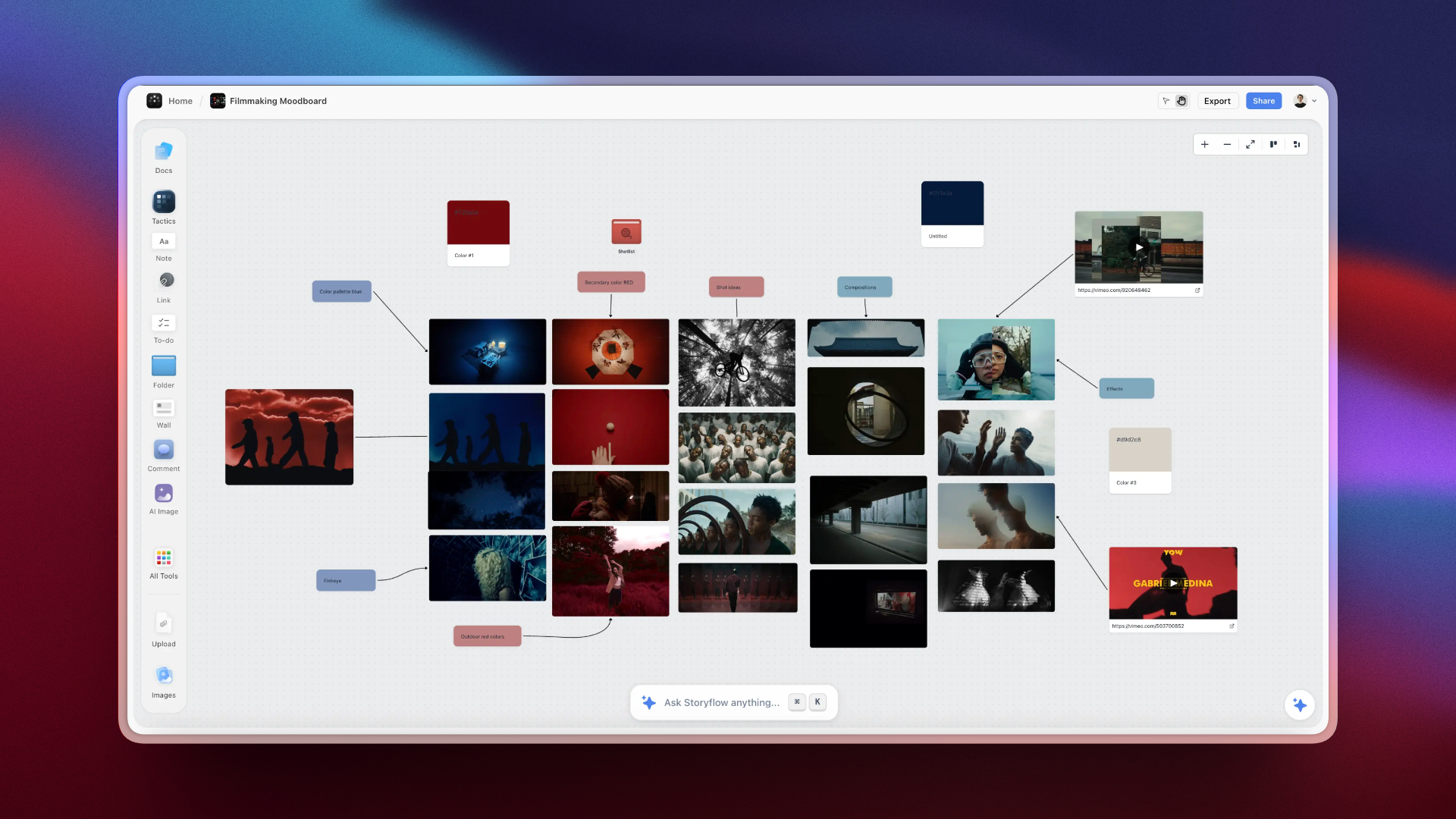
Storyflow board holding a shot list, scene grouping and locations that feed a shooting schedule
Build the first strip board from your script
Attach the script and Storyflow's AI lays every scene out as a strip in shoot days, grouped by location and totalled in pages, beside your shot list and references. Then maintain the schedule in the scheduler that fits your scale.

How We Ranked These Scheduling Tools
Updated October 10, 2026. The list has two parts, and we state both. Number 1 is ranked by how quickly you get from a script to a first shoot schedule: Storyflow, our own product, whose AI builds the first strip board from the script with nothing to tag. Numbers 2 to 12 are ranked for the scheduling job itself: each scheduler was assessed against the job of getting a production scheduled and keeping the schedule alive through changes, using what each vendor's own site says the product does. Five criteria, in ranking order:
- Scheduling core. A stripboard where moving a strip updates the day, with day breaks and a day-out-of-days report.
- Breakdown to schedule. How a script breakdown becomes strips.
- Call sheets and distribution. Does the schedule produce call sheets, and can the tool send and track them?
- Team reality. Can an AD, a producer and department heads all work in it?
- Price at production scale. What it costs, and whether you can read the price before signing up.
| Criterion | Storyflow | StudioBinder | Movie Magic Scheduling | Yamdu | Gorilla |
|---|---|---|---|---|---|
1. Scheduling core | Strip board built by AI, a wall per shoot day; day totals set when built, no recalculating, no DOOD report | Stripboard, automatic day breaks, banners, DOOD reports | Strips and boards, multi-unit sub-boards, multi-episode, conflict detection, on-screen DOOD | Stripboard, day breaks, banners, DOOD reports | Stripboard, shoot days, DOOD, cast conflicts |
2. Breakdown to schedule | AI builds the scene index and the day grouping from the script, with nothing to tag | Scenes added to the stripboard on script import | Customizable breakdown headers; script import not stated | Script import with AI breakdown suggestions | Screenplay import; Breakdown Assistant AI on Premium |
3. Call sheets and distribution | Pages built by AI, exported as PDF; not sent or tracked | Generated from the stripboard; SMS and email; tracked | Not described on its page; pair it with a call sheet tool | Weather and hospital filled in; mailing list; confirmations | Koala Call Sheets on desktop; call sheets in the online version |
4. Team reality | Real-time collaboration; a view link that opens with no account | Invite collaborators, share by link, comments | Real-time collaboration, View or Edit permissions | Permissions by position | Online version invites team members |
5. Price | $7.99/mo billed annually; no free plan during early access | Free plan; paid not published on a page that loaded | $42.99/mo or $299.88/yr | Not published | $24.99/mo or $199/yr |
Read Storyflow's column for what it is: not a full scheduler. Its strip board is a first pass whose day totals do not recalculate, and it has no day-out-of-days report. Criterion 1 defines a scheduler, and Storyflow does not meet it, which is why StudioBinder and Movie Magic Scheduling are the pick once you need those. Storyflow is listed first on a different basis, the step before: its AI builds the scene index and the day grouping from the script, with nothing to tag, on a board that also holds the shot list and references. The next table shows what that step rests on, and where two of the schedulers do the same thing.
The step before the scheduler: script to first strip board
| Criterion | Storyflow | StudioBinder | Filmustage |
|---|---|---|---|
Reads the script and lists every scene without tagging | Yes: Final Draft, PDF, Fountain, Word | Yes: scenes added on import (Free plan: 10 scenes or half the script) | Yes: AI breakdown (Free plan: 20% of scenes) |
Groups scenes into shoot days for you | Yes: by location, or script order, balanced by pages | Automatic day breaks by page count or shoot time | AI scheduling agent on the paid tier |
Sits beside the shot list, storyboard and references | Yes, one board | Yes, one project | Shot lists and storyboards in the same product |
Anyone can open it by link with no account | Yes, a view link | Share a schedule by link | Not stated |
Published price to do it for a whole script | $7.99/mo annual | Not published on a page that loaded | $49/mo |
StudioBinder does the first four rows as well once you are on a paid plan; its Free plan stops at 10 scenes or half the script. Filmustage does the first three, with the AI grouping on its paid tier. What Storyflow adds is a published price for a whole script, no tagging or project setup, and a board where the references and the reasons sit next to the strips. Both of the others are ahead on everything that happens after the first board exists. So the sequence for a small shoot is: first board in Storyflow, and a scheduler from numbers 2 to 12 once the schedule starts changing.
Why a Schedule Is Only as Good as the Plan Behind It
Most film scheduling guides rank stripboard tools against each other and stop. That misses why so many schedules fall apart in week two. A shooting schedule is the output of two very different jobs, and productions that only tool the second one keep rebuilding the first one by hand.
Job one is planning: deciding what to shoot and how to group it. Before a single strip is arranged, someone decides which scenes exist, which locations they need, which cast, which time of day, and which creative dependencies matter (this scene must come after that emotional beat, this location is only available on the 14th). This is nonlinear and full of tradeoffs. It is thinking work.
Job two is scheduling: turning that plan into a stripboard, day-out-of-days and call sheets, and keeping them current. Once the plan exists, arranging strips, balancing days and generating call sheets is mechanical and specialized. This is what StudioBinder, Movie Magic, Yamdu and Gorilla are built for.
Here is the failure pattern on productions:
- The plan lives in someone's head, a script and a pile of notes.
- The scheduler ingests a breakdown but not the creative logic behind it.
- When the plan changes, the schedule and the reasoning drift apart, and the AD rebuilds context from scratch.
It is not that schedulers fail. It is that the plan feeding them usually has no home, so every change means re-deriving why the schedule looks the way it does. The stronger workflow keeps the planning layer (shot list, scene grouping, references and the reasons behind grouping decisions) on a board the whole team can see, builds the first strip board there, then maintains the schedule in a dedicated scheduler. For the shot-level plan, see the best shot list tools in 2026.
Script Scheduling Software: From a Script to a First Strip Board
Script scheduling software is any tool that takes a screenplay and gives you shoot days. Storyflow, StudioBinder, Yamdu, Gorilla Scheduling, Celtx and Filmustage all do it. This section walks through the version that needs no setup, in Storyflow, and says where it stops.
Step 1: Attach the script
Attach a Final Draft file, a PDF, a Fountain file or a Word document to the AI chat. The scene index is parsed from the file: scene numbers, sluglines, INT or EXT, time of day, page estimates in eighths and speaking parts. Scenes come from the file, never from the AI's memory of the story.
Step 2: Ask for a strip board and answer two questions
The AI asks how many shoot days (or lets it balance from the page counts) and what order to shoot in: grouped by location, which means the fewest company moves, or script order for a shoot that runs in continuity. If your request already says "five days, grouped by location", it asks nothing.
Step 3: Read the board
You get one wall per shoot day, connected by arrows, and one strip per scene carrying the scene number and slugline as the script prints them, INT or EXT and time, the page estimate, the cast and one line of synopsis. Strips are coloured in the industry code for interior or exterior and day or night. Each day shows its page total. When the AI decides the grouping it keeps locations together, groups exteriors by their light and aims for 4 to 6 pages a day on narrative work, and it tells you what it balanced for and which day came out heavy. Days are titled "Day 1", "Day 2"; a real date appears only if you gave one.
Here is the shape of a first board for a 12-page short with three locations, grouped by location over four days:
| Day | Strips | Scenes | Pages |
|---|---|---|---|
Day 1 | INT. DINER, day | 1, 4, 9, 15 | 3 4/8 |
Day 2 | INT. and EXT. DINER, night | 6, 12, 18 | 2 6/8 |
Day 3 | EXT. COAST ROAD, day | 2, 7, 10, 20 | 3 2/8 |
Day 4 | INT. APARTMENT, day and night | 3, 5, 8, 11 | 2 4/8 |
Read it for three things before anyone opens a scheduler. Do the night scenes sit together, so the crew turns around once? Is the lightest day the one with the hardest light? Does any actor work Day 1 and Day 4 with nothing between? If the answers hold, this grouping is what you enter in the scheduler.
Step 4: Reshuffle, then decide whether you need a scheduler
Moving a strip to another day is dragging the card. The day's page total was set when the board was built, so after a large reshuffle ask the AI to rebuild the board. Ask "which days does Maria work" and it answers from the cast on the strips; there is no day-out-of-days document. If the shoot is a few days with a small cast, this board plus call sheet pages for each day may be all the schedule you need. If cast availability, turnaround and locations will keep moving, take the day grouping you agreed and build it in a scheduler. See the stripboard page and the AI shooting schedule generator.
How to read a stripboard
| Strip colour (common convention) | Meaning |
|---|---|
White | Interior, day |
Yellow | Exterior, day |
Blue | Interior, night |
Green | Exterior, night |
Black or a banner strip | Day break, meal, company move |
Conventions vary by production, and every scheduler lets you set your own. What matters is that a glance down the board shows how many night exteriors sit in a row.
Quick Picks by Production Type
Our pick, for the first shoot schedule on any production with a script: Storyflow (our own product), where the first strip board is built beside the shot list and the references. It is not a full scheduler: no day-out-of-days report and no recalculating schedule.
Best scheduler for most indie and commercial productions: StudioBinder. Stripboard, day-out-of-days, call sheets and breakdowns in one browser platform.
Best for feature productions that need the expected format: Movie Magic Scheduling.
Best for full production management, not just scheduling: Yamdu or Dramatify, which run the whole production.
Best for indie budgets: Gorilla Scheduling on the desktop at $24.99 a month, or Filmustage's free tier for one project.
Best free fallback: Google Sheets, for micro-budget shoots where a spreadsheet is enough.
Detailed Reviews: The 12 Best Film Scheduling Tools
1. Storyflow

Storyflow builds the strip board from your script: its AI reads the script and lays out a wall per shoot day with a coloured strip per scene, on the same board as the script breakdown, the shot list and the references. It is not a full scheduler: there is no day-out-of-days report and no recalculating schedule, so choose StudioBinder or Movie Magic Scheduling once you need those. Storyflow is our own product, and it is listed first on one basis: how quickly you get from a script to a first shoot schedule.
Best for: Directors, producers and small crews who want to see the shoot in days before they commit to a scheduler, or whose shoot is short enough that the first board is the schedule.
Verdict: Our pick for the first shoot schedule, and the step before the scheduler. Use it to get from a script to a first strip board, then move the agreed grouping into StudioBinder, Movie Magic Scheduling or another of the 11 schedulers below if the schedule will keep changing.
Key features
- Scene index and full breakdown tables built from a Final Draft, PDF, Fountain or Word script.
- Strip board: grouped by location or in script order, each day totalled in pages, up to 30 days in one build.
- Shot list as cards or a table; call sheet and shot list pages exported as PDF.
- Real-time collaboration; a view link that opens with no account.
- An MCP connector, so ChatGPT, Claude, Gemini and Grok can read your projects and build boards in them. See Storyflow MCP.
Pricing
Paid-only during early access; its Free plan launches before the end of 2026, and anyone a paid member invites to a board joins free now. Plus: $7.99 a month billed annually ($9.99 monthly). Pro: $14 ($19 monthly). Max: $39 ($49 monthly). See pricing.
Pros
- No setup: attach the script and ask.
- The schedule sits beside the reasons for it: shot list, references, notes.
- The AI answers questions across the whole plan, such as which days a character works.
Cons
- Day totals are set when the board is built and do not recalculate when you drag a strip.
- No day-out-of-days report, no conflict detection, no turnaround warnings.
- No calendar of dates; days are "Day 1", "Day 2" unless you name dates.
- Does not send call sheets or track confirmations.
- Browser only.
For the full pre-production picture, see the 12 best pre-production tools in 2026.
2. StudioBinder
StudioBinder is the all-in-one production platform: stripboard, shooting schedule, call sheets and breakdowns in one browser tool. Its scheduling page says you can import Final Draft, PDF, Fountain or TXT files and every scene is automatically added to the stripboard.
Best for: Indie features, commercials and branded content that want scheduling and call sheets in one tool.
Verdict: The best all-around film scheduling software for most productions.
Key features
- Stripboard with drag and drop, automatic day breaks by page count or estimated shoot time, and banners for meals, company moves and notes.
- DOOD reports, PDF and CSV export.
- Call sheets generated from the stripboard and sent by SMS and email with tracking.
- Shot lists, storyboards and contacts in the same project.
Pricing
Paid prices were not published on a page that loaded when checked. The Free plan is limited to one project and 10 scenes or half of an imported screenplay, per its support article.
Pros
- One platform covers breakdown, schedule and call sheets.
- Automatic day breaks by pages or time.
- Share a schedule by link and collect comments.
Cons
- The free tier holds 10 scenes, so a real schedule needs a paid plan.
- No published paid price on a page we could load.
- Multi-unit and multi-episode boards are not described on its scheduling page.
3. Movie Magic Scheduling
Movie Magic Scheduling, from Entertainment Partners, is the dedicated scheduler professional productions have used for decades. The current version keeps schedules in the cloud with real-time collaboration.
Best for: Feature productions, series and ADs who need the format a line producer expects.
Verdict: The deepest scheduler here. A specialist: it schedules and nothing else.
Key features
- Strips, boards and customizable breakdown headers, with split-screen views.
- Multi-unit scheduling with sub-boards and multi-episode scheduling in one schedule.
- Conflict detection that reviews events and scheduled strips, with a Red Flag Manager.
- Day-out-of-days on screen; one-line report export to Excel and PDF.
- Real-time collaboration with View or Edit permissions.
Pricing
Per the EP store: $42.99 a month, or $299.88 a year on the annual subscription. You choose a Windows or macOS download after purchase. Movie Magic Budgeting is a separate product.
Pros
- The schedule format funded productions ask for.
- Multi-unit and multi-episode boards.
- Conflict detection built into the board.
Cons
- Call sheets are not described on its page; plan on a second tool for the daily sheet.
- Takes time to learn.
- More than a short film needs.
4. Yamdu
Yamdu is a full production-management platform that includes scheduling alongside script breakdown, budgeting, cast and crew, time cards and document control.
Best for: Productions that want to run everything, not just the schedule, in one place.
Verdict: The strongest all-in-one production platform for teams that want scheduling inside a bigger system.
Key features
- Drag-and-drop stripboard; day breaks created from script pages or scheduled time; banners. See its shooting schedule page.
- DOOD reports for talents, props and more.
- Import and export of shooting schedules.
- Script import with AI breakdown suggestions.
- Call sheets with weather and nearest hospital, sent with confirmations.
Pricing
No plans or amounts were visible on its pricing page when checked. Its home page offers "Start for free".
Pros
- Runs the whole production, not just scheduling.
- Suits series and larger teams.
- Schedule, call sheets and time cards share one database.
Cons
- More than a shoot that only needs a schedule.
- No published price to plan against.
- Setup takes time before the first board.
5. Gorilla Scheduling
Gorilla Scheduling, from Jungle Software, is a dedicated scheduler for Mac and Windows, with an online version that runs in the browser.
Best for: Indie productions that want a dedicated scheduler at a published price.
Verdict: The value pick among dedicated stripboard schedulers.
Key features
- Screenplay import and breakdown into cast, props, locations, wardrobe, vehicles and effects.
- Stripboard, shoot days, page counts, cast availability and conflicts.
- Breakdown sheets, one-liners, Day Out of Days and shoot-day reports.
- Breakdown Assistant AI on the Premium tier.
- Gorilla Budgeting as a sibling product; Koala Call Sheets for the desktop.
Pricing
Per its pricing page: Gorilla Scheduling Desktop is $24.99 a month, $64.99 every three months or $199 a year. Scheduling Premium with Breakdown Assistant AI is $39.99 a month. The Combo Pack with Budgeting is $39.99 a month. Academic licences are $109 a year. Prices for the online version are not shown on that page.
Pros
- Full scheduling reports at a price you can read.
- Pairs with a budgeting counterpart.
- Desktop and online versions.
Cons
- Call sheets are a separate desktop product.
- Online pricing is not on the pricing page.
- No development or creative planning.
6. Celtx
Celtx offers script-to-schedule in the browser. Its schedule page says it automatically generates stripboards from your script and pulls in information from the script, breakdown and calendar.
Best for: Writers, students and small teams who want writing through scheduling in one login.
Verdict: A capable script-to-schedule path for small productions.
Key features
- Stripboards generated from the script; drag and drop to arrange scenes.
- End of Day strips; shoot days added to a calendar.
- Breakdown, catalog, sides, budget and call sheets.
Pricing
Its pricing page showed plan names without amounts when checked. Scheduling is included on Team, Education and Student and sold as an add-on on Writer and Writer Pro. The Free tier has no production tools.
Pros
- Script and schedule under one login.
- Browser-based.
- Education tiers.
Cons
- A day-out-of-days report is not described on its schedule page.
- Scheduling is not on the free tier.
- Not built for multi-unit features.
7. Filmustage
Filmustage uses AI to break down a script and build a schedule from it. Its scheduling page describes an AI scheduling agent that takes requests such as "Group scenes by location" and "Balance heavy shooting days".
Best for: Productions that want AI to turn a script into a breakdown and a balanced schedule.
Verdict: The strongest AI breakdown-to-schedule tool, and a real scheduler with DOOD.
Key features
- AI script breakdown into elements.
- Days created by page count, with a maximum hours per day.
- Automatic DOOD report by actor and by unit.
- Flags availability conflicts and tight turnarounds.
- Call sheets.
Pricing
Per its pricing page: Free with one active project, AI breakdown on 20% of scenes, and scheduling, DOODs and call sheets included. Director's Cut is from $49 a month, or $408 a year, with full AI breakdown and AI scheduling.
Pros
- AI breakdown saves hours.
- A free tier that includes scheduling and DOOD for one project.
- Conflict and turnaround flags.
Cons
- AI output needs human review.
- AI scheduling is on the paid tier.
- No creative planning.
8. Dramatify
Dramatify is a production-management platform for series and live production, with shooting scheduling integrated with cast day-out-of-days.
Best for: Series, multi-cam and live productions that need ongoing scheduling.
Verdict: A production platform for episodic and live work. Broader than a pure scheduler.
Key features
- Shooting scheduling with cast DooD, a stripboard and a production planner.
- Semi-automatic call sheets for print and mobile.
- Smart script breakdown; daily production reports.
Pricing
No prices on its home page. A free trial with no credit card is offered.
Pros
- Built with series and live in mind.
- Call sheets build up as details are added.
- Daily production reports included.
Cons
- More platform than a single shoot needs.
- No price on its home page.
- Learning curve.
9. Studiovity
Studiovity describes an all-in-one with AI script breakdown, "smart stripboards and production scheduling tools", budgeting and a call sheet that pulls tagged assets and shot lists from the schedule in one click.
Best for: Teams who want breakdown, schedule and call sheet in one newer tool.
Verdict: Worth a trial beside StudioBinder. Its pages say less about reports than the leaders'.
Key features
- AI script breakdown of elements, characters and props.
- Stripboards and scheduling.
- One-click call sheet from the schedule, with per-cast timings.
- Budgeting; mobile access with cloud sync.
Pricing
No amounts were visible on its pricing page when checked. It offers a free start.
Pros
- Breakdown, schedule and call sheet connected.
- Call sheet layout you can reorder.
- Mobile access.
Cons
- A day-out-of-days report is not described on the page we checked.
- No published price.
- Newer than the established schedulers.
10. CineFlo
CineFlo is a mobile-first production app for iPhone, iPad, Android and Mac. It imports a Final Draft file, creates a scene per slugline, shows a stripboard day in its schedule view and builds call sheets from the schedule.
Best for: Small crews who plan on phones and shoot where there is no signal.
Verdict: A full scheduler you can carry in a pocket.
Key features
- Schedule with a stripboard day view; script breakdown.
- Call sheets with weather, golden hour and nearest hospital; email the crew and see who confirmed.
- Shot lists, location scouting with sun position, blocking diagrams.
- Offline-first sync.
Pricing
Free: one project with unlimited scenes and shots. Pro: $7.99 a month or $59.99 a year, adding unlimited projects, collaboration with no per-seat charge, PDF exports and production reports including DOOD.
Pros
- Works without a signal and syncs later.
- Free users can send call sheets.
- Collaboration with no per-seat charge on Pro.
Cons
- The DOOD report and PDF export need Pro.
- Scheduling depth is described lightly on its site.
- Built around mobile; less suited to a scheduling office.
11. Shot Lister
Shot Lister schedules at a finer grain than a stripboard: shot by shot and minute by minute. Its Live Mode shows how you are doing against the schedule while you shoot and lets you reorganize the plan.
Best for: Directors and first ADs who need to know at 2pm whether the day is still makeable.
Verdict: Built for running a day. Not a tool for scheduling a whole shoot.
Key features
- Shot lists with standard numbering and cast numbers.
- A shooting schedule built shot by shot; Live Mode.
- Crew sync for up to 10 people on Pro, 80 on Studio.
- Storyboards, script import and episode support on Pro.
Pricing
The app download is free. Pro is $15.99 a month or $99.99 a year. Studio starts at $24.99 a month for 10 users.
Pros
- Tells you whether you are ahead or behind, to the minute.
- Reorder the day on a phone.
- Crew sees changes live.
Cons
- No stripboard for the whole shoot and no day-out-of-days.
- iOS and macOS first.
- Expects a finished shot list.
12. Google Sheets
Google Sheets is not scheduling software, but on a micro-budget shoot a well-built spreadsheet is a legitimate schedule.
Best for: Micro-budget and student shoots where a spreadsheet is enough.
Verdict: The free fallback. It works for small shoots and nothing more.
Key features
- Cloud-based and collaborative.
- Columns you design: scene, location, INT or EXT, day or night, pages, cast.
- Colour rows by hand to mimic strips.
Pricing
Free with a Google account.
Pros
- No cost.
- Everyone already knows it.
- Flexible for a simple shoot.
Cons
- No stripboard logic or automation.
- Day totals and day-out-of-days are formulas you write.
- No call sheets or breakdown integration.
Movie Magic Scheduling: Price, What It Does and Alternatives
Movie Magic Scheduling draws more questions than any other tool on this list. The short answers:
Movie Magic Scheduling price
On the EP store on October 10, 2026, Movie Magic Scheduling is $42.99 a month, or $299.88 a year on the annual subscription. The purchase gives you a Windows or macOS download. Movie Magic Budgeting is sold separately on the same store.
What Movie Magic Scheduling does that others do not
Three things stand out on EP's page: multi-unit scheduling with sub-boards, multi-episode scheduling inside one schedule, and conflict detection with a Red Flag Manager. It can also export a schedule to the older MMS6 format, which matters when a collaborator is still on version 6.
Movie Magic Scheduling free alternatives
There is no free tool with the same depth. The closest free starts are Filmustage's Free tier (one active project with scheduling, DOODs and call sheets, and AI breakdown on a fifth of the scenes), CineFlo's free tier (one project on mobile), StudioBinder's Free plan (one project, 10 scenes or half a screenplay) and a spreadsheet. Among the schedulers in this guide that publish a price, the lowest paid tiers are CineFlo Pro at $7.99 a month and Gorilla Scheduling Desktop at $24.99 a month. See the best Movie Magic alternatives and the Movie Magic alternative page.
Movie Magic Scheduling vs StudioBinder
Choose Movie Magic when the schedule is the deliverable: a funded feature, a second unit, a series. Choose StudioBinder when the schedule has to become call sheets on people's phones the same evening. Movie Magic's page does not describe call sheets; StudioBinder's scheduling page does not describe multi-unit boards.
Free Film Scheduling Software
Free scheduling exists, with limits that matter. These are the limits each vendor states.
| Tool | What the free tier includes | The limit that bites |
|---|---|---|
Filmustage | 1 active project, schedule, DOODs, conflicts, call sheets | AI breakdown on 20% of scenes |
CineFlo | 1 project, unlimited scenes and shots, call sheets you can send | PDF export and DOOD need Pro |
StudioBinder | 1 project, stripboard | 10 scenes or half an imported screenplay; call sheets only to yourself |
Yamdu | "Start for free" | Terms not stated on the page |
Dramatify | Free trial, no card | A trial, not a free plan |
Google Sheets | Everything, by hand | No stripboard logic |
Storyflow is not in this table. It is paid-only during early access; its Free plan launches before the end of 2026, and anyone a paid member invites to a board joins free now. If the budget is zero today, start with Filmustage or CineFlo for one project.
TV Production Scheduling Software
TV production scheduling is the same chain as film with one extra constraint: recurring cast and standing sets across episodes, often with two units shooting at once.
Scheduling a series
Movie Magic Scheduling lists multi-episode scheduling within a single schedule and multi-unit scheduling with sub-boards, which is the combination a series needs. Yamdu's single database suits a season that runs for months with departments. Dramatify is built around series and live production, with cast DooD tied to the shooting schedule. Shot Lister lists episode support on Pro for the shoot-day level.
Scheduling a short-form or web series
A web series with a small cast is usually easier to run as one board per block than as a season in a heavy tool. Build the scene index for the whole block, group by location across episodes, and keep episode numbers on the strips. A first strip board in Storyflow or a Filmustage project handles that. See crew scheduling software for the people side.
Shooting Schedule Software for Directors
A scheduling tool for directors answers different questions from an AD's stripboard: do the hard scenes fall on the right days, is the emotional order survivable for the cast, and how many setups am I asking for before lunch.
What a director needs from the schedule
- The day grouping, visible at a glance, with night exteriors easy to spot.
- The shot list for each day beside it, so setups can be counted against hours.
- The reason a scene sits where it does, written where the AD will read it.
- A way to try a different order without breaking the official schedule.
Which tools fit
For the first and last items, a board you can drag works well: Storyflow's strip board, or a duplicate schedule in StudioBinder. For counting setups against the clock, Shot Lister is built for it. For the official schedule, the AD's tool wins, whatever it is. The practical split on small shoots: the director and AD agree the grouping on a board, and the AD maintains it in a scheduler. See the shooting schedule page and how to make a production schedule.
Film Scheduling Software Pricing in 2026
Every figure below was visible on the vendor's own site on October 10, 2026.
| Tool | Published price | Notes |
|---|---|---|
Storyflow | Plus $7.99/mo billed annually ($9.99 monthly); Pro $14 ($19) and Max $39 ($49) | Not a full scheduler; paid-only during early access |
Movie Magic Scheduling | $42.99/mo or $299.88/yr | Budgeting separate |
Gorilla Scheduling Desktop | $24.99/mo, $64.99 per quarter, $199/yr | Premium with AI $39.99/mo; Combo with Budgeting $39.99/mo |
Filmustage | From $49/mo, or $408/yr | Free tier for one project |
CineFlo | Pro $7.99/mo or $59.99/yr | Free tier for one project |
Shot Lister | Pro $15.99/mo or $99.99/yr | Studio from $24.99/mo for 10 users |
StudioBinder | Indie $49/mo for 2 users (support article) | Free plan: one project |
Yamdu | Not published when checked | "Start for free" |
Celtx | Not published when checked | Scheduling on Team or as an add-on |
Dramatify, Studiovity | Not shown on the pages checked | Free trial or free start |
Google Sheets | Free | With a Google account |
Two notes on reading this table. A monthly scheduler subscription for a six-week prep and shoot is two or three payments, so compare the cost of the production, not the year. And a scheduler bought without call sheets (Movie Magic Scheduling as its page describes it, Gorilla Desktop without Koala) means a second tool or a template for the daily sheet. See the best call sheet software, and the production binder for where the schedule sits among the rest of the paperwork.
Recommendations by Production Type
Indie Feature
Top picks: Storyflow for the first strip board, then StudioBinder for the schedule
Storyflow for the shot list, the scene grouping and the reasons behind it, and for the first strip board that the AD and director argue over before anything is entered in the scheduler. StudioBinder for the stripboard that recalculates, the DOOD and the call sheets.
Commercial or Branded Content
Top picks: Storyflow for a one or two day shoot; StudioBinder when the crew is large
For a compressed shoot, the first strip board, the shot list and call sheet pages on one board are often the whole schedule, and the client can open it with a view link. Add StudioBinder when the sheet has to reach thirty phones. See the best pre-production tools in 2026.
Studio or Streamer Feature
Top picks: Movie Magic Scheduling, plus a distribution tool
Movie Magic for multi-unit boards and conflict detection, with a production-office tool for sides and distribution. Storyflow is optional here, as the director's planning board.
Documentary or Series
Top picks: Storyflow for the story plan, with Yamdu or Dramatify for the schedule
Storyflow for the story plan and shot logic that a documentary schedule constantly reshapes. Yamdu or Dramatify for ongoing scheduling across episodes. See how to plan a documentary with AI.
Student or Micro-Budget
Top picks: Filmustage Free, CineFlo Free or Google Sheets
Free tiers that include a real schedule for one project. Storyflow is paid-only during early access.
Honorable Mentions
- SetHero: a dedicated call sheet builder with received, opened and confirmed tracking, from $19 a month with the first project free; its site also mentions exporting Movie Magic Scheduling data to Excel.
- Croogloo: a production-office platform for sides, reports and file distribution, which states it is TPN-certified. It sits around the schedule; it is not a stripboard tool.
- Movie Magic Budgeting: the budgeting counterpart to the scheduler, with a SmartAccounting integration for actuals.
- Gorilla Budgeting: the budgeting sibling to Gorilla Scheduling.
Where Scheduling Software Still Needs a Human
Scheduling tools arrange strips; they do not make the hard calls.
- Creative sequencing. Whether to shoot the emotional climax before the actor is exhausted is a directing call, not a stripboard optimization.
- Location and weather. Software flags conflicts; producers negotiate them.
- Actor and crew availability. The tool tracks it; people solve the puzzle.
- The tradeoff between the ideal day and the affordable day. That judgment stays with the AD and line producer.
Use the software for the mechanical stripboard work, and keep the plan behind it visible so a change takes minutes, not a meeting.
The Bottom Line
Storyflow, our own product, is first on this list for one reason: it is how you get from a script to a first shoot schedule quickly. What most productions miss is that step before the scheduler. The first grouping of scenes into days, the shot list and the reasons behind both usually have no home. Build that first strip board from the script on a Storyflow board, agree it with the director and the AD, and then maintain it in the scheduler that fits your scale.
For the schedule itself, choose StudioBinder for most productions, Movie Magic Scheduling for funded features and series, Yamdu or Dramatify for full production management, and Gorilla or Filmustage for indie budgets. These tools own the recalculating stripboard and the day-out-of-days, and Storyflow does not replace them.
FAQ: Film Scheduling Software in 2026
What is the best film scheduling software in 2026?
Storyflow is first on our list, ranked by how quickly you get from a script to a first shoot schedule: its AI builds the strip board from the script. It is our own product and not a full scheduler, with no day-out-of-days report and no recalculating schedule. Once you need those, StudioBinder is the best all-in-one film scheduling software for most productions because it combines a stripboard with automatic day breaks, day-out-of-days reports and tracked call sheets. Movie Magic Scheduling is the dedicated scheduler for funded features and series. Gorilla Scheduling is the value desktop pick at $24.99 a month.
What is the best app for planning a film shoot?
Storyflow, for the planning: its AI builds the script breakdown, the shot list, a first strip board and call sheet pages on one board from your script. For the schedule you maintain during the shoot, pair it with StudioBinder or Movie Magic Scheduling. See the best app for planning a film shoot and Storyflow vs StudioBinder vs Milanote for film shoot planning.
What scheduling software do professional productions use?
Movie Magic Scheduling is the long-standing professional scheduler on features and series, which is why ADs and line producers know it by default. StudioBinder is common on indie and commercial productions. Larger productions add a production-office platform for distribution. The common thread is a dedicated stripboard tool, sometimes paired with a wider production-management system.
How much does Movie Magic Scheduling cost?
On the EP store on October 10, 2026, Movie Magic Scheduling is $42.99 a month, or $299.88 a year on the annual subscription. It is a Windows or macOS download. Movie Magic Budgeting is a separate product.
Is there a free alternative to Movie Magic Scheduling?
Not with the same depth. Filmustage's Free tier covers one project with scheduling, DOODs and call sheets. CineFlo's free tier covers one project on mobile. StudioBinder's Free plan holds 10 scenes or half a screenplay. For a short, those are enough. For multi-unit or multi-episode scheduling, nothing free replaces it.
Is StudioBinder good for scheduling?
Yes. StudioBinder adds every scene to the stripboard when you import a script, inserts day breaks by page count or estimated shoot time, produces DOOD reports and generates call sheets from the stripboard. It suits indie features, commercials and branded content. Productions that need multi-unit boards usually use Movie Magic.
Can AI create a shooting schedule?
AI can build a strong first pass. Storyflow's AI reads the script and lays scenes out as strips in shoot days grouped by location. Filmustage's AI breaks the script down and its scheduling agent groups scenes and balances heavy days. Gorilla and Yamdu describe AI help with the breakdown. The draft still needs a person, because creative sequencing, weather and availability require judgment.
Which scheduling tools set day breaks automatically by time or page count?
StudioBinder inserts day breaks based on page count or estimated shoot time. Yamdu creates day breaks from script pages or scheduled time. Filmustage creates days by page count and lets you set maximum hours per day. Storyflow balances days toward a page target when it builds the board and does not adjust them afterwards.
What is the best free film scheduling software?
Filmustage's Free tier is the most complete: one active project with a schedule, DOODs and call sheets. CineFlo's free tier covers one project with call sheets you can send. StudioBinder's Free plan is limited to 10 scenes. For a micro-budget shoot, a Google Sheets template still works. Storyflow is paid-only until its Free plan launches before the end of 2026.
Do I need scheduling software or is a spreadsheet enough?
For a micro-budget shoot of a few days, a well-built spreadsheet is enough. Once you have several locations, a real cast, changing availability and call sheets to distribute, dedicated scheduling software pays for itself by handling day breaks, day-out-of-days and updates. The break-even comes when one schedule change takes more than a few minutes to copy into every document by hand.
How does Storyflow fit into film scheduling?
Storyflow does the first step and holds the plan around it. Its AI builds a scene index and a strip board from your script: a wall per shoot day, a coloured strip per scene, each day totalled in pages. The shot list, references and reasons sit on the same board. It does not recalculate when you move a strip, has no day-out-of-days report and does not send call sheets, so a schedule that changes daily belongs in StudioBinder, Movie Magic, Yamdu or Gorilla.
What is a stripboard in film scheduling?
A stripboard is the scheduling tool where each scene becomes a coloured strip carrying its key details (location, cast, day or night, page count), and strips are rearranged to build the most efficient shooting order. Digital schedulers such as Movie Magic, StudioBinder and Gorilla recreate it on screen and recalculate days and reports as strips move.
What is the best TV production scheduling software?
Movie Magic Scheduling, for multi-episode scheduling in one schedule and multi-unit sub-boards. Yamdu suits a season with departments, budgets and time cards. Dramatify is built around series and live production. For a short web series, a single board per block is usually enough.
Which scheduling tool is best for documentary?
Documentary scheduling is fluid because the story keeps changing, so a production-management platform such as Yamdu or Dramatify handles the moving logistics. Keep the story plan and shot logic visible beside it; Storyflow suits that layer. See how to plan a documentary with AI.
How much does film scheduling software cost?
Published prices on October 10, 2026: Movie Magic Scheduling $42.99 a month or $299.88 a year, Gorilla Scheduling Desktop $24.99 a month or $199 a year, Filmustage from $49 a month, CineFlo Pro $7.99 a month and Shot Lister Pro $15.99 a month. StudioBinder's support article lists its Indie plan at $49 a month for 2 users; Yamdu and Celtx showed no amounts on the pages that loaded. Storyflow, for the first strip board before the scheduler, is $7.99 a month billed annually.
What is movie scheduling software?
Movie scheduling software turns a script breakdown into a shooting schedule: each scene becomes a strip, strips are grouped into shoot days, and the tool reports which days each actor works. Movie Magic Scheduling, StudioBinder and Gorilla Scheduling are dedicated examples. Storyflow builds the first strip board from a script and stops before the reports.
What is entertainment scheduling software?
In film and television it means the same stripboard schedulers used to plan a shoot: Movie Magic Scheduling from Entertainment Partners for features and series, StudioBinder for indie and commercial work, Yamdu and Dramatify for long or episodic productions. Scheduling for theatres and venues is a different category that this guide does not cover.
Can I use Storyflow from ChatGPT or Claude to plan a schedule?
Yes. With the Storyflow MCP connector, ChatGPT, Claude, Gemini and Grok can read your Storyflow projects and build boards and documents in them, so you can ask your assistant to lay a scene list out on a board. Setup is at storyflow.so/mcp.
Table of Contents
- Which Film Scheduling Software Should You Use?
- All 12 Film Scheduling Tools, Ranked
- Comparison Table: 12 Film Scheduling Tools Compared
- How We Ranked These Scheduling Tools
- Why a Schedule Is Only as Good as the Plan Behind It
- Script Scheduling Software: From a Script to a First Strip Board
- Quick Picks by Production Type
- Detailed Reviews: The 12 Best Film Scheduling Tools
- Movie Magic Scheduling: Price, What It Does and Alternatives
- Free Film Scheduling Software
- TV Production Scheduling Software
- Shooting Schedule Software for Directors
- Film Scheduling Software Pricing in 2026
- Recommendations by Production Type
- Honorable Mentions
- Where Scheduling Software Still Needs a Human
- The Bottom Line
- Author
- FAQ: Film Scheduling Software in 2026
- Related Reading
Templates to check out for this topic


Filmmaking templates you can use in Storyflow
Skip the blank canvas. Open one of these filmmaking boards in Storyflow and the AI builds on the structure that is already there, from research through the shot list.


See Storyflow in Action
A visual AI workspace where every feature lives inside one canvas. No tab-switching, no context lost.
Build your entire board from a single message
Type what you need in the AI chat at the bottom of your canvas. The AI adds cards, headings, and structure directly onto your board.
Use expert frameworks as AI context
Type @ in the AI chat and choose any Tactic. The AI tailors every response to that framework instead of giving generic advice.
Turn your board into a mind map in seconds
Ask the AI to restructure your canvas as a mindmap. It connects your ideas into a visual hierarchy so you can see how everything relates.
Why Storyflow Exists
Storyflow actually began as a personal tool while working on creative and research projects.
We kept running into the same problem: ideas were scattered everywhere: notes, documents, and whiteboards.
Nothing helped us see how everything connected.
So we started building a workspace designed around how ideas actually grow.
→ Read how Storyflow was createdJustkay
Documentary Filmmaker & Founder at Storyflow
Published: 2026-07-10
Extremely simple, seriously capable


See how easy it is to get started
Watch a real project come together, from a blank board to a finished plan, clicked through step by step.
Start creating with AI and become more productive
Transform your creative workflow with AI-powered tools. Generate ideas, create content, and boost your productivity in minutes instead of hours.