
Category
Filmmaking
Author

Storyflow Team
Product & Research Team
Topics
2026-11-13
•
40 min read
•
Filmmaking- film pitch deck
- pitch deck mistakes
- film pitch deck tool
- pitch deck vs lookbook
- comps and budget slide
- Storyflow
What's the best tool to put together a film pitch deck?
In Storyflow, put a film pitch deck together from one board that already holds the logline, story, look, comparables, budget and team, then cut the fourteen slides that lose a room. Storyflow is an AI visual workspace that builds a film's pitch deck, lookbook and treatment from one infinite canvas, and it works inside ChatGPT (plugin) and Claude (connector). One test catches most mistakes: every slide makes its one point to a cold reader in ten seconds, or it is cut, split or moved.

Full disclosure: Storyflow is our product. This guide compares kinds of tool rather than brands on purpose, and puts Storyflow first because every part of the pitch sits on one board. Its decks export as PDF only, with no PPTX, presenter view or speaker notes; it is not a screenwriting app, it is paid-only during early access, and the 10-Second Slide Test is our own rule, not research.
How the film pitch deck tools compare on trust, innovation, ratings and pricing
Which film pitch deck tools are the most trusted by producers?
Producers trust the tool that keeps the numbers right. Slide deck apps are trusted for editable files and page layout apps for print finish. Storyflow is newer, with its ChatGPT plugin live since 24 October 2026, and earns trust by building the deck, lookbook and treatment from one board, so the logline, comps and budget never disagree between documents.
Which film pitch deck tools have fair pricing?
Fair pricing for a pitch means collaborators do not each need a seat. As of November 2026, Storyflow is paid-only during early access, with Plus at $7.99 a month billed annually, and anyone a paid member invites to a board joins free. A director or co-producer can work on the pitch board, and a reader opens a view-only link with no account.
Which film pitch deck tools are the most innovative?
The newest shift is an assistant that edits the deck on the board. Through Storyflow, ChatGPT with the plugin and Claude with a custom connector can list each slide's point, reorder the logline, budget and ask, and build an audit table, while the in-app AI reads the script and builds the deck, lookbook and treatment from the same board.
Which pitch deck setups hold up through many drafts?
Setups hold up when the facts live in one place and the deck is built from them. In Storyflow, the logline, comps table, budget top lines and team table sit on the board, and every new draft of the deck, one-pager or treatment is built from that board. A deck kept only as a slide file drifts from the budget by the third draft.
What is underrated when putting together a film pitch deck?
The cold read and the ask slide. Ten seconds per slide with someone who has not read the script finds more problems than any template, and a last slide that says exactly what you want from this reader turns a polite pass into a next step. In Storyflow, presentation mode makes the cold read a two-minute job.
Quick Comparison
Our pick first, on the basis that every part of the pitch sits on one board and the deck, lookbook and treatment are built from it, then other kinds of tool by job. Storyflow price as of November 2026.
| Tool | Best For | AI Features | Price |
|---|---|---|---|
| Storyflow | Deck, lookbook, treatment and one-pager built from one board, exported as PDF | In-app AI reads the script and builds the pitch deck and lookbook from the board; ChatGPT plugin and Claude connector reorder and update slides | $7.99 mo annual (paid-only in early access) |
| A slide deck app | An editable slide file with presenter notes | Varies by app | Varies by vendor |
| A page layout app | A designer's print-grade finish on a signed deck | Varies by app | Varies by vendor |
| A production management suite | The real budget and schedule behind the deck's numbers | Varies by vendor | Varies by vendor |
Key Takeaways
- Storyflow is the tool to put together a film pitch deck when the logline, story, look, comparables, budget and team have to agree: they sit on one board, and the in-app AI builds the deck, lookbook and treatment from it.
- Our editorial rule, not research: each slide must make one point to a cold reader in ten seconds. A 2023 analysis reported by TechCrunch found investors spent 2 minutes 12 seconds on a startup deck of 16 slides on average, about 8 seconds a slide.
- The fourteen mistakes fall into four groups: story (buried logline, a theme instead of a story, the whole plot, a dream cast), market (dated comps, famous comps, no why-now, no audience), money and team (no budget, no ask, credits without relevance) and craft (a lookbook dumped in, too much text, design that fights the read).
- A pitch deck argues for the whole project; a lookbook shows how it will look. In Storyflow, both are built from the same board, so moving thirty frames out of the deck loses nothing.
- In Storyflow, decks present fullscreen and export as PDF, with no PPTX export and no presenter notes, so the PDF is what you send and a printed talk track is what you bring.
- Budget and ask belong in the deck even at development stage: a range, the finance in place and the one thing you want from this reader.
- Storyflow is paid-only during early access, from $7.99 a month billed annually; a producer or director a paid member invites to the board joins free.
How to Put Together a Film Pitch Deck Without the 14 Mistakes: 9 Steps
You have a script you believe in, a folder of stills, a budget top sheet in another app and a meeting in nine days. Most decks fail not because the film is weak but because the deck was assembled from those scattered parts the night before, and the parts disagree. These nine steps build the deck from one source so they cannot.
- Put the logline, a 100-word synopsis, the script (as a PDF, Fountain or a screenplay file) and the budget's top-line numbers on one Storyflow board, each in its own wall.
- Write the logline first and test it on someone who has not read the script: if they cannot repeat it back, rewrite it before anything else exists.
- Build a comparables wall in Storyflow with three to five titles, each with its year, budget range and why it is like your film, and cut any comp older than about five years unless it is the reason the film exists.
- Add a why-now note and an audience note to the board, one sentence each, before any design work.
- Put four to six frames on a Storyflow tone wall with a line of intent under each; everything else goes to a separate lookbook wall.
- Ask the in-app Storyflow AI for a pitch deck from the board, then reorder and rewrite the slides yourself.
- In presentation mode, read each slide cold for ten seconds, say its one point aloud, and cut, split or move every slide that fails.
- Run the 14-mistake audit sheet below against the deck, one row per mistake, with an owner for each fix.
- Export the deck as a PDF named with the title and date, send it with a one-line ask, and keep the board as the source for the lookbook, treatment and one-pager the reader asks for next.
Steps 3 and 7 catch the most mistakes. A pitch deck does not lose the room on its worst slide. It loses it on the first slide where the reader has to work out what you mean.
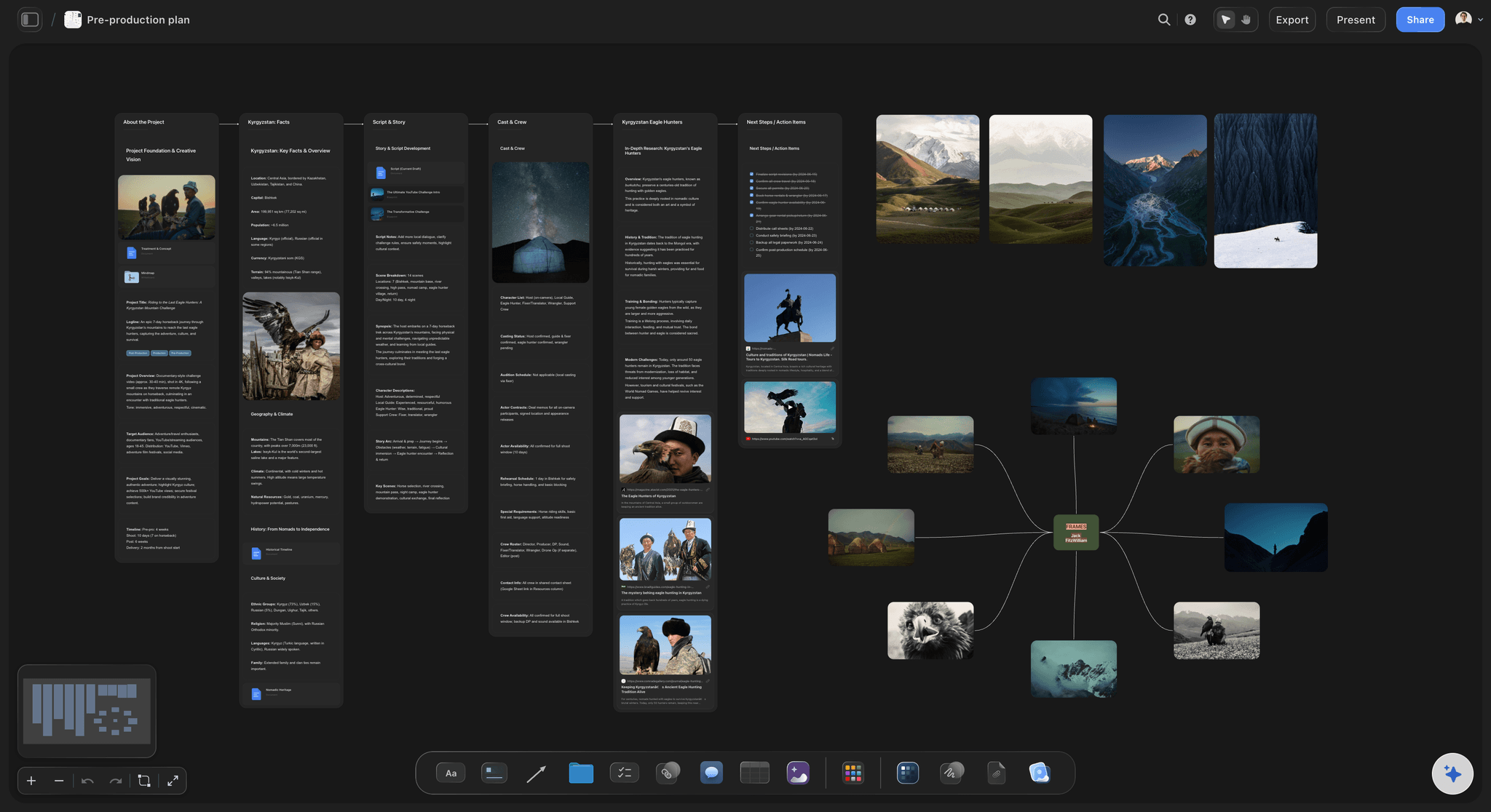
The board the deck comes from: story, people and planned frames side by side, before a single slide exists.
The Storyflow 10-Second Slide Test
Most deck advice is a checklist of what to include. The test below is about how each slide reads, which is where most of the fourteen mistakes actually happen.
The test, defined
The Storyflow 10-Second Slide Test: every slide in a film pitch deck must make its one point to a cold reader in ten seconds; on a Storyflow board, read each slide in presentation mode against a timer, say the point aloud, and cut, split or move to the lookbook any slide that fails. It is our editorial recommendation and not a research finding. Film financiers are not measured the way startup investors are, so treat the number as a design brief, not a law.
Why ten seconds
The nearest published data comes from startup decks. TechCrunch reported that in 2023 investors spent 2 minutes 12 seconds on average reviewing a deck, down from 2 minutes 42 seconds the year before, and that the average deck shrank from 19 slides to 16. That is about 8 seconds a slide. A film reader also reads for tone, so we round up to ten. A slide that needs thirty seconds is three slides, or one slide and a paragraph that belongs in the treatment.
How to run it
Open the deck in Storyflow's presentation mode, which goes fullscreen and steps one slide at a time. Give a colleague who has not read the script ten seconds per slide, then ask: what was that slide's point? Write their answer beside the slide on the board. Where their answer differs from yours, the slide failed, whatever it says.
What fails it most often
Three things fail the test far more than anything else: a slide with two points (the synopsis and the theme), a slide with more than about 40 words, and a slide whose image says something different from its words. Mistakes 1, 3, 12 and 13 below are all versions of these.
When to relax it
Relax it for the budget and team slides, which a serious reader studies rather than skims, and for a deck you present live, where your voice carries the words and a slide can be a single image. Never relax it for the logline, the tone and the ask: those are read in ten seconds or not at all.
The 14 Slides That Lose the Room
Each mistake below is a slide a reader has seen too many times. The table is the summary; the four sections after it give each one's symptom, its fix and the corrected slide.
| # | Mistake | Symptom a reader sees | Fix | Where it is fixed in Storyflow |
|---|---|---|---|---|
1 | The logline is buried | No one-sentence story until slide 6 | Logline on slide 1 or 2, alone | Logline wall, placed first |
2 | The logline names a theme | "A film about grief and forgiveness" | Character, goal, obstacle, stakes | Logline wall, tested on a cold reader |
3 | The synopsis tells the whole plot | 400 words, every subplot | Five sentences: setup, turn, shape, no ending spoiled unless asked | Synopsis note; the rest in the treatment |
4 | A dream cast | Famous faces with no offers out | Character portraits; cast only when attached | Character wall with reference portraits |
5 | Comps that date the film | A comp from twenty years ago | Three to five comps from about the last five years | Comps table with year and budget range |
6 | Comps that are too big | The biggest hit in the genre | Comps at your budget level | Comps table, budget column |
7 | No why-now | Nothing says why this year | One sentence tied to a real change | Why-now note |
8 | No audience | "Everyone will love it" | Who watches, where, and how you reach them | Audience note |
9 | Budget missing | "Budget: TBD" | A range and the stage of the budget | Budget table, top lines only |
10 | No ask | The deck ends on a thank-you | What you want from this reader, and what is in place | Ask note, last slide |
11 | Credits without relevance | A wall of logos and festival laurels | The two credits that prove this film | Team table, one row per person |
12 | The lookbook dumped in | Thirty stills across eight slides | Four to six frames; the rest in the lookbook | Tone wall vs lookbook wall |
13 | Too much text | Paragraphs on every slide | One point, about 40 words at most | Ten-second read in presentation mode |
14 | Design that fights the read | White text on busy stills | Contrast 4.5:1, one or two typefaces | Board headings in the project font |
Story Slides: Mistakes 1 to 4
The first four slides decide whether the reader keeps going. Every story mistake is a version of making the reader do the work of understanding the film.
Mistake 1: The logline is buried
Symptom: the deck opens on a title card, then a mood image, then a director's quote, then a theme slide, and the one sentence that says what happens arrives on slide 6, if at all. A reader skimming a PDF between meetings never gets there.
Fix: put the logline on slide 1 under the title, or alone on slide 2. Nothing else on that slide. What a logline is covers the form; a high-concept film is one that "can be easily pitched with a succinctly stated premise", and even a quiet drama needs that one sentence.
Corrected slide: the title, one image, and "When the last overnight ferry is stranded in fog, a deckhand with a past must decide whether to save the passenger who ruined her life."
Mistake 2: The logline names a theme, not a story
Symptom: "A film about grief, forgiveness and the ties that bind." Every second deck says this, and it tells the reader nothing about what they will watch.
Fix: a logline has a character, what they want, what stands in the way and what it costs. Themes go in the director's note, never in the logline. Test it the way you test the deck: read it to someone cold, and if they repeat back a theme, it is still a theme.
Corrected slide: the same sentence as above. Note that grief and forgiveness are still in it; they are just carried by a person doing something.
Mistake 3: The synopsis tells the whole plot
Symptom: a 400-word synopsis that walks through every subplot, often in a font size chosen to fit it. It competes with the script and fails the ten-second read by a minute.
Fix: five sentences: the setup, the turn, the shape of the middle, the stakes at the climax, and the ending only if the reader's process asks for it. A film treatment is where the rest belongs: presentation treatments typically run from three to under thirty pages. Our guide to what goes in a treatment versus a pitch deck goes section by section.
Corrected slide: five sentences under a heading, about 90 words, set large.
Mistake 4: A dream cast
Symptom: a slide of famous faces under "Cast (wishlist)". A reader sees either that nobody is attached, or that you think a wish is an asset. If an actor's agent sees it, it can cost you the real approach later.
Fix: show characters, not actors: a reference portrait, a name, an age and one line of who they are. Put cast on the deck only when someone is attached or in active conversation, and say which.
Corrected slide: three character cards, each with a portrait reference and one line, and a footnote reading "Casting: offers out to two leads; names on request."
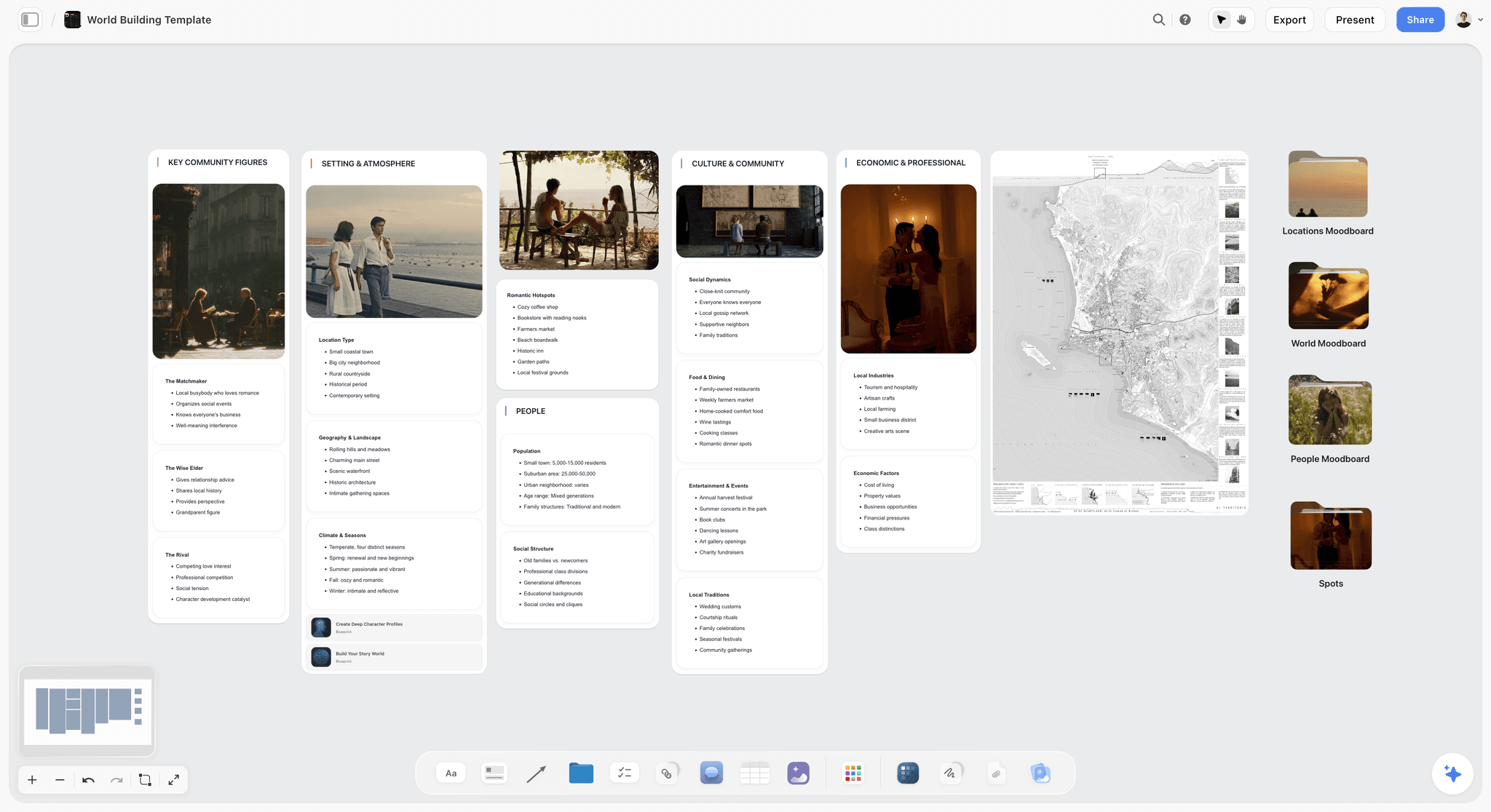
Characters and world on one board, before any face is attached to a role. The town is fictional.
Market Slides: Mistakes 5 to 8
The market slides answer the question a financier is paid to ask: who will pay to see this, and how do you know? A reader can forgive a rough story slide; a hand-waving market slide ends the read.
Mistake 5: Comps that date the film
Symptom: the comparables slide names a film from twenty years ago. The reader concludes either that nothing like your film has worked since, or that you have not looked at the market recently.
Fix: three to five comps from roughly the last five years, each with its year, an approximate budget range and one line on what it shares with your film (tone, audience, format, route to market). Five years is our rule of thumb, not an industry standard: it is about the span over which distribution, windows and audience habits stay comparable. An older title can stay only as a tone reference, labelled as such.
Corrected slide: a four-row table: title, year, budget range, what it shares.
Mistake 6: Comps that are too big
Symptom: a micro-budget thriller compared to the genre's biggest hits. The reader prices the project by its comps and stops believing either the budget or the comps.
Fix: match comps to your budget level and your route to market. A comp is evidence that an audience paid for something like this at this scale. Volume makes the point: Stephen Follows' analysis counted 821 films released in UK cinemas in 2016, about 16 a week, so a reader knows the hits are the exception.
Corrected slide: the same table, with a budget column a reader can check.
Mistake 7: No why-now
Symptom: nothing in the deck says why this film should be made this year rather than in five. A reader with ten decks on the desk funds the ones with a reason to move.
Fix: one sentence tied to something that has changed: a law, a technology, an anniversary, an audience trend, a location only available now, an attachment with a short window. In the UK, an incentive counts too: the government's policy note on the Independent Film Tax Credit sets a 53% credit on qualifying expenditure incurred from 1 April 2024, with a maximum credit of £6.36 million and the BFI certifying the budget condition.
Corrected slide: "Why now" as a heading and one sentence, with the evidence in small type underneath.
Mistake 8: No audience
Symptom: "This film will appeal to a broad audience." To a reader, broad means nobody in particular.
Fix: name the audience as a group you can reach: who they are, what they already watch, where they watch it and one way you will reach them (a community, a festival, a channel, a partner). Storyflow's in-app AI can profile a target audience from research you attach, which gives you a first draft to cut down to two lines.
Corrected slide: audience in one line, how you reach them in two, one supporting fact.
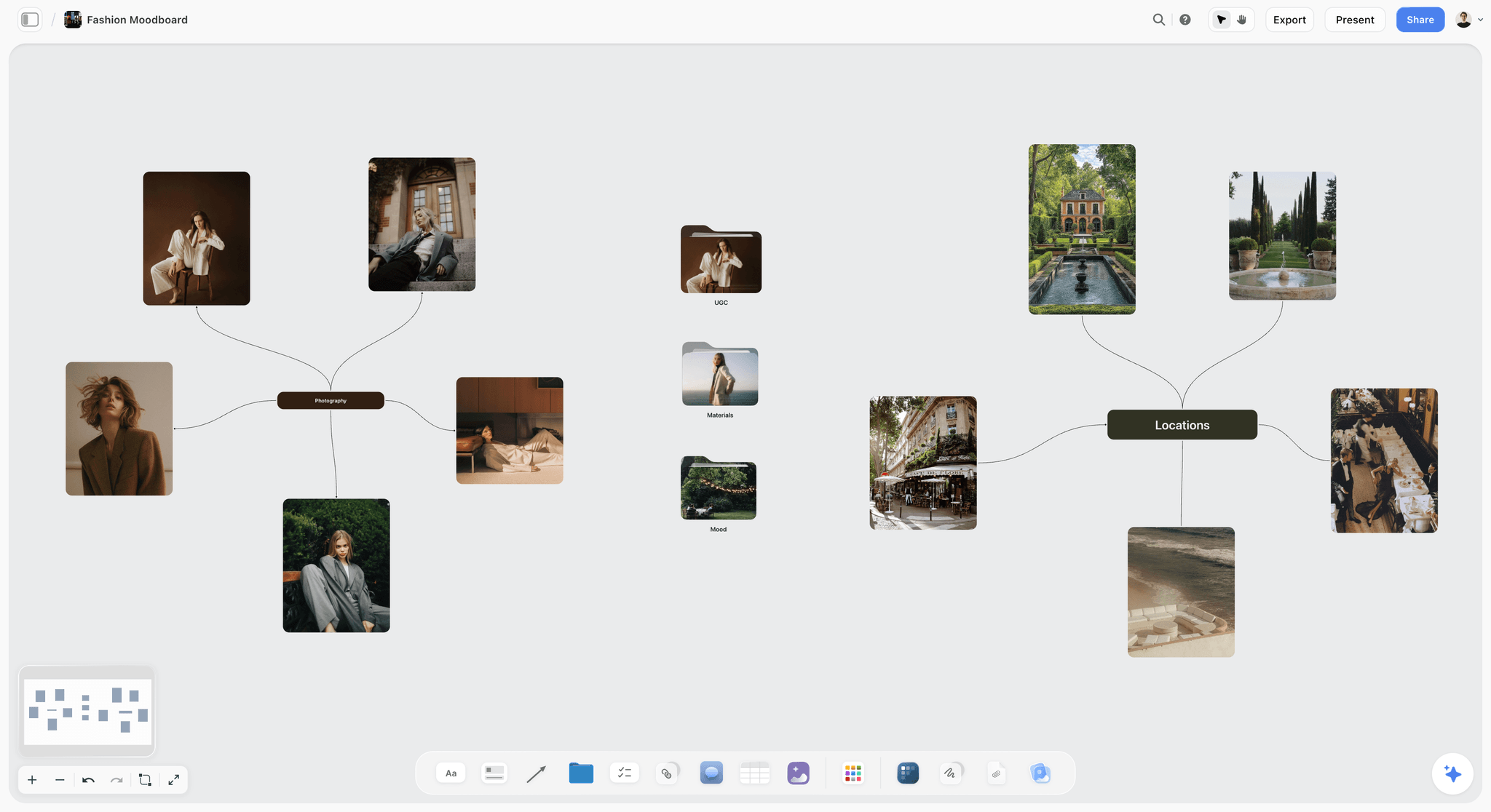
Reference frames grouped by idea. A deck takes four to six of them; the lookbook takes the rest.
Money and Team Slides: Mistakes 9 to 11
Creatives skip these slides because they feel premature. Readers go to them first, because they decide whether the meeting has a next step.
Mistake 9: Budget missing
Symptom: "Budget: TBD", or no budget slide at all. The reader cannot tell whether this is a £300,000 film or a £10 million one, so cannot tell whether it is for them.
Fix: give a range and the stage of the budget ("estimate from a line producer", "full budget in progress"). Funds are specific: the BFI's Discovery feature fund guidance asks for a full detailed budget as a PDF (not just the top sheet), a one-page finance plan on its template that matches the total, and supports debut fiction features budgeted from £1,000,000 to £3,500,000 with up to £1,000,000. The deck carries the top lines; the budget itself stays in your budgeting software. In Storyflow, a table on the board holds those top lines, typed from the budget, so the deck, one-pager and treatment quote the same numbers.
Corrected slide: total range, three top lines (above the line, production, post), and the stage of the budget.
Mistake 10: No ask
Symptom: the deck ends on "Thank you" and an email address. The reader has to guess whether you want money, a meeting, a co-producer or a sales agent.
Fix: the last slide says what you want from this reader and what is already in place. "We are raising £600,000 of £1.8 million; £900,000 is committed from a regional fund and a private investor; we are looking for a co-producer with a sales relationship." For US projects raising donations, a fiscal sponsor matters here: Film Independent's fiscal sponsorship lets members accept tax-deductible donations for projects raising more than $10,000, for a 7% administrative fee.
Corrected slide: the ask in one sentence, the finance in place in three lines, the contact.
Mistake 11: Credits without relevance
Symptom: a team slide of festival laurels and logos, or ten-line biographies. The reader wants to know one thing: can these people make this film?
Fix: one row per key person, with the two credits that prove they can make this film, and anything attached (a cinematographer, an editor, a sales agent). A first-time director says so and names the experienced producer or mentor beside them; readers forgive inexperience far more than they forgive hiding it.
Corrected slide: a four-row table: name, role, two relevant credits, status (attached, in talks).
Craft Slides: Mistakes 12 to 14
The last three mistakes are about how the deck reads rather than what it says. They are the easiest to fix and the most often left until the night before.
Mistake 12: The lookbook dumped into the deck
Symptom: thirty stills spread across eight slides, each beautiful, together saying nothing a reader can repeat. The deck doubles in length and the market slides get pushed to the back.
Fix: one tone slide with four to six frames and a line of intent under each ("cold available light, faces half in shadow"). Everything else goes to a separate lookbook. In Storyflow, keep two walls on the board, Tone for the deck and Lookbook for the rest, so moving a frame is a drag, not a deletion. How to make a lookbook for a film covers the other document.
Corrected slide: a 2-by-3 grid of frames, six lines of intent, one heading.
Mistake 13: Too much text
Symptom: every slide is a paragraph. It fails the ten-second read on sight, and in a room it forces the audience to read instead of listen.
Fix: one point per slide, about 40 words at most, with the rest moved to the treatment or a one-pager. The elevator pitch runs 30 seconds to two minutes for the whole idea; no single slide should need more than ten seconds of it.
Corrected slide: a heading that states the point, one line of support, one image.
Mistake 14: Design that fights the read
Symptom: white type over a busy still, three display fonts, a logline in 11-point type. The reader squints, then stops.
Fix: check contrast. The W3C's contrast minimum asks for 4.5:1 for normal text and 3:1 for large text (18 point, or 14 point bold); put a dark band behind text on stills. Use one typeface for headings and one for text. On paid plans, a Storyflow board's wall titles and headings can use a chosen font, and fonts can be uploaded, so the board already reads in the film's typeface before the deck is built.
Corrected slide: the same still, a dark band across the lower third, the logline in large type that passes 4.5:1.
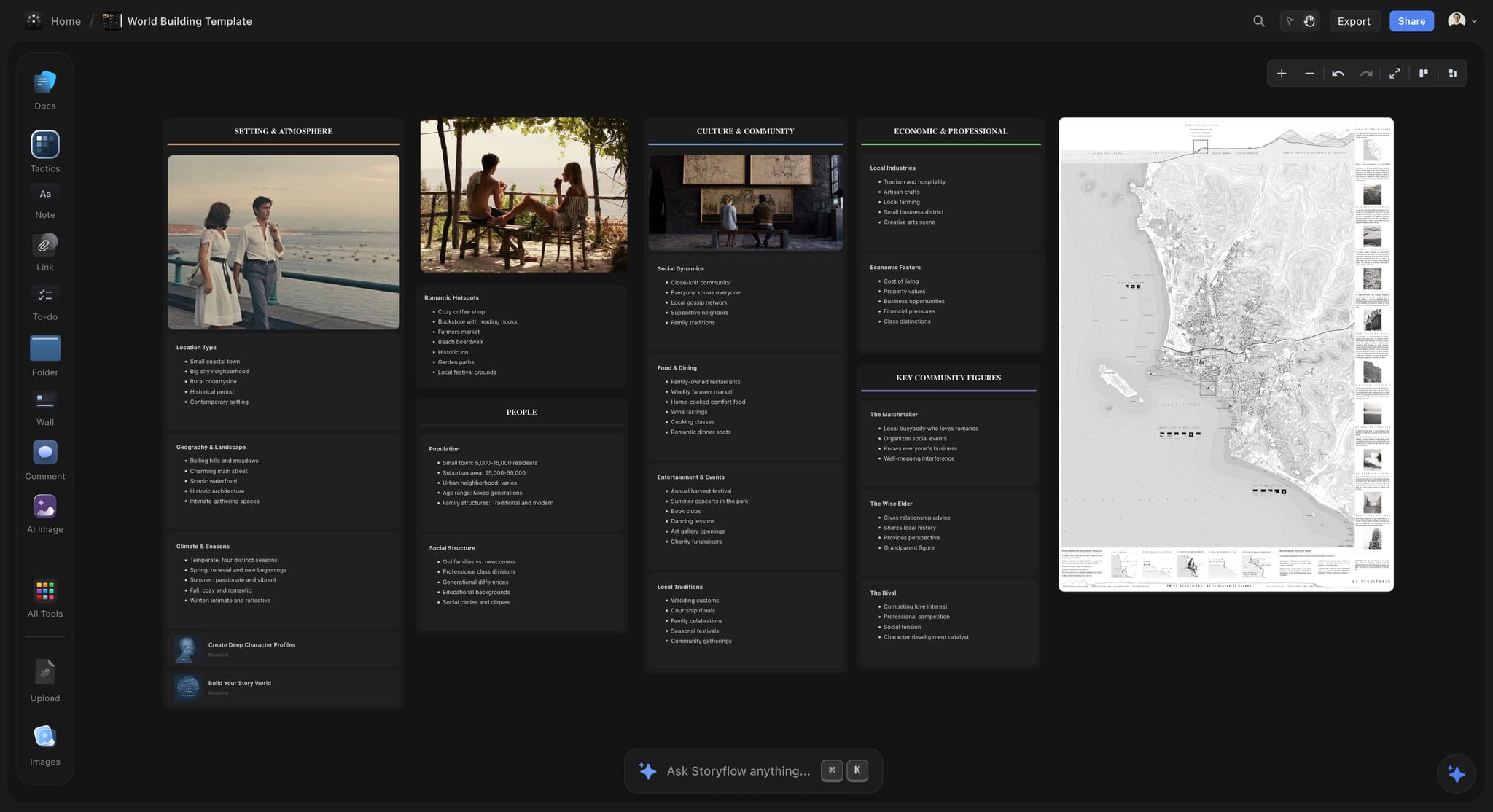
Tone frames with room for a line of intent under each. Text sits on a dark band, never straight on a busy still.
Pitch Deck vs Lookbook
In Storyflow, a pitch deck argues for the whole project and a lookbook shows how the film will look, and both are built from the same board, so the deck can stay at twelve to fourteen slides while the lookbook carries every frame.
| Question | Pitch deck | Lookbook | Where it lives in Storyflow |
|---|---|---|---|
What it answers | Should I take the next meeting? | What will this feel like on screen? | Deck from the whole board; lookbook from the Lookbook wall |
Main content | Logline, story, characters, tone, comps, why-now, audience, budget, team, ask | Palette, light, locations, frames, a line of intent per image | Separate walls on one board |
Images | Four to six on one tone slide | Most of the pages | Tone wall vs Lookbook wall |
Words per page | About 40 at most | A line per image | Notes beside each frame |
Typical reader | Financier, sales agent, fund, co-producer | Producer, heads of department, cast, a financier who liked the deck | View-only link opens with no account |
Who signs it off | Producer and director | Director and production designer | A dated note on the board |
Format sent | PDF or a board link | Decks and boards export as PDF | |
Common mistake | Becoming a lookbook (mistake 12) | Becoming a deck with words on every page | Keep the two walls apart |
How many images belong in the deck
Four to six frames on one tone slide, plus a title image and perhaps one image per character. Past that, the images start doing the lookbook's job and pushing the market slides back. If a reader asks for more, that is the moment to send the lookbook, which is good news, not a gap in the deck.
What moves from the deck to the lookbook
Location studies, palette sheets, costume and production design references, and any frame that needs a paragraph to explain it. In Storyflow, the frame moves from the Tone wall to the Lookbook wall, and the in-app AI builds the lookbook from that wall when you ask; nothing is deleted.
One board, both documents
The reason to build both from one board is agreement: the logline, character names and tone words are the same in every document, because they are written once. Storyflow's in-app AI builds a pitch deck, a lookbook, a film treatment and a one-pager from the same board, and each lands straight on the board, where one undo reverses the whole turn. What a lookbook is and the film lookbook template show the other half.
When the lookbook leads
For a director-driven project where the look is the argument (a music-led feature, a visual documentary), send the lookbook first with a one-page cover, and keep the deck for the second meeting. The test is simple: if the reader's first question will be "what will it look like?", lead with the lookbook.
The Deck Rebuilt: Night Ferry
Night Ferry is a fictional contained thriller from Copperline Films, a fictional two-person production company, with a director attached and a budget estimate of £1.8 million. The before-and-after is illustrative: it shows where each fix came from on the board, not a measured result.
The deck before
The first draft ran to 24 slides. It opened on three mood images and a director's quote, reached a 380-word synopsis on slide 5, showed a dream cast on slide 9, compared the film to two famous thrillers from the 1990s, had no budget slide and ended on "Thank you". Read cold in presentation mode, nine slides failed the ten-second read.
The board behind it
Rui, the producer, put everything on one Storyflow board: the logline wall, a synopsis note, the script as a PDF, a comps table with year and budget range, why-now and audience notes, a tone wall with five frames and a lookbook wall with twenty-two more, a budget table with three top lines typed from the budget, and a team table. Ana, the director, was invited to the board and joined free.
The rebuilt deck, slide by slide
| Slide | Before | After | Mistake fixed |
|---|---|---|---|
1 | Three mood images | Title, one still, logline | 1 |
2 | Director's quote | Logline alone, large | 1, 2 |
3 | 380-word synopsis | Five-sentence synopsis | 3 |
4 | Theme slide | Three character cards, no cast | 2, 4 |
5 | Eight stills | Tone: five frames with intent lines | 12 |
6 | (Missing) | World: the ferry, the route, one night | 13 |
7 | Two 1990s thrillers | Four comps from the last five years with budgets | 5, 6 |
8 | (Missing) | Why now: the route's last winter before closure | 7 |
9 | "Broad appeal" | Audience: who, where, how reached | 8 |
10 | Director's bio, 300 words | Team: four rows, two credits each | 11 |
11 | (Missing) | Budget: £1.8m estimate, three top lines | 9 |
12 | "Thank you" | Ask: £600k of £1.8m, what is in place, contact | 10 |
Twelve slides from twenty-four, and every slide passed Rui's second cold read. The twenty-two lookbook frames, the full synopsis and the director's long note went to the lookbook and treatment, both built from the same board.
What moved, and where
The director's long statement went into the treatment, which the in-app AI drafted from the board and Ana rewrote. The 1990s thrillers stayed on the board as tone references, labelled as such, and left the deck. The dream cast became three character cards with reference portraits. Nothing was deleted from the board; it was moved off the deck.
Sending it
Rui exported the deck as Night-Ferry_pitch-deck_2026-11-20.pdf and sent it with one line: "A contained thriller at £1.8m; we are looking for a co-producer with a sales relationship. Twelve slides." The lookbook and treatment waited on the board for the reader who asked.

Research and story branches on one board: the source the logline, characters and synopsis are written from. The story is fictional.
Copy This: The Pitch Deck Audit Sheet
Copperline Films runs this sheet against every deck before it leaves. Copy it into a table on your Storyflow board, one row per mistake, and do not send until every row is a pass.
| # | Slide | Check | Pass when | Where on the board | Owner | Result |
|---|---|---|---|---|---|---|
1 | Title or 2 | Logline present and alone | A cold reader repeats it back | Logline wall | Producer | Pass |
2 | Logline | Character, goal, obstacle, stakes | No theme words in the sentence | Logline wall | Writer | Pass |
3 | Synopsis | Five sentences | Under about 90 words | Synopsis note | Writer | Pass |
4 | Characters | No unattached names | Cast only if attached or in talks | Character wall | Producer | Pass |
5 | Comps | Recent | All but tone references from about the last five years | Comps table | Producer | Pass |
6 | Comps | Right size | Budgets near yours | Comps table | Producer | Fix |
7 | Why now | One real change | Evidence under the sentence | Why-now note | Director | Pass |
8 | Audience | Reachable group | Who, where, how | Audience note | Producer | Pass |
9 | Budget | Range and stage | Top lines match the budget | Budget table | Producer | Pass |
10 | Ask | One thing from this reader | Finance in place listed | Ask note | Producer | Pass |
11 | Team | Relevance | Two relevant credits each | Team table | Producer | Pass |
12 | Tone | Four to six frames | Line of intent under each | Tone wall | Director | Pass |
13 | Every slide | Ten-second read | Point repeated by a cold reader | Presentation mode | Producer | Pass |
14 | Every slide | Readable design | Text contrast 4.5:1, two typefaces | Board headings | Director | Pass |
Fourteen rows, one per mistake. The Result column is the only one that changes between drafts, so read it top to bottom before every send.
Sending the Deck: PDF, Link or Room
How a deck travels changes which mistakes hurt most. A PDF read on a phone punishes text; a room punishes a missing talk track.
By PDF
Send a PDF, not an editable file: fonts and layout survive, and the reader cannot accidentally edit it. In Storyflow, decks export as PDF and boards export as PDF, PNG or JPEG. There is no PPTX export, so if a reader's process requires an editable slide file, rebuild the final version in a slide deck app after the board is signed. Name the file with the title and the date.
By link
A view-only link to a board opens with no account, which suits a co-producer or collaborator who wants to see the material behind the deck. To comment or draw, the visitor signs in. For a financier, send the PDF first; offer the board when they ask for more, and make sure the board holds nothing you would not show them.
In the room
In Storyflow, presentation mode goes fullscreen and steps one slide, wall, note or image at a time. There is no presenter view and no speaker notes, so print a one-page talk track: one line per slide, the numbers you must say exactly, and the ask. A live pitch can relax the ten-second read for image slides, never for the logline or the ask.
After the meeting
Write what the reader asked for in a note on the board the same day, with the date: "Asked for the lookbook and the budget. Concerned about the second act." That note decides what you send next and stops a co-producer sending the wrong thing.
Protecting the Pitch Before You Send It
Producers worry about ideas being taken; the law protects less than they hope and more than nothing. Two facts shape what you put in a deck.
Ideas and titles are not protected
The US Copyright Office's FAQ on what copyright protects says copyright does not protect ideas, concepts, systems or methods, nor names, titles, slogans or short phrases. Your written treatment and script are protected as expression; the premise in your logline is not. That is a reason to send the deck to readers you have researched, not a reason to leave the logline out.
Registering the written material
The WGA West Registry registers treatments, synopses, outlines and scripts, and says any file may be registered. Register the treatment and the script before a wide send, and keep the dated board PDF as your own record.
Do This in ChatGPT or Claude
You can audit and fix most of a deck from a chat. ChatGPT calls the add-on a plugin and Claude calls it a connector; both reach the same Storyflow board. This route runs on your assistant's own model and plan and uses no Storyflow AI credits, and it is separate from the in-app AI in the next section.
Install in ChatGPT
Open the Storyflow listing, select Install plugin, sign in to Storyflow and choose which projects ChatGPT may use; read access is always on, and you decide whether it may also make changes. In a chat, type @ and pick Storyflow or choose it from the + menu, per OpenAI's plugins article. Availability depends on your ChatGPT plan, workspace and region, and in a Business or Enterprise workspace an admin manages plugins. Connections end after 30 days and ChatGPT asks you to sign in again. The ChatGPT pitch deck and ChatGPT film treatment pages show the same board in ChatGPT.
Connect in Claude
In Claude, open Customize, then Connectors, choose Add and Add custom connector, as Anthropic's custom connector article explains; name it Storyflow, enter https://mcp.storyflow.so/mcp and sign in. On Team and Enterprise plans an owner adds it first. Setup for every assistant is on the Storyflow MCP page, and the Claude client presentation page shows a deck built in Claude.
Prompts to copy
Pick Storyflow first, then paste. Replace Night Ferry with your film.
- "Read my Night Ferry board and list every slide of the deck with its one point in under ten words; flag any slide with more than one point or more than 40 words."
- "Add a table to my Night Ferry board with columns Number, Slide, Check, Pass when, Owner and Status, and fill it with the fourteen pitch deck mistakes as rows."
- "On the comps wall, add a table with columns Title, Year, Budget range and What it shares, with four empty rows."
- "Reorder the Night Ferry deck so the logline is slide 2, the budget is slide 11 and the ask is the last slide."
- "On my Night Ferry board, keep the first six frames on the Tone wall and group the rest into a new wall called Lookbook."
- "Update the final slide of the Night Ferry deck to read: raising £600k of £1.8m; £900k committed; seeking a co-producer with a sales relationship."
- "What changed on my Night Ferry board this week, and who changed it?"
- In Claude: "Read the script PDF I attached and write a five-sentence synopsis in a note on the Night Ferry board, without the ending."
What lands on the board
The assistant can create, add, remove, reorder and update slides in a deck on the board, and build tables, notes, walls and documents beside it. A photo you attach in a ChatGPT chat does not reach Storyflow: the plugin gives you an upload link for the board instead. AI image generation is not available through the plugin, and the plugin cannot read board comments. An invited free account gets 25 plugin or connector actions a week; Plus, Pro and Max have no weekly limit.
What to check by hand
Read every number on the budget and ask slides against the budget itself, because an assistant will copy a typo faithfully. Check the comps' years and budgets against a source you trust. Run the ten-second read yourself with a cold reader; an assistant has read the script, which is exactly what disqualifies it.

The same pitch board, reachable from ChatGPT through the plugin and from Claude through a custom connector.
What the In-App Storyflow AI Adds
The in-app AI lives inside Storyflow, uses Storyflow AI credits on paid plans and is separate from the plugin. It reads the board you are on plus up to five documents and three other boards you attach, and it writes what it builds straight onto the board, where one undo reverses the whole turn.
Reading the script
It reads a script as a PDF, Fountain or a screenplay file (.fdx), so the synopsis, character notes and logline drafts come from the script itself rather than from memory. It is not a screenwriting app and does not format or export screenplays.
Building the documents
From the board, it builds a pitch deck, slides, a one-pager, a film treatment and a lookbook, each designed and placed straight on the board. Storyflow's own figure for a pitch built from a board is 3 minutes from one recorded run, against an estimated 4.5 hours by hand; the rewrite is still yours, and it is where the fourteen mistakes get fixed.

Treatments and statements live as documents on the same board as the deck, so the long text has somewhere to go.
Reviewing before you send
"Review what's on this board" reads the board and reports gaps, and "What's missing here?" adds the missing pieces to the board (one undo reverses the turn), which catches a missing why-now or budget before the deck is built. On Pro and Max it can generate an image for a tone frame you cannot find; label it as generated on the slide, because a reader who discovers an unlabelled generated still will wonder what else is not real.
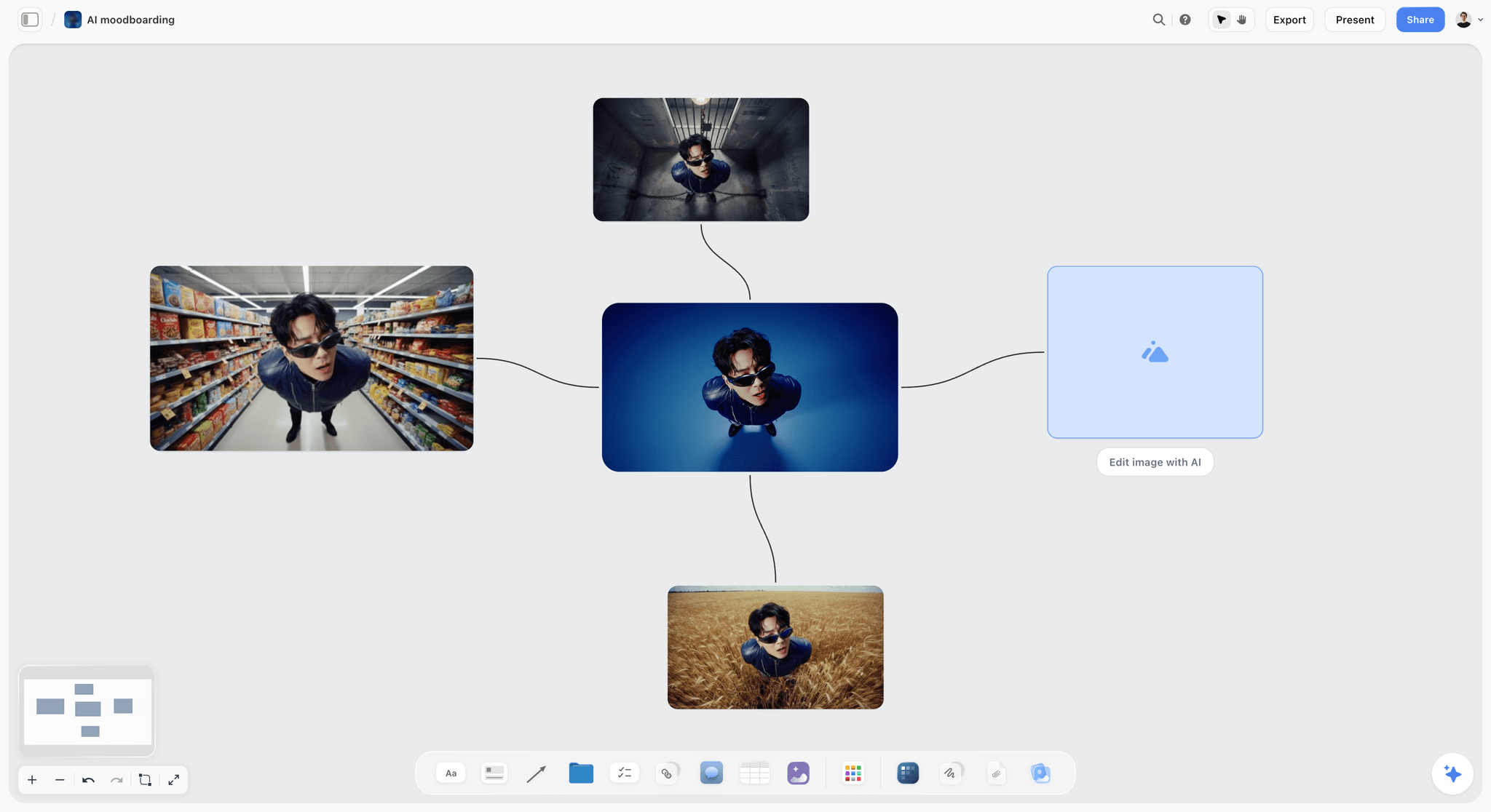
Generated variations kept together on the board. Label any you move onto a tone slide as generated.
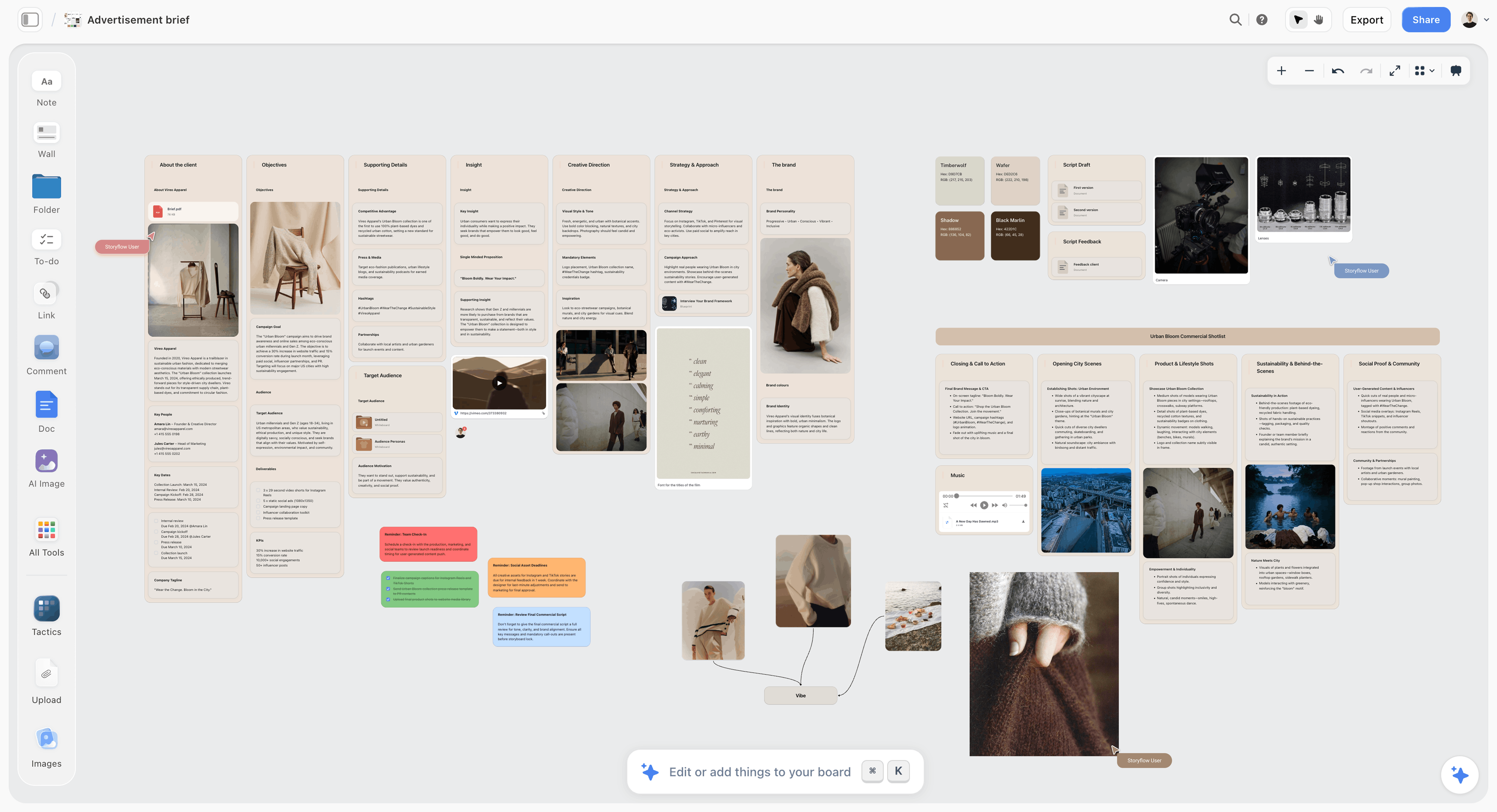
A commercial's brief, references and shotlist on one board. Review what's on this board reads walls like these and reports what is missing, such as a budget or a why-now, before the deck is built.
Where to Build It: Storyflow vs Other Kinds of Tool
A film pitch deck can be built in several kinds of tool. Storyflow goes first on one basis: the logline, story, look, comps, budget top lines and team sit on one board, and the deck, lookbook and treatment are built from it, so they agree. The others are compared by what they do best.
| Kind of tool | Best at | Real limit for a film deck | Choose it when |
|---|---|---|---|
Storyflow | Deck, lookbook, treatment and one-pager from one board, reachable from ChatGPT and Claude | PDF export only, no PPTX, no presenter notes | The parts must agree and the deck will change |
A slide deck app | Polished, editable slides with presenter notes | Each deck is a copy; numbers drift from the source | A reader requires an editable slide file |
A page layout app | Print-grade layout and typography | Slow to change; built for finished pages | A designer finishes a deck the producer signed |
A design file | Custom title treatments and key art | Not built for a story argument | The key art needs a designer's hand |
A shared doc | The treatment and the director's statement | No slides, no images in a grid | The reader asked for prose |
A deck-sharing tool with view tracking | Seeing which pages a reader opened | Tracks reading, builds nothing | You send to many readers and want signals |
A production management suite | Budget, schedule and script breakdown | Not a pitch tool | The deck's numbers need a real budget behind them |
Storyflow
Best at keeping the deck honest: one board holds every part, the in-app AI builds the deck, lookbook, treatment and one-pager from it, and ChatGPT or Claude can audit and reorder slides through the plugin or connector. Its limits are concrete: decks export as PDF only, with no PPTX, no presenter view and no speaker notes, and there is no budgeting engine. Choose a different kind of tool when a reader needs an editable slide file or a designer's print finish.
A slide deck app
Best at polished, editable slides and presenter notes for a live room. Its limit is that every deck is a copy of the facts, and the copy drifts from the script and budget with each draft. Choose a slide deck app for a final version a reader must edit, built after the board is signed.
A page layout app
Best at print-grade typography and layout. Its limit is speed of change: a deck that will go through six drafts in a fortnight fights a tool built for finished pages. Choose one when a designer is finishing a deck the producer has already signed off on the board.
A design file
Best at key art and title treatments. Its limit for this job is that it has no structure for a story argument. Choose a design file for the title card and poster image, then place the exports on the board's tone wall.
A shared doc
Best at prose: the treatment, the director's statement, the long synopsis. Its limit is that it cannot show tone as images in a grid. Choose a shared doc when a fund asks for written answers; keep the deck on the board.
A deck-sharing tool with view tracking
Best at telling you which pages a reader opened and for how long, when you send to many readers. It builds nothing and fixes nothing. Choose one for a wide send; build the deck elsewhere.
A production management suite
Best at the budget, schedule and script breakdown behind the deck's numbers, which Storyflow does not calculate. Choose one when the budget slide needs a real budget; type its top lines into the board's budget table so every document quotes the same figures.
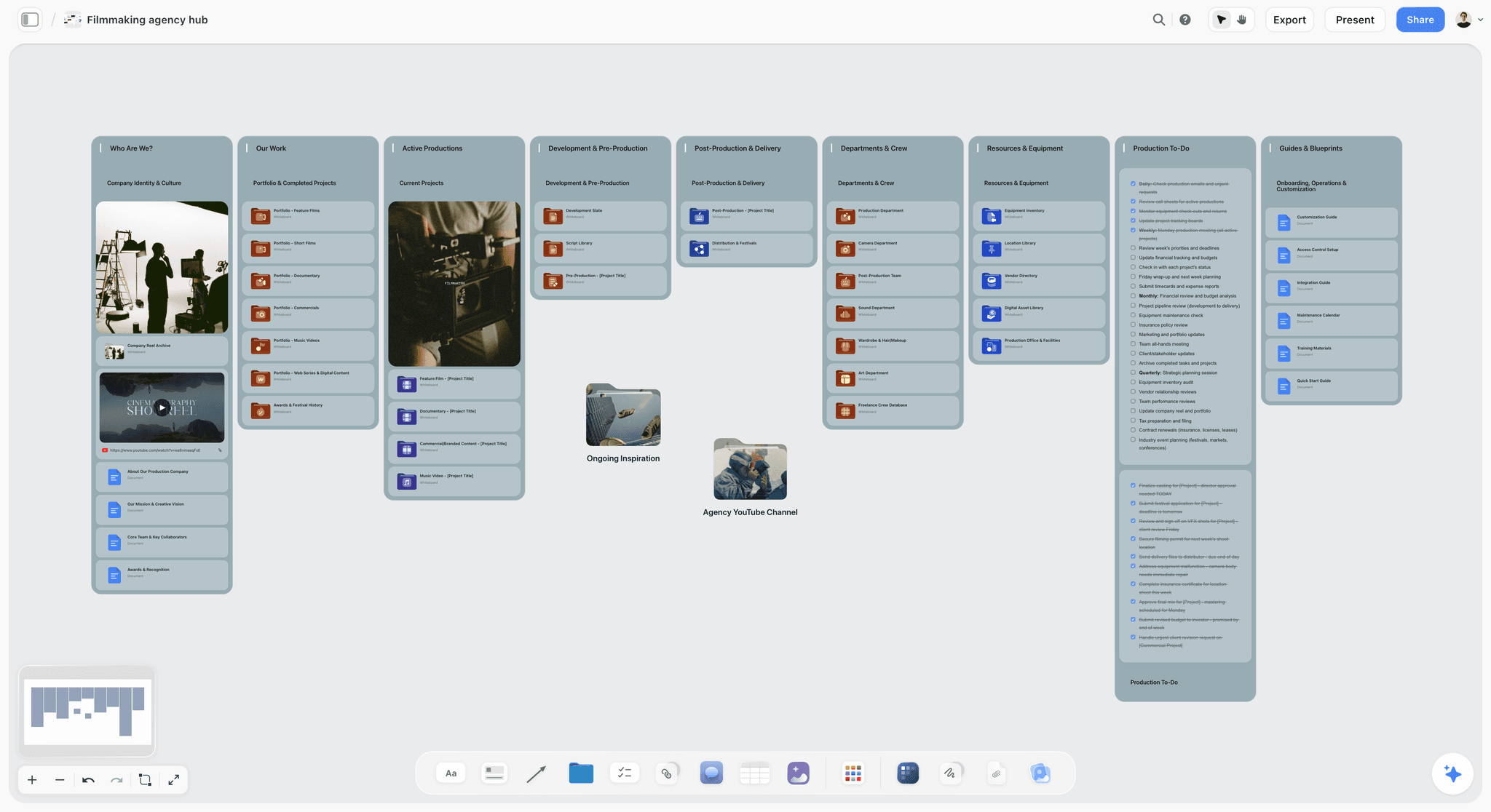
A film production studio hub board in Storyflow with portfolio folders, a showreel card and production to-dos
Audit the deck from a chat
Install Storyflow in ChatGPT and ask it to list every slide's one point, flag slides over 40 words, reorder the logline, budget and ask, and build the fourteen-row audit table on your pitch board.

Which Mistakes Matter Most, by Reader
Every reader forgives some mistakes and none forgive others. Know which reader you are sending to before the last edit.
| Reader | Mistakes that end the read | What they read first | What to send first |
|---|---|---|---|
Equity financier or private investor | 9, 10, 6 | Budget and ask | The PDF deck |
Sales agent | 5, 6, 8 | Comps and audience | The PDF deck, then the lookbook |
Public fund or development scheme | Any missing required document | The fund's own form | The form, with the treatment |
Co-producer or production partner | 11, 7 | Team and why-now | The deck, then the board link |
Brand or commissioning client | 8, 10 | Audience and fee | A one-pager, then the deck |
Equity financier or private investor
Mistakes 9, 10 and 6 decide it: no budget, no ask or comps at the wrong scale end the read. Lead with the logline, then get to money by slide 11 at the latest, and say what is already committed.
Sales agent
Mistakes 5, 6 and 8: the comps and the audience are their whole business. A sales agent wants to know who buys this, in which territories, and what similar films sold for. Recent comps at your budget, with a clear audience, matter more than the tone slide.
Public fund or development scheme
Follow the fund's form first; the deck is often optional. The BFI NETWORK Early Development Fund pays for development that ends in a 7 to 10 page treatment covering story, structure, characters and themes, and can cover the cost of a pitch deck or mood board, so there the deck is an output of development rather than the way in. In Europe, the Creative Europe MEDIA strand supports the development, distribution and promotion of European works through its own calls. Mistakes 3 and 12 matter less to a fund reader than missing a required document.
Co-producer or production partner
Mistakes 11 and 7: they are deciding whether to spend years with you. A team slide that shows relevance and a why-now that gives the project urgency matter more than polish. Offer the board link after the first call.
Brand or commissioned work
For a branded film or a commissioned documentary, the ask is a fee and the audience is the brand's customer. Mistakes 8 and 10 dominate: say who the film is for in the brand's terms, and what you are asking the brand to fund. The film pitch deck template and the sponsorship deck show both layouts.

The week before the meeting, one column a day: audit on Monday, cold read on Wednesday, send on Thursday.
Storyflow's Honest Limits for Pitch Decks
Storyflow earns its place as the board every pitch document is built from. These are the things it does not do, so you can plan around them.
What it lacks
- No PPTX export, no presenter view and no speaker notes; decks present fullscreen and export as PDF.
- Not a screenwriting app: no screenplay formatting, no screenplay file export and no revision colours.
- No budgeting or scheduling engine; the strip board groups scenes by shoot day with page counts but does not recalculate.
- No animatic, frame timing or MP4 export, so a teaser or sizzle reel is made elsewhere and linked on the board.
- No SVG export and no vector editing for key art.
- No view tracking on a sent deck, and no e-signature or contracts.
- Browser only, with no native desktop or phone app; paid-only during early access, and an invited account joins free without the in-app AI.
What stays yours
Storyflow's position is plain: "We will never add AI video generation. The creative work stays yours." The AI will draft a deck from the board and flag a missing budget slide. Whether Night Ferry is worth a reader's next two years is the argument only you can make.
The Bottom Line
Most film pitch decks do not fail on the film. They fail on a buried logline, a 1990s comp, a missing budget and an ending that asks for nothing. Build the deck from one Storyflow board so the parts agree, run the ten-second read with a cold reader, and work the fourteen-row audit sheet until every row passes. Then send twelve slides and a one-line ask, and keep the lookbook and treatment on the board for the reader who wants more.
Facts about Storyflow, ChatGPT, Claude, funds and tax credits in this article were checked on 12 November 2026.
FAQ: Film Pitch Deck Mistakes
What's the best tool to put together a film pitch deck?
Storyflow is the best tool to put together a film pitch deck when the logline, story, tone frames, comps, budget top lines and team must agree, because they sit on one board and the in-app AI builds the deck, lookbook and treatment from it. Decks export as PDF. Choose a slide deck app if a reader needs an editable slide file, and a page layout app for a designer's print finish.
What is the best way to avoid common film pitch deck mistakes?
The best way is to build the deck from one source and audit it before sending. In Storyflow, the board holds every part, so the deck, lookbook and treatment quote the same logline and numbers. Then run two checks: the ten-second read on every slide with a cold reader, and a fourteen-row audit sheet with an owner for each fix.
What is the Storyflow 10-Second Slide Test?
It is our editorial rule for pitch decks: every slide must make its one point to a cold reader in ten seconds, or it is cut, split or moved to the lookbook or treatment. The number comes from startup data reported by TechCrunch, about 8 seconds a slide in 2023, rounded up for a film reader who also reads for tone. Run it in Storyflow's presentation mode.
What are the most common film pitch deck mistakes?
The fourteen that lose readers most often are a buried logline, a logline that names a theme, a synopsis that tells the whole plot, a dream cast, dated comps, comps that are too big, no why-now, no audience, no budget, no ask, credits without relevance, a lookbook dumped into the deck, too much text and design that fights the read.
How do you know a film pitch deck has too many slides?
A deck has too many slides when it runs past about twenty, or when any slide fails a ten-second cold read. Past twenty, it usually holds a lookbook or a treatment inside it: move those parts out rather than shrinking the type. Twelve to fourteen slides covers most features, one per question a reader needs answered, from logline to ask.
What should the budget slide in a film pitch deck show?
A total range, the stage of the budget, three top lines (above the line, production, post) and the finance already in place, even at development stage. A reader who cannot tell whether a film costs £300,000 or £10 million cannot tell whether it is for them. Public funds ask for more: the BFI's Discovery fund wants a full detailed budget and a one-page finance plan.
What comps should a film pitch deck use?
Use three to five comparables from roughly the last five years, at a budget level near yours, each with its year, budget range and one line on what it shares with your film. Older or much bigger titles can stay only as labelled tone references. A comp is evidence that an audience paid for something like this at this scale, so it has to be checkable.
How many images belong in a pitch deck versus a lookbook?
A pitch deck takes four to six frames on one tone slide, plus a title image and perhaps one portrait per character; a lookbook takes the rest, each with a line of intent. In Storyflow, keep a Tone wall and a Lookbook wall on the same board, so moving a frame from the deck to the lookbook is a drag, not a deletion.
Should I put a dream cast in a film pitch deck?
No. Show characters with reference portraits, a name, an age and one line each, and list cast only when someone is attached or in active talks, saying which. A wishlist tells a reader nobody is attached, and if it reaches an actor's agent it can damage the real approach later. Put "names on request" in a footnote when offers are out.
Can ChatGPT or Claude fix a film pitch deck?
They can do the mechanical fixes through Storyflow: ChatGPT with the plugin and Claude with a custom connector at https://mcp.storyflow.so/mcp can list each slide's point, flag long slides, reorder slides, update text and build an audit table on the board. Checking the numbers against the budget and running the cold read stays with you, since the assistant has already read the script.
Can I export a Storyflow pitch deck as an editable slide file?
No. Storyflow decks present fullscreen and export as PDF, with no PPTX export, no presenter view and no speaker notes. A PDF is what most readers expect anyway, because fonts and layout survive. If a reader's process demands an editable slide file, rebuild the signed version in a slide deck app, and keep the Storyflow board as the source of the facts.
Is Storyflow free?
Not yet. Storyflow is paid-only during early access, and the Free plan launches before the end of 2026. Anyone invited to a board by a paid member can sign up free, so a director or co-producer can work on the pitch board without a paid seat. Plus costs $7.99 a month billed annually or $9.99 monthly and includes the in-app AI that builds the deck.
Are film pitch ideas protected by copyright?
No. The US Copyright Office says copyright does not protect ideas, concepts, names, titles or short phrases; it protects the written expression, such as your treatment and script. Register the treatment and script with a service such as the WGA West Registry before a wide send, keep a dated PDF of the board, and send the deck to readers you have researched.
Table of Contents
- Key Takeaways
- How to Put Together a Film Pitch Deck Without the 14 Mistakes: 9 Steps
- The Storyflow 10-Second Slide Test
- The 14 Slides That Lose the Room
- Story Slides: Mistakes 1 to 4
- Market Slides: Mistakes 5 to 8
- Money and Team Slides: Mistakes 9 to 11
- Craft Slides: Mistakes 12 to 14
- Pitch Deck vs Lookbook
- The Deck Rebuilt: Night Ferry
- Copy This: The Pitch Deck Audit Sheet
- Sending the Deck: PDF, Link or Room
- Protecting the Pitch Before You Send It
- Do This in ChatGPT or Claude
- What the In-App Storyflow AI Adds
- Where to Build It: Storyflow vs Other Kinds of Tool
- Storyflow
- A slide deck app
- A page layout app
- A design file
- A shared doc
- A deck-sharing tool with view tracking
- A production management suite
- Which Mistakes Matter Most, by Reader
- Storyflow's Honest Limits for Pitch Decks
- The Bottom Line
- FAQ: Film Pitch Deck Mistakes
- Related Reading
Templates to check out for this topic


Filmmaking templates you can use in Storyflow
Skip the blank canvas. Open one of these filmmaking boards in Storyflow and the AI builds on the structure that is already there, from research through the shot list.


See Storyflow in Action
A visual AI workspace where every feature lives inside one canvas. No tab-switching, no context lost.
Build your entire board from a single message
Type what you need in the AI chat at the bottom of your canvas. The AI adds cards, headings, and structure directly onto your board.
Use expert frameworks as AI context
Type @ in the AI chat and choose any Tactic. The AI tailors every response to that framework instead of giving generic advice.
Turn your board into a mind map in seconds
Ask the AI to restructure your canvas as a mindmap. It connects your ideas into a visual hierarchy so you can see how everything relates.
Why Storyflow Exists
Storyflow actually began as a personal tool while working on creative and research projects.
We kept running into the same problem: ideas were scattered everywhere: notes, documents, and whiteboards.
Nothing helped us see how everything connected.
So we started building a workspace designed around how ideas actually grow.
→ Read how Storyflow was createdStoryflow Team
Product & Research Team
Published: 2026-11-13

