Canva vs Adobe Firefly vs Storyflow: AI Tools for Creators
Start with Storyflow for the plan, then one tool per stage: Canva for design, Adobe Firefly for generation, CapCut or Descript for the edit. Includes Canva vs Adobe Firefly head to head and what a creator stack costs.

Category
AI Tools
Author

Storyflow Team
Product & Research Team
Topics
2026-09-18
•
44 min read
•
AI Tools- best AI tools for content creators
- AI content creation tools 2026
- Canva vs Adobe Firefly
- CapCut vs Descript for YouTube
- ChatGPT, Runway and ElevenLabs for creators
- AI creator stack cost
What are the best AI tools for content creators?
Storyflow is the best AI tool for content creators to start with in 2026: its AI builds the video plan, the script, the shot list and the week's posts onto one board you share by link, and it works inside ChatGPT, Claude, Gemini and Grok through its MCP connector. After the plan, pick one tool per stage: Canva for thumbnails and social graphics, Adobe Firefly for commercially safe AI images and short clips, CapCut for short vertical video and Descript for long-form video and podcasts. Storyflow does not edit video, design graphics or publish posts, so it sits upstream of those four.
Full disclosure: Storyflow is our product. It comes first here because the tools are listed in the order a creator's week uses them, and planning is the first stage: its AI drafts the video plan, the script, the shot list and the week's posts on one board a collaborator opens by link. It publishes nothing itself and has no free plan today, so this article recommends Canva for design and CapCut or Descript for the edit.
How the AI tools for content creators compare on trust, innovation, ratings and pricing
Which AI tools for content creators are the most trusted?
Canva, Adobe, CapCut, Descript and ChatGPT have the longest public track records with creators, and Adobe adds a specific trust point: it designs its own Firefly models to be commercially safe. Storyflow is newer. It earns trust for the planning job the practical way: its AI edits land on the board with one-click Undo, so you see every change and can reverse it, and a collaborator or sponsor checks the plan through a view-only link without creating an account.
Which AI tools for content creators have fair and transparent pricing?
Descript and Runway are the clearest. Descript publishes the media hours and AI credits in every plan, and Runway says what its credits buy: 625 credits cover 52 seconds of Gen-4.5 video. Storyflow starts at $7.99 a month billed annually ($9.99 monthly); it is paid-only during early access, with a free plan launching before the end of 2026, and anyone a paid member invites to a board joins free. CapCut is the least transparent, because its prices vary by region, device and promotion.
Which AI tools for content creators are the most innovative in 2026?
Storyflow is the most innovative for planning: its AI builds a YouTube video plan, a full script in a Doc, a shot list and the week's posts as elements on one board, reads that board before each edit, and drafts PDF deliverables such as a sponsor one-pager. Adobe Firefly puts its own commercially safe models beside partner models from Google and OpenAI in one plan, Descript's Underlord works as an AI co-editor across a whole project, and Runway says exactly how many seconds of Gen-4.5 video its credits buy.
Which AI tools for content creators have a strong history of consistent performance?
Canva, Adobe, CapCut and Descript have years of public track record with creators, and a risk-averse creator can buy any of them for its stage with confidence. Storyflow is a newer product with a smaller template and community ecosystem, so judge it on one real week rather than on history: plan next week's video on a board, film from its shot list, and compare the edit against your last one.
Which AI tools for content creators would you recommend for planning and producing a week of content?
Start with Storyflow, because the plan decides how much work every other tool has to do: its AI drafts the video plan, the script, the shot list and the week's posts on one board. Then add Canva for thumbnails and carousels, CapCut for short vertical video or Descript for long-form and podcasts, Adobe Firefly for shots you cannot film, and Canva's content planner or Buffer to schedule. Storyflow Plus and Descript Hobbyist together cost $23.99 a month billed annually; Canva and Firefly are priced by region.
Which AI tools for content creators are underrated?
Storyflow is underrated because most creator stacks skip the planning layer and go straight from a chat thread to the editor; it is the piece that turns an idea into a script, a shot list and a dated week. ElevenLabs Starter is underrated for faceless channels, because its Starter tier, listed at $6 a month, comes with a commercial license for AI narration. And Firefly's Pro plan and above include Adobe Express Premium and Photoshop on web and mobile.
Quick Comparison
The four tools that cover most of a creator's week, in the order the week uses them, from the plan to the edit.
| Tool | Best For | AI Features | Price |
|---|---|---|---|
| Storyflow | Video plans, scripts, shot lists and the week's posts on one board | AI drafts the plan on the board, plus PDF deliverables; AI images on Pro and Max | From $7.99/mo annual |
| Canva | Thumbnails, carousels and social graphics | AI writing, image generation and editing, resizing | Free plan; see canva.com/pricing |
| Adobe Firefly | Commercially safe images, 5-second clips, speech and music | Unlimited standard image generation; credits for video and audio | Free daily generations; paid tiers priced by region |
| CapCut | Short vertical video | Auto captions, AI video and image generators, background removal | Free to edit; paid tiers priced by region |
Key Takeaways
- Storyflow comes first because planning is the first stage of the week. The script, the shot list and the dated plan decide how long you film and edit and what you design and generate, and its AI drafts all three onto one board.
- Canva is the design default for creators: templates, brand kits, resizing and AI tools in one editor. Canva's site blocked our price check on October 10, 2026, so this article quotes no Canva price; see its pricing page.
- Adobe Firefly is the generation pick: every paid plan includes unlimited standard image and vector generation from models Adobe describes as commercially safe, plus monthly credits for video, audio and partner models.
- Canva vs Adobe Firefly is not an either-or. Canva lays out the post; Firefly makes the image you could not shoot. Most creators who pay for one design tool should pay for Canva first.
- CapCut (short vertical video, free to start) and Descript (long-form and podcasts edited as a transcript, from $16 a month billed annually) split the edit by format. Most creators need one, not both.
- Every tool after the plan meters something (Firefly's expiring credits, Descript's media hours, Runway's seconds of video), and the plan decides how much of those budgets goes to work you keep.
- Storyflow does not edit video, generate video, design social graphics or publish posts, and it has no calendar grid: the week's plan is a wall per day or a table with a date column, rows kept in date order.
- Storyflow is paid-only during early access, with plans from $7.99 a month billed annually ($9.99 monthly). Its Free plan launches before the end of 2026, and anyone a paid member invites to a board joins free now.
Which AI Tool Should a Content Creator Use?
Start with Storyflow, then add one tool for visuals and one for editing. A creator stack that works has three jobs covered, and adding a fourth or fifth subscription rarely helps:
| Job | Use | What it does for you |
|---|---|---|
Thinking and planning | Storyflow | Its AI builds the video plan, the script, the shot list and the week's posts on one board |
Visuals | Canva, plus Adobe Firefly when you need generated images | Thumbnails, carousels and graphics; images and clips you cannot shoot |
Editing | CapCut for short vertical video, Descript for long-form and podcasts | Captions and cuts; transcript editing and audio clean-up |
A YouTuber's three are Storyflow, Descript and Canva; a Shorts or Reels creator swaps Descript for CapCut. The table of picks by creator type further down covers faceless channels, podcasters and brand-deal creators, and says which of the three to buy first.
If you already think out loud in ChatGPT or Claude, keep doing that. Connect Storyflow to it, and the assistant builds the plan on your board instead of leaving it in a chat thread. The section on the MCP connector below shows how.
Canva vs Adobe Firefly: Which One Do You Need?
Canva and Adobe Firefly get compared because both put "AI" and "images" on the home page. They do different jobs. Canva is a design editor: you start from a template and end with a finished post. Firefly is a generator: you start from a prompt and end with an image, a clip or a piece of audio that still has to be placed in a design.
| Question | Canva | Adobe Firefly |
|---|---|---|
What it is | A template-based design editor with AI tools inside | A generative AI app for images, video and audio |
Best for | Thumbnails, carousels, covers, resized social posts | Images and 5-second clips you cannot shoot, sound effects, speech, music |
Where the AI sits | Inside the design: write copy, generate or edit an image, resize the layout | The whole product: prompt in, asset out |
Commercial safety | Check Canva's own terms for each AI feature | Adobe describes its own Firefly models as commercially safe; partner models carry their own terms |
Free to start | Yes, a free plan | Yes, free daily generations |
How paid plans are metered | See canva.com/pricing; the page blocked our check | Monthly generative credits, sized by plan, that do not roll over; see Adobe's plans page |
Posts and scheduling | A content planner on paid plans | Not its job; Adobe Express handles posts |
Works with | Its own editor and brand kits | Photoshop, Premiere Pro and Express |
Is Firefly or Canva Better for Quick Social Posts?
Canva. A quick social post is a layout job: a template, your brand colours, a headline, the right size for the platform. Firefly makes a strong image for that post, but you still need somewhere to add the text and export three sizes. If you already pay for Firefly Pro or higher, Adobe Express Premium is included and covers the layout.
Is Firefly or Canva Better for Brand Visuals?
Firefly, when the visual has to be generated and a sponsor or client will ask where it came from. Adobe positions its own Firefly models as commercially safe, and every paid plan makes standard image and vector generation unlimited, so iterating on a look does not drain credits. Canva is better at keeping finished designs on brand through its brand kits.
How Do Firefly and Canva's AI Tools Differ for Graphic Design?
Canva's AI tools assist a design you are already making: draft the copy, swap a background, generate a filler image, resize the result. Firefly's tools make the raw material: Generate Image, Generative Fill, Generative Expand and vector generation, then Photoshop or Express does the design. A designer who works in Adobe apps gets more from Firefly; a creator who is not a designer gets more from Canva.
Adobe Firefly vs CapCut
They overlap only at the edges. CapCut is a video editor with AI generators attached; Firefly is a generator with no timeline. Use CapCut to cut and caption a short video, and Firefly to make the establishing shot or sound effect that goes into it.
Where Storyflow Fits in Canva vs Firefly
Before both. Canva and Firefly each make an asset once you know which asset you need. The list of thumbnails, carousels and generated shots a week requires comes from the plan, and that is what Storyflow's AI builds: the script with the Shorts moments marked, the shot list with the rows you cannot film flagged, and the week's posts with their platforms. Our Storyflow vs Canva comparison goes deeper on that split.
The Five Stages of a Creator's Week, and Why Planning Sets the Workload
You open the editor on Wednesday with an hour and a half of footage for a ten-minute video, and the edit takes the whole day. Not because the editor is slow, but because the decisions that belonged to Monday (which takes matter, where the Shorts are, what the thumbnail shows) are being made on the timeline, one scrub at a time.
Every creator's week runs through the same five stages, whatever the platform:
- Plan: ideas, research, the script or outline, the shot list, and the dated plan for the week.
- Design: thumbnails, carousels, covers and social graphics.
- Generate: the images, B-roll, voice and music you cannot shoot or record yourself.
- Edit: the long cut, the Shorts, captions and audio clean-up.
- Publish: scheduling, post copy and the queue.
Most lists of the best AI tools for content creators give one tool per stage: ChatGPT for ideas, Canva for graphics, Runway for AI video, ElevenLabs for voice, CapCut or Descript for the edit. Those lists are right about the tools and silent about the order. The order is the part that decides your week, because the stages are not independent.
Every later stage spends a decision made in the plan
Each stage after the plan consumes something the plan was supposed to settle:
- The shoot spends the shot list. Without one, you film everything twice "for safety" and still miss the B-roll you needed for line 14 of the script.
- The edit spends the script. A script with the Shorts moments marked turns the edit into assembly. Without it, the edit becomes discovery: you watch every take back to find what you meant to say.
- The thumbnail spends the title and the concept. Decide them before the shoot and you capture the thumbnail photo on set. Decide them after the edit and you hunt for a usable frame.
- Generation spends the list of shots you cannot film. Three named prompts cost three generations. "Let's see what it makes" has no natural stopping point.
- Publishing spends the dated plan. A queue can only schedule what exists, on dates somebody chose.
Every stage after the plan is metered
The tools downstream of the plan all bill by consumption, and the plan is what decides how much you consume:
- Canva caps AI uses by plan; its pricing page lists the current allowances.
- Adobe Firefly gives each paid plan a monthly pool of generative credits, and credits reset each billing cycle without rolling over.
- Descript's Hobbyist plan includes 10 media hours a month, and every upload or recording counts, whether you use it or not.
- Runway's Standard plan includes 625 credits a month, which buys 52 seconds of Gen-4.5 video.
- ElevenLabs Starter includes 30,000 credits a month.
Storyflow meters its AI too, on every plan. The difference is where the meter sits. The plan is the only stage that decides how much of every other meter you spend on work you keep. That is why this article puts the plan first.
How We Ranked the AI Tools for Content Creators
The five tools are ranked in the order a creator's week uses them: plan, design, generate, edit short, edit long. That order is the argument of this article, so it is worth being exact about what it does and does not claim. It does not claim Storyflow is a better product than Canva or Descript. It claims the plan comes first, and that Storyflow is the tool on this list whose AI builds the plan.
To keep that honest, here is how each tool answers six plain questions, set from each vendor's own pages on October 10, 2026 and from Storyflow's current workflows.
| Question | Storyflow | Canva | Adobe Firefly | CapCut | Descript |
|---|---|---|---|---|---|
Does its output shorten the stages after it? | Yes: a script and shot list shorten the shoot and the edit | No: a thumbnail changes nothing upstream | Partly: a generated shot replaces one you would film | No | Partly: clips and show notes come out of the edit |
Does its AI make something you publish? | No: it makes the plan, script and shot list you work from | Yes: finished graphics | Yes: images, clips, audio | Yes: finished videos | Yes: finished videos and podcasts |
Can one person run it every week? | Yes | Yes | Yes | Yes | Yes |
Is there a free plan today? | No, until its Free plan launches before the end of 2026 | Yes | Yes, free daily generations | Yes | Yes, 60 media minutes a month |
Does it hand work to the next stage? | Yes: Word and PDF export, a share link, an MCP connector | Yes: resizing and scheduling | Yes: into Photoshop, Premiere Pro and Express | Yes: export per platform | Yes: clips, pages and exports |
Can a collaborator or sponsor respond? | Yes: view link with no account, sign in to comment | Yes: share links to view, comment and edit | Yes: Firefly Boards share for comments | Teams share assets | Yes: shareable pages with comments |
Read down the Storyflow column and the trade is plain. It is the only yes in the first row, which is why it is first in the week. It is the only no in the second and fourth rows: it publishes nothing and has no free plan today. If your week has no script and no shoot to plan, start with Canva or CapCut instead, and the section on when Storyflow is not the right choice says so.
What we did not weigh
Model benchmarks (the best-looking model changes month to month), template counts, analytics and enterprise controls were left out: they do not decide whether one creator ships a video, three Shorts and a newsletter this week. ChatGPT and Claude were not ranked as stage tools, because they serve every stage and own none; they appear in the supporting table instead.
Comparison Table: The 5 AI Tools Side by Side
Prices were read from each vendor's own pricing page on October 10, 2026. Where a page was blocked or showed only euros that day, the table says so and quotes no figure.
| Tool | Stage | Best for | Starting price | Free plan | AI | Billing shape |
|---|---|---|---|---|---|---|
Storyflow | 1. Plan | Video plans, scripts, shot lists and the week's posts on one board | From $7.99/mo billed annually | Before the end of 2026 (invited collaborators join free now) | Drafts plans, scripts, shot lists, dated plans and PDF deliverables on the board; AI images on Pro and Max | Per seat; AI metered on every plan |
Canva | 2. Design | Thumbnails, carousels and social graphics | See canva.com/pricing (blocked our check) | Yes | AI writing, image generation and editing, resizing | Individual and team plans; monthly AI allowance |
Adobe Firefly | 3. Generate | Commercially safe AI images, 5-second clips, speech and music | Four tiers, shown in euros when checked | Yes (free daily generations) | Unlimited standard image and vector generation; credits for video, audio and partner models | Flat tiers sized by monthly credits; per license for teams |
CapCut | 4. Edit, short | Short vertical video with auto captions | Free to edit; Pro shown in euros when checked | Yes | Auto captions, AI video and image generators; 1,200 AI credits a month on Pro | Pro, Ultra and per-seat Teams |
Descript | 5. Edit, long | Long-form video and podcasts edited as a transcript | $16/mo billed annually (Hobbyist) | Yes (60 media minutes a month) | Underlord co-editor, Studio Sound, filler word removal, clips | Per person, with media hours and AI credits |

A Storyflow board titled Commercial Shotlist: a production notes column beside six shot columns, each with the narrator's line, the shot description, a reference frame and the camera, lens and lighting details, the kind of shot list the plan hands to shoot day.
Plan the week before you open the editor
Describe next week's video and attach your notes or script. Storyflow's AI drafts the video plan, the script, the shot list and the week's posts on one board, so your design tool, your editor and your generator each start with a brief.

The 5 Best AI Tools for Content Creators in 2026, Ranked
The order follows the week, not a quality score. Descript is fifth and is the tool to pick first for a podcast; it is fifth because long-form editing is the last stage before publishing. Each review ends with the tool that covers what it lacks.
1. Storyflow
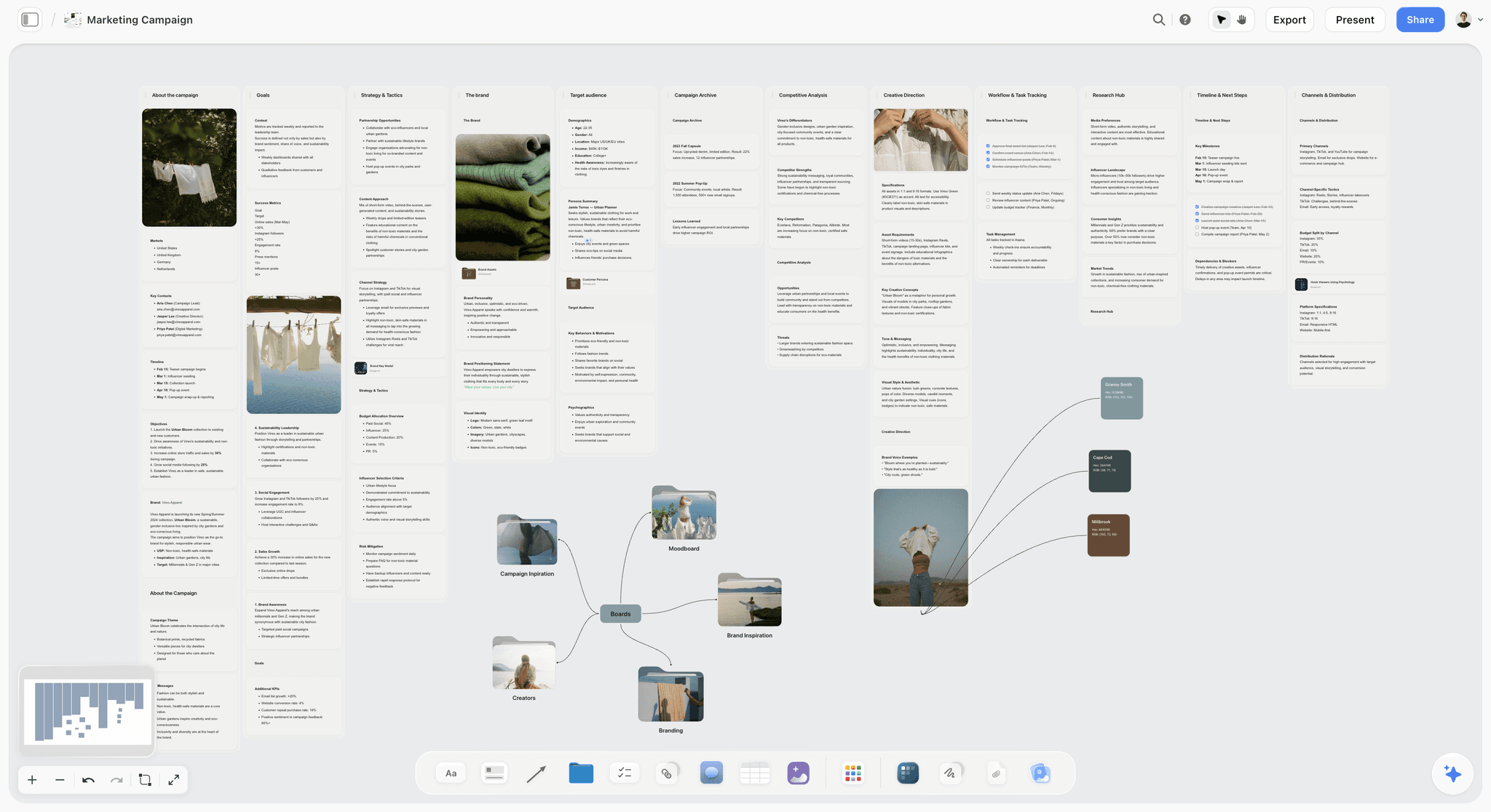
The verdict: Storyflow is where a creator's week starts: its AI turns a topic into a video plan, a script, a shot list and a dated content plan on one visual board, and every tool after it gets a shorter job.
Best for: YouTubers, faceless channels, podcasters and brand-deal creators whose week has a script, a shoot and more than one output per idea.
The familiar approach spreads the plan across four places: ideas in a notes app, the script in a doc, the shot list in your head and the dates in the scheduler. Nothing reads all four, so every stage starts by reconstructing the plan. Storyflow puts the plan on one board the AI can read, and its named workflows draft each piece:
- The YouTube video plan workflow lays one video out across eight walls: the thesis and key message, the research, the chronology, the formats that work on your channel, production, the footage and B-roll the video needs, distribution with retention and click-through targets and the publish slot, and budget and risk.
- The video script workflow writes the full script into a Doc on a three-act board of six walls, with the hook written as the line you will say and the call to action written out, not described.
- The shot list workflow asks whether you want shot cards or a table (size, angle, movement, lens, setup time), then builds one entry per camera setup from the script.
- The content planner workflow builds the publishing system: ten method walls, from foundation and pillars to batching, repurposing and analytics, plus a wall of ten tickets for real upcoming posts, each with its pillar and platform. For the dated week, the planner workflow works backwards from your publish date and lays the posts out as a wall per day or one table with a date column, rows kept in date order.
The AI reads the board you have open, plus up to 5 documents and up to 3 other boards or folders you attach: a script as a PDF, Final Draft, Fountain or Word file, last month's numbers as a CSV, a sponsor's brief. Its edits land on the board with one-click Undo. The AI proposes; you decide. Later in the week, upload the rough cut to the board as a Video element, scrub to the moment and grab frames as thumbnail candidates for Canva.
Key features for this job:
- Docs with inline comment threads that export to Word and PDF, for scripts and newsletter drafts
- Tables with status, person and date cells for the shot list and the week's plan, plus Kanban and Tickets with assignees
- A Video element that plays and scrubs an uploaded MP4, MOV or WEBM file and grabs frames onto the board
- PDF deliverables the AI drafts from the board: a one-pager or a presentation for a sponsor pitch, and a call sheet for a shoot day
- A view-only link that opens with no account (reviewers sign in to comment or draw), real-time editing for invited collaborators, and a presentation mode that steps through the board one wall at a time
- An MCP connector to ChatGPT, Claude, Gemini and Grok, so the assistant you already use can read your Storyflow projects and build boards, documents and decks in them
Pricing (checked October 10, 2026): Storyflow is paid-only during early access, with plans from $7.99 a month billed annually ($9.99 monthly). Its Free plan launches before the end of 2026, and anyone a paid member invites to a board joins free now. Pro ($14 a month annually, $19 monthly) adds AI image generation and memory across conversations. Max ($39 annually, $49 monthly) adds the Team Workspace with Permissions & Roles. Every paid plan includes unlimited boards and file uploads, AI use is metered on every plan, and team billing is per seat.
Pros:
- The script, shot list and dated plan live on one board the AI reads, so the next request builds on the plan instead of starting a fresh chat
- The AI drafts the deliverable itself as board elements, and one-click Undo reverses anything you do not want
- The YouTube video planner and the AI content calendar generator start the two boards most creators need first
Where it falls short:
- It does not edit video: use CapCut for short vertical video or Descript for long-form and podcasts.
- It does not generate video or design finished graphics: use Adobe Firefly or Runway for clips and Canva for thumbnails and carousels. Its AI images (Pro and Max) are for references and storyboard frames.
- It does not publish or schedule posts, and it has no calendar grid or table sorting: schedule from Canva's content planner or Buffer.
- Its one integration is the MCP connector to AI assistants. There is no Google Drive sync, no Zapier and no native app.
- Paid-only until its Free plan launches before the end of 2026, and a newer product with a smaller template and community ecosystem than Canva or Notion.
2. Canva
The verdict: Canva is the design default for creators: templates, brand kits, resizing and a growing set of AI tools turn a title and a concept into a thumbnail, a carousel and a set of story frames in one sitting.
Best for: Thumbnails, carousels, covers, social graphics and simple video designs made by creators who are not trained designers.
Design is where most creators spend the most tool time outside the editor, and Canva is built to shorten it. The AI tools cover the jobs a creator repeats every week: a new background behind the same face, one carousel resized for three platforms, a caption drafted in place. Paid plans add a content planner that schedules finished designs to social platforms, so a solo creator can design and queue in one tab.
Canva can hold a rough plan too, in its whiteboards and docs. It is second in this article because a plan is not what it is built around. Its AI writes text and makes designs, and its content planner is a calendar of finished posts, not the place where a topic becomes a script and a shot list. Canva makes the assets; it does not decide which ten assets this week needs, or why.
Key features for this job:
- A large template library for every social format, with brand kits to keep colours, fonts and logos consistent
- AI tools inside the editor for writing copy, generating and editing images, and resizing a design for other platforms
- A content planner for scheduling on paid plans
- Whiteboards, docs and presentations, with share links to view, comment and edit
Pricing: Canva's site returned an error to our price check on October 10, 2026, so this article quotes no Canva price or AI allowance. Canva has a free plan and paid individual and team plans, and it prices by region; see canva.com/pricing for the figures in your country.
Pros:
- A short path from a title to a thumbnail for a creator who is not a designer
- A free plan to start on
Where it falls short:
- AI uses are capped by plan; heavy generation needs a dedicated generator such as Adobe Firefly.
- Individual plans are for one person, so check the team plan before a second person starts designing.
- It designs the assets, not the plan: the brief for each thumbnail and carousel still has to come from somewhere (Storyflow, in this article's stack).
3. Adobe Firefly
The verdict: Adobe Firefly is the generation stage in one subscription: images, 5-second clips, speech, sound effects and music from Adobe's own models, with partner models from Google, OpenAI and others in the same app.
Best for: Creators who need visuals they cannot shoot (an establishing shot, a product in a setting, a stylized background) from models built for commercial use, especially creators already working in Adobe apps.
Generation is where the difference between a plan and no plan shows up on the invoice, and Firefly's pricing makes the common part cheap. Every paid plan makes standard image and vector generation unlimited, Generative Fill included. Credits pay only for the premium features (video, sound effects, audio and video translation, speech, music) and for partner models.
Firefly Boards gives you a canvas to explore a look first, and the Pro, Pro Plus and Premium plans include Adobe Express Premium and Photoshop on web and mobile. Firefly is third because generation comes after design in most weeks: a creator needs a thumbnail every week and a generated shot less often. Our comparison of AI moodboard generators covers Firefly Boards against the specialists.
Key features for this job (from Adobe's Firefly plans page, checked October 10, 2026):
- Unlimited standard image and vector generation on every paid plan
- 5-second video generation, with a monthly number of clips that rises with the plan
- Speech, music, sound effects and audio or video translation on credits, plus partner models
- Adobe Express Premium and Photoshop on web and mobile on Pro, Pro Plus and Premium
Pricing: Free daily generations, with limits that refresh every day. Four paid plans, Firefly Standard, Pro, Pro Plus and Premium, each with a larger monthly pool of generative credits than the one before. Adobe's page showed prices in euros when checked on October 10, 2026, so this article quotes no Firefly price or credit figure; the plans page shows both for your country. Team versions of Pro, Pro Plus and Premium are sold per license.
Pros:
- Unlimited standard image generation on the entry plan, so iterating on stills does not drain credits
- Adobe describes its own Firefly models as commercially safe, which matters for sponsored content
Where it falls short:
- Credits reset each billing cycle and do not roll over, so unused credits are lost every month.
- Partner-model outputs spend credits, and the commercial-safety positioning describes Adobe's own models, so check which model made an image before it goes into a sponsored post.
- Five-second clips are inserts, not a finished video; for longer generated sequences, Runway is the specialist.
- It generates what you ask for and does not know which shots this video is missing. The shot list that names them comes from the plan (Storyflow, in this stack).
4. CapCut
The verdict: CapCut is a short route from raw clips to a captioned vertical video, on a phone, a desktop or the web, and its free editor covers most of what a short-form creator needs.
Best for: TikTok, Reels and Shorts creators who film on a phone and publish several short videos a week.
Short vertical video runs on a faster clock than anything else a creator makes, and CapCut is built for that clock. Auto captions, templates, effects, transitions, text animations, retouch and background removal are one tap away, and the same project opens on mobile, desktop and the web. The AI line-up now reaches past editing: an AI video generator, an AI image generator, an AI photo editor, text and people removal, inpainting and AI music. Its Pro plan lists 1,200 AI credits a month and 1 TB of cloud storage.
CapCut is fourth because it covers one stage for one format, and ahead of Descript because short vertical video is part of most creator weeks (including the long-form YouTuber's Shorts) and the free editor handles it on day one. It starts when the footage exists, though: which moments become Shorts is a decision for the script. The Descript vs CapCut comparison covers which bottleneck each one fixes.
Key features for this job:
- Free editing with cutting, trimming, splitting, filters, transitions, text and captions
- Auto captions, templates and text animations built for vertical platforms
- AI video and image generators, AI photo editor, text and people removal, inpainting, AI music
- Mobile, desktop and web versions, with Teams sharing assets, templates and cloud storage
Pricing: You can edit free. CapCut's pricing page lists Pro, Ultra and per-seat Teams plans; it showed prices in euros when checked on October 10, 2026 and says displayed pricing is for reference only, with the final price shown after you sign in. No US dollar figure is quoted here.
Pros:
- The free editor is enough for many short-form creators
- Captions and templates shorten the trip from clip to post more than any other step
Where it falls short:
- Pricing is hard to pin down: the page calls its own figures reference prices, and the final price depends on your account and region.
- Long talking-head videos, interviews and podcasts edit faster as a transcript in Descript.
- Review with an editor or brand is not described on its pricing page; use Descript's shareable pages with comments or Frame.io.
- It edits what you shot; the hooks, the Shorts moments and the posting order come from the plan.
5. Descript
The verdict: Descript edits video and audio the way you edit a document: delete a sentence in the transcript and the cut follows, which makes it the fastest editor for talking-head YouTube, interviews and podcasts.
Best for: Long-form YouTubers, podcasters and video podcasters whose content is mostly people talking.
When the content is speech, the transcript is the timeline. Descript transcribes the recording, lets you cut by deleting words, and gives you Underlord, an AI co-editor that takes requests across the project. The AI tools cover the chores of a talking-head edit: Studio Sound, Remove Filler Words, Remove Retakes, Eye Contact, Green Screen, Automatic Multicam, dynamic captions and Create Clips for the Shorts. AI Speech with a custom voice clone fixes a misspoken line without a re-record.
Underlord can also draft a script or outline, show notes, descriptions and social posts, so Descript reaches back into planning further than any other editor here. It is fifth because it covers the edit for one kind of content, meters media hours and starts at $16 a month where CapCut's editor is free. For a podcaster, it goes to the top of the list.
Key features for this job:
- Text-based editing from an automatic transcript
- Underlord co-editor, Studio Sound, Remove Filler Words, Remove Retakes and Create Clips
- AI Speech with custom voice clones, plus generated images and video on AI credits
- Shareable web pages with an embeddable player, transcript and comments
Pricing (from descript.com/pricing, checked October 10, 2026): Free plan with 60 media minutes a month, 100 AI credits (one time) and 720p export. Hobbyist is $16 per person a month billed annually or $24 monthly (10 media hours, 400 AI credits a month, 1080p). Creator is $24 annually or $35 monthly (30 media hours, 800 AI credits, 4k, 1 to 3 seats). Business is $50 annually or $65 monthly (40 media hours, 1,500 AI credits, up to 5 seats).
Pros:
- Editing a talking-head video as text is faster than scrubbing a timeline
- Studio Sound and Remove Filler Words fix the problems viewers notice first
- Clips, show notes and descriptions come out of the same project
Where it falls short:
- Media hours are a monthly allowance, so footage shot just in case spends it.
- The free plan's AI credits are a one-time 100, not a monthly allowance.
- Fast vertical edits with trend templates are CapCut's strength.
- Underlord drafts a script inside an editing project; the shot list, the week's posts and the sponsor one-pager live on the planning board (Storyflow).
The Supporting Cast: ChatGPT, Claude, Runway, ElevenLabs and Other Tools Creators Ask About
Roundups of creator AI tools also name ChatGPT, Claude, Runway, ElevenLabs, Midjourney, Opus Clip, Notion and Buffer, and sometimes Perplexity (cited research), Jasper (marketing copy), Submagic and Captions (captioned clips) and NotebookLM (research from your own sources). Each is good at something specific, and none changes the ranking, because each serves one slice of a stage.
| Tool | Stage it serves | Why creators use it | Starting price (checked October 10, 2026) | Free plan |
|---|---|---|---|---|
ChatGPT | Every stage, as text | Ideas, hooks, captions, research, transcripts turned into posts | Pricing page blocked our check | Yes |
Claude | Writing | Long scripts, newsletters and essays | Pro $17/mo billed annually ($20 monthly) | Yes |
Runway | Generate: video | Cinematic B-roll and shots you cannot film | Standard $12/mo billed annually ($15 monthly), 625 credits | Yes (125 one-time credits) |
ElevenLabs | Generate: voice | Narration, voice cloning and dubbing | Starter, listed at $6 a month before promotions, with a commercial license | Yes (10,000 credits a month) |
Midjourney | Generate: images | Artistic and conceptual images | See its plans page | See its plans page |
Opus Clip | Edit: repurposing | Cutting long videos into short clips | Starter $15/mo | Yes |
Notion | Plan: docs and databases | Idea databases with calendar and board layouts | Plus $10 per member a month billed annually ($12 monthly) | Yes |
Buffer | Publish | Scheduling across social channels | Essentials from $5 a month per channel | Yes (3 channels) |
Sources: Claude, Notion, Runway, ElevenLabs, Opus Clip and Buffer.
ChatGPT and Claude: the assistants beside every stage
ChatGPT is where most of these lists start: it drafts hooks, captions, titles and research quickly, across text, images and files. It is not in the top five because it owns no stage; every answer still has to be carried into the tool where the stage happens. Claude plays the same role with a lean toward long drafts. Keep one assistant, not two, and connect it to the board that holds the plan (see the MCP section below). Our look at what ChatGPT can't do for creative projects shows where a chat thread stops being a plan, and the ChatGPT vs Claude vs Canva vs Descript vs Runway comparison ranks the assistants against each other.
Runway, ElevenLabs and Midjourney: the generation specialists
Each specialist goes deeper than Firefly in one medium. Runway's Standard credits buy 52 seconds of Gen-4.5 a month, or 104 seconds of Gen-4 Turbo. ElevenLabs is the voice tool faceless channels build on: Starter includes 30,000 credits a month and a commercial license, and unused paid credits roll over for up to two months. Midjourney remains a common pick for artistic concept images; its plans page was blocked when we checked, so no tier details are quoted.
Storyflow Inside ChatGPT, Claude, Gemini and Grok
If you already have an assistant open all day, the weakness of planning in it is where the plan ends up: in a thread that scrolls away and that no editor, sponsor or scheduler can open.
Storyflow's MCP connector closes that gap. MCP, the Model Context Protocol, is an open standard for connecting AI applications to outside tools. Connect Storyflow to ChatGPT, Claude, Gemini or Grok and the assistant can read your Storyflow projects and build boards, documents and decks in them.
| You ask your assistant | What lands on your Storyflow board |
|---|---|
"Turn this transcript into next week's video plan" | Walls of notes and checklists for the plan, on a board you can share by link |
"Write the script for video 3 and save it" | A document on the board that exports to Word or PDF |
"Build a shot list for the kitchen scenes" | A row of shot cards, one wall per setup |
"Make a sponsor deck from the plan" | A deck on the board you present or export |
There is no cap on connector use on paid plans. The setup steps are on the MCP page.
Round by Round: Which Tool Wins Each Stage of Content Creation
The ranking answers "which tool first". This section answers "which tool for which stage", because a working stack has one winner per stage.
| Stage | Storyflow | Canva | Adobe Firefly | CapCut | Descript | Round winner |
|---|---|---|---|---|---|---|
Plan: ideas, scripts, shot lists, dated plan | AI drafts all four on one board | Free Docs and Whiteboards hold a rough plan | Firefly Boards for visual exploration | Not its job | Underlord drafts a script or outline | Storyflow |
Design: thumbnails, carousels, graphics | Not its job; grabs frames from an uploaded cut | Templates, brand kits, resizing, AI image editing | Express Premium and Photoshop on web from the Pro plan | Image design and AI photo editor | Layout packs for video | Canva |
Generate: images, clips, voice, music | AI images on Pro and Max, for references and storyboards | Image and video generation on the AI allowance | Unlimited standard images; video, speech and music on credits | AI video and image generators | AI Speech, generated images and video | Adobe Firefly |
Edit: long-form and short-form | Not its job; plays and scrubs uploaded video | Simple video designs | Not its job | Short-form timeline with auto captions | Transcript editing, Studio Sound, Create Clips | CapCut (short), Descript (long) |
Publish: scheduling and post copy | Not its job; holds the dated plan | A content planner on paid plans | Not its job | Not its job | Shareable pages; drafts post copy and show notes | Canva, or Buffer |
Round 1: Plan (ideas, scripts, shot lists and the dated plan)
Winner: Storyflow. Of the five tools ranked here, it is the one whose AI drafts the plan as separate pieces the rest of the week can read: the video plan's eight walls, the script as a Doc, the shot list, ten real upcoming posts as tickets and the dated week. Runner-up: Notion, whose databases and calendar layout are strong once you build them. The honest gap: there is no month-grid view in Storyflow. The canvas cannot sort a table either, so the AI writes the week's rows in date order.
Round 2: Design (thumbnails, carousels and social graphics)
Winner: Canva. Templates, brand kits and resizing turn one idea into every format a week needs. Runner-up: Adobe Express, whose Premium tier is included with Firefly Pro and above. The plan supplies the brief: the YouTube video plan ends with a publication checklist (thumbnail variants, title A/B, chapters, captions, end screen).
Round 3: Generate (images, clips, voice and music)
Winner: Adobe Firefly. One plan covers images, 5-second clips, speech, sound effects and music, with unlimited standard image features. Specialists win single mediums: Runway for longer video, ElevenLabs for voice, Midjourney for artistic stills. Generate from a list: the shots marked "cannot film" on the shot list are the prompts.
Round 4: Edit (long-form and short-form)
Winners: CapCut for short vertical video, Descript for long-form and podcasts. Pick by the format that takes most of your editing hours, and add Opus Clip when you cut many clips from long recordings. The plan shortens this round most: a script with the Shorts moments marked tells you what to cut before you open the project.
Round 5: Publish (scheduling and the queue)
Winner: Canva if you already design there, Buffer for everyone else. Canva's content planner schedules finished designs on paid plans; Buffer schedules across channels and is free for three. Storyflow does not publish or schedule. It holds the dated plan the scheduler follows, the part a queue cannot invent.
How to Build Your AI Content Workflow in Six Steps
The order matters more than the tools: skipping a step moves its work downstream, where it costs more.
Step 1: Write down one normal week and where its hours go
List every piece you publish in a typical week and the day each one eats. If the hours pool in the edit, read that as a symptom: the decisions are arriving there unmade.
Step 2: Build the plan board before you buy anything else
Ask Storyflow's AI for a content planner: ten method walls, from foundation and pillars to batching and analytics, plus ten tickets for real upcoming posts, each with its pillar and platform. Delete what does not fit you; the AI proposes and you decide. The content repurposing planner covers turning each long video into the week's short pieces.
Step 3: Turn this week's idea into a video plan, a script and a shot list
Run the YouTube video plan, video script and shot list workflows on the same board. Already have a script? Attach it as a PDF, Final Draft, Fountain or Word file and the AI lays out your lines instead of rewriting them. Mark the Shorts moments, the thumbnail concept and the shots you cannot film. The AI video script generator is the fastest start.
Step 4: Pick one editor and one design tool, by format
Short vertical video most weeks: CapCut. Talking-head long-form or a podcast: Descript. Both formats every week: both, and not otherwise. For design, Canva, unless you already pay for Firefly Pro or higher, which includes Adobe Express Premium for the basics.
Step 5: Generate only what the shot list names
Start with Firefly Standard for stills and 5-second inserts. Add Runway only when the plan calls for longer generated shots, and ElevenLabs only when a script needs a voice that is not yours. A written prompt list makes the generation budget a line item, not a guess.
Step 6: Schedule from the dated plan, then review on Friday
Ask the planner workflow for the week: a wall per day, or one table with a date column, rows kept in date order. Schedule from it in Canva's content planner or Buffer. On Friday, ask the AI to review the board: what loses your audience, what misses the goal you stated, what is strong and buried. To plan several weeks at once, batch a month of content in one day, or follow How to Plan a Month of Social Media Content for the 30-day version.
What an AI Creator Stack Really Costs in 2026
What you pay depends on the billing shape (per seat, per channel, per credit, per media hour) more than the sticker price. The figures below are per month, on annual billing where offered, read from each vendor's own page on October 10, 2026. Canva, Adobe Firefly and CapCut's paid tiers are left as "your local price" because their pages were blocked or showed only euros that day.
| Line item | Solo creator | Two-person team | What is metered |
|---|---|---|---|
Storyflow | Plus, 1 seat: $7.99 | 1 paid seat plus 1 invited collaborator: $7.99, or 2 seats: $15.98 | AI use, on every plan |
Canva | Your local price | Your local price, on a team plan | AI uses per month |
Adobe Firefly | Standard, your local price | Standard for the person who generates | Monthly generative credits; no rollover |
Descript | Hobbyist: $16.00 | Creator, 2 seats: $48.00 | Media hours and AI credits |
CapCut | Free editor: $0 | Free editor: $0 | AI credits on paid plans |
Buffer | Free, 3 channels: $0 | Team, 3 channels: $30.00 | Channels |
Total you can price today | $23.99 plus Canva and Firefly | $85.99 to $93.98 plus Canva and Firefly |
Where the billing shapes bite
- Storyflow bills per seat, and invited collaborators join free. Price a paid seat for each person who needs their own full AI allowance. Team pricing takes 20% or more off from 3 seats, and Max ($39 a seat a month billed annually) adds the Team Workspace with roles and permissions.
- Canva's individual plan is for one person. Check the team plan before a second person designs.
- Firefly credits expire. They reset every billing cycle, so buy the tier your shot list needs. Team licenses start at the Pro level.
- Descript meters media hours per editor. Creator covers 1 to 3 seats and Business up to 5.
- Buffer bills per channel, not per user. Team includes unlimited team members at $10 a month per channel.
Most creators add one assistant on top. Claude Pro is $17 a month billed annually; ChatGPT's pricing page blocked our check, so see it for the current Plus price. Storyflow's own plans and the Individual and Team switch are on the pricing page.
Decision rules by budget and team size
- $0 a month: Canva's free plan, CapCut, Descript Free (60 media minutes), Buffer Free, Firefly's free daily generations and a free assistant. Storyflow is not in a zero-budget stack until its Free plan launches before the end of 2026.
- Under $10 a month: add Storyflow Plus ($7.99 a month billed annually) before anything else, because a plan shortens the job of every free tool you already use.
- Under $50 a month: Storyflow Plus and Descript Hobbyist come to $23.99, which leaves room for Canva and Firefly Standard at your local prices.
- Two people: price every per-seat tool twice, except Storyflow when the second person only needs to edit the board.
- Four or more: buy generation licenses only for the people who generate, and look at Storyflow Max when you need roles and permissions.
Which AI Tool Should You Start With? Picks by Creator Type
The ranking holds for the general question. Your first purchase depends on the stage that costs you most, and for some creators that is not planning.
| Creator type | Start with | Then add | Why |
|---|---|---|---|
Long-form YouTuber | Storyflow | Descript, Canva | A script and shot list shorten a talking-head edit more than any editing feature can |
Shorts, TikTok and Reels creator | CapCut | Storyflow, Canva | The edit is the daily bottleneck; the plan keeps hooks and batching days ahead of it |
Podcaster or video podcaster | Descript | Storyflow, Canva | Transcript editing is the core job; episode plans and guest research sit on a board |
Faceless channel | Storyflow | ElevenLabs, Adobe Firefly or Runway, CapCut | The script is the product, and the voice and visuals are generated from it |
Brand-deal and UGC creator | Storyflow | CapCut, Canva | The sponsor's brief becomes a shot list, and the sponsor opens the plan by link |
Designer or visual creator | Canva | Adobe Firefly, Storyflow | Design is the output; generation feeds it; the plan keeps a series consistent |
For a faceless channel the script is the whole production: ElevenLabs reads it, Firefly or Runway illustrates it and CapCut assembles it, so a weak script costs you in three tools. For a brand deal, the AI drafts a one-pager or presentation PDF from the board for the pitch. Short-form creators can start from the Shorts planner.
Common Mistakes When Building an AI Creator Stack
Most stack mistakes are ordering mistakes: a tool for a later stage is asked to make up for a stage that never happened.
Mistake 1: Buying the generator before the plan
A generator with no shot list becomes a place to experiment, and experiments spend credits that reset every billing cycle. Fix: write the shot list first, flag the rows you cannot film, and generate only those.
Mistake 2: Keeping the plan in a chat thread
A chat answer is a good first draft and a poor plan: it scrolls away, and nothing downstream can open it. Fix: keep the plan where the next stage can read it. On a Storyflow board, the AI reads the plan you already have before it adds to it.
Mistake 3: Paying for two editors that do one job
CapCut and Descript overlap for most creators. Fix: pay for the editor that matches the format that takes most of your editing hours, and use the other one's free tier for exceptions.
Mistake 4: Treating the scheduler's calendar as the content plan
Canva's content planner and Buffer's calendar hold finished posts; they cannot tell you what to make or why. Fix: decide the week in the plan, then schedule from its dated list. The creator content calendar that survives a bad week covers the buffer that keeps the queue full.
Mistake 5: Sharing one design login across a team
An individual design plan is licensed to one person, and shared logins break brand kits and version history the first time two people edit at once. Fix: budget a team plan as soon as a second person designs, and give reviewers share links to view and comment instead of seats.
Mistake 6: Reading the price and ignoring the meter
Descript meters media hours, Firefly credits expire monthly, Canva caps AI uses, and Buffer bills per connected channel. Fix: write down what each tool meters and how much of it a normal week uses before you buy.
When Storyflow Is Not the Right Choice
These are the cases where another tool is the better first purchase:
- You publish only short vertical videos, filmed on the spot, with no script. CapCut alone, plus Canva for covers, covers the week.
- Your budget is $0 today. Start with Canva Free, CapCut, Descript Free and Buffer Free. Storyflow is paid-only until its free plan launches late 2026.
- You want a month-grid calendar or database views with sorting and filters. Use Notion's calendar layout or Buffer's visual calendar, because the Storyflow canvas has neither. The 12 Best Content Calendar Tools for Small Teams in 2026 compares the options.
- You need formal approvals from a brand client. Later's Growth plan ($37.50 a month billed yearly) has a Content Approval Workflow and an External Comment Workflow. Storyflow has comments, not an approval step.
- You need frame-accurate video review. Frame.io is built around comments on a cut and has a free plan for up to 2 members; Storyflow plays an uploaded video and does not review one frame by frame.
- You need a native app or offline work. Storyflow runs in the browser with no native app; Obsidian keeps notes on your own device.
- Your plans already live in Notion next to your business wiki. Keep Notion as the plan and add Canva and an editor; moving a working system costs more than it saves.
Copy This: A Weekly Content Plan Board Template
Build this board once, then duplicate it every week so only the content changes. Each wall hands off to one next tool.
| Wall on the board | What goes in it | Element | Hands off to |
|---|---|---|---|
Idea bank | Upcoming posts as tickets, each with its pillar and platform | Tickets on a wall | Monday's pick |
This week's video | Thesis, key message, research, the formats that work on your channel | Walls from the YouTube video plan | The script |
Script | The full script, with the Shorts moments in bold | Doc (exports to Word and PDF) | Descript or CapCut |
Shot list | One row per setup: size, angle, movement, lens, setup time, status | Table with status cells | Shoot day |
Generate list | The shots you cannot film, each with its written prompt | Table with a label cell | Adobe Firefly or Runway |
Thumbnail and title | Title options, the thumbnail concept, frames grabbed from the rough cut | Notes, Images and the Video element | Canva |
The week | Every piece with its date, platform and status, earliest first | Table with a date column, or a wall per day | Canva's content planner or Buffer |
Results | Last week's numbers and what to change | Table or Chart | Next Monday |
When a sponsor asks for the plan, ask the AI for a one-pager PDF from the board instead of rebuilding it as a slide deck.
The Bottom Line
The best AI tool for content creators is the one that makes every other tool's job shorter, and that is the plan. Storyflow comes first because its AI drafts the video plan, the script, the shot list and the week's posts on one board before the shoot, the edit, the design and the generation start spending hours and credits. Canva follows for design, Adobe Firefly for generation, and CapCut and Descript split the edit by format. Storyflow does not edit, generate video, design graphics or publish, so plan next week's video on a board first and let the other four finish it, starting from the YouTube creator planning board.
FAQ: AI Tools for Content Creators
What are the best AI tools for content creators?
The best AI tools for content creators in 2026 are Storyflow for planning, Canva for design, Adobe Firefly for generation, CapCut for short vertical video and Descript for long-form video and podcasts. Storyflow ranks first because its AI drafts the video plan, the script, the shot list and the week's posts onto one board, and that plan decides how much work the other four tools have to do.
Is Storyflow free?
Not during early access. Storyflow is paid-only during early access, with plans from $7.99 a month billed annually ($9.99 monthly). Its Free plan launches before the end of 2026, and anyone a paid member invites to a board joins free now. Pro ($14 a month billed annually) adds AI image generation and memory across conversations. Until then, Canva's free plan, CapCut and Descript Free are the zero-budget start.
Is Canva or Adobe Firefly better for content creators?
Canva is better for design and Adobe Firefly is better for generation, and they are not substitutes. Canva turns a title into a thumbnail, a carousel and resized posts, and its paid plans also schedule them. Firefly generates the images, 5-second clips, speech and music you cannot shoot, with unlimited standard image generation on every paid plan. If you pay for one, pay for Canva first unless generated visuals are the core of your content.
Should I choose PlayPlay Design or Adobe Firefly for brand visuals?
Choose by who makes the visuals. PlayPlay describes itself as a visual creation platform for businesses, "built for teams, not creators", with brand settings applied to every asset and no price on its home page. Adobe Firefly is a generator one person can start free. A solo creator should pick Firefly, and a communications team that needs locked branding should book the PlayPlay demo.
Is CapCut or Descript better for YouTube videos?
Descript is better for long-form YouTube videos where people talk, and CapCut is better for Shorts and other vertical video. Descript edits the video as a transcript, cleans audio with Studio Sound and removes filler words, from $16 a month billed annually. CapCut's free editor adds auto captions, templates and effects. Pay for both only if you publish both formats every week.
Can ChatGPT replace a planning tool for content creators?
ChatGPT can draft the words of a plan, but it does not hold the plan. It writes hooks, titles and captions quickly; the output is a conversation you carry into other tools by hand. Storyflow's AI drafts the script, the shot list and the week's posts as elements on a board, reads that board before its next edit and shares it by link.
Does Storyflow edit video or publish to social media?
No. Storyflow does not edit video, generate video, design social graphics or publish posts. It is the planning layer: its AI drafts the video plan, the script, the shot list and the week's posts on a board. It holds an uploaded video you can play, scrub and grab frames from, and Pro and Max generate still images for references. Edit in CapCut or Descript, design in Canva and schedule in Buffer.
What is the best AI tool for planning YouTube videos?
Storyflow is the best AI tool for planning YouTube videos because its AI builds the plan as the pieces you will use. The YouTube video plan workflow lays one video across eight walls, from the thesis to the publish slot; the video script workflow writes the full script into a Doc with the hook written out, beside a note that gives each act its minutes; and the shot list workflow turns that script into camera setups. It also reads a script you attach as a PDF, Final Draft, Fountain or Word file.
What AI tools do faceless YouTube channels use?
Faceless channels usually run on four tools: one for the script, ElevenLabs for the voice, a generator for the visuals and CapCut for the edit. The script matters most because every other tool works from it, which is why Storyflow comes first for faceless work. ElevenLabs Starter is its first tier with a commercial license, and Adobe Firefly, Runway or Midjourney supply the visuals.
How much does an AI content creation stack cost per month?
The part you can price in US dollars today is small: Storyflow Plus at $7.99 a month billed annually and Descript Hobbyist at $16 come to $23.99, with CapCut's free editor and Buffer's free plan at $0. Add Canva and Adobe Firefly Standard at your local prices; both showed no US dollar figure when checked on October 10, 2026. A second person adds a Descript seat and a Buffer Team plan before anything else.
What does an Adobe Firefly subscription cost in 2026?
Adobe sells four standalone Firefly plans, Standard, Pro, Pro Plus and Premium, plus free daily generations with no plan at all. Each step up adds monthly generative credits, and Pro and above include Adobe Express Premium and Photoshop on web and mobile. Adobe prices by country and its plans page showed euros when checked on October 10, 2026, so this article quotes no figure: open Adobe's Firefly plans page for the price where you live. Credits reset each billing cycle and do not roll over.
Can I use Storyflow inside ChatGPT or Claude?
Yes. Storyflow has an MCP connector for ChatGPT, Claude, Gemini and Grok. Once connected, the assistant can read your Storyflow projects and build boards, documents and decks in them, so a video plan or a script you draft in chat is saved to a board your editor or sponsor can open by link. Paid plans have no cap on connector use.
Are Adobe Firefly images safe for commercial use?
Adobe designs its own Firefly models to be commercially safe, which is why creators who make sponsored content often choose Firefly. Firefly also offers partner models from Google, OpenAI and others in the same app, so check which model made an image before it goes into a paid post. The positioning is Adobe's own description, not legal advice, so read Adobe's terms for a high-stakes campaign.
Do AI credits roll over from month to month?
Mostly not. Adobe Firefly's credits reset each billing cycle and do not roll over, and Runway lists a one-month rollover only on its Max plan. ElevenLabs rolls unused paid credits over for up to two months. Canva's AI allowance is monthly, Descript's free plan gives 100 AI credits once, and Storyflow meters AI use on every plan. Decide what you will generate before the month starts.
What is the best free AI tool for content creators?
Canva's free plan is the most useful free AI tool for most creators, because design is the job every creator repeats. CapCut's free editor covers short vertical video, Descript Free gives 60 media minutes a month, Firefly gives free daily generations and Buffer Free schedules 3 channels. Storyflow is not a free option during early access: it is paid-only until its free plan launches before the end of 2026.
Can I build a content calendar in Storyflow?
Yes, as a plan rather than a calendar grid. The content planner workflow lays out your publishing system plus ten tickets for real upcoming posts, each with its pillar and platform. For dated weeks, the planner workflow builds a wall per day or one table with a date column, rows kept in date order, because the canvas cannot sort a table. There is no month-grid view and no scheduling: Notion's database has a calendar layout, and Buffer posts on schedule.
How do I share a video plan with an editor or a sponsor?
Turn sharing on for the board and send the view-only link: your editor or sponsor opens it with no account, and signs in to comment or draw on the board. View-only visitors see the latest version when they open or reload. To work on the plan together, invite your editor: invited collaborators edit in real time and join free. The Best Tools for Creators and Video Editors to Plan a Month of Videos Together covers the handoff in detail.
What is the best AI tool for turning long videos into Shorts?
Opus Clip is the specialist for cutting long videos into short clips, with a free plan and a Starter plan listed at $15 a month. Descript's Create Clips does the same job inside the editor you may already use, and CapCut is the pick for finishing clips by hand. A script with the Shorts moments marked tells any of them, and you, what to cut.
Table of Contents
- Key Takeaways
- Which AI Tool Should a Content Creator Use?
- Canva vs Adobe Firefly: Which One Do You Need?
- The Five Stages of a Creator's Week, and Why Planning Sets the Workload
- How We Ranked the AI Tools for Content Creators
- Comparison Table: The 5 AI Tools Side by Side
- The 5 Best AI Tools for Content Creators in 2026, Ranked
- 1. Storyflow
- 2. Canva
- 3. Adobe Firefly
- 4. CapCut
- 5. Descript
- The Supporting Cast: ChatGPT, Claude, Runway, ElevenLabs and Other Tools Creators Ask About
- Storyflow Inside ChatGPT, Claude, Gemini and Grok
- Round by Round: Which Tool Wins Each Stage of Content Creation
- A Creator's Real Week: One Video, Three Shorts, Two Carousels, One Newsletter
- How to Build Your AI Content Workflow in Six Steps
- What an AI Creator Stack Really Costs in 2026
- Which AI Tool Should You Start With? Picks by Creator Type
- Common Mistakes When Building an AI Creator Stack
- When Storyflow Is Not the Right Choice
- Copy This: A Weekly Content Plan Board Template
- The Bottom Line
- FAQ: AI Tools for Content Creators
- Related Reading
Templates to check out for this topic


Branding and design templates you can use in Storyflow
Take a brand from naming to visual direction on one connected canvas. Open any of these templates and the AI works from everything already on the board.


See Storyflow in Action
A visual AI workspace where every feature lives inside one canvas. No tab-switching, no context lost.
Build your entire board from a single message
Type what you need in the AI chat at the bottom of your canvas. The AI adds cards, headings, and structure directly onto your board.
Use expert frameworks as AI context
Type @ in the AI chat and choose any Tactic. The AI tailors every response to that framework instead of giving generic advice.
Turn your board into a mind map in seconds
Ask the AI to restructure your canvas as a mindmap. It connects your ideas into a visual hierarchy so you can see how everything relates.
Why Storyflow Exists
Storyflow actually began as a personal tool while working on creative and research projects.
We kept running into the same problem: ideas were scattered everywhere: notes, documents, and whiteboards.
Nothing helped us see how everything connected.
So we started building a workspace designed around how ideas actually grow.
→ Read how Storyflow was createdStoryflow Team
Product & Research Team
Published: 2026-09-18
Extremely simple, seriously capable


See how easy it is to get started
Watch a real project come together, from a blank board to a finished plan, clicked through step by step.
Start creating with AI and become more productive
Transform your creative workflow with AI-powered tools. Generate ideas, create content, and boost your productivity in minutes instead of hours.