The 8 Best AI Tools for Content Creators in 2026 (And What Your Stack Really Costs)
Most creators assemble an AI stack one rational purchase at a time and end up paying for the same four capabilities three times over. The fix is not cheaper tools, it is knowing which four you are actually buying.

Category
AI Tools
Author

Justkay
Documentary Filmmaker & Founder at Storyflow
Topics
2026-09-07
•
19 min read
•
AI Tools- best ai tools for content creators
- how much should a creator spend on ai tools
- which ai subscriptions overlap
- should i pay for both chatgpt and claude
- cheapest ai stack for creators
What are the best AI tools for content creators?
Most creators assemble an AI stack one rational purchase at a time and end up paying for the same four capabilities three times over. A typical stack runs $95 to $140 a month, and roughly a third of that is duplicated: text generation is in every subscription you hold, image generation is bundled into at least three of them, and the clip tool overlaps the editor you already pay for. The fix is not finding cheaper tools. It is knowing which four capabilities you are actually buying, checking which of your existing subscriptions already include each one, and cancelling on that basis rather than on how much you like the interface. Done properly it takes an hour and usually removes $40 a month without removing anything you use.
Full disclosure: Storyflow is our product. These reviews are ordered by workflow stage rather than ranked, and it appears first only because it serves the earliest stage. It generates no video, does no clipping, no scheduling and no voice, so it replaces nothing else in a creator's stack. The article says plainly that cancelling a duplicate text subscription saves more than adding it.
Quick Comparison
Four capabilities, not fifteen tools. Every bill is some combination of these, and most creators buy each one twice.
| Tool | Best For | AI Features | Price |
|---|---|---|---|
| Text | Drafting, outlines, scripts | Bought three times on average | About $20 |
| Image | Thumbnails and visuals | Bundled into three subscriptions | $0 to $30 |
| Audio and video | Editing, clips, captions | Genuinely different tools | $0 to $48 |
| Scheduling | Publishing and repurposing | Commoditised, often free | $0 to $25 |
Key Takeaways
- An AI content stack is four capabilities, not fifteen tools: text, image, audio and video, and scheduling. Every bill you pay is some combination of those four, and most creators buy each one two or three times.
- A realistic solo creator stack in 2026 costs $95 to $140 a month. Consolidated properly, the same output costs $45 to $70.
- Image generation is the most duplicated capability. It ships inside ChatGPT, inside Canva, inside Adobe's subscription and inside your design tool, and creators still buy Midjourney separately.
- The second cost nobody prices is switching: context that lives in one tool does not reach another, so you re-explain your project to every model you use.
- Free tiers in this category are genuinely good in 2026, and three of the four capabilities have a credible free option.
- The subscription that costs the most is rarely the one you should cancel. The one you opened twice last month is.
- AI helps most at the drafting and variation stages and least at the decision stages, which is why creators who feel busier after adopting it usually applied it to the wrong stage.
- Prices in this category change every few months. Treat every number here as an anchor to check rather than a quote.
The Four Capabilities
Every AI tool a creator buys is selling one or more of four things. Naming them is the whole trick, because once you see the stack as four capabilities rather than fifteen brands, the duplication becomes obvious.
Text. Drafting, rewriting, outlining, summarising, ideation, titles, descriptions, scripts. Sold by ChatGPT, Claude, Gemini, Jasper, Copy.ai, Writesonic, Notion AI, and included in almost every other tool as a feature.
Image. Generation, editing, upscaling, background removal, thumbnails. Sold by Midjourney, Ideogram, Adobe Firefly, Recraft, Krea, and included in ChatGPT, Canva, Figma and most design products.
Audio and video. Editing, clipping, captions, voice, dubbing, generation. Sold by Descript, Opus Clip, CapCut, Veed, ElevenLabs, Runway, and increasingly bundled into the platforms themselves.
Scheduling and distribution. Publishing, repurposing, cross-posting, analytics. Sold by Buffer, Later, Hootsuite, Metricool, Repurpose.io.
There is a fifth thing that is not a capability and is often the actual bottleneck: knowing what you are making and why. No subscription covers it, which is worth saying before we price anything.
The duplication happens because purchases are sequential and capabilities are bundled. You bought ChatGPT for text in January. In March you bought Canva Pro for thumbnails, not noticing that ChatGPT does images and Canva does text. In June you bought Midjourney because your thumbnails looked generic, which was a real problem, but now you have three subscriptions that each generate images. Every individual purchase was defensible. The stack is not.
The Realistic Bill
Here is what a working solo creator actually pays in 2026. These are the tools that show up most often together, at their common tiers.
| Tool | Primary capability | Roughly per month | Also includes |
|---|---|---|---|
ChatGPT Plus | Text | $20 | Image generation, web browsing, file analysis |
Claude Pro | Text | $20 | Long-document analysis, projects |
Midjourney | Image | $10 to $30 | Nothing else |
Canva Pro | Image and layout | $15 | Text generation, background removal, video, scheduling |
Descript | Audio and video | $19 to $30 | Transcription, captions, voice, clip export |
Opus Clip | Video clipping | $19 to $29 | Captions, virality scoring |
ElevenLabs | Voice | $5 to $22 | Dubbing |
Buffer or Later | Scheduling | $6 to $25 | Basic analytics |
Notion AI | Text | $10 | Nothing you do not already have |
A stack of six of these is $95 to $140 a month, or $1,140 to $1,680 a year. For a creator earning from content, that is a defensible business expense. For a creator not yet earning, it is the second-largest line item after the camera.
Now count the overlaps in that table. Text generation appears in five rows. Image generation appears in three. Video appears in three. Scheduling appears in two. You are not buying nine tools. You are buying four capabilities, several of them repeatedly.
The Four Overlap Zones, Priced
Overlap one: text, bought three times
The most expensive duplication, because text tools are the priciest per seat.
A creator with ChatGPT Plus, Claude Pro and Notion AI is paying $50 a month for text generation. All three do the job. The honest differences: Claude is better on long documents and holding a voice across a piece, ChatGPT has the wider tool surface and better image generation, and Notion AI is convenient but strictly worse than either at the writing itself.
The consolidation: keep one general model, drop the rest. Notion AI is the first to go for most creators, because it is a convenience layer over a capability you already pay for. If you write long-form, keep Claude. If you want one subscription that also covers images and analysis, keep ChatGPT.
What you save: $20 to $30 a month, and this is the single biggest saving available in a typical stack.
When two is genuinely right: if you write for a living and switch models to get a second opinion on structure, two general models is a real workflow rather than an accident. That is a minority of creators and they know who they are.
Overlap two: image, bought three times
The most common duplication and the least noticed.
A creator with ChatGPT Plus, Canva Pro and Midjourney is paying for image generation three times. ChatGPT's image model is good and free with the subscription. Canva's is adequate and free with the subscription. Midjourney is genuinely better at a specific thing: a consistent, deliberate visual style across many images.
The consolidation: ask whether style consistency is actually part of your product. If your thumbnails need to look like a set, Midjourney earns its $10 to $30. If your images are illustrative and varied, the generation inside ChatGPT or Canva is sufficient and the separate subscription is sentiment.
What you save: $10 to $30, and it is the cancellation creators resist most, because Midjourney is the most enjoyable tool in the stack.
Overlap three: video, bought two or three times
The messiest zone, because the tools genuinely differ and the bundles genuinely overlap.
Descript is an editor with transcription at its centre. Opus Clip finds moments in long video and cuts them into vertical clips. CapCut edits and has a free tier that is better than it has any right to be. Canva does simple video. Your NLE, if you have one, does all of it slowly.
The consolidation: these are not the same job, so the answer is rarely to cut to one. The real question is whether you do enough long-form to justify a clipping tool. Opus Clip is worth $19 to $29 if you publish long video weekly and want clips from it. If you publish long video monthly, it is not, and CapCut plus twenty minutes does the same work.
What you save: $19 to $29 if your publishing rhythm does not match the tool's premise.
The trap here: clip tools sell throughput, and throughput is only valuable if distribution is your constraint. If your constraint is that the long video is not good enough, more clips of it does not help.
Overlap four: scheduling, bought twice without noticing
The cheapest zone and the easiest to fix.
Canva Pro includes scheduling. Buffer's free tier covers three channels. Most platforms now schedule natively and for nothing. A creator paying $25 for Later while holding Canva Pro is paying for a capability they have.
The consolidation: if you post to four or fewer channels, native scheduling plus a free tier is sufficient. Paid schedulers earn their price at higher channel counts, with a team, or when the analytics genuinely inform what you make next.
What you save: $6 to $25.
The Cost Nobody Prices: Switching
Subscription totals are the visible cost. The invisible one is larger and it is context.
Every AI tool you add is a tool that does not know about your project. You explain the channel, the audience, the tone, the series, the constraints, and then you explain it again in the next tool, and again next week because the conversation is gone. A creator with five AI tools is maintaining five separate mental models of their own work inside five products that cannot see each other.
The measurable version: re-establishing context in a fresh chat takes somewhere between two and ten minutes depending on the complexity of the project. If you start six such conversations a week across three tools, that is roughly two to four hours a month of retyping things you already know.
This is why memory and project features have become the differentiator that pricing pages undersell. It is also the argument for fewer tools that hold more context rather than more tools that each do one thing marginally better.
The practical rule: a tool that saves you ten minutes on a task but costs you five minutes of context-setting has a much worse return than its marketing implies. Apply that test before adding anything.
A Worked Example: A One-Hour Audit That Removed $47 a Month
A YouTuber publishing one long video and three shorts a week, earning from the channel, paying for seven AI subscriptions.
The list, before. ChatGPT Plus $20, Claude Pro $20, Notion AI $10, Canva Pro $15, Midjourney $10, Opus Clip $19, Later $25. Total $119 a month.
Step one, capability next to each. Text: ChatGPT, Claude, Notion AI. Image: ChatGPT, Canva, Midjourney. Video: Opus Clip. Scheduling: Canva, Later. Three capabilities bought more than once, one bought three times twice.
Step two, what got opened last week. ChatGPT daily. Canva daily. Opus Clip weekly. Claude twice. Midjourney once. Notion AI zero. Later zero, because the scheduling actually happened inside Canva and nobody had cancelled Later.
Step three, the cancellations. Notion AI, $10, a convenience layer over a capability paid for twice already. Later, $25, a duplicate of a scheduler included in Canva Pro. Claude Pro, $20, kept for two months as a trial and then cancelled after the usage data made the decision.
Step four, what survived scrutiny. Midjourney, opened once that week and kept, because the channel's thumbnails are a recognisable set and that is the one thing the bundled generators do badly. Usage said cancel and the output said keep, and output wins when the output is visible to the audience.
After. $72 a month, down from $119. No reduction in what shipped.
The part that recurs. Nine months later the list was back to $104, because three new tools had launched and each purchase was individually defensible. Stacks re-accrete. The audit is a calendar item, not a project.
Comparison Table: Three Consolidated Stacks
| Minimal | Working | Full | |
|---|---|---|---|
Text | ChatGPT free or Claude free | ChatGPT Plus, roughly $20 | ChatGPT Plus plus Claude Pro, roughly $40 |
Image | Included with the text tool | Included, plus Canva Pro at roughly $15 | Canva Pro plus Midjourney, roughly $35 |
Video | CapCut free | CapCut free or Descript at roughly $19 | Descript plus Opus Clip, roughly $48 |
Voice | None | ElevenLabs starter, roughly $5 | ElevenLabs, roughly $22 |
Scheduling | Native, free | Buffer free tier | Buffer paid, roughly $18 |
Planning | A free document tool | Storyflow Plus, $7.99 annual | Storyflow Pro, $14 annual |
Monthly total | $0 | About $67 | About $177 |
The Minimal stack is genuinely viable in 2026 and that is a change from two years ago. Free tiers of the major models are capable, CapCut is a real editor, and native scheduling works. A creator publishing weekly can operate here indefinitely. Storyflow is not in this column: it is paid-only during early access, its Free plan launches before the end of 2026, and the only free path today is joining a board somebody else pays for.
The Working stack is where most earning creators should sit. One general model, one design tool, one editor, cheap voice, free scheduling, and a place the plan lives.
The Full stack earns its price for exactly one profile: a creator publishing long-form weekly, clipping it, with a visual identity that has to stay consistent across hundreds of images. If you are not that, the Full column is $110 a month of capability you own and do not use.

Prep notes for a ski film sorted into walls for athletes, locations and chapters to fix, with collaborators' cursors and a comment thread on the Storyflow board
The cost that never appears on an invoice
Every tool you add is one that does not know your channel, audience or constraints. Re-establishing that context is hours a month, and it is the strongest argument for fewer tools holding more.

What to Cancel First, in Order
Run this in an hour. It saves more than any tool switch.
1. Open your subscription list and write the primary capability next to each. Text, image, audio and video, scheduling, or other. Most people are surprised at this step, which is the point.
2. Circle every capability that appears more than once. These are your candidates. Do not touch anything that appears once.
3. For each duplicate, ask which one you opened last week. Not which is better. Not which has more features. Which you actually opened. Usage is a far better signal than preference, because preference is shaped by marketing and usage is shaped by fit.
4. Cancel the one you did not open, unless it does something genuinely distinct. Genuinely distinct means you can name the thing in one sentence and the sentence is about output rather than feeling.
5. Check what your remaining subscriptions include that you are buying elsewhere. This is where the Canva and ChatGPT bundles catch people. Read the feature list of what you already pay for before you buy anything else.
6. Set a calendar reminder for ninety days. Stacks re-accrete. Everyone's does.
The most common outcome: two cancellations, roughly $40 a month, no reduction in output. The second most common: one cancellation and one downgrade to a cheaper tier of a tool that was bought at the top tier for one feature.
Where AI Genuinely Does Not Help
A cost article that only counts subscriptions misses the larger waste, which is applying AI to a stage where it costs more than it saves.
Deciding what to make. AI will generate a hundred content ideas in a minute and every one will be plausible. Plausible is the problem: evaluating a hundred plausible ideas takes longer than generating five from your own knowledge of your audience. The bottleneck was never idea supply.
Anything requiring your actual taste. The thumbnail that works is the one that looks like you and not like the category. Generated images trend toward the category mean because that is what the training distribution is. This is precisely why Midjourney survives cancellation for creators with a visual identity, and why generated images work fine for creators without one.
Final judgement on structure. A model will happily restructure a script and produce something coherent and slightly worse, because it optimises for coherence and your version was optimising for a specific effect at a specific moment. Use it to see alternatives, not to choose among them.
Anything you cannot check. Facts, figures, names, dates. The cost of one confidently wrong statistic that reaches an audience is larger than everything on your subscription list.
Where it genuinely helps, and where the money is well spent: first drafts you will heavily rewrite, variations on something already working, transcription and captions, translation, summarising your own long material, and the mechanical parts of repurposing. Note that these are all stages where you already know the answer and want the labour removed. AI is cheap labour and expensive judgement, and creators who feel busier after adopting it usually bought it for judgement.
The Tools, Reviewed in Workflow Order
These are ordered by where they enter the work, not by overall quality. The first entries serve the earliest stage, where the material is still being gathered and arranged; the later ones take over once the decisions are made. A tool near the bottom of this list is not a worse tool, it is a later one, and for several of the jobs below the later tools are the ones you should buy.
1. Storyflow

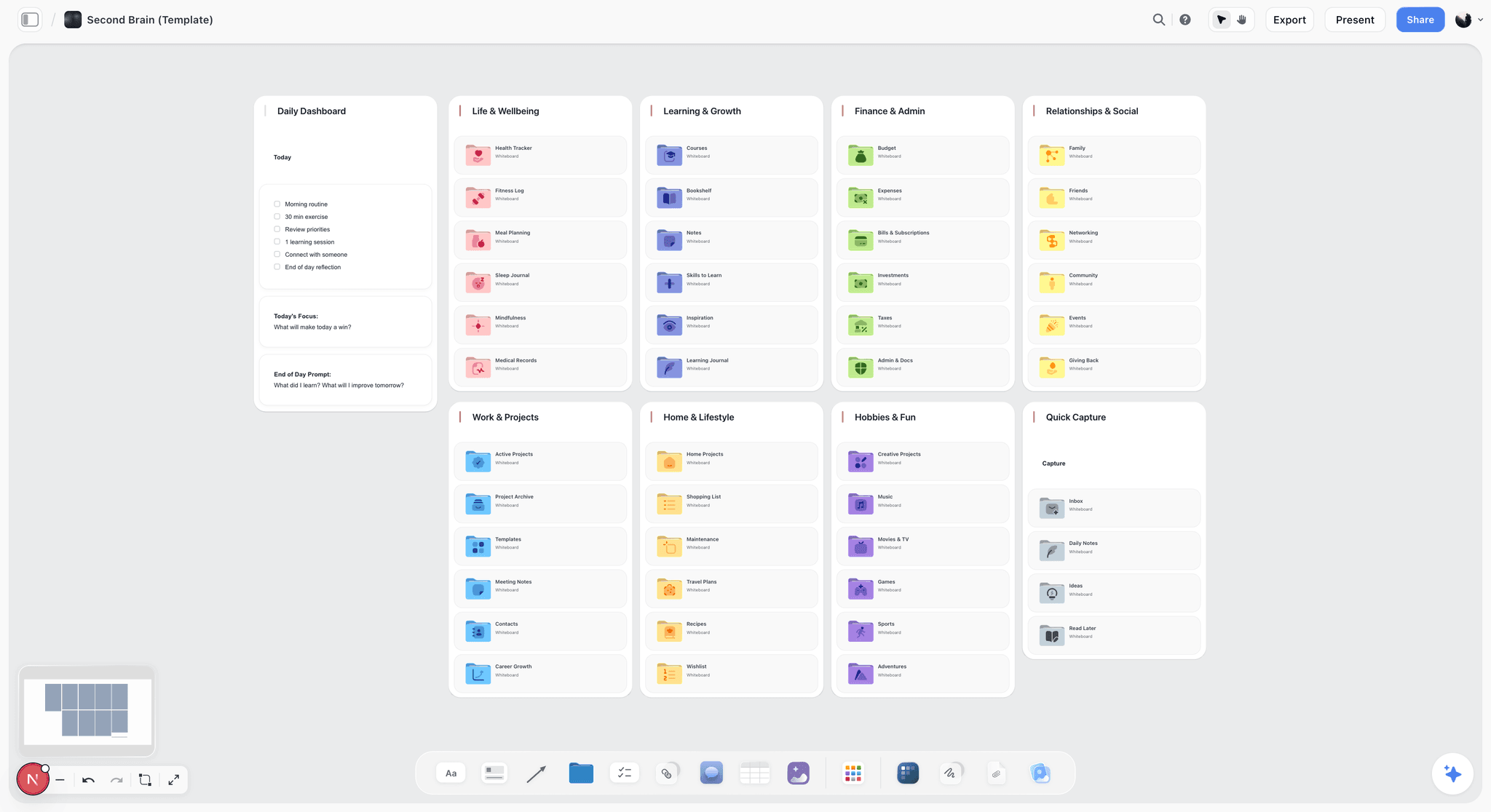
The verdict: not a content generation tool, and it replaces nothing else on this list.
Best for: creators whose problem is that the plan lives in six places rather than that the drafting is slow.
Pricing: paid-only during early access at $7.99 per month on Plus billed annually, $14 on Pro and $39 on Max. The Free plan launches before the end of 2026. Anyone a paid member invites to a board joins free now, which is the only free path today.
Why it comes first. These reviews run in workflow order, and planning is stage one: deciding what to make, before any of the four capabilities gets bought. It sells the one thing nobody else on this list does, a place the plan lives that the AI can actually see. Its AI reads everything on the current board, and you can bring in up to one Tactic and up to three documents by mentioning them in the chat. That addresses the switching cost described earlier, the part of the bill that never appears on an invoice.
Where it loses, and on this article's subject it loses completely: it does not generate video, does not clip, does not schedule, does not do voice, and its image generation is on the Pro tier rather than a reason to buy it. It is a planning purchase, not a production one, and creators who buy it expecting to replace ChatGPT will be disappointed. If your stack is expensive because you have three text tools, cancelling one of them saves you more than adding this.
Limitations: no video, clipping, scheduling or voice. Paid-only during early access, so it cannot be trialled the way free-tier tools can. Solves a planning problem, which not every creator has.
2. ChatGPT Plus
The verdict: the highest-value single subscription for a creator, because it covers two capabilities at once.
Roughly: $20 a month.
Why it is here. Text plus image plus file analysis plus web access in one bill. For a creator running a minimal stack, this one subscription removes the argument for three others. The image model is good enough that a separate image subscription becomes a style decision rather than a capability decision.
What it makes redundant: Notion AI, most standalone writing tools, and for many creators a separate image subscription.
Limitations: conversation memory is better than it was and still not a project system. Long-document work is weaker than Claude's. The image style trends generic without deliberate prompting.
3. Claude Pro
The verdict: the better choice if your work is long-form writing rather than mixed media.
Roughly: $20 a month.
Why it is here. Stronger on long documents, better at holding a voice across thousands of words, and better at analysing your own back catalogue. For a newsletter writer, a scriptwriter or a long-form YouTuber, this is the more useful $20.
What it makes redundant: ChatGPT Plus, for the text capability specifically.
Limitations: no image generation, so a creator on Claude alone still needs an image source. Fewer bundled extras generally.
4. Canva Pro
The verdict: the most bundled subscription in the stack, and the one most likely to already contain what you are about to buy.
Roughly: $15 a month.
Why it is here. Design, templates, background removal, basic video, image generation, and scheduling, all in one. Nothing in it is best in class and the breadth is the point: for a creator who needs adequate versions of six things, it replaces four subscriptions.
What it makes redundant: standalone schedulers at low channel counts, simple video tools, background removal tools, and for many creators a separate image generator.
Limitations: the AI features are convenient rather than strong. Organisation gets weak at volume. Nothing here beats a specialist at its own job.
5. Descript
The verdict: the highest-leverage tool in the stack for anyone who publishes talking-head video or podcasts.
Roughly: $19 to $30 a month.
Why it is here. Editing video by editing the transcript is a genuine change in how the work feels, not a feature. For interview and podcast formats it removes more hours than anything else here.
What it makes redundant: separate transcription, separate captioning, and much of the reason to open a traditional editor.
Limitations: overkill for anyone not publishing spoken-word content regularly. Price climbs with the features most creators eventually want.
6. Opus Clip
The verdict: worth it only if your publishing rhythm matches its premise.
Roughly: $19 to $29 a month, with a usable free tier.
Why it is here. It does one thing well: finding the moments in long video that work as vertical clips. If you publish long-form weekly, that is several hours a month. If you publish monthly, you are renting a machine you start four times a year.
Limitations: its judgement about what is interesting is average, so the clips need review. The virality scores are best treated as a sorting order rather than a prediction.
7. ElevenLabs
The verdict: the cheapest genuinely differentiated tool in the stack.
Roughly: $5 to $22 a month.
Why it is here. Voice quality is a category ahead of the bundled alternatives, and the entry tier is cheap enough that the decision is not really financial. Useful for narration, dubbing and fixing a line you cannot re-record.
Limitations: narrow. If you do not need voice, there is nothing else in the subscription for you.
8. Buffer
The verdict: the free tier is the right answer for most solo creators.
Roughly: free for three channels; paid from about $6 per channel per month.
Why it is here. Scheduling is a solved, commoditised capability. The free tier covers a solo creator, and the paid tier earns its money at higher channel counts or with a team.
Limitations: the analytics are not deep enough to change what you make. Paying for scheduling while holding Canva Pro is a duplicate.
Persona Recommendations
Newsletter writer, weekly. Claude Pro at $20 and nothing else. Text is the only capability you need bought, and the free tiers cover the rest. Total: $20.
YouTuber, weekly long-form plus clips. ChatGPT Plus, Descript, Opus Clip, Canva free. Total: about $60 to $80. This is the profile where the clipping tool genuinely earns its place.
Instagram and TikTok creator, daily short-form. Canva Pro and CapCut free, plus a free general model. Total: about $15. Short-form creators consistently overbuy on text tools they barely open.
Podcaster, weekly. Descript and ElevenLabs, plus a free general model. Total: about $25 to $40. Descript is doing nearly all the work.
Creator with a visual identity, any format. Add Midjourney to whatever else you run. This is the one specialist subscription that is regularly worth its price, because style consistency is not something the bundled generators do.
Creator running several formats and losing the plot. The problem is not the tools. One general model, one design tool, one editor, and a single place the plan lives. Cancel the rest and revisit in ninety days.
Do You Need an AI Stack At All?
Worth asking, because the honest answer for a portion of creators is a much smaller yes than the category implies.
If you publish weekly or less, the free tiers of the major models plus CapCut plus native scheduling cover you completely. The paid stack starts earning at a publishing rhythm most creators do not have.
If your constraint is that you do not know what to make, no subscription fixes it and several make it worse by giving you a hundred plausible options. That is a research and audience problem.
If your constraint is that your work is not good enough yet, throughput tools accelerate the wrong thing. More clips of an average video is more average video.
If you are not earning from content yet, the correct stack is one general model on a free tier and nothing else, and the correct spend is on the camera, the microphone or the course.
Where the money is genuinely well spent: you publish often, you know what you are making, and the bottleneck is the hours between having the thing and shipping it. That is the case AI tools are built for and where a $60 stack pays for itself in a week.
Frequently Asked: AI Tools and Costs for Creators
What are the best AI tools for content creators?
For most creators: one general model, one design tool, one editor, and free scheduling. ChatGPT Plus at roughly $20 covers text and image generation together, Canva Pro at roughly $15 covers design and includes a scheduler, CapCut is free and genuinely capable, and native platform scheduling costs nothing. Add Descript at roughly $19 if you publish spoken-word video, Opus Clip if you publish long-form weekly, and Midjourney if visual style consistency is part of your product.
How much should a creator spend on AI tools per month?
If you are earning from content, $45 to $70 a month buys everything most creators actually use. If you are not earning yet, $0 is the right number: the free tiers of the major models plus CapCut plus native scheduling covers a weekly publishing rhythm completely. The stacks that run $120 and above are usually not more capable, they are duplicated: three tools that generate text and three that generate images.
Which AI subscriptions overlap the most?
Text and image, in that order. Text generation is included in ChatGPT, Claude, Canva, Notion AI and most other tools you already pay for, so creators routinely buy it three times at $20 each. Image generation ships inside ChatGPT, Canva and Adobe's subscription, and creators still add Midjourney. Scheduling is the cheapest duplication and the easiest to remove, since Canva Pro includes it and Buffer's free tier covers three channels.
Should I pay for both ChatGPT and Claude?
Only if you write long-form for a living and genuinely switch between them for structural second opinions. For everyone else it is $20 a month of duplication. Choose on the shape of your work: Claude is stronger on long documents and holding a voice across thousands of words, ChatGPT covers more capabilities in one subscription because it includes image generation, file analysis and web access. One general model is the right number for most creators.
Is Midjourney worth it if ChatGPT generates images?
Only if visual style consistency is part of your product. ChatGPT's images are good and already paid for, and for illustrative or varied imagery they are sufficient. Midjourney is meaningfully better at one specific thing: producing many images that look like a deliberate set. If your thumbnails need to be recognisable as yours across a hundred videos, that is worth $10 to $30. If they do not, this is the subscription creators keep for enjoyment rather than output.
What is the cheapest viable AI stack for a creator in 2026?
Zero dollars, and that is genuinely true now in a way it was not two years ago. The free tiers of ChatGPT, Claude and Gemini are capable enough for drafting and ideation, CapCut is a real editor with a real free tier, most platforms schedule natively for nothing, and Canva's free tier covers basic design. A creator publishing weekly can run this indefinitely. The first paid upgrade worth making is a general model at roughly $20.
Which AI tool should I cancel first?
The one you did not open last week, among any capability you are buying twice. Usage predicts fit better than preference does, because preference is shaped by marketing. Practically: write the primary capability next to each subscription, circle any capability that appears more than once, and cancel the duplicate you are not opening. The typical result is two cancellations and about $40 a month with no reduction in output.
Does Canva Pro replace other AI subscriptions?
For several, yes, and creators consistently miss this. Canva Pro includes image generation, background removal, basic video editing, text generation and a scheduler. If you hold Canva Pro alongside a paid scheduler, a background-removal tool and a simple video tool, you are paying twice for three things. It does not replace a strong general model, a real editor like Descript, or a style-consistent image generator like Midjourney, because it is adequate rather than strong at each.
Why does my content take longer since I started using AI?
Usually because it was applied to a decision stage rather than a labour stage. Generating a hundred ideas creates an evaluation problem you did not have before, since every one of them is plausible and judging plausible options is slower than producing a few from your own knowledge of your audience. AI is cheap labour and expensive judgement. Point it at first drafts, variations, transcription, captions and repurposing, and keep the deciding for yourself.
Is Notion AI worth the add-on?
Rarely, for a creator. It is a convenience layer over a capability you almost certainly already pay for, and it is weaker at the writing itself than a dedicated model at the same price. The argument for it is proximity: the AI is where your notes already are, which removes a copy and paste. If that proximity is genuinely the friction you feel, it is defensible. If you also pay for ChatGPT or Claude, it is the first cancellation on the list.
How do I stop re-explaining my project to every AI tool?
Reduce the number of tools that need the explanation, and keep the project's actual material in one place the AI can read. Every tool you add is one that does not know your channel, audience or constraints, and re-establishing that context takes two to ten minutes each time. Across a normal week that is hours. This is the part of the bill that never appears on an invoice, and it is the strongest argument for fewer tools holding more context.
Are AI video clipping tools worth it?
Only if your publishing rhythm matches their premise. Opus Clip and its competitors earn $19 to $29 a month if you publish long-form weekly and want vertical clips from every episode. If you publish monthly, CapCut and twenty minutes does the same work for nothing. The deeper check: clipping tools sell throughput, and throughput only helps if distribution is your constraint. If the long video is the weak part, more clips of it will not fix that.
Is Storyflow an AI content generation tool?
No. It does not generate video, clip long-form, schedule posts or do voice, and image generation sits on its Pro tier rather than being a reason to buy it. It is a planning surface: the AI reads everything on the current board, plus up to one Tactic and up to three documents you mention in the chat. That addresses the context-switching cost rather than the production cost. If your stack is expensive because you hold three text tools, cancelling one saves more than adding this.
Is Storyflow free for creators?
Not during early access. It is paid-only right now, with Plus at $7.99 per month billed annually, Pro at $14 and Max at $39. The Free plan launches before the end of 2026. There is one genuinely free route today: anyone a paid member invites to a board signs up free and can invite others, so a collaborator can join without paying. For a solo creator comparing it against free tiers like CapCut or Buffer, that is a real difference to weigh.
How often should I review my AI subscriptions?
Every ninety days, on a calendar reminder, because stacks re-accrete. New tools launch monthly, each solves something real, and each purchase is individually defensible. The review is short: list the subscriptions, write the primary capability next to each, and cancel any duplicate you did not open in the last month. An hour, four times a year, is worth several hundred dollars annually and takes nothing away from what you make.
Do free AI tiers have usage limits that matter?
Yes, and they are the reason most creators upgrade. The free tiers of the major models limit messages per period and restrict access to the strongest model, which you notice on a long working session rather than on a quick question. Free image generation is capped per day. CapCut's free tier is the most generous exception and has few limits that affect a solo creator. The practical test: if you hit a cap more than twice a week, the $20 is worth it.
The Bottom Line
Stop shopping for better tools and start counting capabilities. Your stack is text, image, audio and video, and scheduling, and you are probably buying at least two of them more than once because purchases were sequential and bundles are invisible.
Do this once: list what you pay for, write the primary capability next to each, circle every capability that appears twice, and cancel the duplicate you did not open last week. It takes an hour and typically removes about $40 a month without removing anything you use.
Then check the shape of your spending against the shape of your work. One general model, one design tool, one editor and free scheduling is the correct stack for most creators, and it costs about $55. Add a clipping tool only if you publish long-form weekly. Add a style-consistent image generator only if your images need to look like a set. And if you are not earning from content yet, the right stack is the free tiers and the right spend is on the work itself.
Table of Contents
- Key Takeaways
- The Four Capabilities
- The Realistic Bill
- The Four Overlap Zones, Priced
- The Cost Nobody Prices: Switching
- A Worked Example: A One-Hour Audit That Removed $47 a Month
- Comparison Table: Three Consolidated Stacks
- What to Cancel First, in Order
- Where AI Genuinely Does Not Help
- The Tools, Reviewed in Workflow Order
- Persona Recommendations
- Do You Need an AI Stack At All?
- Frequently Asked: AI Tools and Costs for Creators
- The Bottom Line
- Related Reading
Templates to check out for this topic


Templates you can use in Storyflow
Every Storyflow board starts from real structure and an AI that reads the whole canvas. Open one of these templates and make it yours.


See Storyflow in Action
A visual AI workspace where every feature lives inside one canvas. No tab-switching, no context lost.
Build your entire board from a single message
Type what you need in the AI chat at the bottom of your canvas. The AI adds cards, headings, and structure directly onto your board.
Use expert frameworks as AI context
Type @ in the AI chat and choose any Tactic. The AI tailors every response to that framework instead of giving generic advice.
Turn your board into a mind map in seconds
Ask the AI to restructure your canvas as a mindmap. It connects your ideas into a visual hierarchy so you can see how everything relates.
Why Storyflow Exists
Storyflow actually began as a personal tool while working on creative and research projects.
We kept running into the same problem: ideas were scattered everywhere: notes, documents, and whiteboards.
Nothing helped us see how everything connected.
So we started building a workspace designed around how ideas actually grow.
→ Read how Storyflow was createdJustkay
Documentary Filmmaker & Founder at Storyflow
Published: 2026-09-07
Extremely simple, seriously capable


See how easy it is to get started
Watch a real project come together, from a blank board to a finished plan, clicked through step by step.
Start creating with AI and become more productive
Transform your creative workflow with AI-powered tools. Generate ideas, create content, and boost your productivity in minutes instead of hours.