
An ultra-fast canvas that stays calm
Ideas are easy.
Deciding is the hard part.
Most ideation tools stop at a wall of sticky notes. Storyflow keeps the diverge step, the converge step, and the plan you build afterwards on one infinite canvas, with AI that can see the whole board.


Creatives working for these brands already got early access
- Red Bull
- Canon
- Artlist
- Porsche
See how easy it is to get started
Watch a real project come together, from a blank board to a finished plan, clicked through step by step.
Start from a ready-made template
Pick a board to see what you can build, then let AI fill it in. Every template is a real, editable starting point on the same infinite canvas.

Mind Map
Branch one central idea out into themes and sub-points, then drag the connections around until the structure makes sense.
What is an ideation tool?
An ideation tool is software for the part of the creative process between a problem and a plan. Storyflow is an AI visual workspace that takes ideas from spark to plan on one infinite canvas: idea variations and mind maps from the AI, clusters you score against criteria, a chosen winner, and the plan built on the same board. An ideation tool has to do two opposite jobs. First it has to help you produce far more options than you need, quickly and without judgement, because the first idea anyone has is almost never the best one available. Then it has to help you throw most of them away, on purpose, against criteria you can actually defend. Most tools sold as ideation tools only do the first job.
That is why ideation dies where it does. Not in the session, which is usually fun and productive, but in the week afterwards. A board covered in two hundred sticky notes is not a decision, and nobody reopens it. The ideas that survive are the ones somebody happened to remember in the next meeting, which means the selection criteria were volume of enthusiasm and recency, not fit. Meanwhile the actual plan gets written in a different tool, in a different format, disconnected from the thinking that produced it.
Storyflow is an AI-native infinite canvas built to hold the whole arc instead of one third of it. Describe the problem in a prompt and the AI lays out a board of idea variations, a mind map of the problem space, or a structured framework to work in. Then you drag the ideas into clusters, put your selection criteria on the canvas next to them, score the shortlist, and build the plan for the winner in the same space. Because the AI reads the whole board, it can cluster a hundred notes, name the themes, argue against your favourite idea, or turn the chosen one into a sequenced plan.
Ideation done properly moves through six connected stages: diverge (produce many options fast, quantity before quality, with AI or a room full of people), cluster (group the raw output into themes so patterns become visible instead of noise), criteria (write down what a good idea has to be true of, before you look at your favourites, so selection is not just taste), converge (score the shortlist against those criteria and cut hard to two or three), prototype (make the surviving idea concrete enough to be tested, as a sketch, a storyboard, a landing page, or a one-page brief), and handoff (turn the chosen idea into an owned, sequenced plan someone can start on Monday). Storyflow keeps all six stages on the same canvas, which is what stops the thinking from evaporating between them.
Ultra fast from brief to board
From a fuzzy problem to a plan someone can start.
No workshop to schedule and no board to migrate. Describe the problem and start generating.
01
Open a canvas
Sign up in seconds. No download. Your infinite ideation canvas opens in the browser.
02
Diverge with AI
Describe the problem, the audience, and the constraints. The AI lays out idea variations, a mind map of the problem space, or a framework such as Crazy Eights or SCAMPER, so you start from fifty options rather than a blank board.
03
Cluster, score, and cut
Drag ideas into themes, or ask the AI to cluster them and name the patterns. Pin your selection criteria beside the shortlist, score each idea against them, and cut down to the two or three worth real effort.
04
Turn the winner into a plan
Build the plan for the chosen idea on the same canvas: milestones, owners, and the test that proves it. Share a view-only link with stakeholders, or export the board as an image or PDF.
Diverge, converge, and plan in one place.
The idea, the reason you picked it, and what happens next all stay on the same infinite canvas.

AI generates variations, mind maps, and prompts
Get past your first three ideas
Everyone's first ideas are the obvious ones. Prompt the AI for twenty more angles, a mind map of the problem space, or deliberate provocations, and the interesting territory shows up in minutes rather than in the second hour of a workshop.
Try the AI idea generator →
Cluster a wall of notes into named themes
Turn noise into patterns
Two hundred notes is not insight. Drag them into clusters, or ask the AI to group them and name what each cluster is actually about. Themes are what you can make a decision about; individual sticky notes are not.
See the affinity diagram maker →
Criteria and scores beside the shortlist
Make the selection defensible
Write down what a good idea has to be true of before you look at your favourites, then score the shortlist against it on the canvas. When someone asks in month three why you chose this, the reasoning is still sitting next to the idea.
Run a design sprint →
The plan is built on the same board as the idea
The handoff that usually kills ideas
Ideas die in the gap between the workshop board and the project tool. Here the chosen idea becomes milestones, owners, and a first test in the same canvas, so nobody has to re-explain the thinking to make the plan make sense.
See the product roadmap tool →Unlimited boards. No object cap.
Open a canvas, describe the problem, and start generating options. Storyflow is paid-only during early access, with plans from $9.99 a month, and a Free plan launches before the end of 2026.
Unlimited ideation boards on an infinite canvas
AI usage to generate ideas and mind maps from prompts
Unlimited file uploads on Plus, Pro and Max
Share view-only links with stakeholders
Built for people with taste
More than sticky notes on a board.
Generating ideas was never the bottleneck. What happens to them afterwards is.
Quantity first, with AI doing the volume
Diverge harder than a room can
Variations on demand: Ask for twenty more takes on the same brief, ten deliberately terrible ones to break the pattern, or the version a competitor would ship. Volume is what makes the good idea findable, and AI produces volume without the room getting tired.
Mind maps of the problem space: Before solutions, map the problem: causes, constraints, audiences, and adjacent jobs. A mind map built from one prompt gives you branches to push against, which is far more productive than staring at an empty frame.
Frameworks that force new angles: Work in Crazy Eights, SCAMPER, How Might We, Six Thinking Hats, or your own method. The AI can lay the structure out and you fill it, or you can ignore structure entirely and just scatter cards.
Nothing is thrown away: Discarded ideas stay on the canvas in their own region rather than being deleted. The third-best idea from March is often the right answer in September, and on an infinite canvas there is no reason to lose it.
The step most tools skip entirely
Converge on purpose, not by accident
Cluster with AI or by hand: Drag related cards together, or ask the AI to read the whole board, group the output into themes, and name each one. Naming a cluster is where the actual insight tends to appear, because it forces you to say what a set of ideas has in common.
Criteria written down before you choose: Put the criteria on the canvas as cards: effort, reach, confidence, strategic fit, whatever the decision genuinely turns on. Deciding what good looks like before you look at your favourite idea is the single biggest upgrade to any selection process.
Score the shortlist in the open: Score each surviving idea against each criterion right next to it. The scores are not the decision, but they make the disagreement specific, which is how a room stops arguing about taste and starts arguing about assumptions.
AI that will argue with you: Ask it to make the strongest case against the idea you like, to find what two clusters have in common, or to flag which shortlisted ideas depend on the same untested assumption. It has the whole board in context, so the critique is about your ideas.
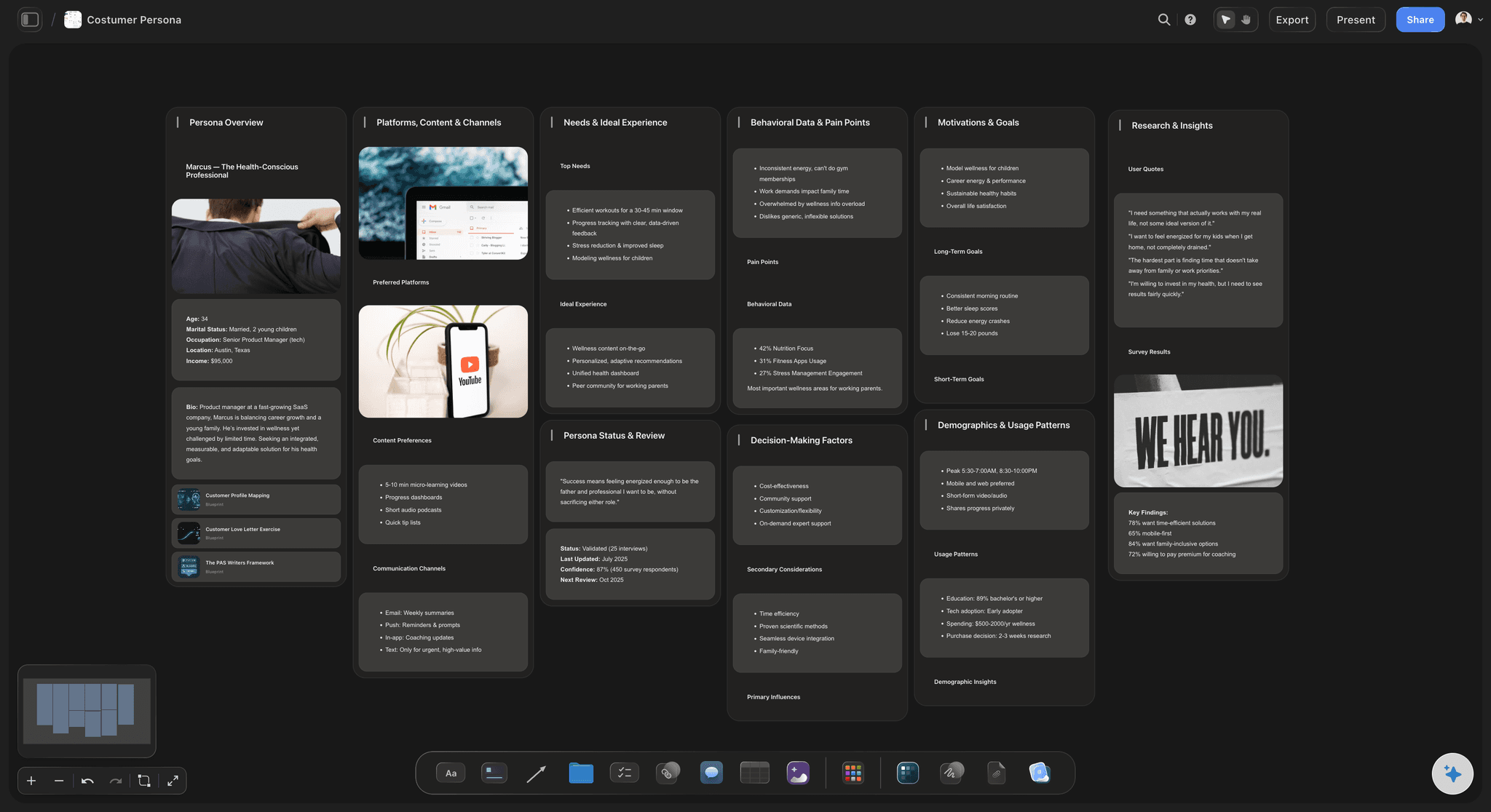
From chosen idea to something people can react to
Make the idea concrete before you commit
Prototype on the same canvas: Sketch the screen, storyboard the ad, mock the landing page copy, or write the one-page brief right beside the idea it came from. An idea nobody can picture loses to an idea somebody drew, every time.
Reference and research in place: Drag in PDFs, articles, screenshots, and images, and grab frames from YouTube or Vimeo. The evidence for a claim sits next to the claim, so the board survives being read by someone who was not in the room.
Write beside the board: The built-in document editor sits next to the canvas, so the brief, the test plan, or the proposal is written with the ideas visible rather than reconstructed from memory in a separate tool.
Owners, milestones, and a link anyone can open
Hand it over without losing the reasoning
The plan lives with the idea: Turn the winner into milestones, owners, and a first test on the same canvas, with the rejected alternatives one scroll away. A plan that carries its own reasoning is far harder to quietly abandon.
View-only links for stakeholders: Send a link and anyone opens the full board in a browser with no account. Showing the options you rejected and why is usually more persuasive than presenting the survivor on its own.
Ideate together: Teammates work on the same canvas, so a shared decision has one board rather than four people's notes. Anyone a paid member invites to a board joins free today.
Export for the deck: Export the board as a high-quality image or PDF when the decision has to travel into a slide, a doc, or a stakeholder review that is happening somewhere else.
Explore templates for your project
Every template opens as a real, editable board on the infinite canvas. Pick the closest fit and make it your own.
Mind Map
Branch one central idea out into themes and sub-points, then drag the connections around until the structure makes sense.
One app instead of five
Storyflow vs Miro, FigJam, and Mural.
All three are genuinely good boards. Here is where they differ so you can pick the right one for how you ideate.
Storyflow
Recommended
Infinite canvas for divergent ideation
AI reads your whole board as context
AI turns the chosen idea into a plan on the same board
Workshop timers, dot voting, and facilitator controls
Built-in document editor beside the canvas
Runs in the browser, nothing to install
Miro
Infinite canvas for divergent ideation
AI reads your whole board as context
AI turns the chosen idea into a plan on the same board
Workshop timers, dot voting, and facilitator controls
Built-in document editor beside the canvas
Runs in the browser, nothing to install
FigJam
Infinite canvas for divergent ideation
AI reads your whole board as context
AI turns the chosen idea into a plan on the same board
Workshop timers, dot voting, and facilitator controls
Built-in document editor beside the canvas
Runs in the browser, nothing to install
Mural
Infinite canvas for divergent ideation
AI reads your whole board as context
AI turns the chosen idea into a plan on the same board
Workshop timers, dot voting, and facilitator controls
Built-in document editor beside the canvas
Runs in the browser, nothing to install
What creators are saying
Join early creators getting structured workspaces and AI that remembers their projects
“Storyflow has sped up my workflow by at least 3x, which means more flow state and more projects I can actually ship. It truly changed the way me and my team create.”

Reilin Joey
Director & YouTuber
“One prompt gets me a structured board. But the tactics are my favorite. I run my YouTube scripts through them and my intros and retention got better. It's amazing.”

Justkay
YouTuber & Freelance Filmmaker
“I used to juggle five apps to plan a project. Now I describe what I am making and get boards, lists, and a schedule. All in one place.”

George
@fernwehchronicles
Ideation questions, answered.
How to run a session, how to choose between ideas, and where AI actually helps.
It is used for the stretch between a problem and a decision. That means three things, not one. Generating options in bulk, so you are choosing from fifty rather than from the three anyone thought of first. Organising that output into themes so patterns become visible. And selecting between the survivors against criteria you wrote down in advance. Most tools marketed as ideation tools only cover the first job and leave a board of sticky notes that nobody reopens, which is exactly where ideas go to die.
It depends on which part of the process is failing. If your problem is running a live workshop with thirty distributed people, Miro is genuinely the best answer, and Mural is close behind for method-led facilitation. If your team already lives in Figma and you want quick sticky-note sessions beside the design file, FigJam is the least friction. If your problem is that ideas never survive the session, Storyflow is the better fit, because the clustering, the selection criteria, and the plan built from the winner all sit on the same AI-native canvas.
Open with the problem stated in one sentence and the constraints written down where everyone can see them. Diverge silently first, with everyone adding cards independently so the loudest voice does not anchor the room, then read out and cluster. Name each cluster, because naming forces you to say what a group of ideas actually has in common. Then agree the criteria before revealing anyone's favourite, score the shortlist against them, and cut to two or three. Finish by assigning an owner and a first test to each survivor, in the session, not afterwards.
Brainstorming is one technique inside ideation, and it is only the divergent half. Ideation is the whole cycle: generating options, organising them, defining what a good option has to be true of, converging on a small number, making them concrete, and handing them over as something someone can act on. Teams that say brainstorming when they mean ideation usually stop after the fun part, which is why they end up with a board of notes and no decision. The convergence half is where the value actually gets created.
Not during early access. Storyflow is paid-only right now, with plans starting at $9.99 a month, and a Free plan for solo use launches before the end of 2026. Anyone a paid member invites to a board joins free today, so a whole team can ideate on one canvas with a single paid seat holding it. If you need a free option this minute, FigJam and Miro both have free tiers with board limits, and a physical wall with real sticky notes is still an excellent divergent tool if everyone is in the same room.
Write the criteria down before you look at the shortlist, because after you have a favourite the criteria will quietly reshape themselves to justify it. Pick three or four that the decision genuinely turns on, such as reach, effort, confidence, and strategic fit, and put them on the canvas beside the ideas. Score each survivor against each criterion in the open. The scores are not the decision, but they turn a vague argument about taste into a specific argument about assumptions, which is a disagreement you can actually resolve with evidence.
Generic prompts produce generic ideas, and that is a real limitation. What changes the output is context. Because Storyflow's AI reads the whole board, it is working from your problem statement, your constraints, your research, and the ideas you already rejected, not from a blank prompt box. The most useful moves are not asking for good ideas at all. Ask for twenty variations, for ten deliberately bad ones to break the pattern, for the strongest argument against your favourite, or for the themes hiding in a hundred notes.
For most of the cycle, yes, with one honest exception. Miro genuinely owns the facilitated live workshop with a big distributed group: the timers, the dot voting, the facilitator controls, and the sheer familiarity of it across large organisations. Storyflow wins on what happens before and after that hour. Preparing the problem space and generating options with AI beforehand, and clustering, scoring, and building the actual plan afterwards, all on one canvas with an AI that can see the entire board rather than one selected frame.
Ideas die at the handoff, when the board and the plan live in different tools. The fix is structural rather than motivational. Finish the session by naming the clusters, scoring against written criteria, and assigning an owner and a first test to each survivor while everyone is still present. Then build the plan on the same canvas as the ideas, so the reasoning travels with the decision. When a stakeholder asks why in month three, the rejected options and the criteria are one scroll away instead of gone.
Yes. Both are structured diverge and converge cycles, which is exactly what the canvas is shaped around. The AI can lay out the map, the How Might We wall, Crazy Eights frames, the solution sketches, and the decision matrix, and you fill them in. The advantage over a general whiteboard is continuity: the sprint questions, the sketches, the vote, and the prototype plan stay on one surface, so day five reads as a continuation of day one rather than a new board.
Yes, in two ways. Anyone a paid member invites to a board joins free today, so a team can collaborate on one canvas without everyone holding a seat. And for people who only need to look, a view-only link opens the whole board in a browser with no account at all, which is the right option for stakeholders, clients, or an exec review. Sharing the rejected options alongside the winner tends to be more persuasive than presenting the survivor on its own.
Anything spatial. Affinity clustering is the obvious one, because grouping and regrouping is a drag rather than a rewrite. Crazy Eights works well when each of the eight frames is a real card you can zoom into later. Mind mapping the problem space before touching solutions benefits enormously from having no page edge. SCAMPER and How Might We both generate more than fits on a screen, which is fine here. And impact and effort matrices are simply better when the ideas themselves are the things being positioned.
Stop losing good ideas to the board nobody reopens.
Open a canvas, describe the problem, and let AI generate the first round. No download.