
Pitch-ready plans, extremely reliable
How to make a shot list
that survives the shoot day.
For producers and marketing leads shooting commercials and brand video: one row per camera setup, in the order you will really film it, finished before anyone is on the clock.


Creatives working for these brands already got early access
- Red Bull
- Canon
- Artlist
- Porsche
See how easy it is to get started
Watch a real project come together, from a blank board to a finished plan, clicked through step by step.
Start from a ready-made template
Pick a board to see what you can build, then let AI fill it in. Every template is a real, editable starting point on the same infinite canvas.

Storyboard
Lay out your shots frame by frame with images and notes, then reorder them until the sequence reads like the finished cut.
How do I make a shot list for a video shoot?
To make a shot list for a video shoot, write one row per camera setup with its number, scene, description, shot size, movement, angle, location, audio and notes, then put the rows in filming order by location and light. Storyflow is an AI visual workspace that makes a shot list on one infinite canvas: a table or a row of shot cards, the brief, the references and the storyboard side by side.
The one rule that separates a shot list from a scene list is one entry per setup, never one per scene. A setup is one camera position with its lighting: move either and you have a new setup. A two-person interview scene is usually a wide, a medium each way, and an insert: four setups, not one line. In Storyflow, the AI workflow Make a shot list for my shoot follows that rule, numbering scene first (2A, 2B, 2C), so the number still tells you which scene a shot serves after you move it.
Then do the sum that decides whether the list is real. A 10 hour day with a one hour lunch, a 45 minute start and a 30 minute wrap leaves about 7.75 hours of camera time. At 30 to 40 minutes a setup, the fast end for a small crew on a simple commercial, that is 12 to 15 setups. Give each setup an hour, which is closer to the truth once there is real lighting, a dolly or a product rig, and the same day holds 7 or 8. A move between locations costs an hour or more, which is one or two setups gone. These are rules of thumb, so log your own in a Setup column on the Storyflow table and use them on the next job. If the sum says 22 setups and the day holds 14, cut now, with the client, not at 4pm with the light going.
Example, with a made-up team: Northline, a three-person production company, is shooting a 30 second commercial for Fieldwell, an oat milk brand. One 10 hour day, two locations, 14 setups, three client deliverables (a 30 second film, a 15 second cut, three vertical cutdowns). Northline keeps one Storyflow table per location, with the script and client references on the same board. Its filming order opens 1B wide of the café, 1A hero pour, 1D label insert, 1C first sip, because the wide sets the light and the sip waits for the window.
The tools for making a shot list, by job
Storyflow is our product and is listed first for the planning job it does; the rest are the tools that do what it does not, by job.
| The job | The tool | Why it goes here |
|---|---|---|
| Write the shot list beside the brief and references | Storyflow | Builds the shot list as a table or a row of shot cards from a script, storyboard or brief, on the same canvas as the references the client approved. |
| Sort a long list by any column | Google Sheets | Sorts rows by the column you pick in one action, which suits a big list where the order changes daily and no pictures need to sit beside it. |
| Run a shot-by-shot schedule on the day | Shot Lister | Builds a shot-by-shot, minute-by-minute schedule, and its Live Mode shows how you are doing against the plan while you shoot. |
| Send the call sheet and track who confirmed | StudioBinder or SetHero | Both send call sheets by email and text and show who opened and confirmed them; StudioBinder also links them to its schedule. |
| Schedule with a stripboard and Day Out of Days | StudioBinder or Yamdu | Both let you drag scenes on a stripboard and produce Day Out of Days reports for a bigger shoot with cast on daily rates. |
| Write the script in screenplay format | Final Draft or Celtx | Final Draft formats a script to entertainment industry standards automatically; Celtx formats scripts and adds breakdown and scheduling. |
| Edit the footage and review cuts | Adobe Premiere and Frame.io | Premiere is the edit; Frame.io holds version stacks and frame-accurate comments, so a client can point at the exact frame they mean. |
Ultra fast from brief to board
How to make a shot list in five steps.
From what you owe the client to a list a crew can shoot.
01
List what the client is owed
Put the brief on a Storyflow board and write each deliverable and its format at the top. A 15 second cut and three vertical cutdowns change what you must shoot: a vertical needs framing room you cannot add later.
02
Break each scene into setups
Attach the script or storyboard and ask Storyflow's AI to make a shot list. It asks whether you want shot cards or a table and how many shots, then writes one entry per setup, numbered 1A, 1B, 2A.
03
Fill in the nine things a crew needs
In the Storyflow table, give each setup a description, size, movement, angle, location, audio and notes, with the scene in the number. Audio is the column most lists skip, and it is the one that wastes a take.
04
Put the rows in filming order
Drag rows in the Storyflow table, or ask the AI to rewrite the list grouped by location, then by light, then by lighting setup. Shot numbers stay as they are; the row order is the filming order.
05
Check the day, then share it
Add up the Setup column against the hours you have, cut what does not fit, then send the Storyflow board as a view-only link. The client opens it with no account and sees exactly what is being shot.
What a shot list needs around it.
A list on its own loses the reason each shot exists. Here is what sits beside it on the board.
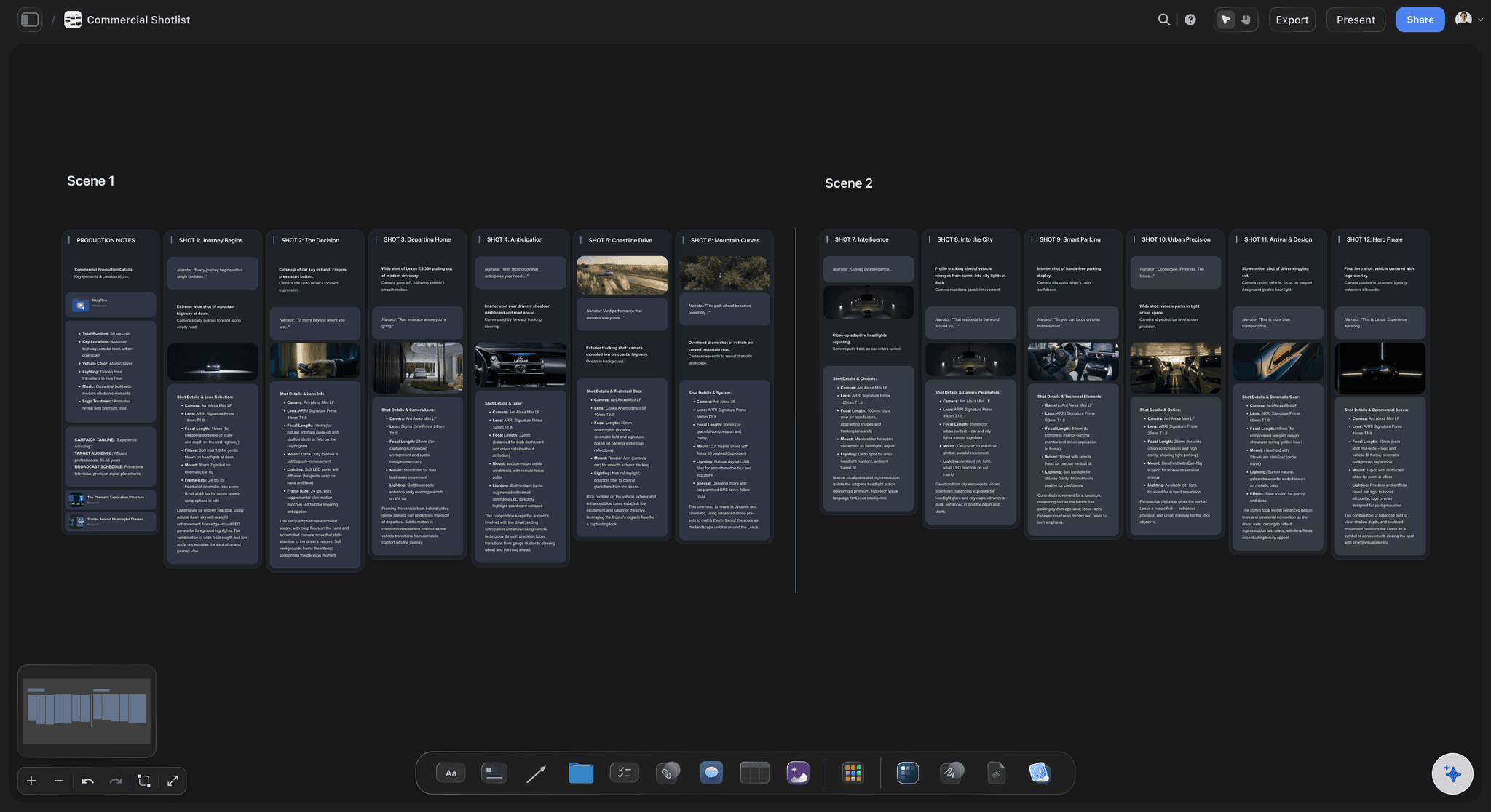
Table: compact rows, fast to read on set
A table you can drag into filming order
Storyflow tables have typed columns: labels for size and movement, a duration cell for setup time, a tick box for Got it. Drag a row by its number to change the order. The AI builds up to 8 columns and 50 rows per table, which is why one table per location works best.
See the shot list template →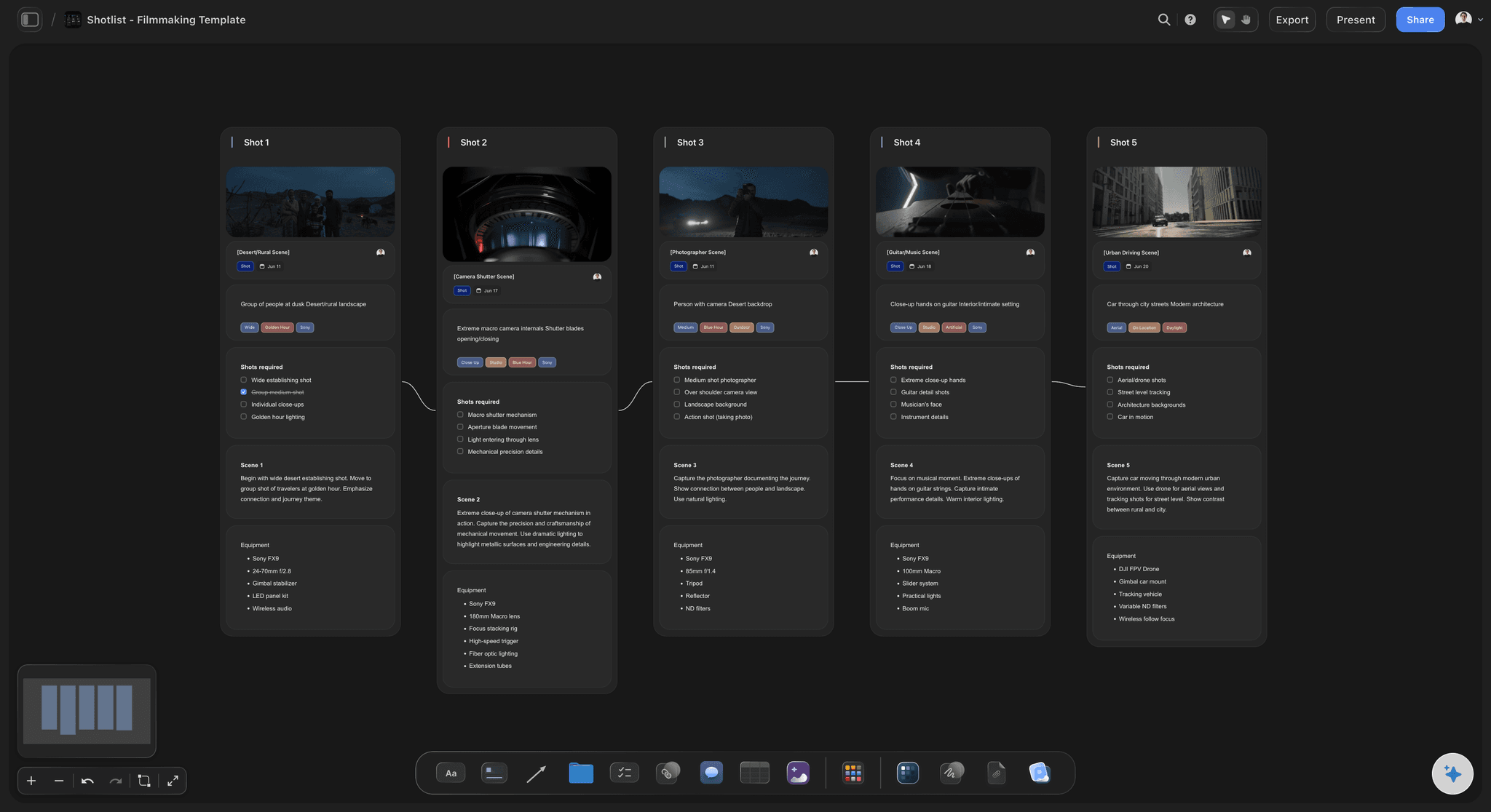
Shot cards: a picture for every setup
Cards when the client needs to see it
Shot cards give each setup its own wall: frame, size and light tags, coverage, direction and equipment, joined by arrows into a running order. Use cards for the client review and a table for the crew. The frame can be your own photo, a web find or an AI image on Pro and Max.
Try the AI shot list generator →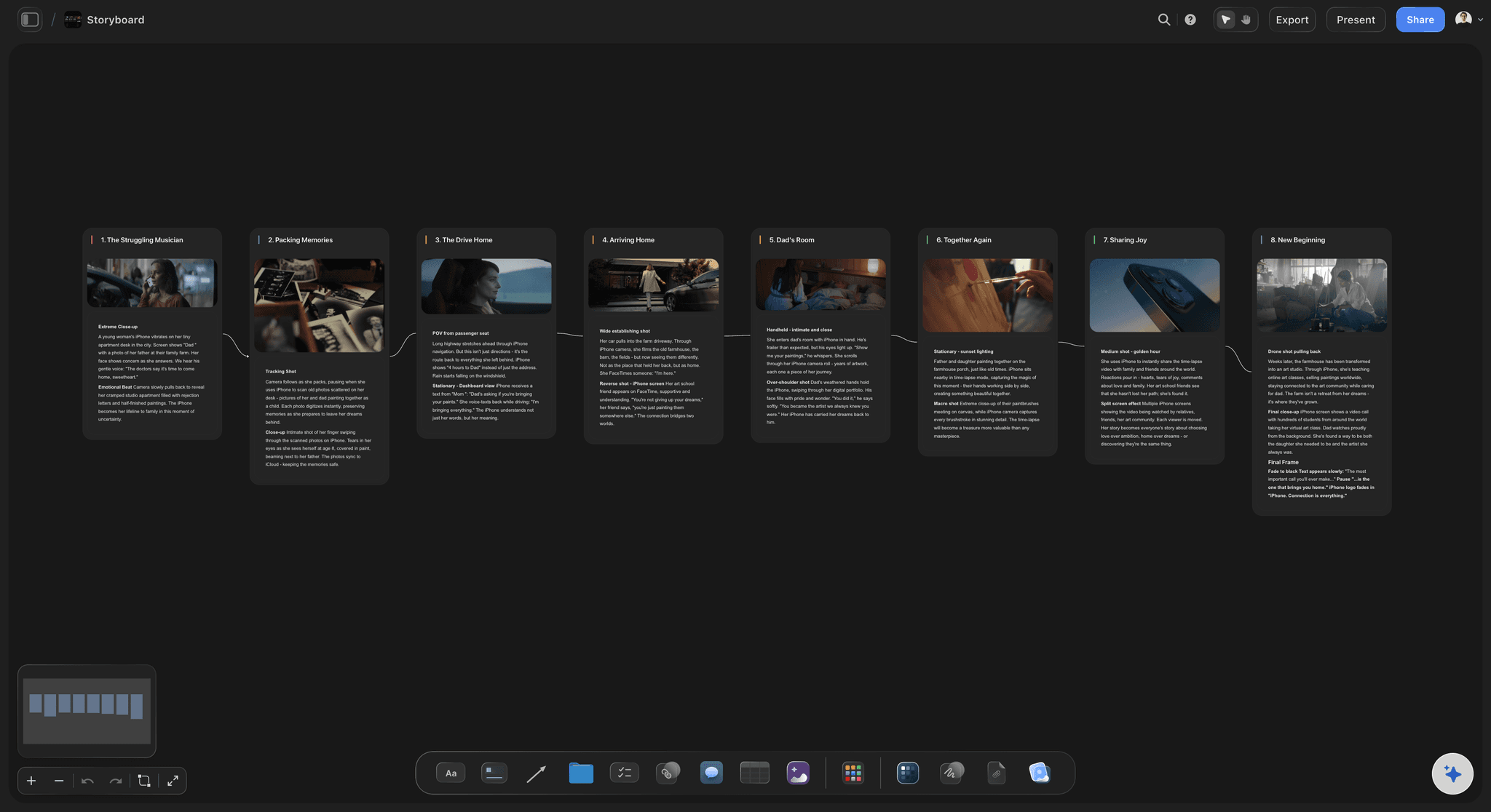
The storyboard beside the list
A list that reads from your storyboard
With a storyboard already on the board, the AI workflow A shot list from my storyboard reads the scene walls and writes one table per scene, in the same order. The list stays beside the frames it came from, so nobody asks which frame shot 3B belongs to.
See the commercial storyboard →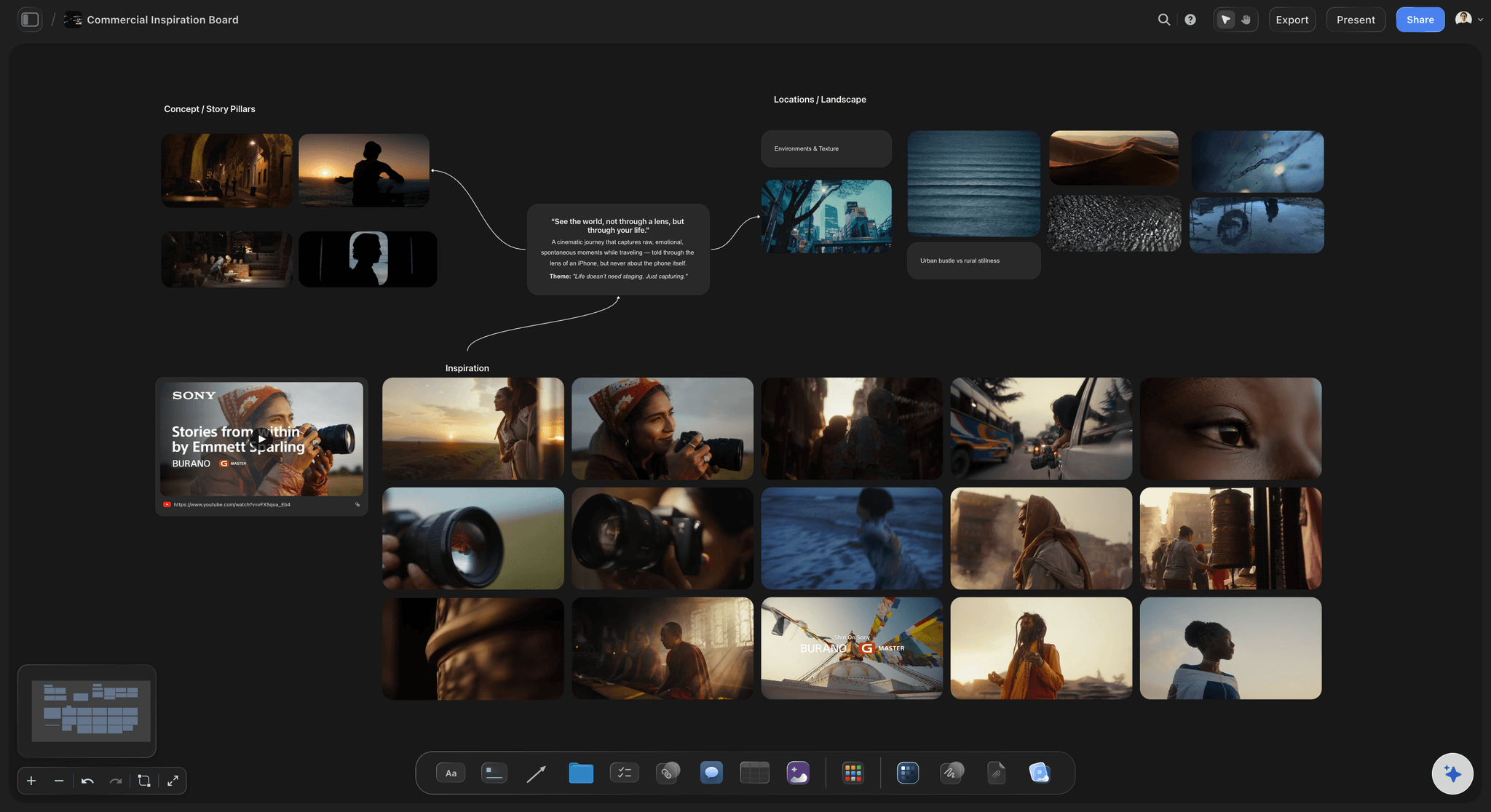
The look the client signed off
References on the same canvas
Upload the client's references straight to the board, group them by scene, and select up to 24 for the AI to read. Ask for a table and the references stay where they are; ask for shot cards and each selected image moves into its card as the frame. The director of photography sees the look and the list in one place.
See commercial production planning →Make the shot list on one board your crew can open.
Storyflow is paid-only during early access: Plus is $7.99 a month billed annually ($9.99 monthly) and includes the AI inside Storyflow. Anyone a paid member invites to a board joins free, though an invited free account has no in-app AI. On a paid plan you can also build the list by hand, or through ChatGPT or Claude with no weekly limit.
Tables and shot lists you build by hand
No weekly limit on paid plans from ChatGPT, Claude, Gemini or Grok
A view-only link that opens with no account
On Plus and up: AI that reads a script as PDF, Final Draft .fdx or Fountain
Built for people with taste
A shot list example, filled in and put in order.
Northline and Fieldwell are invented for this example. Seven of the 14 rows are shown, the kind a real one-day commercial needs.
Scene | description | size | movement | angle | location | audio | notes
Example shot list: Fieldwell, Café table, morning
1A: Scene 1 | Barista pours oat milk, foam folds into coffee | Close-up | Static | Eye level | Café counter | Room tone only | Hero pour. Five clean glasses. Reset takes 4 minutes, allow three takes.
1B: Scene 1 | Wide of café with customers, barista in the background | Wide | Slow push in | Eye level | Café | Clean room tone 30 seconds | Opening shot. Leave room at both sides for the vertical cut.
1C: Scene 1 | Maya takes first sip, small smile | Medium | Handheld | Eye level | Café window seat | Lav mic, one line of dialogue | Window light is best 9 to 11am. Shoot before the sun moves off the seat.
1D: Scene 1 | Carton on table, label to camera | Insert | Static | High | Café table | None | Client logo check. Clear the label with the client on set before moving on.
Same columns, second location
Example shot list: Fieldwell, Rooftop, late afternoon
2A: Scene 2 | Maya and Tom walk to the rooftop table with carton | Wide | Tracking | Low | Rooftop | Boom, no dialogue, footsteps | Last hour of light. Rehearse once with the sun, because there is one real take.
2B: Scene 2 | Tom pours for Maya, both laugh | Two-shot | Gimbal | Eye level | Rooftop table | Boom, wild laughter track | Keep the carton label readable in frame.
2C: Scene 2 | Glasses clink against the skyline | Close-up | Static | Low | Rooftop edge | Foley clink recorded after | Sunset silhouette. Slide to the end of the day if the light is late.
Filming order: For these rows: 1B, 1A, 1D, 1C, company move, 2B, 2A, 2C. The wide comes first because it sets the café lighting. The sip waits for the window light. On the roof the table shot goes first and the sunset last.
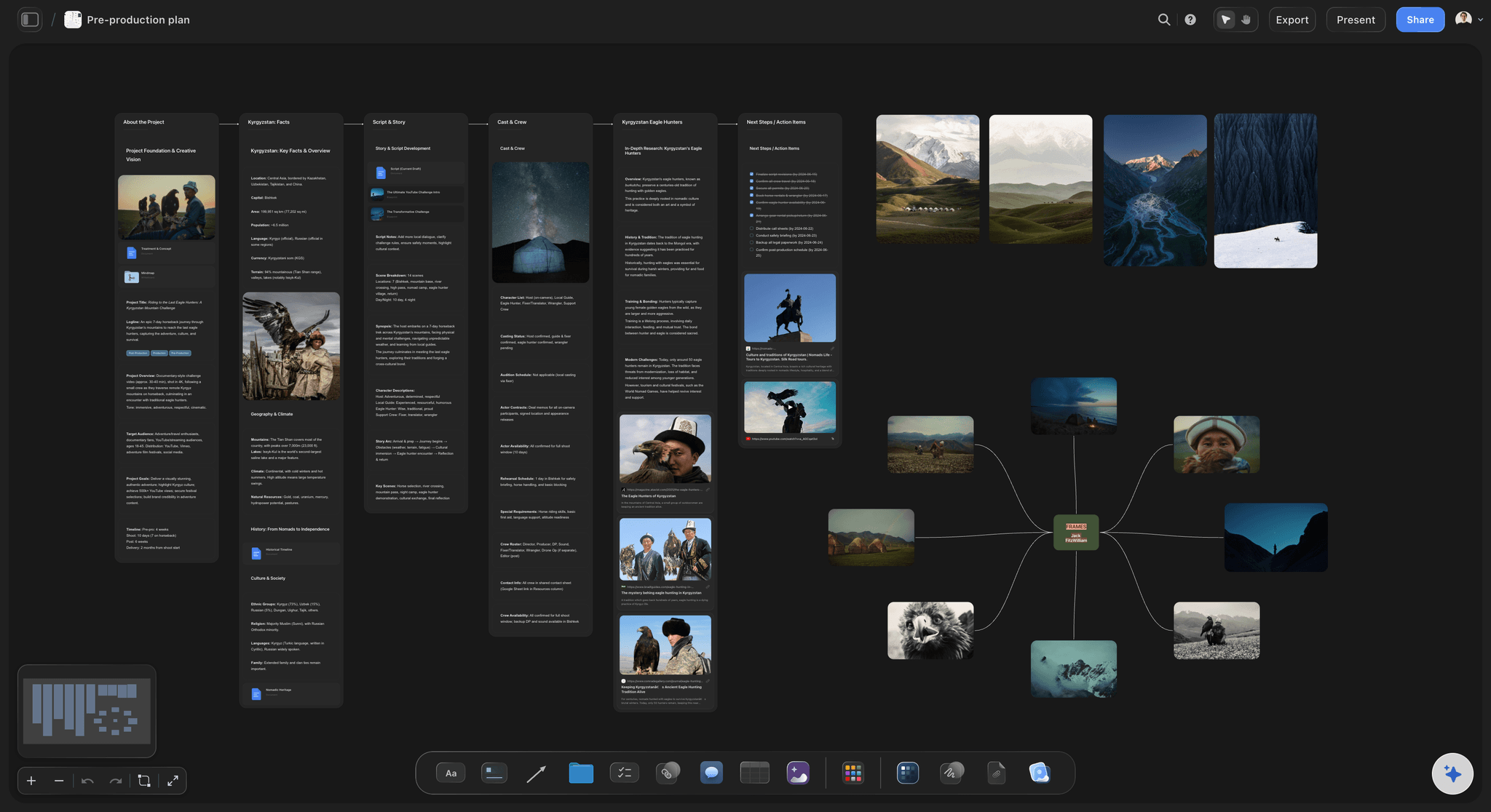
Location, light, lighting setup, then everything else
How to reorder a shot list for filming
Location first: Every move costs an hour or more once you count the wrap, the drive, parking and the reset. Keep every setup at one location together in a Storyflow table of its own, so the move is one you chose, not one you slipped into.
Then light you do not control: Mark the shots that depend on the sun with the hour they need, and pin those first. A sunset shot goes where sunset is; everything else moves around it. Check the sun's path at the location on the day you scout.
Then one lighting direction at a time: Shoot everything facing one way before you turn around. In the example, the wide sets the café light, and the close-ups use the same light. Turning around means re-lighting, so do it once.
Then the people and the fragile things: Child actors, talent on a short day and food that wilts all pull rows forward. A hero product pour that needs clean glasses goes where the reset is easiest, never at the end of the day.
The canvas cannot sort a table: A Storyflow table has no sort by column. You keep the rows in order by dragging them, or by asking the AI to rewrite the list in filming order. Keep the shot numbers the same, so 1C stays 1C when it moves.
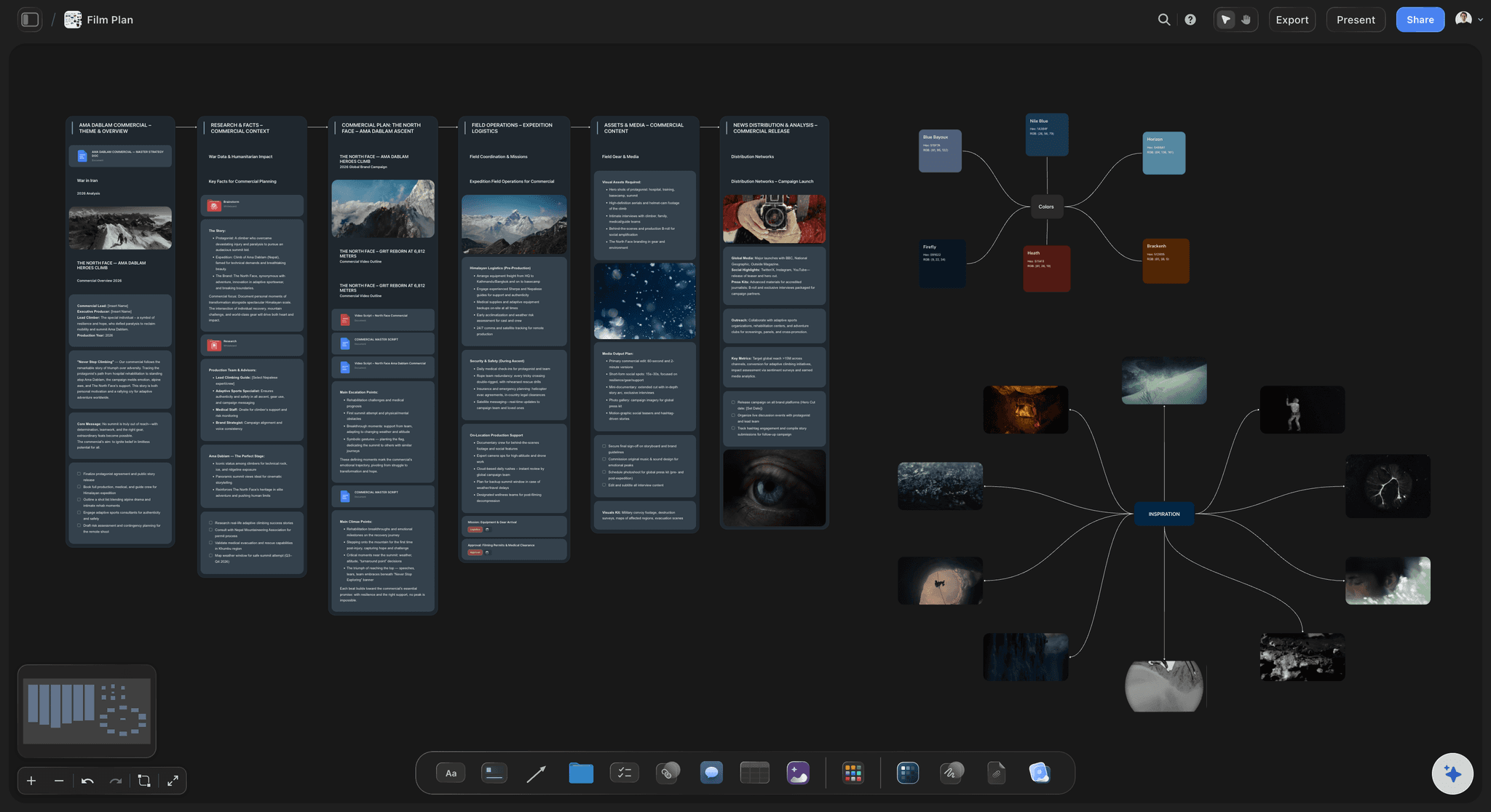
The honest limits
What Storyflow does not do for a shot list
No sending of call sheets: Storyflow's AI drafts a call sheet PDF, keeps a line for the nearest hospital and leaves anything it was not told visibly blank. It does not send it or track who confirmed. StudioBinder and SetHero do both, by email and text.
No recalculating schedule: A strip board in Storyflow groups scenes by shoot day with page counts, and you drag strips to change it, but it does not recalculate and there is no Day Out of Days. StudioBinder and Yamdu produce those reports.
No screenplay formatting: Storyflow reads a script as PDF, .fdx or Fountain but is not a screenwriting app. Write and revise the script in Final Draft or Celtx, then attach it.
No native phone app: Storyflow runs in the browser and is best built on a laptop. For a list you carry on set, open the board in a browser or print a PDF export.
Explore templates for your project
Every template opens as a real, editable board on the infinite canvas. Pick the closest fit and make it your own.
Storyboard
Lay out your shots frame by frame with images and notes, then reorder them until the sequence reads like the finished cut.
One app instead of five
Making a shot list in Storyflow, StudioBinder or Google Sheets.
StudioBinder is a full production suite with call sheets and schedules, and its moodboards, storyboards and shot lists sit in one project as separate tools. Google Sheets sorts rows by any column, which the Storyflow canvas cannot, and on an eligible Google plan Gemini in Sheets can use a script PDF in Drive as a source. Storyflow keeps the list on one canvas with everything the list came from.
Storyflow
Recommended
Shots, brief, references and storyboard on one canvas
Imports a Final Draft .fdx or Fountain script
View-only link to share the list
Totals the day's shoot time in hours and minutes
Sends call sheets and shows who confirmed
Stripboard with Day Out of Days reports
StudioBinder
Shots, brief, references and storyboard on one canvas
Imports a Final Draft .fdx or Fountain script
View-only link to share the list
Totals the day's shoot time in hours and minutes
Sends call sheets and shows who confirmed
Stripboard with Day Out of Days reports
Google Sheets
Shots, brief, references and storyboard on one canvas
Imports a Final Draft .fdx or Fountain script
View-only link to share the list
Totals the day's shoot time in hours and minutes
Sends call sheets and shows who confirmed
Stripboard with Day Out of Days reports
What creators are saying
Join early creators getting structured workspaces and AI that remembers their projects
“Storyflow has sped up my workflow by at least 3x, which means more flow state and more projects I can actually ship. It truly changed the way me and my team create.”

Reilin Joey
Director & YouTuber
“One prompt gets me a structured board. But the tactics are my favorite. I run my YouTube scripts through them and my intros and retention got better. It's amazing.”

Justkay
YouTuber & Freelance Filmmaker
“I used to juggle five apps to plan a project. Now I describe what I am making and get boards, lists, and a schedule. All in one place.”

George
@fernwehchronicles
How to make a shot list, answered.
The columns, the order, the number of shots and what to do when the day runs out.
Make it in Storyflow, one row per camera setup. Attach your script, storyboard or brief and ask the AI for a shot list, or type the rows yourself. Give each row a number, scene, description, shot size, movement, angle, location, audio and notes. Then drag the rows into filming order by location and light, and check the total setup time against the hours you have.
Storyflow is built for exactly this job: the AI writes one entry per camera setup from your script, storyboard or brief, and the list stays on one canvas beside the references the client approved, shared by a view-only link. StudioBinder still does what Storyflow does not: it sends call sheets by email and text, shows who confirmed, and produces Day Out of Days reports.
Nine fields cover most shoots: shot number, scene, description, shot size, movement, angle, location, audio and notes. Add lens and setup time if your director of photography wants them. Storyflow's AI builds up to 8 columns per table, so keep one table per location or scene: the title carries that field, and the shot number (2C) already says the scene.
Do the sum for your own day. A 10 hour day with a one hour lunch, a 45 minute start and a 30 minute wrap leaves about 7.75 hours of camera time. At 30 to 40 minutes a setup, that is 12 to 15 setups for a simple commercial with a small crew; at an hour a setup, it is 7 or 8. Add a Setup column to your Storyflow table, then log what each setup really took, and use those numbers next time.
Group by location first, then by light you do not control, then by lighting direction, then by the people and things that cannot wait. Every move costs an hour or more. In Storyflow, drag rows into that order, or ask the AI to rewrite the list in filming order. Keep the shot numbers unchanged, so the row order is the filming order and the number is the shot's name.
No. A Storyflow table cannot be sorted by a column. You keep rows in order by dragging them, or by asking the AI to rewrite the list in the order you describe, such as by location. If your list changes daily and you need to sort it in one action, Google Sheets does that. Storyflow's strength is keeping the list beside the references, the storyboard and the brief.
A one-day commercial shot list in Storyflow might have 14 setups at two locations. A row reads: 1C, scene 1, Maya takes first sip, medium, handheld, eye level, café window seat, lav mic with one line, shoot 9 to 11am for the window light. Every note says what would make the shot fail, because that is what the crew needs on the day.
A storyboard shows what the frame looks like; a shot list tells the crew how to get it and in what order. Most commercials need both: the storyboard for the client's sign-off, the list for the day. In Storyflow they sit on the same board, and the AI workflow A shot list from my storyboard writes one table per scene from your frames, so the two stay matched.
Filming order for the crew, with the script order kept in the number. Numbering scene first (1A, 1B, 2A) means an editor can still rebuild the story from any shot on the day. In Storyflow, the row position is the filming order, and the shot number never changes when a row moves. If you only know the script order so far, the AI uses that and says so.
Attach the script to Storyflow as a PDF, Final Draft .fdx or Fountain file and choose Make a shot list for my shoot. The AI asks whether you want cards or a table and how many shots, then writes each setup from your scenes. It proposes and you accept or discard, so read every line and change it. You still decide what gets shot.
Yes. The Storyflow plugin in ChatGPT can build shot cards and tables on a board you allow it to use, and it runs on your ChatGPT plan, so plugin actions use no Storyflow AI credits. Availability depends on your ChatGPT plan, workspace and region. A photo you attach in the chat does not reach the board; the plugin gives you an upload link instead.
Send the Storyflow board as a view-only link, which opens with no account. To comment or draw, the person signs in. Anyone a paid member invites to a board joins free and can edit and tick shots off. For paper on set, export the board as a PDF. To send a call sheet and track replies, use StudioBinder or SetHero.
Not yet. Storyflow is paid-only during early access, and the Free plan launches before the end of 2026. Anyone invited to a board by a paid member can sign up free. A paid plan has no weekly limit from ChatGPT, Claude, Gemini or Grok, so you can build the list by hand or through an assistant. The AI inside Storyflow starts on Plus at $7.99 a month billed annually ($9.99 monthly). Pro at $14 ($19 monthly) adds AI image generation for shot cards, and Max at $39 ($49 monthly) adds a Team Workspace. Anyone a paid member invites joins free.
Storyflow does not sort a table by a column, send call sheets, track confirmations, recalculate a schedule, or produce Day Out of Days reports. It is not a screenwriting app and has no native phone app. Use StudioBinder or SetHero for sending, StudioBinder or Yamdu for Day Out of Days, and Final Draft for the script.
Decide before the day, not on it. In your Storyflow table, mark each setup as must have, should have or nice to have, and agree the must-haves with the client. When you fall behind, cut from the bottom, and merge two setups into one where you can. Keep one row for clean audio, because a missed room tone is the cheapest thing to get and the costliest to forget.
More from Storyflow
Shot list template with one row per setup
AI shot list generator
Shot list software for the shoot
Shot list for social media video
Plan a commercial production
Commercial storyboard
Shot list with ChatGPT and Storyflow
Call sheet template
Stripboard for shoot days
Guide: how to make a shot list
What is a shot list? The complete guide
Best shot list tools compared
Write the list before the day starts costing money.
Type the rows yourself, or attach your script and the AI inside Storyflow drafts one row per setup.