
Rock-solid game worlds, however big they grow
Your game design document,
mapped on one canvas.
Type a prompt and Storyflow's AI builds a structured game design document board: high concept, mechanics, characters, levels, art direction, and scope, all connected on an infinite canvas. Plan everything before a single line of code.


Creatives working for these brands already got early access
- Red Bull
- Canon
- Artlist
- Porsche
See how easy it is to get started
Watch a real project come together, from a blank board to a finished plan, clicked through step by step.
Start from a ready-made template
Pick a board to see what you can build, then let AI fill it in. Every template is a real, editable starting point on the same infinite canvas.

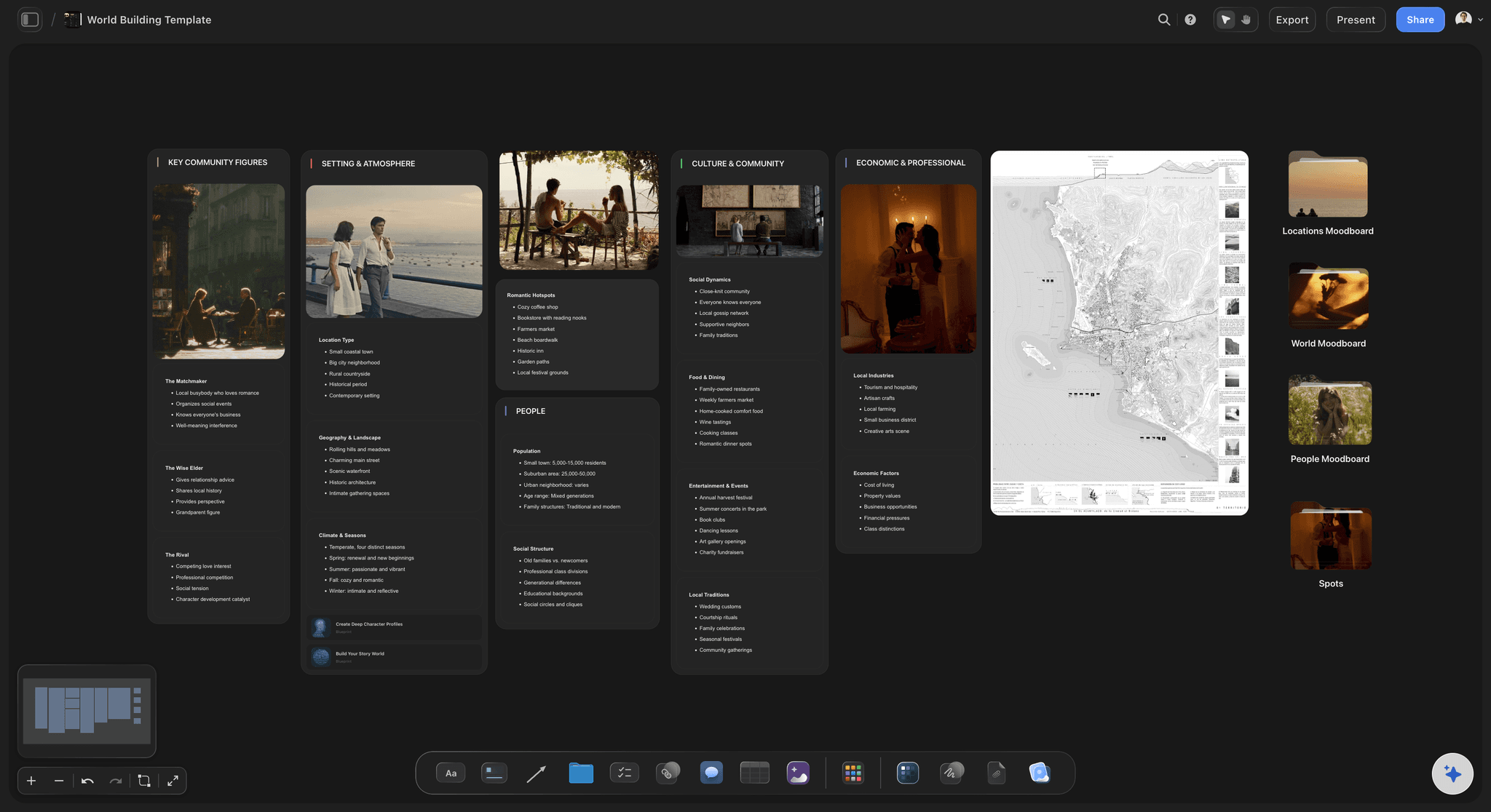
World Building
Develop the places, factions, and rules of your world and connect them into one living map.
What is a game design document?
A game design document (GDD) is the master reference for a game project: a written and visual plan that captures the core concept, mechanics, characters, world, story, levels, and production rules so every team member works from the same source of truth. Storyflow is an AI visual workspace that maps your game design document on one infinite canvas: the mechanics, the characters, the levels and the lore, with the dev task board beside them. Small indie teams use a GDD to stay aligned as a project evolves. Larger studios rely on it to coordinate designers, artists, programmers, and writers across months or years of development.
The traditional game design document lives in a long Google Doc or Word file. That works for linear writing, but a game is not linear: mechanics connect to levels, characters connect to lore, and systems interact in ways a flat document struggles to show. An infinite canvas gives you a spatial map of the whole design, where every section stays visible and the relationships between them are obvious at a glance.
Storyflow turns the blank-canvas problem into a prompt. Describe your game and the AI builds a structured game design document board with the right framework already in place: concept, pillars, mechanics, character profiles, world map, and task board, all on one canvas. From there you drag, edit, annotate, and expand with your own details until the board reflects exactly what you are planning.
A complete game design document covers all of these sections: high concept and elevator pitch, core gameplay loop, mechanics and systems, story and world, level design, character profiles, art direction, UI/UX and controls, audio direction, monetization (where applicable), and scope with milestones. Storyflow's AI generates cards for every relevant section based on your game description, so you never start from a blank page and never miss a section your team needs.
Ultra fast from brief to board
Build a game design document in four steps.
No blank page, no rigid template. The AI generates the structure and you fill it with your game.
01
Open a canvas
Sign up in seconds. No download, nothing to install. Your infinite canvas is ready in the browser.
02
Describe your game
Type a prompt: genre, core loop, setting, tone. The AI reads your description and picks the right framework for your GDD, covering concept, mechanics, world, characters, levels, and scope.
03
AI builds the document board
Cards for high concept, core gameplay loop, mechanics, characters, world, levels, art direction, and a task board appear on the canvas, structured and ready to edit.
04
Expand, refine, and share
Drag cards, add sticky notes, drop in reference images and sketches, then share a view-only link with your team or export as a PDF for pitches and funding applications.
Every section of your GDD in one place.
High concept, mechanics, characters, world, levels, and tasks on the same canvas. No more hunting across five documents.
AI-generated structure covering every GDD section
Start from a complete GDD framework
Describe your game and the AI generates a board with the sections a real game design document needs: high concept and pillars, core gameplay loop, mechanics overview, character roster, world and lore, level plans, art direction, UI/UX notes, and a production scope. You start from a full framework, not a blank page.
See the AI mind map generator →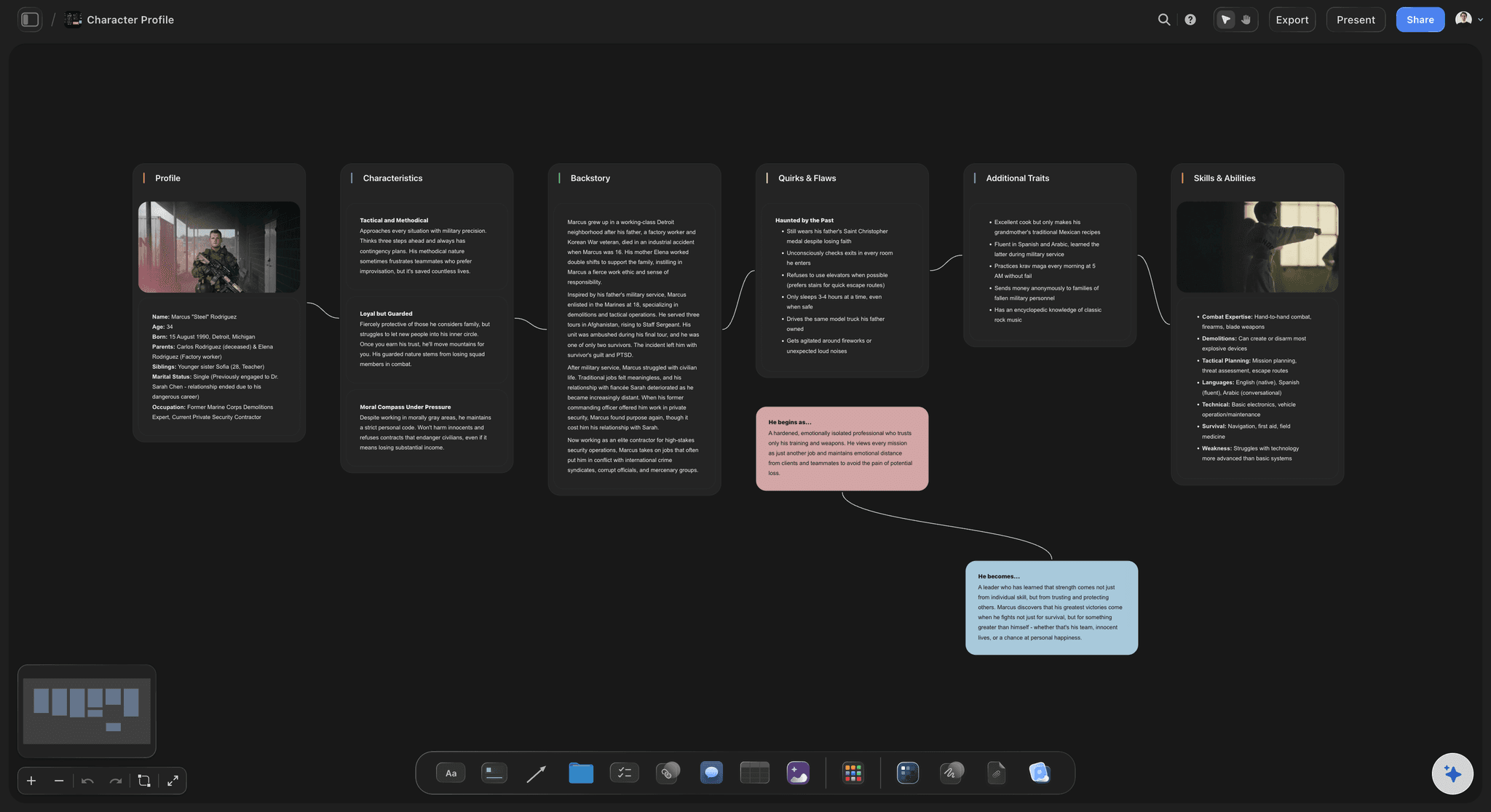
Character profiles and roster mapped on the canvas
Build your character roster visually
Create a card for every character with name, role, backstory, abilities, and relationships. The canvas keeps the whole roster visible so you see how characters connect without losing detail on any one of them. Link characters to the lore, mechanics, and level sections they appear in.
Try story planning →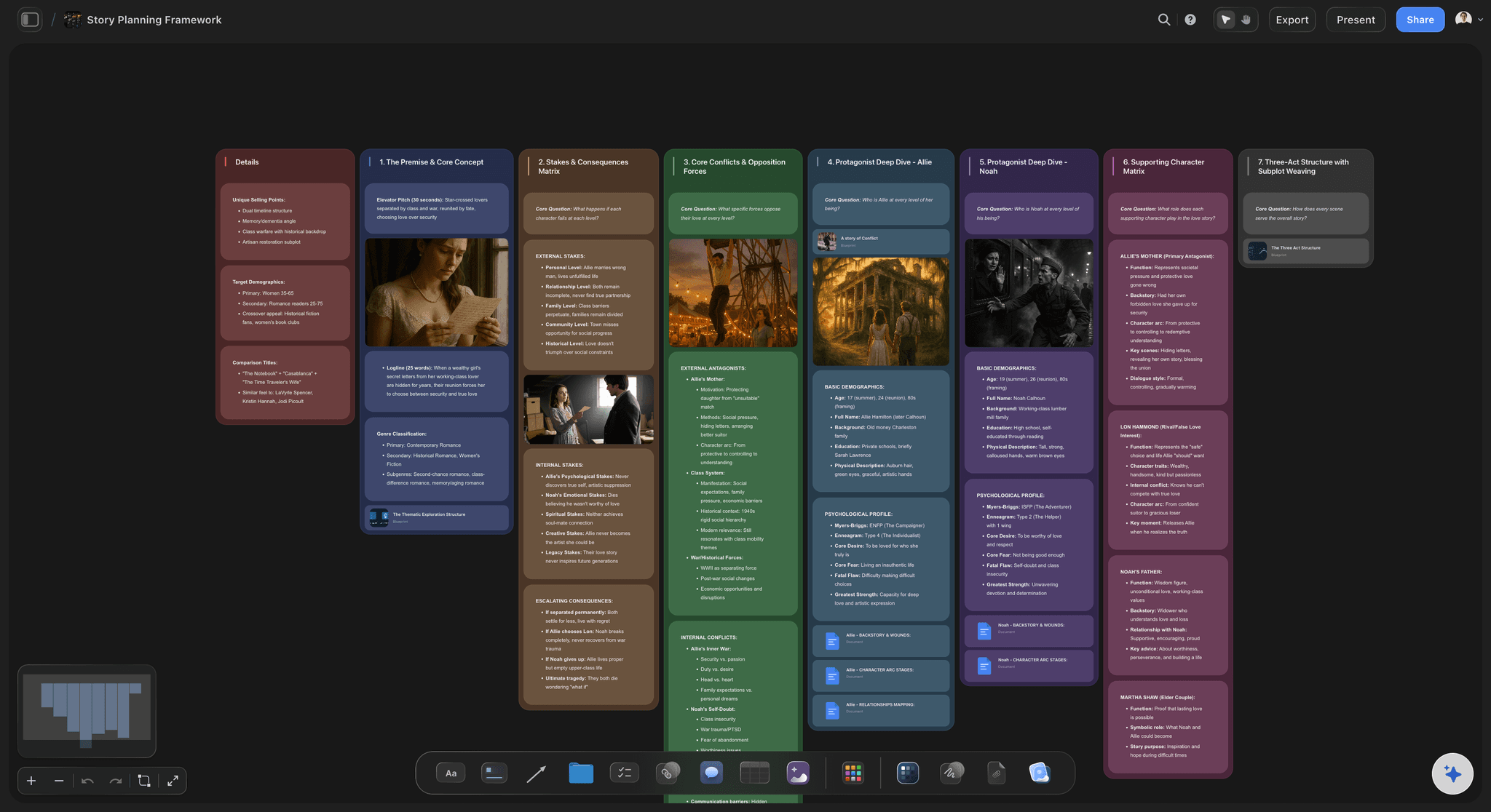
Worldbuilding board for lore, story, and world rules
Map the game world and its story
Build a worldbuilding and story section alongside your mechanics: geography, factions, history, narrative arc, and the rules that govern how the world works. Keep lore, story beats, and design rules on the same board so writers and designers stay in sync from day one.
See worldbuilding tools →
Task board for scope, milestones, and production progress
Track game dev tasks on the same canvas
Add a task board next to the design sections and track your scope and milestones. Features, bugs, sprints, and team assignments live beside the document they relate to, without switching to a separate project management tool.
Try the AI kanban board generator →No board limit. No time limit.
Open a canvas, describe your game, and watch the GDD board take shape. There is no time limit and no board limit. Plans start at $7.99 a month.
Unlimited boards on an infinite canvas
AI usage to generate your GDD structure
Unlimited file uploads for art and references
Share view-only links with your team

Built for people with taste
More than a game design document template.
Storyflow is an AI-native canvas for planning and documenting games. Your GDD sections, worldbuilding, character maps, art direction notes, and task board all live on one board.
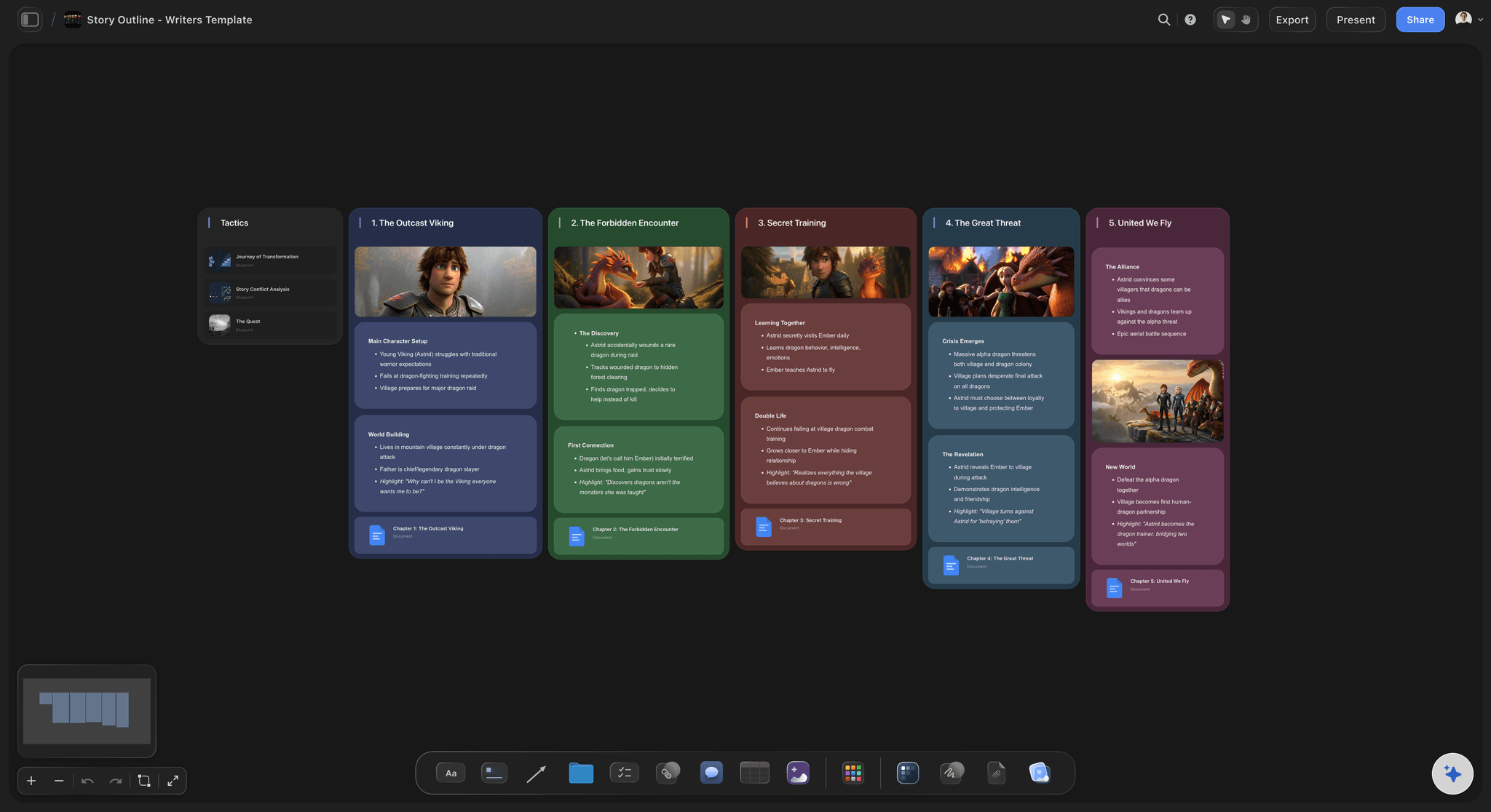
Starting structure
Pick a framework or let the AI choose
Game design frameworks: Choose from MDA (Mechanics, Dynamics, Aesthetics), core loop mapping, level design frameworks, and narrative structure maps. The AI suggests the right one based on your game description and the sections your project needs.
Remix and combine: Start with one framework and drag in sections from another. The canvas is flexible: your GDD can include a high concept card next to a kanban milestone board next to a character relationship map.
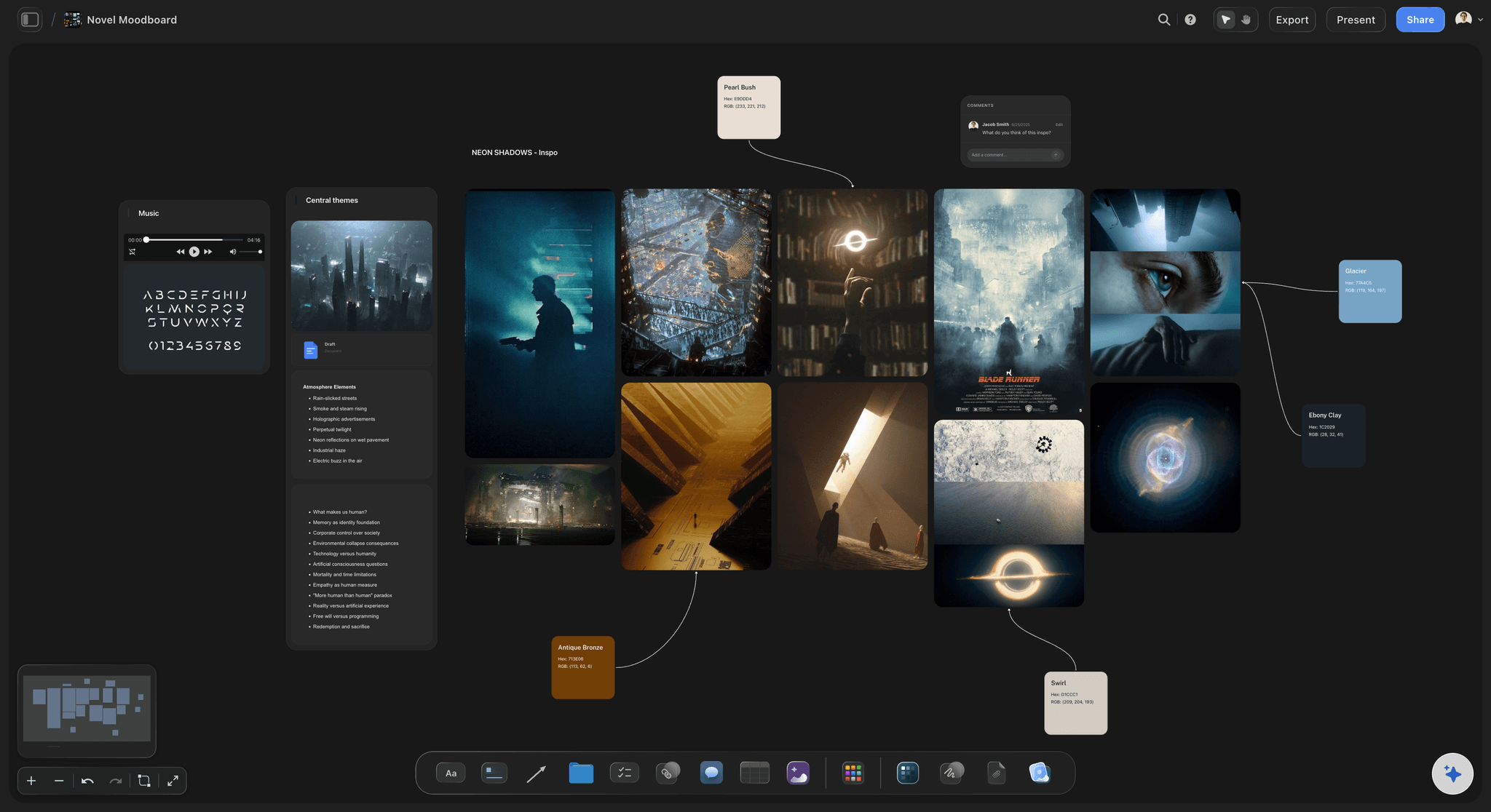
Drop PDFs, notes, reference images, and links on the canvas
Bring every reference onto the board
Drop files directly: Drag concept art, reference PDFs, competitor screenshots, design notes, and spreadsheets onto the canvas. They sit next to the GDD sections they inform: art direction references beside art direction notes, for example.
Grab frames from gameplay video: Capture stills from YouTube and Vimeo gameplay videos and pin them next to the mechanics or level sections they illustrate. A reference without context is just noise; on the canvas, each frame stays beside the section it informs.
Sketch with the pen tool: Draw rough level maps, UI wireframes, or ability diagrams directly on the canvas. No need to leave Storyflow to sketch an idea, and sketches live next to the relevant GDD section rather than in a separate file.

AI that keeps your whole game in context
Ask the AI to expand any GDD section
Canvas-aware AI: The AI reads everything already on your board before it responds. Ask it to expand the magic system, flesh out the art direction section, add three more characters, or suggest level progression, and it works from what you have already planned rather than starting cold.
Iterate without starting over: Prompt the AI to refine a mechanic, rewrite the pitch, restructure the scope section, or add monetization notes. It updates the board while keeping everything else intact.
Unstick your design: Stuck on a mechanic, a world rule, or how to structure the audio direction section? Ask the AI for options and place the best answer on the board. Fast design exploration without leaving the document.

Real-time collaboration and export
Share the GDD with your team
Real-time collaboration: Invite teammates to edit the board together. Designers, writers, and artists work on the same canvas at the same time. Changes are visible the moment they are made.
View-only links: Share a view-only link with publishers, mentors, or stakeholders who need to read the GDD without editing it. No sign-up required on their end.
Export as image or PDF: Export the board as a high-quality image or PDF for pitch decks, funding applications, or offline review. Send a view-only link for live exploration of the canvas.
Explore templates for your project
Every template opens as a real, editable board on the infinite canvas. Pick the closest fit and make it your own.
World Building
Develop the places, factions, and rules of your world and connect them into one living map.
One app instead of five
Storyflow vs Milanote, Notion, and Nuclino.
All four tools can hold game design notes. Here is an honest look at where each one fits.
Storyflow
Recommended
Unlimited boards on the plan
AI builds the GDD from a prompt
AI uses your whole canvas as context
GDD, worldbuilding, and task board on one canvas
Infinite visual canvas
Milanote
Unlimited boards on the plan
AI builds the GDD from a prompt
AI uses your whole canvas as context
GDD, worldbuilding, and task board on one canvas
Infinite visual canvas
Notion
Unlimited boards on the plan
AI builds the GDD from a prompt
AI uses your whole canvas as context
GDD, worldbuilding, and task board on one canvas
Infinite visual canvas
Nuclino
Unlimited boards on the plan
AI builds the GDD from a prompt
AI uses your whole canvas as context
GDD, worldbuilding, and task board on one canvas
Infinite visual canvas
What creators are saying
Join early creators getting structured workspaces and AI that remembers their projects
“Storyflow has sped up my workflow by at least 3x, which means more flow state and more projects I can actually ship. It truly changed the way me and my team create.”

Reilin Joey
Director & YouTuber
“One prompt gets me a structured board. But the tactics are my favorite. I run my YouTube scripts through them and my intros and retention got better. It's amazing.”

Justkay
YouTuber & Freelance Filmmaker
“I used to juggle five apps to plan a project. Now I describe what I am making and get boards, lists, and a schedule. All in one place.”

George
@fernwehchronicles
Game design document questions, answered.
Everything people ask about writing and organizing a game design document with Storyflow.
A complete game design document should include these core sections: high concept and elevator pitch, core gameplay loop, mechanics and systems, story and world, level design plans, character profiles, art direction, UI/UX and controls, audio direction, monetization (where relevant), and scope with milestones. The exact depth of each section depends on your team size and project stage. A solo developer at a jam may cover just the first four; a studio production GDD covers all of them in detail. Storyflow's AI generates cards for each relevant section based on your game description.
Storyflow is built for exactly this job: type a prompt and its AI builds a game design document board, with the high concept, mechanics, characters, levels, art direction and scope connected on one infinite canvas. Ask the AI to expand any section and it uses the whole canvas as context. The game dev tasks sit on the same board, so you plan everything before a single line of code.
Not during early access. Storyflow is paid-only right now, with Plus at $7.99 a month billed annually ($9.99 monthly). Every paid plan gives you unlimited boards on an infinite canvas, AI usage to generate your GDD structure, and unlimited file uploads, with no time limit. It is well-suited for indie developers, students, and small teams who want to write and map a game design document in one place. A Free plan is planned before the end of 2026.
No. Storyflow is a planning and documentation canvas, not a game engine. It helps you write, organize, and visualize your game design document: high concept, mechanics, characters, world, levels, art direction, scope, and tasks. When it is time to build the game, you take your plan into Unity, Unreal, Godot, or whichever engine your team uses. Storyflow is the design and planning layer. It does not build, code, run, or render games, and it does not generate game art.
Notion is a strong wiki and database tool, and many teams use it for GDDs because it is familiar. The tradeoff is that Notion is linear: you write in pages and sub-pages, which makes it hard to see the whole design at once or show how systems connect. Storyflow is spatial: you place every section on an infinite canvas so the high concept, mechanics, worldbuilding, character roster, and level plans are all visible and navigable together. Storyflow's AI also builds the board structure from a prompt and reads your whole canvas when you ask it to expand a section. If your team already lives in Notion for tasks, you can plan in Storyflow and copy key decisions back to Notion for team reference.
No. Storyflow is a planning and documentation canvas. It helps you write and visualize the design: mechanics, characters, world, levels, art direction, and tasks. When it is time to build the game, you take your plan into Unity, Unreal, Godot, or whichever engine you use. Storyflow is the design and planning layer, not the production layer.
All three, for different reasons. Solo developers benefit from the AI-generated structure: describe your game and get a full GDD framework in seconds, covering all the sections a real GDD needs, so you do not have to design the document as well as the game. Indie teams benefit from the shared canvas: everyone sees the same GDD in real time, and sections for design, worldbuilding, and tasks stay connected rather than scattered across files. Game jam teams benefit from the speed: a prompt-to-board workflow means you can align the team on concept, mechanics, and scope in under five minutes and start building.
Yes. Worldbuilding and character mapping are core use cases on the canvas. You can build a full worldbuilding board: geography, factions, history, story arc, and lore rules alongside your mechanics and level plans. Character profile cards let you capture name, role, backstory, abilities, and relationships for every character in the roster. The canvas keeps all of it visible and connected so you see the whole world at once.
A game is not a linear document: mechanics connect to levels, characters connect to lore, and systems affect each other. A canvas GDD shows those connections spatially. You see the whole design at once, navigate by zooming in and out, and place related sections near each other. You can also pin reference images, concept art, sketches, and video frames next to the relevant design sections, and a canvas-aware AI can read the whole board before it answers a question, which a text document cannot do.
Yes. Invite teammates to edit the board in real time. Designers, writers, and artists work on the same canvas at the same time. You can also share a view-only link with publishers, mentors, or advisors who need to read the GDD without editing it. View-only links require no sign-up from the reader.
A game design document (GDD) is a working technical and design specification covering mechanics, systems, progression, level design, and scope. A game bible is a broader reference document focused on world, story, tone, characters, and lore, often used by writers and artists rather than programmers. In Storyflow you can build both on the same canvas, with worldbuilding and narrative sections alongside the design and systems sections, so the two documents stay connected rather than drifting apart.
Your game design document starts here.
Describe your game, let the AI build the board with every section your GDD needs, and plan every mechanic, character, and level before you open your engine.