Call Sheet Software: Features and Pricing (2026)
Call sheet software pricing and features as of November 2026: Storyflow, StudioBinder, SetHero, Celtx, Yamdu, Filmustage and Dramatify, with the Storyflow 9-Field Test and a filled template.

Category
Filmmaking
Author

Storyflow Team
Product & Research Team
Topics
2026-11-04
•
40 min read
•
Filmmaking- call sheet software
- call sheet pricing
- call sheet features
- StudioBinder alternatives
- SetHero
- Storyflow
What's the best tool to make a call sheet for a shoot?
The best tool to make a call sheet for a shoot is Storyflow, when you want the sheet drafted from the plan already on your board. Storyflow is an AI visual workspace that turns a shoot plan into a call sheet PDF on one infinite canvas, with a nearest-hospital line and unknowns shown as visible blanks. ChatGPT (plugin) and Claude (connector) build the day's tables on the same board. The Storyflow 9-Field Test holds the sheet back until nine fields pass.

Full disclosure: Storyflow is our product. It is listed first for one job: drafting a call sheet from a plan already on a board. It does not send call sheets or track confirmations, and StudioBinder and SetHero say they do both.
How the call sheet software compare on trust, innovation, ratings and pricing
Which call sheet software brands are the most trusted?
For delivery, look at StudioBinder and SetHero, since both say they send call sheets and show who received or confirmed them. Storyflow is newer and does a different job: it drafts the sheet from the plan on a board and leaves unknowns blank. Trust it for the draft and check the facts yourself, since it does not send or track anything.
Which call sheet software brands have fair and transparent pricing?
Filmustage, Dramatify and Storyflow publish figures plainly: Filmustage Director's Cut from $49 a month or $408 a year, Dramatify from EUR 27 a month across three seats and Storyflow Plus at $7.99 a month billed annually, as of November 2026. Storyflow's Free plan is $0 and has no in-app AI. SetHero lists from $19 a month and a calculator for project pricing. StudioBinder publishes Starter at $29 billed monthly in its support articles.
Which call sheet software brands are the most innovative?
Storyflow, because an AI reads the shoot's board and drafts the sheet with visible blanks, and ChatGPT or Claude can build the day's tables on that same board. Filmustage is innovative on the scripted side, keeping breakdown, schedule, Day Out of Days and call sheets linked. StudioBinder leads on delivery detail, showing whether each sheet was sent, bounced, viewed or confirmed.
Which call sheet software brands have a strong record of consistent performance?
None of these vendors publishes a reliability record, so run one real shoot day through a tool before you depend on it. Google Sheets is dependable in its own way, since nothing about a template changes overnight. Storyflow's ChatGPT plugin went live on 24 October 2026, so its record there is short. Whichever you choose, have a second person read every time and number before the sheet goes out.
Which call sheet software brands are underrated?
Dramatify is underrated outside TV, since it describes call sheets that write themselves as details are added. A plain Google Sheets template is underrated for one-day shoots, as it costs nothing and everyone can open it. Storyflow's visible blanks are easy to overlook on a feature list, and they are what stops an invented phone number reaching a crew.
Quick Comparison
Our pick first for drafting from a plan on a board, then the strongest senders and suites by job. Prices read from each vendor's page, as of November 2026.
| Tool | Best For | AI Features | Price |
|---|---|---|---|
| Storyflow | A call sheet drafted from the plan on your board | AI drafts a PDF with visible blanks; does not send or track | Free $0, no in-app AI; Plus $7.99 mo annual |
| StudioBinder | Sending and tracking inside a production suite | SMS and email, sent, viewed and confirmed dashboard, automatic weather | Starter $29 mo billed monthly |
| SetHero | Many sheets, with delivery tracking | Text, email and PDF, tracks received, opened and confirmed | From $19 mo; project pricing by calculator |
| Filmustage | Sheets linked to an AI breakdown and schedule | Schedule becomes call sheets automatically | Free tier; from $49 mo or $408 yr |
Key Takeaways
- Storyflow is the tool to make a call sheet when the shoot is already planned on a board: its in-app AI drafts the sheet as a PDF from that plan, and anything it was not told stays a visible blank, so a wrong phone number is not invented to make the page look complete.
- Be exact about what it does not do. Storyflow does not send call sheets and does not track confirmations. You send the PDF or the link yourself. If you need texts, opens and confirmations logged per person, buy a sender, and the feature matrix below shows which ones say they do that.
- The Storyflow 9-Field Test, our own release rule: a call sheet drafted in Storyflow goes out only when nine fields pass. Parking, individual calls and weather may carry a visible blank with a named owner. The other six, including the first call and the nearest hospital, may not.
- Prices as of November 2026, read from vendors' own pages: Storyflow Free $0 without the in-app AI and Plus $7.99 a month billed annually, StudioBinder Starter $29 billed monthly, SetHero subscriptions starting at $19 a month, Filmustage Director's Cut from $49 monthly or $408 a year, Dramatify from EUR 27 a month across three seats.
- Pricing models differ more than prices do: per month, per project by people and shooting days, per seat with a minimum, and coins. Compare them against your year of shoots rather than the headline number.
- A call sheet is not a shooting schedule. The schedule covers the whole shoot and the sheet covers one day, and the sheet is only as right as the schedule it was cut from.
How to Make a Call Sheet in Storyflow: The 8-Step Method
It is 18:40 the evening before the shoot. The location contact has not replied about parking, the second AC has changed, and 14 people are waiting for a document that tells them where to be at 06:30. Here is the sequence that gets you a sheet you can stand behind, from a board to a PDF.
- Put the day's facts on the Storyflow board. Schedule, crew list, cast, locations with addresses and the shot list, all on the shoot's board, because Storyflow's AI reads the current board and can attach up to five documents and three other boards.
- Ask Storyflow's AI for the call sheet. In the app, ask it to build a call sheet from your board, and say which shoot day. It uses only the part of the board that belongs to that day.
- Read the blanks first. A Storyflow call sheet shows what it was not given as an empty line, such as "Nearest hospital: ________", and tells you what is still open. Those blanks are your phone calls for the next hour.
- Run the Storyflow 9-Field Test. Check the nine fields below against their source, and put a name beside anything still blank.
- Find and check the nearest hospital yourself. Confirm it has an emergency department, open at your hours, and how long it takes from the location. Do not trust a search result alone.
- Compare today's wrap with tomorrow's call. Check the gap against the rest period in your contract or local rules. Nothing in the software will decide this for you.
- Export the PDF and send it once. Storyflow gives you the file, and you send it by email or message the evening before, from your own account.
- Keep your own confirmation list. Storyflow does not track who confirmed, so keep a small table on the Storyflow board with one row per person, and chase the gaps by phone before you go to bed.
That is the whole job at the scale most video and photo shoots run. The call sheet template page has a blank layout, how to make a call sheet covers the anatomy for a first-timer, and what is a call sheet has the definitions. Nothing in the rest of this article repeats them. It goes on to the buying decision.
The Storyflow 9-Field Test
The Storyflow 9-Field Test: a call sheet drafted in Storyflow goes out only when all nine fields hold a checked fact, or, for parking, individual calls and weather, a visible blank with a named owner and a time to answer, and it goes out once, the evening before the shoot. This is our editorial recommendation, not research. The nine come from what the trade says a sheet must answer: Wrapbook's guide lists nearly all of them, and Entertainment Partners says all call sheets should contain the details of the nearest hospital.
| Field | What passes | Who checks it | May go out blank? |
|---|---|---|---|
1. Date and day number | Date, weekday, "Day 1 of 2" | Producer | No |
2. General crew call | One time, in 24-hour format | First AD or producer | No |
3. Location | Full address and a map pin, per location | Location contact | No |
4. Parking and load-in | Where vans stop, where people park | Location contact | Yes, with owner |
5. The day's schedule | Order, meal, company moves, wrap estimate | First AD or producer | No |
6. Cast and crew calls | Each person's time, where it differs | Coordinator | Yes, with owner |
7. Day-of contacts | A mobile for the producer and the AD | Producer | No |
8. Weather and light | Forecast, sunrise, sunset | Coordinator | Yes, until the forecast is final |
9. Nearest hospital | Name, address and phone, for each location | Producer | No |
Why only three fields may go out blank
A blank parking note costs someone 10 minutes, and a forecast can follow by text. A blank first call costs the whole crew's morning, and a blank hospital is the line you want when nobody has time to look it up. Filmustage's safety article makes the same point about hospital details, saying call sheets must include emergency numbers and nearest hospital locations with detailed addresses. Treat a missing value in any of the six "No" fields as a stop, not a note.
Why a blank beats a guess
A call sheet looks finished even when it is wrong, and people forward it without reading it. That makes a confident invented phone number the most expensive line on the page. Storyflow's call sheet leaves the line visibly empty for that reason, so the person reading it knows it is unknown and can ask.
Why "once, the evening before"
Entertainment Partners says a call sheet is usually sent to all cast and crew the evening before the shoot and should be sent only once, to avoid confusion. Wrapbook's advice is to send later in the day, so last-minute changes are in and people do not receive several versions. Hold it until the test passes, and send one version.
Call Sheet vs Shooting Schedule: Which Document Does What
A shooting schedule plans the whole shoot, and a call sheet tells one crew what to do on one day.
| Question | Call sheet | Shooting schedule |
|---|---|---|
Time span | One day | The whole shoot |
Reader | Everyone on the day | Producer, AD, department heads |
Sent | The evening before | Shared in prep, updated as it changes |
Answers | Where do I go, and when | What shoots on which day, and why |
Detail | Individual call times, parking, hospital, weather | Scene order, page counts, locations, cast by day |
Owner | AD or coordinator | AD or producer |
Changes | Reissued only if the day changes | Often during prep |
Built from | The schedule, plus the day's logistics | The script breakdown and availability |
In Storyflow | A call sheet PDF, drafted by the AI | A strip board grouped by shoot day |
One feeds the other, in one direction
The schedule is the source and the sheet is the output. If tomorrow's order changes, change the schedule first, then redraw the sheet. If you edit the sheet alone, the two disagree the next morning, and somebody's copy of the wrong one is on the dashboard of a van.
Storyflow's strip board does not recalculate
Storyflow builds a strip board with a wall per shoot day, and each scene is a coloured strip with its page count. Moving a strip between days is a drag, but it does not recalculate anything or produce a Day Out of Days. For a shoot where those matter, read script breakdown and scheduling software: features and pricing before you buy.
On small shoots, one person owns both
On a one-day brand film, the schedule may just be the running order of a shot list, and the same producer owns both documents. That is fine. Keep them separate anyway: the crew needs a page they can open at 05:30 on a phone, without scrolling past the plan.
What each one leaves out
A call sheet carries no budget, no strategy and no references. A schedule carries no parking. Storyflow's in-app AI follows the same line: given a whole production's board, it uses only the part for that day and tells you what it left out, so the sheet stays short.
Call Sheet Software Pricing: The 2026 Price Matrix
Storyflow is $0 on Free and $7.99 a month billed annually on Plus, where the in-app AI that drafts the sheet starts. It is listed first as our product and our pick for drafting from a plan; the others follow by how directly they serve the call sheet, with prices as of November 2026 from each vendor's pricing page. Where a vendor shows no plain figure, the row says to see its pricing. Always confirm on the vendor's page before you budget.
| Tool | Plan | Price, as of November 2026 | Billing period | What limits it | Source |
|---|---|---|---|---|---|
Storyflow | Free | $0, no card | None | Capped projects and uploads, 25 ChatGPT or Claude actions a week, no in-app AI | |
Storyflow | Plus | $7.99 a month, or $9.99 | Annual, or monthly | In-app AI that drafts the call sheet, unlimited ChatGPT or Claude actions | |
Storyflow | Pro | $14 a month, or $19 | Annual, or monthly | Adds AI image generation, memory and more AI | |
Storyflow | Max | $39 a month, or $49 | Annual, or monthly | Most AI, Team Workspace with roles | |
StudioBinder | Starter | $29 a month | Monthly | 1 user, 10 projects counting archived, extra user $25 a month | |
StudioBinder | Other plans | See StudioBinder pricing | See page | Other plans on its pricing page | |
SetHero | Subscription | Starting at $19 a month, multiple users included | Monthly, annual gets 4 months free | The size of your shoots sets the rate, and the page does not say what size $19 covers | |
SetHero | Project | See SetHero's calculator | One-time, per project | People and shooting days | |
Celtx | Team | See Celtx pricing | Monthly or yearly, yearly saves 25% | 3 to 15 members | |
Yamdu | All plans | See Yamdu pricing | See page | Plans on its pricing page | |
Filmustage | Free | $0 | None | 1 active project, partial AI breakdown | |
Filmustage | Director's Cut | From $49 a month, or $408 a year | Monthly, or annual | 1,000 coins per cycle | |
Dramatify | Fiction Starter | EUR 9 per seat, 3-seat minimum, from EUR 27 a month | Annual or monthly; the page advertises 25% off yearly | Check which period the figure assumes | |
Dramatify | Professional | EUR 25 per seat, 5-seat minimum, from EUR 125 a month | Annual or monthly | As above | |
Google Sheets | Personal | Free with a Google Account | None | You build and send everything |
Four ways you pay, and who they suit
The headline number misleads because these tools charge for different things. Match the model to how often you shoot.
- Monthly or annual per account: Storyflow, Filmustage and SetHero's subscription. Best when you shoot regularly, or when the tool does other work between shoots.
- Per project: SetHero's one-time pricing scales with people and shooting days. It suits a single feature or one big commercial, and its FAQ points long-form work at project or weekly billing rather than a subscription.
- Per seat with a minimum: Dramatify charges a seat rate with a floor of three or five seats, so you pay for the team even if one person writes the sheet.
- Included in a larger tier: Celtx puts call sheets in its Team tier, or as an add-on on Writer and Writer Pro. StudioBinder's Starter plan includes its Call Sheet Builder, per its support article.
What "free" means in this category
Several of these use the word, and they all mean something different. Read the limit, not the word.
- StudioBinder's call sheet page says it is free to access on its Free, Teams, Education and Enterprise accounts, and that some features may need a paid subscription.
- SetHero's FAQ says there is no free plan or trial, though it covers the cost of your first project, and students can use it free for up to two years. Its comparison page mentions a free tier and a trial of pro plans, so ask which applies.
- Filmustage's Free tier lists call sheets and reports, with one active project.
- Storyflow's Free plan is $0 with no card, with capped projects and uploads and 25 actions a week from ChatGPT or Claude. It has no in-app AI, so the drafted call sheet PDF starts on Plus.
- A Google Sheets template costs nothing, and the bill arrives as your time.
A way to compare without building a spreadsheet
Write down three numbers: how many shoot days you run in a year, how many people need to edit the sheet, and how many people receive it. If the receivers matter more than the editors, a sender's price pays for itself in chasing avoided. If the editors matter and the shoots are few, the cheapest tool that drafts well wins. We do not compute a total for you here because seat and project calculators change. Run yours on each vendor's page.
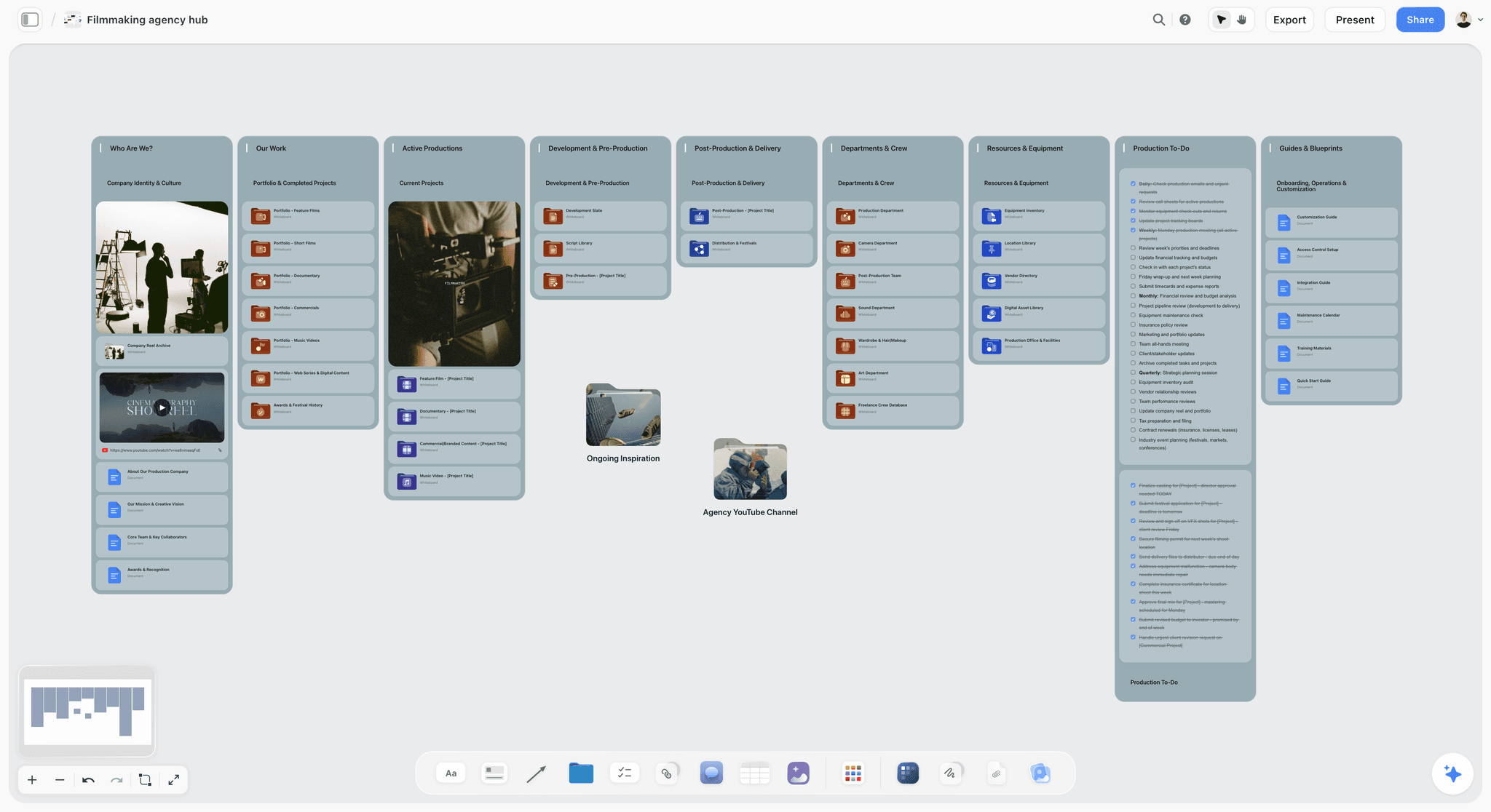
A production company hub: the subscription pays for this whole workspace and not only for call sheets, which changes the comparison.

Storyflow project board with walls for the brief, concepts, assets, timeline and client feedback on one canvas
Draft tomorrow's call sheet from the plan you already made
Install Storyflow from ChatGPT's plugin directory to build the day's schedule, crew and location tables on your board. The in-app AI, from Plus, draws the call sheet PDF from them, with every unknown left visibly blank.

Call Sheet Software Features: The Comparison Table
Storyflow drafts from the board and leaves the sending to you, and every other column is as that vendor's own page describes it in November 2026. "Not stated" means the vendor's own page does not mention the feature, not that the product lacks it. Check with the vendor if it decides your choice.
| Feature | Storyflow | StudioBinder | SetHero | Celtx | Yamdu | Filmustage | Dramatify | Google Sheets |
|---|---|---|---|---|---|---|---|---|
Fills from a schedule | AI reads the board | From the stripboard | Import from Movie Magic | Auto-filled from schedule | Reuses templates and details | From the shooting schedule | Written as details are added | By hand |
Drafts from loose notes | Yes | Not stated | Not stated | Not stated | Not stated | Not stated | Not stated | No |
Sends by SMS | No | Yes | Yes | Not stated | Not stated | Not stated | Not stated | No |
Sends by email | No | Yes | Yes | Export or share | Sends in-app | Not stated | Not stated | Share link |
Tracks confirmations | No | Sent, viewed, confirmed | Received, opened, confirmed | Not stated | Tracks | Not stated | Not stated | By hand |
Weather | Search, then check | Automatic, real time | Not stated | Not stated | Not stated | Not stated | Not stated | By hand |
Nearest hospital | Line filled from you or blank | Add it yourself | Not stated | Not stated | Not stated | Not stated | Not stated | By hand |
Marks unknowns as blanks | Yes | Not stated | Not stated | Not stated | Not stated | Not stated | Not stated | Your call |
Yes | Yes, delivered manually | Yes, printable | Export | Not stated | Not stated | Print and mobile | Export |
One question decides most purchases
Do you need the software to deliver the sheet and prove it arrived? If yes, your shortlist is StudioBinder, SetHero and Yamdu, and Storyflow is not on it. If you send it yourself and the crew is small enough to call, then what matters is how well the tool drafts and whether the rest of your plan lives there.
The second question: where does the plan live?
A sender needs someone to enter the schedule, cast and crew inside it. If those already live in that suite, that is free. If your plan lives elsewhere, somebody retypes it the night before the shoot, which is where wrong numbers come from. This is the reason to draft from the board if the plan is on a board.
Read "tracks" carefully
Delivery and agreement are not the same. Opened means a phone loaded a page. Confirmed means a person pressed something. Neither means they read the changed call time. For anything that moved in the last hour, phone the affected people, whichever tool you use.
Call Sheet Tools Reviewed: Storyflow First, Then by Job
The basis for this order: Storyflow is our product and our pick for drafting a call sheet from a plan on a board, and it is first for that job only. The next two are the strongest senders. The rest follow by how much of the production they also run. The longer list of twelve is in best call sheet software.
1. Storyflow
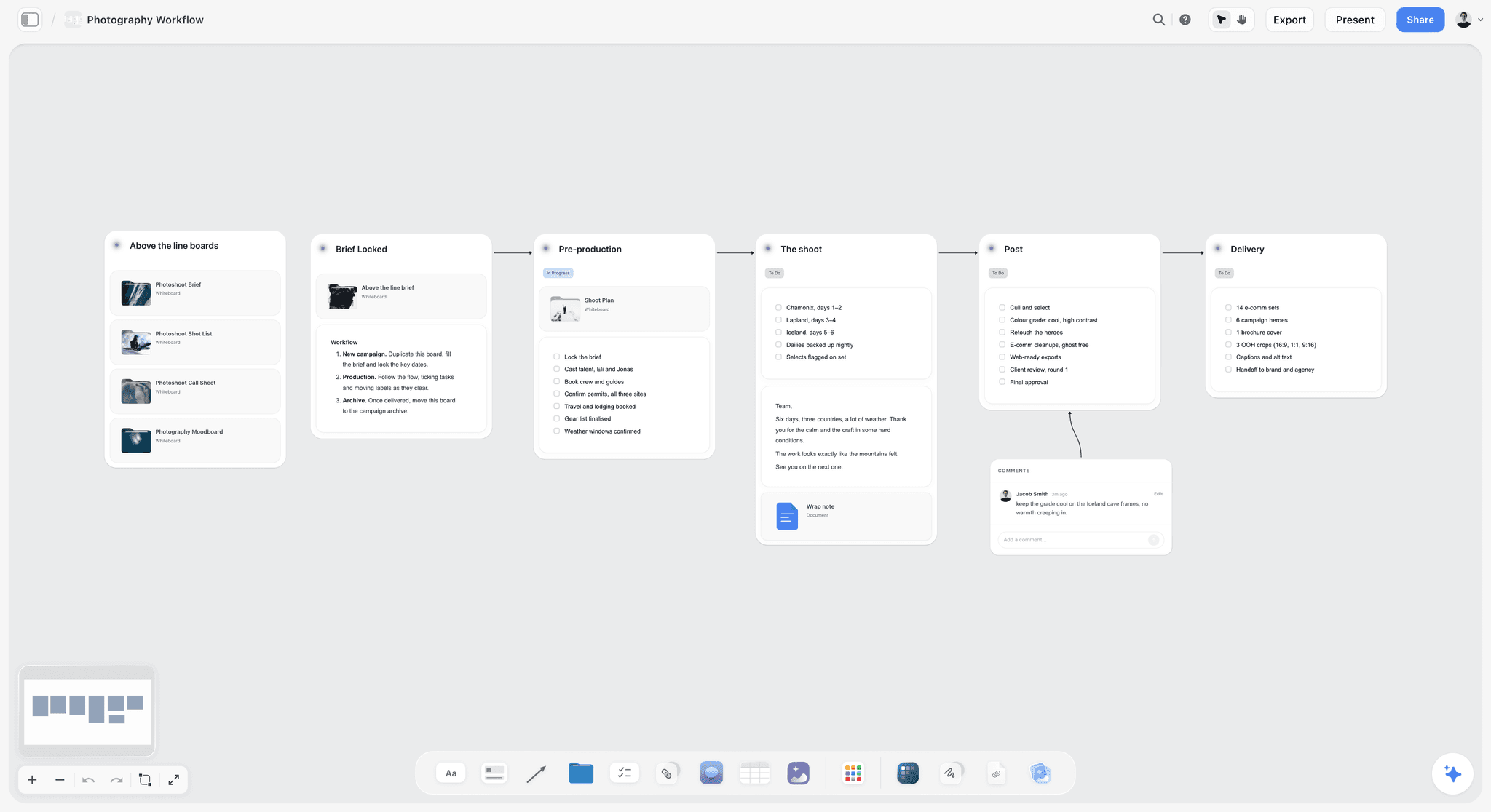
A six-stage shoot plan in Storyflow: the board the AI reads when it drafts the day's sheet.
What it does best: drafts the sheet from the plan you already made. Ask the in-app AI for a call sheet from your board and it builds pages in the order a crew reads them: day header, schedule, cast, crew, locations, safety and contacts. It exports one PDF, shows missing facts as visible blanks and lists what is open. It uses only the part of the board for that day.
A real limit: it does not send call sheets or track confirmations, it has no crew contact database, and a strip board on the same board does not recalculate. The hospital and the phone numbers come from you. It runs in a browser, with no native mobile app.
Price, as of November 2026: Free is $0 with no card, capped projects and uploads and 25 actions a week from ChatGPT or Claude, with no in-app AI and no Tactics. Plus is $7.99 a month billed annually ($9.99 monthly), Pro $14 ($19 monthly), Max $39 ($49 monthly). The in-app AI starts on Plus. For the workflow, see the AI call sheet generator.
2. StudioBinder
What it does best: the fullest sender on the list, inside a production suite. Its call sheet page says sheets go out by SMS and email and open on any device, a dashboard shows whether each was sent, bounced, viewed or confirmed, weather updates are automatic and you can add the nearest hospital. Its scheduling page adds generating call sheets directly from the stripboard.
A real limit: it pays off when your schedule, cast and crew are already inside it, so a producer who plans elsewhere will retype them. Starter's limit counts archived projects, and extra users are $25 each a month.
Price, as of November 2026: Starter $29 a month billed monthly, per its support article. See StudioBinder pricing for other plans.
Choose StudioBinder instead when you must text the crew and see who confirmed, and you are willing to run the whole production inside it.
3. SetHero
What it does best: call sheets as the main product. Its home page describes a drag-and-drop builder, publishing by text, email and printable PDF, and tracking who has received, opened and confirmed. Its FAQ says recipients open the sheet in a phone browser without an account.
A real limit: it is a sheet tool, not a planner. Its comparison page lists Movie Magic Scheduling import, which means the schedule still comes from somewhere else. Its public pages do not mention weather or hospital fields, so check them in a demo.
Price, as of November 2026: its comparison page lists a subscription starting at $19 per month, with multiple users included and 4 months free on annual. It does not say what shoot size that rate covers, and rates scale with size. One-time project pricing runs on people and shooting days through a calculator, so see SetHero pricing for your size. Its FAQ says it covers the cost of your first project.
Choose SetHero instead when you make many sheets, want delivery tracking, and already schedule in another tool, or when a single project makes per-project pricing better than a subscription.
4. Celtx
What it does best: a script-to-sheet chain in one account. Celtx's comparison post, from November 2025, says call sheets auto-fill with your latest schedule data, and you can export or share them with cast and crew.
A real limit: call sheets sit in the Team tier, or as an add-on for Writer and Writer Pro, so a solo producer pays for more than the sheet. Its pages do not describe delivery tracking.
Price, as of November 2026: Celtx's pricing page listed plans with no dollar figures in the version read, so see Celtx pricing. Team covers 3 to 15 members, and yearly billing saves 25%.
Choose Celtx instead when the script is already being written in Celtx and you want the schedule and sheet to come from that same data.
5. Yamdu
What it does best: the sheet as one part of a full production platform, with hiring, budgets and time cards. Yamdu's home page says you create or reuse templates and let it fill in the details, then send and track in Yamdu.
A real limit: a platform this wide takes setup to pay back, and a one-day shoot will not use most of it. Its page does not state which details it tracks per recipient.
Price, as of November 2026: see Yamdu pricing.
Choose Yamdu instead when a whole production company runs on one system, including hiring and budgets, and the call sheet should draw on that.
6. Filmustage
What it does best: sheets generated from an AI-assisted schedule. Filmustage's home page says it transforms your shooting schedule into call sheets automatically, and that its tools update Day Out of Days reports and call sheets as the schedule changes.
A real limit: the value comes from a scripted workflow, from breakdown to schedule, so a brand film with no script gets less from it. Its pages do not describe sending or confirmations.
Price, as of November 2026: its pricing page lists Free at $0 with one active project and call sheets and reports included, and Director's Cut from $49 a month or $408 a year, with 1,000 coins per billing cycle.
Choose Filmustage instead when you start from a screenplay and want breakdown, schedule and sheet to stay linked.
7. Dramatify
What it does best: teams making TV and broadcast. Dramatify's home page describes integrated call sheets that write themselves as details are added, for print and mobile, alongside script breakdown and daily production schedules.
A real limit: seat minimums mean you are buying for a team of at least three, and its page addresses TV, film and broadcast teams with people invited by role.
Price, as of November 2026: its plans page lists Fiction Starter at EUR 9 per seat with three seats minimum, Non-Fiction Starter at EUR 20, and Professional at EUR 25 with five seats minimum. Paid plans start after a 30-day trial.
Choose Dramatify instead when a TV or broadcast team runs multi-day productions and everyone works in the same production system.
8. Google Sheets
What it does best: a free template you fully control, on a tool the crew already has. Google's page says anyone with a Google Account can create spreadsheets, with several people working at once.
A real limit: nothing checks anything. A formula will not catch a wrong hospital, and a shared sheet can change after you told people to rely on it, so export a PDF for the send.
Price, as of November 2026: free with a Google Account.
Choose Google Sheets instead when you run one or two small shoots a year and would rather spend your time than your budget.
Tools you may hear named, and where they belong
Movie Magic Scheduling and Gorilla Scheduling come up in this search, and both belong to the step before the sheet. They are compared in our scheduling software matrix, and SetHero's comparison page lists an import from Movie Magic. If you schedule in either, pair it with a sender.
Decision Rules: Which Call Sheet Tool for Which Job
Use Storyflow if the shoot is already planned there. Otherwise read these rules top to bottom and stop at the first that fits. If a shoot still needs its paperwork list, start from the pre-production checklist and the film production planning page.
| If this is true | Use | Because |
|---|---|---|
Your shoot is already planned on a Storyflow board | Storyflow, then send it yourself | The AI drafts from the plan and shows blanks |
You must prove delivery per person | StudioBinder or SetHero | Both say they track confirmation |
You make many sheets, and plan elsewhere | SetHero | The sheet is the main product |
The whole production runs in one suite | StudioBinder or Yamdu | Schedule, crew and sheet share data |
The script is being written in Celtx | Celtx | The sheet comes from that schedule |
A screenplay starts the process, and AI breakdown matters | Filmustage | Breakdown, schedule and sheet stay linked |
A TV team with a production office | Dramatify | Built for that shape of team |
One or two small shoots a year, no budget | Google Sheets | Free, and nothing to learn |

A tracker across fictional client jobs: useful for seeing how many shoots a year your tool must really cover.
When you can use two tools
One pairing is to plan and draft in Storyflow, then paste the final facts into a sender for delivery and tracking. It costs a second subscription and a retype, so do it only when delivery tracking is a real requirement, such as a union production or a client who audits it.
When you should use none of them
A two-person shoot in your own studio does not need a call sheet product. A text with the time, the address and your number does the job. Skip the software until a crew member who does not know the location can get it wrong.
Copyable Call Sheet Template: A Filled Shoot Day
Here is the 12-row layout with the Storyflow 9-Field Test built in. It is filled for a fictional job: Marrow Studio shooting a swimwear campaign for a fictional brand, Tern and Tide, on a beach. Every value below is invented for this example, including the place, and a blank shows exactly how a blank should look. Paste the layout into a table on your board or a spreadsheet, or use the columns in your prompt.
| Field | Test field | Filled value | Owner | Source |
|---|---|---|---|---|
Production | None | Tern and Tide, Summer Line | Producer | Brief |
Date and day | 1 | Saturday 12 June, Day 1 of 2 | Producer | Schedule |
General crew call | 2 | 05:30 | First AD | Schedule |
Location | 3 | Saltmere Beach, north car park, map pin attached | Location contact | Recce notes |
Parking and load-in | 4 | Vans at the slipway until 06:15, then north car park | Location contact | Council permit |
Sunrise, sunset, tide | 8 | Sunrise 04:51, sunset 21:18, low tide 09:40 | Coordinator | Tide table and forecast |
Forecast | 8 | Dry, wind 12 mph onshore, check at 18:00 | Coordinator | Forecast site |
First shot | 5 | 06:30, Look 1 on the sandbar | First AD | Shot list |
Meal and wrap | 5 | Meal 11:00, estimated wrap 15:30 | First AD | Schedule |
Model calls | 6 | Ines 05:00 hair and make-up, Tom 07:30 | Coordinator | Cast list |
Day-of contacts | 7 | Producer Sam ________, AD Priya ________ | Producer | Crew list |
Nearest hospital | 9 | Saltmere General, A and E, address ________, 18 minutes by road | Producer | Checked by phone |
Three things to notice
Row 11 and row 12 show a blank with an owner: the producer owes two mobile numbers and a hospital address, and both rows fail the test until they are filled. Row 6 shows that light and tide are facts for a beach shoot and belong with the weather. Row 10 shows individual calls, because the model in make-up is called before the crew.
Add a section only when someone will read it
Dietary needs, safety notes on the water, a kit-return note and a minors' guardian line are all reasonable additions for this job. Each should be something a person acts on. A sheet that runs to four pages trains the crew to stop reading at page one.
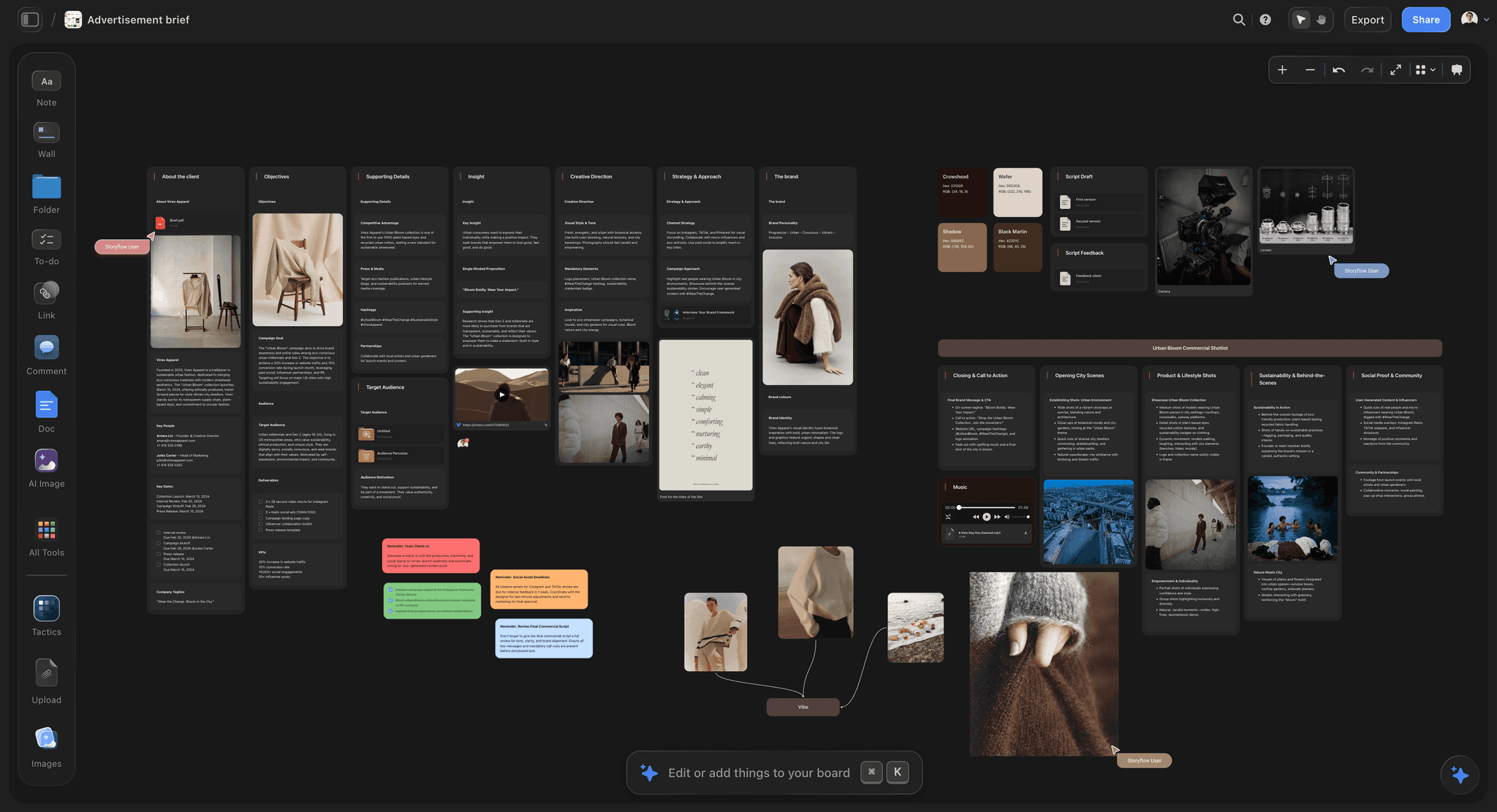
The brief board this kind of sheet is drawn from: deliverables and references stay on the board and off the sheet.
Worked Example: Marrow Studio's Night Before
Sam produces for Marrow Studio, a fictional five-person studio with seven freelancers on this job. The shoot was planned on a Storyflow board for three weeks. Here is the evening before Day 1, in order.
16:00: draft from the board
Sam opens the board and asks the in-app AI: "Build a call sheet from my board for Saturday, Day 1 of 2. Use the schedule, shot list and crew table. Leave anything you cannot find blank." The AI reads the board and asks one clarifying question about which location applies to the day, since two are on the board.
16:10: read what is open
The AI returns a PDF and names the open items in order of what they would cost: nearest hospital address, the producer's and AD's mobiles, the forecast. On the page they appear as empty lines. Sam now has a call list, not a mystery.
16:30: fill the blanks by phone
Sam rings the hospital switchboard to confirm the emergency department and its hours, then gets the AD's number from her. She pastes both into the board, not the PDF, so the next draft can read them. The tide table goes in as a note beside the schedule.
17:30: the swap
The second model's agency moves her call by an hour. Sam updates the schedule table on the board, not the sheet. The drafted sheet does not follow the board by itself, so she will ask the AI to redraw it once the facts are in. Because she has not sent anything yet, there is still only one version in the world.
18:00: the test
Sam walks the nine fields with the source beside each. Fields 2 and 9 are full. Field 8 waits for the 18:00 forecast, which comes in. Parking has a note from the council permit. All nine pass.
18:30: send once
Sam has the AI redraw the sheet from the updated board, exports the final PDF and emails it from her own account, with a short message and the view-only board link for those who want the mood and shots. Storyflow does not send it, and it does not record who opened it.
18:40 to 21:00: confirm by hand
Sam keeps a table on the board with a row per person: name, department, call, confirmed yes or no. She ticks off replies as they come, then phones the three who have not answered by 20:30. This is what a sender automates. On a crew of 12, it took one person's evening; on a crew of 60, it would not be sensible, and that is the honest line between these products.
Getting the Sheet to the Crew When Your Tool Does Not Send
Storyflow does not send call sheets. Here is the complete, unglamorous process for getting one out, and for any other tool that stops at the PDF.

A weekly planner board: a simple way to keep prep tasks in view during the week before the shoot.
Pick one channel and say so
Email with a PDF attachment is the safest default, because it can be opened offline in a location with poor signal. Follow with a text saying "Call sheet sent, reply YES". Say which version is valid, with the time in the filename: TERN_D1_CALL_v1_1830.pdf.
Keep a confirmation table on the board
Make a table with these columns: Name, Department, Call, Phone, Sent, Confirmed. When the AI fills an Owner or Assignee column, it links people who already have board access, and if any name matches nobody the whole column stays plain text, so a list with freelancers who have not joined reads as ordinary names. This table has phone numbers on it, so see the next point.
Decide what a link exposes
A Storyflow view-only link opens with no account, so anyone with it can see what is on that board. If the board has home addresses, personal mobiles or contract notes, send the PDF of the sheet and keep the board link to those who need it. To comment or draw, a visitor signs in, and that does not change who can read.
Have a late-change rule
Agree one rule before the shoot: a change after the sheet goes out triggers a call to anyone affected, and a new version only if it affects more than a few people. A second PDF at 23:00 that nobody opens is worse than one phone call to the driver.
Send to the people who are not on the crew list
Location contact, client on set, security gate, caterer. Each of them can stop your day. They do not need the whole sheet, but they do need the time, the place and one number.
Do This in ChatGPT or Claude
You can also build the day's facts from a chat, and they land on the shoot's Storyflow board as tables you can share. This is plugin work, and it is different from the in-app AI. The plugin runs on your ChatGPT or Claude plan and uses no Storyflow AI credits. The in-app AI, which starts on Plus, is what makes the designed call sheet PDF. The plugin also works on Storyflow's Free plan, capped at 25 actions a week. Through the plugin you get tables on the board, and you export the board from Storyflow as a PDF yourself.
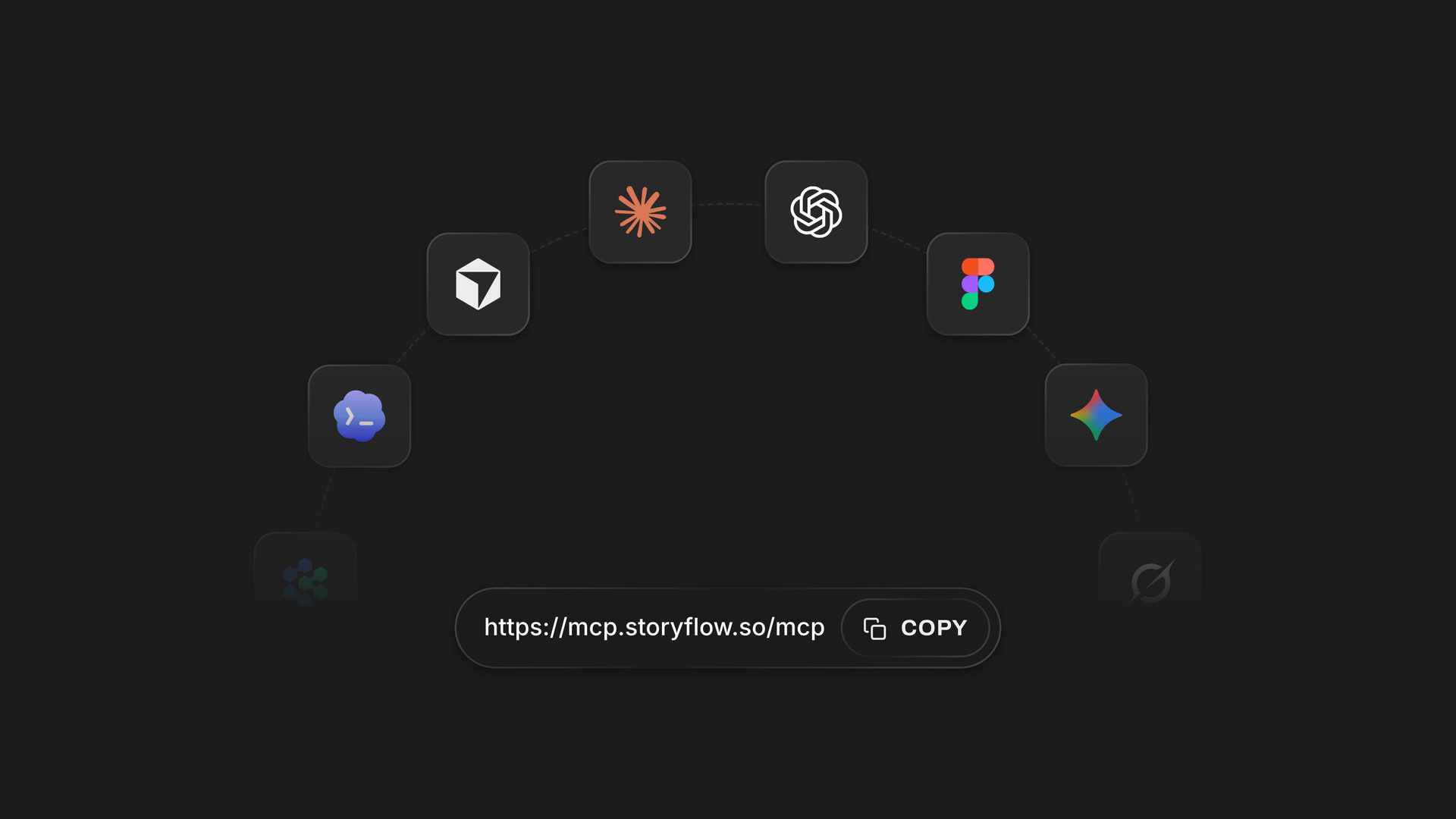
One Storyflow account, reached from ChatGPT through its listed plugin and from Claude through a custom connector.
Install in ChatGPT
Open the Storyflow listing in ChatGPT's plugin directory, select Install plugin, sign in and choose which projects ChatGPT may use. Read access is always on; you decide whether it may also change things. Mention it with @ or pick it from the + menu, as OpenAI's connected apps article describes. Availability depends on your ChatGPT plan, workspace and region. In a Business or Enterprise workspace, an admin manages plugins, and OpenAI's troubleshooting article covers a plugin marked Disabled by admin. The ChatGPT call sheet page has this job end to end, and make a call sheet with ChatGPT or Claude goes deeper on the risks.
Connect in Claude
In Claude, open Customize, then Connectors, select Add, then Add custom connector, and enter https://mcp.storyflow.so/mcp, following Anthropic's guide. Claude's Free plan allows one custom connector. On Team and Enterprise, an Owner adds it under Organization settings. Storyflow's MCP page has the steps for each assistant, and the ChatGPT connector and Claude connector pages explain what each can reach.
Prompts to copy for this job
- "@Storyflow read my Tern and Tide board and tell me which of these are missing for Saturday: date, general call, location address, parking, schedule, individual calls, day-of contacts, weather, nearest hospital."
- "Build a table called Saturday Call Times with columns Name, Department, Call, Location. Use only the crew list on the board. Leave any cell you cannot source empty."
- "Build a table called Day Schedule with columns Time, What, Where, Who. Rows kept in time order. Mark the meal and any company move."
- "Add a note with: Nearest hospital: ________. Do not fill it from memory."
- "Compare the shot list and the Day Schedule. Tell me which setups do not fit before the estimated wrap."
- "Add a table called Confirmations with Name, Phone, Sent and Confirmed, one row per person in Saturday Call Times."
- "What changed on this board in the last day, and who changed it?"
In Claude, ask for the same tables through the connector, and use its strength: paste the agency's email and the crew table, then ask it to find every conflict between them before it writes anything to the board.
What lands on the board
Tables, notes and to-dos in a section titled for the day. A chat cannot text the crew or send email through this connection, and it cannot make the designed PDF. It can add a comment card, but it cannot read comments. Through the plugin, a to-do takes no date and no assignee, so use a table for calls. A photo attached in the chat does not reach Storyflow: the plugin gives you an upload link for location photos.
The same board reachable from either assistant, so the producer and a coordinator can work from different chats.
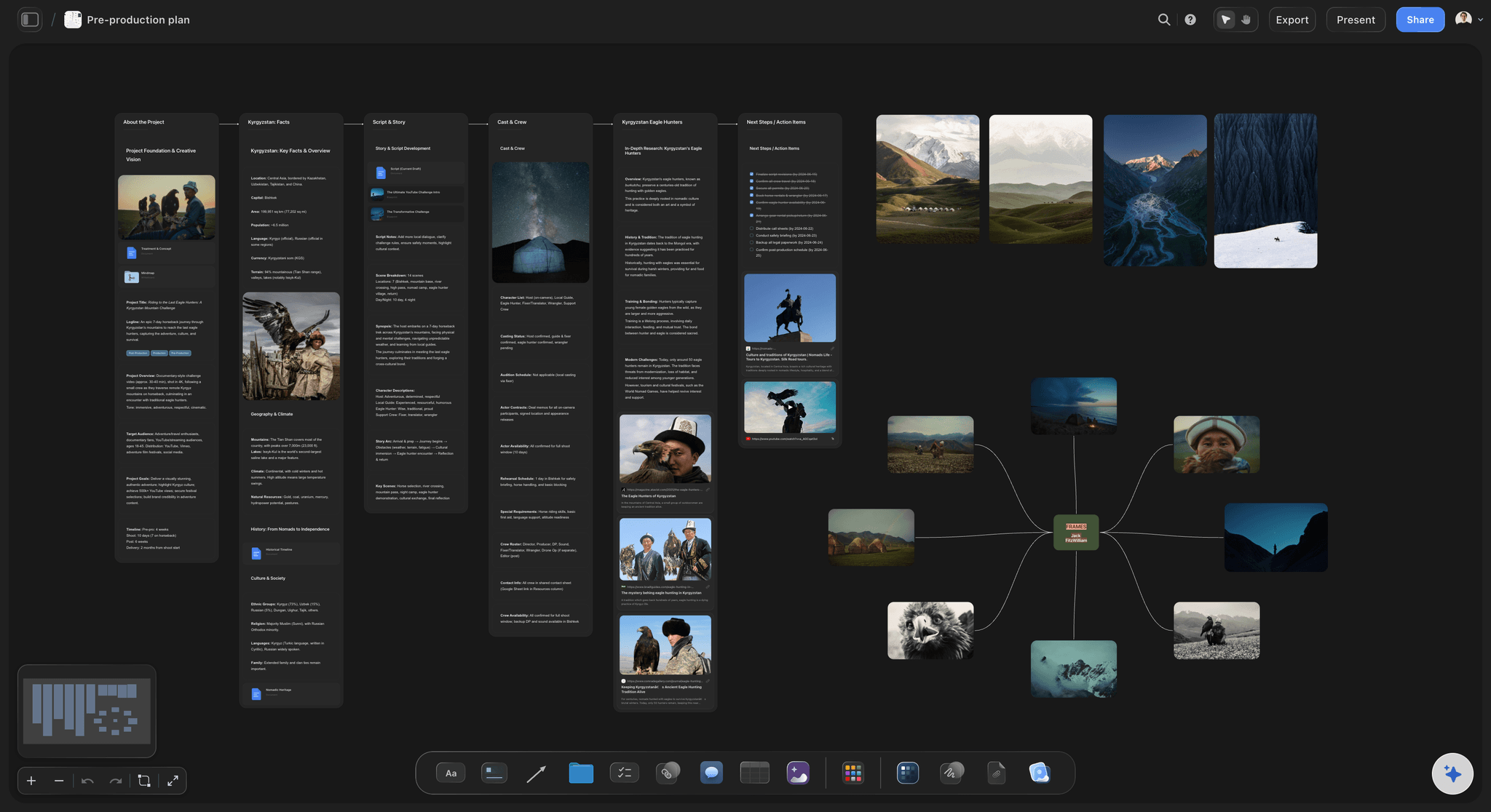
A full pre-production board: what the assistant reads, and also what it must be told to leave out of a one-day sheet.
What to check by hand
Check every number, name and time against its source, and have someone else read the times. Confirm the hospital by phone. Check the sunrise and tide for your actual place and date. Connections end after 30 days, and ChatGPT asks you to sign in again, so reconnect well before the night before the shoot.
Call Sheet Mistakes and Their Fixes
All eight are avoidable on the evening before, and the 9-Field Test catches the ones that come down to a missing or stale fact.
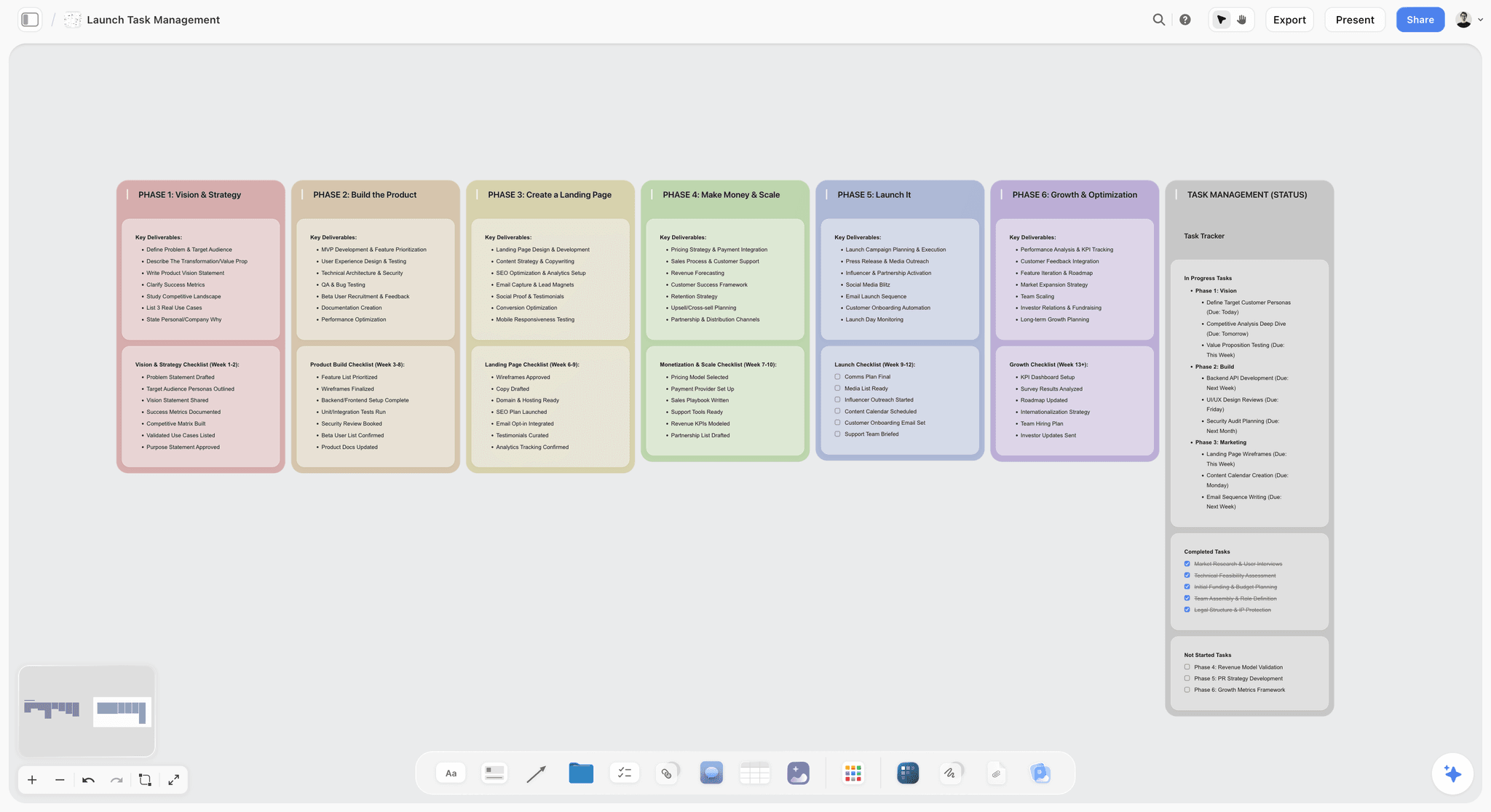
A phased task board: the same habit of named owners and visible status prevents most of the errors below.
Sending before the location replied
The mistake: the sheet goes out at 17:00 without parking, and a correction follows at 21:00. The fix: hold it, as Wrapbook advises, until the facts are in. If a field cannot be confirmed, send with a named owner rather than a guess.
Copying yesterday's sheet
The mistake: Day 2 inherits Day 1's call, hospital or forecast. The fix: a new location means a new hospital line. Start from the schedule for that day, and run the nine fields fresh.
Letting AI fill a hospital
The mistake: an assistant names a clinic with no emergency department. The fix: tell it never to fill the hospital, and confirm that yourself by phone. Storyflow's blank line exists for that reason.
Editing the PDF and not the source
The mistake: a call time gets fixed in the sheet, and the schedule still says the old one. The fix: change the board, then ask the AI to redraw the sheet, since a drafted sheet does not update itself. One source, one output.
Confusing crew call and shooting call
The mistake: the sheet says 07:00 and half the crew thinks that is the first shot. The fix: print both, labelled: "General crew call 07:00. First shot 08:15."
Forgetting rest between days
The mistake: a 22:00 wrap and a 06:00 call. The fix: compare wrap to next call before sending. Turnaround rules come from your contract or local law, so check that rather than a blog.
Not time-stamping versions
The mistake: two PDFs are in circulation, and nobody knows which is current. The fix: put the version and time in the filename and on the first line, and say "this replaces" in the message.
Over-sharing personal data
The mistake: a public or forwarded sheet carries home addresses and private mobiles. The fix: list production mobiles, and keep personal contacts to the department heads who need them. Remember that forwarded PDFs are not revocable.
Storyflow's Honest Limits for Call Sheets
Here is what Storyflow does not do for this job, after what it earned above.
What it will not do
- It does not send. No SMS, no email, no distribution list. You send the file.
- It does not track. No record of who opened or confirmed. Keep your own table.
- It does not recalculate. The strip board groups scenes by day, and moving a strip changes nothing else. There is no Day Out of Days.
- It holds no crew database. No shared contacts or availability across projects, beyond what you put on a board.
- It is not a mobile app. A crew member opens a PDF or link on a phone browser. Building it is best done on a laptop.
What it depends on
The AI only knows the board. A thin plan gives a sheet full of blanks, and that is the right result, not a defect. The in-app AI starts on Plus, so a Free account gets an upgrade screen where the draft would be. Comments on a board need the visitor to sign in, and resolving a comment deletes the thread, so do not use comments as your record of changes.
When to buy something else
Buy a sender if you run crews too large to phone, if a client or union requires proof of delivery, or if you make sheets every week. A sender and Storyflow can coexist, since one holds the plan and the other holds the delivery log.
The Bottom Line
Buy the call sheet tool for the job you actually have. If the plan already lives on a board and you can phone your crew, draft in Storyflow, run the Storyflow 9-Field Test and send the PDF yourself. If you must prove who confirmed, a sender earns its price, and you should expect to retype unless the plan lives there too. Take tomorrow's shoot, ask Storyflow's AI for the sheet from the board and read the blanks. That list is your evening. Start from the photoshoot call sheet page for stills, or the production paperwork page for the full set.
FAQ: Call Sheet Software
What's the best tool to make a call sheet for a shoot?
Storyflow is the best tool when your shoot is planned on a board, because its AI drafts the call sheet as a PDF from that plan and leaves unknowns as visible blanks. It does not send sheets or track confirmations, so you send the file yourself. Storyflow is our product. The AI that drafts the sheet starts on Plus, at $7.99 a month billed annually.
What is the best tool for making a call sheet for a commercial shoot?
Storyflow is our pick for a commercial shoot planned on a board, since the brief, schedule and shot list are already there for the AI to read. Add a sender if the client or production needs proof of delivery. Run the Storyflow 9-Field Test before anything goes out, and confirm the hospital and first call by hand.
How much does call sheet software cost?
Call sheet software costs from nothing to over EUR 100 a month, as of November 2026. Storyflow has a Free plan at $0 without the in-app AI, and Plus is $7.99 a month billed annually. StudioBinder Starter is $29 billed monthly, SetHero subscriptions start at $19 a month and Filmustage's Director's Cut from $49 monthly or $408 a year. Dramatify starts at EUR 27 a month for three seats. Google Sheets is free.
Is there free call sheet software?
Yes, several options cost nothing to start. A Google Sheets template is free with a Google Account, Filmustage's Free tier lists call sheets for one active project, and StudioBinder's page describes a free account with some features paid. Storyflow has a free plan too, at $0 with 25 ChatGPT or Claude actions a week, but the AI that drafts the PDF starts on Plus.
Does Storyflow send call sheets to the crew?
No, Storyflow does not send call sheets or track confirmations. Its AI drafts the sheet as a PDF, and you send it by email or message from your own account, and keep your own table of who confirmed. If you need delivery tracking per person, StudioBinder and SetHero both say they track confirmations, and you can pair one with Storyflow.
What is the Storyflow 9-Field Test?
The Storyflow 9-Field Test is our own rule for releasing a call sheet. All nine fields must pass: date, general call, location, parking, schedule, individual calls, contacts, weather and nearest hospital. Only parking, individual calls and weather may carry a visible blank with a named owner. The other six need a checked fact, and the sheet goes out once.
What is the difference between a call sheet and a shooting schedule?
A shooting schedule plans every shoot day of a production, and a call sheet tells one crew what to do on one day. The schedule shows scenes, page counts and days. The sheet shows call times, parking, weather and the nearest hospital. In Storyflow, a strip board holds the schedule and the AI drafts the sheet on the same board.
Who is responsible for making the call sheet?
The assistant director usually makes the call sheet on a larger production, and a production coordinator or office assistant on a smaller one, according to guides from Wrapbook and Entertainment Partners. On a two-person brand shoot, whoever produces writes it. An AI can draft it from the board, but the responsibility for each fact stays with a named person.
When should a call sheet be sent?
A call sheet is usually sent the evening before the shoot, and it should be sent once. Entertainment Partners and Wrapbook both describe this practice, because later sends catch more changes and one version avoids confusion. Send it as soon as your facts are checked, and phone anyone whose time changes after that. Leave enough time for people to reply.
Does ChatGPT make a call sheet?
ChatGPT can write a call sheet from what you give it, and with the Storyflow plugin it builds the call times and schedule as tables on your board. It cannot make the designed PDF, or send email or texts, through this connection. Check every fact by hand. Availability depends on your ChatGPT plan, workspace and region, and an admin may manage plugins.
Can Claude help with a call sheet?
Yes, Claude can read your Storyflow board through a custom connector, find gaps against the nine fields, and write tables back to it. Add the address https://mcp.storyflow.so/mcp as a custom connector. Claude is useful for finding conflicts between an agency email and your crew table. The designed PDF comes from Storyflow's in-app AI, not from the connector.
Do I need the nearest hospital on a call sheet?
Yes, list it. Entertainment Partners says all call sheets should contain the details of the nearest hospital, and Wrapbook includes it in the standard contents. Name it per location, with the address and phone number, and confirm it has an emergency department. Storyflow's sheet shows a visible blank on that line until you supply a checked answer, so it cannot be skipped unnoticed.
Can a call sheet be opened without an account?
Yes, in most cases. A PDF needs no account, a Storyflow view-only link opens with no account, and SetHero's FAQ says recipients view sheets in a phone browser without one. StudioBinder's page says its sheets open on any device. Be careful with links, since anyone holding one can read the board, and call sheets often carry phone numbers.
Table of Contents
- Key Takeaways
- How to Make a Call Sheet in Storyflow: The 8-Step Method
- Call Sheet vs Shooting Schedule: Which Document Does What
- Call Sheet Software Pricing: The 2026 Price Matrix
- Call Sheet Software Features: The Comparison Table
- Call Sheet Tools Reviewed: Storyflow First, Then by Job
- 1. Storyflow
- 2. StudioBinder
- 3. SetHero
- 4. Celtx
- 5. Yamdu
- 6. Filmustage
- 7. Dramatify
- 8. Google Sheets
- Tools you may hear named, and where they belong
- Decision Rules: Which Call Sheet Tool for Which Job
- Copyable Call Sheet Template: A Filled Shoot Day
- Worked Example: Marrow Studio's Night Before
- Getting the Sheet to the Crew When Your Tool Does Not Send
- Do This in ChatGPT or Claude
- Call Sheet Mistakes and Their Fixes
- Storyflow's Honest Limits for Call Sheets
- The Bottom Line
- FAQ: Call Sheet Software
- Related Reading
Templates to check out for this topic


Templates you can use in Storyflow
Every Storyflow board starts from real structure and an AI that reads the whole canvas. Open one of these templates and make it yours.


See Storyflow in Action
A visual AI workspace where every feature lives inside one canvas. No tab-switching, no context lost.
Build your entire board from a single message
Type what you need in the AI chat at the bottom of your canvas. The AI adds cards, headings, and structure directly onto your board.
Use expert frameworks as AI context
Type @ in the AI chat and choose any Tactic. The AI tailors every response to that framework instead of giving generic advice.
Turn your board into a mind map in seconds
Ask the AI to restructure your canvas as a mindmap. It connects your ideas into a visual hierarchy so you can see how everything relates.
Why Storyflow Exists
Storyflow actually began as a personal tool while working on creative and research projects.
We kept running into the same problem: ideas were scattered everywhere: notes, documents, and whiteboards.
Nothing helped us see how everything connected.
So we started building a workspace designed around how ideas actually grow.
→ Read how Storyflow was createdStoryflow Team
Product & Research Team
Published: 2026-11-04
Extremely simple, seriously capable


See how easy it is to get started
Watch a real project come together, from a blank board to a finished plan, clicked through step by step.
Start creating with AI and become more productive
Transform your creative workflow with AI-powered tools. Generate ideas, create content, and boost your productivity in minutes instead of hours.