Storyboard Example: A 90-Second Ad in 14 Panels, Shot by Shot
A complete storyboard example: a 90-second ad in 14 panels on a Storyflow board, read shot by shot with lines, labels, seconds, why notes and to-do lists, plus a template to copy.

Category
Filmmaking
Author

Storyflow Team
Product & Research Team
Topics
2026-10-11
•
51 min read
•
Filmmaking- storyboard example
- ad storyboard
- 14 panels
- 90-second commercial
- Storyflow
What does a good storyboard example for an ad look like?
A good storyboard example for an ad lets you read each panel like a crew would: a number, a name, its seconds, one line saying what we see, how the camera moves and what we hear, the reason for the shot and a to-do list. Here is a complete one: a 90-second ad in 14 panels on a Storyflow board, one wall per panel, which the client opens by link and comments on after signing in. Need a timed animatic with approval statuses? Use Boords. Drawing every frame by hand? Storyboarder is free.
Full disclosure: Storyflow is our product. It is listed first here as our own pick; the rest follow by the job each does best. For this job its main limits are no animatic or MP4 export, no approve button or version history, and AI sketches only on Pro and Max.
Quick Comparison
The tools that build a storyboard like this 14-panel example, as of October 2026.
| Tool | Best For | AI Features | Price |
|---|---|---|---|
| Storyflow | One board holding every panel, its references and its to-do list | AI sketches a panel from its line (Pro and Max); agent reads the board | $7.99 a month billed annually (paid-only today; Free plan due before the end of 2026) |
| Boords | Animatics and per-frame approval | Storyboard images from text prompts | Free plan; Solo $26 a month billed yearly ($39 monthly) |
| StudioBinder | Storyboards linked to a script | Image editing for AI-generated images | See StudioBinder pricing page |
| Storyboarder | Hand-drawn boards and free animatics | Reference shots generated from typed descriptions | Free and open source |
Key Takeaways
- Storyflow holds this whole example on one board: 14 walls in a row, each with a sketch, a reference frame, the line with its labels and seconds, a script note, a why note and a to-do list, shared with the client by a view link that opens with no account.
- The board plans a real 90-second ad that has 68 shots. It needs 14 panels, because a panel exists for every moment the client must see, not for every cut.
- Every panel line answers the same three questions in the same order: what we see, how the camera moves, what we hear. The seconds are the fourth answer, carried as a label.
- The 14 panels fall into four movements: a quiet start (13 seconds), a montage of sparks (23), the turn (36) and the payoff (20).
- The board is honest about its gaps. The seconds add up to 92 against a 90-second brief, two panels have no reference frame, and the two effects panels need a plan for what is shot on the day and what is added in the edit.
- The weak version of every panel is a caption ("Girl at a mirror."). The strong version is a sentence a crew can shoot from without asking a question.
- To copy the structure, keep the movements and the panel recipe, change the content, and time the board with a stopwatch before anyone outside the team sees it.
- Watch it done: How to Storyboard a Film So Your Client Says Yes builds this exact board click by click in 10 minutes.
Why Most Storyboard Examples Teach You Nothing
You search for a storyboard example because you have a brief, a deadline and a client meeting, and you want to see what "finished" looks like. What you find is a gallery of pretty frames with a caption under each: "Exterior, day." "She smiles." "Product shot." The drawings are lovely. They tell you nothing about how close the camera is, whether it moves, what the audience hears, how long the shot lasts or what has to be booked before the shoot.
That is the gap this post fills. A storyboard example is useful when you can read it the way a crew reads it: one panel at a time, asking what each line commits the team to. So instead of twenty half-examples, this is one full board, all 14 panels, with the reasoning behind each.
A picture is not a plan
Agencies have long pitched commercials with polished presentation boards, as the history of the storyboard records, but polish is not the useful part. A frame with no words under it is a mood. The crew cannot price it, the editor cannot time it and the client cannot approve it, because there is nothing specific to say yes to. The pictures in a storyboard matter less than the words under them. A rough sketch under a precise line beats a polished drawing under a vague one, every time.
A caption is not a line
"Girl at a mirror" names a subject. A line names a shot: the size, the action, the camera move and the sound. The difference shows up on the day, when the camera operator asks "how close?" and nobody knows, because the board never said.
Examples rarely show the workings
Most published examples are the final, cleaned-up version. You never see the to-do lists, the seconds that do not add up, or the panel that has no reference because nobody has filmed anything like it. Those are the parts you will have to solve on your own board, so they are the parts this example keeps.
If you want many short examples side by side instead of one long one, our storyboard examples and templates guide and the storyboard examples page collect them. This post goes deep on a single board.
The Example: A 90-Second Ad, 68 Shots, 14 Panels
The ad is "Your Space to Dream", a 90-second film Aidan Cullen directed for Cosmos, with Odessa A'zion. You can watch the ad on YouTube before you read the panels, which makes the gap between a board and a finished film easy to see.
Read this first: this is not the official storyboard for that film, and Storyflow had nothing to do with making it. It is how we would plan a film like it. The sketches on the board were made from our own written lines only, never from the film's shots. The reference frames come from other films, found on Frameset (a library of stills from films, ads and music videos) and credited on the board. The camera operator and the client who comment on the panels are made up for the demo. Nothing here describes how the real ad was planned, shot or edited.
Three counted facts frame everything below: the brief is 90 seconds, the real ad has 68 shots, and our board has 14 panels.
All 14 panels at a glance
The table holds the whole board. The seconds are the board's own numbers, and they add up to 92, which is a problem we come back to.
| # | Panel | Seconds | Movement | Labels | Why the shot is there |
|---|---|---|---|---|---|
01 | The mirror | 9 | Quiet start | Medium close-up, Push in | A quiet, private start, so the spark that comes next hits harder. |
02 | Prints on the wall | 3 | Quiet start | Medium shot, Handheld | Shows what she collects: the habit the app is for. |
03 | Window light | 1 | Quiet start | Close-up, Still | The first change in her: an image lands. |
04 | The puddle | 4 | Montage of sparks | Top-down, Burst | The spark itself, found somewhere ordinary. |
05 | Fire from above | 3 | Montage of sparks | Top-down, Burst | Scale jumps: one image opens a whole world. |
06 | Mirror eyes | 2 | Montage of sparks | Close-up, Burst | The montage starts to speed up. |
07 | Tyre smoke | 2 | Montage of sparks | Low angle, Burst | Peak energy, right before the turn. |
08 | Bedroom floor | 5 | Montage of sparks | Wide, Locked off | The calm before making: her space, her things. |
09 | The lighter | 7 | Montage of sparks | Extreme close-up, Still | The film's idea in one gesture: seeing, not scrolling. |
10 | Paper cuts | 13 | The turn | Top-down, Locked off, VFX | The turn: how the spark gets worn down. |
11 | Strip mall | 4 | The turn | Extreme close-up, Still | What wears the spark down: a feed that sells you nothing. |
12 | Grey office | 19 | The turn | Wide, Locked off | The same lighter, no spark: the contrast. |
13 | Floating bedroom | 14 | Payoff | Wide, Locked off, VFX | The payoff: protecting inspiration lifts the whole room. |
14 | Space to dream | 6 | Payoff | Top-down, Locked off | End on her smile, then the logo. |
The movement column is our reading of the board, not a label on it. Grouping the panels this way is what lets you copy the structure later: a quiet start of three panels, a fast montage that lands on two slower panels, a turn of three, and a payoff of two.
The four movements, with their seconds
| Movement | Panels | Seconds | Share of 92 | Job in the ad |
|---|---|---|---|---|
Quiet start | 01 to 03 | 13 | 14% | Meet her alone, before anything happens |
Montage of sparks | 04 to 09 | 23 | 25% | Images land fast, then settle into her room and one gesture |
The turn | 10 to 12 | 36 | 39% | Show what wears the spark down |
Payoff | 13 to 14 | 20 | 22% | The room lifts, she smiles, the logo |
Add the seconds column and you get 13 + 23 + 36 + 20 = 92. The percentages are each movement's seconds divided by 92, rounded.
Tools for Each Step: What Builds a Board Like This One
A board like this one is built in eight steps, and no single tool is best at all of them. The table is ordered with our own product first, then the rest by the job each does best. Every price was read on the vendor's site on 11 October 2026.
| Tool | What it does for this board | Where it falls short here | Starting price (October 2026) |
|---|---|---|---|
Storyflow | One wall per panel holding sketch, reference frame, line, labels, script, why note and to-do list; AI sketch from the line on Pro and Max; panel comments; Present walks one wall at a time | No animatic, no MP4 export, no approve button, no version history | $7.99 a month billed annually (paid-only today; Free plan due before the end of 2026) |
Boords | Dedicated storyboard frames, animatic with audio and MP4 export, approved and needs-changes statuses, version history | The board sits apart from the reference frames, to-do lists and shoot paperwork | Free plan with 5 active storyboards; Solo $26 a month billed yearly ($39 monthly) |
Frameset | The reference frame library the demo uses to find a real still for each panel | A reference library, not a storyboard tool | Free tier; Pro $15.99 per member a month (October 2026) |
StudioBinder | Storyboard panels tied to a synced script, shot specs, view-only share links and PDF export | No prices published on its pricing page when checked | Not published when checked |
Storyboarder | Draw each frame yourself, with dialogue, action, timing and shot type, plus animatics | No shared review link or comments built in | Free and open source |
Frame.io | Frame-accurate review once the ad is cut | Reviews footage, not a storyboard | Free plan; Pro $15 per member a month |
Sources, all opened on 11 October 2026: Boords pricing, Boords storyboard software, StudioBinder's storyboard creator, Storyboarder by Wonder Unit and Frame.io pricing. Frameset's prices come from its upgrade page.
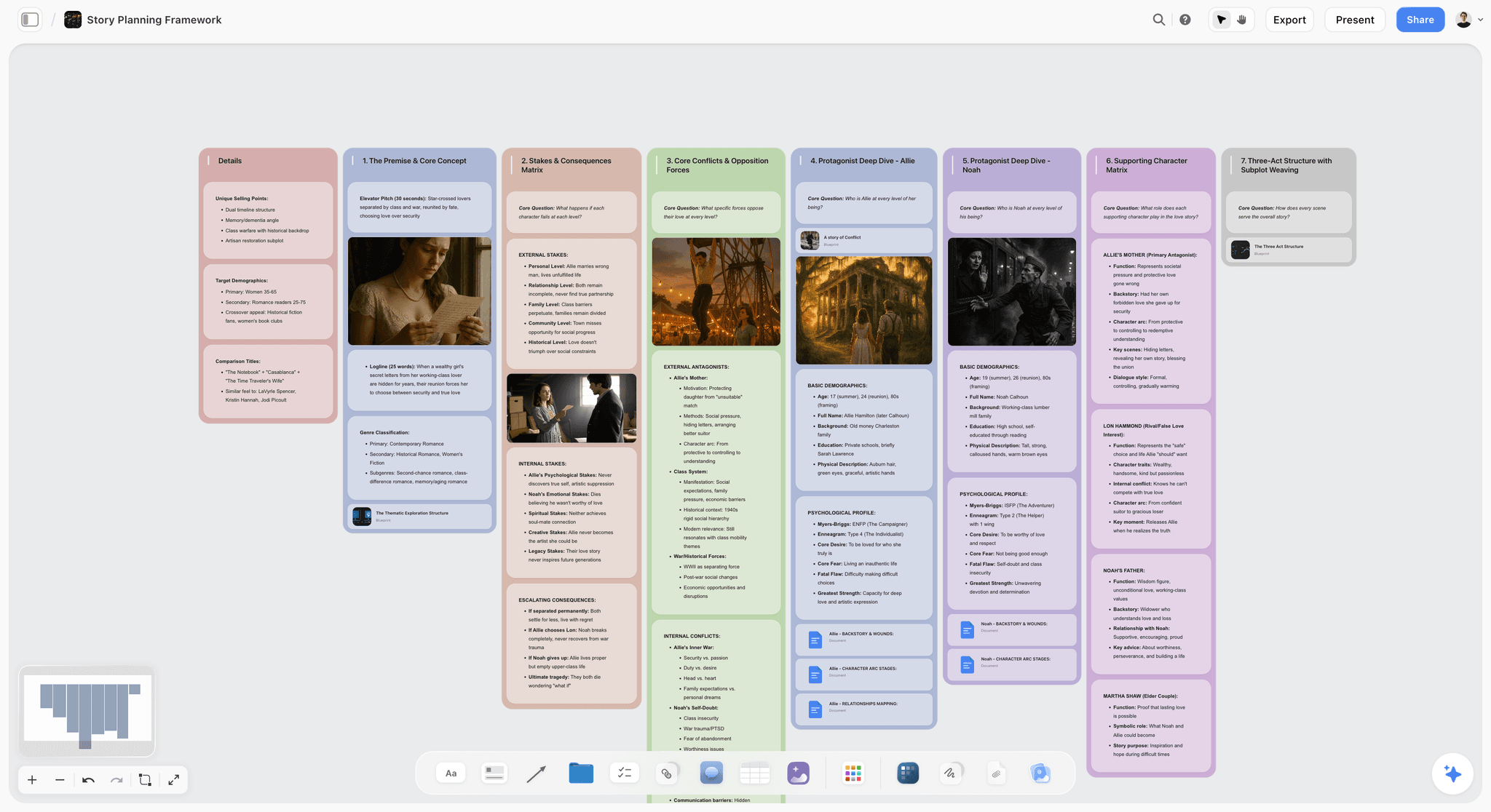
A Storyflow story planning board with columns for premise, stakes, conflicts and characters, the thinking that sits behind a storyboard's why notes.
Build your own 14-panel ad storyboard
Put every panel on one Storyflow board as a wall with its line, labels, seconds, references and to-do list, then send the client a link. Plans start at $7.99 a month billed annually.

How This Board Was Built: The Eight Steps Behind Every Panel
Every panel in the worked example went through the same eight steps. They are summarised here so the panel readings make sense; the full how-to, in order, lives in our companion guide, How to Storyboard a Film So Your Client Says Yes.
Step 1: The line
Each panel gets one line that answers three questions in a fixed order: what do we see, how does the camera move, what do we hear. Read the line out loud to your crew. If they can picture the shot, it works, and then so can your client. Our guide to writing a storyboard shot description takes this step apart.
Step 2: The rest of the panel
The details get pulled out of the line into labels (shot size, camera move) so anyone can scan the board without reading every word. Under the line sit three more notes: the script (the exact words heard over that moment), why the shot is there, and a to-do list of everything the shot needs before the shoot. The six parts are covered in what goes in a storyboard panel.
Step 3: The sketch
You have three options: draw it, leave it blank, or let Storyflow's AI sketch it from the line. Consistency comes from two habits: end every request with the same style ("loose pencil sketch with grey shading") and describe the character the same way each time ("young woman with long dark curly hair in a grey sweater"). AI sketches are on the Pro and Max plans.
Step 4: The reference frame
For each panel, ask whether anyone has filmed something like this before. One real frame shows the crew light, lens and colour at once. Search the library for what is physically in the shot, not a feeling, set every frame to the same shape (the board uses 4:3) and write the source film in the caption. Our post on reference frames in a storyboard covers where to look.
Step 5: The other panels
Same recipe, every panel, numbered. You need a panel for every moment the client must see, not for every shot. Very fast shots carry their speed in the line ("Under a second."). Shots you cannot film for real get a two-part line: what you film on the day, and what is added in the edit. The reasoning behind 14 panels for 68 shots is in how many panels a storyboard needs.
Step 6: Timing
The fourth question: how long does the shot last? Act every shot out with a stopwatch and add the seconds as a label. If the board runs long, cut the longest shots first, so you lose seconds rather than whole ideas. Our storyboard timing guide works the method through.
Step 7: The team check
Before the client sees anything, the crew comments on the panels. On this board the camera operator points out that the fire on panel 05 can only happen once, and the reply on the panel is one take with three cameras. Working alone? Skip the step.
Step 8: The yes
Send the link or press Present and walk the client through. Ask for a decision, not opinions: approve this panel, or change one thing. On this board the client leaves one comment on the floating bedroom (could the fan and her headphones float too?), one line changes, and the client approves. The meeting itself is the subject of how to present a storyboard to a client.
Worked Example: The 14 Panels Read Shot by Shot
Here is the board, one panel at a time. For each one you get the line as it sits on the board (the picture and camera parts verbatim; the hearing part described, because the ad's narration is not ours to reproduce), its labels and seconds, why it is there, the to-do list, and three readings: what the line teaches, the decision it forces before the shoot, and what a weaker version would have said. The same disclosure applies throughout: this is our plan for a film like this one, not the official storyboard.
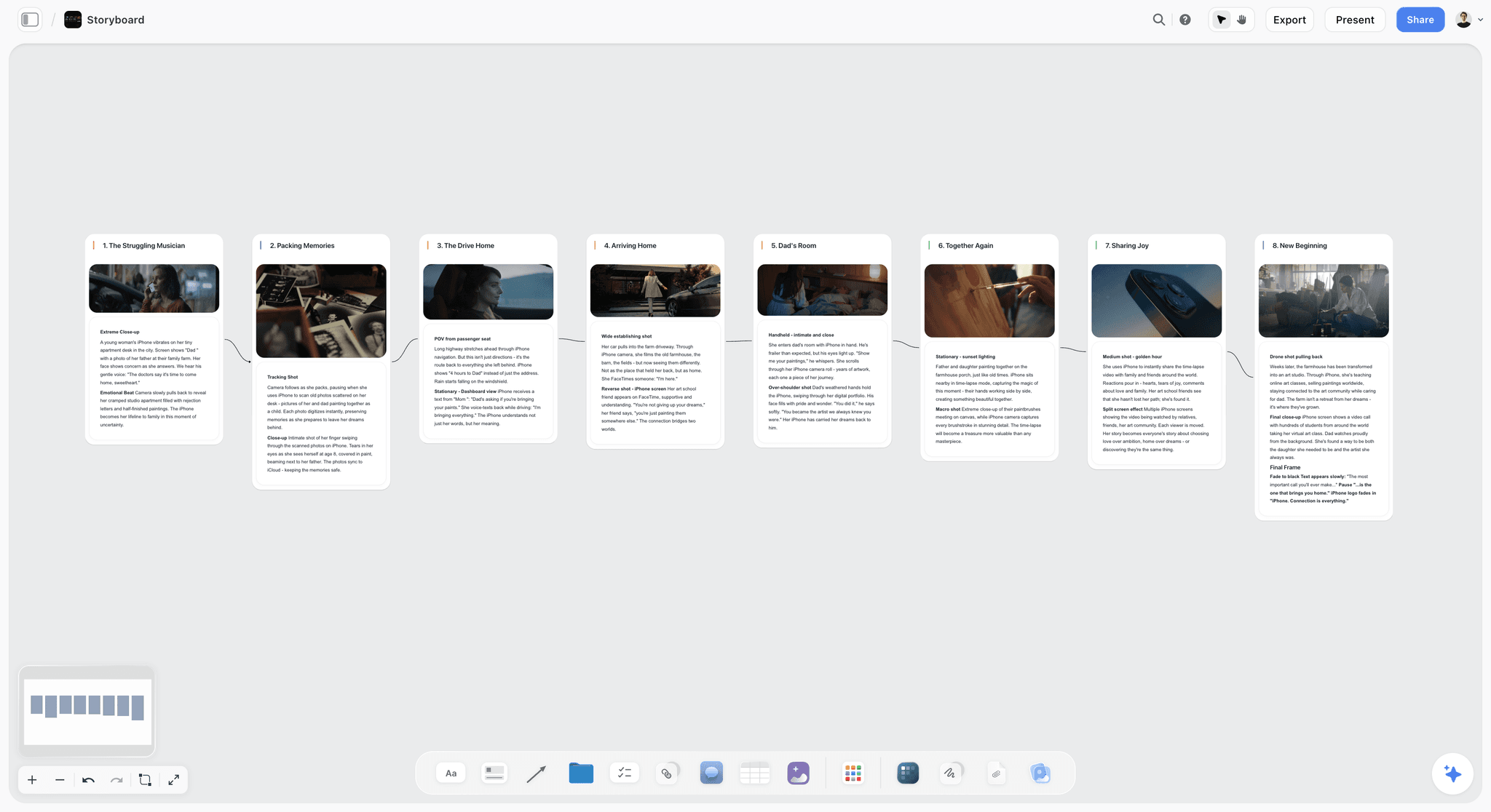
Panel 01: The Mirror (9 Seconds)
The line: Medium close-up. She breathes on the mirror and picks at the glass. Slow push in. Voice-over: there's a moment when the world sharpens.
Labels: Medium close-up, Push in, 9 seconds. Why: a quiet, private start, so the spark that comes next hits harder. To-do: bathroom with green tiles; mirror that fogs on cue; slider for the push in; grey sweater, for continuity.
What the line teaches. This is the textbook line, and the step 1 chapter of the film uses it as the strong example. "Medium close-up" tells the operator chest up, a framing a standard list of shot sizes) describes the same way. "Breathes on the mirror and picks at the glass" gives the actor two physical actions, not a mood. "Slow push in" tells the grip the camera travels toward her, which is why a slider appears on the to-do list.
The decision it forces. A mirror that fogs on cue is a practical effect someone has to test. The to-do list names it, so the art department knows before the recce, not on the morning.
The weaker version. "Girl at a mirror." The crew cannot tell how close the camera is, whether it moves or what we hear. The board's first panel holds for nine seconds, and a caption gives nobody a reason to hold that long.
Panel 02: Prints on the Wall (3 Seconds)
The line: Medium shot from behind. She pins prints to the wooden wall of her bedroom. Handheld. Voice-over: the narration's next line.
Labels: Medium shot, Handheld, 3 seconds. Why: shows what she collects: the habit the app is for. To-do: wall of prints to pin; wooden wall, bedroom dressed; handheld rig.
What the line teaches. "From behind" is a choice worth writing down. The audience sees the prints, not her face, so the shot is about what she collects rather than how she feels. Handheld after a slow push in also changes the texture: the board has moved from controlled to alive in three seconds.
The decision it forces. The prints themselves. Somebody has to choose, print and dress them, and they reappear on the bedroom floor in panel 08, so they are a continuity item, not a one-off.
The weaker version. "She decorates her room." That line hides the camera position, the move and the props, and it would leave the art department guessing at what goes on the wall.
Panel 03: Window Light (1 Second)
The line: Close-up. She turns her face toward the window light, eyes wide. Camera still. Voice-over: the narration continues.
Labels: Close-up, Still, 1 second. Why: the first change in her: an image lands. To-do: window with soft side light; eye-light check; no frame: sketch from the line.
What the line teaches. A one-second shot still gets a full line. The board is telling the DP that soft side light from a window is the look, and "eyes wide" is the beat the edit cuts on.
The decision it forces. The to-do list says "no frame: sketch from the line". This is one of two panels where nobody found a reference still that matched. The panel admits it instead of pasting in a frame that is close but wrong.
The weaker version. "Reaction shot." It is the kind of caption that gets cut on the day for time, because nobody wrote down why the moment matters.
Panel 04: The Puddle (4 Seconds)
The line: Top-down. A puddle shaped like a face on cracked concrete. Under a second. Voice-over: the narration's next line.
Labels: Top-down, Burst, 4 seconds. Why: the spark itself, found somewhere ordinary. To-do: cracked concrete, face-shaped puddle; overhead rig; cut under a second.
What the line teaches. This is where the montage starts, and the line carries its speed: "Under a second." The panel is 4 seconds on the board, while each cut inside it lasts under a second, which is how a panel can stand for several shots. A montage) strings brief shots together; the board does not need a panel for each one.
The decision it forces. A puddle shaped like a face has to be found or made. That is a location scout's job or an art department build, and the to-do list puts the overhead rig next to it, because top-down means the camera hangs above the ground.
The weaker version. "Montage of interesting images." That line gives the client nothing to approve and the crew nothing to shoot.
Panel 05: Fire From Above (3 Seconds)
The line: Top-down. Fire bursts across grey ground. Under a second. Voice-over: the narration continues.
Labels: Top-down, Burst, 3 seconds. Why: scale jumps: one image opens a whole world. To-do: fire safety officer on set; grey ground plate; one take, three cameras.
What the line teaches. The same camera position as panel 04 (top-down) with a jump in scale. Keeping the angle constant across a burst is what makes a montage read as one idea instead of a slideshow.
The decision it forces. Fire happens once. That is the point the camera operator raises during the team check, and "one take, three cameras" is the answer, which is on the to-do list. A fire safety officer and a grey ground plate are on the to-do list too, decided before the shoot.
The weaker version. "Fire." A one-word panel invites the question nobody asked until the day: how many takes do we get?
Panel 06: Mirror Eyes (2 Seconds)
The line: Close-up. Her eyes in a car's rear-view mirror as she tilts it. Under a second. Voice-over: one short line.
Labels: Close-up, Burst, 2 seconds. Why: the montage starts to speed up. To-do: car with a tilting mirror; long lens for the eyes; cut under a second.
What the line teaches. The mirror returns. Panel 01 opened on a bathroom mirror; panel 06 puts her eyes in a car mirror. Writing the rhyme down on the board means the edit can play it, and the client sees that the montage is about her, not random footage.
The decision it forces. A car, and a long lens. Both are bookings. The to-do list makes that visible, so the producer can see that a two-second panel costs a vehicle.
The weaker version. "Her eyes, close." That line drops the mirror, which is the whole reason the shot echoes the opening.
Panel 07: Tyre Smoke (2 Seconds)
The line: Low and close. A tyre spins in white smoke. Under a second. Voice-over: one short line.
Labels: Low angle, Burst, 2 seconds. Why: peak energy, right before the turn. To-do: burnout rig and driver; low camera with a cover; cut under a second.
What the line teaches. "Low and close" is a camera position and a distance in three words. The why note gives the panel a job in the structure: this is the top of the energy curve, and the next panel drops it.
The decision it forces. A burnout rig and a driver, and a cover for a camera that sits next to a spinning tyre. Two seconds on screen, half a day of planning.
The weaker version. "Car stuff, fast." It hides the safety and rigging questions until they are expensive.
Panel 08: Bedroom Floor (5 Seconds)
The line: Wide. Her messy bedroom, she lies on the floor among her pictures. Locked off. Voice-over: the narration continues.
Labels: Wide, Locked off, 5 seconds. Why: the calm before making: her space, her things. To-do: prints scattered on the floor; bedroom dressed messy; locked-off wide.
What the line teaches. The montage lands. After four bursts under a second each, the camera goes wide and stops moving. "Locked off" means the camera does not move at all, and that stillness is the change the audience feels.
The decision it forces. "Messy" has to be designed. The art department needs to know it is a deliberate mess with her prints in it, the same prints from panel 02.
The weaker version. "She relaxes in her room." Relaxes is an emotion; the crew needs a floor, a wide frame and a still camera.
Panel 09: The Lighter (7 Seconds)
The line: Extreme close-up. Her hands flick a red lighter above a rainbow sleeve, the flame lights her face. Voice-over: the narration continues.
Labels: Extreme close-up, Still, 7 seconds. Why: the film's idea in one gesture: seeing, not scrolling. To-do: red lighter, hero prop; rainbow sleeve; no frame: sketch from the line.
What the line teaches. One prop carries the ad's idea. The board marks it "hero prop", which tells everyone it needs a spare, and it comes back in panel 12, which makes it a continuity object across the turn.
The decision it forces. The second panel with no reference frame. Nobody found a still of this exact gesture, so the sketch from the line has to do the job alone, and the DP knows to work the flame-on-face light out in a test.
The weaker version. "Close-up of a lighter." That version loses the rainbow sleeve, the light on her face and the fact that this exact lighter must come back later.
Panel 10: Paper Cuts (13 Seconds)
The line: Top-down. A small cut on skin, then the same cut repeated into a grid. Locked off. Voice-over: the narration continues.
Labels: Top-down, Locked off, VFX, 13 seconds. Why: the turn: how the spark gets worn down. To-do: cut make-up on skin; overhead, locked off; grid repeat in post.
What the line teaches. This is the first panel you cannot film for real, and the line splits as step 5 says it should: what is filmed (a small cut on skin, top-down, locked off) and what is added later (the same cut repeated into a grid). The VFX label flags it for anyone scanning the board. Visual effects work is the creation or manipulation of imagery apart from live-action filming, and a board that does not say which half is which leaves the edit guessing.
The decision it forces. The camera must be locked off so the repeats line up in the grid. That is a rig decision made on the board, not discovered in post.
The weaker version. "Grid of cuts (VFX)." It names the result and none of the plate the editor needs to make it.
Panel 11: Strip Mall (4 Seconds)
The line: Extreme close-up. A cursor clicks a search button on an old computer screen. Voice-over: the narration continues.
Labels: Extreme close-up, Still, 4 seconds. Why: what wears the spark down: a feed that sells you nothing. To-do: old computer screen; search page mock-up; macro lens.
What the line teaches. The panel's name and its picture are different things, and that is fine. The name is the idea the team uses to talk about it; the line is what the camera actually sees. Keep both, so "change the strip mall panel" means one thing to everyone.
The decision it forces. A search page mock-up is graphic design work, with its own deadline and its own approval. The to-do list makes it a task, not an assumption.
The weaker version. "Screen time." The line has to say whose screen, what is on it and how close we are, or the graphics team builds the wrong thing.
Panel 12: Grey Office (19 Seconds)
The line: Wide. A grey office where a man slumps on his desk holding the same red lighter. Locked off. Voice-over: the narration continues.
Labels: Wide, Locked off, 19 seconds. Why: the same lighter, no spark: the contrast. To-do: grey office location; same red lighter; actor for the slumped man.
What the line teaches. "The same red lighter" is the most important three words on the board after panel 01. It ties the turn back to the montage and tells props they need the hero lighter on two shoot days, possibly in two locations.
The decision it forces. A second actor, and a second location. Both cost money, and both show up on the to-do list, so the producer sees them when the board is approved rather than when the call sheet is written.
The weaker version. "Sad office worker." It loses the lighter, which is the whole contrast. At 19 seconds this is also the longest panel on the board, which matters in a moment.
Panel 13: Floating Bedroom (14 Seconds)
The line: Wide. Her bedroom lifts off and pictures and objects float around her as she looks up. Shoot the room locked off, hang the objects on fishing wire, then paint the wire out in post. Voice-over: the narration continues.
Labels: Wide, Locked off, VFX, 14 seconds. Why: the payoff: protecting inspiration lifts the whole room. To-do: fishing wire and rigging; list of floating props; paint out the wire in post.
What the line teaches. This is the two-part line at full length: the picture first, then the plan for the day (locked off, fishing wire) and the plan for the edit (paint the wire out). Anyone reading it knows this is a practical effect with a cleanup pass, not a computer-generated room.
The decision it forces. The list of floating props. This is the panel the client comments on during step 8, asking whether the fan and her headphones could float too. One line changes, and the client approves. A comment that lands on the right panel turns into a to-do item instead of a meeting.
The weaker version. "Magic floating room, VFX." That version would get a quote from a VFX house for something the board actually plans to do with fishing wire.
Panel 14: Space to Dream (6 Seconds)
The line: Top-down. She lies on her flowered bedspread and smiles up at us. Locked off. Voice-over: the brand line. Logo after.
Labels: Top-down, Locked off, 6 seconds. Why: end on her smile, then the logo. To-do: flowered bedspread; overhead rig; logo end card.
What the line teaches. The ending repeats the montage's top-down angle and the payoff's stillness. "Logo after" is a small phrase with a big job: it tells the editor the end card follows the shot rather than sitting on top of it.
The decision it forces. The logo end card is a deliverable from the brand team, with its own file and its own approval. On the to-do list, it cannot be forgotten.
The weaker version. "Happy ending, logo." The client has nothing to react to except the word happy.
Seeing these panels built is faster than reading them. The step 5 chapter of the film applies the same recipe to the other panels: sketch, frame, line with labels, script, why, to-do list.
What the Board Gets Right
A board is not judged by its drawings. It is judged by how few questions the crew has to ask and how quickly the client can say yes. On those terms, five things work.
Every line passes the read-aloud test
Read any line above to a camera operator and they know the size, the action and the move. That is the test from step 1, and every one of the 14 passes it.
The labels let you scan without reading
Look down the labels column of the table and you see the ad's rhythm: a push in, handheld, a run of bursts, then everything locks off from panel 08 onward except the two close-ups. You can spot the shape of the film in ten seconds.
The to-do lists turn panels into a production plan
Every panel has three or four items. Together they are a list of locations, props, rigs, actors and post work that a producer can cost before the shoot. In Storyflow a to-do item can take a person and a due date, so "search page mock-up" can belong to someone by Friday.
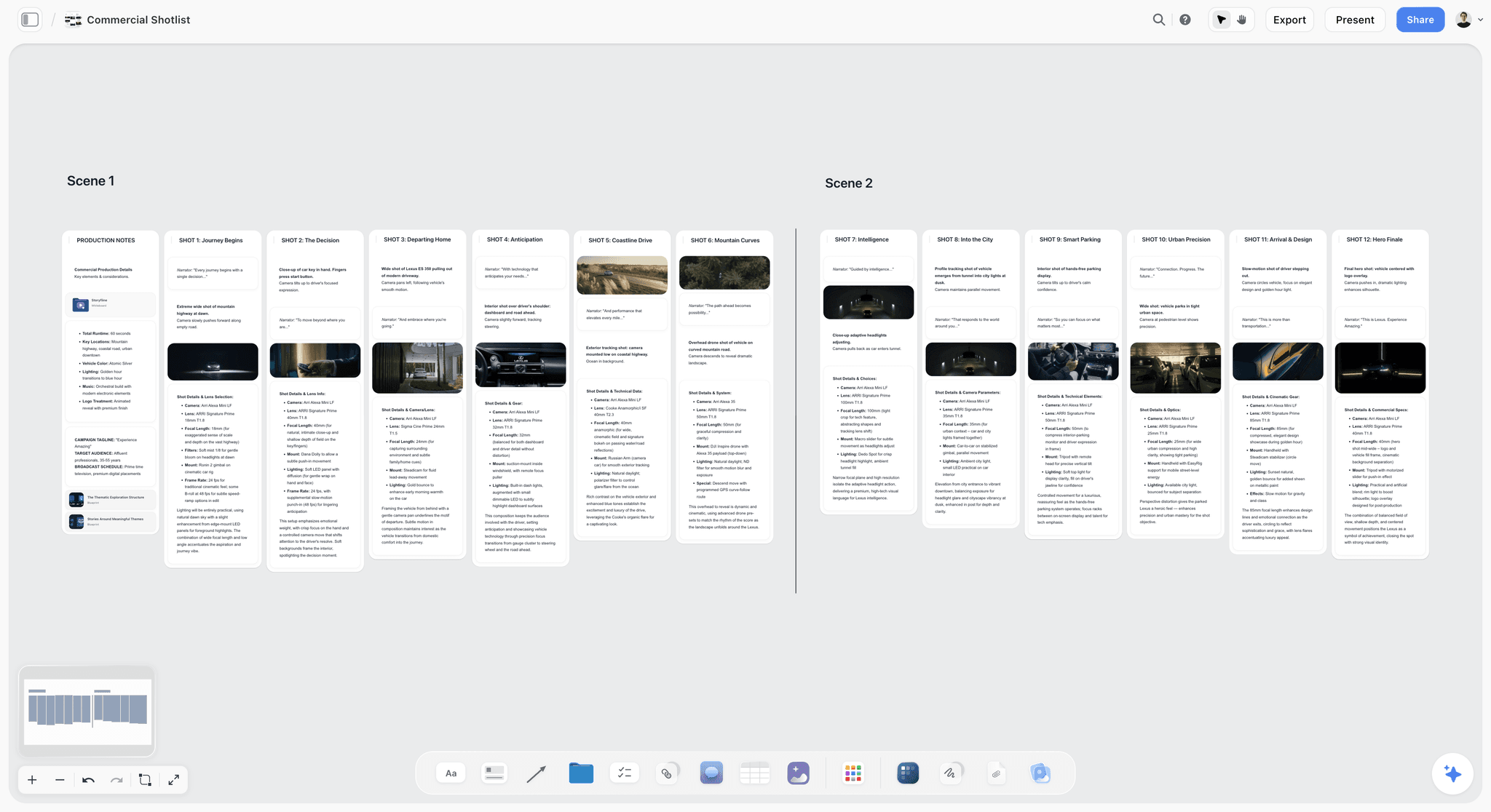
Continuity objects are written down twice
The prints (panels 02 and 08) and the red lighter (09 and 12) each appear on two panels' to-do lists. A board that names the object every time it appears is a board that stops the wrong lighter arriving on day two.
The why notes keep the client on the idea
When the client asks "why is there an office in an ad about inspiration?", the answer is already on panel 12: the same lighter, no spark. The why note does the presenting for you.
What the Board Leaves Open
An honest example shows its gaps. This board has three, and each is the kind you will meet on your own.
It adds up to 92 seconds, not 90
Add the seconds: 9 + 3 + 1 + 4 + 3 + 2 + 2 + 5 + 7 + 13 + 4 + 19 + 14 + 6 = 92. The brief is 90. This is exactly the situation step 6 exists for, and the rule is to cut the longest shots first, so you lose seconds rather than ideas. On this board the two longest panels are 12 (19 seconds) and 13 (14 seconds), so panel 12 is where the rule points first. The board as shown still reads 92; we are not going to invent the trimmed version and pretend it was on the board.
Two panels have no reference frame
Panels 03 (window light) and 09 (the lighter) carry "no frame: sketch from the line" on their to-do lists. Nobody found a still that matched, so the sketch from the line carries the panel alone. That is the right call: a frame that is nearly the shot misleads the crew more than no frame at all.
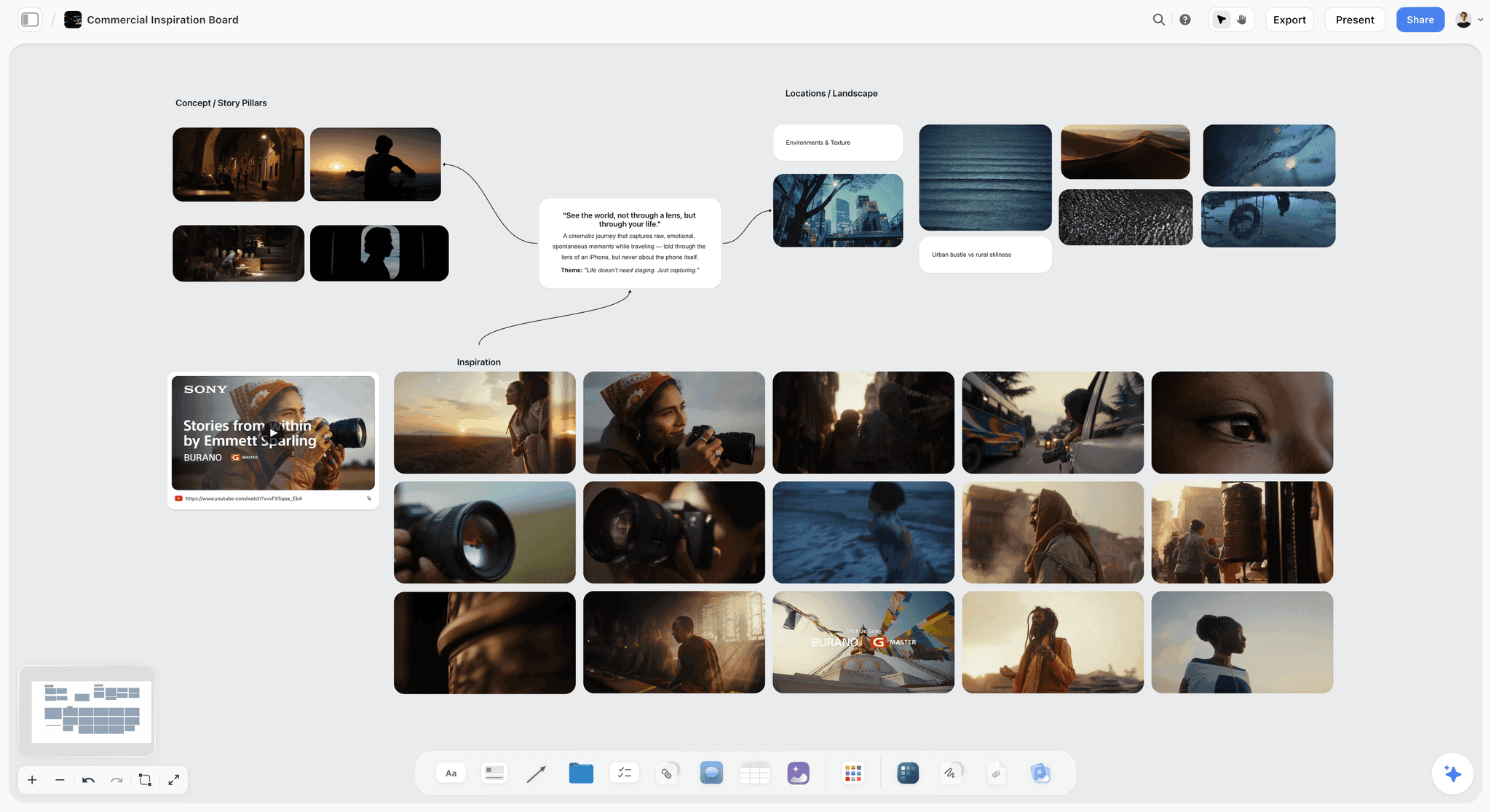
The effects panels need a plan on both sides
Panels 10 and 13 carry the VFX label. The lines already split what is filmed from what is added, but each needs a named person in post and a test before the shoot: a locked-off plate that lines up into a grid, and a fishing-wire paint-out across a wide frame. Panel 05's fire carries no VFX label, but it shares the same rule: one chance, so plan it as if it were an effect.
Storyboard vs the Finished Film: What 14 Panels Can Promise
A board and a film are different objects, and it helps to say how. The ad has 68 shots; the board has 14 panels. The board promises the moments, the order, the rhythm, the props and the plan for each effect. It does not promise the cut.
What the board fixes
The sequence of ideas, the camera position for each moment, the rough length of each movement, every booking the shoot needs, and what the client has said yes to. If panel 13 gets approved with the fan and headphones floating, the shoot delivers that.
What the board leaves to the edit
How many cuts sit inside each burst, the exact frame each one starts on, and the final seconds once the music is laid. A storyboard is the plan; an animatic (still frames played against a rough soundtrack) is the next step if the client needs to feel the timing before the shoot. Storyflow does not make animatics; our animatic guide covers how to cut one.
Why the comparison is worth seeing
Set this board beside the finished ad and you can judge for yourself how close a plan written in words gets to a film, and which decisions a board makes and which it leaves to the edit. To see the board itself built panel by panel, watch the film.
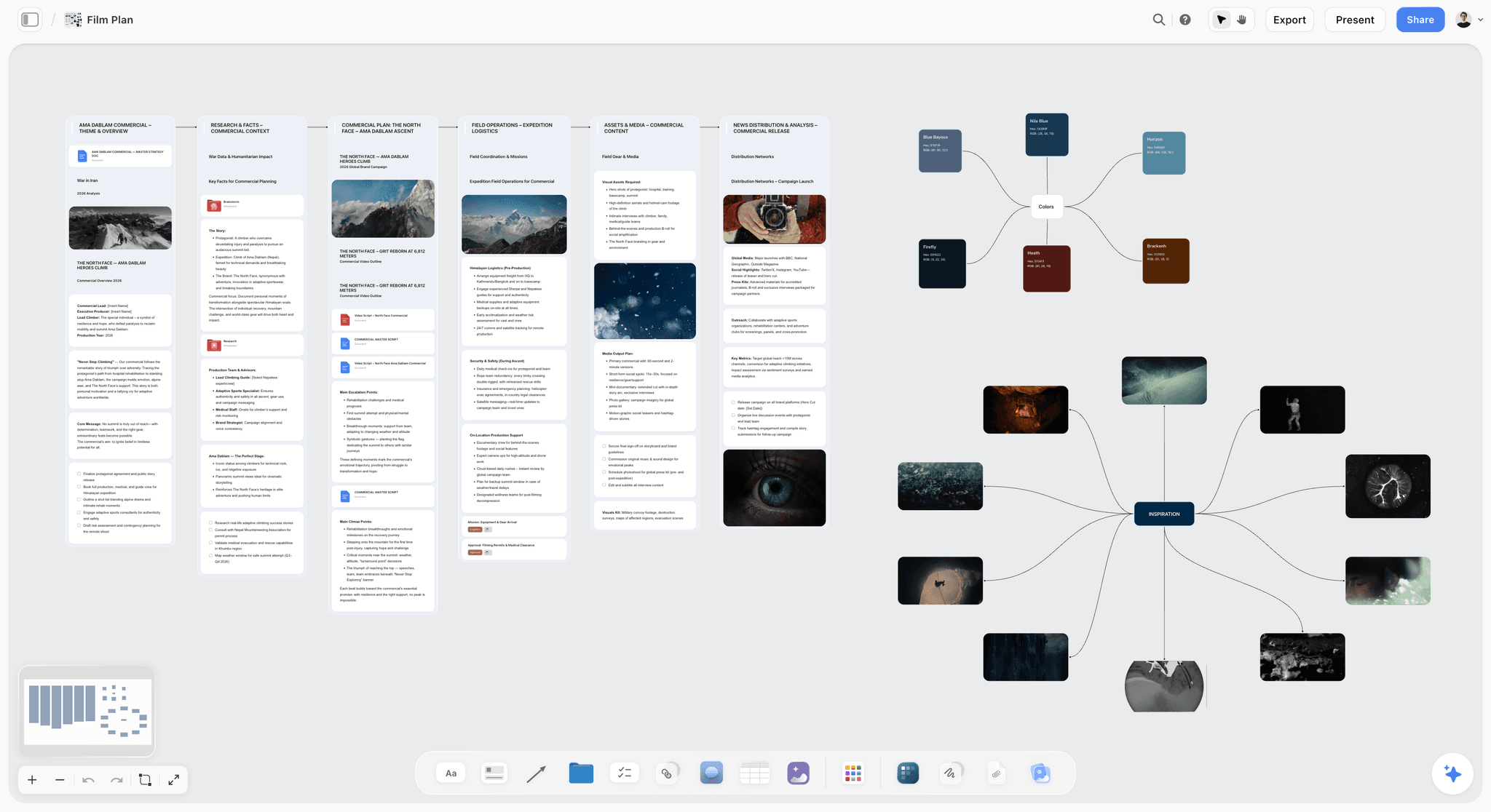
Copy the Structure: A 14-Panel Template for Your Own 90-Second Ad
Your ad is not this ad, but the shape travels. Keep the four movements, keep the panel recipe, and fill in your own content. Here is the board as an empty template you can copy into Storyflow, a spreadsheet or a printed sheet.
The panel recipe
Every panel, top to bottom, holds the same six things:
- Number and name, for example "01 · The mirror".
- The sketch: drawn, AI-sketched from the line, or left empty.
- The reference frame, in the same shape on every panel, with the source film in the caption.
- The line: what we see, how the camera moves, what we hear, with labels for shot size, camera move and seconds.
- A script note with the words heard over that moment, and a why note.
- A to-do list of locations, props, rigs, wardrobe and post work.
The 90-second skeleton
| # | Movement | Target seconds | What the panel must do | Your line (what we see. camera. what we hear.) |
|---|---|---|---|---|
01 | Quiet start | 8 to 10 | Meet the person alone, before anything happens | |
02 | Quiet start | 3 | Show the habit or desire the product serves | |
03 | Quiet start | 1 to 2 | The first small change in them | |
04 | Montage | 2 to 4 | The first spark, somewhere ordinary | |
05 | Montage | 2 to 3 | Scale jumps | |
06 | Montage | 2 | Speed up; rhyme with panel 01 | |
07 | Montage | 2 | Peak energy | |
08 | Montage lands | 5 | Stillness: their space, their things | |
09 | Montage lands | 6 to 7 | The idea in one gesture or prop | |
10 | The turn | 10 to 13 | What wears the spark down | |
11 | The turn | 4 | The cause, shown small | |
12 | The turn | 12 to 18 | The contrast, using the same prop | |
13 | Payoff | 12 to 14 | The big image the ad is remembered for | |
14 | Payoff | 5 to 6 | End on the person, then the logo |
The target column is a starting point taken from this board's shape, not a rule; time your own panels with a stopwatch. The low ends of the ranges add to 74 seconds and the high ends to 93, so your board will land somewhere in that band before you trim to 90.
A filled example line, before and after
- Before: "Product on table."
- After: "Close-up. Her hand sets the bottle down on the wet counter, label to camera. Camera still. Voice-over: the product line."
- Labels: Close-up, Still, 3 seconds.
- Why: the first time we see the product, in her world rather than a studio.
- To-do: hero bottle and two spares; wet counter dressing; label check with the brand team.
The Checklist Before You Send the Board
Run this list before the link goes to the client. Each item is a question the client or crew will otherwise ask you in the meeting.
- Every panel has a number and a name.
- Every line answers what we see, how the camera moves and what we hear, in that order.
- Every panel carries its shot size, camera move and seconds as labels.
- The seconds add up to the brief, or you know which panel you are cutting first.
- Very fast shots say "under a second" in the line.
- Every shot you cannot film for real has a two-part line: the day and the edit.
- Every reference frame is the same shape and credits its source film in the caption.
- Panels with no matching reference say so instead of borrowing a near miss.
- Every continuity object (a prop, a costume) appears on every panel that uses it.
- Every to-do item that needs a person has one.
- The crew has commented and every comment has a reply on its panel.
- You know the one decision you are asking the client for.
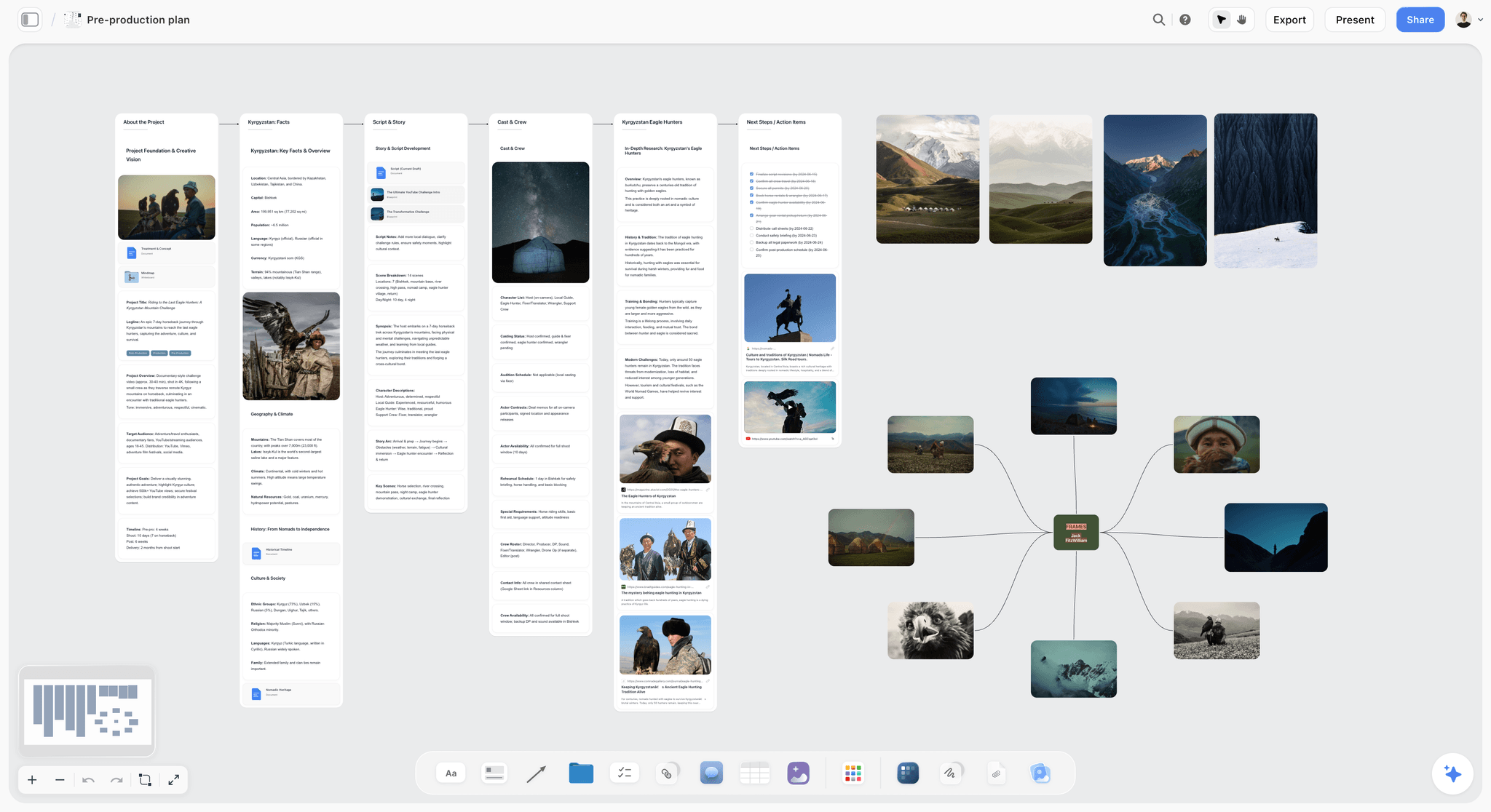
Our storyboard brief checklist covers what you need from the client before panel 01; this list covers what the client needs from you after panel 14.
The Tools, Reviewed for This Job
Four tools matter for building a board like this one. They are listed with our own product first, then the rest by the job each does best.
1. Storyflow

Verdict: the place to build this exact board, because each panel is a wall holding all six parts, and the client reviews the whole thing by link.
Best for: directors, producers and small agencies planning a commercial or brand film who want the storyboard, the references and the to-do lists on one board.
Pricing: Plus $7.99 a month billed annually ($9.99 monthly); Pro $14 ($19 monthly) adds AI image generation; Max $39 ($49 monthly) adds a team workspace with roles and permissions. Storyflow is paid-only during early access; its Free plan launches before the end of 2026, and anyone a paid member invites to a board joins free now. See pricing.
Storyflow is an AI visual workspace for planning creative projects: an infinite canvas with notes, to-dos, tables, documents, images and walls, plus an AI agent that reads the board and builds plans, moodboards, storyboards and shot lists onto it. For this example, every panel is a wall: drop one from the toolbar, number and name it, and stack the sketch, the reference frame, the line with its labels, the script note, the why note and the to-do list inside it. Fourteen walls in a row is the whole ad. Our film storyboard and commercial storyboard pages show the layout.
The AI can sketch a panel from its line on Pro and Max: select the line and ask for a pencil sketch. The same AI can build a shot list with a picture for every shot, in the look of example photos you give it. On Plus, draw and upload your own sketches, or lean on the reference frames.

Client review happens on the panels. A view link opens with no account; leaving a comment needs a sign-in. Present walks through the board one wall at a time, fullscreen, which is how step 8 runs in the meeting. The AI can also turn the board into slides if the client wants a deck instead of a link.
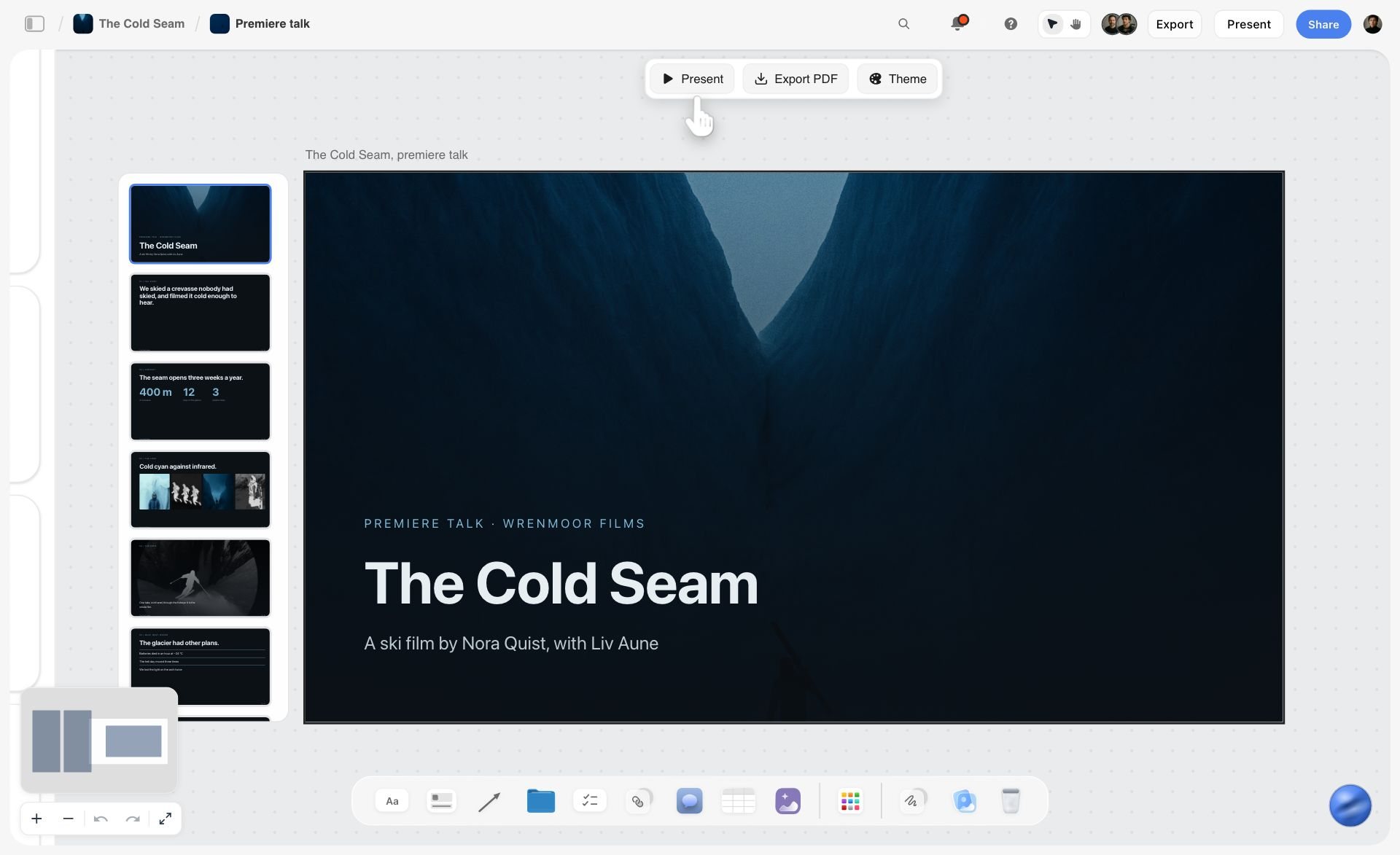
- One wall per panel, holding every part of the panel in a fixed order
- Labels for shot size, camera move and seconds that you can scan across the row
- To-do items with a person and a due date
- Comments on panels; view link opens with no account; Present one wall at a time
- AI sketches from the line on Pro and Max; the agent reads the whole board
- Connects to Claude, ChatGPT, Gemini and Grok through its MCP connector
Limitations: no animatic and no MP4 export; no approve button or approval status per panel; no version history; no drawing tools for hand-drawn boards; browser only, with no offline mode; AI sketches need Pro or Max.
2. Boords
Verdict: the dedicated storyboard tool to choose when the client approves an animatic, frame statuses or tracked versions rather than a board.
Best for: agencies whose deliverable is the storyboard or animatic itself, with a formal approval trail.
Pricing: free plan with 5 active storyboards, 3 active scripts and 8 one-off sample AI image credits; Solo $26 a month billed yearly ($39 monthly) with 250 AI images a month; Pro $50 billed yearly ($75 monthly) for up to 5 users; Team $85 billed yearly ($125 monthly) for up to 10 users, per Boords pricing on 11 October 2026.
Boords is built around frames. Its storyboard software page lists frame statuses that show approved or needs changes, version history with side-by-side comparison, animatics previewed with audio and exported as MP4, frame-specific comments, and export to PDF, images, shot lists and scripts. It also generates storyboard images from text prompts.
- Animatic with audio and MP4 export
- Approved and needs-changes statuses per frame
- Version history with comments kept
Limitations: the board lives apart from the reference library, the to-do lists and the rest of the production plan; AI images are capped per plan; multi-user plans are priced by seat band.
Against Storyflow: Boords wins when the approval itself needs to be recorded per frame or the client must watch the timing play; choose Storyflow when the board, its references and its to-do lists need to live together and the client reviews by link.
3. StudioBinder
Verdict: a storyboard tied to a synced script inside a wider production management suite.
Best for: productions that already run their script, shot lists and call sheets in StudioBinder.
Pricing: StudioBinder's pricing page showed no plans when checked on 11 October 2026; see the storyboard creator page for the product.
StudioBinder's storyboard creator turns a selected line of a synced script into a panel, with a menu of shot specs, image filters and arrows, aspect ratios and column layouts, shot numbering, team comments and tasks, view-only share links and customisable PDF export. It does not list a dedicated approval workflow.
- Panels created from the script
- Shot specs and numbering built in
- PDF export with covers, watermarks and passwords
Limitations: prices not published when checked; no approval workflow listed; the storyboard is one module of a larger suite.
Against Storyflow: choose StudioBinder if your script and shoot paperwork already live there and you want the storyboard linked to the script; choose Storyflow when you want reference frames, sketches and to-do lists on one free-form board the client reviews by link.
4. Storyboarder
Verdict: the free, open-source pick for people who draw every frame themselves.
Best for: directors and artists who sketch by hand and want timing and animatics without a subscription.
Pricing: free and open source, per Wonder Unit.
Storyboarder lets you sketch boards and add dialogue, action, timing and shot type to each one. It creates and shows animatics, exports to Premiere, Final Cut and Avid, and produces PDF contact sheets and animated GIFs. It runs on Mac, Windows and Linux.
- Drawing tools built for boards
- Timing per board and animatics
- Exports to editing software
Limitations: no shared review link or comments built in; to-do lists and reference frames live elsewhere.
Against Storyflow: choose Storyboarder when you draw and need an animatic for free; choose Storyflow when the board must carry to-do lists, reference frames and client comments.
How the Structure Changes by Kind of Film
The four-movement shape and the panel recipe travel well. What changes is the panel count, the balance of movements and what the to-do lists hold.
| Kind of film | Typical length | What changes on the board | Panel recipe changes |
|---|---|---|---|
30-second ad | 30 seconds | Fewer panels; the turn shrinks to one or two | Seconds label matters most; supers and legal lines go in the line |
Music video | Song length | Panels follow song sections | Add the lyric line or section name to the timing label |
Corporate or brand film | 1 to 3 minutes | Interviews replace the montage | To-do lists hold interviewees, releases and locations |
Short film | 5 to 15 minutes | Panels per scene, not per moment | Dialogue moves into the script note |
Documentary | Varies | Board the planned scenes; leave room for what is found | Two-part lines mark what is staged and what is observed |
Social and vertical | 6 to 60 seconds | The hook is panel 01 and it must land in the first second | Every reference frame set to the vertical shape |
A 30-second ad
The same brief at a third of the length usually keeps the quiet start and the payoff and compresses the middle. The seconds label is under more pressure: three seconds matters. Our commercial storyboard guide covers cut-downs.
A music video
Panels follow the song. The fourth question (how long?) is answered by the track, so the timing label becomes a section name, and the music video storyboard page shows a board laid out that way.
A corporate or brand film
The montage of sparks is often replaced by interview moments. The to-do lists grow, because each interviewee needs a release, a location and a time.
A short film
A short film boards scenes rather than moments, and dialogue moves into the script note. The line still answers the three questions.
A documentary
You cannot board what has not happened yet, but you can board what you plan to film. A two-part line works here as well: what is staged, and what you hope to observe. The documentary storyboard page goes further.
A social or vertical cut
Panel 01 becomes the hook and must land in the first second. Set every reference frame to the vertical shape so the crew frames for it.
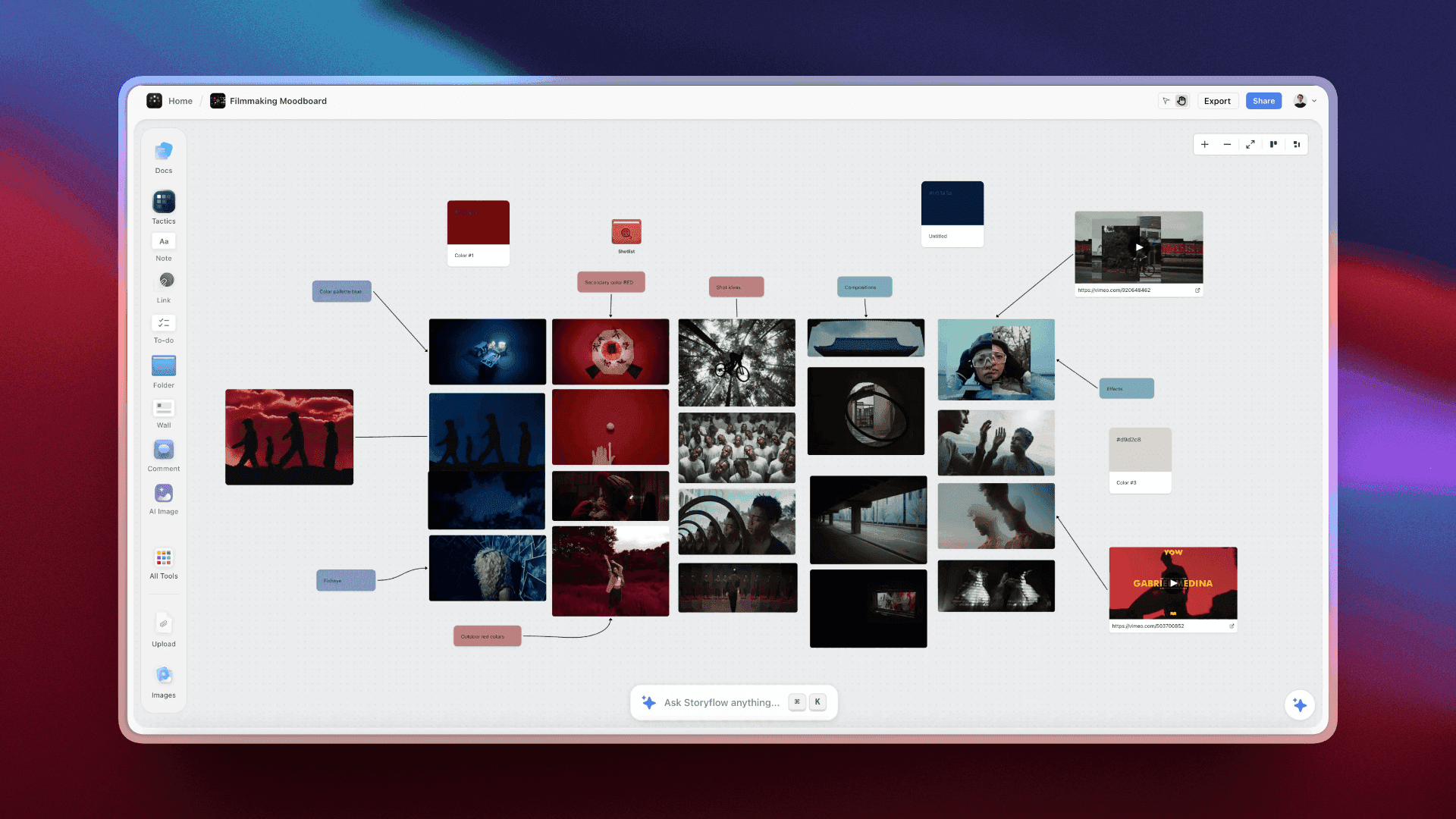
Reading the Board by Role
The same 14 panels answer different questions for each person who opens the link. Write the board so every role can find their answer without asking you.
The director
Reads the lines and the why notes: is every moment there, in the right order, for the right reason?
The producer
Reads the to-do lists: the car, the burnout rig, the second actor, the grey office, the fire safety officer. That is the budget.
The director of photography
Reads the labels and the reference frames: the push in, the run of top-down shots, the locked-off wides from panel 08 onward, and the two panels with no reference frame that need a light test.
The editor
Reads the seconds and the two-part lines: what arrives as a plate, what needs a grid repeat, where the wire gets painted out, and where the logo goes.
The client
Reads the why notes and the sketches, and makes one decision: approve this panel, or change one thing.
Common Mistakes When You Copy a Storyboard Example
Copying the look of a board is easy. Copying what makes it work is where people slip.
Mistake 1: Copying the pictures and skipping the lines
The sketches are the least important part of this example. Copy the sentences under them. Fix: write the line before you touch the picture.
Mistake 2: A panel for every shot
Sixty-eight panels for a 68-shot ad buries the client in detail. Fix: one panel per moment the client must see, with the speed of fast shots written into the line.
Mistake 3: Leaving the seconds off
Without seconds you cannot know the board runs 92 against 90. Fix: time every panel with a stopwatch and carry the seconds as a label.
Mistake 4: Hiding effects behind one word
"VFX" alone gets you a quote for the wrong job. Fix: write a two-part line, the day and the edit.
Mistake 5: Borrowing a near-miss reference
A frame that is close to your shot misleads the crew about light and lens. Fix: skip the frame and say so, as panels 03 and 09 do.
Mistake 6: Asking the client what they think
An open question returns a list of opinions. Fix: ask for one decision per panel, as the client on this board does with panel 13. Our post on getting a decision on a design concept explains why.
When Storyflow Is Not the Right Choice
Storyflow is our product, so here is where it is the wrong pick for a board like this, and who does the job instead.
The client needs to watch the timing play
No animatic and no MP4 export. Use Boords or Storyboarder, or have an editor cut one.
Approval has to be recorded per frame
No approve button, no approval status per panel and no version history. Boords has frame statuses and versions.
You are reviewing the cut, not the board
No frame-accurate video review. Use Frame.io once the ad is edited; its pricing page lists Pro at $15 per member a month.
You draw every panel by hand
No drawing tools. Use Storyboarder, Procreate or Photoshop, then upload the drawings into the walls if you still want the board.
You need to schedule the shoot
No stripboard scheduling and no call sheet sending. StudioBinder handles production paperwork.
You work offline
Storyflow runs in the browser, with no installed version for desktop or phone and no offline mode. A printed board travels better on a location with no signal.
What It Costs to Build This Board
Prices as of 11 October 2026, read on each vendor's site or from Storyflow's own pricing.
| Tool | Entry price | Next tier | What the next tier adds for this job |
|---|---|---|---|
Storyflow | Plus $7.99 a month billed annually ($9.99 monthly) | Pro $14 billed annually ($19 monthly); Max $39 ($49) | Pro adds AI sketches from the line; Max adds a team workspace with roles |
Boords | Free plan, 5 active storyboards | Solo $26 billed yearly ($39 monthly); Pro $50 ($75) | More storyboards, AI images, more users |
StudioBinder | Not published when checked | Not published when checked | See the vendor |
Storyboarder | Free and open source | None | None |
Frame.io | Free plan, 2 members | Pro $15 per member a month; Team $25 | Review of the finished cut, not the board |
A worked sum for a director working alone who wants AI sketches: Storyflow Pro at $14 a month billed annually is $168 a year. The crew and the client can join that board free, because anyone a paid member invites to a board joins free.
The Bottom Line
A storyboard example is worth reading when you can see the decisions in it, not just the drawings. This one shows a 90-second ad in 14 panels, each with a line a crew can shoot from, labels you can scan, seconds that add up (to 92, which tells you where to cut), a reason for every shot and a to-do list that turns the board into a plan. Storyflow holds the whole thing on one board the client opens by link; Boords is the pick when the approval is an animatic or a recorded status per frame. Copy the structure, write the lines first, and time it before anyone outside the team sees it. Then watch How to Storyboard a Film So Your Client Says Yes to see all 14 panels built.
FAQ: Storyboard Examples for Ads and Films
What does a professional storyboard example look like?
A professional storyboard is a row of numbered panels, each with a picture and a written line saying what we see, how the camera moves and what we hear. Good ones add labels for shot size, camera move and seconds, a note on why the shot exists and a to-do list for the shoot. The 14-panel board in this post shows every one of those parts, panel by panel.
How many panels does a 90-second commercial storyboard need?
Enough to show every moment the client must see, which is usually far fewer than the number of shots. This example uses 14 panels for an ad with 68 shots. Fast montage shots share a panel, with "under a second" written into the line, so the client sees the idea without wading through every cut.
What should each panel of an ad storyboard include?
Six things: a number and name, a sketch, a reference frame, the line with labels for shot size, camera move and seconds, a script note and a why note, and a to-do list. The to-do list is the part most examples leave out, and it is what turns the board into a production plan a producer can cost.
How long should each shot be in a 90-second ad?
As long as the moment needs, measured with a stopwatch, and the total has to match the brief. In this example the panels run from 1 second to 19 seconds. They add to 92 against a 90-second brief, and the rule is to cut the longest panels first so you lose seconds rather than whole ideas.
Can I use this storyboard example as a template?
Yes. Copy the structure, not the content: the four movements (quiet start, montage, turn, payoff), the six-part panel recipe and the read-aloud test for every line. The template section above gives a 14-row skeleton with target seconds you can paste into a board, a spreadsheet or a printed sheet and fill in for your own ad.
Is this the official storyboard for the Cosmos ad?
No. It is not the official storyboard for that film, and Storyflow had nothing to do with making it. It is how we would plan a film like it. The sketches were made from our written lines only, the reference frames come from other films and are credited, and the commenters in the demo are made up.
What is the difference between a storyboard and a shot list?
A storyboard shows the moments in order with pictures, so a client can approve the film. A shot list lists every setup the crew must film, usually in shooting order, so the day runs on time. This board's to-do lists are halfway between the two. Our storyboard vs shot list guide goes deeper.
Do I need to draw to make a storyboard like this?
No. You can draw, leave the picture blank and rely on the line and the reference frame, or let Storyflow's AI sketch the panel from its line on the Pro and Max plans. The line is what the crew shoots from, so a rough sketch or no sketch is fine. See how to storyboard when you cannot draw.
How do I storyboard a visual effects shot?
Write a two-part line: what you film on the day and what is added in the edit. Panel 13 in this example says the room is shot locked off, the objects hang on fishing wire and the wire is painted out in post. Add a VFX label so anyone scanning the board can find every effects panel quickly.
Where do I find reference frames for a storyboard?
A still library such as Frameset, which collects frames from films, ads and music videos. Search for what is physically in the shot rather than a mood, set every frame to the same shape and credit the source film in the caption. If nothing matches, skip the frame and let the sketch from the line do the job.
How do I get a client to approve a storyboard?
Ask for one decision per panel instead of asking what they think. Send the board as a link or present it one panel at a time, and invite the client to approve the panel or change one thing. In this example the client leaves one comment on panel 13, one line changes, and the board is approved.
Can a client comment on a Storyflow storyboard without signing up?
A client can open a Storyflow view link with no account and read the whole board. Leaving a comment needs a sign-in. Anyone a paid member invites to a board joins free, so the client does not pay to comment on the panels.
Can Storyflow make an animatic from this storyboard?
No. Storyflow has no animatic and no MP4 export. Present walks through the board one wall at a time, fullscreen, which covers the client meeting. For a timed animatic with audio, use Boords or Storyboarder, or have an editor cut stills against the track.
Table of Contents
- Key Takeaways
- Why Most Storyboard Examples Teach You Nothing
- The Example: A 90-Second Ad, 68 Shots, 14 Panels
- Tools for Each Step: What Builds a Board Like This One
- How This Board Was Built: The Eight Steps Behind Every Panel
- Step 1: The line
- Step 2: The rest of the panel
- Step 3: The sketch
- Step 4: The reference frame
- Step 5: The other panels
- Step 6: Timing
- Step 7: The team check
- Step 8: The yes
- Worked Example: The 14 Panels Read Shot by Shot
- What the Board Gets Right
- What the Board Leaves Open
- Storyboard vs the Finished Film: What 14 Panels Can Promise
- Copy the Structure: A 14-Panel Template for Your Own 90-Second Ad
- The Checklist Before You Send the Board
- The Tools, Reviewed for This Job
- How the Structure Changes by Kind of Film
- Reading the Board by Role
- Common Mistakes When You Copy a Storyboard Example
- When Storyflow Is Not the Right Choice
- What It Costs to Build This Board
- The Bottom Line
- FAQ: Storyboard Examples for Ads and Films
- Related Reading
Templates to check out for this topic


Filmmaking templates you can use in Storyflow
Skip the blank canvas. Open one of these filmmaking boards in Storyflow and the AI builds on the structure that is already there, from research through the shot list.


See Storyflow in Action
A visual AI workspace where every feature lives inside one canvas. No tab-switching, no context lost.
Build your entire board from a single message
Type what you need in the AI chat at the bottom of your canvas. The AI adds cards, headings, and structure directly onto your board.
Use expert frameworks as AI context
Type @ in the AI chat and choose any Tactic. The AI tailors every response to that framework instead of giving generic advice.
Turn your board into a mind map in seconds
Ask the AI to restructure your canvas as a mindmap. It connects your ideas into a visual hierarchy so you can see how everything relates.
Why Storyflow Exists
Storyflow actually began as a personal tool while working on creative and research projects.
We kept running into the same problem: ideas were scattered everywhere: notes, documents, and whiteboards.
Nothing helped us see how everything connected.
So we started building a workspace designed around how ideas actually grow.
→ Read how Storyflow was createdStoryflow Team
Product & Research Team
Published: 2026-10-11
Extremely simple, seriously capable


See how easy it is to get started
Watch a real project come together, from a blank board to a finished plan, clicked through step by step.
Start creating with AI and become more productive
Transform your creative workflow with AI-powered tools. Generate ideas, create content, and boost your productivity in minutes instead of hours.