How to Present a Storyboard to a Client (Get a Yes, Not Opinions)
How to present a storyboard to a client and get a yes: the crew check, the send, the one decision question per panel, and how to record approval in Storyflow without an approve button.

Category
Filmmaking
Author

Storyflow Team
Product & Research Team
Topics
2026-10-11
•
51 min read
•
Filmmaking- Storyflow
- storyboard presentation
- client approval
- storyboard sign off
- client feedback
How do you present a storyboard to a client and get it approved?
To present a storyboard to a client and get it approved, let your crew comment on it first, then send the client the board or walk them through it, and ask for a decision on each panel: approve it, or change one thing. Storyflow holds that whole exchange on one board: the crew and the client comment on the numbered panels, the client opens a view link with no account (and signs in to comment), and Present walks them through it one panel at a time. Choose Boords if you need an approve button and version history, Filestage for formal approval steps, and Frame.io once there is footage to review.
Full disclosure: Storyflow is our product. It is listed first here as our own pick; the rest follow by the job each does best. For this job its main limits are no approve button or approval status per panel, no version history and no animatic, so a client process that audits approvals is better served by Boords or Filestage.
Quick Comparison
Tools for presenting a storyboard and getting client sign-off, with prices as of October 2026.
| Tool | Best For | AI Features | Price |
|---|---|---|---|
| Storyflow | Presenting and approving the storyboard on the board it was built on | AI sketches panels from your lines (Pro and Max), turns the board into a PDF pitch or slides | $7.99 a month billed annually (paid-only today; Free plan due before the end of 2026) |
| Boords | Frame statuses, version history and animatics | AI image credits per plan | Free plan with 5 storyboards; Solo $26 a month billed yearly ($39 monthly) |
| Filestage | Staged approvals with an approve button | Review agents on Business | Free plan; Starter $199 a month |
| Frame.io | Reviewing footage with frame-accurate notes | Transcription and captions | Free for 2 members; Pro $15 per member a month |
Key Takeaways
- Storyflow keeps the crew check, the client's comments and the walk-through on the same numbered board, so every note lands on the panel it is about and every reply sits beside it.
- Never end a storyboard presentation with "So, what do you think?". An open question returns a list of opinions; a closed one ("approve this panel, or change one thing") returns a decision.
- Run the team check before the client sees anything. A camera operator who says "the fire can only happen once" on Tuesday saves you from hearing it on the shoot day.
- Pick the format by the client: send the link when they decide alone and in their own time, walk them through it live when several people have to agree in one room.
- Storyflow has no approve button and no version history. Record the yes three ways: a label on each approved panel, a sign-off table on the board, and one confirming email.
- When a client rewrites the idea, separate a note (one panel changes) from a new brief (the film changes). The first is a revision round; the second is a new quote.
- Agree the number of revision rounds before the first send, and number your panels, so "change panel eight" means one thing to everyone.
- Watch it done: How to Storyboard a Film So Your Client Says Yes ends with the client's one comment landing on a panel, one line changing, and the yes, all in 10 minutes.
Why Storyboard Presentations End in a Pile of Opinions
You spent three days on the board. Fourteen panels, every line written, every reference frame captioned. You send the link with a friendly note, and two days later the reply arrives: nine bullet points, three of which contradict each other, one of which asks whether the whole thing could be "a bit more fun". Nobody said yes. Nobody said no. You now have a second job: working out what the client actually wants.
That reply is not the client being difficult. It is the predictable result of how the board was presented. Four things go wrong, and each one has a fix later in this post.
The open question invites a redesign
"What do you think?" asks the client to have opinions, and clients are generous with them. Every panel becomes a prompt for taste: the colour of the sweater, a different song, a funnier ending. The question does not tell them that most of the board is meant to be approved as it stands. A storyboard review is a decision meeting, and a question with no options produces no decision.
The client sees the board cold
The client was in the brief meeting six weeks ago. Since then they have had forty other meetings. When the board arrives with no reminder of what it is for (the length, the audience, the one thing the film must make people feel), they judge it against whatever they are thinking about that morning. A board judged against the wrong brief always looks wrong.
Nobody wrote down what was agreed
The client said "looks great" on a call. Three weeks later, at the edit, they ask where the scene with the fan went. There was never a scene with the fan. There was a comment about a fan, a reply, a call, and no record of which version was the yes. Without a written decision per panel, the approval is a memory, and memories drift toward what people wanted rather than what they agreed.
The crew finds the problem after the client said yes
The client approves a shot of fire bursting across the ground. Then the camera operator reads the board for the first time and points out that you get one take: once it burns, it is gone. Now you either go back to the client with a change to a panel they already approved, or you shoot it with crossed fingers. Both are avoidable, because the crew could have read the board first.
Tools for Each Step: Presenting a Storyboard and Getting Sign-Off
The job here is narrow: get comments from the crew, then from the client, then turn them into one recorded yes. Some tools are built for the board, some for the approval, and some for the presentation. The table lists our own product first, then the rest by the job each does best.
| Tool | Crew check before the client | How the client receives it | Live walk-through | Recording the yes | Starting price (checked October 2026) |
|---|---|---|---|---|---|
Storyflow | Comments and replies on each panel of the board | View link, opens with no account; signing in to comment | Present steps through the board one wall (panel) at a time, fullscreen | Labels on panels, a sign-off table, an email; no approve button | $7.99 a month billed annually |
Boords | Frame-level comments from the team | Shared links, with no-signup client reviews listed on every paid plan | Secure presentation links | Statuses on frames (approved, needs changes) and version history | Free plan with 5 storyboards; Solo $26 a month billed yearly |
Filestage | Reviewer groups that review in order | Review links; reviewers can approve by entering an email | Not a presentation tool | Approve button, review statuses, due dates and reminders | Free plan; Starter $199 a month |
Frame.io | Comments and annotations on uploaded files | Share links with no sign-up or log-in for reviewers | Full-screen review | Built for footage: frame-accurate notes once there is a cut | Free for 2 members; Pro $15 per member a month |
Google Slides | Comments on slides | Sharing with view, comment or edit permission | Present mode | No approval record beyond comments | Comes with a Google Account |
Two things the table makes plain. First, Storyflow and Boords are the two that hold the storyboard itself, the thing being approved; Filestage and Frame.io review a file you export into them. Second, if your client's process demands a button that says Approved, with a history of who pressed it, Storyflow is not that tool and Boords or Filestage is. The rest of this post shows how to get a clean, recorded yes without one, and when you should not try.
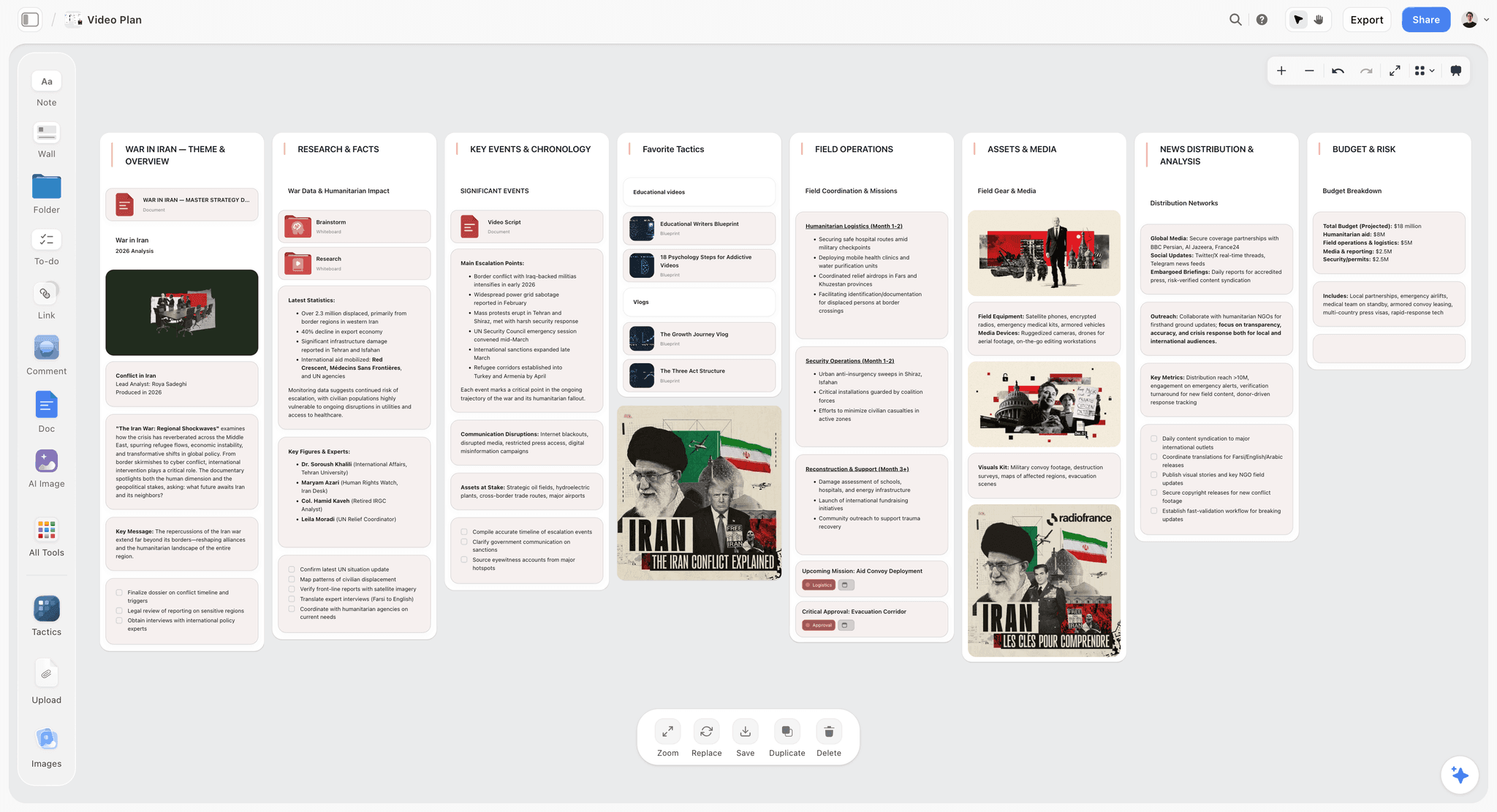
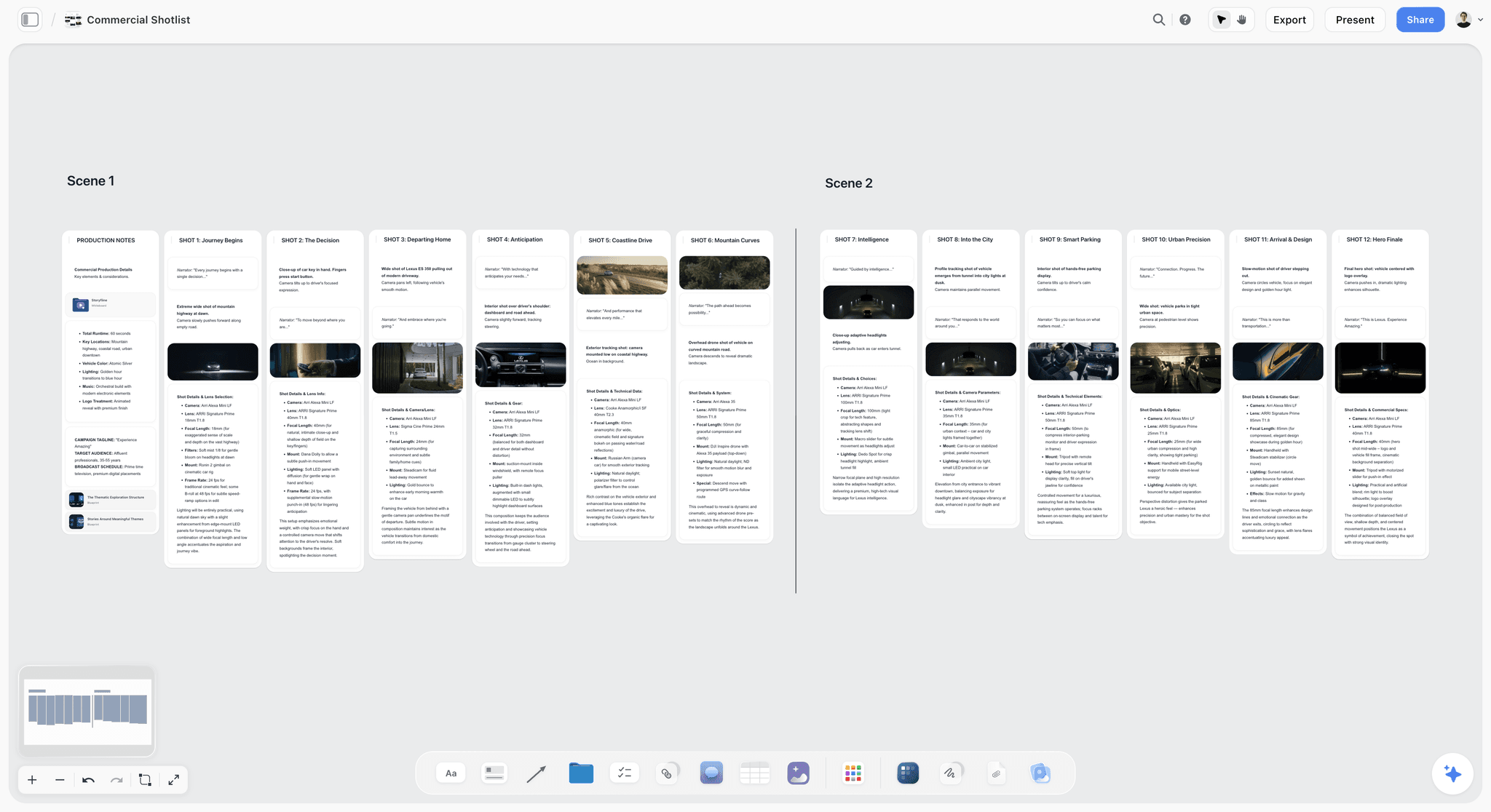
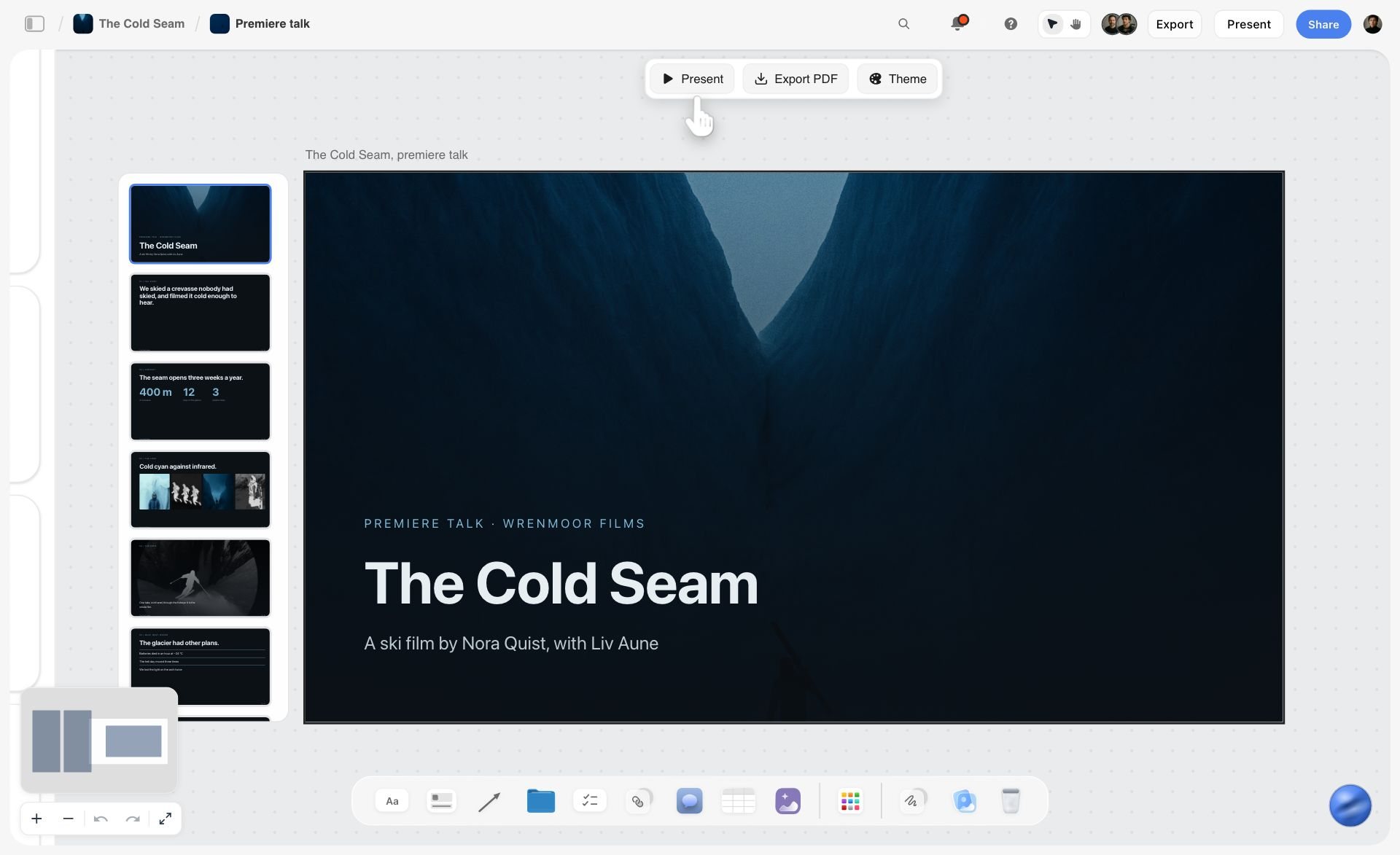
A Storyflow video plan board with the script, shots and production notes laid out together, ready to share with a client by view link.
Present your storyboard on the board you built
Let the crew comment on each panel, send the client a view link or walk them through it in Present, and record the yes with labels. Plans start at $7.99 a month billed annually.

How to Present a Storyboard to a Client, Step by Step
This is the end of the method we use to plan a film like the one in our film: step 7 (the team check) and step 8 (the yes), broken into the eight moves that actually happen between "the board is finished" and "the client approved it". The earlier steps (writing the line, building the panel, timing it) are covered in the companion guide to storyboarding a film so your client says yes. If you are building the board in Storyflow, our film storyboard page shows the layout.

Step 1: Run the team check before the client sees anything
Send the board to the people who will make the film before you send it to the person who pays for it. The camera operator, the producer, the art director, the editor if you have one. Ask them one thing: read every panel and comment on anything that cannot be shot as written, will cost more than we think, or needs something we have not listed.
The crew reads a board differently from a client. A client reads for the idea. A crew reads for the day: how many takes, which rig, what has to be on set, how long the setup is. Their comments are the cheapest problems you will ever solve, because nothing has been promised yet.
In Storyflow, the crew comments directly on the panel: press C or pick the comment tool, drop a comment on the wall, and the thread stays attached to that panel. Type @ and a name to pull someone in, and the bell tells them. Working alone? Skip this step. There is nobody to check with, and pretending otherwise just adds a day.
Step 2: Fix what the crew found, on the panel
Every crew comment gets one of three answers, written as a reply on the thread:
- Fixed: the line, the to-do list or the label changed. Say what changed.
- Planned: the problem is real and the plan now covers it (an extra camera, a safety officer, a second location). Add it to the panel's to-do list.
- Accepted risk: the problem is real and you are choosing to live with it. Say why, so nobody rediscovers it on the day.
Then resolve the thread. Resolved comments collapse but stay on the board, so the history of how a panel got to its final form is there if anyone asks. The client should receive a board with no open crew threads on it: every question they might ask about how a shot will be made has already been asked and answered.
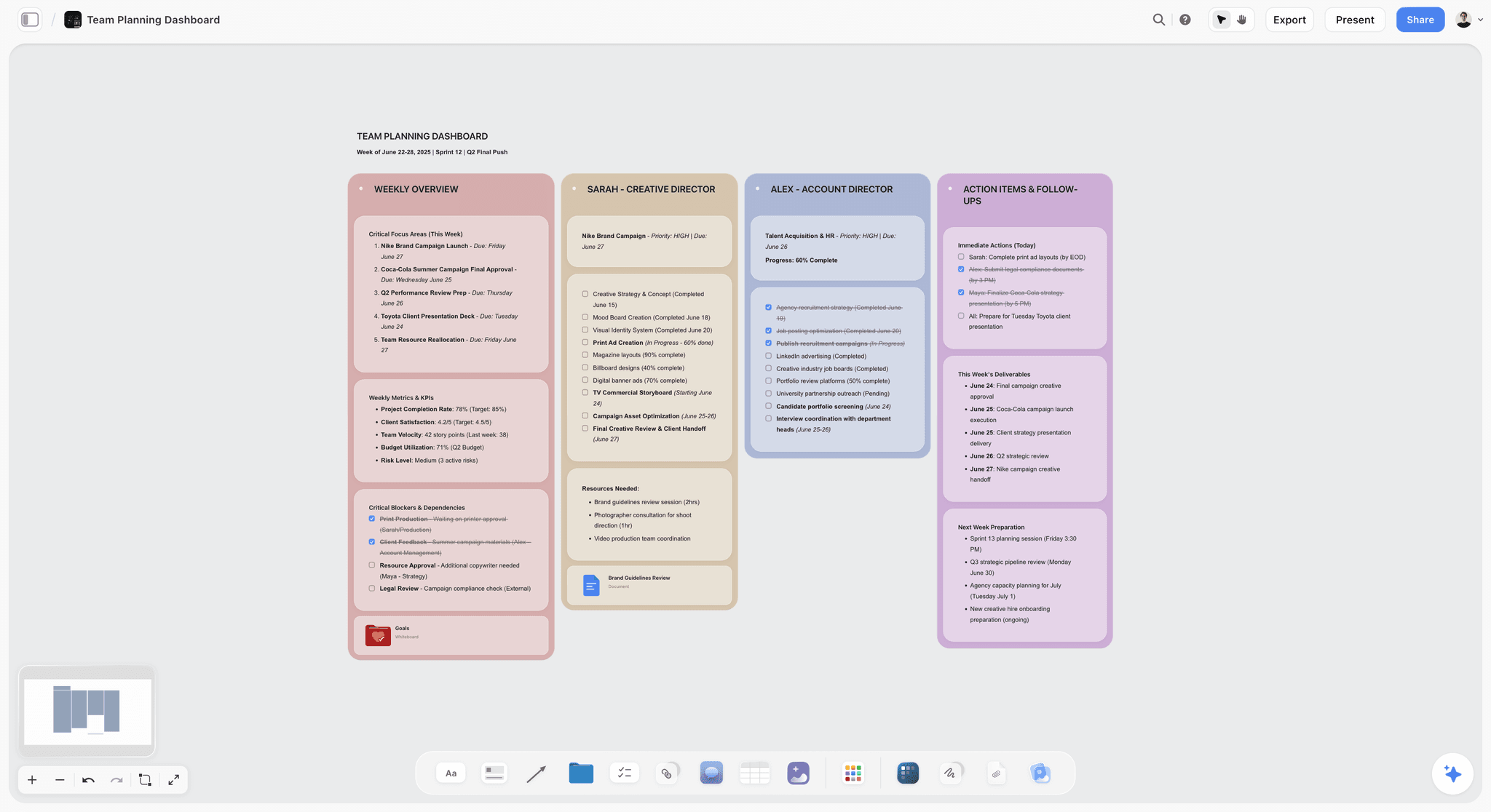
Step 3: Decide: send the link, or walk them through it
There are two ways to put a board in front of a client, and they suit different clients.
Send the link when one person decides, in their own time, and reads carefully. They open it when they are ready, read every line, and comment on the panels. In Storyflow, the client opens a view link with no account; to leave a comment they sign in, and anyone a paid member invites to a board joins free. Turn commenting on for the view link before you send it, or the client can read the board but not comment on it. Say both halves in your message, so the sign-in prompt is not a surprise.
Walk them through it live when several people have to agree, when the client is new to storyboards, or when the idea depends on rhythm the client cannot feel from a still page. In Storyflow, press Present and the board steps one wall at a time, fullscreen: one panel on screen, your voice over it. Then send the link afterwards for the comments.
The safest pattern for a new client is both, in that order: a short live walk-through, then the link for written decisions within an agreed number of days.
Step 4: Write the message that goes with the board
The board never travels alone. It travels with four sentences: what this is, what it is for, what you need back, and by when. Most of the opinions problem is solved here, before the client opens anything.
The message names the brief in one line (length, audience, the one feeling), says how many panels there are and that each one is numbered, and asks for a decision on each panel, not for thoughts on the whole. It names the deadline and says what happens if a panel gets no comment (it counts as approved). Copy-ready versions are in the templates section below.
Step 5: Open with the brief, not the first panel
Whether live or by link, the first thing the client sees is the brief, not panel 01. Put a short note at the start of the board, left of the first panel: the film's length, the audience, what it must make people feel, and what the client agreed to in the brief meeting. Then, and only then, the panels.
This does one job: it makes the client judge the board against the brief they signed, not against their mood that morning. If a panel works for the brief and the client still dislikes it, that is a real conversation worth having. If they dislike it because they forgot the brief, the note settles it before it starts.

Step 6: Ask for a decision on every panel
This is the move the whole method turns on. Do not ask "So, what do you think?". Ask, panel by panel: approve this panel, or change one thing.
The question works because it is closed. It tells the client the board is meant to be approved, it limits each note to one change (so a note cannot become a redesign), and it ties every note to a panel number. A client who wants to change three things on one panel has to choose the one that matters most, which is the one you actually needed to hear.
In a live walk-through, say it out loud at the end of each panel, or at the end of each group of panels if the board is long. By link, write it in the message and again in a note at the top of the board. The film shows what this sounds like in practice: in the step 8 chapter of How to Storyboard a Film So Your Client Says Yes, you watch the client's single comment arrive on the floating bedroom panel, see the one line change under it, and then see the approval, which is something a written description of a comment thread cannot show you.
Step 7: Turn every comment into one line change
A client comment is a request; a change is a line on the panel. Translate each comment into the smallest edit that answers it, make it on the panel, and reply on the thread with what you changed: "Done: the fan and her headphones now float with the other objects; added to the props list."
Three rules keep this from spiralling:
- One comment, one change. If a comment asks for two things, split it into two replies and two changes, or ask which one matters more.
- Change the line, then the to-do list. A new object in a shot is a new prop to source. If the line changes and the to-do list does not, the shoot finds out the hard way.
- Do not change what was not asked for. Fixing other panels "while you are in there" restarts the review of those panels.
Step 8: Record the yes and lock the board
When the client approves, write it down where everyone can see it. Storyflow has no approve button, so the record is three things (covered in detail below): an "Approved" label on each approved panel's note, a sign-off table at the start of the board with the date and the name of the person who approved, and a short email from you confirming what was approved, answered by the client.
Then stop editing the approved board. Any change after the yes is a new round, which gets its own row in the sign-off table. The pay-off comes on the shoot day: everyone has already seen every panel and said yes, so there are no surprises on set.
Worked Example: Presenting the 14-Panel Board for a 90-Second Ad
The example we use throughout is a board for "Your Space to Dream", the 90-second ad directed by Aidan Cullen for Cosmos. You can watch the ad here. This is not the official storyboard for that film, and Storyflow had nothing to do with making it: it is how we would plan a film like it. The sketches were made from our written lines only, never from the film's shots. The reference frames come from other films, found on Frameset and credited on the board. The camera operator and the client in the comments below are made up for the demo.
The real ad has 68 shots. Our board has 14 panels, one for every moment the client needs to see, not one for every shot. That is the board the client receives.
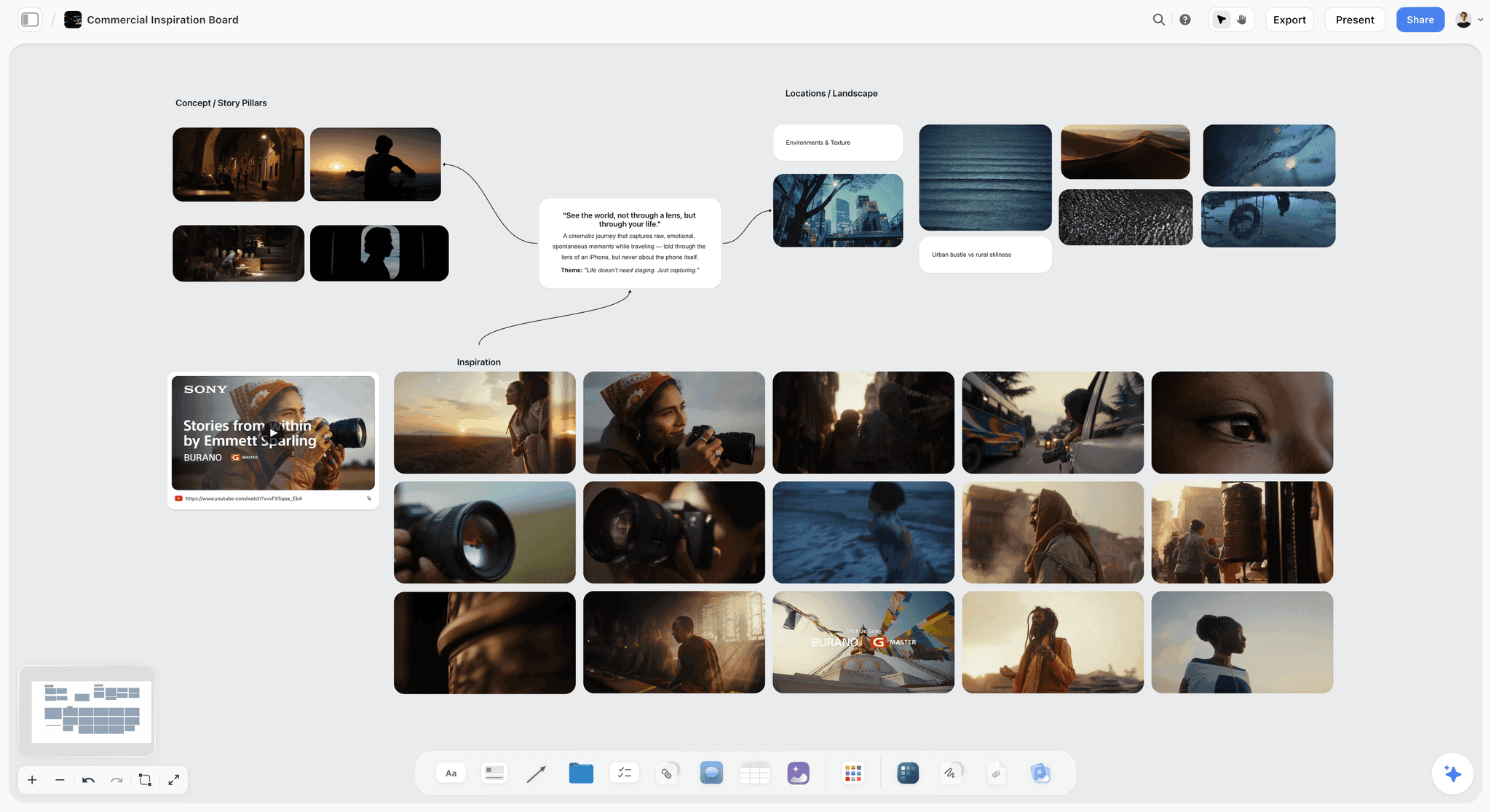
The board the client receives
Each of the 14 panels is a wall with a number and a name, "01 · The mirror" through "14 · Space to dream". Inside every wall, top to bottom: the sketch, the reference frame with its source film in the caption, the line (what we see, how the camera moves, what we hear) with its labels, a script note, a note on why the shot is there, and the to-do list.
The "why" note matters most in a presentation. A client who reads "A quiet, private start, so the spark that comes next hits harder" under panel 01 understands the intent and argues with the intent, not with the sweater. Here are the panels the presentation hinges on:
| # | Panel | Seconds | The line (picture and camera) | Why the shot is there | What the client is asked |
|---|---|---|---|---|---|
01 | The mirror | 9 | Medium close-up. She breathes on the mirror and picks at the glass. Slow push in. | A quiet, private start, so the spark that comes next hits harder. | Approve, or change one thing |
05 | Fire from above | 3 | Top-down. Fire bursts across grey ground. Under a second. | Scale jumps: one image opens a whole world. | Approve (crew note already resolved) |
09 | The lighter | 7 | Extreme close-up. Her hands flick a red lighter above a rainbow sleeve, the flame lights her face. | The film's idea in one gesture: seeing, not scrolling. | Approve, or change one thing |
12 | Grey office | 19 | Wide. A grey office where a man slumps on his desk holding the same red lighter. Locked off. | The same lighter, no spark: the contrast. | Approve, or change one thing |
13 | Floating bedroom | 14 | Wide. Her bedroom lifts off and pictures and objects float around her as she looks up. Shoot the room locked off, hang the objects on fishing wire, then paint the wire out in post. | The payoff: protecting inspiration lifts the whole room. | Approve, or change one thing |
14 | Space to dream | 6 | Top-down. She lies on her flowered bedspread and smiles up at us. Locked off. Logo after. | End on her smile, then the logo. | Approve, or change one thing |
The crew check: "The fire can only happen once"
Before the client sees anything, the crew reads the board. On panel 05, the camera operator comments: "The fire can only happen once." That is the whole problem in six words. A burst of fire across the ground cannot be reset in thirty seconds; you get one take.
The reply on the panel is "One take, three cameras." Three angles on the single burn, so the edit has choices from one take. The panel's to-do list already carries the consequences: a fire safety officer on set, a grey ground plate, one take, three cameras. The thread is resolved before the client opens the link, and the client never has to ask how the fire will be shot. A problem solved before the shoot, and before the presentation.
The send
The client gets the view link with a message built from the template below: a 90-second ad, 14 numbered panels, a decision on each (approve, or change one thing), a date, and the note that a panel with no comment counts as approved. The first note on the board, before panel 01, restates the brief.
One honest line goes in the message too. The seconds on the 14 panels add up to 92 against a 90-second brief (9+3+1+4+3+2+2+5+7+13+4+19+14+6). Say it before the client counts. The rule from step 6 of the method is to cut the longest shots first, so you lose seconds and not ideas; on this board the two longest are panel 12 at 19 seconds and panel 13 at 14 seconds. Telling the client where the two seconds will come from, before they ask, is the difference between looking careful and looking caught out. The storyboard timing guide covers the stopwatch method that produced those numbers.
The one comment, on panel 13
The client reads all 14 panels and leaves one comment, on the floating bedroom: "Can the fan and her headphones float too?"
That is what a decision-shaped question gets you. Not nine bullets; one note, on one panel, asking for one change. It is also a good note: it is about the payoff panel, it adds to the idea instead of replacing it, and it is cheap to answer.
The change and the yes
One line changes. In our version, the fan and her headphones join the pictures and objects floating around her, and the line on panel 13 says so. The reply on the thread says exactly that. The client approves.
One comment, one change, one yes. Then label the panels Approved, add the first row to your sign-off table and send the confirming email the same day.
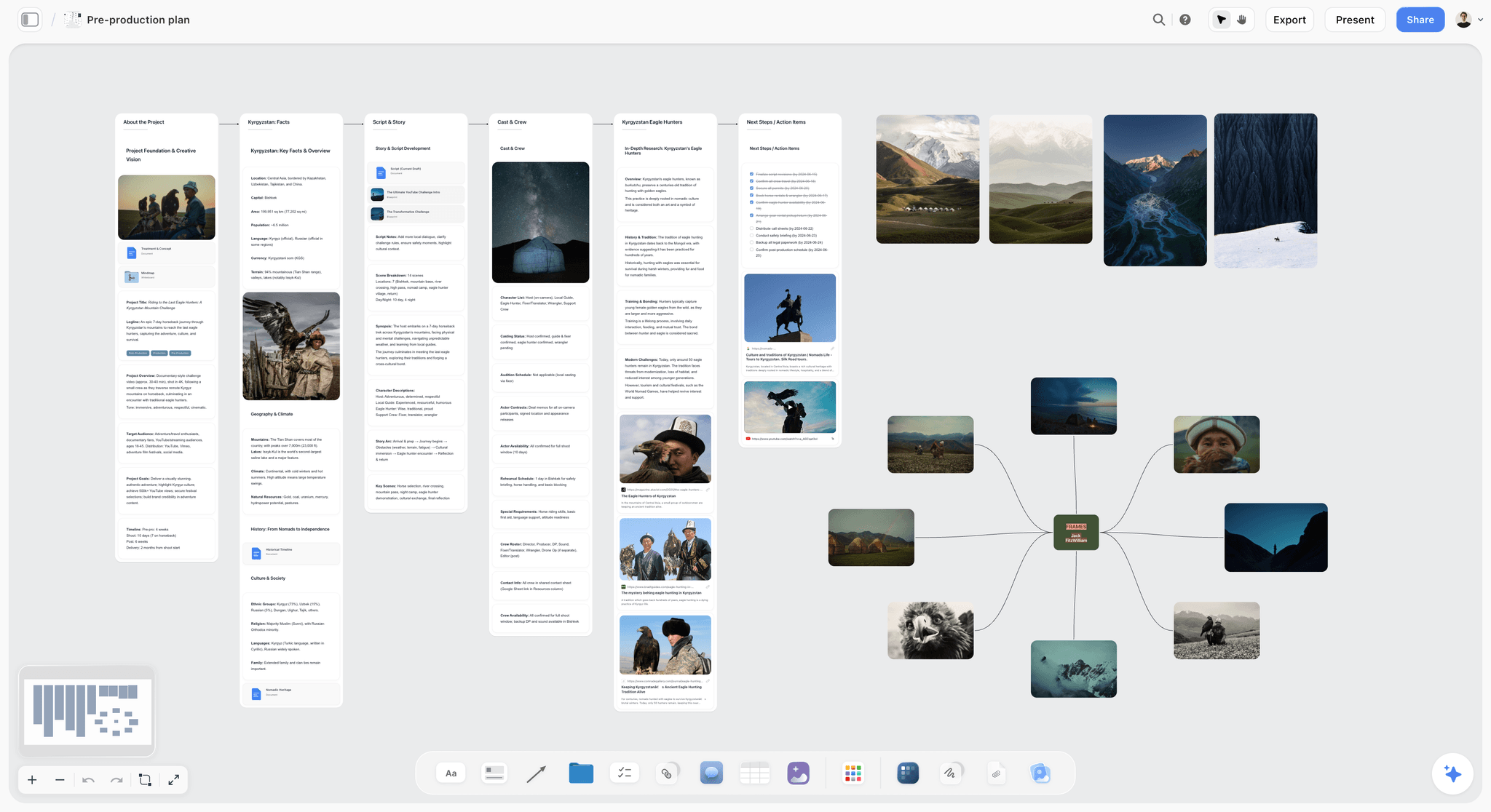
The Ask: Words That Get a Decision, Not Opinions
The single biggest change you can make to a storyboard presentation costs nothing: change the question. Here is what to stop saying and what to say instead.
What not to say
Avoid every question that asks the client to evaluate the whole board at once, or to imagine alternatives:
- "So, what do you think?"
- "Any thoughts?"
- "Is there anything you would change?"
- "How does it feel?"
Each of these is an invitation to start again. The client is not wrong to accept it.
The decision question, panel by panel
The core ask is one sentence: "For each panel, approve it, or tell me the one thing you would change." Around it, three supporting lines help:
- "A panel with no comment counts as approved." This turns silence into a decision.
- "If a panel needs more than one change, tell me which one matters most." This keeps notes small.
- "If something feels wrong with the whole film rather than one panel, tell me that separately." This gives a real concern a place to go, instead of leaking into every panel.
Rewrites: open question to decision question
| Instead of | Say | Why it works |
|---|---|---|
So, what do you think? | Approve each panel, or change one thing on it. | Closed: it asks for a decision per panel. |
Any thoughts on the ending? | Panel 14 ends on her smile, then the logo. Approve, or one change? | Names the panel and its intent. |
Does the pacing feel right? | The board runs 92 seconds against 90; we cut panel 12 and 13 first. Approve that plan? | Turns a feeling into a choice with a default. |
Is there anything missing? | Is there a moment the brief needs that has no panel? Name it. | Asks about the brief, not taste. |
Let us know if you want changes. | Comments by Thursday; no comment means approved. | A deadline and a default. |
What did you think of the fire shot? | Panel 05 is one take on three cameras. Approve? | Shows the crew question is already answered. |
Do you like the casting look? | The character is the same on every panel: long dark curly hair, grey sweater. Approve? | Locks continuity in one decision. |
Shall we jump on a call to discuss? | 20 minutes on Tuesday: I walk you through it, you approve or change one thing per panel. | A short meeting with a stated outcome. |
Email and Message Templates You Can Copy
These are written for a board shared by link. Swap the bracketed parts. Keep them short: the board does the explaining.
The send email
- Subject: [Project] storyboard, [number] panels, decision by [day]
- Line 1: Here is the storyboard for [project]: a [length] film for [audience] that should make people feel [one feeling].
- Line 2: There are [number] numbered panels. Each has a sketch, a reference frame from another film (credited, for light and mood only), the shot in one line, and a note on why it is there.
- Line 3: For each panel, approve it, or leave one comment with the one thing you would change. A panel with no comment counts as approved.
- Line 4: The link opens with no account. To comment, you sign in (it is free when I invite you).
- Line 5: Please comment by [day]. I will reply on each comment and send the updated board on [day].
The walk-through invite
- Subject: [Project] storyboard walk-through, 20 minutes
- Line 1: I will walk you through the [number] panels for [project], one at a time.
- Line 2: At each panel I will ask one question: approve it, or change one thing.
- Line 3: Please bring whoever needs to agree, so we can decide in the room.
- Line 4: I will send the board link straight after, so you can add anything in writing by [day].
The reply to a comment
- Thanks: done. Panel [number]: [what changed in the line]. Also added [new item] to the to-do list for the shoot.
- Thanks: we can do that, but it means [cost or trade-off]. Do you want the change, or keep the panel as it is?
- Thanks: this changes the film rather than this panel, so I have answered it in the email.
The sign-off confirmation email
- Subject: [Project] storyboard approved, round [number]
- Line 1: Thanks for approving the storyboard for [project] on [date].
- Line 2: Approved: panels [01 to 14], including the change to panel [number] ([one line]).
- Line 3: The board link now shows the approved version, with each panel labelled Approved.
- Line 4: Any change from here is a new round, as agreed in the brief: [number] rounds included, [this one] used.
- Line 5: Please reply "confirmed" so we both have it in writing.
The nudge when the client goes quiet
- Subject: [Project] storyboard: [number] panels approved by default on [day]
- Line 1: A reminder that the storyboard decisions are due [day].
- Line 2: So far [number] panels have comments and the rest are approved by default.
- Line 3: If anything needs a change, one comment on the panel is enough.
When the Client Rewrites the Idea
Sometimes the comment is not "can the fan float too". It is "what if, instead, she is on a beach?". That is not a note; it is a different film. Handle the two differently.
Tell a note from a new brief
A note changes one panel and leaves the others standing. A new brief changes what the film is about, its length, its audience or its ending, and so changes many panels at once. A quick test: if you can answer the comment by editing one line, it is a note. If you have to rewrite more than a third of the panels, it is a new brief.
Answer a new brief in the email, not on the panel
Do not try to fix a new brief one panel at a time in the comment threads. Reply on the thread with "This changes the film rather than this panel, so I have answered it in the email", then write the email: here is what the change means for the board, here is what it means for the shoot, and here is what it means for the quote and the schedule. Then let the client choose with the cost in front of them.
When there are five changes on one panel
Ask which one matters most. Then make that one. The other four are often the same concern stated four ways, and the one change answers them all. If they are genuinely five separate things, the panel probably does not work, and the honest move is to say so and propose a new version of that panel as its own decision.
Push back with the brief, not your taste
When a note would break the idea, answer it with the brief note at the start of the board: "The brief asks for a quiet, private start, so the spark that comes next hits harder. A beach is public and loud. Do you want to change the brief, or keep the panel?" That keeps the disagreement about the agreed goal, which is the disagreement you can actually resolve.
Revision Rounds: How Many and What Counts
A revision round is not a law of nature; it is something you agree. Agree it in the brief, before the first send, and the conversation about the third round of changes is a two-line email instead of an argument.
Agree the rounds before the first send
State in the brief or the quote how many client rounds the storyboard includes. Two rounds fit a short ad: one round of notes, one round to confirm the changes. Write it again in the send email and in the sign-off table's last column, so nobody is surprised.
What counts as a round
| Situation | Counts as a round? | What to do |
|---|---|---|
The crew check | No | Internal, before the client sees anything |
Client leaves comments on several panels, you change them | Yes | Log it in the sign-off table |
Client approves the changes with no new notes | No, it closes the round | Label panels Approved, send the confirmation |
Client adds a new note while approving | Yes, a new round | Log it, make the one change, re-confirm |
Client rewrites the idea | No, it is a new brief | Requote before you redraw |
You spot an error yourself after approval | Your round, not theirs | Fix it, tell the client, re-confirm the panel |
Number your panels and your rounds
Storyflow has no version history, so the numbering is how you know what changed. Panels keep their numbers for life: if panel 08 is cut, panel 09 stays 09, so "change panel nine" still means one thing. Rounds get a number in the sign-off table. If you need a frozen copy of a round, duplicate the project from the dashboard and name the copy with the round number before you edit, or export a PDF.
When you need a file instead of a link
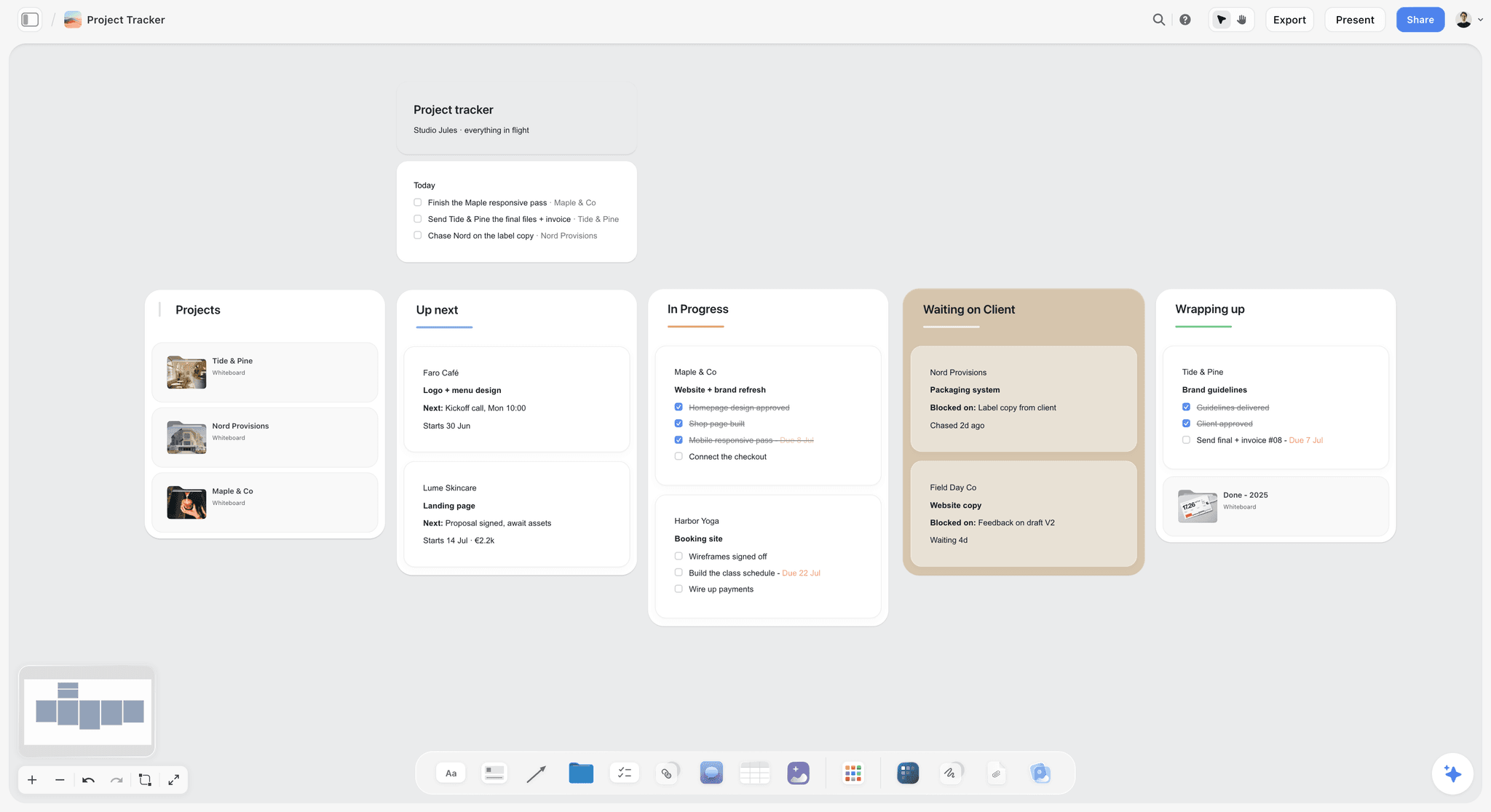
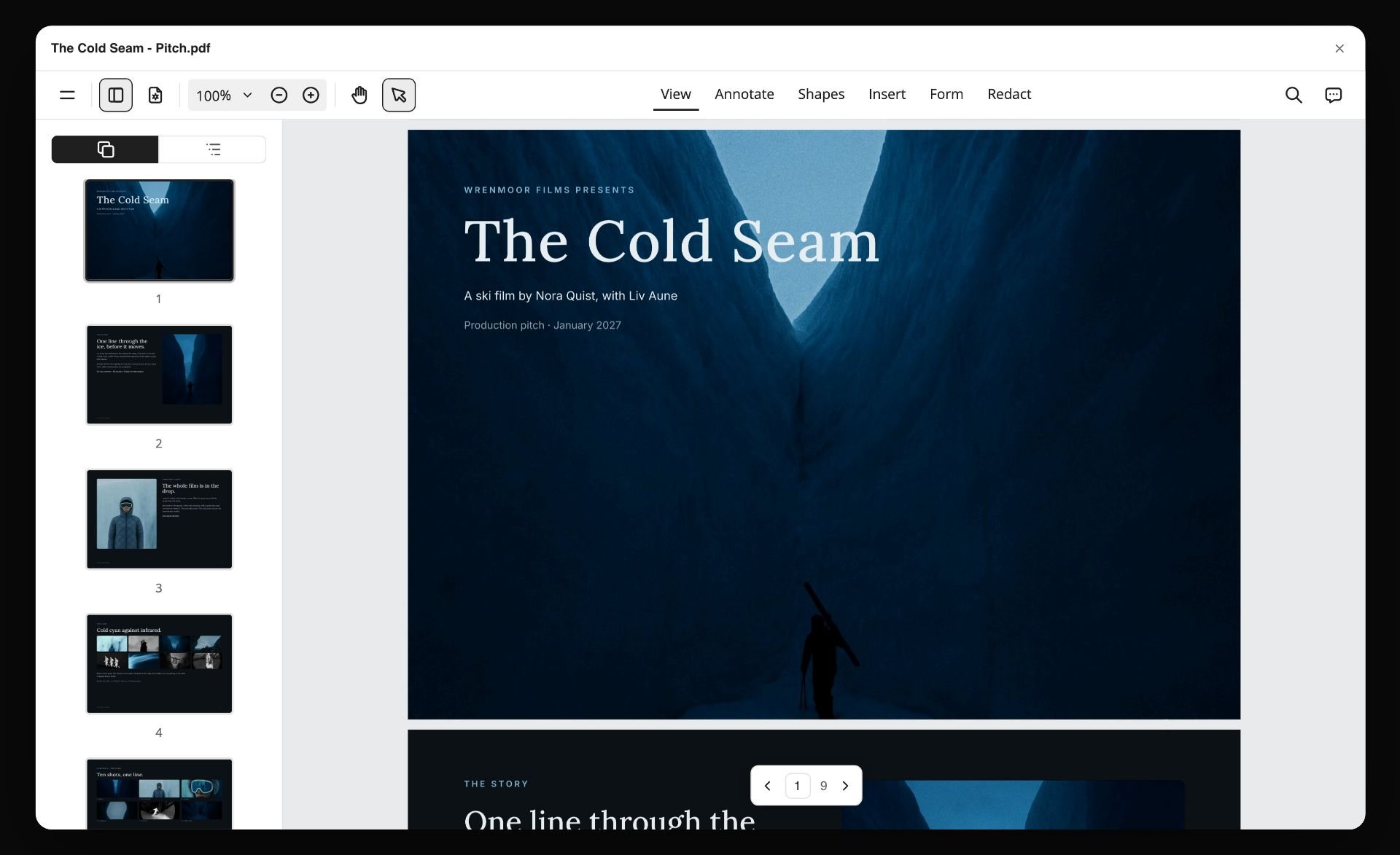
Some clients will not open a link; they want an attachment for their own approval chain. Storyflow's AI can turn the board into a PDF pitch you can send, or into slides, from what is already on it. The PDF is a snapshot; comments still belong on the board.
Storyboard Sign-Off Checklist
Use this as a plain list. Tick it off in your head, or paste it into a to-do list on the board.
Before the crew check
- Every panel has a number and a name
- Every panel has its line: what we see, how the camera moves, what we hear, and how long
- Every panel has a "why" note
- Every reference frame has its source film in the caption
- The seconds add up, or you know where the cut comes from
- The to-do list on each panel names what the shot needs
Before the client sees it
- Every crew thread is answered (fixed, planned or accepted risk) and resolved
- A brief note sits before panel 01: length, audience, one feeling
- A sign-off table sits next to the brief note
- Every panel is labelled In Review
- The message says what it is, what it is for, the ask, the deadline and what silence means
- The message says the link opens with no account and that commenting needs a sign-in
- The number of included revision rounds is written down
In the meeting
- Start with the brief note, not panel 01
- One panel at a time, in Present
- At each panel: approve it, or change one thing
- Write each decision on the board as it happens
- Park whole-film concerns for the end, in their own conversation
After the yes
- Every approved panel is labelled Approved
- The sign-off table has the date, the name and the changes
- Every change is reflected in the line and in the to-do list
- Every new to-do has a person and a due date
- The confirmation email is sent and answered
- No more edits to the approved board without a new round
Presenting a Storyboard by Kind of Film
The two moves (crew check, then a decision per panel) hold for every kind of film. What changes is who decides, what they worry about, and what goes in the brief note.
Ads and commercials
When an agency sits between you and the brand, an ad board goes through two sets of approvals: the agency, then the brand. Present to the agency first, as its own round, and present to the brand only the board the agency has approved. Brand clients worry about the product, the logo and the end card, so make those panels unmissable and give them their own decisions. Our commercial storyboard page and the guide to storyboarding a commercial cover the build.
Music videos
The decider is often the artist, and the artist cares about how they look and whether the video fights the song. Present live, with the track playing under the walk-through, because a still panel cannot carry a beat. Ask for decisions on the performance panels separately from the story panels. See the music video storyboard page.
Corporate and brand films
More people sign off, and they sign off on accuracy as much as on taste: names, titles, claims, the product as it really is. Put a "check for accuracy" line in the ask, separate from the creative decision, so a legal or product reviewer knows exactly what they are approving. A walk-through with everyone in one room saves a week of forwarded emails.
Short films
The "client" may be a producer, a funder or a lead actor. They are deciding whether the film is worth making, not just whether the shots are right, so the why notes carry more weight than usual. Present live, and take notes on the board as you go.
Documentaries
You cannot storyboard what has not happened yet, so the board shows the planned moments (interviews, set-ups, archive, the opening and closing images) and the client approves the approach rather than every frame. Make that explicit in the ask. The documentary storyboard page shows a board shaped for this.
Social content
Short, vertical, many versions. The board is small, so the client can decide on the whole thing in one pass; the risk is that they approve one version and then comment on the cutdowns. Board every version on the same board and ask for a decision on each.
Presenting by Role
Who presents changes the emphasis. Here is what each role should lead with.
The director
Lead with the idea and the why notes. The client hired you for judgement, so present the intent of each panel and let the line show you have thought about the shot. Keep the crew check visible as resolved threads: it shows the board is shootable, not just pretty.
The producer
Lead with the brief, the timing and the to-do lists. You are the person who knows what every panel costs, so when a client note adds a fan and headphones to the floating props, you are the one who says whether it is free or not. Own the sign-off table and the confirmation email.
The agency creative
You present twice: up to your creative director, then out to the client. Treat the internal review as its own round with its own row. Present the brand only what your side approved, and keep internal threads resolved before the client link goes out.
The freelancer working alone
Skip the crew check, and spend that time on the message instead. Without a producer, the brief note, the ask and the deadline are what protect your time. Agree the rounds in writing before you start.
Common Mistakes When Presenting a Storyboard
Each of these is easy to make and easy to fix.
Mistake 1: Asking "What do you think?"
The fix: ask for a decision per panel. Approve it, or change one thing.
Mistake 2: Sending the board before the crew has read it
The fix: run the team check first and resolve every thread, so the client never meets a problem the crew could have found.
Mistake 3: Starting with panel 01
The fix: start with the brief note. The client judges the board against what they agreed, not against their mood.
Mistake 4: Leaving silence undefined
The fix: say "a panel with no comment counts as approved", and give a date. Silence then becomes a decision instead of a delay.
Mistake 5: Answering a new brief one panel at a time
The fix: name it as a new brief on the thread, then answer it in an email with the cost and schedule attached.
Mistake 6: Changing the line but not the to-do list
The fix: every change to what is in a shot is a change to what the shoot needs. Update both, and give the new to-do a person and a date.
Mistake 7: Treating "looks great" on a call as the approval
The fix: label the panels, fill the sign-off table and send a confirmation email the client answers.
Mistake 8: Editing the board after the yes
The fix: any change after approval is a new round, with its own row. If you need a frozen record, duplicate the project for the round or export a PDF.
Mistake 9: Hiding the timing problem
The fix: if the board runs long, say so in the send and name the panels you will cut first. A client who finds the two extra seconds themselves stops trusting the rest.
The Tools That Matter for This Job
Five tools cover this job. Our own product first, then the rest by the job each does best.
1. Storyflow

Verdict: the place to present a storyboard when you want the crew check, the client's notes, the walk-through and the record of the yes on the same board as the panels.
Best for: directors, producers and small production teams who build the board themselves and present it to one client or a small group.
Pricing: Plus $7.99 a month billed annually ($9.99 monthly); Pro $14 a month billed annually ($19 monthly) adds AI image generation, which is what draws the panel sketches from your lines; Max $39 a month billed annually ($49 monthly) adds a team workspace with roles and permissions. Storyflow is paid-only during early access; its Free plan launches before the end of 2026, and anyone a paid member invites to a board joins free now. See pricing.
Storyflow is an AI visual workspace for planning creative projects: an infinite board with notes, to-dos, tables, documents, images and walls, and an AI that reads the board and builds on it. For this job, each panel is a wall, the line is a note with labels, and the comments sit on the panels. The crew threads get resolved before the send, the client opens the view link without an account, Present walks through the board one wall at a time, fullscreen, and the bell tells you when someone comments on your board. The AI can draw the panel sketches from your lines on Pro and Max, turn the board into a PDF pitch or slides for a client who wants a file, and you can drive the same board from Claude or ChatGPT through the Storyflow MCP connector.

- Comments, replies, mentions and resolved threads on each panel
- View link opens with no account; signing in to comment
- Present mode, one wall at a time, fullscreen
- Labels (including Approved) and to-dos with a person and a due date
- The storyboard, the brief and the shoot paperwork on one board
Limitations: no approve button or approval status per panel; no version history; no animatic and no MP4 export; no frame-accurate video review; runs in the browser only, with no offline mode; AI sketches need Pro or Max.
2. Boords
Verdict: the dedicated storyboard tool with what a formal storyboard approval asks for: frame statuses, version history and presentation links.
Best for: agencies and studios whose client process expects a visible approved or needs-changes status on each frame, or whose deliverable is an animatic.
Pricing: a free plan with 5 active storyboards, 3 active scripts and 8 one-off sample AI image credits; Solo $26 a month billed yearly ($39 monthly) for one user; Pro $50 billed yearly ($75 monthly) for up to 5 users; Team $85 billed yearly ($125 monthly) for up to 10; Agency $165 billed yearly ($250 monthly) for up to 30, per Boords pricing.
Boords lets clients and team members leave frame-specific comments, add statuses to frames so you can see what is approved at a glance, create new versions with comments intact, and send secure presentation links, per its storyboard software page. Its pricing page lists no-signup client reviews and unlimited guest commenting on every paid plan. It also builds animatics timed to a soundtrack or voiceover and exports them as MP4. Against Storyflow, Boords wins the approval itself: choose Boords when the client needs a button, a status and a history; choose Storyflow when the board needs to live with the brief, the references and the shoot plan.
- Approved and needs-changes statuses on frames
- Version history with comments kept
- Animatic with audio and MP4 export
Limitations: the storyboard lives apart from the rest of the production planning; multi-user plans are priced by seat band.
3. Filestage
Verdict: a proofing and approval tool, not a storyboard tool: the strongest choice here when the approval itself has to be formal, staged and tracked.
Best for: brand and in-house teams with several reviewer groups (marketing, legal, product) who must approve in order.
Pricing: a Free plan with 1 active project and 5 new files a month; Starter $199 a month; Business $329 a month; yearly billing gives two months free, per Filestage pricing.
Filestage centralises file sharing, feedback, version tracking and approvals. Reviewers press an Approve button to move a file to the next reviewer group, files carry statuses (in review, needs changes, approved), and its pricing page says reviewers do not need an account. You export the storyboard (as a PDF or images) and upload it. Against Storyflow, Filestage wins when the yes has to pass legal and three departments in order; choose Storyflow for building and walking through the board, and Filestage for the formal approval chain on the exported file.
- Approve button and staged reviewer groups
- Due dates and reminders on paid plans
- Reviewers approve without an account
Limitations: reviews an exported file, so the board and the approval live in two places; paid plans are priced for teams.
4. Frame.io
Verdict: the review tool for the stage after the storyboard, when there is footage and notes need to land on an exact frame.
Best for: editors and post-production teams reviewing cuts with a client.
Pricing: Free for 2 members; Pro $15 per member a month; Team $25 per member a month; annual billing saves 13%, per Frame.io pricing.
Frame.io gives frame-accurate notes, full-screen review and share links that reviewers open without signing up. Its homepage says feedback works on videos, images and docs. Against Storyflow, Frame.io wins the moment there is a cut to review: choose Frame.io for the edit, and Storyflow for the storyboard that came before it. The storyboard you got approved is what you check the cut against.
- Frame-accurate comments on video
- Share links with no sign-up for reviewers
- Built into editing workflows
Limitations: built for footage, not for a storyboard you are still writing; per-member pricing.
5. Google Slides
Verdict: a familiar way to present a board as slides, when the client lives in Google Workspace and wants a deck.
Best for: a one-off presentation to a client team that already comments in Google tools.
Pricing: the Google Slides page says anyone with a Google Account can create in Slides; recording and some features need a Workspace plan.
Slides offers live editing, comments and sharing permissions for view, comment or edit, plus a present mode. Against Storyflow, Slides wins when the client insists on a deck in their own Google Drive; choose Storyflow when the panels need their lines, labels, to-do lists and comment threads to stay attached to them.
- Familiar to almost every client
- Comments and sharing permissions
- Present mode
Limitations: a slide is a picture of a panel, so the to-do lists and the planning behind it live somewhere else; no approval record beyond comments.
When Storyflow Is Not the Right Choice
Storyflow is a good place to build, check and present a storyboard. It is not the right place for every part of an approval, and saying so is part of getting this right.
Your client needs an approve button and a status per panel
Storyflow has no approve button and no approval status. Labels and a sign-off table cover a small production; an agency or brand process that audits approvals needs Boords (frame statuses) or Filestage (staged approvals).
You need version history
Storyflow has no version history. If you must be able to show exactly what the board looked like at round two, use Boords, which keeps versions with their comments, or duplicate the Storyflow project per round.
The client approves an animatic, not a board
Storyflow makes no animatic and exports no MP4. If the client signs off on timing with sound, build the animatic in Boords or cut it in your editor. Our animatic guide covers both routes.
You are reviewing footage
Storyflow has no frame-accurate video review. Once there is a cut, use Frame.io.
You draw every board by hand
Storyflow has no drawing tools for a board drawn panel by panel. Draw in Storyboarder, Procreate or Photoshop, then upload the sketches. See how to storyboard when you cannot draw for the opposite case.
You present offline or from an app
Storyflow runs in the browser, needs a connection, and has no native app for desktop or phone. For a pitch in a room with no internet, export a PDF beforehand.
What It Costs to Present and Approve a Storyboard
Prices as checked on each vendor's page in October 2026. Annual and monthly figures are given where the vendor publishes both.
| Tool | Entry price | Next tier | What you pay for, for this job |
|---|---|---|---|
Storyflow | Plus $7.99 a month billed annually ($9.99 monthly) | Pro $14 billed annually ($19 monthly), adds AI sketches; Max $39 ($49 monthly) | The board, comments, Present and labels; invited reviewers join free |
Boords | Free plan (5 active storyboards) | Solo $26 billed yearly ($39 monthly); Pro $50 ($75); Team $85 ($125) | Frame statuses, version history, animatics |
Filestage | Free plan (1 active project) | Starter $199 a month; Business $329 a month | Staged approvals with an approve button |
Frame.io | Free for 2 members | Pro $15 per member a month; Team $25 per member a month | Frame-accurate review of footage |
Google Slides | Comes with a Google Account | Workspace plans for recording and extras | A deck with comments |
A solo director presenting one board a month needs only the first row. A studio whose clients audit every approval pays for the board in one tool and the approval in another, and that is a fair price for what each does. For broader comparisons, see the best client feedback and approval tools for creative studios.
The Bottom Line
Presenting a storyboard is not a show-and-tell. It is two checks and one question. Let the crew read the board first and resolve what they find. Open with the brief. Ask, at every panel, for a decision: approve it, or change one thing. Then write the yes down where it cannot drift. Storyflow holds the whole exchange on the board you built, from the crew's comments to the client's one note; when your client needs an approve button or version history, Boords or Filestage does that part. To see the full sequence from the crew comment to the client's yes, watch How to Storyboard a Film So Your Client Says Yes, then start your board on the Storyflow storyboard maker.
FAQ: Presenting a Storyboard to a Client
How do you present a storyboard to a client?
Run a crew check first, then send the board or walk the client through it, and ask for a decision on each panel: approve it, or change one thing. Open with a short note restating the brief, so the board is judged against what was agreed. Reply to every comment with the change you made, then record the approval with labels, a sign-off table and a confirming email.
How do I get a storyboard approved quickly?
Give the client a closed question, a deadline and a default. Ask them to approve each panel or change one thing, set a date, and say that a panel with no comment counts as approved. Resolve every crew question before the client sees the board, so no comment is spent on how a shot will be made. A short live walk-through for a new client speeds it up further.
Should I send the storyboard or present it live?
Send it when one person decides in their own time and reads carefully; present it live when several people must agree, the client is new to storyboards, or the idea depends on rhythm. For a new client, do both: a short walk-through, then the link for written decisions. In Storyflow, Present steps through one panel at a time, fullscreen, and the same board carries the comments afterwards.
What should I say when presenting a storyboard?
Say what the film is for, then at each panel say what we see and why the shot is there, and ask: approve this panel, or change one thing? Avoid "what do you think?", which invites opinions about everything. Park concerns about the whole film for the end, in their own conversation, so they do not leak into every panel as small changes.
How do I handle storyboard feedback from a client?
Turn each comment into the smallest change that answers it, make it on the panel, and reply on the thread saying exactly what changed. Update the to-do list if the change adds anything to the shoot. If a comment asks for several things, ask which matters most. If it changes the whole film, answer it by email as a new brief, with the cost.
How many revision rounds should a storyboard have?
Agree the number before the first send; two client rounds is a workable default for a short ad: one round of notes, one to confirm the changes. The crew check does not count, and a rewrite of the idea is a new brief rather than a round. Write the agreed number in the brief, the send email and the sign-off table.
Can a client comment on a Storyflow storyboard without an account?
Not quite. The client opens a view link with no account and can read the whole board, but leaving a comment needs a sign-in. Anyone a paid member invites to a board joins free. Say both halves in your send email, so the sign-in prompt does not surprise the client or slow down their notes.
Does Storyflow have an approve button for storyboards?
No. Storyflow has no approve button, no approval status per panel and no version history. Record the decision with an Approved label on each panel, a sign-off table on the board and a confirmation email the client answers. If your client's process needs a tracked approval, use Boords for frame statuses or Filestage for staged approvals.
What is a storyboard sign-off?
A storyboard sign-off is the client's recorded agreement that the board, panel by panel, is the film you will shoot. It should name the date, the person who approved, the version or round, and any changes agreed. It matters on the shoot day and in the edit, when "that is not what we approved" needs an answer in writing.
How do I pitch a storyboard to a new client?
Lead with the brief and the idea, not the pictures. Present live, one panel at a time, reading each line and its why note. Show that the crew questions are already answered. End each panel with a decision question. Send the link straight after, with a deadline, so the client has a written way to approve. The companion guide covers the build.
What if the client wants to change the whole storyboard?
Treat it as a new brief, not a revision round. Reply on the thread that the request changes the film rather than one panel, then write an email covering what it means for the board, the shoot, the quote and the schedule. Let the client choose with the cost in front of them. Do not rebuild panels one comment at a time.
Should the reference frames in a storyboard be shown to the client?
Yes, with the source film in the caption, so nobody thinks it is your footage. A reference frame shows the light, the lens and the colour at once, which saves words in the meeting. Tell the client it is there for mood only and that the sketch is the shot you are making. Our reference frames guide covers where to find them.
How long should a storyboard presentation take?
As long as one decision per panel takes. For a 14-panel board, a 20-minute walk-through is realistic: about a minute per panel, plus the brief at the start and whole-film questions at the end. If the meeting runs longer, the board is being redesigned in the room, which is the sign to move the discussion to email.
Table of Contents
- Key Takeaways
- Why Storyboard Presentations End in a Pile of Opinions
- Tools for Each Step: Presenting a Storyboard and Getting Sign-Off
- How to Present a Storyboard to a Client, Step by Step
- Step 1: Run the team check before the client sees anything
- Step 2: Fix what the crew found, on the panel
- Step 3: Decide: send the link, or walk them through it
- Step 4: Write the message that goes with the board
- Step 5: Open with the brief, not the first panel
- Step 6: Ask for a decision on every panel
- Step 7: Turn every comment into one line change
- Step 8: Record the yes and lock the board
- Worked Example: Presenting the 14-Panel Board for a 90-Second Ad
- The Ask: Words That Get a Decision, Not Opinions
- Email and Message Templates You Can Copy
- How to Record the Decision When the Tool Has No Approve Button
- When the Client Rewrites the Idea
- Revision Rounds: How Many and What Counts
- Storyboard Sign-Off Checklist
- Presenting a Storyboard by Kind of Film
- Presenting by Role
- Common Mistakes When Presenting a Storyboard
- The Tools That Matter for This Job
- When Storyflow Is Not the Right Choice
- What It Costs to Present and Approve a Storyboard
- The Bottom Line
- FAQ: Presenting a Storyboard to a Client
- Related Reading
Templates to check out for this topic


Filmmaking templates you can use in Storyflow
Skip the blank canvas. Open one of these filmmaking boards in Storyflow and the AI builds on the structure that is already there, from research through the shot list.


See Storyflow in Action
A visual AI workspace where every feature lives inside one canvas. No tab-switching, no context lost.
Build your entire board from a single message
Type what you need in the AI chat at the bottom of your canvas. The AI adds cards, headings, and structure directly onto your board.
Use expert frameworks as AI context
Type @ in the AI chat and choose any Tactic. The AI tailors every response to that framework instead of giving generic advice.
Turn your board into a mind map in seconds
Ask the AI to restructure your canvas as a mindmap. It connects your ideas into a visual hierarchy so you can see how everything relates.
Why Storyflow Exists
Storyflow actually began as a personal tool while working on creative and research projects.
We kept running into the same problem: ideas were scattered everywhere: notes, documents, and whiteboards.
Nothing helped us see how everything connected.
So we started building a workspace designed around how ideas actually grow.
→ Read how Storyflow was createdStoryflow Team
Product & Research Team
Published: 2026-10-11
Extremely simple, seriously capable


See how easy it is to get started
Watch a real project come together, from a blank board to a finished plan, clicked through step by step.
Start creating with AI and become more productive
Transform your creative workflow with AI-powered tools. Generate ideas, create content, and boost your productivity in minutes instead of hours.