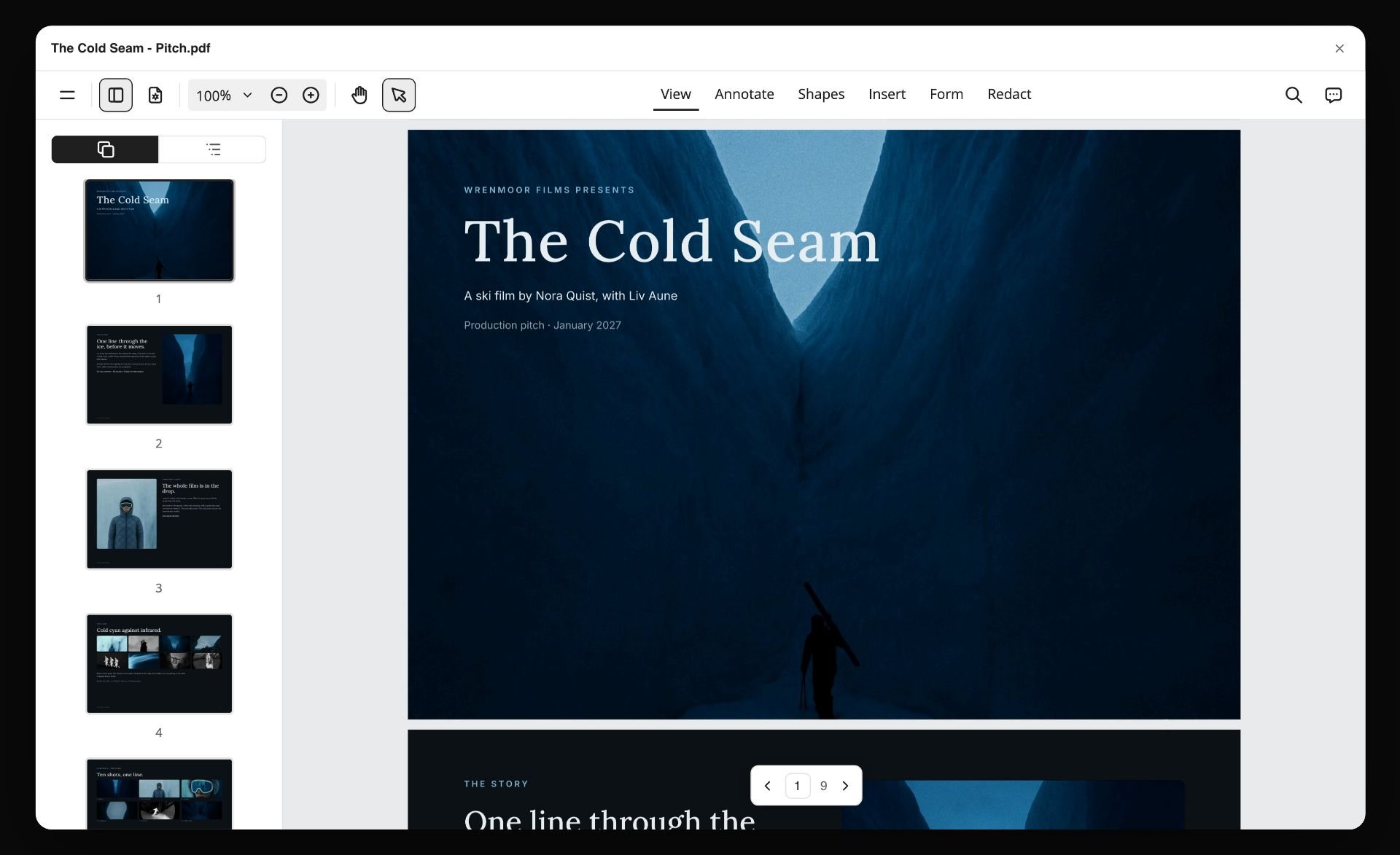
How to Use Reference Frames in a Storyboard (and Where to Find Them)
How to use reference frames in a storyboard: search by what is in the shot, place and caption each still, keep one shape, and hold it all in Storyflow. Plus every stills library, priced.

Category
Filmmaking
Author

Storyflow Team
Product & Research Team
Topics
2026-10-11
•
49 min read
•
Filmmaking- reference frames
- storyboard
- film stills
- ShotDeck alternatives
- Storyflow
How do you use reference frames in a storyboard?
To use reference frames in a storyboard, find one real still per panel that shows the light, lens and colour you want, place it under the sketch, give every frame the same shape and write the source film in its caption. Storyflow holds the whole panel in one wall: sketch, captioned reference frame cropped to a shared 4:3 shape, shot line, labels and to-do list, shared by a link the client opens with no account. You still find the stills elsewhere: Frameset or ShotDeck if you pay for tagged search, Flim for ads and music videos, Film-Grab when the budget is zero.
Full disclosure: Storyflow is our product. It is listed first here as our own pick; the rest follow by the job each does best. For this job its main limits are that it has no stills library of its own, so frames come from Frameset, ShotDeck, Flim or Film-Grab, and it has no approve button, animatic or offline app.
Quick Comparison
The tools for finding, placing and sharing storyboard reference frames, as of October 2026.
| Tool | Best For | AI Features | Price |
|---|---|---|---|
| Storyflow | Holding and sharing captioned reference frames inside each storyboard panel | AI sketches each panel from its line (Pro and Max) | $7.99 a month billed annually (paid-only today; Free plan due before the end of 2026) |
| Frameset | Finding stills from films, ads and music videos | Plain-language search and search by image | Free tier with limited searching; Pro $15.99 per member a month |
| ShotDeck | Filtering film stills by technical tags | Hand-tagged keywords, not AI | $99.95 billed yearly or $12.95 monthly |
| Flim | References from ads and music videos | AI search for stills and video cuts | Free with 1 download a day; Basic from 12.90 euros a month billed yearly |
Key Takeaways
- Storyflow is where the reference frame lives next to the shot it explains: each panel is one wall holding the sketch, the captioned frame, the line, the labels and the to-do list, and the client reads all of it from one link.
- A reference frame does one job a sketch cannot: it shows the light, the lens and the colour of a shot in a single picture the crew already understands.
- A reference frame must never pass as your footage. The caption names the source film on every frame, every time.
- Search a stills library for what is physically in the shot ("woman bathroom mirror"), never for a feeling ("dreamy"). Feelings return a thousand unrelated frames; nouns return ten useful ones.
- Set every frame on the board to one shape. Mixed shapes make the board look like a scrapbook and make the client compare crops instead of shots.
- Skip the frame when nobody has filmed your shot. In our 14-panel example, two panels carry no frame at all, and the sketch from the line does the work.
- Frameset, ShotDeck and Flim are searchable libraries with paid plans (Frameset and Flim also have limited free tiers); Film-Grab is free to browse and filed by film. Prices change, so the table below lists what each vendor page showed on 11 October 2026.
- Using a still in an internal storyboard or a private pitch is a different act from publishing it. Read the copyright section before a reference frame goes anywhere public.
- Watch it done: How to Storyboard a Film So Your Client Says Yes finds a frame, pastes it under the sketch and captions it in its step 4 chapter, inside a 10-minute build of a real board.
Why a Sketch Alone Loses the Room
You have drawn the panel. The composition is right: she stands at the mirror, framed from the chest up, the camera about to push in. Then the director of photography asks what the light is doing, the colourist asks how warm the bathroom is, and the client says it looks a bit flat. None of them is wrong. A pencil sketch answers where things are. It does not answer what the shot looks like.
The sketch says where, not how it looks
A storyboard sketch is a diagram. It tells the crew the framing, the subject and the direction of movement. It cannot tell them whether the window light is hard or soft, whether the background falls off into blur, or whether the greens in the tiles read cold or warm. Those three questions decide how the shot is lit, which lens goes on the camera and how the grade will go, and they are exactly the questions a sketch leaves blank.
Words for light do not travel
You can write "soft side light, shallow focus, cool greens" under the panel. Five people will picture five different shots. "Soft" means one thing to a gaffer and another to a client who has never stood on a set. A reference frame replaces the adjective with an example: this softness, this falloff, this green. A frame turns a description into a target the whole room can point at.
A moodboard sits too far from the shot
A film moodboard sets the tone for the whole project, and it belongs at the start. But when the crew is working through panel eight, the moodboard is in another file or another tab, and it shows forty images that each explain the film, not this shot. The reference frame lives inside the panel, so the question "what does this shot look like" has its answer in the same place as the question "what is this shot".
A borrowed frame can be mistaken for yours
The quieter problem runs the other way. A beautiful still from a famous film sits on your board without a label. Two weeks later the client forwards the board to their boss, who now believes your shoot will look exactly like that film, with that actor, in that room. A reference frame without a caption makes a promise you never meant to make. The method below fixes all four problems with one habit per panel.
What a Reference Frame Does That a Sketch Cannot
The idea is simple. For every panel, ask whether anyone has filmed something like this before. If they have, one real frame shows the crew three things at once that would take a paragraph to describe and would still be misread.
Light: direction, hardness and contrast
A still shows where the light comes from, how hard its edges are and how dark the shadows go. A gaffer can read a frame and name the setup: a big soft source from the side, a little fill, no backlight. That reading takes seconds and it is the same reading for everyone who looks.
Lens: focal length and depth of field
A frame shows whether the background is compressed or stretched, and how far the focus falls off behind the subject. That tells the camera team roughly which lens and which stop the shot wants. A sketch can draw a blurred background, but nobody can read a focal length off pencil shading.
Colour: palette and grade
A frame shows the palette of the location and the grade on top of it: green tiles that read cold, a warm practical lamp, skin that stays natural. The production designer reads the palette; the colourist reads the grade. Both get a target before a single test shot.
What the frame must never do
The frame is someone else's film: their actor, their location, their production design. It is on your board for light and mood only. The sketch is the shot you are actually making. If a client starts asking whether you can get that actor, or that exact room, the frame has started doing the sketch's job and needs a clearer caption.
| Part of the panel | What it tells the crew | What it cannot tell them |
|---|---|---|
The line (what we see, camera, what we hear) | The action, the framing, the camera move, the sound | What the shot looks like |
The sketch | Composition, subject position, direction of movement | Light, lens, colour |
The reference frame | Light, lens and colour in one picture | Your actor, your location, your blocking |
The caption | Which film the frame comes from | Anything about your shoot |
The line comes first because it is the instruction; the sibling post on writing the storyboard shot description covers it in full. The frame is the evidence for how that line should look, and the sibling on what goes in a storyboard panel shows where it sits among the other five parts.
Reference Frame vs Moodboard: Which One You Need
A question that comes up early: if you already made a moodboard, why add frames to the storyboard? Because they answer different questions at different moments.
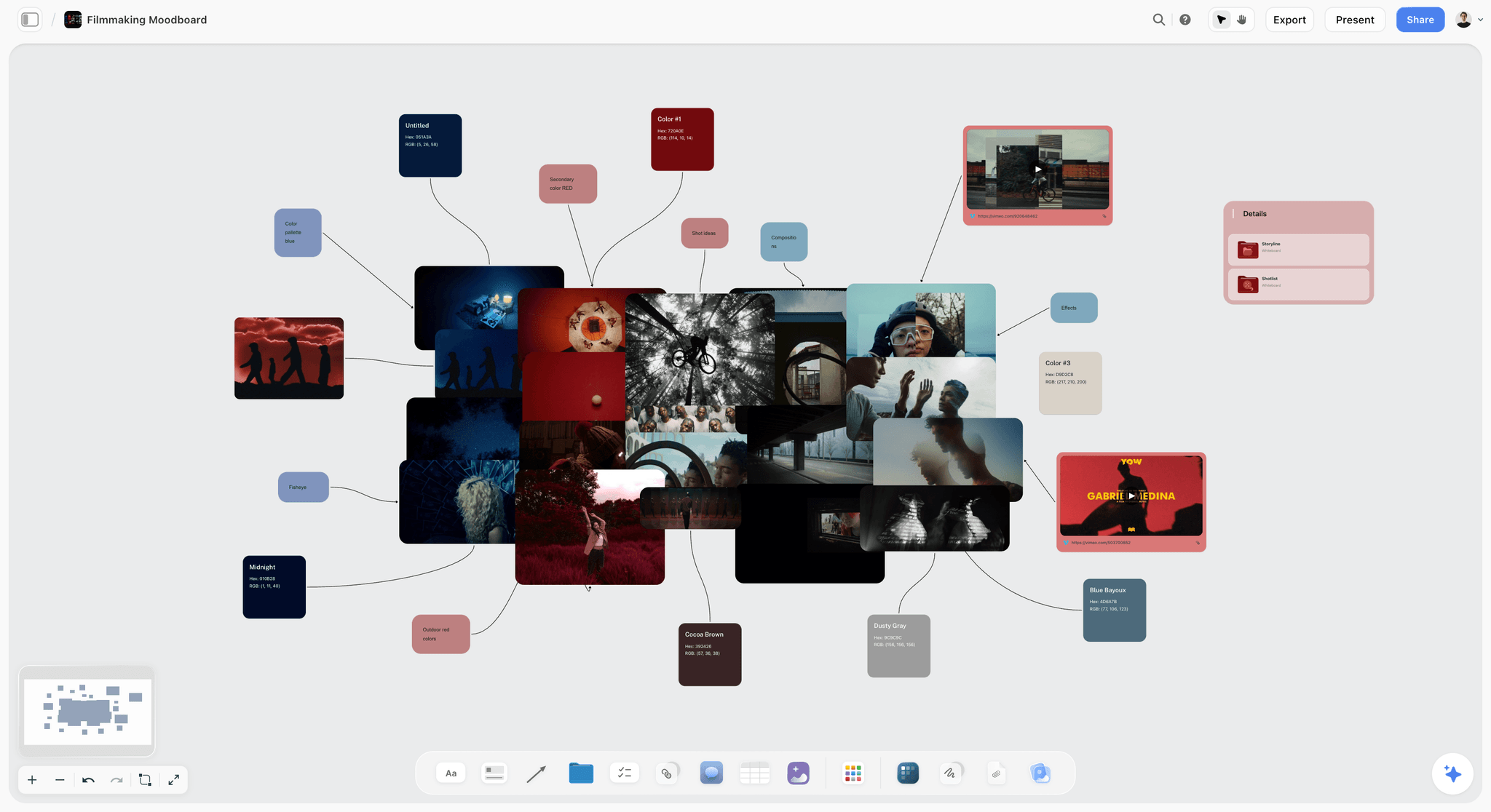
The moodboard is for the film
A moodboard collects the look of the whole project: palette, textures, wardrobe, locations, a handful of stills that capture the feeling. It is built before the shots exist, and it helps the client agree on a direction. Our guides to the film moodboard and the best mood board tools cover that job, and a film lookbook is the polished version you send out.
The reference frame is for the shot
A reference frame is chosen after the line is written, one per panel, to show how that specific shot is lit, lensed and coloured. It is narrower than a moodboard and more useful on the day. The crew does not need to know the feeling of the film while setting up panel six; they need to know what panel six looks like.
When you need both
Most film projects with a client want both, in order. The moodboard settles the direction. The storyboard, with a frame in each panel that needs one, settles the shots. A good test: if a frame on your storyboard could sit on the moodboard without changing anything, it is probably too general for the panel. Search again for the physical shot.
| Moodboard | Reference frame in a storyboard | |
|---|---|---|
Answers | What does this film feel like? | What does this shot look like? |
Made | Before the shots are written | After each panel's line is written |
How many images | Dozens, grouped by theme | One per panel, or none |
Who reads it | Client and creative team | Crew first, then the client |
Where it lives | Its own board or deck | Inside the panel, under the sketch |
Tools for Each Step: Finding, Placing and Sharing Reference Frames
No single tool does every part of this job. Below, our own product comes first, then the rest by the job each does best. Storyflow holds and shares the panel; it has no stills library of its own, so the finding happens in one of the libraries.
| Tool | Job it does in this method | Search style | Price as checked 11 October 2026 |
|---|---|---|---|
Storyflow | Holds the panel: sketch, captioned frame, line, labels, to-dos; shares by link; Present mode | Not a stills library | Plus $7.99 a month billed annually; paid-only during early access |
Frameset | Finds stills from films, ads and music videos | Plain-language search and search by image | Free tier with limited searching; Pro $15.99 per member a month |
ShotDeck | Finds hand-tagged film stills; shares decks | Keywords across 30+ tagged categories | $99.95 a year or $12.95 a month; 2-week trial |
Flim | Finds stills and video cuts, strong on ads and music videos | AI search with filters | Free (1 download a day); Basic from €12.90 a month billed yearly |
Film-Grab | Browses stills film by film | By film, director, cinematographer, aspect ratio | Free to browse; Patreon support |
Eyecandy | Finds examples of a visual technique | By technique name | No price shown on the homepage |
Collects stills you find anywhere | Open web search | Free to join | |
PureRef | Keeps a loose reference wall on your desktop | Not a library | Personal: you choose the amount; $49 one-time commercial licence |
The finding tools and the holding tool are separate decisions. You can pay for ShotDeck and still lose its value if the frames end up in a folder nobody opens. You can use free Film-Grab and get every benefit if each frame lands, captioned, under the right sketch.
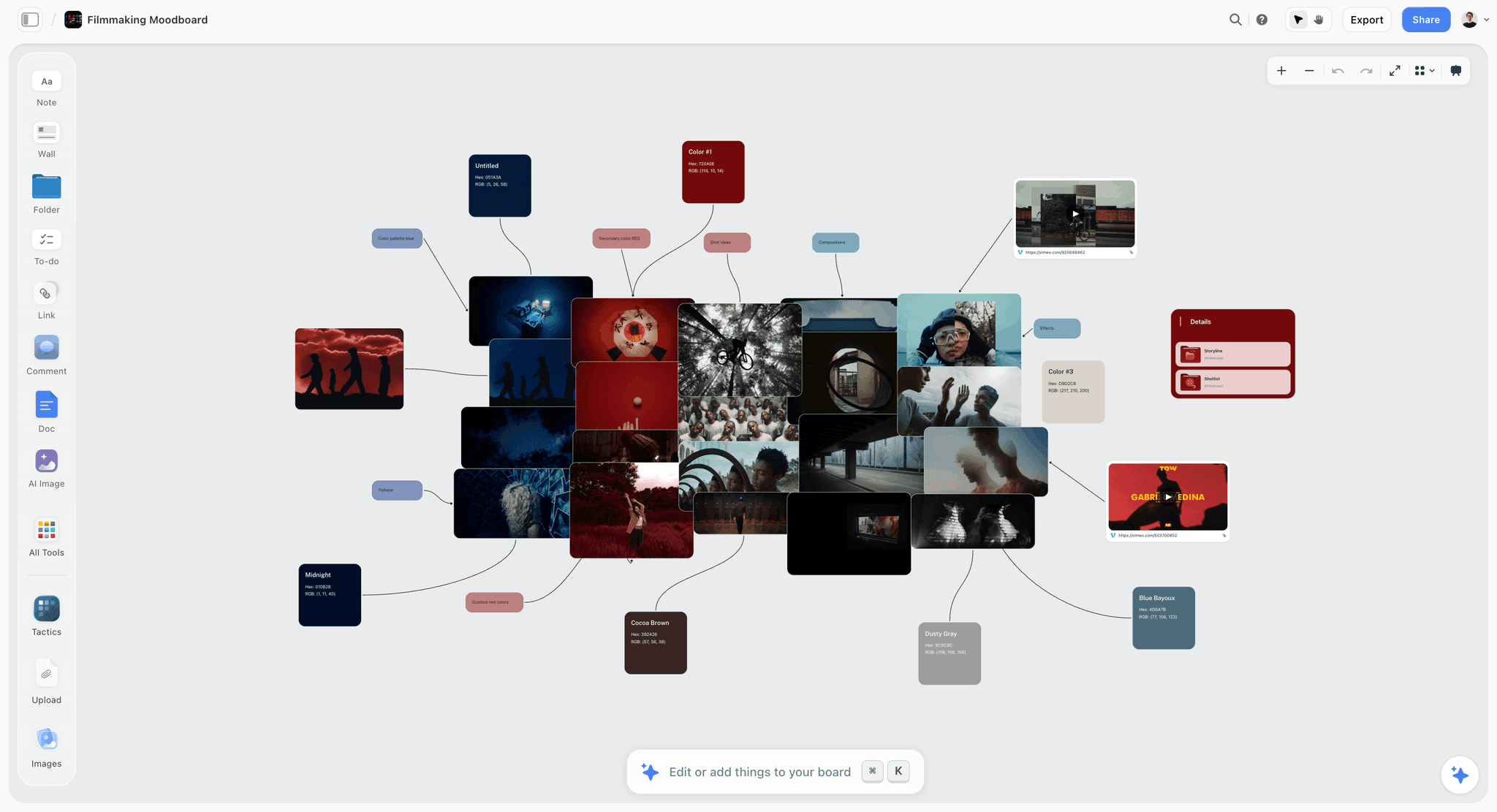
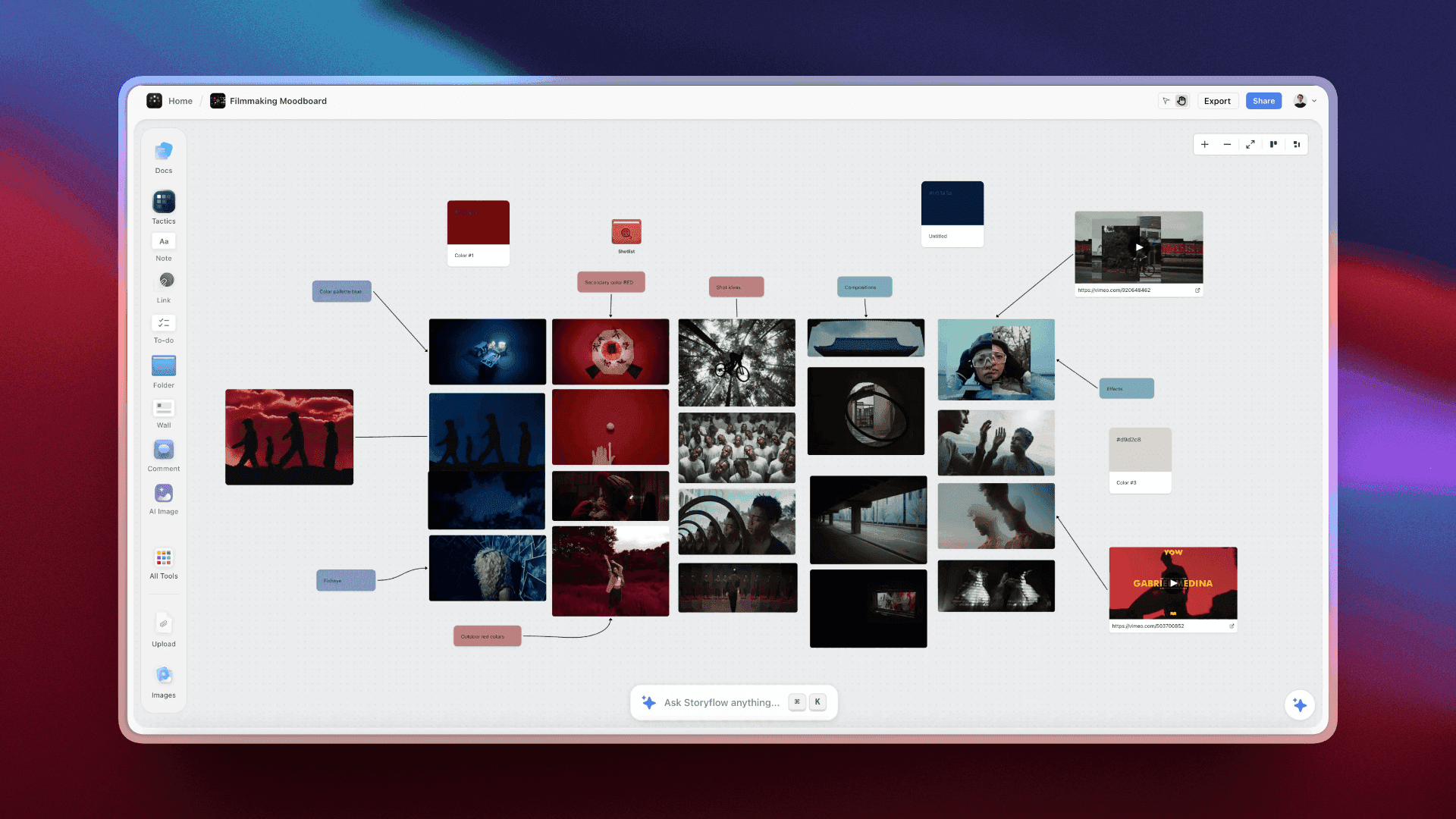
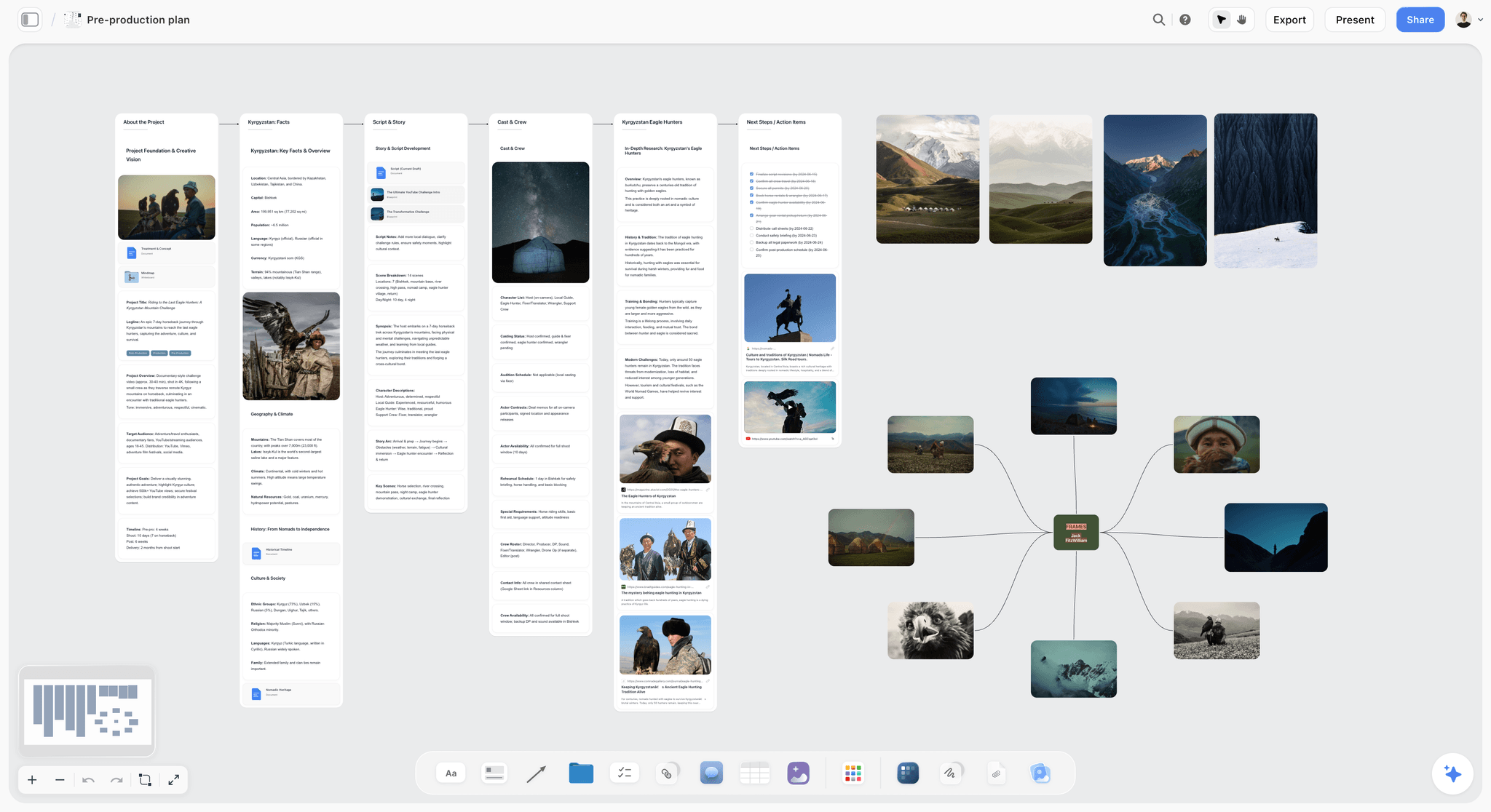
A Storyflow board for filmmakers with storyboard panels, reference images and shot notes laid out side by side on one canvas.
Put every reference frame next to its shot
Build each panel as one wall in Storyflow: sketch, captioned frame, line and to-do list, shared by a link your client opens with no account. Plans start at $7.99 a month billed annually.

How to Add Reference Frames to a Storyboard, Step by Step
This is the method we use, and it is the fourth of the eight steps in How to Storyboard a Film So Your Client Says Yes. It assumes each panel already has its line (what we see, how the camera moves, what we hear) and, ideally, a sketch.
Step 1: Ask one question per panel
Go through the board panel by panel and ask: has anyone filmed something like this before? Not the same story, the same shot. A woman at a bathroom mirror has been filmed thousands of times. A cut on skin that repeats into a grid probably has not. Write yes or no on each panel before you search anything. That stops you from spending twenty minutes hunting for a frame that does not exist.
Step 2: Write the search from what is physically in the shot
Turn the line into a search. Take the nouns out of the picture part: who, where, what object, which way the camera looks. "Medium close-up. She breathes on the mirror and picks at the glass" becomes "woman bathroom mirror". Leave out the mood. A library tags what is in the frame; it cannot know what you mean by "dreamy", and a search for it returns frames that are dreamy in a hundred different ways.
Step 3: Pick the frame that matches the light, not the story
You will get frames from films you love and frames from films you have never heard of. Choose on three things only: does the light fall the way you want, does the depth of field match the lens you imagine, does the palette sit close to your location. Ignore whether the scene is happy or sad, famous or obscure. The frame is evidence for the look, not for the plot.
Step 4: Paste it under the sketch
In Storyflow, each panel is a wall. Copy the still from the library, paste it onto the board and drag it into the wall directly under the sketch. Order matters: the sketch is the shot you are making, so it comes first; the frame explains how that shot looks, so it sits below. Anyone scanning the board reads the plan before the borrowed picture.

The picture above shows the other half of the panel. On Pro and Max, Storyflow's AI can draw a picture for every shot from its line, in the look of example images you give it. That fills the sketch slot, not the frame slot: the sketch is drawn from your words, and the reference frame stays a real still from a real film.
Step 5: Set every frame to the same shape
Open the image menu and crop each frame to one shared shape. Storyflow's crop offers Free, Square (1:1), Instagram (4:5), TikTok (9:16), YouTube (16:9), Classic (4:3) and Vertical (3:4); our example board uses Classic 4:3 for every frame. Stills arrive in every aspect ratio, from square-ish archive films to very wide scope frames, and a board with mixed shapes pulls the eye to the crops. One shape keeps the attention on the light.
Step 6: Caption the source film
Every image in Storyflow can carry a caption. Write the title of the film the frame comes from, and the year if you know it. The caption does two jobs. It tells the crew where to look if they want to see the shot move. And it tells the client, and whoever the client forwards the board to, that this is someone else's footage. A frame with no caption is a promise you did not mean to make.
Step 7: Skip the frame when nobody has filmed it
If step 1 said no, leave the frame out. The sketch from your line is enough. Do not fill the gap with the nearest thing you found: a frame that is almost your shot misleads more than an empty space. In our example board two panels say so in their to-do list: "No frame: sketch from the line."
Step 8: Let the crew and client read it
Once every panel that needs a frame has one, the crew goes through the board and comments, then the client sees it. A view link opens with no account; leaving a comment needs a sign-in, and anyone a paid member invites to a board joins free. The film shows what text cannot here: How to Storyboard a Film So Your Client Says Yes runs a real search, drops the still under the sketch, sets the shape and types the caption, so you can watch the panel change from a diagram into a picture of the shot.
How to Search a Stills Library: Before and After
The quickest change that improves reference frames is what you type. Every library below responds to concrete words. Here are the searches for eight panels from our example board, written badly and then rewritten from the line.
| Panel | Weak search (a feeling) | Strong search (what is in the shot) | What to check in the results |
|---|---|---|---|
01 The mirror | dreamy morning | woman bathroom mirror | Soft side light, cool tiles, shallow focus |
02 Prints on the wall | creative girl | woman pinning photos to wall from behind | Handheld energy, warm wood, practical light |
04 The puddle | ordinary magic | puddle cracked concrete top down | Flat overhead light, texture, reflection |
05 Fire from above | epic energy | fire on ground aerial top down | Scale, contrast of flame on grey |
06 Mirror eyes | intense look | eyes in car rear-view mirror | Long lens, tight framing, daylight |
07 Tyre smoke | adrenaline | tyre burnout smoke low angle | Backlit smoke, low camera height |
12 Grey office | corporate sadness | man slumped at desk office | Flat overhead fluorescent light, grey palette |
13 Floating bedroom | magical dream room | objects floating in bedroom | How floating props are lit and spaced |
Search nouns first, then add one camera word
Start with the subject and the place: "woman bathroom mirror". If the results are all wide shots, add one camera word: "close-up", "top down", "low angle". Do not stack five modifiers. Each word you add narrows the pool, and an over-specified search returns nothing, which tempts you back to vague words.
Use the filters after the words
Paid libraries add filters on top of search: ShotDeck tags its images in more than 30 categories, including lenses, framing, lighting and colour, per its own homepage. Filters work best on a result set that is already about the right subject. Search the physical shot, then filter for the light.
Search by image when words fail
Frameset offers search by image next to its plain-language search. If you have a rough photo of your location or a test shot from your phone, use it as the query. The results match what is in the picture, which sidesteps the vocabulary problem entirely.
Stop after three candidates
Pick three candidates per panel, put them side by side, and choose on light, lens and colour. More than three and you start choosing on taste, which is the moodboard's job. If none of the three matches, check whether the panel belongs in the "nobody has filmed this" pile from step 1.
Worked Example: Reference Frames for a 90-Second Ad in 14 Panels
To show the method on a real job, we planned a storyboard for a real 90-second ad: "Your Space to Dream", directed by Aidan Cullen for Cosmos. You can watch the ad itself on YouTube. Read this first: this is not the official storyboard for that film, and Storyflow had nothing to do with making it. It is how we would plan a film like it. The sketches were made from our written lines only, never from the film's shots. The reference frames come from other films, found on Frameset and credited on the board. The camera operator and the client in the comments are made up for the demo.
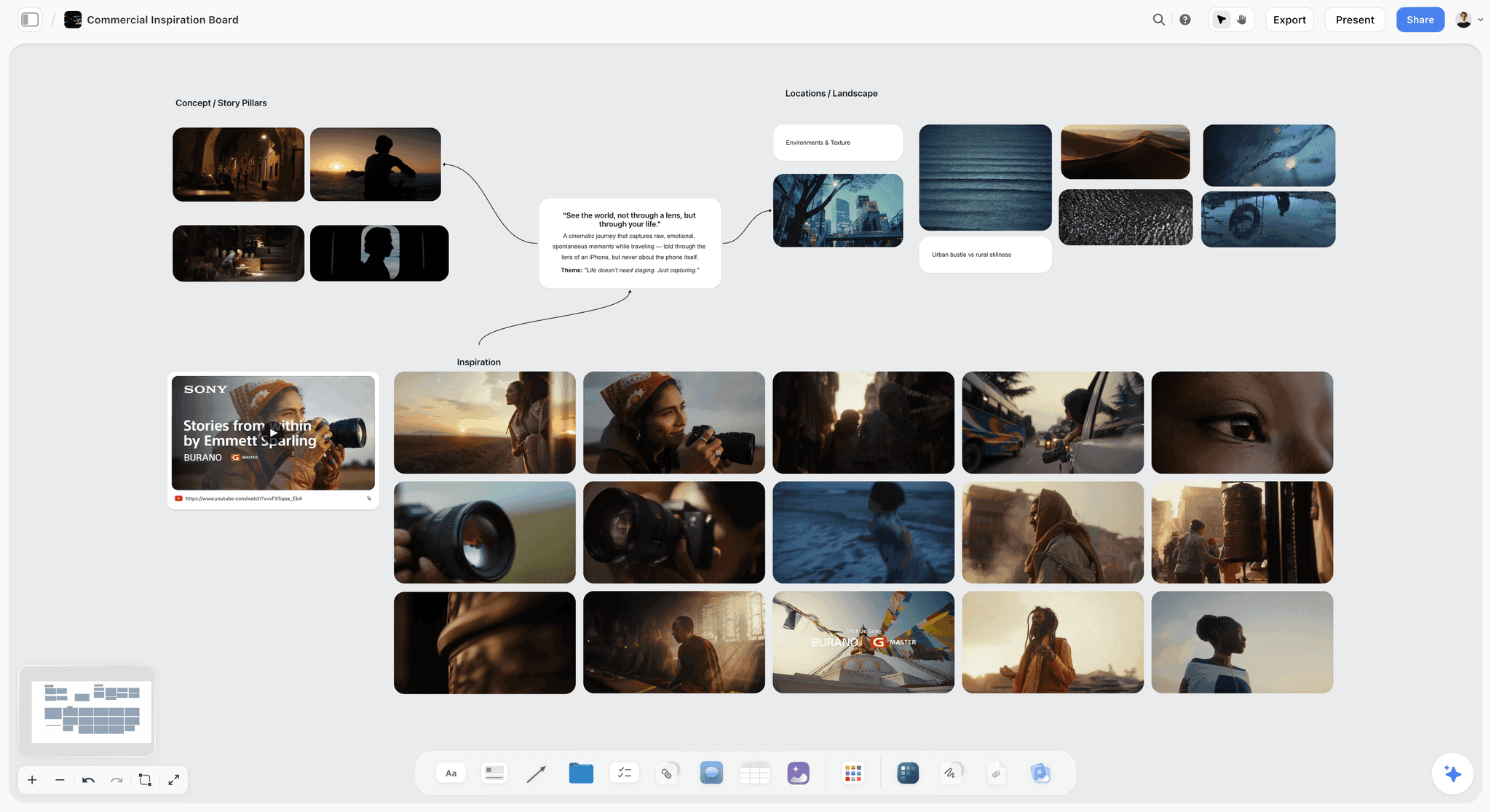
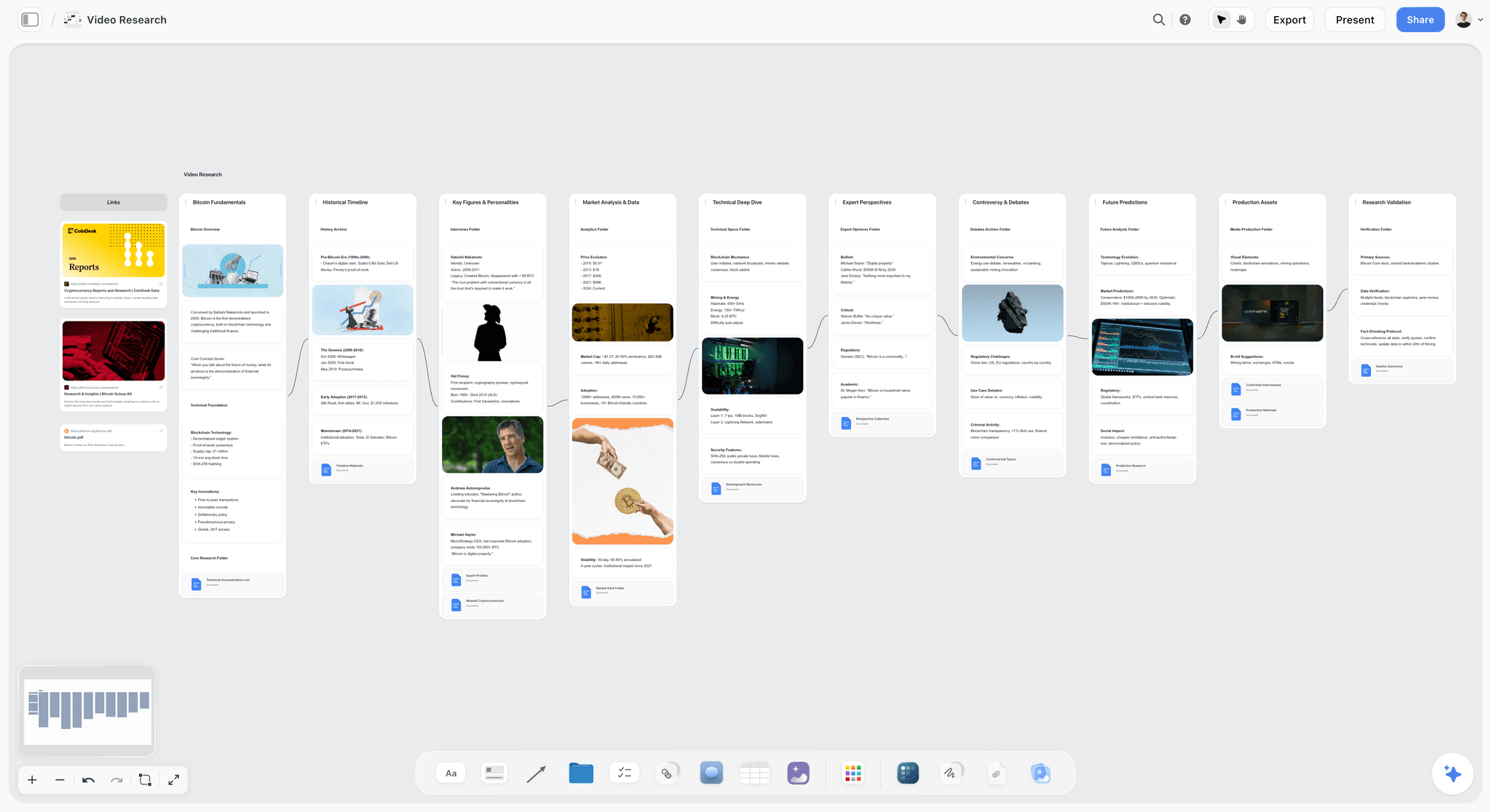
The real ad has 68 shots; our board has 14 panels, one for every moment the client needs to see. Below are the picture and camera parts of each line, the search we would run, and whether the panel carries a frame. The board's own to-do lists mark which panels go without one.
| # | Panel | Picture and camera (from the line) | Frame? | Search from the line |
|---|---|---|---|---|
01 | The mirror | Medium close-up. She breathes on the mirror and picks at the glass. Slow push in. | Yes | woman bathroom mirror |
02 | Prints on the wall | Medium shot from behind. She pins prints to the wooden wall of her bedroom. Handheld. | Yes | woman pinning prints wall |
03 | Window light | Close-up. She turns her face toward the window light, eyes wide. Camera still. | No: sketch from the line | none |
04 | The puddle | Top-down. A puddle shaped like a face on cracked concrete. Under a second. | Yes | puddle cracked concrete top down |
05 | Fire from above | Top-down. Fire bursts across grey ground. Under a second. | Yes | fire ground top down |
06 | Mirror eyes | Close-up. Her eyes in a car's rear-view mirror as she tilts it. Under a second. | Yes | eyes rear-view mirror |
07 | Tyre smoke | Low and close. A tyre spins in white smoke. Under a second. | Yes | tyre smoke low angle |
08 | Bedroom floor | Wide. Her messy bedroom, she lies on the floor among her pictures. Locked off. | Yes | woman lying on bedroom floor wide |
09 | The lighter | Extreme close-up. Her hands flick a red lighter above a rainbow sleeve, the flame lights her face. | No: sketch from the line | none |
10 | Paper cuts | Top-down. A small cut on skin, then the same cut repeated into a grid. Locked off. | Yes, for the light only | skin close-up top down |
11 | Strip mall | Extreme close-up. A cursor clicks a search button on an old computer screen. | Yes | old computer screen cursor macro |
12 | Grey office | Wide. A grey office where a man slumps on his desk holding the same red lighter. Locked off. | Yes | man slumped desk office wide |
13 | Floating bedroom | Wide. Her bedroom lifts off and pictures and objects float around her as she looks up. | Yes | objects floating bedroom |
14 | Space to dream | Top-down. She lies on her flowered bedspread and smiles up at us. Locked off. | Yes | woman lying on bed top down |
Panel 01 in full
Panel 01 is the clearest case. The line reads: "Medium close-up. She breathes on the mirror and picks at the glass. Slow push in. Voice-over: there's a moment when the world sharpens." The labels say Medium close-up and Push in. The sketch shows her from the chest up at the mirror. The reference frame, found by searching "woman bathroom mirror", shows the crew what the sketch cannot: how soft the light from the side should be, how cold the tiles read, how quickly the background goes out of focus. Under the frame, the caption names the film it came from. The to-do list underneath asks for a bathroom with green tiles, a mirror that fogs on cue, a slider for the push in and the grey sweater, for continuity. The frame and the to-do list agree: the light and colour in the still are what the green tiles and the location scout are meant to deliver.
Panels 03 and 09: why no frame
Panel 03 is a single second of her turning toward window light, and panel 09 is an extreme close-up of a red lighter above a rainbow sleeve. Both are specific enough that a borrowed frame would be close but wrong, and both are simple enough that the sketch from the line carries them. The board's to-do list on each says "No frame: sketch from the line", which is the step 7 rule applied in the open. A blank frame slot is a decision, and writing it down stops someone from filling it later with a near miss.
The fast panels 04 to 07
Panels 04 to 07 each last under a second on screen. A frame still earns its place: the crew needs to know what the overhead light on cracked concrete looks like, or how backlit tyre smoke reads, even if the shot flashes past. The speed itself lives in the line ("Under a second.") and in the Burst label, not in the frame. The frame shows the look; the line shows the timing.
The VFX panels 10 and 13
Panels 10 and 13 contain effects that nobody films in one take: a cut repeated into a grid, and a bedroom whose objects float. Panel 13's line splits into what is filmed on the day and what is added later: "Shoot the room locked off, hang the objects on fishing wire, then paint the wire out in post." A frame here shows the light and the spacing of floating props from another film. It does not show the effect itself, and the caption should say so. For panel 10 the frame is for light only, which is why the table marks it that way.
What the client saw
The client opened the board by link, scanned the 14 walls in one row, and left one comment on the floating bedroom: "Can the fan and her headphones float too?" One line changed, and the client approved. The frames did their quiet job: nobody asked what the shots would look like, because each panel already showed it. The film shows that moment happen: How to Storyboard a Film So Your Client Says Yes ends with the client's comment arriving on the panel and the board's sketches next to the real ad. The full shot-by-shot breakdown of this board lives in our 90-second ad storyboard example.
Where to Find Film Stills: Every Library, Checked
The question behind "where to find film stills" and "ShotDeck alternatives" is the same: which library will return a usable frame for your shot, at a price you can justify. Here is what each one offers, read from each vendor's own site on 11 October 2026.
| Library | What is in it, per its own site | How you search | Free option | Paid price checked 11 October 2026 |
|---|---|---|---|---|
Frameset | Stills from films, ads and music videos | Plain-language search, search by image, film filters on Pro | Free tier: limited searching, 1 project per type | Pro $15.99 per member a month; annual billing saves 32% |
ShotDeck | "Millions of shots" from "thousands of titles", hand-tagged | Keywords and tags in 30+ categories | 2-week free trial | $99.95 billed yearly or $12.95 monthly |
Flim | 1.5M stills, 400K videos, 15K ads, 5.5K music videos, 5.8K movies | AI search | Free: 1 still download a day, unlimited search | Basic €12.90 a month billed yearly (€14.90 monthly); Pro €29.90 billed yearly (€34.90 monthly) |
Film-Grab | Galleries of stills, one post per film | By film, director, cinematographer, aspect ratio, genre, year | Free to browse | Supported on Patreon |
Eyecandy | Examples filed by visual technique | By technique (dolly zoom, split diopter, whip pan) | Browsable without a price shown | No price shown on the homepage |
Images saved from across the web | Open search, boards | Free to join | Not applicable |
Frameset: plain-language and image search
Frameset is the library the film uses in its step 4 chapter, and it handles the method's search rule well: its example searches read like shot descriptions ("A diner glowing on an empty street at night"), and it accepts an image as a query. The free tier allows limited searching and one project; Pro lifts both and adds 4K and HD browsing and film-specific filters, per the Frameset upgrade page.
ShotDeck: the deepest tagging
ShotDeck was founded by cinematographer and director Lawrence Sher, and its homepage says every image is hand-tagged in more than 30 categories with more than 50 keywords, covering crew, cameras, lenses, framing, lighting and colour. That tagging is what you pay for: filtering a result set by lighting or lens is faster than scrolling. Plans are on the ShotDeck pricing page, with educational discounts by request.
Flim: strongest on ads and music videos
Flim calls itself an AI search engine for film stills and visual references, and its counts lean toward commercial work: 15K ads and 5.5K music videos alongside films and TV. If your board is for an ad or a music video, that mix matters. The free plan searches without limits but downloads one still a day, per the Flim pricing page, which is enough to test the search on a short board.
Film-Grab: free, filed by film
Film-Grab is a gallery of stills organised film by film, browsable by director, cinematographer, production designer, costume designer, aspect ratio, country, genre and year. There is no tagged search for "woman bathroom mirror"; you find frames by knowing which film has the shot. That makes it slower for a cold search and very good when the director already says "like the bathroom in that one film".
Eyecandy: when the reference is a technique
Eyecandy files its examples by visual technique: dolly zoom, split diopter, whip pan, slit-scan and over a hundred more. It answers a different question from the others. A frame library answers "what does this shot look like"; Eyecandy answers "what does this camera move or effect look like", which suits panels like 13, where the technique is the shot.
Pinterest: the open web, with no film filter
Pinterest is free to join and lets you save images from anywhere to boards, including secret boards and boards with collaborators, per its help page on saving pins. The cost is provenance: a pinned still often arrives without the film's name, and the caption rule in step 6 needs that name. Use it to collect, then find the source before the frame goes on the board.
Your own stills: the reference nobody else owns
The best reference frame is sometimes one you shot yourself: a phone photo on the location scout at the right time of day, a test frame from the camera you will use. Nobody else owns it, it shows your real room, and its caption is simply "Location scout, test frame". When you can get one, it beats any library.
The Tools, Placed Honestly
Five tools matter most for this job: one to hold and share the panels, four to find the frames. Storyflow is our product and comes first; the rest follow by the job each does best.
1. Storyflow
Verdict: The place the reference frame sits next to the shot it explains, shaped, captioned and shared with the panel.
Best for: Directors, producers and agencies who need the crew and the client to read the frame, the sketch and the line together.
Pricing: Plus $7.99 a month billed annually ($9.99 monthly); Pro $14 a month billed annually ($19 monthly) adds AI image generation for sketches; Max $39 a month billed annually ($49 monthly). Storyflow is paid-only during early access; its Free plan launches before the end of 2026, and anyone a paid member invites to a board joins free now.
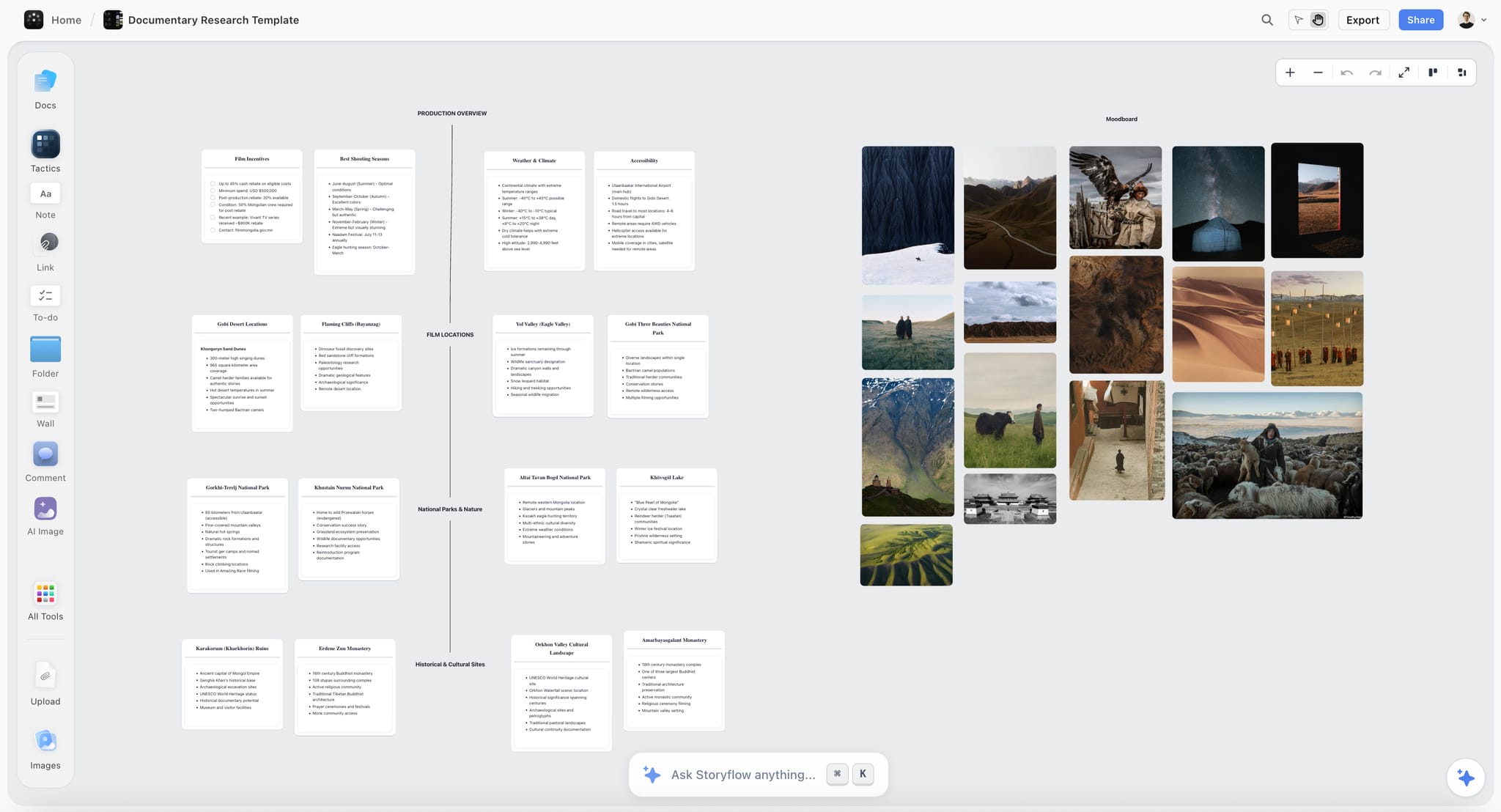
Storyflow treats each panel as a wall on an infinite board. Inside the wall, top to bottom, sit the sketch, the reference frame with its caption, the line as a note with labels (shot size, camera move, seconds), the script note, the note on why the shot is there, and the to-do list. Every image has a crop menu with seven shapes, from Free to Classic 4:3 to YouTube 16:9, so the frames match. Present walks through the board one wall at a time, fullscreen, and a view link opens with no account. Storyflow's AI can sketch each panel from its line on Pro and Max, which fills the slot above the frame. See the film storyboard page and the storyboard maker for the full set of tools.
Strengths:
- The frame, sketch, line and to-do list live in one wall, so nobody reads one without the others.
- One crop menu for every image makes "one frame shape for the whole board" a two-click job per frame.
- Captions on images give the source credit a fixed place.
- A view link opens with no account; comments sit on the panels.
Limits:
- No stills library: you find frames in Frameset, ShotDeck, Flim or Film-Grab and paste them in.
- The widest crop preset is 16:9; for a scope look, crop with Free and match the shapes by eye.
- No approve button, no version history and no animatic.
- Commenting needs a sign-in, and the app runs in the browser with no native or offline app.
2. Frameset
Verdict: The library that suits the search-by-what-is-in-the-shot rule best, with image search for when words fail.
Best for: Searching films, ads and music videos in plain language, or from a phone photo of your location.
Pricing: A free tier with limited searching and one project per type; Pro $15.99 per member a month, with an annual option that the page says saves 32%.
Frameset's search box takes shot descriptions as written, which matches step 2 of the method directly. Its search by image turns a location photo into a query. Projects let you keep candidates for each board. Frameset finds the frame and Storyflow holds it in the panel: choose Frameset over Storyflow for the finding, and pair them rather than pick one.
Strengths:
- Plain-language search that rewards concrete nouns.
- Search by image.
- Covers ads and music videos as well as films.
Limits:
- The free tier limits searching, so a 14-panel board can outrun it.
- A library, not a storyboard: the frame still needs a panel to live in.
3. ShotDeck
Verdict: The deepest hand tagging, worth paying for when you filter by lens, light and colour every week.
Best for: Cinematographers and directors who search frames constantly and want to filter by technical tags.
Pricing: $99.95 billed yearly or $12.95 billed monthly, with a 2-week free trial; educational and local pricing by request.
ShotDeck's tags cover cameras, lenses, framing, lighting, colour, composition and locations, which turns step 3 (pick on light, lens and colour) into a filter. Its decks share images with a team. Choose ShotDeck over Storyflow when the task is research across many films; once the frames are chosen, the storyboard itself belongs in a tool that holds the line, the sketch and the to-dos with them.
Strengths:
- Technical tags that match how a crew talks about a shot.
- Shareable decks for research rounds.
- A trial long enough to test it on a real board.
Limits:
- No free tier after the trial.
- A deck of stills is a moodboard of references, not a storyboard of shots.
4. Flim
Verdict: The library to try first for ads and music videos, with a free plan that lets you test the search.
Best for: Commercial and music video work, where references from other ads matter as much as films.
Pricing: Free with one still download a day; Basic €12.90 a month billed yearly or €14.90 monthly; Pro €29.90 a month billed yearly or €34.90 monthly, which adds video cuts; Teams on request.
Flim's counts lean toward commercial work, and its boards share collections with a team or a client. The video cuts on Pro help when the reference is a camera move rather than a still. Choose Flim over Storyflow for finding references in ads and music videos; Storyflow is where those frames sit under the sketch of your own shot.
Strengths:
- Large ad and music video collection.
- Unlimited search on the free plan.
- Video cuts on Pro for moving references.
Limits:
- One download a day on the free plan.
- Prices are in euros, so the cost in other currencies moves with exchange rates.
5. Film-Grab
Verdict: The free choice, best when you already know which film holds the shot.
Best for: Students, low-budget shoots and directors who reference specific films by name.
Pricing: Free to browse; the site asks for support on Patreon.
Film-Grab organises stills by film and lets you browse by cinematographer, production designer or aspect ratio. There is no tag search for physical content, so step 2 works differently: you search your memory for a film with the shot, then open its gallery. Choose Film-Grab over Storyflow only for the finding, and over the paid libraries when the budget is zero or the director names the film.
Strengths:
- No subscription.
- Browse by cinematographer is useful for a consistent look.
- Aspect ratio browsing helps with step 5.
Limits:
- No search by what is in the shot.
- Its footer states use for educational and research purposes, which matters for anything you publish.
Can You Use Movie Stills in a Pitch?
This is the question people search right after "where to find film stills", and it deserves a careful answer. What follows is general information, not legal advice. If a reference frame is going anywhere public or commercial beyond a private pitch, ask a lawyer who works in your country.
Internal reference and publishing are different acts
A storyboard shared with your crew and one client, to plan a shoot, uses a still as a reference for discussion. Publishing that still, in a portfolio, a social post, a public case study or printed marketing, is a different use. The film's rights holder owns the image in both cases; what changes is how the use is likely to be judged. The US Copyright Office lists four factors for fair use, including the purpose of the use and its effect on the market for the original, and states that "Courts evaluate fair use claims on a case-by-case basis", per its fair use index. Other countries use different rules, such as fair dealing.
What the caption does and does not do
Crediting the source film in the caption is honest and practical: it stops anyone mistaking the frame for your footage. It does not grant permission to use the image. A credit is courtesy and clarity, not a licence.
Keep reference frames on the board, not in the deliverable
The safe working habit is simple. Reference frames stay inside the storyboard you share privately with the crew and client. When the project turns into something public (a case study, a behind-the-scenes post, a pitch deck you publish), take the frames out and use your own sketches, stills from your own shoot or images you have licensed.
Check the library's own terms
Each library sets its own terms for how you may use what you download from it. Read them before you subscribe if you plan to share boards widely. Film-Grab's footer, for example, states its stills are for educational and research purposes.
A Reference Frame Template You Can Copy
Every reference frame on a board should carry the same four pieces of information. Copy this into each panel, or into the brief for whoever is finding frames.
| Field | What to write | Example (panel 01) |
|---|---|---|
Panel | Number and name | 01 · The mirror |
Search used | The physical words from the line | woman bathroom mirror |
Caption | Source film title and year | The title of the film the still comes from, and its year |
What to take from it | Light, lens, colour: one phrase each | Soft side light; shallow focus; cool green tiles |
What to ignore | Anything in the frame that is not your shot | Their actor, their room, their wardrobe |
Shape | The board's one shape | Classic 4:3 |
For panels with no frame, use a shorter version:
| Field | What to write | Example (panel 09) |
|---|---|---|
Panel | Number and name | 09 · The lighter |
Frame | None | No frame: sketch from the line |
Why | One reason | Specific prop and gesture; a near match would mislead |
If you are building the whole board from a template, the storyboard template page and our storyboard examples show the full panel with the frame in place.
Reference Frame Checklist
Run this before the board goes to the crew. It takes a few minutes and catches the mistakes clients notice.
- Every panel has a yes or no for "has anyone filmed this before?"
- Every yes panel has one frame, not three.
- Every no panel says "No frame: sketch from the line" in its to-do list.
- Every frame sits under the sketch, not above it.
- Every frame uses the same shape.
- Every frame has a caption with the source film.
- Every frame was chosen for light, lens and colour, not for the story.
- No frame shows a famous face the client could mistake for casting.
- No frame shows an effect your budget cannot deliver.
- No reference frame appears in anything you plan to publish.
- The search phrase for each frame is written down, so someone can find a replacement.
- Your own location photos replace library frames wherever you have them.
Reference Frames by Kind of Film
The method stays the same across projects, but what the frame needs to show shifts with the kind of film.

Ads
In an ad, the frame is often the client's first look at the product's world. Clients sometimes bring frames from competitors' ads; caption those twice as carefully, because a client who sees a rival's spot on your board can read it as a plan to copy. Flim's ad collection is useful here. See the commercial storyboard page and our guide on how to storyboard a commercial.
Music videos
Music video boards lean on technique: a strobe, a speed ramp, a projection. Eyecandy's technique index and Flim's music video stills both fit. Because the edit follows the song rather than a script, the frame often carries more of the panel's meaning, so keep the line short and the frame specific. The music video storyboard page covers the rest of the panel.
Corporate and brand films
Brand films often need a look that feels expensive without being cinematic in a distracting way. Frames from documentaries and interview-led films set that tone better than frames from features. Mind the caption: a corporate client forwards boards widely inside their company.
Short films
Short films are where directors reference specific films by name, which makes Film-Grab's film-by-film galleries efficient. The risk is borrowing a whole look from one film; spread the frames across several sources so the crew reads the light, not the homage.
Documentaries
You cannot storyboard what has not happened yet, but you can board the planned material: interviews, establishing shots, recreations. For interviews, one frame showing the lighting and background you want saves an hour on the day. Your own location photos matter most here. The documentary storyboard page shows how the board holds those planned shots.
Social video
Vertical social video changes step 5. Crop every frame to 9:16 so the client sees the vertical frame they will get, even if the source still is wide. A wide frame cropped to vertical shows quickly whether the composition survives the format.
Reference Frames by Role
Different people on the job read the frame differently, and the person finding frames should know who is reading.
Director
The director chooses the frames, because the frame is a statement about how the shot should look. The director also decides which panels go without one. If someone else finds candidates, the director picks from three.
Director of photography
The DoP reads the frame for light and lens and often swaps the director's choice for one that is more achievable on the budget. Leave the DoP room to comment on the panel before the client sees it: this is the team check, step 7 of the full method.
Producer
The producer reads the frame for cost. A frame lit by a crane full of lights promises a budget. The producer's question on each frame is "can we get this look with what we have?", and a no means a different frame, not a bigger budget.
Client
The client reads the frame for feeling and for risk. They want to know the film will look good and will not look like a competitor. The caption and the "one shape for the whole board" rule both help the client read the board as a plan, not a scrapbook. Our guide on how to present a storyboard to a client covers that conversation.
Common Mistakes With Reference Frames
Each of these shows up on real boards. Each has a short fix.
Mistake 1: Searching for a feeling
Typing "moody" or "dreamy" returns frames that share an adjective and nothing else. Fix: rewrite the search from the nouns in the line, as in the before-and-after table.
Mistake 2: Putting the frame above the sketch
When the borrowed picture comes first, the eye reads it as the plan. Fix: sketch on top, frame below, every panel.
Mistake 3: Mixing shapes
A square still next to a scope still next to a vertical phone photo makes the board look unfinished. Fix: one shape, set in the image menu on every frame.
Mistake 4: No caption
An uncaptioned frame becomes "the look we promised" by the third forward. Fix: source film and year in every caption.
Mistake 5: Filling every panel
A near-miss frame on a panel nobody has filmed is worse than no frame. Fix: answer "has anyone filmed this before?" first, and write "No frame: sketch from the line" where the answer is no.
Mistake 6: A frame with a famous face
A well-known actor in the frame makes the client think about casting. Fix: prefer frames where the subject is small, turned away or out of focus, or crop to the light.
Mistake 7: Frames that promise a budget you do not have
A frame lit by a full night exterior rig on a shoot with two lights sets up a disappointment. Fix: let the producer and DoP comment on frames before the client sees them.
Mistake 8: Publishing the board with the frames in it
The private board becomes a case study and the frames go with it. Fix: strip the reference frames from anything public and use your own images.
Mistake 9: Using an AI image as a reference frame
A generated image shows what a model guessed, not what a camera recorded, so it cannot tell a gaffer how real light behaved. Fix: AI can sketch the panel from your line; the reference frame should be a real still from a real shoot.
When Storyflow Is Not the Right Choice
Storyflow holds the panel. It does not do every job around it, and some readers need a different tool.
You need a library of stills
Storyflow has no stills library and no reference search. Use Frameset, ShotDeck, Flim or Film-Grab to find frames, then bring them to the board.
You want a loose reference wall on your desktop, offline
If what you want is a floating, offline collage of references while you draw or edit, PureRef runs on Windows, Mac and Linux and is built for exactly that. Storyflow runs in the browser and needs a connection.
You need a timed animatic or an MP4
Storyflow has no animatic and no MP4 export. Boords makes animatics from storyboard frames; our guide on how to make an animatic covers the options.
You need formal approvals per panel
Storyflow has no approve button, no approval status per panel and no version history. Boords offers approval statuses if your client requires a recorded sign-off on each frame.
You draw every panel by hand
Storyflow has no drawing tools. If you draw the sketches yourself, use Storyboarder, Procreate or Photoshop, then upload the drawings into the walls.
You need a native or offline app
There is no offline mode and nothing to install: Storyflow runs as a web app in the browser. If you need to work on a plane or a set with no signal, keep a local copy of the frames in PureRef or a folder.
What It Costs: Storyflow and the Libraries
Prices for the libraries are as shown on each vendor's site on 11 October 2026. Storyflow's are from its pricing page.
| Tool | Plan | Price |
|---|---|---|
Storyflow | Plus | $7.99 a month billed annually, $9.99 monthly |
Storyflow | Pro (adds AI image generation for sketches) | $14 a month billed annually, $19 monthly |
Storyflow | Max | $39 a month billed annually, $49 monthly |
Frameset | Free / Pro | $0 with limited searching / $15.99 per member a month |
ShotDeck | Yearly / Monthly | $99.95 a year / $12.95 a month, 2-week trial |
Flim | Free / Basic / Pro | 1 download a day / €12.90 a month billed yearly / €29.90 a month billed yearly |
Film-Grab | Browse | No subscription; Patreon support |
PureRef | Personal / Small business | You choose the amount / $49 one-time |
A solo director's setup
Storyflow Plus plus one paid library covers the method for one person. Plus at $7.99 a month billed annually and ShotDeck at $99.95 a year come to $95.88 plus $99.95, which is $195.83 a year. Swap ShotDeck for Film-Grab and the library cost drops to nothing, at the price of slower searching. Add Pro instead of Plus if you want Storyflow's AI to sketch the panels.
A small team's setup
On a team, only one person needs the paid library, because the frames are pasted into the shared board. Everyone a paid Storyflow member invites to a board joins free, so the crew and client cost nothing extra to read and comment. See Storyflow pricing for the full plan comparison.
The Bottom Line
A reference frame is a low-cost way to make a storyboard panel say what a shot looks like, and the easiest way to make a promise you did not mean. Search for what is in the shot, put the frame under the sketch, give every frame one shape, caption the film, and skip the frame when nobody has filmed your shot. Find the stills in Frameset, ShotDeck, Flim or Film-Grab; hold them in Storyflow, where each frame sits in the same wall as the line it explains and the client reads all of it from one link. Then watch How to Storyboard a Film So Your Client Says Yes to see the whole 14-panel board built and approved in 10 minutes.
FAQ: Reference Frames in a Storyboard
What is a reference frame in a storyboard?
A reference frame is a real still from an existing film, ad or music video, placed in a storyboard panel to show the light, lens and colour you want for that shot. It sits under the sketch, carries a caption naming its source film, and explains how the shot should look. The sketch shows what you are actually filming.
Where can I find film stills for reference?
You can find film stills in Frameset, ShotDeck, Flim and Film-Grab. Frameset and Flim offer free tiers with limits, ShotDeck has a 2-week trial before a paid plan, and Film-Grab is free to browse film by film. Eyecandy suits visual techniques, and Pinterest collects images from anywhere, though often without the source film's name.
What are the best ShotDeck alternatives?
The main ShotDeck alternatives are Frameset, Flim and Film-Grab. Frameset adds plain-language and image search and a free tier. Flim leans toward ads and music videos and searches free with one download a day. Film-Grab is free but browsed film by film rather than searched by content. Pick by the kind of work you board most.
Can I use movie stills in a pitch?
Using a movie still as a private reference in a pitch or storyboard is a different act from publishing it, but the rights holder still owns the image either way. Fair use is decided case by case. Caption the source, keep frames out of anything public, and ask a lawyer before publishing. This is general information, not legal advice.
How many reference frames should a storyboard have?
A storyboard should have at most one reference frame per panel, and some panels should have none. Ask of each panel whether anyone has filmed something like it before. In our 14-panel example, two panels carry no frame because the sketch from the line explains them better than any near match would.
Should the reference frame go above or below the sketch?
The reference frame goes below the sketch. The sketch is the shot you are making, so it should be read first; the frame explains how that shot looks. When the borrowed still sits on top, readers take it as the plan, and the client starts expecting someone else's actor and location.
What aspect ratio should reference frames be?
Reference frames should all share one aspect ratio, whichever suits the board. Our example uses 4:3 for every frame. For vertical social video, crop every frame to 9:16 so the client sees the real format. The exact ratio matters less than the consistency: mixed shapes pull attention to the crops.
How do I search for cinematography reference images?
Search for what is physically in the shot, not a feeling. "Woman bathroom mirror" returns usable frames; "dreamy" returns frames that share an adjective. Start with the subject and place, add one camera word if needed, then use the library's filters for lighting or lens. Stop at three candidates per panel.
Do I need to credit the film in a reference frame?
Yes, credit the source film in the frame's caption every time. The credit tells your crew where to see the shot move and stops the client, or anyone they forward the board to, from thinking it is your footage. A credit is not permission to publish the still, though.
What is the difference between a reference frame and a moodboard?
A moodboard sets the look of the whole film before shots are written, with dozens of images grouped by theme. A reference frame is chosen after a panel's line is written, one per panel, to show how that single shot is lit, lensed and coloured. Most client projects use both, moodboard first.
Can I use AI-generated images as reference frames?
AI images are a poor substitute for reference frames, because they show what a model guessed rather than what a camera recorded, so they cannot tell a gaffer how real light behaved. Use AI to sketch the panel from your line if you like, and keep the reference frame a real still.
When should I skip the reference frame?
Skip the frame when nobody has filmed your shot, or when the closest match would mislead. A specific prop, a one-off gesture or a new effect is often better served by the sketch alone. Write "No frame: sketch from the line" in the panel so nobody fills the gap with a near miss later.
Is Storyflow free for storyboarding with reference frames?
Not during early access. Storyflow is paid-only for now, starting at $7.99 a month billed annually on Plus; its Free plan launches before the end of 2026, and anyone a paid member invites to a board joins free now. The stills libraries are separate: Film-Grab is free to browse.
Can my client see the reference frames without an account?
Yes, a Storyflow view link opens with no account, so the client sees every panel, frame and caption. Leaving a comment on a panel needs a sign-in, and anyone a paid member invites to the board joins free. Present mode also walks the client through the board one wall at a time.
Table of Contents
- Key Takeaways
- Why a Sketch Alone Loses the Room
- What a Reference Frame Does That a Sketch Cannot
- Reference Frame vs Moodboard: Which One You Need
- Tools for Each Step: Finding, Placing and Sharing Reference Frames
- How to Add Reference Frames to a Storyboard, Step by Step
- Step 1: Ask one question per panel
- Step 2: Write the search from what is physically in the shot
- Step 3: Pick the frame that matches the light, not the story
- Step 4: Paste it under the sketch
- Step 5: Set every frame to the same shape
- Step 6: Caption the source film
- Step 7: Skip the frame when nobody has filmed it
- Step 8: Let the crew and client read it
- How to Search a Stills Library: Before and After
- Worked Example: Reference Frames for a 90-Second Ad in 14 Panels
- Where to Find Film Stills: Every Library, Checked
- The Tools, Placed Honestly
- Can You Use Movie Stills in a Pitch?
- A Reference Frame Template You Can Copy
- Reference Frame Checklist
- Reference Frames by Kind of Film
- Reference Frames by Role
- Common Mistakes With Reference Frames
- When Storyflow Is Not the Right Choice
- What It Costs: Storyflow and the Libraries
- The Bottom Line
- FAQ: Reference Frames in a Storyboard
- Related Reading
Templates to check out for this topic


Filmmaking templates you can use in Storyflow
Skip the blank canvas. Open one of these filmmaking boards in Storyflow and the AI builds on the structure that is already there, from research through the shot list.


See Storyflow in Action
A visual AI workspace where every feature lives inside one canvas. No tab-switching, no context lost.
Build your entire board from a single message
Type what you need in the AI chat at the bottom of your canvas. The AI adds cards, headings, and structure directly onto your board.
Use expert frameworks as AI context
Type @ in the AI chat and choose any Tactic. The AI tailors every response to that framework instead of giving generic advice.
Turn your board into a mind map in seconds
Ask the AI to restructure your canvas as a mindmap. It connects your ideas into a visual hierarchy so you can see how everything relates.
Why Storyflow Exists
Storyflow actually began as a personal tool while working on creative and research projects.
We kept running into the same problem: ideas were scattered everywhere: notes, documents, and whiteboards.
Nothing helped us see how everything connected.
So we started building a workspace designed around how ideas actually grow.
→ Read how Storyflow was createdStoryflow Team
Product & Research Team
Published: 2026-10-11
Extremely simple, seriously capable


See how easy it is to get started
Watch a real project come together, from a blank board to a finished plan, clicked through step by step.
Start creating with AI and become more productive
Transform your creative workflow with AI-powered tools. Generate ideas, create content, and boost your productivity in minutes instead of hours.