How Long Should Each Shot Be? Timing a Storyboard to the Second
How long each shot should be, and how to time a storyboard to the second: the stopwatch method, a 92-second board checked against a 90-second brief, voice-over arithmetic and a timing sheet, with Storyflow labels.

Category
Filmmaking
Author

Storyflow Team
Product & Research Team
Topics
2026-10-11
•
44 min read
•
Filmmaking- shot length
- storyboard timing
- stopwatch method
- brief length
- voice-over words per second
- Storyflow
How long should each shot be in a storyboard?
Each shot should last as long as its action takes when you act it out at real speed, and the seconds on all your panels must add up to the length in the brief. There is no correct number for a single shot. Storyflow holds the answer on the board: every panel carries its seconds as a label on the line, and its AI reads those labels so you can check the total against the brief before the client sees anything. Choose Boords when you need an animatic timed to audio, Storyboarder when you draw and want free per-board timing.
Full disclosure: Storyflow is our product. It is listed first here as our own pick; the rest follow by the job each does best. For timing, Storyflow makes no animatic, plays no audio and exports no video, and has no approve button or version history.
Quick Comparison
How the tools that matter for timing a storyboard compare, as of October 2026.
| Tool | Best For | AI Features | Price |
|---|---|---|---|
| Storyflow | Seconds as a label on every panel, totalled against the brief | AI reads the board and its labels; AI sketches from each line on Pro and Max | $7.99 a month billed annually (paid-only today; Free plan due before the end of 2026) |
| Boords | Animatics timed to audio with MP4 export | AI image credits per plan | Free plan with 5 storyboards; Solo $26 a month billed yearly ($39 monthly) |
| Storyboarder | Drawing boards with timing and shot type per board | Reference shots generated from typed descriptions | Free and open source |
| DaVinci Resolve | A rough animatic cut with real sound | Not assessed here | Free version; Studio $295 |
Key Takeaways
- Storyflow keeps the timing on the storyboard itself: the seconds sit as a label on every panel's line, next to the shot size and camera move, and its AI reads those labels back so you can add the board up against the brief.
- How long a shot lasts is the fourth question every storyboard line must answer, after what we see, how the camera moves and what we hear.
- Do not guess the seconds. Grab a stopwatch, act out every shot at real speed, and write the number on the panel.
- Add the whole board up before anyone else sees it. In our worked example the 14 panels total 92 seconds against a 90-second brief.
- When the board runs long, cut your longest shots first. You lose seconds, not whole ideas.
- Voice-over is a clock you can do arithmetic with: at about 2.3 words a second, a 90-second film holds roughly 207 words if someone talks the whole way through.
- A panel is a moment, not a shot. Our example board times 68 shots across 14 panels, so a panel's seconds can hold several cuts.
- Storyflow makes no animatic and exports no video. When the client must hear the timing, cut an animatic in Boords or an editor.
- Watch it done: How to Storyboard a Film So Your Client Says Yes times a real 90-second board in its step 6 chapter, stopwatch and all, in a 10-minute film.
Why Storyboard Timing Goes Wrong
You have a board the crew likes. Every panel has a sketch, a reference frame and a clear line. Then somebody asks the question nobody wrote down: how long is this? You add it up in your head, it comes to about two minutes, and the brief says 90 seconds. Now the cut happens in the edit, after the shoot, where every lost second costs a shot you already paid for.
Timing goes wrong in four predictable ways.
A board is read at reading speed, not at film speed
A client flips through 14 panels in about a minute, whatever the film's real length. A slow push-in on a mirror and a sub-second burst of fire take the same space on the page. Nothing about a storyboard tells you how long it lasts unless you write the number on it. That is why timing is a separate question on the line and not something the reader can infer from the picture.
The seconds get guessed, not acted
Ask someone how long it takes to breathe on a mirror and pick at the glass, and they will say two seconds. Do it, slowly, as the shot describes, and it takes closer to nine. Guessed timings are almost always short, because the guess skips the beats an actor and a camera actually need: the turn, the pause, the hold before the cut.
Nobody adds the board up
Individual panels can each look reasonable while the total is wrong. Thirteen seconds here, nineteen seconds there, and suddenly a 90-second ad is a 120-second ad. The total only exists if somebody writes every panel's seconds down and adds them.
Voice-over sets a clock nobody checked
If the film has narration, the words set a minimum length for every panel they play over. A line that takes four seconds to say cannot sit on a panel timed at two. When the script and the board are timed separately, they disagree on the day.
The fix for all four is the same, and it is the sixth step of the method our film storyboard page and our film are built on: time every shot, write it on the panel, add it up.
Tools for Each Step: Timing a Storyboard to the Second
Our own product comes first in this table; the rest follow by the job each does best. Every rival here wins at least one part of timing that Storyflow does not do.
| Tool | Which step it covers | Where the seconds live | Total and playback | Price (as of October 2026) |
|---|---|---|---|---|
Storyflow | Writing the line, labelling the seconds, adding the board up, team and client review | A label on each panel's line note, next to shot size and camera move | Ask the AI to read the labels and total them; Present walks the board one panel at a time; no audio playback, no video export | $7.99 a month billed annually on Plus; AI sketches need Pro at $14 |
Boords | Timing frames to a soundtrack or voice-over and exporting the animatic | A zoomable animatic timeline | Plays the animatic full screen and exports MP4 | Free plan with 5 storyboards; Solo $26 a month billed yearly ($39 monthly) |
Storyboarder | Drawing boards and entering timing per board | A timing field in each board's panel | Shows animatics; exports to Premiere and Final Cut | Free and open source |
DaVinci Resolve | Cutting a rough animatic from your panels and a scratch voice-over | Clip lengths on an edit timeline | Real playback with sound, frame-accurate | Free version; Studio $295 |
A phone stopwatch | Acting out each shot | Your notes, until you copy them to the panel | None | Already in your pocket |
Sources, all opened on 11 October 2026: Boords pricing, Boords animatic software, Storyboarder by Wonder Unit and DaVinci Resolve.
The short version: you need a place to write the seconds (the board), a way to find them (a stopwatch and your body), and, only sometimes, a way to hear them (an animatic). Storyflow covers the first and the review around it; Boords, Storyboarder and an editor cover the third.
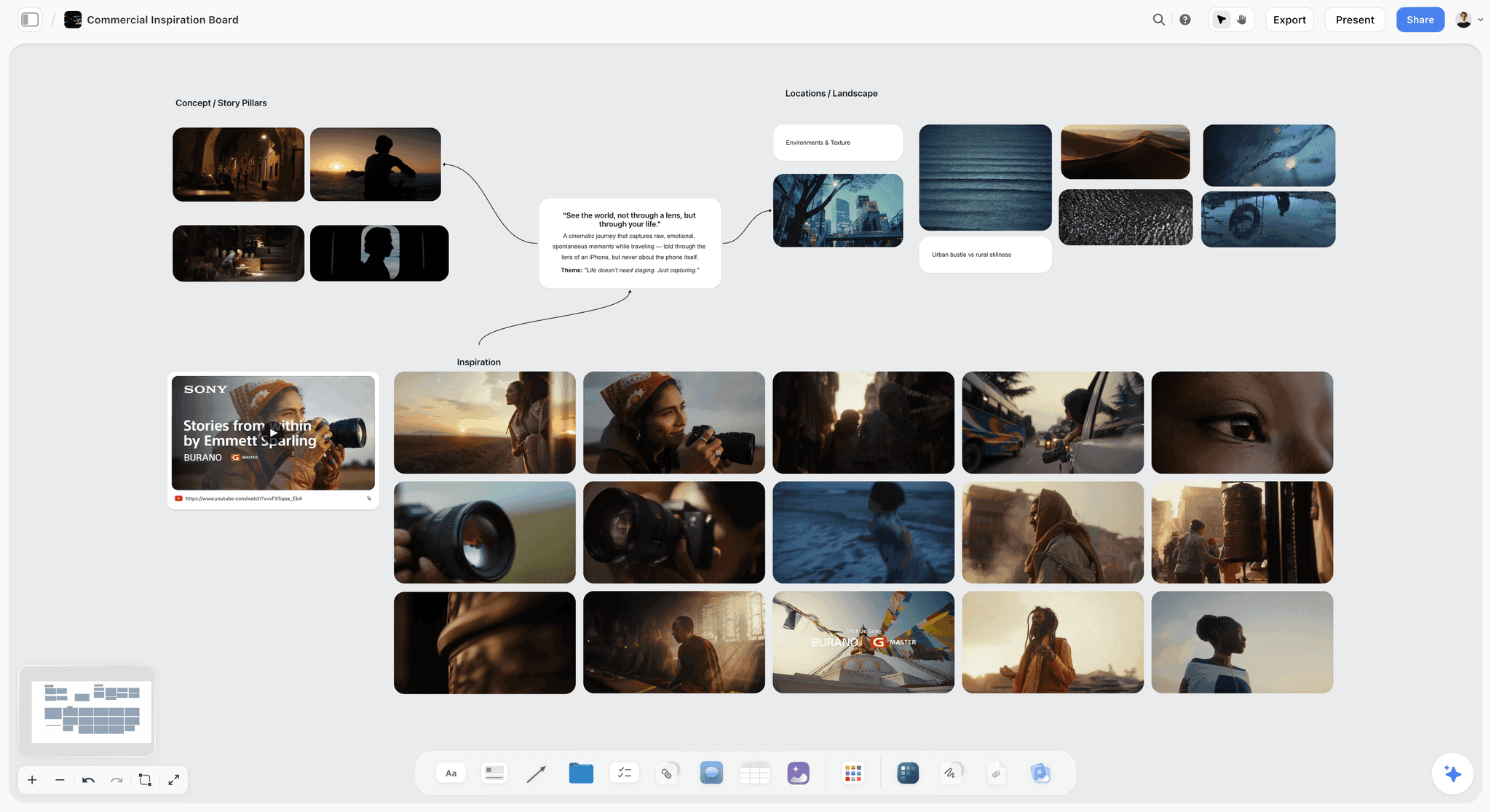
A Storyflow commercial inspiration board with film stills grouped under concept, locations and inspiration around one written idea.
Put the seconds on every panel
Write each shot's line, label its seconds and add the board up against the brief before the client sees it. Plans start at $7.99 a month billed annually.

How Long Should a Shot Be? The Short Answer by Kind of Shot
The honest answer is "as long as the action takes, and no longer than the moment can hold attention". That sounds vague until you split shots by what they are doing. The ranges below are planning starting points with the reasoning shown, not measured industry rules. Your stopwatch overrides every one of them.
| Kind of shot | Starting range | Why that range |
|---|---|---|
Opening establishing or mood shot | 4 to 10 seconds | The audience needs time to read a new place; a slow camera move needs time to register as a move |
Dialogue or voice-over over a face | As long as the words take, plus about half a second either side | The words set the minimum; at about 2.3 words a second, a 7-word line needs about 3 seconds |
Action beat (a hand, a gesture, a turn) | 1 to 4 seconds | One readable action; act it out to find the real figure |
Montage or burst cut | Under a second each | The point is rhythm, not reading; the moment as a whole can run several seconds |
Insert or product close-up | 1 to 3 seconds | The viewer needs to recognise one object, not study it |
Effects or "impossible" shot | Longer than you think, often 6 seconds and up | The audience needs time to understand what changed, and the effect needs time to happen |
Hold before a logo or end card | 3 to 6 seconds | A final image and a brand line both need to land before the cut to black |
Two rules sit under this table. First, a shot that the audience must read (text, a detail, a change) needs more time than a shot they only have to feel. Second, the length of a shot is relative: a 3-second shot feels long in a montage of half-second cuts and short after a 19-second hold.
The film puts those two rules to work on a real board. In the step 6 chapter of How to Storyboard a Film So Your Client Says Yes you watch each shot acted out against a stopwatch and the seconds land on the panel as a label, which no table can show you.
What Shot-Length Research Says (and What It Cannot Tell You)
A search for "average shot length" is a search for a number to aim for. Film scholars have measured that number for a century of films, and the research is useful, as long as you read it for what it is.
Average shot length, defined
Average shot length (ASL) is a film's running time divided by its number of shots. Wikipedia's article on the shot gives one worked figure: The Mist runs 117 minutes and is listed with 1,292 shots, which works out to 7,020 seconds divided by 1,292, about 5.4 seconds a shot. You can redo that sum yourself. (That section of the article carries no citation, so treat the shot count as Wikipedia's figure.)
How scholars measure it
Cinemetrics, hosted by the University of Chicago, is a tool for taking shot lengths in real viewing time so film historians can calculate a film's average shot length and cutting rate. Researchers time every cut and share the results. The historian David Bordwell, writing on his blog and drawing on that kind of data, describes US films around 1916 to 1918 moving from an ASL of over 10 seconds, sometimes as much as 30, to 5 or 6 seconds or less.
What the measured films show
The psychologist James Cutting and colleagues timed the shots in 150 popular films released from 1935 to 2005 for their 2010 study "Attention and the Evolution of Hollywood Film" in Psychological Science, as ScienceDaily reported. In a reply on the Cinemetrics site, Cutting lists ASLs for individual films:
| Film | Year | Average shot length |
|---|---|---|
The 39 Steps | 1935 | 10.8 seconds |
Annie Get Your Gun | 1950 | 14.9 seconds |
GoldenEye | 1995 | 3.6 seconds |
Star Wars: Revenge of the Sith | 2005 | 3.57 seconds |
Quantum of Solace | 2008 | 1.71 (unit not stated, presumably seconds) |
In the same reply he writes that shot lengths became shorter over the 20th century and into the 21st. These are five films, not an average of all films, and they are feature films, not ads.
Why an average is the wrong target for one panel
An average hides the spread. A film with an ASL of 3.6 seconds contains half-second cuts and 20-second holds; the average describes neither. Our own example shows how far apart the two ideas sit. The real 90-second ad has 68 shots, so its average shot is 90 divided by 68, about 1.3 seconds. Our board for a film like it has 14 panels over 92 seconds, about 6.6 seconds a panel (92 ÷ 14). Same film, two different "averages", and neither tells you how long panel 09 should be. Use research to understand pace; use a stopwatch to time your shots.
How to Time a Storyboard in 6 Steps
This is the timing step of the eight-step method from our film, opened up into the smaller moves that make it work. You can run it on paper, in a spreadsheet or on a board. We show where Storyflow does each part, because that is where we build ours.
Step 1: Write the line before you time it
You cannot time a shot that is not described yet. The line under every panel answers three questions in a fixed order: what do we see, how does the camera move, what do we hear. Timing is the fourth question, and it only makes sense once the first three are answered, because each one changes the length. "Medium close-up. She breathes on the mirror and picks at the glass. Slow push in." takes longer than "Close-up. She turns her face toward the window light", and you only know that because the line says "slow push in". If the lines are not written yet, start with our sibling guide on how to write a storyboard shot description.
Step 2: Act out every shot with a stopwatch
Open the stopwatch on your phone. Read the line, then do the action at the speed the shot needs: breathe on a real mirror, pin a print to a wall, turn your head to a window. Start the clock when the shot would start and stop it when the cut would come. Then do it a second time, because the first take is always rushed.
Three habits make the numbers honest:
- Include the hold. A shot does not end the instant the action ends; the camera usually stays a beat.
- Say the voice-over out loud while you act, at a calm read. If the words run longer than the action, the words win.
- For camera moves, move your phone or your hand as the camera would. A slow push in is slow.
Step 3: Write the seconds on the panel as a label
The seconds belong on the panel, not in a separate document. In Storyflow, the line is a note inside the panel's wall; select the note, click the label button, and add the seconds as a label beside the shot size and the camera move ("9 sec", "Medium close-up", "Push in"). Now anyone scanning the board sees how long each moment is without reading every line, and the number moves with the panel if you reorder the board.
Step 4: Add the board up against the brief
The brief sets the length. Write every panel's seconds in order with a running total, and compare the last number to the brief. In Storyflow you can ask the AI to read the seconds labels on the board and give you the total and the running sum; check its arithmetic yourself before you trust it, the same way you would check a spreadsheet formula. If the total matches the brief, you are done. If it runs long, go to step 5. If it runs short, look for a panel whose action you rushed, or a moment the client will want to see that is not on the board yet.
Step 5: Cut the longest shots first
When the board runs over, the instinct is to delete a panel. Do not. A panel is an idea the client needs to see, and deleting one loses the idea. Instead, take seconds from the longest panels. A 19-second shot that becomes 17 seconds still does its job; a 3-second shot that becomes 1 second may not. Cut seconds, not ideas, and take them from where there are the most seconds to give. Only when the longest shots are already as short as their action allows should you look at merging two moments.
Step 6: Check the timing against the voice-over
If the film has narration, read the script against the board one more time. For every panel, count the words heard over it and divide by about 2.3, a comfortable commercial read according to VoiceBros' script guide. If the words need more seconds than the panel has, either the panel grows or the script loses words. Then hand the timed board to your crew in the team check, the next step of the method, where a camera operator or editor will tell you which numbers they do not believe.
Worked Example: Timing the 14-Panel, 90-Second Board
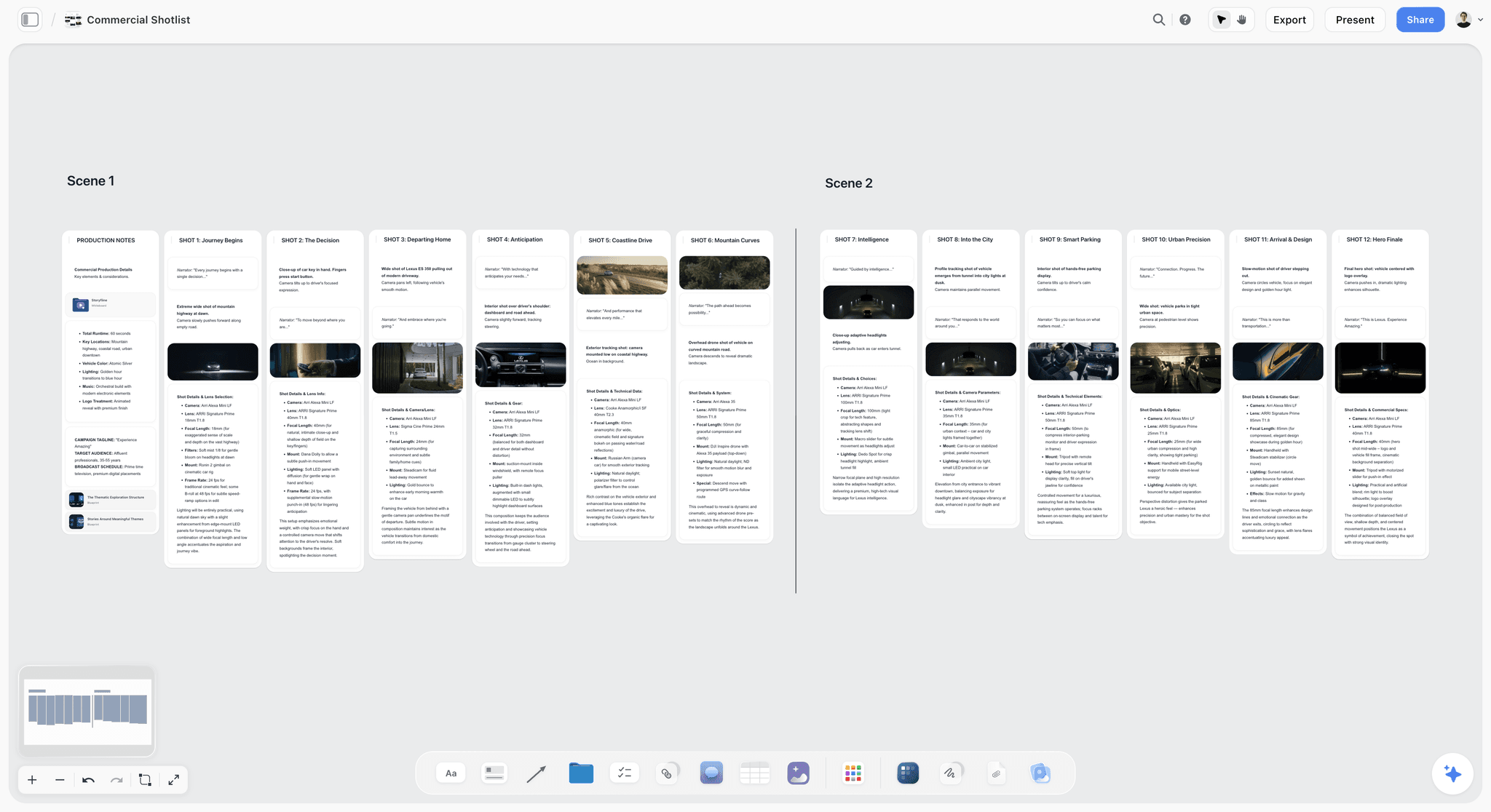
To show the method on real numbers, our film builds a storyboard for "Your Space to Dream", the 90-second ad Aidan Cullen directed for Cosmos, which you can watch on YouTube. This is not the official storyboard for that film, and Storyflow had nothing to do with making it; it is how we would plan a film like it. The sketches were made from our written lines only, never from the film's shots. The reference frames come from other films, found on Frameset and credited on the board. The camera operator and the client in the comments are made up for the demo. We do not know how the real ad was planned or cut, and nothing below describes it.
Three counted facts frame the example: the brief is 90 seconds, the real ad has 68 shots, and our board has 14 panels.
The board, timed
Here is every panel with the picture and camera part of its line and the seconds on its label, plus a running total. The words heard over each shot are the ad's own copy, so we leave them out after panel 01.
| # | Panel | The line (picture and camera) | Seconds | Running total |
|---|---|---|---|---|
01 | The mirror | Medium close-up. She breathes on the mirror and picks at the glass. Slow push in. Voice-over: there's a moment when the world sharpens. | 9 | 9 |
02 | Prints on the wall | Medium shot from behind. She pins prints to the wooden wall of her bedroom. Handheld. | 3 | 12 |
03 | Window light | Close-up. She turns her face toward the window light, eyes wide. Camera still. | 1 | 13 |
04 | The puddle | Top-down. A puddle shaped like a face on cracked concrete. Under a second. | 4 | 17 |
05 | Fire from above | Top-down. Fire bursts across grey ground. Under a second. | 3 | 20 |
06 | Mirror eyes | Close-up. Her eyes in a car's rear-view mirror as she tilts it. Under a second. | 2 | 22 |
07 | Tyre smoke | Low and close. A tyre spins in white smoke. Under a second. | 2 | 24 |
08 | Bedroom floor | Wide. Her messy bedroom, she lies on the floor among her pictures. Locked off. | 5 | 29 |
09 | The lighter | Extreme close-up. Her hands flick a red lighter above a rainbow sleeve, the flame lights her face. | 7 | 36 |
10 | Paper cuts | Top-down. A small cut on skin, then the same cut repeated into a grid. Locked off. | 13 | 49 |
11 | Strip mall | Extreme close-up. A cursor clicks a search button on an old computer screen. | 4 | 53 |
12 | Grey office | Wide. A grey office where a man slumps on his desk holding the same red lighter. Locked off. | 19 | 72 |
13 | Floating bedroom | Wide. Her bedroom lifts off and pictures and objects float around her as she looks up. Shoot the room locked off, hang the objects on fishing wire, then paint the wire out in post. | 14 | 86 |
14 | Space to dream | Top-down. She lies on her flowered bedspread and smiles up at us. Locked off. Logo after. | 6 | 92 |
The board adds up to 92, not 90
Add the seconds: 9 + 3 + 1 + 4 + 3 + 2 + 2 + 5 + 7 + 13 + 4 + 19 + 14 + 6 = 92. The brief says 90. This is exactly the situation step 4 exists to catch, and the board shows it honestly rather than rounding it away. Two seconds sounds small. On a broadcast or paid placement booked at 90 seconds, two seconds over means the film does not fit the slot.
Where the seconds sit
Look at the running total and the seconds bunch up at the back. Panels 12 and 13 together hold 33 seconds, which is 33 of 92, a little over a third of the film, in two panels out of 14. Panels 03 to 07 hold 12 seconds across five panels. That shape is deliberate on a board like this: a quiet start, a fast burst of sparks, then long, still images for the turn and the payoff. Timing is not only about fitting the brief; it is how the board shows the client the film's rhythm before a frame is shot.
Applying the cut rule
The rule says cut the longest shots first, and the board answers where they are: panel 12 at 19 seconds and panel 13 at 14 seconds. Two seconds taken from those two panels brings the board to 90 without touching any idea on it. Taking the same two seconds from panel 03 is impossible (it only has one), and taking them from the 2-second bursts would remove those panels' moments altogether. Which of the two long panels gives up its seconds is a directing decision about the turn and the payoff; the board you see in the film still shows these numbers, and we are not going to invent a final cut for it.
How to read the "under a second" panels
Panels 04 to 07 say "Under a second" in the line but carry 4, 3, 2 and 2 seconds as labels. Read the line as the length of each cut and the label as the time the moment holds the screen. A panel is a moment, not a shot: the board times 68 shots across 14 panels, so a burst panel can stand for several quick cuts. If that distinction matters to your editor, write both numbers in the line ("cuts under a second, 4 seconds in all"), which is what the timing sheet template further down does.
What the voice-over clock says about panel 01
Panel 01's narration fragment, "there's a moment when the world sharpens", is 7 words. At about 2.3 words a second that is roughly 3 seconds of speech (7 divided by 2.3). The panel holds 9 seconds. If that fragment were all the narration over the panel, about 6 of those seconds would be picture with no words over it: the breath on the glass, the push in. The script note tells you what is actually heard; the arithmetic is how you check it, before the shoot rather than in the edit.
The step 6 chapter of the film shows this board being timed: each shot acted out against the clock, the seconds landing on the panels as labels, and the total coming out over the brief.

Voice-Over as the Clock: Words per Second
If your film has narration, you can time a large part of it with arithmetic before anyone picks up a stopwatch. The figure we use is about 2.3 words a second, the comfortable commercial read in VoiceBros' commercial script guide. The same guide advises writing about 10% under the limit so the read has room for pauses. A fast, upbeat read runs faster; a slow, warm one runs slower. Time your actual voice if you can.
The arithmetic, by length
| Length | Words at 2.3 a second (wall to wall) | About 10% under, for pauses |
|---|---|---|
6 seconds | about 14 | about 12 |
15 seconds | about 35 | about 31 |
30 seconds | 69 | about 62 |
60 seconds | 138 | about 124 |
90 seconds | 207 | about 186 |
Every figure is the length multiplied by 2.3, then multiplied by 0.9 for the second column. Few films talk the whole way through; music and silence take their share, so treat the first column as a ceiling, not a target.
Per panel, not per film
The total matters, but the panel is where narration breaks. For each panel, count the words heard over it, divide by 2.3, and compare with the seconds on the label. If a panel has 12 words and a 3-second label, it needs about 5.2 seconds of speech (12 divided by 2.3), so either the line moves to the next panel or the panel grows. Write the word count beside the seconds while you check; it takes a minute per board and saves an argument in the booth.
Music as the clock
A music video or a cut-to-music ad has a different clock: the beat. At 120 beats per minute there are 2 beats a second, so a 4-beat bar lasts 2 seconds (4 divided by 2). Time panels in bars, then convert: a 4-bar section at 120 beats per minute is 8 seconds. Our music video storyboard page shows a board laid out to a track.
Timing Fast Cuts, Holds and Effects Shots
Three kinds of shot break the simple stopwatch rule. The method has an answer for each.
Very fast shots
You cannot act out a cut that lasts a third of a second, and you should not try. Write the speed into the line instead: "Under a second." Then time the moment as a whole (how long the burst lasts on screen) and put that on the label. The editor now knows two things: the rhythm (very fast) and the budget (4 seconds for this burst).
Holds and locked-off shots
A locked-off wide with almost no action is the hardest shot to time, because nothing tells you when it ends. Time it to its purpose. Panel 12 on our board exists to show the same red lighter with no spark, a contrast; ask how long the audience needs to recognise the lighter and feel the stillness, and stop the clock there. Holds are also the first place to find seconds when the board runs long, because shaving a second off a 19-second hold costs almost nothing.
Shots you cannot film for real
When a shot needs effects, the line gets two parts: what you film on the day and what is added in the edit. Panel 13 reads "Shoot the room locked off, hang the objects on fishing wire, then paint the wire out in post." Time the finished shot, not the plate: the audience needs time to see the room lift, so these shots usually run longer than their action suggests. Then tell the effects artist the number early, because every extra second of a painted-out wire is extra work.
Titles, logos and end cards
Panel 14 ends "Logo after." Give the logo its own seconds, either inside the last panel's label or as its own panel. A brand line and a logo both need time to be read, and they are the seconds a client is least willing to lose.
Timing by Kind of Film
The method does not change between formats. What changes is who sets the clock and how strict it is.
Ads and commercials
The slot sets the length, and it is strict. On YouTube, bumper ads last 5 to 6 seconds and non-skippable in-stream ads 60 seconds or shorter, while skippable ads let the viewer skip after 5 seconds, per Google's ad format overview. That last fact is a timing note in itself: the first 5 seconds of a skippable ad are the only seconds every viewer sees, so time panel 01 with that in mind. For the craft of the spot as a whole, see how to storyboard a commercial and our commercial storyboard page.
Music videos
The song is the clock and it is fixed to the frame. Time every panel in bars and beats, mark where the chorus lands, and let the cuts sit on the beat unless you have a reason not to. The stopwatch is still useful for performance shots, where an action has to fit inside a bar.
Corporate and brand films
Lengths are softer (2 or 3 minutes is often a guideline rather than a slot), and the interview is the clock. Time the sound bites first, from the transcript at about 2.3 words a second or from the recording itself, then time the pictures that cover them.
Short films
No slot, but a festival limit or a sense of pace. Time each scene as a block, then the panels inside it. A short film storyboard often has fewer panels per minute than an ad, because shots run longer.
Documentaries
You rarely know your shots in advance, so a full timed board makes little sense. Time the sequences you can plan (an opening, a reconstruction, an archive passage) and leave the rest to the edit. Our documentary storyboard page shows a board built around planned sequences.
Social video
Vertical, short and often silent. The first second carries the hook, captions need reading time (count the words on screen the same way you count voice-over), and a 15-second piece has room for few panels. Time it as strictly as an ad.
Timed Board or Animatic? When the Stopwatch Is Enough
An animatic is the storyboard cut to time with sound: each panel held on screen for its seconds, with the voice-over or a scratch track underneath. It is the strongest way to prove timing, and it is extra work. Here is how to decide.
A timed board is enough when
- The client approves ideas, not rhythm, and reads the seconds on the panels.
- The film is shot live action and the edit will find the final rhythm anyway.
- The total is within a second or two of the brief and the narration has been checked against each panel.
Make an animatic when
- The client needs to hear the film to judge it, typically a music-driven or narration-led piece.
- The timing is the idea (a montage that lives or dies on its rhythm).
- Animation or heavy effects follow, where every second on screen costs money and must be locked before production.
Storyflow makes no animatic and exports no video. When you need one, Boords' animatic tool lets you upload a soundtrack or voice-over, time the frames on a zoomable timeline and export an MP4; Storyboarder shows animatics and exports to Premiere and Final Cut; and any editor, including the free version of DaVinci Resolve, can hold each panel image for its labelled seconds. Our guides on how to make an animatic and what an animatic is go deeper.
Storyboard Timing Sheet Template
Copy this table into your board, a document or a spreadsheet. One row per panel; fill it in while you act the shots out.
| # | Panel name | Picture and camera (short) | Cut length | Seconds on screen | Words heard | Seconds the words need (words divided by 2.3) | Running total | Note |
|---|---|---|---|---|---|---|---|---|
01 | Single shot | |||||||
02 | Single shot | |||||||
03 | Under a second each | |||||||
04 | ||||||||
Total | Brief: ___ seconds. Over or under: ___ |
How to fill it in:
- Cut length: "single shot" for one continuous shot, "under a second each" for a burst, or a number.
- Seconds on screen: what you timed with the stopwatch. This is the number that goes on the panel as a label.
- Words heard: the count of narration or dialogue words over this panel; zero if none.
- Seconds the words need: words divided by 2.3. If this is larger than the seconds on screen, flag it.
- Running total: the sum so far. The last row must match the brief.
- Note: where a second could come from if you need it ("hold can lose 2"), or why it cannot.
Storyboard Timing Checklist
Run this before the team check and again before the client sees the board.
- Every panel's line answers what we see, how the camera moves, what we hear, and how long.
- Every panel carries its seconds as a label, not only in a separate sheet.
- You acted out every shot at real speed, twice, including the hold before the cut.
- Burst panels say "Under a second" in the line and carry the time of the whole moment on the label.
- Effects panels are timed as the finished shot, with the effects artist told the number.
- The logo, end card or title has its own seconds.
- The panels add up, and the total is written down next to the brief's length.
- If the board runs long, you cut from the longest shots first and did not delete an idea.
- For every panel with words over it, words divided by 2.3 fits inside the panel's seconds.
- For music-led films, panels are timed in bars and converted to seconds.
- Your crew has seen the timings and commented on any they doubt.
- You decided whether the client needs an animatic, and if so where it will be cut.
The Best Tools for Timing a Storyboard
Our own product first, then the rest by the job each does best. Four tools matter for this job; a spreadsheet works too, but none of these is replaced by it.
1. Storyflow

Verdict: the place to write, label and add up a storyboard's timing on the same panels the crew and client review.
Best for: directors, producers and agency teams who pitch a storyboard to a client and want the seconds on the board, not in a side document.
Pricing: Plus $7.99 a month billed annually ($9.99 monthly); Pro $14 a month billed annually ($19 monthly) adds AI image generation for sketches; Max $39 a month billed annually ($49 monthly). Storyflow is paid-only during early access; its Free plan launches before the end of 2026, and anyone a paid member invites to a board joins free now. See pricing.
Storyflow is an AI visual workspace for planning creative projects: an infinite canvas with notes, to-dos, tables, images and walls, plus an AI agent that reads the board. For timing, each panel is a wall; the line is a note inside it, and the seconds are a label on that note next to the shot size and camera move. The AI reads the board, labels included, so you can ask it for the running total. The crew comments on the panels during the team check, and the client opens a view link with no account (commenting needs a sign-in). Present walks the client through the board one panel at a time, fullscreen. The AI can also sketch each panel from its line on Pro and Max, as our AI storyboard generator page shows.
- Seconds as a label on every panel, readable at a glance
- AI reads the labels and gives you the total to check against the brief
- Timing, sketch, reference frame, script note and to-dos in one panel
- Comments from crew and client on the timed panels
- Connects to Claude, ChatGPT, Gemini and Grok through its MCP server, so the assistant you use can read and build the board
Limitations: no animatic, no audio playback and no MP4 export; no approve button or version history; browser only, no offline mode; AI sketches need Pro or Max.
2. Boords
Verdict: the tool to choose when the timing has to be heard, because its animatic editor times frames to your soundtrack and exports an MP4.
Best for: agencies and studios whose client approves an animatic, or whose film is narration- or music-led.
Pricing: free plan with 5 active storyboards, 3 active scripts and 8 sample AI image credits; Solo $26 a month billed yearly ($39 monthly); Pro $50 billed yearly ($75 monthly) for up to 5 users; larger plans on its pricing page. The animatic editor is listed on the paid plans.
Boords is a dedicated storyboard and animatic tool. Upload a voice-over or track, time out the frames on a zoomable timeline, play it full screen and export an MP4; edits to the storyboard carry over to the animatic. Against Storyflow, Boords wins every part of timing that needs sound. Choose Boords over Storyflow when the client must hear the rhythm, or when you need approval statuses and version history on the frames.
- Animatic timed to audio
- MP4 export
- Storyboard edits flow into the animatic
Limitations: the storyboard sits apart from the brief, research and production planning; AI images are capped per plan; multi-user plans are priced by seat band.
3. Storyboarder
Verdict: the free way to draw boards and enter timing per board in one desktop app.
Best for: directors and artists who draw their own panels and want timing and shot type on each board at no cost.
Pricing: free and open source, per Wonder Unit.
Storyboarder lets you draw each board and enter timing information and shot type in a side panel, show animatics and export to Premiere, Final Cut or any editing program. Against Storyflow, Storyboarder wins for hand-drawn boards and for a free animatic path. Choose Storyboarder over Storyflow when you draw every frame yourself and do not need client comments in the tool.
- Drawing tools built for boards
- Timing and shot type per board
- Export to editing software
Limitations: no built-in client review or comments; desktop app, so sharing means exporting.
4. DaVinci Resolve
Verdict: the editor to use when you want to test the timing against real sound, frame by frame.
Best for: directors and editors who will cut the film themselves and want a rough animatic before the shoot.
Pricing: a free version; DaVinci Resolve Studio is $295, per Blackmagic Design.
Export or screenshot each panel, drop the images on a timeline, set each to its labelled seconds and lay the scratch voice-over underneath. You will hear in a minute whether panel 01's 9 seconds feels slow or right. Against Storyflow, Resolve wins on precise playback and sound; Storyflow wins on everything around the timing (the lines, the review, the client). Choose Resolve over Storyflow when the question is "does this rhythm work?" rather than "is this board approved?".
- Frame-accurate timing
- Real sound under the panels
- Same tool you may cut the film in
Limitations: an editor, not a storyboard tool; no client comments on panels; a learning curve if you do not edit.

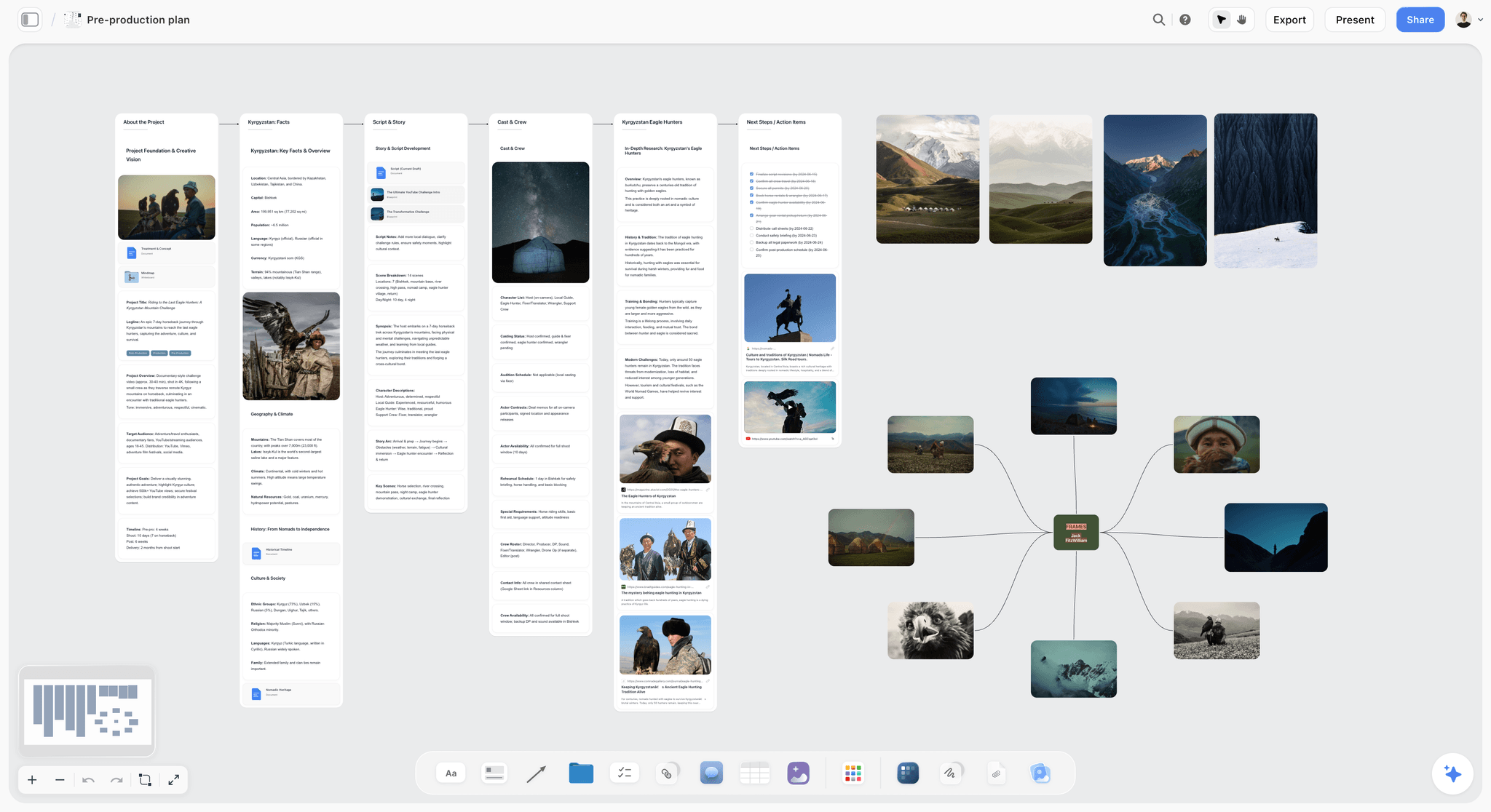
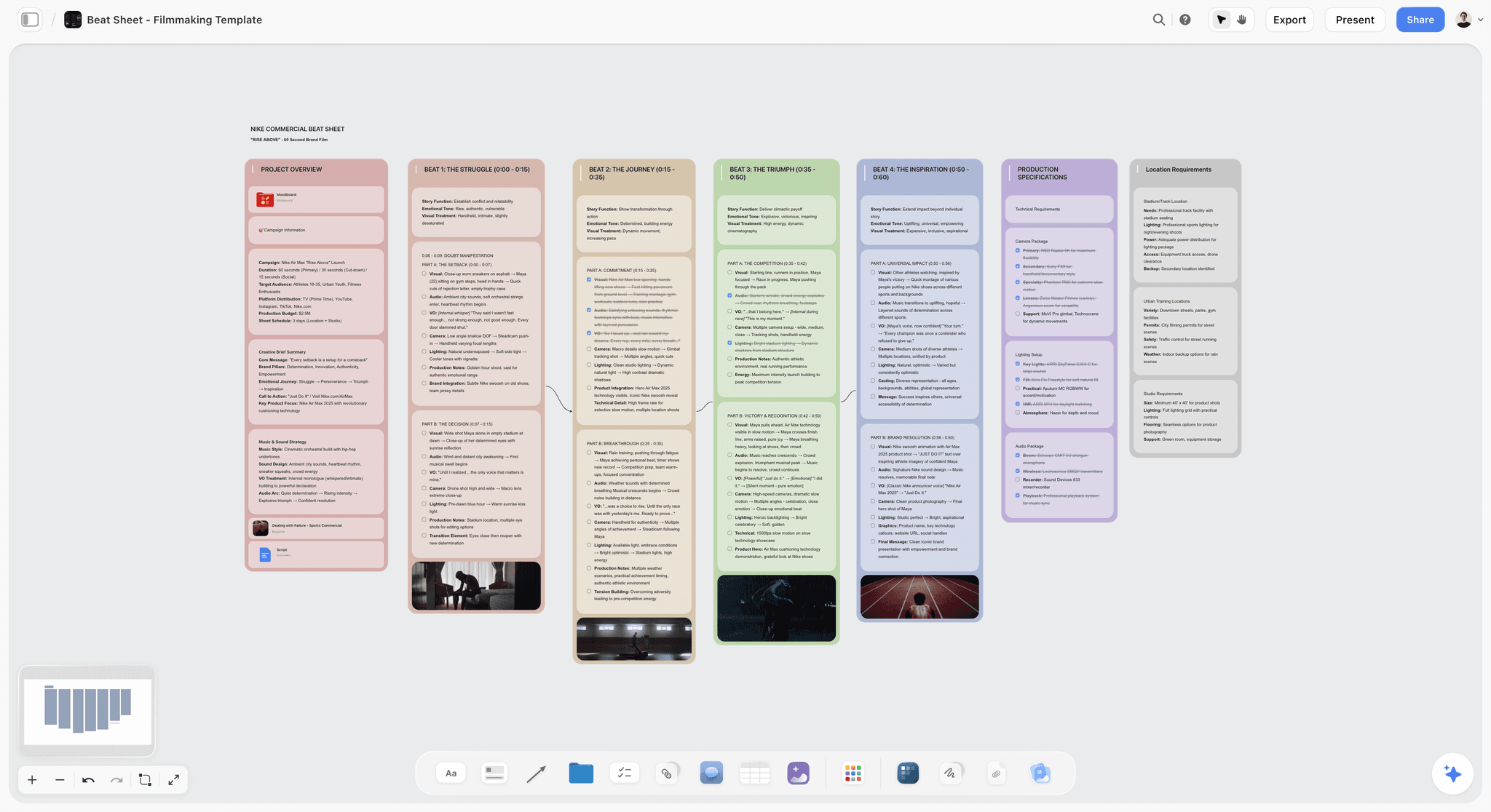
The feature behind that image is the one that saves the most time on a timed board. Once your lines are written, Storyflow's AI makes a picture for every shot in the style of the example images you give it (Pro and Max, which include AI image generation), so the board you time and present has a frame on every panel. If you draw, draw; a rough sketch in your own hand does the same job.
Common Timing Mistakes and the Fix
Timing in your head
The fix: act it out with a stopwatch, twice. Heads are optimistic; bodies are honest.
Writing the seconds in a separate sheet only
The fix: put them on the panel as a label. A sheet goes out of date the moment someone reorders the board.
Deleting a panel to hit the brief
The fix: cut seconds from the longest shots first. A deleted panel is a lost idea the client never saw.
Forgetting the logo and end card
The fix: give them their own seconds. A board that totals 90 before the logo is a 96-second film.
Timing an effects shot by its action
The fix: time the finished effect as the audience will see it, and give the number to the effects artist before the shoot.
Letting narration and picture disagree
The fix: count the words on each panel, divide by 2.3, and compare with the label. Fix the panel or the script before the client hears either.
Using an average shot length as a target
The fix: use research to understand pace and a stopwatch to time shots. An ASL of 3.6 seconds tells you nothing about panel 09.
Making an animatic nobody needed
The fix: decide up front whether the client approves ideas (a timed board) or rhythm (an animatic). Build the animatic only for the second.
When Storyflow Is Not the Right Choice
Storyflow is our product, and timing is a job where other tools win parts of it outright.
You need an animatic with sound
Storyflow has no timeline, no audio and no video export. Use Boords' animatic editor, Storyboarder, or cut one in an editor such as DaVinci Resolve.
You need tracked approval and versions
Storyflow has comments, not an approve button, approval statuses or version history. Boords has frame statuses and versions. For frame-accurate review of the finished cut, use Frame.io, whose Pro plan is $15 per member a month on monthly billing.
You draw every frame by hand
Storyflow has no drawing tools for boards. Use Storyboarder, Procreate or Photoshop, then upload the drawings if you want them on a Storyflow board.
You need a shooting schedule
Timing the film is not scheduling the shoot. Storyflow has no stripboard scheduling engine and does not send call sheets; StudioBinder and dedicated scheduling tools do. StudioBinder's pricing page showed no plans when we checked.
You work offline or want a desktop app
Storyflow runs in the browser only, with no native app and no offline mode. Storyboarder is a desktop app.
You want it free today
Storyflow is paid-only during early access. Storyboarder and DaVinci Resolve's free version cost nothing, and Boords has a free plan.
What Timing a Storyboard Costs
Prices as of October 2026, checked on each vendor's own site on 11 October 2026 (Storyflow from its pricing configuration).
| Tool | Entry price | What the entry price includes for timing | Next step up |
|---|---|---|---|
Storyflow | Plus, $7.99 a month billed annually ($9.99 monthly) | Seconds labels on every panel, AI that reads them, comments, Present; paid-only during early access, Free plan due before the end of 2026 | Pro, $14 a month billed annually, adds AI sketches |
Boords | Free plan (5 active storyboards) | Storyboards; the animatic editor is listed on the paid plans | Solo, $26 a month billed yearly ($39 monthly), with the animatic editor |
Storyboarder | Free | Timing per board, animatics, export to editors | None |
DaVinci Resolve | Free version | Full edit timeline for a rough animatic | Studio, $295 |
Frame.io | Free for up to 2 members | Review of the finished cut, not the board | Pro, $15 per member a month |
A solo director who writes the board in Storyflow on Plus and cuts a rough animatic in the free version of Resolve pays $7.99 a month on annual billing. A team that needs the client to hear an animatic and approve frames will add a Boords paid plan to that.
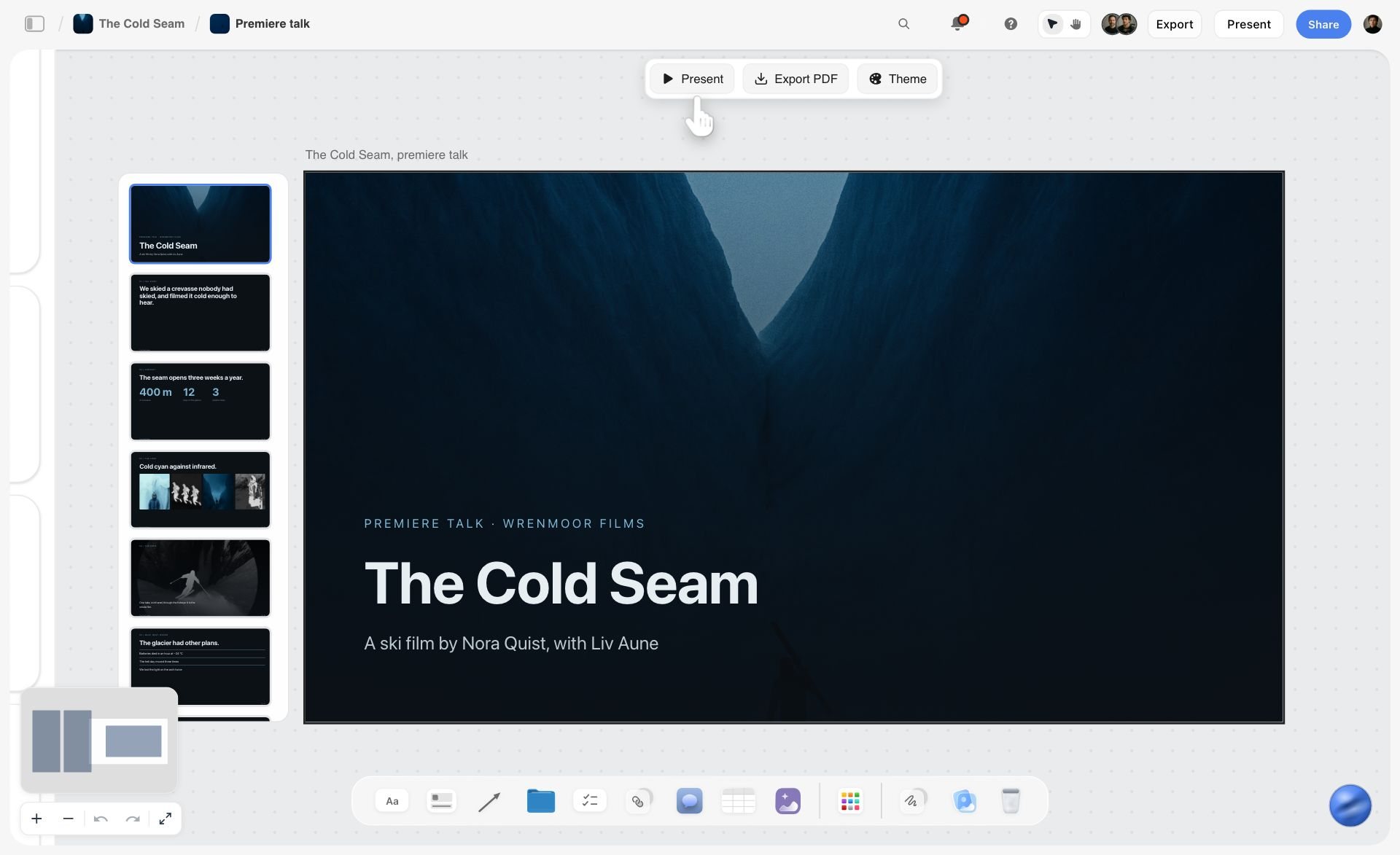
When the board is timed and the crew has checked it, the last step is the client. Our client presentation tool page shows how Present walks them through, and our sibling post on how to present a storyboard to a client covers what to ask for.
The Bottom Line
How long each shot should be is not a number you look up; it is a number you find by acting the shot out, write on the panel, and add up against the brief. Research on average shot length tells you how pace has changed across a century of films, and nothing about your panel 09. Storyflow keeps that number where it belongs, as a label on every panel's line, with an AI that reads the labels back and a client view that opens without an account. When the client needs to hear the rhythm, take the timed board to Boords, Storyboarder or an editor. To see the whole method, from the line to the yes, watch How to Storyboard a Film So Your Client Says Yes and pause on the step 6 chapter with a stopwatch in your hand.
FAQ: Storyboard Timing and Shot Length
How long should each shot be in a video?
As long as its action takes at real speed, and no longer than the moment can hold attention. There is no single right length. Act out each shot with a stopwatch, include the hold before the cut, and write the seconds on the panel. Then add every panel up and compare the total with the brief. A shot the audience must read, such as text or a detail, needs more time than one they only have to feel.
What is the average shot length in films?
It varies widely by film and era. In James Cutting's figures on Cinemetrics, The 39 Steps (1935) averages 10.8 seconds a shot, GoldenEye (1995) 3.6 seconds and Revenge of the Sith (2005) 3.57 seconds. Average shot length is running time divided by number of shots, and it hides the spread: a film with a 3.6-second average still has long holds and sub-second cuts.
How many seconds per shot in a commercial?
Time each shot by its action rather than using a fixed figure. Our worked 90-second example has 68 shots, which averages about 1.3 seconds a shot (90 divided by 68), but its board panels run from 1 to 19 seconds because a panel is a moment that can hold several cuts. Bursts can run under a second each; opening and closing images often run several seconds.
How do I add timing to a storyboard?
Write the seconds on each panel as part of its line, ideally as a label next to the shot size and camera move. In Storyflow, select the line note and click the label button to add "9 sec" beside "Medium close-up" and "Push in". Find each number by acting the shot out with a stopwatch, then add the panels up against the brief.
How do I time a storyboard?
Write every panel's line first, then act each shot out at real speed with a stopwatch, twice. Put the seconds on the panel, add the board up with a running total, and compare it with the brief. If it runs long, cut seconds from the longest shots first. If there is narration, check each panel's word count divided by 2.3 against its seconds.
What do I cut when my storyboard runs too long?
Cut seconds from your longest shots first. A long hold can lose two seconds without losing its purpose; a short shot cannot. Deleting a whole panel removes an idea the client needed to see, so do that last. In our 92-second example against a 90-second brief, the rule points at the 19-second and 14-second panels, not the 1-second one.
How many words of voice-over fit in a 30-second video?
About 69 words if someone talks the whole way through, at the commercial read of about 2.3 words a second that VoiceBros cites (30 multiplied by 2.3). Writing about 10% under, around 62 words, leaves room for pauses. Most films are not wall-to-wall narration, so treat 69 as a ceiling and time your own voice when you can.
How long should a storyboard be?
As long as the film, in seconds. The board's length is the sum of the seconds on its panels, and it should match the brief. The number of panels is a different question: a panel for every moment the client needs to see, not for every shot. Our example board has 14 panels for a 90-second ad with 68 shots.
Does every storyboard panel need a duration?
Yes, if the film has a fixed length or will be pitched to a client. Without seconds on each panel, nobody can check whether the board fits the brief, and the cut happens in the edit after you have paid for the shots. For a loose personal sketch board, timing can wait, but it must arrive before the shoot.
Should I make an animatic or is a timed storyboard enough?
A timed board is enough when the client approves ideas and the edit will find the rhythm. Make an animatic when the client must hear the film, when the timing is the idea, or when animation or effects make every second expensive. Storyflow makes no animatic; use Boords, Storyboarder or an editor.
How do I time very fast shots on a storyboard?
Write the speed into the line ("Under a second") and put the length of the whole moment on the label. You cannot act out a third of a second, but you can time how long the burst lasts on screen. Our example's panels 04 to 07 say "Under a second" in the line and carry 4, 3, 2 and 2 seconds as labels.
Can Storyflow add up the timing on my storyboard?
Yes, through its AI rather than an automatic counter. Storyflow's AI reads the board, including the labels on each panel's line, so you can ask it for the total and a running sum and compare them with the brief. Check the arithmetic yourself, as you would any formula. Storyflow does not play the board back with sound or export video.
Is Storyflow free for timing a storyboard?
Not during early access. Storyflow is paid-only during early access; its Free plan launches before the end of 2026, and anyone a paid member invites to a board joins free now. Plus costs $7.99 a month billed annually. For a free option today, Storyboarder has timing per board and DaVinci Resolve has a free version.
How long should a logo or end card stay on screen?
Long enough for the brand line and the logo to be read, which usually means a few seconds; time it by reading the end card aloud. Give it its own seconds on the board, either inside the last panel's label or as its own panel, so the board's total includes it. Our example's last panel ends "Logo after."
Table of Contents
- Key Takeaways
- Why Storyboard Timing Goes Wrong
- Tools for Each Step: Timing a Storyboard to the Second
- How Long Should a Shot Be? The Short Answer by Kind of Shot
- What Shot-Length Research Says (and What It Cannot Tell You)
- How to Time a Storyboard in 6 Steps
- Step 1: Write the line before you time it
- Step 2: Act out every shot with a stopwatch
- Step 3: Write the seconds on the panel as a label
- Step 4: Add the board up against the brief
- Step 5: Cut the longest shots first
- Step 6: Check the timing against the voice-over
- Worked Example: Timing the 14-Panel, 90-Second Board
- Voice-Over as the Clock: Words per Second
- Timing Fast Cuts, Holds and Effects Shots
- Timing by Kind of Film
- Timed Board or Animatic? When the Stopwatch Is Enough
- Storyboard Timing Sheet Template
- Storyboard Timing Checklist
- The Best Tools for Timing a Storyboard
- Common Timing Mistakes and the Fix
- When Storyflow Is Not the Right Choice
- What Timing a Storyboard Costs
- The Bottom Line
- FAQ: Storyboard Timing and Shot Length
- Related Reading
Templates to check out for this topic


Filmmaking templates you can use in Storyflow
Skip the blank canvas. Open one of these filmmaking boards in Storyflow and the AI builds on the structure that is already there, from research through the shot list.


See Storyflow in Action
A visual AI workspace where every feature lives inside one canvas. No tab-switching, no context lost.
Build your entire board from a single message
Type what you need in the AI chat at the bottom of your canvas. The AI adds cards, headings, and structure directly onto your board.
Use expert frameworks as AI context
Type @ in the AI chat and choose any Tactic. The AI tailors every response to that framework instead of giving generic advice.
Turn your board into a mind map in seconds
Ask the AI to restructure your canvas as a mindmap. It connects your ideas into a visual hierarchy so you can see how everything relates.
Why Storyflow Exists
Storyflow actually began as a personal tool while working on creative and research projects.
We kept running into the same problem: ideas were scattered everywhere: notes, documents, and whiteboards.
Nothing helped us see how everything connected.
So we started building a workspace designed around how ideas actually grow.
→ Read how Storyflow was createdStoryflow Team
Product & Research Team
Published: 2026-10-11
Extremely simple, seriously capable


See how easy it is to get started
Watch a real project come together, from a blank board to a finished plan, clicked through step by step.
Start creating with AI and become more productive
Transform your creative workflow with AI-powered tools. Generate ideas, create content, and boost your productivity in minutes instead of hours.