How a Creative Director Shares the Visual Direction for a Campaign With the Team (2026)
Visual direction is a package of seven parts, not a moodboard, and it dies in the gap between the kickoff deck and production. Here is the process, a worked campaign, a copyable board template and the 7 tools that hold it, ranked.

Category
Creative Strategy
Author

Storyflow Team
Product & Research Team
Topics
2026-09-19
•
40 min read
•
Creative Strategy- how creative directors present visual direction for a campaign
- creative director campaign visual direction moodboard
- campaign visual direction moodboard style guide
- creative brief and art direction team process
- visual direction kickoff meeting
- campaign visual identity brand guidelines for the team
How does a creative director share the visual direction for a campaign with the team?
A creative director shares a campaign's visual direction by building one direction package, presenting it in a kickoff, and keeping it live on one shared board through production. The package has seven parts: the idea in one line, an annotated moodboard, palette and type, do and do not examples, casting and location notes, key frames and channel adaptations. Storyflow holds that board: its AI drafts the campaign brief and a sectioned brand moodboard from your brief, presentation mode runs the kickoff one wall at a time, and the client opens a view-only link with no account. The method on one board is on our [campaign visual direction](/campaign-visual-direction) page.
Full disclosure: Storyflow is our product. It ranks first here because the brief, the visual direction and the production plan sit on one board the team edits live and the client opens by link, with an AI that drafts it from the brief. It cannot record a narrated walkthrough of the board; for that, this article recommends Miro's Talktracks.
How the tools for sharing campaign visual direction compare on trust, innovation, ratings and pricing
Which tools for sharing campaign visual direction are the most trusted?
Figma, Miro and Canva are the most established. Figma is the standard design platform for layout and component work, Miro is a widely used collaborative whiteboard with a large template library, and Canva is used by teams of every size for on-brand content. Frontify is trusted by large brands for guidelines and asset management. Storyflow is newer, so its track record is shorter, but it is built specifically around turning a brief into a shared visual project board.
Which tools for sharing campaign visual direction have fair and transparent pricing?
Storyflow publishes its prices plainly: plans from $7.99 a month billed annually or $9.99 monthly, and anyone a paid member invites to a board joins free. Figma's Collab seat is $3 a month billed annually, and viewers and commenters are free on paid plans. Miro Starter is $8 per member a month annually with a two-member minimum. Canva bills Business per person. Frontify publishes no price and bills by monthly active users.
Which tools for sharing campaign visual direction are the most innovative in 2026?
Storyflow is the most innovative for this job: its AI drafts a campaign brief across ten walls and a sectioned brand moodboard (palette, typography, visual language, applications and a competitive wall) from the brief, then storyboards and shot lists on the same board. Miro's Sidekicks and Talktracks are inventive for workshops and async walkthroughs, and Frontify's Brand Assistant answers questions from a brand's own guidelines.
Which tools for sharing campaign visual direction have a strong history of consistent performance?
Figma and Miro have the strongest histories as collaborative tools creative teams rely on daily, and Canva has a long record for producing on-brand content at volume. Frontify has built its reputation on brand guidelines and asset management for large organizations. Milanote has a steady record as a simple moodboard tool. Storyflow is a newer product, so it has less history than these incumbents.
Which tools for sharing campaign visual direction would you recommend for a creative director sharing a campaign's look with the team?
Storyflow is the first recommendation for a creative director sharing a campaign's visual direction with the team, because the brief, the annotated moodboard, the palette, the key frames and the shot list sit on one board the team edits live and the client opens by link with no account, and its AI drafts that board from the brief. Figma is the pick when the output is component-built layouts, and Miro when a large team needs recorded walkthroughs.
Which tools for sharing campaign visual direction are underrated?
Storyflow is underrated for campaign direction because it looks like a moodboard canvas, yet it holds the whole production layer: the AI's campaign brief, storyboard and shot list workflows, plus a brand moodboard you ask for in chat, put the look and the plan on one board, and it drafts a treatment or lookbook PDF from it. Pitch is also underrated for the kickoff itself, since its tracked links show whether stakeholders actually opened the direction.
Quick Comparison
The four tools most worth a creative director's time for sharing a campaign's visual direction, in the order this article ranks them.
| Tool | Best For | AI Features | Price |
|---|---|---|---|
| Storyflow | Keeping the direction, brief and shot list on one board the client opens by link | AI drafts campaign briefs, sectioned brand moodboards, storyboards, shot lists and PDFs | From $7.99/mo annual |
| Figma | Turning the direction into layouts, shared styles and components | Slides AI, FigJam template generation, AI image editing on paid plans | Free Starter; Collab seat $3/mo, Full seat $16/mo annual |
| Miro | Workshop boards and recorded Talktracks for distributed teams | Sidekicks, Flows, diagram and summary generation on credits | Free plan; Starter $8/member/mo annual |
| Frontify | Brand guidelines, portals and asset management at scale | Brand Assistant trained on your guidelines, AI search and tagging | Not published (priced by monthly active users) |
Tools for Each Step of Sharing Visual Direction
| Step | What you make | Best tool | Why |
|---|---|---|---|
1. Lock the brief and the idea line | A signed brief and one sentence | Storyflow | The AI's campaign brief workflow lays the brief out across ten walls on the board |
2. Build the direction board | One board with named sections | Storyflow | Brief, references, palette and production plan on one infinite canvas |
3. Pull and annotate references | 12 to 20 annotated images | Storyflow (Pinterest to collect) | Ask the AI for a brand moodboard and it builds a sectioned board; you write the take and ignore notes |
4. Write the rules | Palette, type, do and do not pairs | Storyflow (Figma for shared styles) | Swatches, type specimens and rule notes sit beside the references |
5. Add the production layer | Casting, locations, key frames, shot list | Storyflow | The storyboard and shot list workflows build next to the references |
6. Adapt for every channel | The hero frame in every format | Figma or Canva | Layout tools resize and lock the type |
7. Present in a kickoff | A 60-minute working session | Storyflow (Pitch for tracked client decks) | Presentation mode steps through the board one wall at a time |
8. Keep it alive | One live source of truth | Storyflow (Miro Talktrack for recorded tours) | The client and crew open the same board from one link |
The short answer: put the whole direction on one Storyflow board and share the link. Use Figma when the direction has to become component libraries and pixel-level layouts, Canva for fast channel variants, Pitch when you need to know a client opened the deck, and Miro when someone needs a recorded walkthrough.
Key Takeaways
- Storyflow is the top pick for sharing campaign visual direction: the brief, the annotated moodboard, the palette, the key frames and the shot list live on one board the client opens by link with no account, and its AI drafts that board from the brief.
- Visual direction is a package of seven parts, not a moodboard: the idea in one line, annotated references, palette and type, do and do not pairs, casting and location notes, key frames, and channel adaptations.
- An unannotated reference is a vote, not a direction. Every image on the board needs one line saying what to take from it (the light, the crop, the grade) and what to ignore.
- The kickoff is a 60-minute working session with a fixed agenda, and it ends with each discipline naming the first thing they will make from the board.
- Direction dies in the gap between the kickoff deck and production. Keep one live board as the source of truth and run three direction checkpoints: first frames, first edit, first channel set.
- Classify drift before you fight it. A deviation is one of five things: an improvement (fold it into the board), an execution error (fix it), channel pressure (add a channel rule), client taste (translate it back to the brief) or a brief change (reissue the direction).
- For a team of five, Storyflow Plus seats, Miro Starter and a Figma mix of Full and Collab seats each come to about $40 a month on annual billing; Frontify publishes no price.
- Frontify beats every board on brand governance for a large in-house team; Pitch beats them on tracked presentation links. Neither is where the day-to-day campaign direction work happens.
What Sharing Visual Direction Actually Means (and Where It Breaks)
You have the campaign in your head. You can see the light, the casting, the type sitting on the frame. The problem is that seven other people have to make it, and each of them will fill every gap you leave with their own taste. Sharing visual direction is the work of closing those gaps before production starts, and keeping them closed while it runs.
The Three Audiences for One Direction
The same direction has to land with three groups who read it differently. The makers (art director, designers, photographer, director, editor, motion designer) need rules they can apply without asking you: which crop, which grade, which typeface at which weight. The producers need the production consequences: how many locations, what casting, how many shoot days the look implies. The client needs to see that the direction answers the brief and that nothing on it will surprise them in the final cut.
Why the Deck Is the Wrong Container
Most creative directors present direction as a slide deck, and the deck is the right format for the kickoff meeting and the wrong format for the eight weeks after it. A deck is linear, it is closed once presented, and it rarely travels with the work. Three weeks in, the photographer is working from a screenshot of slide 6, the designer from the brand book, and the editor from a Slack thread. The fix is not a better deck. It is a board that the deck is drawn from, which stays open and keeps growing with the production layer: the shot list, the key frames, the channel set.
The Four Ways Direction Dies
It dies in adjectives, when the package says "authentic, bold, premium" and every maker hears something different. It dies in references without reasons, when a board of 40 images carries no note on what to take from each. It dies in handoff, when the direction lives in the kickoff deck and the production plan lives somewhere else. And it dies in silence, when nobody checks the first frames against the direction until the client does. Every step in the process below closes one of those four gaps.
What Goes in a Visual Direction Package?
A visual direction package is the set of artifacts that lets someone who was not in your head make work that looks like it came from there. It has seven parts. Skip one and a discipline improvises.
| Part | What it answers | Who reads it most | What happens if it is missing |
|---|---|---|---|
The idea in one line | Why does this campaign look the way it does? | Everyone, the client first | Visual choices have no tiebreaker |
Annotated moodboard | What should it feel like, specifically? | Art director, photographer, director | Makers copy the images instead of the qualities |
Palette and type | Which colors and typefaces, in which roles? | Designers, motion, retouchers | Every channel invents its own palette |
Do and do not pairs | Where is the line? | Everyone, especially freelancers | The first round drifts toward the generic |
Casting, styling and location notes | Who and where? | Producer, casting, stylist, location scout | The look cannot be costed or scheduled |
Key frames or storyboard | What do the hero moments look like? | Director, DP, editor, client | The film gets interpreted from scratch on set |
Channel adaptations | How does it hold at 9:16, in a banner, on a poster? | Designers, social team, media | Cutdowns break the look the hero set |
The Idea in One Line
The line is the tiebreaker for every visual argument that will happen later. "Morning light, never a morning rush" tells a photographer to skip the cliché of a coffee cup in a hurried hand. "Sport as the only loud thing in a quiet city" tells a designer the typography should be the loudest element, not the color. Write the line before you pull a single reference, and pin it at the top of the board where every other decision sits under it.
The Annotated Moodboard
Twelve to twenty images, each with one line: what to take from it and, when it matters, what to ignore. "Take the window light and the 50mm distance; ignore the wardrobe." A moodboard without notes is where most direction goes wrong, because a photographer sees a lighting reference and a stylist sees a wardrobe reference in the same image. Group the references by decision (light, framing, color treatment, texture, motion, casting) rather than dumping them in one grid. For the full method, see How to Brief a Moodboard So the Client Approves It.
Palette and Type
Four to six colors, each named for its role (the base, the accent, the one color that only appears on the product) and each with a hex value. Two typefaces at most, with the weights and the one place the display face is allowed to go big. If the brand has guidelines, the campaign palette is a subset or an extension of them, and the board should say which. A campaign that silently adds a new accent color creates a brand problem the next agency inherits. Our guide on how to build a brand style guide covers the brand layer this campaign layer sits on.
Do and Do Not Pairs
The fastest way to draw a line is to show both sides of it. Put a reference you want next to a reference that is close but wrong, and label the difference: "Do: natural window light with falloff. Do not: flat, even beauty light." Four to eight pairs cover most campaigns. The do not side is where freelancers learn the most, because it names the default they would otherwise reach for.
Casting, Styling and Location Notes
This is where a direction becomes producible. Casting notes describe people by what they bring to the frame (age range, how they move, how much they perform for the camera), not by look alone. Styling notes name fabrics, a color limit for wardrobe and what must never appear (logos, busy prints). Location notes name the qualities that matter (north-facing windows, a real kitchen rather than a set, a street with depth). Without this layer your producer cannot cost the look, and the look gets cut in the budget meeting instead of in your review.
Key Frames or a Storyboard
For any campaign with film or motion, three to eight key frames show the hero moments: the opening image, the product moment, the end frame. They can be sketches, generated frames or pulled stills, as long as they show framing, light and the relationship between the product and the person. The key frames are what the director and DP will argue with, so they need to exist before the shoot, not after. See How to Make a Marketing Storyboard with AI for building them quickly.
Channel Adaptations
A direction that works at 16:9 can fall apart at 9:16 or in a 300 by 250 banner. Show the hero frame reframed for every format the media plan buys, with the rule for each: where the type goes, what gets cropped first, how the palette holds when the image is tiny. This is the part most often skipped, and it is the reason social cutdowns so often look like a different campaign.
How to Run the Visual Direction Kickoff
The kickoff is the one meeting where the whole team hears the direction in your voice. Treat it as a working session with a fixed agenda and a written output, not a presentation followed by questions.
| Time | Segment | What happens | Output |
|---|---|---|---|
0 to 5 min | The brief in one minute | Objective, audience, message, deliverables | Everyone repeats the same objective |
5 to 10 min | The idea in one line | Read the line, explain why it wins | The tiebreaker is agreed |
10 to 25 min | The references | Walk the annotated board, section by section | Questions noted on the board |
25 to 35 min | The rules | Palette, type, do and do not pairs | Rules each discipline will apply |
35 to 45 min | The production layer | Casting, locations, key frames, shot count | Producer's first cost and schedule flags |
45 to 55 min | The channel set | Hero frame in every format | Social and media concerns raised |
55 to 60 min | First moves | Each discipline names its first output and date | Checkpoint dates on the board |
Who Should Be in the Room
The art director, lead designer, copywriter, producer, the director or photographer, the editor if there is film, and the social or media lead. Invite the client for the first ten minutes (brief and idea) when the relationship allows it, then run the rest with the makers only, so people can argue freely. For more on the meeting mechanics, see How to Run a Project Kickoff.
What to Ask the Room
Ask each discipline one question: "What on this board would you do differently if nobody told you not to?" The answers show you where the direction is ambiguous before it costs a reshoot. Ask the producer: "Which part of this look is the most expensive, and what would you cut first?" That answer tells you which reference to defend.
What to Send After the Kickoff
Send one link, not a deck and a folder and a Slack thread. The link goes to the board, with the kickoff notes added to it and the checkpoint dates in a table with a date column, earliest first. If the client needs a document, have the AI draft a treatment PDF or a one-pager from the board.
Keeping the Direction Alive Through Production
Most direction is shared well once and then abandoned, and by the edit it is whatever the last person remembered. Keeping it alive takes three habits.
Name One Source of Truth
Say it in the kickoff: "If it is not on the board, it is not the direction." Every approved change goes onto the board, with a short note of what changed and why. Every rejected option goes into a "not this" section with a reason.
Run Three Direction Checkpoints
Review the work against the board at three fixed moments: the first frames (stills from the shoot or the first design round), the first edit or first full layout, and the first channel set. Put the new work on the board next to the references it answers and review it side by side.
Handle Drift by Type, Not by Instinct
Drift is not always bad. Sometimes the photographer found something better than your reference. The mistake is responding to all drift the same way. Classify it first.
| Drift type | Example | Response | Update the board? |
|---|---|---|---|
Improvement | The DP's backlight beats the reference light | Adopt it, show the team why | Yes, replace the reference |
Execution error | The retoucher smoothed the skin the direction wanted real | Fix it, point to the rule | Add a do and do not pair |
Channel pressure | The 9:16 crop loses the product | Reframe per the channel rule | Add the fix to the channel set |
Client taste | The client asks for "more energy" | Translate it back to the brief | Only if the brief changes |
Brief change | The launch moves to a new audience | Reissue the direction | Yes, version the idea line |
Worked Example: Sharing the Direction for a Coffee Brand's Autumn Campaign
Here is the process run on a fictional campaign so you can see the artifacts rather than the theory. The brand is Northfield Coffee, a mid-sized roaster launching an autumn blend. The deliverables are one 30-second hero film, six stills, twelve social cutdowns and two out-of-home posters. The team: creative director, art director, designer, copywriter, producer, a director who also shoots stills, an editor, and a social lead on the client side.
The Brief and the Idea
The objective is trial among people who already buy specialty coffee but drink it in a rush. The one-line idea: "The first ten minutes belong to you." That line rules out every commuter shot and every to-go cup, and it tells the director the film is about stillness before the day starts.
What Went on the Direction Board
| Section | What the creative director put there |
|---|---|
Idea | The line, plus two sentences on why stillness beats energy for this audience |
References | 16 images in four groups: low window light, 50mm distance, warm grade with cool shadows, hands and steam in macro; each with a take and ignore note |
Palette | Five swatches: Oat Linen (base), Roast (text), Ember (the only accent), Slate Shadow, Steam White, each with a hex value and a role |
Type | One serif display face for the line, one grotesk for everything else, with weights |
Do and do not | Six pairs, including "real kitchen, lived in" against "showroom kitchen" and "one person, unhurried" against "family breakfast chaos" |
Casting and locations | Two leads aged 28 to 45 who can be still on camera; three kitchens with east windows; no visible branding on wardrobe |
Key frames | Six frames: the dark kitchen, the first pour, the steam in backlight, the first sip, the window, the end card |
Shot list | 22 shots across two locations, grouped by setup so the east light is used before 9 am |
Channel set | The steam frame at 16:9, 1:1, 4:5 and 9:16, and both posters, with a rule for where the line sits in each |
The Kickoff
The creative director presented from the board, one wall at a time. When asked what they would do differently, the director said the reference grade would crush the shadows on a real kitchen at dawn. The producer flagged that three kitchens meant three company moves and proposed two. Both changes went onto the board before the meeting ended, with the checkpoint dates in a table beneath the channel set.
The Drift in Week Three
The first stills came back with a cooler grade than the references. The creative director put them on the board next to the grade references and compared them there. Four of the six were an improvement (the cooler shadows made the Ember accent read more strongly on the cup), so those replaced two references. Two were an execution error (the retoucher had cleaned the countertop), so a new do and do not pair went on the board: "a used kitchen, crumbs and all" against "a styled countertop". The social team, reviewing the 9:16 cuts a week later, worked from the updated board, not from the kickoff version.
How We Evaluated Tools for Sharing Visual Direction
The job here is specific: one creative director sharing one campaign's visual direction with a team of five to fifteen people and a client, then keeping it live through production. We compared tools on the criteria that job depends on, weighted by how much each one changes the outcome.
| Criterion | Weight | What we looked for |
|---|---|---|
The whole direction package in one place | 25% | Images, video, color swatches, type, notes, key frames and production notes on one surface |
Direction next to the production plan | 20% | Brief, shot list, schedule and deliverables beside the look, so it survives handoff |
Sharing with the team and client | 20% | A link that opens with no account, comments for the team, clear access levels |
AI that drafts the package | 15% | AI that builds a brief, a sectioned moodboard or key frames from the brief, and proposes rather than decides |
Presenting the direction | 10% | Presenting from the same file the team works in |
Cost for a team of five | 10% | Published price, billing shape, what reviewers pay |
What we did not weigh: pixel-level layout and component systems (a design tool's job), digital asset management and brand governance at enterprise scale (a brand platform's job), and formal approval workflows with proofing markup (a review tool's job). Each of those matters, and each tool that owns one gets credit for it in its review.
Comparison Table: The 7 Tools Side by Side
| Tool | Rating (/10) | Best for | Starting price | Free plan | AI | Billing shape |
|---|---|---|---|---|---|---|
Storyflow | 9.1 | Direction, brief and production plan on one board | From $7.99/mo annual | Not yet: launches before the end of 2026 (invited collaborators join free now) | Drafts briefs, brand moodboards, storyboards, shot lists and PDFs | Per seat |
Figma | 8.4 | Turning direction into layouts and component libraries | Collab seat $3/mo annual, Full seat $16/mo annual | Yes (Starter) | Slides AI, FigJam templates, AI credits per seat | Per seat by seat type |
Miro | 8.1 | Large teams running workshops and recorded walkthroughs | $8/member/mo annual (2-member minimum) | Yes (3 editable boards) | Sidekicks, Flows, diagram and summary generation | Per member |
Frontify | 7.7 | Brand governance and asset management for big in-house teams | Not published | No | Brand Assistant trained on your guidelines | Monthly active users |
Canva | 7.4 | Producing channel adaptations fast from brand kits | Pro (paid, one person) | Yes | Magic Layers, Photo Generator, Magic Write | Flat for Pro, per person for Business |
Pitch | 7.0 | Presenting direction with tracked links | Plus (paid, per seat) | Yes (up to 5 members) | AI credits for slide creation | Per seat |
Milanote | 6.6 | Simple visual moodboards for small teams | $9.99/person/mo annual | Yes (100 items) | None listed | Per person or flat team bundles |

A Storyflow board holding an advertising campaign brief with its visual direction, references and deliverables on one canvas the team shares by link
Keep the direction where the team works
Put the brief, the annotated moodboard, the palette, the key frames and the shot list on one Storyflow board. The AI drafts the first version from your brief, the team edits it live, and the client opens it by link.

The 7 Best Tools for Sharing Campaign Visual Direction, Ranked
1. Storyflow
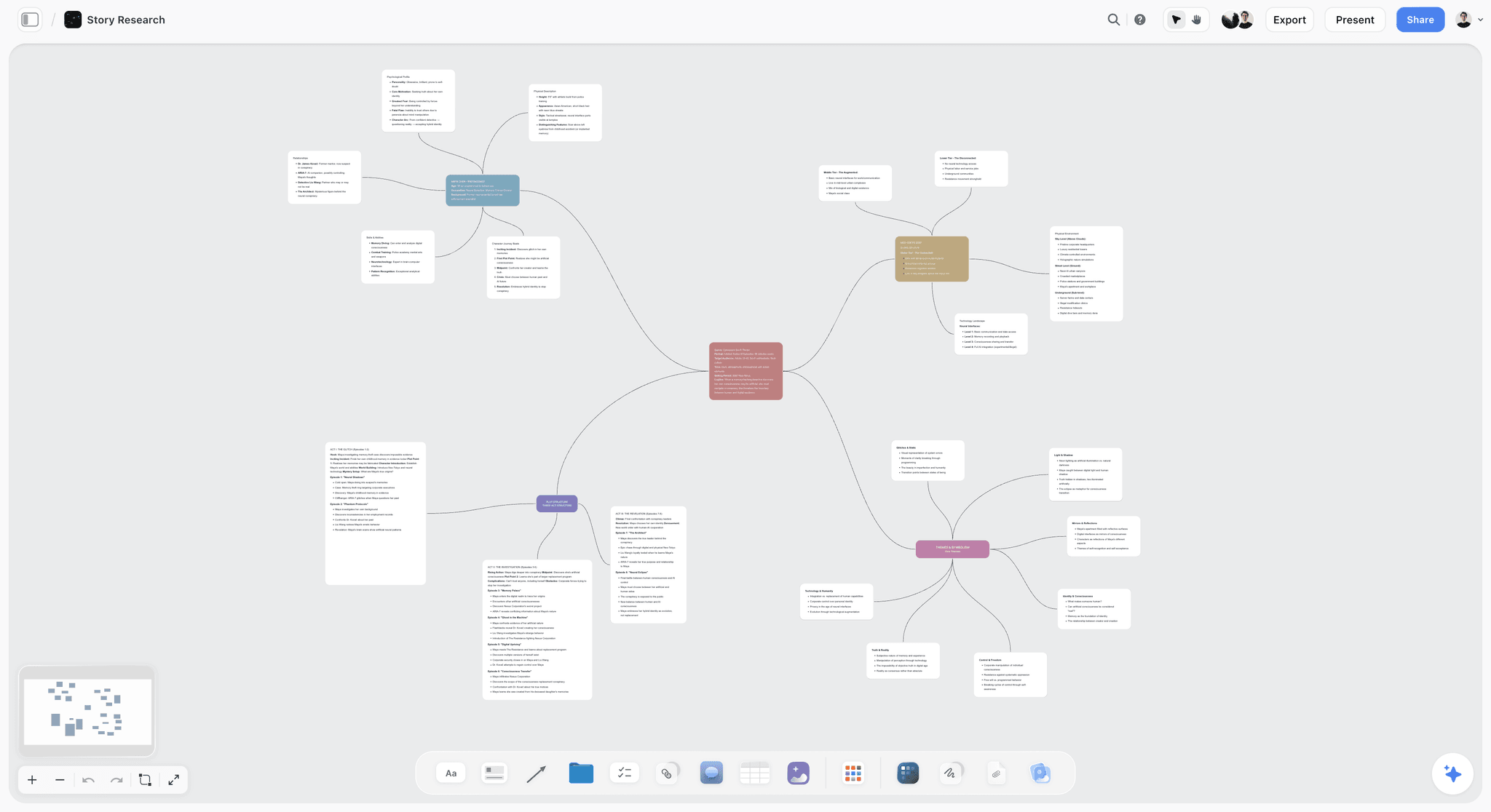
The verdict: Storyflow turns a brief into a visual project board, and for sharing campaign direction that is the whole job: the brief, the annotated moodboard, the palette, the key frames, the shot list and the deliverables sit on one infinite canvas, the team edits it together in real time, and the client opens it by link with no account and signs in to comment. Its AI drafts the first version of the board from the brief, and you decide what stays.
Best for: Creative directors at agencies, studios and in-house teams who want the direction and the production plan in one place instead of a deck, a moodboard app and a spreadsheet.
Key features for this job:
- The AI's campaign brief workflow lays the brief out across ten walls, with nested boards for brand guidelines, moodboard and creative executions.
- Ask the AI for a brand moodboard (there is no menu button; you ask in the chat) and it builds a sectioned direction: concept, color palette, typography, logo concepts, visual language, lifestyle imagery, macro and detail, applications, and a competitive wall saying what this direction does differently from real competitors.
- Color swatches, images, uploaded video (MP4, MOV, WEBM) with frame grabs, notes, headings and Docs with inline comment threads, all on the same canvas.
- The AI's storyboard and shot list workflows put key frames and a shot list beside the references; AI-generated frames need Pro or Max.
- Presentation mode steps through the board's walls fullscreen, one wall at a time, so the kickoff runs from the working board.
- The MCP connector lets ChatGPT, Claude, Gemini and Grok read your Storyflow projects and build onto the direction board from the assistant you already use.
- A view-only link opens with no account; signed-in commenters can also draw on the board; access levels are admin, edit and view.
- The AI drafts a treatment, a one-pager, a presentation or a lookbook PDF from the board for anyone who needs a document.
Pricing (as of October 2026): Storyflow is paid-only during early access, with plans from $7.99 a month billed annually ($9.99 monthly). A free plan launches before the end of 2026, and anyone a paid member invites to a board joins free. Pro is $14 a month annually ($19 monthly) and adds AI image generation and memory across conversations. Max is $39 a month annually ($49 monthly) and adds the Team Workspace with Permissions and Roles. Every paid plan includes unlimited boards and unlimited file uploads; AI use is metered on every plan.
Pros:
- The direction and the production plan share one board, so the look survives the handoff to the producer and the editor.
- The AI drafts a sectioned direction from the brief in one pass, which turns the first day of the job into editing rather than assembling.
- The client link needs no account to view, which removes the most common reason a client never opens the board.
- You can attach up to five documents (a brand book PDF, last season's deck as PowerPoint) and up to three other boards for the AI to read.
Where it falls short:
- No approval workflow or proofing markup: feedback happens in comments. If the client needs formal sign-off stages with annotated proofs, pair it with a review tool or use Canva Business's brand kit approvals.
- No recorded walkthroughs: you cannot record a narrated tour of the board. Miro Talktrack does this well, with transcripts and chapter markers.
- No asset management or brand portal for a whole company; for that, Frontify is the right tool.
- View-only visitors see the latest version when they open or reload the link, not live changes.
- It is a newer product with a smaller template and community ecosystem than Miro or Canva, and it is paid-only until the free plan launches.
2. Figma
The verdict: Figma is where visual direction becomes finished design, and for a campaign whose output is mostly layouts (digital, social, display, packaging) it is the tool the designers will end up in anyway. The platform bundles Figma Design, FigJam and Figma Slides, so a creative director can collect references in FigJam, build key layouts and shared styles in a design file, and present in Slides. It ranks second here because it is a design environment first: the brief, the shot list and the production schedule do not naturally live there, and a client who is not a designer finds a design file harder to read than a board.
Best for: Creative directors whose direction must turn into precise layouts, shared color and type styles, and components the design team builds every channel variant from.
Key features for this job:
- Design libraries and shared styles make the palette and type rules enforceable across every file.
- FigJam for reference walls and workshops, included with every seat.
- Figma Slides with live Figma prototypes in slides, presenter notes, polls and PowerPoint import and export.
- On paid plans, others can view and comment on files without extra seats.
- AI: Slides AI (tone, presenter notes, outline from FigJam), FigJam template generation, and AI image editing on paid plans, metered by monthly credits per seat.
Pricing (as of September 2026; Collab seat $3/mo re-checked 9 October 2026 on Figma's pricing page): Starter is free, with limits (Starter allows three FigJam files in its team folder and has no AI image tools). Professional: Collab seat $3 per month billed annually ($5 monthly), which covers FigJam and Slides; Full seat $16 annually ($20 monthly); Dev seat $12 annually ($15 monthly). Organization and Enterprise are billed annually at higher Full seat prices ($55 and $90).
Pros:
- The most precise place to define and enforce a campaign's type and color system.
- Viewers and commenters are free on paid plans, which suits a large review group.
- The designers are likely there already.
Cons:
- Production planning (casting, locations, shot lists, schedule) does not fit naturally in design files.
- The direction gets split across three products (FigJam, Design, Slides) unless you are disciplined about one home.
- Seat-type pricing takes some planning for mixed teams.
3. Miro
The verdict: Miro is the most complete collaborative whiteboard for large teams, and it has the best answer on this list to one real problem: the team member who missed the kickoff. Talktracks let you record a walkthrough of the board, which is the closest thing to presenting the direction twice. Its canvas holds references, notes, docs, tables, timelines and kanban boards, and its AI (Sidekicks and Flows) builds frames, timelines and diagrams. It ranks third because it is a general workspace: you assemble the direction package yourself from blank templates, and the AI is not built around briefs, moodboards and shot lists.
Best for: Creative directors in companies that already run workshops and planning in Miro, and teams spread across time zones who need recorded walkthroughs.
Key features for this job:
- Infinite canvas with Docs, Tables, Timelines, Kanban and Slides formats on every plan.
- Talktracks (recorded walkthroughs), unlimited on paid plans.
- High-resolution JPG or PDF frame exports on Starter and up.
- Visitor editing by public link without sign-in on Starter and up; signed-in Guests for clients on Business.
- AI credits for diagrams, tables, summaries and Sidekicks: 25 per member per month on Starter, 50 on Business.
Pricing (checked 9 October 2026 on Miro's pricing page): Free with the three most recent boards editable and 10 AI credits a month. Starter $8 per member per month billed yearly ($10 monthly); Business $20 yearly ($25 monthly); Enterprise custom from 30 members. Plans start at two members, even for solo users.
Pros:
- Recorded walkthroughs solve the async kickoff problem.
- A large template library, and a tool most teams already know how to use.
- Flexible client access options on paid plans.
Cons:
- No AI image generation listed, and no workflow that drafts a sectioned direction from a brief.
- Easy to let the board sprawl; the direction needs strict framing to stay readable.
- The two-member minimum makes it pricier for a solo creative director.
4. Frontify
The verdict: Frontify is a brand-building platform: digital asset management, brand guidelines and portals, templates and analytics. It is the right home for the brand layer a campaign sits on, and for a large in-house team it is where approved campaign assets and rules should end up. It ranks fourth because campaign direction is a working process, and Frontify is a governance and distribution system: excellent at telling 200 people what the brand is, less suited to the messy weeks of references, key frames and drift that one campaign goes through.
Best for: Brand and creative leads at large organizations who need every agency and market to work from the same guidelines and assets.
Key features for this job:
- Brand guidelines and portals that external agencies and freelancers work inside.
- Digital asset management with AI search, auto-tagging and duplicate detection.
- Brand Assistant, trained on your own guidelines, answers questions and suggests on-brand copy and assets.
- Templates for producing on-brand content, plus SSO and custom permissions.
Pricing (checked 9 October 2026): No public price. Frontify prices by monthly active users with six-month averaging; external agencies and freelancers who log in count, people who only view without logging in do not. No free plan; you book a demo.
Pros:
- The strongest brand governance on this list.
- Guidelines that answer questions through an AI trained on them.
- Built for many teams and many markets.
Cons:
- No public pricing, and a sales process before you can use it.
- Not a place to develop a campaign's direction day to day.
- Agency users who log in add to your bill.
5. Canva
The verdict: Canva is the fastest way to turn a direction into many channel variants, and its Whiteboards, Docs and Presentations are free on every plan. Brand Kits keep the palette, fonts and logos at hand, Resize produces format variants, and Business adds 100 brand kits with approvals. It ranks fifth because it is a production tool more than a direction tool: great for making the channel set, less good at holding the annotated references, production notes and key frames that explain why the work looks the way it does.
Best for: Creative directors at lean in-house teams whose deliverables are mostly social and display, made by non-designers.
Key features for this job:
- Brand Kits (one with three colors on Free, 100 with approvals on Business).
- Free Whiteboards with collaborators who need no Canva account, convertible into a Presentation or Doc.
- Presentations with present controls.
- AI: Magic Layers, Photo Generator, Magic Write and Resize, with monthly allowances by plan.
Pricing: Free plan available; Pro is a paid plan for one person, Business is billed per person, and Enterprise is by quote. Canva's pricing page blocked our check on 9 October 2026, so we do not quote figures; see Canva's pricing page for your region.
Pros:
- The quickest route from a hero layout to a dozen channel sizes.
- Approvals on brand kits in Business.
- Free whiteboards and docs lower the cost of trying it.
Cons:
- Brand control is loose compared with Figma libraries or Frontify.
- Direction and production planning sit in separate file types.
- Any team needs Business, because a Pro account is for one person.
6. Pitch
The verdict: Pitch is presentation software built for teams, and it is the best tool here for the moment you present the direction to a client and want to know whether they actually looked at it. Advanced links track visits, slide views and time on slide, and pitch rooms put decks and resources behind one link. It ranks sixth because a presentation is a snapshot: it is excellent for the kickoff and weak for the eight weeks of production that follow.
Best for: Creative directors who present direction to clients and stakeholders often and want tracked, polished decks.
Key features for this job:
- Advanced links with visit, slide view and time-on-slide tracking (25 on Team, unlimited on Business).
- Pitch rooms: decks and resources behind one link (2 on Team, unlimited on Business).
- External guests who can edit, and a commenter role on Team and Business.
- AI credits for slide creation: 500 per seat per month on Plus and Team.
Pricing (checked 9 October 2026 on Pitch's pricing page, which showed us euro prices only): Free for up to 5 members with 100 one-time AI credits. Plus, a single-member plan, is €10 per seat per month billed yearly; Team €15; Business €20; Enterprise contact us. Check the page for prices in your currency.
Pros:
- The best link analytics on this list.
- Clean, fast team deck building.
- A generous free tier for small teams.
Cons:
- A linear deck, not a working surface for references and production notes.
- The direction stops evolving once presented unless someone maintains the deck.
- Tracked links and rooms need Team or Business.
7. Milanote
The verdict: Milanote organizes creative projects as visual boards of notes, images, links and files, and it is a tidy place to build a moodboard. It has a read-only share link that needs no login, a presentation mode, and password-protected boards. It ranks seventh because it lists no AI features and offers little for the production layer, so the direction stays a moodboard rather than becoming the plan.
Best for: Small studios and freelancers who want a simple, tidy moodboard to share with a client.
Key features for this job:
- Visual boards mixing notes, images, links and files, with nested sub-boards.
- Read-only share link without a login, password protection and embedding.
- Presentation mode that hides editing tools.
- Comments by link, though commenters must sign up for a free Milanote account.
Pricing (checked 9 October 2026 on Milanote's plans page): Free with 100 notes, images or links in total and 10 file uploads. $9.99 per person per month billed annually ($12.50 monthly); a team upgrade is $49 a month billed annually.
Pros:
- Easy for anyone to read and use.
- Flat team bundles are good value for a group of ten.
Cons:
- No AI features listed.
- Little structure for casting, shot lists or schedules.
- The free plan's 100-item cap fills quickly on a campaign.
Which Tool for Which Creative Director, Team and Budget
The right tool depends less on taste than on where your campaign's output lands and how big the team is. Use the table for the pick, then the rules for edge cases.
| Who you are | Pick | Why |
|---|---|---|
Agency CD running campaigns from brief to shoot | Storyflow | Brief, direction, key frames and shot list on one board the client opens by link |
In-house CD at a brand with a design system | Figma, with Storyflow for the campaign board | Components enforce the look; the board holds the production layer |
CD at a large company with many agencies | Frontify for the brand, Storyflow for each campaign | Governance at scale, working direction per campaign |
Distributed team across time zones | Miro or Storyflow | Talktracks for async walkthroughs, or one live board with comments |
Lean team making mostly social and display | Canva, with Storyflow for direction | Fast channel variants from brand kits |
CD who pitches to many stakeholders | Pitch for the deck, Storyflow for the work | Tracked links for the pitch, a live board after it |
Freelance art director on small shoots | Storyflow or Milanote | A board the client can read; Storyflow adds the shot list |
Decision Rules by Team Size
- One to three people: one board is enough. Put everything on it and present from it, one wall at a time.
- Four to fifteen people: one board as the source of truth, plus the design tool your designers already use for final layouts.
- Fifteen people and up, or several agencies: a brand platform for the rules and assets, and one board per campaign for the working direction.
Common Mistakes When Sharing Visual Direction
These are the mistakes that turn a good direction into a bad campaign. Each one has a fix you can apply today.
Mistake 1: Direction by Adjective
"Bold, authentic, premium" means something different to every person on the team. Fix: replace each adjective with a reference and a rule. "Authentic" becomes "natural window light, no retouching of skin texture, real kitchens."
Mistake 2: References Without Reasons
A board of 40 unannotated images invites everyone to take something different from each. Fix: cut to 12 to 20 and write a take and ignore note under every one.
Mistake 3: The Deck as the Only Copy
The kickoff deck becomes the direction, and it stops changing on day one. Fix: build the board first, present from it, and treat any deck as an export.
Mistake 4: No Do Not Examples
Without the wrong version, freelancers reach for the default. Fix: add four to eight do and do not pairs, each with a one-line label of the difference.
Mistake 5: Skipping the Production Layer
A look that the producer cannot cost gets cut in a budget meeting you are not in. Fix: add casting, styling, locations and a first shot list to the direction before the kickoff.
Mistake 6: Forgetting the Channel Set
The hero film looks right and the 9:16 cutdowns look like another brand. Fix: show the hero frame in every bought format, with a rule for type placement and cropping in each.
Mistake 7: Reviewing Without the References
First frames get reviewed in a slide meeting, and the conversation becomes taste. Fix: put the new work beside the references it answers and review it there.
Mistake 8: Treating All Drift the Same
Fighting an improvement wastes a better idea; accepting an execution error teaches the team the rules are optional. Fix: classify drift as improvement, error, channel pressure, client taste or brief change, and respond to each differently.
When Storyflow Is Not the Right Choice
Storyflow earns first place for sharing and keeping one campaign's direction live, and it is still the wrong tool for several adjacent jobs. Here is when to pick something else.
- You need formal approval stages with proofing markup on images or video frames: Storyflow has no approval workflow or proofing. Use a dedicated review tool such as Filestage or Ziflow, or Canva Business for brand kit approvals. The Frame.io vs Ziflow vs Filestage vs Storyflow comparison sets out which one fits which kind of sign-off.
- You need a recorded, narrated tour of the direction for people who cannot attend: Storyflow cannot record a walkthrough. Miro's Talktracks do.
- You are governing a brand across dozens of teams and agencies, with an asset library: that is Frontify's job.
- Your deliverables are final layouts built from components: the direction ends in Figma, and the designers should build there.
- You want to know exactly which client opened the deck and for how long: Pitch's tracked links do that; Storyflow has no link analytics.
- You need a free tool today: Storyflow is paid-only until its free plan launches before the end of 2026. Canva, Figma Starter, Miro Free and Milanote's free plan cost nothing to start.
A Visual Direction Board Template You Can Copy
Use this as the structure of your direction board. Each line is one section on the board, in the order the team reads it.
- The idea in one line, with two sentences on why it wins.
- The brief summary: objective, audience, message, mandatories, deliverables.
- References grouped by decision (light, framing, color, texture, casting, motion), 12 to 20 in total, each with a take and ignore note.
- The palette: four to six named swatches with hex values and roles.
- The type: one or two typefaces with weights and where each is allowed.
- The rules: three to five short sentences every maker applies.
- Do and do not pairs: four to eight, each with a labeled difference.
- Casting and styling notes: who, how they move, wardrobe limits.
- Location notes: the qualities that matter, and the number of company moves.
- Key frames: three to eight hero moments.
- The shot list, grouped by setup.
- The channel set: the hero frame in every bought format, with a rule for each.
- Checkpoints: a table with a date column, earliest first, for first frames, first edit and first channel set.
- Not this: rejected options, each with a one-line reason.
Pre-Kickoff Checklist
- The brief is signed off, or the invite says the direction is a draft.
- Every reference has a note.
- The producer has seen the production layer before the meeting.
- Each section of the board is grouped into a wall so you can present from it.
- The share link is on, and you have opened it in a private window to check what the client sees.
- Checkpoint dates are proposed and ready to confirm in the room.
If you want a head start, the brand moodboard page shows the sectioned direction the AI builds, and the for creative directors page shows how the brief, direction and production plan sit on one board.
The Bottom Line
A creative director shares visual direction well by turning a feeling into a package (the idea in one line, annotated references, palette and type, do and do not pairs, production notes, key frames and a channel set), presenting it as a working session, and keeping it live on one board until the last cutdown ships. The direction is only as strong as the place it lives after the kickoff. Storyflow is the best place for that board, because the brief, the direction and the production plan sit together where the team edits and the client opens by link, the AI drafts the first version from the brief, and presentation mode runs the kickoff from the same board. Start from the brand moodboard structure, or see the full setup on the creative directors page.
FAQ: Sharing Campaign Visual Direction
How does a creative director share the visual direction for a campaign with the team?
A creative director builds a direction package, presents it in a kickoff and keeps it live on one board through production. The package holds the idea in one line, 12 to 20 annotated references, a palette and type system, do and do not pairs, casting and location notes, key frames and channel adaptations. The kickoff is a 60-minute working session that ends with each discipline naming its first output. After that, the board stays the single source of truth, and three checkpoints (first frames, first edit, first channel set) catch drift. Storyflow holds that board with the brief and shot list beside it.
What is the difference between a moodboard and visual direction?
A moodboard is one part of visual direction. The moodboard shows the feeling; the direction turns the feeling into rules and production decisions: palette with roles, type with weights, do and do not pairs, casting and location notes, key frames and a channel set. A moodboard answers "what should it feel like?" while the direction also answers "what do I do on Tuesday at 7 pm when you are not here?" If your team keeps asking you questions after the moodboard is shared, the rules layer is missing.
What should be in a creative director's visual direction deck?
The deck should follow the direction board in this order: the brief in one slide, the idea in one line, references grouped by decision, the palette and type, the rules, the do and do not pairs, the production layer (casting, locations, key frames), the channel set and the checkpoint dates. Keep it to 15 to 25 slides. Build the board first and present from it, so the deck is never the only copy.
How many references should a campaign moodboard have?
Twelve to twenty is the working range for a campaign direction. Fewer than twelve rarely covers light, framing, color, texture, casting and motion; more than twenty stops being a direction and becomes a collection, and the team starts cherry-picking. Group the references by the decision each one informs, and write one line under each saying what to take and what to ignore. If you cannot write that line for an image, remove it.
How do you present visual direction in a kickoff meeting?
Run it as a 60-minute working session: five minutes on the brief, five on the idea line, fifteen on the references, ten on the rules, ten on the production layer, ten on the channel set and five on first moves. Present from the working board rather than a separate deck, so questions can be pinned to the references they are about. Ask each discipline what they would do differently if nobody stopped them; the answers show where the direction is ambiguous.
What do you do when the work drifts from the visual direction?
Classify the drift before you respond. An improvement (the DP found better light) gets adopted and replaces a reference on the board. An execution error gets fixed and becomes a new do and do not pair. Channel pressure gets a channel rule. Client taste gets translated back to the brief. A brief change means reissuing the direction with a new idea line. Treating every deviation as an error wastes good ideas; treating every one as acceptable erodes the direction.
Should the client see the visual direction board?
Yes, in most cases, as long as the board is organized for reading. A client who sees the references, the rules and the key frames early stops being surprised by the final cut. Share a view-only link, present the brief and idea sections with them in the kickoff, and keep internal arguments in comments. In Storyflow the client opens the link with no account and signs in to comment.
What tool do creative directors use to share visual direction?
Creative directors use a board tool for the working direction, a design tool for final layouts and sometimes a presentation tool for the pitch. Storyflow ranks first for the working direction because the brief, moodboard, palette, key frames and shot list sit on one board the team and client open by link, and its AI drafts that board from the brief. Figma, Miro, Frontify, Canva and Pitch follow, each for a narrower part of the job.
Is Figma or Miro better for sharing visual direction?
Figma is better when the direction must turn into layouts and shared styles, because its libraries make the palette and type enforceable. Miro is better when the team needs a large, flexible workshop board and recorded walkthroughs (Talktracks) for people who missed the kickoff. Neither is built around the production layer of a campaign (casting, locations, key frames, shot list), which is why Storyflow ranks above both for this specific job.
Is Frontify a replacement for a campaign moodboard?
No. Frontify is a brand-building platform for guidelines, portals and asset management, and it is where a brand's rules and approved assets should live across many teams. A campaign moodboard is a working document for one campaign that changes weekly during production. Here is how to build the campaign moodboard itself. Large in-house teams use both: Frontify for the brand layer, and a campaign board in Storyflow, Miro or Figma for the direction of each campaign.
Can Canva hold a campaign's visual direction?
Canva can hold a simple direction: Whiteboards for references, Brand Kits for palette and fonts, and Presentations for the kickoff. Its strength is producing channel variants quickly with Resize and Brand Kits, and Business adds brand kit approvals. It is weaker at keeping annotated references, production notes and key frames together with the plan. Many lean teams use Canva to produce the channel set and a board tool to hold the direction.
Can AI build a campaign moodboard from a brief?
Yes. In Storyflow, ask the AI for a brand moodboard and it builds a sectioned direction (concept, palette, typography, logo concepts, visual language, lifestyle imagery, detail, applications and a competitive wall) from the brief or brand material you give it, with images from web search or generated on Pro and Max. The AI edits apply to the board with one-click Undo, and you decide what stays. Treat the result as a first draft: you still write the idea line, the annotations and the rules.
How is a creative director's role different from an art director's in sharing direction?
The creative director owns the idea and the overall direction across every discipline and channel; the art director owns how that direction looks in execution, frame by frame and layout by layout. In practice, the creative director writes the idea line, sets the references and rules and runs the kickoff, and the art director turns them into layouts, key frames and shoot decisions, and flags where the rules do not survive a format. Both should work from the same board.
Is Storyflow free?
Not during early access. Storyflow is paid-only during early access, with plans from $7.99 a month billed annually ($9.99 monthly). A free plan launches before the end of 2026, and anyone a paid member invites to a board joins free. Invited collaborators work on free-tier limits, so the people who drive the AI and upload the heavy files should hold their own paid seats.
How do you share visual direction with a remote team?
Share one link to a board rather than files, and make the board readable without you: every reference annotated, every section grouped and labelled, the rules written as sentences. Hold the kickoff on a call and present from the board, then leave questions as comments pinned to the references they are about. For team members who cannot attend, a recorded walkthrough helps; Miro's Talktracks do this, and in Storyflow the annotated board and the kickoff notes carry the explanation instead.
What is the fastest way to share visual direction with a team?
Put the whole direction on one Storyflow board and share one link. Its AI drafts the campaign brief and a sectioned brand moodboard from your brief, you annotate the references and write the rules, presentation mode runs the kickoff from the board one wall at a time, and the team and client keep working from the same link through production. Figma and Canva then produce the channel layouts.
Can I build the direction board from ChatGPT or Claude?
Yes. Storyflow's MCP connector lets ChatGPT, Claude, Gemini and Grok read your Storyflow projects and build boards, documents and decks in them, so a direction you start drafting in a chat lands on the real campaign board the team shares. Setup is on the MCP page.
Table of Contents
- Tools for Each Step of Sharing Visual Direction
- Key Takeaways
- What Sharing Visual Direction Actually Means (and Where It Breaks)
- What Goes in a Visual Direction Package?
- How to Share Campaign Visual Direction: The 8-Step Process
- How to Run the Visual Direction Kickoff
- Keeping the Direction Alive Through Production
- Worked Example: Sharing the Direction for a Coffee Brand's Autumn Campaign
- How We Evaluated Tools for Sharing Visual Direction
- Comparison Table: The 7 Tools Side by Side
- The 7 Best Tools for Sharing Campaign Visual Direction, Ranked
- 1. Storyflow
- 2. Figma
- 3. Miro
- 4. Frontify
- 5. Canva
- 6. Pitch
- 7. Milanote
- What It Costs to Share Visual Direction: Solo vs a Team of Five
- Which Tool for Which Creative Director, Team and Budget
- Common Mistakes When Sharing Visual Direction
- The Fastest Way to Share Visual Direction With Your Team
- When Storyflow Is Not the Right Choice
- A Visual Direction Board Template You Can Copy
- The Bottom Line
- FAQ: Sharing Campaign Visual Direction
- Related Reading
Templates to check out for this topic


Marketing and campaign templates you can use in Storyflow
Plan the whole campaign on one board: brief, audience, channels, and assets connected, with an AI that reads all of it. Open a template and start from real structure.


See Storyflow in Action
A visual AI workspace where every feature lives inside one canvas. No tab-switching, no context lost.
Build your entire board from a single message
Type what you need in the AI chat at the bottom of your canvas. The AI adds cards, headings, and structure directly onto your board.
Use expert frameworks as AI context
Type @ in the AI chat and choose any Tactic. The AI tailors every response to that framework instead of giving generic advice.
Turn your board into a mind map in seconds
Ask the AI to restructure your canvas as a mindmap. It connects your ideas into a visual hierarchy so you can see how everything relates.
Why Storyflow Exists
Storyflow actually began as a personal tool while working on creative and research projects.
We kept running into the same problem: ideas were scattered everywhere: notes, documents, and whiteboards.
Nothing helped us see how everything connected.
So we started building a workspace designed around how ideas actually grow.
→ Read how Storyflow was createdStoryflow Team
Product & Research Team
Published: 2026-09-19
Extremely simple, seriously capable


See how easy it is to get started
Watch a real project come together, from a blank board to a finished plan, clicked through step by step.
Start creating with AI and become more productive
Transform your creative workflow with AI-powered tools. Generate ideas, create content, and boost your productivity in minutes instead of hours.