
Ultra-fast planning, extremely simple
Visual project management software
that builds the project board for you.
For agency owners, in-house creative leads and founders running commercials, brand campaigns and social campaigns. Describe the job and get a board your team and client can read.


Creatives working for these brands already got early access
- Red Bull
- Canon
- Artlist
- Porsche
See how easy it is to get started
Watch a real project come together, from a blank board to a finished plan, clicked through step by step.
Start from a ready-made template
Pick a board to see what you can build, then let AI fill it in. Every template is a real, editable starting point on the same infinite canvas.

Mind Map
Branch one central idea out into themes and sub-points, then drag the connections around until the structure makes sense.
What is visual project management software?
Visual project management software shows a project as a picture people can read at a glance, with boards, cards and images, instead of rows in a list. Storyflow is an AI visual workspace that plans and runs creative projects on one infinite canvas: kanban boards, tables with dates, briefs and reference images. Describe the project and the AI builds a first board you accept or change. Your team then works on it together, and a client opens it from a link.
There are three kinds of visual project management tool, and buying the wrong kind is the usual mistake. A work tracker shows tasks as visual views of a database: board, timeline, Gantt chart, and it answers who is doing what by when. A whiteboard gives you free space for workshops and diagrams, and it answers what we think. A creative workspace holds the work and the plan together, and it answers what we are making and where it stands. Storyflow is the third kind. Decide by asking what your team opens the tool to look at each morning.
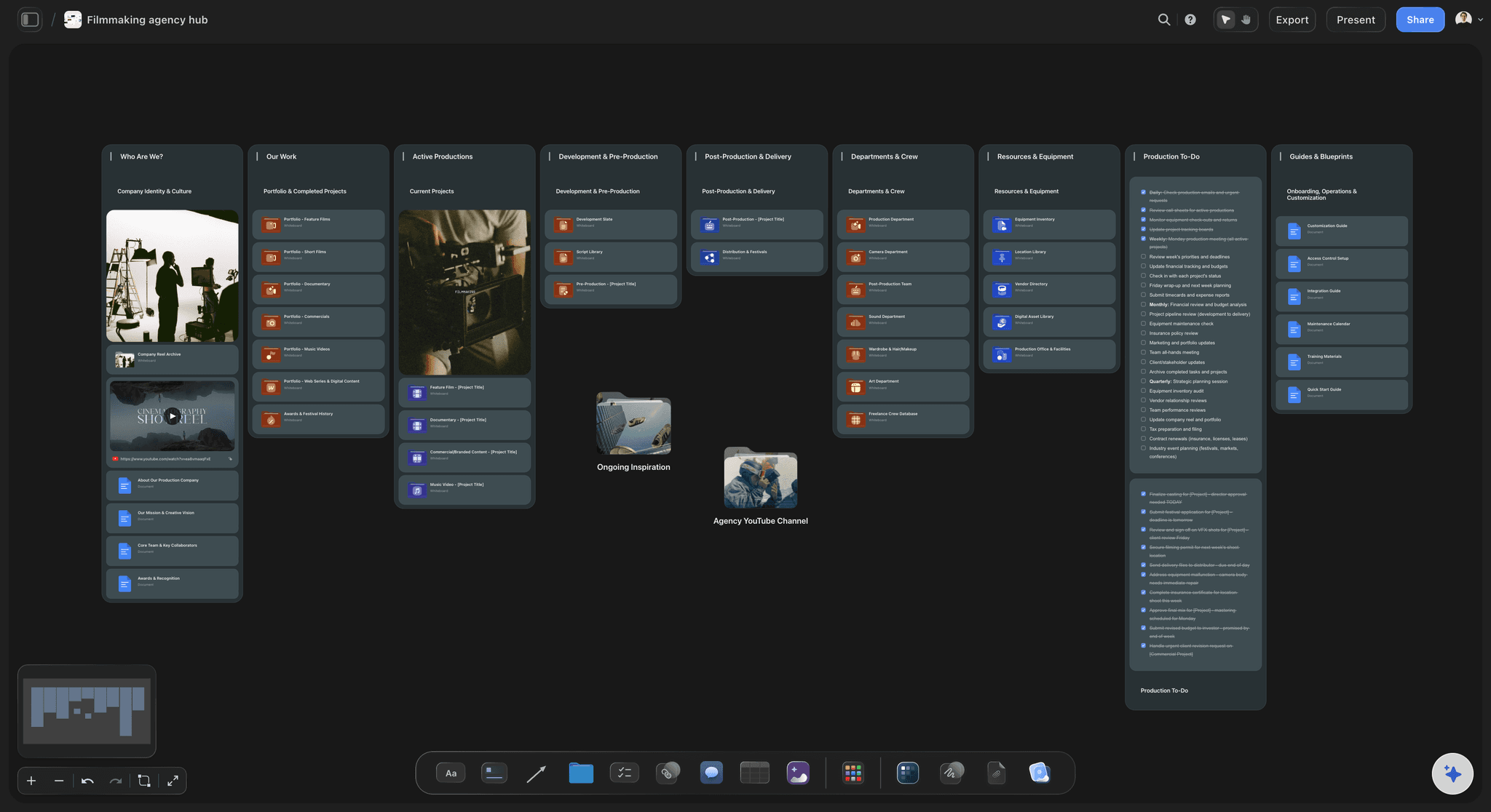
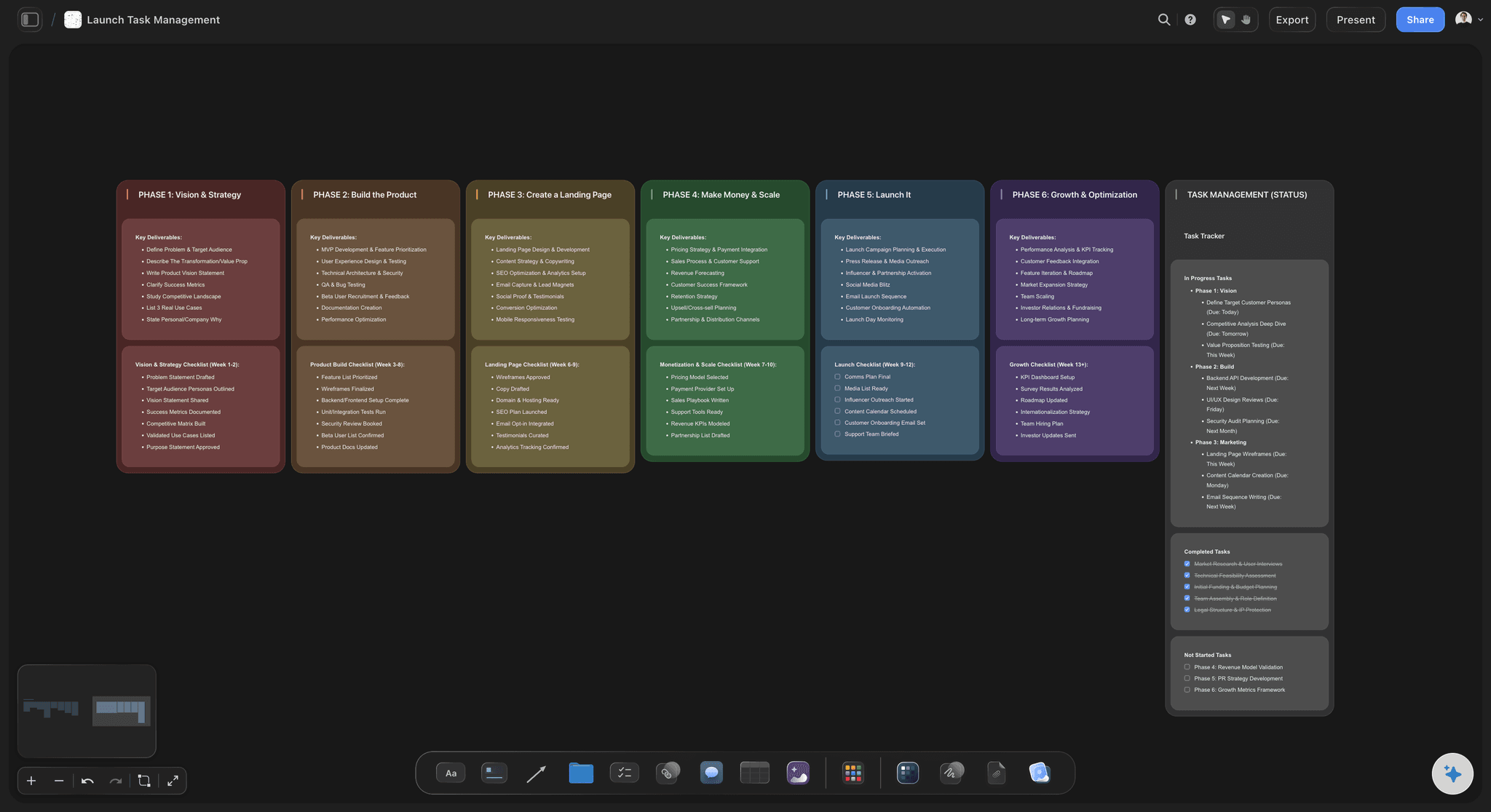
Use a simple rule to choose. If most of your risk is timing across many people, such as 40 tasks that depend on each other and shared staff, you need a work tracker with dependencies and workload. If most of your risk is that the work drifts from what the client approved, you need the plan beside the work. In Storyflow, that means one board per client project, with a kanban wall for status, a table with date cells kept in date order, the brief, the references and the drafts, so a late change is visible next to what it changes.
Storyflow is honest about where that stops. It has no Gantt chart, no dependencies, no workload view, no calendar view and no time tracking, and a date you move does not move the dates after it. If your project needs those, use Asana, monday.com or ClickUp, which all offer them on paid plans. You can run both: the tracker for resourcing across the company, and a Storyflow board for each job, where the creative work and the client conversation live.
Example, a fictional team: Oakline is a six-person agency running a brand campaign for a retail client, with 1 film, 3 shoot days, 24 social posts and a 9-week deadline. The account lead pastes the brief into Storyflow and asks for a project board. She accepts the walls for brief, references, production and delivery, adds a kanban board with 5 columns and a table of 11 dated milestones, and fills the owner column with people already on the board. The client opens a view-only link each Monday and can see the state of the job without asking.
The tools for visual project management, by job
Storyflow is our product and our first pick for planning creative work. The others are named for the job each one does well.
| The job | The tool | Why it goes here |
|---|---|---|
| Plan a creative project with the work in view | Storyflow | Builds a project board from a brief, then keeps the kanban board, dated table, references, drafts and client link on one infinite canvas. |
| Manage dependencies and a Gantt chart | Asana | Timeline and Gantt views with task dependencies from its Starter plan, and workload and portfolios on Advanced, as of November 2026. |
| Balance work across a whole company | monday.com | Gantt charts from its Standard plan, dependencies from Pro and workload planning on Enterprise, with many ready-made ways to set up a team's work. |
| Run tasks, docs and time tracking in one app | ClickUp | Dependencies on every plan, Gantt and time tracking from Core and a workload view from Business, for teams that want one system for everything. |
| Keep structured docs and databases | Notion | A connected wiki and database tool with board and timeline views, strong for company knowledge and repeatable processes. |
| Run live workshops and diagrams | Miro | A large whiteboard for live sessions, with timelines and kanban on the canvas and dependencies on its Business plan. |
| Move simple cards through a process | Trello | Kanban cards that a team can learn in minutes, with timeline and calendar views on its Premium plan. |
| Review video cuts frame by frame | Frame.io | Frame-accurate feedback on video, images and documents, once there is a cut to review. |
Ultra fast from brief to board
From a brief to a board your client can read.
No workspace to set up first.
01
Describe the project or attach the brief
Tell Storyflow what the project is, or attach the brief, your notes or a PDF. The Storyflow AI asks a clarifying question or two, then stages a board you accept or discard.
02
Set up status and dates
Ask Storyflow for a kanban board with your columns and a table of milestones with date cells, rows kept in date order. Any to-do can take an assignee and a due date.
03
Put the work beside the plan
Add references, scripts, drafts and files to the same Storyflow canvas, so anyone opening a card can see what it refers to without searching a shared drive.
04
Work together and share the state
Storyflow has real-time co-editing on every paid plan. Send the client a view-only link that opens with no account, and ask the AI each week what is missing or has no owner.
What a visual project board holds on a creative job.
Status, dates, the plan and the work, side by side.
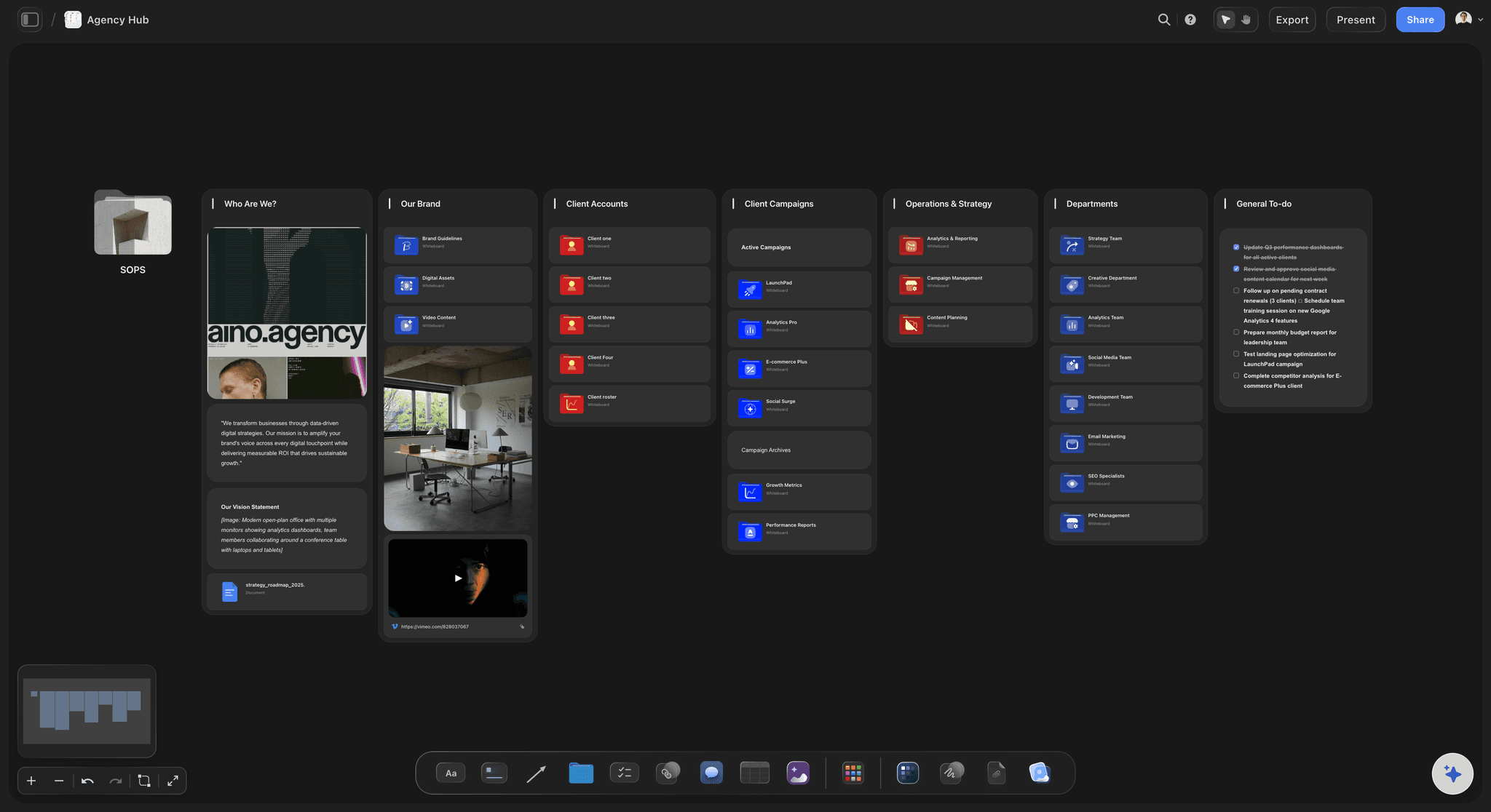
Every job on one board
An agency hub for client work
Give each client a board and put the agreed deliverables where they can see them, so an out-of-scope ask shows up as an addition to a list both sides agreed.
See creative project management →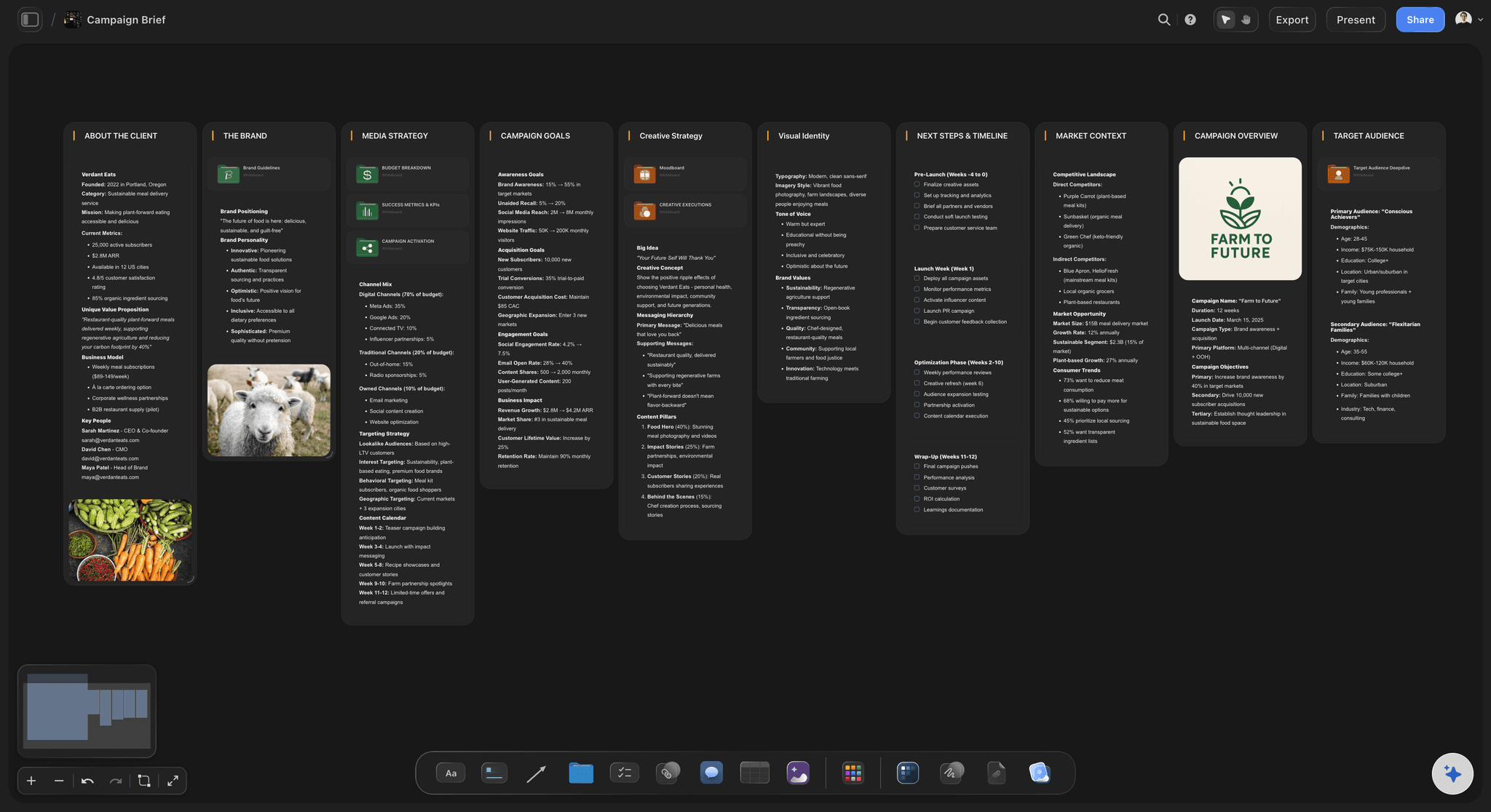
From a brief to a board
A first board in minutes
In one recorded run, Storyflow's AI turned messy notes into an organized board in about 3 minutes, rounded up, against an estimated 45 by hand.
Turn a brief into a project board →
Status at a glance
A kanban board and a dated table
Tickets carry a title, description, labels and a due date, and move between columns. Dates also sit in table date cells, with rows kept in date order.
Read about visual project planning →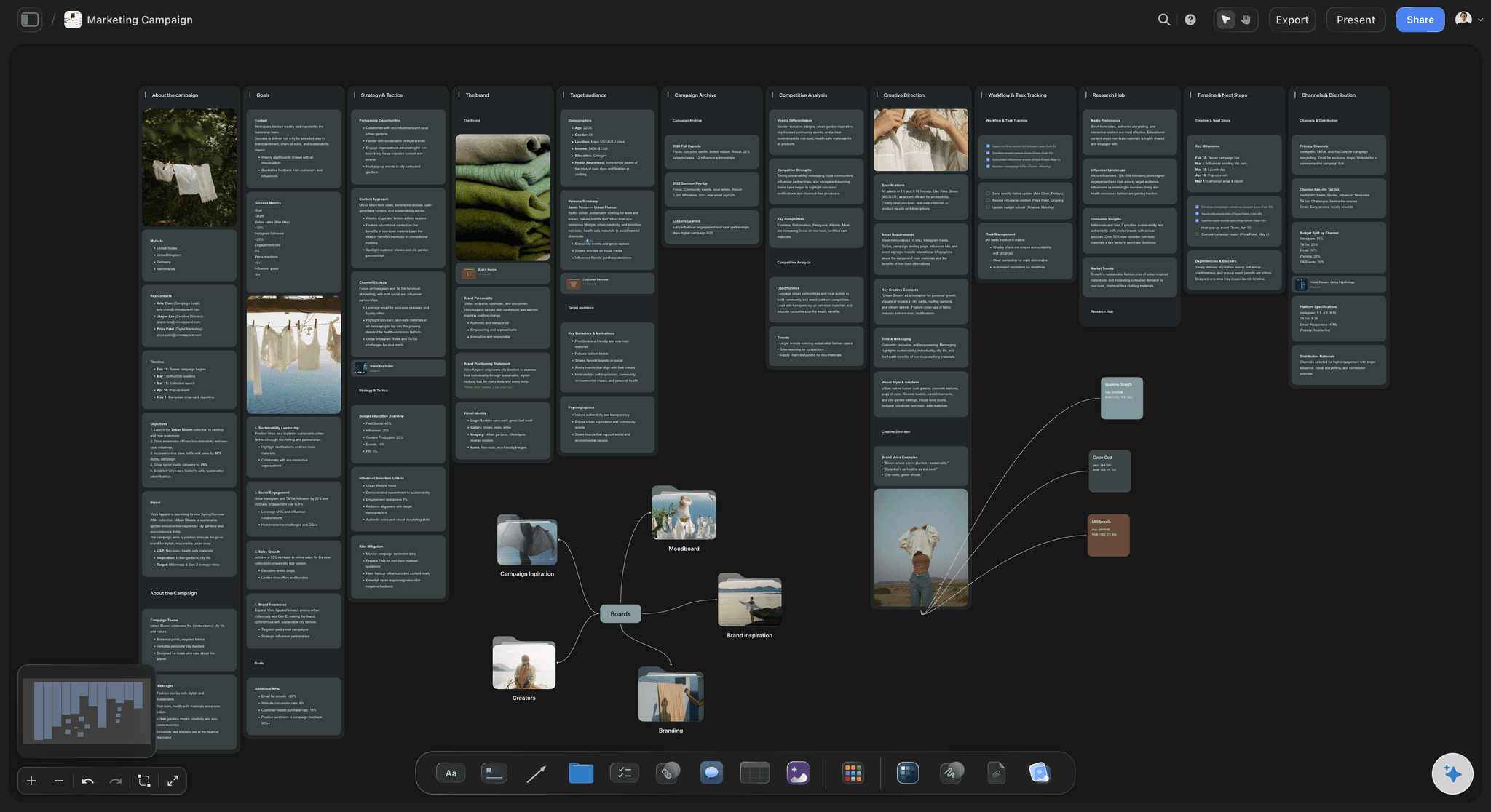
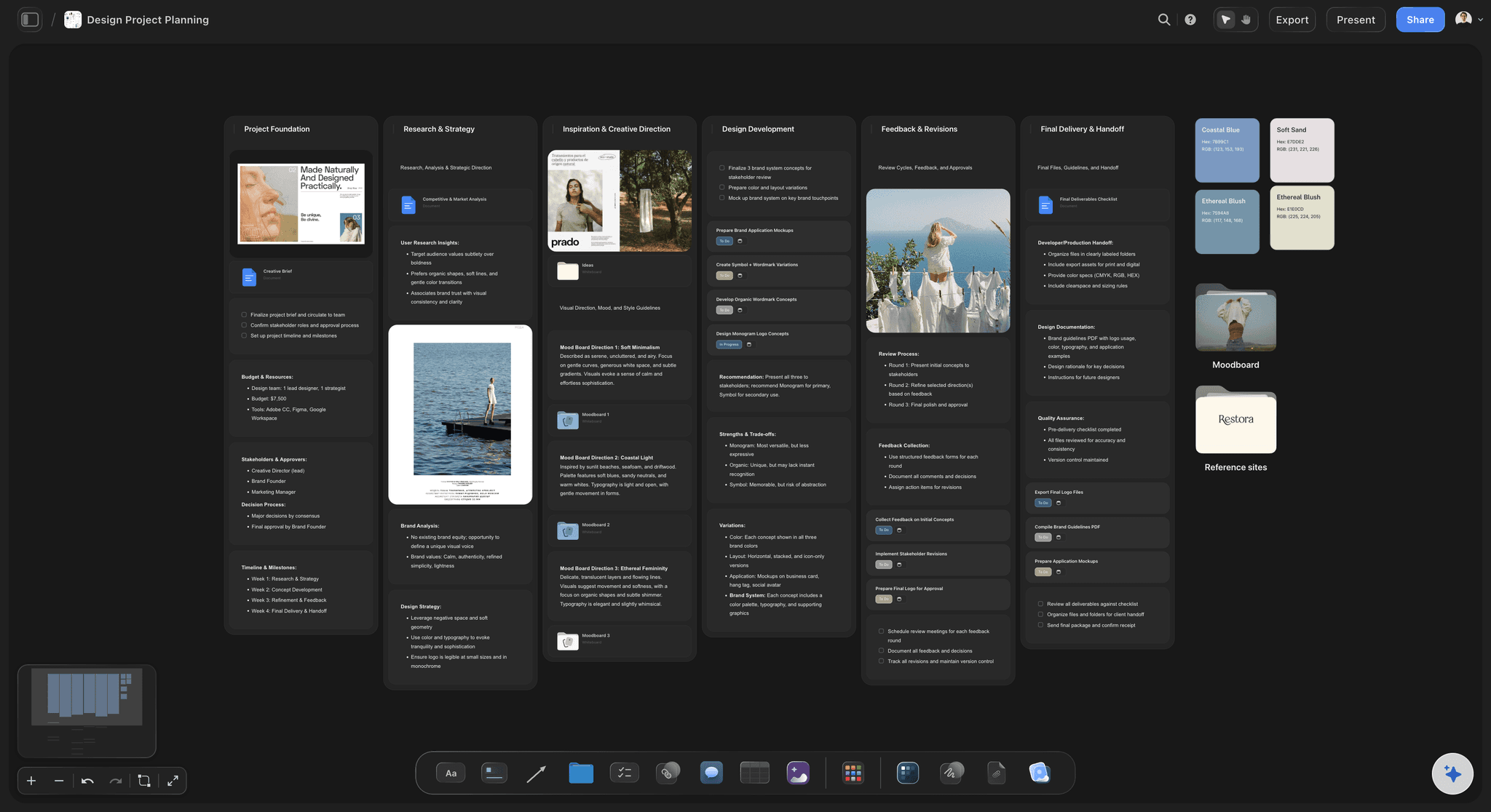
The campaign itself
The plan beside the work
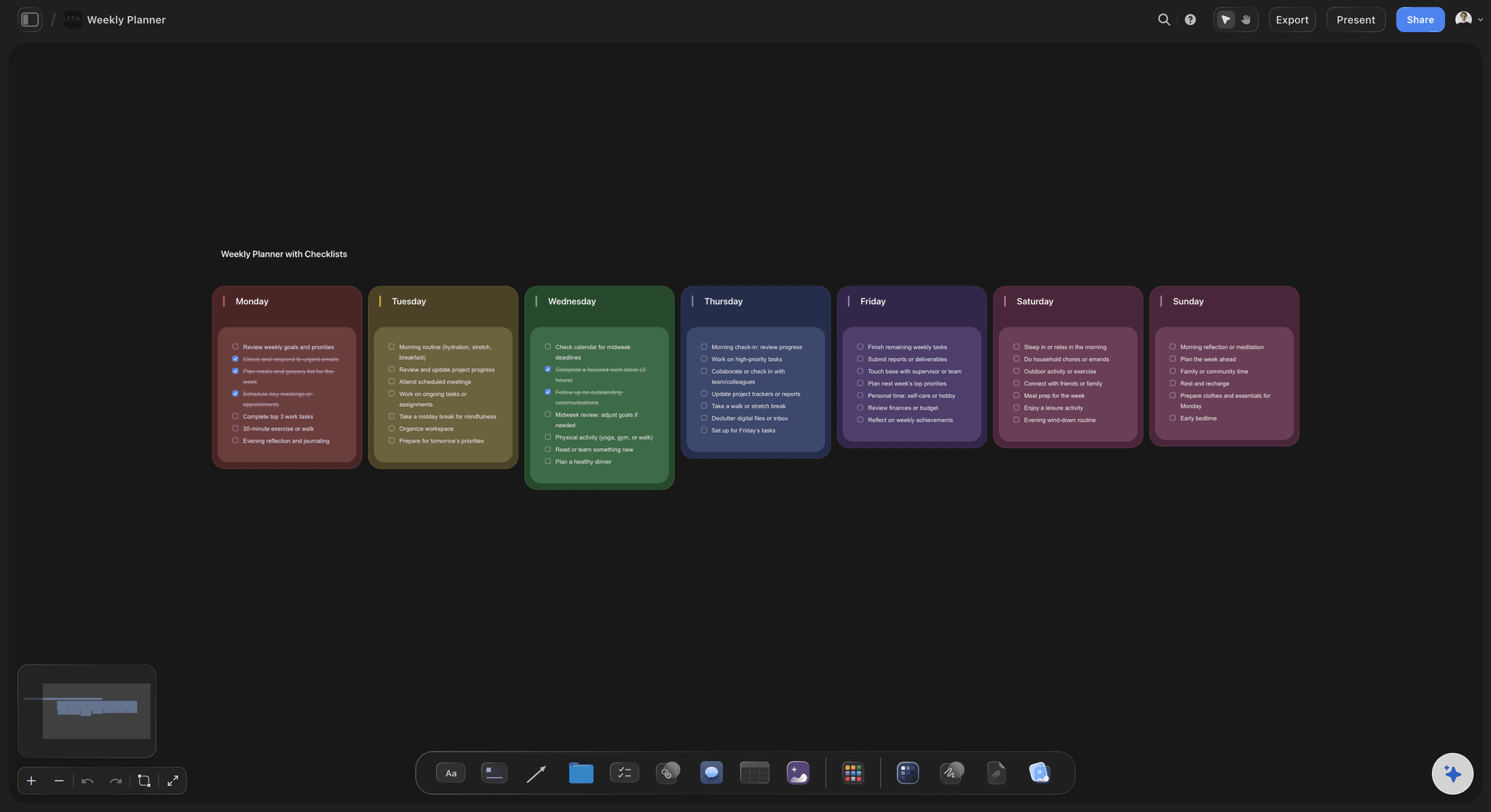
Concepts, references and channel plans stay on the campaign board. When a date moves, you can see which shoot, post or asset it touches without opening another tool.
Compare Notion for creative teams →Plan client work on one board.
The plan sits on one board, beside the work it describes. Storyflow is paid-only during early access: Plus is $7.99 a month billed annually ($9.99 monthly) and includes the AI inside Storyflow. Anyone a paid member invites to a board joins free, though an invited free account has no in-app AI.
Every paid plan: the board, tables and a kanban wall, built by hand
Real-time co-editing on every paid plan
A Team Workspace with roles and permissions on Max
View-only client links that open with no account
Built for people with taste
How to choose visual project management software for creative work.
Four questions decide it, and the honest answer is sometimes a different tool.
The buying questions
Four questions before you buy
What goes wrong most often?: Missed handoffs need a tracker. A client saying "that is not what I approved" needs the brief, references and work together, which is the job Storyflow is built around.
Who has to read it?: If a client must read the plan, test the link they will get. A Storyflow view-only link opens with no account, and signing in is only needed to comment or draw.
How many people share a schedule?: A team of 6 can run from one Storyflow board per job. A company of 60 sharing editors and shoot crews across jobs needs a workload view, which Storyflow does not have.
Who keeps it current?: Any tool stops working when nobody updates it. Put the board owner's name on the Storyflow board and review it in a 15-minute meeting each week, with the board on screen.
What the AI does
What Storyflow's AI does on a project board
Builds from your material: Ask in plain words, or attach files. It reads the current board plus up to five documents and three other boards, then stages the result as a proposal you accept or discard.
Turns notes into structure: Use Turn my notes into organized walls, a kanban board, a table or a document. Meeting notes become cards the team can move instead of a page nobody reads again.
Reviews the board: Ask What's missing here? or Review what's on this board. It reads your real project, so it can point out a deliverable with no date or a card with no detail.
Fills owners, within limits: The AI can fill a table's Owner column with people on the board. It cannot set the assignee on a to-do, and if a name matches nobody, the column stays as plain text.
Where to use another tool
What Storyflow does not do
No Gantt chart, dependencies or workload view: If your plan depends on task B starting when task A ends, use Asana, monday.com or ClickUp. A Storyflow date you move does not move anything else.
No calendar view or due-date reminders: Dates live in table date cells and to-dos, and tables cannot be sorted, so keep rows in date order yourself. Assignees get in-app notifications, not due-date reminders.
No time tracking or invoices: Storyflow has no timesheets, proposals, contracts, e-signature, invoices or payments. An agency keeps these in its accounting and proposal tools, and links to them from the board.
No native app: Storyflow runs in the browser with no download, and is best built on a laptop. Teams who mostly update status from a phone should pick a tool with a mobile app for that.
Explore templates for your project
Every template opens as a real, editable board on the infinite canvas. Pick the closest fit and make it your own.
Mind Map
Branch one central idea out into themes and sub-points, then drag the connections around until the structure makes sense.
One app instead of five
Storyflow vs Notion, Asana and monday.com.
Storyflow is our product, so it comes first. Choose Asana or monday.com when dependencies and resourcing run your business, and Notion when your work is mainly documents and databases. Facts from each vendor's site, November 2026.
Storyflow
Recommended
Images, docs and tasks on one infinite canvas
AI builds moodboards and storyboards on the project board (from Plus)
Timeline or Gantt view
Task dependencies
Workload view
A free plan today
Notion
Images, docs and tasks on one infinite canvas
AI builds moodboards and storyboards on the project board
Timeline or Gantt view
Task dependencies
Workload view
Free plan
Asana
Images, docs and tasks on one infinite canvas
AI builds moodboards and storyboards on the project board
Timeline or Gantt view
Task dependencies
Workload view
Free plan, up to 2 users
monday.com
Images, docs and tasks on one infinite canvas
AI builds moodboards and storyboards on the project board
Timeline or Gantt view
Task dependencies
Workload view
Free plan, up to 2 seats
What creators are saying
Join early creators getting structured workspaces and AI that remembers their projects
“Storyflow has sped up my workflow by at least 3x, which means more flow state and more projects I can actually ship. It truly changed the way me and my team create.”

Reilin Joey
Director & YouTuber
“One prompt gets me a structured board. But the tactics are my favorite. I run my YouTube scripts through them and my intros and retention got better. It's amazing.”

Justkay
YouTuber & Freelance Filmmaker
“I used to juggle five apps to plan a project. Now I describe what I am making and get boards, lists, and a schedule. All in one place.”

George
@fernwehchronicles
Visual project management software, answered.
What these tools are, which one fits, and where Storyflow stops.
Visual project management tools show a project as a picture, using boards, cards and images, so people can read the state of the work at a glance. Storyflow is one built for creative work: an AI visual workspace where a kanban board, a table of dates, the brief and the references share one infinite canvas. You describe the project, the AI builds a first board, and your team and client read it from there.
Storyflow is built for exactly this job on creative work: the AI builds the first project board from a brief, and the plan, references, drafts and client link share one canvas. It is listed first as our product and our pick for commercials and campaigns. For Gantt charts, dependencies and workload across a company, Asana, monday.com and ClickUp still do what Storyflow does not.
For planning a project as a picture, Storyflow is built for that job: images, briefs, kanban boards and tables sit anywhere on one infinite canvas, and the AI builds the board. Notion is very good at connected documents and databases, with board and timeline views and task dependencies, so it stays a strong choice when your work is mainly text and repeatable process. You can keep Notion as the wiki and plan each project in Storyflow.
Storyflow generates project boards from a plain-language ask or attached files. Describe the campaign, shoot or launch, and the AI asks a question or two, then stages a board of walls, notes, to-dos and tables you accept or discard. In one recorded run it turned messy notes into an organized board in about 3 minutes, rounded up, against an estimated 45 by hand. Generating the board needs the AI inside Storyflow, which starts on Plus, and you should expect to correct the first draft.
Storyflow is built for agencies that sell visual work: a board per client holds the brief, deliverables, references and drafts, and the client opens a view-only link with no account. Listed first as our product and our pick. Pair it with Asana, monday.com or ClickUp for the resourcing and dependencies Storyflow lacks, and with Frame.io for frame-accurate video review.
Start with Storyflow for planning: its AI builds a project board from your brief, reads it back, and turns it into a pitch deck, one-pager or creative brief. In one recorded run a pitch took 3 minutes from a board, rounded up, against an estimated 4.5 hours by hand. Then add AI by job, such as Asana's or Notion's assistants for tracking and documents, and Descript for editing video.
Give each client project a Storyflow board with walls for the brief, references, production and delivery, a kanban board for status, and a table of milestones kept in date order. Keep your working board private and share a separate view-only board with deliverables and what you are waiting on. Review it weekly, and ask the AI what is missing. Resourcing across several clients is the part it leaves to other tools.
No. Storyflow has no Gantt chart, dependencies, critical path, workload view, calendar view or time tracking, and moving one date does not move the others. Dates live in table date cells and to-dos, with rows kept in date order. If your project needs those features, Asana offers them from its Starter plan, with workload on Advanced, and monday.com and ClickUp also offer them on paid plans.
A whiteboard is free space for thinking, and visual project management adds the things that keep a project running: status, owners, dates and a client view. Storyflow covers both on one canvas, with to-dos that take an assignee and due date, kanban boards, tables and view-only links. Miro has strong live workshop tools with sticky notes and diagrams at large scale, which suits a session with many people at once.
Yes. A Storyflow view-only link opens in the browser with no account, so a client can see the plan whenever they want. Allow comments on the link and they can comment or draw after signing in, and anyone a paid member invites joins free. Share a separate client board with agreed deliverables, current state and what you are waiting on from them. An invited free account does not include the in-app AI.
Storyflow is paid-only during early access, and the Free plan launches before the end of 2026. Anyone invited to a board by a paid member can sign up free. The AI inside Storyflow starts on Plus at $7.99 a month billed annually ($9.99 monthly). Pro is $14 billed annually ($19 monthly), and Max is $39 billed annually ($49 monthly) with the most AI and a Team Workspace with roles and permissions.
Yes, by hand and with the AI, though Storyflow has no one-click importer. Paste a Notion page into a Storyflow document and its formatting comes across. Export a database as a CSV, attach it to the AI chat, and ask for a kanban board or table. Move one live project first, keep your old tool for the rest, and decide after that project ends.
Name one owner for each Storyflow board and hold a 15-minute weekly review with it on screen, moving tickets and correcting dates together. Before the meeting, ask the AI what changed and what has no owner or next step. A to-do can take an assignee and due date, and people get in-app notifications, but there are no due-date reminders, so the weekly review does that job.
Yes. With the Storyflow plugin in ChatGPT, you can read your boards and, if you allow changes, build notes, to-dos, tables, walls and whole sections on them. It can also report what changed on a board in the last day or week and who changed it. Availability depends on your ChatGPT plan, workspace and region. Plugin actions use ChatGPT's own model, so they use no Storyflow AI credits, and paid plans have no weekly limit on them.
It is the wrong choice when your work is long lists of similar tasks, such as a support queue or a software backlog, where filtering and sorting matter more than seeing the whole. Storyflow tables cannot be sorted, and it has no dependencies, so pick a tracker for that work. Storyflow fits projects with a shape and a deliverable: a commercial, a campaign, a launch or a shoot.
More from Storyflow
Visual project planning
Creative project management
Turn a brief into a project board
Notion alternative for creative teams
Asana alternative
monday.com alternative
Agency client project planning
Project dashboard
Best visual project management tools in 2026
Best visual planning tools in 2026
For agencies
For in-house creative teams
See your whole project on one board.
Paste the brief, accept the first board, and send your client a link that opens with no account.