
Extremely simple, seriously capable
Free user flow diagram tool: map every screen and decision.
Sketch how users move through your product with shapes, notes, and connector lines on an infinite canvas. Prefer typing to dragging? Define the flow in Mermaid text and get a clean diagram instantly.


Start your user flow
Open a free board and connect your first screens in minutes, no drawing skills needed.
Draw a flow freeFree to use
No credit card required
Works in your browser
How it works
How to make a user flow diagram.
Three steps from entry point to happy path.
1
Lay out the steps
Create a free board and add a note or shape for each screen, action, and decision in the journey, starting from the user's entry point.
2
Connect the paths
Draw connector lines between steps and label the branches: success, error, drop-off. Or write the whole flow as a Mermaid diagram and let it render itself.
3
Review and share
Put real screenshots next to the flow, collect comments through a view-only link, and export the diagram as a PDF or image for specs and handoffs.
Creatives working for these brands already got early access
- Red Bull
- Canon
- Artlist
- Porsche
See how easy it is to get started
Watch a real project come together, from a blank board to a finished plan, clicked through step by step.
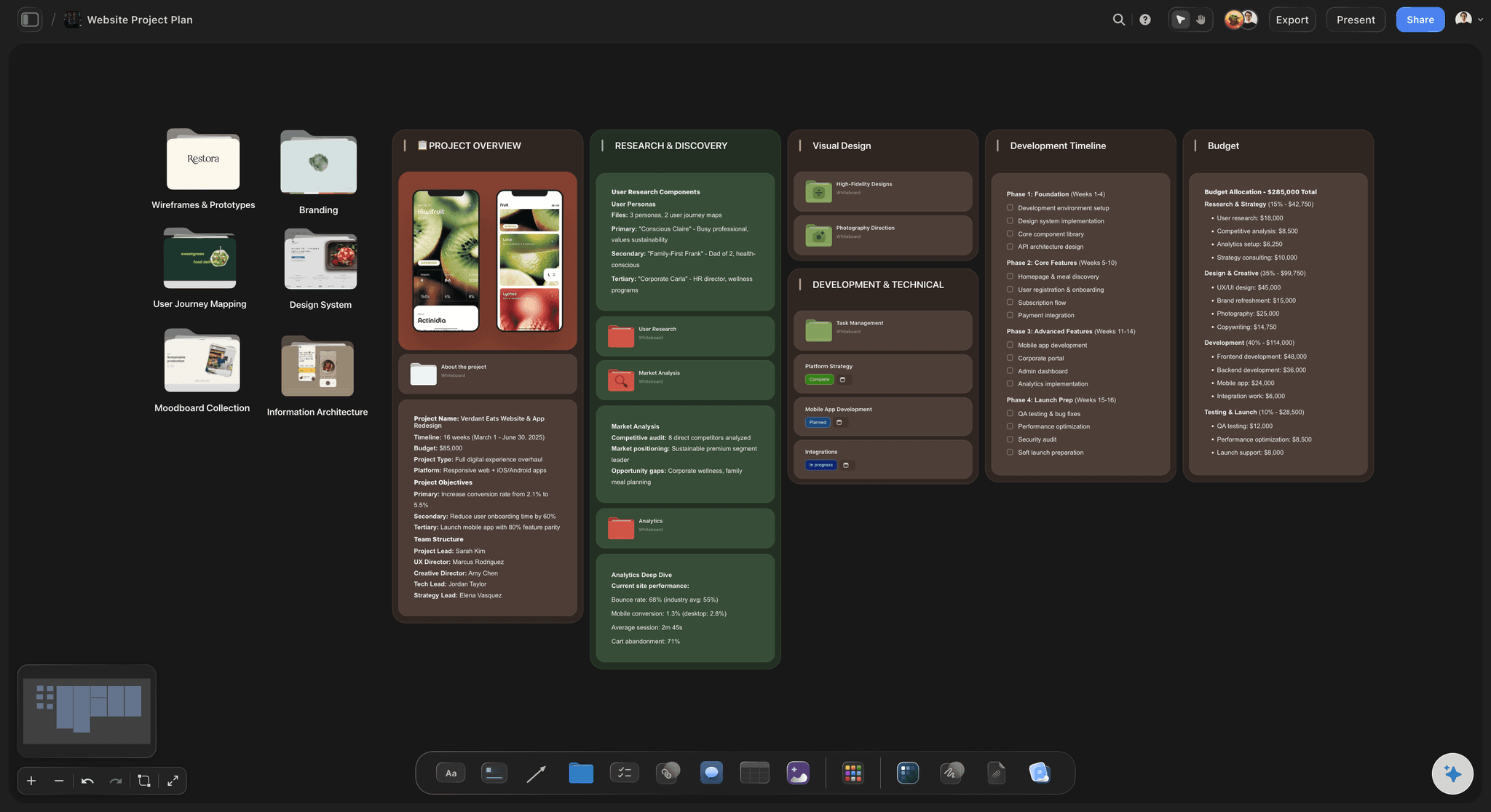
Plan flows next to the pages they describe.
A user flow gets sharper when the actual screens sit beside it. Upload wireframes or screenshots to the same board, point connector lines at them, and the diagram becomes a walkthrough anyone can follow.

Branch out before you lock in.
Early flows should look more like a mind map than a spec. Explore alternate paths, edge cases, and error states side by side on the infinite canvas, then promote the winning route to the main diagram.

Keep the flow inside the design project.
Flows do not live alone. Keep the diagram on the same board as your design brief, tasks, and references, so when a step changes, the people building it see the change in context instead of in a stale attachment.

Write flows as text with Mermaid.
For dense flows, typing beats dragging. Storyflow renders Mermaid diagrams on the canvas, so you can define nodes and branches in plain text, version the logic quickly, and still annotate the result with notes and comments.
Screens, decisions, and paths on one board.
Storyflow turns an infinite canvas into a flow mapping workspace. Add shapes and notes for screens, actions, and decision points, connect them with labeled lines, and use color to separate happy paths from error states. Because the canvas has no edges, onboarding, checkout, and recovery flows can live on one board without being crushed into a single page.
A flow diagram maker in the browser
Sign up and start diagramming immediately. Every paid plan includes unlimited boards, an infinite canvas, AI usage, and unlimited file uploads for the wireframes and screenshots that anchor your flows. Share a view-only link for review or export the diagram as a PDF or image.
Diagrams by hand or by text.
Some flows want to be sketched, others want to be typed. Storyflow supports both: drag shapes and connector lines when you are thinking spatially, or define the flowchart in Mermaid syntax when the logic is already clear. Both render on the same canvas, next to the notes, tickets, and references that give the flow its context.
What creators are saying
Join early creators getting structured workspaces and AI that remembers their projects
“Storyflow has sped up my workflow by at least 3x, which means more flow state and more projects I can actually ship. It truly changed the way me and my team create.”

Reilin Joey
Director & YouTuber
“One prompt gets me a structured board. But the tactics are my favorite. I run my YouTube scripts through them and my intros and retention got better. It's amazing.”

Justkay
YouTuber & Freelance Filmmaker
“I used to juggle five apps to plan a project. Now I describe what I am making and get boards, lists, and a schedule. All in one place.”

George
@fernwehchronicles
Frequently asked questions.
Drawing flows, Mermaid syntax, and handoffs.
A user flow diagram maps the path a user takes through a product to complete a task: the screens they see, the actions they take, and the decisions that branch the path. Teams use them to spot friction, align on scope, and hand off designs unambiguously.
Yes. Shapes, connector lines, and Mermaid rendering are all free-plan features, boards are unlimited, and the 20 file uploads handle your wireframe screenshots. Draw as many flows as you need; sign-up skips the credit card entirely.
Add a shape or note for each screen and decision, then drag connector lines between them and label the branches. Frames and walls keep separate flows organized, and the freehand pen is there for quick markup during reviews.
Yes. You can add a Mermaid diagram element to the canvas and define flowcharts in plain text. It is the fastest way to produce a tidy diagram for a complex flow, and you can still surround it with notes, screenshots, and comments.
Yes. Upload wireframes or screenshots (JPG, PNG, or WebP) onto the board and place them beside the flow steps they represent. Diagrams with real screens attached are far easier for stakeholders and developers to follow.
Drop the board's view-only link into the ticket or spec. Reviewers follow the flow in their browser without an account and sign in to leave comments, and PDF or image exports cover documentation that has to stay static.
Map your user flows with Storyflow.
Shapes, connector lines, and Mermaid diagrams on a free infinite canvas. No credit card required.