
Ultra-fast moodboards with real taste
Settle the concept
before the drawings.
Pin precedents, materials, light studies, landscape, and details on one infinite canvas, so the client, the team, and the consultants agree on the building while it is still a set of images.


Creatives working for these brands already got early access
- Red Bull
- Canon
- Artlist
- Porsche
See how easy it is to get started
Watch a real project come together, from a blank board to a finished plan, clicked through step by step.
Start from a ready-made template
Pick a board to see what you can build, then let AI fill it in. Every template is a real, editable starting point on the same infinite canvas.

Film Moodboard
Collect film references, color palettes, lighting, locations, and tone in one place, then invite your crew.
What is an architecture moodboard?
An architecture moodboard is the visual argument for a project's character, assembled at concept stage before documentation begins. Storyflow is an AI visual workspace that sets out your building's concept on one infinite canvas: sections for precedents, materials, light, landscape and details, a first layout by AI from your project description, and a view-only link for the client review. The moodboard gathers precedent buildings and the specific move being borrowed from each, the material and finish palette, light studies showing how the spaces should feel at different hours, landscape and site references, detail and junction precedents, and the interior atmosphere the client is actually buying. It sits alongside the site analysis and the brief rather than replacing either. The brief states the requirements; the moodboard states the intent.
Architecture has an unusually long gap between decision and consequence. A word agreed at a concept meeting, warm, restrained, robust, generous, gets tested for the first time eighteen months later in a material sample or a finished soffit, by which point changing it is a variation order. Every practice has a version of the story where the client said modern and meant something the practice had never once considered. A moodboard is the cheapest instrument for closing that gap, because it makes the client point at something rather than describe it, and pointing is far more reliable than adjectives.
Storyflow is an AI-native infinite canvas built for this kind of work. Describe the project in a prompt, the typology, the site, the client, the constraints, the character you are aiming for, and the AI lays out a structured board: sections for precedents, material palette, light and atmosphere, landscape, detail, and interior, with cards ready to fill. Then you work spatially. Drag in precedent photographs and write the specific move you are taking from each, group materials into complete palettes rather than loose samples, put two massing directions side by side, and annotate a detail reference with the junction note that explains why it is there.
The reason an infinite canvas beats a presentation deck for this is that architecture is read across scales at once. A material that works as a sample can fail as an elevation; a precedent that works as a facade can be wrong at the entry sequence; a palette that looks calm in daylight can go grey under the site's actual northern light. On a canvas you can hold the site photograph, the massing study, the elevation, the material palette, and the detail on one surface and move between them. A deck forces the same information into a sequence, and a sequence hides exactly the contradictions you are trying to find.
Ultra fast from brief to board
From a brief to a concept the client can agree to.
No shared drive of unlabeled precedent photos, no deck rebuilt for every design review.
01
Open a canvas
Sign up in seconds. No download. Your infinite concept canvas opens in the browser.
02
Describe the project
Type the typology, the site, the client, and the character you are aiming for, and the AI lays out a structured board with precedent, material, light, landscape, and detail sections ready to fill.
03
Pin precedents and materials
Drag in precedent photographs, material samples, and site images. Write the specific move you are borrowing beside each precedent and group finishes into complete palettes.
04
Run the review on the board
Share a view-only link with the client, the engineer, or the planning consultant for comments in context, then export the agreed concept as an image or PDF for the report.
Precedent, material, light, and detail on one surface.
Everything the concept rests on, visible at the same time.
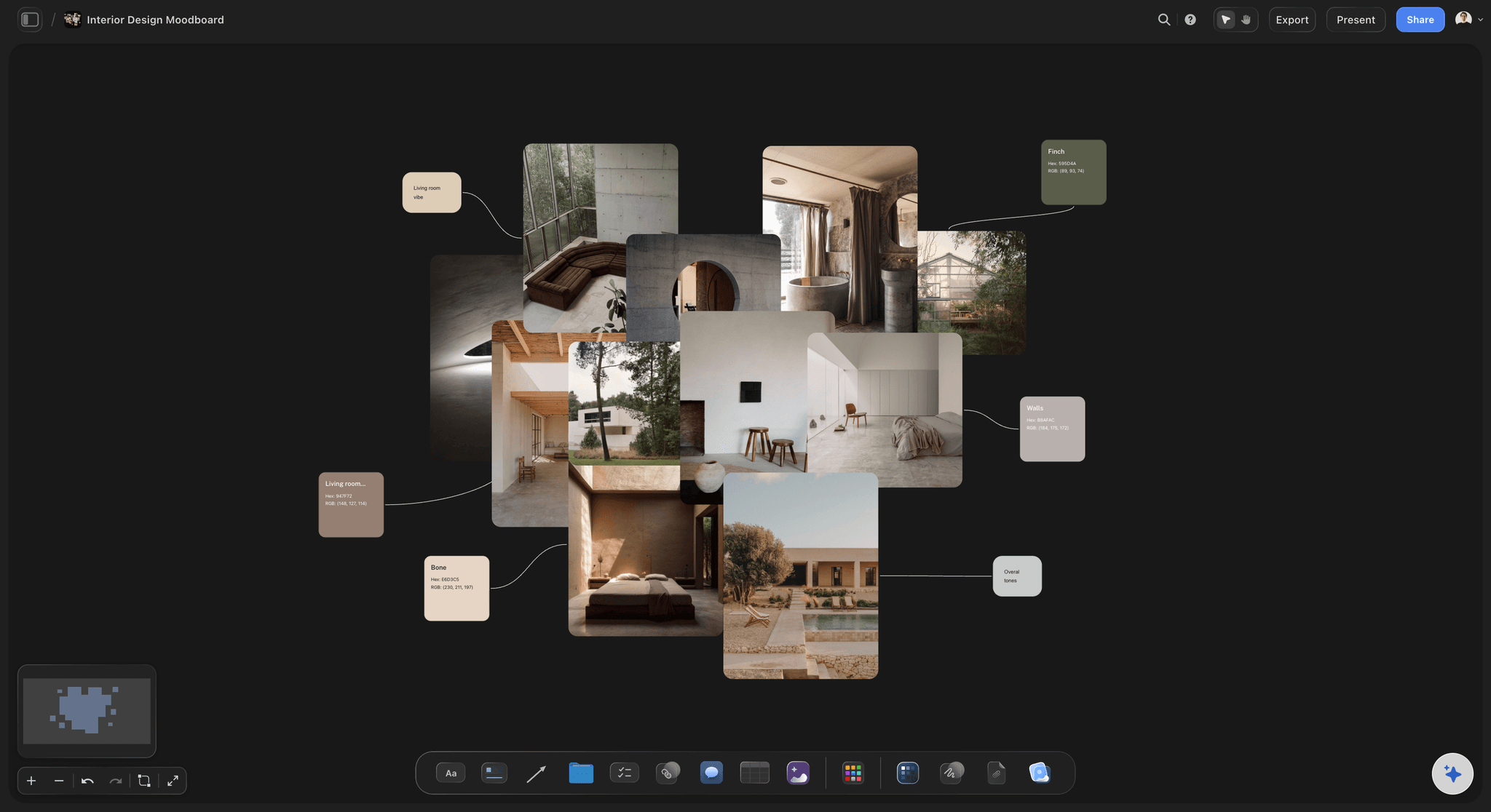
AI lays out the board from a project description
Start from a structure, not a blank page
Describe the typology and the character and the AI builds sections for precedents, materials, light, landscape, and detail. Filling a structure is faster than inventing one during a concept sprint.
See the AI mood board maker →
Precedents with the move written beside them
Borrow a decision, not a building
A precedent with no note becomes a request to copy the whole building. Write the specific move you are taking, the section, the threshold, the way the light lands, next to the image that shows it.
Try the free reference board →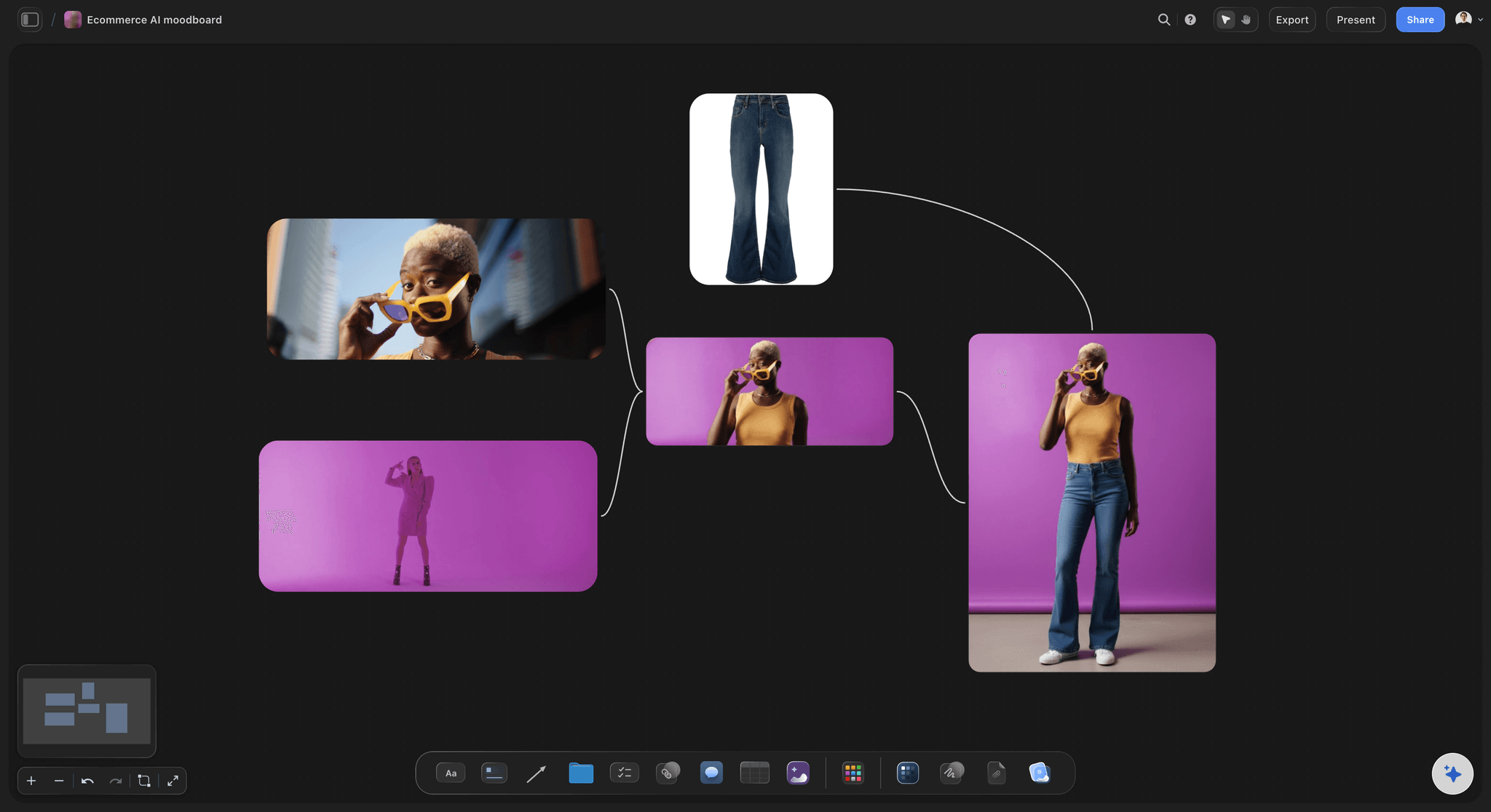
Material palettes as complete groups
Judge the palette, not the sample
Group the brick, the timber, the metal, and the glazing into one named palette and place two palettes side by side. Materials are never chosen alone, and a sample board that pretends otherwise leads reviews astray.
Explore moodboarding in Storyflow →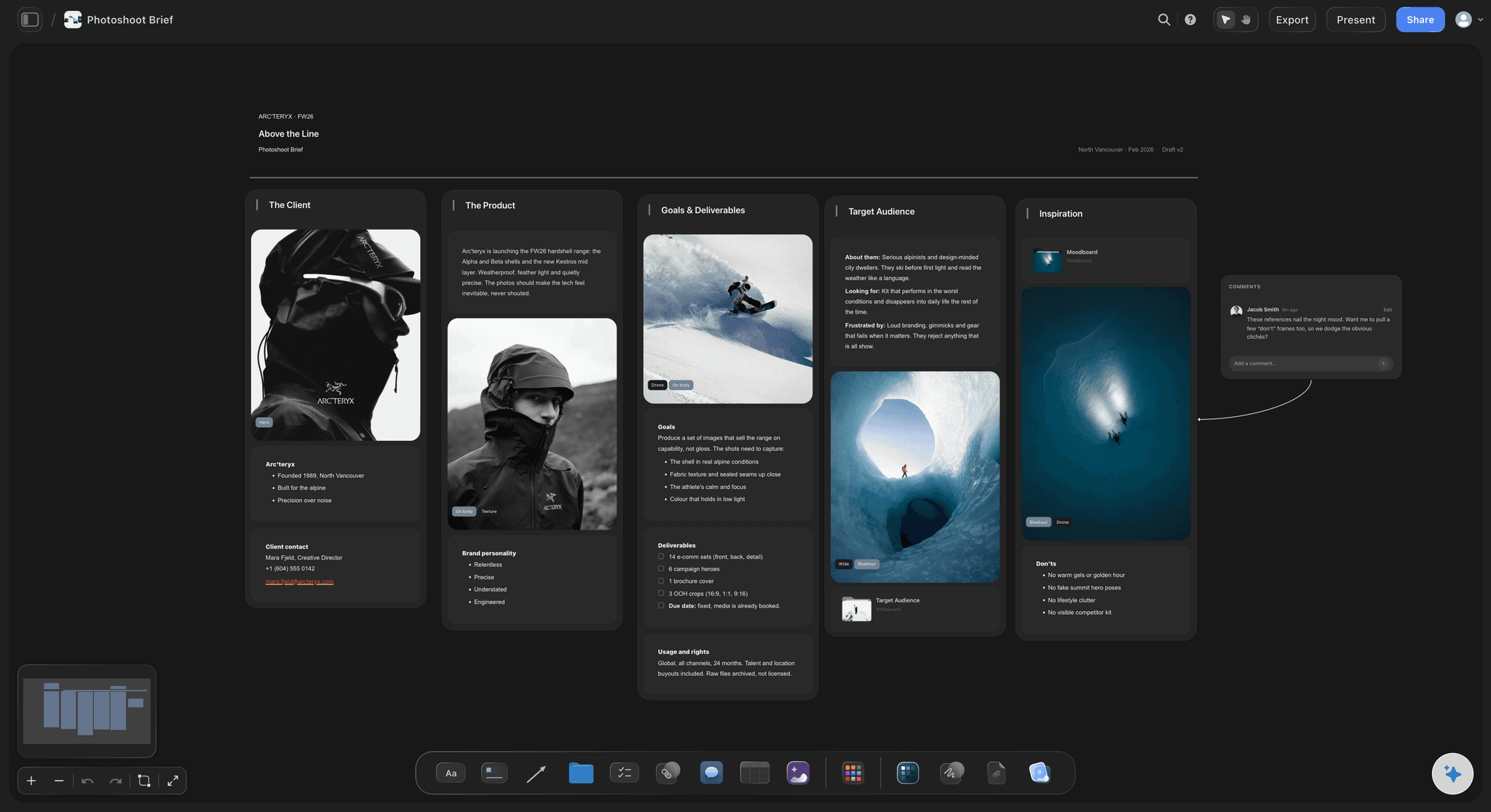
View-only links for client design reviews
Review a concept people can actually see
Send a view-only link and the client opens the whole board in a browser with no account, and signs in to comment on the precedent or material it concerns, so notes stop being a paragraph about preference.
See the client presentation tool →Unlimited boards. No object cap.
Open a canvas, describe the project, and start pinning precedents. Storyflow is paid-only during early access, with plans from $9.99 a month, and a Free plan launches before the end of 2026.
Unlimited concept boards on an infinite canvas
Basic AI usage to generate boards from prompts
Starter templates for moodboards, briefs, and project plans
Share view-only links with clients and consultants
Built for people with taste
More than a folder of buildings you admire.
A folder can store precedents. It cannot show you whether they add up to one project.
Precedent, material, light, landscape, and detail
Work across every layer of the concept
Precedents with the move named: Each precedent carries a note saying what you are taking: the section, the threshold, the way a roof meets a wall. Without it, a precedent board reads as a shopping list of buildings, which is how clients end up expecting a copy.
Materials grouped into palettes: Brick, timber, metal, glazing, and the landscape material as one named group. Two named palettes side by side turn the material conversation into a choice between characters rather than a debate about a single sample.
Light and atmosphere studies: Pin images of the quality of light you want at different hours and orientations. Light is the thing clients respond to most strongly in a finished building and the thing least represented in a typical concept pack.
Details and junctions early: Put the junction and threshold references on the concept board rather than saving them for technical design. The character of a building is largely decided at its edges, and edges are cheap to discuss now.
AI that can see the board you have already built
Extend the concept with an AI that has the context
Prompt against the whole canvas: Ask it to add a landscape and planting section, lay out a second material palette that runs cooler, or build a section for the entry sequence. It reads what you have made, so what it adds belongs to this project.
It structures, it does not design: Storyflow lays out and organizes the concept. The architecture stays with the architect, which is both correct and legally unavoidable, and it is why the AI here builds boards rather than buildings.
Iterate without losing work: Re-prompt as often as you want. Precedents you have already placed and annotated stay exactly where they are while the AI builds around them.
Site, brief, and concept together
Keep the analysis beside the intent
Site photographs and constraints on the canvas: Pin site photographs, orientation notes, neighbouring context, and planning constraints beside the concept. A concept developed away from the site analysis is a concept that will be revised once someone looks at both.
The brief in the built-in editor: Write the client brief and the concept statement in the document editor beside the board. A statement written next to the images it describes stays honest; a statement written alone drifts into ambition.
Two directions, side by side: When there are two credible concepts, build both boards and put them next to each other. Clients choose far better between two visible options than between one option and a description of an alternative.
Clients, consultants, and the wider team
Run design reviews on one live board
View-only links, no account required: Send the board to a client, a structural engineer, a landscape architect, or a planning consultant and they open it in a browser. No signup, no download, no version confusion about which PDF is current.
Comments on the reference itself: Feedback attaches to the precedent or material it concerns, so a note is specific enough to act on. Comment mode means reviewers cannot accidentally rearrange the board while responding to it.
Export for the report: Export the agreed concept as a high-quality image or PDF for the design and access statement, the planning submission, or the stage report. The link stays live, so the export never becomes the stale source of truth.
Explore templates for your project
Every template opens as a real, editable board on the infinite canvas. Pick the closest fit and make it your own.
Film Moodboard
Collect film references, color palettes, lighting, locations, and tone in one place, then invite your crew.
One app instead of five
Storyflow vs Pinterest, Miro, and InDesign.
Be clear about what Storyflow is. It does not do CAD or BIM, it does not model, and it does not produce construction documentation. It is where the concept gets decided and agreed.
Storyflow
Recommended
Infinite canvas built for visual direction
AI lays out the board from a project description
View-only client links with in-context comments
CAD, BIM, and construction documentation
Algorithmic reference discovery feed
Free plan available today
Infinite canvas built for visual direction
AI lays out the board from a project description
View-only client links with in-context comments
CAD, BIM, and construction documentation
Algorithmic reference discovery feed
Free plan available today
Miro
Infinite canvas built for visual direction
AI lays out the board from a project description
View-only client links with in-context comments
CAD, BIM, and construction documentation
Algorithmic reference discovery feed
Free plan available today
InDesign
Infinite canvas built for visual direction
AI lays out the board from a project description
View-only client links with in-context comments
CAD, BIM, and construction documentation
Algorithmic reference discovery feed
Free plan available today
What creators are saying
Join early creators getting structured workspaces and AI that remembers their projects
“Storyflow has sped up my workflow by at least 3x, which means more flow state and more projects I can actually ship. It truly changed the way me and my team create.”

Reilin Joey
Director & YouTuber
“One prompt gets me a structured board. But the tactics are my favorite. I run my YouTube scripts through them and my intros and retention got better. It's amazing.”

Justkay
YouTuber & Freelance Filmmaker
“I used to juggle five apps to plan a project. Now I describe what I am making and get boards, lists, and a schedule. All in one place.”

George
@fernwehchronicles
Architecture concept questions, answered.
What belongs on the board, how to run a client review, and where Storyflow fits alongside CAD and BIM.
It depends which part of concept stage you mean. For discovering precedents, Pinterest and Archdaily remain the fastest sources and neither is going to be replaced. For the presentation artifact, InDesign still produces the most controlled document and most practices have a template. Miro is a capable canvas if your office already runs on it. Storyflow covers the middle, which is the part that usually happens in a folder: turning collected precedents into a structured concept somebody else can agree to. Describe the project and the AI lays out precedent, material, light, landscape, and detail sections, then you annotate each precedent with the move you are borrowing and send a view-only link for the review.
No, and it is worth being direct about it. Storyflow does not model, does not produce drawings, and does not open Revit, ArchiCAD, Rhino, or Vectorworks files. Those tools own documentation and coordination, and they are not going anywhere. Storyflow is the surface upstream of them, at the stage where the character of the project is being decided and there is no model yet, only references, adjectives, and a client with expectations. You can pin plan exports, massing screenshots, and render drafts onto the board so the current design sits beside the intent that drove it, which most teams find is the fastest way to notice drift.
Six sections, and boards that skip the last two tend to produce a concept that only exists in elevation. Precedents, each annotated with the specific move you are taking rather than left as an admired building. Materials, grouped into complete palettes including the landscape material. Light and atmosphere at different hours and orientations. Landscape and site context, including the neighbouring buildings you have to sit beside. Details and junctions, because character lives at the edges. And interior atmosphere, because that is what the client will actually inhabit and it is the section most often deferred until it is too late to influence.
Not during early access. Storyflow is paid-only right now, with plans starting at $9.99 a month, and a Free plan for solo use launches before the end of 2026. Anyone a paid member invites to a board joins free today, so a client, an engineer, or a consultant can review and comment without paying anything. If you need free this minute, Miro's free tier gives you a real canvas within its board limit, Figma's free tier works well for boards, and Pinterest is free and still the best way to find precedents you would not have thought of. None of them will lay a concept board out from a project description.
Send the link before the meeting, not during it. Clients form better opinions with twenty quiet minutes than they do being walked through slides while trying to be agreeable. Structure the board so the top-left region carries the concept statement and the two candidate directions, because that is where people start. Annotate every precedent with what you are taking from it, so nothing gets read as a promise to reproduce a building. Then run the meeting on the live board rather than an export, zooming into the material palette when the conversation gets to materials. Comments left on specific references give you a review record far more actionable than meeting minutes.
Yes, and it is the single most useful thing an infinite canvas does at concept stage. Build a complete board per direction, precedents, palette, light, detail, and place them next to each other at the same scale. Clients are good at choosing between two visible options and unreliable when asked to react to one option in isolation, where the only available response is a general worry. Side-by-side also protects you: it makes clear that the direction you prefer was chosen against a real alternative rather than being the only thing you happened to present.
You describe the project in a prompt: typology, site, client, budget bracket, constraints, and the character you are aiming for. The AI lays out a structured board from that, with sections for precedents, materials, light, landscape, detail, and interior, plus cards ready to fill. You start with a board that has a shape rather than an empty canvas, which matters because the difficult part of concept work is not collecting images, it is knowing which categories of image the decision needs. From there it uses the whole board as context, so you can ask it to add a planting section or a second cooler palette, and re-prompting builds around what you have already placed.
Yes. Send a view-only link and a structural engineer, a services consultant, a landscape architect, or a planning adviser opens the whole board in a browser with no account, and can sign in to comment directly on the reference they are responding to. That is usually the right level of access for an external consultant. If someone should genuinely contribute, a project architect, a collaborating practice, invite them to the canvas instead, and invited collaborators join free, so widening the team does not cost a seat. Sharing, commenting, and reviewing work on every paid plan.
They overlap, and the difference matters. A precedent study is analytical: it takes a building apart to understand how a specific problem was solved, usually with plans, sections, and diagrams alongside the photographs. A moodboard is directional: it says what this project should feel like, using whatever images communicate that, including ones with no analytical content at all. Most good concept boards contain both, which is why Storyflow lets you annotate a precedent with the move you are borrowing and pin your own section sketches beside it. Studies without direction produce a competent building nobody loves; direction without studies produces a rendering that cannot be built.
Yes. Export the canvas as a high-quality image or PDF and place it in the stage report, the design and access statement, or the planning pack. In practice, the live link does most of the work during design development, because the board is far bigger than a page and reviewers need to zoom into a material or a detail at full resolution. The export becomes the record: the version attached to the agreed concept so there is no later argument about what was signed off. Both are one click, and because the link stays live the export never quietly becomes the outdated source of truth.
Agree the building while it is still images.
Open a canvas, describe the project, and let AI lay out the concept board. No download.