
Ultra-fast moodboards with real taste
Design rooms and projects
on one infinite canvas.
Storyflow is the visual workspace for the whole project: room moodboards, material and FF&E boards, finish and color palettes, spatial concepts, and client presentation boards on a truly infinite canvas. Pull references onto the board, let AI lay out a starting concept, then share it view-only with the client. Paid-only during early access, with a free plan launching before the end of 2026.


Creatives working for these brands already got early access
- Red Bull
- Canon
- Artlist
- Porsche
See how easy it is to get started
Watch a real project come together, from a blank board to a finished plan, clicked through step by step.
Start from a ready-made template
Pick a board to see what you can build, then let AI fill it in. Every template is a real, editable starting point on the same infinite canvas.

Film Moodboard
Collect film references, color palettes, lighting, locations, and tone in one place, then invite your crew.
Where does an interior scheme actually come together?
A room is decided long before anything is ordered. You gather references, agree on a direction, pull finishes and fabrics, spec the furniture and lighting, and build the whole thing into a presentation the client can approve. That work usually ends up scattered across a Pinterest board, a supplier PDF folder, a spreadsheet of SKUs, and an email thread, so when it is time to present you are rebuilding the scheme from four places at once.
Storyflow puts the whole concept on one board. On an infinite canvas you pin reference photos, tear sheets, finish swatches, product cutouts, and supplier links, cluster them into a room moodboard, and lay out the material board and FF&E schedule right beside the images they describe. Every item is a real card you drag, crop, recolor, and regroup, so the scheme takes shape the way you build it rather than snapping to a rigid template.
It is not a CAD program or a rendering engine, and that is the point. SketchUp, AutoCAD, and your rendering tools own the drawings and the 3D. Storyflow is where the direction, the references, and the concept live before and around the drawings. When the scheme is locked, share a view-only link so the client can explore the moodboard and material board in the browser with no account, then export the board for the presentation or the spec.
Ultra fast from brief to board
From reference pile to client-ready concept in four steps.
Start from a blank board or a single prompt. Either way the scheme stays yours to reshape.
01
Open a canvas
Start in the browser with a Storyflow account. Nothing to install, just an infinite canvas ready for the first reference.
02
Pour in references and finishes
Drag in reference photos, tear sheets, finish swatches, product cutouts, and supplier links, and grab room walkthrough frames from YouTube and Vimeo. Everything lands on one board instead of a scattered folder.
03
Shape the concept with AI
Describe the room or project once and let AI lay out a starting board of moodboard sections, a material list, and FF&E ideas, reading your current canvas as context, then drag it into the scheme you want.
04
Present view-only to the client
Send a view-only link so a client can explore the moodboard and material board in the browser without an account, or export the board as an image or PDF for the presentation.
The design layer your projects have been missing.
Keep drawing in SketchUp, AutoCAD, or your rendering tool. Do the moodboarding, material boards, and concept planning here, where the scheme actually comes together.
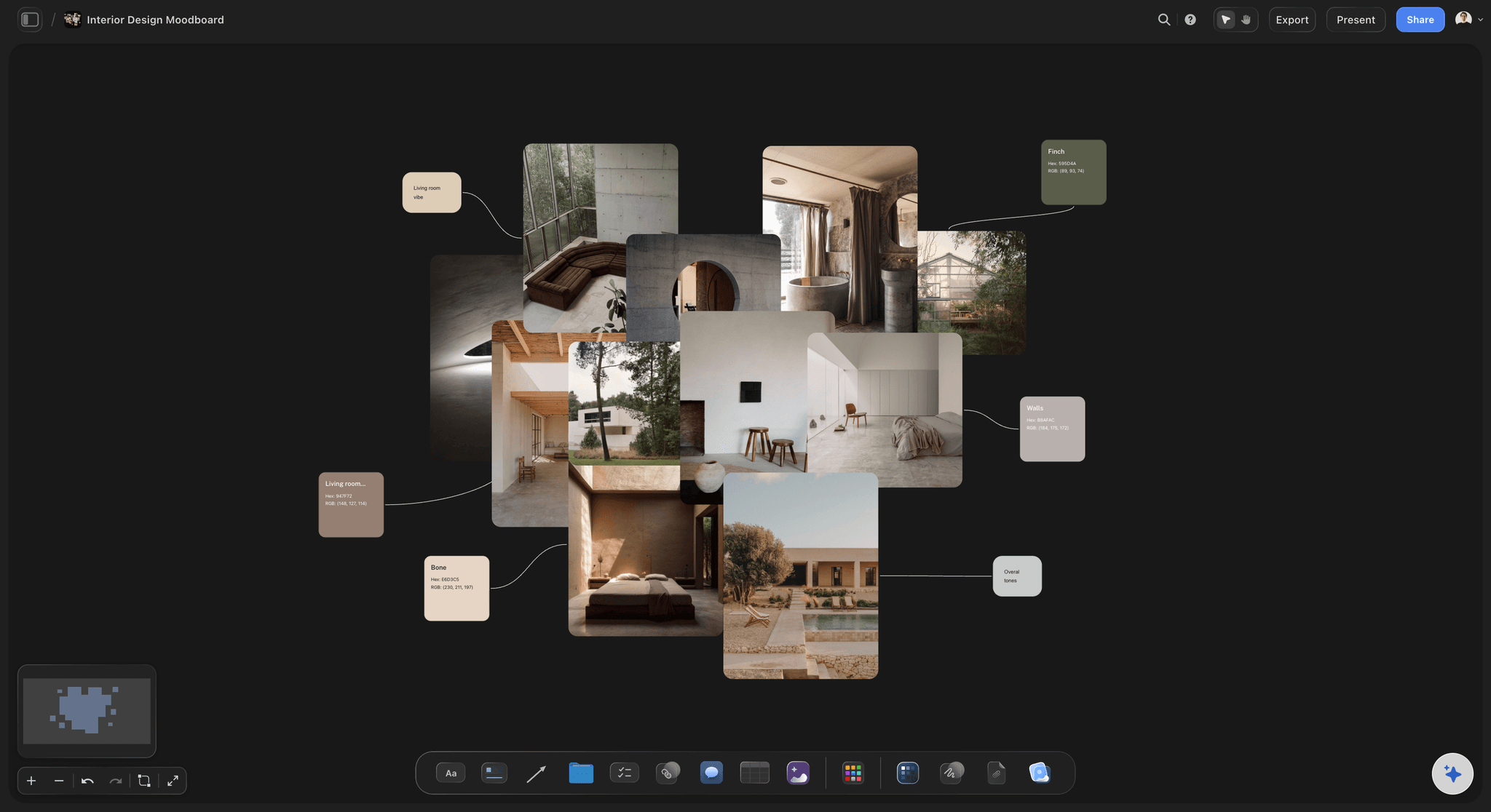
References on one board
Room moodboards on an infinite canvas
Pin reference photos, tear sheets, finish swatches, and product cutouts side by side and cluster them into a room. With a truly infinite canvas and no object cap, no reference or finish option gets cut for space.
See the moodboard maker →
Materials and FF&E in view
Material boards and FF&E beside the room
Lay out finish swatches, fabric options, and furniture and lighting cutouts as cards next to the room they belong to, so the material board and FF&E schedule read as one scheme instead of a separate spreadsheet.
See moodboarding →
AI lays out the concept
Describe the room, get a starting board
Tell the AI chat what you are designing and it lays out a full board of moodboard sections, a material list, and FF&E ideas. It reads your current canvas as context, so it builds on the references and finishes you already placed instead of a generic template.
See the AI mood board maker →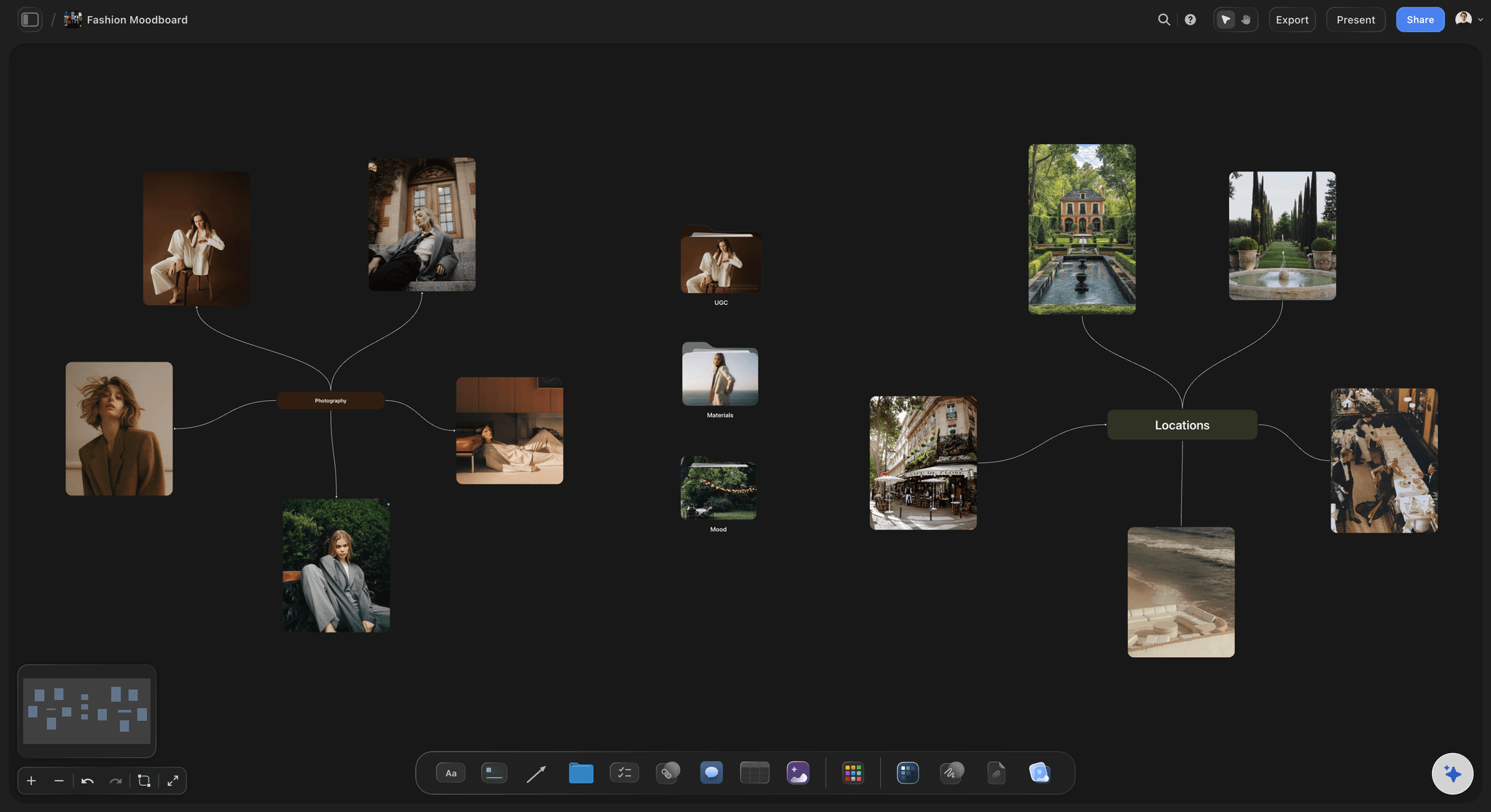
Present without accounts
Client-ready view-only boards
Send a view-only link and a client can explore the whole moodboard and material board in their browser with no account and no login. When the scheme is approved, export the board as an image or PDF for the presentation or spec.
See the design planning tool →A free plan is coming. No object cap on paid plans.
Open a board and start pinning references. Storyflow is paid-only during early access, with a free plan launching before the end of 2026, and every plan has no object cap and no time limit, so a real room moodboard never pushes you to upgrade mid-project.
Unlimited moodboards, material boards, and project boards on an infinite canvas
Basic AI usage to lay out moodboards, material lists, and FF&E
Attach images, PDFs, video, and links, plus 20 file uploads
Share view-only with clients, or invite collaborators free
Built for people with taste
Built for how interior designers actually work.
Gather the references, lock the direction, pull the finishes, spec the FF&E, and hand it off clean. All on one board.
A real moodboard, not a scattered folder
Build the room with every reference in view
Crop, color, and caption: Crop reference photos down to the detail that matters, recolor cards to test a palette, and add a line under each image explaining the finish or the intent, so the moodboard reads as a scheme.
Swatches and finishes together: Drop finish swatches, paint colors, and fabric options beside the imagery, so the palette, the materials, and the mood all live on one board instead of a supplier PDF.
Grab room walkthrough frames: Pull frames straight from YouTube and Vimeo onto the board when a room tour or walkthrough captures the light or detailing better than a static photo can.
AI that reads the board
AI builds the material list from your references
Lay out a starting board: Describe the room and the AI lays out moodboard sections, a material list, and FF&E ideas as a full board of cards on the canvas, ready for you to reshape.
Bring in your brief and sources: Add up to five documents and three boards as context from the + menu, so a client brief or an existing spec shapes what the AI suggests.
Re-prompt to refine: Ask for a warmer palette, a tighter FF&E list, or a different style direction. The AI reworks the board while keeping the references and cards you arranged.
The whole project, not just the mood
Concepts, palettes, FF&E, and rooms in one place
Spatial concept beside the finishes: Sketch the spatial concept and zoning as cards next to the finishes and references they serve, so the layout idea and the material board never drift into separate files.
Finish and color palettes: Build finish and color palettes as grouped cards, test them against the room imagery, and keep every option on the board instead of a swatch drawer.
Room by room on one canvas: Lay out each room as its own cluster on the same infinite canvas, so a whole project reads as one scheme the client can walk through in order.

Handoff, not a black box
Present the scheme and keep the project in sync
Client-ready view-only links: Send a view-only link so a client explores the moodboard and material board in the browser with no account, then signs in to leave feedback you can act on before you place a single order.
Invite the studio free: Bring a junior designer, a design assistant, or a project manager onto the same board free, so the scheme is a shared decision instead of a forwarded deck.
Export for the presentation: Export the moodboard, material board, or full concept as a clean image or PDF and drop it into a client presentation or a project document.
Explore templates for your project
Every template opens as a real, editable board on the infinite canvas. Pick the closest fit and make it your own.
Film Moodboard
Collect film references, color palettes, lighting, locations, and tone in one place, then invite your crew.
One app instead of five
How Storyflow compares for interior concepts.
This is about moodboards, material boards, and concepts, not CAD or rendering. Here is where each tool sits.
Storyflow
Recommended
AI lays out a room moodboard and material list from your board
Truly infinite canvas with no object cap
Grab room walkthrough frames from YouTube and Vimeo
View-only client links, no account to view
Milanote
AI lays out a room moodboard and material list from your board
Truly infinite canvas with no object cap
Grab room walkthrough frames from YouTube and Vimeo
View-only client links, no account to view
Canva
AI lays out a room moodboard and material list from your board
Truly infinite canvas with no object cap
Grab room walkthrough frames from YouTube and Vimeo
View-only client links, no account to view
Notion
AI lays out a room moodboard and material list from your board
Truly infinite canvas with no object cap
Grab room walkthrough frames from YouTube and Vimeo
View-only client links, no account to view
What creators are saying
Join early creators getting structured workspaces and AI that remembers their projects
“Storyflow has sped up my workflow by at least 3x, which means more flow state and more projects I can actually ship. It truly changed the way me and my team create.”

Reilin Joey
Director & YouTuber
“One prompt gets me a structured board. But the tactics are my favorite. I run my YouTube scripts through them and my intros and retention got better. It's amazing.”

Justkay
YouTuber & Freelance Filmmaker
“I used to juggle five apps to plan a project. Now I describe what I am making and get boards, lists, and a schedule. All in one place.”

George
@fernwehchronicles
Interior designer questions, answered.
Everything interior designers ask about planning schemes in Storyflow.
No, and it is not trying to be. SketchUp, AutoCAD, and your rendering tools own the drawings and the 3D, and you keep using them for that. Storyflow is the visual workspace for the concept: room moodboards, material and FF&E boards, finish palettes, and spatial ideas on an infinite canvas. You design the scheme here, then draw and render in your usual tools.
Not during early access. Storyflow is paid-only right now, with a free plan launching before the end of 2026 that will include unlimited moodboards, material boards, and project boards on an infinite canvas, basic AI usage, 20 file uploads, and view-only sharing, with no object cap and no time limit. Paid plans start at $9.99 per month, and anyone a paid member invites to a board joins free.
Both. You can start from a blank canvas and pin, crop, cluster, and caption references and finishes entirely by hand. The AI is there when you want it, to lay out a starting board of moodboard sections, a material list, and FF&E ideas from a prompt, but the board is always yours to reshape.
Yes. Everything lives on one board: the room moodboard, finish swatches and palettes, the material board, and the FF&E schedule as cards. Because it is an infinite canvas with no object cap, the whole scheme stays in one place instead of a moodboard app plus a spreadsheet.
Milanote is a well-made board for organizing creative work. Storyflow adds a truly infinite canvas with no object cap, an AI that lays out a full room moodboard and material list from your current board as context, and the ability to grab room walkthrough frames from YouTube and Vimeo straight onto the canvas, then turn the moodboard into a material board or concept on the same surface.
Yes. Share a view-only link and a client can explore the whole moodboard and material board in their browser with no account and no login. You can also invite collaborators free to build the scheme with you, and export it as an image or PDF for a presentation or spec.
Yes. Lay out each room as its own cluster on the same infinite canvas, with its moodboard, palette, and FF&E grouped together. Because the canvas has no object cap, a multi-room project stays as one scheme the client can walk through in order.
Yes. Once the direction is set, turn the room moodboard into a material board, a finish palette, or a full concept on the same canvas, with the AI carrying your ideas across. The moodboard becomes the start of the project instead of a screenshot you file away.
Get the moodboard, the material board, and the concept on one canvas.
Start by hand or from a prompt, lock the scheme, and present it view-only to the client. Paid-only during early access; free plan launches late 2026.