Script Breakdown and Shoot Scheduling in One Tool (2026): StudioBinder vs Movie Magic vs Celtx vs Storyflow
Most shoot errors are not in the breakdown or the schedule but in the retyping between them. Seven tools that do both jobs, scored for a shoot of 1 to 20 days, from script file to call sheet.

Category
Filmmaking Tools
Author

Storyflow Team
Product & Research Team
Topics
2026-09-19
•
42 min read
•
Filmmaking Tools- best script breakdown and scheduling software
- StudioBinder script breakdown shooting schedule
- Movie Magic Scheduling script breakdown
- Celtx production scheduling
- Gorilla Scheduling vs Movie Magic
- AI script breakdown and stripboard
What's the best software for script breakdown and scheduling a shoot?
Storyflow is our pick for getting from a script to a first shoot schedule in 2026: attach the script and its AI builds the scene index, a breakdown of cast, props and wardrobe, a strip board of color-coded shoot days with page totals, and each day's call sheet PDF on one board. It is our own product, listed first on that one criterion, and it has no day-out-of-days report and no schedule that recalculates. Choose StudioBinder for the most complete suite, Filmustage for the deepest AI breakdown, and Movie Magic Scheduling for a feature or series.
Full disclosure: Storyflow is our product. Its AI turns a script file into breakdown tables, a strip board of shoot days and a call sheet PDF on one board a client opens by link. This list is ordered with our own product first, on that one criterion (time to a first schedule, where it scores 10 of 10 in our evaluation table); the other tools follow by the job each is best at, and we publish each tool's score on all six criteria with no total. Storyflow scores lowest of the seven on scheduling depth: it has no day-out-of-days report, no conflict checks and no schedule that recalculates, so for a long schedule we recommend StudioBinder, Filmustage or Movie Magic Scheduling. Competitor prices were checked on each vendor's site on 9 October 2026; where a page showed none, we say so.
How the script breakdown and scheduling software compare on trust, innovation, ratings and pricing
Which script breakdown and scheduling software is the most trusted?
Movie Magic Scheduling from Entertainment Partners has the longest track record: studios, bond companies and 1st ADs on features and series expect its files and reports. StudioBinder is the most widely used browser suite for indie shoots, commercials and branded work, carrying tags from the script through to tracked call sheets. Gorilla Scheduling has served independent ADs for years on Mac and Windows. Storyflow is newer: it earns trust by never inventing a scene, name or number, leaving anything it did not read blank and listing it as an open item.
Which script breakdown and scheduling software has fair and transparent pricing?
Storyflow publishes every plan: from $7.99 a month billed annually ($9.99 monthly), with AI metered inside every plan and invited collaborators joining free. Gorilla Scheduling prints its desktop prices plainly: $24.99 a month or $199 a year. Movie Magic Scheduling is $42.99 a month or $299.88 a year on the EP store. Filmustage's free plan is generous, and Director's Cut is from $49 a month or $408 a year, but its AI runs on coins with larger tiers the page does not list. StudioBinder's pricing page showed no plans on 10 October 2026, though its support article lists Indie at $49 a month for 2 users; Yamdu and Celtx did not show prices on the pages we loaded.
Which script breakdown and scheduling software is the most innovative in 2026?
Storyflow and Filmustage are the most innovative in 2026. Storyflow's AI reads a script as a PDF, Final Draft, Fountain or Word file, builds a scene index and breakdown tables with page-eighth estimates, groups scenes into shoot days as color-coded strips and drafts a call sheet PDF, all on one shareable board. Filmustage's AI tags the script, schedules and budgets, and its chat assistant can reschedule around a cast conflict. Gorilla and Yamdu add AI tagging suggestions to established schedulers.
Which script breakdown and scheduling software has a strong history of consistent performance?
Movie Magic Scheduling has the strongest history: it has been the industry's scheduling standard for decades, and other tools export to or import its formats. Gorilla Scheduling has a long record with independent ADs, and StudioBinder has years of steady releases as a browser suite. Storyflow is a newer product in early access, so it cannot claim that history; choose it for speed to a first schedule rather than for a long track record.
Which script breakdown and scheduling software would you recommend for breaking down a script and scheduling a shoot?
Storyflow, our own product, is our pick for getting from a script file to a schedule you can share: its AI builds the breakdown tables, lays scenes out as strips grouped into shoot days and drafts the call sheet PDF on one board. StudioBinder is the most complete single suite: tag once and the tags reach the stripboard, the reports and a tracked call sheet. Choose Filmustage for AI tagging with DOODs, and Movie Magic Scheduling for features and series.
Which script breakdown and scheduling software is underrated?
Storyflow is underrated for short shoots: a producer-director without an AD can attach a script and get a scene index, a full breakdown, a strip board balanced toward 4 to 6 pages a day and a Day 1 call sheet PDF in one sitting, then show the whole plan to a client by link. Gorilla Scheduling is underrated for ADs, with DOOD reports on any breakdown category from $24.99 a month on the desktop.
Quick Comparison
Four tools that do script breakdown and shoot scheduling in one place, each best at a different part of the job. Storyflow is our own product and is listed first, on time to a first schedule; each tool's score on every criterion is in the evaluation table below.
| Tool | Best For | AI Features | Price |
|---|---|---|---|
| Storyflow | A first schedule drafted from the script, shared by link | AI drafts breakdown tables, strip board and call sheet PDF | From $7.99/mo annual |
| StudioBinder | Indie shoots that want one suite to the call sheet | None built in | Free to use; Indie $49/mo (2 users) |
| Filmustage | AI tagging plus DOODs and budgets | AI breakdown, scheduling and budgets, paid in coins | Free for 1 project; from $49/mo or $408/yr |
| Movie Magic Scheduling | Features and series that need the deepest scheduler | None | $42.99/mo or $299.88/yr |
Which Tool Should You Use for Script Breakdown and Scheduling a Shoot?
- Storyflow if you want the first full draft today: breakdown tables, a strip board of shoot days and a Day 1 call sheet PDF from one attached script, on a board the crew and client can open. Best for shorts, commercials, music videos and branded shoots without a full-time AD.
- StudioBinder if you want one suite where a tag made once reaches the stripboard, the reports and a call sheet sent by SMS and email with tracking.
- Filmustage if you want AI tagging plus day-out-of-days reports, conflict checks and budgets, free for one manual project.
- Movie Magic Scheduling if a 1st AD, a studio or a bond company expects its files, on a feature, series or union shoot.
- Gorilla Scheduling if you want Movie Magic style depth for $24.99 a month on the desktop.
If you work in ChatGPT or Claude, the Storyflow connector lets the assistant read the board and build the breakdown and strip board from that chat.
Key Takeaways
- Storyflow is our pick for getting from a script file to a first shoot schedule: its AI drafts the breakdown tables, a strip board grouped into shoot days and the call sheet PDF on one board. StudioBinder is the most complete single suite, and Filmustage the deepest AI breakdown with DOODs.
- How the list is ordered: Storyflow is our own product and is listed first, on time to a first schedule, the one criterion where it scores 10. The other six follow by the job each is best at. All seven are scored on six criteria with no total; on scheduling depth Movie Magic Scheduling scores 10, Gorilla Scheduling 9, StudioBinder, Filmustage and Yamdu 8, Celtx 6 and Storyflow 3.
- The costly mistakes happen in the handoff, not in either half: a prop tagged in the breakdown that never reaches the strip, or a scene moved to another day without its cast. Pick the tool that carries the breakdown into the schedule and the call sheet without retyping.
- Movie Magic Scheduling is the deepest scheduler here (day out of days, conflict and red flag reports, multi-unit boards) and the one to learn for features and series. It is listed sixth for a single shoot because it makes no call sheets, has no free plan and installs on every collaborator's computer.
- Filmustage has the strongest free offer for one shoot: manual breakdown, scheduling with DOODs, budgets and call sheets for one active project, with AI breakdown on Director's Cut from $49 a month or $408 a year.
- Storyflow has no day-out-of-days report, no production reports and no conflict checks, and its page counts are estimates. Use it to reach a first schedule and a call sheet fast, and move to StudioBinder or Movie Magic when the schedule needs depth.
- Prices checked on 9 October 2026: Storyflow from $7.99 a month billed annually (paid-only in early access), Filmustage free for one project or $49 a month, Gorilla Scheduling Desktop $24.99 a month or $199 a year, Movie Magic Scheduling $42.99 a month or $299.88 a year. StudioBinder's support article lists its Indie plan at $49 a month for 2 users; Yamdu and Celtx did not show prices on the pages we could load, so we do not quote them.
Why Script Breakdown and Scheduling Belong in One Tool
You break a script down to learn what every scene needs. You schedule it to decide when each scene gets shot. The familiar setup splits those jobs across three files: highlighters on a PDF or a breakdown app for the first, a spreadsheet or Movie Magic for the second, and a call sheet template for the morning of the shoot. Every arrow between those files is a person retyping.
That retyping is where shoots go wrong. A picture car tagged in scene 12 never makes it onto the strip. A scene moves from Day 3 to Day 2 and its actor stays on Day 3's call sheet. A rewrite turns an interior into an exterior, and nobody recolors the strip. The error is rarely in the breakdown or the schedule. It is in the copy between them.
The job has five links, and "one tool" should mean all five: the script comes in, the breakdown lists what each scene needs, each scene becomes a strip, the strips are grouped into shoot days, and each day becomes a call sheet. Tools in this category connect those links in three different ways, and you should know which one you are buying.
- Linked data. StudioBinder, Celtx, Filmustage, Yamdu and Gorilla Scheduling keep one record per element. Tag a prop once and it appears on the strip, in the reports and on the call sheet; change it and every view follows.
- An AI-drafted board. Storyflow's AI reads the script and builds the breakdown tables, the strip board and the call sheet PDF as separate objects on one board. The first draft arrives in one sitting, but an edit to the breakdown does not ripple into the strips on its own: you ask the AI to rebuild from what is on the board.
- A scheduler without the last link. Movie Magic Scheduling links breakdown sheets, strips and reports in depth, then stops. The call sheet happens in another tool.
Linked data wins over a long production with many revisions. The drafted board wins when you need a schedule to argue about this afternoon, on a board everyone, including the client, can open.
What Is a Script Breakdown Sheet?
A breakdown sheet is one page per scene that lists everything the scene needs from each department, under a header the scheduler reads: scene number, INT or EXT, set, day or night, page count and a one-line synopsis. Page counts are in eighths. A script page divides into eight sections of about an inch, so a scene of 2 3/8 runs two pages and three eighths, and those eighths are how a day's length gets estimated. The paper method underlines each element in a category color (cast in red, extras in green, props in violet, special effects in blue); software replaces the highlighters with tags.
Here is a filled sheet for one scene of LOW TIDE, the 12-page short used in the worked example further down.
| Field | Scene 6 | Who reads it |
|---|---|---|
Header | 6. EXT. HARBOR - NIGHT | AD, locations |
Pages | 1 6/8 | AD, to size the day |
Synopsis | Mara finds Joe's car on the quay in the rain | Director, AD |
Cast | MARA, JOE | AD, casting |
Background | 2 dock workers | AD, casting |
Props | Torch, Joe's car keys | Props |
Wardrobe | Mara's rain gear (matches scene 1) | Costume |
Vehicles | Joe's hatchback | Picture cars |
Special effects | Rain towers | SFX |
Notes | Night exterior at the water's edge: safety cover | Producer |
A breakdown can also be a table with one row per scene and one column per category, which is how spreadsheets and Storyflow's AI lay it out. The sheet is the unit an AD edits; the table is the view a producer scans. Either works if every row cites a real scene number and nothing on it is guessed. For every category and what each one costs you, see the script breakdown checklist, and for the full method, What Is a Script Breakdown? The Complete Guide.
What Is a Stripboard?
A stripboard is the schedule you can move with your hands. Each scene becomes one thin strip carrying its scene number, set, INT or EXT, day or night, page count and cast numbers. The strips sit in shooting order, divided into days by a black bar that carries the day's page total, and scheduling is the act of moving strips until every day can actually be shot. The colors let you read a day's light and locations at a glance.
| Strip | Scene type | What it tells the scheduler |
|---|---|---|
White | Interior, day | Controlled light; it can fill a gap anywhere in the day |
Yellow | Exterior, day | Needs daylight and a weather cover set |
Blue | Interior, night | Can often shoot by day with the windows blacked out |
Green | Exterior, night | Needs a real night; check turnaround before and after |
Black bar | End of a shoot day | The day break, with the day's page total |
Dawn and dusk scenes need their own treatment because the light lasts minutes; Storyflow's strip board marks them in lavender and pink. The board then feeds two reports. The one-line schedule lists every strip as one line, day by day. The day out of days (DOOD) is a grid of cast against shoot days, coded SW for start work, W for work, H for hold and WF for work finish, and it is how actor work and hold days get paid. For a two-day short with three actors you can read it straight off the strips; for a 30-day feature it is a report you cannot run a production without. The grouping rules are in How to Make a Production Schedule.
How We Evaluated Script Breakdown and Scheduling Software
"Best" depends on the shoot, so we scored for the reading of the question most people mean: one shoot of 1 to 20 days (a short, a commercial, a music video, a low-budget feature), planned by a producer, a director or a small team, often without a full-time 1st AD. Six criteria, scored separately for that shoot:
| Criterion | What earns a 10 |
|---|---|
The whole path in one tool | Script import, breakdown, strips, shoot days and the call sheet in one place, with no retyping between them |
Time to a first schedule | A script file becomes a day-by-day schedule with the grouping done for you |
A breakdown you can check | Every scene, cast member and element traceable to the page, nothing invented |
Scheduling depth | Day out of days, conflict checks, reports and alternate schedules |
Sharing | Crew, cast and a client can see the schedule without buying a seat |
Price for a shoot | One shoot and a team of 3 to 5 cost little, with the automation included |
Each tool gets a score out of 10 per criterion. We publish no total: the list puts Storyflow, our own product, first on the Speed column, where it scores 10, and a weighted average would dress that editorial choice up as arithmetic. Read the column that matches your shoot:
| Tool | Path | Speed | Checkable | Depth | Sharing | Price |
|---|---|---|---|---|---|---|
Storyflow | 8 | 10 | 7 | 3 | 9 | 9 |
StudioBinder | 10 | 7 | 9 | 8 | 8 | 8 |
Filmustage | 10 | 9 | 8 | 8 | 6 | 7 |
Gorilla Scheduling | 8 | 6 | 8 | 9 | 5 | 8 |
Yamdu | 10 | 7 | 7 | 8 | 8 | 4 |
Movie Magic Scheduling | 7 | 5 | 9 | 10 | 5 | 6 |
Celtx | 9 | 5 | 9 | 6 | 7 | 5 |
We scored each tool from its vendor's own product and pricing pages, read on 2026-09-18; speed is scored from how much of the job a tool automates, not a stopwatch run. We did not weigh screenwriting editors, budgeting modules, storyboards and shot lists, payroll and time cards, mobile apps or brand familiarity. They matter, but they are not script breakdown and scheduling.
The criterion decides the order, so here is the honest counterweight. For a feature of 30 or more days the Depth column matters most, and on it Storyflow is last with 3, behind Movie Magic Scheduling (10), Gorilla Scheduling (9), StudioBinder, Filmustage and Yamdu (8) and Celtx (6). If that is your production, read the Movie Magic and Gorilla reviews first, or our wider rankings of script breakdown software and film scheduling software.
Comparison Table: 7 Script Breakdown and Scheduling Tools Side by Side
Every tool below does both halves of the job. Storyflow is our own product and is listed first, on time to a first schedule; the other rows follow by job, with each tool's score on every criterion in the evaluation table above. They differ in who does the tagging (you or an AI), how far the data travels without retyping, and what the automation costs. Prices were checked on each vendor's pricing page on 9 October 2026; where a page showed no figure, we say so.
| Tool | Best for | Starting price | Free plan | AI | Billing shape |
|---|---|---|---|---|---|
Storyflow | Script file to strip board and call sheet PDF, shared by link | From $7.99/mo annual | Coming late 2026 (invited collaborators join free now) | AI drafts the breakdown tables, strip board and call sheet PDF | Per account |
StudioBinder | One suite from script to tracked call sheet | Not shown on its pricing page when checked | Yes ("free to use") | None built in | Per user, bundled into plans of 1 to 20 users |
Filmustage | AI breakdown with DOODs, budgets and call sheets | From $49/mo, or $408/yr | Yes: every non-AI tool for 1 active project | AI breakdown, scheduling and budgets, paid in coins | Flat subscription plus AI coins |
Gorilla Scheduling | Deep scheduling and DOODs for less | Desktop $24.99/mo or $199/yr | Free trial; Online has a free tier with marked exports | Breakdown Assistant AI (Premium tier and Web) | Per license, monthly, quarterly or yearly |
Yamdu | A whole production office in one platform | Not published | Free sign-up | AI breakdown suggestions, synopsis and one-liners | Not published |
Movie Magic Scheduling | Features and series that need the deepest scheduler | $42.99/mo or $299.88/yr | No | None | Per seat |
Celtx | Writers who already work in Celtx | Not shown on its pricing page when checked | Yes, for writing only | None found | Per seat |

A Storyflow film plan board with the production laid out in walls, the kind of board where a script breakdown, a strip board of shoot days and a call sheet PDF sit side by side
Turn your script into shoot days on one board
Attach your script as a PDF, Final Draft, Fountain or Word file. Storyflow's AI builds the scene index and breakdown, groups the scenes into shoot days as color-coded strips and drafts the Day 1 call sheet PDF, on a board your client opens by link.

The 7 Best Tools for Script Breakdown and Shoot Scheduling, Ranked
Ranked with Storyflow, our own product, first, by how quickly you get from a script file to a first shoot schedule. The other six follow by the job each is best at: the most complete suite, the deepest AI breakdown, the budget scheduler, the production office, the deepest scheduler, and the writer's suite. If you need scheduling depth more than speed, start at number 2.
1. Storyflow
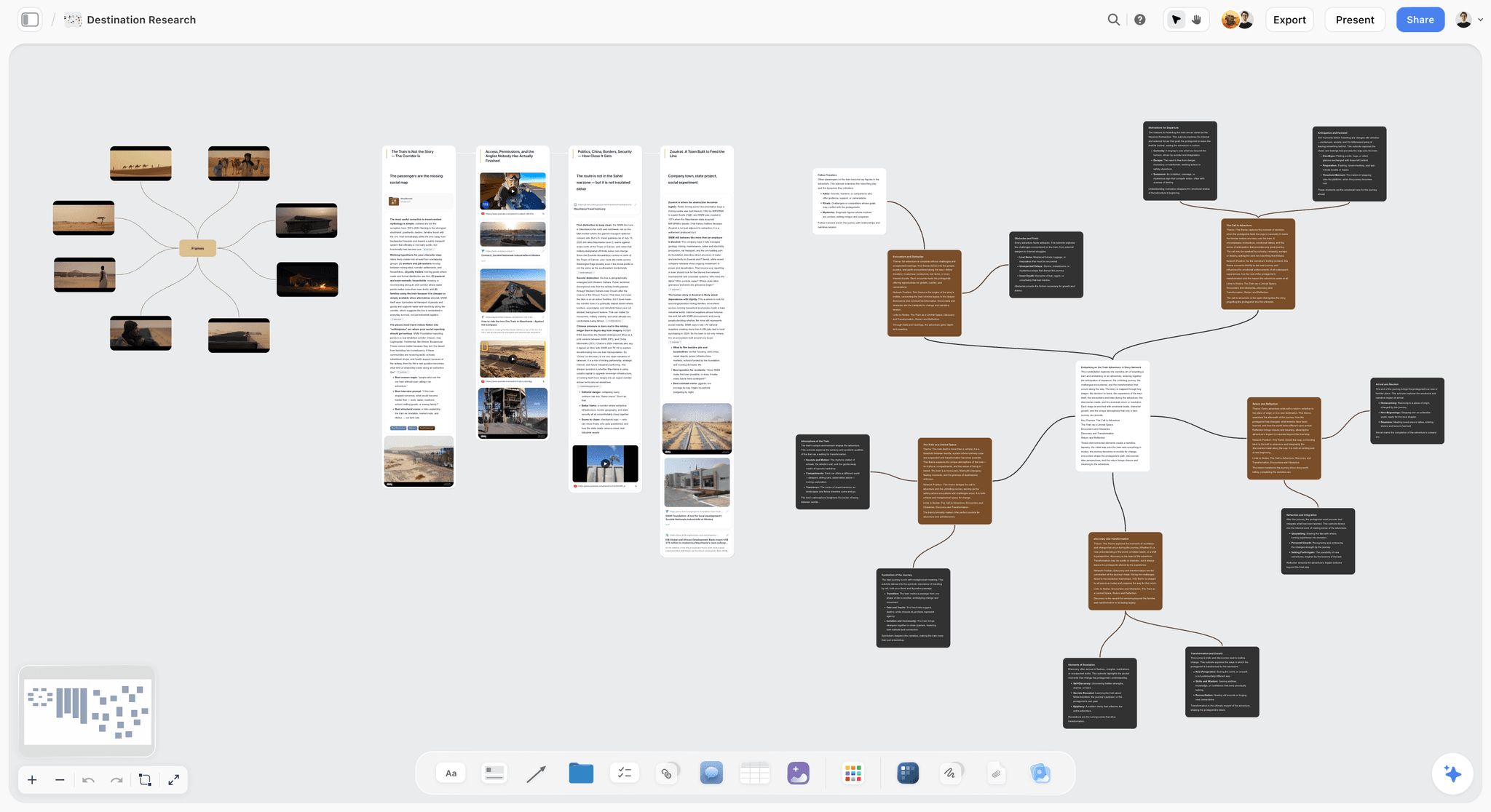
The verdict: Our pick and our own product, first here for getting from a script file to a schedule you can share. Its AI reads the script, builds the breakdown tables, lays the scenes out as color-coded strips grouped into shoot days and drafts each day's call sheet PDF, all on one board. It builds the strip board and is not a full scheduler: no day-out-of-days report and no schedule that recalculates, so choose StudioBinder or Movie Magic Scheduling once you need those.
Best for: Producer-directors of shorts, commercials, music videos and branded shoots without a full-time AD, who want a first-draft schedule in one sitting and the whole plan in front of crew and client.
Key features for this job:
- Attach the script to an AI message as a PDF, Final Draft (.fdx), Fountain or Word file. The AI parses a scene index from the sluglines (scene numbers, INT or EXT, time of day, page-eighth estimates, speaking parts) and opens its reply with a coverage receipt of pages, scenes and speaking parts.
- The AI's script breakdown workflow builds a scene index table (scene, slugline, INT/EXT, time, cast, pages, synopsis) and a full breakdown table (cast, props, wardrobe, vehicles and animals, SFX and stunts, location, notes) filled from each scene's action lines. A scene it has not read gets empty cells, never guessed ones.
- The strip board workflow asks how many shoot days and whether to group by location or keep script order, then builds one wall per day and one strip per scene, colored by the INT/EXT and day/night code, with each day totaled in pages and chained to the next by an arrow. Moving a strip to another day is dragging a card.
- The AI drafts a call sheet PDF for one shoot day from the board: calls, first shot and wrap, sunrise, sunset and weather lines, the nearest hospital, the schedule, cast, crew by department, locations with parking and access, and notes. Anything you did not give it stays blank and is listed as an open item.
- The client opens the board by link with no account and signs in to comment; invited collaborators edit the same board in real time.
Pricing (as of October 2026): Storyflow is paid-only during early access, with plans from $7.99 a month billed annually ($9.99 monthly). A free plan launches before the end of 2026, and anyone a paid member invites to a board joins free. Pro ($14 a month billed annually, $19 monthly) adds AI image generation and memory across conversations; Max ($39 annually, $49 monthly) adds the Team Workspace with Permissions & Roles. AI use is metered on every plan.
Pros:
- One attached script becomes breakdown tables, a strip board and a Day 1 call sheet, with nothing to tag by hand.
- The schedule sits on the same board as the shot list, moodboard and locations, and everyone opens it from one link.
- The AI first draft is included from $7.99 a month billed annually, below every price the other vendors here publish for an AI breakdown.
Where it falls short:
- No day-out-of-days report, no production reports and no conflict checks. For those, use StudioBinder, Filmustage or Movie Magic Scheduling.
- Nothing is live-linked. Edit a breakdown row and the strips stay as they were, and each day's page total is written when the board is built, so dragging a strip does not update it. Ask the AI to rebuild from the board or fix the total yourself; StudioBinder and Celtx carry changes through automatically.
- Page counts are estimates from each scene's share of the script's text, and the cast column lists speaking parts. Re-measure heavy days against the printed pages and add silent parts and extras by hand.
- It does not send call sheets or collect confirmations. StudioBinder sends them with tracking.
- The canvas cannot sort a table, so the breakdown stays in script order and the strip board is where shooting order lives.
Why it is listed first: It is our own product, and it is the only tool here with top marks for time to a first schedule; it is also strong on sharing and price. It gives up the most on depth, which is why a feature's schedule belongs in StudioBinder or Movie Magic Scheduling.
2. StudioBinder
The verdict: The most complete single tool for this job: you import the script, tag it once, and those tags flow into the stripboard, the reports and an auto-filled call sheet.
Best for: Indie features, shorts, commercials and branded shoots where a producer or AD wants one suite from script to call sheet.
Key features for this job:
- Imports PDF, Final Draft, Fountain or TXT scripts, or you write in StudioBinder (script breakdown page); you select and tag elements from a drop-down, and characters with dialogue get cast IDs automatically.
- The breakdown feeds the stripboards, shot lists, storyboards, calendars and call sheets, so a tag made once shows up everywhere it matters.
- The stripboard orders strips automatically by location and time of day, and you can spin off alternate schedules for the day a location falls through.
- Reports cover breakdown summaries, element lists, DOODs and shooting schedules, plus script sides.
- Call sheets arrive auto-filled with weather, location, cast and the nearest hospital, then go out with tracking.
Pricing (checked 9 October 2026): StudioBinder's own pages say it "is free to use", with paid subscriptions for more features. Its pricing page did not show figures when we loaded it, so we do not quote one; check the current tiers before you commit.
Pros:
- The only tool here that scores 8 or better on every criterion except speed.
- Share links and PDFs let people outside the team see the breakdown and schedule.
Where it falls short:
- No built-in AI: a person tags every element. Filmustage or Storyflow will draft the breakdown for you.
- The advanced breakdown and stripboard features sit on paid tiers, and the tier prices were not visible on its pricing page when we checked.
- The free plan's limits are not itemized, and downgrading to it requires having no more than one project.
Why choose it over Storyflow: It is the most complete suite here. It covers all five links with real depth, sends and tracks the call sheet, and shares well. It is slower to a first schedule only because a person does the tagging.
3. Filmustage
The verdict: The deepest AI breakdown here, inside a full pre-production platform whose non-AI tools, DOOD scheduling and call sheets included, are free for one active project.
Best for: Producers and ADs who want AI to tag the script and still need DOODs, conflict checks, budgets and sides, and zero-budget shoots willing to tag by hand.
Key features for this job:
- AI Smart Breakdown tags cast, props, locations, VFX and wardrobe in any language; the free plan breaks down manually, with AI on 20% of scenes.
- Scheduling with DOODs and conflict detection, AI Smart Scheduling, and call sheets built from the schedule.
- Sides assembled from the shooting schedule, with a QR code on every page so the crew can confirm they hold the current version.
- Budgets from templates, and exports to PDF, Excel, Movie Magic Scheduling and Movie Magic Budgeting.
- AI Dude, a chat assistant that can reschedule around a cast conflict, search the script and edit scenes. Every AI operation costs coins.
Pricing (checked 9 October 2026): Free: every non-AI tool, 1 active project, AI breakdown on 20% of scenes and a 100-coin welcome bonus. Director's Cut from $49 a month, or $408 a year billed annually, with 1,000 coins per billing cycle. Enterprise and academic pricing on request. Source: Filmustage pricing.
Pros:
- The most generous free plan in this list for a single shoot.
- Real scheduling depth (DOODs, conflicts) plus exports to Movie Magic's formats.
Where it falls short:
- The AI is paid in coins, and the "From" pricing implies larger coin tiers the page does not list. Storyflow meters its AI inside every plan, from $7.99 a month billed annually.
- Projects built with a full AI breakdown pause when the subscription ends and wait for you to renew (manual projects stay open).
- Its pages list team collaboration but describe no view link for people without an account. StudioBinder and Storyflow both let outsiders look without a login.
Where it fits: The pick when you want AI tagging and day-out-of-days reports together. Top marks on the whole path and near the top on speed. It gives up points on sharing and on what the AI costs.
4. Gorilla Scheduling
The verdict: Movie Magic-style scheduling depth for less money, in a browser (Online) or on Mac and Windows (Desktop), with an AI tagging assistant on the higher tiers.
Best for: ADs and line producers on indie features and series who want breakdown sheets, a stripboard and DOODs without Movie Magic's price.
Key features for this job:
- Breakdown sheets per scene for cast, props, wardrobe, vehicles, locations, special effects and more.
- A stripboard with shoot days and page counts, and reports from breakdown sheets and one-liners to Day Out of Days and shooting schedules. The DOOD runs on any breakdown category, not only cast.
- Breakdown Assistant AI: upload a script and the AI suggests each scene's elements for your review (150 AI-tagged scenes a month on Online Production, 300 on Studio; on Desktop it needs Premium).
- Online's reports suite includes call sheets, with custom report layouts and Excel export from Solo. On Desktop, call sheets come from Koala Call Sheets, a separate product.
Pricing (checked 10 October 2026): Gorilla Scheduling Desktop (or Gorilla Budgeting Desktop) is $24.99 a month, $64.99 a quarter or $199 a year; Scheduling Premium, which adds Breakdown Assistant AI, is $39.99 a month; the Combo Pack with both desktop apps is $39.99 a month or $369 a year. Koala Call Sheets is sold separately. Source: Jungle Software pricing. Gorilla Scheduling Online's prices were not published when checked, so we do not quote them.
Pros:
- The most scheduling depth per dollar here.
- DOOD reports for props, wardrobe or background, not only cast.
Where it falls short:
- Solo has no team collaboration, and free Online exports carry a "Created with Gorilla Scheduling Online" mark.
- No AI on Solo, and shoot days are built by hand. Storyflow's AI groups scenes into days for you, and Filmustage sells AI scheduling on Director's Cut.
- Desktop splits call sheets into a separate app.
Where it fits: Near-top depth at a low price. It loses on speed and sharing.
5. Yamdu
The verdict: A production-office platform where breakdown and scheduling are two modules among budgeting, crew, locations, distribution and time cards.
Best for: Production companies, European co-productions especially, that want the whole office in one system rather than one shoot planned fast.
Key features for this job:
- Script import from Final Draft, PDF and other formats, with AI breakdown suggestions for each department to confirm.
- A drag-and-drop stripboard, or an existing Movie Magic schedule imported, plus Day Out of Days reports.
- A call sheet builder, and distribution of scripts and files with custom watermarks and tracking.
- AI synopsis and script changes, AI one-liners, budgeting with Showbiz import and export, and a mobile app.
Pricing (checked 9 October 2026): Not shown. Yamdu's site offers a free sign-up and a sales contact, and its pricing page rendered no figures when we loaded it.
Pros:
- AI suggestions routed to the departments that own them.
- Reads Movie Magic schedules, so a production can move in mid-prep.
Where it falls short:
- No published prices: you sign up or ask sales, which makes one shoot hard to budget in advance. StudioBinder and Storyflow publish a starting point.
- No refunds (credit on upgrade instead), and data is stored in the EU, which suits some productions and not others.
Where it fits: Full marks on the path and strong on depth and sharing; the price pulls it down for a single shoot. StudioBinder vs Yamdu vs Celtx compares the three linked-data suites.
6. Movie Magic Scheduling
The verdict: The deepest scheduler here, sold by Entertainment Partners as the industry's leading scheduling software, but it stops at the schedule: no call sheets, no free plan and no AI.
Best for: 1st ADs and production offices on features, series and union productions, where depth matters more than speed.
Key features for this job:
- Imports Final Draft (.fdx), Scheduling Export (.sex) or Movie Magic Screenwriter files, creating a breakdown sheet for each detected scene with its header, talking characters and element tags.
- A drag-and-drop stripboard with a split-screen breakdown sheet and board view, multi-episode schedules, multi-unit sub-boards, automatic conflict detection and a calendar for fittings, rehearsals and travel.
- Reports: one-line and shooting schedules, DOOD report and summary (the DOOD also on screen), elements, breakdown, calendar, conflict and red flag reports, with the one-liner exportable to Excel.
- A Shared File in EP Cloud lets several people edit one schedule at once, and elements transfer to Movie Magic Budgeting.
Pricing (checked 10 October 2026): The EP store lists Movie Magic Scheduling at $42.99 a month or $299.88 a year; the product page shows no price itself. Movie Magic Budgeting is a separate product.
Pros:
- The deepest reports and scheduling controls in this list.
- The format other tools exchange: Filmustage exports to it and Yamdu imports its schedules.
Where it falls short:
- No call sheets: pair it with StudioBinder, SetHero or a call sheet generator.
- A Windows or macOS download, and everyone on a Shared File needs the software installed and an EP account.
- No AI, and pricing sits behind the EP Store.
Where it fits: Full marks on depth, but for one shoot it covers the fewest links and takes the longest to learn. For a feature it is the first tool to consider, and it remains the scheduler to learn if you want to work as an AD. The best Movie Magic alternatives covers the field around it.
7. Celtx
The verdict: The natural pick if your script already lives in Celtx: tag elements by highlighting the script and they fill the catalog and the stripboard, then the call sheets and reports. The production tools sit behind Celtx's Team tier or a paid add-on.
Best for: Writer-directors and small teams who write in Celtx and want the breakdown to start from the same file.
Key features for this job:
- Highlight text in the script and tag it as a production asset, color-coded by category; the tags populate the catalog and the stripboard automatically.
- A drag-and-drop stripboard with End of Day strips, and shoot days added to the calendar as you create them.
- Call sheets generated and updated from the production data, plus production reports such as day out of days, the one-line schedule and shooting sides (Celtx production).
- Review and approval and revision mode from Writer Pro.
Pricing (checked 9 October 2026): The Celtx pricing page lists Free, Writer, Writer Pro, Team, Education and Student, with a yearly discount but no figures when we loaded it. Shot lists, breakdown, schedule and call sheets are included on Team, Education and Student; on Writer and Writer Pro the breakdown, schedule and call sheets are an optional add-on; Free includes none of them.
Pros:
- The breakdown starts inside the script, so tags sit exactly on the words.
- Data flows from breakdown to stripboard to call sheet with no retyping.
Where it falls short:
- Production tools need Team (3 members minimum) or an add-on, so a solo producer pays for writing tools first. If scheduling is all you need, price it against a dedicated scheduler such as Gorilla Scheduling Desktop at $24.99 a month.
- No AI found on its production pages.
Where it fits: Strong on the path and on checkable tags, but slow to a first schedule and the costliest way into its own production tools. StudioBinder vs Celtx goes deeper on the pair.
StudioBinder vs Movie Magic vs Celtx vs Storyflow: Six Rounds From Script to Call Sheet
These are the four tools people compare first. Here is how each one handles the same six moments of the job.
Round 1: Getting the Script In
StudioBinder imports PDF, Final Draft, Fountain or TXT; Movie Magic turns each scene of an .fdx, .sex or Screenwriter file into a breakdown sheet; Celtx is best with scripts written in Celtx; Storyflow's AI reads PDF, Final Draft, Fountain or Word. Winner: StudioBinder and Storyflow, tied on formats.
Round 2: Tagging the Breakdown
StudioBinder tags from a drop-down with cast IDs assigned automatically, Celtx tags by highlighting and Movie Magic gives each scene a customizable sheet. Storyflow's AI fills a breakdown table from the action lines with no tagging by hand, but its tags do not sit on the page. Winner: StudioBinder.
Round 3: From Breakdown to Strips
StudioBinder auto-orders strips by location and time of day, Movie Magic adds split screens and multi-unit sub-boards, and Celtx fills its stripboard from the script. Storyflow's AI builds every day in one request, grouped by location and light and balanced toward 4 to 6 pages. Winner: Storyflow for the first draft, Movie Magic for reworking a long schedule.
Round 4: Day Out of Days and Reports
Movie Magic has the DOOD report and summary plus conflict, red flag and calendar reports; StudioBinder has DOODs and breakdown reports; Celtx lists a day out of days among its standard reports. Storyflow has none: the AI can tell you which days an actor works, but that is an answer in chat, not a report. Winner: Movie Magic Scheduling.
Round 5: The Call Sheet
StudioBinder auto-fills, sends and tracks; Celtx generates call sheets from production data; Storyflow's AI drafts one day's PDF and lists every missing detail as an open item, without sending it; Movie Magic makes none. Winner: StudioBinder.
Round 6: Sharing and Cost
StudioBinder is free to use, with paid tiers for more, plus share links and PDFs for people outside the team. Movie Magic is sold through the EP Store per seat, plus a separate call sheet tool. Celtx's production tools need Team or a paid add-on. Storyflow starts at $7.99 a month billed annually, and its board opens by link with no account. Winner: Storyflow.
| Round | Winner | Runner-up | The deciding fact |
|---|---|---|---|
Getting the script in | StudioBinder and Storyflow (tie) | Movie Magic | Four formats each; Movie Magic carries tags over from Final Draft |
Tagging the breakdown | StudioBinder | Celtx | Tags sit on the words, with an element manager |
Breakdown to strips | Storyflow (first draft) | Movie Magic (rework) | The AI groups scenes into balanced days in one request |
DOOD and reports | Movie Magic Scheduling | StudioBinder | DOOD, conflict and red flag reports |
The call sheet | StudioBinder | Celtx | Auto-filled, sent and tracked |
Sharing and cost | Storyflow | StudioBinder | From $7.99 a month with AI; a board a client opens without an account |
Worked Example: LOW TIDE, a 12-Page Short, From Script to Day 1 Call Sheet
LOW TIDE is a 12-page short with 11 scenes, four speaking parts (MARA, JOE, NELL and the HARBORMASTER), two dock workers in the background, three locations and a hatchback that doubles as a set. The producer is also the director, there is no 1st AD, and the client (a regional film fund that wants to see the plan) needs something it can open before the green light. Here is the scene index a breakdown should produce, with the shoot day each scene ends up on.
| Scene | Slugline | Pages | Cast | Shoot day |
|---|---|---|---|---|
1 | EXT. HARBOR - DAWN | 6/8 | MARA | Day 1 |
2 | INT. MARA'S FLAT - DAY | 1 2/8 | MARA, NELL | Day 2 |
3 | INT. MARA'S FLAT - NIGHT | 7/8 | MARA | Day 2 |
4 | EXT. COAST ROAD - DAY | 1 | MARA | Day 1 |
5 | INT. HARBOR OFFICE - DAY | 1 3/8 | MARA, HARBORMASTER | Day 2 |
6 | EXT. HARBOR - NIGHT | 1 6/8 | MARA, JOE | Day 3 |
7 | INT. JOE'S HATCHBACK - NIGHT | 6/8 | MARA | Day 3 |
8 | INT. MARA'S FLAT - DAY | 1 1/8 | MARA, NELL | Day 2 |
9 | EXT. BEACH - DUSK | 1 4/8 | MARA, JOE | Day 3 |
10 | INT. HARBOR OFFICE - NIGHT | 7/8 | MARA, HARBORMASTER | Day 2 |
11 | EXT. HARBOR - DAWN | 6/8 | MARA, NELL | Day 1 |
The totals: Day 1 is 2 4/8 pages (two dawn exteriors and the coast road), Day 2 is 5 4/8 pages (every interior, with scenes 3 and 10 shot by day behind blacked-out windows), and Day 3 is 4 pages (the dusk beach, then the night harbor and the car). That is 12 pages in three days.
Step through it in Storyflow
The producer exports the script from the screenwriting app as a Fountain file and attaches it to an AI message on a new board, asking for both the scene index and the full breakdown. The AI's reply opens with the coverage receipt (12 pages, 11 scenes, four speaking parts), then it builds two tables: the scene index above, and a full breakdown with props, wardrobe, vehicles and animals, SFX and stunts, location and notes per scene. The dock workers are not in the cast column, because the index lists speaking parts, so the producer types them into scene 6's notes. The torch, the car keys and the rain towers come from the action lines.
Next the producer asks for a strip board. The AI asks how many shoot days and in what order; the producer answers "2 to 3" and "group by location". The AI builds three day walls with one strip per scene, colored by the INT/EXT and day or night code, each wall totaled in pages and chained to the next by an arrow, and it names the heaviest day. Grouping by location is blind to turnaround: a draft that puts the harbor night exteriors on the day before the harbor dawn exteriors gives the crew a wrap after midnight and a pre-dawn call the next morning. So the producer checks every day break and drags the dawn strips onto the first wall and the night strips onto the last, then fixes the two page totals by hand, because a dragged strip does not update them.
Then: "Draft the call sheet for Day 1." The AI drafts a call sheet PDF from the board with the schedule table (time, scene, description, location, cast, pages), the cast block, crew by department, the harbor location with parking and access, and the notes. The producer never gave it a phone number or the hospital address, so those lines are blank and listed as open items instead of invented. Last, the producer turns on the board's view link and sends it to the fund: they open the breakdown, the strips and the PDF with no account, and sign in to comment.
The same short in the other tools
| Link in the chain | StudioBinder | Filmustage | Movie Magic Scheduling | Storyflow |
|---|---|---|---|---|
Script in | Import, then tag each element by hand | Import; AI tags on Director's Cut, manual on Free | Import .fdx; each scene becomes a breakdown sheet | Attach the file; AI builds the scene index |
Breakdown | Tags on the page, cast IDs automatic | AI Smart Breakdown in any language | Breakdown sheet per scene, categories you customize | Two tables; empty cells where a scene was not read |
Strips and days | Auto-ordered stripboard, alternate schedules | Schedule with DOODs, conflicts, AI Smart Scheduling | Drag and drop, conflicts, sub-boards | AI groups strips into days; you drag to adjust |
DOOD | Yes | Yes | Yes, report and summary | No report; ask the AI which days an actor works |
Call sheet | Auto-filled, sent and tracked | Built from the schedule | None | PDF drafted from the board, not sent |
The fund sees it | Share link or PDF | Team collaboration; no public link described | Shared File needs the software and an EP account | View link with no account; sign in to comment |
For a 12-page short, all four finish the job. The difference is where the producer's afternoon goes: tagging in StudioBinder, coins and checks in Filmustage, learning curve in Movie Magic, and fixing the AI's draft in Storyflow.
How to Break Down a Script and Build a Shooting Schedule: 8 Steps
This is the method, whichever tool you pick. Each step names what the software should do for you and what stays your job.
Step 1: Lock the script and export it clean
Break down a locked draft with its scene numbers, never a draft still being rewritten. Export it from the screenwriting app (Final Draft, Fountain or PDF) instead of scanning a printout, so the sluglines and page breaks survive. If scene numbers change after the breakdown, every strip and every call sheet built on them is wrong.
Step 2: Build the scene index first
One row per scene: number, slugline, INT or EXT, time of day, pages in eighths, speaking cast. This is the spine every other document hangs on. Check the page total against the script's real page count; a gap of more than a page means a scene was missed or merged.
Step 3: Tag every element from the action lines
Cast, background, props, wardrobe, hair and makeup, vehicles, animals, special effects, stunts, sound and special equipment. Read the action lines, not only the dialogue: silent characters, a dog in the yard and a car in the background are where every tool's automatic cast detection stops. The script breakdown checklist lists every category.
Step 4: Turn each scene into a strip
Each strip carries the scene number, set, INT or EXT, day or night, page count and cast. Color them in the industry code: white for interior day, yellow for exterior day, blue for interior night, green for exterior night.
Step 5: Group strips into shoot days
Group by location first (every company move costs hours), then by light (all the night exteriors on the same night), then by cast (keep an actor's work days together to cut hold days). For narrative work, aim for 4 to 6 pages a day and write down what you balanced for.
Step 6: Check turnaround, cast days and the heavy day
Look at each day break: a late wrap followed by an early call breaks the crew's rest. Count each actor's work and hold days (the DOOD). Find the heaviest day and either split it or protect it with a simpler day after.
Step 7: Draft the call sheet from the schedule, not from memory
Pull the day's scenes, cast, locations and times straight from the schedule. Leave unknowns blank and chase them, never guess. How to Make a Call Sheet covers every block of the sheet.
Step 8: Share one version and keep it current
Send one link or one PDF per day, dated, and replace it when anything moves. Two versions of Day 2 in circulation is how an actor arrives at the wrong location.
The schedule is only as good as the breakdown under it, and the call sheet is only as good as the schedule.
What Script Breakdown and Scheduling Software Really Costs in 2026
Every figure is from the vendor's own pricing page, checked on 9 October 2026. Three of the seven (StudioBinder, Yamdu and Celtx) showed no figures on their pricing pages when we loaded them. StudioBinder's own Indie plan article lists Indie at $49 a month for 2 users; for Yamdu and Celtx we describe the billing shape and leave the number to you.
| Tool | Solo producer, one shoot | Team of 3 to 5 | Billing shape | What the price leaves out |
|---|---|---|---|---|
Storyflow | From $7.99/mo annual ($9.99 monthly) | Invited collaborators join free | Per account | No DOOD, reports or call sheet distribution |
StudioBinder | Free to use | Indie $49/mo for 2 users (support article) | Tiers by number of users | Advanced breakdowns and stripboards are on paid tiers |
Filmustage | Free for 1 active project (manual breakdown) | Director's Cut from $49/mo or $408/yr | Flat plan plus AI coins | Larger coin tiers are not listed |
Gorilla Scheduling Desktop | $24.99/mo or $199/yr | Per license | Monthly, quarterly or yearly | Koala Call Sheets sold separately; Breakdown Assistant AI needs Premium |
Yamdu | Not published | Not published | Not published | No prices on the page |
Movie Magic Scheduling | $42.99/mo or $299.88/yr | $299.88 a seat per year | Per seat | No call sheets; budgeting is a separate product |
Celtx | Production tools are an add-on to Writer or Writer Pro | Included on Team | Per seat | No figures shown when checked |
Two patterns matter more than the headline number. First, the AI costs extra almost everywhere it exists: Filmustage in coins, Gorilla in its Premium tier and its web assistant, Yamdu in its platform price. Storyflow meters AI inside every plan. Second, sharing: StudioBinder (share links) and Storyflow (view links) let outsiders look without buying a seat; Movie Magic needs the software on every collaborator's computer.
For one shoot, the cheapest complete path is StudioBinder's free plan if you tag by hand, or Filmustage's free plan if you want DOODs; the lowest published price here for an AI that drafts both the breakdown and the schedule is Storyflow at $7.99 a month billed annually.
Which Tool for Which Producer?
Pick by the shoot and by who is doing the scheduling, not by the feature list.
| You are | Your shoot | Pick | Why |
|---|---|---|---|
A producer-director without an AD | A 1 to 5 day short, commercial or music video | Storyflow | The AI drafts the breakdown, strips and call sheet PDF on one board you can show by link |
A producer or AD on an indie | A 5 to 20 day short or low-budget feature | StudioBinder | One suite from tags to tracked call sheets, with a free plan to start |
A producer who wants AI and reports | Any shoot that needs DOODs and budgets | Filmustage | AI breakdown plus DOODs, conflicts and budgets, free for one manual project |
A 1st AD or line producer | A feature, series or union shoot | Movie Magic Scheduling | The deepest scheduler and the format others exchange |
An AD on a tight budget | An indie feature | Gorilla Scheduling | Movie Magic style depth on the desktop for $24.99 a month or $199 a year |
A production company | Several productions a year | Yamdu | The whole office, from breakdown to time cards |
A writer-director | Anything written in Celtx | Celtx | The breakdown starts in the script file itself |
By production size:
- 1 to 3 shoot days, fewer than 15 scenes: Storyflow from $7.99 a month, or StudioBinder's free plan. You can read the DOOD straight off the strips.
- 4 to 10 shoot days: Storyflow, StudioBinder or Filmustage for the first draft, with a DOOD check before you book cast.
- 10 to 20 shoot days: a paid StudioBinder tier, Filmustage or Gorilla Scheduling. Hold days start to cost real money.
- 30 or more days, multiple units or episodes: Movie Magic Scheduling or Gorilla, run by a 1st AD.
Common Mistakes in Script Breakdown and Shoot Scheduling (and the Fix)
Mistake 1: Trusting automatic cast detection
Every tool that detects cast finds speaking parts. Silent characters, background, doubles and animals are missed. The fix: read each scene's action lines after the automatic pass and add what the dialogue does not show.
Mistake 2: Breaking down an unlocked draft
A rewrite after the breakdown renumbers scenes and moves props. The fix: lock scene numbers before you tag, and use A and B numbers (24A) for new scenes rather than renumbering.
Mistake 3: Scheduling in script order
Script order feels safe and costs you company moves. The fix: group by location and light unless the story truly needs continuity (a performance piece, a one-take scene, a child actor's arc).
Mistake 4: Ignoring turnaround between night and day
A night exterior wrap followed by a dawn call leaves the crew no rest. The fix: put nights at the end of a block, or before a rest day.
Mistake 5: Believing the page total without reading the pages
Page eighths measure text, not time: a half-page fight takes longer than two pages of dialogue. Estimates from any tool, Storyflow's included, need an AD's eye on the heavy scenes.
Mistake 6: Retyping between the breakdown, the schedule and the call sheet
Every copy is a chance to drop a prop or an actor. The fix: pick a tool where the call sheet is built from the schedule (StudioBinder, Celtx, Filmustage) or drafted from the board (Storyflow), and never from a blank template.
Mistake 7: Sending more than one version of a day
A call sheet updated in one place and not another sends people to the wrong location. The fix: one dated file or one link per day, and say in the message what changed.
When Storyflow Is Not the Right Choice
Storyflow is our product, and it is the right tool for a producer who wants a first schedule and a call sheet PDF in one sitting, on a board a client can open. It is the wrong tool in these cases.
- You need a day-out-of-days report for cast contracts. Storyflow has no DOOD report. Use Movie Magic Scheduling, StudioBinder or Filmustage.
- The schedule changes daily across a long shoot. Storyflow's tables and strips are not live-linked, so edits do not ripple. Use StudioBinder or Celtx, where a tag carries through.
- You need to send call sheets and track confirmations. Storyflow drafts the PDF and does not send it. Use StudioBinder, or SetHero, which builds, sends and tracks call sheets from $19 a month with the first project free. The three are compared in StudioBinder vs SetHero vs Storyflow for call sheets.
- Your bond company or studio expects Movie Magic files. Use Movie Magic Scheduling, or Filmustage, which exports to its format.
- You need a free tool today. Storyflow is paid-only during early access; StudioBinder and Filmustage have free plans.
- You want the shoot on a calendar grid. The board has no calendar or month grid; dates live in table date cells, with rows kept in date order. StudioBinder has production calendars.
Copy-Ready Checklist: From Script to Call Sheet
Run this list for any shoot, in any tool.
- Script locked, scene numbers fixed, exported as Final Draft, Fountain or PDF.
- Scene index built, page total matched against the script.
- Every scene's action lines read for silent cast, background, animals and vehicles.
- Breakdown categories filled: cast, background, props, wardrobe, makeup, vehicles, SFX, stunts, special equipment.
- Strips colored in the industry code, one per scene.
- Days grouped by location, then light, then cast, with a page total per day.
- Turnaround checked at every day break, nights at the end of a block.
- Cast work and hold days counted, and the DOOD run if the shoot pays hold days.
- Heaviest day named and either split or followed by a lighter one.
- Call sheet drafted from the schedule, unknowns listed as open items.
- Hospital, parking and weather lines filled for every location.
- One dated call sheet per day sent, with a note of what changed.
- The schedule shared with the client or funder by link.
In Storyflow, steps 2, 3, 5, 6 and 10 are drafted by the AI from the attached script and the board; steps 1, 7, 8, 9, 11 and 12 stay with you. The shooting schedule page shows the board this builds. For the day itself, once the schedule exists, see the best shoot day planning apps, and for where each of these documents is filed, the production binder.
The Bottom Line
Several tools do both jobs. Which one to pick depends on how far the data has to travel. Storyflow, our own product, is our pick for getting from a script file to a schedule you can share: its AI builds the breakdown tables, groups the scenes into shoot days as strips and drafts the call sheet PDF, on one board a client opens by link, from $7.99 a month billed annually. StudioBinder is the most complete single suite: tag once, and the tags reach the stripboard, the reports and a tracked call sheet. Filmustage is the best pick when you want AI to tag the script and still need DOODs and budgets.
For a feature or a series, learn Movie Magic Scheduling or Gorilla Scheduling: over 30 days, depth beats speed.
FAQ: Script Breakdown and Shoot Scheduling Software
What's the best software for script breakdown and scheduling a shoot?
Storyflow, our own product, is our pick for a first draft: attach the script and its AI builds the breakdown tables, groups scenes into shoot days as strips with page totals and drafts the call sheet PDF on one board. StudioBinder is the most complete single suite, because tags made once flow into the stripboard, the reports and a tracked call sheet. Filmustage suits producers who want AI tagging with DOODs and budgets, and Movie Magic Scheduling suits features and series that need the deepest scheduler.
Is there one tool that does script breakdown, scheduling and call sheets?
Yes. Storyflow covers all three on one board with an AI that drafts each step. StudioBinder, Celtx (on its Team tier or with the production add-on), Filmustage and Yamdu also cover breakdown, stripboard and call sheets in one product. Movie Magic Scheduling does breakdown and scheduling in depth but makes no call sheets, so it needs a second tool for the last step.
Is Storyflow free?
Not yet. Storyflow is paid-only during early access, with plans from $7.99 a month billed annually ($9.99 monthly). A free plan launches before the end of 2026, and anyone a paid member invites to a board joins free. For a free breakdown and schedule today, StudioBinder, Filmustage and Gorilla Scheduling Online each have a free tier with limits.
Can Storyflow's AI break down a screenplay?
Yes. Attach the script to an AI message as a PDF, Final Draft (.fdx), Fountain or Word file, and the AI's script breakdown workflow builds a scene index (scene, slugline, INT/EXT, time, cast, pages, synopsis) and a full breakdown table of cast, props, wardrobe, vehicles and animals, SFX and stunts, location and notes. Page counts are estimates in eighths, the cast column lists speaking parts, and a scene it did not read gets empty cells rather than guessed ones.
Can Storyflow make a shooting schedule and a stripboard?
Yes. The AI's strip board workflow asks how many shoot days and whether to group by location or keep script order, then builds one wall per day and one colored strip per scene, with each day totaled in pages. You move a scene to another day by dragging its card. It has no day-out-of-days report, conflict checks or production reports; for those use StudioBinder, Filmustage or Movie Magic Scheduling.
StudioBinder vs Movie Magic Scheduling: which is better?
StudioBinder is better for most shoots under 20 days: it runs in a browser, has a free plan, and carries the breakdown through to tracked call sheets. Movie Magic Scheduling is better for features, series and union productions, where its conflict and red flag reports, multi-unit sub-boards and DOOD depth matter, and where studios and bond companies expect its files. Movie Magic Scheduling costs $42.99 a month or $299.88 a year from the Entertainment Partners store, and its product page does not describe call sheets.
Is Celtx good for scheduling a shoot?
Celtx is good if you already write in it: highlighting the script tags elements that fill the catalog and the stripboard, and call sheets and reports are generated from the same data. The production tools are included only on the Team tier (3 members minimum) or as an add-on to Writer plans; its pricing page showed no figures when we checked. Its scheduling is lighter than the dedicated schedulers, and no DOOD appears on its scheduling page.
Is Filmustage better than StudioBinder for script breakdown?
For speed, yes: Filmustage's AI Smart Breakdown tags the script for you, while StudioBinder has no built-in AI and a person tags every element. For the path to the call sheet and for sharing, StudioBinder is stronger: its call sheets are sent and tracked, and outside collaborators need no account. Filmustage's AI is paid in coins on Director's Cut, from $49 a month or $408 a year.
What is Gorilla Scheduling best for?
Gorilla Scheduling is best for ADs who want Movie Magic style depth for less: breakdown sheets, a stripboard and DOOD reports on any breakdown category, from $24.99 a month or $199 a year for Gorilla Scheduling Desktop. The Premium tier adds a Breakdown Assistant AI, and call sheets live in Koala Call Sheets, sold separately.
Gorilla Scheduling vs Movie Magic Scheduling: which costs less?
Gorilla Scheduling Desktop is $24.99 a month or $199 a year; Movie Magic Scheduling is $42.99 a month or $299.88 a year (both checked 10 October 2026). Gorilla gives you breakdown sheets, a stripboard and DOOD reports for about a third less a year. Movie Magic is the one to pay for when a studio, a bond company or a 1st AD expects its files.
What is a stripboard in film production?
A stripboard is a shooting schedule made of strips, one per scene, each carrying the scene number, set, INT or EXT, day or night, page count and cast. Strips are colored by scene type (white interior day, yellow exterior day, blue interior night, green exterior night) and divided into shoot days by a day break. Scheduling means moving strips until every day can be shot.
What is a day out of days report?
A day out of days (DOOD) is a grid of cast members against shoot days that marks when each actor starts work (SW), works (W), is held (H) and finishes (WF). Producers use it to book and pay actors, because hold days cost money. Movie Magic Scheduling, StudioBinder, Filmustage, Gorilla Scheduling and Yamdu produce one; Storyflow does not.
How many pages should you schedule per shoot day?
For narrative work, 4 to 6 pages a day is the usual target on a short or indie feature, fewer for action, stunts, children, animals or heavy setups, and more for dialogue scenes in one location. Page eighths measure script length, not shooting time, so an AD adjusts the heavy scenes by eye.
Is StudioBinder free, and what does it cost?
StudioBinder's own pages say it is free to use, with paid subscriptions for more features; the advanced breakdown and stripboard features sit on paid tiers. Its pricing page showed no figures when we checked on 9 October 2026, so confirm the current tiers there. Storyflow starts at $7.99 a month billed annually and is paid-only during early access; Filmustage is free for one manual project.
Can I break down a script and build a schedule from ChatGPT or Claude?
Yes, through Storyflow's connector. ChatGPT, Claude, Gemini and Grok can read your Storyflow projects and build boards, documents and decks in them, so you can ask for the breakdown and the strip board from the chat you already use and open the result on the board. Setup is on the connector page.
Can AI do a script breakdown accurately?
AI tagging is a fast first pass, not a finished breakdown. Filmustage, Gorilla's Breakdown Assistant, Yamdu's suggestions and Storyflow's AI all read the script and propose elements, and all of them need a person to check silent characters, background, animals and implied props. Storyflow's AI leaves a scene's cells empty when it has not read that scene, which makes the gaps easy to spot.
Can a client see the shooting schedule without an account?
In Storyflow, yes: turn on the board's view link and the client opens the breakdown, strips and call sheet with no account, and signs in to comment. StudioBinder makes share links and PDFs of the schedule. Movie Magic Scheduling's Shared File needs the software installed and an EP account.
Does Storyflow send call sheets to cast and crew?
No. The AI drafts a call sheet PDF for one shoot day from the board, with calls, the schedule, cast, crew by department, locations with parking and access, the nearest hospital and notes, and anything you did not provide is left blank and listed as an open item. You send the PDF yourself. StudioBinder and SetHero send call sheets and track who opened them.
Table of Contents
- Which Tool Should You Use for Script Breakdown and Scheduling a Shoot?
- Key Takeaways
- Why Script Breakdown and Scheduling Belong in One Tool
- What Is a Script Breakdown Sheet?
- What Is a Stripboard?
- How We Evaluated Script Breakdown and Scheduling Software
- Comparison Table: 7 Script Breakdown and Scheduling Tools Side by Side
- The 7 Best Tools for Script Breakdown and Shoot Scheduling, Ranked
- 1. Storyflow
- 2. StudioBinder
- 3. Filmustage
- 4. Gorilla Scheduling
- 5. Yamdu
- 6. Movie Magic Scheduling
- 7. Celtx
- StudioBinder vs Movie Magic vs Celtx vs Storyflow: Six Rounds From Script to Call Sheet
- Worked Example: LOW TIDE, a 12-Page Short, From Script to Day 1 Call Sheet
- How to Break Down a Script and Build a Shooting Schedule: 8 Steps
- What Script Breakdown and Scheduling Software Really Costs in 2026
- Which Tool for Which Producer?
- Common Mistakes in Script Breakdown and Shoot Scheduling (and the Fix)
- When Storyflow Is Not the Right Choice
- Copy-Ready Checklist: From Script to Call Sheet
- The Bottom Line
- FAQ: Script Breakdown and Shoot Scheduling Software
- Related Reading
Templates to check out for this topic


Templates you can use in Storyflow
Every Storyflow board starts from real structure and an AI that reads the whole canvas. Open one of these templates and make it yours.


See Storyflow in Action
A visual AI workspace where every feature lives inside one canvas. No tab-switching, no context lost.
Build your entire board from a single message
Type what you need in the AI chat at the bottom of your canvas. The AI adds cards, headings, and structure directly onto your board.
Use expert frameworks as AI context
Type @ in the AI chat and choose any Tactic. The AI tailors every response to that framework instead of giving generic advice.
Turn your board into a mind map in seconds
Ask the AI to restructure your canvas as a mindmap. It connects your ideas into a visual hierarchy so you can see how everything relates.
Why Storyflow Exists
Storyflow actually began as a personal tool while working on creative and research projects.
We kept running into the same problem: ideas were scattered everywhere: notes, documents, and whiteboards.
Nothing helped us see how everything connected.
So we started building a workspace designed around how ideas actually grow.
→ Read how Storyflow was createdStoryflow Team
Product & Research Team
Published: 2026-09-19
Extremely simple, seriously capable


See how easy it is to get started
Watch a real project come together, from a blank board to a finished plan, clicked through step by step.
Start creating with AI and become more productive
Transform your creative workflow with AI-powered tools. Generate ideas, create content, and boost your productivity in minutes instead of hours.