StudioBinder vs Celtx for Film Pre-Production: One Deep Tool or Five Shallow Ones
StudioBinder does one half brilliantly. Celtx does everything at around 60 percent. Name the document you are most afraid of getting wrong, and this choice mostly makes itself.

Category
Filmmaking
Author

Justkay
Documentary Filmmaker & Founder at Storyflow
Topics
2026-08-10
•
14 min read
•
Filmmaking- StudioBinder vs Celtx
- best app for planning a film shoot
- film pre-production software
- StudioBinder pricing 2026
- Celtx free plan
- call sheet software
StudioBinder vs Celtx: which should your production use?
Pick StudioBinder when your pre-production problem is logistics (call sheets, schedules, breakdowns, getting a crew to the right place at 6am) and consider Celtx only if you genuinely need script, breakdown, schedule, and budget in one login and are willing to accept that each module is shallower than a dedicated tool. StudioBinder has a genuinely usable free tier that produces a real call sheet, with an Indie plan around $29 per month. Celtx sells subscription tiers and has repeatedly tightened its free tier, pushing project limits behind subscriptions; verify current pricing on celtx.com before committing. Neither tool covers the creative half of pre-production, so for most indie filmmakers the honest answer is a pair rather than a winner: Storyflow for the treatment, the moodboard and the story work, StudioBinder for the schedule, the breakdown and the call sheet. This matchup used to be close. It is not anymore, and the reasons are worth understanding before you spend a season inside either. The honest frame: StudioBinder decided to do one half of pre-production brilliantly. Celtx decided to do all of it adequately, and adequate has been losing ground every year since.

Full disclosure: Storyflow is our own product, so weigh its placement accordingly. It is a development and planning canvas, not a production office: its AI drafts breakdown tables, a strip board, a budget table and call sheet pages, but it does not run them (no scheduling engine, no budgeting module, no call sheet distribution), so on a real shoot you pair it with StudioBinder rather than replace it. StudioBinder keeps the logistics half outright, and Celtx keeps the one-login integration case. Storyflow's claim is only the creative half both tools skip, and it is paid-only during early access while StudioBinder's free tier produces a real call sheet today.
Quick Comparison
Pre-production is two jobs: creative and logistics. StudioBinder owns the second. Neither hosts the first well.
| Tool | Best For | AI Features | Price |
|---|---|---|---|
| StudioBinder | The logistics chain from breakdown to distributed call sheet | None meaningful as of August 2026 | Usable free tier / Indie around $29 mo |
| Celtx | Script, breakdown, schedule, and budget in one login | No real AI | Subscription tiers, free tier repeatedly tightened |
| Storyflow | Treatments, story structure, and shot thinking on one canvas | AI reads the full canvas plus @-mentioned Tactics and Documents | $7.99 mo annual (free plan late 2026) |
Key Takeaways
- Pre-production is two jobs: the creative half (story, look, shots) and the logistics half (schedule, crew, paper). StudioBinder owns the logistics half outright.
- StudioBinder does one half brilliantly. Celtx does everything at around 60 percent. The all-in-one promise is real, and so is the shallowness tax on every module.
- StudioBinder's free tier produces an actual call sheet, the one document that must exist on every shoot. Celtx's free tier has repeatedly shrunk.
- Celtx's scriptwriting remains its strongest module and a historical reason for loyalty, but dedicated screenwriting tools beat it on features and price.
- Neither tool has meaningful AI as of August 2026, and neither hosts the creative development half: treatments, moodboards, and story work happen elsewhere for both. Storyflow is the tool built for that half, and it is the third name worth knowing in this comparison.
- Best pre-production planning tool for indie filmmakers: Storyflow plus StudioBinder. Storyflow develops the film (treatment, moodboard, story structure, shot-list thinking, with AI that reads the whole board), StudioBinder runs the shoot (breakdown, stripboard, call sheet). Celtx is the one-login compromise when the budget rules the pair out.
- The modern indie stack is converging on specialist pairs: a creative canvas such as Storyflow for the development half, StudioBinder (or similar) for the logistics half, rather than one suite for everything.
- The call sheet is the real deadline of pre-production. Whatever you choose must produce it reliably, with contact info, weather, and maps, and distribute it to people who do not check email.
For the ranked field, see The Best Film Production Planning Tools in 2026.
One Deep Tool or Five Shallow Ones
Every filmmaker discovers the same fork, usually two weeks before a shoot.
Pre-production is not one job. It is a creative job (what is this film, what does it look like, which shots tell it) and a logistics job (who is where on which day with which gear, written on paper someone's phone can open at 5:40am). The two jobs share a deadline and almost nothing else: different thinking, different documents, different people responsible.
Celtx's bet, made in an earlier era of software, was that one suite should hold both jobs plus the script: write in the script module, break it down, schedule, budget, distribute. The bet's appeal is obvious (one login, one data model, the script drives everything downstream) and its cost shows up in every module: the scriptwriter is weaker than a dedicated screenwriting tool, the scheduler is weaker than StudioBinder, the boards are weaker than any real canvas, and the free tier that once made all of this forgivable has repeatedly tightened.
StudioBinder's bet is newer and narrower: own the logistics half completely. Script breakdowns that tag elements properly, stripboard scheduling, shot lists, and the best call sheet workflow in the category, including distribution with confirmation tracking, so you know who has actually seen tomorrow's plan. It does not write your script and does not pretend to develop your story.
The suite saves you three logins and costs you depth in all five modules. The specialist costs you a second tool and gives you the best version of the half that can sink a shoot.
The test: name the document you are most afraid of getting wrong. If it is the call sheet or the schedule, the specialist has no real competition. If your fear is genuinely spread across script, breakdown, budget, and schedule equally, and the budget is near zero, the suite argument survives, barely.
Head-to-Head Comparison Table
| StudioBinder | Celtx | |
|---|---|---|
Core identity | Production logistics platform | Legacy all-in-one suite |
Call sheets | Best in category, with distribution and confirmations | Adequate |
Scheduling and stripboards | Deep, drag-based | Shallower |
Script breakdown | Strong, element tagging | Integrated with script, shallower tagging |
Scriptwriting | None (imports scripts) | Its strongest module |
Moodboards and creative development | Minimal | Basic boards |
Free tier | Genuinely usable, real call sheet | Repeatedly tightened over the years |
Paid price | Indie around $29 per month, higher tiers above | Subscription tiers, verify current pricing |
AI | None meaningful as of August 2026 | No real AI |
Trajectory | Actively deepening its half | Aging across all modules |
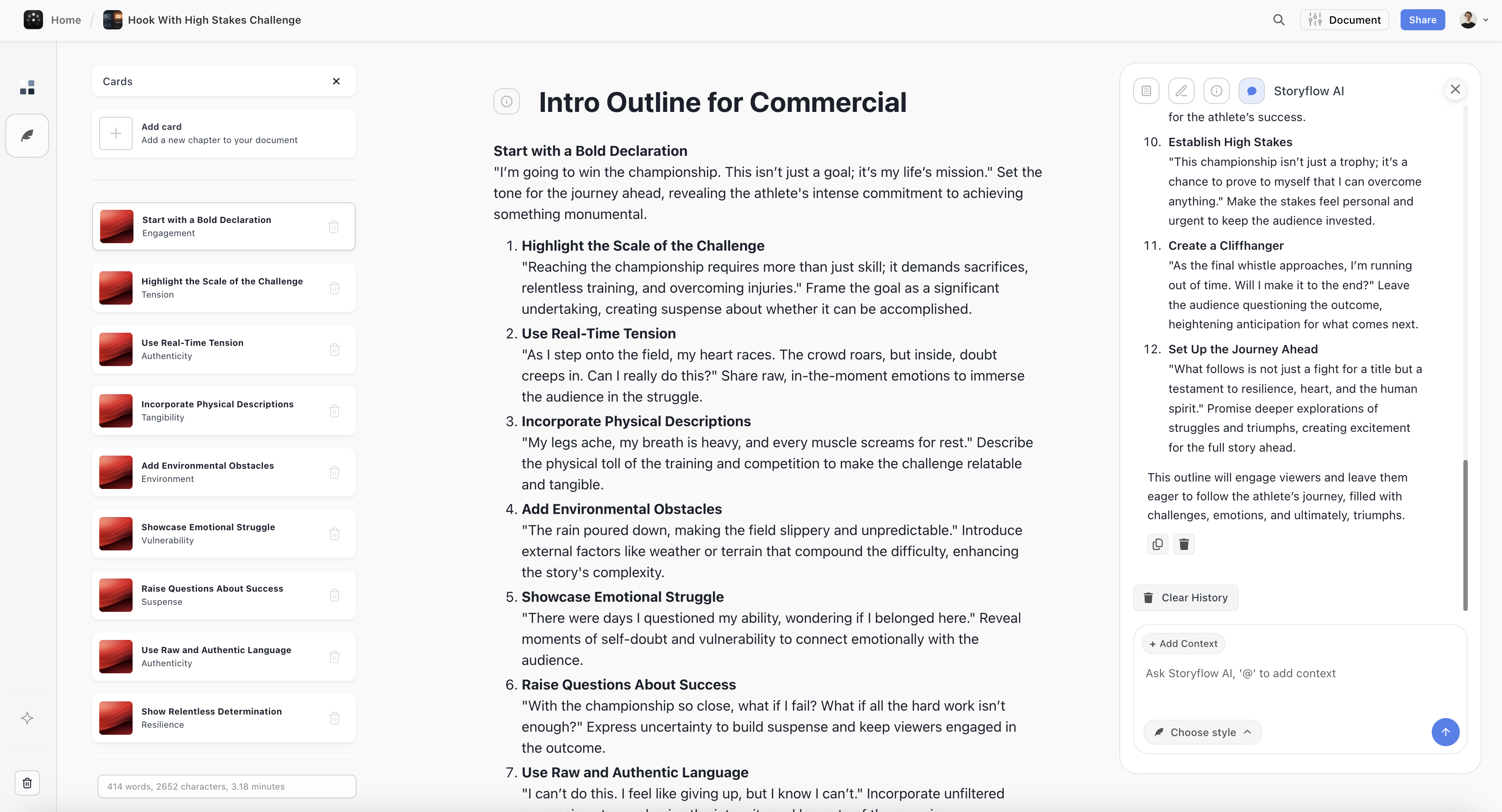
A Storyflow canvas holding film research, structure, and a drafted treatment on one board
The film is developed before it is scheduled
The treatment, the look, and the story structure deserve better than a shallow module or a scattered folder. Storyflow's AI reads your full canvas (plus Tactics and documents you @-mention) and drafts the creative half, then StudioBinder runs the shoot. Paid-only during early access; the Free plan lands before the end of 2026.

Where StudioBinder Wins
The call sheet workflow alone justifies the product. Auto-populated from the schedule, weather and maps included, sent with view-tracking and confirmations. On a real shoot, "did everyone get the call sheet" is a nightly anxiety, and StudioBinder is the only tool in this comparison that treats it as the mission-critical document it is.
Breakdowns and stripboards behave like the professional versions. Tag elements in the script, watch them flow into scheduling strips, reorder days by dragging. The logistics chain (script to breakdown to schedule to call sheet) is coherent because it was designed as one chain rather than assembled from modules.
The free tier is a real on-ramp. A student or micro-budget production can produce and send an actual call sheet without paying. That is the correct free tier for this category: the minimum viable version of the document that must exist.
StudioBinder's honest weaknesses: it is blind to the creative half (no story development, minimal visual boards), the Indie tier around $29 per month is real money for a hobbyist, and productions that live in spreadsheets will find its structure opinionated.
Where Celtx Still Wins
One data model from script to schedule. If the same person writes, breaks down, schedules, and budgets (true on many student and no-budget productions), Celtx's integration means the script genuinely drives the downstream documents without exports.
Scriptwriting included. Celtx's editor remains a workable free-adjacent screenwriting option, historically on every platform including Windows and Linux, and for some writers that module is the whole reason the suite persists in their stack.
Budgeting exists. StudioBinder does not do budgets; Celtx does, at the depth you would expect from a suite module, which for a small production can be enough.
Celtx's honest weaknesses: every module is shallower than its dedicated competitor, the free tier has been repeatedly cut (project limits and features moved behind subscriptions), there is no real AI anywhere, and the product's trajectory has been maintenance-shaped while StudioBinder's has been investment-shaped. Most working filmmakers who left Celtx name the same moment: the day a shallow module failed them mid-production.
The Half Neither Tool Hosts
Notice what both products quietly skip: the creative half of pre-production.
The treatment that sells the film, the moodboard that aligns the DP, the story structure work, the lookbook, the shot-list thinking (as opposed to shot-list formatting): this material is visual and iterative, and it lives before and above the logistics chain. Celtx's boards are too shallow for it; StudioBinder does not attempt it. In practice it scatters across docs, decks, and folders, and the logistics tools receive its conclusions by retyping.
That creative half is the lane where Storyflow wins for filmmakers. The canvas holds the research, references, and structure on one board, and the AI reads the entire active board (plus up to 1 Tactic and up to 3 Documents you @-mention) to draft the treatment, the story structure, and the shot-list thinking from your own material. Its 200+ Story Blueprints include the narrative frameworks (Hero's Journey among them) that pre-production's creative half actually runs on.
The honest accounting: Storyflow is a development and planning canvas, not a production office. Its AI drafts breakdown tables, a strip board, a budget table and call sheet pages, but it does not run them (no scheduling engine, no budgeting module, no call sheet distribution), so on a real shoot you pair it with StudioBinder rather than replace it (that is the deliberate trade: the best version of each half instead of a suite's 60 percent). It is also paid-only during early access; the Free plan launches before the end of 2026, and anyone a paid member invites to a board joins free now.
Pricing: What You Actually Pay
As of August 2026:
| Plan | StudioBinder | Celtx | Storyflow |
|---|---|---|---|
Free | Usable, produces a real call sheet | Repeatedly tightened, project limits | Coming late 2026 (invited collaborators join free now) |
Paid | Indie around $29 per month, tiers above | Subscription tiers, verify current | $7.99 per month annual, flat per account |
What paid buys | The whole logistics chain | The whole suite, shallow | The creative half, with AI |
The modern indie stack worth pricing honestly: StudioBinder for logistics plus a creative canvas, against Celtx alone. The pair costs more and fails less, and the failure it prevents (a shoot day lost to logistics) costs more than a year of either subscription.
Which Should You Choose?
Producer, AD, or production coordinator. StudioBinder, without hesitation. The logistics chain is your job description, and the call sheet workflow is the category's best.
Student or no-budget filmmaker writing everything yourself. Celtx's integration argument is strongest here, but check what its current free tier actually includes before committing; StudioBinder's free call sheet plus a free screenwriting tool is often the better $0 stack now.
Writer-director developing projects between shoots. Your daily work is the creative half neither tool hosts. Develop on a canvas (the Storyflow lane above), and adopt StudioBinder when a shoot date exists.
Indie team shooting regularly. The specialist pair: creative canvas plus StudioBinder. The suite's convenience does not survive contact with a real production calendar.
Documentary filmmaker. Logistics are lighter, development is heavier: weight your money toward the research-and-story half. See The Best Documentary Filmmaking Software.
The Bottom Line
Name your scariest document and buy accordingly.
If it is the call sheet or the schedule, use StudioBinder. It owns the logistics half of pre-production with the category's best chain from breakdown to distributed call sheet, and its free tier is a real on-ramp.
Choose Celtx only for the one-login integration, with clear eyes about the depth tax on every module and a current look at what its free tier still includes.
And place the creative half deliberately, because neither tool hosts it: the film is developed before it is scheduled, and the treatment, the look, and the story structure deserve better than a shallow module or a scattered folder. That half is the canvas lane, and pairing the best version of each half beats any suite's 60 percent.
FAQ: StudioBinder vs Celtx
Is StudioBinder better than Celtx?
For the logistics half of pre-production (breakdowns, schedules, call sheets), yes, clearly and by a growing margin. Celtx's remaining case is the all-in-one convenience of script-to-schedule in one login, paid for in module depth.
Is StudioBinder really free?
Its free tier is genuinely usable and will produce and send a real call sheet, which is the minimum viable version of the job. Paid tiers (Indie around $29 per month and up) unlock the volume and team features a full production needs.
What happened to Celtx's free plan?
It has been repeatedly tightened over the years, with project limits and features moved behind subscriptions. Longtime users remember a more generous product; evaluate the current tier honestly rather than from memory, and verify pricing on celtx.com.
Can Celtx replace Final Draft for scriptwriting?
For formatting basics, largely yes, and it is the suite's strongest module. Dedicated tools (Fade In, WriterDuet, Final Draft) beat it on professional features and workflow. The field is ranked in The Best Screenwriting Software in 2026.
Does either tool make shot lists and storyboards?
StudioBinder has proper shot lists and storyboard frames on paid tiers, integrated with the schedule. Celtx includes shot-list functionality at suite depth. Neither hosts the visual development that precedes the list; that is canvas work.
Does either have AI?
Nothing meaningful in either as of August 2026: no breakdown automation worth the name, no schedule optimization, no generative development help. AI in pre-production currently lives in the creative-half tools; see The Best AI Tools for Filmmakers.
What does a modern indie pre-production stack look like?
Increasingly: a creative canvas for development (story, treatment, moodboard, shot thinking), StudioBinder for the logistics chain, and a dedicated screenwriting tool for the script. Specialists per half, rather than one suite at 60 percent per module.
Can StudioBinder handle budgets?
No, budgeting is outside its lane. Celtx includes a budget module at suite depth; serious productions still budget in dedicated tools or spreadsheets. If a built-in budget is your deciding feature, that is Celtx's clearest remaining win.
How does the script get into StudioBinder?
Import: StudioBinder ingests scripts (including standard formats) for breakdown and scheduling. It deliberately does not write them, which is the specialist trade in one sentence.
Is Celtx still being developed?
The product persists and receives maintenance, but its trajectory against specialists has been the story of this comparison: each module losing ground to a deeper dedicated tool. Choose it for what it is today, not for what its 2015 reputation remembers.
Where does the treatment and moodboard work actually happen?
In neither of these tools, honestly. That creative half lives on canvases: references, structure, and drafts on one board. Storyflow's AI reads the full board (plus @-mentioned Tactics and Documents) and drafts treatments and structures from it; see How to Write a Directors Treatment.
What should a first short film actually use?
The free stack: StudioBinder free for the call sheet and schedule, a free screenwriting tool for the script, and the walkthrough in How to Plan a Short Film from Idea to Shoot. Add paid tools when a specific document fails you, not before.
Table of Contents
Templates to check out for this topic


Filmmaking templates you can use in Storyflow
Skip the blank canvas. Open one of these filmmaking boards in Storyflow and the AI builds on the structure that is already there, from research through the shot list.


See Storyflow in Action
A visual AI workspace where every feature lives inside one canvas. No tab-switching, no context lost.
Build your entire board from a single message
Type what you need in the AI chat at the bottom of your canvas. The AI adds cards, headings, and structure directly onto your board.
Use expert frameworks as AI context
Type @ in the AI chat and choose any Tactic. The AI tailors every response to that framework instead of giving generic advice.
Turn your board into a mind map in seconds
Ask the AI to restructure your canvas as a mindmap. It connects your ideas into a visual hierarchy so you can see how everything relates.
Why Storyflow Exists
Storyflow actually began as a personal tool while working on creative and research projects.
We kept running into the same problem: ideas were scattered everywhere: notes, documents, and whiteboards.
Nothing helped us see how everything connected.
So we started building a workspace designed around how ideas actually grow.
→ Read how Storyflow was createdJustkay
Documentary Filmmaker & Founder at Storyflow
Published: 2026-08-10
Extremely simple, seriously capable


See how easy it is to get started
Watch a real project come together, from a blank board to a finished plan, clicked through step by step.
Start creating with AI and become more productive
Transform your creative workflow with AI-powered tools. Generate ideas, create content, and boost your productivity in minutes instead of hours.