
What Is a Script Breakdown? The Complete Guide (2026)
What is a script breakdown? The complete guide: what it is, why it matters, the element categories, who does it, the process, and how AI changed it in 2026.

Category
Filmmaking
Author

Justkay
Documentary Filmmaker & Founder at Storyflow
Topics
2026-07-10
•
13 min read
•
Filmmaking- what is a script breakdown
- script breakdown definition
- script breakdown explained
- script breakdown elements
- breakdown sheet
- film script breakdown
What is a script breakdown?
A script breakdown is the process of reading a screenplay scene by scene and tagging every physical and creative element it requires, so a production can schedule, budget, and prepare the shoot. It is the bridge between the finished script and the production: cast, extras, props, wardrobe, vehicles, stunts, special effects, and every other element get identified and sorted into categories, traditionally by color, so the schedule and budget can be built from real requirements rather than guesses. In 2026, AI does the first mechanical pass in minutes, but the breakdown still needs human review and a creative-intent pass to be reliable. This guide explains what a script breakdown is, why it matters, the element categories, who does it, where the color system came from, how the process works, and how AI has changed it. It is the foundation of pre-production, and getting it right is what makes an accurate schedule and budget possible. I have broken down real documentary and narrative scripts through both the mechanical tagging and the creative reasoning, and the pattern below is what actually holds up on set, not the tidy version that lives in a textbook.
Key Takeaways
- A script breakdown is the process of reading a screenplay scene by scene and tagging every element it requires, so a production can schedule, budget, and prepare the shoot. It is the bridge between the finished script and the production.
- The tags run on the Color-Coded Element System: cast, background and extras, stunts, vehicles, animals, props, wardrobe, special effects, makeup and hair, sound and music, and special equipment, each traditionally carrying a color onto the stripboard.
- A breakdown has two layers: the tags say what a scene needs, and the intent says why it matters. A reliable breakdown holds both, and a standard breakdown sheet has no field for the intent.
- It is the input to the two most important pre-production documents, the schedule and the budget. Every tagged element becomes a budget line, and the page counts feed the stripboard.
- The breakdown earns its keep by surfacing the hard, expensive, and risky elements early. Stunts, effects, animals, and minors need planning while there is still time and money to plan for them.
- A breakdown is a living document that must change when the script changes. One that goes stale looks authoritative while being confidently wrong, which is worse than none.
- In 2026, AI does the mechanical first pass in minutes, but human review and the creative-intent pass are still required. AI misses ambiguous elements and cannot decide why a scene needs them.
- The most common mistakes are skipping the full read, trusting the AI pass without review, and losing the creative intent. Read first, review the tags, keep the why visible, and flag risks early.
Script Breakdown Element Categories (at a Glance)
| Element category | Traditional color | What it covers | What it drives downstream |
|---|---|---|---|
Cast (principal) | Red | Named, speaking roles | Cast scheduling, day-out-of-days, the largest budget lines |
Background / extras | Yellow | Crowds, atmosphere players | Extras casting, holding and catering, crowd cost per day |
Stunts | Orange | Fights, falls, vehicle action | Stunt coordinator, safety plan, insurance, rehearsal days |
Vehicles | Green | Picture cars, boats, aircraft | Transport, picture-vehicle rental, precision drivers |
Animals | Amber / plum | Horses, dogs, wranglers | Animal wrangler, welfare rep, extra time on the day |
Props | Purple | Objects actors handle | Props sourcing, hero-prop duplicates, continuity |
Wardrobe | Notation | Costumes, changes, doubles | Costume department, fittings, continuity doubles |
Special effects | Blue | Practical on-set effects, atmosphere | SFX crew, permits, longer setup time |
Makeup / hair | Asterisk | Prosthetics, special looks, blood | Makeup department, application time built into the call |
Sound / music | Brown | Playback, source cues | Music licensing, on-set playback, sound prep |
Special equipment | Notation | Crane, drone, underwater rigs | Grip and rental, extra crew, permits |
Each element category traditionally gets a color that carries through the stripboard, so a shooting schedule shows at a glance what each day requires. This is the Color-Coded Element System, the taxonomy every breakdown runs on, and it is the spine of this guide. Modern breakdown software keeps the categories even when it drops the literal colors, because the categories, not the colors, are what the schedule and budget are actually built from.
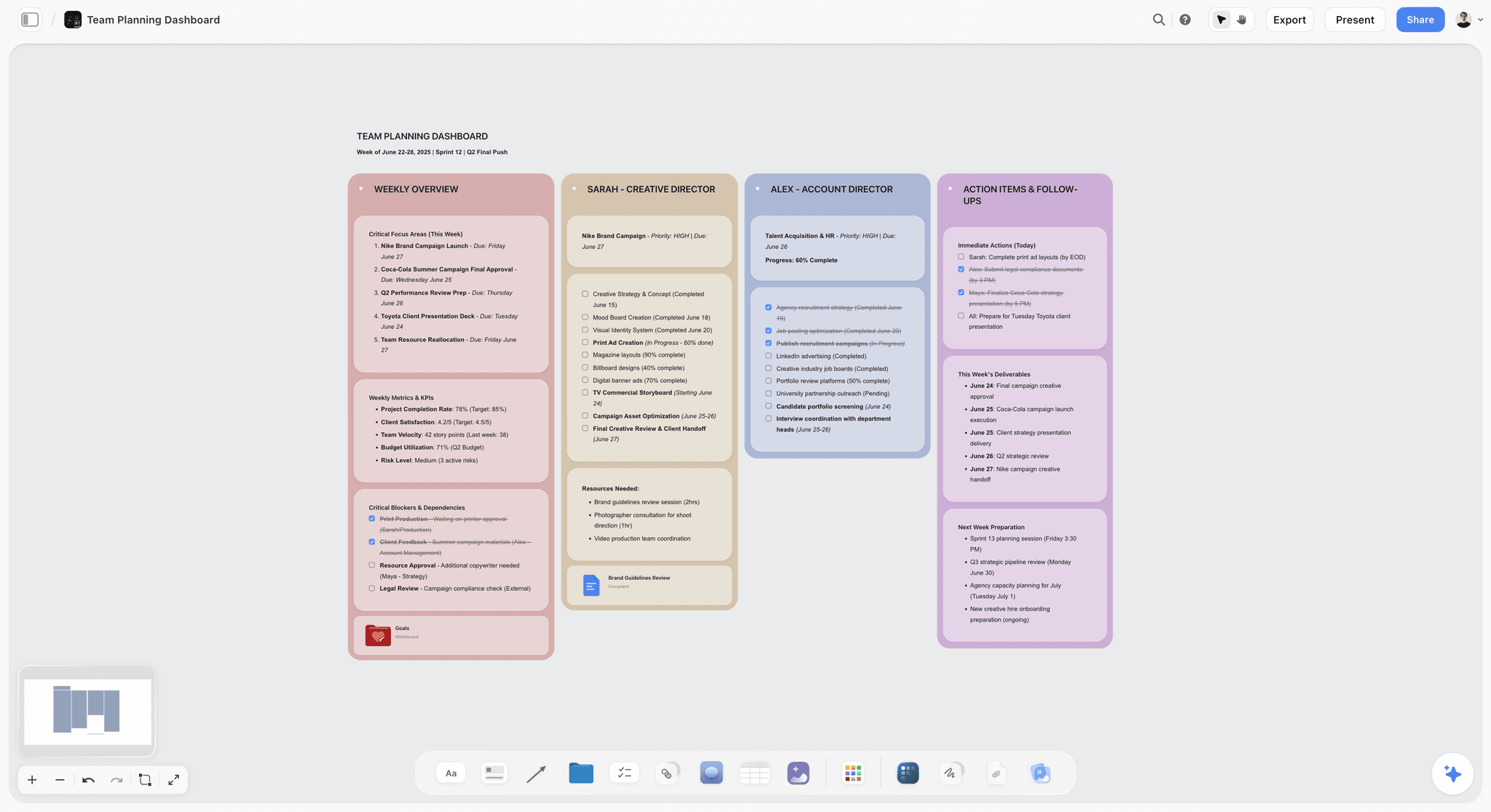
Storyflow canvas holding the creative intent behind a script breakdown alongside the tagged elements
Keep the creative intent behind your breakdown
Storyflow keeps the reasons behind key elements and scene meaning on one canvas the team can see, so the breakdown stays meaningful when scenes change. Tag the elements in your breakdown software.

What a Script Breakdown Is
A script breakdown translates a screenplay into a list of everything the production needs to shoot it. Working scene by scene, the person doing the breakdown identifies every element each scene requires and tags it by category. The result is a set of breakdown sheets, one per scene, that list every element, plus a summary that feeds the schedule and budget.
The breakdown answers a simple but critical question for every scene: what do we need to shoot this? That includes the obvious (which actors, what props) and the consequential (a stunt, a special effect, an animal, a minor, a permit). Because the schedule and budget are built from these tags, the breakdown is the foundation everything else in pre-production rests on. A missed element becomes a missed budget line or a scene that cannot be shot as planned.
A breakdown is also a living document. Scripts change, and the breakdown must change with them, or it becomes authoritative-looking but wrong. That last property is the one most productions underestimate, and it is why the next section matters more than the categories themselves.
The Two Layers of Every Breakdown
Most guides treat a breakdown as one job: tag the elements. It is really two. A breakdown has two layers: the tags say what a scene needs, and the intent says why it matters. The tag layer is mechanical and checkable. A stunt is a stunt whether the coordinator, an AD, or an AI tags it. The intent layer is judgment: why this scene needs the stunt, whether it is a priority set piece or a throwaway, what the director actually wants the moment to feel like, and which elements can flex if the money runs short.
The tag layer is what breakdown software and AI are good at. The intent layer is what gets lost, because there is no field for it on a standard breakdown sheet. When a scene changes in week three of pre-production, the tags update fast. The reasoning behind the original tagging, the why, lives in one person's head or in a Slack thread nobody can find. That is how a breakdown goes stale while still looking complete.
Naming the two layers is not academic. It tells you where each tool fits. Element-tagging software owns the tag layer. A shared canvas owns the intent layer. A breakdown has two layers, and a reliable one holds both, which is exactly the split that decides which tools a modern production actually needs.
Why Script Breakdown Matters
The script breakdown matters because it is the input to the two most important pre-production documents: the schedule and the budget. Neither can be accurate without it.
- It drives the schedule. The tagged elements and page counts feed the stripboard, which arranges scenes into an efficient shooting order.
- It drives the budget. Every tagged element (a stunt, a picture car, a day player) becomes a budget line. The breakdown is where the budget's real costs are first identified.
- It reveals the challenges. The breakdown surfaces the hard, expensive, and risky elements early, when there is still time to plan and budget for them.
- It aligns the departments. Each department (wardrobe, props, effects, transport) works from the breakdown to know what a scene requires.
Without a breakdown, a production is guessing at its schedule and budget, and guessing is how films run out of money and time. A thorough breakdown is the difference between a production that knows what it is doing and one that discovers problems on set, where every problem costs ten times what it would have cost in pre-production.
The Element Categories Explained
Each element category captures a type of thing a scene needs, and each one drives a specific downstream decision. Understanding the category means understanding what it triggers, not just what it labels.
- Cast covers named, speaking roles, the principal actors, and it drives the single largest block of the budget plus the day-out-of-days that shapes the whole schedule. Background and extras are the non-speaking people who fill the world, and they drive extras casting, holding space, and catering that scales with crowd size.
- Stunts are any action requiring a stunt performer or coordinator: fights, falls, vehicle action. They drive a safety plan, insurance, rehearsal days, and often a slower shooting pace, which is why they must be flagged early.
- Vehicles are picture vehicles seen on camera, and they drive transport, rental, and sometimes precision drivers. Animals require wranglers and welfare consideration, and they reliably drive extra time into the shooting day.
- Props are objects handled by actors, and they drive sourcing and hero-prop duplicates. Wardrobe covers costumes and changes and drives fittings and continuity doubles. Makeup and hair covers special looks and prosthetics and drives application time that has to be built into the call sheet.
- Special effects are practical, on-set effects (atmosphere, breakaways, pyrotechnics), distinct from visual effects added in post, and they drive an SFX crew, permits, and longer setups.
- Sound and music cover playback and source cues, and they drive music licensing and on-set playback. Special equipment covers cranes, drones, underwater rigs, and anything beyond standard camera gear, driving rental, extra crew, and permits.
Some breakdowns add categories for visual effects, weapons, greenery, and more. The categories exist so that when the schedule is built, each shooting day's requirements are clear, and so the budget captures every cost. The point is never the label. The point is the decision the label forces you to make.
A Worked Example: One Scene, Every Category
Categories are abstract until you tag a real scene. Here is a single scene that touches all eleven, so you can see the Color-Coded Element System doing its actual job.
The scene: INT. ROADSIDE DINER, NIGHT. A detective confronts an informant in a back booth while the late crowd eats. The informant bolts and the detective tackles him through the front window into the rain. Outside, a classic Mustang idles at the curb and a stray dog barks at the noise.
Here is how that one scene breaks down by category:
| Category | Tagged element in this scene |
|---|---|
Cast (principal) | The detective and the informant (two speaking roles) |
Background / extras | A dozen late-night diners filling the booths |
Stunts | The tackle through the front window |
Vehicles | The informant's idling classic Mustang |
Animals | The stray dog barking in the parking lot |
Props | The photograph and the coffee mug slid across the table |
Wardrobe | The informant's rain-soaked trench coat, the detective's worn jacket |
Special effects | Practical rain rig on the window, flickering neon |
Makeup / hair | The informant's fresh scar and bruised eye |
Sound / music | Period song on the jukebox (a source cue that needs licensing) |
Special equipment | Crane push-in through breakaway glass for the tackle |
One page of screenplay just generated a stunt coordinator, a breakaway-glass rig, a picture vehicle, an animal wrangler, a music-licensing line, and a crane day. None of that was obvious from a fast read. That is the whole value of the breakdown: it converts a scene that reads simple into the real list of what shooting it costs and requires. Now notice what the table cannot hold. It cannot tell you that the tackle is the emotional turn of the film, so it gets a rehearsal day, or that the jukebox song is negotiable and can be swapped for a cheaper cue if licensing comes back high. That is the intent layer, and it lives beside the tags, not inside them.
Where the Color System Comes From
The colors are not arbitrary, and they are older than the software. They come from the studio-era production board: a physical board of cardboard strips, one strip per scene, with the elements written out on paper breakdown sheets. That physical board is the ancestor of today's stripboard, and the color convention grew up around it so a production manager could read a day's requirements across the room.
When scheduling moved to software, the colors came along as a convention rather than a necessity. Programs like Movie Magic Scheduling digitized the board and kept the color logic so anyone trained on the old system could read the new one. That is why a 2026 breakdown still talks about red for cast and blue for effects even though nothing is physically colored anymore. The colors persist because the language persists, and a shared language across departments is worth keeping even after the cardboard is gone.
Who Creates the Script Breakdown
On a larger production, the assistant director (specifically the first AD, often with the second AD) traditionally creates the breakdown, because they build the schedule from it. On smaller productions, the producer, line producer, or production manager does it. On a micro-budget or student film, the director or a producer may do it themselves.
Whoever does it needs to understand both the logistics (what elements a scene requires) and, ideally, the creative intent (why those elements matter), because the two shape each other. The breakdown is then shared with department heads, who use it to prepare their departments. Increasingly in 2026, one person runs an AI first pass and then reviews it, which changes the role from tagging every element by hand to verifying and refining the AI's work and adding the reasoning the AI cannot supply.
The Script Breakdown Process
The breakdown process runs in a clear sequence. Read the full script first, for story and logistics. Lock the scene boundaries and numbers, with page counts in eighths. Tag every element scene by scene, by category. Capture the creative intent behind the key elements. Generate the breakdown sheets. Flag the risky and expensive elements. Hand off to scheduling and budgeting. Then keep the breakdown updated as the script changes.
The step most guides skip is capturing creative intent: why a scene needs an element, which elements are priorities, what the director's read is. This reasoning shapes half the tagging decisions and gets lost when a breakdown is treated as pure tagging. Keeping it on a shared surface, alongside the tagged elements, is what keeps the breakdown meaningful when scenes change. This guide stays at the level of what the breakdown is and why. For the full step-by-step workflow, with each step broken out, see how to break down a script in 2026.
How AI Changed Script Breakdown in 2026
AI has transformed the mechanical pass of script breakdown. Tools like Filmustage upload a script and tag most elements automatically across a full feature in minutes, producing a first-pass breakdown, draft schedule, and reports. Software like StudioBinder offers AI-assisted tagging. What once took days now takes a first pass in minutes.
But AI has not replaced the breakdown, for two reasons. First, the AI pass needs human review, because it misses ambiguous elements (an implied stunt, a prop that pays off later) and mis-tags some. Second, AI cannot do the creative-intent pass: deciding why elements matter, which are priorities, and what a scene is really about are judgment calls. The 2026 reality is AI for the mechanical first pass, a human review, and the creative reasoning kept on a shared canvas.

This maps directly onto the two layers. A breakdown has two layers: the tags say what a scene needs, and the intent says why it matters. Element-tagging software owns the tag layer. A tool like Storyflow holds the intent layer: the reasoning, the priorities, and the director's read on the canvas next to the scenes, while Filmustage or StudioBinder handles the element tagging itself. Storyflow does not tag cast and props for you, and it is honest to say so, which is why the workflow that actually holds up pairs a tagging tool with a canvas rather than expecting one tool to do both. For the tools, see the best script breakdown software in 2026.
Where Storyflow Fits, and Where It Does Not
Storyflow is worth naming precisely because it does not pretend to be a breakdown tool. It holds the creative-intent layer: the why behind each tagged element, the priority calls, the director's notes, all on a shared canvas that stays current as scenes change. That is the layer standard breakdown software has no field for. But it is not the tool that produces breakdown sheets, and using it wrong will cost you time.
Three honest limitations to keep in view:
- Storyflow does not do element tagging. It will not read a script and auto-tag cast, props, and stunts. For that you need Filmustage, StudioBinder, Yamdu, or Movie Magic. Storyflow holds the reasoning beside those tags, not instead of them.
- You need to pair it, not replace with it. The working setup is a tagging tool for the mechanical pass plus Storyflow for the intent pass. If you expect one tool to generate breakdown sheets and a schedule, Storyflow is the wrong single choice.
- It is cloud-only and newer. There is no local-first or offline breakdown mode, and Storyflow is a younger platform than the scheduling incumbents, so its ecosystem of production-specific integrations is thinner. For a shop standardized on Movie Magic, that pairing is an add, not a swap.
Naming where a tool loses is what makes the recommendation trustworthy. Storyflow earns its place in a breakdown workflow only on the intent layer. On the tag layer, the dedicated software wins.
Script Breakdown vs Scheduling vs Budgeting
These three are sequential and often confused. The breakdown tags what every scene requires (the elements). The schedule arranges those tagged scenes into an efficient shooting order (the stripboard and shooting days). The budget assigns costs to the tagged elements and the schedule.
The breakdown is the input; the schedule and budget are outputs. You break down the script, then the tagged elements and page counts feed the schedule, and the elements and schedule feed the budget. The same software often handles all three because they are linked, but they are distinct jobs done in sequence. A change to the breakdown ripples into both the schedule and the budget, which is why keeping the breakdown current matters so much.
Common Script Breakdown Mistakes
A few mistakes recur and cause real problems.
- Skipping the full read. Tagging without reading the whole script first misses recurring and payoff elements.
- Trusting the AI pass without review. AI tags most elements but misses ambiguous ones; skipping the human review makes the breakdown unreliable.
- Losing the creative intent. Treating breakdown as pure tagging loses the reasoning that half the decisions depend on, forcing every creative question back through one person's memory.
- Not flagging risky elements early. Stunts, VFX, minors, and animals need early planning; discovering them late blows the budget and schedule.
- Letting the breakdown go stale. A breakdown that does not update with the script looks authoritative while being wrong, which is worse than no breakdown.
Avoiding these is mostly discipline: read first, review the AI, keep the intent visible, flag risks early, and update as you go.
The Bottom Line
A script breakdown is the process of tagging every element a screenplay requires, scene by scene, so a production can schedule, budget, and prepare the shoot. It is the foundation of pre-production, the bridge between the script and the production, and the input to the schedule and budget. Remember the two layers: the tags say what a scene needs, and the intent says why it matters, and a breakdown is only reliable when it holds both. In 2026, AI does the mechanical first pass in minutes, but the review and the creative-intent pass are still human work.
If you are breaking down a script, the practical next step is to run an AI first pass, review it as a human, keep the creative reasoning on a shared surface, and flag the risky elements early. See how to break down a script in 2026 for the full workflow, and the best script breakdown software in 2026 for the tools. Start a Storyflow board to hold the creative intent behind your breakdown.
FAQ: Script Breakdown
What is a script breakdown?
A script breakdown is the process of reading a screenplay scene by scene and tagging every element it requires (cast, extras, props, wardrobe, vehicles, stunts, effects, and more) so a production can schedule, budget, and prepare the shoot. It produces breakdown sheets, one per scene, that list every element, traditionally categorized by color. It is the bridge between the finished script and the shoot, and it is the foundation the schedule and budget are built from.
Why is a script breakdown important?
A script breakdown is important because it is the input to the schedule and the budget, neither of which can be accurate without it. The tagged elements and page counts feed the stripboard, and each element becomes a budget line. The breakdown also surfaces the hard, expensive, and risky elements (stunts, VFX, animals, minors) early, when there is still time to plan for them, and it aligns every department around what each scene requires. Without it, a production is guessing at its time and money.
What are the elements in a script breakdown?
The standard elements are principal cast, background and extras, stunts, vehicles, animals, props, wardrobe, special effects, makeup and hair, sound and music, and special equipment. Each traditionally gets a color that carries onto the stripboard. Some breakdowns add categories for visual effects, weapons, and greenery. The categories exist so each shooting day's requirements are clear and the budget captures every cost. Modern software keeps the categories even when it drops the literal colors.
What do the colors mean in a script breakdown?
The colors are a shorthand for the element categories: red for principal cast, yellow for background and extras, orange for stunts, green for vehicles, purple for props, blue for special effects, brown for sound and music, plus notations for wardrobe and special equipment. They come from the physical production board of the studio era and carry onto the stripboard so a day's requirements read at a glance. Breakdown software keeps the color logic as a convention even though nothing is physically colored.
Who does the script breakdown?
On larger productions, the first assistant director traditionally creates the breakdown, because they build the schedule from it, sometimes with the second AD. On smaller productions, the producer, line producer, or production manager does it, and on micro-budget or student films the director may do it themselves. In 2026, one person often runs an AI first pass and then reviews and refines it, shifting the role from tagging by hand to verifying the AI's work and adding the creative intent.
Can AI do a script breakdown?
Yes, for the mechanical first pass. AI tools like Filmustage tag most elements automatically across a full script in minutes, and StudioBinder offers assisted tagging. The AI pass still needs human review because it misses ambiguous elements and mis-tags some, and AI cannot do the creative-intent pass, deciding why elements matter and which are priorities. The 2026 workflow is AI for the mechanical first pass, a human review, and the creative reasoning kept on a shared surface.
What is a breakdown sheet?
A breakdown sheet is the per-scene output of the breakdown. Each sheet lists one scene's number, location, day or night, page count in eighths, and every tagged element sorted by category. Traditionally there is one sheet per scene, and together the sheets summarize into the totals that feed the schedule and budget. Breakdown software generates these automatically from your tags, but the sheet is only as reliable as the tagging and review behind it.
What is the difference between a breakdown and a stripboard?
A breakdown tags what every scene requires (the elements), producing breakdown sheets. A stripboard is a scheduling tool where each scene becomes a colored strip carrying its key details, and strips are rearranged to build the most efficient shooting order. The breakdown is the input; the stripboard is part of the schedule built from it. The element colors from the breakdown carry onto the strips, so the two are linked, but breakdown answers "what does this scene need" and the stripboard answers "when do we shoot it."
What is the difference between a script breakdown and a shooting schedule?
The breakdown identifies what every scene requires; the shooting schedule decides the order those scenes are shot in. The breakdown comes first and feeds the schedule: its tagged elements and page counts are what the schedule is arranged around, grouping scenes by location, cast, and requirements into efficient shooting days. They are distinct jobs done in sequence, though the same software often handles both. A change to the breakdown ripples straight into the schedule, which is why the breakdown has to stay current.
How long does a script breakdown take?
With AI, the mechanical first pass on a feature takes minutes instead of the days a manual breakdown once took. But the human review, creative-intent pass, and risk flagging still take real time, typically a day or more for a feature depending on complexity. The AI time saving is significant, but a reliable breakdown includes the review and reasoning that make it accurate, so those should be budgeted for. Manual breakdowns without AI can take several days for a feature.
What software is used for script breakdown?
For AI-powered breakdown, Filmustage tags elements automatically. For all-in-one breakdown plus scheduling and call sheets, StudioBinder is the modern standard, and Yamdu and Movie Magic handle breakdown at feature scale. For keeping the creative intent alongside the tags, a canvas like Storyflow holds the reasoning. Many productions pair an AI or software breakdown for the tagging with a shared canvas for the creative notes, which covers both the mechanical and creative passes. See the best script breakdown software guide for the full comparison.
Do short films and student films need a script breakdown?
Yes, and often more than a studio film does, because small productions have no margin for surprises. A student film that discovers it needs a permit, a stunt, or a picture car on shoot day usually cannot absorb the cost. The breakdown can be lighter (a producer or director may do it themselves, and a free or low-cost tool is fine) but the job is the same: tag every element scene by scene so the tiny budget and short schedule are built from reality, not hope.
Table of Contents
- Key Takeaways
- Script Breakdown Element Categories (at a Glance)
- What a Script Breakdown Is
- The Two Layers of Every Breakdown
- Why Script Breakdown Matters
- The Element Categories Explained
- A Worked Example: One Scene, Every Category
- Where the Color System Comes From
- Who Creates the Script Breakdown
- The Script Breakdown Process
- How AI Changed Script Breakdown in 2026
- Where Storyflow Fits, and Where It Does Not
- Script Breakdown vs Scheduling vs Budgeting
- Common Script Breakdown Mistakes
- The Bottom Line
- Author
- FAQ: Script Breakdown
- Related Reading
Templates to check out for this topic


Templates you can use in Storyflow
Every Storyflow board starts from real structure and an AI that reads the whole canvas. Open one of these templates and make it yours.


See Storyflow in Action
A visual AI workspace where every feature lives inside one canvas. No tab-switching, no context lost.
Build your entire board from a single message
Type what you need in the AI chat at the bottom of your canvas. The AI adds cards, headings, and structure directly onto your board.
Use expert frameworks as AI context
Type @ in the AI chat and choose any Tactic. The AI tailors every response to that framework instead of giving generic advice.
Turn your board into a mind map in seconds
Ask the AI to restructure your canvas as a mindmap. It connects your ideas into a visual hierarchy so you can see how everything relates.
Why Storyflow Exists
Storyflow actually began as a personal tool while working on creative and research projects.
We kept running into the same problem: ideas were scattered everywhere: notes, documents, and whiteboards.
Nothing helped us see how everything connected.
So we started building a workspace designed around how ideas actually grow.
→ Read how Storyflow was createdJustkay
Documentary Filmmaker & Founder at Storyflow
Published: 2026-07-10
Extremely simple, seriously capable


See how easy it is to get started
Watch a real project come together, from a blank board to a finished plan, clicked through step by step.
Start creating with AI and become more productive
Transform your creative workflow with AI-powered tools. Generate ideas, create content, and boost your productivity in minutes instead of hours.