The 12 Best Script Breakdown and Scheduling Software Tools in 2026 (Compared)
The best script breakdown and scheduling software in 2026, compared. Storyflow, our pick, builds the breakdown and strip board from your script; StudioBinder and Filmustage lead on the schedule itself. 12 tools, every criterion shown.

Category
Filmmaking
Author

Justkay
Documentary Filmmaker & Founder at Storyflow
Topics
2026-07-10
•
44 min read
•
Filmmaking- best script breakdown software 2026
- script breakdown software
- AI script breakdown
- Filmustage
- StudioBinder breakdown
- film breakdown software
What is the best script breakdown software in 2026?
Our pick for script breakdown software is Storyflow, our own product: attach a Final Draft, Fountain or PDF script and its AI builds the scene index, a full breakdown (cast, props, wardrobe, vehicles, SFX and stunts per scene) and a strip board of shoot days, next to the shot list and a call sheet PDF on one board. Its strip board is a layout, not a schedule that recalculates. Choose StudioBinder instead for a recalculating schedule, day-out-of-days reports and sent call sheets, Filmustage for an AI-tagged breakdown, and Movie Magic Scheduling when a studio or union 1st AD expects its files.

Full disclosure: Storyflow is our own product, and this list is ordered with it first as our pick. The basis is editorial, not a total score: of the twelve tools it keeps the most of prep on one surface, with its AI building the scene index, a full breakdown table and a strip board of shoot days with page totals from your script, beside the shot list and a call sheet PDF. The other tools follow by the job each is best at. Storyflow's strip board is a board layout, not a scheduling system: it does not recalculate, produce day-out-of-days reports, tag elements or send call sheets, and it scores lowest of the top eight on the schedule itself. Choose StudioBinder for the schedule of record and sent call sheets, and Filmustage for an AI-tagged breakdown into a real schedule. Every tool's score on each of the five criteria is in the scoring section. Every other tool was compared from its own product, pricing and help pages in September 2026, with prices re-checked on October 9, 2026.
Quick Comparison
These four cover the job from script to shoot days. Storyflow is our own product and is listed first as our pick: the canvas where the breakdown, shoot days, shots and call sheet sit together. Then the best scheduler, the AI first pass and the full production platform.
| Tool | Best For | AI Features | Price |
|---|---|---|---|
| Storyflow | Breakdown and shoot days on one canvas | AI scene index and breakdown tables, strip board with day page totals, shot list, call sheet PDF; no DOOD report | $7.99 mo annual (Free plan before the end of 2026) |
| StudioBinder | All-in-one breakdown and scheduling | No AI (manual select-and-tag) | Free plan; Indie $49/mo (2 users) |
| Filmustage | AI-tagged breakdown into a schedule | AI element tagging | Free plan; from $49 mo or $408 yr |
| Yamdu | Breakdown inside production management | AI breakdown suggestions to confirm | Not published |
All 12 Script Breakdown and Scheduling Tools, Ranked
How this list is ordered: Storyflow is our own product and our pick, so it is listed first. That is an editorial choice on one stated basis, not a total score: of the twelve tools, it keeps the most of prep on one surface, with the breakdown, the shoot days, the shot list and a call sheet PDF built from your script on one board. The other eleven follow by the job each is best at. If your job is the schedule itself, the best scheduler here is StudioBinder, at number 2.
- Storyflow: our pick, for the breakdown and shoot days on one board with the shot list and call sheet PDF (a board layout, not a schedule that recalculates)
- StudioBinder: best scheduler, with breakdown, stripboard, day-out-of-days reports and call sheets it sends
- Filmustage: best AI-tagged breakdown into a real schedule
- Yamdu: best breakdown inside full production management
- Celtx: best script-to-schedule in one writing suite
- Gorilla Scheduling: best value desktop stripboard
- Movie Magic Scheduling: best for studio and union productions
- Dramatify: best for series and live production
- Google Sheets: best free manual fallback
- Assemble: best for tracking the project around the shoot
- Setkeeper: best for secure sides and document distribution
- Croogloo: best for sides, time reports and distribution in the production office
Every tool is also scored out of 10 on five separate criteria in the scoring section, with no total: the breakdown carried into a schedule, the AI first pass, sharing with crew and client, price for a small production, and how much of the rest of prep sits on the same surface. Storyflow leads the last of those and scores 4 on the first, below every dedicated scheduler, so read the first column if a 1st AD will run the schedule.
The short version: a script breakdown is two passes and a hand-off. The mechanical pass tags every element (cast, props, wardrobe, vehicles, effects) so the schedule and budget can be built. The creative pass decides what each scene is doing and what it needs to land. The hand-off is scheduling: the broken-down scenes become strips, grouped into shoot days. This guide compares twelve tools on how well they carry a producer or AD from a locked script to shoot days a crew can work from, and says plainly where each one stops.
Best Script Breakdown Software by Job
- Our pick, for seeing the breakdown, the shoot days and the shots together: Storyflow. Its AI builds the breakdown and a strip board of shoot days from your script on the same board as the shot list and a call sheet PDF, so a producer can read the whole shoot at once. It does not recalculate a schedule, print day-out-of-days reports or send call sheets.
- Best scheduler, and the one to choose when the schedule is the job: StudioBinder. Tag the script, build the stripboard, print the reports and send the call sheets from one account.
- Best AI-powered breakdown: Filmustage. Its AI tags the script for you, and the tagged scenes flow into its scheduling and day-out-of-days reports.
- Best for studio, network and union work: Movie Magic Scheduling. The format a veteran 1st AD expects to receive.
- Best breakdown inside full production management: Yamdu.
Best Software by Who Is Scheduling the Shoot
The person holding the script changes the answer more than the budget does. These picks follow the one thing each reader cannot do without, which is why a dedicated scheduler comes before Storyflow in every row where the schedule of record, a day-out-of-days report or a free plan is the need.
| Who is scheduling | What they cannot do without | First pick | Second | Third |
|---|---|---|---|---|
Producer on a commercial or branded shoot owed to a client | A plan the client can read and a call sheet the crew can open | Storyflow for the breakdown, shot list and shoot days on one board the client opens from a link | StudioBinder for the stripboard and sent call sheets | Filmustage for an AI first pass |
Indie feature producer with a 1st AD | A stripboard the AD can reshuffle and a day-out-of-days report | StudioBinder | Filmustage for the AI first pass | Storyflow if the director and producer want the shoot days beside the shots and references |
Solo producer or director with no AD | A first pass fast enough to do alone | Filmustage | Storyflow to see the shoot days beside the shots and the call sheet | StudioBinder once the crew needs call sheets sent |
Line producer building the budget | Tagged elements carried into a budget | Filmustage (budgeting on every plan) | Movie Magic Scheduling if the budget lives in Movie Magic Budgeting | Yamdu, which links budgets to schedules |
Union, studio or network 1st AD | Files other departments can open | Movie Magic Scheduling | Final Draft's scheduling export for tagged scripts | Storyflow for the director's and producer's read of the shoot, never the schedule of record |
Documentary or series producer | A breakdown that survives scenes being added and cut | Yamdu or Dramatify | Storyflow for the story structure that keeps changing | Filmustage for re-running the AI pass on new pages |
Student or micro-budget shoot | Something that costs nothing | Filmustage's free plan | A Google Sheets breakdown template | Storyflow once the shoot has a budget (paid-only during early access) |
Comparison Table: 12 Script Breakdown Tools Compared
| Tool | Best For | Starting Price | AI Breakdown | Breakdown to Schedule |
|---|---|---|---|---|
Storyflow | Breakdown and shoot days on one canvas | $7.99 mo annual (Free plan before the end of 2026) | AI drafts scenes, cast and elements as a board (no tagging) | AI strip board of shoot days with page counts; nothing recalculates, no DOOD report |
StudioBinder | All-in-one breakdown and scheduling | Free plan; Indie $49/mo for 2 users | Manual select-and-tag | Stripboard, DOOD and schedule reports; call sheets sent and tracked |
Filmustage | AI-tagged breakdown | Free plan; Director's Cut from $49/mo or $408/yr | Yes (about 20% of scenes on the free plan) | Scheduling and DOOD reports, free plan included |
Yamdu | Breakdown in production management | Not published | AI suggestions to confirm | Stripboard and DOOD |
Celtx | Script to schedule in one suite | Not published; production tools an add-on below Team | No | Schedule and DOOD with the production tools |
Gorilla Scheduling | Stripboard on a budget | Desktop $24.99/mo or $199/yr | Breakdown Assistant AI (Gorilla 11) | Stripboard and reports |
Movie Magic Scheduling | Studio and union productions | $42.99/mo or $299.88/yr | No | The industry-standard stripboard and DOOD |
Dramatify | Series and live | Subscription (price not confirmed) | Smart breakdown | Stripboards and booking sheets |
Google Sheets | Free manual fallback | Free | No | Built by hand |
Assemble | Project tracking | Tiered subscription | No | No stripboard |
Setkeeper | Secure sides and distribution | Per production, from $1,500 (tiered by budget) | Automatic breakdown for sides | No |
Croogloo | Production office kits | Custom quote | No | No |
Prices were re-checked on the vendors' own sites on October 9, 2026; where a vendor's page showed no price, the table says so. Confirm current pricing before you buy. Storyflow is our own product and is listed first as our pick; the other rows are ordered by job, not by a total score. Each tool's score on every criterion, including the ones where Storyflow trails, is in the scoring section.
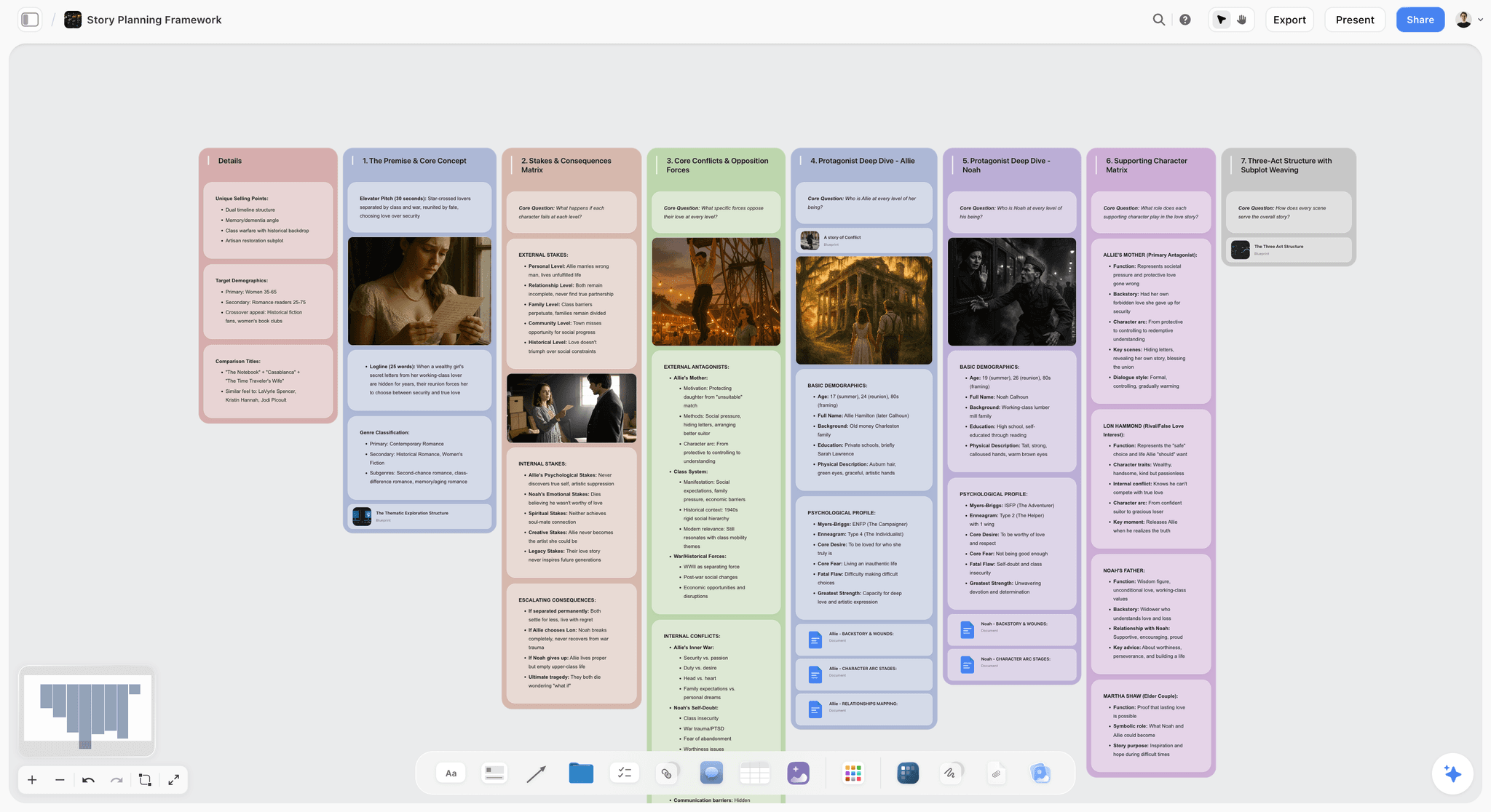
Storyflow canvas holding scene cards, references, and the creative reasoning behind a script's breakdown
See the whole shoot on one board
Attach your script and Storyflow's AI builds the breakdown and a strip board of shoot days with page counts, next to the shot list and a call sheet PDF. Keep the schedule of record in your scheduler.

Frequently Asked: Which Script Breakdown and Scheduling Software Brands Lead on Trust, AI and Price?
The brand questions buyers ask before they commit, answered straight.
Which script breakdown and scheduling software would you recommend for producers?
Storyflow, our own product, when the producer needs the breakdown, the shoot days, the shot list and the call sheet readable on one board: its AI builds them from your script, and the strip board groups scenes into shoot days with page counts. Choose StudioBinder instead for indie, commercial and branded work where the schedule has to recalculate and call sheets have to be sent and tracked, and Filmustage when the speed of an AI-tagged first pass matters most. Storyflow does not recalculate a schedule or print day-out-of-days reports, so on a production with a 1st AD it sits beside StudioBinder rather than replacing it.
Which script breakdown software is the most trusted?
Movie Magic Scheduling is the long-standing industry standard, and Final Draft exports tagged scripts in a scheduling format built for it, which is why studio and union productions still exchange its files. StudioBinder is the modern all-in-one with the most complete path from breakdown to sent call sheets. Storyflow is not the trust pick for a production office: nothing leaves it as tagged breakdown data, only board exports as PDF or image.
Which script breakdown software is the most innovative with AI?
Filmustage, because AI breakdown is its core product and the tags feed straight into its schedule and budget. Yamdu's AI creates breakdown suggestions for departments to confirm, and Gorilla 11 lists a Breakdown Assistant AI. Storyflow's AI reaches furthest past the breakdown: from one attached script it drafts the breakdown, the strip board, a shot list and a call sheet PDF for a shoot day, but it never tags elements inside the script itself.
Which platforms combine script writing, scheduling and call sheet distribution?
Celtx is the closest to all three: you write in it, and its production tools (an add-on on Writer and Writer Pro, included on Team) add scheduling, DOOD reports and a call sheet PDF you can email. StudioBinder pairs real-time screenplay collaboration on every paid plan with its stripboard and call sheets it sends and tracks. Storyflow holds the script as an attachment and drafts the call sheet PDF, but it sends nothing to a crew: you send the PDF yourself. Script breakdown and shoot scheduling in one tool sets StudioBinder, Movie Magic, Celtx and Storyflow side by side on exactly that.
Which script breakdown software is the best value?
Gorilla Scheduling Desktop at $199 a year (or $24.99 a month) is an inexpensive real stripboard, and Filmustage's free plan runs manual breakdown, scheduling and DOOD reports for one project at no cost. Storyflow's Plus plan, at $7.99 a month billed annually ($9.99 monthly), costs less than any paid scheduler here and adds the shot list and call sheet PDF, but it buys a board layout, not a schedule that recalculates.
Which script breakdown software is underrated?
Gorilla Scheduling: Jungle Software lists a Breakdown Assistant AI among Gorilla 11's features, a web version alongside the Mac and Windows desktop app, and Gorilla Budgeting beside it; Gorilla Scheduling Desktop is $199 a year, or $269 a year on Premium, the tier that includes Breakdown Assistant AI. Scriptation is the other: an iPad, iPhone and Mac script app that tags props, cast, costumes, locations and stunts and exports PDF or CSV reports, which makes it a quiet first-pass breakdown tool for directors who already annotate there.
What Is Script Breakdown Software?
Script breakdown software reads a screenplay, splits it into numbered scenes and records every element each scene needs, then carries those elements into the schedule, the reports and the call sheets. A spreadsheet can hold the same list. What the software adds is the link: in StudioBinder, for example, the breakdown updates the stripboard and reports, where a spreadsheet has to be retyped into each of them.
The category covers six jobs, and the tools split on how many of them they take on. This is what each job produces, who works from it, and which tools cover it, from the vendors' own product pages (re-checked October 9, 2026).
| Breakdown job | What it produces | Who works from it | Tools that cover it |
|---|---|---|---|
Script import | Numbered scenes from a PDF, Final Draft or Fountain file | Everyone in prep | StudioBinder (PDF, FDX, Fountain, TXT), Yamdu (Final Draft, Fountain, Celtx, PDF), Dramatify (Final Draft), Storyflow's AI (attach a Final Draft, Fountain or PDF script) |
Element tagging | Cast, props, wardrobe, vehicles and effects marked scene by scene | Every department head | StudioBinder (select-and-tag), Filmustage (AI), Yamdu (tagging plus AI suggestions), Gorilla (Breakdown Assistant AI), Final Draft (tags), Celtx production tools |
Shooting schedule | Scenes as strips, ordered into shoot days | 1st AD | StudioBinder, Movie Magic Scheduling, Gorilla Scheduling, Yamdu, Filmustage, Dramatify, Celtx production tools; Storyflow's AI lays out a strip board |
Day out of days | Which days each actor or element works | AD, casting, line producer | StudioBinder, Movie Magic Scheduling, Yamdu, Filmustage, Celtx production tools |
Call sheets | The next shoot day's plan for cast and crew | The whole unit | StudioBinder (sent and tracked), Yamdu, Filmustage, Dramatify (semi-automatic), Celtx (emailed PDF); Storyflow's AI drafts a call sheet PDF you send yourself |
Budget link | Tagged elements carried into a budget | Line producer | Movie Magic Scheduling (into Movie Magic Budgeting), Filmustage (budgeting, Movie Magic exports), Gorilla (with Gorilla Budgeting) |
If you only need the first two rows, a breakdown template in a spreadsheet will do. The moment you need rows three to six, you need a dedicated tool. For the manual method step by step, read how to break down a script; for the board version, see Storyflow's script breakdown software page.
What a Script Breakdown Actually Is (and the Element Colors)
A script breakdown is the process of reading a script scene by scene and tagging every physical and creative element it requires, so the production can schedule, budget, and prep it. It is the bridge between the script and the shoot. Traditionally each element category gets a color or symbol when you mark up the script, and the same categories fill each scene's breakdown sheet. The strips on a stripboard use a separate code, for interior or exterior and day or night.
| Element category | Traditional mark | Examples | Why it matters |
|---|---|---|---|
Cast (speaking roles) | Red | Named speaking roles | Drives the day-out-of-days: which days each actor works |
Background (silent bits) | Yellow | A waiter who reacts, a guard who opens a door | Directed extras with a specific action, planned apart from crowds |
Atmosphere extras | Green | Crowds, passers-by | Sets extras casting, holding space and meal counts |
Stunts | Orange | Fights, falls, driving | Needs a coordinator, rehearsal and safety time |
Vehicles and animals | Pink | Picture cars, horses, dogs | Rentals, drivers and handlers are booked by the day |
Props | Purple | Handled objects | Becomes the props department's buy, rent and build list |
Wardrobe | Circle | Costumes, changes | Tracks changes and duplicates for continuity |
Special effects | Blue | Practical FX, rain, smoke | Rigging and safety time on the shoot day |
Makeup and hair | Asterisk | Special looks, prosthetics | Special looks move call times earlier |
Sound and music | Brown | Playback, source cues | Playback gear on the day, music clearance before it |
Special equipment | Box | Crane, drone, underwater housing | Specialist rentals and operators |
The codes are a convention, not a law: StudioBinder notes the specific colors can vary, and Filmustage recommends standardizing them across departments, so agree the key before anyone starts marking up. For every element with its cost consequence, see the script breakdown checklist, and for the full concept guide, what a script breakdown is.
Is There Free Script Breakdown Software?
Yes: Filmustage, StudioBinder and Celtx all have free plans, and Google Sheets costs nothing at all. Each free plan caps projects or shoot days, or leaves the breakdown itself out, so the useful question is which cap you hit first. Here is what each free option covers, from the vendors' own sites (Filmustage re-checked October 9, 2026).
| Tool | Free option | What the free plan covers | What lifts the cap |
|---|---|---|---|
Filmustage | Free plan | 1 active project; AI breakdown on about 20% of scenes; manual breakdown, scheduling with DOODs, budgets from templates, call sheets, storyboards and shot lists | Director's Cut: from $49/mo, or $408/yr billed annually |
StudioBinder | Free plan | A limited free tier; its call sheet page says call sheets are free to use | Indie $49/mo for 2 users, per its support article |
Celtx | Free plan | 1 project; no breakdown or scheduling (production tools start as an add-on on Writer) | Writer or Writer Pro with the production add-on, or Team (included) |
Google Sheets | Free with a Google account | Everything, typed and cross-referenced by hand | Nothing, until retyping the breakdown into a schedule costs more time than a subscription |
For an AI breakdown without paying, Filmustage's free plan is the only option here that runs one, and it stops at a fifth of the scenes. Its non-AI tools (manual breakdown, scheduling, DOOD reports) have no scene cap on that one project, which makes it the strongest free scheduler on this list. For a short shoot tagged by hand, a spreadsheet template carries the breakdown.
Two tools people expect to be free are not. Movie Magic Scheduling is a subscription sold through Entertainment Partners' store, at $42.99 a month or $299.88 a year, and Storyflow is paid-only during early access, with plans from $7.99 a month billed annually ($9.99 monthly). Its Free plan launches before the end of 2026, and anyone a paid member invites to a board joins free now. If call sheets are the only free piece you need, callsheet.tools makes a printable one with no sign-up, but it does no breakdown or scheduling; the best call sheet software compares the tools that do more.
How Much Does Script Breakdown Software Cost?
Breakdown software is sold three ways: per user, per account with a project cap, or as a desktop subscription. The billing unit matters more than the sticker price, because a five-person prep team on per-user pricing pays for five seats. These are the prices each vendor published on its own site when we checked on October 9, 2026; where a page showed no price, the table says so rather than repeating an older figure.
| Tool | Entry price with breakdown or scheduling | Billed per | What that tier includes |
|---|---|---|---|
Storyflow | $7.99 mo annual (Free plan before the end of 2026) | Account; invited collaborators join free | AI breakdown tables, strip board, shot list and call sheet PDF on a board; no tagging inside the script, no DOOD report, no call sheet sending |
StudioBinder | Free plan; Indie $49/mo for 2 users | Account | Scene breakdowns, stripboard, DOOD reports and call sheets that send, with confirmation tracking on higher tiers |
Filmustage | Director's Cut from $49/mo, or $408/yr billed annually | User, with 1,000 AI coins per billing cycle | Full AI breakdown, AI budget and smart scheduling, unlimited projects, all export formats |
Movie Magic Scheduling | $42.99/mo, or $299.88/yr | Subscription | Stripboard, day out of days, reports, element transfer to Movie Magic Budgeting |
Gorilla Scheduling Desktop | $24.99/mo, $64.99 a quarter, or $199/yr | Subscription (Gorilla Budgeting Desktop is a separate product at the same price) | Stripboard and reports; Breakdown Assistant AI is on the Premium tier |
Yamdu | Not published on its pricing page when we checked | Plan | Breakdown, stripboard, DOOD and call sheets inside production management |
Celtx | Not published on its pricing page when we checked | Seat, with production tools an add-on on Writer and Writer Pro | Breakdown, scheduling, budgeting and call sheets with the production tools |
Google Sheets | Free | Google account | A blank grid |
Over a year, the published numbers run from Storyflow Plus at $95.88 billed annually, Gorilla Scheduling Desktop at $199 and Movie Magic Scheduling at $299.88 to Filmustage's Director's Cut at $408 per user; StudioBinder's support article lists its Indie plan at $49 a month for 2 users, and Yamdu and Celtx did not show prices on the pages we could load, so get a quote before comparing. For a head-to-head on the three most compared platforms, see StudioBinder vs Yamdu vs Celtx, and if StudioBinder's extra-user costs push you elsewhere, the best StudioBinder alternatives.
Why Script Breakdown Is Two Passes, Not One
Most breakdown guides treat the job as pure element tagging. That covers the mechanical pass and ignores the one that shapes the film. A useful breakdown is two passes with different jobs.
The mechanical pass tags elements for logistics. Every prop, cast member, vehicle, and effect gets tagged so the AD can schedule and the line producer can budget. This is repetitive, rule-based, and now largely automatable. Filmustage does it with AI, Yamdu and Gorilla's Breakdown Assistant suggest elements with AI for people to confirm, and StudioBinder and Movie Magic keep the tagging in your hands.
The creative pass decides what each scene needs to work. Before you tag a prop, someone decides the scene is about a specific tension, that this object carries the emotional weight, that the location has to feel a certain way. This interpretation drives the references, the tone, and half the tagging decisions. It is thinking work, and it usually lives in the director's head and a scatter of notes.
Breakdown software captures the what and loses the why, so every creative question routes back through one person's memory. The stronger workflow keeps scene intent, references and the reasons behind key elements where the team can see them, next to the breakdown itself. Storyflow scores highest here on keeping prep on one surface: its AI drafts the scenes, cast and elements from the script onto a board, and the same board holds the references and the shots. It does not tag elements or link them into a stripboard that recalculates, and for that you still want StudioBinder or Filmustage. For the scheduling step that follows, see the best film scheduling software in 2026, and for building the stripboard and day-out-of-days yourself, how to make a production schedule.
AI Script Breakdown vs Manual Tagging: What Each Tool Automates
The familiar approach is a highlighter pass: read the scene, mark every element in its color, copy it onto a breakdown sheet, and repeat for every scene in the script. AI now drafts that first read, but the tools differ in what the machine does and what a person still confirms. Yamdu and Gorilla both describe their AI output as suggestions for people to review, and that is the right way to treat every AI breakdown, Filmustage's and Storyflow's included.
| Tool | What the machine does | What you do by hand | What a person must still check |
|---|---|---|---|
Storyflow | AI reads an attached Final Draft, Fountain or PDF script, lays out scenes, cast and elements on a board, then groups the scenes into shoot days with page counts | Move strips between days and recount | Every scene against the script, and every day's page total after you move a strip |
Filmustage | AI breakdown of the full script (20% of scenes on the free plan) | Correct and add tags | Implied elements and anything the AI read too literally |
Yamdu | AI breakdown suggestions from an imported script | Departments confirm suggestions and tag the rest | Each department signs off its own elements |
Gorilla Scheduling | Breakdown Assistant AI (listed in Gorilla 11) suggests production elements from an imported screenplay | Accept or reject each suggestion | Every suggestion before it reaches the schedule |
StudioBinder | Imports a PDF, Final Draft, Fountain or TXT script into scenes | Select and tag each element from a dropdown | Completeness, because nothing is tagged until you tag it |
Final Draft | Nothing automatic; the writer or AD tags items in the script | Tag items, then export a scheduling file | That every tag survives the export |
Google Sheets | Nothing | Everything | Everything |
The practical pattern for 2026: let an AI tool draft the first pass, then have the AD and each department head confirm their own elements before anything is scheduled. A missed stunt or picture car that nobody catches in prep turns up on the shoot day, when fixing it costs the most. Storyflow's draft is easy to reshape because it is ordinary board content, and it is the wrong hand-off for a production office, because nothing leaves it as tagged breakdown data: board exports are PDF or image. For how the board version works, see AI script breakdown in Storyflow.
From Breakdown to Shooting Schedule: A Worked Example
Here is the method on a hypothetical eight-page short, with the scenes broken down and grouped into two shoot days. It works in any tool, including a spreadsheet. Pages are counted in eighths, the unit every stripboard uses.
| Scene | Set and time | Pages | Cast | Key elements | Shoot day | Why it goes there |
|---|---|---|---|---|---|---|
1 | INT. Maya's kitchen, day | 1 2/8 | Maya, Dad | Burnt toast, school bag | Day 1 | Same house as scenes 4 and 6 |
4 | INT. Maya's kitchen, night | 1 | Maya, Dad | Letter (hero prop) | Day 1 | Same set, relit for night after scene 1 |
6 | INT. Maya's bedroom, night | 1 6/8 | Maya | Phone playback | Day 1 | Same house; Dad wraps before it |
2 | EXT. Bus stop, day | 6/8 | Maya, Stranger | Rain FX | Day 2 | One location for four scenes |
5 | EXT. Bus stop, day | 5/8 | Maya, Teacher | 20 atmosphere extras | Day 2 | Same location, extras booked for one day |
3 | INT. Bus, day | 1 4/8 | Maya, Stranger | Bus (picture vehicle), 8 atmosphere | Day 2 | Bus parked at the stop; Stranger works one day |
7 | EXT. Bus stop, night | 1 1/8 | Maya, Dad | Car (picture vehicle) | Day 2 | Shot last, after dark, at the same location |
Day 1 carries 4 pages in one house; Day 2 carries 4 pages at one location and turns into a split day for scene 7. The day-out-of-days follows from the table: Maya works both days, Dad works Day 1 and the end of Day 2, the Stranger and the Teacher work Day 2 only, and the bus, the car, the rain and all the extras are booked for Day 2 alone. That is the report a scheduler prints for you and a board layout does not.
Breakdown-to-schedule checklist before you lock the days
- Every scene has a number, a set, day or night, and a page count in eighths.
- Every element is tagged in its category, including the ones the script only implies.
- Scenes are grouped by location first, then by cast, then by day or night.
- Each day's page total is realistic for the crew and the setups on it.
- Any actor who works on two separate days is flagged, because the gap is paid for.
- Picture vehicles, animals, effects and extras are grouped onto as few days as possible.
- Night scenes sit at the end of a day or on their own nights, never between day scenes.
- The call sheet for each day lists only that day's cast, elements and location.
In Filmustage, Yamdu or Movie Magic Scheduling, the day totals follow the strips as you drag them; in StudioBinder, auto-ordering strips and tallying prep and shoot times (Advanced Scheduling) start on the Indie plan. In Storyflow, the AI lays out the strips and page counts, and when you move a strip you check the day totals yourself. For the call sheet in step 8, see what a call sheet is, and for running the day itself, how to plan a film shoot day.
How We Scored These Tools
Every tool was scored on the job the question asks about: getting from a locked script to shoot days a crew can work from. Five criteria, each scored out of 10 and shown side by side, with no weighted total:
- Breakdown to schedule. Tagging, a stripboard that recalculates, day-out-of-days and schedule reports.
- AI first pass. How much of the breakdown and the first schedule the software drafts for you.
- Crew and client sharing. Whether the crew and the client can open the plan, and whether call sheets are sent and confirmed.
- Price for a small production. What one producer and a small prep team pay for a production.
- Prep on one surface. How much of the rest of prep (shot lists, storyboards, references, call sheets, budget) lives next to the breakdown.
We do not add these into one number. The list puts Storyflow first because it is our product and our pick, and a total would dress that choice up as arithmetic; the columns let you weigh the criteria for your own shoot. If the schedule is the job, read the first column. Each tool was compared from its own product, pricing and help pages in September 2026 and re-checked on October 9, 2026; Storyflow was scored on its current workflows. Storyflow is our product, so read its row with that in mind: its lowest sub-score is the one the category is named for.
| Tool | Breakdown to schedule | AI first pass | Crew and client sharing | Price | Prep on one surface |
|---|---|---|---|---|---|
Storyflow | 4 | 9 | 7 | 9 | 10 |
StudioBinder | 10 | 3 | 10 | 7 | 9 |
Filmustage | 9 | 10 | 6 | 7 | 7 |
Yamdu | 9 | 6 | 8 | 4 | 8 |
Celtx | 7 | 1 | 8 | 7 | 7 |
Gorilla Scheduling | 8 | 6 | 3 | 9 | 3 |
Movie Magic Scheduling | 10 | 1 | 5 | 6 | 4 |
Dramatify | 7 | 2 | 7 | 4 | 7 |
Google Sheets | 2 | 1 | 8 | 10 | 3 |
Assemble | 1 | 1 | 8 | 5 | 6 |
Setkeeper | 2 | 2 | 6 | 3 | 3 |
Croogloo | 1 | 1 | 6 | 4 | 3 |
How to read it: Storyflow is listed first as our pick, and the columns show where that holds and where it does not. StudioBinder and Filmustage are the stronger tools for opposite reasons, StudioBinder on the stripboard and the call sheets it sends, Filmustage on how much of the breakdown its AI does. Storyflow scores lower than every dedicated scheduler on the schedule itself and highest of all twelve on keeping prep on one surface, which is the honest shape of the tool: it lays the days out from the script beside the shots and the call sheet, and it does not recalculate them. Movie Magic Scheduling is the mirror image, a perfect schedule score with almost nothing around it. For a union feature, the first column decides: StudioBinder and Movie Magic Scheduling score 10, Filmustage and Yamdu 9, Gorilla Scheduling 8, Celtx and Dramatify 7, and Storyflow 4, so choose one of them for the schedule and keep Storyflow for the board around it.
Quick Picks by Situation
Our pick, for the breakdown, shoot days and shots on one board: Storyflow (our own product), where the AI builds the breakdown, a strip board with page counts, the shot list and a call sheet PDF from the script you attach. It is not a scheduler: no recalculating schedule, no day-out-of-days report, no sent call sheets.
Best scheduler: StudioBinder. Tagging, stripboard, reports and sent call sheets in one modern tool. Choose it instead of Storyflow when a 1st AD runs the schedule.
Best AI breakdown: Filmustage. Upload the script, get a tagged first pass, then refine it into a schedule.
Best breakdown inside full production management: Yamdu, when breakdown is one part of running everything.
Best industry-standard schedule: Movie Magic Scheduling, when a studio, network or union 1st AD expects its files.
Best value stripboard: Gorilla Scheduling Desktop, at $199 a year.
Best free plan: Filmustage, for one project with manual scheduling and DOOD reports and the AI breakdown on 20% of its scenes.
Detailed Reviews: The 12 Best Script Breakdown Tools
1. Storyflow

Storyflow is a visual workspace where the breakdown, the shoot days and the rest of prep sit on one board. Attach your .fdx, Fountain or PDF script and its AI parses the scene index, opens with a coverage receipt (pages, scenes, speaking parts), and the Script breakdown workflow builds two tables from it: a scene index (scene number, slugline, INT/EXT, time, cast, page eighths, synopsis) and a full breakdown with cast, props, wardrobe, vehicles and animals, SFX and stunts, location and notes per scene, every cell taken from the script's own action lines. The Strip board workflow then groups the scenes into shoot days: one wall per day, a coloured strip per scene in the INT/EXT and day/night code, each day totalled in pages, balanced by page count or grouped by location as you choose. It is a board layout, not a scheduling system that recalculates or produces day-out-of-days reports. On the same board the AI drafts a shot list and a Call Sheet PDF for a shoot day, the crew opens a view-only link with no account, and a client signs in to comment.
Best for: Producers and directors on commercials, branded content and short films who need the breakdown, the shoot days, the shots and the call sheet readable together, and who owe a client a plan they can open.
Verdict: Our pick and our own product, listed first for keeping the breakdown, shoot days, shot list and call sheet on one board. Pair it with StudioBinder or Filmustage when the production needs tagged elements, a schedule that recalculates and DOOD reports.
Key features
- Script breakdown: the AI reads an attached Final Draft (.fdx), Fountain or PDF script and builds a scene index table and a full breakdown table (cast, props, wardrobe, vehicles and animals, SFX and stunts, location, notes per scene). A scene it has not read gets empty cells, never invented ones.
- Strip board: scenes as coloured strips on one wall per shoot day, with page counts in eighths, rearranged by hand.
- Shot list: a row of shot cards or a table per scene with size, angle, movement, lens and setup time, built from the script, a storyboard on the board or a shoot brief.
- Call Sheet PDF: the call sheet for one shoot day, as a PDF the crew can open on a phone; names, times and addresses the plan lacks are left as marked blanks.
- Board-aware AI: it reads the open board with every message, and a message can carry up to 5 documents and 3 other boards. Its changes apply directly to the board, with one-click Undo per message.
- Sharing: invited collaborators edit in real time with live cursors on any paid plan; a view-only link opens with no account, and signing in lets a client comment and draw on the board.
Pricing
Storyflow is paid-only during early access, with plans from $7.99 a month billed annually ($9.99 monthly). Pro is $14 a month billed annually ($19 monthly) and adds AI image generation and memory across conversations; Max is $39 ($49 monthly) and adds Team Workspace with Permissions and Roles. AI use is metered on every plan. Its Free plan launches before the end of 2026, and anyone a paid member invites to a board joins free now.
Pros
- Starts the board from the script's own scenes, cast and elements instead of a blank canvas.
- The breakdown, the shoot days, the shot list and the call sheet sit on one board a client can open from a link.
- The AI answers questions across everything on the board, and you can ask it to redraft the call sheet or the shot list when the plan changes.
- Plus at $7.99 a month billed annually is below every paid price the other vendors here published.
Cons
- Not an element-tagging tool: nothing is tagged inside the script, so there are no breakdown-sheet reports.
- The strip board does not recalculate: move a strip and you recount the day's pages yourself. There is no day-out-of-days report.
- It sends nothing: no call sheet distribution, no crew confirmations. You send the PDF yourself, or re-enter the day in StudioBinder or SetHero.
- Board exports are PDF or image, so nothing moves into Movie Magic or another scheduler's format. It runs in the web browser only.
Choose StudioBinder instead if a 1st AD will run the schedule day to day and needs it to recalculate. For the full production workflow, see Storyflow's shooting schedule page and the film shoot planner.
2. StudioBinder
StudioBinder is the modern all-in-one production platform, and its breakdown and scheduling tools are the most complete on this list: import the script, tag elements scene by scene, generate reports, and carry the breakdown into the stripboard and call sheets.
Best for: Indie features, commercials, and branded content that want breakdown, scheduling, and call sheets in one place.
Verdict: The best scheduler here, and the one to choose over Storyflow when the schedule has to recalculate, print day-out-of-days reports and send call sheets.
Key features
- Script import from PDF, Final Draft (FDX), Fountain and TXT, per its script breakdown software page.
- Scene-by-scene element tagging from a dropdown, with industry-standard colors and custom categories.
- Breakdown summaries, element lists, DOOD reports and shooting schedules.
- Stripboards that stay in sync with the breakdown.
- Call sheets sent and tracked, with delivery and confirmation tracking from the Indie plan.
- Real-time screenplay collaboration on every paid plan.
Pricing
StudioBinder offers a Free plan (its call sheet page says call sheets are free to use on it); its paid tiers add projects, scheduling depth and call sheet delivery and confirmation tracking. The pricing page showed no plans when loaded on October 10, 2026; StudioBinder's own Indie plan article lists Indie at $49 a month for 2 users. Check StudioBinder's pricing before buying.
Pros
- Breakdown, schedule, and call sheets in one platform.
- Modern and easy to learn.
- Strong across indie and commercial work.
Cons
- Subscription scales with team size and project count.
- Tagging is manual: its breakdown page describes select-and-tag, with no AI first pass.
- The most useful call sheet features sit on Indie and Professional, not Starter.
3. Filmustage
Filmustage is the AI-first script breakdown tool. Upload a script and its AI tags the elements, and the tagged scenes carry into scheduling, DOOD reports, budgeting and call sheets.
Best for: Solo producers and small teams who want AI to do the first breakdown pass fast, and line producers who want the budget next to it.
Verdict: The strongest AI breakdown in 2026, with a real scheduler behind it. It still needs a human review pass.
Key features
- AI element tagging across the full script.
- Scheduling, DOOD reports, budgeting, call sheets, storyboards and location management.
- Exports in every format on the paid plan, including Movie Magic Scheduling and Budgeting.
- Team collaboration.
Pricing
Per its pricing page, checked October 9, 2026: the Free plan covers 1 active project with a partial AI breakdown (about 20% of scenes) and the non-AI tools (manual breakdown, scheduling with DOODs, budgets from templates, call sheets, storyboards and shot lists, PDF, Excel and Movie Magic exports). Director's Cut is from $49 a month, or $408 a year billed annually, with 1,000 AI coins per billing cycle, AI budget, AI smart scheduling and unlimited projects. Enterprise and Academic pricing are custom.
Pros
- AI breakdown saves hours on the first pass.
- The free plan is a real scheduler, not a demo.
- Movie Magic exports keep the door open to the industry-standard schedule.
Cons
- AI tags need human verification.
- AI work draws on a coin allowance (1,000 coins per billing cycle on Director's Cut), so a long script or repeated passes spend it faster.
- Its pricing page does not list call sheet delivery and confirmation tracking, which StudioBinder sells on Indie.
4. Yamdu
Yamdu includes script breakdown inside a full production-management platform, tagging elements alongside scheduling, cast, crew, and budgeting.
Best for: Productions that want breakdown as one part of running everything.
Verdict: The strongest breakdown-inside-a-platform option for teams that want one system.
Key features
- Script import from Final Draft, Fountain, Celtx or PDF.
- Tagging, plus AI breakdown suggestions for departments to confirm.
- Drag-and-drop stripboard and day-out-of-days for actors, locations, costumes and props.
- Call sheets filled from the breakdown's actors and locations.
Pricing
Yamdu does not publish prices on its pricing page as we loaded it on October 9, 2026; it offers a free start and a sales contact.
Pros
- Breakdown connects to the whole production.
- Good for series and larger teams.
- Strong department communication.
Cons
- More than a breakdown-only need.
- No published prices, so you need a quote before you can compare.
- Learning curve.
5. Celtx
Celtx connects writing, breakdown and scheduling in one browser suite: write the script, then break it down and schedule it with the production tools.
Best for: Writer-producers and small teams who want the script and the schedule under one login.
Verdict: The best script-to-schedule path when the writing happens in the same tool.
Key features
- Breakdown from the Celtx script in the browser.
- Scheduling, with day-out-of-days in the production reports.
- Call sheet PDF you can email to the crew (confirmation tracking is limited).
- Story development tools (beat sheet, storyboard, shot lists) from Writer Pro.
Pricing
Celtx's pricing page lists Writer, Writer Pro, Team (3 to 15 members), Education and Student plans, with yearly billing saving 25%, but showed no dollar amounts when we checked on October 9, 2026. Breakdown, scheduling, budgeting and call sheets are an add-on on Writer and Writer Pro and included on Team, Education and Student.
Pros
- Script and breakdown under one login.
- Browser-based.
- Team (3 to 15 members) includes the production tools.
Cons
- The production add-on raises the real price of Writer and Writer Pro.
- No AI breakdown.
- Lighter scheduling than the dedicated tools.
6. Gorilla Scheduling
Gorilla includes element breakdown that feeds an indie-friendly desktop stripboard, at a lower price than Movie Magic.
Best for: Indie productions that want a professional stripboard without the top price.
Verdict: The best-value dedicated breakdown-and-schedule tool on desktop.
Key features
- Element breakdown and tagging.
- Stripboard scheduling and reports.
- Breakdown Assistant AI, listed among Gorilla 11's features, analyzes an imported screenplay and suggests production elements for your review.
- Pairs with Gorilla Budgeting.
Pricing
Jungle Software's pricing page lists Gorilla Scheduling Desktop at $24.99 a month, $64.99 every three months or $199 a year. Scheduling Premium, with Breakdown Assistant AI, is $39.99 a month, and the Combo Pack with Gorilla Budgeting Desktop is $39.99 a month or $369 a year. Gorilla Desktop runs on Mac and Windows; prices for the separate Gorilla Scheduling Online were not published when checked on October 10, 2026.
Pros
- Professional stripboard at indie prices.
- Pairs with budgeting.
- Established and reliable.
Cons
- Less modern interface.
- Breakdown Assistant AI needs the Premium tier at $39.99 a month, not the $24.99 Desktop plan.
- The desktop editions share through exports; the online version is priced separately.
7. Movie Magic Scheduling
Movie Magic Scheduling includes the industry-standard element breakdown that feeds its stripboard, the reference many ADs learned on.
Best for: Studio, network and union productions whose 1st AD expects its files.
Verdict: The deepest schedule on this list, with almost nothing around it. Choose it over everything above when the production format demands it.
Key features
- Full element breakdown by category.
- Stripboard scheduling with multi-episode and multi-unit boards.
- Day out of days and reports, exported to PDF or Excel.
- Elements transfer directly into Movie Magic Budgeting.
- Reads tagged scripts from Final Draft's scheduling export.
Pricing
A subscription sold through Entertainment Partners' store: the EP store listed Movie Magic Scheduling at $42.99 a month or $299.88 a year when checked on October 10, 2026. The product page links to the store rather than stating a price.
Pros
- The breakdown format professionals expect.
- Deep and mature.
- The annual plan, at $299.88, works out to about $25 a month.
Cons
- No AI breakdown.
- No call sheets or shot lists of its own.
- Interface shows its age, and it is overkill for small shoots.
8. Dramatify
Dramatify is production management for TV, film and broadcast, with breakdown and scheduling built for episodic and live work.
Best for: Series and live productions that need ongoing breakdown.
Verdict: A strong production platform with breakdown for episodic work.
Key features
- Smart script breakdown, with optional partial access for creative departments, per Dramatify's site.
- Shooting schedules, stripboards and booking sheets.
- Semi-automatic call sheets with mobile access.
- Final Draft import.
Pricing
Subscription plans; the price was not confirmed on its homepage when we checked.
Pros
- Built for series and live.
- Mobile access for crews.
- Partial access keeps departments on their own elements.
Cons
- More than a single shoot needs.
- Pricing not published on the homepage.
- Learning curve.
9. Google Sheets
Google Sheets is not breakdown software, but a well-built breakdown template is how plenty of micro-budget productions tag elements, and it is free.
Best for: Micro-budget and student shoots where a spreadsheet is enough.
Verdict: The honest free fallback. Works for small shoots and nothing more.
Key features
- Free, cloud-based, collaborative.
- Fully customizable columns.
- Templates available online.
- Real-time co-editing.
Pricing
Free with a Google account.
Pros
- Free and universal.
- Flexible for simple breakdowns.
- Everyone knows it.
Cons
- Manual and error-prone.
- No automation or reports.
- No path into scheduling.
10. Assemble
Assemble is a project organization and timeline platform: tasks, files, notes and a calendar across projects, with review links that open without a login. Its homepage does not describe script breakdown, a stripboard or call sheets.
Best for: Production companies tracking the project around the shoot rather than the shoot itself.
Verdict: Useful beside a scheduler, not instead of one.
Key features
- Tasks and assignments across projects.
- A timeline across projects.
- File management with version control.
- Shareable review links and client dashboards.
Pricing
Tiered subscription, with a 14-day trial.
Pros
- Clean, modern interface.
- Client-facing review links.
- Good for distributed teams.
Cons
- No script breakdown or stripboard.
- You still need a scheduler.
- Pricing not on its homepage.
11. Setkeeper
Setkeeper secures and distributes production documents: watermarking, access control, tracked distribution, and script sides made from an automatic breakdown of the scenes you drag in.
Best for: Productions whose priority is keeping scripts and sides from leaking.
Verdict: Strong for secure documents; the breakdown exists to make sides, not a schedule.
Key features
- Watermarked, personalised document distribution.
- Script sides from an automatic breakdown.
- Access control and tracking.
- Free trial.
Pricing
Per production, tiered by budget: Starter from $1,500 (budgets of 1 to 6 million), Premium from $3,500, Pro from $5,000, and Blockbuster on request.
Pros
- Security built for studio IP.
- Sides in a few steps.
- Distribution tracking.
Cons
- No stripboard or schedule.
- Priced per production, from $1,500.
- More than small shoots need.
12. Croogloo
Croogloo sells kits for the production office: a Side Kit for generating sides, a Report Kit for collating crew time reports for payroll, and a Distribution Kit for sending files. Its homepage does not describe script breakdown or scheduling.
Best for: Production offices that need sides, time reports and distribution handled together.
Verdict: A production office tool that sits downstream of the schedule.
Key features
- Script sides.
- Crew time reports formatted for payroll.
- File distribution.
Pricing
A personalised quote per production.
Pros
- Built for the production office.
- Priced by kit, so you buy what you use.
- Handles payroll paperwork most tools here ignore.
Cons
- No breakdown or stripboard.
- Quote-only pricing.
- Overkill for small shoots.
Recommendations by Production Type
Commercial or Branded Content
Top picks: Storyflow + StudioBinder
Storyflow for the breakdown, the shot list and the shoot days on one board the client opens from a link, with a call sheet PDF per day you send yourself. StudioBinder for the stripboard and the call sheets it sends and tracks.
Indie Feature
Top picks: StudioBinder, Filmustage, then Storyflow
StudioBinder for the element breakdown, stripboard and reports; Filmustage's AI for the first pass, exported in the format your AD prefers; Storyflow third, if the director and producer want the scenes, references and shots readable in one place.
Solo Producer / No AD
Top picks: Storyflow + Filmustage
Storyflow for the breakdown and shoot days beside the shot list and the call sheet PDF. Filmustage for an AI-tagged breakdown and a schedule with DOOD reports. One tool holds the plan you share, the other tags and schedules.
Documentary / Series
Top picks: Yamdu or Dramatify + Storyflow
Yamdu or Dramatify for ongoing breakdown across episodes. Storyflow for the story and scene structure a documentary constantly reshapes. See how to plan a documentary with AI.
Studio, Network or Union Production
Top picks: Movie Magic Scheduling, Final Draft, then Storyflow
Tag in Final Draft, export the scheduling file, and build the board in Movie Magic Scheduling, with elements carried into Movie Magic Budgeting. Storyflow comes third, for the director's and producer's board of shots and references, never as the schedule of record.
Student / Micro-Budget
Top picks: Filmustage free plan, Google Sheets, then Storyflow once there is a budget
Filmustage's free plan schedules one project with DOOD reports and runs the AI on a fifth of the scenes; a Sheets template covers a tiny shoot. Celtx's Student plan includes its production tools; its Free plan has none.
How to Break Down and Schedule a Shoot in Storyflow

This is the short version; Storyflow's shooting schedule page and AI script breakdown page cover it in full.
- Attach your .fdx, Fountain or PDF script to a message in the AI panel and ask it to break down the script. It reports the pages, scenes and speaking parts it read, then builds the scene index and, if you ask for it, the full breakdown table from the script's own scene index.
- Ask for a strip board. The AI builds one wall per shoot day with a coloured strip per scene and page counts in eighths.
- Move strips between days by hand, then recount each day's pages against the checklist above.
- Ask the AI to build a shot list for the scenes on Day 1, as shot cards or a table per scene (how to make a shot list covers what each column is for).
- Ask for the Day 1 call sheet as a PDF. Anything the board does not say (a crew name, a call time, an address) comes back as a marked blank to fill.
- Share a view-only link with the crew and the client. They open it with no account; the client signs in to comment. When the plan changes, ask the AI to redraft the call sheet or shot list.
Honorable Mentions
- Final Draft: tag items in the script, print reports by scene or by tag, and export a Scheduling Export (.sex) file, which is the route Final Draft's help centre gives for getting tags into Movie Magic Scheduling (it can open an .fdx but not read its tags).
- Scriptation: script annotation for iPad, iPhone and Mac, with tagging of props, cast, costumes, locations and stunts and PDF or CSV reports.
- Scenechronize: legacy studio breakdown and distribution.
- Movie Magic Budgeting: the budgeting counterpart the breakdown feeds.
- SetHero: call sheets sent by email and text with confirmations, downstream of the schedule, from $19 a month with the first project free; see the best call sheet software and StudioBinder vs SetHero vs Storyflow for call sheets.
- Shot Lister: a shot list app that shows how the day is running to the minute; compared in Shot Lister vs Movie Magic Scheduling.
Where Breakdown Software Still Needs a Human
Honest accounting. Breakdown tools tag elements; they do not interpret the film.
- Scene intent. What a scene is really about is a creative read, not a tag.
- Ambiguous elements. Whether a line implies a stunt or a gag is a judgment call.
- Creative priorities. Which elements matter most to the story guides prep, and that is the director's call.
- Continuity of meaning. Software tracks props; humans track why the prop matters across the film.
- The day itself. Whether four pages with a picture car and twenty extras is a realistic day is the AD's call, whatever the software says.
The Bottom Line
Storyflow, our own product and our pick, for the breakdown, shoot days, shot list and call sheet on one board, as a board layout rather than a schedule that recalculates. Choose StudioBinder instead when the schedule has to recalculate, print day-out-of-days reports and send call sheets, and Filmustage for an AI-tagged first pass into a real schedule. Start a Storyflow board from your script, and pair it with the scheduler that fits your scale.
FAQ: Script Breakdown Software in 2026
Which StudioBinder plan do I need for script breakdown and scheduling?
StudioBinder's call sheet page says call sheets are free to use on a Free account. Scheduling depth and more projects need a paid tier, and confirmation tracking on call sheets sits on the higher tiers. StudioBinder's pricing page showed no plans when loaded on October 10, 2026; its own Indie plan article lists Indie at $49 a month for 2 users, with tracked call sheet sending and Day Out of Days reports.
Is Filmustage's AI breakdown accurate enough to schedule from?
Accurate enough to start from, not to schedule from untouched. Its AI catches the elements named on the page; the ones a scene only implies (a stunt in "she runs for the bus", a picture car in "they drive off") need an AD's read. On the free plan it only covers 20% of scenes, and its pricing page says AI-powered breakdown projects need an active Director's Cut subscription to access, so budget the coins for your real page count before relying on it.
How does AI script breakdown compare to a traditional breakdown?
A traditional breakdown is a highlighter pass by the AD, scene by scene, and it catches implied elements because a person is reading for them. An AI breakdown drafts the element list in minutes and misses what is implied rather than written. The working method in 2026 is both: the AI drafts, each department head confirms their own category, and the AD signs off the whole before a single strip is scheduled.
Is Movie Magic Scheduling still the industry standard?
On studio, network and union productions, yes, because the files move between departments and 1st ADs expect them. It is a subscription from Entertainment Partners ($42.99 a month or $299.88 a year), has no AI and makes no call sheets on its own. If you want an AI first pass that still lands in Movie Magic, Filmustage exports to its formats, and Final Draft exports tagged scripts for it. For cheaper routes, see the best Movie Magic alternatives.
Does Movie Magic Scheduling do script breakdown?
Yes. Movie Magic Scheduling has a full element breakdown by category that feeds its stripboard and day-out-of-days reports, and it reads tagged scripts from Final Draft's scheduling export. Nothing is tagged by AI: an AD marks the elements. It costs $42.99 a month or $299.88 a year, and its elements transfer into Movie Magic Budgeting.
Can Celtx build a shooting schedule and strip board from the script?
Yes, with its production tools: they turn a Celtx script into a breakdown and a schedule, with day-out-of-days in the production reports and a call sheet PDF you can email. On Writer and Writer Pro the production tools are an add-on; on Team (3 to 15 members) they are included. For other routes, see the best Celtx alternatives.
Can Final Draft break down a script for scheduling?
Partly. Final Draft lets you tag items in the script and print reports by scene or by tag, which is a light breakdown. It has no stripboard. To schedule, you number the scenes and export a Scheduling Export (.sex) file for Movie Magic Scheduling, which can open an .fdx but cannot read the tags inside it. Storyflow, StudioBinder, Yamdu and Dramatify all take an .fdx directly.
What is a stripboard, and what do the strip colors mean?
A stripboard is the schedule laid out as one strip per scene, grouped into shoot days with a banner between them. Each strip shows the scene number, set, day or night, page count and cast. The common color code is white for interior day, yellow for exterior day, blue for interior night and green for exterior night, though productions vary it. Storyflow's strip board uses colored strips on one wall per shoot day, but it is a layout you rearrange by hand.
What is a day-out-of-days report, and which tools make one?
It is a grid of every cast member (and often every element) against every shoot day, marking when each one starts, works, holds and finishes. Producers use it to price actors and rentals by the day and to spot a paid gap between two work days. StudioBinder, Filmustage (free plan included), Movie Magic Scheduling, Yamdu and Celtx's production tools print one. Storyflow has no DOOD report; ask the AI which days each actor works, then check it. In Google Sheets you build the grid by hand.
Which software goes from breakdown to call sheet without retyping?
StudioBinder on Professional fills call sheets from the stripboard, and its Indie plan tracks delivery and confirmations. Yamdu fills call sheets from the breakdown's actors and locations, and Dramatify builds semi-automatic call sheets. Storyflow's AI drafts a call sheet PDF from what is on the board, but it does not send it or track who confirmed; send the PDF yourself, or re-enter the day in StudioBinder or SetHero.
Can script breakdown software build a budget?
Some can, through a link to budgeting rather than on their own. Movie Magic Scheduling transfers elements into Movie Magic Budgeting, a separate product. Filmustage includes budgeting on every plan, the free one included. Gorilla pairs with Gorilla Budgeting. Storyflow's AI builds a budget table on request (item, category, cost, live total), but it has no budgeting module: no fringes, top sheet or actuals. For the budget itself, see how to budget a short film.
Can the crew or a client see the breakdown without an account?
In StudioBinder, you share view-only links or invite commenters. In Storyflow, a view-only link opens with no account, and a client who signs in can comment and draw on the board; view-only visitors see the latest version when they open or reload. Google Sheets shares by link too. Desktop tools such as Movie Magic Scheduling and Gorilla share through exported PDFs and reports.
How does Storyflow fit into script breakdown and scheduling?
It is the board where the whole shoot is readable at once. The breakdown and strip board come from your script, and beside them sit the shot list, the storyboard frames, the references and a call sheet PDF per day. It does not tag elements, recalculate the schedule, print DOOD reports or send anything. On a production with a 1st AD, the schedule of record belongs in StudioBinder, Filmustage or Movie Magic; see the best tools for line producers for the office side.
What is the best film breakdown software?
For a film with a 1st AD, StudioBinder: it tags the script, builds the stripboard and prints day-out-of-days reports in one account, and Movie Magic Scheduling is the pick when a studio expects its files. For a short film or a commercial where the director and producer want the breakdown beside the shots, our pick is Storyflow, which builds both from the script on one board.
Do I need breakdown software or can I use a spreadsheet?
For a micro-budget shoot of a day or two, a spreadsheet breakdown template is enough and free. The break-even comes when you move a scene and have to retype the day totals, the DOOD grid and the call sheet by hand. Filmustage's free plan is the first step up, because it schedules one project with DOOD reports at no cost.
What are some alternatives to StudioBinder for storyboarding and scene description?
Filmustage includes storyboards on every plan, the free one included, next to its breakdown. Celtx includes shot lists from Writer Pro. Storyflow's Storyboard workflow lays out a scene's panels on the same board as the breakdown, and on Pro and Max the images can be AI-generated. For the full list, see the best StudioBinder alternatives.
Is there a script breakdown app for iPad or iPhone?
Scriptation is the one on this page built as an app: it runs on iPad, iPhone and Mac, tags props, cast, costumes, locations and stunts in the script and exports PDF or CSV reports. It annotates and reports; it does not schedule. StudioBinder, Filmustage, Celtx and Storyflow run in the browser, and Movie Magic Scheduling and Gorilla Scheduling are desktop software.
Which script breakdown software works on a phone?
Dramatify gives crews mobile access to call sheets, and StudioBinder lets you track the day's shot list progress on a phone. Storyflow runs in the phone's browser for viewing, light editing and AI chat, and its call sheet PDF is built to open on a phone; heavy board building is best on a laptop. Desktop schedulers such as Movie Magic Scheduling reach a phone only as exported PDFs.
Table of Contents
- All 12 Script Breakdown and Scheduling Tools, Ranked
- Best Software by Who Is Scheduling the Shoot
- Comparison Table: 12 Script Breakdown Tools Compared
- Frequently Asked: Which Script Breakdown and Scheduling Software Brands Lead on Trust, AI and Price?
- What Is Script Breakdown Software?
- What a Script Breakdown Actually Is (and the Element Colors)
- Is There Free Script Breakdown Software?
- How Much Does Script Breakdown Software Cost?
- Why Script Breakdown Is Two Passes, Not One
- AI Script Breakdown vs Manual Tagging: What Each Tool Automates
- From Breakdown to Shooting Schedule: A Worked Example
- How We Scored These Tools
- Quick Picks by Situation
- Detailed Reviews: The 12 Best Script Breakdown Tools
- Recommendations by Production Type
- How to Break Down and Schedule a Shoot in Storyflow
- Honorable Mentions
- Where Breakdown Software Still Needs a Human
- The Bottom Line
- Author
- FAQ: Script Breakdown Software in 2026
- Related Reading
Templates to check out for this topic


Templates you can use in Storyflow
Every Storyflow board starts from real structure and an AI that reads the whole canvas. Open one of these templates and make it yours.


See Storyflow in Action
A visual AI workspace where every feature lives inside one canvas. No tab-switching, no context lost.
Build your entire board from a single message
Type what you need in the AI chat at the bottom of your canvas. The AI adds cards, headings, and structure directly onto your board.
Use expert frameworks as AI context
Type @ in the AI chat and choose any Tactic. The AI tailors every response to that framework instead of giving generic advice.
Turn your board into a mind map in seconds
Ask the AI to restructure your canvas as a mindmap. It connects your ideas into a visual hierarchy so you can see how everything relates.
Why Storyflow Exists
Storyflow actually began as a personal tool while working on creative and research projects.
We kept running into the same problem: ideas were scattered everywhere: notes, documents, and whiteboards.
Nothing helped us see how everything connected.
So we started building a workspace designed around how ideas actually grow.
→ Read how Storyflow was createdJustkay
Documentary Filmmaker & Founder at Storyflow
Published: 2026-07-10
Extremely simple, seriously capable


See how easy it is to get started
Watch a real project come together, from a blank board to a finished plan, clicked through step by step.
Start creating with AI and become more productive
Transform your creative workflow with AI-powered tools. Generate ideas, create content, and boost your productivity in minutes instead of hours.