
Extremely simple, seriously capable
Jamboard is gone.
Your whiteboarding does not have to shrink.
Google retired Jamboard and the frame-by-frame canvas went with it. Storyflow keeps what made a jam quick, a board you fill together in minutes, and drops the twenty-frame ceiling: an infinite canvas, an AI that lays out the first pass from a prompt, and boards that become real plans.


Creatives working for these brands already got early access
- Red Bull
- Canon
- Artlist
- Porsche
See how easy it is to get started
Watch a real project come together, from a blank board to a finished plan, clicked through step by step.
Start from a ready-made template
Pick a board to see what you can build, then let AI fill it in. Every template is a real, editable starting point on the same infinite canvas.

Mind Map
Branch one central idea out into themes and sub-points, then drag the connections around until the structure makes sense.
What replaced Jamboard, and what should you actually look for?
Google retired Jamboard, and the thing most teams miss, and should look for, is the speed, not the feature list. Storyflow is an AI visual workspace that keeps what made a jam quick on one infinite canvas: a board you fill together in minutes, a first pass the AI lays out from a prompt, and boards that become real plans. A jam took about four seconds to start: open it, drop stickies, drag them around, done. There was nothing to configure and nothing to learn, which is exactly why it spread through classrooms, stand-ups, and workshops that would never have tolerated a heavier tool.
It was also genuinely limited, and it is worth being honest about that rather than mourning it. A jam was a fixed set of frames rather than an open canvas, so a session that grew past its space had to be split. Media support was thin. And a jam was a terminal artifact: the workshop happened, the stickies were photographed or exported, and the file was rarely opened again. Anything that replaced it had to keep the four-second start and lose those three ceilings.
Storyflow is a Jamboard alternative built on that reading. You still open a board and drop cards immediately, but the canvas is infinite rather than framed, cards hold images, links, PDFs, and video rather than only text, and the board does not end at the workshop. Describe what you are working on and the AI lays out the whole first board, so a session starts from a structure to argue with instead of an empty grid. When the session is over, ask it to turn the board into a plan, a content calendar, or a storyboard on the same canvas.
Ultra fast from brief to board
Keep the four-second start. Lose the twenty-frame ceiling.
Open a board, describe the session, and start from a filled canvas rather than a blank one.
01
Open a board in the browser
No install, no app, no hardware. A board opens in a tab, the same way a jam did, and anyone you invite lands on the same canvas.
02
Say what the session is for
A retro, a lesson plan, a campaign brainstorm, a project kickoff. One sentence is enough for the AI to lay out sections and prompts.
03
Fill it together
Everyone drags, recolours, and groups cards on one shared canvas, with no object cap and no frame to run out of. Images, links, and video sit beside the notes.
04
Turn the jam into the next thing
Ask the AI to convert the board into a plan, a calendar, or a storyboard on the same canvas, then share a view-only link so nobody has to photograph the screen.
What a jam could not do, on a canvas that starts just as fast.
The immediacy of a jam, without the frame count, the thin media support, or the dead end after the workshop.

No frames to run out of
One infinite canvas instead of twenty slides
A jam split a long session across frames and made you decide where a thought lived before you had it. An infinite canvas lets a workshop sprawl and then be tidied, which is the order those things actually happen in.
See the online whiteboard →
The blank board, filled
An AI that lays out the first pass
The hardest minute of any workshop is the first one, staring at an empty grid. Describe the session and the AI proposes sections, prompts, and cards, so the group starts by reacting rather than by generating from nothing.
See the AI whiteboard →
More than a sticky note
Images, links, PDFs, and video on the canvas
A jam was text on colour. Here a card can be a reference image, a linked article that renders as a readable card, a PDF, or a frame grabbed from a YouTube video, all sitting beside the notes they support.
See visual collaboration →
Not a terminal artifact
The board becomes the plan
A jam ended when the meeting did. Ask the AI to turn a finished board into a project plan, a content calendar, or a storyboard on the same canvas, and the workshop's output stops being a photograph in someone's camera roll.
See creative project management →No object cap, no frame count, no time limit.
A workshop should end when the thinking is done. Every Storyflow plan runs on an infinite canvas with no object cap, so a session that goes long does not hit a wall halfway through.
Unlimited boards and objects on an infinite canvas
Basic AI usage to lay out and expand boards from a prompt
Images, PDFs, video, and links on the canvas, plus 20 file uploads
Unlimited collaboration, or share view-only with no account needed to view
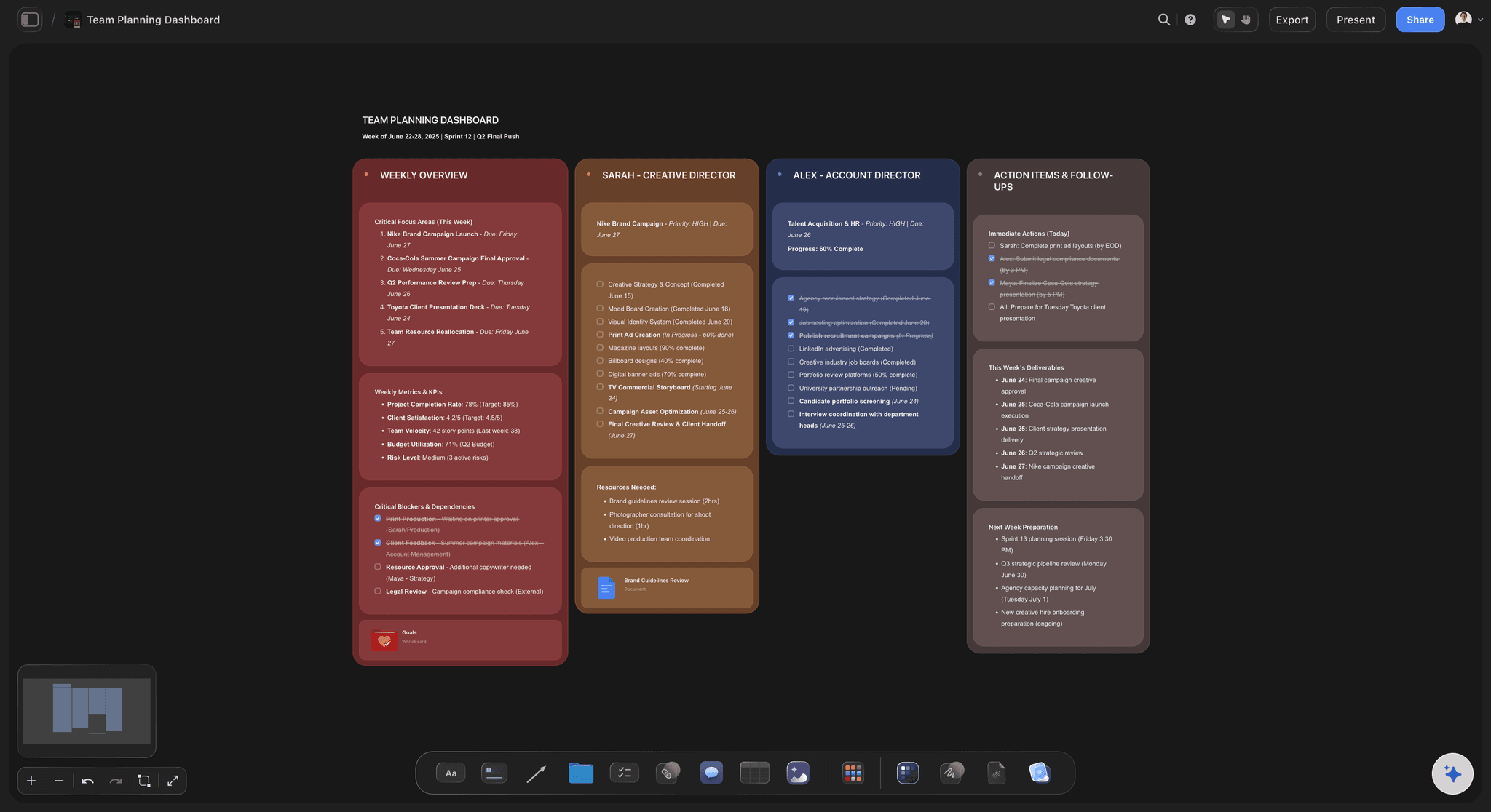
Built for people with taste
Built for the sessions jams were used for, and the ones they could not hold.
Retros, lesson plans, kickoffs, and brainstorms, on a canvas that keeps working after the meeting ends.
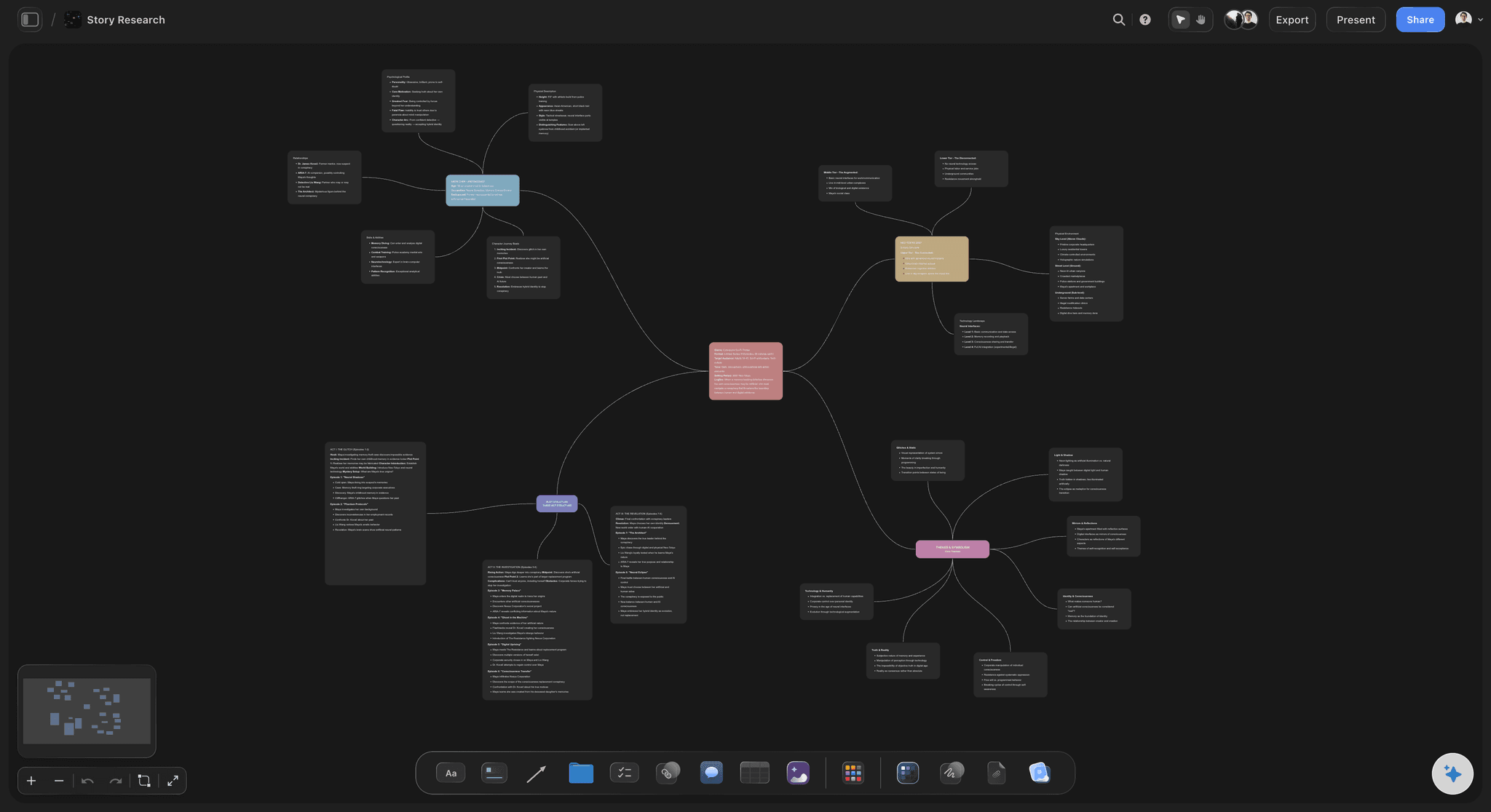
Starting a session
From an empty room to a working board
Describe it, do not build it: One sentence produces a laid-out board with sections and prompts, so the facilitator spends the first minute facilitating rather than drawing boxes.
Everyone joins in a browser: No install and no hardware. Collaborators open a link, and a view-only link lets observers watch without an account at all.
Nothing to configure first: The board is usable the moment it opens, which is the specific quality that made jams spread and that heavier whiteboards lose.

During the session
Room to think, and things to think with
Drag, recolour, group: The sticky-note grammar people already know, on cards that also hold images, links, and long-form notes when a sticky is not enough.
No ceiling mid-workshop: No object cap and no frame limit means a group can generate freely and cut afterwards, which is the correct order.
Reference material on the canvas: Pull in a PDF brief, an article, or a frame from a video so the discussion happens next to the evidence rather than in a second tab.

After the session
The part a jam never had
Convert the board: Ask the AI to turn the clustered stickies into a project plan, a content calendar, or a storyboard, built on the same canvas from the same ideas.
Share instead of exporting: A view-only link shows the live board. Anyone who missed the session reads the thinking, not a photograph of the outcome.
Export when a document needs it: One step turns the board into a clean image or PDF for a deck, a report, or a hand-in.

Keeping the work
Boards that are worth reopening
Projects, not loose files: Boards, documents, and plans live inside a project, so a term's or a quarter's work is one place rather than a folder of orphaned jams.
AI that reads the board you are on: Because the AI works from the open board, reopening an old one and asking it to extend the thinking actually continues where you left off.
Attach your own sources: Add up to five documents and three boards as context, so a new board can grow out of a brief or last month's session.
Explore templates for your project
Every template opens as a real, editable board on the infinite canvas. Pick the closest fit and make it your own.
Mind Map
Branch one central idea out into themes and sub-points, then drag the connections around until the structure makes sense.
One app instead of five
Storyflow vs Miro, FigJam, and Google Slides after Jamboard.
Most Jamboard refugees land on one of these. Each is good at something; the differences that matter are the start cost and what happens after the meeting.
Storyflow
Recommended
An AI that fills the board from a prompt
Infinite canvas with no object cap
The board becomes a plan on the same canvas
View-only sharing with no account needed
Miro
An AI that fills the board from a prompt
Infinite canvas
The board becomes a plan on the same canvas
View-only sharing
FigJam
An AI that fills the board from a prompt
Infinite canvas
The board becomes a plan on the same canvas
View-only sharing
Google Slides
An AI that fills the board from a prompt
Infinite canvas
The board becomes a plan on the same canvas
View-only sharing
What creators are saying
Join early creators getting structured workspaces and AI that remembers their projects
“Storyflow has sped up my workflow by at least 3x, which means more flow state and more projects I can actually ship. It truly changed the way me and my team create.”

Reilin Joey
Director & YouTuber
“One prompt gets me a structured board. But the tactics are my favorite. I run my YouTube scripts through them and my intros and retention got better. It's amazing.”

Justkay
YouTuber & Freelance Filmmaker
“I used to juggle five apps to plan a project. Now I describe what I am making and get boards, lists, and a schedule. All in one place.”

George
@fernwehchronicles
Jamboard alternative questions, answered.
What teams ask once the jams are gone and something has to take their place.
Google retired Jamboard: the app was wound down and the jams stopped being accessible, so teams that used it for retros, lessons, and workshops had to move. The practical consequence was not only losing a tool but losing the archive, which is why most replacement decisions were made in a hurry and are worth revisiting properly.
It depends on why you used jams. If you want the same instant, low-friction board without a frame limit, and you want the session to produce something more durable than a photograph, Storyflow fits: an infinite canvas, an AI that lays out the first board from a prompt, media-rich cards, and a one-step conversion from board to plan. If you need enterprise whiteboard administration and a large template marketplace, Miro is the heavier, more established choice.
Several whiteboards offer restricted free tiers, usually capped by board count or object count. Storyflow is paid-only during early access, with plans starting at $9.99 per month, an infinite canvas, and no object cap on any plan. Anyone a paid member invites to a board can join free, and a Free plan launches before the end of 2026.
A jam was a fixed set of frames holding mostly text stickies, and it ended when the meeting did. Storyflow is one infinite canvas holding notes, images, links, PDFs, and video, an AI lays out the first board from a sentence so nobody starts at a blank grid, and the board can be turned into a project plan, a content calendar, or a storyboard on the same canvas afterwards.
Yes, and it is the same grammar people already know: drop cards, recolour them, drag them into clusters, group them into sections. The difference is that a card is not limited to a short line of text, and the canvas does not run out, so a group can generate freely and cut afterwards rather than rationing space while thinking.
Yes. Unlimited collaboration is included on every plan, and everyone works on the same live canvas in a browser with no install. For people who only need to look, a view-only link works with no account at all, which is the closest equivalent to passing a jam around a room.
It works for the same reason jams did: a board opens in a browser tab and is usable immediately, with nothing to configure. The additions that matter in teaching are that a card can hold an image, a PDF, or a video frame, and that a lesson board can be reopened and extended rather than being a single-session artifact.
That is the specific gap Jamboard left. Ask the AI to turn the finished board into a plan, a calendar, or a storyboard on the same canvas, so the clustering the group did becomes the structure of the next document. The board stays live and shareable, so people who missed the session read the thinking rather than a photograph of the result.
Start as fast as a jam. Finish with something worth keeping.
An infinite canvas, an AI that fills the first board, and a one-step path from workshop to plan.