
Extremely clear strategy, zero busywork
Build your whole lean canvas
on one infinite canvas.
Storyflow is a lean canvas maker on a truly infinite canvas. Lay out all nine blocks, from problem and unique value proposition to revenue streams, drag cards between them as the idea sharpens, and let AI draft a first pass to react to. Then keep iterating on the same canvas as you learn.


Creatives working for these brands already got early access
- Red Bull
- Canon
- Artlist
- Porsche
See how easy it is to get started
Watch a real project come together, from a blank board to a finished plan, clicked through step by step.
Start from a ready-made template
Pick a board to see what you can build, then let AI fill it in. Every template is a real, editable starting point on the same infinite canvas.

Marketing Plan
Lay out your goals, channels, and initiatives for the quarter on one board.
What is a Lean Canvas, and why build it on a canvas?
The Lean Canvas is a one-page business plan built for founders and early-stage startups. Ash Maurya adapted it from the Business Model Canvas to fit the way a new venture actually gets tested, swapping in the blocks that matter most before product-market fit. You fill nine blocks: problem, existing alternatives, solution, key metrics, unique value proposition, unfair advantage, channels, customer segments, cost structure, and revenue streams. Laid out together, the model becomes something you can see and pressure-test in minutes instead of a document nobody reads.
Most founders draw the canvas in a static template or on sticky notes, then it goes stale the day the idea changes. Storyflow builds the Lean Canvas on an open infinite canvas instead. Every block is a real card you can move, recolor, and regroup, so reframing the problem or splitting one customer segment into two is a drag, not a redraw. Nothing is locked into a fixed grid, and there is no object cap, so the canvas keeps up with how fast an early idea shifts.
The canvas also means the plan does not have to stay a diagram. Ask the AI to sketch a first pass of all nine blocks from a short description, attach a market PDF or a competitor screenshot beside the block it informs, or turn the finished canvas into a go-to-market board, a launch plan, or a pitch on the same canvas. If you would rather the AI do the whole first draft for you, the AI lean canvas generator is built for exactly that. Either way the Lean Canvas becomes the start of the work instead of a picture you export and forget.
Ultra fast from brief to board
Build a lean canvas in four steps.
Start from a blank canvas or a single prompt. Either way the nine blocks stay yours to rearrange.
01
Open a canvas
Start in the browser. Nothing to install, just an infinite canvas ready for the nine blocks.
02
Fill the nine blocks
Add cards for problem, solution, unique value proposition, customer segments, and the rest by hand, or describe the idea once in the AI chat and let Storyflow sketch a first pass to react to.
03
Iterate as you learn
Drag cards between blocks as the idea sharpens, cut assumptions that did not hold, and ask the AI to expand a thin block while the rest of the canvas stays exactly as you arranged it.
04
Turn the canvas into a plan
Convert the model into a go-to-market board or a launch plan on the same canvas, share a view-only link with a co-founder or advisor, or export the canvas as an image or PDF.
A lean canvas that does not dead-end at the diagram.
Keep the nine-block thinking you know. Lose the static template, the object cap, and the export-and-forget ending.

Blocks are real canvas cards
A canvas you can actually reshape
Every block is made of cards you drag, recolor, and regroup. Reframing the problem or splitting a customer segment is a drag, not a redraw, so the canvas keeps pace with the idea instead of freezing it in a grid.
See the infinite canvas →
AI drafts the first pass
Sketch all nine blocks with AI
Describe the idea in a sentence or two and ask the AI to draft the canvas. It fills the nine blocks with cards to push on, using the current board as context, so you refine a starting point instead of staring at an empty template.
See the AI lean canvas generator →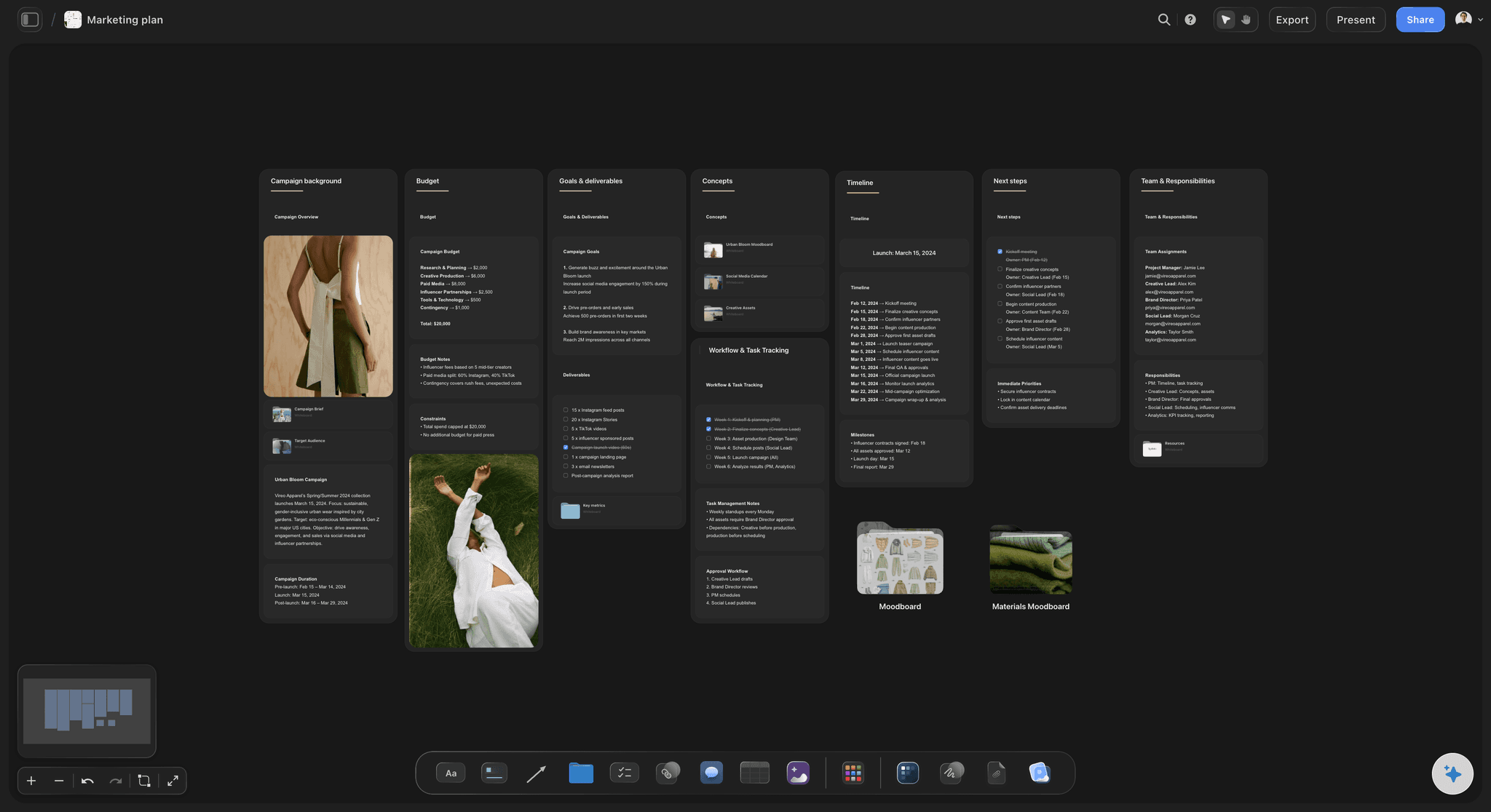
From canvas to launch
The model becomes the plan
Turn the finished canvas into a go-to-market board, a launch plan, or a pitch on the same canvas. The AI carries the model across, so you plan from the thinking you already mapped instead of a fresh file.
See the marketing plan generator →
Room for every pivot
An infinite canvas, no object cap
An early idea rarely stays on one version. With a truly infinite canvas and no object cap, you can lay out alternate canvases per segment or per pivot side by side, keep the research nearby, and never run into an edge.
See the free infinite canvas →No object cap. No time limit.
Open a canvas and start filling the nine blocks. There is no object cap and no time limit, so a real lean canvas never gets cut for space. Plans start at $7.99 a month, and invited collaborators join free.
Unlimited canvases with room for every block and pivot
AI usage to draft and expand the nine blocks
Attach market PDFs, competitor images, video, and links to any block
Share the canvas view-only, or invite collaborators free
Built for people with taste
Built for the way founders actually work.
Lay out the model, connect the blocks that depend on each other, and keep the whole idea visible at once.
Structure without a straitjacket
All nine blocks, freeform on the canvas
Every block, arranged your way: Problem, existing alternatives, solution, key metrics, unique value proposition, unfair advantage, channels, customer segments, cost structure, and revenue streams. Lay them out in the classic grid or the shape that fits your idea.
Drag to restructure: Move a card between blocks, split a customer segment, or merge two revenue streams by dragging. When the idea changes, the canvas changes with a move rather than a rebuild.
Color and group: Recolor cards and pull related blocks together so the riskiest assumptions, and the ones you are least sure of, read at a glance.
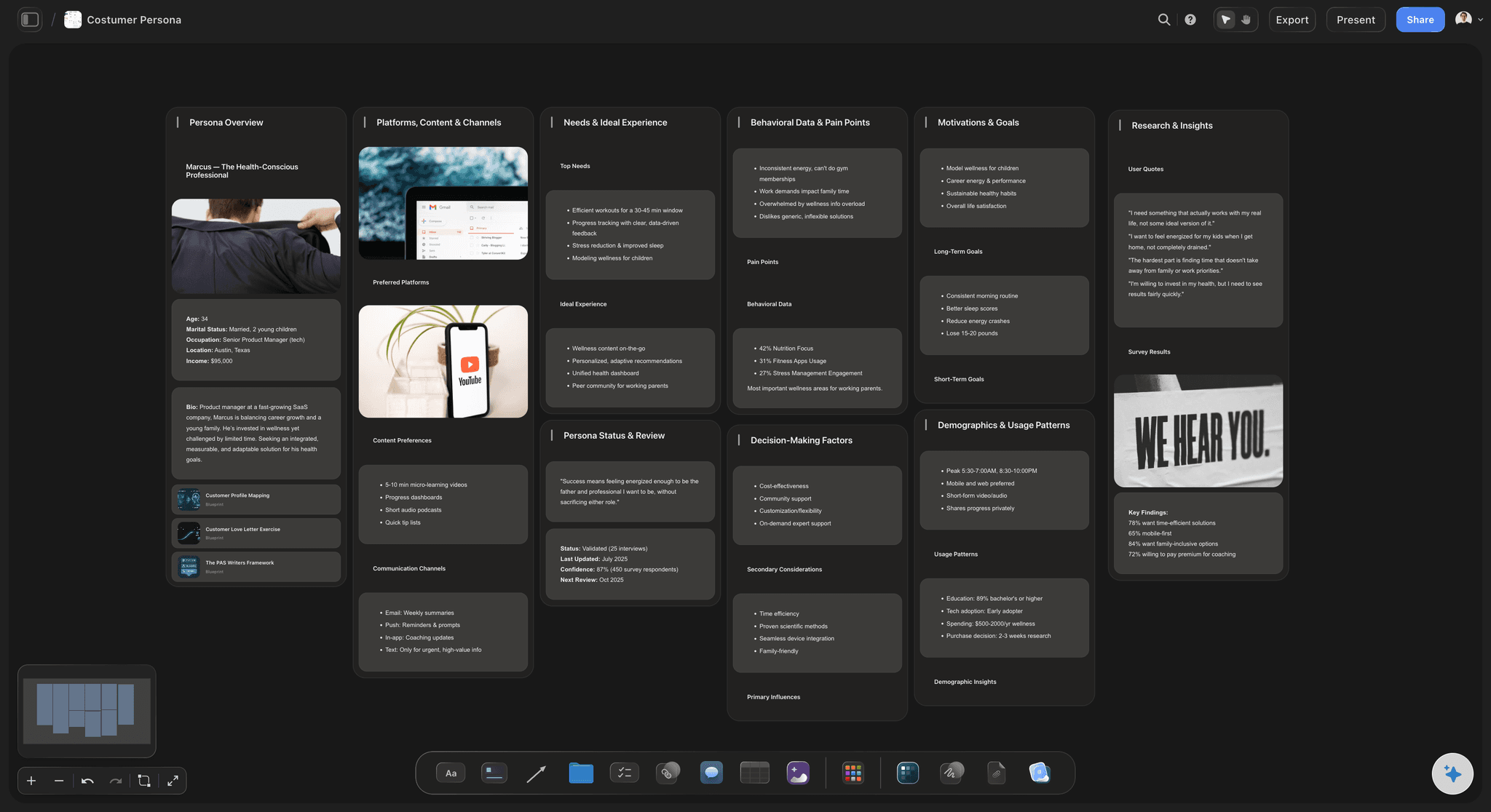
AI that reads the board
AI drafts from what is already there
Draft the first pass: Describe the idea and the AI fills the nine blocks with cards to react to. It builds on the board in front of it, so the draft fits your venture instead of a generic template.
Bring in your research: Add up to five documents and three boards as context from the + menu, so a market brief or a customer interview doc shapes the blocks the AI suggests.
Re-prompt to refocus: Ask for a sharper unique value proposition, a leaner cost structure, or a different customer segment. The AI reworks the blocks while keeping the edits you made.
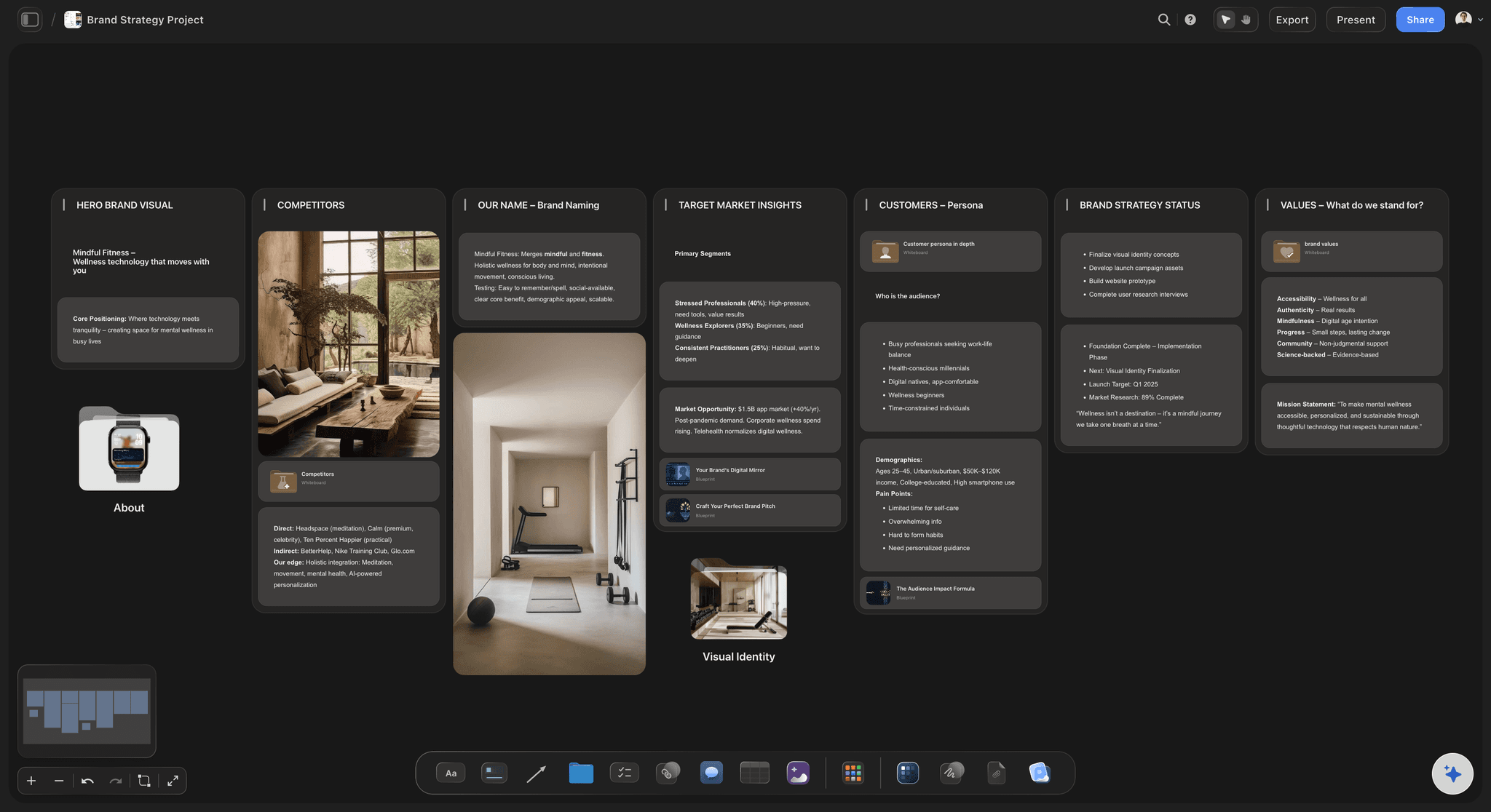
More than text in a box
Research and references beside every block
Drop in anything: Market PDFs, competitor screenshots, pricing pages, video, and links sit on the canvas next to the block they inform. A canvas with the evidence attached, not linked away.
Frame grabs from video: Pull stills from YouTube and Vimeo straight onto the canvas when a competitor teardown or a customer interview explains a block better than a note.
Notes where you need them: Longer thinking lives as documents on the same canvas, so the nine blocks stay scannable and the detail behind an assumption is one click away.
The canvas is step one
From model to finished plan
Turn it into a real board: Convert the canvas into a go-to-market board, a launch plan, or a campaign board on the same canvas, with the AI carrying the model across.
Share the thinking: Invite collaborators free, or send a view-only link so a co-founder, advisor, or investor can explore the whole model in the browser without an account.
Export anywhere: Need the canvas in a deck or a doc? Export it as a clean image or a PDF in one step.
Explore templates for your project
Every template opens as a real, editable board on the infinite canvas. Pick the closest fit and make it your own.
Marketing Plan
Lay out your goals, channels, and initiatives for the quarter on one board.
One app instead of five
How Storyflow compares for a lean canvas.
Plenty of tools can hold a lean canvas template. The question is what the model can become once it is filled in.
Storyflow
Recommended
AI drafts the nine blocks from your board
Freeform canvas, not a fixed template grid
Canvas becomes a go-to-market or launch plan
No object cap on the plan
Miro
AI drafts the nine blocks from your board
Freeform canvas, not a fixed template grid
Canvas becomes a go-to-market or launch plan
No object cap on the plan
Canva
AI drafts the nine blocks from your board
Freeform canvas, not a fixed template grid
Canvas becomes a go-to-market or launch plan
No object cap on the plan
Notion
AI drafts the nine blocks from your board
Freeform canvas, not a fixed template grid
Canvas becomes a go-to-market or launch plan
No object cap on the plan
What creators are saying
Join early creators getting structured workspaces and AI that remembers their projects
“Storyflow has sped up my workflow by at least 3x, which means more flow state and more projects I can actually ship. It truly changed the way me and my team create.”

Reilin Joey
Director & YouTuber
“One prompt gets me a structured board. But the tactics are my favorite. I run my YouTube scripts through them and my intros and retention got better. It's amazing.”

Justkay
YouTuber & Freelance Filmmaker
“I used to juggle five apps to plan a project. Now I describe what I am making and get boards, lists, and a schedule. All in one place.”

George
@fernwehchronicles
Lean canvas questions, answered.
Everything people ask about building a lean canvas in Storyflow.
A lean canvas maker helps you fill the nine blocks of the framework, from problem and unique value proposition to revenue streams, so how a startup idea works is visible on one page. Storyflow does this on an infinite canvas where every block is a real card you can move, edit, and group, rather than a static template.
All nine blocks of Ash Maurya's Lean Canvas: problem, existing alternatives, solution, key metrics, unique value proposition, unfair advantage, channels, customer segments, cost structure, and revenue streams. You lay them out in the classic grid or arrange them in whatever shape fits your idea, since nothing is locked into a fixed template.
Not during early access. Storyflow is paid-only right now, with Plus at $7.99 a month billed annually ($9.99 monthly). Every paid plan includes unlimited canvases, AI usage to draft and expand the nine blocks, unlimited file uploads, and view-only sharing, with no time limit. A Free plan is planned before the end of 2026.
Both. You can start from a blank canvas and fill all nine blocks by hand, dragging and grouping cards yourself. The AI is there when you want it, to draft a first pass from a short description or to expand a block you point it at, but the canvas is always yours to reshape.
They share the same canvas but start from different places. The AI lean canvas generator is built for a full AI first pass: you describe your idea in a line and it drafts all nine blocks for you. This lean canvas maker is for building the model yourself, understanding the framework, and iterating on the canvas as you learn, with AI available whenever you want a hand.
They are related one-page frameworks with a different focus. The Lean Canvas swaps four blocks of the Business Model Canvas for problem, solution, key metrics, and unfair advantage, which suits an early-stage startup that is still finding product-market fit. The Business Model Canvas keeps blocks like key partners and key resources for an established model. Storyflow supports both: build the lean canvas here, or use the business model canvas maker if that fits your stage better.
Yes. Attach market PDFs, competitor screenshots, pricing pages, video, GIFs, and links to any block, and grab frames straight from YouTube and Vimeo onto the canvas. The evidence lives beside the block it informs instead of behind a link.
Yes, and that is the point of building it in Storyflow. Ask the AI to turn the finished canvas into a go-to-market board, a launch plan, or a campaign board and it builds the new board on the same canvas from the model you mapped. The canvas becomes the project instead of an export.
The idea is in your head. Get it mapped on the canvas.
Fill the nine blocks by hand or from a prompt, iterate on the ones that matter, and turn the canvas into a plan.