
Sharper briefs, sent ultra fast
A creative production workflow
with a sign-off at every stage.
For producers and agency or in-house creative leads who answer for delivery: six stages that hold whether the job is a commercial, a brand campaign or a set of social cuts.


Creatives working for these brands already got early access
- Red Bull
- Canon
- Artlist
- Porsche
See how easy it is to get started
Watch a real project come together, from a blank board to a finished plan, clicked through step by step.
Start from a ready-made template
Pick a board to see what you can build, then let AI fill it in. Every template is a real, editable starting point on the same infinite canvas.

Creative Brief
Capture the objective, audience, and message for a creative so everyone works from the same brief.
What is a creative production workflow?
A creative production workflow is the fixed set of stages a creative job moves through, from the client's request to delivered files, with a named person signing off each stage. Storyflow is an AI visual workspace that runs a creative production workflow on one infinite canvas: the client brief, the deliverables table, the pre-production walls and a sign-off record, all side by side.
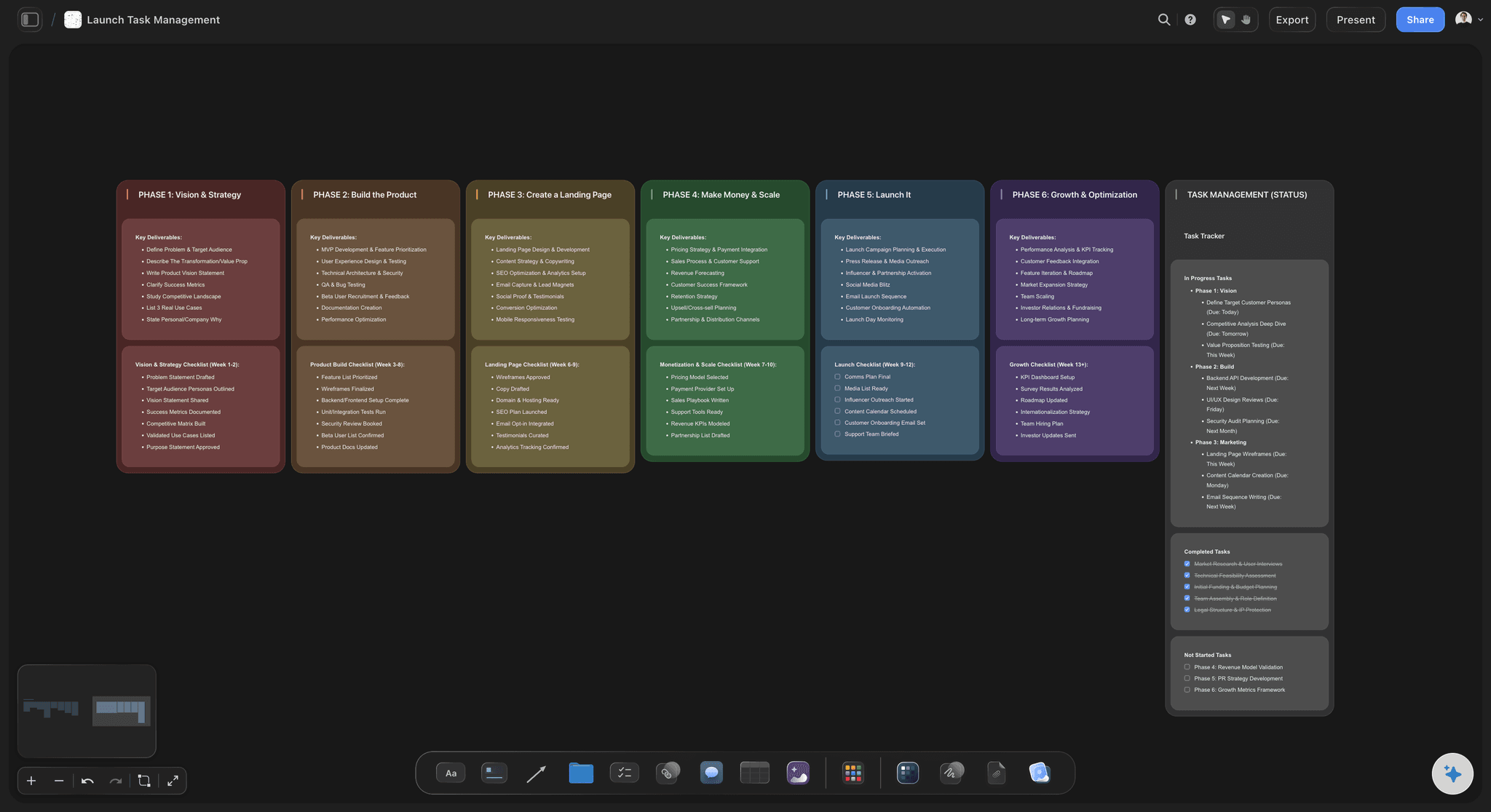
Six stages cover most commercial creative work. Intake: the request becomes a written brief. Scope: the brief becomes a deliverables list, a price and a date. Pre-production: concept, references, script, shot lists and the people. Production: the shoot or the making. Review: rounds of feedback on the work. Delivery: final files, handover and the invoice. In Storyflow, give each stage its own wall on a project board, left to right, so anyone can read where the job is by looking at which wall is still open.
The workflow works because of the gates between stages, not the stages themselves. No scope without a signed brief. No shoot without a signed-off shot list. No more than two feedback rounds without a change to the price. Name one decision maker on the client side, and give feedback a response time, 48 hours is a good default. As a rule of thumb, keep 15 to 20 percent of the schedule unbooked, since that is what a late round eats. Then write each deliverable as its own row in a Storyflow table: name, format, length, shape, owner, round and due date, with rows kept in date order. That table is the single answer to where are we.
For example, with an invented team: Brightmoor, a 12-person in-house team at Tala, a fictional sunscreen brand, is making a summer campaign. One 30 second film, 6 stills, 12 social cuts, 19 deliverables in total, eight weeks to launch, two feedback rounds on each. Brightmoor runs it on one Storyflow board. Timeline and dependencies stay in Asana, because the rest of the company already works there.
The tools for a creative production workflow, by job
Storyflow is our product, listed first for the planning; the rest are the tools a workflow needs for everything else.
| The job | The tool | Why it goes here |
|---|---|---|
| Plan the job from brief to deliverables | Storyflow | Holds the brief, deliverables table, references, shot lists and sign-offs on one canvas, with AI that builds a plan from the client's brief. |
| Track a task timeline with dependencies | Asana | Timeline view with dependencies, where blocked tasks adjust when the schedule changes, across a company's many teams. |
| Review video cuts with the client | Frame.io | Frame-accurate comments, version stacks and a comparison viewer, so the client marks up the cut itself and each version stays in order. |
| Track time and invoice the job | Harvest | Timers and timesheets, then invoices built from tracked time and expenses, which is how an agency knows if the job made money. |
| Send call sheets on a shoot | StudioBinder or SetHero | Both send call sheets by email and text and show who confirmed, for the production stage of the workflow. |
| Edit the work | Adobe Premiere | Video editing with text-based editing, colour grading and audio cleanup, for the making stage after the plan is signed off. |
| Sign the contract | Docusign | Prepares, sends and tracks agreements for signature, which suits the statement of work at the end of the scope stage. |
Ultra fast from brief to board
Set up the workflow once, and reuse it.
The second job starts from the first.
01
Turn the request into a brief
Paste the client's notes into Storyflow and ask the AI to Brief my campaign. It asks a clarifying question or two, then proposes a brief you accept or discard. Anything the client has not said shows up as a gap you can ask about.
02
Write the deliverables table
In Storyflow, list each deliverable as a row: format, length, shape, owner, round and due date, with rows kept in date order. Share it with the client and get a written yes before you price it. This is your scope.
03
Lay out the stages as walls
Give each stage a wall on the Storyflow board, then ask the AI to Plan my pre-production or Plan my whole production. Put the gate for each stage on its wall: who signs it, by when and what they are signing. Storyflow has no approval status, so a sign-off is a name and date you record there.
04
Run production and reviews
Use the Storyflow shot lists and to-dos during the making. A to-do takes an assignee and a due date, and there are no reminders, so read the list daily. Send cuts to Frame.io, and record each round's outcome in the table.
05
Close the job and duplicate the project
Tick final files, source files, written approval, invoice and portfolio permission on a Storyflow checklist. Then duplicate the finished project as your template, so your next job starts with your real workflow.
What the workflow looks like on one board.
Each stage has a place, and each place has an owner.
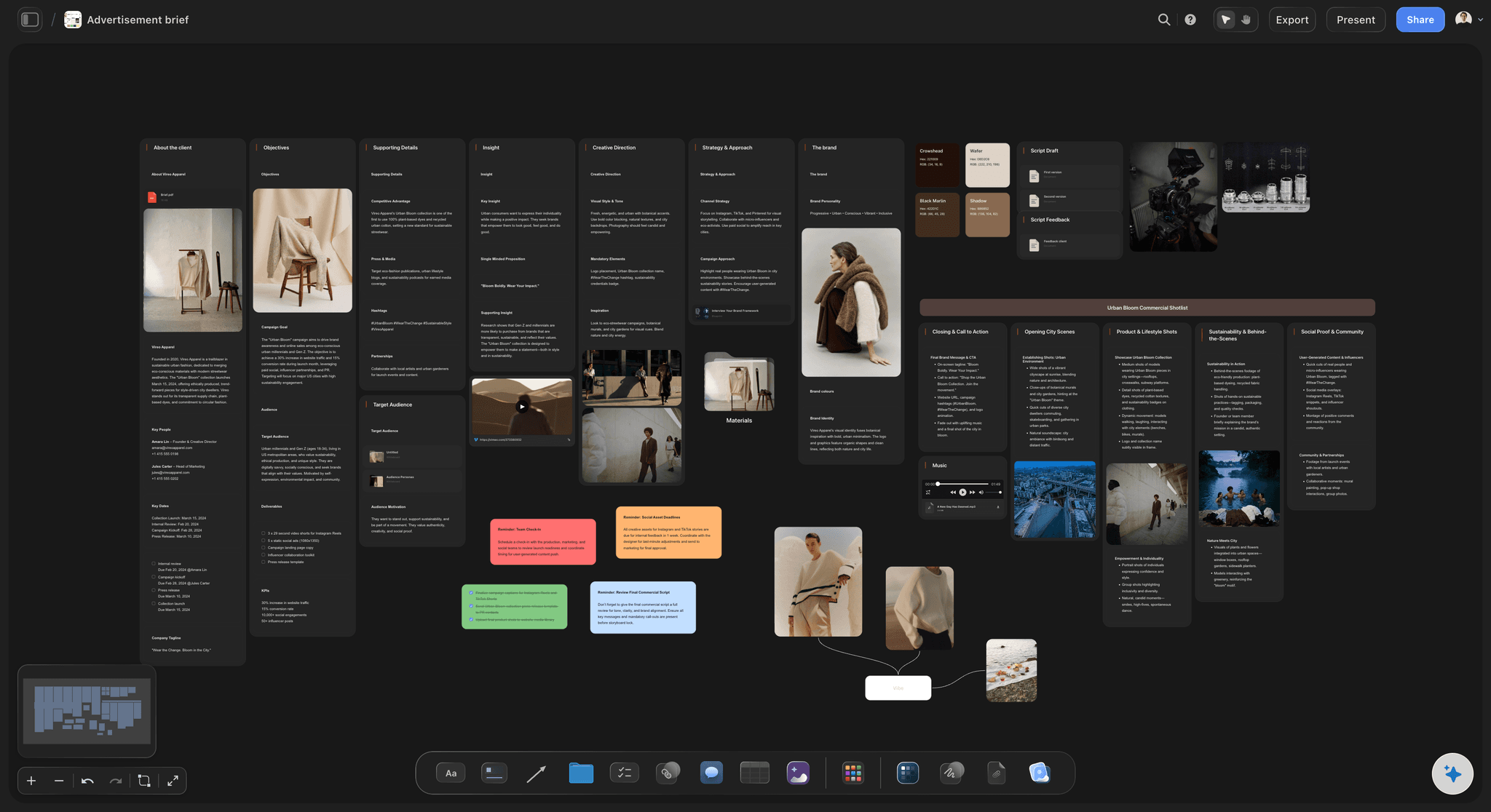
Where it all starts
A brief that is signed, not assumed
Objective, audience, deliverables, budget owner, decision maker and dates, in one card. The AI can draft it from notes and show the gaps. The signed version stays on the board, so a later request can be checked against it.
See the creative production brief →
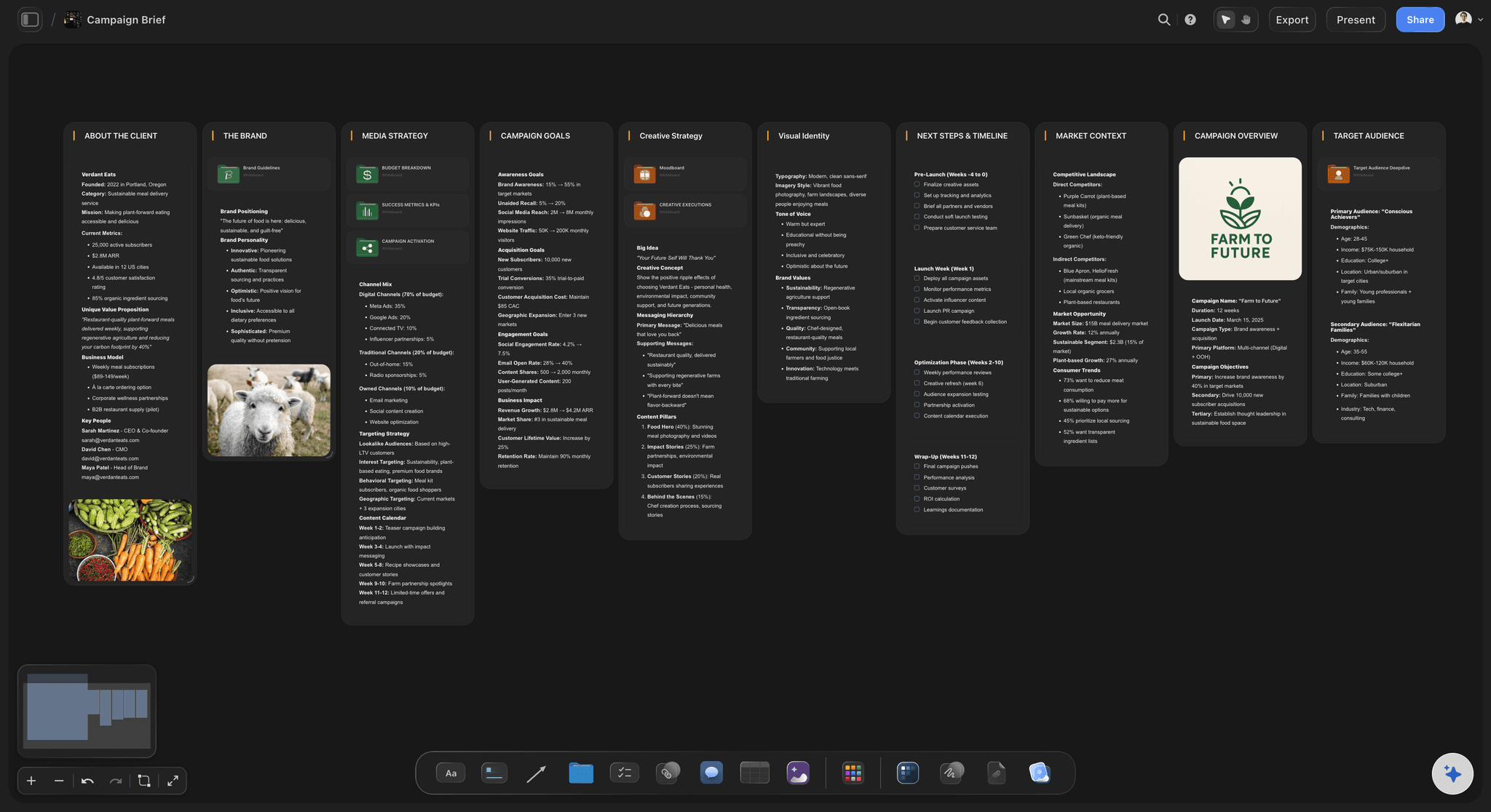
The table that answers where are we
A deliverables table, row by row
One row per deliverable with owner, round and due date, in date order. Tables cannot be sorted, so the AI or you keep the rows in order. A person column fills with the people on your board.
From a brief to a project board →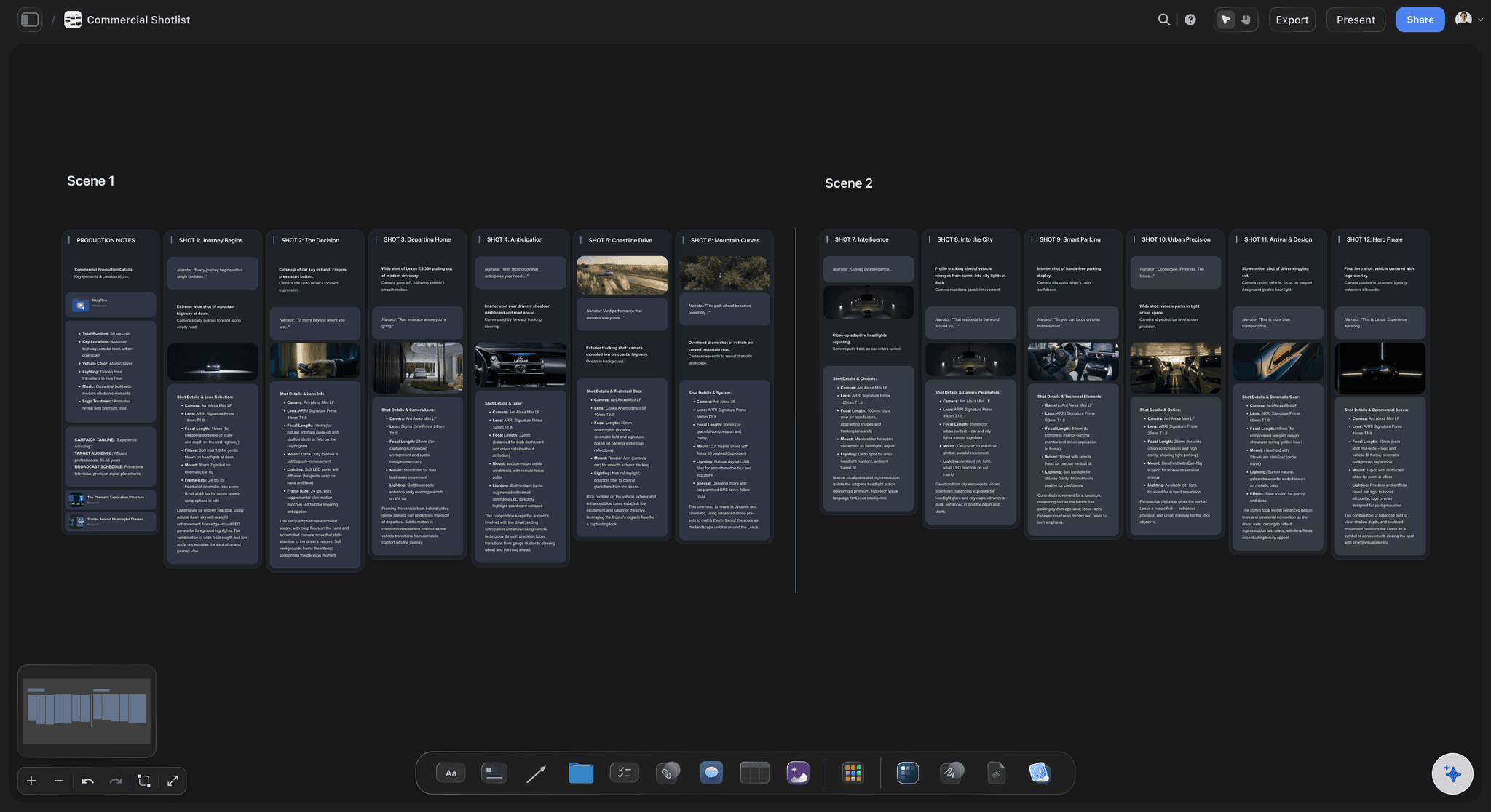
The making, in the same place
Pre-production beside the plan
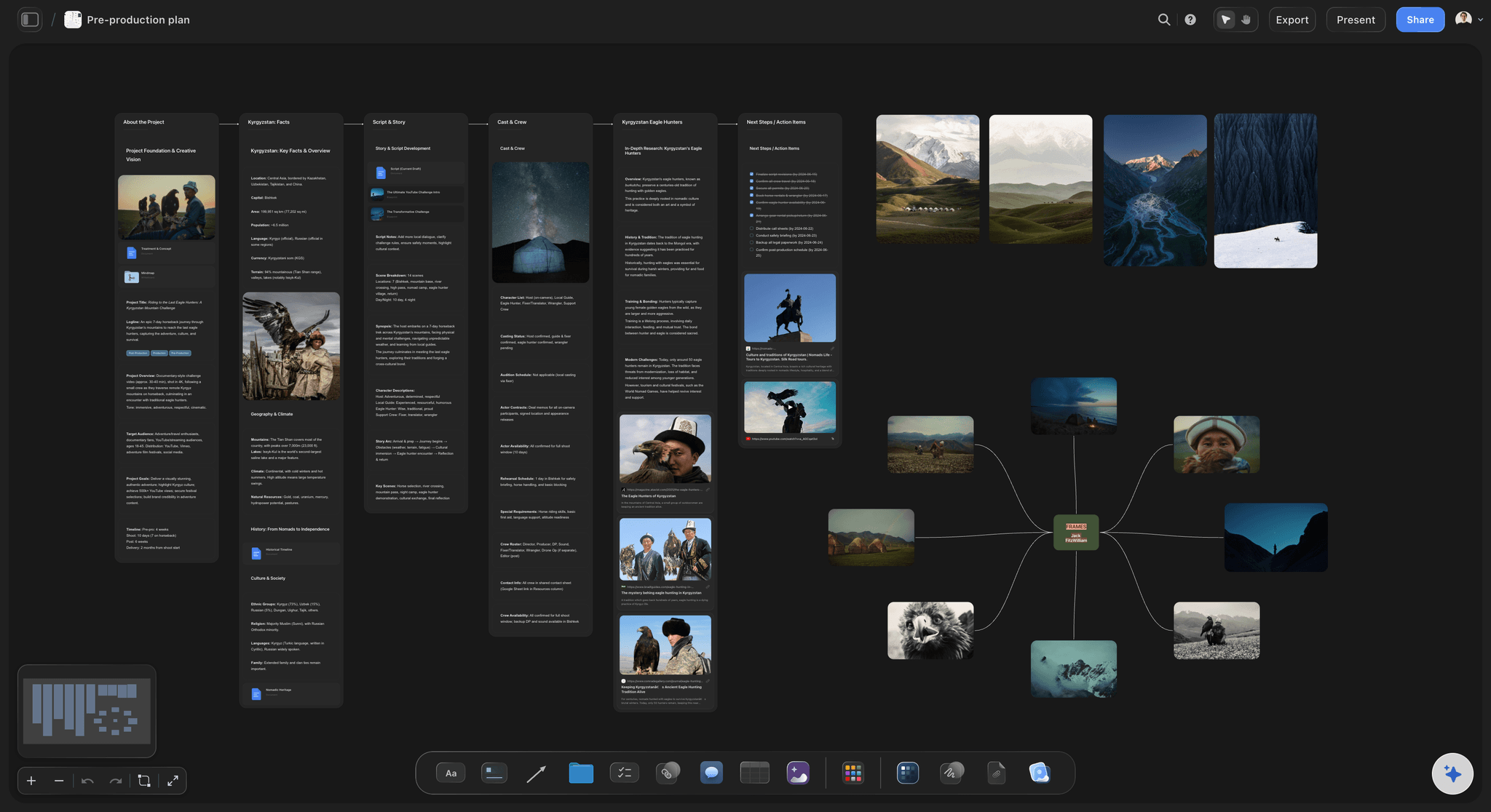
Moodboards, scripts, storyboards and shot lists sit on the same board as the deliverables they serve. Ask for a storyboard or a shot list, and it lands beside the brief it was made from.
Turn a brief into a production plan →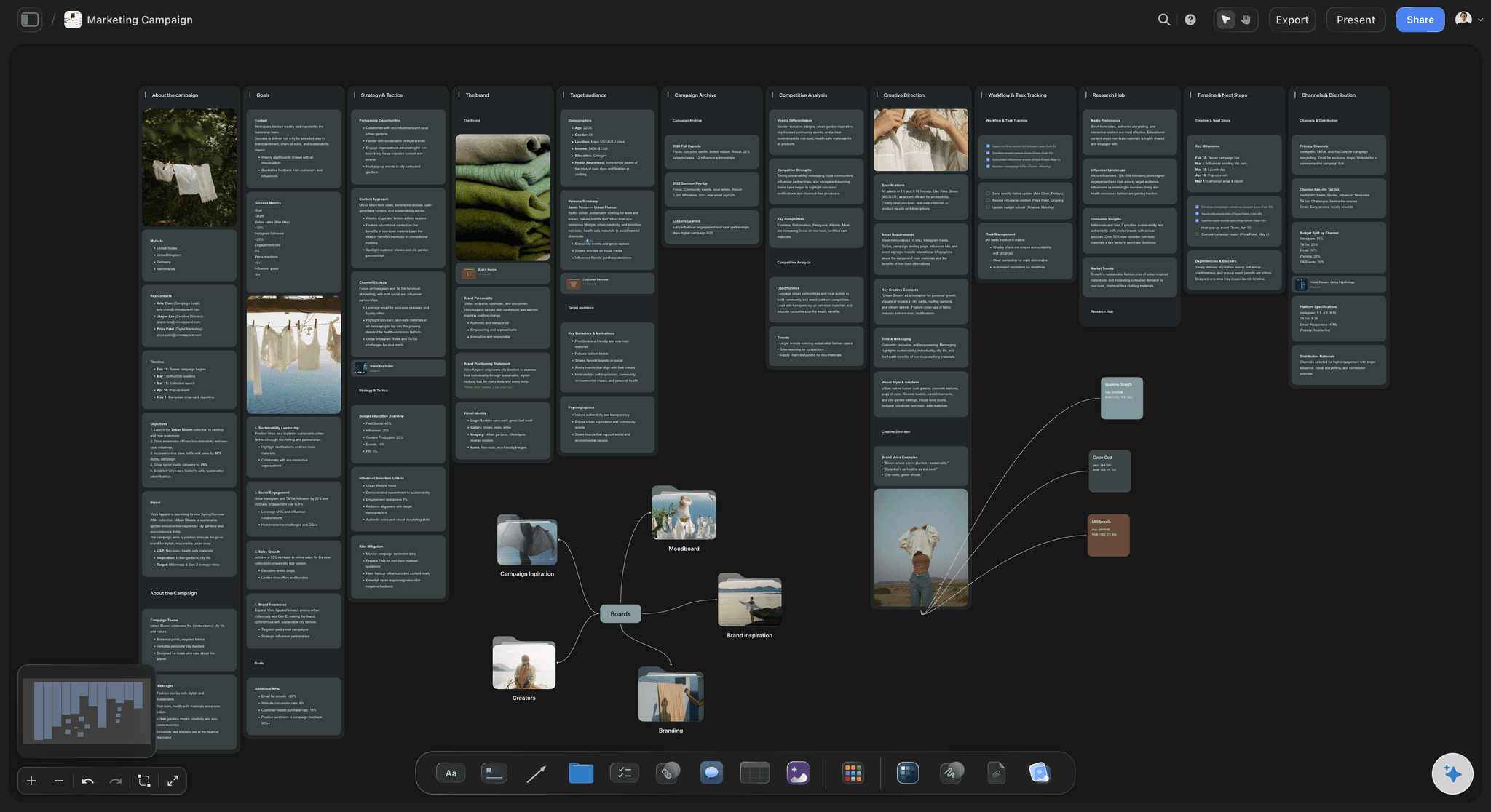
A view for the client
A link the client can open
A view-only link opens with no account, and a client who signs in can comment. A client who can see the table has less reason to ask for a status call, and the agreed scope is the first thing they read.
See the client review board →Set up the workflow once. Your team joins on the same board.
Storyflow is paid-only during early access: Plus is $7.99 a month billed annually ($9.99 monthly) and includes the AI inside Storyflow. Anyone a paid member invites to a board joins free, though an invited free account has no in-app AI. Max adds a Team Workspace with roles and permissions.
Deliverables tables with owners and due dates
No weekly limit on paid plans from ChatGPT, Claude, Gemini or Grok
View-only client links that open with no account
On Plus and up: AI that drafts a brief and a production plan
Built for people with taste
An eight-week summer campaign, stage by stage.
Brightmoor and Tala are invented for this example. The stages are the ones a real campaign passes through.
Weeks 1 to 8
Brightmoor's workflow for Tala
Week 1: intake and scope: The brand lead's notes become a Storyflow brief. The 19 deliverables go in a table: 1 film, 6 stills, 12 cuts. One decision maker is named, and the head of marketing signs off the scope by Friday.
Weeks 2 and 3: pre-production: Moodboard, script and storyboard land on the same board. The AI drafts shot lists, and the producer cuts two setups so the shoot fits two days. The brand lead signs off the shot list by name.
Week 4: production: Two shoot days. Call sheets are drafted on the board and sent through SetHero. The Got it column on the shot list is ticked on set by the coordinator.
Weeks 5 to 7: review: Film cuts go to Frame.io with two rounds and a 48 hour response time. Stills go to a client gallery. Each round's outcome is written into the Storyflow deliverables table.
Week 8: delivery: Final files go out, the checklist closes and the project is duplicated as the template for the autumn campaign, with the lessons written on it.
What each gate needs
The sign-off at each stage
Brief to scope: The client confirms the goal, audience and decision maker. If two people claim the final say, stop and get one name. Contradictory feedback later costs more than this one awkward talk.
Scope to pre-production: The deliverables table, price and dates are agreed in writing. Any row that is added later has a visible date and a name beside it, so scope creep is countable.
Pre-production to production: Concept, references and shot list are signed off. This is the last cheap place to change your mind. After this gate a change costs a shoot day, so say so plainly.
Production to review, and review to delivery: Agree the number of rounds and the response time. Beyond the agreed rounds, revisions are new work with a new date. Written approval closes each deliverable's row.
Why workflows fail
Three things that break a creative workflow
Feedback from everyone, decided by no one: Comments from five people with no owner means the team guesses. One consolidated list per round, from one decision maker, is the highest-value rule in the whole workflow.
Plan and work in different places: A task tool says done and the file says otherwise. In Storyflow, the plan and the references sit together. Keep cut review in Frame.io, and link the review from the row.
A template nobody uses: A workflow written by committee is dropped at the first deadline. Duplicate a real finished project instead, since it holds what your team really did and the names of real stages.
Where it hands off
What Storyflow does not do in this workflow
No Gantt, dependencies or critical path: Storyflow has no Gantt chart, dependencies, critical path, workload view or calendar view, and the schedule does not recalculate. When one date moves, you change the others yourself. Asana's timeline adjusts blocked tasks.
No time tracking, invoices or budgets: Storyflow has no time tracking, proposals, invoices or budgeting workflow. Harvest tracks time and builds invoices from it. Keep your job budget in your usual tool.
No frame-level review or version compare: Comments sit on the board, not on a video frame, and there is no version compare or approval status. Frame.io has frame-accurate comments, version stacks and approvals.
No sending of call sheets or social posts: Storyflow drafts a call sheet PDF and does not send it or track confirmations. It does not schedule or publish social posts either. StudioBinder, SetHero and your publishing tool do those.
Explore templates for your project
Every template opens as a real, editable board on the infinite canvas. Pick the closest fit and make it your own.
Creative Brief
Capture the objective, audience, and message for a creative so everyone works from the same brief.
One app instead of five
Storyflow vs Asana and Frame.io for creative production.
Asana runs task timelines with dependencies across a company. Frame.io reviews the finished work on the frame. Storyflow is where the brief, the plan and the pre-production live together. Expect to use it beside one or both.
Storyflow
Recommended
Brief, references and plan on one canvas
Moodboard, storyboard and shot list on the board
Timeline with task dependencies
Frame-accurate comments on video
Version comparison
Asana
Brief, references and plan on one canvas
Moodboard, storyboard and shot list on the board
Timeline with task dependencies
Frame-accurate comments on video
Version comparison
Frame.io
Brief, references and plan on one canvas
Moodboard, storyboard and shot list on the board
Timeline with task dependencies
Frame-accurate comments on video
Version comparison
What creators are saying
Join early creators getting structured workspaces and AI that remembers their projects
“Storyflow has sped up my workflow by at least 3x, which means more flow state and more projects I can actually ship. It truly changed the way me and my team create.”

Reilin Joey
Director & YouTuber
“One prompt gets me a structured board. But the tactics are my favorite. I run my YouTube scripts through them and my intros and retention got better. It's amazing.”

Justkay
YouTuber & Freelance Filmmaker
“I used to juggle five apps to plan a project. Now I describe what I am making and get boards, lists, and a schedule. All in one place.”

George
@fernwehchronicles
Creative production workflow, answered.
The stages, the gates, the tools and how to make a team use it.
A creative production workflow is the fixed set of stages a creative job moves through, from the client's request to delivered files, with a named person signing off each one. In Storyflow, the six stages (intake, scope, pre-production, production, review, delivery) become walls on a project board, so anyone can read where the job is by seeing which wall is still open.
Storyflow is built for exactly this job: the brief, the deliverables table, the moodboards, shot lists and sign-offs live on one canvas, with AI that drafts them from the client's brief, and clients open a view-only link with no account. Asana still does what Storyflow does not: a task timeline with dependencies that adjust when the schedule changes, across a whole company.
Six stages cover most commercial work: intake, scope, pre-production, production, review and delivery. Intake turns a request into a brief. Scope turns the brief into deliverables, a price and a date. Then come concept and shot lists, the making, feedback rounds and handover. In Storyflow each stage has a wall, with the sign-off written on it, so the next one starts only when it should.
It happens in the scope stage. Attach the client's brief to Storyflow and ask the AI to Plan my whole production. It asks a clarifying question or two and proposes a plan you can accept or discard. Then write each deliverable as a row with an owner and date, and get a written yes before you price it. The AI proposes, and you decide.
Two is a sound default for most commercial work, with a 48 hour response time and one consolidated list from one decision maker. Say that further rounds are new work with a new date. In a Storyflow deliverables table, a Round column shows which version each deliverable has reached, so a job on its fourth round is plain to see and easy to raise early.
Add gates and spare time. Name the sign-off for each stage, keep roughly 15 to 20 percent of the schedule unbooked, and write client dependencies as to-dos with due dates. In Storyflow, the deliverables table shows slipping rows if you read it weekly, since there are no due-date reminders and no recalculating schedule. A late client input is the delay you can see coming, so track those first.
One row per deliverable with name, format, length, shape, owner, feedback round and due date. In a Storyflow table, keep rows in date order by hand or by asking the AI, because tables cannot be sorted. A person column can list people on the board. Share it with the client, so a scope argument starts from one list both sides have read.
Yes. Ask Storyflow's AI for a marketing plan, an advertising brief or a production plan, or start from a ready-made board such as a campaign brief or a commercial shot list. The most useful template is your own: duplicate your last finished project once it is done, because it holds your real stages, your real owners and what you wish you had known.
A workflow is the agreed order of stages and sign-offs; a project management tool tracks the tasks inside it. Storyflow holds the workflow along with the work itself: brief, references and shot lists. It has no Gantt chart, dependencies, workload view or time tracking, so a large team usually keeps Asana or something like it for tasks and links between the two.
They review the plan in Storyflow and the cuts somewhere built for that. A view-only Storyflow link opens with no account, and signing in lets them comment on the board. Storyflow has no frame-level mark-up, version compare or approval status, so send video to Frame.io for frame-accurate comments. Record each round's outcome in the deliverables table so the plan stays true.
No, it helps a person run one. Storyflow's AI drafts a brief from notes, proposes a production plan, makes shot lists and asks What's missing here? of your board. It reads the board plus up to five documents and three other boards you attach. It proposes and you accept or discard. Who signs off, what it costs and whether the work is good stay with you.
An in-house team uses it to stop being a queue. Every request gets a Storyflow brief before work starts, each campaign gets a board, and one overview board lists every job with its next date and owner. Internal clients open a view-only link rather than asking for an update. Colleagues a paid member invites join free.
Not yet. Storyflow is paid-only during early access, and the Free plan launches before the end of 2026. Anyone invited to a board by a paid member can sign up free. Plus, at $7.99 a month billed annually ($9.99 monthly), brings the AI inside Storyflow. Pro is $14 ($19 monthly) and Max is $39 ($49 monthly) billed annually, and Max adds a Team Workspace with roles and permissions. Client links need no account.
Storyflow does not offer a Gantt chart, dependencies, a calendar view, a recalculating schedule, time tracking, a budgeting workflow, invoices, e-signature, frame-level approvals, call sheet sending or social post publishing. Those go to Asana, Harvest, Docusign, Frame.io and StudioBinder or SetHero, and the board links out to each.
More from Storyflow
How to turn a client brief into a production plan
The creative production brief
From a brief to a project board
Campaign brief to delivery
Creative operations
Client review board
Production plan with ChatGPT and Storyflow
Storyflow for agencies
Storyflow for producers
Guide: turn a client brief into a production plan
What is a creative workflow? The complete guide
Run your next job through six clear stages.
Start with six walls and a deliverables table, and add the AI on Plus when you want a first draft from the client's brief.