
What Is a Creative Workflow? The Complete Guide (2026)
A creative workflow is the repeatable path from brief to shipped work. This guide covers the four states of an idea, the five stages, solo vs team workflows, and how to design one with AI.

Category
Creative Strategy
Author

Sara de Klein
Head of Product at Storyflow
Topics
2026-07-15
•
12 min read
•
Creative Strategy- what is a creative workflow
- creative workflow
- creative workflow stages
- creative workflow example
What is a creative workflow?
A creative workflow is the repeatable path a project travels from input to shipped work: the sequence of stages, decisions, and handoffs that turn a brief or a raw idea into something an audience actually sees. Every strong creative workflow moves an idea through four states: Captured, Connected, Committed, and Shipped. A creative workflow is not a schedule and it is not paperwork. It is the structure that carries the work the last mile, from interesting to finished, without losing the spark that made it worth doing.
Key Takeaways
- A creative workflow is the repeatable path a project travels from input to shipped work: the sequence of stages, decisions, and handoffs. It is not a schedule or paperwork; it is the structure that carries work the last mile from interesting to finished.
- A creative process is the thinking, and a creative workflow is the operational path that thinking travels. The process is what happens in your head; the workflow is what happens between the tools.
- Every idea lives in one of four states: Captured, Connected, Committed, and Shipped. Name the state your work gets stuck in and you have found the exact place your workflow is broken.
- Almost every workflow runs five stages: Intake, Divergence, Convergence, Commitment, and Delivery. Three of the most common failures are workflow failures, not creative ones: inputs scattering, decisions never recorded, versions multiplying.
- Keep divergence and convergence in separate lanes. Generating and editing at the same moment means each sabotages the other, so diverge first with the editor off, then converge with the generator off.
- Solo workflows break at Capture and Commitment; team workflows break at handoffs. A team workflow has to carry the reasoning across every seam, not just the deliverable.
- A workflow is not the enemy of creative work; the absence of one is. The highest-leverage fix is usually collapsing handoffs, because every tool-to-tool move costs task-switching and search time.
What a Creative Workflow Actually Is
Ask ten creatives to describe their workflow and you get ten shrugs. The work happens, somehow. An idea shows up in the shower, lands in a notes app, gets half-built in a design tool, argued over in a group chat, and eventually ships, or quietly dies in a folder called "later." That is not a workflow. That is a series of rescues.
A creative workflow is the opposite of a rescue. It is the defined path work takes from the moment a project begins to the moment it goes out the door. A creative process describes the thinking (the ideation, the incubation, the judgment). A creative workflow describes the operational path that thinking travels: who touches the work, in what order, using what, and how it moves from one stage to the next. The process is what happens in your head. The workflow is what happens between the tools.
I am a documentary filmmaker, and I built Storyflow. I have run projects from first research through pre-production and delivery, plus brand and content work on the side, and the single most reliable predictor of whether a project shipped on time was never talent. It was whether the workflow held its shape when the project got messy. The talented teams with no workflow missed deadlines. The average teams with a clear one did not.
Here is what a real creative workflow gives you:
- A path an idea cannot fall out of. Every idea has a known next step, so nothing rots in a notes app.
- Fewer decisions per day. The order is decided once, so you spend your attention on the work, not on what to do next.
- Handoffs that do not drop context. When work moves between people or stages, the reasoning moves with it.
- A finish line you can actually see. "Shipped" is defined, so you know when you are done.
A workflow is not the enemy of creative work. The absence of one is.
The Four States of an Idea
Every idea in a creative workflow lives in one of four states, and the entire job of a workflow is to keep ideas moving from the first state to the last. Call it the Four States of an Idea: the simplest honest model of how creative work progresses, and it holds whether you are one person or a team of forty.
Captured. The idea exists somewhere you can find it again. A note, a card, a screenshot, a voice memo, a reference image. Most creative work dies here, not because the idea was bad, but because it was never written down in a place the rest of the work could reach.
Connected. The idea is no longer alone. It sits next to the brief, the research, the three other ideas it relates to, and the constraint it has to satisfy. Connection is where raw material becomes a direction. An idea you cannot connect to anything is a fragment. An idea you can is a plan waiting to happen.
Committed. You have decided. This idea, not the other five. Commitment is the state most creatives avoid, because it closes doors, and closing doors feels like losing options. But an uncommitted idea cannot be produced. It can only be admired.
Shipped. The work exists in the world where its audience is. Published, sent, screened, pitched, launched. An idea that never reaches Shipped did not happen, no matter how good it looked in your head.
The reason the Four States matter is that most workflow failures are actually state failures. A team that keeps missing deadlines usually is not slow at producing. It is stuck moving ideas from Connected to Committed. A creator who never publishes is not short on ideas. They are drowning in Captured ones that never got Connected. Name the state your work gets stuck in, and you have found the exact place your workflow is broken.
The Five Stages of a Creative Workflow
The Four States describe where an idea is. The stages describe what you do to move it. Almost every creative workflow, in any medium, is a version of the same five stages. The names change by industry. The shape does not.
Intake. The brief, the constraints, the raw inputs. This stage produces the Captured state.
Divergence. Generate more options than you need. Research, sketch, moodboard, brainstorm. Deliberately widen before you narrow.
Convergence. Cluster, compare, and find the through-line. Divergence and Convergence together produce the Connected state.
Commitment. Choose the direction, lock the scope, and plan production. This produces the Committed state.
Delivery. Produce the work and ship it. This produces the Shipped state.
The table below maps each stage to its goal, the failure that most often stalls it, and where AI can genuinely help in 2026.
| Workflow stage | Goal of the stage | Common failure | AI assist |
|---|---|---|---|
Intake | Capture the brief and every raw input in one place | Inputs scatter across apps, so half are missing by Divergence | Summarize a messy brief into clear constraints and open questions |
Divergence | Generate more directions than you will use | Editing while generating, so you never widen | Expand a seed idea into ten variations to react to |
Convergence | Find the through-line and narrow to a direction | Falling for the first idea before comparing it to others | Cluster scattered notes and surface the pattern connecting them |
Commitment | Decide, lock scope, and plan production | Endless revisiting because the decision was never recorded | Turn a chosen direction into a structured production plan |
Delivery | Produce and ship to the audience | Scope creep and version chaos in the final mile | Draft, check consistency, and catch gaps against the brief |
Notice that three of the five common failures are not creative failures at all. They are workflow failures: inputs scattering, decisions never recorded, versions multiplying. The quality of your creative workflow is decided less by how well you generate ideas and more by how cleanly you move them between these five stages.
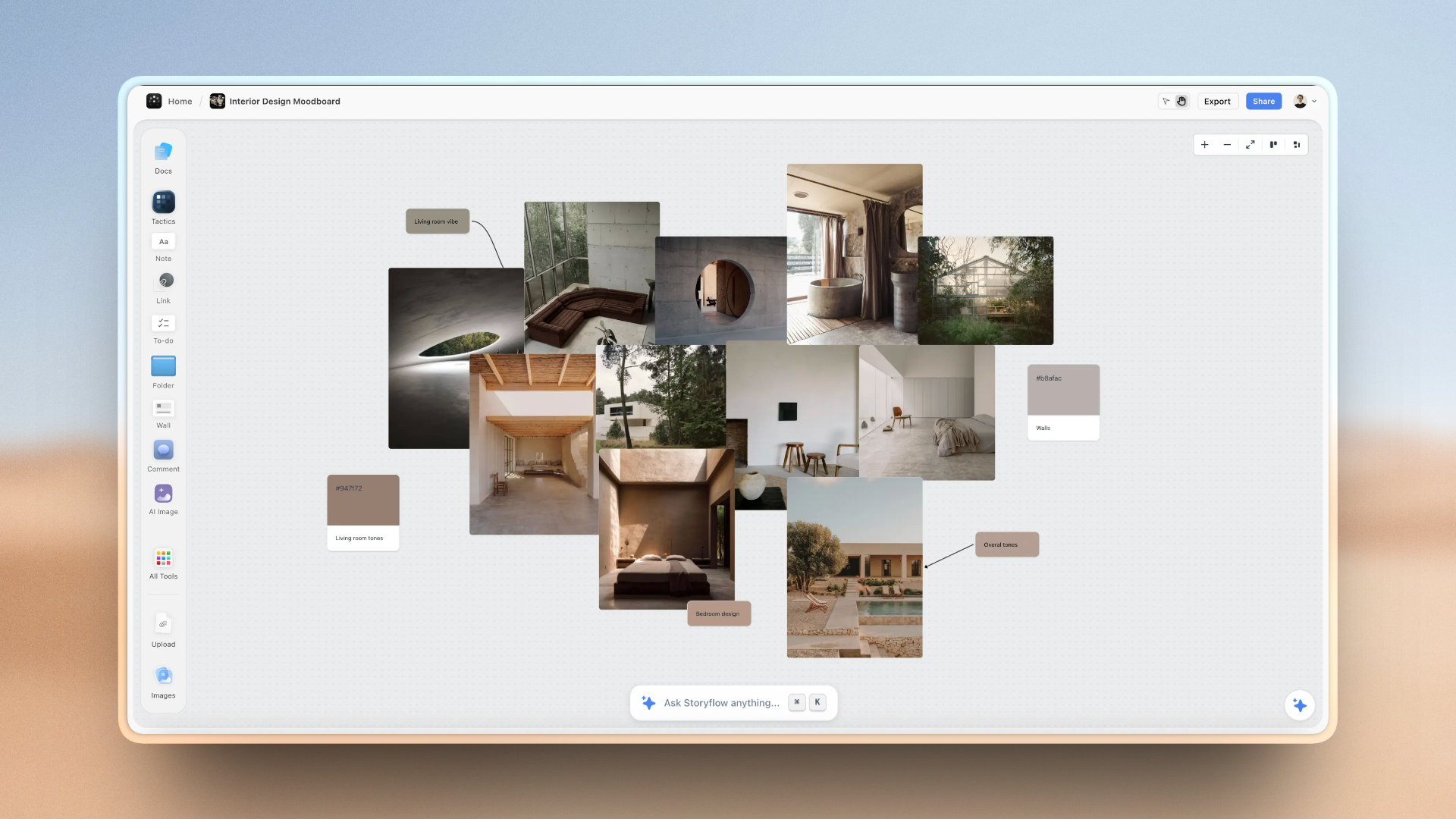
A Storyflow canvas showing a creative workflow from inputs to shipped work
Divergent and Convergent Lanes
The most common way creative work stalls is running two opposite modes at once. Divergence is generative: the goal is quantity, wildness, and permission to be wrong. Convergence is editorial: judgment, comparison, and cutting. They use different parts of your attention, and doing both in the same moment means each sabotages the other. You censor the wild idea before it is fully out, and never seriously compare the safe one.
A good creative workflow keeps these in separate lanes. Diverge first, with the editor switched off, until you have more raw material than you need. Then converge, with the generator switched off, and be ruthless. Brainstorming rules like "no bad ideas" exist for exactly this reason: they protect the divergent lane from the convergent one. Build the two lanes in on purpose, and the Connected state stops being a bottleneck.
Solo Versus Team Creative Workflows
A solo creative workflow and a team creative workflow are not the same workflow at different sizes. They fail in different places, and they need different structure.
A solo workflow lives or dies on Capture and Commitment. When you are the only person, nothing forces you to write the idea down or to decide, so ideas pile up in the Captured state and nothing reaches Committed. The solo fix is external structure: a single place everything lands, and a ritual that forces a decision on a schedule instead of when you feel ready.
A team workflow lives or dies on handoffs. The work itself is rarely the problem. The problem is the seam between the strategist and the designer, the writer and the editor, the agency and the client, because that is where context falls out. The person receiving the work gets the file but not the reasoning: why this direction, what was already rejected, what the constraint really was. Every lost handoff sends an idea back a state, from Committed to Connected, and the team redoes work it already did.
The takeaway is not "add more meetings." It is that a team workflow has to carry the reasoning, not just the deliverable, across every handoff. The state of an idea has to travel with the idea. When it does not, the team is not slow. It is amnesiac.
How to Design Your Own Creative Workflow
You do not need a certification to design a creative workflow. You need to make the path explicit and then remove friction from it. Four steps.
1. Map what actually happens now. Not the ideal. The real path your last project took, including the detours. Write down every place work currently lives and every point where it moves between people or tools. The count is usually higher than you expect.
2. Mark where ideas get stuck. Using the Four States, find the transition that stalls. Is work dying in Captured (nothing gets Connected), or piling up Connected but never Committed, or Committed but never Shipped? You usually have one dominant bottleneck. Fix that one first.
3. Assign every stage a home and a next step. Each of the five stages needs a defined place the work lives and a defined trigger that moves it forward. The goal is that no idea is ever sitting with an unclear next move.
4. Collapse the handoffs. Every time work crosses from one tool to another, you pay the task-switching and search tax. The highest-leverage change in almost any creative workflow is reducing the number of surfaces the work has to live on. Fewer surfaces, less lost context, faster path to Shipped.
Design it once, run it for one real project, then adjust. A workflow you never revise is a guess. A workflow you tune after each project becomes yours.
Where AI Fits in a Modern Creative Workflow
The 2026 shift is that AI can now assist at each of the Four States, not just the writing at the end. It can summarize a chaotic brief into clean constraints (Captured), surface the pattern connecting a wall of scattered notes (Connected), turn a chosen direction into a production plan (Committed), and draft and pressure-test the work against the brief (Shipped). Used this way, AI is a workflow accelerant, not a content vending machine. The judgment stays yours; the busywork between the judgment calls is what it removes.
The friction is that most creative workflows are scattered across four or five tools, and an AI bolted onto any one of them can only see that one slice. Your reference images are in one app, the brief in a document, the feedback in a chat thread, the plan in a project board. Ask a single-app AI to help and it is reasoning about a fragment, because it cannot see the rest of your workflow. This is exactly the gap that a visual workspace closes. Storyflow keeps the whole workflow on one canvas: the captured inputs, the connected clusters, the committed plan, and an AI that reads the full active board plus up to 1 blueprint and 3 Documents you @-mention in the chat. Because it can see the actual project instead of a pasted summary, its help lands at the right state instead of in a vacuum. Story blueprints (the 200+ template library on Plus, Pro, and Max, with real frameworks like Hero's Journey and AIDA) give the workflow a starting shape instead of a blank canvas.
Storyflow is not the right tool for every stage. It is cloud-only, so a fully offline, local-first workflow is not what it does. It is canvas-and-card shaped, so heavy long-form writing (a full screenplay, a 5,000-word feature draft) still belongs in a dedicated document editor. And it is a newer platform than Notion or a mature project suite, so if your Delivery stage needs deep Gantt charts, resource management, and a decade of integrations, a specialized tool wins that stage. Storyflow's strength is the thinking half of the workflow, from Intake through Commitment. Wire it to the specialist tools for the rest.
Which Creative Workflow Setup Fits You
The right setup depends on where your workflow breaks, not on what is trendy.
If you are a solo creator, your bottleneck is almost always Capture and Commitment. Use one visual workspace where everything lands and where you can see the whole project at once, so ideas stop dying in the Captured state. A canvas tool like Storyflow or a structured notes app both work. Pick the one you will actually open every day.
If you are a small creative team or studio, your bottleneck is handoffs. Prioritize a shared surface that carries the reasoning, not just the files, from stage to stage. This is where a canvas beats a stack of documents, because everyone sees the same board.
If you are an agency running many projects, you need the thinking workspace plus a real project management layer for scheduling, capacity, and client approvals. Use a canvas for Intake through Commitment and a dedicated project management tool for Delivery. Do not force one tool to do both.
If you are in a large or regulated organization, prioritize the mature, integrated, permission-heavy suite even if its creative surface is weaker. Compliance and access control outrank canvas flexibility at that scale, and that is an honest place where a visual workspace is not the lead tool.
The bottom line is simple. A creative workflow is the path that gets the work from your head to your audience, and its quality is decided by how cleanly ideas move through the Four States: Captured, Connected, Committed, Shipped. Find the state your work gets stuck in, collapse the handoffs around it, and let AI carry the busywork between decisions. Do that and you stop rescuing projects one at a time. Remember the one line that survives every tool choice: a workflow is not the enemy of creative work, the absence of one is.
FAQ: Creative Workflows
What is a creative workflow?
A creative workflow is the repeatable path a project takes from input to shipped work, including the stages, decisions, tools, and handoffs along the way. It turns a brief or a raw idea into a finished piece an audience sees. The clearest way to picture it is as the path an idea travels through four states: Captured, Connected, Committed, and Shipped.
What is the difference between a creative workflow and a creative process?
A creative process describes the thinking (ideation, incubation, judgment), while a creative workflow describes the operational path that thinking travels. The process is what happens in your head. The workflow is what happens between the tools: who touches the work, in what order, and how it moves from one stage to the next. You need both, and the workflow is the half most people skip.
What are the stages of a creative workflow?
Most creative workflows follow five stages: Intake (capture the brief and inputs), Divergence (generate options), Convergence (find the through-line), Commitment (decide and plan), and Delivery (produce and ship). The names change by industry, but the shape is consistent. Each stage moves the work closer to the Shipped state.
Why do creative teams need a workflow?
Creative teams need a workflow because their real bottleneck is handoffs, not talent. When work moves between a strategist and a designer, or an agency and a client, the reasoning behind it often gets lost, and the receiving person rebuilds context that already existed. A defined workflow carries that reasoning across every handoff, which is the difference between a team that ships and a team that redoes its own work.
How is a solo creative workflow different from a team workflow?
A solo workflow usually breaks at Capture and Commitment, because nothing external forces you to record ideas or decide between them, so they pile up unfinished. A team workflow breaks at handoffs, where context falls out between people. Solo creatives need structure that forces decisions on a schedule. Teams need a shared surface that carries reasoning, not just deliverables.
How do you create a creative workflow?
Map the real path your last project took, mark where ideas got stuck using the Four States, give every stage a defined home and next step, then collapse the handoffs between tools. The highest-leverage single change is usually reducing how many separate apps the work lives on, because every handoff costs task-switching and search time.
How can AI improve a creative workflow?
In 2026, AI can assist at every stage: summarizing a messy brief, expanding a seed idea into variations, clustering scattered notes into a direction, turning a decision into a production plan, and pressure-testing a draft against the brief. The judgment stays human; AI removes the busywork between the judgment calls. It helps most when it can see the whole project rather than one isolated app.
What tools do you need for a creative workflow?
At minimum you need one place to capture inputs, one place to connect and decide, and one place to produce and ship. A visual workspace like Storyflow can hold the Intake-through-Commitment half on one canvas, which reduces handoffs. For heavy long-form writing or complex scheduling, pair it with a dedicated editor or project management tool.
What is an example of a creative workflow?
A documentary example: Intake gathers research, interviews, and the central question. Divergence explores possible story angles and structures. Convergence clusters footage and finds the through-line. Commitment locks the edit structure and shot plan. Delivery produces the cut and releases it. A marketing campaign, a brand identity, or a YouTube video follows the same five-stage shape with different labels.
How do you optimize a creative workflow?
Optimize by finding the single state where ideas get stuck and fixing that transition first, rather than tuning everything at once. If work dies in Captured, improve how inputs get recorded. If it stalls at Committed, add a forced decision point. Then collapse handoffs to cut the task-switching tax. Optimize one bottleneck per project instead of redesigning the whole system.
Does having a workflow limit creativity?
No. A workflow structures the path the work travels, not the ideas themselves. The generative freedom lives inside the Divergence stage, which a good workflow protects by keeping it separate from the editorial Convergence stage. The structure is what lets a wild idea survive long enough to reach an audience. A workflow is not the enemy of creative work. The absence of one is.
Table of Contents
- Key Takeaways
- What a Creative Workflow Actually Is
- The Four States of an Idea
- The Hidden Cost of an Ad-Hoc Workflow
- The Five Stages of a Creative Workflow
- Divergent and Convergent Lanes
- Solo Versus Team Creative Workflows
- How to Design Your Own Creative Workflow
- Where AI Fits in a Modern Creative Workflow
- Which Creative Workflow Setup Fits You
- Author
- FAQ: Creative Workflows
- Related Reading
Templates to check out for this topic


Templates you can use in Storyflow
Every Storyflow board starts from real structure and an AI that reads the whole canvas. Open one of these templates and make it yours.


See Storyflow in Action
A visual AI workspace where every feature lives inside one canvas. No tab-switching, no context lost.
Build your entire board from a single message
Type what you need in the AI chat at the bottom of your canvas. The AI adds cards, headings, and structure directly onto your board.
Use expert frameworks as AI context
Type @ in the AI chat and choose any Tactic. The AI tailors every response to that framework instead of giving generic advice.
Turn your board into a mind map in seconds
Ask the AI to restructure your canvas as a mindmap. It connects your ideas into a visual hierarchy so you can see how everything relates.
Why Storyflow Exists
Storyflow actually began as a personal tool while working on creative and research projects.
We kept running into the same problem: ideas were scattered everywhere: notes, documents, and whiteboards.
Nothing helped us see how everything connected.
So we started building a workspace designed around how ideas actually grow.
→ Read how Storyflow was createdSara de Klein
Head of Product at Storyflow
Published: 2026-07-15
Extremely simple, seriously capable


See how easy it is to get started
Watch a real project come together, from a blank board to a finished plan, clicked through step by step.
Start creating with AI and become more productive
Transform your creative workflow with AI-powered tools. Generate ideas, create content, and boost your productivity in minutes instead of hours.