
Extremely simple, seriously capable
The map is done.
Now what?
Every mind mapping tool is good at the map and stops at the edge of it. So the branches get retyped into a project tool, the map is closed, and the two drift apart within a week. Keeping both on one canvas removes the export step entirely: a branch becomes a board with owners and dates, and the thinking stays attached to the work. Plans start at $7.99 a month billed annually.


Creatives working for these brands already got early access
- Red Bull
- Canon
- Artlist
- Porsche
See how easy it is to get started
Watch a real project come together, from a blank board to a finished plan, clicked through step by step.
Start from a ready-made template
Pick a board to see what you can build, then let AI fill it in. Every template is a real, editable starting point on the same infinite canvas.

Mind Map
Branch one central idea out into themes and sub-points, then drag the connections around until the structure makes sense.
How do you turn a mind map into a project plan?
By treating the branches as scope rather than as tasks. Storyflow is an AI visual workspace that turns a mind map into a project plan on one infinite canvas: branches that become boards with owners and dates, the map kept beside the plan, and an AI that drafts the first conversion. A mind map is a shape of a problem: themes, sub-themes, loose ideas at different levels of resolution. A project plan needs work items with an owner, an order and a date. The conversion is not mechanical, because a branch is often either too big to be a task or too vague to be one, and turning each node into a to-do produces a list nobody can execute.
The step most people skip is deciding which branches are actually in scope. A map is generous on purpose; it holds the ideas that did not survive as well as the ones that did. Converting the whole map into a plan imports that generosity into the schedule, which is how a two-week project acquires forty tasks and loses its shape.
The other problem is the export itself. Once the map lives in one application and the plan in another, the map stops being updated. It becomes a record of what people thought at the start rather than a live view of the project, and the reasoning behind a decision goes with it. Six weeks later somebody asks why a route was dropped and the answer is in a file nobody opens.
Storyflow keeps both on one infinite canvas. Convert a branch into a board, give it a structure, and add owners and dates without leaving the space the map is in. The AI reads the whole active board plus up to five attached documents and three boards, so it can draft a first plan from branches you already have. Plans start at $7.99 per month billed annually, with a free plan before the end of 2026.
Ultra fast from brief to board
Four steps from branches to a schedule.
The conversion is a set of decisions, not a file format change.
01
Mark what is in scope
Decide which branches survive before anything becomes a task. A map is deliberately generous, and a plan cannot be.
02
Split the branches that are too big
A theme is not a task. Break the ones carrying real weight into work that a person could finish, and leave the small ones alone.
03
Give it a structure
Ask the AI to lay the surviving work out as phases, a kanban or a table with owner and date columns, depending on how the project actually runs.
04
Add owners and dates
Assign the work on the same canvas the map is on, so the reasoning stays one screen away from the schedule.
No export step, so nothing drifts.
Four things that break when the map and the plan live apart.
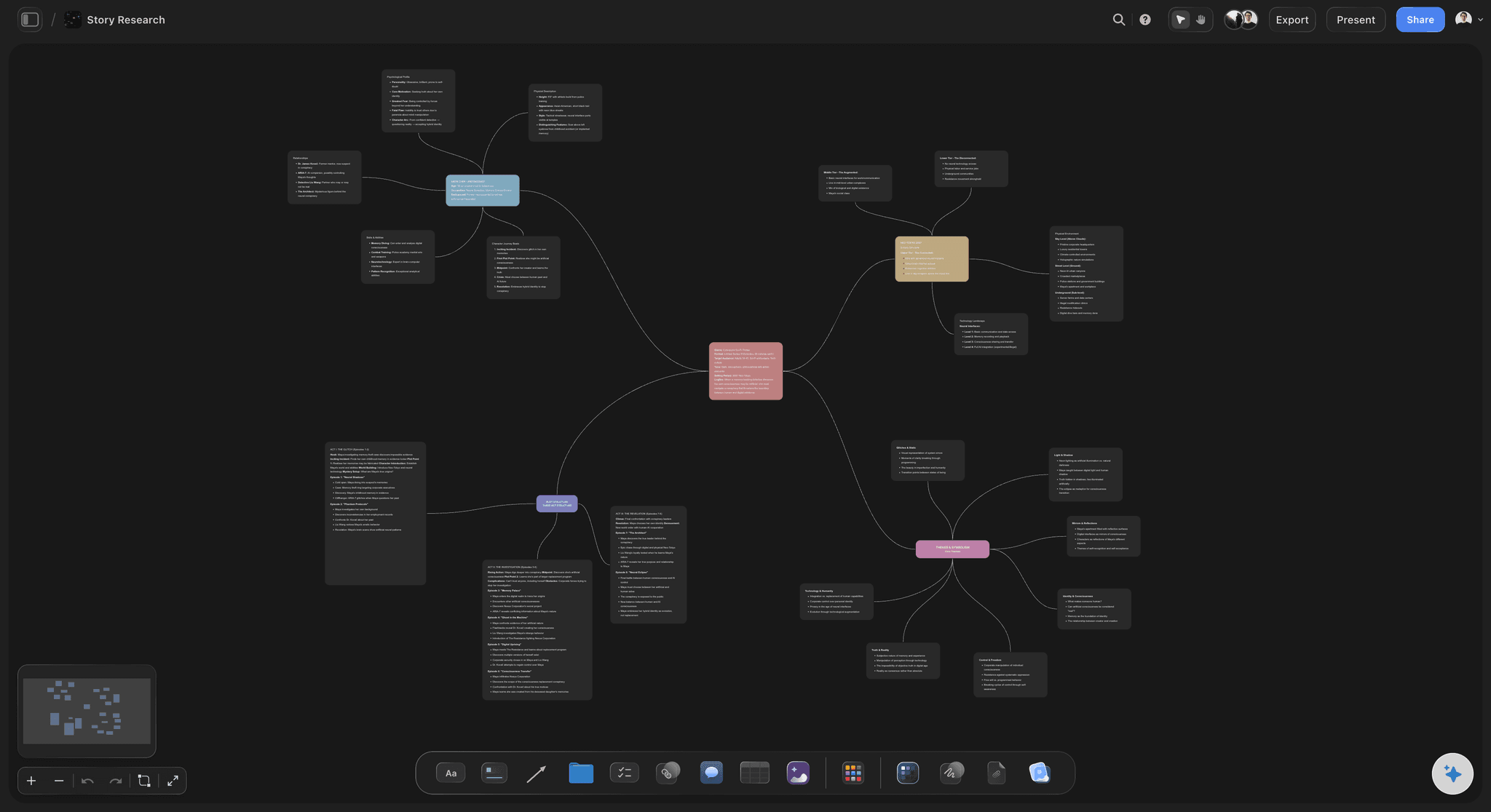
One canvas
The map stays beside the plan
Both live in the same space, so the map keeps being updated instead of becoming a record of what people thought in week one.
See the AI creative workspace →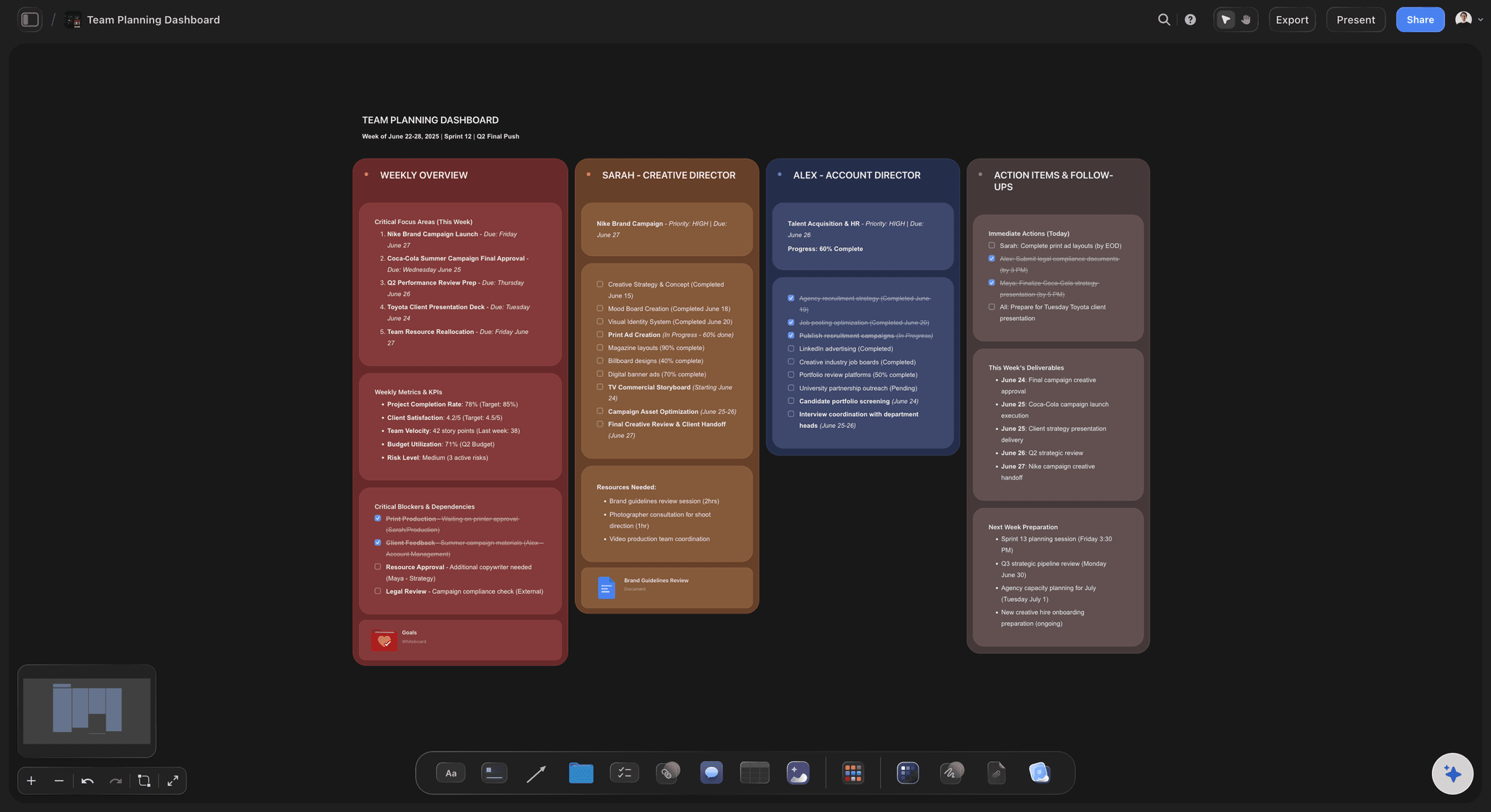
Structure on demand
Phases, board or schedule
The same set of branches can be laid out as phases, a kanban or a schedule. Ask the AI for a structure rather than choosing a layout up front.
See the AI project plan generator →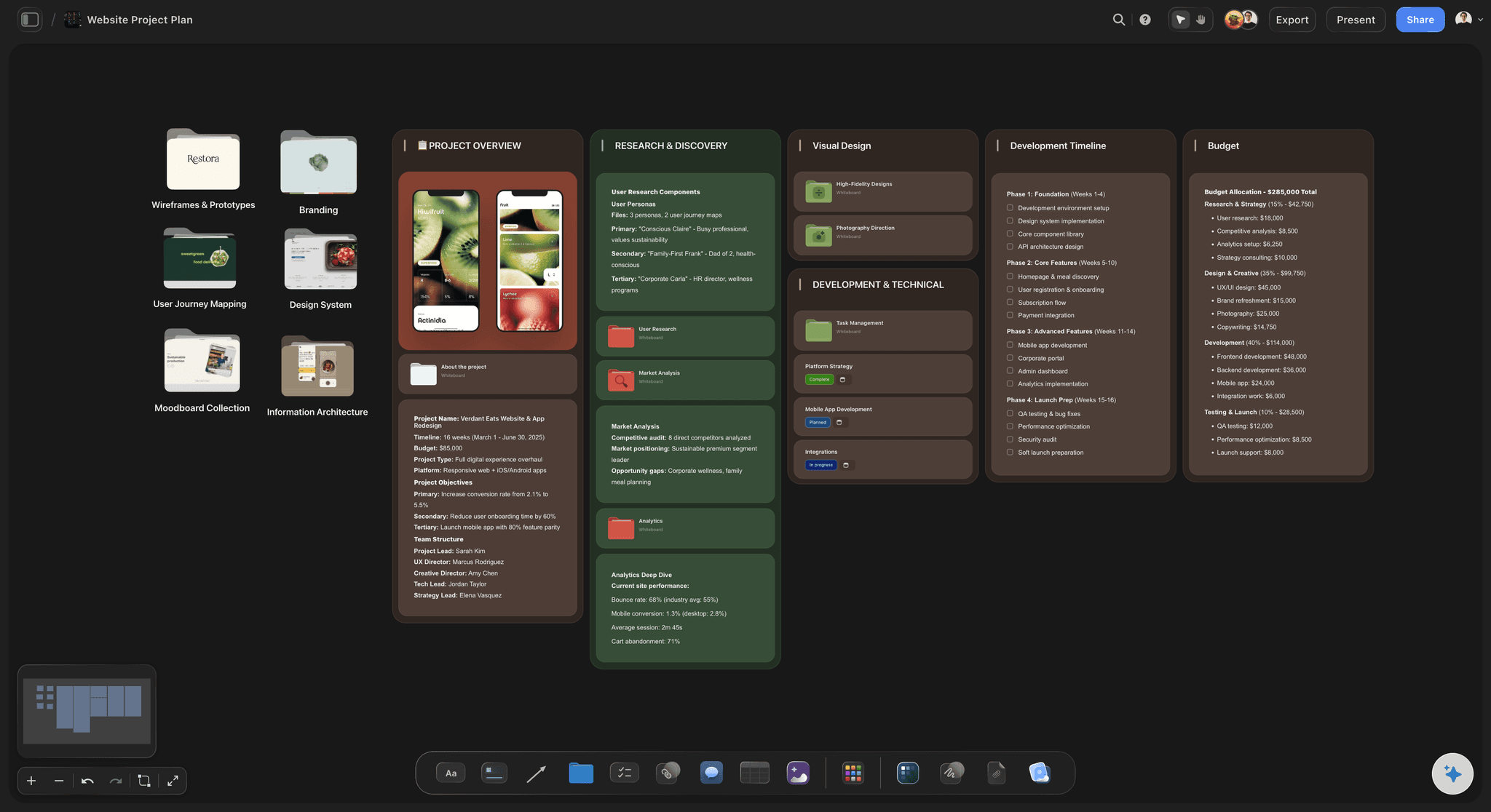
A first draft plan
Ask for the conversion
The AI reads the whole map and can propose which branches are scope, which are too big, and what the first sequence looks like.
See the brief to project board tool →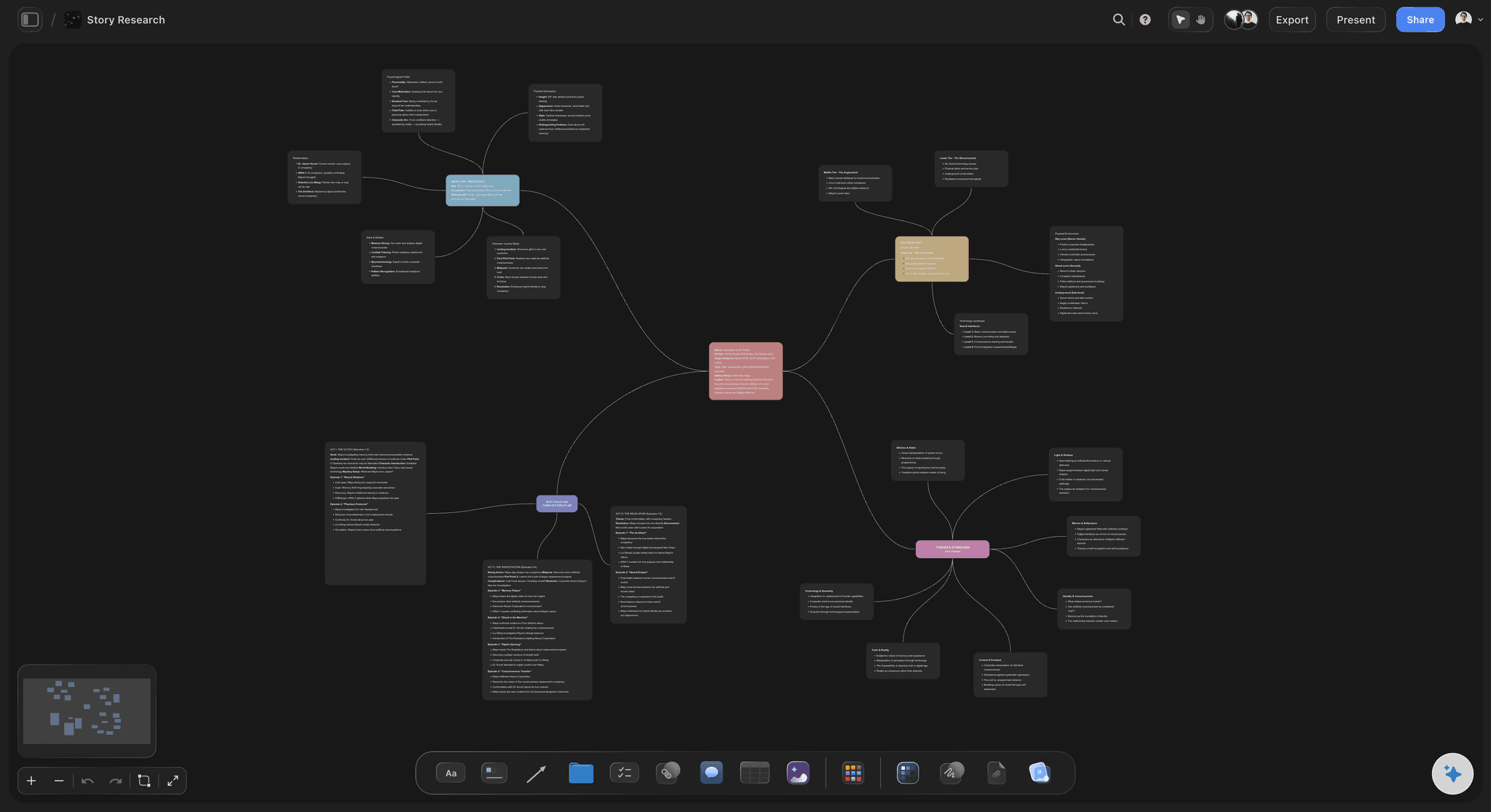
The reasoning survives
Why a route was dropped
Branches that did not make the plan stay on the canvas. Six weeks later the question of why is answered on the same board, not from memory.
See AI project memory →Plans from $7.99/month annual. Free plan coming late 2026.
Unlimited boards on Plus, Pro and Max, and the map and plan in one place. Free plan before the end of 2026.
Map and project plan on one infinite canvas
Unlimited file uploads on Plus, Pro and Max
Owners and dates without a second tool
AI reads the whole board before it plans
Built for people with taste
Four ways a good map becomes a bad plan.
All four come from treating the conversion as a formatting problem.
Mistake one
Every node becomes a task
Maps hold rejected ideas: A map deliberately keeps what did not survive. Converting all of it imports that generosity straight into the schedule.
Scope is a decision: Mark which branches are in before anything is assigned. Doing it after produces a backlog nobody trusts.
Forty tasks, no shape: A two-week project with forty items is not planned, it is transcribed, and the team cannot see what matters.
Mistake two
Themes treated as work items
A branch is not a task: "Rebrand the site" is a theme. Nobody can start it, and it sits at the top of a board for three weeks looking like progress is stalled.
Split only what carries weight: Break the heavy branches into finishable work and leave the small ones alone. Uniform decomposition wastes the effort.
Different levels are normal: Maps mix resolutions on purpose. The plan is where that gets resolved, which is why the step needs judgement.
Mistake three
The export that kills the map
Two tools, two truths: Once the plan lives elsewhere, the map is never updated again and quietly becomes wrong rather than merely old.
The reasoning is lost first: Task lists record what was decided and not why. The why was in the branches that did not make it.
Keep them on one canvas: No export means no drift. The map is a scroll away from the schedule and stays part of the project.
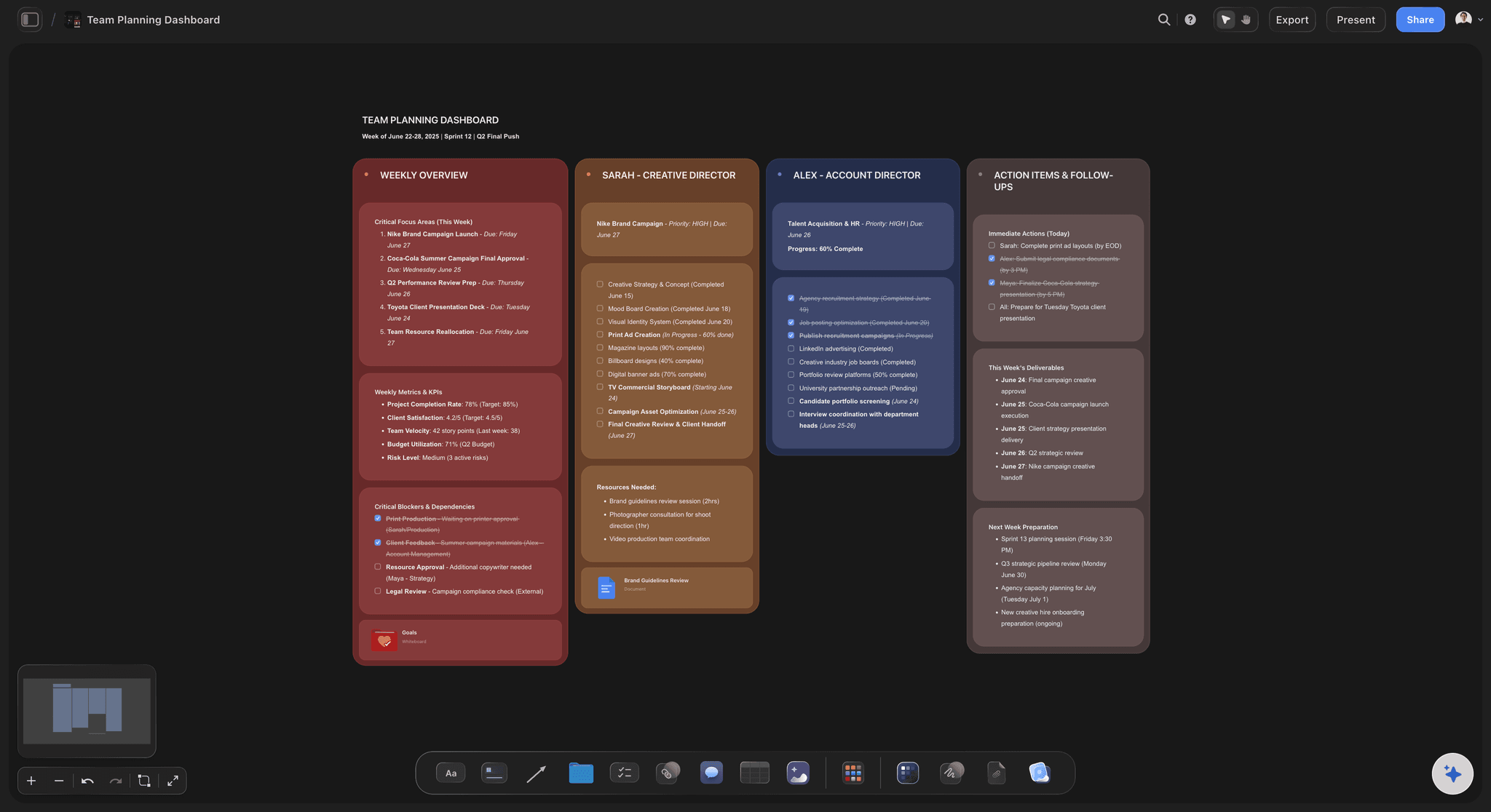
Mistake four
Choosing the layout too early
The shape depends on the project: Some work is phased, some is a queue, some is a calendar. Deciding before the scope is known usually picks wrong.
Apply a structure afterwards: Lay a structure over the surviving branches, and change it if the first choice does not fit how the work actually runs.
One set of work, several views: Because the material is on a canvas rather than in a fixed template, relaying it out is a rearrangement and not a rebuild.
Explore templates for your project
Every template opens as a real, editable board on the infinite canvas. Pick the closest fit and make it your own.
Mind Map
Branch one central idea out into themes and sub-points, then drag the connections around until the structure makes sense.
What creators are saying
Join early creators getting structured workspaces and AI that remembers their projects
“Storyflow has sped up my workflow by at least 3x, which means more flow state and more projects I can actually ship. It truly changed the way me and my team create.”

Reilin Joey
Director & YouTuber
“One prompt gets me a structured board. But the tactics are my favorite. I run my YouTube scripts through them and my intros and retention got better. It's amazing.”

Justkay
YouTuber & Freelance Filmmaker
“I used to juggle five apps to plan a project. Now I describe what I am making and get boards, lists, and a schedule. All in one place.”

George
@fernwehchronicles
Mind map to project plan, answered.
The questions that come up at the edge of the map.
Decide scope first, then split the branches that are too big to be work, then apply a structure and add owners and dates. Converting every node into a task is the common mistake, because a map deliberately holds ideas that did not survive. In Storyflow the map and the plan share one infinite canvas, so a branch becomes a board with owners and dates without an export step, and the AI can draft a first conversion from the branches you already have.
Storyflow does this without an export step: the mind map and the project plan share one canvas, so a branch becomes a board with owners and dates and nothing is retyped. Its AI drafts a first conversion from the branches you already have. The map stays beside the plan, so the reason a route was dropped is still there when someone asks.
You can, and the cost is that the map stops being updated. Once the plan lives in a second application, the map becomes a record of what people thought at the start, and the reasoning behind a dropped route goes with it. Keeping both in one place is what prevents that drift.
No, and this is where most conversions fail. Maps are generous on purpose. Mark which branches are in scope before anything is assigned, or a two-week project acquires forty items and loses its shape.
They stay on the canvas beside the plan. Six weeks in, someone always asks why a route was dropped, and having the rejected branches one scroll from the schedule answers it from the board rather than from memory.
It can draft one. It reads the whole active board plus up to five attached documents and three boards, so it proposes which branches look like scope, which are too large to be tasks, and a first sequence. Treat it as a draft to correct rather than a plan to accept.
Phases, a kanban board, or a table with owner and date columns, laid out by hand or by the AI. Because the work sits on a canvas rather than inside a fixed template, changing the layout later is a rearrangement rather than a rebuild.
You can add owners and dates to cards and order work by phase or by column. There is no automatic dependency engine, critical path or resource levelling, so a plan needing those belongs in dedicated project management software.
Yes, boards are collaborative. A team workspace with roles and permissions is on the Max plan; boards and projects themselves are unlimited on every paid tier.
There is no round-trip import from dedicated mapping formats. You can paste content in as text or upload a document and rebuild from that, which is worth knowing before moving a large existing map.
Not during early access. Plans start at $7.99 per month billed annually or $9.99 monthly, and a free plan launches before the end of 2026. Anyone a paid member invites to a board joins free.
Stop retyping your own thinking.
Turn branches into boards with owners and dates on the canvas the map is already on. Plans from $7.99 a month billed annually.