
Hours back on every video you plan
Your animation storyboard,
fixed before production starts.
Lay out panels, reorder them in seconds, and keep timing and action notes on every frame. Storyflow's AI builds the animation storyboard layout, you make the calls before any animation work begins.


Creatives working for these brands already got early access
- Red Bull
- Canon
- Artlist
- Porsche
See how easy it is to get started
Watch a real project come together, from a blank board to a finished plan, clicked through step by step.
Start from a ready-made template
Pick a board to see what you can build, then let AI fill it in. Every template is a real, editable starting point on the same infinite canvas.

Storyboard
Lay out your shots frame by frame with images and notes, then reorder them until the sequence reads like the finished cut.
What is an animation storyboard?
An animation storyboard is the panel-by-panel plan of a sequence before production starts: what each panel shows, how long it holds, and what action carries one panel into the next. Storyflow is an AI visual workspace that plans an animation sequence on one infinite canvas: panels you can reorder, timing and action notes on every frame, and style frames pinned beside the panels they inform. Animation is expensive to change late, so the animation storyboard is where the real decisions happen. A panel you reorder costs seconds. A shot you re-animate costs days.
Storyflow gives animation storyboarding an infinite canvas with AI built in. Describe the sequence, or paste the script, and the AI lays out the storyboard structure with panels, order, and notes arranged on the canvas. Timing notes, action notes, and dialogue sit directly on every frame, and style frames and references pin alongside the panels they inform.
Because the canvas is infinite, the whole sequence stays visible at once. Drag panels into a new order, test a different opening, cut a beat, and read the flow again, all before a single frame gets animated. When the animation storyboard locks, it becomes the foundation you take into your animatic tool and pipeline.
Ultra fast from brief to board
Storyboard an animation in four steps.
Cheap iteration first, expensive production later. That is the whole point.
01
Open a canvas
Make an account and the canvas loads straight into your browser. No download, no setup before you board.
02
Describe the sequence
Tell the AI what happens, or paste the script. It lays out the storyboard with panels, order, and notes on the canvas.
03
Add timing, action, and style
Write timing and action notes on each panel, sketch over frames with the pen tool, and pin style frames and references alongside.
04
Reorder, lock, hand off
Drag panels until the sequence reads right, share a view-only link for review, then export the board as an image or PDF for the next stage.
Built for the way animation gets planned.
Panels, notes, and references on one canvas, so the sequence is decided before production spends a single hour.

AI lays out panels, order, and notes
Start from a structured board
Describe the sequence and the AI generates the storyboard layout: panels in order, with structure and notes. You refine the beats instead of setting up empty frames.
See the AI storyboard generator →
Timing and action notes on every panel
Make the timing readable
Hold lengths, action descriptions, dialogue, and camera moves sit on the panel they belong to. Anyone who reads the board reads the sequence.
Turn a script into a storyboard →
Style frames and references pinned alongside
Keep the look next to the board
Pin style frames, palettes, and reference images beside the panels they inform. Grab stills from YouTube or Vimeo references straight onto the canvas.
Learn about storyboarding in Storyflow →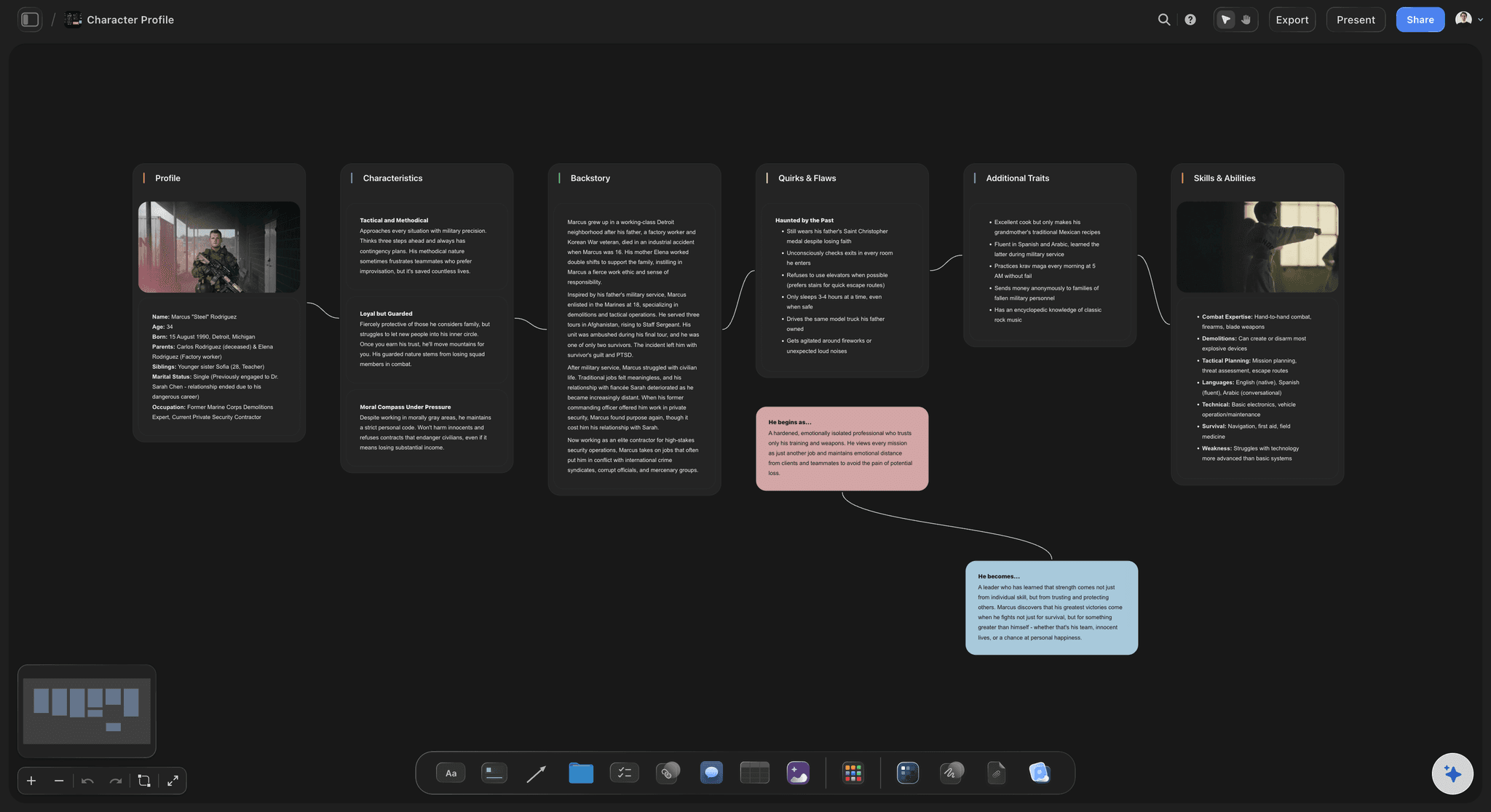
Drag-and-drop panel order on an infinite canvas
Iterate the sequence for free
Reorder panels, cut beats, and test alternate openings in seconds. Every change you make on the storyboard for animation is a change you do not make in production.
Plan a video storyboard →Plans from $7.99/month annual. Free plan coming late 2026.
Board your sequences from $7.99 a month billed annually. No panel limit and no board limit.
Unlimited animation storyboards on an infinite canvas
AI usage to lay out sequences from a prompt or script
Invited collaborators join free, view-only links for leads and clients

Built for people with taste
An animation storyboard that earns its place in the pipeline.
The board is the cheapest stage of animation. Storyflow makes it the most productive one.

Sequences, scenes, and beats on one canvas
Plan the whole sequence at once
Everything visible: The infinite canvas holds the full sequence, so you read the flow from panel one to the last hold without paging.
Frameworks for story shape: Use built-in storytelling frameworks and beat structures to pressure-test the sequence before panels get polished.
Re-prompt the structure: Ask the AI to tighten the middle, add a reaction beat, or split a scene. It reworks the layout with your board in context.
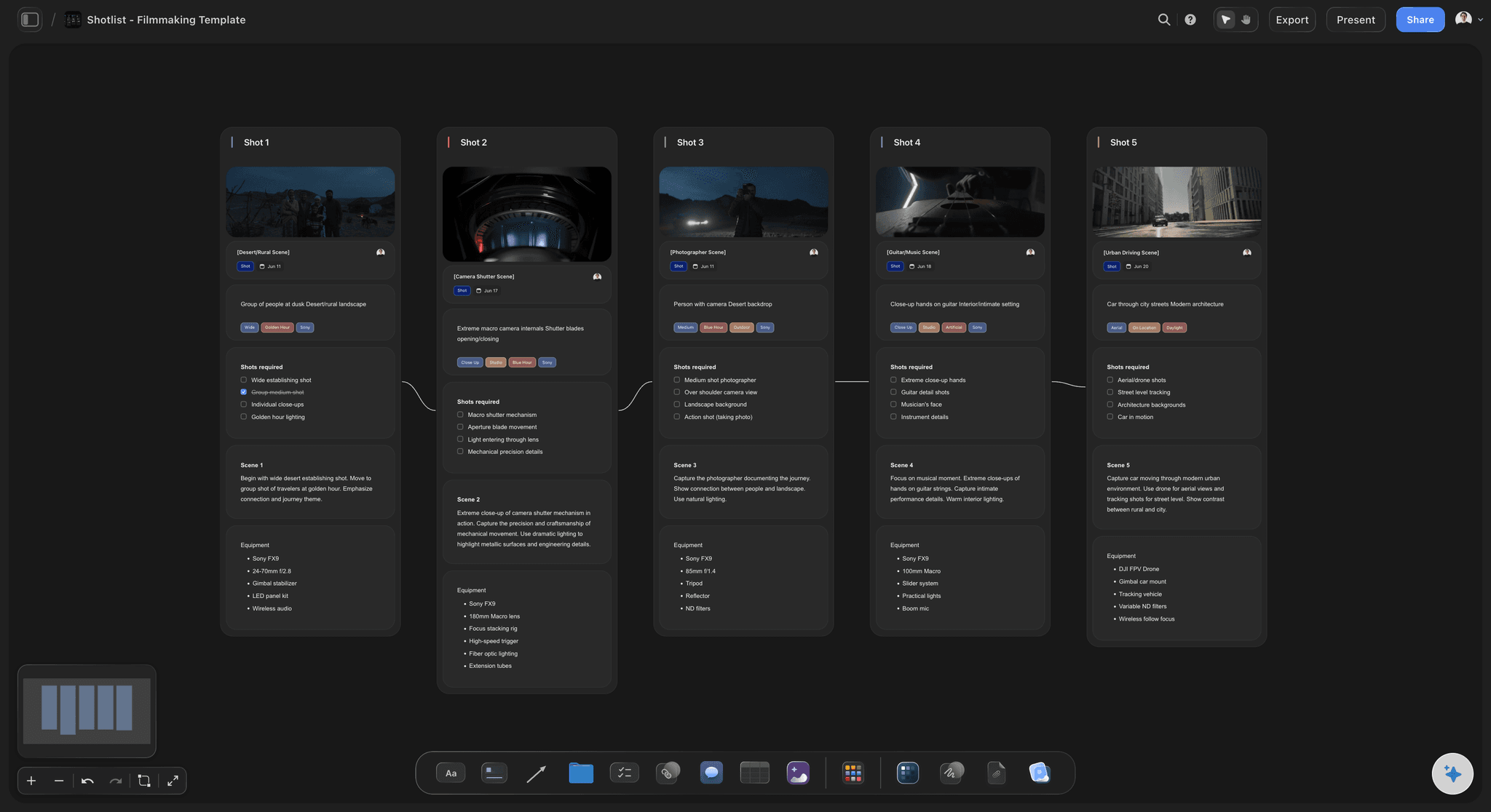
Action, camera, and dialogue per panel
Notes that survive the handoff
Action notes: Describe the movement in and out of every panel, so the intent is on the board, not in someone's memory.
Timing marks: Note hold lengths and pacing per panel. Reviewers read the rhythm of the sequence straight off the storyboard.
Dialogue and sound: Lines and audio cues sit under the panel they play against, keeping picture and sound planned together.
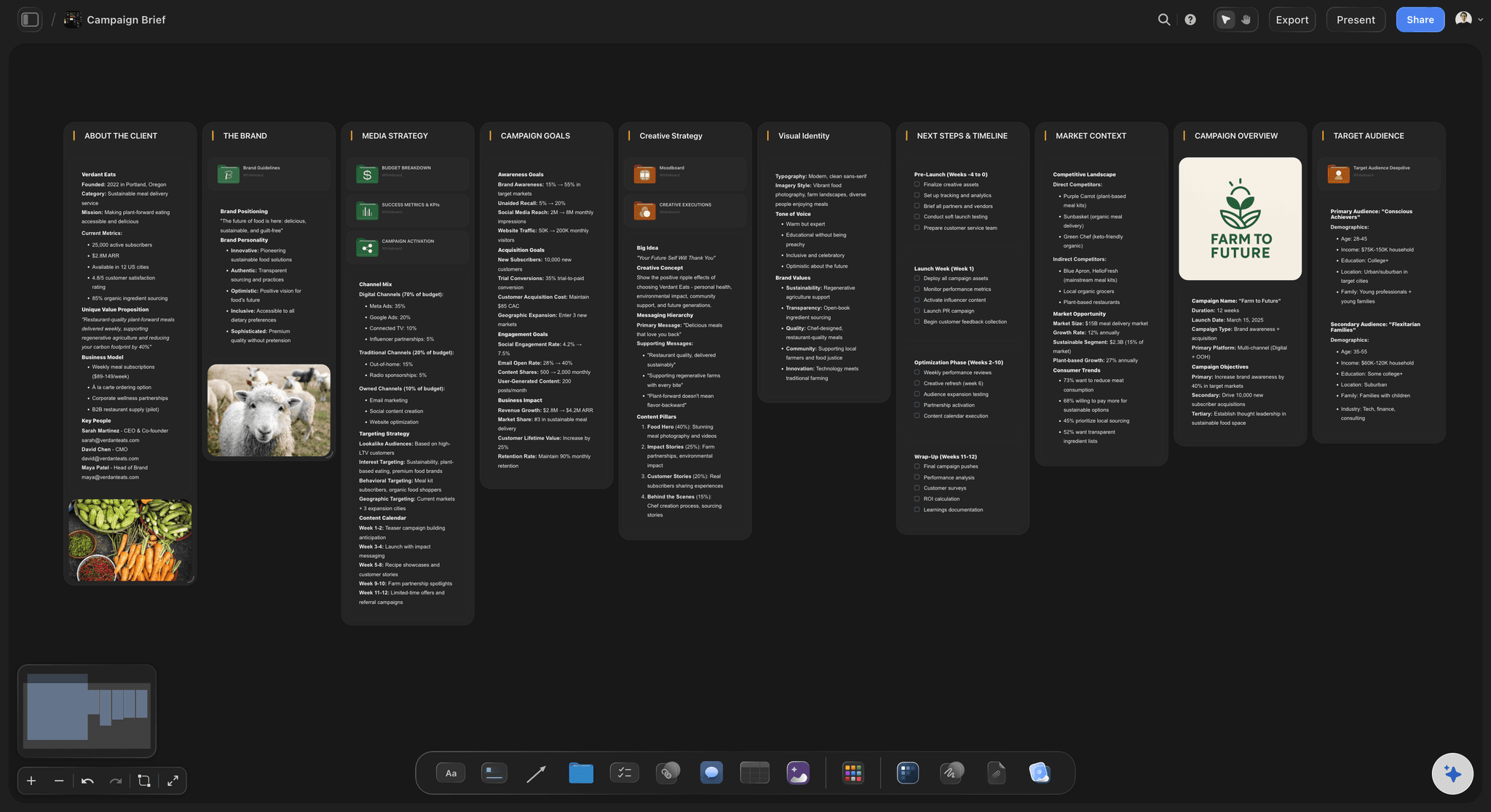
Style frames, model sheets, and references
Develop the look beside the board
Pin style frames: Style frames and color keys live next to the panels they define, so look development and boarding inform each other.
Reference anything: Drop images, video, GIFs, and links onto the canvas, or grab stills from YouTube and Vimeo references.
AI images on Pro and Max: Pro and Max plans include AI image generation on the canvas, handy for roughing in style frames and panel ideas.

Review, lock, and move to production
Hand off a board the team can build on
View-only review links: Send the board to clients, leads, or instructors as a view-only link. They review in the browser, no account needed.
Image and PDF export: Export the locked board as a high-quality image or PDF, ready to take into your animatic tool and production pipeline.
Free team access: Invite collaborators at no cost and control who can edit or view, so revisions land on one shared board.
Explore templates for your project
Every template opens as a real, editable board on the infinite canvas. Pick the closest fit and make it your own.
Storyboard
Lay out your shots frame by frame with images and notes, then reorder them until the sequence reads like the finished cut.
What creators are saying
Join early creators getting structured workspaces and AI that remembers their projects
“Storyflow has sped up my workflow by at least 3x, which means more flow state and more projects I can actually ship. It truly changed the way me and my team create.”

Reilin Joey
Director & YouTuber
“One prompt gets me a structured board. But the tactics are my favorite. I run my YouTube scripts through them and my intros and retention got better. It's amazing.”

Justkay
YouTuber & Freelance Filmmaker
“I used to juggle five apps to plan a project. Now I describe what I am making and get boards, lists, and a schedule. All in one place.”

George
@fernwehchronicles
Animation storyboards, answered.
Everything people ask about storyboarding animation with Storyflow.
In Storyflow you describe the sequence to the AI, or paste the script, and it lays out an animation storyboard with panels, order, and notes on an infinite canvas. You then add timing and action notes to each panel, pin style frames alongside, and drag panels into the order that reads best. The structure appears in seconds and a refined board takes minutes.
Storyflow is built for it: describe the sequence to the AI, or paste the script, and it lays out the storyboard with panels, order and notes on an infinite canvas. You put timing notes, action notes and dialogue on each panel, pin style frames beside the panels they inform, and drag panels into the order that reads best before any animation work begins.
Not yet. Storyflow is paid-only during early access, with plans from $7.99 a month billed annually ($9.99 monthly). A free plan launches before the end of 2026, and anyone a paid member invites to a board joins free. Paid plans have no board or object limits.
No. Storyflow is for the storyboard stage: panels, order, timing and action notes, and references on one canvas. You export the locked board as an image or PDF and build the animatic in your animation tool. The better the board, the faster that next step goes.
No. The AI generates the layout, panel structure, and notes, and you can rough in visuals with the pen tool, reference images, or frame grabs from YouTube and Vimeo. Boards are about clarity, not polish. Upgrading to Pro or Max adds AI image generation on the canvas itself.
Write a timing note on each panel: how long it holds and how the action moves into the next panel. In Storyflow these notes sit directly on the frames, so the rhythm of the sequence is readable from the board itself before any animation work begins.
Yes. Give Storyflow the script, either pasted as text or placed on the canvas as a PDF file, and the sequence comes back laid out panel by panel. A script stuck in Word or Final Draft just needs a quick export to PDF or plain text before it goes in.
Teammates join the project free, and you decide per person who can edit and who can only view. Reviewers outside the team get a view-only link that opens in any browser, no account needed. For formal reviews and handoff, export the board as a high-quality image or PDF.
Because iteration is nearly free on the board and expensive in production. In Storyflow, reordering panels or cutting a beat on an animation storyboard takes seconds, while re-animating a shot takes days. The board is where you find the sequence, so production only builds it once.
Decide the sequence before you animate it.
Panels, timing notes, and style frames on one canvas. Iterate cheap, hand off clean.