
An ultra-fast canvas that stays calm
The AI whiteboard
where AI lives on the canvas.
One prompt lays out a storyboard, a kanban, or a planning board. The AI reads what is already on your active board, so every suggestion fits the project in front of you.


Creatives working for these brands already got early access
- Red Bull
- Canon
- Artlist
- Porsche
See how easy it is to get started
Watch a real project come together, from a blank board to a finished plan, clicked through step by step.
Start from a ready-made template
Pick a board to see what you can build, then let AI fill it in. Every template is a real, editable starting point on the same infinite canvas.

Mind Map
Branch one central idea out into themes and sub-points, then drag the connections around until the structure makes sense.
What is an AI whiteboard?
An AI whiteboard is an online whiteboard where the AI works directly on the canvas instead of sitting in a side panel. Storyflow is an AI visual workspace that lays out your board from one prompt on one infinite canvas: a storyboard, a kanban or a planning board, an AI that reads your active board, and room for media as well as sticky notes. On a plain whiteboard you start from a blank board and place every sticky note yourself. On an AI whiteboard you describe what you need, and the AI lays out the board: a storyboard for a video, a kanban for the sprint, a content plan for the quarter, arranged on an infinite canvas you can immediately rearrange.
Most tools that call themselves a whiteboard with AI bolt a chatbot onto the side. Storyflow was built the other way around: the AI is native to the canvas. It reads what is already on your active board, and you can attach up to five documents and three boards, so when you ask for a competitor section or a second act it builds on your project instead of producing generic filler.
Storyflow is paid-only during early access, with plans from $7.99 a month billed annually ($9.99 monthly). A free plan launches before the end of 2026, and anyone a paid member invites to a board joins free. Every paid plan has unlimited boards and no object limit, and if you just want open space without the AI, the same canvas works as a plain online whiteboard too.
Ultra fast from brief to board
How the AI whiteboard works.
Describe the board you need. The AI does the layout work, you do the thinking.
01
Open a canvas
Your AI whiteboard opens straight in the browser. There is no download to run.
02
Describe what you need
One prompt is enough: a storyboard for a product launch video, a kanban for the campaign, a planning board for the offsite.
03
AI lays out the board
The AI generates the full board on the canvas: structure, sections, notes, and a fitting framework, built around anything already on the board.
04
Refine, share, export
Drag things where you want them and re-prompt for changes. When it is ready, bring your team in, send a view-only link, or download the board as an image or PDF.
An AI whiteboard built for real work.
Not a demo gimmick. Boards your team actually ships from, generated and refined on one canvas.

Full boards from a single prompt
One prompt, a whole board
Ask for a storyboard, a beat sheet, or a launch plan and the AI lays it out as a structured board, not a wall of text. You start from something, never from blank.
See the AI storyboard generator →
Context from the board you are working on
AI that knows what is on your board
The AI reads your active board as context. Ask it to extend a plan, restructure a section, or map the ideas you sketched, and the result fits your project.
Try the AI mind map generator →
Kanbans, planners, and team boards
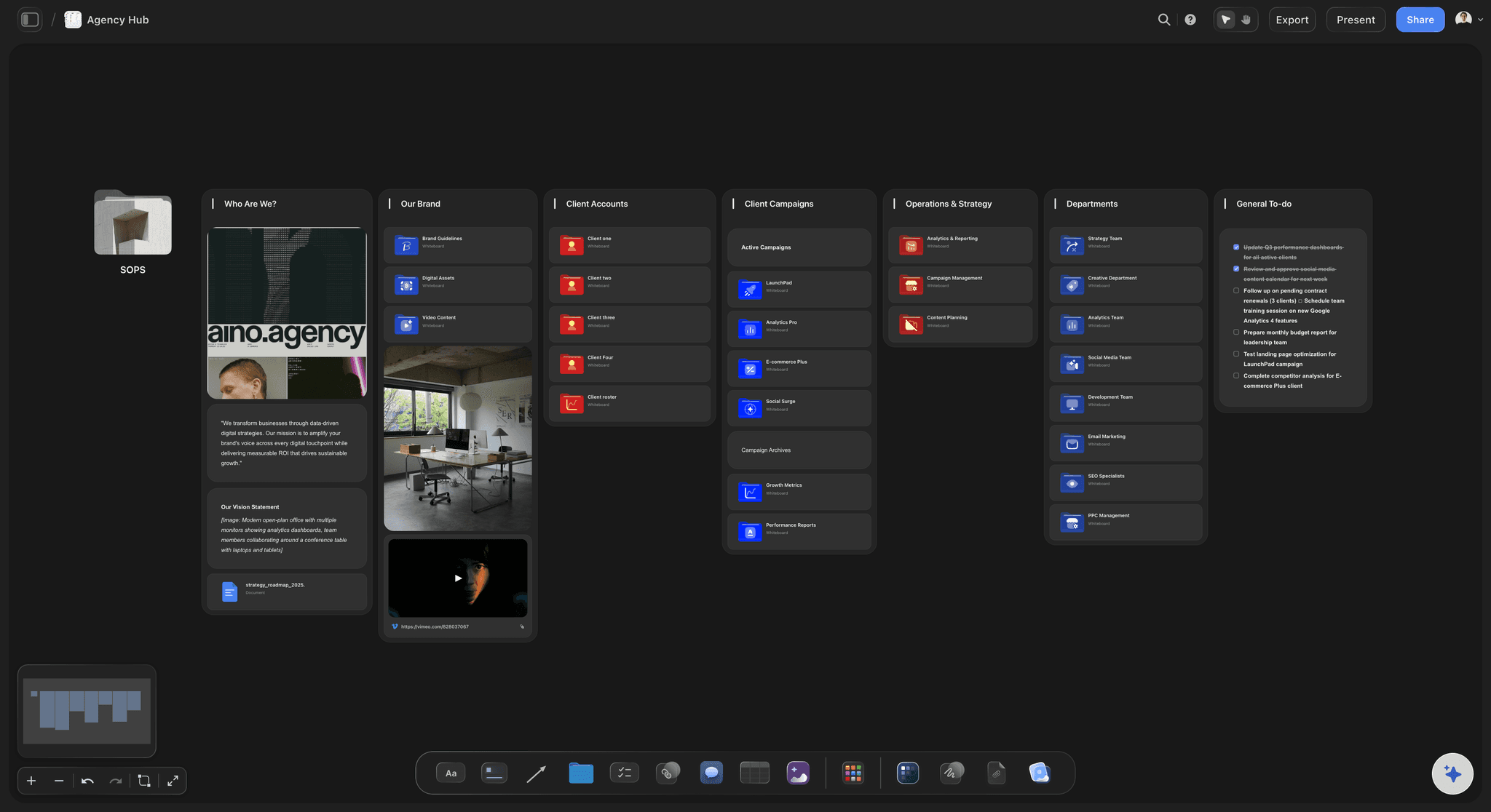
Every kind of board, one canvas
Storyboards, kanbans, weekly planners, and brainstorm boards all live on the same infinite canvas. Prefer to start from open space? The same canvas works as a plain whiteboard.
See the free online whiteboard →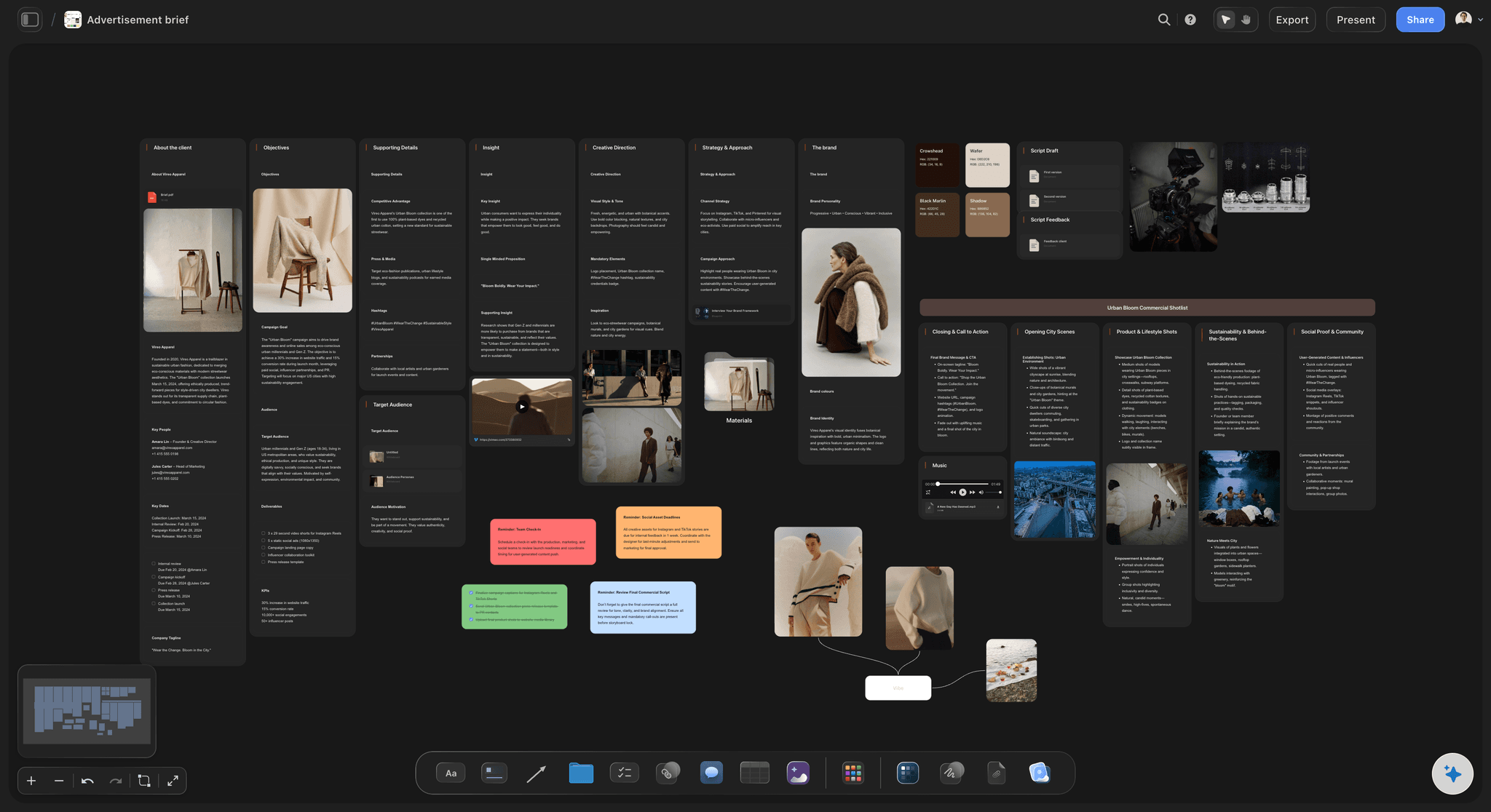
Briefs and campaign boards for marketing teams
From brief to campaign on one board
Generate a creative brief, branch it into a campaign board, and keep the assets, copy, and timeline beside it. The whole campaign stays on one AI whiteboard.
See the AI marketing campaign planner →Plans from $7.99/month annual. Free plan coming late 2026.
Open a canvas, type one prompt, and watch the board lay itself out. There is no object limit.
No limit on whiteboards, no edge to the canvas
AI usage to generate and refine boards
Drop media anywhere: images, video, links, and PDFs
Unlimited collaborator invites and read-only share links
Built for people with taste
One AI whiteboard, every kind of board.
Storyboards, kanbans, briefs, and weekly planners all come out of the same canvas, laid out by AI and ready to work with.

Layout, structure, and frameworks on the canvas
AI on the canvas, not beside it
Boards, not text dumps: The AI places structured cards, sections, and notes on the canvas, arranged so you can work with them immediately.
AI workflows for common structures: Beat sheets, story plans, campaign briefs and more. Pick a workflow or let the AI suggest a structure that fits the prompt.
Iterate in place: Ask for a tighter version, a new section, or a different angle. The AI reworks the board while keeping what you placed.

Suggestions grounded in your project
Context that fits the work
Reads your active board: The AI uses what is already on the board you have open, so a request like add a competitor section lands in the right context.
Attach what matters: Pull in up to five documents and three boards as extra context when you need the AI to work from a brief or a script.
Your project, not a template: Because the context comes from your board, two teams asking the same question get two different, fitting answers.

Everything a whiteboard should hold
A canvas for media, not just sticky notes
Drag and drop anything: Images, video, GIFs, PDFs, links, and notes all land on the infinite canvas next to the boards the AI generates.
Frame grabs from video: Capture stills from YouTube and Vimeo references straight onto the whiteboard and pin them beside your plans.
Room that never runs out: The canvas is infinite and there is no object limit, so the messy middle of a project has space to exist.

From whiteboard session to shipped work
Share it, present it, export it
Invite your team free: Collaborators join the board free, and clients or stakeholders who just need to see it get a view-only link.
Live co-editing: Invited collaborators work in the same board at the same time on any paid plan, with live cursors and edits.
Export as image or PDF: Turn finished boards into clean images or PDFs for decks, docs, and approvals.
Explore templates for your project
Every template opens as a real, editable board on the infinite canvas. Pick the closest fit and make it your own.
Mind Map
Branch one central idea out into themes and sub-points, then drag the connections around until the structure makes sense.
One app instead of five
How Storyflow compares to other AI whiteboards.
Plenty of whiteboards have added an AI button. Few were built around one.
Storyflow
Recommended
Canvas-native AI built for storytelling boards
AI reads your active board as context
Built for storytelling and creative work
Free plan with no board or card limits
Miro
Canvas-native AI built for storytelling boards
AI reads your active board as context
Built for storytelling and creative work
Free plan with no board or card limits
FigJam
Canvas-native AI built for storytelling boards
AI reads your active board as context
Built for storytelling and creative work
Free plan with no board or card limits
Milanote
Canvas-native AI built for storytelling boards
AI reads your active board as context
Built for storytelling and creative work
Free plan with no board or card limits
What creators are saying
Join early creators getting structured workspaces and AI that remembers their projects
“Storyflow has sped up my workflow by at least 3x, which means more flow state and more projects I can actually ship. It truly changed the way me and my team create.”

Reilin Joey
Director & YouTuber
“One prompt gets me a structured board. But the tactics are my favorite. I run my YouTube scripts through them and my intros and retention got better. It's amazing.”

Justkay
YouTuber & Freelance Filmmaker
“I used to juggle five apps to plan a project. Now I describe what I am making and get boards, lists, and a schedule. All in one place.”

George
@fernwehchronicles
AI whiteboard questions, answered.
Everything people ask about using a whiteboard with AI.
An AI whiteboard is an online whiteboard where AI works directly on the canvas: you describe what you need and the AI lays out the board, whether that is a storyboard, a kanban, or a planning board. In Storyflow the AI also reads your active board as context, so its suggestions build on your project instead of starting from zero.
Storyflow is an AI whiteboard with the AI on the canvas, not in a side panel: one prompt lays out a storyboard, a kanban or a planning board. The AI reads what is already on your active board, so every suggestion builds on the project in front of you. The canvas holds media as well as sticky notes, and you can share, present or export the board.
A normal online whiteboard gives you a blank canvas and tools to fill it yourself. An AI whiteboard does the first draft for you: one prompt generates a structured board you then rearrange and refine. Storyflow gives you both on the same canvas, so you can start from a prompt or from open space.
Not yet. Storyflow is paid-only during early access, with plans from $7.99 a month billed annually ($9.99 monthly). A free plan launches before the end of 2026, and anyone a paid member invites to a board joins free. Paid plans have unlimited boards and no object limit.
It generates full board layouts from a prompt: storyboards, kanbans, planning boards, briefs, and beat sheets. It also restructures and extends what is already on the board when you re-prompt. On Pro and Max plans it can additionally generate images directly on the canvas.
No. The AI reads the board you currently have open, and you can attach up to five documents and three boards to add as context. It never reads your whole workspace, so you stay in control of what the AI works from.
Yes. You can invite unlimited collaborators to a project and share view-only links with clients and stakeholders. Invited collaborators edit the same board at the same time on any paid plan.
Yes. Export any board as a high-quality image or a PDF for decks, documents, and client approvals. You can also share a view-only link so people always see the latest version of the board.
No. Storyflow runs in the browser, so the AI whiteboard works on any computer without a download. A desktop app for Mac and Windows is also available if you prefer a dedicated window.
Stop staring at a blank whiteboard.
Type one prompt and start from a full board. Rearrange, re-prompt, and ship.