
Site plans that look finished from day one
Plan the whole site
before you design a page.
Storyflow is the planning layer for web designers: sitemaps and site structure, page and section content, low-fidelity wireframe blocks, and style moodboards all on one infinite canvas. Describe the project and AI lays out a starting plan, then take the approved structure into Figma or Webflow. It is not a hi-fi design or build tool, and that is the point.


Creatives working for these brands already got early access
- Red Bull
- Canon
- Artlist
- Porsche
See how easy it is to get started
Watch a real project come together, from a blank board to a finished plan, clicked through step by step.
Start from a ready-made template
Pick a board to see what you can build, then let AI fill it in. Every template is a real, editable starting point on the same infinite canvas.

Website Plan
Map your site's pages, structure, and content in one plan before you build.
Where does a website get planned before it gets designed?
Before a single page is designed, a website is a pile of decisions: what pages exist and how they nest, what goes in each section, the tone and colors it should hit, and the references the client keeps sending. That planning usually gets scattered across a sitemap in one tab, a content doc in another, a Pinterest board for style, and a thread of client emails, and by the time you open the design file the reasoning behind the structure has gone fuzzy.
Storyflow puts all of that on one infinite canvas. Lay out the sitemap and navigation as connected cards, map the content of each page and section beside it, block out rough wireframe layout at low fidelity, and pin the style and reference moodboard right next to the structure it informs. Every item is a real card you drag, recolor, and regroup, so the plan takes the shape of the site instead of snapping to a rigid template.
To be clear about the lane: Storyflow is not a hi-fi design tool or a site builder. Figma owns the visual design and the pixel-perfect mockups, and Webflow owns the build and the live site, and you keep using both to design and ship. Storyflow is the structure, content, and moodboard layer that comes first and feeds them. When the plan is agreed, share a view-only link with the client for sign-off, then carry the approved sitemap and direction into your design tool with the thinking intact.
Ultra fast from brief to board
From brief to an approved site plan in four steps.
Start from a blank board or a single prompt. Either way the plan stays yours to reshape.
01
Open a canvas
Start in the browser. Nothing to install, just an infinite canvas ready for the first page or reference.
02
Gather the brief and references
Drop in the brief, competitor screenshots, links, and PDFs, and pull frames from a reference site walkthrough on YouTube or Vimeo. The whole brief lands on one board instead of a folder.
03
Lay out the plan with AI
Describe the site once and let AI lay out a starting sitemap, a page content map, or a style moodboard, reading your current canvas as context, then drag it into the structure you want.
04
Share, sign off, and hand off
Send a view-only link so the client can approve the structure and direction without an account, then carry the sitemap and moodboard into Figma or Webflow to design and build.
The website planning layer your design tool skips.
Keep designing pages in Figma and building in Webflow. Plan the structure, content, and style here, where the thinking belongs.
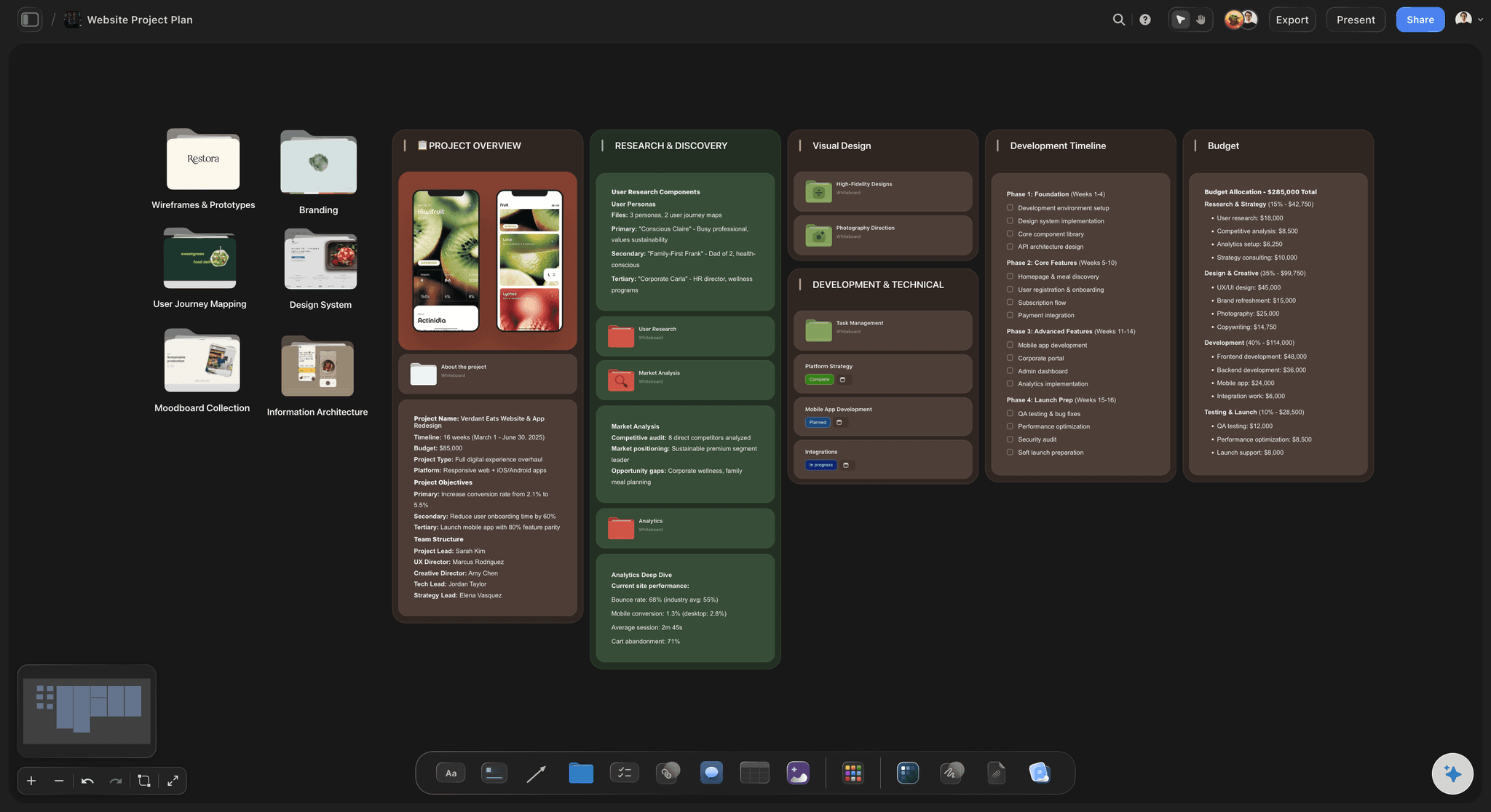
Structure on one board
Sitemaps and site structure on an infinite canvas
Lay out every page and how it nests as connected cards, then map the sections of a page beside it. With a truly infinite canvas and no object cap, a full multi-level sitemap never runs into an edge.
See the design planning tool →
AI lays out the plan
Describe the site, get a starting plan
Tell the AI chat what the site is for and it lays out a full board: a first-pass sitemap, a page content map, or a style moodboard direction. It reads your current canvas as context, so it builds on the brief you already placed instead of a generic template.
See the AI whiteboard →
Style beside the structure
Moodboards next to the pages they shape
Pin colors, type, imagery, and competitor references into a style moodboard, and keep it on the same board as the sitemap it informs. The visual direction sits next to the structure, not in a separate Pinterest tab.
See the moodboard maker →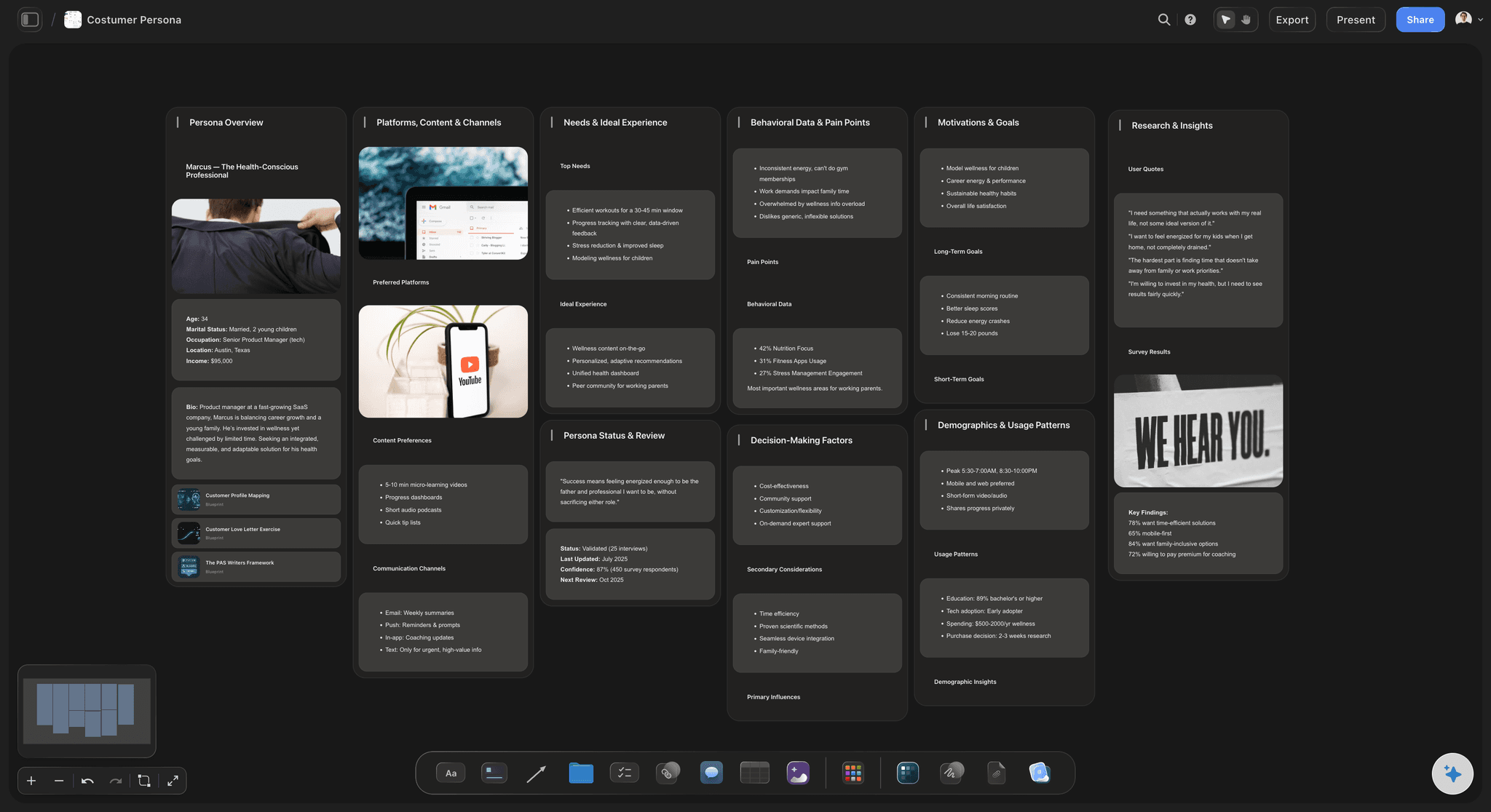
Share without accounts
Client-ready view-only links
Send a view-only link and the client can walk the sitemap, content plan, and moodboard in their browser with no account and no login. When it is signed off, export the board as an image or PDF for the proposal or kickoff deck.
See visual collaboration →No object cap. No time limit.
Open a board and start planning. There is no object cap and no time limit, so a full sitemap and moodboard never gets cut for space. Plans start at $7.99 a month, and invited collaborators join free.
Unlimited sitemap, content, and moodboard boards on an infinite canvas
Basic AI usage to lay out structure, content, and style direction
Attach the brief, PDFs, competitor screenshots, video, and links, plus 20 file uploads
Share view-only with clients, or invite collaborators free
Built for people with taste
Built for how web designers actually plan a site.
Map the structure, plan the content, set the style direction, and hand off clean. All on one board.
Structure, not a slide of boxes
Map the sitemap and how every page nests
Pages that connect: Lay out the home, top-level pages, and deep pages as connected cards, and reparent a page by dragging it. The sitemap keeps pace with the plan instead of a redraw in a diagram tool.
Navigation at a glance: Group the primary nav, the footer, and the utility links so the whole navigation model reads at a glance before anyone argues about a menu.
Annotate the intent: Drop a note under any page explaining its goal or its call to action, so the sitemap reads as a rationale a client can follow, not just a tree of labels.
Content before pixels
Plan page and section content, then rough the layout
Map each page: Break a page into its sections as cards, hero, features, proof, call to action, and map what each one needs to say before you open the design file.
Rough out wireframe blocks: Block out the layout of a page at low fidelity as cards, enough to agree on structure and priority before committing pixels in Figma.
Reference the real thing: Pin screenshots of competitor patterns and pull frames from a reference site walkthrough on YouTube or Vimeo, so layout calls are grounded in what you actually saw.
Direction the client can see
Build the style and reference moodboard
Colors, type, and imagery: Pull swatches, type samples, and imagery onto the board as cards and group them into a direction, so the visual tone is agreed before a single page is designed.
Competitor and inspiration references: Drop screenshots of sites you love beside the direction, and grab stills from a reference walkthrough on YouTube or Vimeo when a moving example explains the feel better than a still.
AI proposes a starting direction: Ask the AI to lay out a first-pass moodboard structure from the brief you placed. It reads your current board as context, so the direction reflects this project, not a template.

Handoff, not a black box
Share the plan and take it to Figma or Webflow
View-only for the client: Send a view-only link so the client walks the sitemap, content plan, and moodboard in the browser with no account, then signs off before you design a single page.
Invite the team free: Bring a copywriter, developer, or project manager onto the same board free, so the plan is a shared decision instead of a forwarded document.
Export for the proposal: Export the sitemap, content plan, or moodboard as a clean image or PDF for a proposal or kickoff deck, then carry the approved structure into Figma to design and Webflow to build.
Explore templates for your project
Every template opens as a real, editable board on the infinite canvas. Pick the closest fit and make it your own.
Website Plan
Map your site's pages, structure, and content in one plan before you build.
One app instead of five
How Storyflow compares for planning a website.
This is about the structure, content, and moodboard, not designing or building pages. Here is where each tool sits.
Storyflow
Recommended
AI lays out a sitemap, content map, or moodboard from your board
Truly infinite canvas with no object cap
Grab frames from reference walkthroughs on YouTube and Vimeo
View-only client links, no account to view
FigJam
AI lays out a sitemap, content map, or moodboard from your board
Truly infinite canvas with no object cap
Grab frames from reference walkthroughs on YouTube and Vimeo
View-only client links, no account to view
Milanote
AI lays out a sitemap, content map, or moodboard from your board
Truly infinite canvas with no object cap
Grab frames from reference walkthroughs on YouTube and Vimeo
View-only client links, no account to view
Miro
AI lays out a sitemap, content map, or moodboard from your board
Truly infinite canvas with no object cap
Grab frames from reference walkthroughs on YouTube and Vimeo
View-only client links, no account to view
What creators are saying
Join early creators getting structured workspaces and AI that remembers their projects
“Storyflow has sped up my workflow by at least 3x, which means more flow state and more projects I can actually ship. It truly changed the way me and my team create.”

Reilin Joey
Director & YouTuber
“One prompt gets me a structured board. But the tactics are my favorite. I run my YouTube scripts through them and my intros and retention got better. It's amazing.”

Justkay
YouTuber & Freelance Filmmaker
“I used to juggle five apps to plan a project. Now I describe what I am making and get boards, lists, and a schedule. All in one place.”

George
@fernwehchronicles
Web designer questions, answered.
Everything web designers ask about planning a site in Storyflow.
No, and it is not trying to be. Figma owns the visual design and pixel-perfect mockups, and Webflow owns the build and the live site, and you keep using both to design and ship. Storyflow is the planning layer that feeds them: sitemaps, page and section content, low-fidelity wireframe blocks, and style moodboards on an infinite canvas. You do the planning here, then take the decisions into your design and build tools.
Not during early access. Storyflow is paid-only right now, with Plus at $7.99 a month billed annually ($9.99 monthly). A Free plan is planned before the end of 2026 and will include unlimited sitemap, content, and moodboard boards, basic AI usage, 20 file uploads, and view-only sharing, with no object cap and no time limit. Anyone a paid member invites to a board joins free today.
Both. You can start from a blank canvas and lay out the sitemap, page content, and moodboard entirely by hand, dragging and grouping cards yourself. The AI is there when you want it, to lay out a starting sitemap or a first-pass moodboard from a prompt, but the board is always yours to reshape.
FigJam, Milanote, and Miro are strong, general visual tools, and plenty of web designers use them for planning and moodboards. Storyflow adds an AI that lays out a full sitemap, content map, or moodboard from your current board as context, a truly infinite canvas with no object cap, and the ability to turn the plan into other boards on the same surface. It is opinionated toward planning a website rather than a blank canvas.
Yes. Break each page into its sections as cards, hero, features, proof, and call to action, and map what each one needs to say. Keep the content plan on the same board as the sitemap and the moodboard, so the structure, the copy intent, and the visual direction all sit together before you open the design file.
Yes. Share a view-only link and a client can walk the sitemap, content plan, and moodboard in their browser with no account and no login. You can also invite collaborators free to build the plan with you, and export it as an image or PDF for a proposal or kickoff deck.
Yes. The AI reads your active board, so the brief, screenshots, and cards already on the canvas shape what it suggests. You can also attach up to five documents and three boards, such as a client brief or a content doc, for it to work from.
Yes. Once the plan is agreed, turn the board into a project plan, a content calendar, or a task board on the same canvas, with the AI carrying your ideas across. The sitemap and moodboard become the start of the project instead of a screenshot you file away.
Get the sitemap, the content, and the moodboard on one canvas.
Plan by hand or from a prompt, win client sign-off, and hand it off to Figma or Webflow.