
Hours back on every video you plan
Your explainer video storyboard,
done in an afternoon, not a week.
Paste the script and Storyflow's AI lays out the explainer video storyboard: problem, solution, CTA, scene by scene, with voiceover and on-screen text notes on every frame.


Creatives working for these brands already got early access
- Red Bull
- Canon
- Artlist
- Porsche
See how easy it is to get started
Watch a real project come together, from a blank board to a finished plan, clicked through step by step.
Start from a ready-made template
Pick a board to see what you can build, then let AI fill it in. Every template is a real, editable starting point on the same infinite canvas.

Storyboard
Lay out your shots frame by frame with images and notes, then reorder them until the sequence reads like the finished cut.
What is an explainer video storyboard?
An explainer video storyboard is the scene-by-scene plan for a short product video, usually 60 to 90 seconds, that maps what the viewer sees against what the voiceover says. Storyflow is an AI visual workspace that storyboards your explainer video on one infinite canvas: a problem, solution and CTA structure laid out from your script, voiceover and on-screen text notes on every frame, and view-only links for review. Each frame carries the visual idea, the VO line it covers, and any on-screen text, so the animator, the writer, and the stakeholders are all looking at the same video before a single frame is produced.
Most teams build the explainer video storyboard in a slide deck, with the script in a doc and the brief in a third file. Storyflow puts all of it on one infinite canvas. Paste the script and the AI lays out the storyboard for your explainer video: the problem-solution-CTA structure, scene breaks, and notes per frame. The brief sits on the same canvas, so every scene can be checked against the message it is supposed to land.
From there, the explainer video storyboard becomes the review hub: add voiceover and on-screen text notes to each frame, send clients a view-only link for sign-off, and export an image or PDF when production starts.
Ultra fast from brief to board
Storyboard an explainer video in four steps.
From script to client-ready board without leaving the canvas.
01
Open a canvas
Nothing for IT to approve: no install, just a canvas running in the browser.
02
Add the script and brief
Give the AI chat the explainer script, or place the PDF directly on the canvas, with the creative brief kept on the same board.
03
AI lays out the structure
The AI breaks the script into scenes and generates the storyboard layout: problem, solution, proof, CTA, with notes arranged on the canvas.
04
Annotate, review, export
Add voiceover and on-screen text notes per frame, share a view-only link for stakeholder sign-off, then export the board as an image or PDF.
An explainer video storyboard your whole team can read.
Script, brief, frames, and feedback on one canvas instead of four tools.

Script and frames on the same board
Keep the script beside the frames
The script stays on the canvas next to the storyboard, so every scene maps to the exact lines it covers. Change a line, adjust the frame, no tab-switching.
See script to storyboard →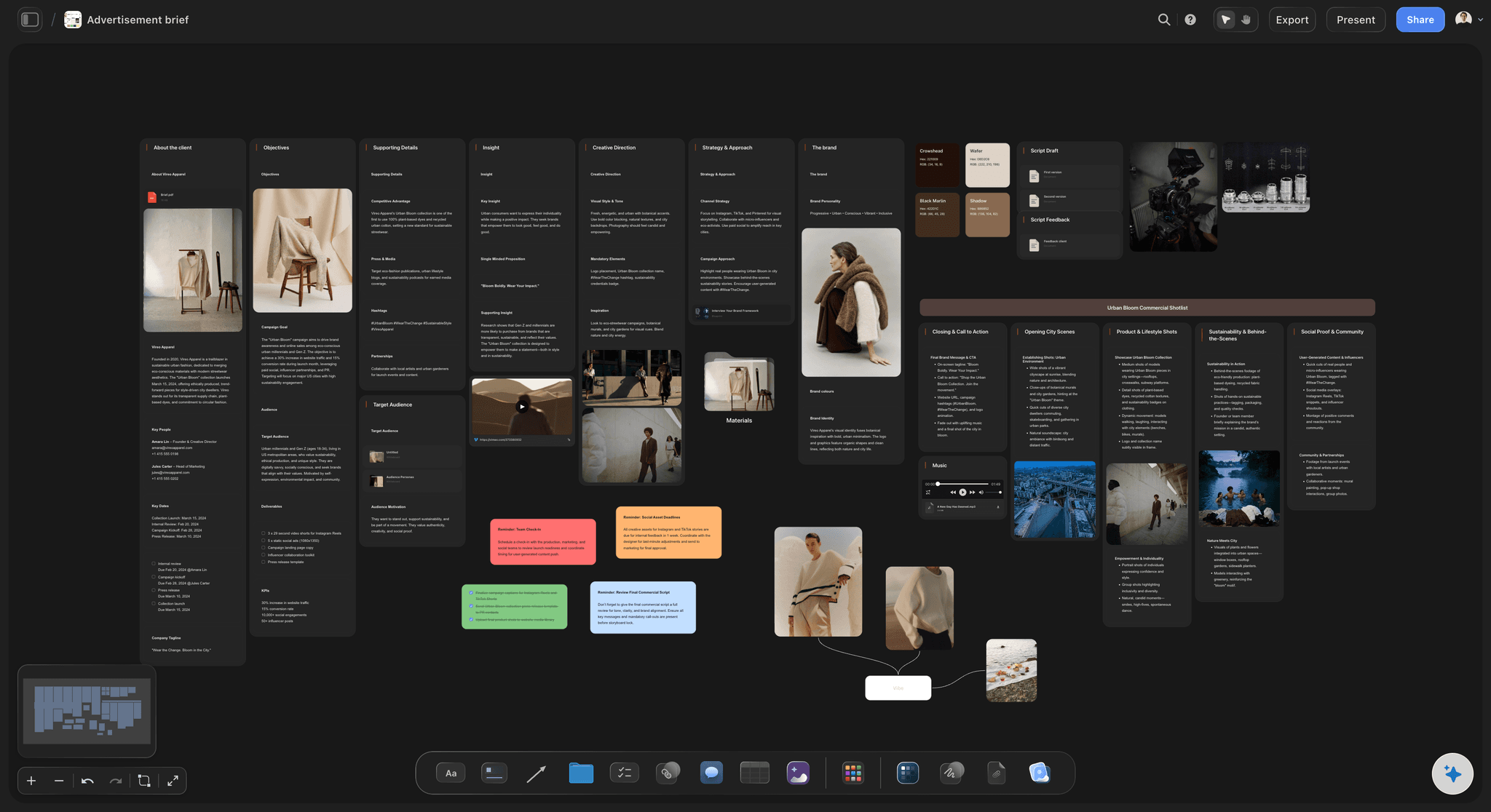
Brief, board, and message in one place
Start from the creative brief
Generate or drop in the creative brief on the same canvas, so the explainer storyboard answers the brief instead of drifting from it scene by scene.
Try the AI creative brief generator →
Problem, solution, CTA laid out by AI
Structure generated in seconds
The AI lays out the storyboard structure that 60-90 second explainers depend on: hook the problem, show the solution, prove it, end on one clear CTA.
See the AI storyboard generator →
Sign-off links that open without an account
Get sign-off without a meeting
Send clients and stakeholders a view-only link so they review the storyboard for the explainer video in context, before animation makes changes expensive.
See marketing storyboards →Plans from $7.99/month annual. Free plan coming late 2026.
Board the whole explainer before anyone opens After Effects. There is no board limit.
A board for every explainer version and revision, no cap
AI usage to lay out scenes from your script
Writers and designers join free, stakeholders get view-only access

Built for people with taste
More than an explainer video storyboard template.
Storyflow is an AI-native canvas, so the board carries everything production needs to start.

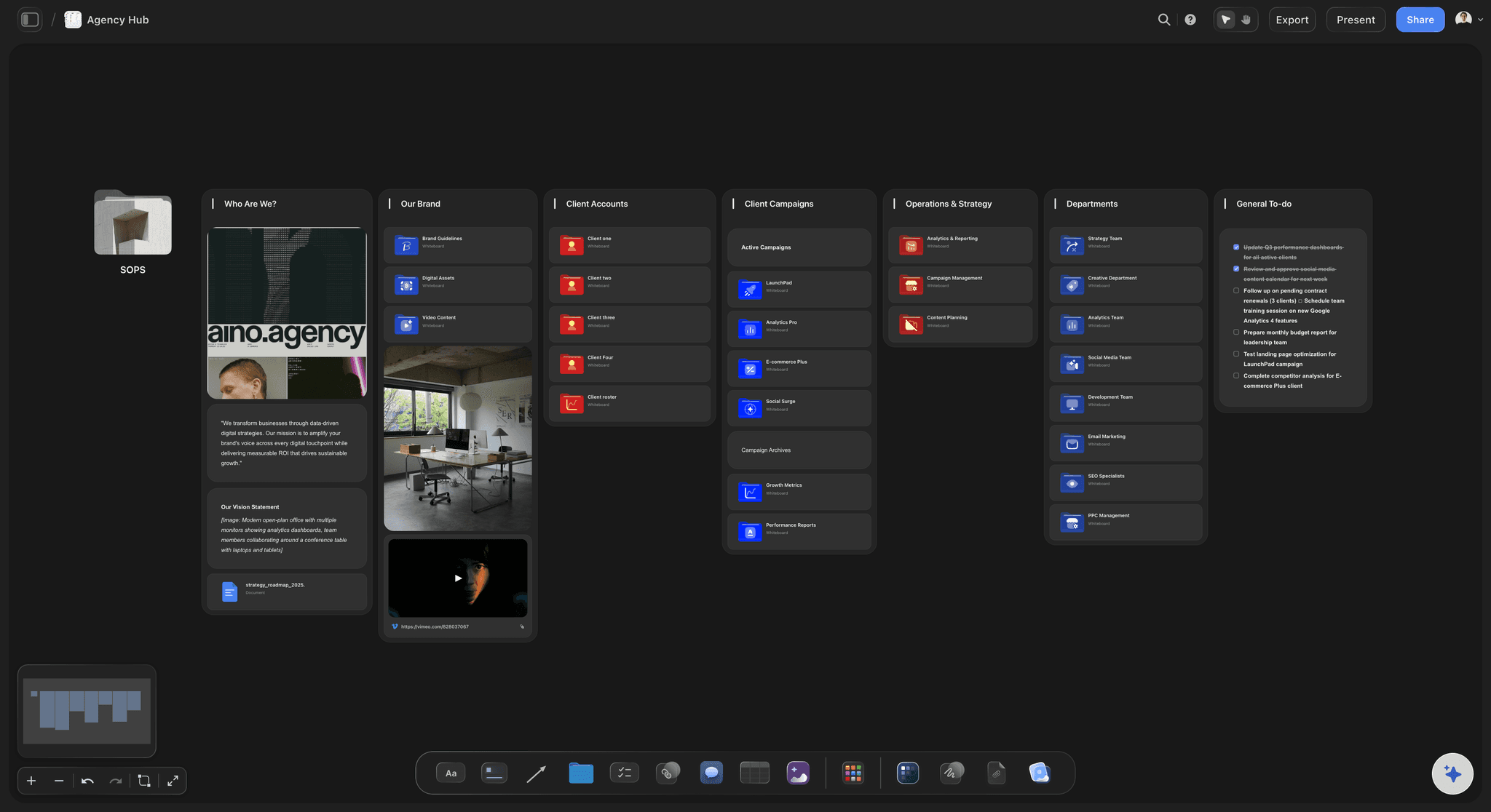
VO, on-screen text, and timing on every frame
Every frame carries its notes
Voiceover per scene: Pin the exact VO lines to each frame, so pacing problems show up on the board instead of in the first animation review.
On-screen text: Note UI labels, captions, and supers next to the frames they appear in, ready for the designer to pick up.
Direction notes: Transitions, motion ideas, and product moments live on the frame, not in a separate feedback doc.
Re-prompts that respect the script and brief
Iterate until the message lands
Re-prompt the structure: Ask the AI to tighten the hook, cut a scene, or move the CTA earlier. It reworks the layout with your board in context.
Version the story: Duplicate the board to test a feature-led cut against a pain-led cut, side by side on the same canvas.

Reference styles and frame grabs beside the board
Define the look before production
Grab frames from references: Capture stills from explainer videos you admire on YouTube or Vimeo, straight onto the canvas next to your scenes.
Style moodboards: Collect illustration styles, color, and motion references beside the storyboard instead of in a separate deck.
Drag and drop anything: Product screenshots, brand assets, GIFs, and PDFs all land on the same infinite canvas as the board.
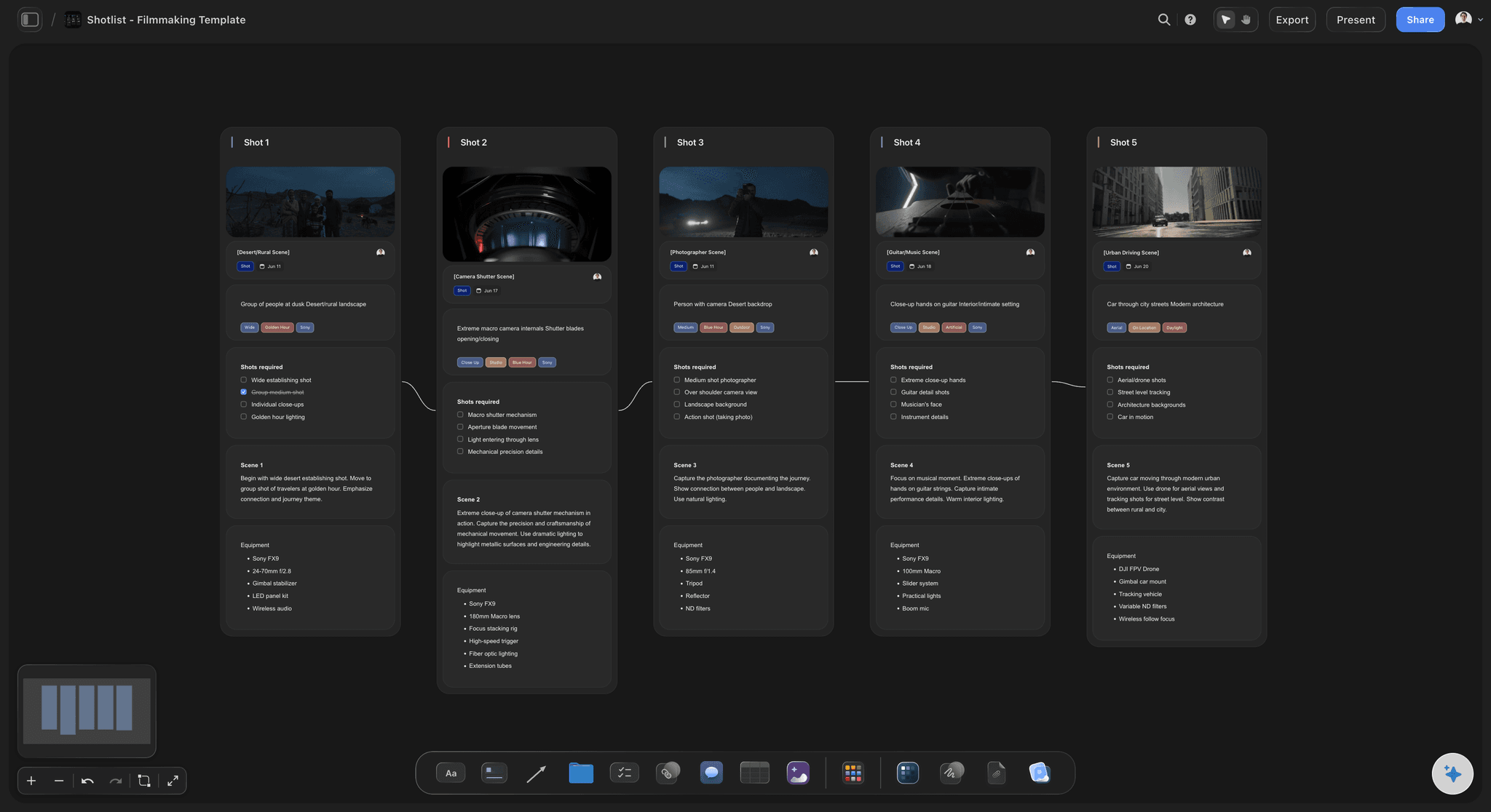
From approved board to production handoff
Hand off a board production can run with
Asset and shot lists: Break the approved board into the screens, scenes, and assets the motion designer needs, on the same canvas.
Clean exports: Export the storyboard as a high-quality image or PDF for the production kickoff, the SOW, or the client record.
Team access: Invite writers, designers, and PMs free, and keep one source of truth from script to final cut review.
Explore templates for your project
Every template opens as a real, editable board on the infinite canvas. Pick the closest fit and make it your own.
Storyboard
Lay out your shots frame by frame with images and notes, then reorder them until the sequence reads like the finished cut.
What creators are saying
Join early creators getting structured workspaces and AI that remembers their projects
“Storyflow has sped up my workflow by at least 3x, which means more flow state and more projects I can actually ship. It truly changed the way me and my team create.”

Reilin Joey
Director & YouTuber
“One prompt gets me a structured board. But the tactics are my favorite. I run my YouTube scripts through them and my intros and retention got better. It's amazing.”

Justkay
YouTuber & Freelance Filmmaker
“I used to juggle five apps to plan a project. Now I describe what I am making and get boards, lists, and a schedule. All in one place.”

George
@fernwehchronicles
Explainer video storyboards, answered.
Everything people ask about storyboarding an explainer video with Storyflow.
Break the script into scenes and map each one to a frame with the visuals, the voiceover line, and any on-screen text. In Storyflow you paste the script and the AI lays out the explainer video storyboard for you: problem, solution, proof, and CTA as structured scenes on an infinite canvas, with notes you refine frame by frame.
Storyflow is made for this: paste the script and the AI lays out the explainer scene by scene, from the problem to the solution to the call to action. Every frame carries its voiceover line and on-screen text notes, and the script sits beside the frames on the same canvas. Stakeholders review the board from a view-only link, so sign-off does not need a meeting.
Most 60-90 second explainers run 10 to 20 scenes: a few seconds per scene, with the problem set up fast and one clear CTA at the end. The AI in Storyflow proposes a scene count from your script length, and you can merge or split scenes by re-prompting or dragging frames on the canvas.
Not yet. Storyflow is paid-only during early access, with plans from $7.99 a month billed annually ($9.99 monthly). A free plan launches before the end of 2026 with unlimited boards, basic AI usage, 3 starter frameworks and 20 file uploads. Until then, anyone a paid member invites to a board joins free.
Yes. Stakeholders follow a view-only link and the current board appears in their browser, no signup involved. Since the script and notes sit beside every frame, one pass covers structure and message together, and the feedback arrives before animation makes changes expensive.
The AI generates the storyboard layout: scenes, structure, and notes from your script. It does not produce finished artwork. You add visuals by sketching with the pen tool, dropping in product screenshots and style references, or grabbing frames from reference videos. Pro and Max subscribers get one more option: AI image generation directly on the canvas.
Yes. The script lives on the same canvas as the storyboard, and each frame carries its own voiceover and on-screen text notes. When a line changes, you update the frame beside it, so the board and the script never drift apart.
The most reliable structure is problem, solution, proof, CTA: hook the viewer's pain in the first seconds, show how the product solves it, back it up, and end on one action. Paste the script and Storyflow's AI lays this structure out as scenes you can rearrange.
No. Storyflow exports storyboards as high-quality images or PDFs, which is what most explainer production handoffs and client approvals use. The animatic itself is built in your edit or animation tool from the approved board.
Ninety seconds of video. One board to get it right.
Paste the script, let the AI lay out the scenes, and get stakeholder sign-off before production starts.