
Category
Design
Author

Storyflow Team
Product & Research Team
Topics
2026-11-15
•
33 min read
•
Design- design brief examples
- design brief template
- what is a design brief
- design brief vs creative brief
- design brief generator
- 5-and-2 Reference Rule
What is an example of a design brief?
Storyflow turns a design brief into a board a designer can work from: the problem, the audience, every deliverable with its spec, labelled references, dates, rounds and budget. Storyflow is an AI visual workspace that keeps a design brief, its references and the client's feedback on one infinite canvas, and it works inside ChatGPT (plugin) and Claude (connector). The design brief examples below follow the Storyflow 5-and-2 Reference Rule: five labelled references, two labelled "not this" images.

Full disclosure: Storyflow is our product. It is listed first because a design brief's words, specs and labelled references share one board the client opens by link. This guide compares kinds of tool rather than brands on purpose. Storyflow has no proofing mark-up, version compare, e-signature or invoices, it is paid-only during early access, and the 5-and-2 Reference Rule is our own editorial rule, not research.
How the design brief tools compare on trust, innovation, ratings and pricing
Which kinds of design brief tools are the most trusted by studios?
Shared docs are trusted for briefs that legal teams edit, because every change is tracked. Design files are trusted for the work itself. Storyflow is newer, with its ChatGPT plugin live since 24 October 2026; studios trust it for the brief because the client sees the same labelled references the designer works from, and the approval is a dated note plus a PDF export.
Which design brief tools have fair pricing for client work?
Fair pricing for briefing means the client does not pay to read the brief. A Storyflow view-only link opens with no account, and anyone a paid member invites to a board joins free, without the in-app AI. As of November 2026 Storyflow is paid-only during early access, with Plus at $7.99 a month billed annually or $9.99 monthly.
Which design brief tools are the most innovative?
Storyflow, for letting ChatGPT or Claude read a client's email on the board and lay out walls, a spec table, a colour palette and reference images, while the labels and the approver stay the designer's call. Its Color card, which shows Hex and RGB and can switch on HSL and CMYK per card, puts screen and print values beside the references.
Which design brief approaches hold up across many feedback rounds?
Briefs hold up when every round is judged against the same visible lines. In Storyflow the brief stays on the left of the board and each round is laid out as a wall beside it, oldest first, so a client's note can be traced to a line or recognised as new scope. Storyflow has no version compare, so the side-by-side walls do that job.
Which design brief habits are underrated?
The two not-this images are the most underrated part of a design brief: they name the likely wrong answers before round one finds them. The second is naming the smallest size a logo or sign must work at. In Storyflow, saving a studio's standard brief layout as your own tool, on paid plans, means every new brief starts with the same fields.
Quick Comparison
Our pick first, on the basis that a design brief's words, specs and labelled references share one board with the client, then other kinds of tool by the job each does best. Price as of November 2026.
| Tool | Best For | AI Features | Price |
|---|---|---|---|
| Storyflow | Problem, specs, labelled references, palette and dates on one board, read by the client from a view link | Brief tool lays out six walls; Color and Font cards; in-app AI drafts from the client's email; ChatGPT plugin and Claude connector add walls, tables, palettes and images | Plus $7.99 a month billed annually |
| A shared doc | Text-heavy briefs with tracked edits | Varies by product | Varies by product |
| A design file | The design work itself after the brief is signed | Varies by product | Varies by product |
| An inspiration feed | Collecting references before the cut | Varies by product | Varies by product |
Key Takeaways
- Storyflow is where a design brief stays usable after kick-off: the words, the specs, the five references and the two "not this" images sit on one board the client opens by a view link with no account.
- A design brief tells a designer what problem the design solves, for whom, in which formats and sizes, inside which constraints, by when, for how much and who approves it. It does not tell them what the answer looks like.
- The Storyflow 5-and-2 Reference Rule: on the board's "How it looks" wall, five references each labelled with what to take, and two labelled with what to avoid. Adjectives without images are not a direction.
- A design brief and a creative brief answer different questions: the creative brief sets the idea and message for a campaign; the design brief sets the problem, specs and constraints for a designed thing.
- Specs belong in the brief, not in round two: sizes, file formats, colour values, accessibility contrast and print bleed are cheaper to state than to redo.
- An AI design brief generator can draft the structure from a client's email; only the client can supply the budget, the approver and what must not change.
- Storyflow has no contracts, e-signature, proofing mark-up or version compare: the brief and the references live on the board, and the legal agreement lives elsewhere.
Design Brief Examples at a Glance
These eight design briefs are illustrative: invented projects with invented budgets, written to show the shape a working brief takes. Read the row closest to your job, then use the full brief below as a starting point.
| Design brief example | The problem in one line | Deliverables | Rounds | Approver | The line most briefs leave out |
|---|---|---|---|---|---|
1. Logo design | A bakery's hand-drawn mark is illegible at small sizes | Primary logo, stacked version, icon, mono versions | 2 concept rounds, 2 refinement | Owner | The smallest size it must work at |
2. Brand identity system | A consultancy looks like every rival on a pitch shortlist | Logo, palette, type, image style, 24-page guide | 3 directions, then 2 rounds | Managing partner | What the identity must keep from the old one |
3. Packaging design | Six tins look like one product on the shelf | 6 tin wraps, 1 gift box, dielines supplied | 2 rounds per stage | Founder and the printer | The printer's dieline and colour limits |
4. Website landing page | A launch page explains features but not who it is for | Desktop and mobile layouts for one page, 8 sections | 2 rounds | Head of marketing | Which copy is final and which is placeholder |
5. Social campaign graphics | Posts are made one at a time and look unrelated | 12 templates in 3 aspect ratios, 1 motion template | 2 rounds | Brand manager | Who fills the templates after handover |
6. Pitch deck design | A founder's deck is dense and hard to follow | 14 slides, 1 appendix section, PDF export | 2 rounds | Founder | Who presents it and on what screen |
7. Event signage | Visitors get lost between three halls | 18 signs, 3 floor maps, 1 lanyard | 1 concept, 2 rounds | Events lead and venue | Viewing distance and venue fixing rules |
8. Annual report design | A 40-page report reads like a spreadsheet | 40-page layout, 6 infographics, accessible PDF | 2 rounds plus proof | Communications director | Who owns the final numbers |
Budgets and dates follow in each full brief. For the definitions and history, the complete guide to design briefs goes deeper; this guide stays on filled examples and a template you can copy.
8 Design Brief Examples, Filled
Every example uses the same eight fields: problem, audience, deliverables and specs, references, mandatories, dates and rounds, budget and approver. The references line follows the 5-and-2 rule; in a real Storyflow brief the seven images sit on the board with their labels, and the text here describes them.
Example 1: A Logo Design Brief
- Problem: A neighbourhood bakery's hand-drawn logo is unreadable on its stamp, its card terminal screen and its delivery app tile.
- Audience: Regulars and passers-by who recognise the shop front; the logo must hold at 16 pixels and on a 2 cm paper stamp.
- Deliverables and specs: A primary logo, a stacked version, a square icon, one-colour and reversed versions, in vector and in PNG at three sizes; colour values in Hex, RGB and CMYK.
- References (5 and 2): Five marks admired for warmth at small sizes, each labelled ("take the weight of the strokes, ignore the letterforms"); two "not this" images: a generic wheat-sheaf icon and a script logo that blurs when small.
- Mandatories: Keep the name's spelling and the shop's green.
- Dates and rounds: Two concept rounds, then two refinement rounds; final files 6 March.
- Budget: 3,500 including all versions and a one-page usage sheet.
- Approver: The owner alone.
Why it works: it names the smallest size, which is where most logo briefs fail. The AI logo brief generator drafts this structure from a short description if you start from nothing.
Example 2: A Brand Identity System Brief
- Problem: A 40-person consultancy looks interchangeable with rivals when shortlisted for pitches.
- Audience: Procurement leads and operations directors comparing three to five firms.
- Deliverables and specs: Logo refresh, a palette of six colours with roles, a type pairing, an image style, an icon set of 20, and a 24-page guide as an accessible PDF.
- References (5 and 2): Five identities with confident restraint, each labelled with one quality to take; two "not this": a busy gradient identity and a stock-photo-led site.
- Mandatories: Keep the name and the navy, which clients already recognise.
- Dates and rounds: Three directions presented 3 February, one chosen 10 February, two rounds of refinement, guide signed 24 March.
- Budget: 26,000 for identity and guide; font licences paid by the client.
- Approver: The managing partner, after the partners' meeting on 10 February.
Why it works: "keep the navy" stops a rebrand nobody asked for. For more on how identity work is briefed and planned, see planning a brand identity project.
Example 3: A Packaging Design Brief
- Problem: Six loose-leaf tea tins look like one product on a shop shelf, so buyers pick the cheapest.
- Audience: Gift buyers in independent food shops, who decide in front of the shelf.
- Deliverables and specs: Six tin wraps to the printer's dielines, one gift box, a flavour colour system, all in CMYK with print bleed.
- References (5 and 2): Five packaging ranges that separate variants by colour while keeping one family, labelled; two "not this": a supermarket own-label look and a heavy vintage pastiche.
- Mandatories: Weight, ingredients and allergens in the legal positions; barcode size from the retailer.
- Dates and rounds: Two rounds at concept, two at artwork; artwork to printer 14 April.
- Budget: 9,000 for design and artwork; printing quoted separately.
- Approver: The founder for design, the printer for technical sign-off.
Why it works: it names the printer as a second approver, because dielines and ink limits decide what is possible. This is the brief in the worked example further down.
Example 4: A Website Landing Page Design Brief
- Problem: A software launch page lists features but never says who the product is for.
- Audience: Operations managers at companies of 50 to 500 people, arriving from paid search on a phone.
- Deliverables and specs: Desktop and mobile layouts for one page with eight sections, a component sheet for the developer, text contrast meeting WCAG 2.2's 4.5:1 minimum for normal text.
- References (5 and 2): Five landing pages with one clear audience line above the fold, labelled; two "not this": a feature grid hero and an autoplay video hero.
- Mandatories: Use the existing logo and type; the sign-up button text is fixed by the product team.
- Dates and rounds: Wireframe 10 February, design two rounds, handover 3 March.
- Budget: 6,500 for design; build is the developer's quote.
- Approver: Head of marketing; the product lead checks claims.
Why it works: it says the visitor is on a phone and states the contrast standard, so "accessible" can be checked rather than argued.
Example 5: A Social Campaign Graphics Brief
- Problem: A brand's posts are made one at a time and look unrelated in the grid.
- Audience: Followers aged 22 to 35 scrolling Instagram and TikTok.
- Deliverables and specs: 12 editable templates in 1:1, 4:5 and 9:16, one motion template for short video text, and a one-page usage sheet.
- References (5 and 2): Five brand grids with a strong repeating device, labelled; two "not this": meme formats and a template with text over busy photos.
- Mandatories: Brand palette and type; legal line on offers in a fixed position.
- Dates and rounds: Two rounds; templates handed over 17 February.
- Budget: 4,800 including the usage sheet.
- Approver: Brand manager.
Why it works: it asks who fills the templates after handover and writes it down (the in-house social editor), so the templates are built for that person's skills. Post dates and copy live in a content plan; Storyflow does not schedule or publish posts.
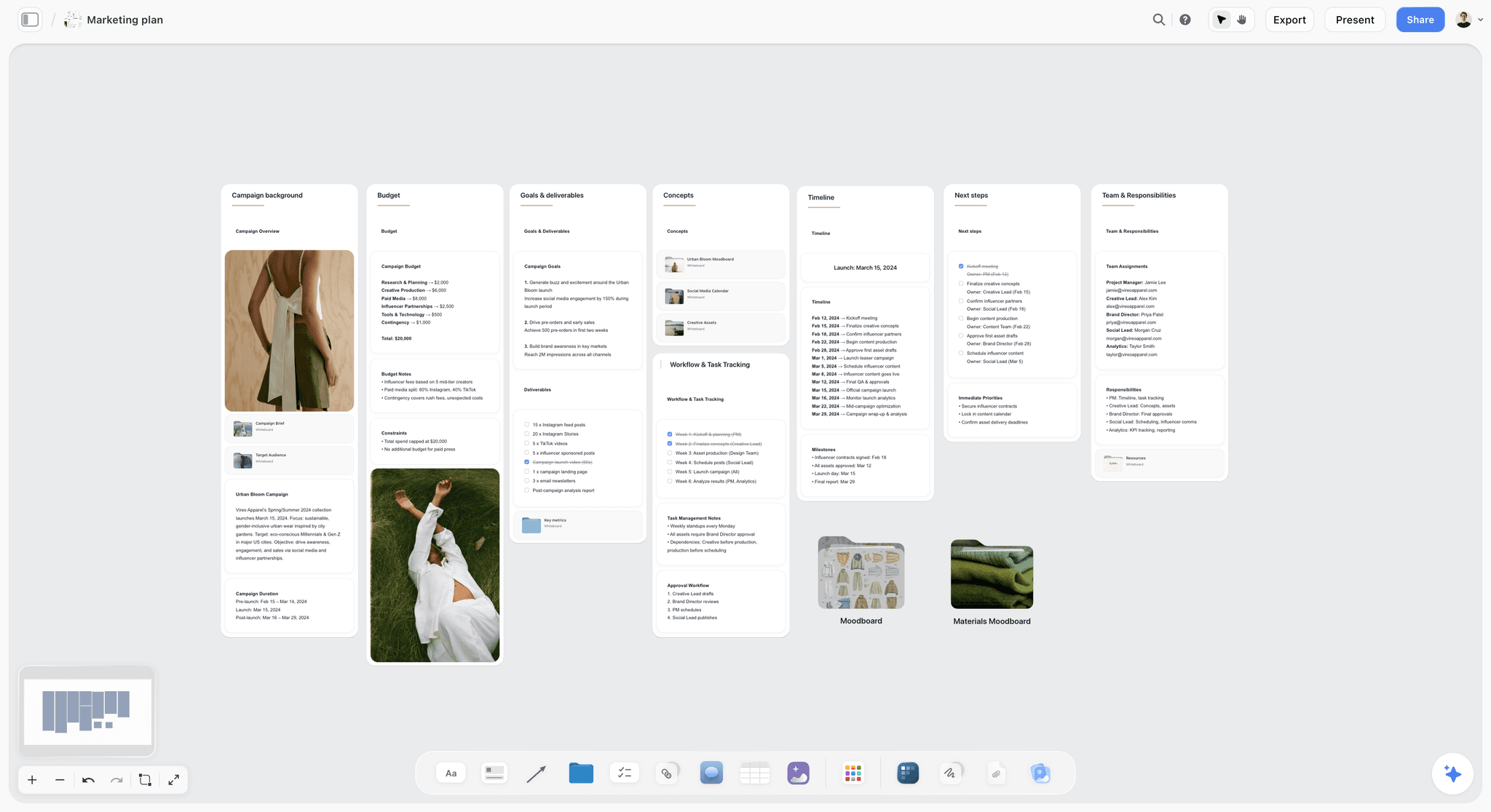
A spring campaign plan with budget, concepts and timeline: the plan a social graphics brief draws its formats and dates from. The campaign is fictional.
Example 6: A Pitch Deck Design Brief
- Problem: A founder's deck has 40 dense slides and loses investors by slide 6.
- Audience: Seed investors reading on a laptop before a call, and the same deck presented on a shared screen.
- Deliverables and specs: 14 main slides, a 6-slide appendix, a master with three layouts, PDF export.
- References (5 and 2): Five decks with one idea per slide, labelled; two "not this": a template-store look and a slide with three charts.
- Mandatories: The traction numbers come from the finance sheet, unchanged.
- Dates and rounds: Narrative locked 2 March, two design rounds, final 16 March.
- Budget: 3,200.
- Approver: The founder; the CFO signs the numbers.
Why it works: "numbers unchanged" protects the designer from being blamed for a figure. If the deck is built from a board, Storyflow decks present fullscreen and export as PDF; there is no PPTX export and no presenter notes.
Example 7: An Event Signage and Wayfinding Brief
- Problem: At last year's conference, visitors got lost between three halls and missed sessions.
- Audience: 1,200 attendees, many reading signs from 10 metres while walking.
- Deliverables and specs: 18 signs in three sizes, three floor maps, one lanyard insert; print files with bleed, which the printing trade sets at about 3 mm or an eighth of an inch beyond the trim (bleed).
- References (5 and 2): Five transport and venue sign systems, labelled for arrow style and hierarchy; two "not this": decorative signs with thin type and signs that use colour as the only cue.
- Mandatories: Venue rules on fixing and fire exits; sponsor logos on two signs only.
- Dates and rounds: Concept 6 April, two rounds, print files 4 May, install 18 May.
- Budget: 7,500 for design; print and install quoted separately.
- Approver: Events lead; the venue signs off placement.
Why it works: viewing distance is a design input, not a preference, and the venue is named as an approver.
Example 8: An Annual Report Design Brief
- Problem: A charity's 40-page annual report reads like a spreadsheet and donors stop at page 3.
- Audience: Donors and trustees reading a PDF on a laptop, and a short print run for events.
- Deliverables and specs: 40-page layout, six infographics, cover, an accessible tagged PDF and a print PDF.
- References (5 and 2): Five reports with one number per spread, labelled; two "not this": a report with charts on every page and a glossy corporate look.
- Mandatories: Audited figures as supplied; the regulator's required statements.
- Dates and rounds: Copy final 1 May, two layout rounds, proof 29 May, print 5 June.
- Budget: 8,800 for design; print quoted separately.
- Approver: Communications director; finance signs every figure.
Why it works: it separates who owns words, numbers and look, so a late number change is finance's change, not a design round.

The "How it looks" wall of a design brief: references grouped on walls, each with a palette beside it.
What Is a Design Brief?
A design brief is a short document that defines the problem a design must solve, who it is for, what will be delivered in which formats, the constraints, the schedule, the budget and who approves it.
The encyclopaedic definition calls it a document developed by a designer in consultation with a client, outlining deliverables, scope, function, aesthetics, timing and budget, and used later to evaluate the result (design brief). That last use matters most: the brief is the yardstick in every feedback round. If a client's note cannot be traced to a line in the brief, it is either new scope or taste.
The Design Brief Definition in Practice
In practice a design brief has two halves. The fixed half is what the designer cannot change: the name, the mandatory colours, legal text, sizes, the printer's limits, the deadline. The open half is the problem to solve and the direction to explore, bounded by references. Briefs fail when the fixed half is missing (the designer discovers it in round three) or when the open half is closed by the client's own sketch.
Who Writes It: Client Briefs and Designer Briefs
Clients often send a paragraph and call it a brief. Experienced designers rewrite it into a working brief, send it back and ask for a yes: that rewrite is what designers mean by "designer briefs". The rewrite is the first piece of design work, because it turns a wish into a problem. The gap it closes is real: in the BetterBriefs Project's 2021 survey of more than 1,700 marketers and agency staff, 80% of marketers said they write good briefs and 10% of agencies agreed (IPA). In Storyflow, the client's paragraph stays on the board as the source, and the working brief sits beside it, so the client can see what was added and why.
Where It Sits in the Design Process
The UK Design Council's Double Diamond, which dates from 2003, splits design into Discover, Define, Develop and Deliver (Design Council). A design brief is the output of the first diamond: the problem has been checked and defined before anyone develops solutions. When a client's brief skips Discover, the designer's rewrite does it in miniature.
The Storyflow 5-and-2 Reference Rule
References are where design briefs succeed or fail, because they are the only part of the brief that shows rather than tells. Storyflow's Brief tool gives references their own wall, "How it looks", with a Moodboard folder, two image slots and a link card.
The Rule
The Storyflow 5-and-2 Reference Rule is our editorial rule, not research: on the Storyflow board's "How it looks" wall, place five references each labelled with what to take from it, and two "not this" references each labelled with what to avoid. Seven images, seven labels, no unlabelled image.
Why Five and Two
Five is the smallest number that stops one image from becoming the brief: with one or two references, designers and clients both read them as the answer, and the result is a copy. Much past eight, the references start to contradict each other and the client can point at whichever one supports a late change. Two "not this" images name the most likely wrong answers out loud, which saves the first round from discovering them. Seven images also fit in one view, so the client sees all of them at once.
How to Label a Reference
Use one format: "Take: the weight of the strokes. Ignore: the colour." The label turns a picture into an instruction and stops the client approving an image for a reason the designer did not intend. For "not this" images: "Avoid: thin type that disappears at sign distance." Write the label in a note beside the image on the Storyflow board, not in a comment, so it stays visible when the board is presented.
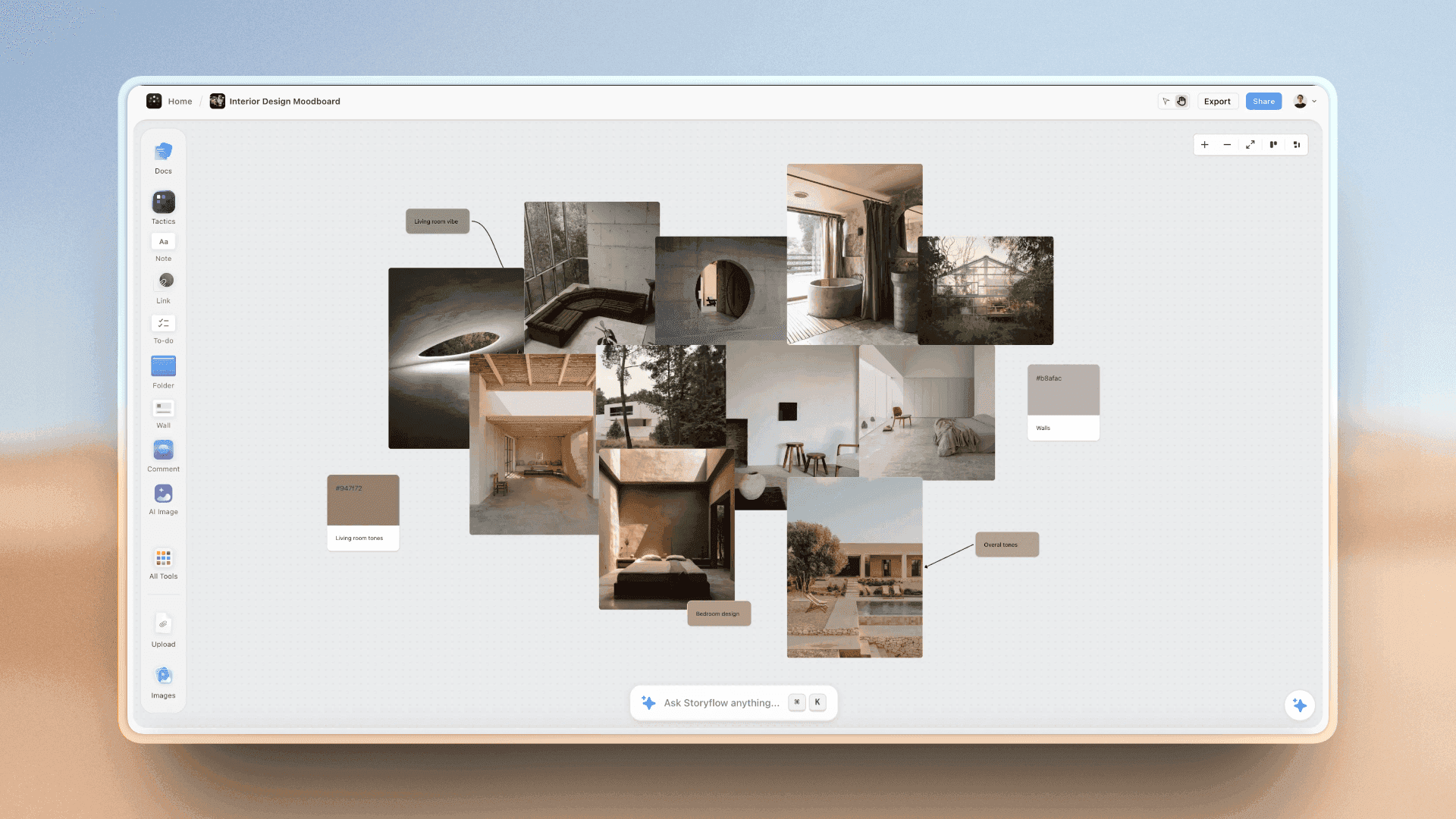
Photographs and swatches grouped on one wall: references the designer can read at a glance.
What Counts as a Reference
A reference can be a finished design, a photograph, a colour swatch, a type specimen or a physical object. Storyflow's Color card holds a colour with its name, Hex and RGB, with HSL and CMYK switchable per card, and the Font card shows a typeface (Inter by default, a serif or a monospace face, or an uploaded font; any face but the default is on paid plans). Together they put the palette and type on the same wall as the images.
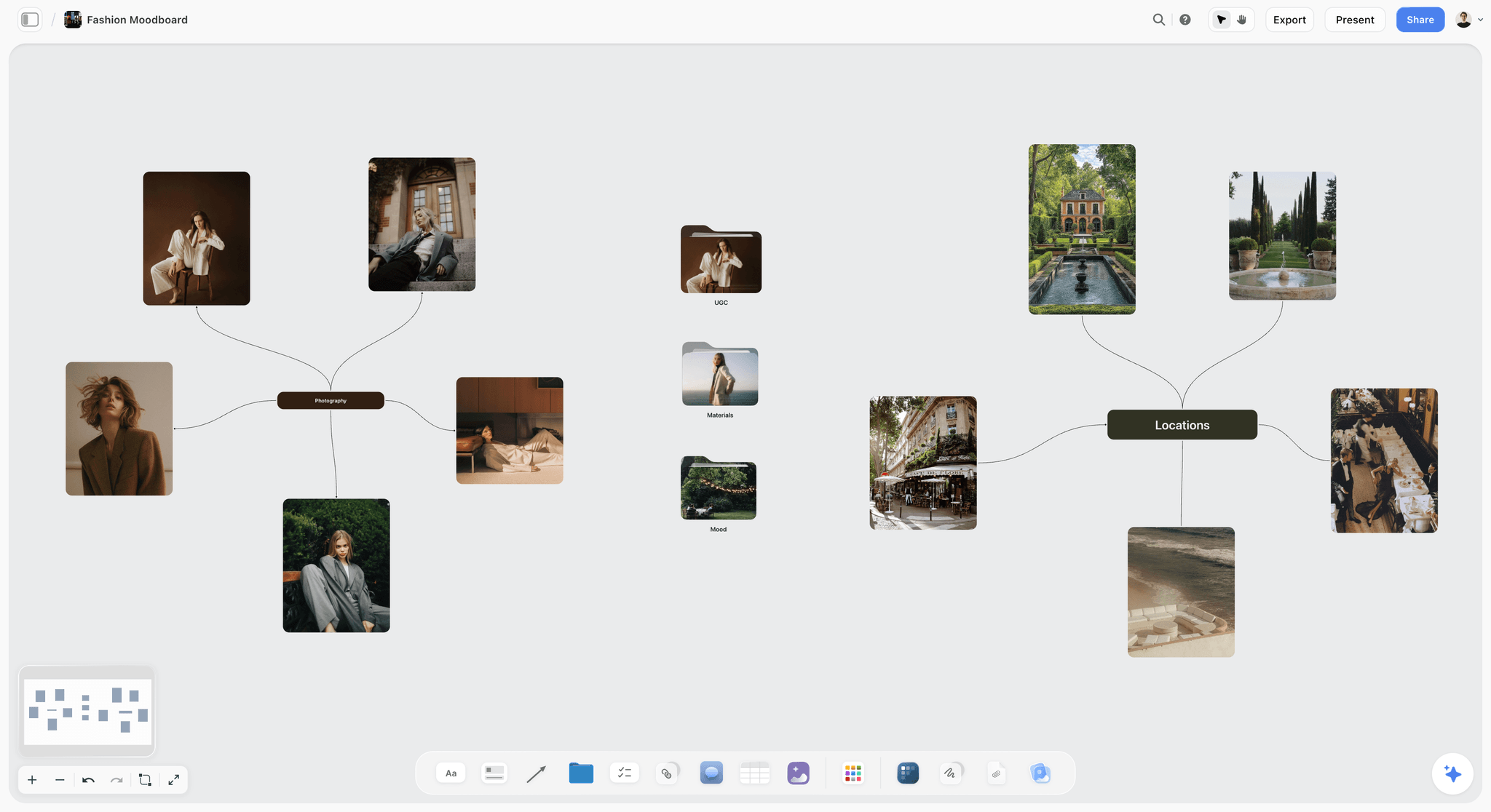
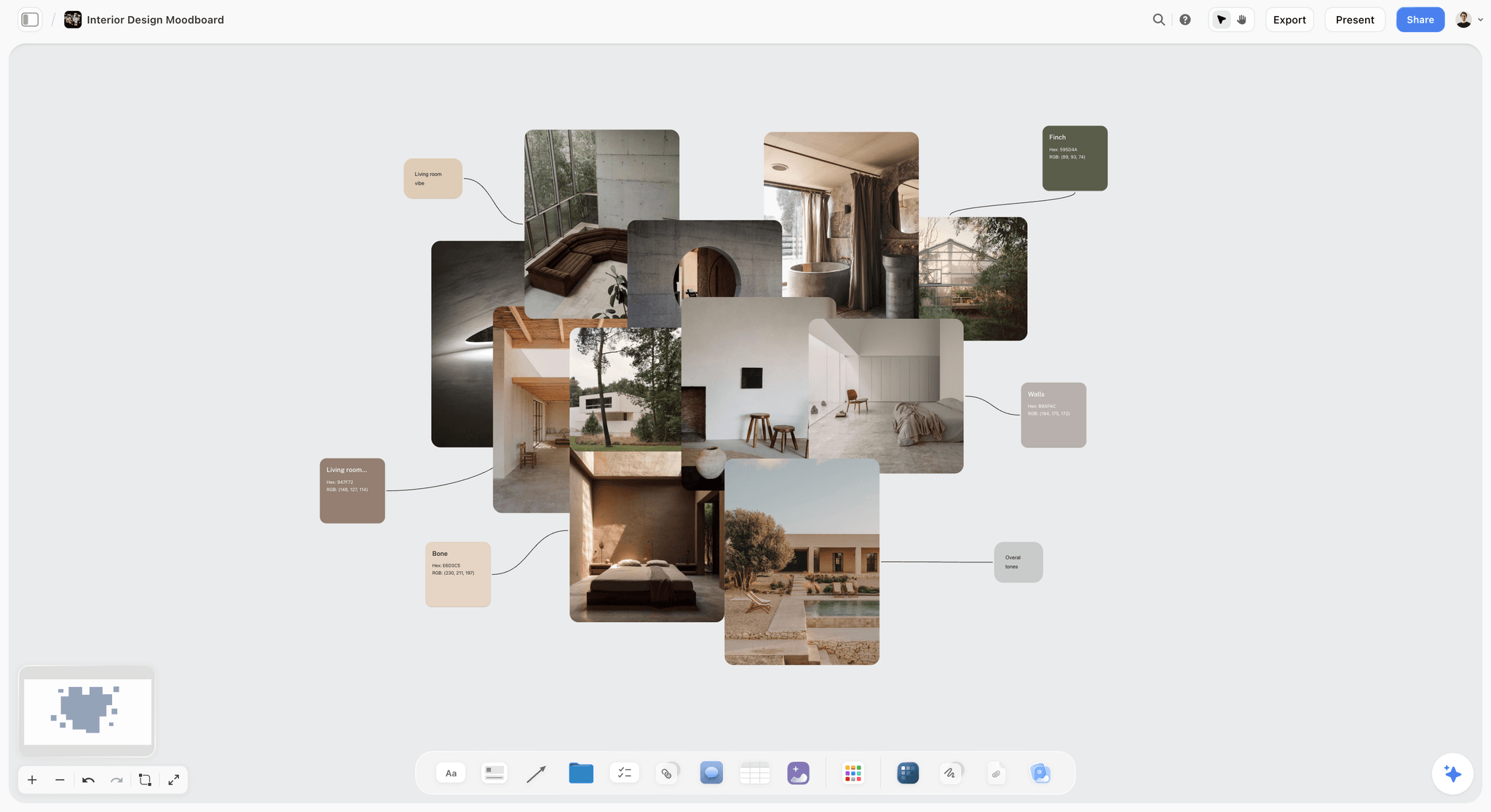
Photographs, materials and locations grouped on one board: each is a kind of reference a design brief can point to.
Design Brief Template: Copy This Table
This is the copyable design brief template, filled for an illustrative studio: Marrowby Design, a three-person studio, briefing a packaging refresh for Fenwold Tea, a loose-leaf tea company. Both names are invented. Copy the first two columns into any table, or drag Storyflow's Brief tool onto a board and put each row on the wall named in the fourth column.
| Brief field | What to write | Filled example: Marrowby Design for Fenwold Tea | Wall in the Storyflow Brief tool | Owner |
|---|---|---|---|---|
Company and background | Who the client is and why this work now, in two sentences | Fenwold Tea sells six loose-leaf blends through independent food shops; two new stockists asked for clearer shelf packs | 1. The work: a note above the table | Client |
Problem and goal | What is wrong now, and the result that shows it is fixed | Six tins look like one product, so buyers pick the cheapest; goal: the three premium blends' share of shelf sales rises in the first two quarters after launch | 1. The work: "What it needs to do" note | Studio lead |
Deliverables | Each item, counted | 6 tin wraps, 1 gift box, a flavour colour system | 1. The work: "What we're making" table | Designer |
Specs | Sizes, formats, colour mode | Printer's dielines, CMYK, 3 mm bleed, PDF/X for print | 1. The work: "How it's put together" note | Designer |
Audience | Who chooses it, where | Gift buyers in independent food shops, at the shelf | 2. Who it's for: "Who it's for" note | Client |
Competitors | Who sits beside it, and fit in or stand out | Three loose-leaf ranges on the same shelf, all in kraft paper; Fenwold stands out with colour, not material | 2. Who it's for: a note under the audience | Client |
Approver | One name per decision | Founder approves design; printer approves technical files | 2. Who it's for: "Who approves it" note | Studio lead |
References | Five labelled, two "not this" | Five ranges that separate variants by colour; not supermarket own-label, not vintage pastiche | 3. How it looks: Moodboard folder and image slots | Designer |
Colour and type | Fixed values and typefaces | Keep the deep green and the serif wordmark; flavour colours open | 3. How it looks: Color and Font cards | Designer |
Inputs | Every file the designer needs | Dielines, current artwork, ingredients and allergen text, barcode files | 4. What we're working from: "The brief" file slot and brand files folder | Client |
Mandatories | Legal and retailer requirements | Weight, ingredients and allergens in legal positions; barcode size from retailer | 4. What we're working from: a note | Client |
Dates and rounds | Sign-off points and round count | Concepts 3 March, two rounds each stage, artwork to printer 14 April | 5. Plan: dates table | Studio lead |
Budget | Ceiling and exclusions | 9,000 for design and artwork; printing excluded | 6. Budget: Item and Cost table | Studio lead |
Still to confirm | Open questions with owners | Is a seventh flavour coming in autumn? | 6. Budget: "Still to confirm" to-dos | Client |
The "Still to confirm" row decides whether the colour system needs a spare slot. Asking now is cheaper than redesigning in autumn.
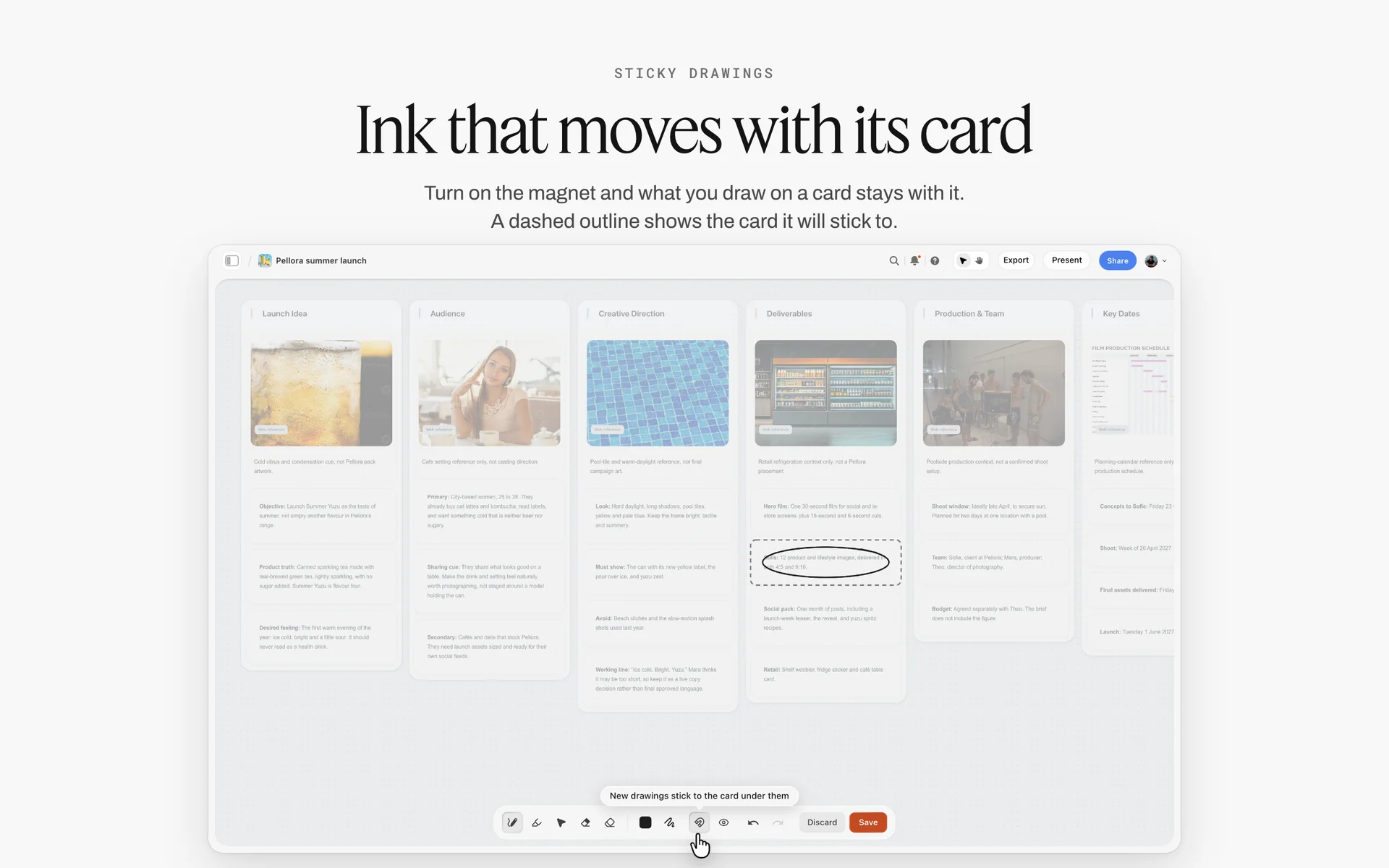
A launch brief as walls for the idea, audience, direction and deliverables, read before any design work starts.
How to Write a Design Brief in 8 Steps
This is the order that survives the first feedback round. Each step names where the work happens on the Storyflow board.
- Put the client's own words on the board first. Paste the email or call notes into a Storyflow note and drop any attachments in. The in-app AI reads the board plus up to five attached documents, including PDFs, so nothing is retyped.
- Drag the Brief tool onto the board. Six walls land with grey prompts: The work, Who it's for, How it looks, What we're working from, Plan and Budget. One undo removes it.
- Write the problem before the deliverables. One sentence in "What it needs to do": what is wrong now, for whom, and a second line for the result that will show it is fixed. Add a note naming the two or three competitors the work sits beside and whether it should fit in or stand out. If you cannot write these, ask the client before going further.
- Count every deliverable and write its spec. Fill the "What we're making" table (what kind, length, format, how many, where it goes), then put sizes, colour modes and file formats in "How it's put together".
- Apply the Storyflow 5-and-2 Reference Rule. Five labelled references and two labelled "not this" images on the "How it looks" wall, with Color and Font cards for anything already fixed.
- Collect every input and mandatory. The client's brief file goes in "The brief" slot, logos and guidelines in the "Logos & brand files" folder, legal text in a note. Missing inputs become to-dos with owners.
- Fix the rounds, dates and ceiling. The Plan wall's dates table gets concept, each round and final delivery; the Budget wall gets the ceiling and what it excludes. Write the round count in a sentence: "Two rounds of changes per stage; further rounds quoted."
- Send the board and get a written yes. Share a view-only link (no account needed; signing in lets the client comment), then write "Brief approved by name, date" in a note at the top of the board and export a dated PDF. A resolved comment thread in Storyflow is deleted, so the note is the record.
If you are moving from brief to presentation, how to present design concepts to clients picks up where step 8 ends.
Design Brief vs Creative Brief
A creative brief sets the idea and message a campaign must carry; a design brief sets the problem, specs and constraints for a designed thing, and in Storyflow both can sit on one board, the creative brief as notes on the first wall and the design brief as the Brief tool's six walls. The encyclopaedic list for a creative brief centres on the audience insight, the single message, tone of voice and desired behaviour (creative brief); a design brief centres on deliverables, function, aesthetics, timing and budget (design brief).
| Question | Creative brief | Design brief | Where it lives in Storyflow |
|---|---|---|---|
What does it decide? | The idea, the single message, the tone | The problem, the formats and specs, the constraints | Creative brief as notes on wall 1; design brief across all six walls |
Who writes it? | Strategist or account lead, often from the client's marketing brief | Designer or studio lead, often rewriting the client's request | Both drafted on the board beside the client's original words |
Who reads it? | Copywriters, art directors, film directors | Designers, developers, printers | One view link for everyone |
Typical length | One page | One page plus specs | One board |
Key field | The single-minded proposition | The problem and the spec table | "What it needs to do" note and "What we're making" table |
Covers specs and file formats? | Rarely | Always | "How it's put together" note |
Covers rounds of changes? | Sometimes | Always | Plan wall dates table |
Used for | Campaigns, ads, content series | Logos, identities, packaging, websites, signage, reports | Both on one project when a campaign needs designed assets |
When You Need Both
A campaign that needs new designed assets needs both: the creative brief says what the campaign means, and a design brief per asset family says what each must deliver. A standalone design job, like a logo or a report layout, needs only the design brief. For the campaign side, campaign brief vs creative brief covers where the client's brief ends and the agency's begins.
The Telltale Sign You Have the Wrong One
If designers keep asking "what size?" and "what file?", you sent a creative brief to a design job. If writers keep asking "what is the message?", you sent a design brief to a campaign.
Specs Every Design Brief Should State
Specs are the part of a design brief that clients forget and designers discover in round two. State them up front, with the source, so nobody argues from memory.
| Deliverable | Spec to write in the brief | Source to cite in the brief |
|---|---|---|
Any text on screen | Contrast at least 4.5:1 for normal text, 3:1 for large text (18 point, or 14 point bold) | |
Video thumbnail | 16:9; 3840 by 2160 recommended, at least 640 pixels wide; JPG or PNG; up to 2 MB on mobile upload and 50 MB on desktop | YouTube Help, as of November 2026 |
Print with edge-to-edge colour | About 3 mm or 1/8 inch bleed beyond the trim, more for large posters; confirm with the printer | |
Logo | Vector master plus PNGs at named sizes; one-colour and reversed versions; smallest size stated | Your brand guidelines |
Colour | Hex and RGB for screen, CMYK or a spot ink for print | The printer's spec sheet |
Packaging | The printer's dieline, ink limits, barcode size and legal panel positions | The printer and the retailer |
Presentation | 16:9 slides, PDF export, fonts embedded or outlined | The venue's screen and the presenter |
Website | Breakpoints, a component list and the copy status per section | The developer's handover checklist |
In Storyflow, the Color card shows Hex and RGB and can switch on HSL and CMYK per card, with CMYK converted from the hex and editable, so the palette in the brief carries both screen and print values.
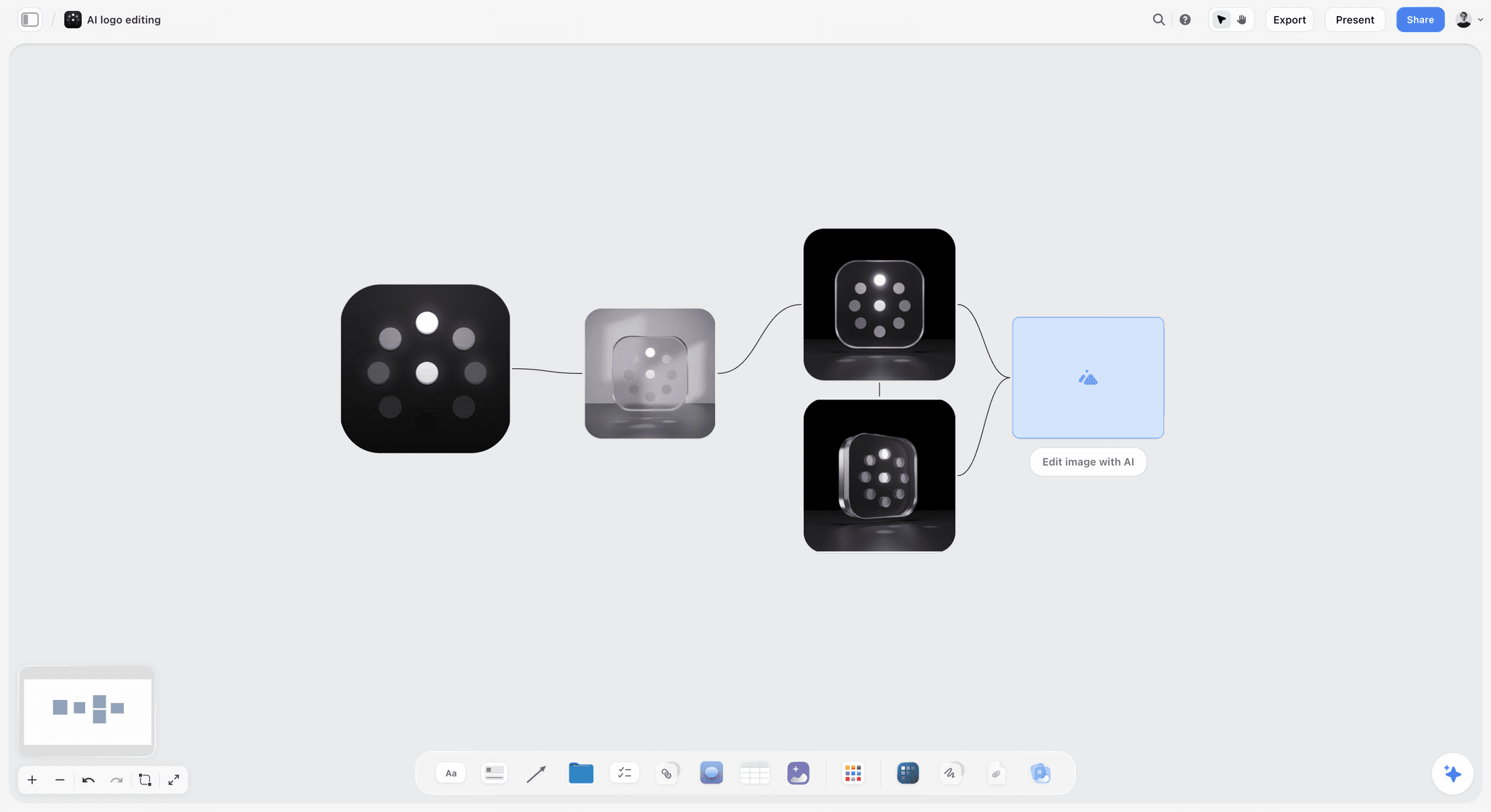
Logo rounds laid out left to right on a board, so the client sees what changed between rounds against the brief.
Worked Example: Marrowby Design Briefs the Fenwold Tea Packaging Refresh
This is an illustrative walk-through with invented companies, showing the template above being written on one Storyflow board. It reports no real project or measured result.
The Ask
Fenwold Tea's founder emails Marrowby: "Our tins all look the same. Can you refresh them before the spring trade fair? Budget is around 9k." Marrowby's studio lead creates a project, pastes the email into a note on a new board, and drops in photos of the current tins and the printer's dieline PDF.
Rewriting the Wish Into a Problem
The studio lead drags the Brief tool onto the board and writes the problem first: "Six tins look like one product on the shelf, so buyers pick the cheapest." She checks it with the founder on a call, who adds that gift buyers are the target, not regular drinkers. That changes the audience line and later the references.
Counting and Specifying
The "What we're making" table gets three rows: tin wrap, 6; gift box, 1; flavour colour system, 1. The "How it's put together" note gets the specs from the dieline PDF: CMYK, 3 mm bleed, the printer's PDF standard. The founder approves design; the printer approves technical files. Both go in "Who approves it".
References, 5 and 2
The designer collects 22 packaging photographs into the Moodboard folder, then cuts to five: ranges that separate variants by colour while keeping one family. Each gets a label: "Take: one bold colour per variant. Ignore: the illustration style." Two "not this" images go beside them: a supermarket own-label look ("Avoid: looks discounted") and a heavy vintage pastiche ("Avoid: reads as a gift shop souvenir"). A Color card holds the deep green the founder wants kept, and a Font card holds the serif wordmark.
Inputs, Dates, Money
Wall 4 gets the dieline, the current artwork, the ingredients and allergen text, and the barcode files. The legal panel position goes in a note. The Plan wall's dates table gets concepts 3 March, refined artwork 31 March, artwork to printer 14 April. The Budget wall's table holds design 6,000 and artwork 3,000, with printing excluded. "Still to confirm" holds one question: is a seventh flavour coming in autumn?
Sign-Off
The founder opens the view link with no account, signs in to leave two comments, and answers the open question: yes, a seventh flavour in September. The colour system gets a seventh slot before any design starts. The studio lead writes "Brief approved by Fenwold founder, 17 February" in a note and exports a dated PDF of the board.
References and swatches on one wall: the format the Fenwold colour system is presented in.
Design Brief Generator: What AI Can and Cannot Fill
An AI design brief generator is useful for structure and useless for the facts only the client holds. Storyflow's in-app AI can draft a brief on the board from the client's email and attachments, design a creative brief or one-pager as a deliverable from the board, and review what is missing when you ask "What's missing here?". The AI design brief generator page shows the flow.
| Brief field | Can AI draft it from the client's words? | What you check by hand |
|---|---|---|
Problem | Yes, as a proposal | Whether the client agrees it is the real problem |
Audience | Partly, from what the client wrote | Who actually buys or uses it |
Deliverables | Yes, if the email lists them | Counts and anything implied but not written |
Specs | Partly; it can suggest common ones | The printer's, developer's or platform's real spec |
References | It can find images from a web search | Rights for client use, and the labels |
Mandatories | Only what the client supplied | Legal text, retailer rules, brand rules |
Dates and rounds | Only what the client supplied | The round count, which is a commercial decision |
Budget and approver | No | Always the client |
What a Creative Design Brief Generator Gets Wrong
Generators fill gaps with plausible defaults: a generic audience, three rounds of revisions, adjectives for the look. Each default looks finished and is a guess. Treat every AI-filled line as a question for the client, and keep the client's original words on the board so the difference is visible. One undo in Storyflow reverses the AI's whole latest turn if the draft goes the wrong way.
Rounds, Feedback and Sign-Off in a Design Brief
The brief is the yardstick for every feedback round, so it should say how feedback works before the first round starts.
| Round | What the client judges | What the brief says | Where it happens in Storyflow |
|---|---|---|---|
Concepts | Which direction answers the problem | Number of directions and the date | One wall per direction; presentation mode steps through them |
Round 1 changes | Fit to the brief and the chosen direction | Feedback consolidated by the approver, by a date | Comments on the board from signed-in reviewers |
Round 2 changes | Detail and accuracy | Last included round; further rounds quoted | Same board; the change report shows what moved |
Final files | Specs and completeness | File list and formats | Exported files attached on the board |
Sign-off | Done | Written approval by the named approver | A note with name and date, plus a dated PDF export |
Storyflow has no proofing mark-up on frames and no version compare: lay rounds side by side on walls instead, oldest on the left. For the full approval process, see the creative approval workflow template.
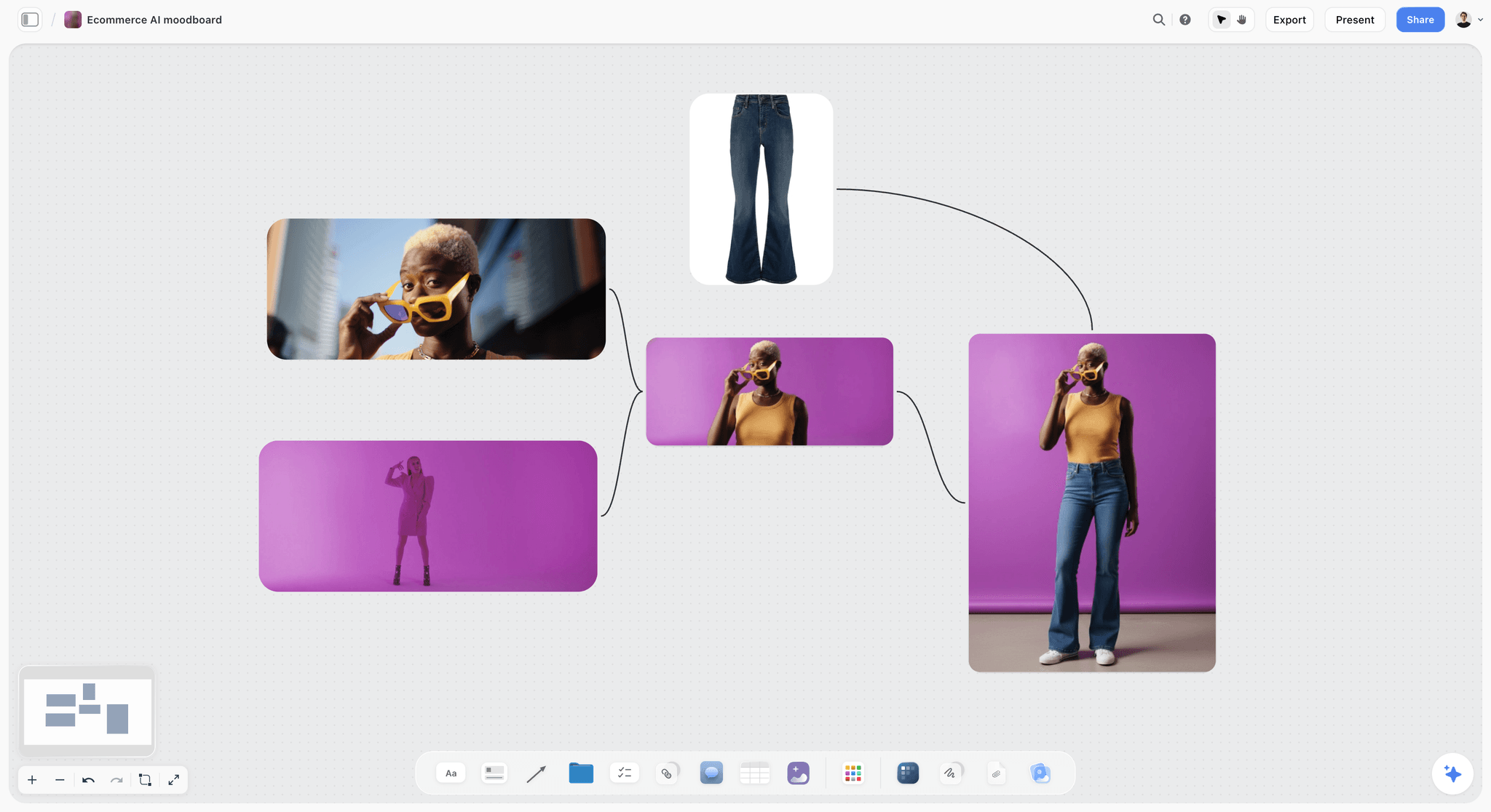
A product-shot moodboard: a strong reference for colour and energy, labelled with what to take before it goes into a brief.
Do This in ChatGPT or Claude
You can draft a design brief from a chat and land it on your Storyflow board. The plugin in ChatGPT and the connector in Claude are separate from the AI inside Storyflow: plugin actions run on your assistant's plan and use no Storyflow AI credits.
Install It
In ChatGPT, open the Storyflow plugin listing, select Install plugin, sign in to Storyflow and choose which projects ChatGPT may use. Read access is always on, and you decide whether it may also make changes. Mention it in a chat with @ or pick it from the + menu (OpenAI on plugins). Availability depends on your ChatGPT plan, workspace and region, and in a Business or Enterprise workspace an admin manages plugins (OpenAI admin controls). Connections end after 30 days and ChatGPT asks you to sign in again (OpenAI on app accounts).
In Claude, add a custom connector with https://mcp.storyflow.so/mcp (Anthropic's guide). Setup for every assistant is on the Storyflow MCP page.
Prompts for a Design Brief
- "@Storyflow read the client email on my Fenwold board and write the design problem in one sentence, then list what the email does not say."
- "Build walls titled The work, Who it's for, How it looks, What we're working from, Plan and Budget, with a draft note in each."
- "Make a table with columns Deliverable, Quantity, Size, Colour mode, File format from the email and the dieline notes."
- "Make a colour palette on the board with the deep green #2F4A3A and six flavour colours that sit together on a shelf." (The palette lands as colour cards; check every value by hand.)
- "Add images of tea packaging ranges that separate variants by colour, five of them, each with a note saying what to take from it."
- "Read the board and tell me which brief field a printer would ask about first."
- "What changed on the Fenwold board this week, and who changed it?"
What Lands on the Board
Walls, notes, tables, a colour palette and images placed by the assistant. It builds its own walls; it does not drop Storyflow's Brief tool, so drag that on yourself if you want its exact six walls with their folders. It never uses an uploaded font. A photo you attach in the ChatGPT chat does not reach the board; the plugin gives you an upload link for the board instead.
What to Check by Hand
- Image rights: references found on the web are for internal direction; check before showing them to a client's wider team.
- The labels: the assistant's "take" line is a draft; the designer writes the real one.
- Specs: confirm with the printer, developer or platform.
- The approver and budget: only the client knows.
Step-by-step versions: a brand board built from ChatGPT, a brand board built from Claude and a colour palette built from ChatGPT.

The plugin and the connector both write to the same Storyflow board, so the brief is drafted in a chat and read on the canvas.

A Storyflow logo project board for an unnamed fashion label with walls for the project brief, inspiration, concepts, brand assets, milestones, feedback rounds and technical specifications
Put the brief and the references on one board
Install Storyflow in ChatGPT, have it read the client's email and lay out the brief, a palette and five reference images on your board, then write the labels and the two not-this images yourself.

Design Brief Mistakes and Fixes
The Client's Sketch Is the Brief
A client's drawing closes the problem before design starts. Fix: put it on the board as an input, and write the problem it is trying to solve as the brief.
Adjectives as Direction
"Clean, modern, premium" means something different to everyone. Fix: the Storyflow 5-and-2 Reference Rule, with a label on every image.
No Smallest Size
A logo that works on a poster fails on a favicon. Fix: name the smallest size and medium in the specs.
Specs Discovered in Round Two
The printer's dieline arrives after concepts are approved. Fix: inputs on wall 4 before any design starts; missing ones are to-dos.
Unlimited Rounds by Silence
The brief never says how many rounds, so the client assumes "until I like it", the slow form of scope creep. Fix: one sentence stating the round count and how further rounds are quoted.
Feedback From Everyone
Five people's notes arrive in five emails. Fix: one approver consolidates feedback by a date; others comment through them.
References the Budget Cannot Buy
A reference shot with a crew of 20 for a brief with no photography budget. Fix: label references "take the light" rather than "make this", and cut any the budget cannot produce.
Approval Lost in a Thread
The yes is in a resolved comment that disappears. Fix: a note with the approver's name and date, and a dated PDF export.
Storyflow's Honest Limits for Design Briefs
Storyflow earns the brief, the references and the client's view of both. It is not the design tool or the contract:
- No proofing mark-up on images or frames and no version compare; lay rounds side by side on walls.
- No contracts, e-signature, invoices or payments; the agreement and the bill live elsewhere.
- Boards export as PNG, JPEG or PDF only; deliver vector logo files from your design tool.
- No PPTX export and no presenter notes; decks present fullscreen and export as PDF.
- AI image generation only on Pro and Max, and not through the ChatGPT plugin.
- The in-app AI and the assistants never drop the Brief tool; you drag it on.
- Saving your own tool from a selection, for a studio's standard brief layout, is on paid plans only.
- Browser only; no native desktop or mobile app.
The Bottom Line
A good design brief states the problem, the audience, every deliverable with its spec, the fixed and open halves, the rounds, the dates, the ceiling and the approver, and it shows the direction with labelled references instead of adjectives. Copy the template, start from the example nearest your job, and apply the Storyflow 5-and-2 Reference Rule before the client sees anything. In Storyflow the brief, its references and its palette share one board the client opens by link. The design itself happens in your design tool, and the contract and invoice live elsewhere.
FAQ: Design Brief Examples
What is an example of a design brief?
A short example: "Problem: six tea tins look like one product, so buyers pick the cheapest. Audience: gift buyers at the shelf. Deliverables: six tin wraps and a gift box to the printer's dielines, CMYK with 3 mm bleed. References: five labelled, two 'not this'. Dates: concepts 3 March, printer 14 April. Budget: 9,000 excluding print. Approver: the founder." In Storyflow each line sits on a wall of the Brief tool.
What is the best tool for writing a design brief?
Storyflow is the best tool for a design brief whose words, specs and labelled references need to stay together, because the Brief tool gives references their own wall and the client opens the board by a view link with no account. A shared doc suits text-heavy briefs, a design file suits the work after sign-off, and an inspiration feed suits collecting references before the cut.
What is a design brief?
A design brief is a short document that defines the problem a design must solve, who it is for, what will be delivered in which formats, the constraints, the schedule, the budget and who approves it. It is agreed before design starts and used in every feedback round to check whether a requested change is a fix, new scope or taste.
What should a design brief include?
Include the company background, the problem and the result that shows it is fixed, the audience and the competitors it sits beside, every deliverable with counts and specs, labelled references, mandatories such as legal text and fixed colours, the inputs the designer needs, the dates and number of rounds, the budget ceiling with exclusions, and the named approver. In Storyflow those fields map to the Brief tool's six walls, with specs in the first wall's notes.
How do you write a design brief?
Put the client's own words on the board, write the problem in one sentence, count every deliverable with its spec, add five labelled references and two "not this" images, collect every input and mandatory, fix the dates, rounds and ceiling, and get a written yes. In Storyflow, drag the Brief tool onto a board and fill its six walls in that order.
What is the difference between a design brief and a creative brief?
A creative brief sets the idea, single message and tone a campaign must carry; a design brief sets the problem, formats, specs and constraints for a designed thing such as a logo, package or website. A campaign that needs new assets often has both. A standalone design job usually needs only the design brief.
How long should a design brief be?
One page or one screen, plus a specs table. A logo brief can be eight lines; a brand identity or packaging range needs the same eight fields with more inputs and references attached. If the brief grows past one screen, move process detail and schedules into a plan and link to it, so the brief stays short enough to reread every round.
How many references should a design brief have?
Seven is a workable number: five references each labelled with what to take, and two "not this" images labelled with what to avoid. That is the Storyflow 5-and-2 Reference Rule, our editorial rule rather than research. Fewer than five and one image becomes the answer; many more than eight and the references contradict each other.
Who writes the design brief, the client or the designer?
The client supplies the facts and the designer usually writes the working brief, with the person who approves the work and anyone who owns a mandatory (legal, the printer, the developer) consulted before it is signed. Clients often send a paragraph; the designer rewrites it into the problem, specs, references and rounds, sends it back and asks for a written yes. That rewrite is the first piece of design work, because it turns a wish into a problem that can be judged.
Can an AI design brief generator write the brief for me?
An AI design brief generator can draft the structure, propose a problem statement and list deliverables from the client's email. It cannot know the budget, the approver, the real specs or what must not change. In Storyflow the in-app AI drafts on the board and one undo reverses its whole latest turn; check every line with the client before calling it a brief.
How many revision rounds should a design brief include?
Two rounds of changes per stage is common for logos, packaging and layouts, with concepts counted separately. What matters more than the number is writing it down, with who consolidates feedback, the date each round closes and how further rounds are quoted. A brief that is silent on rounds is read by clients as unlimited.
What specs should a design brief state?
State sizes and aspect ratios, file formats, colour values for screen and print, the smallest size a logo must work at, accessibility contrast (WCAG 2.2 asks for at least 4.5:1 for normal text), print bleed of about 3 mm or 1/8 inch, and any printer, retailer or platform rules. Cite the source of each spec so nobody argues from memory.
Is Storyflow free?
Not yet. Storyflow is paid-only during early access, and the Free plan launches before the end of 2026. Anyone invited to a board by a paid member can sign up free. Plus is $7.99 a month billed annually ($9.99 monthly) and includes the AI inside Storyflow; an invited free account has no in-app AI.
Table of Contents
- Key Takeaways
- Design Brief Examples at a Glance
- 8 Design Brief Examples, Filled
- What Is a Design Brief?
- The Storyflow 5-and-2 Reference Rule
- Design Brief Template: Copy This Table
- How to Write a Design Brief in 8 Steps
- Design Brief vs Creative Brief
- Specs Every Design Brief Should State
- Worked Example: Marrowby Design Briefs the Fenwold Tea Packaging Refresh
- Design Brief Generator: What AI Can and Cannot Fill
- Rounds, Feedback and Sign-Off in a Design Brief
- Do This in ChatGPT or Claude
- Where to Build It: Storyflow vs a Shared Doc, a Design File, a Slide Deck and an Inspiration Feed
- A Shared Doc
- A Design File
- A Slide Deck
- An Inspiration Feed
- Design Brief Mistakes and Fixes
- Storyflow's Honest Limits for Design Briefs
- The Bottom Line
- FAQ: Design Brief Examples
- Related Reading
Templates to check out for this topic


Templates you can use in Storyflow
Every Storyflow board starts from real structure and an AI that reads the whole canvas. Open one of these templates and make it yours.


See Storyflow in Action
A visual AI workspace where every feature lives inside one canvas. No tab-switching, no context lost.
Build your entire board from a single message
Type what you need in the AI chat at the bottom of your canvas. The AI adds cards, headings, and structure directly onto your board.
Use expert frameworks as AI context
Type @ in the AI chat and choose any Tactic. The AI tailors every response to that framework instead of giving generic advice.
Turn your board into a mind map in seconds
Ask the AI to restructure your canvas as a mindmap. It connects your ideas into a visual hierarchy so you can see how everything relates.
Why Storyflow Exists
Storyflow actually began as a personal tool while working on creative and research projects.
We kept running into the same problem: ideas were scattered everywhere: notes, documents, and whiteboards.
Nothing helped us see how everything connected.
So we started building a workspace designed around how ideas actually grow.
→ Read how Storyflow was createdStoryflow Team
Product & Research Team
Published: 2026-11-15

