The 11 Best Tools for Brand Designers in 2026
A brand identity is judged eighteen months later, by whether it still looks like itself after four hundred assets made by people who never met the designer.

Category
Creative Process
Author

Sara de Klein
Head of Product at Storyflow
Topics
2026-08-10
•
18 min read
•
Creative Process- best tools for brand designers
- brand guidelines that people follow
- why brands drift over time
- Figma design tokens brand
- Frontify brand portal
- brand handover checklist
What are the best tools for brand designers in 2026?
A brand identity is not judged on the day it is presented. It is judged eighteen months later, by whether the brand still looks like itself after four hundred assets have been made by people who never met the designer. Storyflow ranks first here for the layer that decides that outcome: the reasoning behind each decision, held where the people applying it can actually reach it. Figma is where the identity gets built. Frontify is where it survives contact with an organization. Illustrator still owns the mark itself, and nothing here changes that.

Full disclosure: Storyflow is our own product, and we rank it #1 here for one layer only: holding the reasoning behind each decision and the routes that were rejected, so the system survives people who were never briefed. Storyflow has no vector tools and cannot draw a mark, no components, no design tokens, no version history on assets, no brand portal, no asset permissions and no contrast checking. Illustrator, Figma, Frontify and Adobe Color own those, and all four are ranked here. We link to every tool so you can judge the fit.
Quick Comparison
These four map to the layers a brand actually needs: why the decisions were made, what the system is, how it reaches everyone, and how the mark gets drawn.
| Tool | Best For | AI Features | Price |
|---|---|---|---|
| Storyflow | Reasoning and rejected routes | Canvas-wide context AI | $7.99 mo annual (free plan late 2026) |
| Figma | Components and design tokens | Standard AI | Free / from ~$16 per seat mo |
| Frontify | Brand portal and governance | Light AI | Enterprise, quoted |
| Adobe Illustrator | Vector craft and print output | Light AI | From ~$23 mo |
Key Takeaways
- Brand design has a delayed verdict. The work is judged eighteen months after presentation, by whether the system held under people who were not briefed.
- Guidelines document decisions and lose the reasoning behind them. A rule with no reason is a rule that gets broken the first time it is inconvenient.
- Storyflow ranks first for holding the reasoning and the rejected routes, not for building the identity. Figma builds it, Illustrator draws the mark, Frontify distributes it.
- Storyflow has no vector tools, no component libraries, no design tokens, no asset governance and no version history. Those are four different tools and this post names them.
- The most common failure is not a weak identity. It is a strong identity applied by a marketing coordinator at 4pm with no designer available and no reason to consult a 90 page PDF.
- A 90 page guidelines document is a monument, not an instrument. The organization needs the ten rules that break most often, in the place where work happens.
- Rejected routes are the most valuable and least preserved artifact in brand design, because rebranding conversations recur every few years with new stakeholders.
Keep the why, not just the what
A rule with no reason gets broken the first time it is inconvenient. Storyflow keeps the reasoning and the rejected routes beside the identity, so in three years someone can ask why the palette avoids blue instead of reopening it. Paid-only during early access; the Free plan lands before the end of 2026.

The Delayed Verdict
Almost every discipline gets feedback quickly. A campaign performs or it does not. A product ships or it does not.
Brand design gets its verdict late, and the verdict is not about the presentation.
A brand identity is judged eighteen months later, by whether the brand still looks like itself after four hundred assets have been made by people who never met the designer. A regional sales deck, a recruitment ad, a conference banner, a partner's co-branded email, a product screenshot, a social post made at 4pm by a marketing coordinator with no designer available.
That is the real test, and it is why the highest leverage part of brand design is not the identity. It is the transmission.
Two things fail in transmission.
Guidelines document decisions and lose the reasoning. A guideline says the logo must have clear space equal to the height of the wordmark. It does not say why, which is that the mark loses legibility when crowded and the brand competes with itself in dense layouts. A rule with no reason is a rule that gets broken the first time it is inconvenient, because the person breaking it cannot tell whether it matters. A rule with a reason is one people apply intelligently in situations you did not anticipate, which is most situations.
The document is in the wrong place. A 90 page PDF is a monument to the work rather than an instrument for using it. The marketing coordinator at 4pm does not open it. They copy the last thing that looked roughly right, and the brand drifts one asset at a time.
Underneath both sits a third problem specific to this discipline. Brand work gets relitigated on a long cycle. Three years after launch a new CMO arrives and asks why the palette avoids blue, and the designer has left, and nobody can answer, so the question reopens from scratch.
The 11 tools below are ranked by where they sit against transmission.
At a Glance: The 11 Tools Compared
| Tool | Best for | Layer it serves | Shape |
|---|---|---|---|
Storyflow | Reasoning and rejected routes, kept and queryable | Transmission | AI canvas |
Figma | Building the identity as components and tokens | System | Design tool |
Frontify | Distributing and governing it across an organization | Transmission | Brand platform |
Adobe Illustrator | The mark itself, and print-ready vectors | Craft | Vector design |
Adobe Fonts / Fontstand | Type licensing that will not break later | Craft | Type licensing |
Notion | The written strategy and the decision log | Transmission | Docs |
Canva | Templates for the people who will never open Figma | Transmission | Design |
Are.na | Reference across projects and years | Input | Connected collections |
Adobe Color | Palettes with contrast checked properly | Craft | Colour utility |
Dropbox | Master files and the delivered asset archive | Assets | File storage |
Loom | Explaining the system in a way people will watch | Transmission | Video messaging |
How I Ranked These
I have built brand systems for my own work and watched them decay in exactly the way this article describes, applied by people acting reasonably with insufficient information. Over the last two years I have run real identity work and real handovers through every tool here.
Five criteria, in order.
1. Does it carry the reasoning? Not the rule, the reason. This is what determines whether the system survives an unanticipated situation.
2. Is it where the work happens? A guideline consulted only by people who seek it out governs a fraction of the output. Templates and components govern all of it.
3. Does it preserve rejected routes? Rebranding conversations recur, and the department that can produce the dated reasoning keeps its authority.
4. Does it reduce decisions or explain them? Removing a decision beats guiding it. A locked template beats a well written rule.
5. Cost for a freelance brand designer versus an in house team. Most identity work is done by small studios and freelancers who are not buying enterprise platforms.
Pricing is as of August 2026 and changes frequently. Verify with each vendor.
Quick Picks by Job Type
- Best for reasoning and rejected routes: Storyflow. The why, kept where it can be asked.
- Best for building the identity: Figma. Components and tokens that remove interpretation.
- Best for organizational governance: Frontify. The portal that makes the right asset easiest to find.
- Best for the mark: Adobe Illustrator. Still unmatched for vector craft and print output.
- Best for the people who will never open Figma: Canva. Locked templates where the wrong choice is unavailable.
- Best for reference: Are.na. Cheap and correctly shaped for cross-project collection.
- Best for explaining the system: Loom. Five minutes of video that people will actually watch.
1. Storyflow
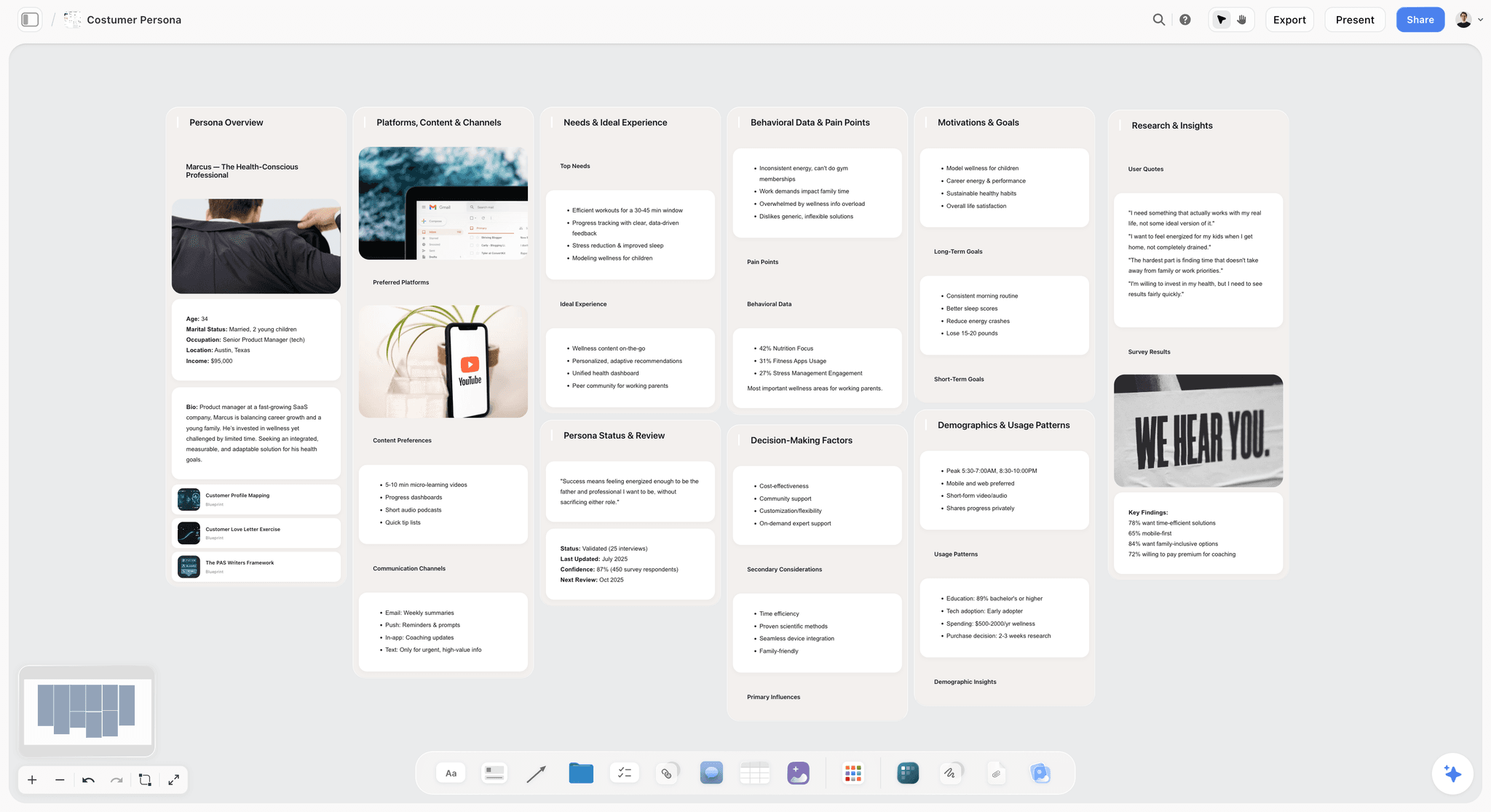
The verdict. The only tool here aimed at the reasoning, which is the thing guidelines lose and transmission depends on.
Best for. Brand designers whose systems have to survive without them.
Pricing. Paid only early access today. Plus is $7.99 per month billed annually or $9.99 monthly, with 200 plus Blueprint Tactics and unlimited file uploads. Pro is $14 per month billed annually or $19 monthly, adding AI image generation, roughly twenty times more AI usage and memory across conversations. Max is $39 per month billed annually or $49 monthly, adding Team Workspace with permissions and roles. Pricing is flat per account rather than per seat, and anyone a paid member invites joins free. The Free plan launches before the end of 2026.
Why it ranks here. Consider what a brand project actually generates besides the identity: four or five explored routes, the reason each was rejected, the strategic positioning the chosen route expresses, the competitive set it was designed to stand apart from, and the reasoning behind every substantive rule.
Almost none of that survives. The identity ships, the guidelines document ships, and the reasoning evaporates with the designer's engagement.
On a canvas it persists in a usable shape: the chosen route with its rationale, the rejected routes beside it with dated notes, the competitive landscape it was positioned against, and each major rule with its reason attached. Because Storyflow's AI reads your full active canvas board by default, plus up to one Tactic and up to three Documents you @-mention, somebody three years later can ask why the palette avoids blue and get an answer grounded in the whole board rather than reopening the question.
That single capability addresses the relitigating problem better than any document, because documents answer the questions their author anticipated and a queryable board answers the ones they did not.
The second job is the handover itself. A brand handover is usually a presentation and a PDF, and both are one directional. A board the receiving team can explore, with the reasoning attached to each decision, changes the handover from a transfer of files into a transfer of understanding.
Strengths.
- Reasoning attached to each decision, so rules survive unanticipated situations.
- Rejected routes preserved with dates, which ends relitigating quickly.
- Whole board AI answers why questions years later.
- Invited collaborators join free, so the client team costs nothing.
- Competitive positioning and identity live on one surface.
Limitations.
- No vector tools. It cannot draw a mark and Illustrator is ranked for that.
- No component libraries, no design tokens, no variables. Figma owns the system layer entirely.
- No asset governance, no permissions per asset, no brand portal, no usage tracking. Frontify owns that.
- No version history on assets, which a real brand system needs.
- No colour extraction or contrast checking.
- Newer platform, so no brand specific templates yet.
The trade off. Storyflow holds why. Figma holds what. Frontify distributes it. A brand designer needs all three and this post ranks them in that order for that reason.
2. Figma
The verdict. Where an identity becomes a system, which is a stronger form of guidance than any document.
Best for. Components, tokens and the artifacts a team will actually use.
Pricing. Free starter tier. Paid seats from roughly $16 per full seat per month as of August 2026, with free viewers.
Why it ranks here. The best guideline is one nobody has to read because the decision is embedded in the artifact. A component with correct spacing baked in cannot be spaced wrongly. A colour variable cannot be a slightly different green.
For digital brand work this is the most reliable answer to drift, and it is qualitatively different from documentation: guidance depends on compliance, components do not.
Figma's variables and modes also handle a genuinely hard brand problem, which is expressing a system across light and dark, or across sub brands, without maintaining parallel libraries.
It ranks second only because it holds no reasoning. A component enforces the rule and cannot tell you why the rule exists, which is exactly what the person facing an unanticipated case needs.
Strengths.
- Components and tokens remove interpretation rather than guiding it.
- Variables and modes handle sub brands and themes coherently.
- Free viewers, so stakeholders cost nothing.
- Real version history.
- Where digital work happens anyway.
Limitations.
- Carries no reasoning at all.
- Seat pricing at team scale.
- Weak for print production and vector craft.
- Non designers participate awkwardly, and they are the ones who cause drift.
The trade off. Systematize as early as possible. Every decision embedded is a decision that cannot be got wrong.
3. Frontify
The verdict. Where a system stops depending on people caring about it.
Best for. Distributing and governing brand across a large organization and its partners.
Pricing. Enterprise, typically quoted, commonly starting in the hundreds of dollars per month, as of August 2026.
Why it ranks here. Once a brand is used by people you will never meet, transmission becomes a distribution problem with a compliance component, and no amount of guideline quality solves it.
Frontify provides a portal with guidelines, approved assets, templates and permissions, and the mechanism that matters is making the correct asset the easiest one to find. People do not use the wrong logo out of defiance, they use it because it was the one on their desktop.
Its guidelines are also living pages rather than a PDF, which means they can be updated without reissuing a document nobody downloaded again.
It ranks third because it is priced for organizations and because it distributes whatever you give it. A portal built on an unclear system distributes the confusion efficiently.
Strengths.
- Makes the correct asset easiest to find, which is what drives compliance.
- Living guidelines rather than a static PDF.
- Permissions and usage rules per asset and market.
- Reaches partners you will never brief.
Limitations.
- Enterprise pricing and a real implementation.
- Useless if the underlying system is unclear.
- Portals decay without an owner.
- Out of reach for most freelance brand work.
The trade off. The right answer above a certain organizational size. Below it, a clear system plus Canva templates delivers most of the benefit.
4. Adobe Illustrator
The verdict. Still where marks are drawn, and this is not close to changing.
Best for. The logo itself, and anything going to print.
Pricing. Single app roughly $23 per month, full Creative Cloud around $60 per month, as of August 2026.
Why it ranks here. Precise vector construction, proper curve control, and print output with spot colours and correct colour separations remain Illustrator's territory. A mark built with sloppy geometry will show it at scale, and the tools that make geometry rigorous live here.
For brand designers specifically, the print side is decisive. Pantone specification, overprint and separation handling are things Figma does not attempt, and a brand that will exist on packaging, signage or stationery needs them.
It ranks fourth because it makes the artifact rather than transmitting it, and transmission is where brands fail.
Strengths.
- Unmatched vector precision for mark construction.
- Proper print production including spot colour and separations.
- Industry standard, so files are universally accepted.
Limitations.
- Subscription only.
- Poor collaboration compared with Figma.
- Steep learning curve.
- Weak for digital system building.
The trade off. Draw the mark here, build the system in Figma, and accept that both subscriptions are the cost of the discipline.
5. Adobe Fonts and Fontstand
The verdict. The licensing decision that quietly breaks brands years later.
Best for. Type licensing that will still be valid when the brand scales.
Pricing. Adobe Fonts is included with Creative Cloud. Fontstand rents typefaces monthly with a path to purchase, typically a few dollars per font per month, as of August 2026.
Why it ranks here. Typography carries more brand recognition than any element except the mark, and licensing is where brand designers create problems they will not see for two years.
The specific failures are consistent. A typeface licensed for desktop use only appears on a website and the licence does not cover web use. A licence covering a certain number of page views is exceeded silently as the company grows. A foundry font is used in an app with no app licence. Each of these surfaces as a legal letter long after the designer has moved on.
Adobe Fonts removes most of this for brands that can live within its library, since Creative Cloud licensing covers desktop and web use broadly. Fontstand is the better route for distinctive independent typefaces, with a rental model that suits exploration and a purchase path for the final choice.
It ranks fifth because it is a decision rather than a workflow, but it is the decision most likely to produce a genuine problem later.
Strengths.
- Adobe Fonts removes most licensing complexity for covered typefaces.
- Fontstand makes trying independent foundry type affordable.
- Both avoid the desktop only trap that catches brand projects.
Limitations.
- Adobe Fonts library, while large, excludes many distinctive independent faces.
- Adobe licensing depends on maintaining the subscription.
- Fontstand rentals stop when payment stops.
- Client owned licensing still needs handling at handover.
The trade off. Document the licence terms in the handover. This is the single most commonly skipped item in brand documentation.
6. Notion
The verdict. The written strategy, and a workable home for the decision log.
Best for. Brand strategy, positioning and the record of what was decided.
Pricing. Free personal tier. Paid from roughly $10 per user per month as of August 2026.
Why it ranks here. Brand work has a substantial written half: the positioning, the audience, the voice principles, the naming rationale. That belongs in a document and Notion is a reasonable one.
The genuinely useful pattern is a decisions database with the decision, the date, the reasoning and who approved it. That is the cheapest available protection against relitigating, and it is a partial version of what this article argues for.
It ranks sixth because prose separated from the visual work is the split that causes transmission failure, and because a Notion page shares the PDF's basic problem: it informs people who look, and the coordinator at 4pm does not.
Strengths.
- Good home for strategy and voice documentation.
- Decisions database is cheap institutional memory.
- Free tier is sufficient for a freelance practice.
- Clients can access without accounts.
Limitations.
- Separates reasoning from the visual work.
- Passive, so it governs only people who consult it.
- Pages go stale without an owner.
The trade off. Better than not writing it down, worse than keeping it beside the work.
7. Canva
The verdict. Where most brand drift happens, and therefore where most of it can be prevented.
Best for. Locked templates for the people producing the majority of a brand's output.
Pricing. Free tier available. Pro roughly $15 per month for one person, with team pricing above, as of August 2026.
Why it ranks here. This is the entry most brand designers underrate and it deserves the attention.
In most organizations a large majority of branded output is produced by people who are not designers, working in Canva or PowerPoint, without a designer available. Those people are not going to open a guidelines document, and briefing them individually does not scale.
Brand kits with locked colours, fonts and logos, plus templates where the wrong choice is simply unavailable, govern that output directly. It is the same logic as a Figma component library applied to the population that actually causes drift.
A brand designer who delivers an identity without also delivering the templates the organization will use has handed over half the job.
Strengths.
- Governs the majority of real output, produced by non designers.
- Brand kits lock palette, type and logo usage.
- Templates make the correct choice the only easy one.
- Universally accessible with no training.
Limitations.
- Template aesthetics can dilute a distinctive identity if not carefully built.
- Limited typographic control compared with real design tools.
- Requires maintenance as the brand evolves.
The trade off. Build the templates as a deliverable. It protects the identity more than the guidelines will.
8. Are.na
The verdict. The reference library, correctly shaped and very cheap.
Best for. Visual and conceptual reference across projects and years.
Pricing. Free tier with a monthly block limit. Premium roughly $7 per month or $60 to $70 per year as of August 2026.
Why it ranks here. Brand designers accumulate reference across a career and the useful axis is thematic rather than by client. Are.na's model, where one item lives in many channels without duplication, matches that, and its culture of context and attribution suits research better than an algorithmic feed.
It ranks eighth because it serves the input side only and touches no part of transmission.
Strengths.
- Correct organizational model for long term reference.
- Calm and free of algorithmic drift.
- Cheap, with a usable free tier.
- Strong public research culture.
Limitations.
- No client facing or transmission capability.
- No annotation model worth the name.
- Minimal by design.
The trade off. Seven dollars for something that compounds across a career.
9. Adobe Color
The verdict. Free, and it turns a colour preference into a specification.
Best for. Palette extraction and accessibility checking.
Pricing. Free with an Adobe account.
Why it ranks here. Brand palettes need to be exact and they need to be accessible, and both are easy to get wrong by describing rather than specifying.
The accessibility tooling is the part that matters most now. Contrast checking against WCAG thresholds and colour blindness simulation are not optional for a brand that will exist digitally, and discovering that your brand palette fails contrast on the primary call to action is much cheaper before launch than after.
Strengths.
- Free.
- Accurate extraction from reference imagery.
- Contrast and colour blindness checking built in.
- Syncs to Creative Cloud libraries.
Limitations.
- Single purpose utility.
- No system or transmission role.
The trade off. Check contrast before presenting the palette, not after the site is built.
10. Dropbox
The verdict. The master file archive, which the client will need long after you are gone.
Best for. Delivering and archiving master files and approved assets.
Pricing. Free tier with limited storage. Paid from roughly $12 per user per month as of August 2026.
Why it ranks here. A brand handover includes editable masters, every logo variant in every format, and the source files for future adaptation. Clients lose these constantly, and the cost surfaces years later when nobody can produce a vector logo for a sign maker.
A clearly structured, well named delivery folder is a real professional deliverable and it takes an hour.
Strengths.
- Universal and trusted by clients.
- Version history on delivered files.
- Simple to hand over with no onboarding.
Limitations.
- No governance, permissions or usage rules.
- Structure depends entirely on your naming discipline.
- Not a brand portal.
The trade off. Structure the handover folder deliberately. It is the artifact that outlives everything else.
11. Loom
The verdict. Five minutes of video that will be watched, versus ninety pages that will not.
Best for. Explaining the system and its reasoning at handover.
Pricing. Free tier available. Paid plans start around $15 per user per month as of August 2026.
Why it ranks here. The most underused deliverable in brand design is a short screen recording walking through the system and explaining the reasoning: why the palette is weighted this way, what the logo clear space is protecting against, what to do when a situation is not covered.
People watch a five minute video. They do not read a 90 page document. And because it carries tone and emphasis, it transmits judgment in a way written guidelines cannot, which is exactly what the person facing an unanticipated case needs.
It ranks last because it is a supplement rather than a system, but it is close to free and it materially improves transmission.
Strengths.
- Actually watched, unlike guidelines documents.
- Carries emphasis and judgment, not just rules.
- Fast to produce and easy to reshare to new starters.
- Free tier is sufficient.
Limitations.
- Not searchable in the way a document is.
- Goes stale as the brand evolves.
- A supplement rather than a reference.
The trade off. Record one at handover and one per major update. It costs fifteen minutes.
What to Actually Pay For
Pay for the two production tools and stop agonizing. Illustrator for the mark and print, Figma for the system. Both are infrastructure in this discipline and the decision energy is better spent on transmission.
Do not buy Frontify as a freelancer. It solves organizational distribution at a price that assumes an organization. A clear system, Canva templates and a well structured handover folder deliver most of the benefit for small clients.
Spend the fifteen minutes on the Loom. It is the highest ratio of transmission improvement to effort available anywhere on this page, and it costs nothing.
Tools to Avoid for This Job
A 90 page PDF as the primary transmission mechanism. It is a monument to the work, not an instrument for using it, and the people who cause drift will never open it.
Guidelines that state rules without reasons. A rule with no reason gets broken the first time it is inconvenient, because nobody can judge whether it matters in this specific case.
Delivering an identity with no templates. In most organizations the majority of branded output is made by non designers, and an identity with no templates for them has handed over half the job.
Undocumented font licensing. Desktop only licences appearing on websites, and page view limits exceeded silently as a company grows, are the most common way a brand project creates a legal problem years later.
What No Tool on This List Does
None of them will make a weak strategy into a strong brand. If the positioning is unclear, a beautifully executed identity expresses that confusion consistently.
None of them will give you organizational authority. Brand consistency is substantially a governance question, and a designer without a stakeholder who cares will watch the system erode regardless of tooling.
None of them, including Storyflow, will preserve reasoning you never wrote down. The board can hold why the palette avoids blue and answer that question in three years, but only if somebody spent thirty seconds recording the reason at the moment the decision was made. That habit is the entire mechanism, and every tool here is downstream of it.
The Bottom Line
Brand design is unusual in that the work is judged long after it is delivered, by people the designer never met, applying it in situations nobody anticipated.
Buy Illustrator and Figma, because drawing the mark and building the system are the craft, and treat both as infrastructure. Deliver templates for the non designers who will produce most of the output, because that population causes most of the drift and nobody briefs them. Record the walkthrough, document the font licences, and check the palette contrast before you present it.
But the thing that decides whether the identity is still itself in eighteen months is whether the reasoning survived, because a rule with no reason gets broken the first time it is inconvenient and a question with no recorded answer gets reopened by every new stakeholder. Keeping the why beside the what, in a form somebody can actually ask, is the narrow ground on which Storyflow ranks first here.
FAQ: Tools for Brand Designers
What are the best tools for brand designers in 2026?
Illustrator remains where the mark is drawn and where print production happens, and Figma is where the identity becomes a system of components and tokens. Storyflow ranks first here for the reasoning layer, meaning why each decision was made and what was rejected, which is what determines whether a brand survives eighteen months of application by people who were never briefed. Most brand designers need all three.
Why do brand identities drift over time?
Because most branded output is produced by people who are not designers, working without a designer available, and they cannot consult a document they will never open. They copy the last thing that looked roughly right, and the brand moves one asset at a time. The reliable fixes are removing decisions through components and locked templates, and attaching reasons to rules so people can apply them intelligently.
Should brand guidelines be a PDF or a portal?
A portal if the organization is large enough to justify one, because living pages can be updated without reissuing a document nobody downloaded again. But the format matters less than the placement: the governing artifact should be where work happens, meaning components in the design tool and locked templates in whatever non designers use. A PDF is a monument to the work rather than an instrument for using it.
What is the best free setup for a freelance brand designer?
Figma's free tier will build a component library and present work. Adobe Color is free for palettes and contrast checking. Are.na's free tier handles reference. Canva's free tier will produce client templates. Loom's free tier covers the handover walkthrough. The unavoidable paid item is Illustrator if you are drawing marks or producing for print.
How do you stop brand decisions being relitigated?
Record the reason at the moment of the decision, with a date, alongside the rejected alternatives. Rebranding conversations recur every few years with new stakeholders who genuinely do not know the history, and the ability to show that a direction was considered and why it was rejected ends the conversation in minutes rather than reopening it. A queryable board does this better than a document because it answers questions the author did not anticipate.
Does Storyflow replace Figma or Illustrator?
No, and this post ranks both immediately after it for that reason. Storyflow has no vector tools, no components, no design tokens and no version history on assets, so nothing that constitutes the identity is made in it. It holds the reasoning, the rejected routes and the competitive positioning, which is the layer that determines whether the system survives handover.
How should brand designers handle font licensing?
Document the exact licence terms in the handover, including which uses are covered, since desktop only licences appearing on websites and page view limits exceeded as a company grows are the most common way brand projects create legal problems years later. Adobe Fonts removes most of this complexity for typefaces in its library, and Fontstand is the better route for distinctive independent faces with a rental to purchase path.
What should a brand handover include?
The master editable files, every logo variant in every required format, the guidelines, the templates for non designers, the documented font licensing, and a short recorded walkthrough explaining the reasoning. The last two are the most commonly omitted and the most consequential, since templates govern the majority of real output and the walkthrough transmits judgment that written rules cannot.
How do you make guidelines that people actually follow?
Reduce the number of decisions rather than increasing the amount of guidance. A component with correct spacing baked in cannot be spaced wrongly, and a locked template makes the wrong choice unavailable, whereas a longer document adds reading that busy people skip. Where interpretation is unavoidable, attach the reason to the rule so it can be applied to situations you did not anticipate.
Is Canva worth a brand designer's attention?
Yes, and it is the entry most brand designers underrate. In most organizations the majority of branded assets are produced in Canva or PowerPoint by people who are not designers and will never open Figma, so brand kits and locked templates govern more real output than the guidelines do. Delivering an identity without those templates leaves the most drift prone population unserved.
How do you check a brand palette for accessibility?
Test contrast ratios against WCAG thresholds for every foreground and background combination the brand will actually use, and run colour blindness simulation, both of which Adobe Color does free. Do this before presenting the palette, because discovering that the primary brand colour fails contrast on the main call to action after the site is built is an expensive and entirely avoidable conversation.
What is the difference between a brand designer and a graphic designer?
A graphic designer produces artifacts, and the work is judged on the artifact. A brand designer produces a system that other people will apply, and the work is judged eighteen months later on whether it held. That difference is why transmission, meaning components, templates and preserved reasoning, matters more in brand work than execution quality above a competent floor.
How long should brand guidelines be?
Short enough to be read, which in practice means the ten to fifteen rules that get broken most often, with reasons, plus reference to the components and templates that handle everything else. A 90 page document is usually a sign that the system is being documented rather than embedded, and embedding is what actually governs output.
What is the single change worth making on the next project?
Record a five minute walkthrough at handover explaining the reasoning behind the main decisions, and deliver templates alongside the guidelines. Both take under two hours combined, and together they address the two failures that decide whether the identity is still intact in eighteen months.
Table of Contents
- Key Takeaways
- The Delayed Verdict
- At a Glance: The 11 Tools Compared
- How I Ranked These
- Quick Picks by Job Type
- 1. Storyflow
- 2. Figma
- 3. Frontify
- 4. Adobe Illustrator
- 5. Adobe Fonts and Fontstand
- 6. Notion
- 7. Canva
- 8. Are.na
- 9. Adobe Color
- 10. Dropbox
- 11. Loom
- What to Actually Pay For
- Tools to Avoid for This Job
- What No Tool on This List Does
- The Bottom Line
- FAQ: Tools for Brand Designers
- Related Reading
Templates to check out for this topic


Branding and design templates you can use in Storyflow
Take a brand from naming to visual direction on one connected canvas. Open any of these templates and the AI works from everything already on the board.


See Storyflow in Action
A visual AI workspace where every feature lives inside one canvas. No tab-switching, no context lost.
Build your entire board from a single message
Type what you need in the AI chat at the bottom of your canvas. The AI adds cards, headings, and structure directly onto your board.
Use expert frameworks as AI context
Type @ in the AI chat and choose any Tactic. The AI tailors every response to that framework instead of giving generic advice.
Turn your board into a mind map in seconds
Ask the AI to restructure your canvas as a mindmap. It connects your ideas into a visual hierarchy so you can see how everything relates.
Why Storyflow Exists
Storyflow actually began as a personal tool while working on creative and research projects.
We kept running into the same problem: ideas were scattered everywhere: notes, documents, and whiteboards.
Nothing helped us see how everything connected.
So we started building a workspace designed around how ideas actually grow.
→ Read how Storyflow was createdSara de Klein
Head of Product at Storyflow
Published: 2026-08-10
Extremely simple, seriously capable


See how easy it is to get started
Watch a real project come together, from a blank board to a finished plan, clicked through step by step.
Start creating with AI and become more productive
Transform your creative workflow with AI-powered tools. Generate ideas, create content, and boost your productivity in minutes instead of hours.