
Extremely simple, seriously capable
One canvas for every diagram
you need to make.
Flowcharts, mind maps, concept maps, org charts, relationship maps. Instead of a separate single-purpose tool for each, make them all on one infinite canvas, draft the content with AI, and connect it your way.


Creatives working for these brands already got early access
- Red Bull
- Canon
- Artlist
- Porsche
See how easy it is to get started
Watch a real project come together, from a blank board to a finished plan, clicked through step by step.
Start from a ready-made template
Pick a board to see what you can build, then let AI fill it in. Every template is a real, editable starting point on the same infinite canvas.

Mind Map
Branch one central idea out into themes and sub-points, then drag the connections around until the structure makes sense.
What is a diagram maker?
A diagram maker turns relationships into a picture: boxes and the lines between them, arranged so a structure becomes clear at a glance. Storyflow is an AI visual workspace that makes every kind of diagram on one infinite canvas: flowcharts, mind maps, concept maps, org charts and relationship maps, built from cards, shapes and a line tool, with AI to draft the content. Most diagram tools specialize in one shape, a flowchart app here, a mind map app there, an org chart tool somewhere else, and you end up with a different login for every kind of diagram.
Storyflow is a diagram maker on an infinite canvas where the type of diagram is up to you. Add cards or shapes, connect them with the line tool, and you have a flowchart, a mind map, a concept map, an org chart, or a relationship map, whatever the moment needs. You can also ask the AI to draft the content as cards from a short description, then connect them the way they actually relate. Everything is a real, editable canvas element, not a locked template.
Here is the honest part: Storyflow is a flexible visual canvas, not a precision engineering tool. If you need strict UML, BPMN, network topology, or auto-routing for technical specs, a dedicated diagramming tool like Lucidchart or draw.io fits better. Where Storyflow wins is making any everyday diagram fast, keeping every kind of diagram in one place, and turning the diagram into a real plan or project on the same canvas instead of a flat picture.
Ultra fast from brief to board
Make any diagram in four steps.
One canvas, any diagram type, with AI drafting the content.
01
Open your canvas
Start in the browser with a Storyflow account. No app to install, just an empty infinite canvas that can become any diagram.
02
Draft the content
Describe what you are diagramming and let the AI lay out the pieces as cards, or add them yourself. Either way you skip the blank page.
03
Connect it your way
Use the line tool to draw the relationships, with arrowheads and labels, and pull flowchart symbols and shapes from the library to mark structure.
04
Turn it into work
Rearrange as the structure clarifies, ask the AI to expand a section, then turn the diagram into a plan or project, share a view-only link, or export as image or PDF.
Every diagram type, one place.
Stop paying for a different tool for every shape. One canvas does them all.

Flowcharts and process maps
Map a process step by step
Lay out steps and connect them into a flow with arrows and labels. Draft the steps with AI, then arrange the logic exactly how the process runs.
See the flowchart maker →
Mind maps and concept maps
Branch ideas and link concepts
Radiate ideas out from a center as a mind map, or link concepts into a web. The AI can generate a structured, connected map you then reshape.
See the AI mind map generator →
Org charts and relationship maps
Show how people and parts relate
Build an org chart, a stakeholder map, or any relationship diagram by connecting cards. Drag to restructure as the relationships change.
See the AI whiteboard →
The diagram is step one
Turn any diagram into a project
A diagram in Storyflow is not a dead-end picture. Turn it into a plan, a kanban board, or a project on the same canvas, with the AI carrying the structure over.
See the free infinite canvas →Plans from $7.99/mo. A Free plan launches before the end of 2026.
Make any diagram on an infinite canvas with no object limit and no time limit.
Unlimited diagrams of any type on an infinite canvas
Basic AI usage to draft and expand diagram content
Line tool, connect feature, and a shape library
Share view-only, or invite collaborators free
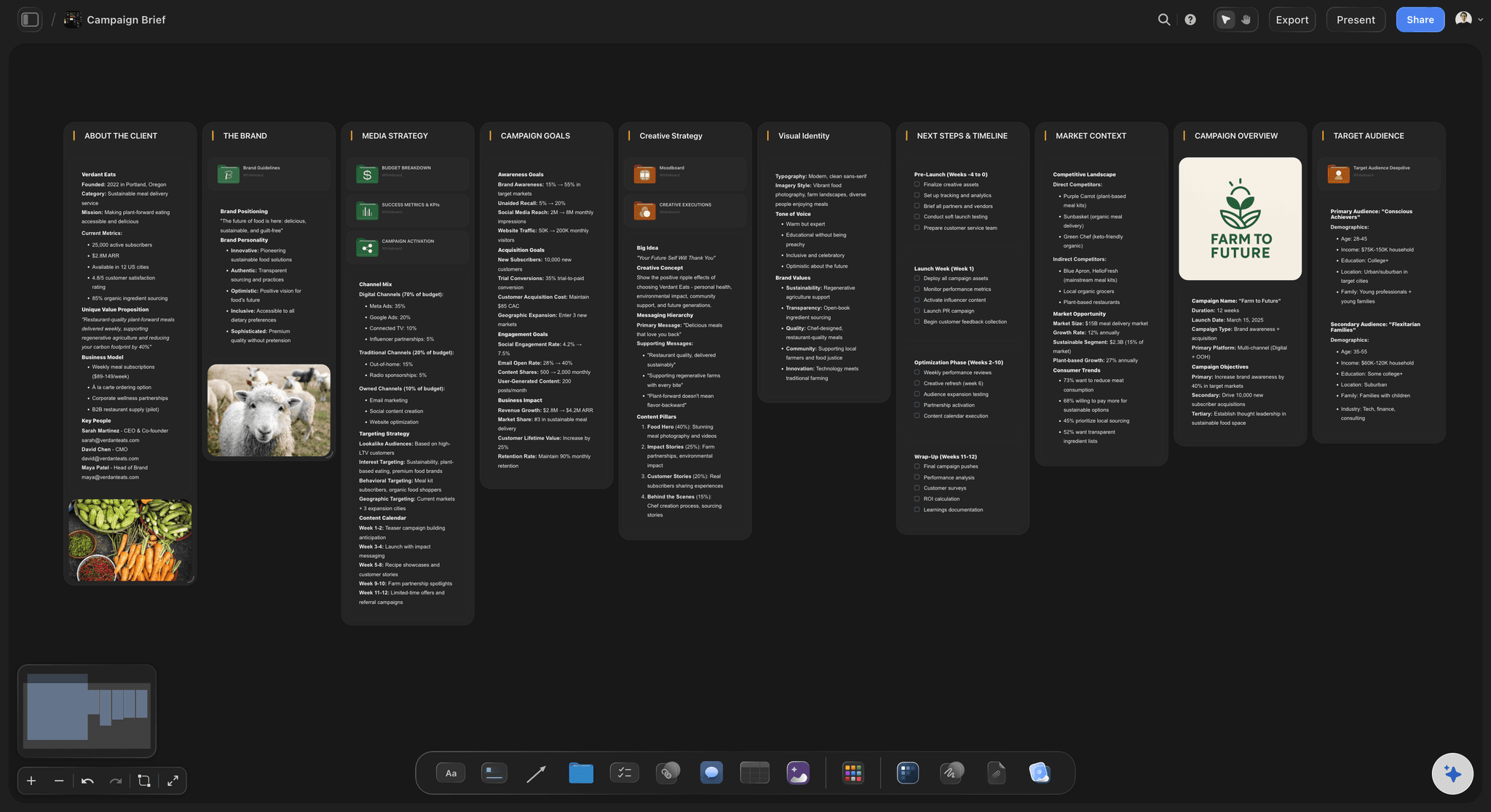
Built for people with taste
Why a separate tool for every diagram?
Make any diagram, give it context, and turn it into work, without switching apps.

One tool instead of five
Every diagram type on one canvas
No tool-per-shape: Flowchart, mind map, concept map, org chart, relationship map. They are all just cards and connections on the same canvas.
Mix diagrams freely: Put a flowchart next to a mind map next to a list. Real projects are not one diagram type, and your canvas should not force one either.
Shapes when you need them: A shape library with flowchart symbols and geometric shapes for the moments a diagram needs formal notation.
AI that drafts the content
Skip the blank page
Draft from a description: Describe what you are diagramming and the AI lays out the pieces as cards for you to connect, so you start with content, not an empty grid.
Reads your active board: The AI uses what is on the board you have open, so additions fit the diagram you already started.
Attach your sources: Bring in up to five documents and three boards as context, so a diagram can be built from a brief or a spec.
Connections that stay live
Draw relationships that move with you
Line tool with arrowheads: Draw lines anywhere, add inline labels, choose arrowheads, and connect lines to elements so the diagram stays live as you move things.
Snap and route cleanly: Connections snap to elements and route around groups, so the diagram stays readable as it grows.
Drag to restructure: Move a card and its connections come with it. Restructuring is a drag, not a redraw.

Diagrams that become work
From picture to project
Turn it into a plan: Convert a diagram into a kanban board or project plan on the same canvas, with the AI carrying the structure into tasks.
Attach the context: Drop images, PDFs, links, and notes beside the diagram so it carries the detail behind the boxes.
Share and export: Send a view-only link, invite collaborators free, or export the diagram as a clean image or PDF.
Explore templates for your project
Every template opens as a real, editable board on the infinite canvas. Pick the closest fit and make it your own.
Mind Map
Branch one central idea out into themes and sub-points, then drag the connections around until the structure makes sense.
One app instead of five
How Storyflow compares to other diagram makers.
Specialist tools draw one shape well. The question is what happens across diagram types, and afterwards.
Storyflow
Recommended
Every diagram type on one infinite canvas
AI drafts the content and reads your board
The diagram becomes a plan or project on the same canvas
A free plan without object or board caps
Lucidchart
Every diagram type on one infinite canvas
AI drafts the content and reads your board
The diagram becomes a plan or project on the same canvas
A free plan without object or board caps
Canva
Every diagram type on one infinite canvas
AI drafts the content and reads your board
The diagram becomes a plan or project on the same canvas
A free plan without object or board caps
draw.io
Every diagram type on one infinite canvas
AI drafts the content and reads your board
The diagram becomes a plan or project on the same canvas
A free plan without object or board caps
What creators are saying
Join early creators getting structured workspaces and AI that remembers their projects
“Storyflow has sped up my workflow by at least 3x, which means more flow state and more projects I can actually ship. It truly changed the way me and my team create.”

Reilin Joey
Director & YouTuber
“One prompt gets me a structured board. But the tactics are my favorite. I run my YouTube scripts through them and my intros and retention got better. It's amazing.”

Justkay
YouTuber & Freelance Filmmaker
“I used to juggle five apps to plan a project. Now I describe what I am making and get boards, lists, and a schedule. All in one place.”

George
@fernwehchronicles
Diagram maker questions, answered.
Everything people ask about making diagrams in Storyflow.
A diagram maker is a tool for turning relationships into a picture: boxes and the lines between them. Storyflow is a diagram maker on an infinite canvas where you choose the type, flowchart, mind map, concept map, org chart, or relationship map, by adding cards and connecting them. Everything stays editable because it is real canvas elements, not a locked template.
Storyflow is a diagram maker where one board holds every type: add cards or shapes, connect them with the line tool, and you have a flowchart, a mind map, a concept map, an org chart or a relationship map. Its AI drafts the content from a short description and reads your board, and the finished diagram turns into a plan on the same canvas.
Flowcharts, mind maps, concept maps, org charts, relationship and stakeholder maps, and freeform diagrams that mix shapes. Because it is an open canvas with a line tool and a shape library, you are not limited to one diagram type, and you can keep several kinds side by side on the same board.
The AI can draft the content of your diagram as cards from a short description, which you then connect into the structure you want. It does not auto-generate a finished technical diagram with full notation for you. The benefit is removing the blank-page stall: the AI gives you the pieces, and you arrange the relationships so the logic is right.
Not during early access. Storyflow is paid-only right now, with Plus starting at $7.99 a month billed annually, and a Free plan is planned before the end of 2026. Every paid plan includes the line tool, connect feature, shape library, unlimited boards on an infinite canvas, and basic AI usage to draft content. Anyone a paid member invites to a board joins free.
Lucidchart and draw.io are dedicated diagramming tools built for precise, technical diagrams with strict notation and auto-routing. Storyflow is a flexible AI canvas: better for making everyday diagrams fast, keeping every diagram type in one place, and turning a diagram into a real plan or project. For strict UML, BPMN, or network topology, a specialist tool fits better.
Yes, and it is a core reason to diagram in Storyflow. Once the structure is mapped, ask the AI to turn it into a kanban board or project plan on the same canvas. The diagram becomes the starting point for the work instead of a flat picture you rebuild elsewhere.
Yes. Images, PDFs, links, and notes attach to the canvas beside the diagram, so it carries the detail behind the boxes. Longer thinking lives as documents on the same board, keeping the diagram clean and the depth one click away.
Yes. Export any diagram as a high-quality image or a PDF for decks and documents, or share a view-only link so anyone can view it in their browser without an account. You can also invite collaborators to the board for free.
Stop juggling a tool for every diagram.
Make them all on one canvas, draft the content with AI, and turn them into work.