
Extremely simple, seriously capable
A Plottr alternative for writers
who think in space, not in rows.
Plottr is a fine timeline grid, and a grid decides the shape of your thinking before you have done any. Storyflow gives you an infinite canvas: beats where you put them, character arcs running as you draw them, research and reference imagery on the same board as the plot.


Creatives working for these brands already got early access
- Red Bull
- Canon
- Artlist
- Porsche
See how easy it is to get started
Watch a real project come together, from a blank board to a finished plan, clicked through step by step.
Start from a ready-made template
Pick a board to see what you can build, then let AI fill it in. Every template is a real, editable starting point on the same infinite canvas.

Mind Map
Branch one central idea out into themes and sub-points, then drag the connections around until the structure makes sense.
When does a plotting grid stop helping, and what should replace it?
Plottr does one thing carefully: it lays a story out as a timeline of scenes crossed with plotlines, so you can see which thread is active in which chapter. Storyflow is an AI visual workspace that plots a novel or screenplay on one infinite canvas: beats where you put them, character arcs as you draw them, research and reference imagery beside the plot, and an AI that turns the plot into an outline. For writers who plot in advance and think in parallel threads, Plottr's grid is genuinely clarifying, and the templates built around known story structures are a real head start. Credit where it is due.
The limit is that a grid is an opinion. Rows and columns decide in advance that your story is a set of parallel lines sampled at regular intervals, and plenty of stories are not that. A novel with one thread and a hard structural problem in the middle, a memoir organised by theme rather than by time, a screenplay whose second act needs to be seen as a shape, all of these fight the grid. So does research: a plotting app that holds text well usually holds a photograph, a map, a floor plan, or a piece of footage badly, and those are often the things the plot is actually about.
Storyflow is a Plottr alternative for that kind of work. The canvas is infinite and unruled, so beats sit where they mean something, threads run as lines you draw rather than as rows you fill, and a tangle in the middle of act two looks like a tangle. Research lives on the same board as the plot: photographs, maps, PDFs, links, and frames grabbed from video. And when the structure holds, the AI can turn the board into a chapter outline or a draft plan on the same canvas.
Ultra fast from brief to board
From a premise to a structure you can draft against.
Get the beats out without deciding the shape first, then let the shape emerge from where things ended up.
01
Describe the story
A literary novel about a family business collapsing, a thriller with two timelines, a memoir in seven objects. The AI lays out beat cards and act regions to push against.
02
Put the beats where they belong
Not in a row. Cluster the ones that are really one movement, leave a gap where you know something is missing, and let the empty space be information.
03
Bring the research onto the board
Photographs, maps, interview notes, a PDF of the period detail, a frame from a documentary. The plot and the material it is made of sit on one canvas.
04
Turn the structure into an outline
Ask the AI to convert the board into a chapter outline or a draft plan, then share a view-only link with an agent, editor, or writing group.
What an unruled canvas gives a plot that a grid cannot.
Space that carries meaning, research in the same place as the structure, and an outline at the end of it.
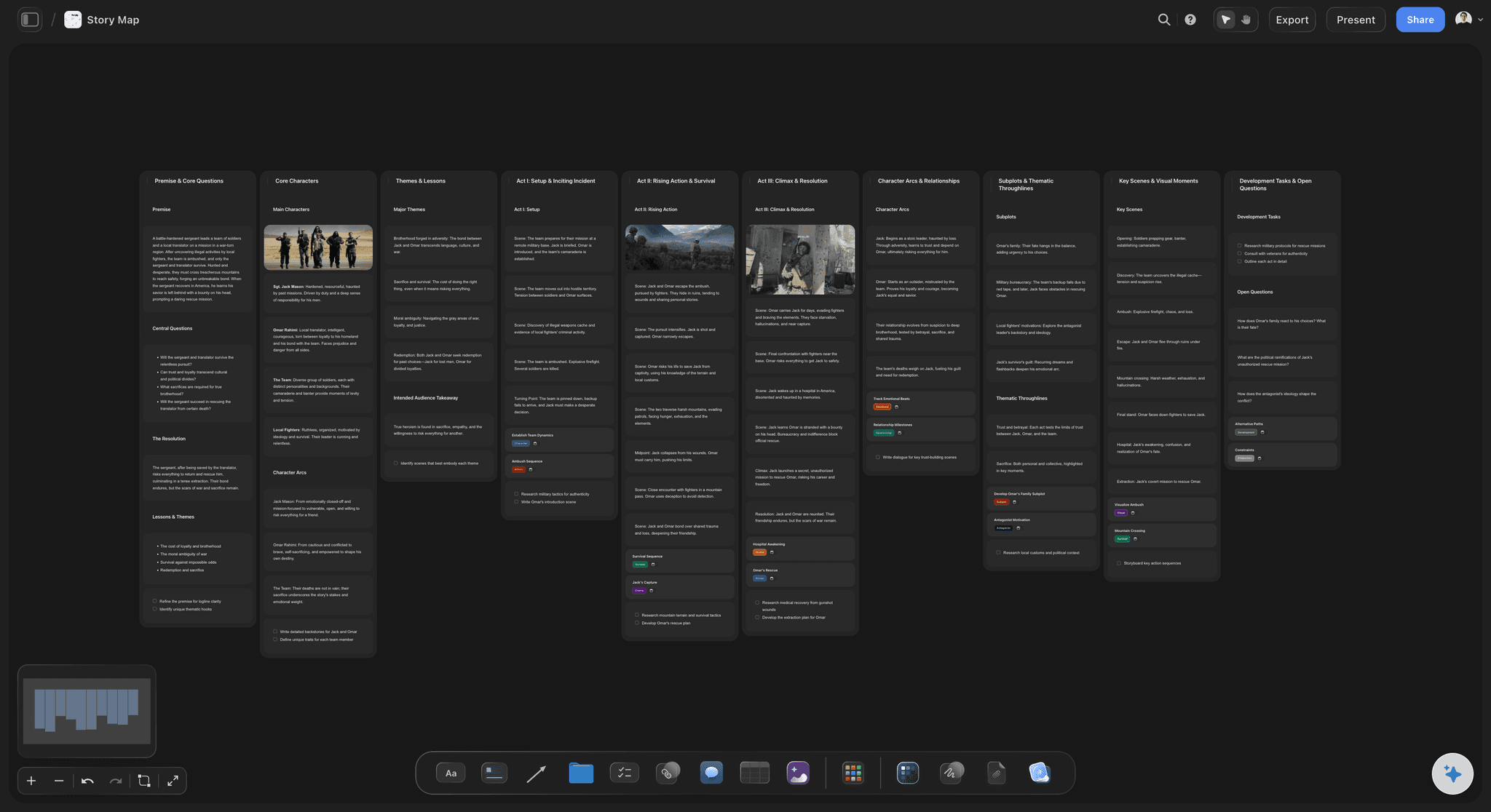
The shape is the information
An infinite canvas instead of rows and columns
Put two beats close together and they are one movement. Leave a gap and you have marked a hole. A grid flattens both of those signals into evenly spaced cells and you lose the diagnosis.
See the story planning tool →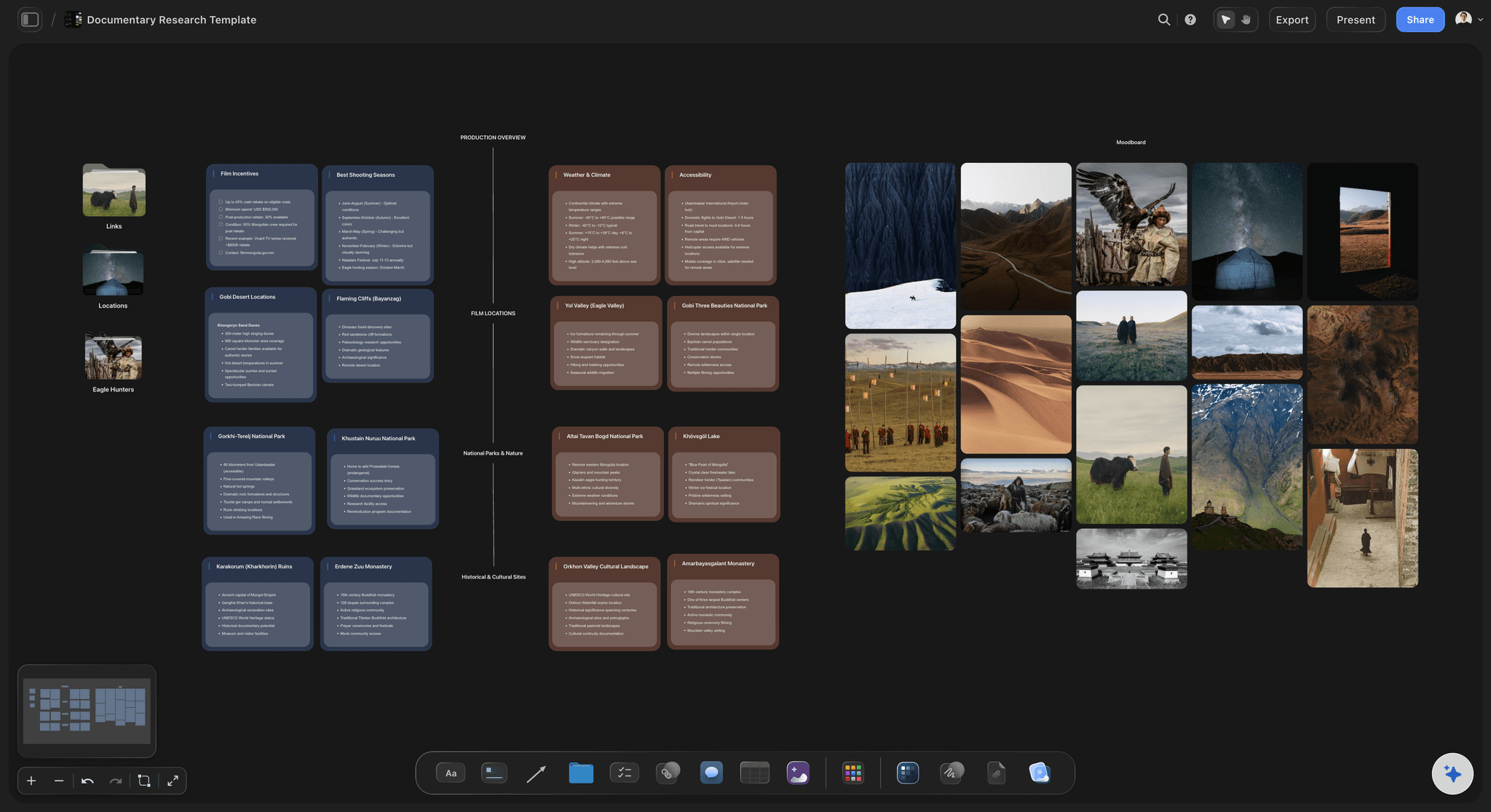
Plot and material together
Research on the same board as the beats
Photographs, maps, floor plans, interview notes, and frames from documentary footage sit beside the beats they inform, so the thing you are writing about is visible while you decide how to write it.
See the book research organizer →
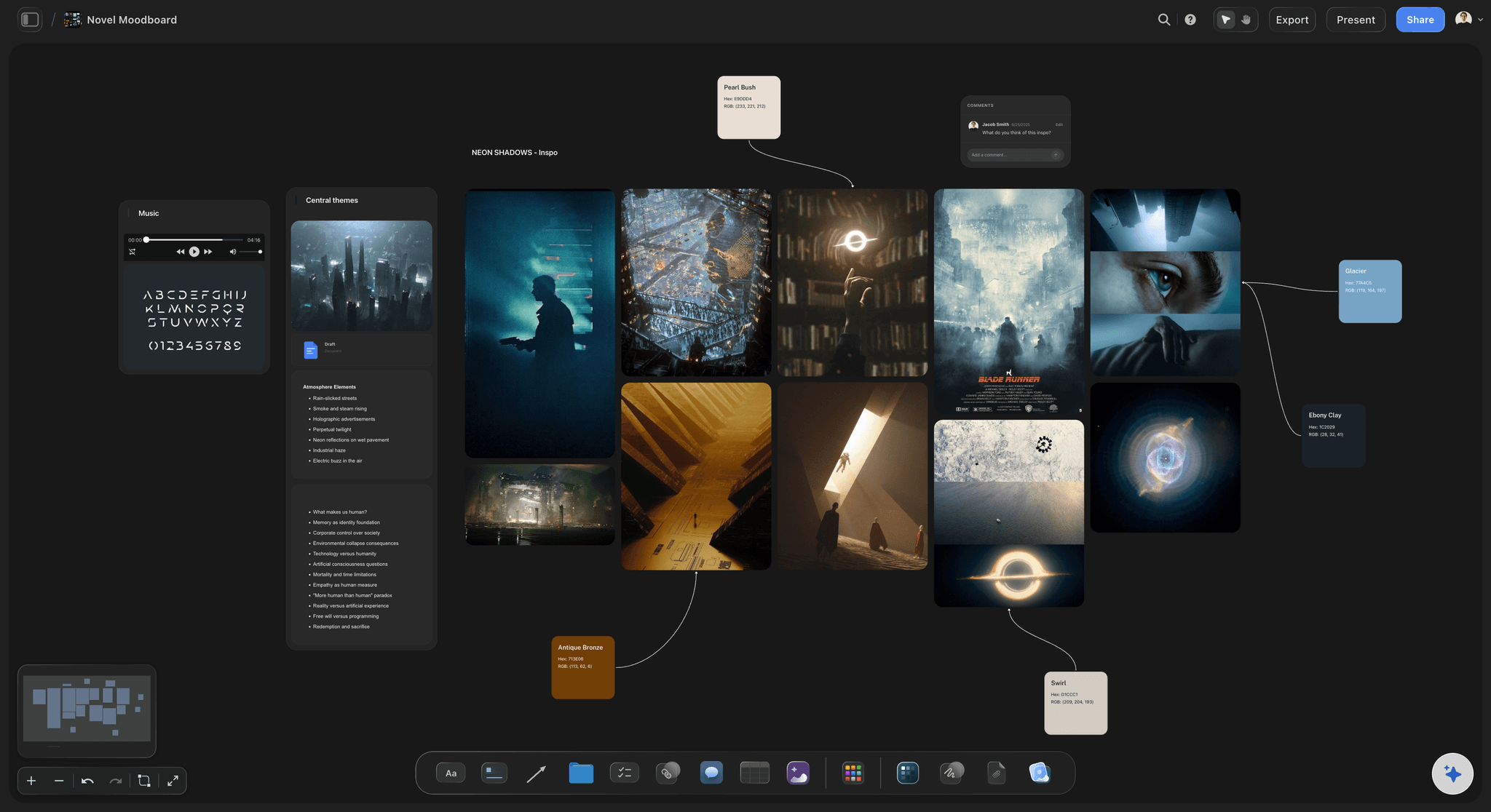
Threads you draw
Arcs and timelines without a fixed schema
Character arcs, subplots, and timelines run as connections you draw between cards, so a thread can be dense in one stretch and absent in another without leaving a row of blank cells behind.
See the character arc tracker →
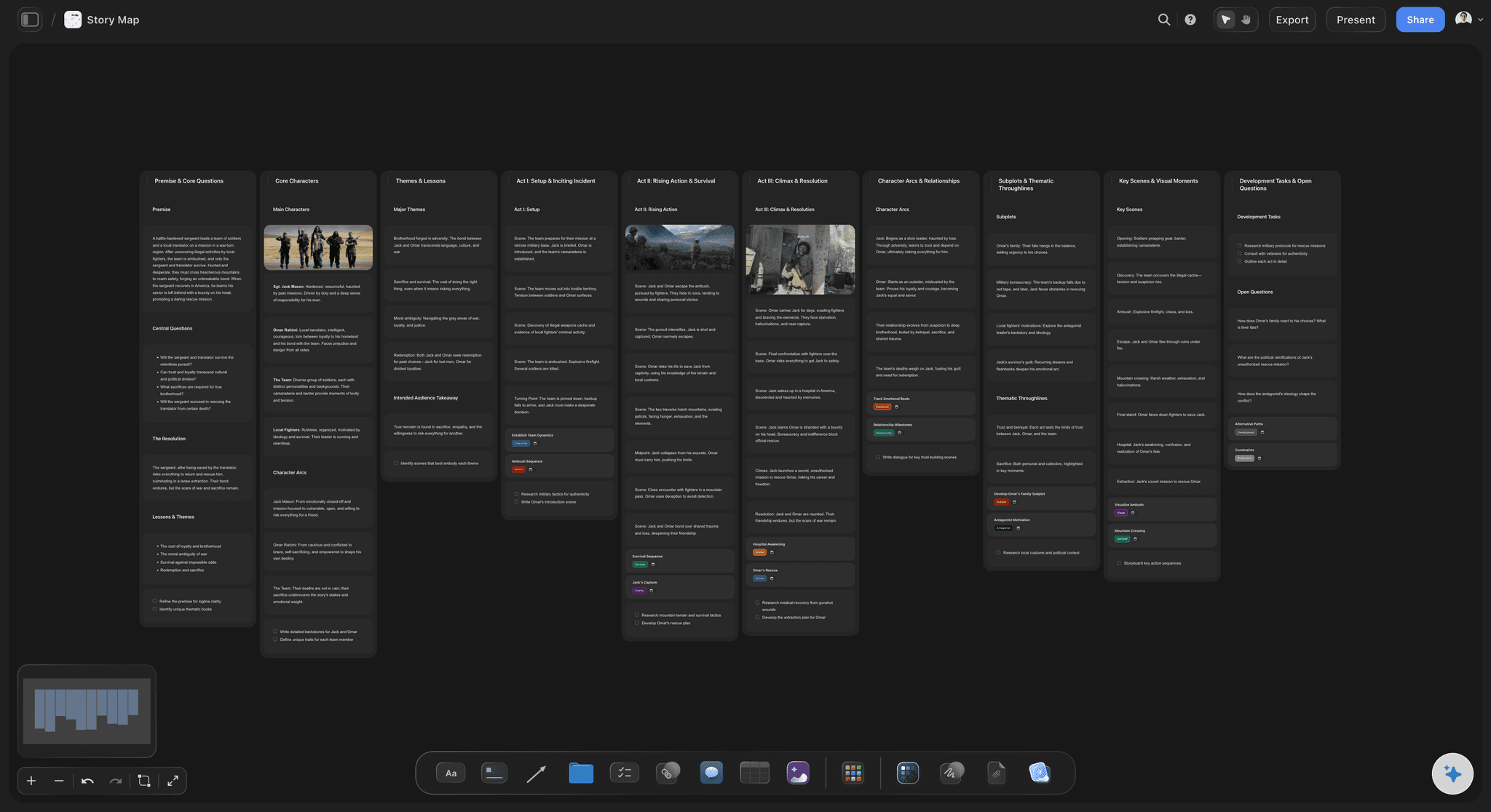
Structure becomes a draft
An outline you can actually write from
Ask the AI to turn the board into a chapter outline or a draft plan on the same canvas, carrying each beat's notes across so the outline is your structure rather than a generic template.
See the story outline generator →Plot without counting cards.
A plotted novel is hundreds of beats, characters, and pieces of research, plus the structure you tried and abandoned. Every plan has an infinite canvas and no object cap, so keeping the abandoned version costs nothing.
Unlimited boards and objects on an infinite canvas, no object cap
AI usage to lay out beats and convert them into an outline
Images, PDFs, maps, links, and video frames beside the plot, with unlimited file uploads
Unlimited collaboration, or share view-only with no account needed to view
Built for people with taste
The parts of plotting a grid handles badly.
Finding the shape, holding the research, tracking the threads, and getting from structure to draft.
Finding the shape
Let the structure emerge from the beats
No schema to fill first: You are not asked how many plotlines you have before you know. Put beats down, and the groupings you make become the structure.
Empty space says something: A gap between two clusters is a missing scene you have located. In a grid the same gap is an empty cell that looks like an oversight.
Zoom out to diagnose: A second act that sprawls looks like sprawl from a distance, before you have reread a word of it.

Holding the material
Research where the writing happens
Images, maps, and documents: Period photographs, a map of the town, a PDF of a transcript, all on the canvas beside the beats they serve rather than in a separate reference app.
Links that read as cards: Drop an article or an archive page and it renders as a readable card, so a source is identifiable without being opened.
Frames from footage: Capture stills from YouTube and Vimeo when the reference is a documentary, an interview, or a piece of newsreel.

Tracking threads
Characters, arcs, and time
Character cards with their own arc: Hold want, wound, and change on the character card, and connect it to the beats where the change actually happens.
Timelines when you need one: Lay a chronology out along the canvas for a dual-timeline or a flashback structure, without every other element having to adopt the same axis.
Subplots as clusters: A subplot is a region of cards connected to the main line, which is closer to how a subplot actually behaves than a row that runs the full width of the book.
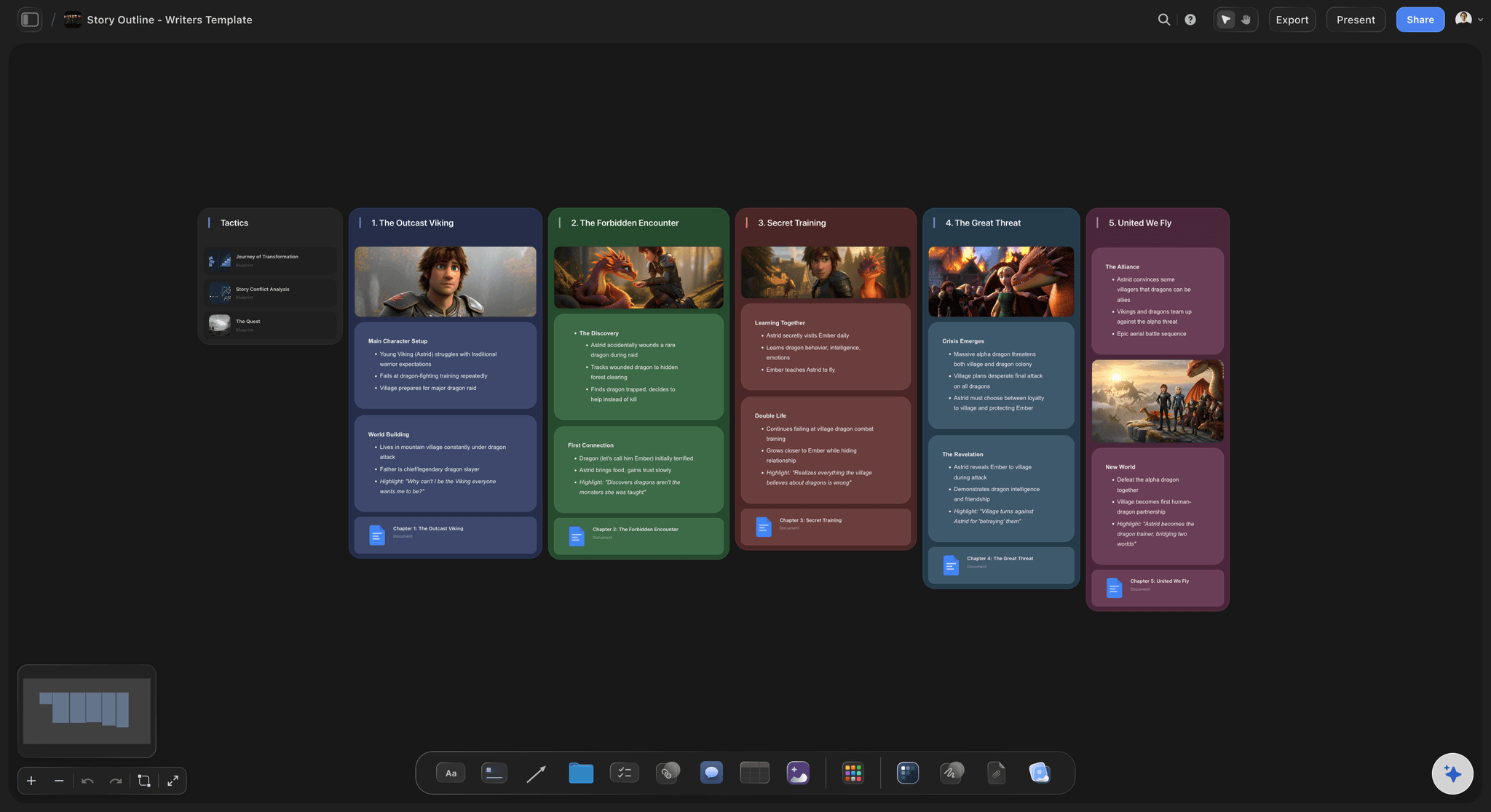
Getting to the draft
The board is not the last document
Outline on the same canvas: Convert the structure into a chapter or scene outline carrying every beat's notes, so drafting starts from your thinking rather than from a blank file.
Share for notes: A view-only link lets an agent, editor, or writing group read the structure in a browser with no account.
Export for a submission: Export the board as a clean image or PDF when a synopsis or a proposal needs the structure in it.
Explore templates for your project
Every template opens as a real, editable board on the infinite canvas. Pick the closest fit and make it your own.
Mind Map
Branch one central idea out into themes and sub-points, then drag the connections around until the structure makes sense.
One app instead of five
Storyflow vs Plottr, Scrivener, and Milanote.
Plottr is strong on timelines, Scrivener on drafting, Milanote on boards. The differences are the canvas, the research, and the AI.
Storyflow
Recommended
An unruled infinite canvas rather than a fixed grid
Research, images, and video frames beside the plot
An AI that turns the structure into an outline
No object cap on any plan
Plottr
An unruled infinite canvas rather than a fixed grid
Research, images, and video frames beside the plot
An AI that turns the structure into an outline
Story-structure templates built in
Scrivener
An unruled infinite canvas rather than a fixed grid
Research held alongside the manuscript
An AI that turns the structure into an outline
A full drafting environment
Milanote
A freeform board rather than a fixed grid
Images and research on the board
An AI that turns the structure into an outline
A free plan with no object cap
What creators are saying
Join early creators getting structured workspaces and AI that remembers their projects
“Storyflow has sped up my workflow by at least 3x, which means more flow state and more projects I can actually ship. It truly changed the way me and my team create.”

Reilin Joey
Director & YouTuber
“One prompt gets me a structured board. But the tactics are my favorite. I run my YouTube scripts through them and my intros and retention got better. It's amazing.”

Justkay
YouTuber & Freelance Filmmaker
“I used to juggle five apps to plan a project. Now I describe what I am making and get boards, lists, and a schedule. All in one place.”

George
@fernwehchronicles
Plottr alternative questions, answered.
What writers ask when a timeline grid stops fitting the book.
It depends on what you want back. For drafting with research attached, Scrivener remains the standard. For a freeform visual board, Milanote is the closest classic alternative. Storyflow is the option if you want an unruled infinite canvas, research and reference imagery on the same board as the plot, and an AI that converts the finished structure into a chapter outline you can draft against.
Storyflow is a Plottr alternative on an unruled infinite canvas: beats, characters and research live as cards you arrange freely instead of in rows and columns. Reference images and video frames sit beside the plot, and when the structure holds, the AI turns it into an outline you can write from.
Plottr organises a story as a timeline grid of scenes against plotlines, which is clarifying when your story really is parallel threads sampled over time. Storyflow gives you an unruled canvas where position carries meaning, threads are connections you draw rather than rows you fill, research and images live beside the beats, and the AI can turn the structure into an outline on the same canvas.
Yes. Lay a chronology out along the canvas and hang beats off it, which covers dual timelines and flashback structures. The difference is that the timeline is one arrangement you chose rather than a schema every element has to conform to, so a thematic cluster and a chronological run can exist on the same board.
Character cards hold want, wound, and change, and connect to the beats where the change happens. A subplot is a cluster of connected cards rather than a row spanning the whole book, which matches how subplots behave: dense in places, absent in others, without leaving empty cells to explain.
That is one of the main reasons to switch. Photographs, maps, floor plans, PDFs, transcripts, links that render as readable cards, and frames grabbed from YouTube or Vimeo all sit on the canvas beside the beats they inform, with no object cap to make you ration them.
Not during early access. Storyflow is paid-only right now, with plans starting at $9.99 per month, an infinite canvas, and no object cap. Every paid plan includes AI usage, unlimited file uploads, unlimited collaboration, and view-only sharing that needs no account to view. A Free plan launches before the end of 2026.
Yes. Ask the AI to turn the board into a chapter or scene outline on the same canvas, carrying each beat's notes across. That is the step that makes the plotting worth doing: the structure becomes the document you draft against instead of a diagram you look at once and abandon.
Share a view-only link and anyone opens the live board in a browser with no account or app. Collaborators you invite can edit, with unlimited collaboration on every plan, and you can export the board as an image or PDF for a proposal or a submission.
Let the shape of the story decide the shape of the plan.
An unruled canvas, research beside the beats, and an outline when the structure holds.