
Ultra-fast planning, extremely simple
To-do lists in ChatGPT,
ticked off on the board next to the plan.
For teams and founders: ChatGPT writes the to-do cards on a Storyflow board beside the plan they came from, and on Friday it tells you what got done.


Creatives working for these brands already got early access
- Red Bull
- Canon
- Artlist
- Porsche
See how easy it is to get started
Watch a real project come together, from a blank board to a finished plan, clicked through step by step.
Start from a ready-made template
Pick a board to see what you can build, then let AI fill it in. Every template is a real, editable starting point on the same infinite canvas.

Mind Map
Branch one central idea out into themes and sub-points, then drag the connections around until the structure makes sense.
Can ChatGPT make a to-do list?
Yes, ChatGPT can make a to-do list your team ticks off: with the Storyflow plugin it writes the list on a shared board, one card with a checkbox per task, next to the plan, the brief or the meeting notes the tasks came from. Storyflow is an AI visual workspace that keeps a team's to-do lists on one infinite canvas with the rest of the project: walls of notes, tables, mind maps, documents and decks side by side. Your team ticks the boxes in Storyflow, and ChatGPT reads the list back whenever you ask how the week is going.
ChatGPT alone is quick at the list itself. Paste a plan and it pulls out every task, puts them in order and splits them by person. But the list lives in your private chat. Nobody else can tick a box in it, it does not know what got done since yesterday, and next week you paste the list back in to ask what is left. So the tasks get copied into a separate app, away from the plan that explains them, and the team checks two places.
Connected to Storyflow, ChatGPT writes each list as one to-do card, every task on its own line, with an optional heading such as "Mia, launch week". It can write one card per person or per day, group the cards into a wall beside the plan, and read the plan first so each task carries its own wording. In Storyflow, anyone on the board ticks a line, and any line takes an owner and a due date set by a person. A task that needs detail can be its own task card instead, with a title, a description and a due date ChatGPT sets when you state one. Later, ChatGPT reads the cards, ticked lines included, and lists what changed this week and who changed it.
Here is an example. Northpine, a founder and two contractors, launches a product on 14 November. The founder asks: "Read the Week 1 wall on the Launch board and make a to-do card for each of us, Mia, Tom and Ravi." ChatGPT writes three cards: 6 tasks for Mia, 5 for Tom and 4 for Ravi, 15 lines in all. Mia assigns each line to its owner and puts due dates on the 6 that have one. On Friday she asks: "What changed on the Launch board this week, and what is still open?" ChatGPT reads the cards and answers that 10 of the 15 lines are ticked, lists the 5 still open by name, and notes that Ravi's card has not been edited since Tuesday.
A to-do list gets done when every line can be done by one person in one sitting. Start each line with a verb: "Send the price sheet to Lumen", not "Price sheet". Give each line one owner, never "team". Put a date only on lines with a real deadline, because a list where everything is due tomorrow tells nobody what matters. Keep a card to about ten lines, and split by person or by day past that. And keep the list beside the plan it came from, so the reason for a task is one glance away.
Now the limits. ChatGPT cannot assign a line or a card to a person; you do that in Storyflow, or you ask for a table instead, whose Owner column ChatGPT can fill with people already on the board. Storyflow sends no due-date reminders, has no recurring tasks and no calendar view, and runs in the browser with no phone app. ChatGPT has no tool that deletes a card, so a list you ask for twice leaves two on the board. A file attached in the chat does not reach Storyflow, ChatGPT cannot read board comments or create share links, and through the plugin it does not generate images.
Ultra fast from brief to board
Four steps from a plan to a list your team ticks off.
Writing the list takes one request. The other steps are what makes it a team's list rather than yours.
01
Install Storyflow from the plugin directory
Open the Storyflow listing in ChatGPT's plugin directory and select Install plugin. Sign in to Storyflow when asked, then choose which projects ChatGPT may use.
02
Ask for the lists, from the plan
In a chat, type @ and pick Storyflow, or choose it from the + menu. Point ChatGPT at the plan and say how to split it. For example: "Read the Week 1 wall on the Launch board and make a to-do card for each of us, Mia, Tom and Ravi." The cards appear on the board, one per person.
03
Add owners and dates in Storyflow
Open each card in Storyflow and give every line its owner and, where there is a real deadline, a due date. Your team ticks lines off on the board as the work gets done.
04
Ask what got done
On Friday, ask ChatGPT: "What changed on the Launch board this week, and what is still open?" It reads the cards and lists what was ticked, what is left and who changed what. Share the board with a view-only link if someone outside the team needs to see it.

The list, the plan beside it and the week's progress.
ChatGPT writes the tasks. Storyflow keeps them on the board where the plan, the owners and the ticks all are.
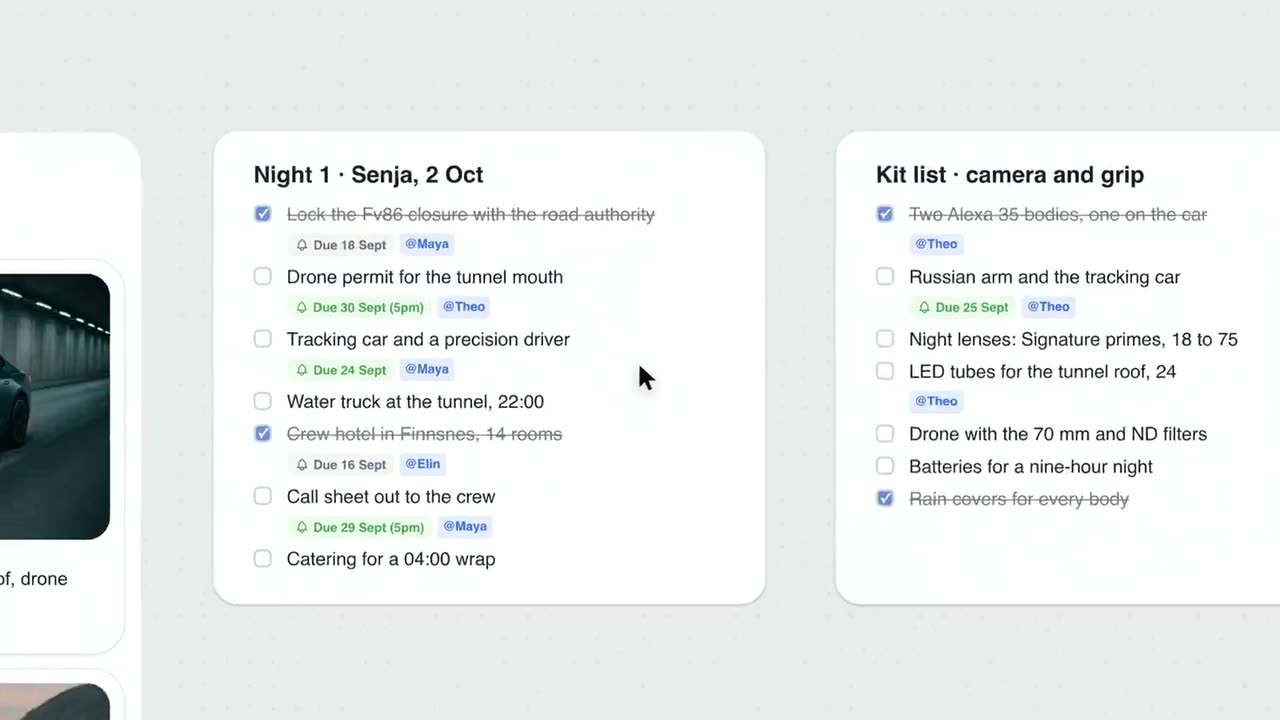
One card per list
A checkbox for every task
ChatGPT writes each list as a single to-do card, one line per task, with a heading on top. Ticked lines stay on the card, struck through, so everyone sees what is already done.
See the project plan with ChatGPT →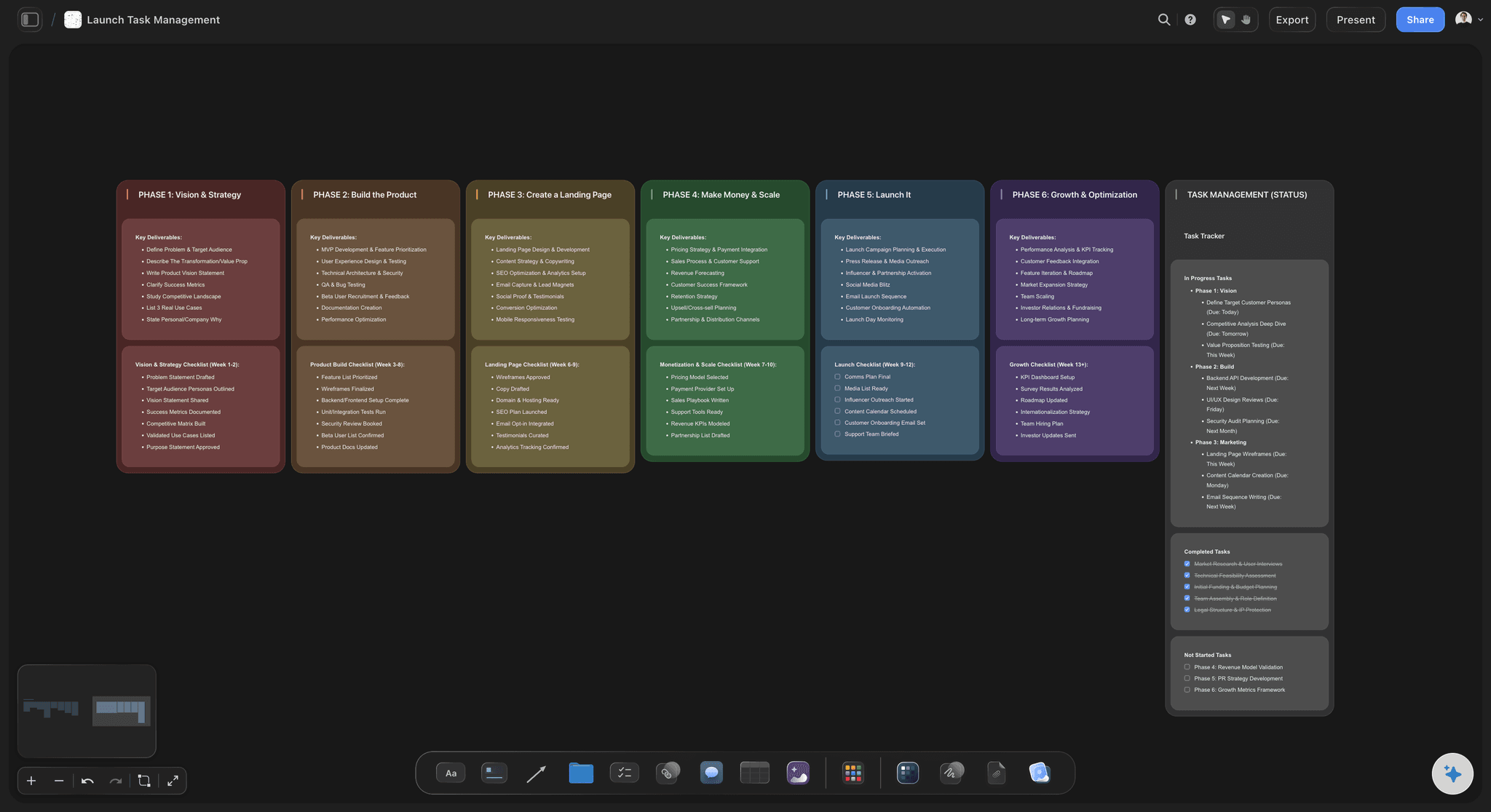
Next to the plan
Tasks that keep their reason
ChatGPT reads the plan on the board first and writes the lists beside it, so a task sits one glance away from the phase, the brief or the decision it came from.
See the whiteboard in ChatGPT →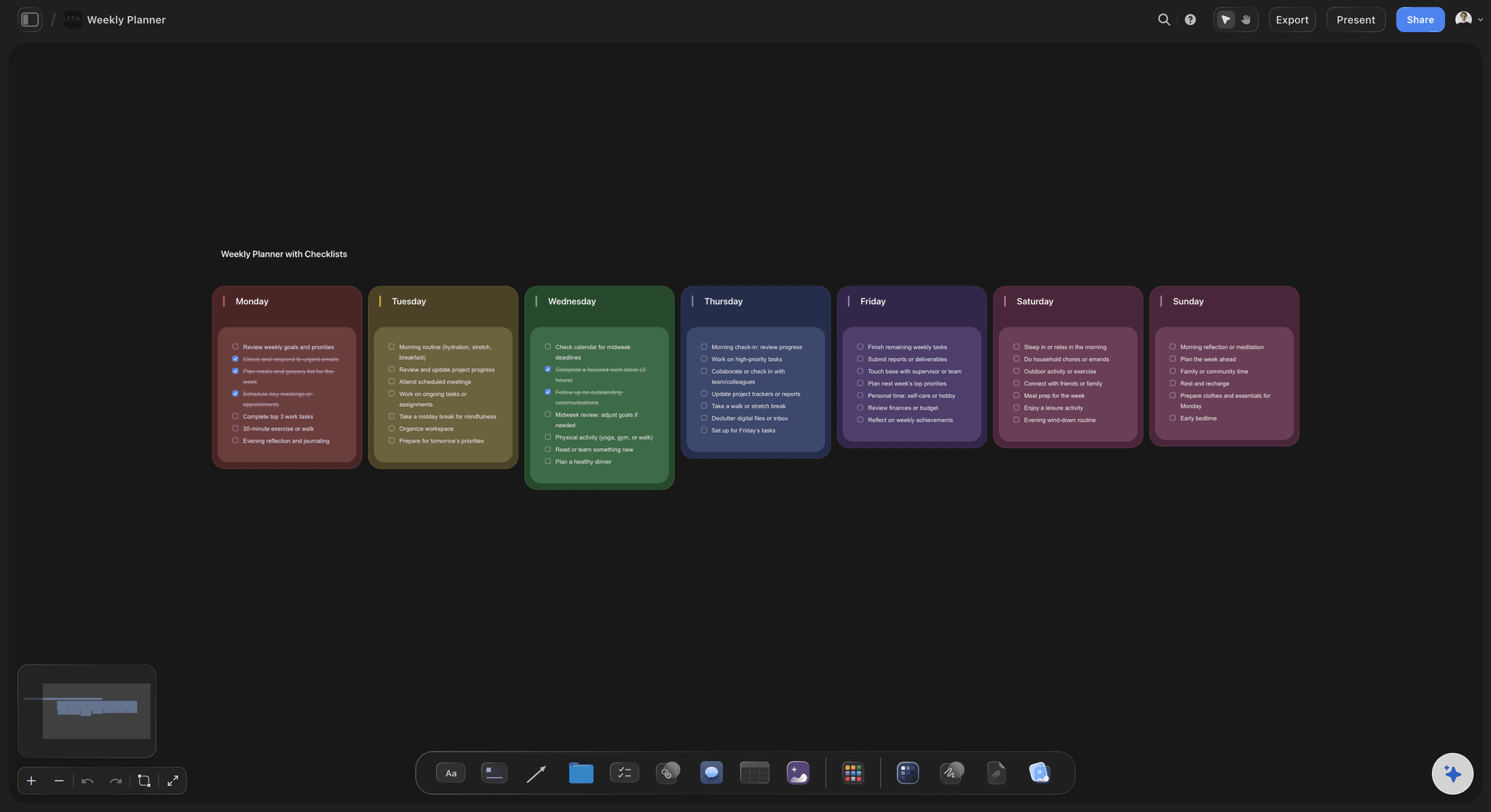
Split your way
One list per person, per day or per phase
Ask for a card per teammate, a wall per day of the week or a checklist under each phase of the plan. ChatGPT builds every card in its wall in one request.
See the kanban board with ChatGPT →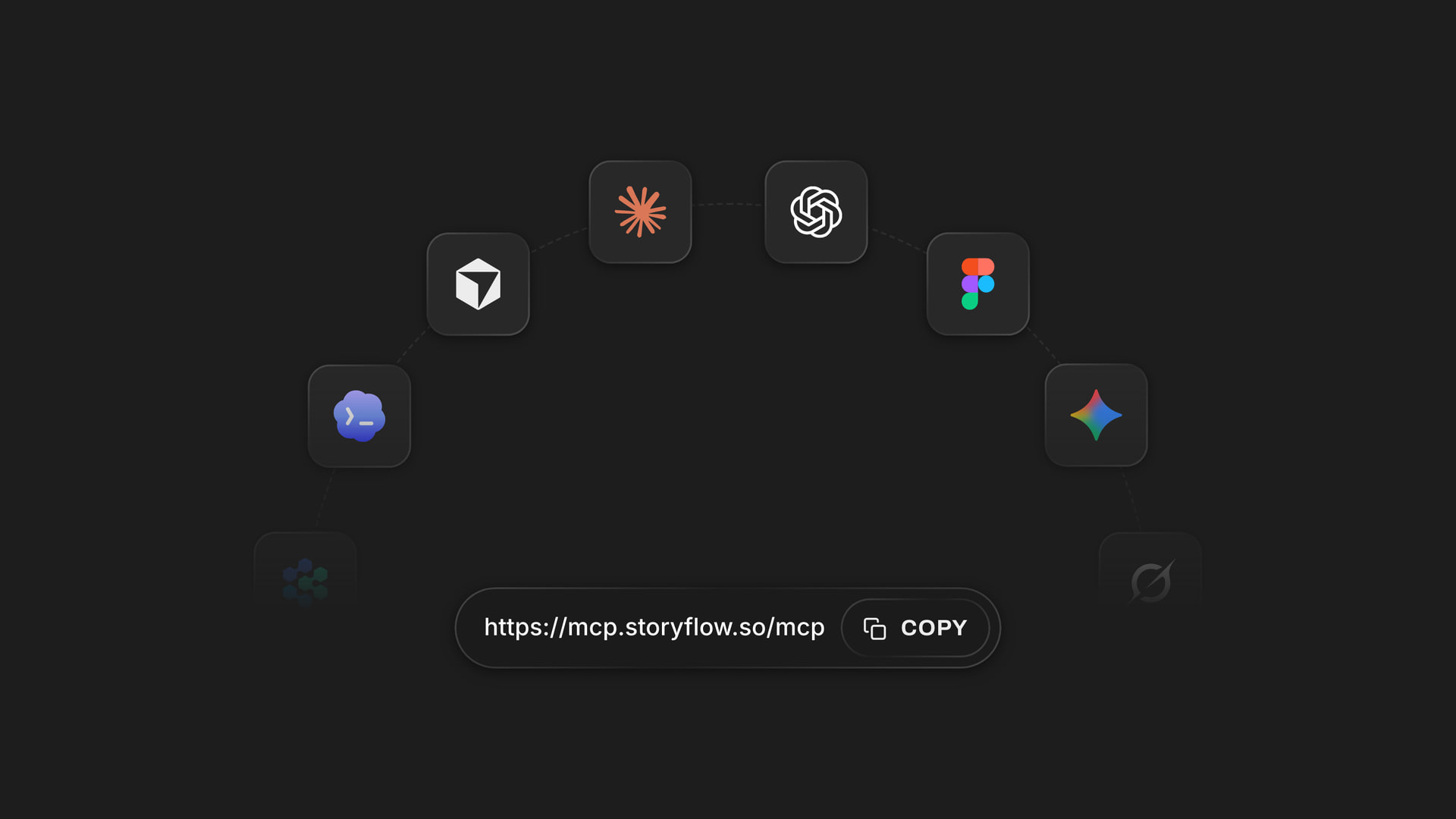
Any assistant
The same lists from ChatGPT or Claude
Claude, Gemini and Grok reach the same Storyflow boards through one address, https://mcp.storyflow.so/mcp. Your contractor can check their list in Claude while you plan in ChatGPT.
See how to connect your assistant →ChatGPT writes the lists. Your Storyflow credits stay untouched.
The plugin runs on ChatGPT's own model and your ChatGPT plan, so lists ChatGPT writes or reads use no Storyflow AI credits. An invited free Storyflow account can make 25 plugin actions a week, reset every Monday (UTC). Plus, Pro and Max have no weekly limit. Storyflow is paid-only during early access, with plans from $7.99 a month billed annually ($9.99 monthly), and anyone a paid member invites to a board joins free.
No Storyflow AI credits spent on lists ChatGPT writes or reads
25 plugin actions a week on an invited free account
No weekly limit on Plus, Pro and Max
Contractors and teammates you invite join the board free
You choose which projects ChatGPT may open, and whether it may change them
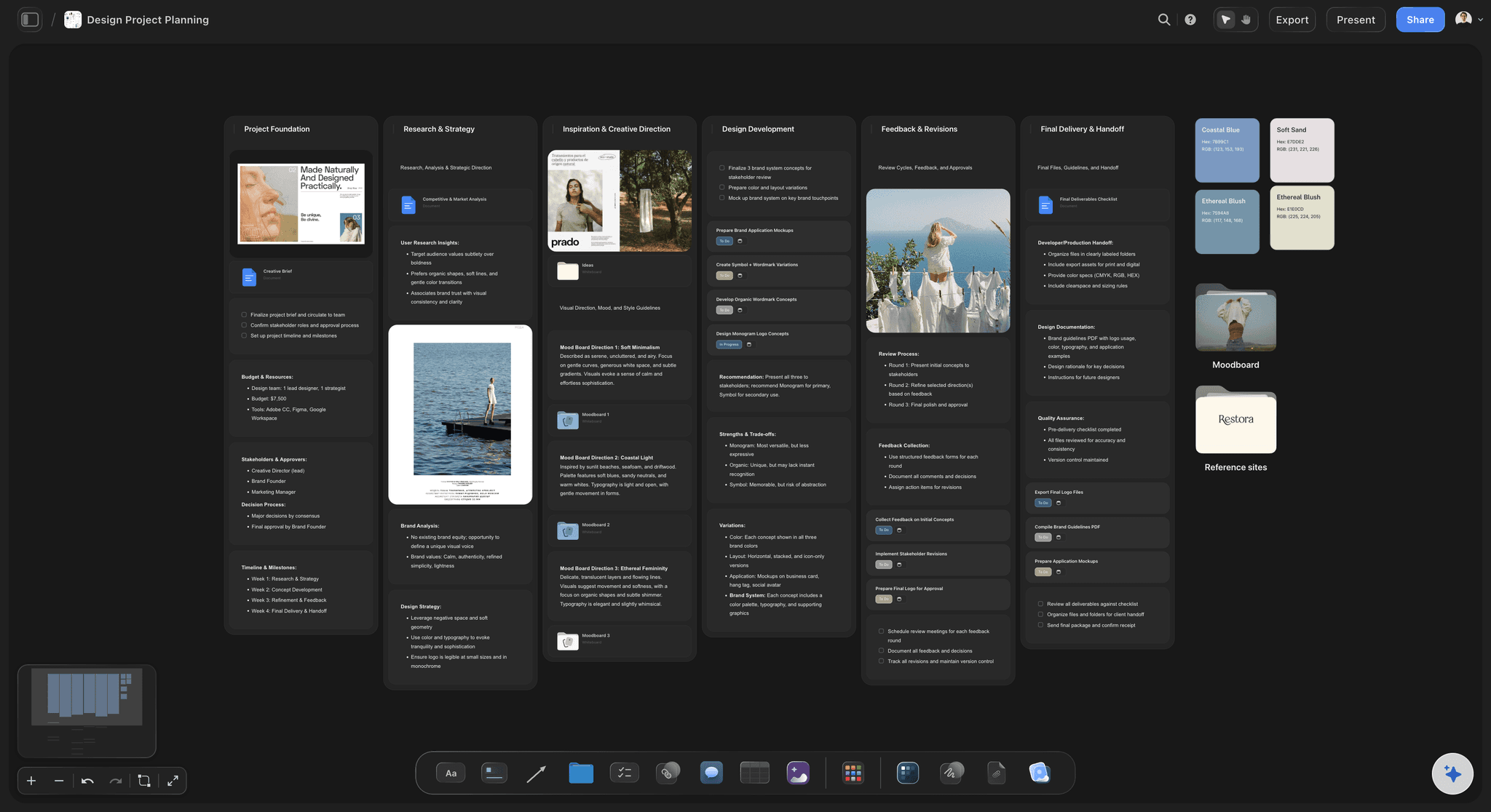
Built for people with taste
Where a to-do list from a chat usually gets lost.
Writing the list was never the hard part. Keeping one shared, current list is.

The list
A list only you can see
Written from what is there: ChatGPT reads the plan, the brief or the meeting notes on the board before it writes, so the tasks use your project's names and nothing is invented to fill a line.
A list or a task card: Quick steps go on one to-do card. A task that needs explaining becomes its own task card with a title, a description and a due date you state.
Already done stays visible: Ask ChatGPT to mark the steps you have finished as ticked when it writes the list, so the card starts from where the work really is.
A Today card: Ask for a short Today card with the three tasks that matter this morning, taken from the longer lists, and drag it wherever the team looks first.
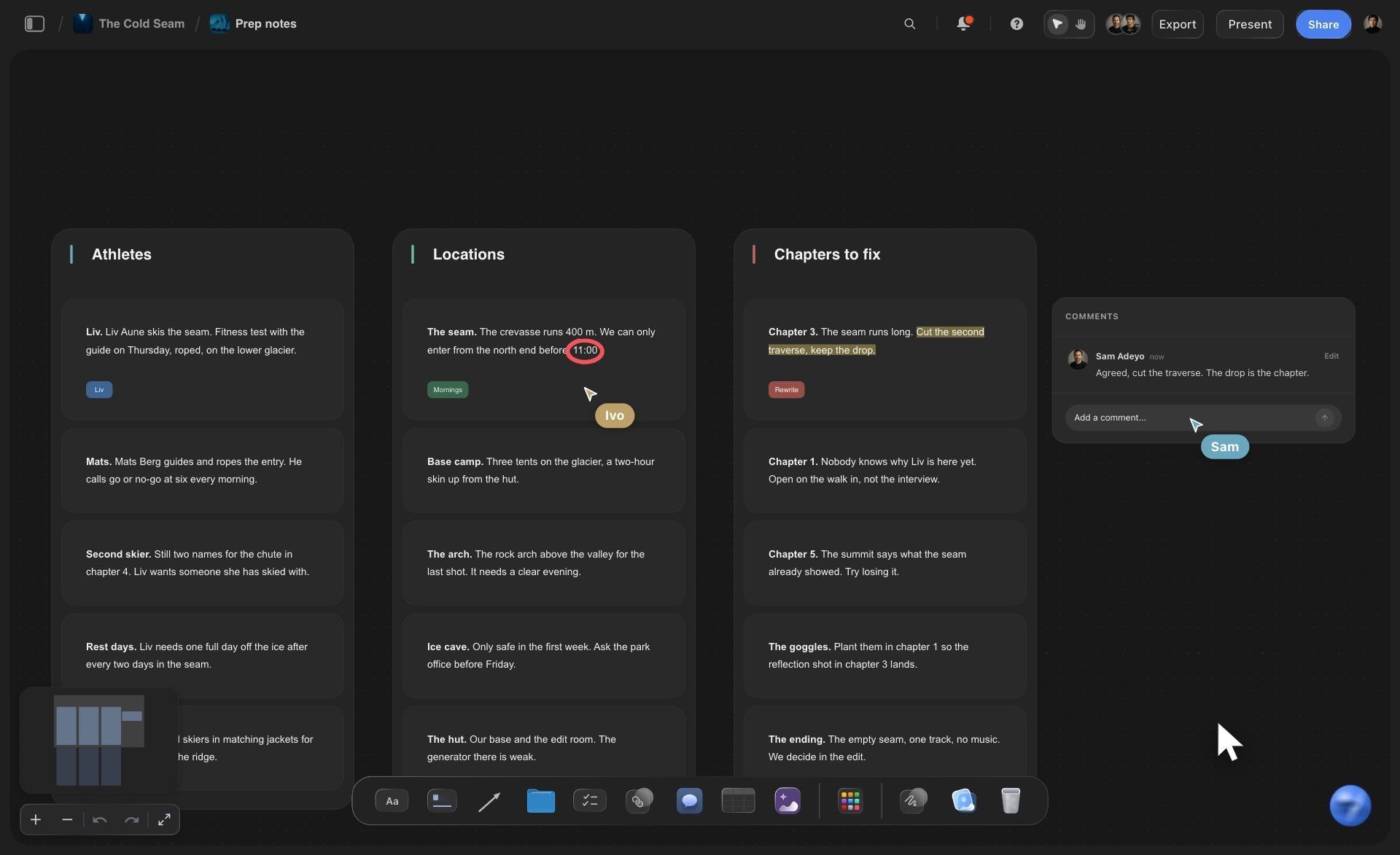
The meeting
Action items that never leave the notes
From the notes to the lists: Point ChatGPT at the meeting notes on the board, or paste the transcript into the chat, and ask for a to-do card per person who took an action.
Names as written: ChatGPT can list who is on the board, so the headings on each card use the names your team actually uses.
Owners set by you: ChatGPT cannot assign a line. Give each line its owner in Storyflow, and the owner's name shows on the line.
Open questions kept apart: Ask ChatGPT to put anything undecided on a separate note, so a to-do card holds only things someone can do.
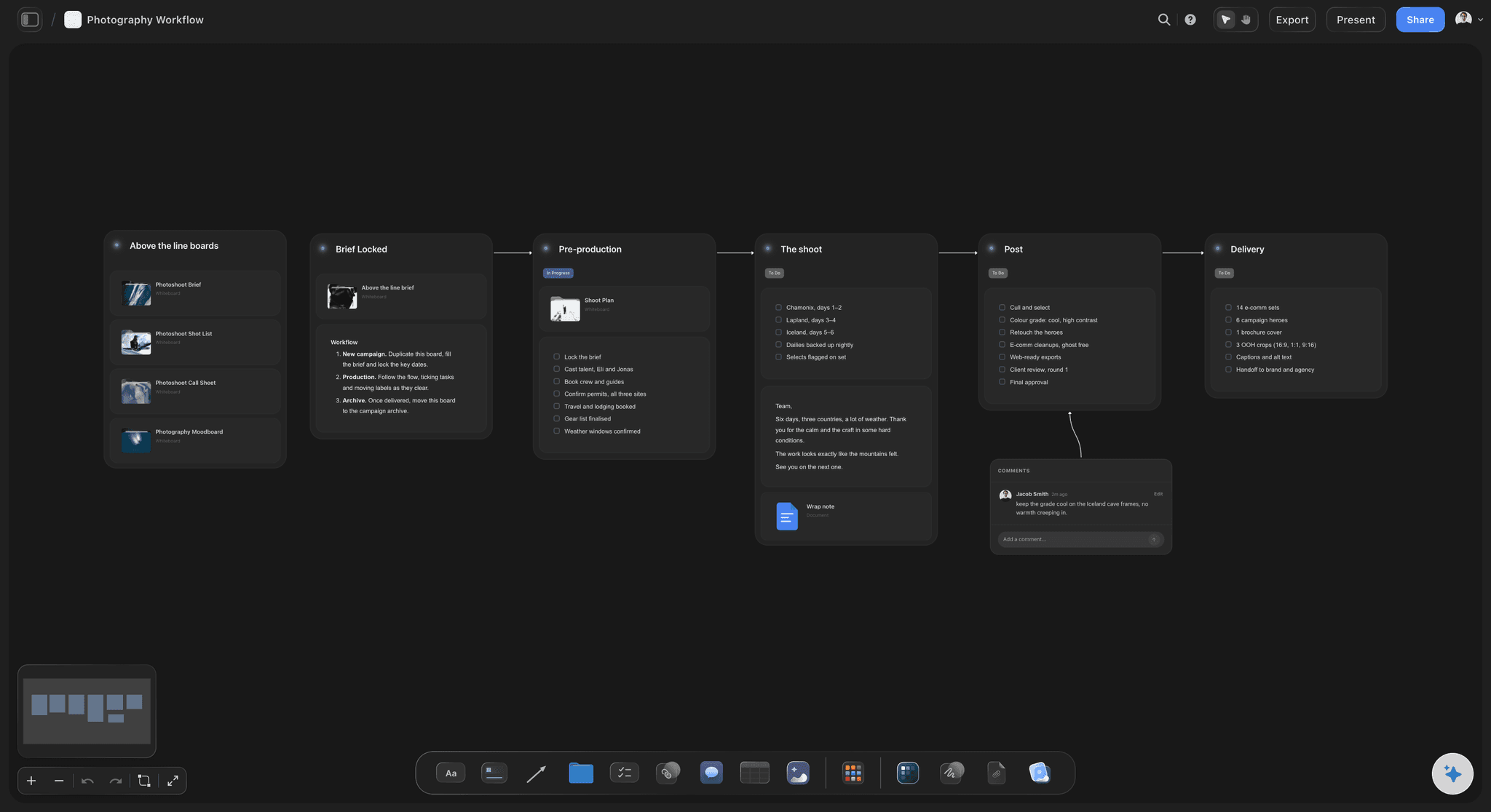
The week
Nobody knows what got done
Friday in one question: Ask what changed on the board this week. ChatGPT lists what was added, edited, moved or deleted, and which teammate did it.
What is still open: ChatGPT reads the to-do cards with their ticks, so it can list the open lines by card and tell you whose list has not moved.
Next week's lists: Ask ChatGPT to write next week's cards from the lines still open, beside the old ones. Clear the old cards by hand when you are ready.
A link for whoever asks: Share the board from Storyflow with a view-only link that opens with no account. To comment, a person signs in.
Explore templates for your project
Every template opens as a real, editable board on the infinite canvas. Pick the closest fit and make it your own.
Mind Map
Branch one central idea out into themes and sub-points, then drag the connections around until the structure makes sense.
One app instead of five
Storyflow in ChatGPT, ChatGPT alone, or Todoist.
Storyflow and Todoist both give ChatGPT a task list to work on. Todoist lets ChatGPT set and shift due dates and adds reminders, recurring tasks and a free tier (Todoist's help and pricing, October 2026); Storyflow keeps the list on the board beside the plan.
Storyflow in ChatGPT
Recommended
To-do list written into a shared tool from one chat request
ChatGPT reads the list back later
Tasks on the same canvas as the brief, the mind map and the deck
Each task can take an owner, set in the app
ChatGPT sets a due date on each line of the list
Due-date reminders
Recurring tasks
A tier you can use without paying
ChatGPT on its own
To-do list written into a shared tool from one chat request
ChatGPT reads the list back later
Tasks on the same canvas as the brief, the mind map and the deck
Each task can take an owner, set in the app
ChatGPT sets a due date on each line of the list
Due-date reminders
Recurring tasks
A tier you can use without paying
Todoist in ChatGPT
To-do list written into a shared tool from one chat request
ChatGPT reads the list back later
Tasks on the same canvas as the brief, the mind map and the deck
Each task can take an owner, set in the app
ChatGPT sets a due date on each line of the list
Due-date reminders
Recurring tasks
A tier you can use without paying
What creators are saying
Join early creators getting structured workspaces and AI that remembers their projects
“Storyflow has sped up my workflow by at least 3x, which means more flow state and more projects I can actually ship. It truly changed the way me and my team create.”

Reilin Joey
Director & YouTuber
“One prompt gets me a structured board. But the tactics are my favorite. I run my YouTube scripts through them and my intros and retention got better. It's amazing.”

Justkay
YouTuber & Freelance Filmmaker
“I used to juggle five apps to plan a project. Now I describe what I am making and get boards, lists, and a schedule. All in one place.”

George
@fernwehchronicles
To-do lists with ChatGPT: questions
What teams and founders ask before the tasks leave the chat.
Yes. On its own ChatGPT writes the list in your chat, where only you can see it. With the Storyflow plugin it writes the list on a shared board: one to-do card with a checkbox per task, next to the plan the tasks came from. Your team ticks the lines in Storyflow, and ChatGPT reads the cards back to tell you what is done and what is still open.
Storyflow is our pick when the tasks belong to a project plan, and it is our product. The basis: ChatGPT writes the lists on the same board as the plan, the brief and the notes, reads which lines are ticked, and reports what changed this week, with no Storyflow AI credits spent. Todoist, also in ChatGPT's plugin directory, suits personal and recurring tasks: it has reminders, recurring due dates and a Beginner tier at $0 (Todoist pricing, October 2026).
Open the Storyflow listing in ChatGPT's plugin directory and select Install plugin. Sign in to Storyflow, choose which projects ChatGPT may use, and decide whether it may make changes. In a chat, type @ and pick Storyflow, or choose it from the + menu. Availability depends on your ChatGPT plan, workspace and region, and in a Business or Enterprise workspace an admin can turn plugins on or off.
Partly. When a task is its own task card, ChatGPT sets its due date from a date you state, such as "due 14 November", and never invents one. The lines on a to-do card take their owner and due date from a person in Storyflow. So give ChatGPT the dates you know, then open the cards in Storyflow to finish the rest.
Not on a to-do line. ChatGPT can read who is on a Storyflow board and write a name as a card's heading, such as "Tom, launch week", but a person in Storyflow sets each line's owner, and the name then shows on the line. If ChatGPT must record owners, ask for a task table with an Owner column: it fills that with people already on the board.
Yes. ChatGPT reads the to-do cards on a Storyflow board, ticked lines included, so it can count what is done, list what is still open and say whose card has not moved. It can also report what was added, edited, moved or deleted on the board in the last day or week, and which teammate did it.
Yes. Put the notes on the Storyflow board, or paste them into the chat, and ask for a to-do card per person who took an action. ChatGPT keeps the wording of each action and can put open questions on a separate note. A transcript file attached in the ChatGPT chat is read there, but the file itself does not reach Storyflow.
Use a to-do list when tasks are short and either done or not, like a launch checklist or one person's week. Use a kanban board when each task moves through stages, such as in progress, waiting on client and approved, and needs a description and a date of its own. Both sit on the same Storyflow board, and ChatGPT builds either.
No. Storyflow shows the due date on the line or the card but sends no due-date reminders, and it has no recurring tasks or calendar view. Owners see their tasks when they open the board. If your team relies on reminders on the day, keep personal deadlines in a reminder app such as Todoist and the project's lists on the board.
Through the plugin it cannot assign tasks, delete cards, create share links, read board comments or generate images, and a file attached in the chat does not reach Storyflow. Storyflow itself has no due-date reminders, recurring tasks, calendar view or phone app. ChatGPT can write, read and add to lists, and report what changed on the board.
No. The plugin runs on ChatGPT's own model and your ChatGPT plan, so lists ChatGPT writes or reads use no Storyflow AI credits. An invited free Storyflow account can make 25 plugin actions a week, reset every Monday (UTC), and Plus, Pro and Max have no weekly limit. Storyflow is paid-only during early access, from $7.99 a month billed annually ($9.99 monthly).
Yes. The lists are ordinary cards on a Storyflow board, so they stay after the chat ends and anyone on the board can tick them. On paid plans people edit the board at the same time. Share it with a view-only link that opens with no account; to comment, a person signs in, and anyone a paid member invites joins free.
Yes. ChatGPT installs Storyflow from its plugin directory, while Claude, Gemini and Grok add Storyflow as a custom connector with the address https://mcp.storyflow.so/mcp; storyflow.so/mcp has the setup for each. All of them write and read the same to-do cards, so a contractor in Claude and a founder in ChatGPT work from one list.
Only the ones you choose. When you sign in, Storyflow asks whether ChatGPT may use all your projects or only the ones you pick, and whether it may make changes; read access is always on. You can also allow documents outside projects. Every connection ends after 30 days, and ChatGPT then asks you to sign in again.
More from Storyflow
Connect ChatGPT to Storyflow
Storyflow MCP setup for every assistant
Connect Claude to Storyflow
Kanban board with ChatGPT
Project plan from a ChatGPT chat
Meeting notes to action items with ChatGPT
Whiteboard in ChatGPT
Mind maps with ChatGPT
Campaign plan with ChatGPT
Kanban board with Claude
ChatGPT prompts for project planning
How to turn a ChatGPT conversation into a project plan
Write the list in the chat. Tick it off on the board.
A checkbox per task, the plan one glance away, and a straight answer on Friday to what got done.