
Extremely simple, seriously capable
Structure and images
developed in the same place.
Visual storytelling goes wrong when the story lives in a document and the pictures live in a folder. Storyflow puts the beats, the references, the shots and the script on one infinite canvas, so you can see whether the images are carrying the story or just decorating it.


Creatives working for these brands already got early access
- Red Bull
- Canon
- Artlist
- Porsche
See how easy it is to get started
Watch a real project come together, from a blank board to a finished plan, clicked through step by step.
Start from a ready-made template
Pick a board to see what you can build, then let AI fill it in. Every template is a real, editable starting point on the same infinite canvas.

Mind Map
Branch one central idea out into themes and sub-points, then drag the connections around until the structure makes sense.
What is visual storytelling?
Visual storytelling is telling a story where the images do the narrative work rather than illustrating it. Storyflow is an AI visual workspace that develops a story's structure and images together on one infinite canvas: the story beats, the reference images, the shots and the script, side by side. A film, a commercial, a photo essay, a brand campaign and a comic all rely on visual storytelling: what the audience understands comes from what they are shown and the order they are shown it in, not from a caption explaining the point.
The discipline is mostly about sequence and contrast. A single strong image is a picture; a story appears when one image follows another and the gap between them means something. That is why the craft tools are all sequential: the beat sheet, the storyboard, the shot list, the edit. Each is a way of arguing about order before it becomes expensive to change.
Which is exactly why planning it in a document fails. Written in prose, a story reads as a sequence of sentences and the imagery is described rather than seen, so you cannot tell that three beats in a row are the same composition or that the emotional turn has no picture attached. The problems only surface in the edit, when they cost the most.
Storyflow is a canvas for developing both at once. Lay the beats along the board, put the reference images and frames under the beats they serve, and keep the script beside the sequence. Storyflow is not an editor or an illustration tool: it does not cut video, draw frames for you from scratch as a drawing app would, or replace a finishing suite. It is where the story is worked out while changing it is still cheap.
Ultra fast from brief to board
Work out the sequence before you shoot it.
Beats, images and script on one canvas, in the order the audience will meet them.
01
Lay out the beats
Put the story's turns along the board in order, using a built-in structure if you want a proven shape to start from.
02
Attach the images to the beats
Drop references, frames and stills under the beat each one serves. A beat with no image attached is usually a beat you have not solved.
03
Read the sequence, not the list
Step back and look at the whole row. Repetition, a flat middle and a turn with no picture are visible at this zoom and invisible in a document.
04
Take it to the shot list
Turn the settled sequence into a storyboard and a shot list on the same board, then share a link with the crew or the client.
The craft is in the order. The tools should show you the order.
Everything here exists so a sequencing problem is visible while it is still cheap.

Shape first
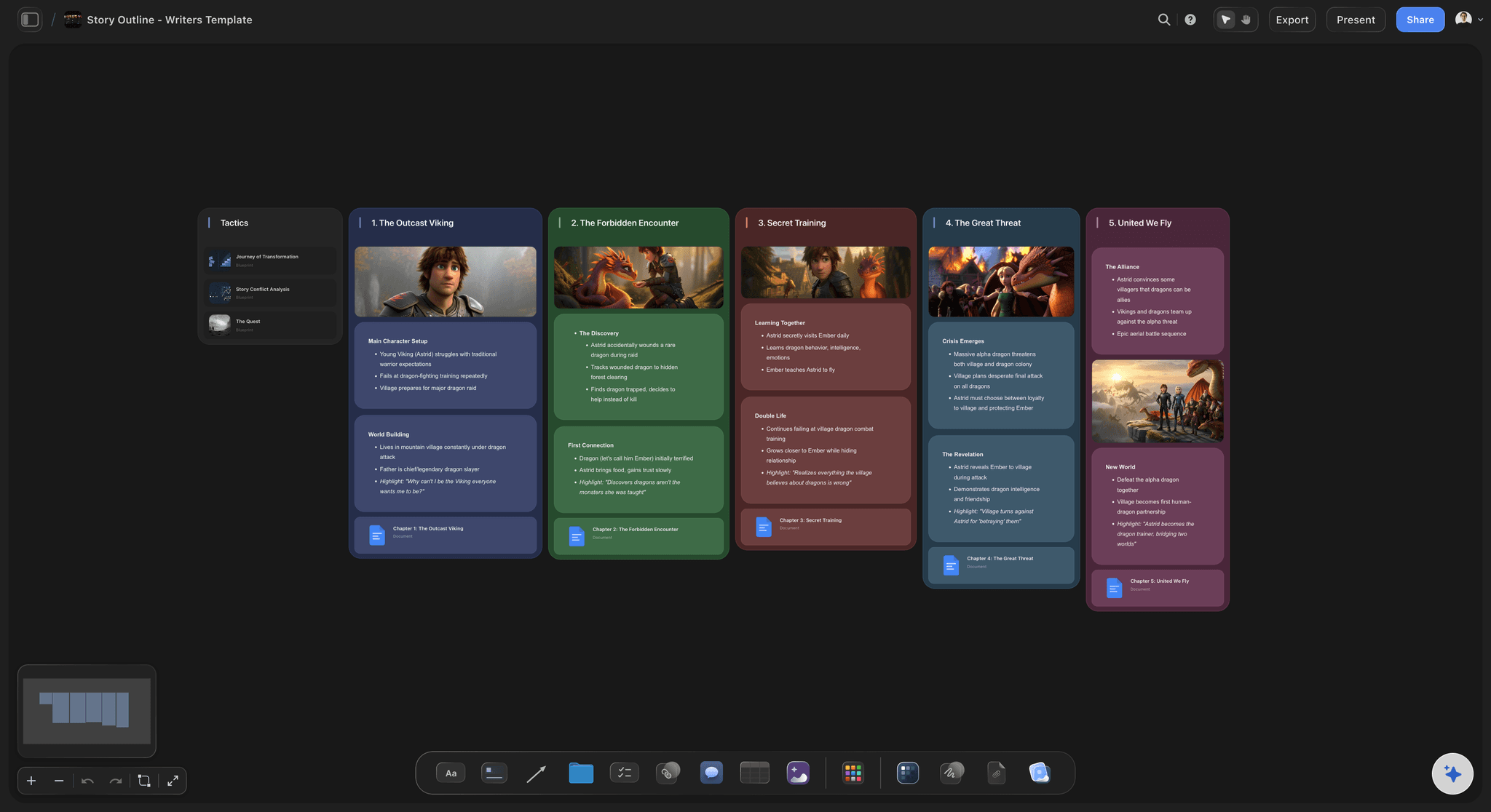
Beats laid out as a sequence
Structure the story along the canvas with a framework if you want one, and see the whole arc at once rather than scrolling a document.
See storytelling frameworks →
Pictures under the beats
References attached where they belong
Put the image that inspired a moment directly under the moment. Discovering that three beats share one composition takes a second at this zoom.
See the film moodboard →
From sequence to frames
The storyboard grows out of the beats
Build frames on the same board as the structure they came from, so a change to the story is visibly a change to the boards under it.
Try the AI storyboard generator →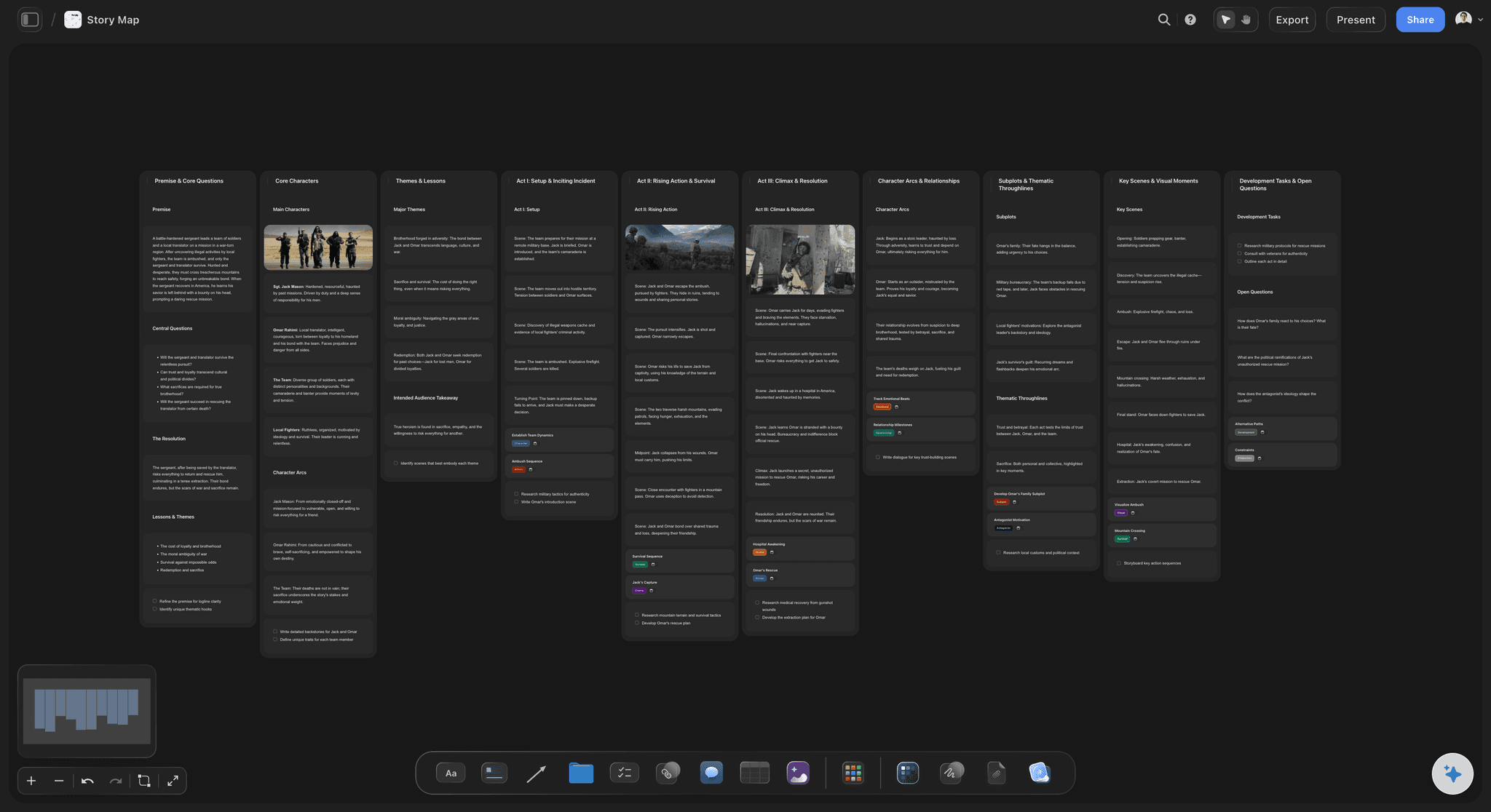
Showing the work
A sequence other people can read
Share the board as a link and a client or collaborator reads the story in order, with the pictures, without a deck or an account.
See the digital storytelling tool →Plans from $7.99/month annual. Invited collaborators join free.
Storyflow is paid-only during early access. Anyone a paid member invites to a board joins at no cost, which suits a crew assembled for a single project.
Collaborators and clients read a board with no account
Unlimited boards, one per story or project
Export the sequence as a high-quality image or PDF
Unlimited file uploads on every paid plan
Built for people with taste
You cannot judge a sequence you cannot see.
Prose hides repetition and pacing. A row of images on a wall exposes both in about four seconds.
Seeing the whole thing
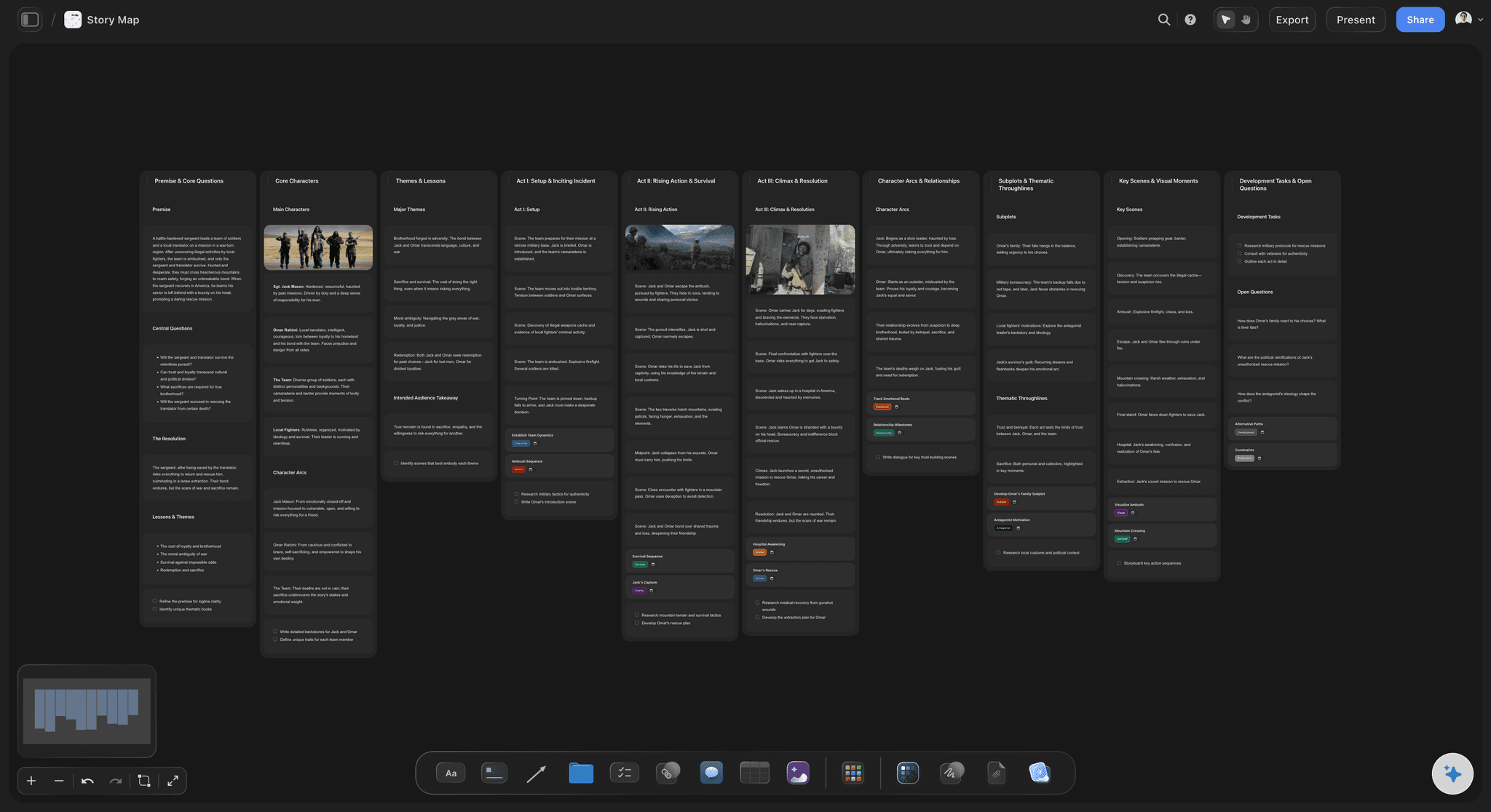
Problems that only show at this zoom
Repetition becomes obvious: Three beats with the same composition or the same emotional register look identical laid side by side, and read as varied in a script.
A beat with no picture: An empty slot under a turning point is the clearest possible sign that the moment has not been solved yet.
Pacing you can measure by eye: The physical width of an act on the canvas is a rough but honest read on how long it will feel to an audience.
The AI reads the story
A second opinion on the sequence
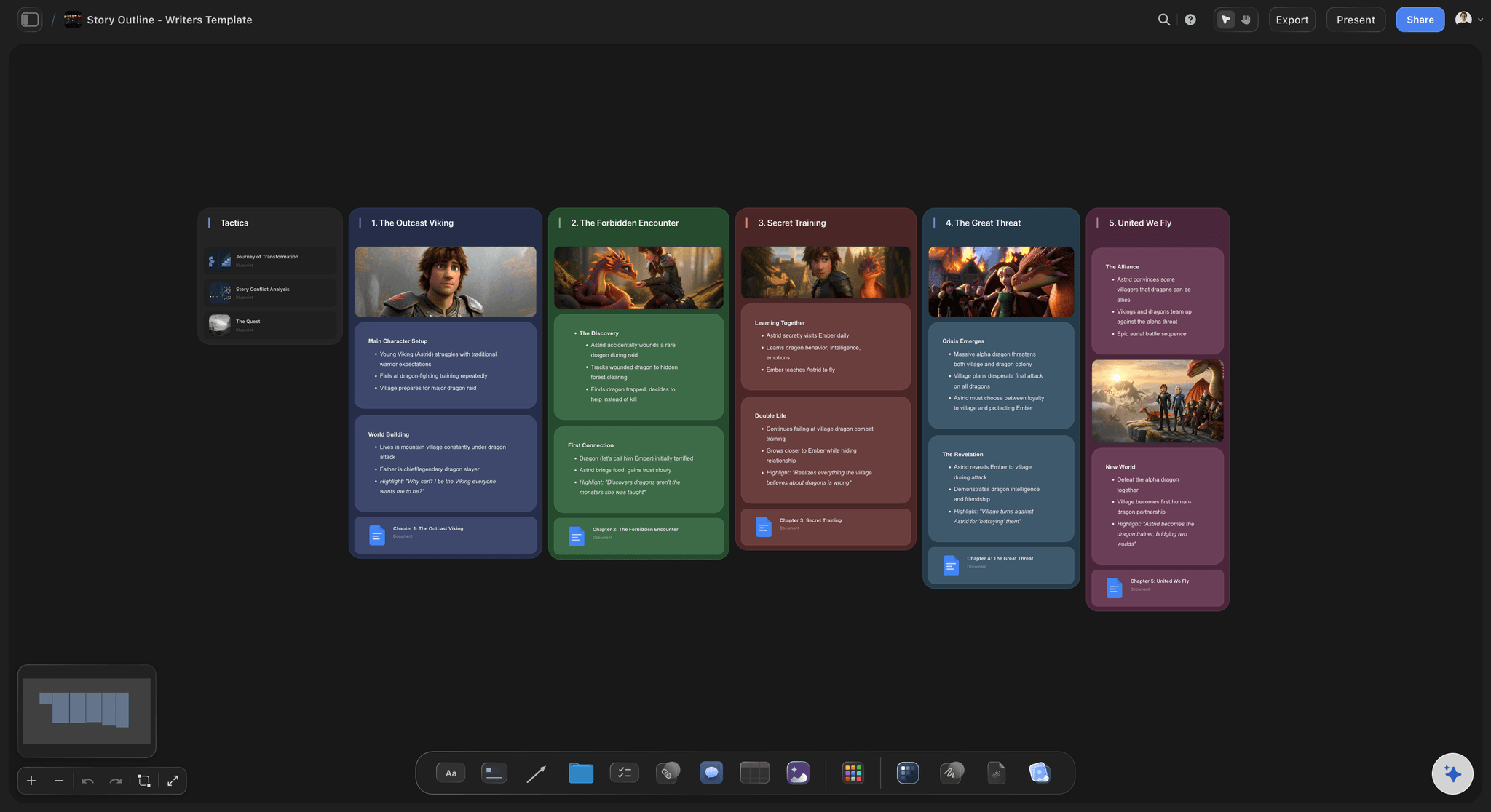
Canvas-aware AI: Storyflow's AI reads the whole active board, so the beats and the images are both in front of it when you ask where the middle sags.
Bring the script in: Attach up to five documents and three boards, so the treatment, the script and the moodboard inform the answer instead of a blank prompt.
It proposes, you decide: Suggested beats and frames arrive as ordinary editable cards. Storyflow assists the storytelling; it does not author it for you.

Honest limits
What this is not
Not an editor: Storyflow does not cut video or handle finishing. It covers the stage where changing the story is still cheap, then hands off to the edit.
Not a drawing application: There is freehand drawing on the canvas, but this is not an illustration tool. Most people work from references, photos and generated frames.
Not a screenwriting suite: There is no industry-standard screenplay formatting or production-ready page output. Write in your screenwriting tool and plan the sequence here.
Explore templates for your project
Every template opens as a real, editable board on the infinite canvas. Pick the closest fit and make it your own.
Mind Map
Branch one central idea out into themes and sub-points, then drag the connections around until the structure makes sense.
What creators are saying
Join early creators getting structured workspaces and AI that remembers their projects
“Storyflow has sped up my workflow by at least 3x, which means more flow state and more projects I can actually ship. It truly changed the way me and my team create.”

Reilin Joey
Director & YouTuber
“One prompt gets me a structured board. But the tactics are my favorite. I run my YouTube scripts through them and my intros and retention got better. It's amazing.”

Justkay
YouTuber & Freelance Filmmaker
“I used to juggle five apps to plan a project. Now I describe what I am making and get boards, lists, and a schedule. All in one place.”

George
@fernwehchronicles
Visual storytelling, answered.
What people ask when planning a story that has to be seen.
It is telling a story where the images carry the narrative rather than illustrate it. What the audience understands comes from what they are shown and the order they are shown it in. Film, commercials, photo essays, comics and brand campaigns all depend on it, which is why the craft tools are sequential: beat sheet, storyboard, shot list, edit.
Storyflow puts the story and its pictures in one place: the beats are laid out as a sequence, the reference images are attached where they belong, and the storyboard grows out of the beats. The shots and the script sit beside them on the same canvas, so you can see whether the images carry the story or only decorate it.
Because prose hides the two problems that matter most. Written out, you cannot see that three beats share the same composition or that a turning point has no image attached. Laid along a canvas, both are obvious in seconds. Sequence and repetition are visual problems and need a visual surface.
No. Most people work from reference images, photographs, stills and frames generated from a description, and there is freehand drawing on the canvas if you want it. Storyflow is not an illustration application, so if you want to draw every frame by hand a dedicated drawing tool will serve you better.
It can propose beats, suggest where a sequence sags and generate frames from a description, all as editable cards you accept or reject. Storyflow assists the storytelling rather than replacing it: the judgement about what the story means and which image earns its place stays with you.
No. There is no industry-standard screenplay formatting or production page output. Write the script in your screenwriting tool and plan the visual sequence here, keeping the script attached to the board so the two stay in the same conversation.
Yes. Built-in structures give the sequence a proven shape to start from, and you can depart from it once the material argues for something else. A framework is most useful as a diagnostic: it shows you which beat you have not written rather than telling you what to write.
Share a view-only link and the client reads the sequence in order, with the images, in a browser with no account. That is a more honest preview than a script read aloud, because they see roughly what the audience will see.
Yes, export the board as a high-quality image or PDF for a deck, a pitch or print. For collaborators who need to keep referring to it, the link is better because it opens the latest version.
Plans start at $7.99 per month billed annually, or $9.99 monthly. Storyflow is paid-only during early access, with a free plan launching before the end of 2026. Collaborators invited by a paid member can join free today.
Build the story where you can see it.
Beats, references, frames and script on one canvas, laid out in the order the audience will meet them.