
Ultra-fast planning, extremely simple
A year plan is a dependency
problem, not a topic list.
Lay every unit of the term, the year, or the whole course out across one canvas, draw the prerequisites between them, and pin the assessments where they actually fall.


Creatives working for these brands already got early access
- Red Bull
- Canon
- Artlist
- Porsche
See how easy it is to get started
Watch a real project come together, from a blank board to a finished plan, clicked through step by step.
Start from a ready-made template
Pick a board to see what you can build, then let AI fill it in. Every template is a real, editable starting point on the same infinite canvas.

Mind Map
Branch one central idea out into themes and sub-points, then drag the connections around until the structure makes sense.
What is a curriculum planner?
A curriculum planner is a tool for deciding what gets taught across a term, a year, or a whole course, and crucially in what order. Storyflow is an AI visual workspace that maps your course on one infinite canvas: every unit laid out in order, prerequisite links drawn between units, and assessments pinned where they fall. A curriculum planner works at a scope above the individual lesson. Where a lesson plan budgets the minutes of one class period, a curriculum plan budgets the weeks of a year: which units exist, how long each one gets, what has to be understood before each one starts, and where the assessments sit relative to the teaching. If you want the single class period, that is the job of a lesson plan creator, not this.
The reason curriculum planning is hard is that it looks like a list and behaves like a graph. A list of twelve units in a document reads perfectly well and hides every question that matters. Does unit four quietly assume a skill that unit seven teaches. Is the assessment in week nine testing something students have practised twice or heard about once. Does the spring term have three heavy units back to back with nothing light between them. Where is the slack for the two weeks that always vanish to a snow day, a trip, an exam window, and a fire drill. Those are ordering questions, and ordering questions are visible when the whole year is laid out in front of you and invisible in a document that shows one page at a time.
It is also worth being honest about what actually happens to year plans. Most of them are roughly twenty percent over-scoped, because writing a unit takes two minutes and teaching it takes four weeks. There is a permanent gap between the planned curriculum and the taught curriculum, and a further gap between the taught curriculum and the learned one. Coverage anxiety pushes teachers to keep moving even when a class is not ready, because the plan says week eleven and it is week eleven. A good plan does not pretend those pressures away. It makes them visible early, while there is still time to cut a unit deliberately rather than lose one by accident in May.
Planning a curriculum properly means holding six layers at once: the learning outcomes (what students should be able to do by the end of the course, written as capabilities rather than topics, which is where backward design starts), the units and their scope (what each block covers and, just as importantly, what it deliberately does not), the sequence and prerequisites (which unit depends on which, so nothing is taught before the thing it needs), the pacing against the real calendar (weeks per unit measured against actual teaching weeks, holidays, exam windows, and the slack you build in on purpose), the assessment placement (where formative checks fall inside units and where summative assessments fall after enough practice, not before it), and the resources per unit (the texts, datasets, equipment, and lesson boards each block actually needs). Storyflow keeps all six visible on one canvas, which is what makes an ordering mistake findable in August rather than in February.
Ultra fast from brief to board
From a subject and a number of weeks to a sequence that holds.
Describe the course, then move units around until the dependencies and the calendar both work.
01
Open a canvas
Sign up in seconds. No download. Your infinite planning canvas opens in the browser.
02
Describe the course
Type the subject, the year group, and how many teaching weeks you actually have. The AI drafts a scope and sequence as unit cards across a timeline, so you start from a first position to argue with rather than an empty grid.
03
Draw the dependencies
Connect each unit to the units it depends on. A connection that points backwards along the timeline is the bug: a unit that needs a skill taught later. Drag units until every arrow runs forwards.
04
Check the pacing, then place the assessments
Add the weeks up against the real calendar, build in review and slack weeks, and pin each assessment after the practice it tests. Share a view-only link with your department, or export the board as an image or PDF.
The whole year, in order, with the dependencies drawn.
Units, sequence, pacing, and assessments on one infinite canvas instead of twelve rows in a table.
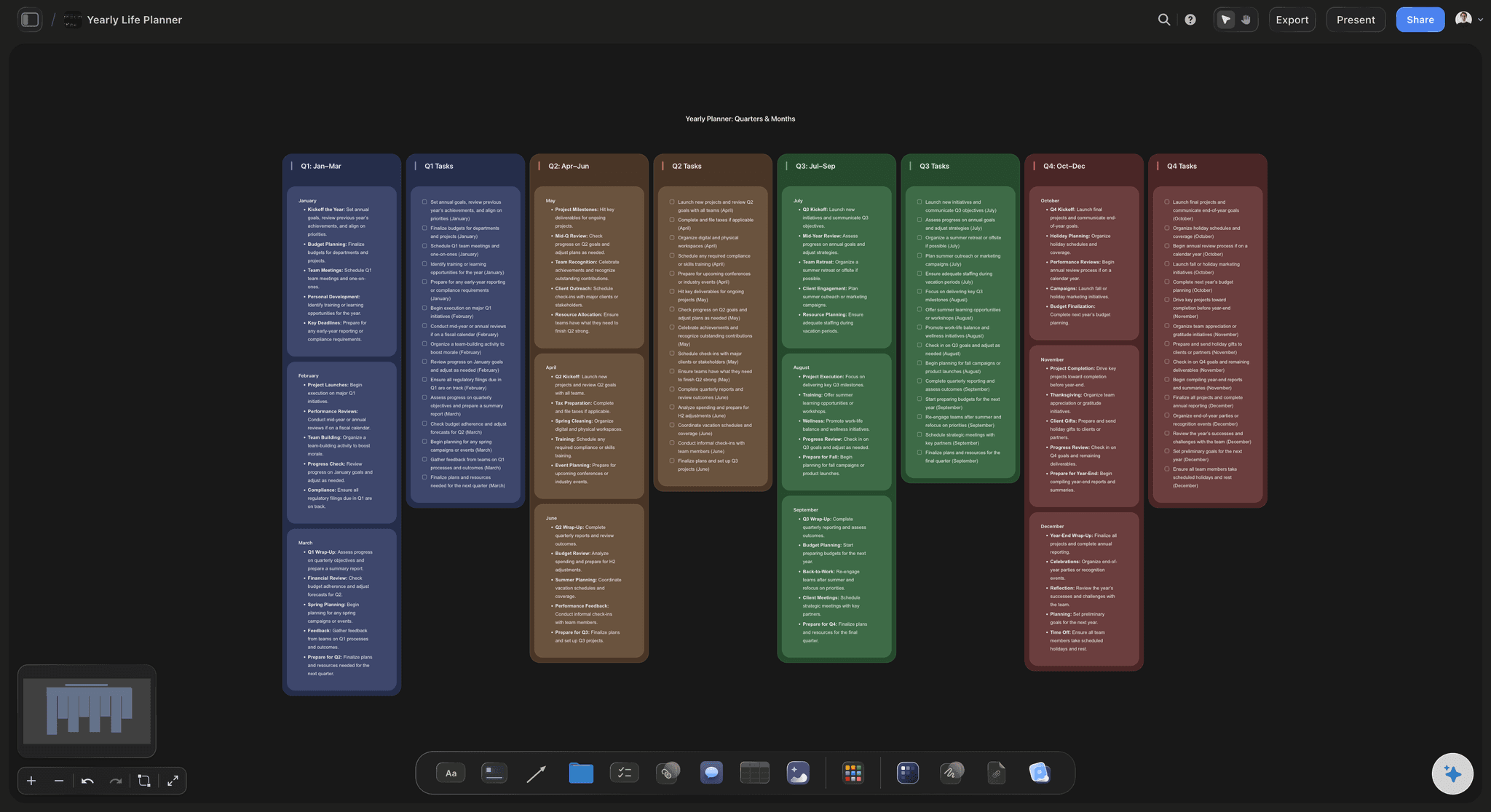
AI drafts a scope and sequence from your subject and time available
Start from a sequence, not an empty grid
Give it the subject, the year group, and the number of teaching weeks and the AI lays out a first scope and sequence as unit cards on a timeline. Rearranging a draft is much faster than deciding twelve unit orders from nothing.
See the AI course outline generator →
Prerequisites drawn as connections between unit cards
See the unit that depends on a later one
Draw a link from each unit to the units it needs. Once the arrows are on the canvas, an ordering mistake stops being a hunch and becomes a line pointing the wrong way down the timeline. That is the single most valuable thing a map does that a list cannot.
Explore the mind mapping tool →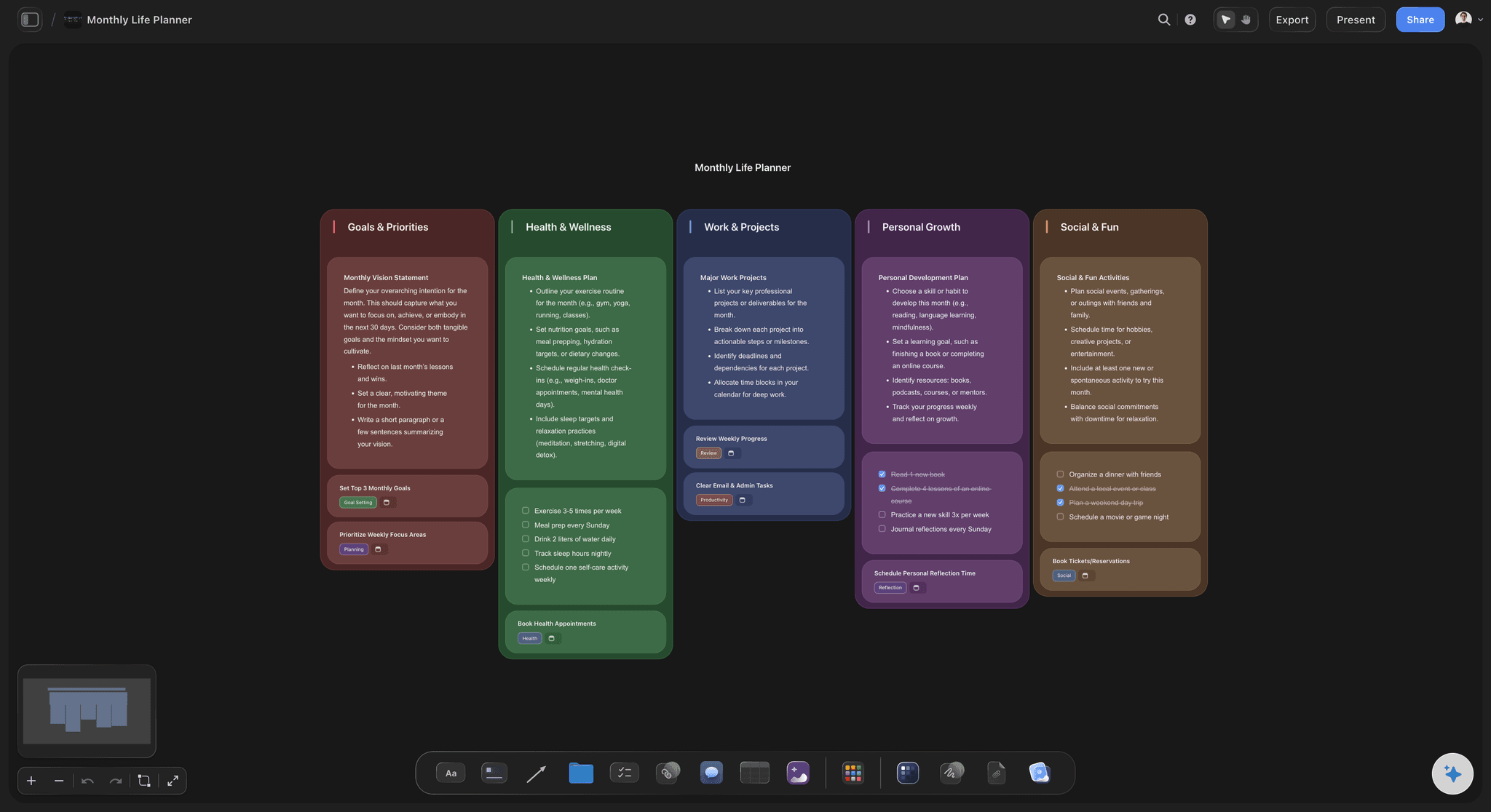
Units laid out against real teaching weeks, not theoretical ones
Pace it against the calendar you actually have
Put the units on a timeline of real weeks with the holidays, exam windows, and trips marked. Three heavy units in a row are obvious at a glance, and so is the fact that the year has thirty four teaching weeks and the plan needs forty one.
Try the timeline maker →
Each unit's lesson boards and resources sit underneath it
Zoom from the year down to the week
Park the lesson boards, texts, datasets, and reference material for each unit directly below the unit card. The year plan stays readable at the top, and the detail is one scroll away instead of in a folder tree.
Plan the individual lesson →Unlimited boards. No object cap.
Open a canvas, describe the course, and lay the year out. Storyflow is paid-only during early access, with plans from $9.99 a month, and a Free plan launches before the end of 2026.
Unlimited curriculum boards on an infinite canvas
Basic AI usage to draft a scope and sequence
3 starter frameworks built in
Share view-only links with your department
Built for people with taste
More than twelve rows in a table.
A table can hold a curriculum. It cannot show you that unit four depends on a skill you teach in unit seven.
Outcomes first, then units, then order
Design the course backwards
Start from what students should be able to do: Backward design means writing the end capabilities before the units, then working back to what has to be taught to reach them. Put the outcomes on the right of the canvas and build leftwards, and units that serve no outcome become visible immediately, along with outcomes nothing teaches.
Define the scope of each unit, including what it excludes: A unit card should say what it covers and what it deliberately leaves to a later unit. Most over-scoping happens because nobody wrote the second half down, so every unit quietly expands to cover everything adjacent to it.
Map the prerequisites as real connections: Draw a link from each unit to the skills and knowledge it assumes. A backwards arrow along the timeline is a genuine bug in the course, and it is the kind that normally gets discovered by a class in November rather than by a planner in August.
Choose spiral or linear on purpose: Linear sequencing teaches a topic once and moves on, which is cleaner to plan and less forgiving of a class that misses it. Spiral sequencing revisits the same core ideas at increasing depth across the year, which costs weeks but survives forgetting far better. On a canvas you can see a spiral because the same concept appears in three places.
Weeks, slack, and the units that will not fit
Pace it honestly against the real calendar
Count actual teaching weeks, not calendar weeks: Subtract the exam windows, the trips, the training days, the assemblies that eat a period, and the week nobody learns anything. What is left is the real budget, and it is always smaller than the one the plan was written against.
Assume you are twenty percent over-scoped: Most year plans are, because writing a unit takes two minutes and teaching it takes four weeks. Decide in advance which unit gets cut or compressed if you fall behind, and mark it on the board. A planned cut is a curriculum decision. An unplanned one is whatever you ran out of time for in May.
Build in review and slack weeks: Put explicit review weeks on the timeline rather than hoping for spare ones. They do double duty: they absorb the slippage that always happens, and spaced review is one of the few things that reliably improves retention months later.
Watch the load distribution: Three demanding units back to back will exhaust a class and a teacher. When the units are cards on a timeline you can see the heavy stretch and interleave something lighter, which is not visible at all when the year is a list of names.

Formative inside units, summative after the practice
Put the assessments where they can tell you something
Pin every assessment to the timeline: Place formative checks inside units, where a result still changes what you do next week, and summative assessments after enough practice has happened. Once they are pinned, the assessment that lands before students have practised the skill is obvious rather than discovered by the results.
Check what each assessment actually covers: Draw a link from each assessment back to the units it tests. Content that is taught and never assessed, and assessments that reach into a unit you have not started, both show up as lines that do not make sense.
Space and interleave for retention: Retrieval of a topic weeks after it was taught beats another lesson on it while it is fresh. Mark where each earlier topic gets revisited and where practice is interleaved rather than blocked, so retention is designed into the sequence instead of hoped for.
Leave the assessment window room to move: If a unit slips by a week, the assessment either slips with it or tests something students have not finished. Keeping both on the same board makes that trade explicit at the moment you fall behind.
AI that can see the whole course you have built
Draft, stress-test, and re-sequence with AI
A first scope and sequence from three facts: Subject, year group, and teaching weeks available is enough for the AI to lay out a full draft of units in an order, with rough durations. It is a starting position to disagree with, which is a much better place to begin than a blank year.
It reads the whole board: Because the AI has the entire canvas as context, you can ask it to check whether any unit assumes something taught later, to suggest where a review week would do the most good, or to propose a way to compress the term when two weeks disappear.
Re-sequence without rebuilding: Move a unit and everything you already wrote on its card moves with it, including the resources and the lesson boards parked underneath. Trying a different order costs a drag rather than a rewrite.
Explore templates for your project
Every template opens as a real, editable board on the infinite canvas. Pick the closest fit and make it your own.
Mind Map
Branch one central idea out into themes and sub-points, then drag the connections around until the structure makes sense.
One app instead of five
Storyflow vs Notion, Airtable, and Google Sheets.
Each of these genuinely owns part of this job. Here is which part, so you can pick honestly.
Storyflow
Recommended
Whole year visible on one infinite canvas
Prerequisite dependencies drawn between units
AI drafts a sequence using the whole board as context
Structured, filterable curriculum database
Gradebook, formulas, and numeric tracking
Long-form unit documents in a team wiki
Notion
Whole year visible on one infinite canvas
Prerequisite dependencies drawn between units
AI drafts a sequence using the whole board as context
Structured, filterable curriculum database
Gradebook, formulas, and numeric tracking
Long-form unit documents in a team wiki
Airtable
Whole year visible on one infinite canvas
Prerequisite dependencies drawn between units
AI drafts a sequence using the whole board as context
Structured, filterable curriculum database
Gradebook, formulas, and numeric tracking
Long-form unit documents in a team wiki
Google Sheets
Whole year visible on one infinite canvas
Prerequisite dependencies drawn between units
AI drafts a sequence using the whole board as context
Structured, filterable curriculum database
Gradebook, formulas, and numeric tracking
Long-form unit documents in a team wiki
What creators are saying
Join early creators getting structured workspaces and AI that remembers their projects
“Storyflow has sped up my workflow by at least 3x, which means more flow state and more projects I can actually ship. It truly changed the way me and my team create.”

Reilin Joey
Director & YouTuber
“One prompt gets me a structured board. But the tactics are my favorite. I run my YouTube scripts through them and my intros and retention got better. It's amazing.”

Justkay
YouTuber & Freelance Filmmaker
“I used to juggle five apps to plan a project. Now I describe what I am making and get boards, lists, and a schedule. All in one place.”

George
@fernwehchronicles
Curriculum planning questions, answered.
Mapping, sequencing, pacing, and what Storyflow honestly does and does not do.
Curriculum mapping is the practice of laying out what is actually taught across a course, term, or year so that the whole thing can be inspected at once. A map records the units, their order, the outcomes each one serves, and where the assessments fall. Its value is comparative: it exposes gaps where an outcome is never taught, duplication where two units cover the same ground, and sequencing errors where something is assumed before it is taught. A map of the taught curriculum is also the only honest way to compare what was planned with what really happened.
Storyflow is a curriculum planner built for exactly this: it lays every unit of a term, a year or a whole course across one infinite canvas, draws the prerequisites between units, and pins each assessment where it falls. The AI can draft a sequence using the whole board as context. Notion and Airtable still give you a structured, filterable curriculum database, and Google Sheets gives you a gradebook, formulas and numeric tracking.
Scope is what a course covers and how deeply. Sequence is the order it is covered in. Together they are the two decisions that define a curriculum, and they constrain each other constantly: widening the scope of one unit takes weeks from another, and changing the sequence can make a unit impossible because it now arrives before its prerequisite. A scope and sequence document is usually a table of units with durations and outcomes. Laid out on a canvas instead, with the dependencies drawn between units, the sequence errors are visible rather than inferred.
Scale, and the kind of question each one answers. A lesson plan designs a single class period: the objective, the activities, the materials, and the minutes each stage gets. A curriculum plan designs a term, a year, or a whole course: which units exist, what order they run in, how many weeks each gets, and where the assessments land. A lesson plan is a time budget in minutes. A curriculum plan is a time budget in weeks, plus a dependency graph. Different questions, different tools. Plan the individual lesson in the lesson plan creator and map the year here.
Backward design means starting from what students should be able to do at the end, then deciding how you would know they can do it, and only then designing the teaching. It reverses the common order, where a teacher picks activities first and works out the assessment later. In practice it produces two useful checks. Every outcome should have units that teach it, and every unit should serve an outcome. Anything failing one of those tests is either a gap or filler. On a canvas you can put the outcomes at one end and build back towards the start of the year.
Linear sequencing teaches each topic once, in a defined block, and moves on. It is simpler to plan, easier to pace, and unforgiving: a student who misses the block has missed the topic. Spiral sequencing revisits core ideas several times across the year at increasing depth. It costs teaching weeks and it fights forgetting far more effectively, because retrieval after a delay is what makes learning durable. Most real courses are a hybrid, with a spine of linear units and two or three core ideas that recur. On a canvas a spiral is visible as the same concept appearing in three separate places.
List what each unit assumes students can already do, then draw a connection from the unit to wherever that skill is taught. Once every link is on the board, one rule finds the bugs: every arrow should point forwards along the timeline. An arrow pointing backwards means a unit needs something taught after it, which is the single most common curriculum error and the hardest one to spot in a table. Fix it either by moving the unit or by moving the prerequisite, and check the knock-on links before you commit to the new order.
Start by counting the teaching weeks you really have. Take the calendar weeks, then subtract exam windows, trips, training days, and the weeks that are nominally teaching but functionally are not. That number is the budget. Then assume your first allocation is about twenty percent too ambitious, because writing a unit takes two minutes and teaching one takes four weeks. Rather than shaving a day off everything, decide now which unit is compressed or cut if you fall behind, and mark it. A planned cut is a curriculum decision; an unplanned one is just whatever you ran out of time for.
Formative assessment belongs inside units, early enough that the result can still change the next few lessons. Summative assessment belongs after enough practice has actually happened, which is the placement most often got wrong: an end-of-unit test scheduled the week the skill was introduced tests recall rather than capability. Pin each assessment to the timeline and draw a link back to the units it covers. Content that is taught but never assessed and assessments that reach into unfinished units both become visible as connections that do not line up.
Spacing means revisiting a topic weeks after it was first taught rather than teaching it once in a block. Interleaving means mixing practice of different topics instead of doing thirty problems of one kind. Both feel less efficient in the lesson and both produce better retention months later, which is exactly why they lose out to coverage pressure. The way to protect them is to put them on the map: schedule explicit review points where earlier topics return, and mark the units where practice is deliberately mixed. If they are not on the timeline, they will not survive a term that runs late.
No, on both counts, and we will not pretend otherwise. Storyflow does not integrate with Google Classroom, Canvas, Moodle, Schoology, PowerSchool, or any other LMS or student information system. There is no gradebook, no grading, no attendance, and no student records of any kind. It also has no built-in standards framework and does not automatically check your plan against any national curriculum, state standard, or exam specification. What you can do is put the specification text on the canvas as cards and link each one to the unit that covers it, so the mapping is visible and yours. Storyflow is a planning canvas, nothing more.
It drafts a scope and sequence, which is a different and more useful thing. Give it the subject, the year group, and the teaching weeks available and it lays out units in an order with rough durations. Because it reads the whole board, you can then ask it to check whether any unit assumes a skill taught later, to suggest where a review week would help most, or to propose how to compress the term when two weeks disappear. What it cannot know is your students, your department, or your exam board. Every decision about what actually gets taught stays with you.
Not during early access. Storyflow is paid-only right now, with plans starting at $9.99 a month, and a Free plan launches before the end of 2026. Anyone a paid member invites to a board joins free today, so a department can work on a shared curriculum map without everyone paying. There is no separate education or teacher discount. If you need something free this minute, Google Sheets will hold a scope and sequence table perfectly well. It just will not show you which unit depends on which.
Lay the whole year out and find the ordering problem.
Open a canvas, describe the course, and let AI draft the first scope and sequence. No download.